air condition AUDI S6 2009 User Guide
[x] Cancel search | Manufacturer: AUDI, Model Year: 2009, Model line: S6, Model: AUDI S6 2009Pages: 398, PDF Size: 43 MB
Page 109 of 398
![AUDI S6 2009 User Guide Warm and cold
"
-----------------------------------
Air distribution @]
The automatically controlled air distribution can be
changed manually.
- Press the Distribution(!).
Fig. 107 Di](/img/6/57595/w960_57595-108.png "AUDI S6 2009 User Guide Warm and cold
\"
-----------------------------------
Air distribution @]
The automatically controlled air distribution can be
changed manually.
- Press the Distribution(!).
Fig. 107 Di")
Warm and cold
"'
-----------------------------------
Air distribution @]
The automatically controlled air distribution can be
changed manually.
- Press the Distribution(!).
Fig. 107 Display: Air
distribution
- Rotate the control knob to the desired setting=:> fig. 107.
You can adjust the air circulation so that air flows from specific
vents. In position
O air flows only to the w indows, in position@ to
the driver or passenger and in position
-0,, to the footwell. There are
additional combinations available to adjus t air distribu tion as
needed.
To regulate air distribution automatically , switch to !AU TO) .•
Defrosting [@)
The windshield and side windows are rapidly defrosted or
defogged.
- To turn on the defogger/defroster, press the button[@].
- Press[ @] aga in or press !AUTO] to turn off the
defogger/defroster.
Controls and equip
ment
Temperature is controlled automatically . The maximum amount of
air flows mainly from the vents below the windshield.
By p ressing
lliii?L both air recirculation and ECON are swi tched off .•
Manual air circulation[~]
Air recirculation prevents exhaust fumes or other pollu
tion from entering the vehicle.
Turning on air recirculation
- Press[ ~]=:>
&
Turning off air recirculation
- Press
@a again, or
- press [AUTO], or
- press[ @].
In the air recircula tion mode , the air in the passenger compartmen t
is recirculated and filtered to prevent exhaust fumes and other
pollution from en tering the vehicle. We recommend that you use the
manual air recirculation under the following conditions:
• when driving through tunnels
• in a traffic jam.
& WARNING
Do not use this setting for extended periods of time. The windows
could fog up since no fresh air can enter the vehicle. If the
windows fog up, press the air recirculation button again immedi
ately to switch off the air recirculation function or select defrost. •
I • •
Page 113 of 398
Warm and cold 1111
-------------------'
[ i J Tip s
Please note that objects p laced on the seats may be detected . If
these obj ects are heavy enough, the ir weight wil l cause the seat
heating to switch on .•
A pplies to veh icle s: w it h s tee rin g wh eel heat ing
Steering wheel heating ~
The steering wheel can be heated electrically.
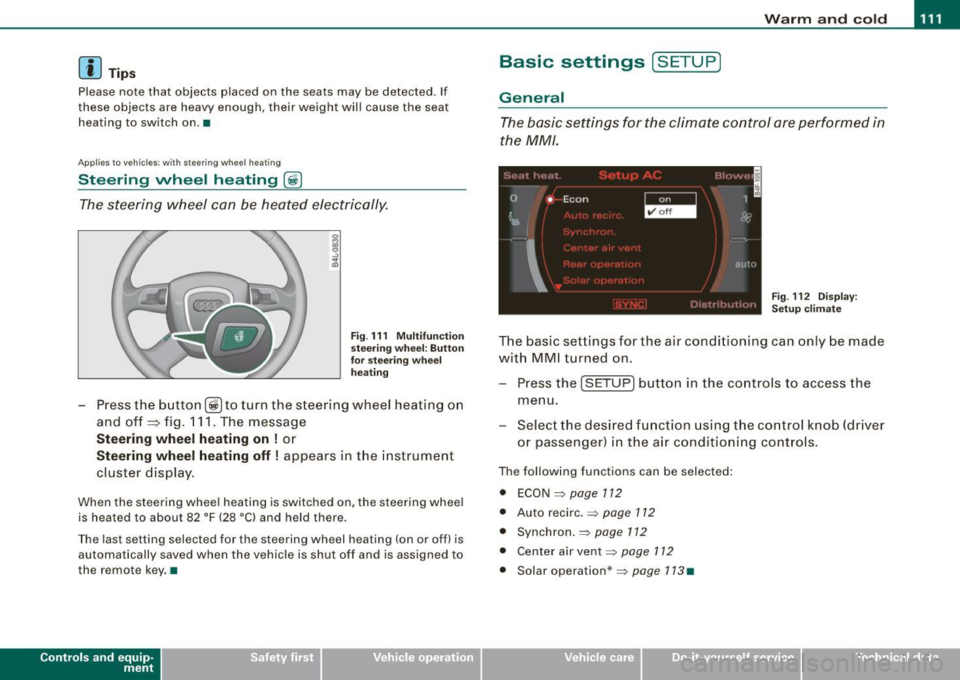
Fig . 1 11 Mult ifun ctio n
s tee ring whee l: B utt on
for stee ring w hee l
hea ting
Press the button [~ )to turn the steering wheel heating on
and off
~ fig. 1 11 . The message
St eering wheel h eating on ! or
Steering wh eel heating off ! appears in the instrument
cluster display.
When the steering wheel heating is switched on, the steering wheel
is heated to about 82 °F (28 °Cl and held there .
The las t sett ing s ele ct ed for the steering wheel heating (on or o ff) is
automatically saved when the vehicle is shut off and is assigned to
the remot e key . •
Contro ls and eq uip
ment
Basic settings [ S ET UP )
General
The basic settings for the climate control are performed in
the
MM/.
'' I", I -
0 •
I Econ 1
~ &
I
aut{J
Fig . 112 Dis play:
Set up clim ate
The basic settings for t he air conditioning can only be made
w ith MMI turned on .
- Press the
(SETUP ] button in the controls to access the
menu.
- Select the des ired fu nction using the co ntrol knob (dr iver
or passenger) in the air conditioning cont rols .
The following functions can be selected :
• ECON =>
page 112
• Auto recirc . => page 712
• Synchron . => page 112
• Center air vent=:>
page 112
• Solar operation *=> page 113 •
Vehicle care
I I irechnical data
Page 114 of 398
-Warm
and cold --------------------
ECON
The ECON mode helps to save fuel.
The air conditioning is turned off in ECON mode. "ECON" means
"Economy". By switching off the air conditioning (compressor), you
save fuel.
Please note that vehicle interior temperature cannot be lower than
the outside temperature in the ECON mode. The air is not cooled or dehumidified.
If the vehicle interior becomes too hot or if the windows fog up,
ECON mode should be turned off. As soon as the
jAUTO I button in
the air conditioning controls is pressed, the system automatically leaves the ECON mode, and the air conditioning compressor is
turned on again. •
Automatic recirculation mode
An air quality sensor detects increased concentrations of
pollutants in the outside air and automatically switches
to recirculation mode.
We recommend that you always keep automatic air recirculation ON
to prevent polluted outside air from entering the vehicle interior.
If the
air quality sensor located in the air conditioning system
detects polluted outside air, the sensor decides whether the air
pollution can be reduced by the factory -installed pollutant filter or
whether it is necessary to switch to air recirculation. With heavy concentrations of pollutants, the air conditioning system is
switched automatically to recirculation mode and the supply of
outside air is blocked. As soon as the concentration of pollutants in
the outside air drops, fresh air is supplied to the vehicle interior
again.
In the event that the windows fog up during automatic air recircula
tion, you must press the® button immediately. Under certain operating conditions, automatic air recirculation is
switched off automatically. With outside temperatures below about
+ 10
°C, automatic air recirculation is limited to 30 seconds. With
outside temperatures below about -1 °C and in the ECON mode,
automatic air recirculation is limited to 15 seconds. •
Synchronization
One climate control setting for the passenger's and
driver's seats.
After Synchronization is set to on, all of the subsequent climate
control settings (except for seat heating*) for the driver are trans
ferred to the front passenger.
Synchronization is canceled when settings are adjusted on the front passenger's side. •
Center air vent
The temperature of the air leaving the center vents can be
changed to differ from the temperature setting.
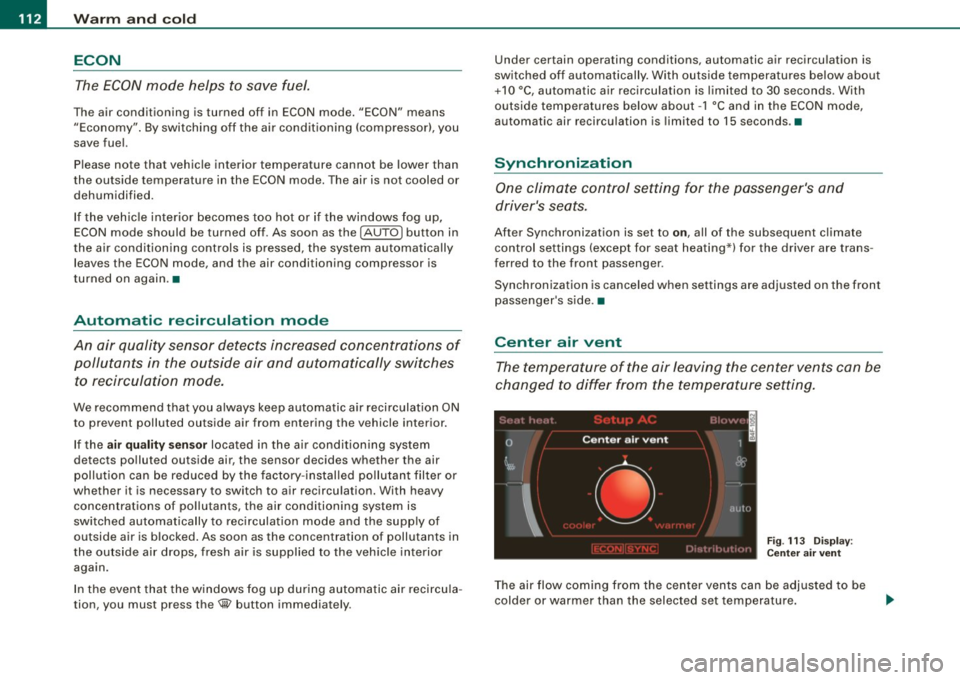
Fig. 113 Display:
Center air vent
The air flow coming from the center vents can be adjusted to be
colder or warmer than the selected set temperature.
Page 115 of 398
Warm and cold -
----------------
In this way you have the opportunity to have the air flow from the
center vents a little warmer or cooler, depending on the time of year.
A little cooler in the summer and a little warmer in the winter. •
Applies to vehicles: with solar roof
Solar blower fan /solar roof
With sufficient sunlight, the ventilation fan continues to
operate with solar energy to bring in fresh air after the
ignition has been switched off.
- Switch solar operation to on .
The fan motor is operated by solar energy through the solar roof
after the ignition is turned off . Please make certain that vents ©
and © are open to achieve optimal ventilation=>
page 108.
The ventilation operates only with the sunroof closed or in the tilted
position .
If the vehicle was switched off in the recirculation mode, the air
conditioning automatically switches to fresh air operation.
Solar operation is not activated at low temperatures. •
Controls and equip
ment I • •
Page 173 of 398
![AUDI S6 2009 User Guide Audi Parking System -
----------------=----=------
Rear frequency adjustment
- Pressthe (CAR]function button.
- Select
Audi parking system.
- Select Rear frequency when you want to cha](/img/6/57595/w960_57595-172.png "AUDI S6 2009 User Guide Audi Parking System -
----------------=----=------
Rear frequency adjustment
- Pressthe (CAR]function button.
- Select
Audi parking system.
- Select Rear frequency when you want to cha")
Audi Parking System -
----------------=----=------'
Rear frequency adjustment
- Pressthe (CAR]function button.
- Select
Audi parking system.
- Select Rear frequency when you want to change the
frequency of the rear audible signal generator.
When adjusting the volume and frequency, the new setting will
sound for approx. 2 seconds from each audible signal generator.
The volume and frequency settings are automatically stored and assigned to the master key with remote control.
& WARNING
• You should always adjust the volume and frequency of the
chimes so that you can easily hear the acoustic distance warning
even if the radio is playing, the air-conditioner blower is on High or
there is a high level of outside noise.
- Check the settings whenever anyone else has driven the
vehicle before you. •
Con tro ls and eq uip
ment
Audi Parking System (rear, with rear
view camera)
A pp lies to veh ic les: w ith Aud i Par king System ( rear) and re ar-view came ra
Acoustic parking system in the rear , with rear
view camera
The acoustic parking system gives an acoustic signal
when detecting obstacles, and the rear -view camera
offers further aid in the parking process.
OOID ;
r--= ===~~=~~;;;;;;;;~, ---;!
l_..:..:-=.: ~f---=====:=~.
Activation
Fig . 174 Rear lid: Loca
tion of the rear-view
camera
-Put the vehicle in reverse gear, the acoust ic parking
system with rear-view camera is activated automatically.
Activation of the acoustic parking system is confirmed by
a brief acknowledgement sound.
Deactivation
- Take the vehicle out of reverse gear. The acoustic park ing
system is immediately deactivated, and the rear -view
camera picture is deactivated automatically after a period of about 15 seconds, or
~
Vehicle care I I irechnical data
Page 176 of 398
_____ A_ u_d _ i_ P_ a_r _k _in _ g=- S--=- y_s _t _e _m ____________________________________________ _
"Parking mode 1" appears by default in the MMI Display if the rear
v iew came ra is activate d=>
page 171 . You can switch to " parki ng
mode
2" by pressing the control button with the mode @
=> page 175, fig. 180 function . By repeatedly p ressing the control
button with the
mode function, you can switch back and forth
between "parking mode
1 " and "pa rking mode 2".
Orientation lines and marked surfa ces
Orientati on l ines and col ored ma rke d surfaces( => page 175, fig . 179
or => page 177, fig. 181) a re projected into the rear -view ca mer a
pictu res, subject to the two diffe rent par king modes . These orienta
tion lines and surfaces offer aid when parking or maneuvering. The
orientation lines and su rfaces refer to the height of a leve l driving
sur face.
When the indicated orientation lines and indicated blue surfaces
sup erimpos e veh ic le s or o bjects, a t the lates t, t he respectiv e
d istance to the vehicles or objects has become too short
=>
p age 179 .
If the tr unk lid is open, the o rien tat io n lin es and marked su rfaces are
not displayed .
& WARNING
• The rear-view camera has blind spots , in which objects cannot
be detected . Be especially careful to check for small children and
animals before backing up . Small children and animals will not
always be detected by the sensors.
• The Audi Parking System is not a substitute for being careful
and alert when backing up . Be especially careful during parking
and similar maneuvers . Always watch where you are driving and
make sure that nothing is in the way.
• Remember that low obstacles which have already been
signaled may pass below the system 's sensing zone when the
vehicle is backing up . The fact that the signal stops does not mean
that you have cleared the obstacle . When the signal stops , impact
is imminent . Objects such as trailer hit ches, chains , narrow posts
& WARNING (continued )
or fences covered by a thin layer of paint may not always be
detected by the sy stem. They can still damage your vehicle
without warning .
• Always make sure that the volume and frequency of the chime s
is adjusted so that you can easily hear the acoustic distance signal
even if the radio is playing , the air -conditioner blower is on High or
there is a high level of outside noise .
- Check the settings whenever someone else has driven the
vehicle before you .
• Improper reliance on the Audi Parking System can cause colli
sions and serious personal injury .
- Never rely only on parking assi st w hen changing backing up .
- Always check rear view mirrors to make sure it is safe to back
up .
[ i ] Tips
• B efore parking with the rear -view camera, the Adaptive Air
Su spensi on* co mfort or automatic mode must be switched on
=>
page 20.
• The rea r-v iew ca mera pic ture is avai la bl e as soon as the M MI
Display or the MMI is sw itched on, or the start -up phase is
completed.
• I n order for the rear-view camera to function proper ly, the
c a m era len s=>
page 171 , fig. 17 4 mu st be kept clea n, a nd free of
snow and ice. P lease follow the additional notes on=>
page 182.
• The came ra c overage a ngle changes when the trunk lid is open .
T herefore, the rear-view camera picture is d isplayed without orien
t a tion lin es an d w ith out blue surfaces .•
Page 182 of 398
• .___A_ u_d_ i _P _a_ r_ k_ i_ n ..:g=-- S_ y=-- s_t _ e _m _____________________________________________ _
& WARNING (continued)
• Maintain plenty of distance from an obstacle, so that your
outside mirror or a corner of your vehicle does not collide with any
obstacles - danger of accident!
• The Audi Parking System is not a substitute for being careful
and alert when backing up. Be especially careful during parking
and similar maneuvers. Always watch where you are driving and
make sure that nothing is in the way.
• When maneuvering or parking, do not only use the MMI Display
for orientation. Certain objects -depending on the screen resolu
tion -may not, or not entirely, be displayed ; for example trailer
hitches, chains, narrow posts, or fences . •
Settings in the MMI
App lies to veh ic les: witn Av(li Pi, rk ing System (rear! and rear-view camera
Adjusting the chimes -option 1
The volume and the pitch (frequency) of the chimes can
be adjusted in the MM/.
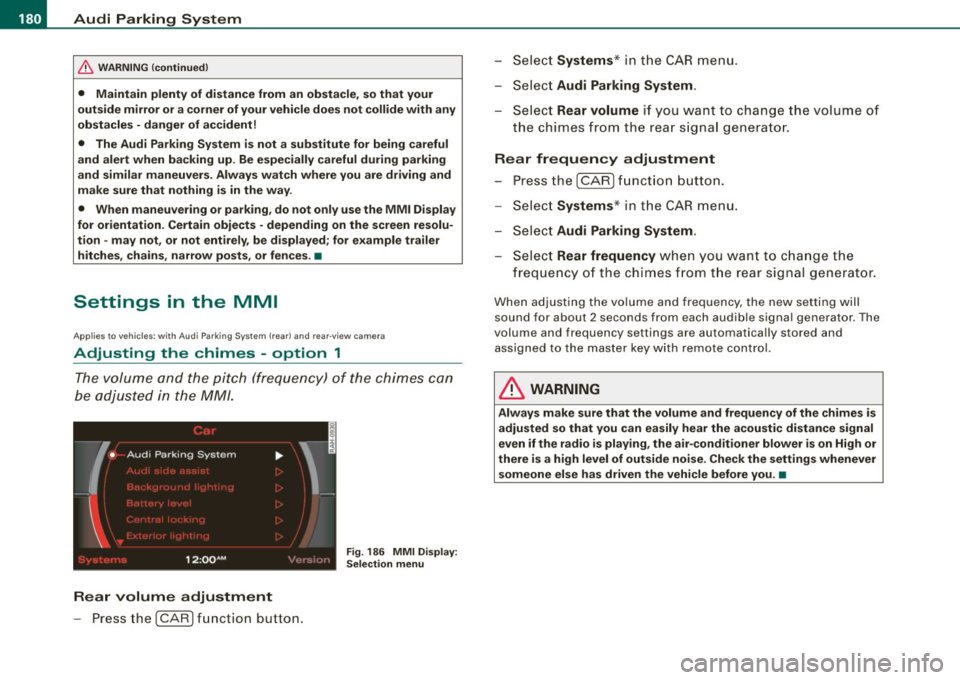
Fig . 186 MMI Display:
Selection menu
Rear volume adjustment
- Press the [CARI function button. -
Select
Systems * in the CAR menu .
- Select
Audi Parking System .
-Select Rear volume if you want to change the volume of
the chimes from the rear signal generator.
Rear frequency adjustment
- Press the [CAR I function button.
- Select
Systems* in the CAR menu .
- Select
Audi Parking System .
-Select Rear frequency when you want to change the
frequency of the chimes from the rear signal generator.
When adjusting the volume and frequency, the new setting will
sound for about 2 seconds from each audible signal generator . The
volume and frequency settings are automatically stored and assigned to the master key with remote control.
& WARNING
Always make sure that the volume and frequency of the chimes is
adjusted so that you can easily hear the acoustic distance signal
even if the radio is playing, the air-conditioner blower is on High or
there is a high level of outside noise. Check the settings whenever someone else has driven the vehicle before you. •
Page 183 of 398
______________________________________________ A_ u_d_ i _ P_a _ r_ k_ i_n -=g:a.- S_ y=--- s_t _ e _m _ ___._
Ap plies to vehicles: with Audi Par king System (r ear) and rea r-vie w came ra
Adjusting the chimes -option 2
The menu for adjusting signal sounds can also be called
up via the control button with the "settings" function.
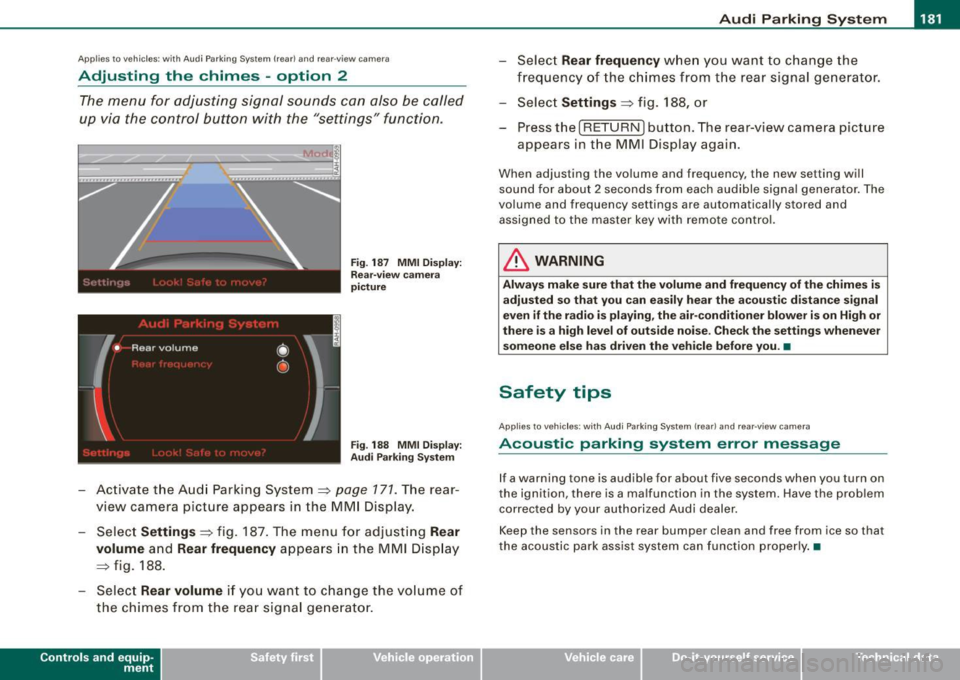
Fig. 187 MMI Display:
Rear-view camera
picture
Fig . 188 MMI Display:
Audi Parking System
- Activate the Audi Parking System=> page 171. The rear
view camera picture appears in the MMI Display.
- Select
Settings => fig. 187. The menu for adjusting Rear
volume
and Rear frequency appears in the MMI Display
=>fig,
188.
Select Rear volume if you want to change the volume of
the chimes from the rear signal generator.
Contro ls and eq uip
ment
Select Rear frequency when you want to change the
frequency of the chimes from the rear signal generator.
Select
Settings => fig. 188, or
Press the [RETURN] button . T he rear-v iew camera picture
appears in the MMI Display again.
When adjusting the volume and frequency , the new setting will
sound for about 2 seconds from each audible signal generator. The
volume and frequency settings are automatically stored and
assigned to the master key with remote control.
& WARNING
Always make sure that the volume and frequency of the chimes is
adjusted so that you can easily hear the acoustic distance signal
even if the radio is playing, the air-conditioner blower is on High or
there is a high level of outside noise. Check the settings whenever
someone else has driven the vehicle before you. •
Safety tips
Applies to vehic les: with Audi Par king System {rear) and rea r-v iew came ra
Acoustic parking system error message
If a warning tone is audible for about five seconds when you turn on
the ignition, there is a malfunction in the system. Have the problem
corrected by your authorized Audi dealer.
Keep the sensors in the rear bumper clean and free from ice so that
the acoustic park assist system can function properly.•
Vehicle care I I irechnical data
Page 184 of 398
• .___A_ u_d_ i _P _a_ r_ k_ i_ n ..:g=-- S_ y=-- s_t _ e _m _____________________________________________ _
Applies to vehic les: with Audi Park ing System (rearl and rear-view camera
Rear-view camera tips
We recommend that you practice parking with t he rear -view camera
in a traff ic -free location, or parking lot, to become fami liar with the
system, the orientati on line s, a nd th eir functi on. When doi ng this,
there should be good light and weather conditions.
In the MMI Display, objects or vehicles ap pea r closer or further away
i f:
• you are driving in reverse gear from a level surface onto an
inc lin e, o r a downwa rd sl ope,
• you are driving in reverse gear toward protruding objects,
• the ve hicle is carrying too much load in the rear.
The accuracy of the orientation lines and blue surfaces diminishes if :
• the Adaptive Air Suspension* is defective, or th e dynamic, off
road, o r lift mode is swi tched on,
• the rear -view camera does not provide a reliable image, for
exam ple, in po or vi sibi lit y c ondi tio ns or if the lens is dirt y,
• the image on the screen is not visible due to sun g lare and reflec
t ion .
Caring for the rear-view camera lens:
• Dampen the lens with a household a lcoho l- based g lass c leaner,
and c lean th e lens wit h a dry cl oth.
• Remove snow with a hand brush.
• Remove ice, preferably with de -icing spray~
0.
& WARNING
• The rear-v iew camera does not replace the view to the rear and
the rear view mirrors .
• The rear-view camer a - because of technical limitat ions -does
not show the entire area behind the vehicle~
page 175 , fig. 178.
& WARNING (continued )
Be especially careful to che ck for small children and animals
before backing up . Small children and animals will not alway s be
shown in the rear-view display .
• The Audi Parking System is not a sub stitute for being careful
and alert when back ing up . Be especially careful during parking
and similar maneuver s. Always watch where you are driving and
make su re that nothing is in the way .
• Do not allow yourself to be distracted from traffic by the rear
view camera pi ctures .
• When maneuvering or parking , do not only u se the MMI Display
for orientat ion . Certain obje cts - depending on the screen resolu
tion -may not, or not entirely, be displayed ; for example tr ailer
hitches , cha ins , narrow posts , or fences .
• Only use the rear -view camera for aid if it shows a good , clear
picture . The image may be obscured , for example , by the sun
shining into the lens, dirt on the lens, or as the result of a defect -
danger of accident!
• If the image i s hazy when the MMI Display is switched on or the
area behind the vehicle is not visible (for e xample , as the result of
a dirty or defective lens ), the rear -view camera must not be used
for aid in maneuver ing - danger of accident!
• The rear -view camera generates two -dimensional images . For
this reason , please note that recesses in the ground and
protruding parts on another vehicle , or protruding objects fixed to
the ground , will be more difficult or impossible to recognize on the
MMI Di splay, due to the missing spacial depth .
• If the position and the installation angle of the camera has
changed, for example , after a rear end collision , do not continue to
use the system for safety reasons . Have it checked by an autho
rized Audi dealer or qualified work shop .
• Only use the rear-v iew camera when the rear lid is fully closed .
Make sure that objects mounted on the rear are not obscuring the
camera v iew .
Page 186 of 398
• .___A_ d_ a --=- p_t_ i_v _e _ A_ ir_ S_u_ s_,_ p_e_ n_ s_io _ n _____________________________________________ _
Adaptive Air Suspension
Adaptive Air Suspension and
Damping
A pplies to vehicles: wi th Adap tive Air Suspens ion
Description
Adaptive Air Suspension and damping can be regulated
and they adapt automatically to a request from the driver
and the driving situation at the time.
Adaptive Air Suspension is an electronically controlled springing
and damping system . This chassis system makes it easier on the
driver by adapting to the particular situation through imperceptible
control processes.
The
Adaptive Air Suspension component regulates ground clear
ance depending on vehicle speed, load condition and driver input.
When the system is in automatic mode, accelerating to a speed above a predetermined limit will make the vehicle lower itself. On
the other hand, driving more slowly results in the vehicle raising again at specific speeds.
The
damping component provides individual control of the
damping forces. For example, with damping characteristics set to
provide greater comfort, damping is set somewhat harder for a brief
period only as required, for example, when going around a curve or
over rough road surfaces as well as when braking.
Settings
Adaptive Air Suspension provides the driver with the opportunity to
set the chassis characteristics also to their individual preference.
With the driving modes
standard, automatic and dynamic the driver
has three chassis settings available, ranging from comfort to sporty .
In addition,
lift provides a fourth mode which can be selecting for
driving over poor stretches of road :::::,
page 185, "Chassis controls". The modes are set in
MMI:::::,
page 185.
& WARNING
The height of the parked vehicle can change due to temperature
fluctuations or changes in load.
0 Note
• Whenever you park your vehicle, always make sure there is
adequate clearance above and below the vehicle. The height of the parked vehicle can change as the result of temperature fluctuations,
changes in load condition and changes in the driving mode (ground
clearance!.
• If the vehicle is being transported (e.g. by tow truck, train, ship,
etc.) , mount the tie -down chains/cables over the running surface
(circumference) of the tires . Never secure the vehicle by the axle, the
suspension struts or the front or rear towline eye. For technical
reasons, the pressure in the suspension struts may change during
the transport, which could result in the vehicle no longer being
secured properly.
• To prevent damage to the vehicle underbody, remember that
your vehicle is not an off-road vehicle, even in the "lift" mode. The
ground clearance is insufficient for this type of operation.
• If you are going to tow a trailer, you must activate the trailer oper
ation mode :::::,
page 186.
[ i] Tips
Before you raising your vehicle using the vehicle jack (for example,
when changing a flat tire) you must activate the jacking mode
=> page 186. •