%27 AUDI S6 2011 User Guide
[x] Cancel search | Manufacturer: AUDI, Model Year: 2011, Model line: S6, Model: AUDI S6 2011Pages: 370, PDF Size: 87.15 MB
Page 58 of 370
Open ing and closing
App lies to veh icles : w ith sliding/tilting power sunroof
Emergency closing by hand (Step 1)
The sunroof can be closed by hand in case of a power
failure .
0
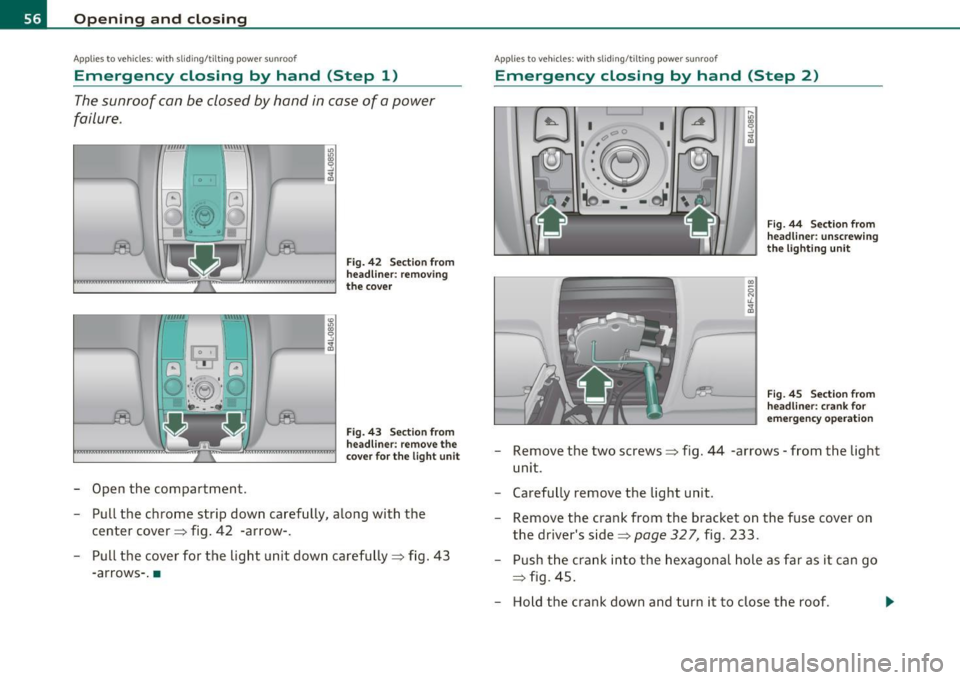
-Open the compartment.
Fig. 42 Sect ion from
head lin er: removing
the cover
Fig. 43 Section from
headli ner: remove the
cove r fo r th e light u nit
- Pull the chrome strip down carefully, along with the
center cover ::::, fig . 42 -arrow-.
- Pull the cover for the light unit down carefully::::, fig .
43
-arrows- .•
App lies to veh icles: w ith slid ing/t ilting power sunroof
Emergency closing by hand (Step 2)
I I C' C
•:~ I
I',.~ I
.• \o -·: -t)J ,_,,
J
F ig . 44 Sect ion from
head line r: unscrew ing
t h e lig hti ng u nit
Fi g. 45 Sect ion from
head line r: crank for
e m ergency ope ration
Remove the two screws::::, fig. 44 -arrows -from the light
unit .
Carefully remove the light unit .
Remove the crank from the b racket on the fuse cover on
the driver's side::::,
page 327, fig. 233.
Push the crank into the hexagonal hole as far as it can go
=> fig. 45 .
- Hold the crank down and turn it to close the roof . ...
Page 121 of 370
__________________________________________ A_ d_a""" p:....- t_iv _ e_ C_ r_ u _is _ e_C_ o_n_ t_ r_ o_ L_....J_
Adaptive Cruise Control
Speed and distance control system
App lies to veh icles: wi th Ad aptive Cruise Cont ro l
Descr iption
Th e Adaptive Cruis e Control driv er assistance pro gram is
a c omb in ed spe ed an d dista nce contr ol syst em .
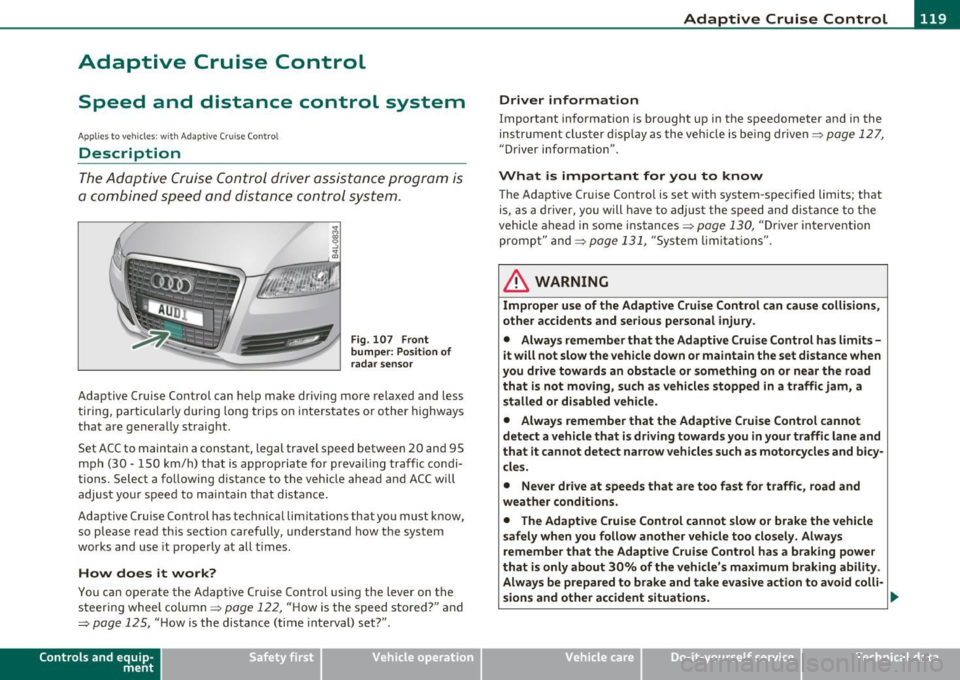
Fig . 107 Front
bumper: Po sition of
radar sensor
Adaptive Cruise Control can help make driving more relaxed and less
t irin g, particular ly d uring long trips on inters tates or o ther highways
that are genera lly straight.
S et ACC to maintain a constant, legal travel speed between 20 and 95
mp h (3 0 -150 km/h) t hat is a pprop riate for prev ailing traffic co ndi
tions. Select a following distance to the vehicle ahead and ACC w ill
adjus t you r speed t o mai ntain that dist an ce.
Adaptive Cruise Control has technical limitations that you must k now,
so p lease read this sectio n carefully, un de rstand how t he sys tem
wor ks and use it pro perly at all times.
How does it work?
You ca n operate the Adaptive Cruise Control using the lever on the
st eerin g wheel column=>
page 122, "H ow is the s peed stored ?" and
=>
page 125, " H ow is the distance (time inte rval) set?" .
Contro ls a nd e quip
m en t Vehicle
OP-eration
Driver information
Important information is bro ught up in the speedometer and in the
ins trumen t clus ter d is pla y as the ve hicle is be ing dr ive n=>
page 127,
"D river information" .
What is important for you to know
The Adaptive Cru ise Contro l is set with system-spec ified limits; that
is, as a driver, you will have to a djus t the s pee d and dis tan ce to t he
vehicle ahead in some in stances =>
page 130, "Driver intervention
promp t" and =>
page 131, "System lim itat ions".
ln. WARNING
Improper use of the Adaptive Cruise Control can cau se collisions,
other accidents and serious personal injury .
• Always remember that the Adaptive Cruise Contro l has limits -
it will not slow the vehicle down or maintain the set distance when
you drive towards an obstacle or something on or near the road
that is not mo ving, such as vehicles stopped in a traffic jam, a
stalled or disabled vehicle .
• Always remember that the Adaptive C rui se Control cannot
detect a vehicle that is driving towards you in your traffic lane and
that it cannot detect narrow vehicles such as motorcycles and bicy
cles .
• Never drive at speeds that are too fast for traffic , road and
weather conditions .
• The Adaptive Cruise Control cannot slow or brake the vehicle
safely when you follow another vehicle too closely . Always
remember that the Adaptive Cruise Control has a braking powe r
that is only about 30% of the vehicle 's maximum braking ability .
Always be prepared to b rake and ta ke e vasive action to a void colli-
sions and other accident situations . .,
Vehicle care Do-it-yourselt service iTechnical data
Page 124 of 370

-Adaptive C ruise Cont rol .J':fl..__..,____ _____________ _
toward you~ page 124, "Turning Adaptive Cruise Control off
temporari ly". •
Applies to ve hicles : w ith Adap tive Cru ise Contro l
Switching the system on and off
Switching the system on
-Pull the lever to position (D => fig. 109.
Sw itching the system off
F ig. 109 Contro l
lever: Sw itching on
and off
- Press the lever to position@ (latched) .•
A pplies to veh icles : wit h Ada ptive Cruise Control
How is the speed stored?
Fig. 110 Cont ro l
l ever: S tori ng speed
With th e syst em switched on the speed is stored as follows:
- Drive at the speed you want. The speed must be between
20 and 95 mph (30 and 150 km/h) .
- Press the
!SETI button => fig . 110 to store the desired
speed .
After the I SET I button is released, the current speed is stored and
maintained .
The saved speed is now shown in the LED disp lay in the speedometer
by one or two illuminated red light diodes~
page 127. At the same
time, the saved speed is also shown for a short time in the Informa
tion line~
page 129.
[I) Tips
For safety reasons, the s tored speed is erased when the ignit ion or
the ACC is turned off .•
Page 136 of 370
IIIIL_!_A~u~d~i~l!:!a~n~e '...:a~s~s:!:is~t ~--------------------------------------------
Aud i Lane assist
Lane assist
Applies to veh icles : w ith lane assist
Description
Lane assist helps you keep your vehicle in your lane.
Lane assist uses a camera to detect lane boundary lines. If the system
detects that your vehicle is about to leave a lane boundary line, the
steering wheel
vibrates to alert the driver. If lane assist detects
boundary lines on both sides o f the veh icle's lane, the system enters
act ive standby mode, which is indicated by t he gree n indicator light
/: on the instrument cluster .
If the system is in active standby mode and the turn signal is acti
vated before driving over the boundary line , the warning does not
occur sinc e th e system allows for in tention al lane changes.
The system is designed for driving on freeways and expanded high
ways and th us works only at speeds of 40 mph (65 km/h) or more.
& WARNING
• Lane assist will not keep your vehicle in your lane. The system
only warns the driver when the vehicle is leaving the lane. The
driver is always responsible for keeping the vehicle in the lane.
• The camera is not able to detect all lane boundary lines and in
some cases might also detect lane structures or objects as
boundary lines. This can lead to incorrect warnings or warnings
that fail to go off at all.
• The camera's visibility can be impaired by vehicles ahead of
you, for instance, or by rain, snow, heavy spray or light shining
into the camera lens. This can cause lane assist to fail to detect
boundary lines. •
Applies to veh icles: wit h lane assist
Activating and deactivating
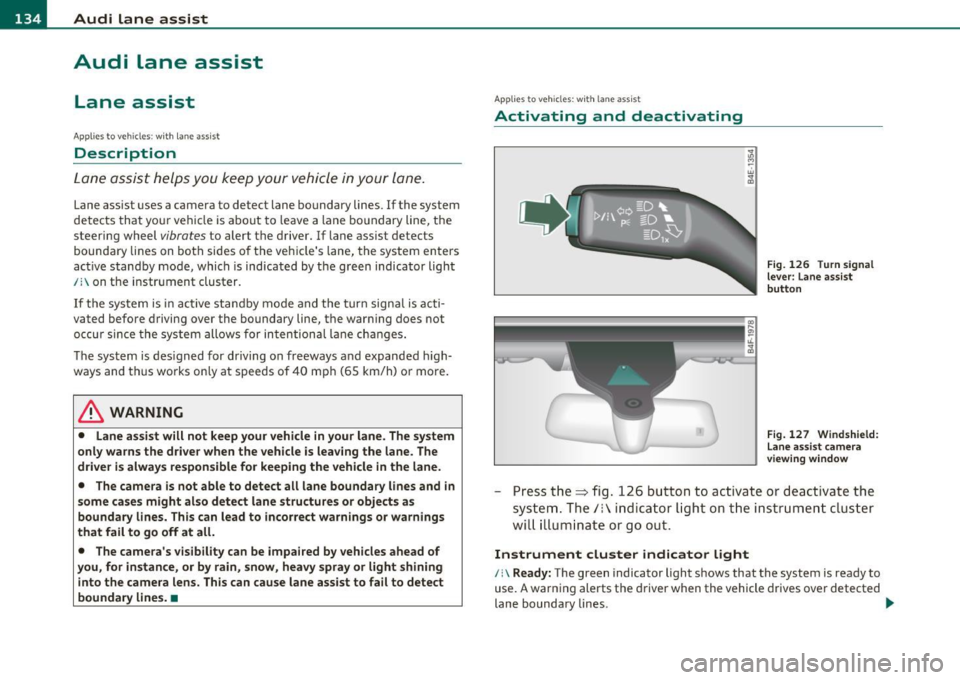
Fig. 126 Turn signal
lever: Lane assist
button
Fig. 127 Windshield:
Lane assist camera
viewing window
-Press the=> fig . 126 button to act ivate or deactivate the
system. The/: ind icator light o n the instrument cluster
will illumi nate or go out.
Instrument cluster indicator light
/:\Ready: The green indicator light shows that the system is ready to
use. A warning alerts the driver when the vehicle drives over detected
lane boundary lines . -.,
Page 137 of 370

Audi lane assist -________________ lff'II
Not ready: The yellow indicator light shows that the system is
turned on but unable to send a warning. This can be due to the
following:
• Th ere are no boundary lines, or there is only one boundary line
present.
• The boundary lines are not detected (e .g . due to snow, dirt, wet
conditions or light shining into the camera lens).
• More than two boundary lines (such as at construction sites) are
located in the vehicle's lane.
• Th e vehicle's speed is below the speed needed to activate it, which
is about 40 mph (65 km/h) .
• Th e lane is narrowe r than about 8
ft. (2.5 m), or wider than about
16 ft. (5 m).
• The curve is too sharp.
Notes on the instrument cluster display
When the lane assist turns off automatically, the instrument cluster
indicator goes out and one of the fo llowing messages appears on the
display:
Audi lane assist not available: currently no sensor vision
Thi s message appears when the camera can no longer function
because it cannot detect the boundary lines. This may be due to the
following:
• Th e exte rior side of the camera viewing window=>
page 134,
fig. 127 is covered with dirt or ice. Clean this part of the windsh ield.
• Th e came ra viewing window is fogged up on the inside. In this
case, wait until the fog disappears before turning lane assist on
again.
• Th e system was unable to detect boundary lines over an extended
period of time due to road conditions (such as snow-cove red lanes).
Do not turn lane assist on aga in until the lines can be more easily
detected.
Audi lane assist currently not available
Controls and equip
ment Safety first A temporary malfunction
is preventing lane assist from operating .
Tr y turning on lane assist again at a lat er time.
Audi lane assist: system fault
The system shou ld be checked by an authorized Audi dealer or other
qualified wo rkshop.
[ i ] Tips
• Make sure that the camera viewing window => page 134, fig. 127
is not covered by stickers or similar objects.
• Always keep the camera viewing w indow clean. This can us ually be
done by operating the windshie ld wipers. •
Applies to vehicles: wi th lane assist
MMI settings
You can use the fv1fv1I to adjust the warning time and
steering wheel vibration.
-Select: Function button [CAR ]> Systems *> Audi lane
assist.
Setting the warning time
Early: This setting warns the driver before a wheel touches the
detected lane boundary line. The warning depends on the vehicle's
angle as it approaches the boundary line. If you approach a boundary
line gradually, the warn ing will occur earlier. If you approach the
boundary line at a very sha rp angle, the warn ing will occur just befo re
a wheel touches the line.
Medium : In this setting, the warning time adjusts to the characteris
tics of the road and the vehicle speed. The wa rning occurs later fo r
curves and occurs earlier for straight stretches of road . The warning
occurs later on narrow roads than on wide ro ads.
Late : This setting warns the driver when a wheel dr ives over the
detected lane boundary line.
Vehicle care Technical data
Page 149 of 370

______________________________________________ A_ u_ t_ o _ m_ a_ t_ ic_ t_r_a _ n_ s_m_ i_ s _s_ i_ o _ n __ l!'II
The selector lever must be in Nor P. If one of the dr iv ing positions is
eng aged a safety swi tch will p reven t th e e ng ine from be ing s tarte d.
See also=>
page 109.
Before you move t he se lector lever from t he P position, yo u must
always ap ply the b rake peda l befo re and while de press ing the bu tton
in the handle of the selector lever.
_& WARNING
• Unintended vehicle movement can cau se serious injury.
- When the selector lever is in a driving position, the vehicle may creep, even at idle speed. Therefore do not release the
parking brake or foot brake until you are ready to move,
because power is transm itted to the wheels as soon as a driv ing
po sition i s engaged.
- Do not accelerate while selecting a driv ing position . At this
time the engine must be at idle speed so that undue stress i s
not placed on the clutches in the transm iss ion.
- Remember : • even when stopped briefly with the automatic
transmission in "D", "S" or "R" , engine power is being trans
mitted to the wheels . Your vehicle could "creep " forward or
backward. When stopped, keep the brake pedal fully
depre ssed and use the parking brake if neces sary to keep the
vehicle from rolling .
• If the selector lever is unintentionally moved into N while you
are driving, take your foot off the accelerator pedal and wait for
the engine to return to idle speed before selecting a driving posi
tion.
• Never shift into "R " or "P " when the vehicle is in motion .
• Never get out of the d river's seat when the engine is running.
• If you must get out of the vehicle , move the selector lever
securely into the P position and apply the parking brake firmly .
• If the engine must remain running, never have any driving
position engaged when checking under the hood.
Make sure the
selector lever has securely engaged and is locked in "P " with the
Controls and equip
ment Safety first
& WARNING (
co ntinued )
parking brake firmly set=> page 271, "Engine compartment ".
Otherwi se, any increase in engine speed may set the v ehicle in
motion , even with the par king brake applied. •
Applies to vehicles : w ith 6-s peed automatic tran smission
Selector lever positions
T his s ection describ es the selector lever positions and
driving ranges.
Fig . 139 Di splay in
the in strum ent cluster :
se lector le ver In po si
tio n P
Th e selector lever posi tion engaged appe ars next to the se lec tor lever
as well as in the instrument cluster display .
P -Park
In this selector lever position the transmission is mechan ica lly
lo cked. Engage P only when the vehi cle is
comple tely stop ped=> &
in "Driving the automatic transmissio n" on page 146.
T o sh ift in or o ut of position P, yo u must first press an d hold the brake
peda l
and then press t he release button in the se lecto r lever hand le
wh ile moving the selector lever to or from P. Yo u can s hift out of this
posit ion on ly with the ignit ion on . .,,
Vehicle care Technical data
Page 156 of 370
IIJIL___!A~u~t~o~m~a~t~i~c ~t~ra~n~s~m~i~s~s~i~o~n~ -------------------------------------------
& WARNING (conti nu ed )
-When the selector le ver is in a driving position, the vehicle
may creep, even at idle speed. Therefore do not relea se the
parking brake or foot brake until you are ready to mov e,
becau se power is transmitted to the wheel s as soon a s a driving
po sition i s engaged .
- Do not a ccelerate while selecting a driving position . At this
time th e engine must be at idle sp eed so that undue stres s is
not placed on the clutche s in the tran smis sion .
- Remember: -even when stopped b riefly with the automatic
tran smi ssion in "D ", "S " or "R ", engine power is being tran s
mitted to the wheels . Your vehicle could "creep " forward or
ba ckward. When stopped , keep the brake pedal fully
depre ssed and use the parking brake if necessary to keep the
vehicle from roll ing.
- If the selector lever is unintentionally moved into N while
you are driving, take your foot off the accelerator pedal and
wait for the engine to return to idle speed before s electing a
driving pos ition .
- Never shift into "R " or "P " when the vehicle i s in motion .
- Never get out of the driver 's seat when the engine i s running.
- If you must get out of the vehicle , move the selector leve r
s ecurely into the P position and apply the parking brake firmly .
-If the engine must remain running , never have any driving
po sition engaged when checking und er the hood . Make sure
the selector leve r has securely engaged and is locked in "P"
with the parking brake firmly set=>
page 271, "Engine
compartment ". Otherwise , any increase in engine speed may
set the vehicle in motion, even with the parking brake
applied. a
Applies to vehicles: with mu lt itron ic® Continu ous ly Vari able Transmission (CVT)
Selector Lever positions
This section descri bes the selector lever positions and
driving r ang es .
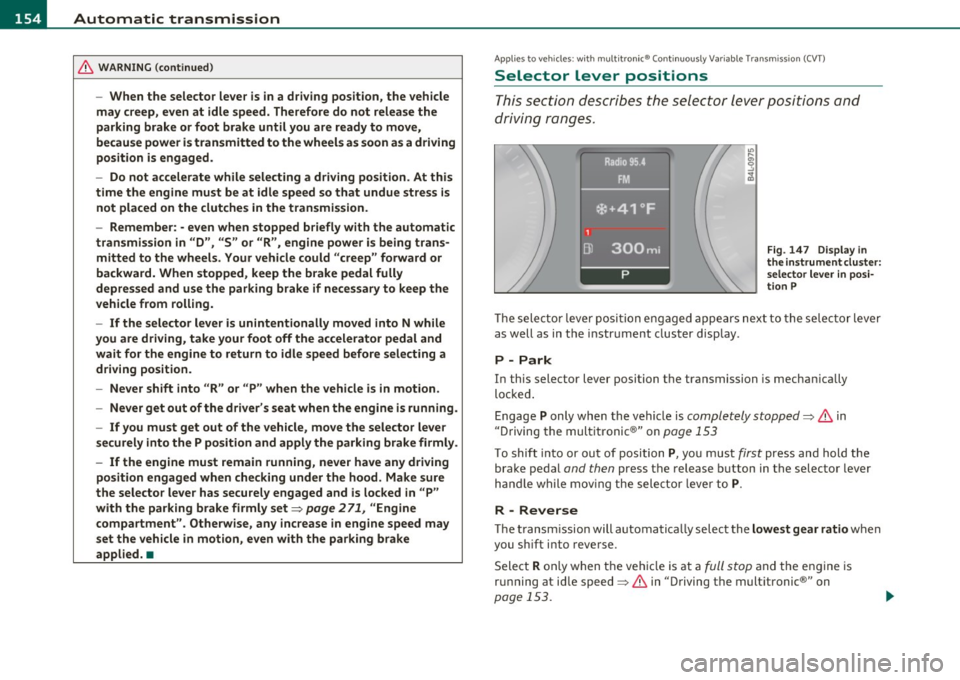
Fig . 14 7 Displ ay in
the in strume nt clu ster :
selecto r leve r in posi
ti on P
Th e sele cto r lever posi tio n engaged appears nex t to the se lec tor lever
as well as in the i nstr ument clus ter disp lay .
P - Park
In this selector lever position t he transmission is mechan ically
lo ck ed.
Engage P only wh en the vehicle is completely stopped=>
& in
" Dr iving the mult itronic ®" on page 153
T o shift into or out of position P, yo u mus t first press an d hold the
brake pedal and then press the release b utton in the selector lever
h andl e wh ile mov ing the sele cto r leve r to P.
R - Reverse
Th e tran smi ssion will a utoma tica lly selec t the lowest gear ratio when
you sh ift into reve rse.
Select R only when t he veh icle is at a full stop and the eng ine is
running at idle speed=>
& in "Driving the multitronic®" on
page 153.
~
Page 187 of 370

________________________________________________ D_ r_ i_ v _i_n ""'g "-- S_a_ f_ e_ l _,,y'-- __
the dr iver's side 8-p illar (v isib le when the door is open). The tire pres
s u re label lists t he recommen d end cold t ire infl ation pressures fo r
the vehicle at its maximum capacity weight and t he tires that were on
yo ur vehicle at the time it was ma nufact ured. For recommended ti re
pressures for normal load cond it ions, please see chapter
=> page 299. •
Tie-downs
The luggage compartment is equi pped with f our tie
downs to secur e luggage and other items.
Use the t ie-downs to sec ure yo ur cargo prope rly => page 183,
"Load ing the luggage compartment" .
In a co llision, the laws of physics mean that even sma ller items that
are loose i n the vehicle will become heavy m issiles t hat can c ause
serious injury. Items in the vehicle possess energy wh ich vary w ith
vehicle speed and the we igh t o f the i tem. Vehi cle spee d is t he m ost
significant factor.
For examp le, in a frontal coll ision at a spee d of 30 mph (48 km/h),
the forces acting on a 10- lb (4 .5 kg) object are abo ut 20 times the
normal weight of the item . T his means that t he weight of t he item
wou ld s uddenly be abo ut 200 lbs. (90 kg). You can imagine the inju
r ies that a 200 lbs . (90 kg) item flying free ly throug h the passenge r
c ompa rtmen t cou ld cause in a collision lik e this.
& WARNING
Weak, damaged or improper straps used to secure items to tie
downs can fail during hard braking or in a collision and cause
serious personal injury .
• Always use suitable mounting strap s and prope rly secure items
to the tie -downs in the luggage compartment to help prevent
items from shifting or flying forward as dangerous missiles.
• When the rear seat backrest is folded down, always use suit
able mounting straps and properly secure items to the tie-downs
Controls and equip ment Safety first Vehicle operation
& WARNING
(co ntinued )
in the luggage compartment to help prevent items from flying
forward as dangerous missil es into the passenger compartment.
• Never attach a child safety seat tether strap to a tie -down. •
Reporting Safety Defects
Applicable to U.S.A.
If you belie ve that your veh icle has a defect
which could cause a crash or could cause injury
or death , you should immediately inform the
National Highway Traffic Safety Admini stration
(NHTSA) in addition to notifying Audi of
America, Inc.
If NHTSA receives similar complaints, it may
open an investig ation, and if it find s that a
safety d efe cts exist s in a group of vehicle s, it
ma y order a rec all and remedy campaign.
However , NHTSA cannot become involved in
individual problems between you , your dealer,
or Audi of America , Inc.
To contact NHTSA , you may call th e Vehicle
Safety Hotline toll-free at:
Tel.: 1-888-327-4236 (TTY: 1-800-424-9153)
or write to:
Administrator
Vehicle care Do-it-yourself service Technical data
Page 193 of 370

& WARNING (continued)
• Never let any person ride with their feet on the instrument
panel or sticking out the window or on the seat.
• Never remove a safety belt while the vehicle is moving. Doing
so will increase your risk of being injured or killed.
• Never wear belts twisted.
• Never wear belts over rigid or breakable objects in or on your
clothing, such as eye glasses, pens, keys, etc., as these may cause
injury.
• Never allow safety belts to become damaged by being caught
in door or seat hardware.
• Do not wear the shoulder part of the belt under your arm or
otherwise out of position .
• Several layers of heavy clothing may interfere with correct
positioning of belts and reduce the overall effectiveness of the
system.
• Always keep belt buckles free of anything that may prevent the
buckle from latching securely.
• Never use comfort clips or devices that create slack in the
shoulder belt. However, special clips may be required for the
proper use of some child restraint systems.
• Torn or frayed safety belts can tear, and damaged belt hard
ware can break in an accident. Inspect belts regularly. If webbing, bindings, buckles, or retractors are damaged, have belts replaced
by an authorized Audi dealer or qualified workshop.
• Safety belts that have been worn and loaded in an accident
must be replaced with the correct replacement safety belt by an
authorized Audi dealer. Replacement may be necessary even if
damage cannot be clearly seen. Anchorages that were loaded
must also be inspected.
• Never remove, modify, disassemble, or try to repair the safety
belts yourself.
Safety first Vehicle OP-eration
Safety belts
& WARNING (continued)
• Always keep the belts clean. Dirty belts may not work properly
and can impair the function of the inertia reel=>
page 271,
"Safety belts". •
Safety belts
Fastening safety belts
Seat first -everybody buckle up!
Fig. 176 Belt buckle
and tongue on the
driver's seat
To provide maximum protection , safety belts must always be
positioned correctly on the wearer's body.
- Adjust the front seat and head restraint properly
=>
page 75 , "General recommendations" .
- Make sure the seat back of the rear seat bench is in an
upright position and securely latched in place before using
the belt =>& .
- Hold the belt by the tongue and pull it evenly across the
chest and pelvis=>& . _,.
•
Vehicle care Do-it-yourselt service iTechnical data
Page 223 of 370

-----------------------------------------~C~ h~il ~d ~ S~a _!fe ~ t !;YL __
and for the different models of the same kind of child restraint
offered by child restraint manufacturers.
The weight ranges for the individual types, makes and models of ch ild
restraints that the NHTSA has specified in the Safety Standard
together with the weight ranges of typical infants and typical 1 year
old child have been stored in the control unit of the Advanced Airbag
System. When a child restraint is being used on the front passenger
seat with a typical 1 year-old chi ld, the Advanced Airbag System
compares the weight meas ured by the weight sensing mat with the
information stored in the electronic control unit .
The electronic contro l unit a lso registers the tension on the front
passenger safety belt. The tension on the safety belt for the front
passenger seat will be different for an adult who is properly using the
safety belt as compared to the tension on the belt when it is used to
attach a child restraint to the seat . The sensor below the latch for the
safety belt for the front seat passenger measures the tension on the
belt. The input from this sensor is then used with the weight to
"decide", whether there is a child restraint with a typical 1 year-old
child on the front passenger seat and whether or not the airbag must
be turned off .•
Child restraints and Advanced Airbags
Regardless of the child restraint that you use, ma ke sure that it has
been certified to meet United States Federal Motor Vehicle Safety
Standards and has been ce rtified by its manufacturer for use with an
airbag . Always be sure that the child restraint is properly installed at
one of the rear seating positions. If in exceptional circumstances you
must use it on the front passenger seat, carefully read all of the infor
mation on ch ild safety and Advanced Airbags and heed all of the
app licab le WARNINGS. Make certain that the child restra int is
correctly recognized by the weight-sensing mat inside the front
passenger seat, that the front passenger airbag is turned off and that
the airbag status is always correctly signaled by the
PASSENGER AIR
BAG OFF
light.
Controls and equip ment Safety first Vehicle operation
Many types and models of child restra
ints have been available over
t he years, new models are introduced reg ularly incorpo rating new
and improved designs and older models are taken out of product ion.
Chi ld restraints are not standardized. Child restraints of the same
type typ ically have d ifferent weights and sizes and differe nt 'foot
prints,' the size and shape of the bottom of the child restraint that
sits on the seat, when they are installed on a vehicle seat . These
differences make it virtually impossib le to certify compliance with
t he requirements for advanced airbags with each and every chil d
restra int that has ever been sold in the past or will be sold over the
course of the useful life of your vehicle.
For this reason, the United States Nationa l Highway Traffic Safety
Administration has published a list of specific type, makes and
mode ls of child restra ints that must be used to cert ify compliance of
the Advanced Airbag System in yo ur vehicle with the suppression
requirements of Federal Motor Veh icle Safety Standard 208. These
child restraints are:
A. Car beds, manufactured on or after September 1,
2004:
• Cosco Dream Ride 02-719
B. Rear facing child restraint systems,
manufactured on or after September 1, 2004:
(When the restraint system comes equipped with a removable base,
compliance has to be cert ified with or without the base) .
• Britax Handle with Care 191
• Century Assura 4553
• Century Smart Fit 4543
• Cosco Arriva 02727
• Evenflo Discovery Adjust Right 212
• Evenflo First Choice 204
• Graco Infant 8457
Vehicle care Do-it-yourself service Technical data