brake light AUDI S6 2012 Owner's Manual
[x] Cancel search | Manufacturer: AUDI, Model Year: 2012, Model line: S6, Model: AUDI S6 2012Pages: 298, PDF Size: 74.43 MB
Page 108 of 298

106 Automatic Transmission
Of course, you can continue to use the manual
shift program with the selector lever on the
center console.
Transmission malfunction
Applies to vehicles: with multitron ic
[O] Transmission: please press the brake ped·
al and select the position again
Press the brake pedal and se lect the desired
selector lever position again . You can then
continue dr iving .
[O] Transmission hot: please modify driving
style
The transmission temperature has increased
sig nifi cantly due to the sporty driving manner.
Drive in a less spo rty manner until the tem
perature returns to the normal range and the
indicator light switches of.
[O] Transmission malfunction: You can con
tinue driving
There is a sys tem ma lf unctio n in the transmis
sion . You may continue driving. Drive to your
authorized Audi dealer or qualified repair fa
cility soon to have the malfunction corrected .
[O] Transmission malfunction: Limited driv
ing functionality
There is a system malfunction in the transmis
sion . The transmission is switch ing to emer
gency mode. This mode only shifts into cer
tain gea rs or will no longer shift at all. The en
gine may stall. Drive to your authorized Audi
dealer or qualified repair facility immediately
to have the ma lfunction corrected.
[O] Transmission malfunction: Stop and shift
to P
Do not cont inue driving. Select the P se lector
l eve r position and see yo ur authorized Aud i
dealer or qualified repa ir facility for assis
tance.
(D Note
If the transmission switches to emergency
mode, you should take the vehicle to an a
uthor ized Audi dea le rs hip as soon as pos
sible to have the condition corrected .
Emergency release of the selector lever
Applies to vehicles: w ith multitronic
If the vehicle's power supply fails, the selec
tor lever con be released in on emergency .
Fig. 111 Emerge ncy release fo r selecto r lever
.,. To reach the emergency release mechanism,
remove the ashtray insert* .
.,. Loosen and remove the small cap in the
ashtray mount ¢
fig. 111 .
.,. You now have access to a bolt. Using a
screwdriver or similar, press the bolt down
and hold it down.
.,. Now press the interlock and move the se lec-
tor lever to the
N position.
T he selector lever can only be moved from the
P position if the ignition is turned on . If the
vehicle has to be pushed or towed if the power
supply fails (e .g. battery is discharged), the
se lector lever must first be moved to the
N
pos ition using the emergency locking device.
tiptronic ®
Introduction
Applies to veh icles : w ith tiptronic
Your vehicle is equipped with an electronically
controlled automatic transmission. Upshifting
and downsh ifting takes place
automatically .
The transmission is also equipped with t ip
tronic ®. It allows the driver to shift gears
manually if desired ~ page 110.
Page 109 of 298
Driving the automatic transmission
Applies to vehicles: with tiptronic
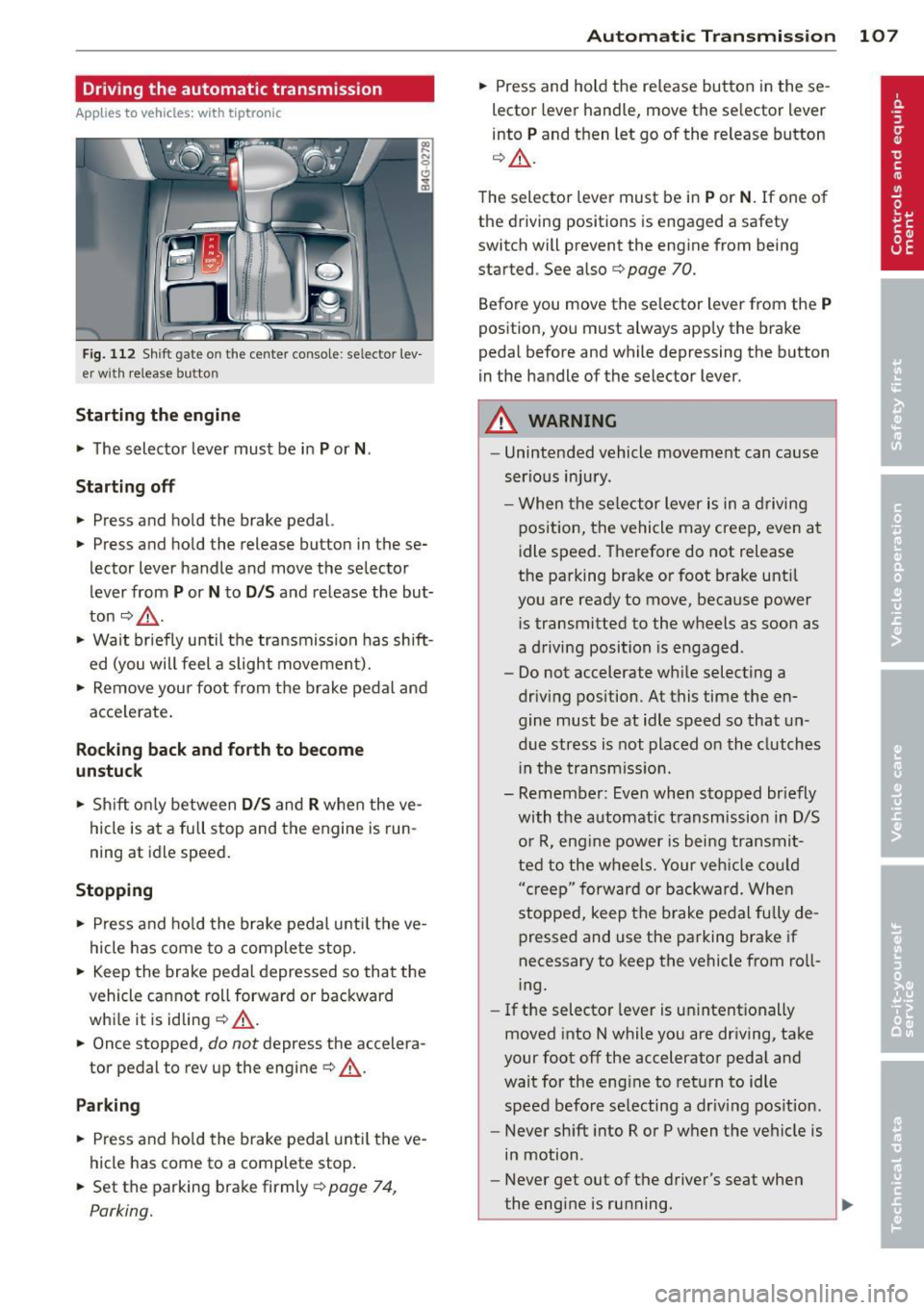
Fig. 112 Shift gate on the center conso le: selector lev
er w ith release button
Startin g the engine
~ The selector lever must be in P or N.
St arting off
~ Press and hold the brake pedal.
~ Press and hold the release button in these
lector lever handle and move the selector
lever from
P or N to D /S and release the but
ton
c:> _& .
~ Wait briefly until the transmission has shift
ed (you will feel a slight movement).
~ Remove your foot from the brake pedal and
acce lerate .
Rocking back and forth to become
un stu ck
~ Shift on ly between D /S and R when the ve
hicle is at a fu ll stop and the engine is run
ning at idle speed.
St opping
~ Press and ho ld the brake pedal unti l the ve
hicle has come to a complete stop.
~ Keep the brake pedal depressed so that the
vehicle cannot roll forward or backward
whi le it is idling
c:> .&._ .
~ Once stopped, do not depress the accelera
tor pedal to rev up the engine
c:> .&._ .
Park ing
~ Press and ho ld the brake pedal unti l the ve
hicle has come to a complete stop .
~ Set the parking brake firmly r=;,page 74,
Parking.
Automatic Tra nsmi ssi on 10 7
~ Press and hold the re lease button in these
lector lever handle, move the se lector lever
into
P and then let go of the release button
q A .
The selector lever must be in P or N . If one of
the driving positions is engaged a safety
switch will prevent the engine from being
started . See also
r=;, page 70.
Before you move the se lector lever from the
P
position, you must always app ly the brake
pedal before and while depressing the button
in the handle of the selector lever.
A WARNING
- Unintended vehicle movement can cause
serious injury .
- When the se lector lever is in a d riving
position, the vehicle may creep, even at
idle speed. Therefore do not release
the parking brake or foot brake until
you are ready to move, because power
i s transmitted to the wheels as soon as
a driving position is engaged.
- Do not accelerate while selecting a
driv ing position. At this time the en
gine must be at idle speed so that un
due stress is not placed on the clutches
i n the transmiss io n.
- Remember: Even when stopped br iefly
with the automatic t ransmission in D/S
o r R, eng ine power is bei ng transmit
ted to the wheels. Your veh icle cou ld
"creep" forward or backward. Whe n
stopped, keep the b rake pedal fully de
pressed and use the parking brake if
necessary to keep the vehicle from ro ll
i ng.
- If the selector lever is un intent ionally
moved into N while you are driving, take
your foot off the accelerator peda l and
wait for the eng ine to retu rn to idle
speed before selecting a dr iv ing pos ition.
- Never sh ift into R or P when the vehicle is
in motion .
- Never get out of the driver's seat when
the eng ine is ru nning.
Page 110 of 298
108 Automatic Transmission
-If you must g et out of the vehicle, move
the selector lever securely into the P po
sition and apply the parking brake f irmly.
-If the engine must remain running, never
have any driving position engaged when
checking under the hood. Make sure the
selector lever has securely engaged and
is locked in P with the parking brake
firmly set
r:!;> page 214, Engine compart
ment.
Otherwise, any increase in engine
speed may set the vehicle in motion,
even with the parking brake applied.
Selector lever posit ions
Appl ies to vehicles: with tiptronic
This section describes the selector lever posi
tions and driving ranges.
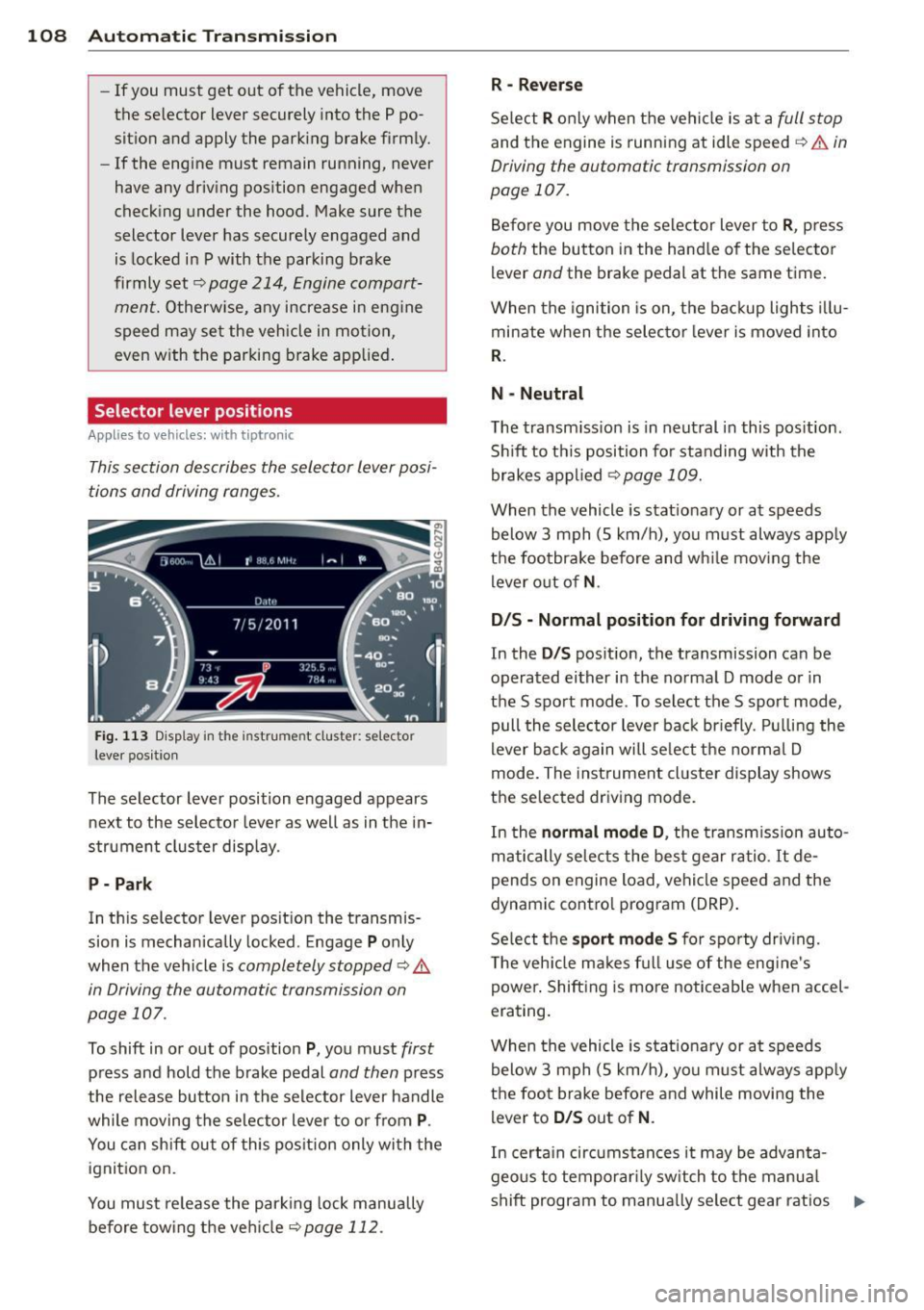
Fig. 113 Display in the instrume nt cluster: se lector
lever pos itio n
The selector lever position engaged appears
next to the selector lever as well as in the in
strument cluster display.
P - Park
In this selecto r lever position the transmis
sion is mechanically locked . Engage
P only
when the vehicle is
completely stopped ¢ A
in Driving the automatic transmission on
page 107 .
To shift in or out of position P, you must first
press and hold the brake pedal and then press
the release button in the selector lever handle
while moving the selector lever to or from
P.
You can shift out of this position only with the
ignition on.
You must release the parking lock manually
before towing the vehicle
<:!;>page 112.
R -Reverse
Select R only when the vehicle is at a full stop
and the engine is running at idle speed r:!;> ,& in
Driving the automatic transmission on
page 107.
Before you move the selector lever to R, press
both the button in the handle of the selector
l ever
and the brake pedal at the same time.
When the ignition is on, the backup lights illu
minate when the selector lever is moved into
R.
N - Neutral
The transmission is in neutral in this position .
Shift to this position for standing with the
brakes applied
<:!;>page 109.
When the vehicle is stationary or at speeds
below 3 mph (5 km/h), you must always apply
the footbrake before and while moving the
lever out of
N.
D/S - Normal position for driving forward
In the D/S position, the transmission can be
operated either in the normal D mode or in
the S sport mode . To select the S sport mode,
pull the selector lever back briefly. Pulling the
lever back again will select the normal D
mode. The instrument cluster display shows
the selected driving mode.
In the
normal mode D , the transmission auto
matically selects the best gear ratio.
It de
p ends on engine load, vehicle speed and the
dynamic control program (DRP).
Select the
sport mode S for sporty driving.
The vehicle makes full use of the engine's
power. Shifting is more noticeable when accel
erating.
When the vehicle is stationary or at speeds
below 3 mph (5 km/h), you must always apply
the foot brake before and while moving the
lever to
D/S out of N .
In certain circumstances it may be advanta
geous to temporarily switch to the manual
shift program to manually select gear ratios .,..
Page 111 of 298

to match specific driving conditions
¢page 110.
A WARNING
Read and follow all WARNINGS ¢.& in
Driving the automatic transmission on
page 107.
(D Note
Coasting downhill with the transmission in
N and the engine not running will resu lt in
damage to the automatic transmiss ion
and possibly the catalytic converter.
Automatic Shift Lock (ASL)
Appl ies to vehicles: with tiptro nic
The Automatic Shift Lock safeguards you
against accidentally shifting into a forward or
the reverse gear and causing the vehicle to
move unintentionally .
I
Fig. 114 Shift gate selector lever lock pos itions and
inte rlock butto n highlighted
The selector lever lock is released as follows :
• Turn the ignition on.
• Step on the brake peda l.
At the same time
press and hold the interlock button on the
side of the gear selector knob¢
fig. 114
with your thumb until you have moved the
selector lever to the desired position .
Automatic selector lever lock
"' N 0 0 (!)
cb
The selector lever is locked in the P and N po
sitions when the ignition is turned on. To
move the lever from these positions the driver
must depress the brake pedal. As a reminder
to the driver, the following warning appears in
Automatic Transmission 109
the instrument cluster display when the selec
tor is in
P and N :
When stationary apply footbrake while se
lecting gear
A time delay element prevents the selector
lever from locking when it is moved through
the
N posi tion (going from R to D/S ). The
locking element will lock the selector lever if
the lever is left in N (Neutral) for more than
approximately 1 second, without the brake
pedal being pressed .
At speeds above abo ut 3 mph (5 km/h) the
Automatic Shift Lock is automatically deacti
vated in the
N position .
Interlock button
The lock button on the selecto r lever prevents
the lever from being accidentally shifted into
certain positions. Pressing this button deacti
vates the selector lever lock. Depending on
the direction of the shift, the selector lever
locks at different positions . The positions are
highlighted in the illustration¢
fig. 114.
Kick-down
App lies to vehicles: wit h tiptro ni c
The kick-down feature allows the vehicle to
generate maximum acceleration .
When you press the accelerator pedal beyond
the resistance point that is reached at full
throttle, the transmission will select a lower
gear ratio based on vehicle speed and engine
RPM. The engine RPM will be controlled to
produce maximum vehicle acceleration as
long as you continue to press the accelerator
pedal beyond this resistance point .
_&. WARNING
Be careful when using the kick-down fea
ture on slippery roads. Rapid acceleration
may cause the vehicle to skid .
-
Page 112 of 298

110 Autom atic Tran smi ssi on
Dynamic shift program (DSP)
Appli es to vehicles: with tiptronic
The automatic transmission is electronically
controlled .
The transmission is self adapting and will au
t oma tically
select the best shift program suit
ed to the driving conditions and driving style .
The transmission will se lect one of the
econo
my programs when you drive at a steady
speed or a gradually changing speed without
heavy acceleration . This achieves optimum
fuel efficiency, with early upsh ifting and de
layed downshifting.
The transmission will automatically select the
s po rty shift programs when you drive at high
er speeds, or w ith heavy acceleration and fre
quent ly changing speeds. Upshifts are de layed
to make f ull use of eng ine power. Downsh ift
i ng takes p lace at higher engine speeds than
in the economy programs.
The se lection of the most suitable shift p ro
gram is a cont inuous, automati c process. The
driver can also make the t ransmission switch
to a sporty prog ram by
quic kly pressing down
the gas pedal.
This causes the transmission to shift down to
a lower gear to achieve rap id acceleration, e.g.
for qu ickly passing another veh icle. You do not
need to press the gas peda l into the kick-down
range. After the transmission has upshifted,
the original program is selected according to
your driving style.
An additional shift program allows the automatic transmission to select the proper gear
for uphill and downhill gradients.
This keeps the transmission from shifting up
a nd down unnecessari ly on hills. The trans
mission will shift down to a lower gear when
the driver presses the brake pedal on a down
h ill gradient. This makes use of the braking ef
fect of the eng ine without the need to shift
down manually .
Manual shift program
Applies to vehicles: wit h tiptronic
Using the manual shift program you can
manually select gears .
Fig . 115 Center conso le: sh ift ing the t iptron ic ma nual
l y
Fig . 1 16 D isp lay: manual sh ift prog ra m , se lected gear
hi ghlighted
Switching to manual shift program
.,. Push the selector lever to the rig ht from D/
5 . As soon as the transmission has sw itched
over, the se lected gear appears in the dis
p lay.
To u pshift
.,. Push the selector lever forward to the plus
position
0 ¢ fig .. 115 .
To down shift
.,. Push the lever to the minus pos ition 0 -
When accelerating, the transmission will au
tomatica lly shift into the next gear before the
engine reaches its maximum RPM.
If you apply a light throttle whe n accelerat-
ing, tiptronic wi ll automatically shift from 1st
to 2nd gear to save fuel. If you apply a heavy
throttle, the transmission wi ll stay in 1st gear .,.
Page 113 of 298

until near maximum RPM is reached, or until
the driver shifts into 2nd gear.
I f yo u take your foot off the accelerator pedal
when dr iving down a steep incline, tiptronic
will downshift from the selected gear into the
next lower gear until it reaches 1st gear,
based on road speed and engine RPM. Auto
matic downshifting is interrupted as soon as
you apply the throttle again.
@ Tips
- When you shift into the next lower gear,
the transmission will downshift only
when there is no possibility of over-rev
v ing the engine.
- When the kick-down comes on, the
transmission will shift down to a lower
gear, depending on vehicle and engine
speeds.
- tiptron ic is inoperative when the trans
mission is in the fail-safe mode .
Steering wheel with tiptronic
Applies to vehicles: with tiptro nic steer ing wheel
The shift buttons on the steering wheel allow
the driver to shift gears manually.
Fig. 117 Steering wheel: Sh ift buttons
• To downshift, touch the button on the left
0-
• To upsh ift, touch the button on the right
0-
The shift buttons are activated when the se
lector lever is in
D/S or in the manual shift
program (tiptronic).
Automatic Transmission 111
Of course, you can continue to use the manual
shift program with the selector lever on the
center console.
Transmission malfunction
Applies to vehicles : wit h tipt ro ni c
[O] Transmission : please press the brake ped
al and select the position again
Press the brake pedal and select the desired
selector lever position again. You can then
continue driving.
[O] Transmis sion hot: please modify driving
style
T he tran smission temperature has increased
s ig nificantly due to the sporty driving manner .
Dr ive in a less sporty manner until the tem
perature returns to the normal range and the
indicator light switches of.
[O] Transmission malfunction: You can con
tinue driving
T here is a system malfunction in the transmis
sion. You may cont inue driving. Drive to your
a uthor ized Audi dea le r or qualified repair fa
cility soon to have the malfunction corrected.
[O] Transmission malfunction: Limited driv
ing functionality
There is a system malfunction in the transmis
s ion. The transmission is switching to emer
gency mode. This mode on ly shifts into cer
tain gears or will no longer shift at all. The en
gine may sta ll. Drive to your authorized Audi
dealer or qualified repair facility immediately
to have the malfunction corrected .
[O] Transmission malfunction: Stop and shift
to P
Do not continue dr iving. Select the P selector
lever position and see your authorized Audi
dealer or qualified repair facility for assis
tance.
(D Note
If the transmission switches to emergency
mode, you should take the vehicle to an
IJll>
Page 122 of 298

120 Homelink®
Homelink®
Universal remote
control
General information
Applies to vehicles: with Home link® universal remote
control
The Homelink universal remote control can
be programmed with hand-held transmitters
from existing equipment.
Using the Homelink universal remote control,
you can operate equipment such as garage
doors, property gates and house lights from
ins ide your vehicle .
Using the Homelink universal remote control,
you can replace up to three separate hand
held transmitters for equipment on your
property with just one universal remote con
trol. Most of these transmitters are used to
ope rate ga rage doo rs and property gates. The
individual transmitters are programmed at
the front bumper. That is where the control
module is located.
The transmitters must be programmed first in
order to operate systems using the Homelink
universal remote control.
.&_ WARNING
-
-Never use the Homelink ® transmitter
with any garage door opener that does have not the safety stop and reverse fea
ture as requ ired by federal safety stand
ards. This includes any garage door open
er model manufactured before April 1, 1982.
- A garage door opener which cannot de
tect an object, signa ling the door to stop
and reverse does not meet current feder
al safety standards . Using a garage door
opener witho ut these features increases
risk of serious injury or death.
- For safety reasons never release the
parking brake or start the engine while
anyone is standing in front of the vehicle .
- A garage door or an estate gate may
sometimes be set in motion when the Homelink
® remote control is being pro
grammed. If the device is repeatedly ac
tivated, this can overstrain motor and
damage its electr ical components - an
overheated motor is a fire hazard!
- To avoid possible injuries or property
damage, please always make absolutely
certain that no persons or objects are lo
cated in the range of motion of any
equ ipment being operated.
(D Tips
- If you would like additional information
on the Homelink ® Universal Transceiver,
Homelink compatible products, or to
purchase other accessories such as the
Homelink® Light ing Package, please
contact Homelink at 1-800 -355-3515 o r
on the Internet at www.homelink .com.
- For Declaration of Comp liance to United
States FCC and Industry Canada regula
tions¢
page 281.
Page 123 of 298

Programming transmitters
Applies to vehicles: with Horne link
You con program the buttons in the Home
Link universal remote control located in the
vehicle headliner.
F ig. 129 Contro l u ni t in th e headlin er
Fig. 130 Left front a rea of the b um per
Programming a button
M 0
9 C)
~
• Make sure your veh icle is within operating
range of the remote controlled garage door
opener.
• Set the parking brake¢
A in General infor
mation on page 120.
• Switch the ignition on. Do not start the en
gine!
• There are two ways to program a button :
press the button that you would like to pro
gram . The MMI will display instructions to
guide you through the programm ing . Or
• Select : IC ARI funct ion button >
Car systems
control button > Vehicle settings > Garage
door opener> Program garage door open
er .
• Se lect the button that you would like to
program.
• Follow the instructions in the MMI.
• If the garage door opening must also be
synchronized w ith the Homelink module,
Homelink ® 121
refer to the owner's manua l for the garage
door opener .
Using the programmed button
• Press the programmed button¢ A in Gen
eral information on page 120
to open the
garage door. The light @will blink or turn
on.
• Press the button again to close the garage
door ¢
A in General information on
page 120.
Erasing the button programming
• Select: !CAR !function button> Car systems
function key > Vehicle settings > Garage
door opener > Clear program settings
>
Yes.
Displaying the version/status/country
code
• Select: I CAR ! function button > Car systems
contro l button > Vehicle settings > Garage
door opener > Version information .
You can program both fixed code and rolling
code systems using these instructions.
Programming a button
The requ ired distance between the handheld
transmitter and the Homelink modu le in the
bumper depends on the system that you are
programming. You may have to try several
times.
Each of the buttons can be reprogrammed in
dividually. The procedure is the same as for in
itial programming .
¢page 121, Programming
a button.
Erasing the button programming
Individual buttons can be reprogrammed. Fol
low the same steps used when first program
ming the button.
If you would like to erase all programmed but
tons at the same time, select Erase button
programming.
Page 191 of 298

Intelligent technology Notice about data
recorded by vehicle
control modules
Your vehicle is not equipped with an Event Da
ta Recorder (EDR), installed by some manu
facturers for the express purpose of capturing
data for retrieval after an accident or crash
event. EDR's are sometimes called "crash re
corders".
Some state laws restrict the retr ieval or down
loading of data stored by EDR's that were in
stalled in a vehicle for the express purpose of
retrieving data after an accident or crash
event without the owner's consent.
Although your vehicle is not equipped with an
EDR, it is equipped with a number of electron
ic control modules for various vehicle systems
such as, for examp le, engine function, emis
sion control, as well as for the airbags and
safety belts.
These electronic control modules also record
vehicle-related data during norma l vehicle op
eration for diagnostic and repair purposes.
The recording capacity of the electronic con
trol modules is limited to data (no sound is re
corded) and only a small amount of data is ac
tually recorded over a very limited period of
time and stored when a system fault or other
condition is sensed by a control unit. Some of
the data then stored may relate to vehicle
speed, direction, braking as we ll as restraint
system use and performance in the event of a
crash or other condition. Stored data can only be read and downloaded with special equip
ment.
Electronic stabilization
program (ESP)
Description
ESP helps to improve road holding and vehicle
dynamics to help reduce the probability of
skidding and loss of veh icle control. It works
only when the engine is running. ESP detects
Intelligent technology 189
certain difficult driving situations, including
when the vehicle is beginning to spin (yaw)
out of control and he lps you to get the veh icle
back under control by se lectively braking the
wheels, and/or reducing engine power and
providing steering ass istance to help hold the
vehicle on the driver's intended course. The in
dicator light
lf.1 in the instrument cluster
blinks when ESP is taking action to help you
control the vehicle.
ESP has limitations.
It is important to remem
ber that ESP cannot overcome the laws of
physics.
It will not always be able to help out
under all conditions you may come up against.
For example, ESP may not always be able to
help you master situations where there is a
sudden change in the coefficient of friction of
the road surface. When there is a section of dry road that is suddenly covered with water,
slush or snow, ESP cannot perform the same
way it would on the dry surface . If the vehicle
hydroplanes (rides on a cushion of water in
stead of the road surface), ESP will not be
able to help you steer the vehicle because con
tact with the pavement has been interrupted
and the vehicle cannot be braked or steered .
During fast cornering, particularly on winding
roads, ESP cannot always deal as effectively
with difficu lt driving situations than at lower
speeds. When towing a trailer, ESP is not able
to help you regain control as it would if you
were not tow ing a trailer.
Always adjust your speed and driving style to road, traffi<; and weather conditions. ESP can
not override the vehicle's physical limits, in
crease the available traction, or keep a vehicle
on the road if road departure is a result of
driver inattention. Instead, ESP improves the
possibility of keeping the vehicle under con
trol and on the road dur ing extreme maneu
vers by using the driver's steering inputs to
help keep the vehicle going in the intended di
rection. If you are traveling at a speed that
causes you to run off the road before ESP can
provide any assistance, you may not experi
ence the benefits of ESP .
•
•
Page 193 of 298
@ Tips
-ABS and AS R on ly wor k co rrectly when
a ll fo ur wheels are eq uipped w ith identi
ca l tires . Different tire s izes can lead to a
r educt io n in eng ine power.
- You may hear noises when the sys tems
desc ribed are working.
- If the indicato r light
D] or m (USA
models) ;£1 (Canada models) appea rs,
there may be a malfunctio n ¢
page 19 ,
¢ pag e 19.
Switching on and off
ESP turns on automatically when you start
the engine .
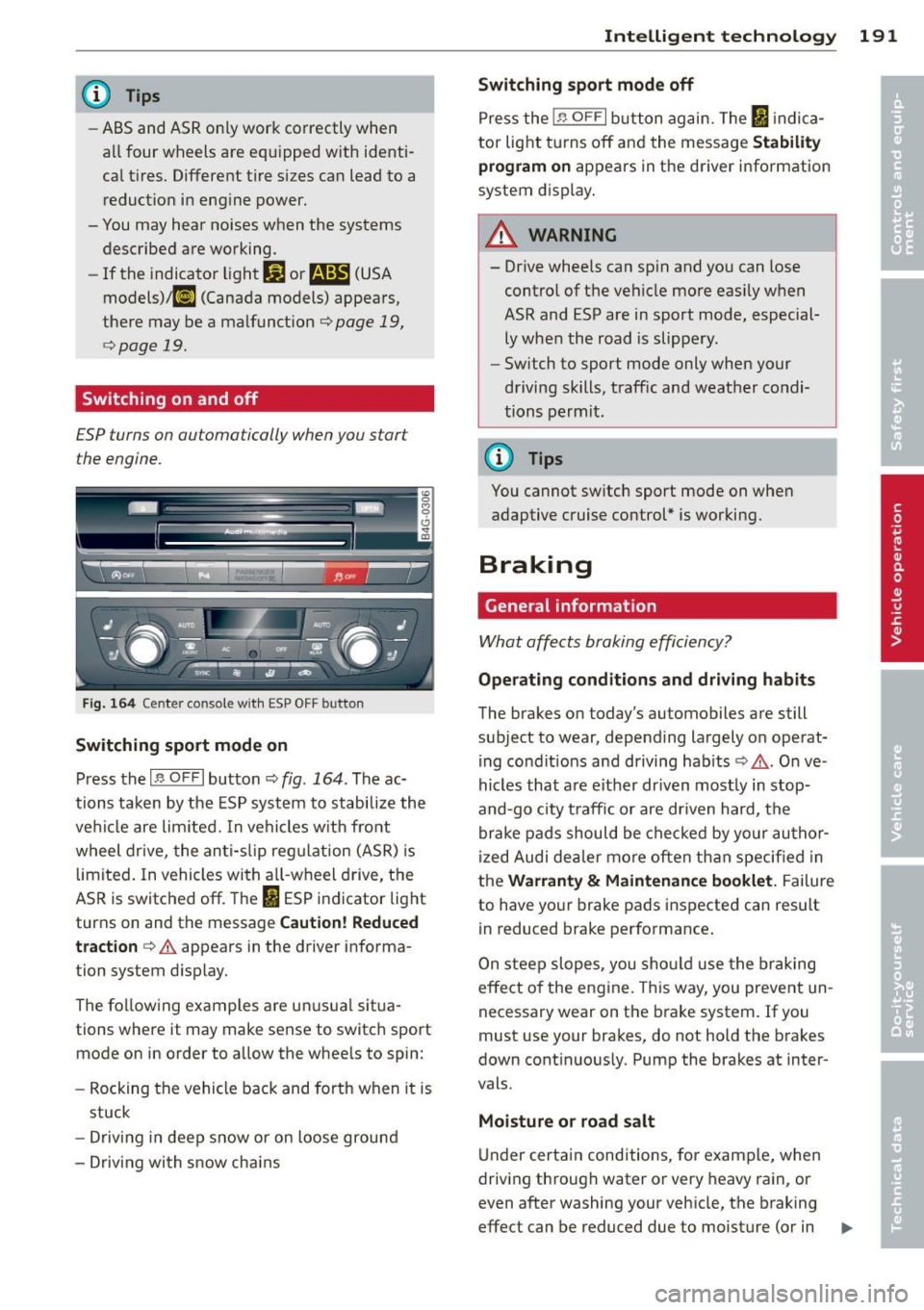
Fig. 1 64 Center co nsole wit h ESP OFF button
Switching sport mode on
Press th e I,$ OF F I button ¢ fig. 164. The ac
tions tak en by the ES P syst em to stabili ze th e
ve hicl e are lim ited. In ve hicl es w it h fro nt
wheel drive, the an ti-s lip reg ulat ion (ASR) is
limited . In vehicles wi th a ll-wheel d rive, t he
AS R is switc hed off. The
I ES P i ndicator lig ht
turns on and the message
Caution! Reduced
tract ion ¢.&
appears in the driver informa
tion system d isplay.
The fo llow ing examples a re u nusua l situa
tions where it may make sense to switc h sport
mode on in order to a llow the whee ls to spin:
- Rocking the vehi cle back and forth when it is
stuck
- D rivin g in d eep snow or on loose groun d
- D riving wi th s now cha ins
Intelligent technology 191
Switching sport mode off
Press the In OF FI but ton ag ain. T he ltJ in dica
tor lig ht tur ns off an d the message
Stability
program on
appears in t he d river info rmation
system display .
&_ WARNING
-- Drive whee ls can sp in and you can lose
contro l of t he ve hicle more eas ily w hen
ASR and ESP are in sport mode, especial
ly whe n th e road is slippery.
- Sw itch to sport mode only when your
driving sk ills, traff ic and weat her co ndi
tions perm it.
@ Tips
You cannot sw itch sport mode on whe n
adaptive c ruise control* is w orki ng.
Braking
General information
Wha t affe cts bra king effici ency?
-
Operating conditions and driving habits
The brakes on today's automobiles a re still
subject to wear, depending largely on operat i ng co nd it io ns and driving habits ¢,& . On ve
hi cles that a re e it h er dr iven most ly in stop
and-go city t raff ic or are dr iven hard, the
br ake pa ds should be check ed by yo ur au thor
iz ed Audi dea ler m ore often th an spec ified in
the
Warranty & Maintenance booklet. Failure
to have yo ur brake pads ins pected can result
in reduced brake performance .
On stee p slopes, you sho uld use the br aking
e ff ect o f the engine. This way, you prevent un
necessary wear on t he brake system. If you
must use your bra kes, do not hold the brakes
down cont in uous ly. Pump the brakes at inter
vals.
Moisture or road salt
U nder certa in conditions, for exam ple, when
driving th roug h water or very heavy rain, or
even after washing your veh icle , the b raking
effect can be reduced due to m oist ure (or in ..,.