engine AUDI S7 2016 User Guide
[x] Cancel search | Manufacturer: AUDI, Model Year: 2016, Model line: S7, Model: AUDI S7 2016Pages: 294, PDF Size: 73.82 MB
Page 19 of 294
M N <( (.J
'SI: ,...., \!) 1.1'1
N \!) ,....,
~ If the engine oil leve l is corre ct and the indic a
tor lig ht st ill tur ns on, tur n th e eng ine off and
do not continue driving . Seek p rofess ional as
s istance .
(D Tips
- The engine oil pressure symbol. is not
an indicator for a low engine oil level. Do
not rely on it. Instead, check the oil level in
your engine at regular intervals, preferably each time you refuel, and always before
going on a long trip.
- The yellow oil level warning indication
Ill
requires oil refill or workshop service with
out delay. Do not wait until the red oil pressure warning. starts to flash before
you respond to the low oil level warning
Ill. By then, your engine may already have
suffered serious damage.
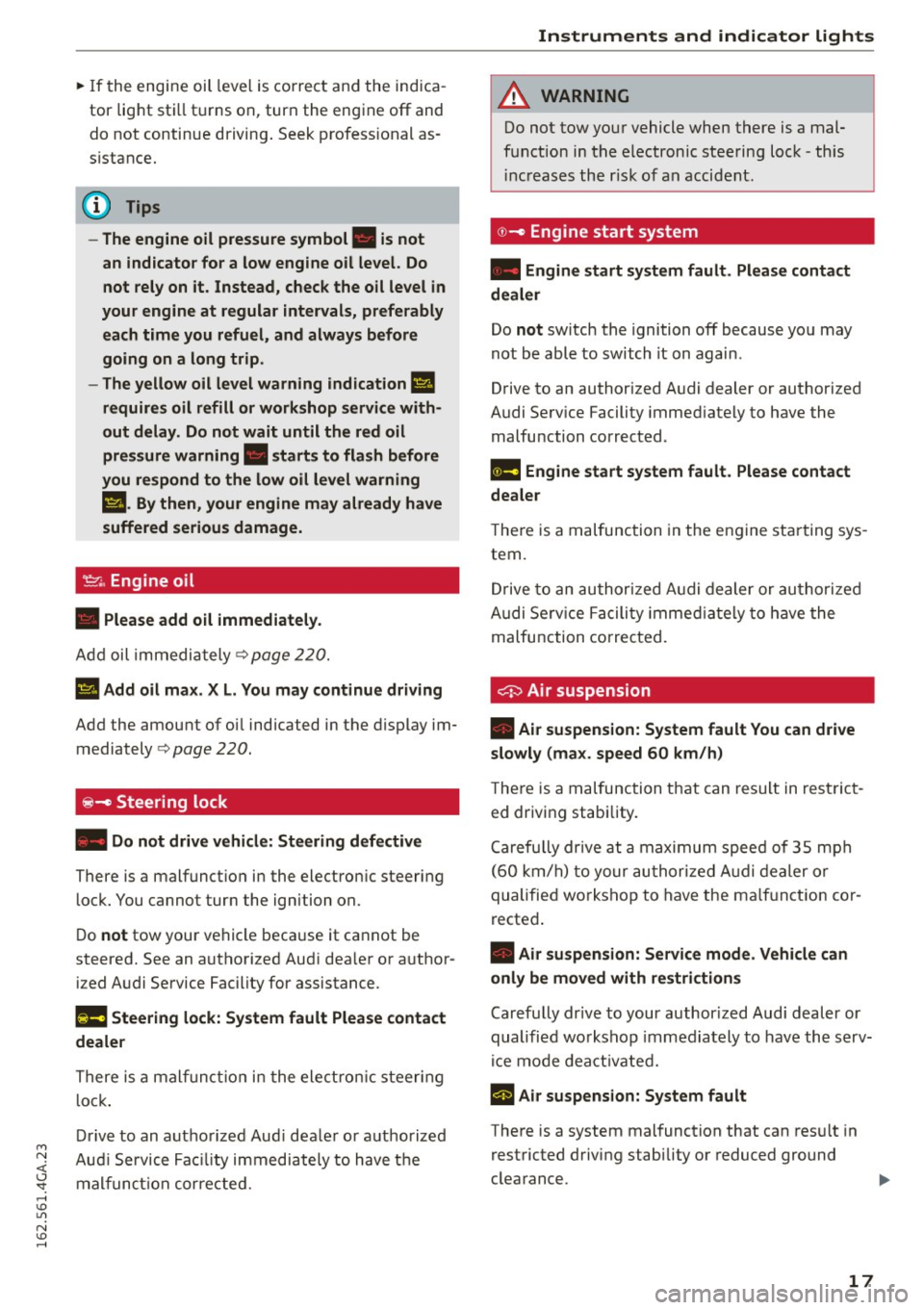
'1::1' ., Engine oil
• Please add oil immediately.
Add oil imm ed iat ely Q page 220.
Ill Add oil max. XL. You may continue driving
Add the amount of oi l ind icated in t he display im
mediately
c> page 220 .
~- Steering lock
• Do not drive vehicle: Steering defective
There is a malf unct io n in the electron ic steeri ng
lo ck . You cann ot tur n the ign iti on on.
D o
not tow your ve hicle beca use it ca nnot be
steere d. See an a uthorize d Au di dea le r o r auth or
i z ed Audi Service Fac ility for assistance .
11!11 Steering lock: System fault Please contact
dealer
T here i s a ma lfu nction in t he ele ctronic st eering
l o ck.
Dr ive to an aut ho rize d Au di dea ler or au th o riz ed
A udi S ervice Fa cilit y imm ediate ly to have t he
m alfun ction co rre ct ed .
Instruments and indicator lights
A WARNING
Do not tow yo ur ve hicl e when ther e is a mal
f u nctio n in the electronic st ee rin g l ock -th is
in creas es th e ris k of an acci dent.
©-Engine start system
• Engine start system fault. Please contact
dealer
Do not switch the igniti on off because yo u may
not be abl e to switch it on again .
Drive to an auth orized A udi dealer or au tho rized
A udi Se rv ice Facility imme diately to have th e
malfu ncti on corrected .
II! Engine start system fault . Please contact
dealer
-
T he re is a mal func tio n in the e ngine st art ing sys
tem.
Dr ive to an au thor ized A udi de aler or au tho riz ed
A udi Se rv ic e Fac ility im me diate ly to h ave the
malfu nction co rre cted .
0 Air suspension
• Air suspension: System fault You can drive
slowly (max . speed 60 km/h)
The re is a m alfunc tion t hat can re sul t in res trict
ed drivi ng stabi lity .
C are full y dr ive at a m ax im um spee d of 3 5 m ph
( 60 km /h ) to your au thor ized A udi d ealer o r
qualifie d wo rksh op to have the m alfu nct ion co r
r ecte d.
• Air suspension: Service mode. Vehicle can
only be moved with restri ctions
Car efu lly dr ive to your aut hor iz e d Audi d ealer or
qualifie d wo rksh op i mm edia tely to hav e the s erv
i c e mo de dea cti vate d .
rl Air suspension: System fault
The re is a system mal function that can res ult in
rest ricted d riving stability o r reduced gr ound
clea rance. .,..
17
Page 22 of 294

Instruments and indicator lights
-If the warning light EiJ and the warning
light
11111 ) with the message Brake pads!
comes on in the instrument cluster display,
immediately contact your authorized Audi
dealer or qualified workshop to have all
brake pads checked or replaced if necessary.
EPC Electronic power control
Applies to vehicles: w ith gaso line engine
This warning/indicator ligh t monitors the elec
tronic power control .
The (m warning/indicator light (Electronic Powe r
Control) illuminates when you switch the ignition
on as a function check.
{!) Tips
If this warning/indicator light illuminates
while you are driving, then there is a malfunc
tion in the engine electronics. Have the mal
function corrected as soon as possible by your
authorized Audi dealer or qualified repair fa
cility.
W Glow plug system
App lies to vehicles: with diesel engine
The control light illuminates when the glow plug
system is active.
If the El indicator light illuminates, the glow
plug system is active . You should start the engine
immediate ly after the indicator light switches off.
The indicator light only illuminates for approxi
mately 1 second if the engine is warm or if the
outside temperature is above 46 QF (8 QC).
@ Tips
-If the glow plug indicator light illuminates
while driving, there is an engine control
malfunction. The engine should be checked
immediately.
- If the indicator light does not illuminate at
all when switching the ignition on, there may be a malfunction in the glow plug sys
tem. The engine should be checked.
l) - : USA mo dels onl y
20
o Malfunction Indicator Lamp (MIL)
The Malfunction Indicator Lamp (MIL) is part of
the On-Board Diagnostic (OBD II) system. The symbol
('4 lights up when the ignition is switch
ed on and will turn off after the engine has start
ed and has settled at a constant idle speed . This
indicates that the MIL is working properly.
The warning light illuminates when there is a
malfunction in the engine electronic system.
Contact your authorized Audi dealer and have the
malfunction corrected.
An improperly closed fuel filler cap may also
cause the MIL light to illuminate
¢ page 212.
For more information ¢ page 28.
~ Diesel particulate filter
Applies to vehicles: with diese l engine and diesel particulate
filter
II Particulate filter: System fault See owner's
manual
The diesel particulate fil ter requires regenera
tion . To support the filter's self -cleaning func
tion:
Drive for approximately 15 minutes with these
lector lever in the S position at a minimum speed
of 37 mph (60 km/h) and an engine speed of ap
proximately 2,000 RPM . The temperature in
crease that will result from this can burn off the
soot in the filter . T he symbol will switch off when
the cleaning is successful.
If the indicator light does
not turn off, drive im
mediate ly to an authorized Audi dealer or author
ized Audi Serv ice Facility to have the malfunction
corrected.
_&, WARNING
Always adapt your speed to the current
weather, road and traffic conditions . You
should never disobey traffic laws in order to
follow driving recommendations.
Page 23 of 294
M N <( (.J
'SI: ,...., \!) ..,.,
N \!) ,....,
@ Tips
For additional information on the diesel par
ticulate fi lter, refer to ¢
page 198.
!?) Engine speed limitation
App lies to vehicles: with e ngin e speed limitat ion
Ill Engine speed maximum XXXX RPM
The engine speed is automatically limited to the
speed displayed in the instrument cluster. This
protects the eng ine from overheating.
The engine speed limitation deactivates once the
engine is no longer in the critical temperature
range and you have released the accelerator ped
al.
If the engine speed limitation was activated by
an engine control malfunction, the
Im indicator
light also turns on. Make sure that the speed
does not go above the speed d isplayed. Drive to
an authorized Audi dealer or authorized Audi
Service Facility immediately to have the malfunc
tion corrected .
.., Engine oil sensor
• Oil level! Sensor defective
If the symbol illuminates, contact your author
ized Audi dealer and have the oil sensor inspect
ed. Until you have th is done, check the oil level
each time you refuel just to be on the safe side
¢page 222.
f Engine warm-up request
n Please warm up engine
Fuel has entered the engine oil, either from low
outside temperatures or frequent short d rives.
Drive until the engine is warm so that the fuel in
the eng ine oi l wi ll evaporate. Avoid high eng ine
speeds, full accelerating and heavy engine loads
when doing this .
Bil Fuel tank system
Ii] Please refuel
Instruments and indicator lights
If the indicator light turns on for the first time
and the message appears, there are about 2.6
gallons (10 liters) of fue l left in the tank.
Ii] Fuel tank system malfunction! Contact deal
er
T he re is a malfunction in the fuel tank system.
Drive to an authorized Audi dealer or authorized
Audi Serv ice Facility immediately to have the
malfunction corrected .
{!) Tips
More information on refueling is available on
page
¢ page 212.
• Washer fluid level
m Please refill washer fluid
Fill the washer fluid for the windshield washer
system and the headlight washer system* when
the ignition is switched off ¢
page 231.
• Windshield wipers
m Windshield wiper defective
There is a malfunction with the windsh ield wip
ers .
Drive to an authorized Audi dealer or authorized
Audi Serv ice Facility immediately to have the
malfunction corrected .
~/0$ Defective light bulb warn ing
If the J:!1 ind icator light turns on, a light has
failed. The message ind icates the location of the
light. If the
[tD indicator light a lso turns on, then
a rear fog light has failed. The position of the in
dicator light corresponds with the location on the
vehicle.
Drive to an authorized Audi dealer or authorized
A udi Service Facility immed iately to have the
malfunction corrected.
Vehicle lights: Malfunction
There is a malfunction in the headlights or the
light switch.
21
Page 25 of 294
M N <( I.J "". rl I.O
"' N I.O rl
Driver information
system
Overview
Fig. 4 Driver information system in th e instr ument cluster
Fig. 5 Display: example of the informat ion line
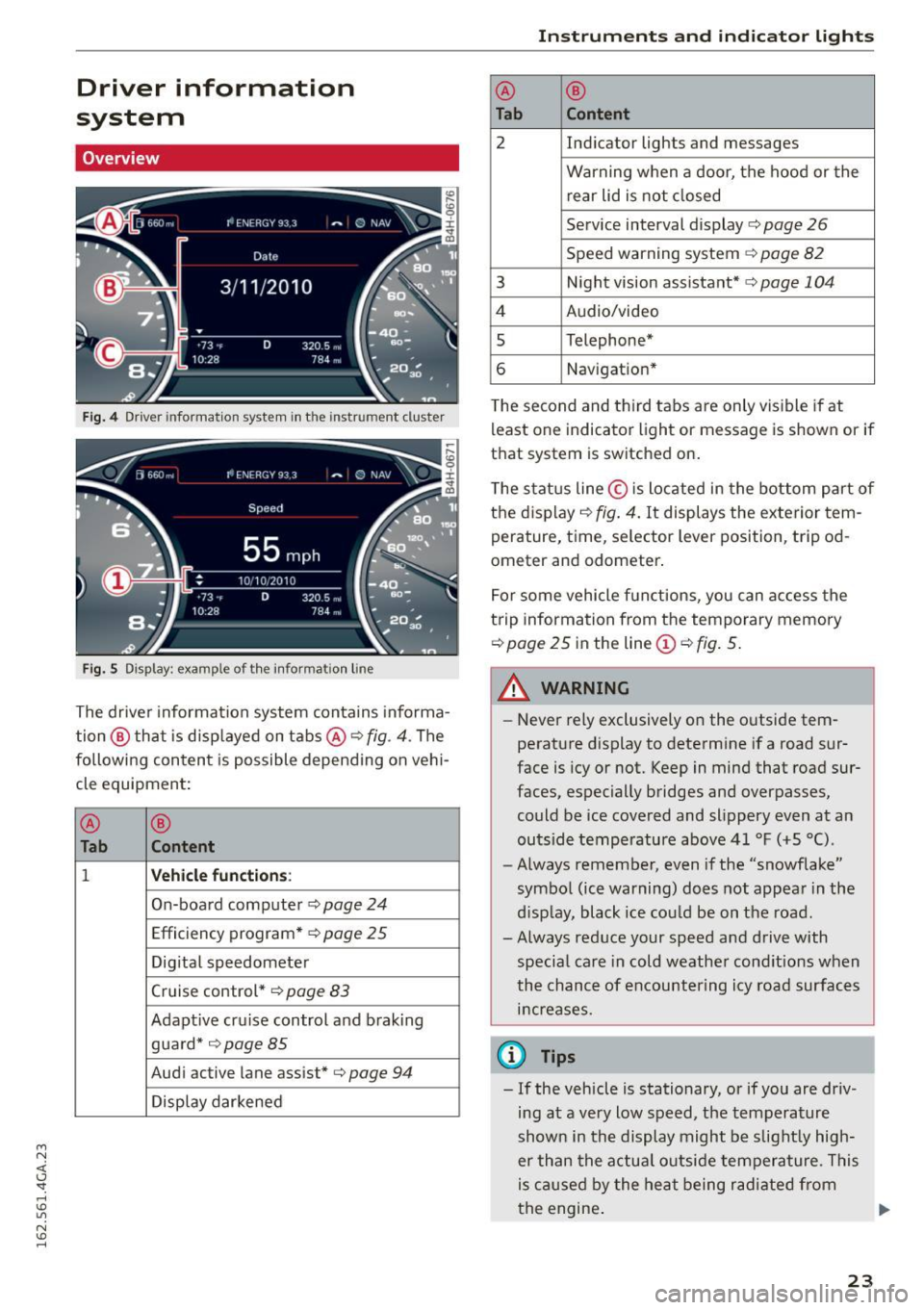
The driver information system conta ins informa
tion @ that is disp layed on tabs@¢
fig. 4 . The
following content is possible depending on vehi
cle equipment:
@
®
Tab C o ntent
1 Veh icle functions:
On-board computer ¢ page 24
Efficiency program* ¢ page 25
Digital speedometer
Cruise control *¢
page 83
Adapt ive cruise control and braking
guard*
¢ page85
Audi active lane assist*¢ page 94
Display darkened Ins
trument s and indi cator ligh ts
@
®
Tab Content
2 Ind icator lights and messages
Warning when a door, the hood or the rear lid is not closed
Service interval display¢
page 26
Speed warning system ¢ page 82
3 Night vision assistant* ¢page 104
4 Audio/video
s Telephone*
6 Navigat ion*
T he second and third tabs are only visible if at
least one indicator light or message is shown or if
that system is switched on.
The status line© is located in the bottom part of
the display ¢
fig. 4. It displays the exterior tem
perature, time, selector lever position, tripod
ometer and odometer .
For some vehicle functions, you can access the
trip information from the temporary memory
¢ page 25 in the line(!)¢ fig. 5.
_& WARNING
-
-Never rely exclusively on the outside tem
perature display to determine if a road sur
face is icy or not. Keep in mind that road sur
faces, especially bridges and overpasses,
could be ice covered and slippery even at an
outside temperatu re above 4 1 °F (+S
0
().
- Always remember, even if the "snowflake"
symbol (ice warning) does not appear in the
d isp lay, black ice cou ld be on the road.
- Always reduce your speed and drive with
specia l care in cold weather cond itions when
the chance of encountering icy road surfaces
i n creases.
(0 Tips
- If the vehicle is stationary, or if you are driv
ing at a very low speed, the temperature
shown in the display might be slight ly high
er than the actual outside temperature. This
is caused by the heat being radi ated from
the engine . .,..
23
Page 29 of 294
M N <( I.J "". rl I.O
"' N I.O rl
-Inspection or oil change reminder: After a cer
tain distance driven, a message appears in the
instrument cluster display each time the igni
tion is switched on or off
c> fig. 13. The remain
ing distance or time is displayed briefly .
-Inspection or oil change due : If your vehicle is
due for an inspection or oil change or both, a
message appears br iefly in the instrument clus
ter display when switching the ignition on or
off:
Inspection due! or Oil change due! or Oil
change and inspection due! .
Checking service intervals
You can check the remaining distance or time un
til the next oil change or next inspection n the
Car menu. To do th is, select: the ICAR !function
button
> (Car) * Systems control button > Service
& control
> Servi ce intervals .
Resetting the indicator
Your authorized Audi dealer or authorized Audi
Service Facility will reset the service interval dis
play after performing service .
If you have changed the oil yourself, you must re
set the oil change interval.
To reset the indicator, select: the ICARI fu nct ion
button
> (Car)* System control button > Service
& control > Service intervals. Turn the control
knob downward to
Reset oil change interval and
press the control knob.
(D Note
- Only reset the oil change indicator if the o il
was changed.
- Fo llowing the service intervals is critical to
maintain ing the service life and value of
your vehicle, especially the engine. Even if
the mileage on the vehicle is low, do not ex
ceed the time for the next service.
- Calculating the time to the next oil change
i s interrupted when the vehicle battery is
disconnected. If the vehicle is not driven for
a long period of time, check the mainte
nance schedule so that you can follow the
maintenance interva ls.
Instruments and indicator lights
Head-up display
Applies to vehicles: wit h Head-up disp lay
Fig. 14 Examp le : Indicato rs i n th e Head -up dis play
Fig . 15 Instrument panel: head-up display knob
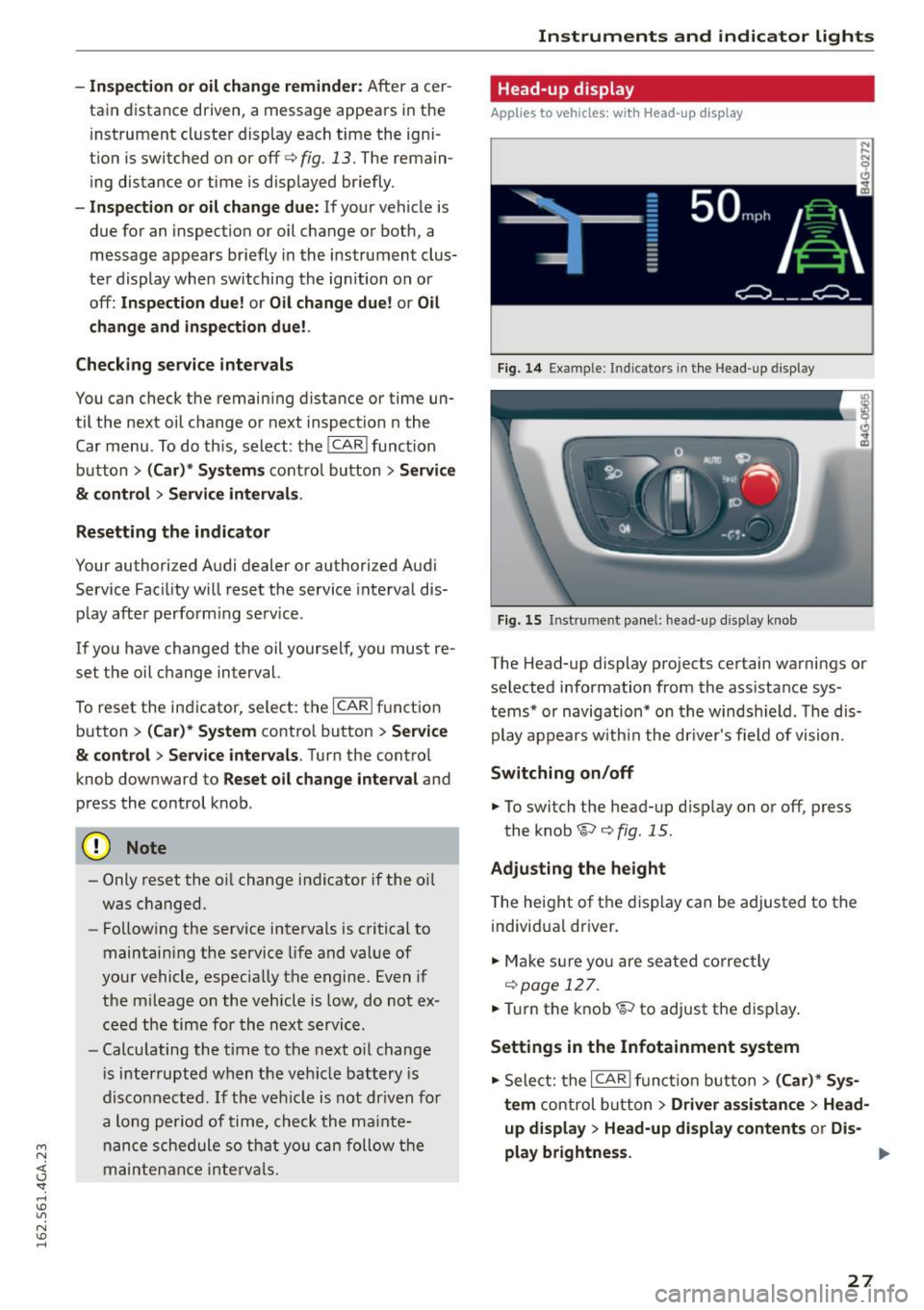
The Head-up display projects certain warnings or
selected information from the assistance sys
tems* or navigation* on the windsh ield . T he dis
play appears w ith in the dr iver's field of vision.
Switching on/off
... To switch the head-up d isplay on or off, press
the knob~
c> fig. 15.
Adjusting the height
The height of the display can be adjusted to the
individual driver.
... Make sur e you are seated correctly
r=!)page 127 .
... Tur n the knob~ to adjust the disp lay .
Settings in the Infotainment system
... Sele ct: the I CARI function button > (Car)* Sys
tem
control button > Driver assistance > Head
up display > Head-up display contents or Dis-
play brightness. ..,
27
Page 30 of 294
Instruments and indicato r Lights
Display content
In the Infotainment system, yo u can specify
which information should be displayed : For ex
ample , this can include navigation information*,
Adapt ive cruise control * or night vision assist *.
The display of certain information and some of
the red indicator lights cannot be hidden in the
Infotainment system.
Display brightness
You can adjust the display brightness in the Info
tainment system. The display brightness decreas
es automatically as th e amount of light decreas
es. The basic level of brightness is adjusted with
the instrument illum ination ¢
page 47.
(D Note
To prevent scratches on the gla ss covering the
Head-up display, do not place any objects in
the projection opening.
@ Tips
-Sunglasses with polar izat ion filters and un
favorable lighting conditions can affect the
display.
- An optimum display depends on the seat
position and the height adjustment of the
head-up display.
- A specia l windshield is needed for the head
up display function.
- For informat ion on cleaning, refer to
Q ta
ble on page
207.
On Board Diagnostic
System (OBD}
Malfunction Indicator Lamp (MIL)
The Malfunction Indicator Lamp (MIL) ¢..ifl in the
instrument cluster is part of the On-Board Diag
nostic (OBD II) system.
The warning/indicator light illuminates when the
ignit ion is switched on and goes out after the en
gine starts and the idle has stabilized. This indi
cates that the MIL is working properly.
If the light does not go out after the engine is
started, or illuminates while you are dr iving, a
28
malfunction may exist in the engine system. If
the light illum inates , the catalytic converter
could be damaged.
Continue driving
with reduced power (avoiding
sustained high speeds and/or rapid accelerations)
and have the condition corrected. Contact your
authorized Aud i dea ler.
If the ligh t illuminates, the electronic speed lim
iter may also be ma lfunctioning . For more infor
mation ¢
page 29, Electronic speed limiter.
An improperly closed fuel filler cap may also
cause the MIL light to illuminate
Q page 212.
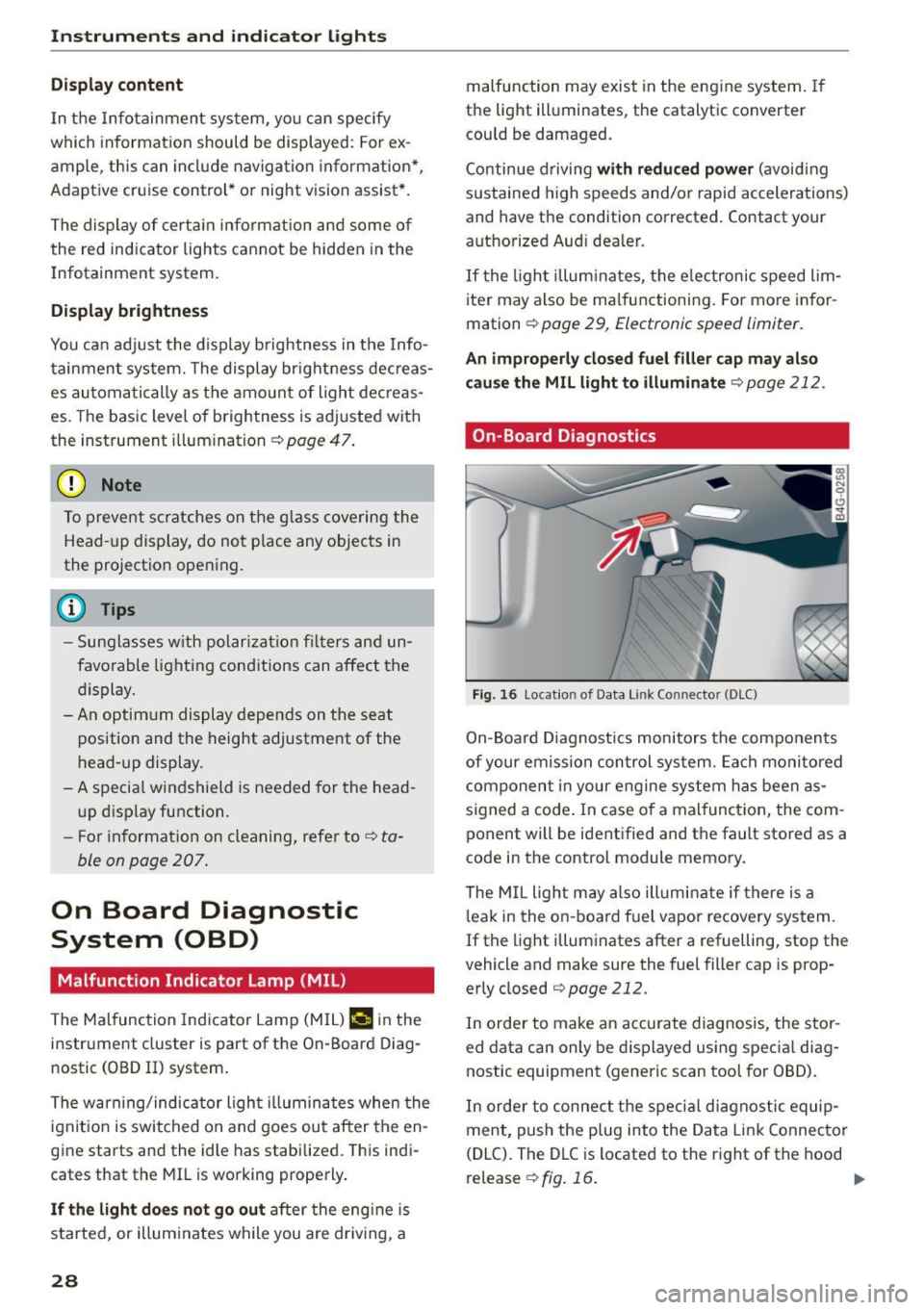
On-Board Diagnostics
Fig. 16 Locat io n of Data Link Co nnector (DLC)
On-Board Diagnostics monitors the components
of your emission control system. Each monitored
component in your engine system has been as
signed a code . In case o f a malfunct ion, the com
ponent will be identified and the fault stored as a
code in the control module memory .
The MIL light may also ill uminate if there is a
leak in the on-board f uel vapor recove ry system.
If the light illuminates after a refuelling, stop the
vehicle and make sure the fuel filler cap is prop
erly closed
c:> page 212.
In order to make an accurate diagnosis, the stor
ed data can only be displayed using special diag
nostic equipment (generic scan tool for 080).
In order to connect the specia l diagnostic equip
ment, push the plug into the Data Link Connector
(DLC). The DLC is located to the right of the hood
release ¢
fig. 16. ..,.
Page 31 of 294

M N <( (.J
'SI: ,...., \!) 1.1'1
N \!) ,....,
Your authorized Audi dealer or a qualified service
station can interpret the code and perform the
necessary repair.
A WARNING
Do not use the diagnostic connector for per
sonal use. Incorrect usage can cause malfunc tions, wh ich can increase the risk of a colli
sion!
-
Electronic speed limiter
Your veh icle may be factory equipped with tires
that are rated for a maximum speed of 130 mph
(210 km/h). This is less than the maximum speed
of your vehicle. To reduce the risk of sudden tire
failure and loss of contro l if the vehicle is operat
ed at excessive speeds, your vehicle also has an
e lectronic speed limiter. The electronic speed
limiter prevents your vehicle from going faster
tha n the tire speed rating. For more information
c>page240.
If the engine control unit receives fau lty vehicle
road speed signals, the Malfunction Indicator
Lamp (MIL)
¢4 will illumina te. If this occurs,
contact the nearest authorized Aud i dealer for as
sistance.
S models
Your vehicle's top speed is e lectronically limited
to 155 mph (250 km/h).
If the engine control unit receives faulty vehicle
roadspeed s ignals, the Malfunction Indicator
Lamp (MIL)
¢4 will illuminate . If this occurs,
contact the nearest authorized Audi dealer for as
sistance.
A WARNING
Always observe the posted speed limits and adjust your speed to suit prevailing road, traf
fic and weather conditions. Never drive your
vehicle faster than the maximum speed rating
of the tires installed.
-
Instruments and indicator lights
29
Page 32 of 294
Opening and closing
Opening and closing
Keys
Key set
F ig . 17 Key set
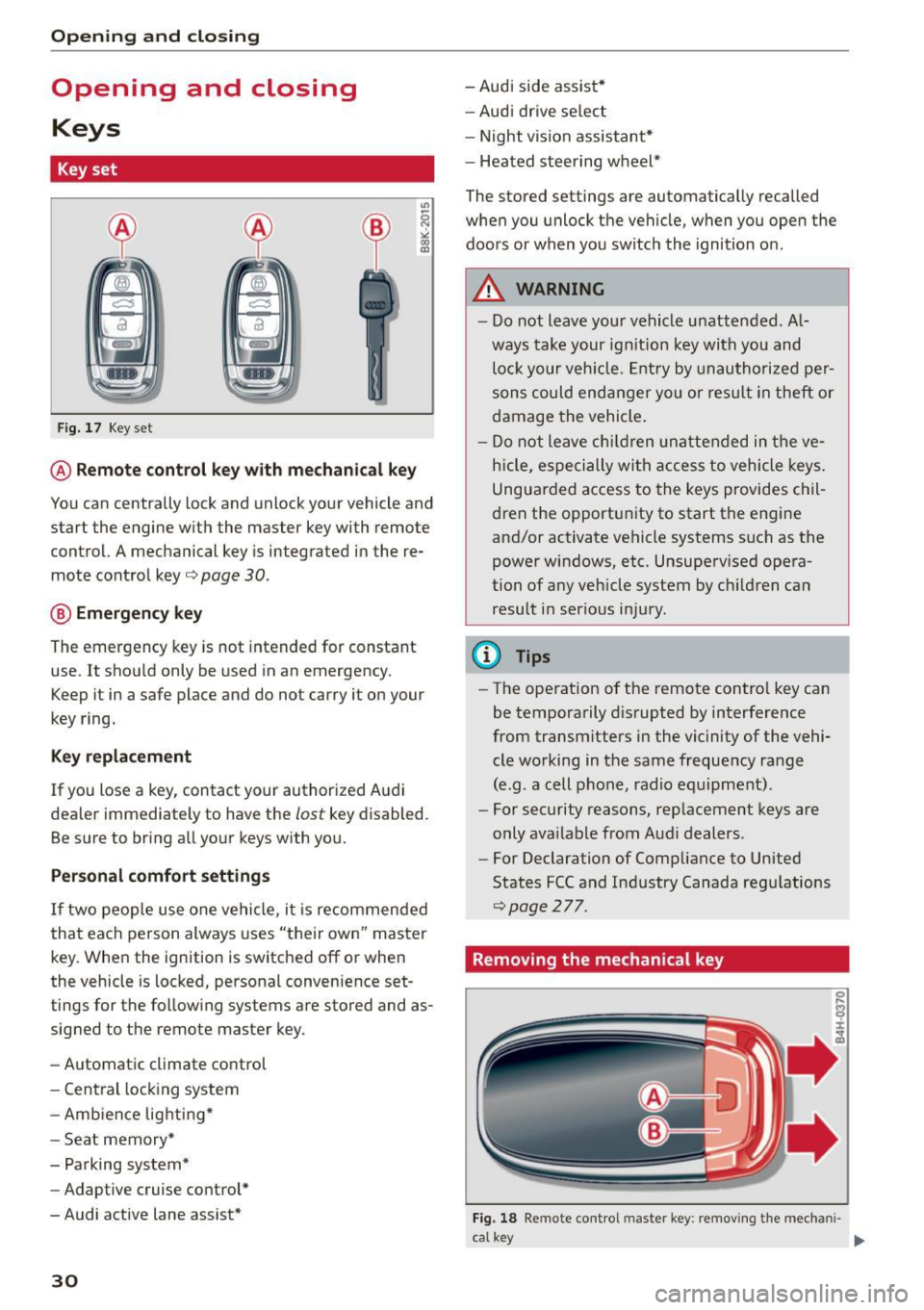
@ Remote cont rol key w ith me chanical key
You can centrally lock and unlock your vehicle and
start the engine w it h the master key with remote
control. A mechanical key is integrated in the re
mote control key
o page 30 .
@ Eme rgen cy key
The emergency key is not intended for constant
use. It shou ld only be used in an emergency.
Keep it in a safe place and do not carry it on your
key ring.
K ey replacement
If you lose a key, contact your authorized A udi
dea ler immediately to have the
lost key disabled.
Be sure to bring all yo ur keys with you.
Personal comfo rt sett ings
If two peop le use one vehicle, i t is recommended
that each person always uses "their own" master
key. Whe n the ignition is switched off or when
the vehicle is locked, personal convenience set
tings for the fo llow ing systems are stored and as
signed to the remote master key.
- Automatic climate control
- Central lock ing system
- Amb ience lighti ng*
- Seat memory*
- Parking system*
- Adaptive cruise control*
- Audi active lane assist *
30
-Audi side assist *
- Aud i drive se lect
- Night vision assistant*
- Heated steering wheel*
The stored settings are automatically recalled
when you unlock the vehicle, when you open the
doors or when you switch the ignition on.
A WARNING
-
- Do not leave your vehicle u nattended. A l
ways take your ign ition key with you and
lo ck your vehicle. Entry by unau thori zed per
sons could end anger yo u or res ult in theft or
damage the vehicle .
- Do n ot leave ch ildren unattended in t he ve
h icle, especi ally wit h access to vehicle keys.
Ungua rded a ccess to the keys provides chil
dren t he opport unity to start the engine
and/or activate ve hicle systems such as the
power windows, etc. Unsupe rv ised ope ra
tion of any veh icle system by c hildren can
result i n serio us in ju ry .
(D Tips
- The operation o f the remote control key can
be temporarily d is rupted by interference
from transmitters in the vic inity of the vehi
cle working in the same freque ncy range
(e.g. a cell phone, radio e quipment).
- For security reasons, rep lacement keys are
only ava ilable from Audi dealers .
- For Declaration of Comp liance to United
States FCC and Industry Canada reg ulations
~page 277.
Removing the mechanical key
Fig. 18 Remote cont rol mas te r key: removing the mechani-
ca l key .,._
Page 33 of 294

M N <( I.J "". rl I.O
"' N I.O rl
.. Press the release button @¢fig . 18.
.. Pull the mechanica l key @ out of the master
key .
Using the mechanica l key, you can:
- lock and unlock the storage compartment on
the passenger's s ide ¢
page 60.
- lock and unlock the vehicle manually
¢ page 35.
-lock the front and rear passenger doors me
chanically ¢
page 36.
LED and batteries in the remote control key
Fig. 1 9 Remote control key: Remov ing the batte ry h olde r
LED in the remote cont rol key
The LED @informs you about the funct ion of th e
remote control key .
.. If you press a button qu ickly, the LED blinks
once.
.. If you press a button longer (convenience open
ing), the LED blinks several times .
.. If the LED does not blink, the remote control
key battery is dead. The
Ill indicator ligh t and
t h e m essage
Plea se change key batt ery appear.
Replace the ba tte ry.
Replacing the remote control key battery
.. Remove the emergency key¢ page 30 .
.,. Press the release butto n ® on the battery
holder and pull the battery ho lder out of the
master key in the direction of the ar row at the
same time.
.. Insert the new battery with the"+" facing
down.
.. Push the battery holde r carefully into the mas
ter key.
.. Install the mechanical key.
Open ing and clo sing
@) For the sake of the environment
Dead batteries must be d ispose d of using
methods that wi ll not harm the environment .
Do not d ispose of t hem in ho useho ld trash.
@ Tips
The replacement battery must meet the same
spec ificat ions as t he origina l battery .
Electronic immobilizer
The immobilizer helps to prevent unauthorized
use of your vehicle .
A compute r ch ip ins ide you r key au toma tically
deact ivates the electronic immobilizer when the
key is inside the vehicle . When yo u remove the
key from the vehicle, the electronic immob ilizer
is aut omatically activated once again.
A WARNING
-Always take the key with you when you leave
the veh icle. The key can disarm the electronic
engine immobilizer and permit an unauthor
i zed person to start the engine and enab le op
e ra ti on o f the ve hicle sys tems s uch as powe r
window or power s unroo f lead ing t o serious
personal injury .
@ Tips
- T he ve hicle cannot be started if an una u
tho riz ed key is used. The vehicle may not
s ta rt if another radio device s uch as a key
for ano ther ve hicle or a transpo nder is locat
ed on the key ring .
- F or Declara tion of Comp liance to United
States FC C and In du stry Canada reg ulations
¢page 277 .
Central locking
General description
The power locking system locks or unlocks all
doors and the rear lid simultaneously.
You can lock and unlock the vehicle centrally . Yo u
have the following choices:
111>
31
Page 36 of 294

Opening and closing
It
depends on the settings in the MMI whether
the entire vehicle is un locked or only certain
doors
¢ page 33.
.&_ WARNING
Read and follow all WARNINGS¢.&. in Gener
al description on page 32.
(D Tips
- In order to make sure the locking function is
working, you should always keep your eye
on the vehicle to make sure it is properly
locked.
- Do not use the remote control if you are in
side the car, otherwise you may unintention
ally lock the vehicle, and then you would set
off the ant i-theft alarm when you try to
start the engine or open a door. In case this
happens anyhow, push the unlock button
ffi.
-The vehicle can only be locked when these
l ector lever is in the P posit ion.
- Use the panic funct ion only if you are in an
emergency situation .
Locking and unlocking with convenience
key
Applies to veh icles: w ith conven ie n ce key
The doors and the rear lid con be unlocked and
locked without operating the master key.
Fig. 21 Conve nien ce key: Locking the vehicle
Unlocking vehicle
• Take hold of the door hand le . The door is un
l ocked automatically.
• Pu ll the handle to open the door.
34
Locking vehicle
• Select the P selector lever position. Otherwise
the vehicle cannot be locked.
• To lock the vehicle, close the door and touch
the sensor in the door handle
once ¢ fig. 21. Do
not reach inside the door handle.
The vehicle can be locked and un locked at any
door. The master key must be within a range of
about 1.5 m from the appropriate door or the
rear lid. It makes no difference whether the mas
ter key is in your jacket pocket or in your brief
case .
It is not possib le to re-open the door for a brief
period directly after closing it. This allows you to
ensure that the doors are properly locked .
It depends on the settings in the MMI whether
the entire vehicle is unlocked or one of the doors
¢page 33.
.&_ WARNING
Read and follow all WARNINGS ¢.&. in Gener
al description on page 32 .
{!) Tips
If your vehicle has been standing for an ex
tended period, please note the following:
- The proximity sensors are deactivated after
a few days to save power. You then have to
pull on the door handle once to unlock the
vehicle and a second time to open the vehi
cle.
- To prevent the battery from being dis
charged and to preserve your vehicle's abili
ty to start for as long as possible, the ener
gy management system gradua lly switches
off unnecessary convenience functions.
It is
possible that you will not be able to unlock
your vehicle using these convenience func
tions.
- For Declaration of Compliance to United
States FCC and Industry Canada regulations
¢page 277.