fuel AUDI S8 2008 User Guide
[x] Cancel search | Manufacturer: AUDI, Model Year: 2008, Model line: S8, Model: AUDI S8 2008Pages: 404, PDF Size: 52.7 MB
Page 40 of 404
Driver information display
-Select Instrument cluster. The In strument cluster menu
appears .
Select the second item in the
Speed warning menu. The
submenu
Speed threshold appears ~ page 37, fig. 20.
Set the warning threshold you want .
Warning threshold 2 can only be set in a speed range from 20 to
150 mph (30 to 240 km/h). •
Trip computer
Introduction
The trip computer gives you information on current and
average fuel mileage, average speed, fuel range and
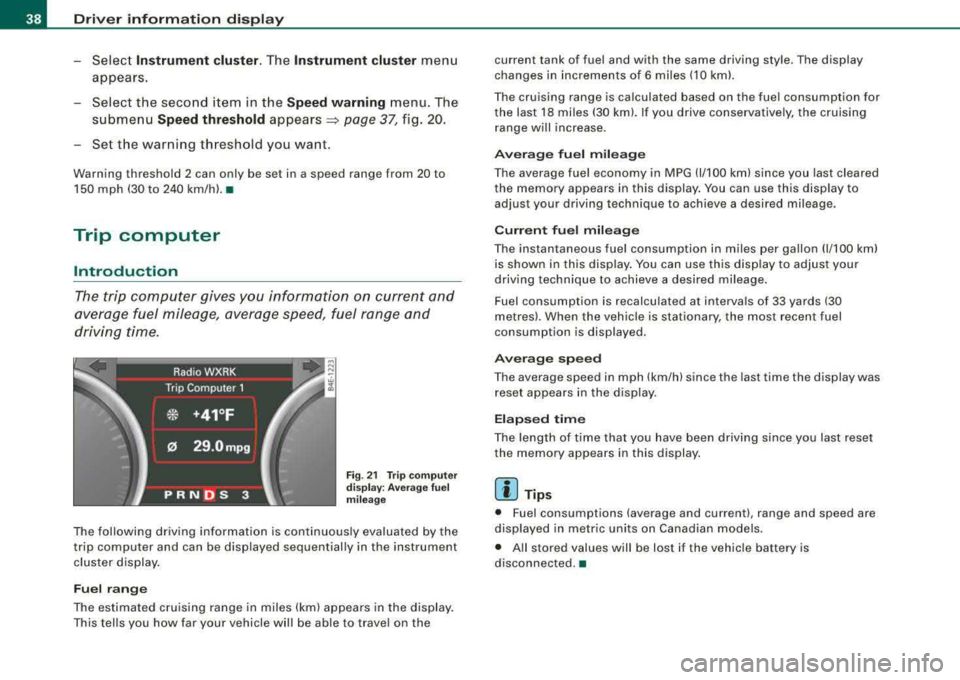
driving time.
Fig. 21 Trip comput er
di sp lay : Average fuel
mil eage
The following driving information is continuously evaluated by the
trip computer and can be displayed sequential ly in the instrument
cluster display.
Fuel range
The estimated cruising range in miles (km) appears in the display.
This tells you how far your vehicle will be able to travel on the current tank of fuel and with the same driving style. The display
changes in increments of 6 miles (10 kml.
The cruising range is calculated based on the fuel consumption for
the last 18 miles (30 km). If you drive conservative ly, the cruising
range will increase.
Average fuel mileage
The average fuel economy in MPG (1/100 km) since you last cleared
the memory appears in this display . You can use this disp lay to
adjust your driving technique to achieve a desired mileage .
Current fuel mileage
The instantaneous fuel consumption in miles per gallon (1/100 km)
is shown in this display. You can use this display to adjust your
driving technique to achieve a desired mileage.
Fuel consumption is recalculated at interva ls of 33 yards (30
metres). When the vehic le is stationary, the most recent fuel
consumption is displayed.
Average speed
The average speed in mph (km/h) since the last time the display was
reset appears in the display.
Elapsed time
The length of time that you have been driving since you last reset
the memory appears in this display .
[ i] Tips
• Fuel consumptions (average and current), range and speed are
displayed in metr ic units on Canadian models.
• All stored values will be lost if the vehicle battery is
disconnected .•
Page 41 of 404
Memories
The trip computer is equipped with two fully automatic
memories.
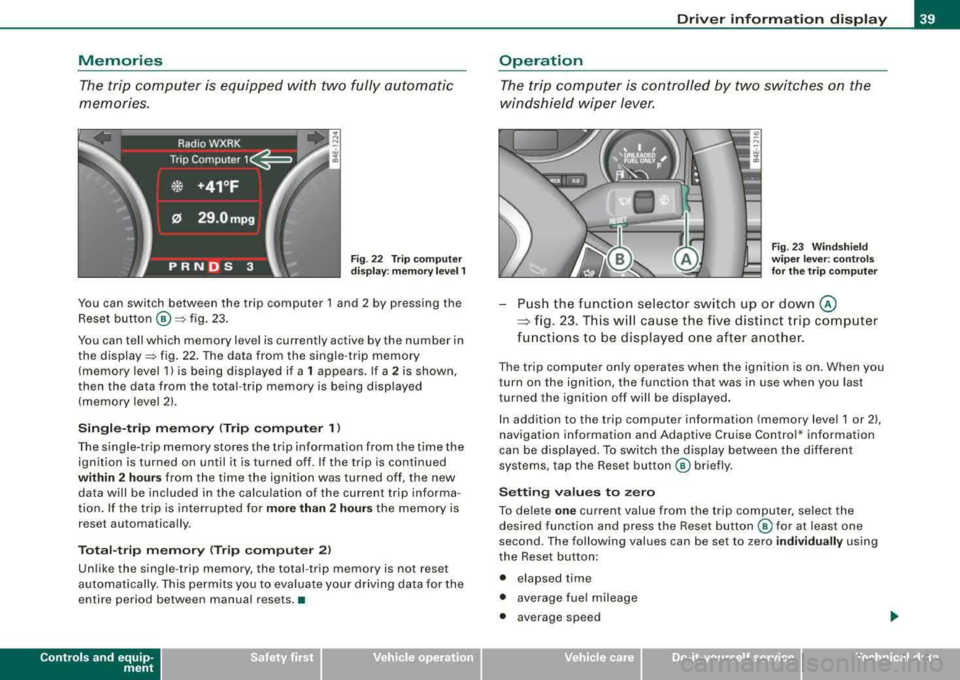
Fig . 22 Trip computer
display: memory level 1
You can switch between the trip computer 1 and 2 by pressing the
Reset button
@ =>fig. 23.
You can tell which memory level is currently active by the number in
the
display => fig. 22. The data from the single -trip memory
(memory level 1) is being displayed if a
1 appears. If a 2 is shown,
then the data from the total -trip memory is being displayed
(memory level 2).
Single-trip memory (Trip computer 1)
The single-trip memory stores the trip information from the time the
ignition is turned on until it is turned off. If the trip is continued
within 2 hours from the time the ignition was turned off, the new
data will be included in the calculation of the current trip informa
tion. If the trip is interrupted for
more than 2 hours the memory is
reset automatically .
Total-trip memory (Trip computer 2)
Unlike the single-trip memory, the total -trip memory is not reset
automatically . This permits you to evaluate your driving data for the
entire period between manual resets .•
Contro ls a nd eq uip
ment
Driver information display
Operation
The trip computer is controlled by two switches on the
windshield wiper lever.
Fig. 23 Windshield
wiper lever : controls
for the trip computer
Push the function selector switch up or down @
~ fig. 23. This will cause the five distinct trip computer
functions to be displayed one after another.
The trip computer only operates when the ignition is on. When you
turn on the ignition, the function that was in use when you last
turned the ignition off will be displayed.
In addition to the trip computer information (memory level 1 or 2) ,
navigation information and Adaptive Cruise Control * information
can be displayed . To switch the display between the different
systems, tap the Reset button
@ briefly.
Setting values to zero
To delete one current value from the trip computer, select the
desired function and press the Reset button @ for at least one
second. The following values can be set to zero
individually using
the Reset button:
• elapsed time
• average fuel mileage
• average speed
Vehicle care I I Technical data
Page 43 of 404
failure. Under-inflation also reduces fue l efficiency and tire tread
life, and may affect the veh ic le's handling and stopping abi lity.
Please note that the TPMS is not a substitute for proper tire mainte
nance, and it is the driver's responsibi lity to maintain correct tire
pressure, even if under-inflation has not reached the leve l to tr igger
illumination of the TPMS low tire pressure tellta le.
Your veh icle has a lso been equipped with a TPMS malfu nction indi
cator to indicate when the system is not operating properly . The
TPMS malfunction indicator is combined w ith the low tire press ure
telltale . When the system detects a ma lfunction , the telltale wi ll
fl ash for approximately one minute and then remain continuously
illum inated . This sequence will continue upon subsequent vehicle
start -ups as long as the ma lfunction exists.
When the ma lfunctio n indicator is i llum inated, the system may not
be ab le to detect or signa l low tire pressure as intended . TPMS
malfunctions may occ ur for a var iety of reasons, i nclud ing the
installation of replacement or alternate tires or wheels on the
vehic le that prevent the TPMS from f unctioning proper ly . Always
check the TPMS malfunction tellta le after replac ing one or more
t ires or whee ls on yo ur ve hicle to ens ure t hat the replacement or
a lternate tires and wheels allow the T PMS to continue to function
proper ly. •
Introduction
The tire pressure monit oring system m onitors air pressure
in all four road wheels and the spare tire* while the
vehicle is movin g.
As soon as the tire pressure moni toring system se nses a signi ficant
loss of air pressure in one or severa l tires, text messages and yellow
symbo ls appear in the inst rume nt cluster d isplay to aler t t he driver .
T he
(l) warning light in the instrument c luster comes on when the
t ire is sig nificant ly underinflated
=> page 20 .
Controls and equip
ment
Driver information di splay
The warning light U) also i lluminates in the case of a system
mal fu ncti on.
The system continuous ly receives rad io signa ls from sensors
located inside each tire .
Be aware that t ire p ressu re is also dependen t on the tempera ture of
the tire . For every
18 °F (1 O °C) increase in tire temperature, tire pres
sure increases by about 1 .5 psi (0 .1 bar). The tire warms up wh ile the
vehicle is moving and t ire pressure rises . So you should adjust tire
pressure only when the t ires are
cold, when the temperature of the
tires is roughly the same as the ambient air temperature .
I n order to keep the tire pressure monitoring system properly cali
brated, tire pressure on all four tires and on the spare tire* should
be checked at regular intervals, adjusted if n ecessary and saved in
the proper setti ng (recommended
pressure) => page 44.
The tire pressure is shown on the tire pressure label. On USA vehi
cles, the tire pressure labe l is located on the drive r's s ide B -p ill ar. On
Canada vehicles, the tire pressure labe l is located either on the
driver's side B -pillar o r inside the fuel fi ller flap. The t ire press ure
label l ists t he recommended cold tire inflat io n pressures for t he
vehic le at its maximum capacity weight and the tires that were on
your ve hicle at the time it was manufactured . For recommended tire
pressures for normal load condit ions, please see chapter
=> page 328 .
The current temperatures and pressure of your tires can be viewed
in the M MI
=> page 43 .
& WARNING
• When the tire pre ssure monitoring system warning light i s lit ,
one or more of your tires is signifi cantly under -infl ated . You should
stop and check your tires a s soon a s po ssible , and inflate them to
the proper pre ssure a s indi cated on the vehi cle' s tire pre ssure
label
=> page 328 . Driving on a significantly under -inflated tire
ca use s the tire to o verheat and can lead to tire failure. Under -infla -
~
Page 44 of 404
Driver information display
& WARNING (continued)
tion also is likely to impair the vehicle's handling and stopping
ability.
• Do not adjust tire pressure when tire temperature is excessive .
This could lead to serious tire damage and even cause the tire to
burst, with the additional danger of an accident.
W For the sake of the environment
Driving with under -inflated tires reduces fuel efficiency and tire
tread life.
[ i) Tips
• Each tire, including the spare*, should be checked monthly when
cold and set to the recommended inflation pressure as specified on
the tire pressure label
=> page 328.
• The tire pressure monitoring system helps the driver to keep an
eye on tire pressures. But the driver still has the responsibility for
maintaining the correct tire pressure .
• Tire pressure must only be adjusted when the temperature of the
tires is about the same as ambient air temperature.
• When tires are replaced, the sensors and valves should not be
detached or exchanged. Only the valve core needs to be replaced
and, if necessary, the valve and the wheel electronics replaced.
• If you should put different wheels and tires on your vehicle (e .g.
winter wheels and tires), you must be certain that the wheels and
tires are compatible with the tire pressure monitoring system .
Otherwise the system will register a malfunction and a fault
message will be displayed. For more information, contact your
authorized Audi dealer.
• Adjust the tire pressure and store the pressure in the tire pres
sure monitoring system to the load you are
carrying => page 328. •
Significant loss of air pressure ( )
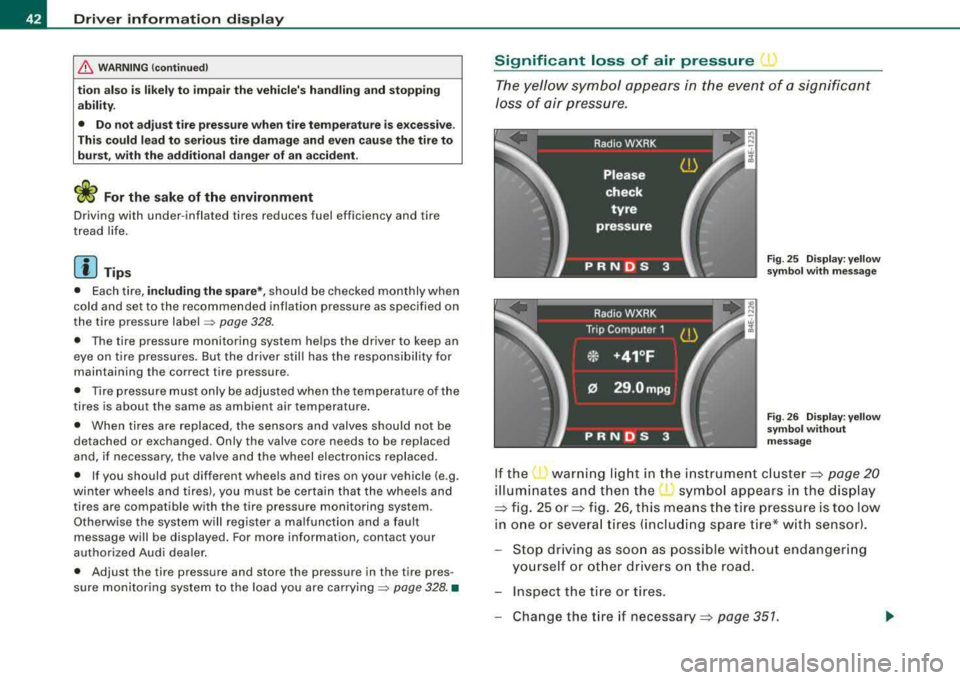
The yellow symbol appears in the event of a significant
loss of air pressure.
Fig . 25 Display: yellow
symbol with message
Fig . 26 Display: yellow
symbol without
message
If the warning light in the instrument cluster:::::, page 20
illuminates and then the ( symbol appears in the display
:::::, fig. 25 or:::::, fig. 26, this means the tire pressure is too low
in one or several tires (including spare tire* with sensor).
Stop driving as soon as possible without endangering
yourself or other drivers on the road.
- Inspect the tire or tires.
Change the tire if
necessary:::::, page 351.
Page 46 of 404
Driver inf ormation displ ay
• Green: If current tire pressure and the spec ified pressure are
approximate ly the same, t he tire pressure is shown in green.
• Yellow : If current tire pressure is too low with respect to specified
pressure, the tire pressure is shown in yellow.
[ i ] Tips
• During the learn ing period, t ire pressure and t ire temperature
are not displayed . Horizontal lines--,-- are displayed for pressure
and temperature.
• The tire pressure is shown on the label located either on the
driver's side B-pi llar (visible when the door is open) or ins ide the fuel
filler flap .
• The tire pressure monitor ing system he lps the driver to keep an
eye on tire pressures . But the driver stil l has the responsibility for
maintaining the correct t ire pressu re .•
Storing tire pressures
Correct storage of specified pressure is the basic require
ment for reli able tire pressure moni toring .
In order for the tire pressure monitor ing system to o perate
appropr iately, you have to re-save the specified p ressures
whenever you adjust tire pressure, for example when the load condition of your vehicle changes . Proceed as fo llows :
Correcting tire pressure
-Check t he pressure in the tires ( includin g the spare tire*).
-Ad just air pressure as needed in accordance with the
informat io n on the label loca ted either on the d river 's
side B- pillar (visible whe n the do or is ope n), ins ide the
f u el fill er flap a nd a ddit ionally in the manua l.
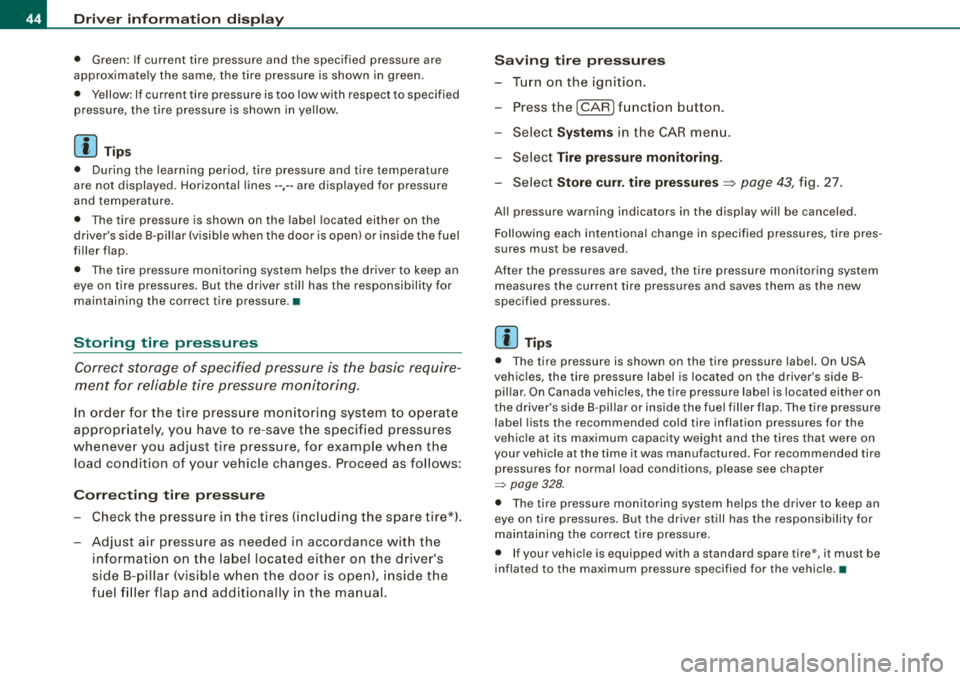
Saving tire pressur es
-Tur n on the ignition .
-Press the I CAR] fu nct ion button .
-Select Systems in the CAR me nu.
-Selec t Tire pressure monitoring .
-Select Store curr. tire pressures=> page 43, fig. 27.
A ll pressure warning indicators in the display wi ll be cance led .
Following each intentional cha nge in speci fied pressures, tire pres
sures must be resaved.
Afte r the pressures are saved, the tire pressure monitoring system
measures the current t ire pressures and saves them as the new
specified pressures .
[ i] Tip s
• T he tire pressure is shown on the tire pressure label. On USA
veh ic les, the tire pressure label is loca ted on the driver's side B
pillar . On Canada vehicles, the tire pressure labe l is located either on
t he dr iver's side B -p illar or i nside the fuel filler flap . The t ire pressure
label lists the recommended cold tire inflation pressures for the
vehic le at its maximum capacity weight and the tires tha t were on
your vehicle at the time it was manufactured . For recommended tire
pressures for normal load conditions, please see chapter
=> page 328.
• The tire pressure monitoring system he lps the driver to keep an
eye on tire pressures. But the driver still has the responsibility for
maintaining the correct tire pressure.
• If your vehic le is equipped with a standard spare tire *, it must be
inflated to the maximum pressure spec ified for the vehicle. •
Page 105 of 404
________________________________________________ S_ e_ a_t _
s _a_ n_d _ s_t _o _ r_ a_ g~ e __ _
& WARNING
• The ski sack is intended only for the transportation of skis and
other light objects. To reduce the risk of serious personal injury,
never transport heavy or pointed objects in the ski sack.
• When braking rapidly or during an accident, the load could be
displaced and cause injury to occupants.
• Sharp edges on the load must be covered for protection.
Always fasten the belt tightly around the sack and its contents
=:> page 102, fig. 108.
[ i] Tips
Never stow the ski sack away when it is still wet or damp (for
example, snow melting from skis). Allow i t to dry completely before
stowing it away. •
Roof rack
First things first
A roof rack can be fitted to carry additional luggage on
the roof.
- Always read and follow the instructions provided by the
roof rack manufacturer when the roof rack system must
be installed.
If a roof rack or similar luggage carrying equipment is to be
installed, please note the following:
• To enhance the vehicle's streamlined design, rain gutters have
been molded into the roof. It is not possible to use normal roof
racks. Only install a roof rack specifically designed for your model
A8. Contact the nearest Audi dealer for information on approved modular roof racks for your vehicle.
Controls and equip
ment
• These approved roof racks are the basis for a complete roof rack
system. Additional attachments for the basic roof rack are neces
sary to safely transport luggage, bicycles, surf boards, skis or small
boats. All necessary hardware for these systems is available at your
authorized Audi dealer.
• We recommend that you keep the installation instructions for
your roof rack system together with your Owner's l iterature in the
vehicle.
When should the roof rack be removed?
• Before going through an automatic car wash (it is best to ask the
car wash operator for advice)
• When not in use, to reduce fuel consumption, wind noise and to
guard against theft.
& WARNING
• Use of an unapproved roof rack or incorrect mounting of an
approved roof rack can cause the roof rack or the items attached
to it to fall off the roof onto the road.
• Objects falling from the roof of a vehicle can cause a crash and
personal injury.
• Only mount the system between the markings shown in
~ page 104, fig. 109.
• The roof rack system must be installed exactly according to the
instructions provided.
(D Note
• Your vehicle warranty does not cover any damages to the vehicle
caused by using roof racks or mounting struc tures not approved by
Audi for your vehicle. The same applies to damage resulting from
incorrect roof rack installation.
• Always check the roof rack mountings and hardware before each
trip and during a trip to make sure everything is securely tightened.
~
Page 107 of 404
__________________________________________________ S_ e_ a_t _s _ a_n _ d_ s_ t
_ o_ r_a ""'g :c.. e _ ___.ffllll
fl::. W ARNING (continued )
• Never exceed the maximum permi ssible load carrying capa city
of the roof of you r vehi cle , the p ermi ssible axle weight s and the
permissible tot al w eig ht of your
vehicle ~ page 375, "Weight s".
• Alwa ys drive slo wly, av oid sudden brak ing and maneuver s
when transporting cargo on th e roof of your vehicle.
<£> For the sake of the environment
Sometimes it may be easier to leave a roof rack insta lled even
though you are not using it. Due to the increased a ir resistance your
veh icle wi ll unnecessarily use more fuel. Remove the roof rack if you
a re no t going to use it .•
Cupholder
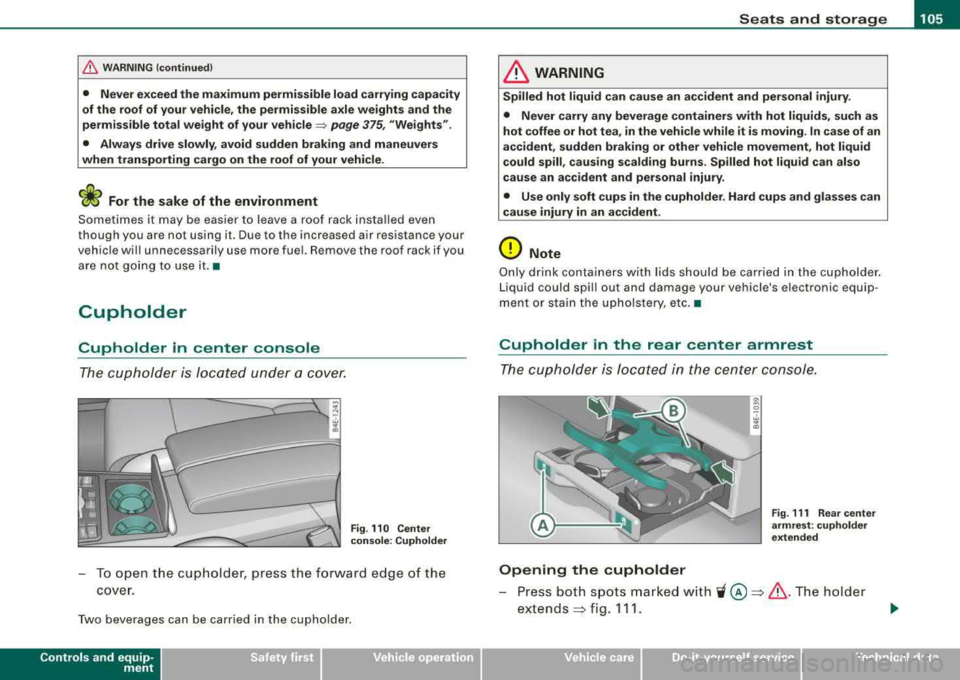
Cupholder in center console
The cupholder is located under a cover.
Fi g. 110 Cente r
c on sole : Cuphold er
To o pen t he cup holder, press the forward edge of the
cover.
Two beverages can be carried in the cupholder.
Contro ls a nd eq uip
ment
& WARNING
Spilled hot l iqui d can c ause a n accident and pe rsona l injur y.
• Never car ry any b everage con tainer s with hot liquid s, such as
hot coffee or hot tea , in the veh icle w hile it i s mov ing . In c ase of an
accident, sudden brakin g or other vehicle movement, h ot liquid
c ould spill , cau sing scald ing bu rn s. Spilled hot liquid can also
cause an ac cident and per sonal injury .
• Use only s oft cups in the cuph older. Hard cups and glasses c an
cause injury in an accid ent.
0 Note
Only drink containers wi th lids should be carried in the cupholder .
Liquid could spi ll out and damage your vehicle's electronic equip
ment or stain the upho lstery, etc. •
Cupholder in the rear center armrest
The cupholder is located in the center console .
Opening the cupholder
8 . w 1li
Fig. 111 Rea r cen te r
a rm re st : c uph olde r
e xt end ed
Press both spots marked with 'i @ ~ & .The holder
extends
~ fig . 111.
Vehicle care I I Technical data
Page 125 of 404
Warm and cold -
------------------------------..J
[ i J Tip s
If the climate control system is operating in cool ing mode, air flows
primarily from the outlets in the center console and in the door
pillars . To achieve adequate cooling, you should never close the
out lets completely. •
Using climate controls economically
Using the climate controls prudently can help save fuel.
When you use t he a ir conditioner, engine power is reduced
and fuel consumption increases. To save fuel, you should
use the a ir co nditioner only when necessary. Also please
note the follow ing po ints:
- If you want to save fuel, activate ECON.
If you are going to drive with the windows open, use ECON.
W For the s ake of the environm ent
By reducing the amount of fuel you use, you also reduce the amount
of pollutants emitted into the air. •
Applies to v ehicl es: with so lar slidi ng /tilt ing sunr oof
Solar blower fan /solar roof
With sufficient sunlight, the blower fan continues to
operate with solar energy to bring in fresh air after the
ignition has been switched off.
T he fan motor is operated by solar energy through the solar roof
after the igni tion is turned off. P lease make certa in that
vents ©
and© are open to achieve optimal ventilation ~ page 122, fig. 137 .
Controls a nd eq uip
ment
The ventilation operates only with the sunroof c losed or in the tilted
position.
If the vehicle was switched off in the recirculation mode, the air
conditioning automatica lly switches to fresh air operation .
Solar operation is not activated at low outside temperatures .•
Windshield defogging/defrosting
Ap plie s to v ehic le s : with windsh ield defogg er/defr oste r
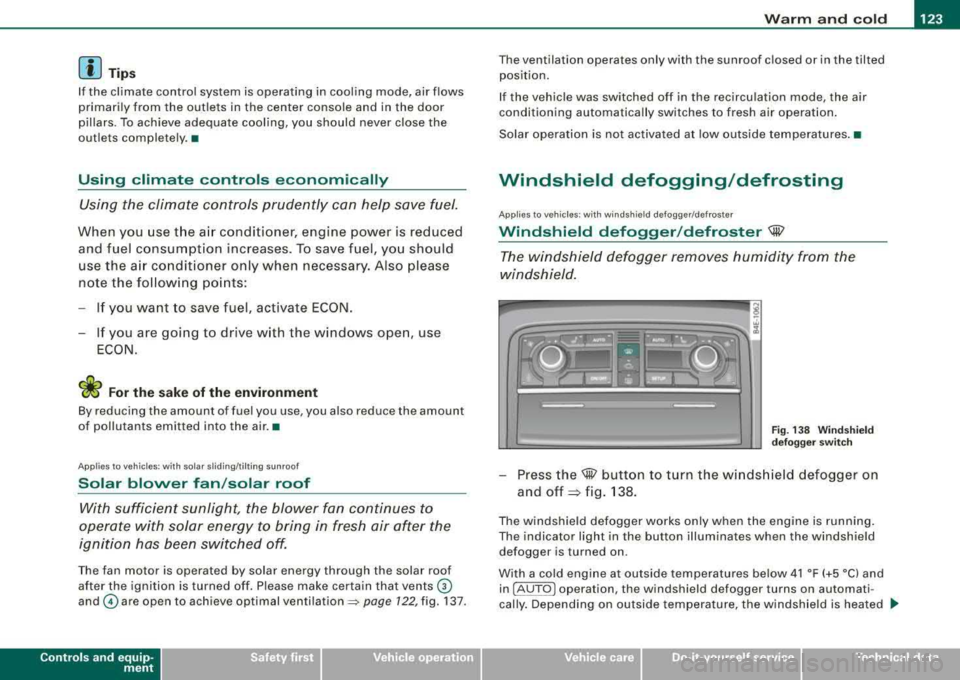
Windshield defogger /defroster ®
The win dshield defogger rem oves humidity from the
windshield.
F ig. 138 Win dsh ield
d efogger sw itc h
- Press the@ button to turn the w indshield defogger on
and
off ~ fig. 138 .
The w indshield defogger works only when the engine is running .
The indicator light in the button illuminates when the windshield defogger is turned on .
With a cold engine at outside temperatures below 41 °F (+5 °C) and in !AU TO
l operation , the windshield defogger turns on automati
cally . Depending on outside temperature, the windshie ld is heated .._
Vehicle care I I irechnical data
Page 126 of 404
___ w_ a_ rm __ a_ n_ d_ c_ o_ ld __________________________________________________ _
for a maximum of 4 minutes. The temperature for the climate
control must be selected so that it is operating in the heating mode.
When selecting the program setting
®, the windshield
defogger/defroster is switched on automatically at outside temper
atures below 41 °F (+5
°Cl. Depend ing on outside temperature, the
windshield is heated from 2 up to a maximum of 4 minutes.
The windshield defogger is deactivated in ECON mode .
[ i J Tips
• If a crack forms in the windshield due to a foreign object (e .g . a
stone chip), the defogger/defroster is not turned on . This prevents
the crack from spreading.
• We recommend that you locate an Audi dealership immediately
to have the windshield replaced.
•
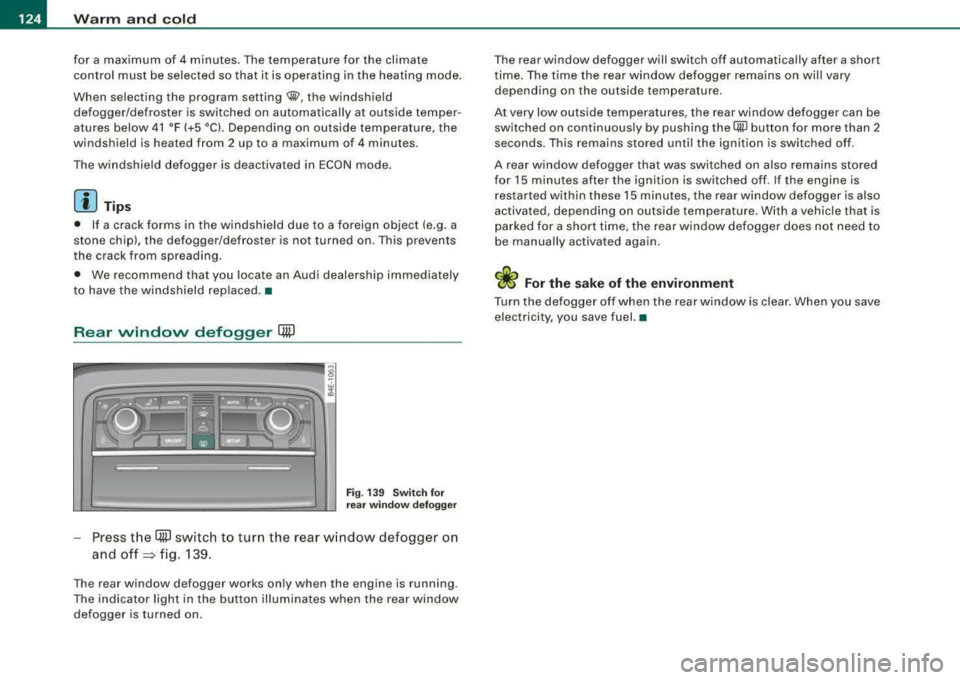
Rear window defogger QW
Fi g. 13 9 Sw itch for
r ea r wi ndow defo gger
Press t he (ffiJ switch to turn the rear w indow defogger on
and
off => fig. 139.
The rear window defogger works only when the engine is running .
The indicator light in the button illuminates when the rear window
defogger is turned on . T
he rear window defogger will switch off automatically after a short
t ime . The time the rear window defogger remains on wi ll vary
depending on the outside temperature.
At very low outside temperatures, the rear window defogger can be switched on continuously by push ing the
QiP button for more than 2
seconds. This remains stored until the ignition is switched off .
A rear window defogger that was switched on also remains stored
for 15 minutes after the ignition is switched off . If the engine is
r estarted within these 15 minutes, t he rear w indow defogger is also
activated, depending on outside temperature. With a vehic le that is
parked for a short time, the rear window defogger does not need to
be manua lly activated aga in.
W For the sake of the environment
Turn the defogger off when the rear w indow is clea r. When you save
electricity, you save fuel. •
Page 128 of 404
___ w_ a_ r_ m __ a_n_ d_ c_ o_ld ________________________________________________ _
0 Note
To avoid damage to the heating elements in the seats, do not kneel
on the seats or place heavy loads on a small area of the seat. •
Basic settings [SETUP]
General
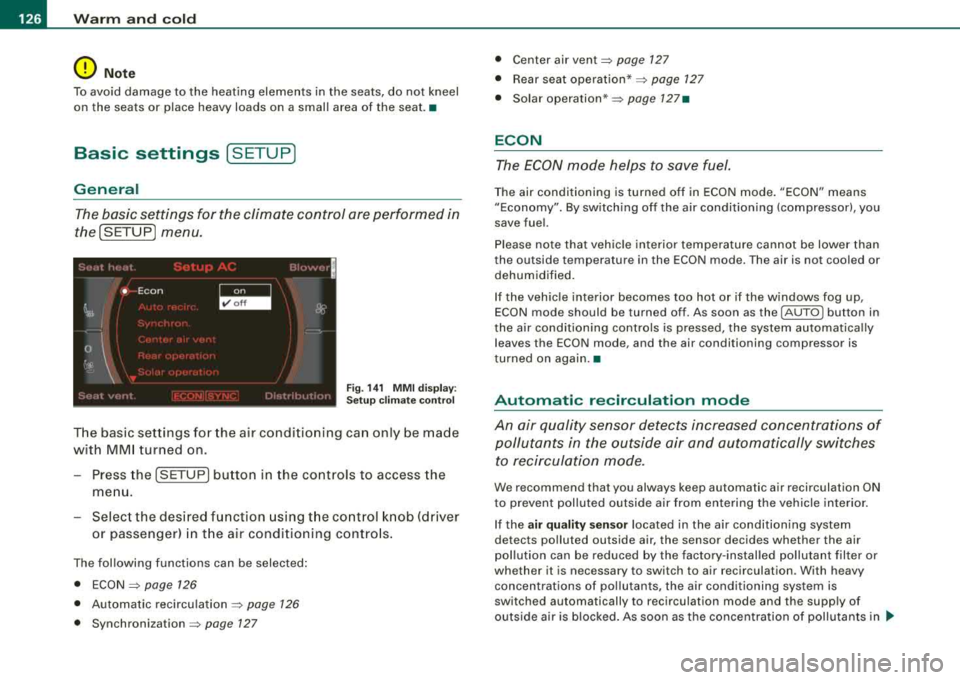
The basic settings for the climate control are performed in
the[SETUP] menu.
Fig . 141 MMI display:
Setup climate control
The basic settings for the air conditioning can only be made
with MMI turned on.
- Press the !SETUP] button in the controls to access the
menu.
- Select the desired function using the control knob (driver
or passenger) in the air conditioning controls.
The following functions can be selected:
• ECON
=> page 126
• Automatic recirculation => page 126
• Synchronization => page 127
• Center air vent=> page 127
• Rear seat operation* => page 127
• Solar operation* => page 127•
ECON
The ECON mode helps to save fuel.
The air conditioning is turned off in ECON mode. "ECON" means
"Economy". By switching off the air conditioning (compressor), you
save fuel.
Please note that vehicle interior temperature cannot be lower than
the outside temperature in the ECON mode. The air is not cooled or
dehumidified.
If the vehicle interior becomes too hot or if the windows fog up,
ECON mode should be turned off. As soon as the
(AUTO ] button in
the air conditioning controls is pressed, the system automatically leaves the ECON mode, and the air conditioning compressor is
tu rned on again. •
Automatic recirculation mode
An air quality sensor detects increased concentrations of pollutants in the outside air and automatically switches
to recirculation mode.
We recommend that you always keep automatic air recirculation ON
to prevent polluted outside air from entering the vehicle interior.
If the
air quality sensor located in the air conditioning system
detects polluted outside air, the sensor decides whether the air
pollution can be reduced by the factory-installed pollutant filter or
whether it is necessary to switch to air recirculation . W ith heavy
concentrations of pollutants, the air conditioning system is
switched automatically to recirculation mode and the supply of
outside air is blocked. As soon as the concentration of pollutants in
~