air condition AUDI S8 2009 User Guide
[x] Cancel search | Manufacturer: AUDI, Model Year: 2009, Model line: S8, Model: AUDI S8 2009Pages: 408, PDF Size: 91.63 MB
Page 119 of 408
![AUDI S8 2009 User Guide _________________________________________________ w_ a_ r_ m __ a_n_ d_ c_ o_ld __ ,n
Turning on and off [ ON/OFF]
Turning the air conditioning on
- Press [O N/OFF], or
- Press [AUTO
J.](/img/6/57618/w960_57618-118.png "AUDI S8 2009 User Guide _________________________________________________ w_ a_ r_ m __ a_n_ d_ c_ o_ld __ ,n
Turning on and off [ ON/OFF]
Turning the air conditioning on
- Press [O N/OFF], or
- Press [AUTO
J.")
_________________________________________________ w_ a_ r_ m __ a_n_ d_ c_ o_ld __ ,n
Turning on and off [ ON/OFF]
Turning the air conditioning on
- Press [O N/OFF], or
- Press [AUTO
J.
Turning the air conditioning off
- Press [ ON/OFF] to turn the air conditioner off and block
outside air from entering the vehicle.
The air conditioner turns back on if you press one of the control buttons or the contro l knob.
[ i ] Tip s
Resi du al he at: With the ignition turned off, you can activate the
residual heat funct ion by pressing the [
ON/OFF] button. The
residual heat from the coo lant can be used to heat the vehic le inte
rior. The residua l heat function is turned off automatically after
30
minutes. •
Automatic mode [AUTO I
The automatic mode is the standar d setting for all
seasons.
Turning on AUTO
- Select temperature between 60
°F (+ 16 °C) and 84 °F
(+28 °Cl.
- Press [AUTO j ~ page 116, fig. 129.
Automatic operation ensures constant temperatures in the interior
and dehumidifies the air inside the vehicle. Air temperature, vo lume
and dist ribu tion are controlled automatical ly to reach or maintain
Controls and equip
ment
the desired interior temperature as quickly as possible. Fluctuations
in exter ior temperature and the effects of temperature from the
position of the sun are compensated for automatica lly.
This operating mode works only in the adjustable temperature range , from 60 °F ( + 16 °C) to 84 °F ( +28 °C). If a temperature below
60 °F
(+ 16 °C) is selected, LO appears in the disp lay. At temperatures
above 84 °F (+28 °C),
HI is displayed . A t both extreme settings,
climate control runs continuously at maximum cooling or heating
power . There is no temperature regulation .•
Setting the temperature
Separate temperatures can be selected for the driver's
and fr ont passenger's side.
Fig. 13 0 MMI dis p la y:
Sett in g the t emp era
ture
- Rot ate the cont ro l knob to the left to reduce the temper
ature, or to the righ t to increase t he tempera ture .
[ i ] Tips
• When you press the control knob for choosing the temperature,
the temperature you choose will a lso appear in the MMI display
~ fig. 130 .
• Syn chronizi ng cli mat e contro l: By pressing and ho lding the
control knob on the driver's side, t he tempe rature setting on the
I • •
Page 120 of 408
• ..__w_ a_ r_m _ a_ n_d_ c_ o_ ld __________________________________________________ _
driver's side can be switched to the passenger's side, and vice versa.
In the case of vehic les wi th rear air conditioning* , the selected
temperature setting is also applied to the outer rear sea ts. The new
temperature is shown in the display .•
Ap plie s to veh ic les: wi th ele ct ric a lly heat ed seat s
Heated seats GD
The seat cushion and the seat back of the fron t seats can
be heated electrically.
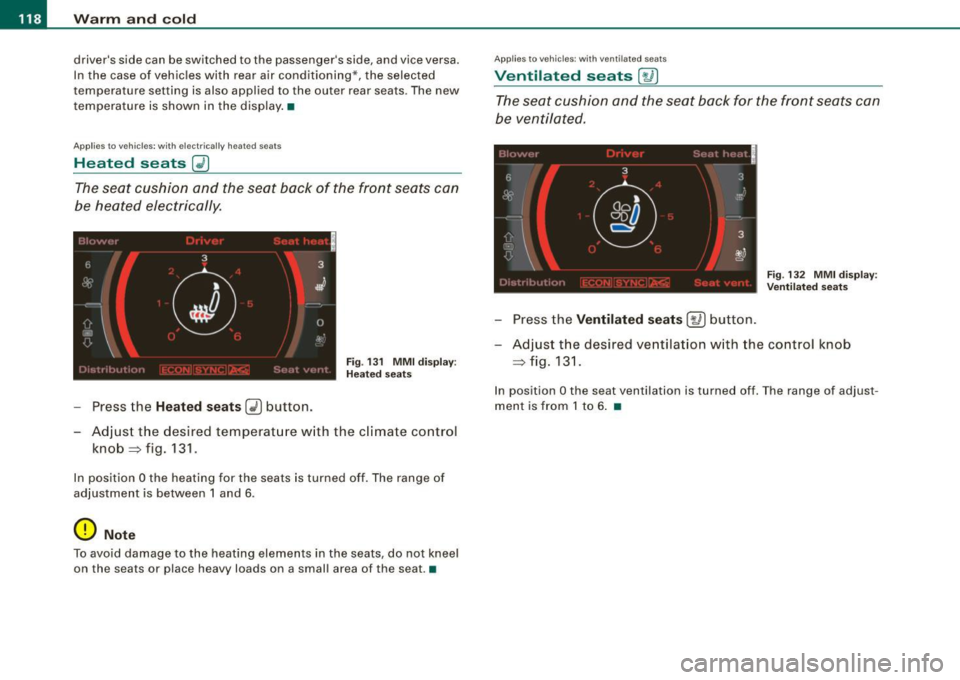
F ig . 13 1 MM I d is pla y:
H eated s eats
- Press the Heated seats (i) button.
- Adjust the desired temperat ure w ith the c limate contro l
knob => fig. 131 .
In position O the heating for the seats is turned off . The range of
ad justment is between 1 and 6 .
0 Note
To avoid damage to the heat ing elements in the seats , do not kneel
on the seats or place heavy loads on a small area of the seat. •
Applies 10 vehi cles : w ith v enti late d seats
Ventilated seats [,J j
The seat cushion and the seat back for the front seats can
b e ven tila ted.
Fi g. 132 MMI di spl ay:
V entila ted sea ts
- Press the Ventilated seat s [ay] button.
- Adjust t he desi red ve ntilat ion w ith the co ntrol knob
=> fig.131.
In position O the seat ventilation is turned off . T he range of adjust
ment is from 1 to 6 . •
Page 123 of 408
![AUDI S8 2009 User Guide Warm and cold -
----------------
Manual air circulation I~]
Air recirculation prevents exhaust fumes or other pollu
tion from entering the vehicle.
Turning on air recirculation
-](/img/6/57618/w960_57618-122.png "AUDI S8 2009 User Guide Warm and cold -
----------------
Manual air circulation I~]
Air recirculation prevents exhaust fumes or other pollu
tion from entering the vehicle.
Turning on air recirculation
-")
Warm and cold -
----------------
Manual air circulation I~]
Air recirculation prevents exhaust fumes or other pollu
tion from entering the vehicle.
Turning on air recirculation
-Press[~] ~page 776,fig.129 ~&
Turning off air recirculation
- Press~ again, or
- press [AUTO], or
- press[@].
In the air recirculation mode, the air in the passenger compartment
is recirculated to prevent exhaust fumes and other pollution from
entering the vehicle. We recommend that you use the manual air
recirculation under the followi ng conditions:
• when driving through tunnels
• in a traffic jam.
& WARNING
Do not use this setting for extended periods of time . The windows
could fog up since no fresh air can enter the vehicle . If the
windows fog up, press the air recirculation button again immedi ately to switch off the air recirculation function or select defrost . •
Controls and equip
ment
I • •
Page 125 of 408
Warm and cold -
--------------------------------J
[ i J Tips
If the climate control system is operating in cooling mode, air flows
primarily from the outlets in the center console and in the door
pillars . To achieve adequate cooling, you should never close the
outlets completely. •
Using climate controls economically
Using the climate controls prudently can help save fuel.
When you use the air conditioner, engine power is reduced
and fuel consumption increases. To save fuel, you should
use the air conditione r only when necessary. Also please
n ote the following points:
- If you want to save fuel, activate ECON.
If you are going to drive with the windows open, use
ECON.
W For the sake of the environment
By reducing the amount of fuel you use, you also reduce the amount
of pollutants emitted into the air.•
Applie s to v ehicl es: with so lar slidi ng /tilt ing sunr oof
Solar blower fan /solar roof
With sufficient sunlight, the blower fan continues to
operate with solar energy to bring in fresh air after the
ignition has been switched off.
T he fan motor is operated by solar energy through the solar roof
after the ignition is turned off. Please make certain that vents ©
and © are open to achieve optimal ventilation=>
page 122, fig. 137.
Con tro ls and eq uip
ment
The ventilation operates only with the sunroof closed or in the tilted
position .
If the vehicle was switched off in the recircu lation mode, the air
conditioning automatically switches to fresh air operation.
Solar operation is not activated at low outside temperatures. •
Windshield defogging/defrosting
Applie s to v ehic les: w ith windsh ield defogg er/defr oste r
Windshield defogger /defroster @
The windshield defogger removes humidity from the
windshield.
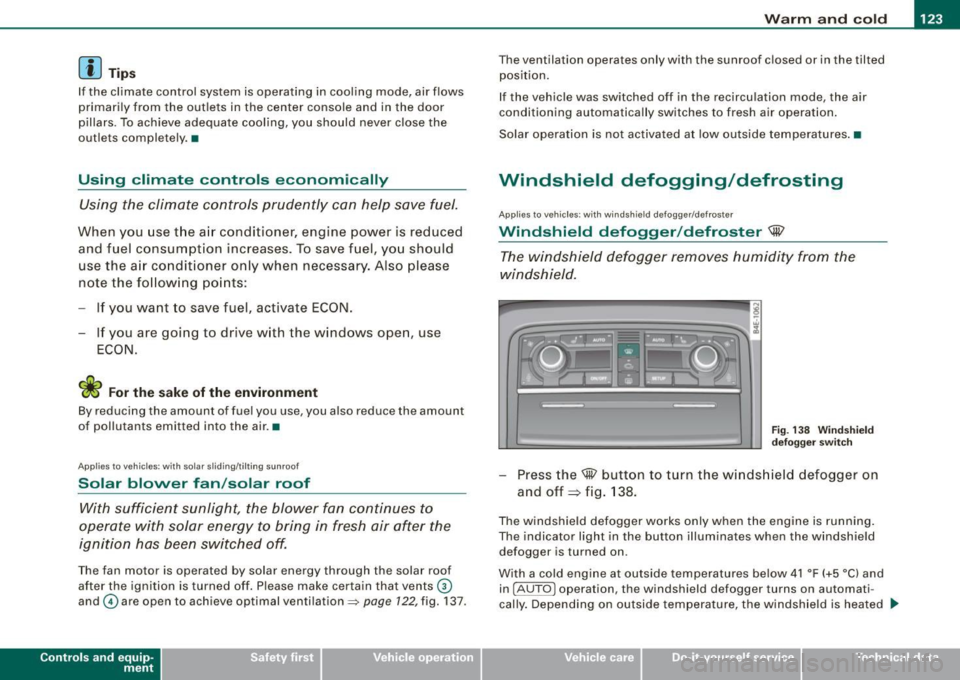
Fig . 138 Windshield
defogger switch
-Press the@ button to turn the windshield defogger on
and off~ fig . 138.
The windshield defogger works only when the engine is running.
The indicator light in the button illuminates when the windshield
defogger is turned on.
With a cold engine at outside temperatures below 41 °F (+5 °C) and
in !AUTO
l operation, the windshield defogger turns on automati
cally. Depending on outside temperature, the windshield is heated _,.
Vehicle care I I irechnical data
Page 127 of 408
Warm and cold -
-------------------'
Rear climate controls
Applies to vehic les: with rear a ir condition ing
Controls
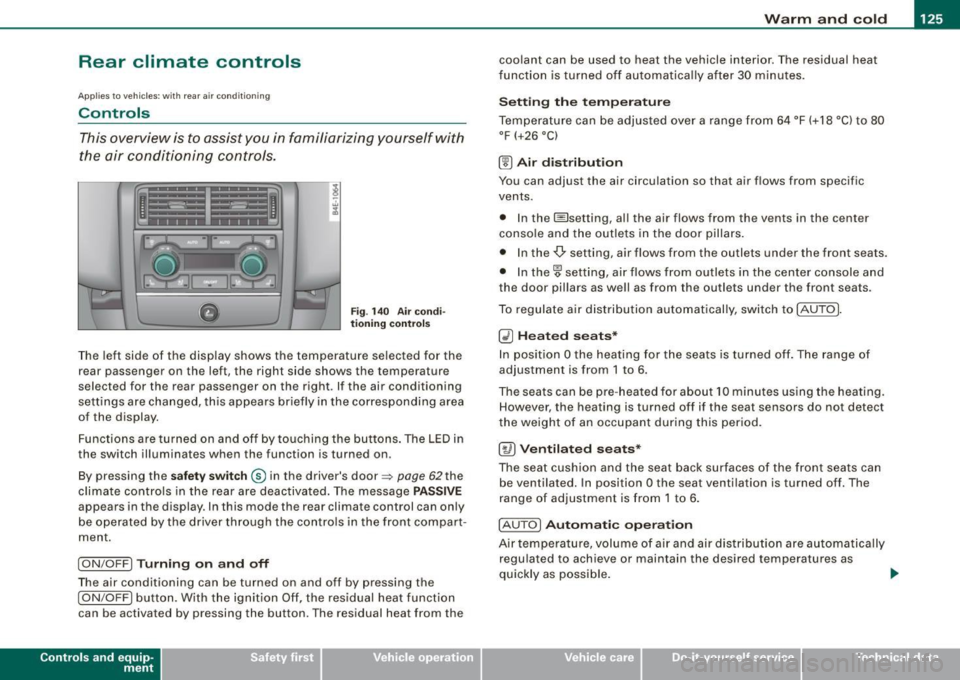
This overview is to assist you in familiarizing yourself with
the air conditioning controls .
Fig. 140 Air condi
tioning control s
The left side of the display shows the temperature selected for the
rear passenger on the left, the right side shows the temperature
selected for the rear passenger on the right. If the air conditioning
settings are changed, this appears briefly in the corresponding area
of the display.
Functions are turned on and off by touching the buttons . The LED in
the switch illuminates when the function is turned on .
By pressing the
safety switch ® in the driver's door=> page 62the
climate controls in the rear are deactivated. The message
PASSIVE
appears in the display. In this mode the rear climate control can on ly
be operated by the driver through the contro ls in the front compar t
ment.
I ON/OFF] Turning on and off
The air conditioning can be turned on and off by pressing the
I ON/OFF] button. With the ignition Off, the residual heat function
can be activated by pressing the button. The residual heat from the
Con tro ls and eq uip
ment
coolant can be used to heat the vehicle interior. The residual heat
fun ction is turned off automatica lly after 30 minu tes.
Setting the temperature
Temperature can be adjusted over a range from 64 °F (+18 °C) to 80
°F
(+26 °C)
® Air distribution
You can adjust the air circulation so that air flows from specific
vents.
• In the I isetting, al l the air flows from the vents in the center
conso le and the outle ts in the door pillars.
• In the-,!) setting, air flows from the outlets under the front seats.
• In the~ setting, air flows from outlets in the center console and
the door pil lars as we ll as from the outlets under the front seats.
To regulate air distribution automatically, switch to !AU TO].
~ Heated seats*
In position O the heating for the seats is turned off. The range of
adjustment is from 1 to 6.
The seats can be pre-heat ed for about 10 minutes using the heating.
However, the heating is turned off if the seat sensors do not detect
the weight of an occupant during this period.
[~ ) Ventilated seats*
The seat cushion and the seat back surfaces of the front seats can
be ventila ted. In position
O the seat ventilation is turned off. The
range of adjustment is from 1 to 6.
! AUTO]
Automatic operation
Air tempe rature, volume of air and air distribution are automatically
regulated to achieve or maintain the desired temperatures as
quickly as possible.
~
Vehicle care I I irechnical data
Page 128 of 408
• .___w_ a_ rm __ a_ n_ d_ c_o _l_d ________________________________________________ _
0 Note
To avoid damage to the heating elements in the seats, do not kneel
on the seats or place heavy loads on a small area of the seat. •
Basic settings [SETUP ]
General
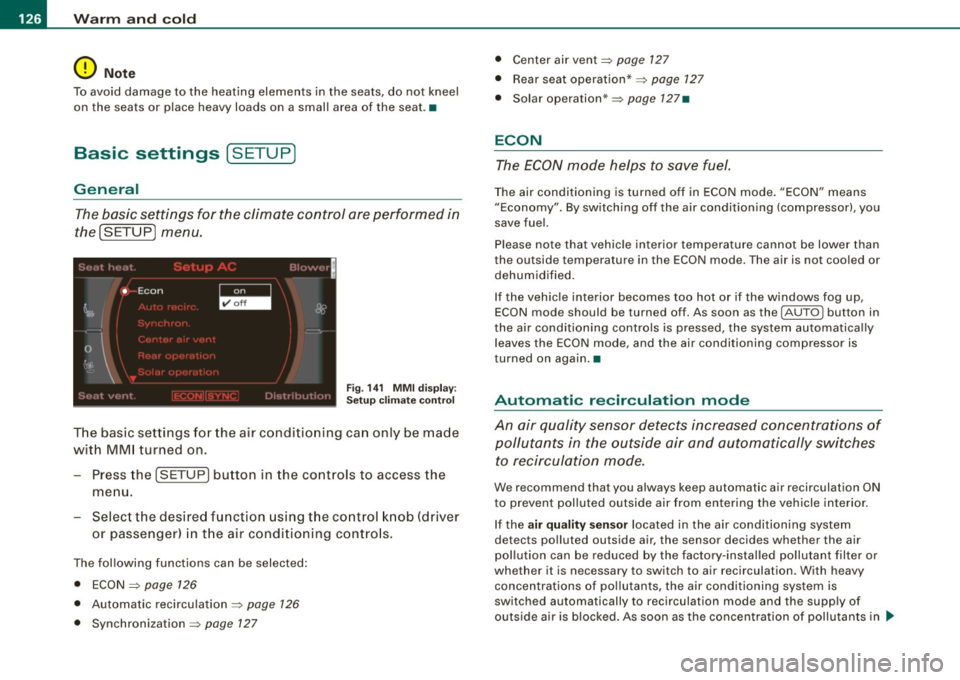
The basic settings for the climate control are performed in
the(SETUP] menu.
Fig. 141 MMI display:
Setup climate control
The basic settings for the air conditioning can only be made
with MMI turned on.
- Press the !SETUP] button in the controls to access the
menu.
- Select the desired function using the control knob (driver
or passenger) in the air conditioning controls.
The following functions can be selected:
• ECON
~ page 126
• Automatic recirculation ~ page 126
• Synchronization ~ page 127
• Center air vent~ page 127
• Rear seat operation* ~ page 127
• Solar operation* ~ page 127•
ECON
The ECON mode helps to save fuel.
The air conditioning is turned off in ECON mode. "ECON" means
"Economy". By switching off the air conditioning (compressor), you
save fuel.
Please note that vehicle interior temperature cannot be lower than
the outside temperature in the ECON mode. The air is not cooled or
dehumidified.
If the vehicle interior becomes too hot or if the windows fog up,
ECON mode should be turned off. As soon as the
( AUTO ] button in
the air conditioning controls is pressed, the system automatically leaves the ECON mode, and the air conditioning compressor is
turned on again .•
Automatic recirculation mode
An air quality sensor detects increased concentrations of
pollutants in the outside air and automatically switches
to recirculation mode.
We recommend that you always keep automatic air recirculation ON
to prevent polluted outside air from entering the vehicle interior.
If the
air quality sensor located in the air conditioning system
detects polluted outside air, the sensor decides whether the air
pollution can be reduced by the factory-installed pollutant filter or
whether it is necessary to switch to air recirculation . With heavy
concentrations of pollutants, the air conditioning system is
switched automatically to recirculation mode and the supply of
outside air is blocked. As soon as the concentration of pollutants in ..
Page 129 of 408
_________________________________________________ w_ a_ r_ m __ a_n_ d_ c_ o_ld __ !II
the outside air drops, fresh air is supp lied to the veh icle interior
again .
In the event that the windows fog up during automatic air recircula
tion, you must press the@ button immediately.
Under certa in operating cond itions, automatic air recirculation is
switched off automatically. With outside temperatures below about
-8 °C and in the ECON mode, automatic air recirculation is limited to
15 seconds. •
Synchronization
One climate control setting for all seats .
With synchronization active, the driver's or the passenger's settings
are adopted for the other seats . All the other settings that were
made are transferred to the other seats. This includes all the climate
control settings right down to the heated seats .
If a different setting is selected at a "synchron ized seat", synchroni
zation is cancelled. •
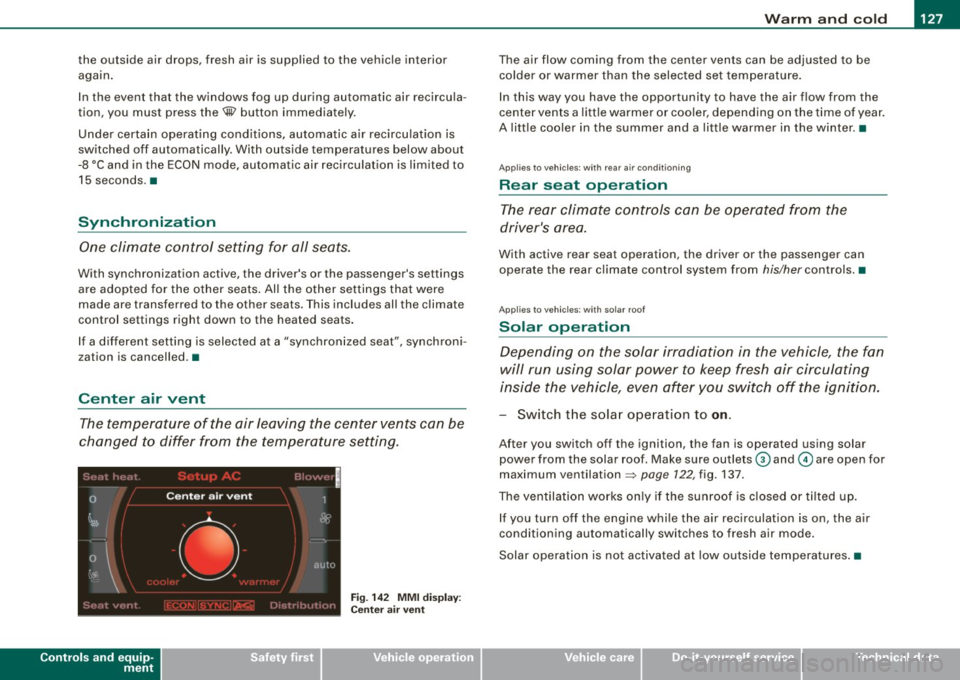
Center air vent
The temperature of the air leaving the center vents can be
changed to differ from the temperature setting .
Controls and equip
ment
Fig . 14 2 MMI di spl ay :
Ce nte r air ve nt
The air flow coming from the center vents can be adjusted to be
colder or warmer than the selected set temperatu re.
In this way you have the opportunity to have the a ir flow from the
center vents a little warmer or coo ler, depending on the time of year .
A litt le cooler in the summer and a little warmer in the winter. •
Applies to vehic les : with rear air condition in g
Rear seat operation
The rear climate con trols can be op erated from the
driver's area.
With active rear seat operation, the driver or the passenger can
operate the rear climate control system from
his/her controls. •
Applies to vehicles : w ith so lar roof
Solar operation
Depending on the solar irradiation in the vehicle, the fan
will run using solar power to keep fresh air circulating
inside the vehicle, even af ter you switch off the ignition.
- Switch the solar operation to on.
After you switch off the ignition, the fan is operated using solar
power from the solar roof. Make sure outlets
G) and © are open for
maximum ventilation =>
page 122, fig. 137.
The ventilation works on ly if the sunroof is closed or t ilted u p.
If you turn off the engine whi le the air recirculation is on, the air
conditioning automatically switches to fresh air mode.
Solar ope ration is not activated a t low outside tempe ratures .•
I • •
Page 177 of 408
Advanced Parking Syst em -
---------------=--=--
The image in the visua l display can be switched off on the MMI
display ::::> page
185. The acoustic distance warning remains active.
If you press a function button on the MMI termina l, the visual
display disappears . Manually switching the parking assist on again
via the
p ,y 1 switch shows the visual image on the MM I display aga in.
Further information regarding the MMI terminal is included in the
MMI user's manual.
R ear-view camera (rear view )
The rear-view camera picture::::> page 178, fig. 200 appears on the
MM I display as a mirror image. The rear -view camera picture has
orientation lines and marked s urfaces projected into it as an aid to
the parking process ::::> page
176. The red line in the picture
::::> pag e
176, fig. 196 or ::::, page 176, fig. 197 indicates th e collis ion
area . You shou ld stop backing up, preferably before you reach this
point ::::>
&.
If your vehicle is close to an obstacle, the visual distance display
a lso appears in the picture from the rear -view camera . This superim
posed display is intended to help d isplay the relevan t critica l vehicle
area.
I f the visual d isplay is shown on the MMI display and you press the
control button with the Rear view function::::> page
173, fig. 195, the
pictu re from the rear -v iew came ra is displayed.
If the picture from the rear -view camera is s hown a nd you press the
control button w ith the Graphic function ::::, page
178, fig. 200, the
visual display is shown.
T he picture from the rear -view camera can be switched off on the
M MI display ::::, page
185 . The acoustic distance warn ing re mains
active.
I f you press a function button on the MMI te rmina l, the rear-view
camera p icture disappea rs. The rear -v iew came ra picture reappears
the next time you park. But the picture from the rear -view camera
can also be shown aga in on the MM I display by ma nually sw itch ing
off and on with the
P •1A switch . Further information regarding the
MMI terminal is i ncluded in the MM I user's ma nual.
Controls and equip
ment
& WARNING
• Sensor s have dead spaces in which obje cts cannot be
detected. Be e spe cially careful to check for small children and
an imals before ba cking up . Small children and animals will not
always be detected by the sensors.
• The Audi parking system is not a substitute for being careful
and alert when backing up. Be e spe cially careful during parking
and similar maneuvers . Always watch where you are dri ving and
make sure that nothing is in the way.
• Remember that low ob sta cles which have already been
s ignaled may pass below the system' s sen sing zone when the
v ehi cle is ba cking up . The fa ct that the signal stops doe s not mean
that you have cleared the obstacle . When the signal stops , impact
is imminent . Obje cts su ch as trailer hit che s, chain s, narrow posts
or fences covered by a thin l ayer of paint may not always be
detected by the sy stem. They can still damage your vehicle
without warning .
• Alway s make sure that the volume and frequency of the chime s
is adjusted so that you can eas ily hear the acoustic distance signal
even if the radio is playing , the air -conditioner blower is on High or
there is a high level of out side noise .
- Check the setting s whenever someone else has dri ven the
vehicle before you.
• Improper relian ce on the Aud i parking sy stem can cau se colli
sions and serious per sonal injury .
- Never rely only on parking assi st when ba cking up .
- Always check rear view mirrors to make sure it is safe to back
up .
[ i ] Tips
• The rear -view camera picture is available as soon as the MMI
Disp lay or the MMI is swi tch ed o n, or the start -up phase is
completed.
I • •
Page 179 of 408
__________________________________________ A_ d_v _a_ n ___ c...;.e ...;.d _ P_a_ r_ k_ i_n ..::g :::..- S~y~ s::.. t::.. e::.. m:..:...:.._...J_
& WARNING
• The rear -view camera has blind spots , in whi ch objects cannot
be detected . Be especially careful to check for small children and
animals before ba cking up . S mall children and animals will not
always be detected by the sensors .
• The Audi pa rking system is not a substitute for being careful
and alert when backing up. Be especially careful during parking
and similar maneuvers . Always watch where you are driving and
make sure that nothing is in the way.
• Remember that low obstacles which have already been
signaled may pass below the system's sensing zone when the
vehicle is backing up . The fact that the signal stops does not mean
that you have cleared the obstacle . When the signal stops , impact
is imminent . Objects such as trailer hitches , chains , narrow posts
or fences covered by a thin layer of paint may not always be
detected by the system. They can still damage your vehicle
without warning .
• Always make sure that the volume and frequency of the chimes
is adjusted so that you can easily hear the acoustic distance signal
even if the radio is playing , the air -conditioner blower is on High or
there is a high level of outs ide noise .
- Check the settings whenever someone else has driven the
vehicle before you.
• Improper reliance on the Audi parking system can cause colli
sions and serious personal injury .
- Never rely only on parking assist when changing backing up .
- Always check rear view mirrors to make sure it is safe to back
up .
[ i ) Tips
• B efore park ing with the rear -vi ew ca mera , the Adaptive Air
S uspe nsi on s tand ard or automatic m ode mus t be switc h ed on
=>
pa ge 21 .
Con tro ls and eq uip
ment • T
he rear -view camera picture is avai lable as soon as the MMI
Di spl ay or the M MI is swi tch ed on, or the sta rt-up p hase is
completed.
• In order for th e rear-view ca mera to func tion pr operly, the
camera lens=>
page 173, fig . 193 must be k ept clean, and free of
sno w an d ice . Please follo w t he ad dit io nal no tes on=>
pag e 186.
• T he came ra cove rag e angle chang es when the trunk lid is op en.
There fore , th e rear-vi ew came ra picture is dis play ed wit hout o rien
ta tion lines and withou t blue surfaces .
• O bserve a nd follow th e notes o n to wi ng m ode on =>
page 183 . •
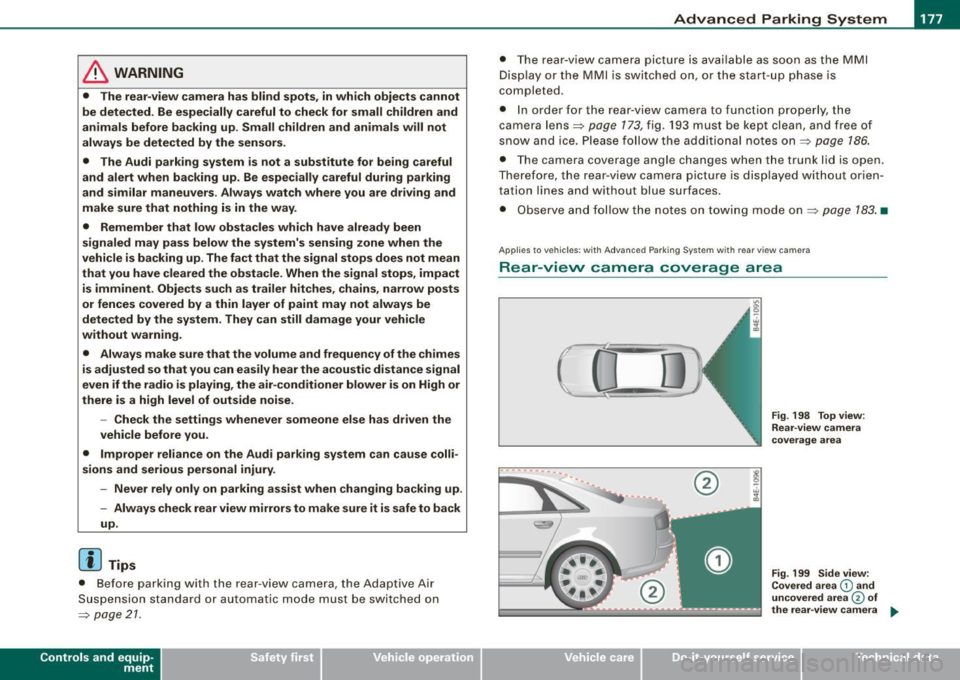
A pplie s to veh ic les : w it h Adva nce d Park in g Sy ste m w it h re ar view c amera
Rear -view camera coverage area
0
-- ·---.... __ --
Vehicle care I I
®
Fig . 198 Top view :
Re ar-v iew came ra
coverage area
Fig . 199 Side view:
Covered area
G) and
uncovered a rea
© of
the rea r-view camera ...
irechnical data
Page 186 of 408
• ..__A_ d_v _ a_ n_c _e _ d_ P_ a_r _k _in ---== g'-- S...:y _ s_ t_ e_ m ___________________________________________ _
The volume and frequency settings are automatically stored and
assigned to the remote master key.
& WARNING
Always make sure that the volume and frequency of the chimes is
adjusted so that you can easily hear the acoustic distance signal
even if the radio is playing, the air-conditioner blower is on High or
there is a high level of outside noise. Check the settings whenever
someone else has driven the vehicle before you. •
Applies to veh icles: with Advanced Parking System with rear view ca me ra
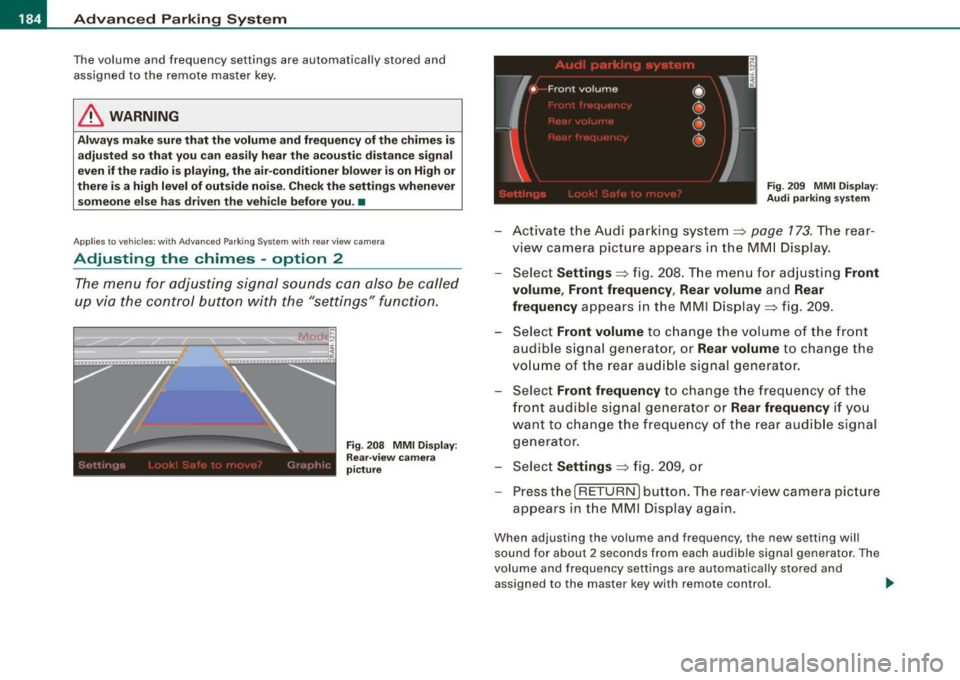
Adjusting the chimes -option 2
The menu for adjusting signal sounds can also be called
up via the control button with the "settings" function.
Fig . 208 MMI Display:
Rear-view camera
picture Fig
. 209 MMI Display:
Audi parking system
-Activate the Audi parking system:::::, page 173 . The rear
view camera picture appears in the MMI Display.
- Select
Settings :::::, fig. 208. The menu for adjusting Front
volume, Front frequency , Rear volume
and Rear
frequency
appears in the MMI Display:::::, fig. 209.
Select
Front volume to change the volume of the front
audible signal generator, or
Rear volume to change the
volume of the rear audible signal generator.
- Select
Front frequency to change the frequency of the
front audible signal generator or
Rear frequency if you
want to change the frequency of the rear audible signal
generator.
- Select
Settings :::::, fig. 209, or
- Pressthe[RETURN]button. The rear -view camera picture
appears in the MMI Display again.
When adjusting the volume and frequency, the new setting will
sound for about 2 seconds from each audible signal generator. The
volume and frequency settings are automatically stored and
assigned to the master key with remote control. _..