fuel AUDI S8 2009 User Guide
[x] Cancel search | Manufacturer: AUDI, Model Year: 2009, Model line: S8, Model: AUDI S8 2009Pages: 408, PDF Size: 91.63 MB
Page 36 of 408
Driver information display
Yellow symbols
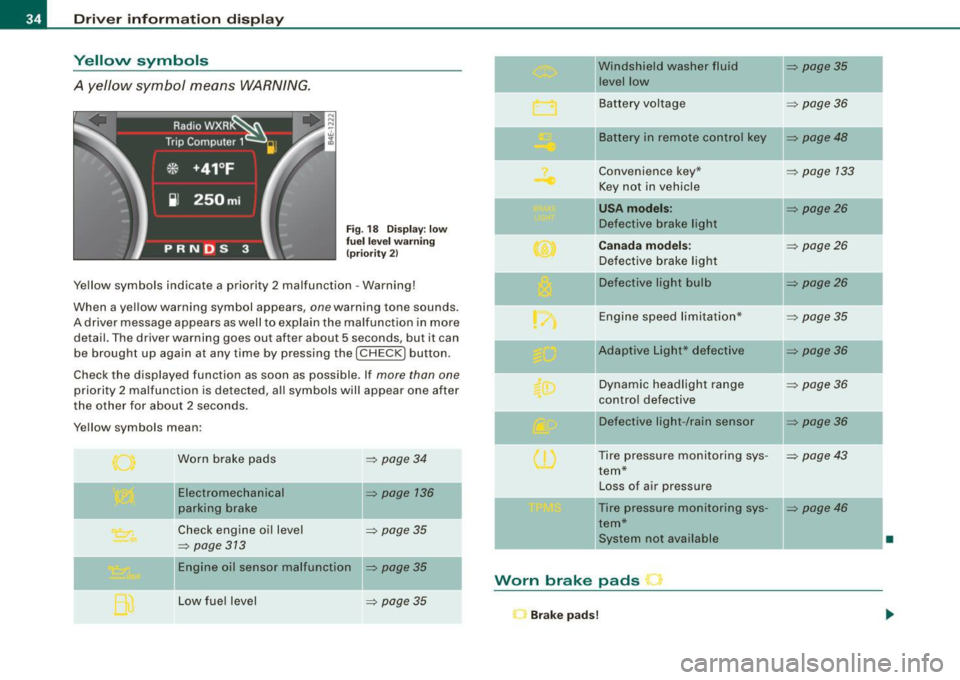
A yellow symbol means WARNING.
Fig. 18 Display: low
fuel level warning
(priority 2)
Yellow symbols indicate a priority 2 malfunction -Warning!
When a y ellow warning symbol appears,
one warn ing ton e sounds.
A driver message appears as well to explain the malfunction in more
detail. The dr iver warning goes out after about
5 s e conds, bu t it can
be brought up again at any time by pressing the [
CHECK I button .
Check the displayed function as soon as possible . If
more than one
priority 2 malfunction is detected, all symbols will appear one after
the other for about
2 seconds .
Yellow symbols mean :
Worn brake pads
Electromechanical
parking brake
=> page 34
=> page 136
Check engine oil level => page 35
=> page 313
Engine oil sensor malfunction => page 35
Low fuel level => page 35
Windshield washer fluid => page 35
level low
Battery voltage
=> page 36
-
II Battery in remote control key => page 48
Convenience key * => page 133
Key not in vehicle
USA models: => page26
Defect ive brake light
Canada models: => page26
Defective brake light
Defective light bulb
=> page26
Engine speed limitation* => page 35
-
IIAdaptive Light* defective => page 36
Dynamic headlight range => page 36
control defective
Defect ive light -/rain sensor
=> page 36
Tire pressure monitoring sys-=> page 43
tern*
Loss of air pressure
-Tire pressure monitoring sys -=> page 46
tern*
ll system not ava ilable
•
Worn brake pads r
Brake pads!
Page 37 of 408
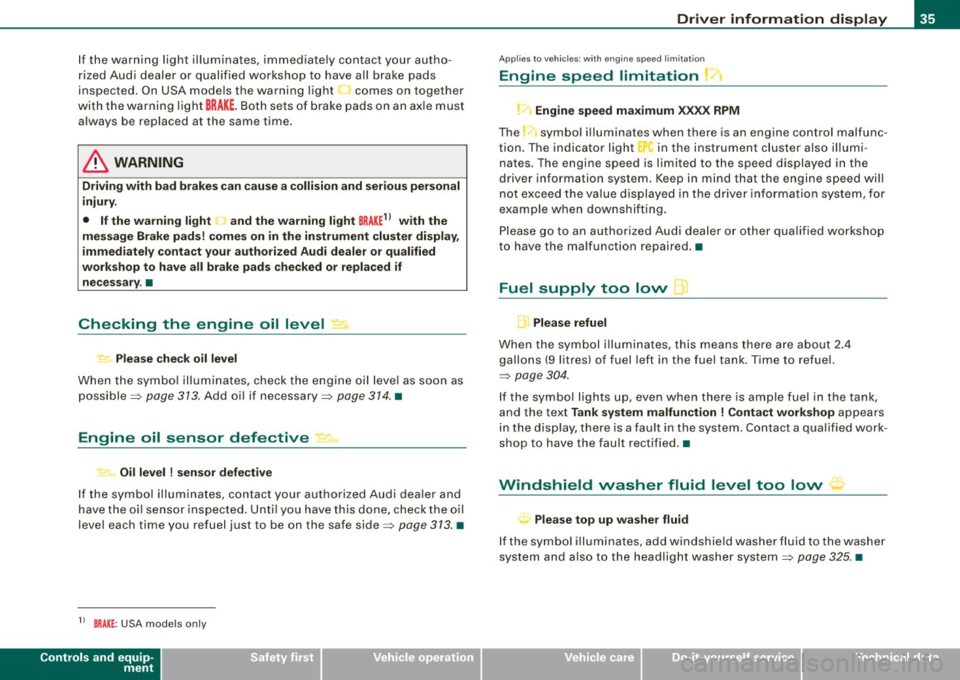
If the warning light illuminates, immediate ly contact your autho
ri zed Aud i dealer or qualified workshop to have a ll brake pads
inspected . On USA models the warning light
.1 comes on together
with the warni ng light
BRA KE. Both set s of brake pads on an axle must
a lways be replaced at the same time .
& WARNING
Driving with bad brakes can cau se a colli sion and serious personal
injury.
• If the warning light and the warning light
BRAKE11 with the
mes sage Brake pads ! come s on in the in strument clu ster display ,
immediately conta ct your authorized Audi dealer or qualified
workshop to have all brake pads checked or replaced if nece ssary .•
Checking the engine oil level ~
.... ,. Plea se check oil le vel
When the symbo l illuminates, chec k the eng ine oi l leve l as so on as
possible=>
page 313 . Add oil if necessary=> page 374 . •
Engine oil sensor defective
~ Oil level ! sen sor defective
If the symbo l il luminates, contact your authorized Audi dea ler and
have the oi l sensor inspecte d. Until you have this done, check the o il
level each time you refuel just to be on the safe side=>
page 373. •
11 BRAK E: USA mode ls on ly
Controls and equip
ment
Driv er information display
Ap plies to vehic les: wit h eng ine s peed limita tio n
Engine speed limitation
!-1 Engine speed maximum XXXX RPM
The _-symbo l illuminates when there is an engine control malfunc
t io n. The indica to r light "in the instrument clus te r also illumi
nates . The engine speed is limited to the speed displayed in the
driver info rmation system . Keep in mind that the engine speed wil l
not e xceed the va lue d isplayed in the dr ive r info rm ation system, fo r
examp le when downshifting.
Please go to an au thorized Audi deale r or other qua lif ied workshop
to have the ma lfunction repaired .•
Fuel supply too low l
A Please refuel
When the symb ol i llu minates, this means there are abo ut 2.4
gallons
(9 l itres) of fuel left in the fuel tank . Time to refuel.
=>
page 304 .
If the symbo l lig hts up, eve n w hen there is ample fuel in th e tank,
and the text
Tank system malfunction ! Conta ct workshop appears
i n the d isp lay, t here is a fault in th e sys tem. C ontac t a q ua lified work
shop to have the fault rectified .•
' Windshield washer fluid level too low ~
Plea se top up washe r fluid
If t he symbo l illum inates, add windshie ld washe r fluid to the washe r
system and a lso to the headlight washer system=>
page 325. •
I • •
Page 40 of 408
Driver informati on displ ay
The speed warning symbol 8 (USA models)/ 0 (Canada models) will
appear briefly in the display when you release the button to indicate
that the maximum speed has been stored successful ly .
The maximum speed remains stored until it is changed by pressing
t he button again briefly or unti l it is deleted by a lengthy push on the
button. •
Speed warning 2: setting a speed limit
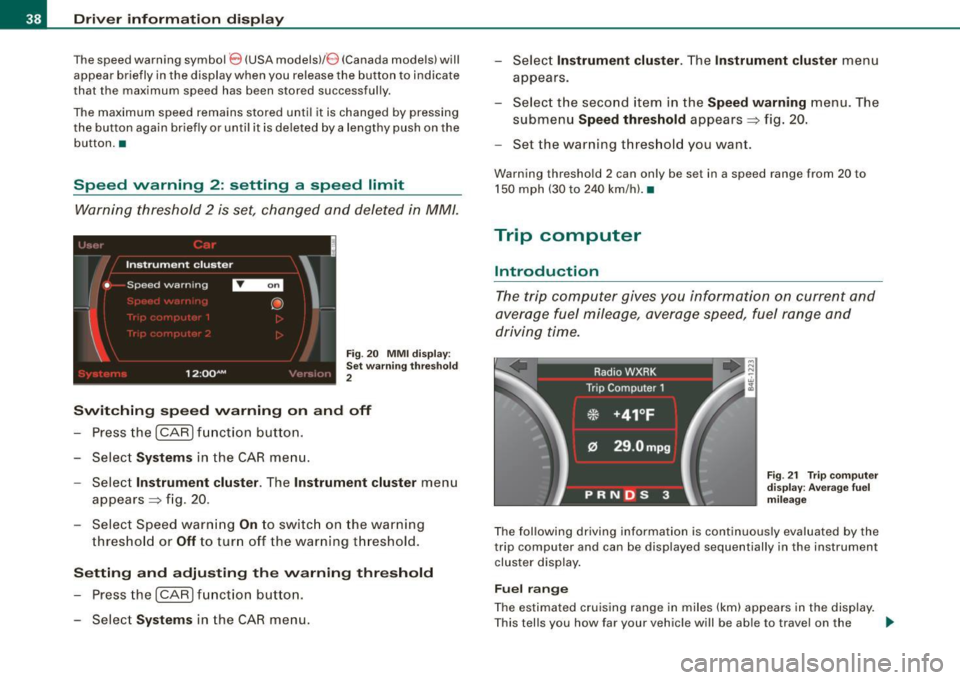
Warning threshold 2 is set, changed and deleted in MM/.
t _i•,,( '1
Instrument cluster
• Speed warning
I .
12:QQAM
i
'
@
\_:'.' '' :, ) ..
Fig. 20 MMI d ispl ay :
Set w arning thr esho ld
2
Switching sp eed warning on and off
- Press the (CARI fun ction button .
- Select
Systems in the CA R menu.
- Select
Instrument cluster . The Instrument cluster menu
appears=> fig. 20 .
- Select Speed warn ing
On to switc h on the warning
thresho ld or
Off to tur n off the warning th reshold.
Setting and adjusting the warning thr eshold
- Press the (CARI function butto n.
- Select
Systems in the CAR menu. -
Selec t
Instrument clu ster. T he In strument clu ster menu
appears.
- Selec t th e seco nd item in the
Speed warning menu. The
submenu
Speed threshold appears=> fig. 20.
- Set the warning th reshold you want.
Warning threshold 2 can only be set in a speed range from 20 to
150 mph (30 to 240 km/h). •
Trip computer
Introduction
The trip computer gives you information on current and
average fuel mileage, average speed, fuel range and
driving time.
F ig . 2 1 Trip co m pute r
d is pl ay : Ave ra ge fuel
mil eag e
The fol lowing driving information is continuously evaluated by the
trip computer and can be displayed sequentially in the instrument
cluster display .
Fuel range
The estimated cruising range in miles (km) appears in the display .
T his tells you how far your vehic le will be ab le to travel on the _.,
Page 41 of 408
current tank of fuel and with the same driving style. The display
changes in increments of 6 miles (10 km).
The cruising range is calculated based on the fuel consumption for
the last 18 miles (30 kml. If you drive conservatively, the cruising
range will increase.
Average fuel mileage
The average fuel economy in MPG (1/100 km) since you last c leared
the memory appears in this display . You can use this display to
adjust your driving technique to achieve a desired mileage.
Current fuel mileage
The instantaneous fuel consumption in miles per gallon (1/100 km)
is shown in this display. You can use this display to adjust your
driving technique to achieve a desired mileage.
Fuel consumption is recalculated at intervals of 33 yards (30
metres). When the vehic le is sta tionary, the most recent fuel
consumption is displayed.
Average speed
The average speed in mph (km/h) since the last time the display was
reset appears in the display.
Elapsed time
The length of time that you have been driving since you last reset
the memory appears in this display.
[ i ] Tips
• Fuel consumptions (average and current) , range and speed are
displayed in metric units on Canad ian models .
• All stored values wil l be lost if the vehicle battery is
disconnected .•
Con tro ls and eq uip
ment
Driver information display
Memori es
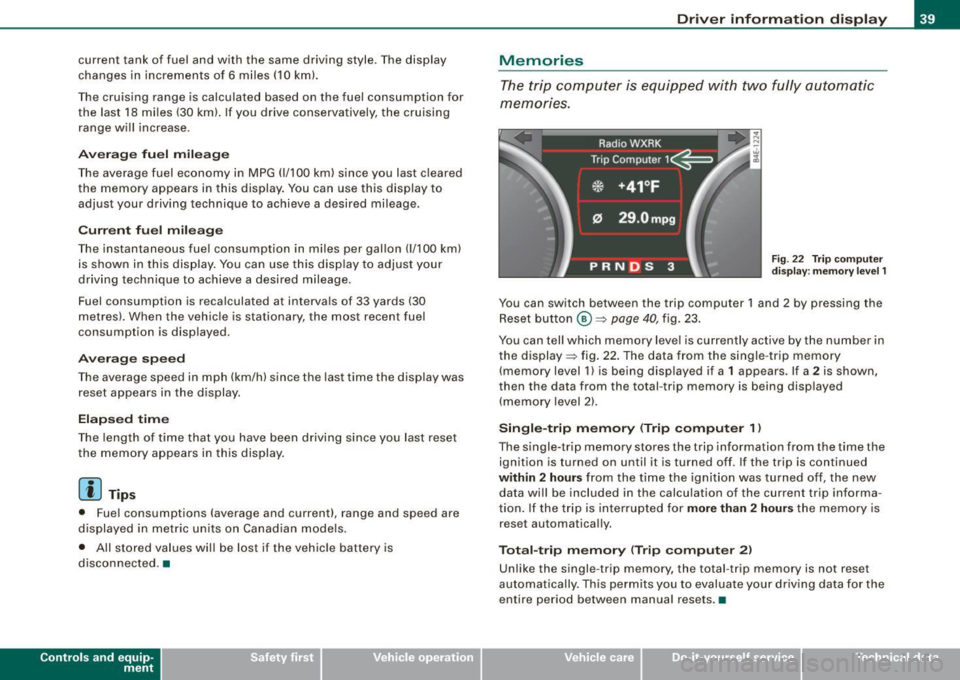
The trip computer is equipped with two fully automatic
memones.
Fig . 22 Trip computer
display: memory level 1
You can switch between the trip computer 1 and 2 by pressing the
Reset button
@ ~ page 40, fig. 23.
You can tell which memory level is currently active by the number in
the display ~ fig . 22. The data from the single -trip memory
(memory level 1) is being displayed if a
1 appears . If a 2 is shown ,
then the data from the total -trip memory is being disp layed
(memory level 2).
Single-trip memory (Trip computer 1 )
The single-trip memory stores the trip information from the time the
ignition is turned on until it is turned off. If the trip is continued
within 2 hours from the time the ignition was turned off, the new
data will be included in the calculation of the current trip informa
tion. If the trip is interrupted for
more than 2 hours the memory is
reset automatically.
Total-trip memory (Trip computer 2)
Unlike the single -trip memory, the total -trip memory is not reset
automatically . This permits you to evaluate your driving data for the
entire period between manual resets .•
Vehicle care I I irechnical data
Page 42 of 408

Driver informati on displ ay
Operation
The trip computer is controlled by two switches on the
windshield wiper lever.
N co
"' w ;g
F ig . 23 W inds hield
w ip er l ever : c on trol s
fo r the t rip com puter
Push the function selecto r switch up or down @
=> fig . 23. This will cause t he five distinct trip c ompu ter
functions to be displayed o ne after another.
The trip computer only operates when the ignition is on. When you
turn on the ignition , the function that was in use when you last
turned the ignition off will be displayed .
In addition to the trip computer information (memory level 1 or 2),
navigation information and Adaptive Cruise Control * information
can be displayed. To switch the display between the different
systems, tap the Reset button
© briefly.
S ett ing values t o ze ro
To delete
o ne current value from the trip computer , se lect the
desired funct ion and press the Reset button
@ for at least one
second. The following values can be set to zero
indi vidu ally using
t he Reset button:
• elapsed time
• average fuel mi leage
• average speed In addition
,
all the values in the single-trip or the total -trip memory
can be de leted simultaneous ly .
Ii ] Tips
All stored values will be lost if the vehicle bat tery is disconnected .•
MMI settings
Basic settings for the trip computer can be made in the
MM/.
F ig . 2 4 MMI display :
Trip co m put er
Setting values to zer o
- Pressthe (CAR )function button.
- Select
Syst em s in the CAR me nu.
- Select
Instrum ent clust er.
- Select Trip computer 1 or Trip computer 2.
- Select Reset to delete all the values in the memory
~ fig. 24 .
Displaying and hiding driver information
- Pressthe (CAR )fu nct io n butto n.
Page 43 of 408
-Select System s in the CAR menu .
- Selec t
Instrument cluster .
-Select Trip computer 1 or Trip computer 2 .
-Select, for examp le, Fuel range On to turn on the display
or
Off to turn the disp lay off.
All values in the single -trip or the total -trip memory can be reset to
zero simultaneously in MMI. In addition you can determine what
driving information from the trip computer should be shown in the
instrument cluster display. If one of the pieces of driver information
is turned off, that driver information will not be shown in the display .
The information will continue to be calcu lated by the trip computer
and can be turned back
on at any time. •
Tire pressure monitoring system
Applies t o vehi cle s: with n re pre ss ure moni toring sys te m
General notes I)
Each tire, including the spare (if provided}, should be checked
month ly when cold and inflated to the inflation pressure recom
mended by the vehicle manufacturer on the vehicle placard or tire
inflation pressure label. (If your vehicle has tires of a different size
than the size indicated on the vehicle placard or tire inflation pres
sure label, you should determine the proper tire inflation pressure
for those tires.}
As an added safety feature, your vehicle has been equipped with a
tire pressure monitoring system (TPMSl that illuminates a low tire pressure tellta le when one or more of your tires is significantly
under-inflated . Accordingly, when the low tire pressure te lltale i llu
minates, you should stop and check your tires as soon as possible,
and inflate them to the proper pressure. Driving on a significantly
under -inflated tire causes the tire to overheat and can lead to tire
Controls and equip
ment
Dr ive r informat ion di spl ay
failure . Under -inflation also reduces fuel efficiency and tire tread
life, and may affect the vehicle's handling and s topping ability.
Please note that the TPMS is not a substitute for proper tire mainte
nance, and it is the driver 's responsibility to maintain correct tire
pressure, even if under-inflation has not reached the leve l to trigger
illumination of the TPMS low tire pressure te lltale.
Your vehic le has a lso been equipped with a TPMS malfunction indi
cator to indicate when the system is not operating proper ly. The
TPMS ma lfunction indicator is combined w ith the low ti re p ressure
tel ltale . When the system detects a malfunction , the telltale wil l
flash for approximately one minute and then remain continuously
il luminated . This sequence will cont inue upon subsequent vehicle
start -ups as long as the malfunction exists.
When the ma lfunction indicator is illuminated, the system may not
be able to detect or signal low tire pressure as intended . TPMS
mal functions may occur for a variety of reasons, including the
insta llation of replacement or alternate tires or wheels on the
vehic le that prevent the TPMS from funct ioning properly. A lways
check the TPMS malfunction tellta le after replacing one or more
tires or whee ls on your vehicle to ensure that the replacement or
alternate tires and wheels allow the TPMS to continue to function
properly. •
Applies t o vehic les : w ith Tire press ure mon itoring sy stem
Introduction
The tire pressure monitoring system moni tors air pressure
in all four roa d wheels and the spare tire* while the
vehicle is moving.
As soon as the tire pressure monitoring system senses a significant loss of air pressure in one o r severa l tires, text messages and yellow
symbo ls appear in the instrument cluster display to alert the driver.
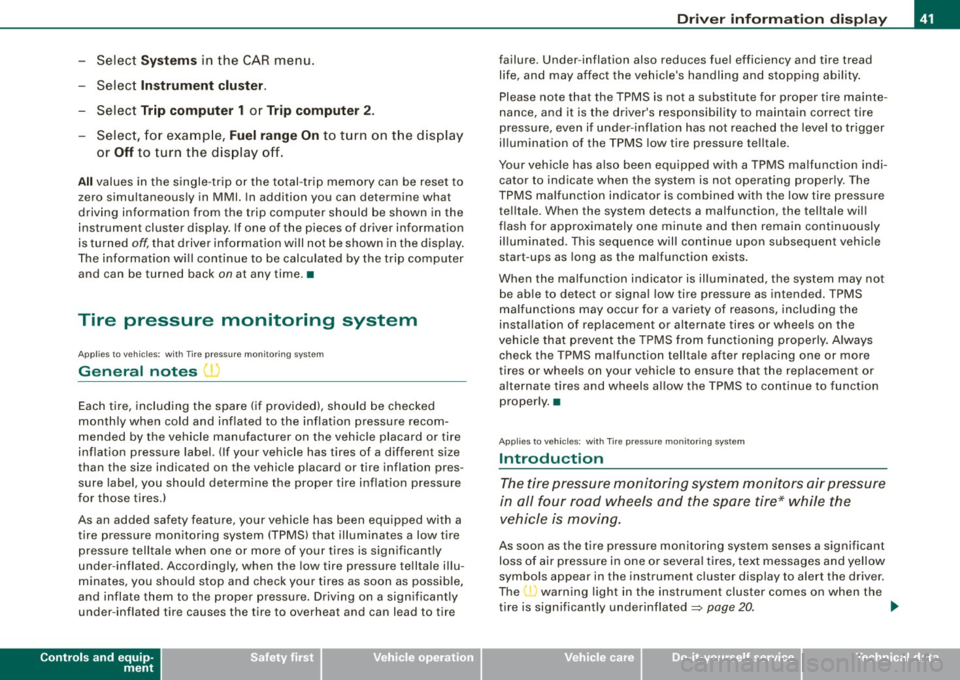
The L warni ng light in the instrument cluster comes on when the
tire is significantly underinflated
=> page 20. _,,
I • •
Page 44 of 408
Driver inf ormati on displ ay
The warning light n also illuminates in the case of a system
mal fu n ction.
The system continuously receives radio signals from sensors located inside each tire .
Be aware that tire pressure is also dependent on the temperature of
the tire. For every 18 °F (10 °C) increase in tire temperature, tire pres
sure increases by about
1 .5 psi (0.1 bar). The tire warms up while the
vehic le is moving and tire pressure rises. So you should adjust tire
pressure only when the tires are
cold, when the temperature of the
tires is roughly the same as the ambient air temperature .
In order to keep the tire pressure monitoring system properly cali
brated, tire pressure on al l four tires and on the spare tire * should
be checked at regular intervals, adjusted if necessary and sav ed in
the proper setting (recommended pressure) =>
page 44.
The tire pressure is shown on the tire pressure label. On USA vehi
cles, the tire pressure label is located on the driver's side B -pi llar. On
Canada vehicles, the tire pressure labe l is located either on the
driver's side B -pil lar or inside the fuel filler flap . The tire pressu re
label lists the recommended cold t ire inflat ion pressures for the
vehic le at its maximum capacity weight and the tires that were on
your vehicle at the time it was manufactured . For recommended tire
pressures for normal load conditions, please see chapter
=>
page 330 .
The current temperatures and pressure of your tires can be viewed
i n the MMI =>
page 44.
& WARNING
• When the t ire pre ssure moni toring sy st em warning light i s lit ,
one or more of your tir es is s ignifi cantly under -infl ate d . Y ou s hould
s to p and che ck your tir es as soon as poss ible, and infl ate th em to
th e p rop er p ress ure as i ndicated on the vehicle's tire press ure
lab el
=> page 3 30 . Driving on a s ig n ific antly und er-inflated tir e
ca uses the t ire to overheat an d ca n le a d t o tir e fai lur e. U nde r- infl a-
& W ARN IN G (c ontinued )
tion a lso is likel y to imp air t he veh icle 's handling and sto pping
ability .
• Do not adju st t ire press ure when t ire temper atu re i s excessiv e.
T hi s c ould le ad to seriou s tire dam age and even cause the ti re to
bur st, w ith the additional d ange r of an accident .
tread life.
[ i ] Tips
• Each tire, includin g the sp are*, should be checked monthly when
cold and set to the recommended inflation pressure as specified on
the tire pressure label=>
page 330.
• T he tire pressure monitoring system he lps the d river to keep an
eye on tire pressures . But the dr iver st ill has the responsibility for
maintaining the correct tire pressure .
• Tire pressure must only be adjusted when the temperature of the
tires is about the same as ambient air temperature.
• When tires are replaced, the sensors and valves shou ld not be
detached or exchanged . Only the valve core needs to be replaced
and, if necessary, the va lve and the wheel electronics replaced .
• If you should put different whee ls and tires on your vehicle (e.g .
winter wheels and tires), you must be certain that the wheels and
tires are compatible with the tire pressure monitoring system. Otherwise the system will register a ma lfunction and a fault
message will be displayed. For more information , contact your
authorized Audi dea ler.
• Adjust the tire pressure and store the pressure in the tire pres
sure mon itor ing system to the load you are carrying=>
page 330.
• For Declaration of Compliance to United States FCC and Industry
Canada regulations =>
page 385. •
Page 46 of 408
Driver informati on displ ay
Ap plies to vehicles: w ith n,e pre ssu re monitoring system
Displaying tire pressures and temperatures
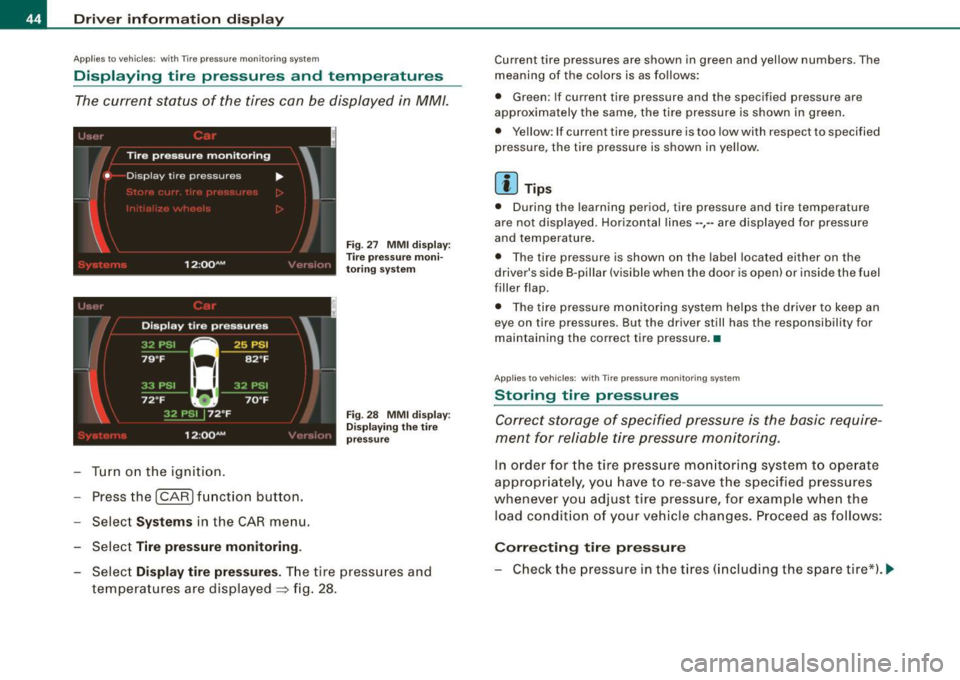
The current status of the tires can be displayed in MM/.
~ J '-, ' l
I
'
Tire pressure monitoring
• D isp lay tire pressures ....
I
12 :QQ AM , ·' ',!(,I:
Turn on the ignition.
Press the
!CAR) function button.
Select
Syst ems in the CAR menu.
Select
Tire pre ssure monitoring .
Fig . 27 MMI d isp lay:
T ire pressure moni
to ring system
Fig . 28 MMI dis play:
D is play in g th e tire
p ressu re
Select Di splay tir e pr ess ures. The tire pressures and
temperatures are dis played
=> fig . 28.
Current tire pressures are shown in green and yellow numbers. The
meaning of the co lors is as fo llows:
• Green: If current tire pressure and the specified pressure are
approximately the same, the tire pressure is shown in green .
• Yellow : If current tire pressure is too low with respect to specified
pressure, the tire pressure is shown in yellow.
[ i ] Tips
• During the learning period, tire pressure and tire temperature
are not displayed . Horizontal lines --,-- are displayed for pressure
and temperature.
• The tire pressure is shown on the label located either on the
driver's side B-pil lar (visible when the door is open) or inside the fuel
filler flap.
• The tire pressure monitoring system helps the driver to keep an
eye on tire pressures. But the driver still has the responsibility for
maintaining the correct tire pressure. •
Applies to vehicles: with Tire pressure mon itor ing system
Storing tire pressures
Correct storage of specified pressure is the basic require
men t for reliable tire pressure monitoring.
In order for the tire pressure mo nito ring system to ope rate
appropr iately, yo u have to re -save the specified pressures
whenever yo u adjust tire pressure, for example when the
load condition of your vehicle changes. Proceed as follows:
Corr ecting t ir e pres sure
- Check the pressure in the tires (including the spare tir e*). ~
Page 47 of 408
-Adjust air pressure as needed in acco rdance with the
informat io n on the label located either on the driver's
side B -pillar (visible w hen the door is open), inside the
fuel filler flap and addi tionally in t he manua l.
Saving tir e pres sur es
- Tur n on the ignition.
- Press the
I CAR I funct ion button.
- Select
Systems in the CAR menu .
Selec t
Tire p ressure monitoring.
-Select Store curr. tire pres sures :::} page 44, fig. 27 .
All pressure warning indicators in the display will be canceled .
Following each intentional change in specified pressures, tire pres
sures must be resaved .
After the pressures are saved, the tire pressure monitoring system measures the current tire pressures and saves them as the new
specified pressures.
[ i ] Tip s
• T he t ire pressure is shown on the tire pressure label. On USA
vehic les, the tire pressure label is located on the driver's side 8 -
pillar. On Canada vehicles , the tire pressure labe l is located e ither on
the driver's side 8 -pillar or inside the fuel filler flap. The tire pressure
label lists the recommended cold tire inflation pressures for the
vehicle at its maximum capacity weight and the tires that were on
your vehicle at the time it was manufactured . For recommended tire
pressures for normal load conditions, please see chapter
=> page 330 .
• The tire pressure mon itoring system he lps the driver to keep an
eye on tire pressures. But the driver still has the responsibility for
maintaining the correct tire pressure.
Controls and equip
ment
Dr ive r informat ion di spl ay
• I f your vehic le is equipped with a standard spare tire *, it must be
inflated to the maximum pressure specified for the veh icle. •
Applie s to veh ic le s : with T ire pressur e mo nitoring sys tem
Changing a wheel
When you change a wheel, the new tire must be initial
ized.
- Turn on the ignition .
Press the
I CAR] function button.
Select
Systems in the CAR menu.
- Selec t
Tire pre ssure monitoring .
Select Initialize wh eel s:::} page 44, fig. 27.
Programming is necessary:
• After the tires have been rotated on the vehicle (inc luding use of
the spare tire*),
• I f tires with new wheel sensors are used.
A ll pressure warning and system ma lfunction indicators in the
display will be canceled.
I f a wheel change has been made, it is necessary to complete the
Initi aliz e w heel s function.
The tire pressure monitoring system is not available during the programming process and no pressure and temperature values are
displayed on the MMI display.
After you have selected the function, the new whee ls are
programmed and the actual pressures are stored. This learning
phase can take up to 20 minutes driving time. •
I • •
Page 107 of 408
__________________________________________________ S_ e_ a_t _s _ a_n _ d_ s_ t _ o_ r_a ...;:g ::;.. e _ __.lffllll
& W ARNING !continued )
• Never exceed the maximum permi ssible load carrying capa city
of the roof of you r vehicle , the p ermi ssible axle w eight s and th e
permis sible tot al w eight of your vehicle~
page 377, "Weight s".
• Alwa ys drive slo wly, av oid sudden brak ing and maneuver s
when tran sporting cargo on the roof of your vehicle.
<£> For the sake of the environment
Sometimes it may be easier to leave a roof rack insta lled even
though you are not using it. Due to the increased a ir resistance your
veh icle wi ll unnecessarily use more fuel. Remove the roof rack if you
a re no t going to use it .•
Cupholder
Cupholder in center console
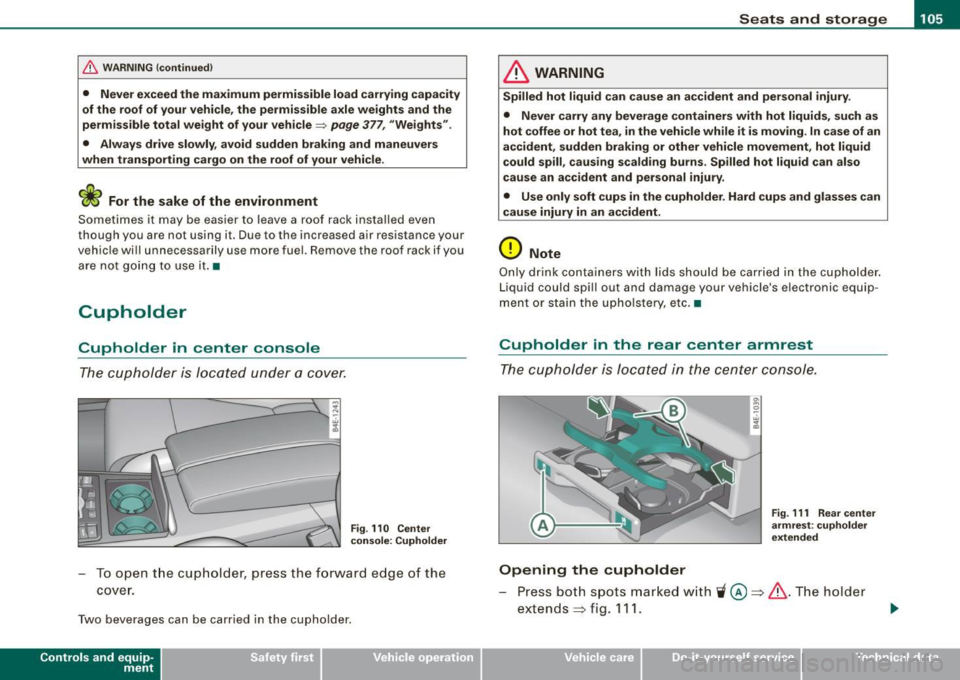
The cupholder is located under a cover.
Fig . 110 Cente r
c on sole : Cuphold er
- To open t he cup holder, press the forward e dge of the
cover .
Two beverages can be carried in the cupholder.
Con tro ls and eq uip
ment
& WARNING
Spilled hot l iqui d can c ause an a ccident and pe rsonal injur y.
• Never car ry any b everage container s with hot liquid s, such a s
hot coffee or hot tea , in the veh icle w hile it i s mov ing . In c ase of an
accident , sudden brakin g or oth er vehicle movement, h ot liquid
c ould spill , cau sing scald ing bu rn s. Spilled hot l iquid can als o
c au se an a ccident and per sonal injury .
• Us e onl y so ft cups in the cuph older . Hard cups and glasses c an
cause injury in an accid ent.
0 Note
Only d rink containers wi th lids shoul d be carried in the cupholder .
Liquid could spi ll out and damage your vehicle's electronic equip
ment or stain the upho lstery, etc. •
Cupholder in the rear center armrest
The cupholder is located in the center console.
Opening the cupholder
Fig. 111 Rea r cen ter
a rm re st : cu pholde r
e xtended
Press both spots marked with 'i @ ~ & .The holder
extends
~ fig . 111 .
Vehicle care I I Technical data