ignition AUDI S8 2009 User Guide
[x] Cancel search | Manufacturer: AUDI, Model Year: 2009, Model line: S8, Model: AUDI S8 2009Pages: 408, PDF Size: 91.63 MB
Page 24 of 408

Instruments and warning/indicator lights
Malfun cti on in the ele ctronic differ ential lo ck (EDL )
The
ED L works t oget her with the ABS. T he ABS warning light w ill
come on if there is a ma lfunction in the
ED L system=> page 271 . See
your au thorized A ud i dea ler as soon a s possible.
& WARNING
• If the ,..,1 (USA models )/;:_,,. (Canada models) warning light
does not go out , or if it comes on while driving , the ABS system is
not working properly. The vehicle can then be stopped only with
the standard b rake s (w ithout ABS ). You will not have the p rotec
tion ABS provides . Contact your Audi de aler a s soon as po ssible .
• USA model s: If the BRAKE warning l ight , the < warning light and
the warning light come on together , the rear wheels could
lock up first under hard braking . Rear wheel lock -up can cause lo ss
of vehicle control and an accident . Have your vehicle repaired
immediately by your authorized Audi dealer or a qualified work
shop . Drive slowly and avoid sudden , hard brake applications .
• Canada models : If the brake warning light (CD), the ., warning
light and the ABS warning light come on together , the rear
wheels could lock up fir st under hard br aking. Rear wheel lock -up
c an cause loss of vehicle control and an accident . Have your
vehicle repaired immediately by your authorized Audi dealer or a qualified workshop . Drive slowly and avoid sudden, hard br ake
appli cation s.•
Electromechanical parking brake
~[ (USA models)
/(®) (Canada models)
T he warnin g/in dic ator l igh t m on it ors the electromech an
i c a l p arking brake.
With the parking brake applied and the ignition turned on, the
war ning/ ind icator lig ht illu min a te s. After the ig nition has been
turned off, the warning/indicator light continues to i llum inate for
abo ut 3 0 seconds. If the parking bra ke is applied with the ignition turned off,
the warning/indicator light i lluminates for about 30
s e co nd s.
Th e warning/ind icator light wi ll go out when the parking brake is
r eleased .
I f the warn ing/indica tor l ight flas hes con tinuously
after applying the
par king brake, bra king force is not sufficient to prevent the vehicle
from rol ling uni nten tional ly . T h is can h appen if the brak es bec ome
too hot . Please note the fol lowing :
• I f the slope of the g round is too steep to pa rk the ve hicle, the
addi tiona l dr ive message a ppears
Caution: Vehicle parked too
steep.
• I n the event of a parking brake malfunction , the yel low symbol
appea rs in the instrument c luster display and the driver mes sage
Parking brake malfunction ! is d isplayed . Have the mal fu nct io n
r epaired as soon as poss ib le by a qualified Audi deale rship .•
Brake system BRAKE (USA models) / ((J)) (Canada
models)
The warning/indicator light fl ash es if bra ke fluid level is
low, if there is an A BS sys tem mal function or a parking
brake malfun ctio n.
T he li ght illu minates w hen t he ignitio n is tur ned on. It goes out afte r
the engine has been started . T his indicates that the brake warning
li ght is fu nctioni ng prope rly.
If the brake warning light does not light up when the engine is
cranking , there may be a malfunction in the electrical system. In this
case , contact your Audi dealer.
If the brake system warning/indicator light flashes, there is a brake
syste m malfunct ion . By press ing the
!CHECK ] button, you can bring
up a driver message which exp lains the ma lfunction in more detail
=>
p age 30. ~
Page 26 of 408

Driver informati on displ ay
Driver information display
Introduction
General notes
The driver information display inside the instrument
cluster provides you, the driver, with much useful infor
mation.
Fig . 8 Inst rum ent
c lu ster : cente r dis pl ay
Information from the Driver Information System is shown in the
display in the cen ter of the instrument clust er.
When you turn on the ignition and while you are driving, some func
tions and vehicle components are scanned for their operating status. Malfunctions or required service procedures are signalled
audibly and shown by red and yellow ligh ted symbols and
reminders to the driver in the display.
The driver is also shown information about radio and CD operation and directions fo r the navigation system . You can find additional
information on these subjects in the MMI manual.
The Driver Information System provides the fol lowing functions : Sound system display
~ page25
Outside air temperature ~ page25
Digital speedometer ~ page25
Door open indicator ~ page26
Defective light bulb ~ page26
Service interval display ~ page27
Au
to Check syst em ~ page28
Driver information ~ page29
Speed limiter ~ page28
Trip computer ~ page38
Tire pressure monito ring* ~ page 41
Selector lever pos ition ~ page 167
[ i ] Tips
In the event of a malfunction either a red or yellow icon appears in
the display. Red symbols indicat e
Danger ~ page 30. Yellow
symbols ind icate a
Warning ~ page 34. •
Page 28 of 408
Driver information display
The current speed appears on the display. The speed is displayed in
1 mph (US model) or 1 km/h (Canadian model) increments.
You can switch the display from miles to kilometers and vice versa
via the MMI. •
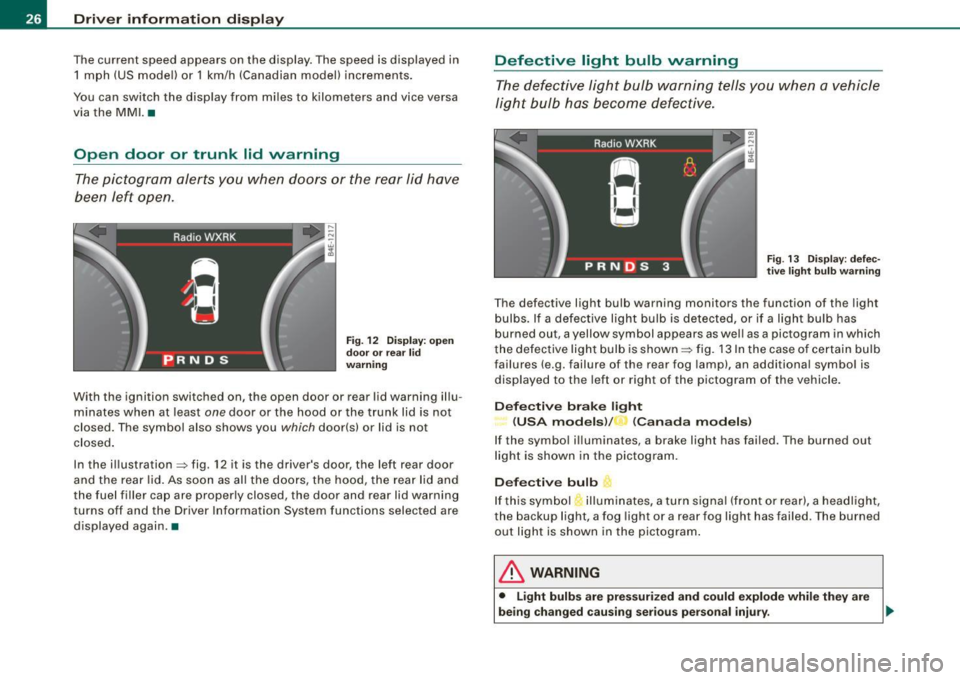
Open door or trunk lid warning
The pictogram alerts you when doors or the rear lid have
been left open.
Fig. 12 Dis play: open
door or rear lid
warning
With the ignition switched on, the open door or rear lid warning illu
minates when at least
one door or the hood or the trunk lid is not
closed. The symbol also shows you
which door(s) or lid is not
closed.
In the illustration=:> fig. 12 it is the driver's door, the left rear door
and the rear lid. As soon as al l the doors, the hood, the rear lid and
the fuel filler cap are properly closed, the door and rear lid warning
turns off and the Driver Information System functions selected are
displayed again .•
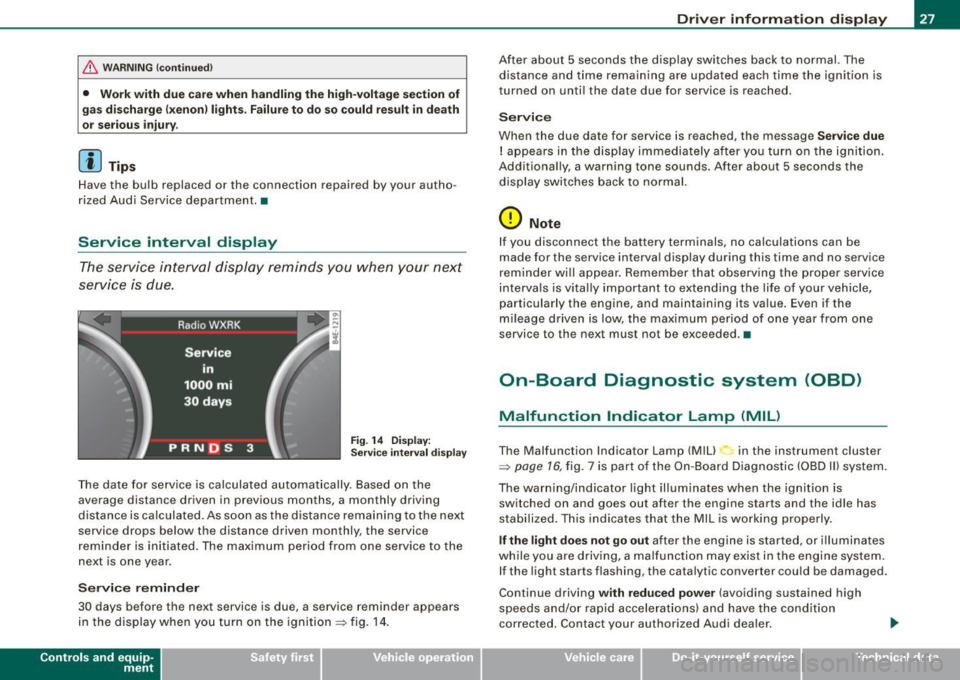
Defective light bulb warning
The defective light bulb warning tells you when a vehicle
light bulb has become defective.
Fig. 13 Display: defec
t ive l ight bulb warning
The defective light bulb warning monitors the function of the light
bulbs. If a defective light bulb is detected, or if a light bulb has
burned out, a yellow symbol appears as wel l as a pictogram in which
th e defective light bulb is shown =:> fig. 13 In the case of certain bulb
failures (e.g. failure of the rear fog lamp), an additiona l symbol is
displayed to the left or right of the pictogram of the vehicle.
Defective brake light
(USA models) / (Canada models)
If the symbol illuminates, a brake light has failed. The burned out
light is shown in the pictogram.
Defective bulb
If this symbol illuminates, a turn signal (front or rear), a headlight,
the backup light, a fog light or a rear fog light has failed. The burned
out light is shown in the pictogram .
& WARNING
• Light bulbs are pressurized and could explode while they are
being changed causing serious personal injury. .,_
Page 29 of 408
& WARNING !continued)
• Work with due care when handling the high-voltage section of
gas discharge (xenon) lights. Failure to do so could result in death
or serious injury.
[ i J Tips
Have the bulb replaced or the connection repaired by your autho
rized Audi Service department. •
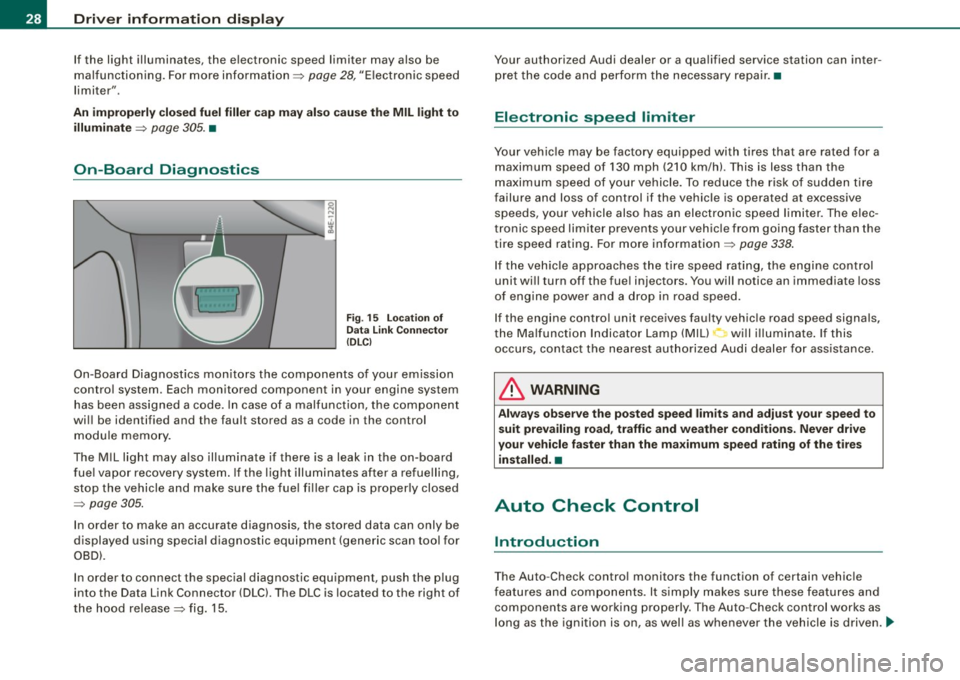
Service interval display
The service interval display reminds you when your next
service is due.
Fig. 14 Display:
Service interval display
The date for service is calculated automatically. Based on the
average distance driven in previous months, a monthly driv ing
distance is calculated . As soon as the distance remaining to the next
service drops below the distance driven monthly, the service
reminder is initiated. The maximum period from one service to the
next is one year.
Service reminder
30 days b efore the next service is due, a service reminder appears
in the display when you turn on the ignition => fig. 14.
Contro ls and eq uip
ment
Driver information display
After about 5 seconds the display switches back to normal. The
distance and time remaining are updated each time the ignition is
turned on until the date due for service is reached .
Service
When the due date for service is reached, the message Service due
! appears in the display immediately after you turn on the ignition.
Additionally, a warning tone sounds . After about 5 seconds the
display switches back to normal.
0 Note
If you disconnect the battery terminals, no calculations can be
made for the service interval display during this time and no service
reminder will appear . Remember that observing the proper service
intervals is vitally important to extending the life of your vehicle,
particularly the engine, and maintaining its value . Even if the
mileage driven is low, the maximum period of one year from one
service to the next must not be exceeded. •
On-Board Diagnostic system (OBD)
Malfunction Indicator Lamp (MIL)
The Malfunction Indicator Lamp (Mill in the instrument cluster
=>
page 16, fig. 7 is part of the On -Board Diagnostic (OBD II) system.
The warning/indicator light illuminates when the ignition is switched on and goes out after the engine starts and the idle has
stabilized. This indicates that the MIL is working properly.
If the light does not go out after the engine is started, or illuminates
while you are driving, a malfunction may exist in the engine system. If the light starts flashing , the catalytic converter could be damaged .
Continue driving
with reduced power (avoiding sustained high
speeds and/or rapid accelerations) and have the condition
corrected. Contact your author ized Audi dealer .
Vehicle care I I irechnical data
Page 30 of 408
Driver information display
If the light illuminates, the electronic speed limiter may also be
malfunctioning. For more information~
page 28, "Electronic speed
limiter".
An improperly closed fuel filler cap may also cause the MIL light to
illuminate
~ page 305. •
On-Board Diagnostics
Fig. 15 Location of
Data Link Connector
(DLCl
On-Board Diagnostics monitors the components of your emission
control system . Each monitored component in your engine system
has been assigned a code. In case of a malfunction, the component
will be identified and the fault stored as a code in the control
module memory.
The MIL light may also illuminate if there is a leak in the on-board
fuel vapor recovery system. If the light illuminates after a refuelling,
stop the vehicle and make sure the fuel filler cap is properly closed
~ page 305.
In order to make an accurate diagnosis, the stored data can only be
displayed using special diagnostic equipment (generic scan tool for
OBD).
In order to connect the special diagnostic equipment, push the plug
into the Data Link Connector (DLC). The DLC is located to the right of
the hood release
~ fig. 15. Your authorized Audi dealer or a qualified service station can inter
pret the code and perform the necessary repair. •
Electronic speed limiter
Your vehicle may be factory equipped with tires that are rated for a
maximum speed of 130 mph (210 km/h). This is less than the
maximum speed of your vehicle. To reduce the risk of sudden tire
failure and loss of control if the vehicle is operated at excessive
speeds, your vehicle also has an electronic speed limiter. The elec
tronic speed limiter prevents your vehicle from going faster than the
tire speed rating. For more information ~
page 338.
If the vehicle approaches the tire speed rating, the engine control
unit will turn off the fuel injectors. You will notice an immediate loss
of engine power and a drop in road speed.
If the engine control unit receives faulty vehicle road speed signals ,
the Malfunction Indicator Lamp (MIU will illuminate. If this
occurs , contact the nearest authorized Audi dealer for assistance.
& WARNING
Always observe the posted speed limits and adjust your speed to
suit prevailing road, traffic and weather conditions. Never drive
your vehicle faster than the maximum speed rating of the tires installed. •
Auto Check Control
Introduction
The Auto -Check control monitors the function of certain vehicle
features and components. It simply makes sure these features and
components are working properly . The Auto -Check control works as
long as the ignition is on, as well as whenever the vehicle is driven .....
Page 31 of 408
If a component is malfunctioning or if the need for an urgent repair
has been detected, this will appear in the instrument cluster display.
You will also hear an audible warning tone. The displays are color
coded in either red or yellow depending on their level of priority.
A red symbol means
Danger, a yellow symbol indicates Warning . In
certain situations, information message for the driver appear in
addition to the red and yellow symbols.
Function test: automatic transmission
The Auto-Check Control will automatically perform a test each time
you switch on the ignition. With the selector lever in
P or N, the
following message appears in the display:
When stationary apply foot brake while selecting gear.
When you a select a different gear (for example: R, D, etc.), the
message will disappear and the Auto-Check function is displayed.
I f there is a malfunction, then the malfunction message will appear
about 15 seconds after the you start the vehicle. At the same time
you will hear a warning tone. •
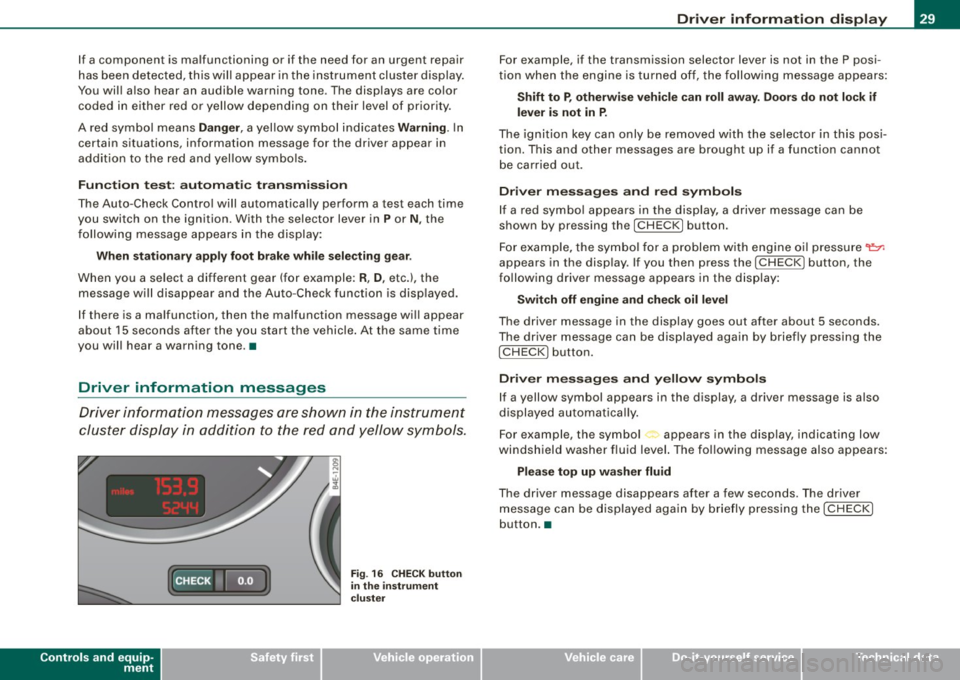
Driver information messages
Driver information messages are shown in the instrument
cluster display in addition to the red and yellow symbols.
Controls and equip
ment
Fig . 16 CHECK button
in the instrument
cluster
Driver information display
For example, if the transmission selector lever is not in the P posi
tion when the engine is turned off, the following message appears:
Shift to P, otherwise vehicle can roll away. Doors do not lock if
lever is not in P.
The ignition key can only be removed with the selector in this posi
tion. This and other messages are brought up if a function cannot
be carried out.
Driver messages and red symbols
If a red symbol appears in the display, a driver message can be
shown by pressing the
I CHECK] button.
For example, the symbol for a problem with engine oil pressure~
appears in the display. If you then press the !CHECK ] button, the
following driver message appears in the display:
Switch off engine and check oil level
The driver message in the display goes out after about 5 seconds.
The driver message can be displayed again by briefly pressing the
I CHECK] button.
Driver messages and yellow symbols
If a yellow symbol appears in the display, a driver message is also
displayed automatically.
For example, the symbol<., appears in the display, indicating low
windshield washer fluid level. The following message also appears:
Please top up washer fluid
The driver message disappears after a few seconds. The driver
message can be displayed again by briefly pressing the
I CHECK]
button. •
I • •
Page 33 of 408
button, you can bring up a driver message which explains
the malfunction in more detail.
Stop vehicle and check brake fluid level
-Pull off the road .
- Stop the vehicle.
- Turn off the engine.
- Check the brake fluid level=>
page 319.
- Contact your nearest authorized repair facility if neces-
sary.
Brake fault ! Drive carefully to nearest workshop
- Drive carefully to the nearest authorized repair facility
and have the malfunction corrected =>
&.
Parking brake ! Please contact workshop
- If the warning/indicator light flashes when the vehicle is
stationary or after the ignition is turned on, check to see
if the parking brake can be released. Drive to an autho
rized repair facility as soon as possible and have the
malfunction corrected. If the parking brake cannot be
released, contact your nearest authorized repair facility.
- If the warning/indicator light flashes while you are
driving, it is possible that the traction control or the
emergency brake has malfunctioned. It is possible that
the parking brake cannot be applied. It is also possible
that the parking brake cannot be released after it has
been applied. Drive to an authorized Audi dealer to have
the malfunction corrected.
Controls and equip
ment
Driver information display
If the ABS, ESP and the brake force distribution fail , the ABS
warning/indicator light and the ESP warning/indicator light come
on along with the brake system malfunction warning/indicator light
=>& .
& WARNING
• Always observe the warnings in=> page 301, "Engine compart
ment", before opening the hood and checking the brake fluid.
• Driving with low brake fluid is
a safety hazard. Stop the car and
get professional assistance .
• USA models: If the BRAKE warning light, the. warning light and
the "'L') warning light come on together, the rear wheels could
lock up first under hard braking. Rear wheel lock-up can cause loss
of vehicle control and an accident. Have your vehicle repaired
immediately by your authorized Audi dealer or a qualified work
shop. Drive slowly and avoid sudden, hard brake applications.
• Canada models: If the brake warning light <
light and the ABS warning light
G come on together, the rear
wheels could lock up first under hard braking. Rear wheel lock-up can cause loss of vehicle control and an accident. Have your
vehicle repaired immediately by your authorized Audi dealer or a qualified workshop . Drive slowly and avoid sudden, hard brake
applications. •
Engine cooling system malfunction -L
A malfunction in the engine cooling system must be
repaired as soon as possible.
When the -L symbol in the display blinks, then either the
engine coolant
temperature is too high, or the coolant level
is too low. An additional driver message can also be
displayed by pressing the [CHECK] button:
Switch off engine and check coolant level
I • •
Page 35 of 408

Dipstick reading checks OK
-If the oil pressure warning symbol "t=:7: starts flashing
again even though the engine oil level checks OK on the
dipstick,
do not continue driving and do not let the
engine run in idle.
Instead, contact your authorized Audi
dealer for assistance.
[ i] Tips
• The engine oil pressure symbol ~ is not an indicator for a low
engine oil level. Do not rely on it . Instead, check the oil level in your
engine at regular intervals, preferably each time you refuel, and
always before going on a long trip .
• The yellow oil level warning indication .: requires oil refill or
workshop service without delay. Do not wait until the red oil pres
sure warning
~ starts to flash before you respond to the low oil
level warning . By then, your engine may already have suffered
serious damage. •
Steering malfunction i
If there is a malfunction in the electronic steering column
lock, the steering cannot be unlocked.
If the i symbol in the display blinks, there is a malfunction
in the electronic steering column lock. An additional driver
message can also be displayed by pressing the [
CHECK]
button:
Do not drive vehicle: Steering defective
- Contact your nearest authorized repair facility.
- Do
not tow your vehicle.
Controls and equip
ment
Driver information display
& WARNING
Your vehicle must not be towed in the event of a malfunction in the
electronic steering column lock because it cannot be steered due
to the locked steering. If it is towed with the steering locked, there
is the risk of an accident. •
Ignition lock malfunction ~
A malfunction in the ignition lock must be repaired imme
diately.
If the -Pe symbol in the display blinks, there is a malfunction
in the electronic ignition lock. An additional driver message
can also be displayed by pressing the [
CHECK] button:
Ignition lock defective. Contact workshop !
- Do not turn the engine off.
-Drive immediately to an authorized Audi dealer to have
the malfunction corrected.
If there is a malfunction in the electronic ignition lock, the ignition
cannot be turned off. Drive immediately to an authorized Audi
dealer to have the cause of the malfunction corrected.
If your vehicle has a Conv eni enc e key *, th e n you should not use the
I STOP I button to shut off the engine. You will not be able to start the
engine again once th e ignition is switched off. •
I • •
Page 38 of 408
Driver information display
Battery voltage ~
If the battery's state of charge is not in the optimal range, the
symbol is shown in the display and the driver message
Low battery
charge: battery will be charged while driving
appears.
While this driver notification is displayed, you have to be prepared
for limited starting capability.
Driver message appears and goes out again
If this driver message appears after the ignition is turned on or
while driving and it goes out again after a while, the battery has
been adequately recharged.
Driver message appears and does not go out again
If this driver notification appears after the ignition is turned on or
while driving and does not go out again, the battery's state of
charge is not in the optimal range. Starting capability is restricted.
Have the battery checked at a dealership as soon as possible.•
Applies to vehicles: w ith Conven ience key
Key not in vehicle
Key not in vehicle
This message appears together with the symbol when the
remote control key is removed from the vehicle while the engine is
running. This is to remind you that you should not continue your trip
without your key.
If the remote control key is no longer in the vehicle, you will not be
able to start the engine again after you have switched off the igni
tion. In addition to this, you will not be able to lock the vehicle from
the outside. •
Applies to vehicles: with Adap tive ligh t
Adaptive Light defective== ~
.. c; Adaptive light defective
When this symbol L illuminates, it means that Adaptive Light is
defective. Go to an authorized dealership to have the headlights or
the control unit for the Adaptive Light repaired. •
Headlight range control defective '.:1
T<. Headlight range control defective !
If the symbol illuminates, the dynamic headlight range control is no
longe r working properly. Have the system checked and repaired at
your Audi dealer. •
Defective light /rain sensor jf:>
.... Automatic headlights/automatic wipers defective
If the symbol illuminates, the light/rain sensor has failed. For safety
reasons the low beams are turned on permanently with the switch
in
AUTO. However , you can continue to turn the lights on and off
using the light switch. If the rain sensor fails, the functions of the
windshield wiper lever will still work. Contact your authorized Audi
dealer as soon as possible to have the problem corrected. •
Page 39 of 408
Speed warning system
Overview
The speed warning system helps you to keep your driving
speed below a set speed limit.
The speed warning system warns the driver if he exceeds a previ
ously stored maximum speed . A warning tone wi ll sound as soon as
the vehicle speed exceeds the set speed by about 3 mph (3 km/h) . At
the same time, a warning symbol appears in the display.
The speed warning system has
t wo w arning th reshold s that func
tion independently of each other and that have somewhat different
purposes:
S p ee d wa rning 1 B (U SA mod els)/ 8 (Ca na d a mo dels)
You can use speed warning 1 to set the maximum speed while you
are driving. This setting will remain in effect until you turn off the
ignition, assuming that you have not changed or reset the setting.
The speed warning symbol
8 (USA models)/ 8 (Canada models) in
the warning 1 disp lay appears when you exceed the maximum
speed. It goes out when the speed falls be low the stored maximum
speed.
The speed warning symbol will also go out if the speed
exceeds the
stored maximum speed by more than about 25 mph (40 km/h) for at
least 10 seconds. However, this does no t reset the stored maximum
speed .
Setting speed warning 1
=> page 37.
S pee d war ning 2
8. (U SA models)/ 8. (C an ad a m od els)
Storing warning 2 is recommended if you always want to be
reminded of a certain speed, for example when you are traveling in
a country that has a general maximum speed limit, or if you do not
want to exceed a specified speed for winter tires.
Contro ls and eq uip
ment
Dri ver inf orm atio n di spl ay
The speed warning 2 symbol, 8, (USA models)/ 8, (Canada models)
appears in the disp lay when you exceed the stored speed limit.
Unlike warning 1, it wil l not go out until the vehicle speed drops
below the s tored speed limit .
Setting speed warning 2
=> page 38.
[ i ] Tips
Even though your vehicle is equipped with a speed warning system,
you should sti ll watch the speedometer to make sure you are not
driving faster than the speed limit .•
Speed warning 1 : setting a speed limit
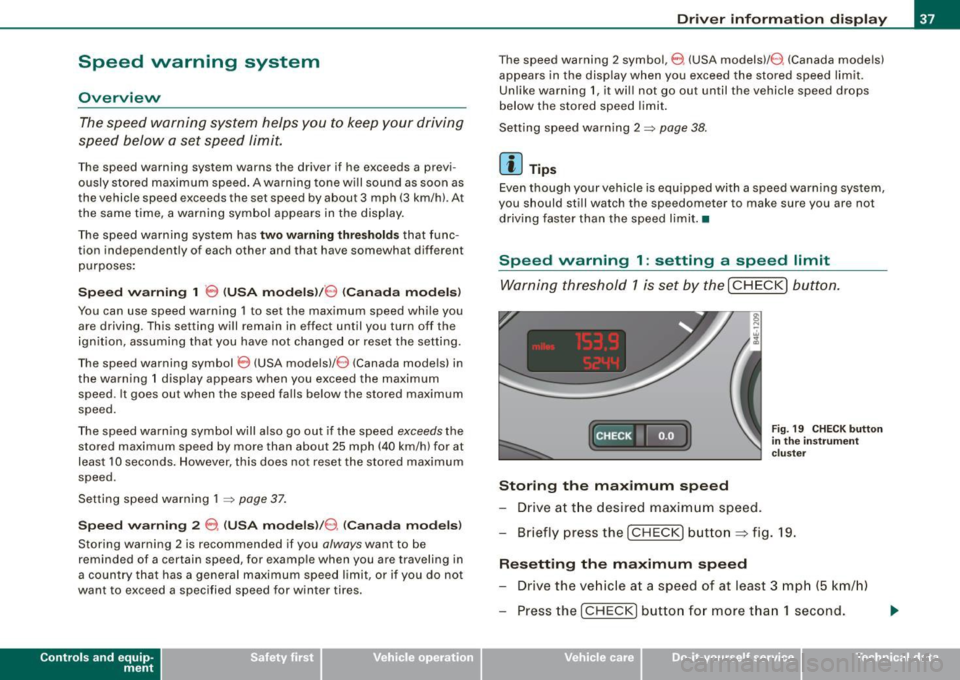
Warning threshold 1 is set by the I CHECK) button.
[C HECK •~ F
ig . 19 C HECK button
in th e inst ru m ent
c luster
Storing the maximum speed
- Drive at t he desired maxim um speed.
- Briefly press the
[CHECK) but to n => fig . 19.
Resetting the m aximum sp eed
- Drive the vehicle at a speed of at least 3 mph (5 km/h)
- Press the
I CHECK) button for more t han 1 second.
Vehicle care I I irechnical data