seats AUDI S8 2009 User Guide
[x] Cancel search | Manufacturer: AUDI, Model Year: 2009, Model line: S8, Model: AUDI S8 2009Pages: 408, PDF Size: 91.63 MB
Page 96 of 408
Seats and storage
Seat memory
Driver's seat memory
The seat adjustment settings for four drivers can be
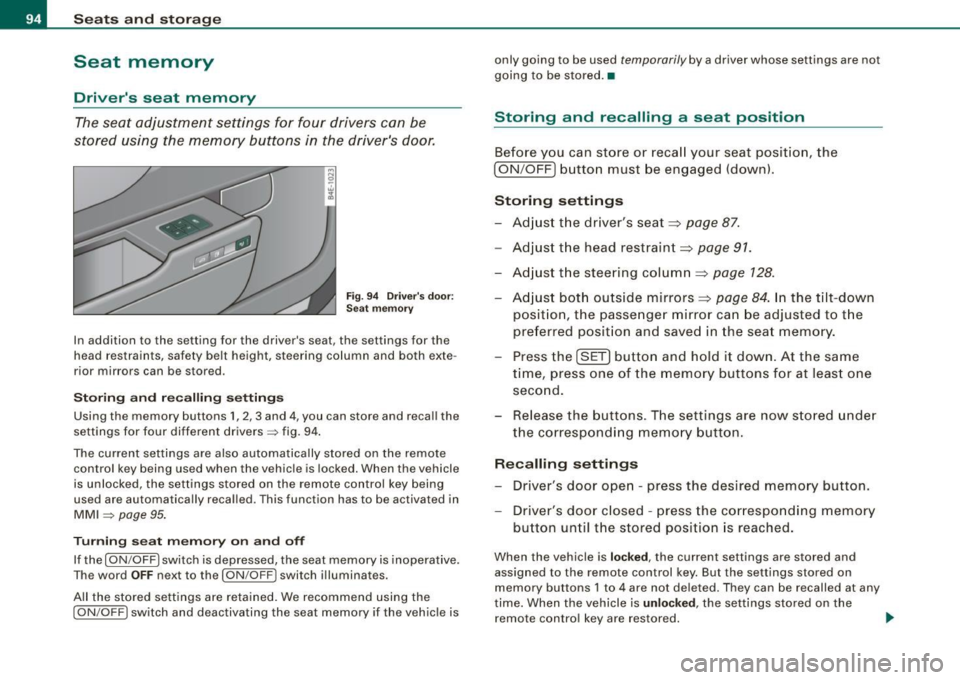
stored using the memory buttons in the driver's door .
Fig. 94 Driver's door:
Seat memory
In addition to the setting for the driver's seat, the settings for the
head restraints, safety belt height, steering column and both exte
rior mirrors can be stored .
Storing and recalling settings
Using the memory buttons 1, 2 , 3 and 4, you can store and recall the
settings for four different drivers=> fig. 94.
The current settings are also automatically stored on the remote control key being used when the vehicle is locked. When th e vehicle
is unlocked, the settings stored on the remote control key being
used are automatically recalled . Th is function has to be activated in
MMI => page 95.
Turning seat memory on and off
If the [ ON /OFF I switch is depressed, the seat memory is inoperative.
The word
OFF next to the [ON /OFF ! switch illuminates.
All the stored settings are retained. We recommend using the
[ ON /OFF! switch and deactivating the seat memory if the vehicle is only going to be used
temporar
ily by a driver whose settings are not
going to be stored. •
Storing and recalling a seat position
Before you can store or recall your seat position, the
[ ON /OFF] button must be engaged (down) .
Storing settings
- Adjust the driver's seat=>
page 87.
-Adjust the head restraint=> page 91.
-Adjust the steering column=> page 128.
-Adjust both outside mirrors=> page 84. In the tilt-down
position, the passenger mirror can be adjusted to the
preferred position and saved in the seat memory.
- Press the [SET] button and hold it down. At the same
time, press one of the memory buttons for at least one
second.
- Release the buttons. The settings are now stored under
the corresponding memory button.
Recalling settings
- Driver's door open - press the desired memory button .
- Driver's door closed - press the corresponding memory
button until the stored position is reached.
When the vehicle is locked, the current settings are stored and
assigned to the remote control key. But the settings stored on
memory buttons 1 to 4 are not deleted. They can be recalled at any
time. When the vehicle is
unlocked , the settings stored on the
remote control key are restored. .,_
Page 97 of 408
If your vehicle is driven by other persons using your remote control
key, you should save your individual seat position on one of the
memory buttons . You can recall your settings again simply and
conveniently by pressing the corresponding memory button. When
the vehicle is locked, these settings are automatically re-assigned to the remote control key and stored.
& WARNING
• For safety reasons, the seat setting can only be recalled when
the vehicle is stationary -otherwise you risk having an accident.
• In an emergency, the recall operation can be stopped by
pressing the
I ON /OFF ) button or by briefly pressing any given
memory button. •
Activating remote control key memory
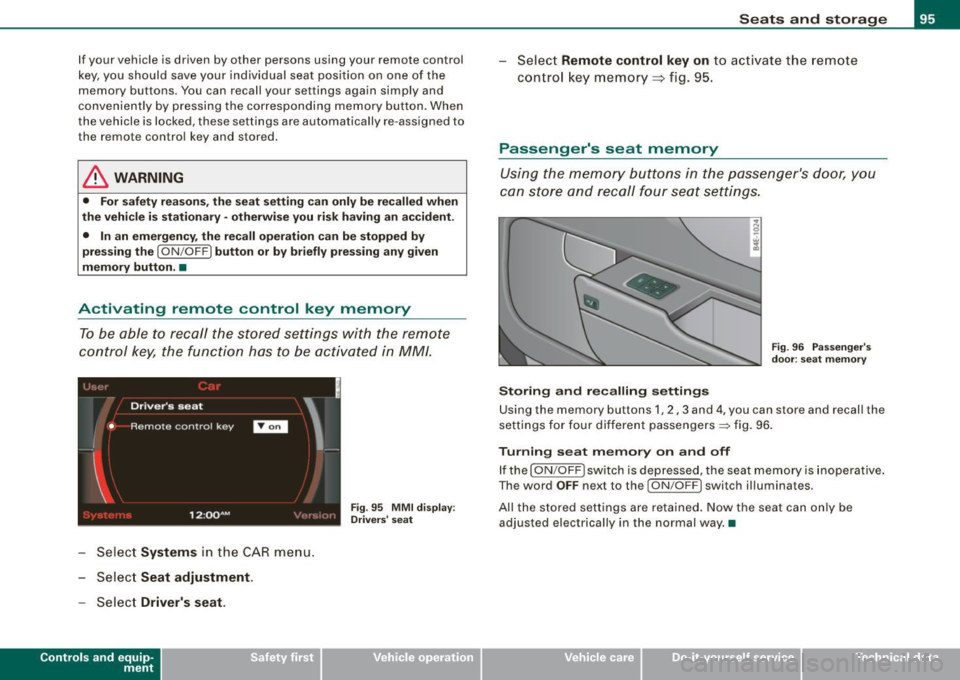
To be able to recall the stored settings with the remote
control key, the function has to be activated in
MM! .
:~d '
Driver's seat
'
• Remote contro l key
I
1 2 :QQ AM
- Select Systems in the CAR menu.
Select Seat adjustment .
- Select Driver's seat.
Controls and eq uip
ment
I
Fig . 95 MMI display : ,, Drivers' seat
Seats and storage
Select Remote control key on to activate the remote
control key memory ::::;,
fig. 95.
Passenger's seat memory
Using the memory buttons in the passenger's door, you
can store and recall four seat settings.
Storing and recalling settings
Fig. 96 Passenger's
door : seat memory
Using the memory buttons 1, 2 , 3 and 4, you can store and recall the
settings for four different passengers=:> fig. 96.
Turning seat memory on and off
If the [ ON /OFF ) switch is depressed, the seat memory is inoperative.
The word
OFF next to the I ON /OFF ) switch illuminates .
All the stored settings are retained. Now the seat can only be adjusted electrically in the normal way. •
Vehicle care I I irechnical data
Page 98 of 408
Seats and storage
Rear seats
General information
Safe transportation of passengers on the rear seats
requires proper safety precautions.
All passengers on the rear seats must be seated in compliance with the safety guidelines explained in=>
page 211 and => page 220. The
correct seating position is critical for the safety of front
and rear
seat passengers alike~
page 204.
& WARNING
• Occupants in the front and rear seats must always be properly
restrained.
• Do not let anyone ride in the vehicle without the head restraints
provided . Head restraints help to reduce injuries.
• Loose items inside the passenger compartment can fly forward
in a crash or sudden maneuver and injure occupants. Always store
articles in the luggage compartment and use the tie-down eyelets.
• Read and heed all WARNINGS
=> page 204, "Proper seating
positions for passengers in rear seats". •
Applies to vehi cles : wi th r ear lumb ar su pp ort
Rear seat lumbar support
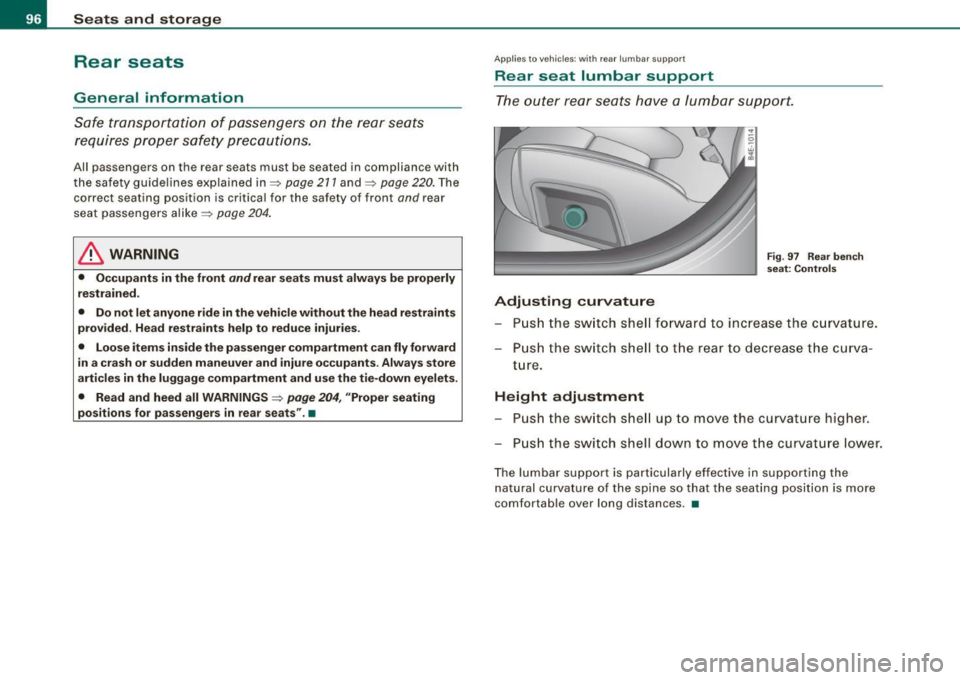
The outer rear seats have a lumbar support.
Adjusting curvature
Fig. 97 Rear bench
seat: Controls
Push the switch shell forward to increase the curvature.
Push the switch shell to the rear to decrease the curva
ture.
Height adjustment
Push the switch shell up to move the curvature higher.
Push the switch shell down to move the curvature lower.
The lumbar support is particularly effective in supporting the natural curvature of the spine so that the seating position is more
comfortable over long distances. •
Page 99 of 408
Rear window shelf
You can place li gh t a rticles of cl othing on the re ar
w indow shelf behind the sea tbac k.
& WARNING
When dr iv ing , do not leave any hard objects on the rear w indow
s helf or allow your pet to sit on the shelf . They could be come a
hazard for vehicle oc cup ants in the event of sudden bra king or a
c rash .
[ i ] Tips
• A vent slot is located between t he shel f and the rear w indow . Do
not block the vent with any items you may place on the rear window
she lf.
• Do not place bulky items on the rear window shelf as they could
restrict or block the driver's vision in the rear view mirro r.•
Con tro ls and eq uip
ment
Seats and storag e
Individual rear seats
Applies to ve hicles : w ith ind iv id ual rea r sea ts
Controls
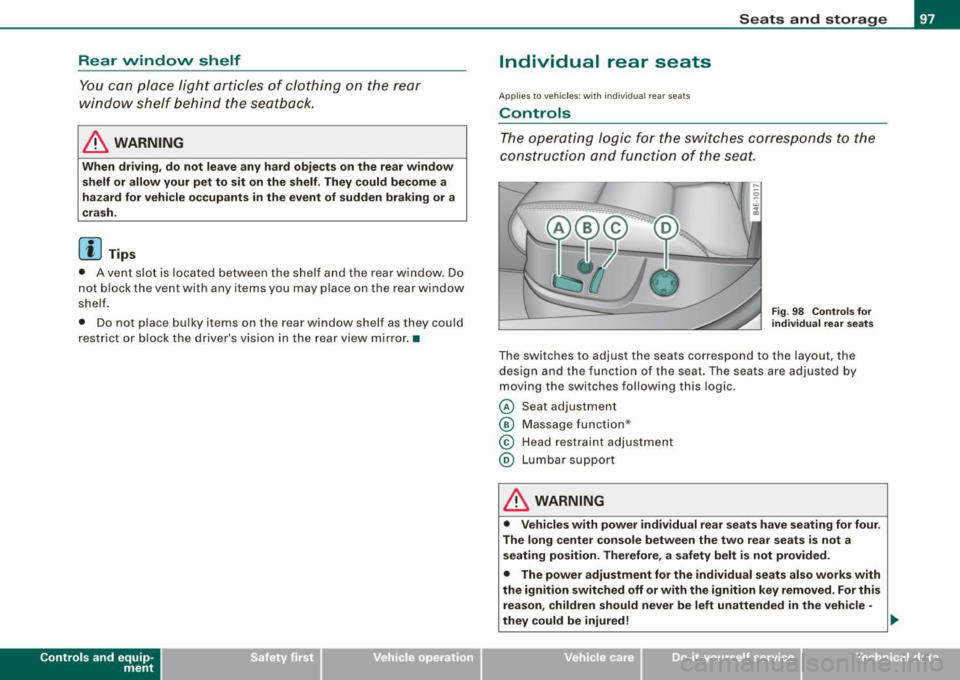
The operating logic for the switches corresponds to the
construction and function of the seat.
Fi g. 9 8 Co ntrols fo r
individual r ear seats
The switches to adjust the seats correspond to the layout, the
design and the function of the seat. The seats are adjusted by
moving the switches following this logic .
@ Seat adjustment
@ Massage function *
© Head restraint adjustment
@ Lumbar support
& WARNING
• Vehicl es with power individual rear se ats have seating for four .
The long center co nsole between the two rear se ats is not a
s eating po sition. Th erefore , a safety belt i s not provided.
• The power adjustment for the individual seats al so works with
the ignition switched off or with the ignition key removed . For this
re ason , children should never be left unattended in the vehi cle -
they could be injured!
~
Vehicle care I I irechnical data
Page 100 of 408
Seats and storage
& WARNING (continued )
• Exercise caution when adjusting the seats . Unsupervised or
ca reless seat adjustment can p inch fingers or ha nds causing
injuries .•
Ap plies t o vehic les : w it h ind iv id ual rear se at s
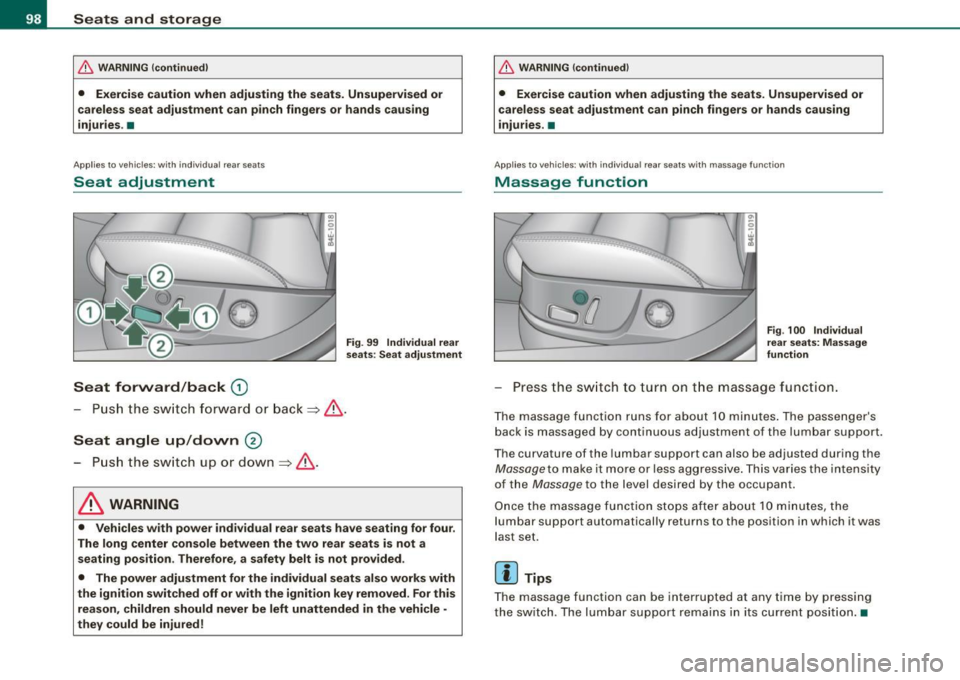
Seat adjustment
Seat forward/back G)
Fig . 99 Individual rear
seat s: Seat adju stment
- Push t he swi tch forwa rd or ba ck => & .
Seat angle up /down @
- Push th e sw itch u p or do wn => & .
& WARNING
• Vehicles with power individual rear seats have seating for four .
The long center console between the two rear seats is not a seating position . Therefore, a safety belt is not provided .
• The power adjustment for the individual seats also works with
the ignition switched off or with the ignition key removed . For this
reason , children should never be left unattended in the vehicle •
they could be injured !
& WARNING (continued )
• Exercise caution when adjusting the seats. Unsupervised or
careless seat adju stment can pinch fingers or hands causing
injuries. •
Applies t o vehic les : w it h in d iv id ual re ar sea ts with m ass ag e func tion
Massage function
F ig . 100 Individual
rear seats: Massage
function
Pr ess th e swi tch to t urn on t he massag e function.
T he massage function runs fo r about 10 minutes . T he pa ssenge r's
bac k is massaged by continuous ad justment of the lumbar support .
T he curvature of the lumbar suppo rt can also be ad justed during the
Mas sage to mak e it mo re or less aggr ess ive . T hi s var ies t he in tens ity
of the
Massage to the level desired by the occupa nt.
O nce the mas sage func tio n stops afte r abou t 10 m inut es, the
l umbar support automatically returns to t he position in which it was
l a st se t.
[ i ] Tips
T he m ass age function can be interrupted at a ny tim e by pre ssi ng
the switc h. T he lum bar support r emains i n its cu rren t po sit io n.•
Page 101 of 408
Applies to vehi cles : wi th in d ivi dual rear seats
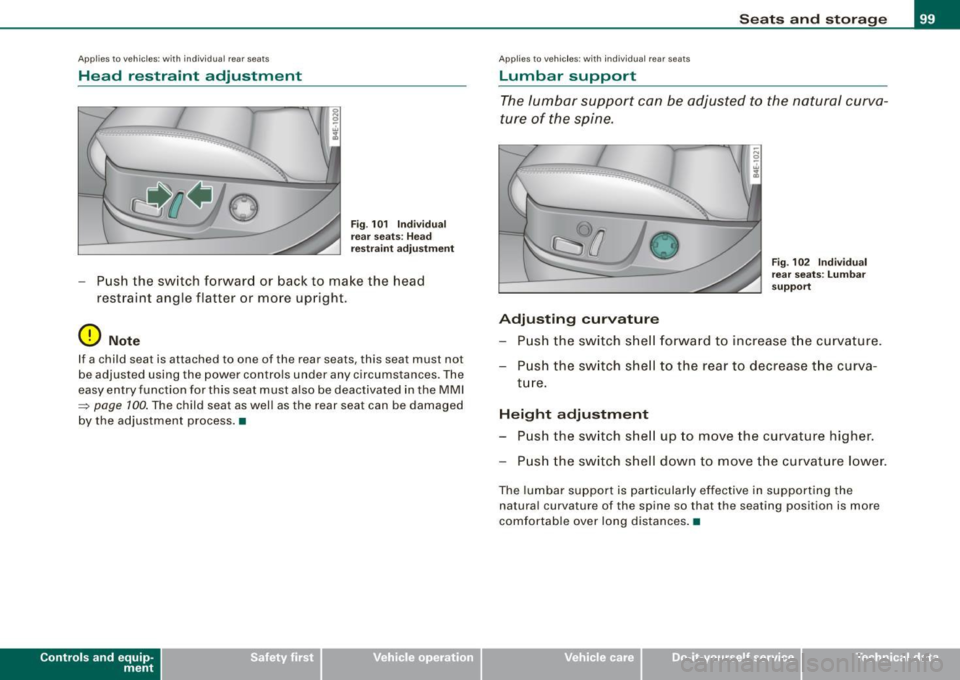
Head restraint adjustment
-..... .
··-
Fig . 101 Individual
rear seats : Head
restraint adjustment
-Push the switch forward or back to make the head
restraint angle flatter or more upright.
0 Note
If a child seat is attached to one of the rear sea ts, this seat must no t
be adjusted using the power controls under any circumstances. The
easy entry function forth is seat must also be deactivated in the MMI
~ page 100. The child seat as well as the rear seat can be damaged
by the adjustment process. •
Con tro ls and eq uip
ment
Seats and storage
A pp lies to veh icles : wi th in di vidua l rear seats
Lumbar support
The lumbar support can be adjusted to the natural curva
ture of the spine.
0
Adjusting curvature
Fig. 102 Individual
rear seats : Lumbar
support
Push the switch shell forward to increase the curvature.
Push the switch shell to the rear to decrease the curva
ture.
Height adjustment Push the switch shell up to move the curvature higher.
Push the switch shell down to move the curvature lower.
The lumbar support is particularly effective in supporting the
natural curva ture of the spine so that the seating position is more
comfortable over long distances. •
Vehicle care
I I irechnical data
Page 104 of 408
• ..__S_ e_ a_t _s _ a_n _d_ s_ t_ o _ r_ a_ g=- e ______________________________________________ _
The mounting hooks are spring-loaded and will return to their
normal position when not in use.
& WARNING
For strength-related reasons, the mounting hooks can only be
used to secure objects weighing up to 10 lb .
15 kgl. Heavier objects
will not be adequately secured -there is a risk of injury. •
Applies to vehi cles : wi th sk i sa ck
Ski sack
Use the ski sack to transport and protect skis and other
long, light items in the passenger compartment.
O •----0
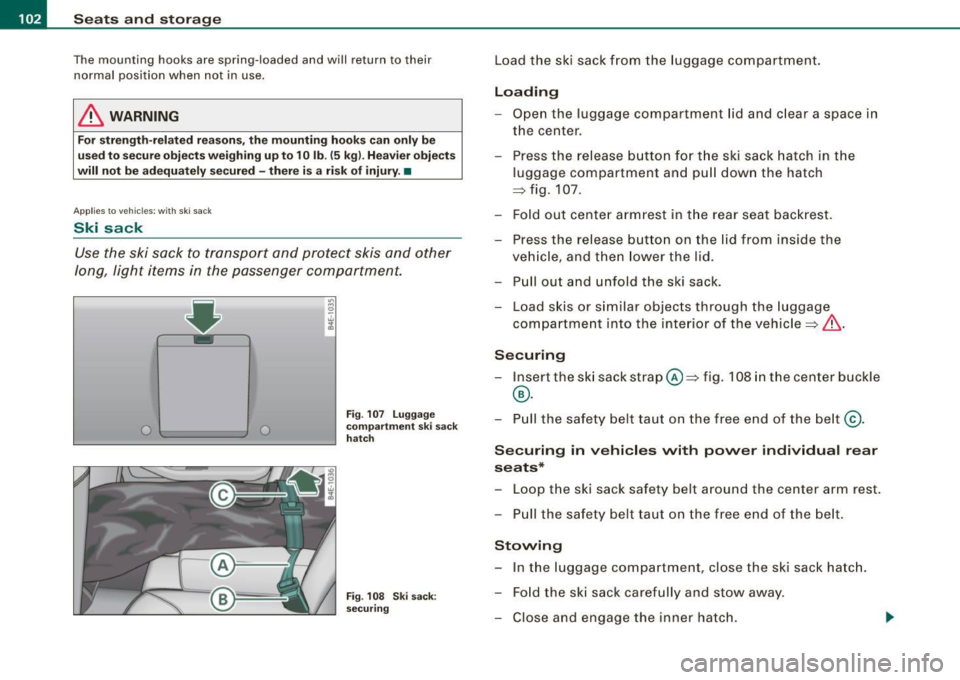
Fig . 107 Luggage
compartment ski sack
hatch
Fig . 108 Ski sack:
securing
Load the ski sack from the luggage compartment.
Loading
- Open the luggage compartment lid and clear a space in
the center.
- Press the release button for the ski sack hatch in the
luggage compartment and pull down the hatch
~ fig. 107.
- Fold out center armrest in the rear seat backrest.
- Press the release button on the lid from inside the
vehicle, and then lower the lid.
- Pull out and unfold the ski sack.
- Load skis or similar objects through the luggage
compartment into the interior of the vehicle~& .
Securing
- Insert the ski sack strap@~ fig. 108 in the center buckle
®·
- Pull the safety belt taut on the free end of the belt@.
Securing in vehicles with power individual rear
seats*
Loop the ski sack safety belt around the center arm rest.
- Pull the safety belt taut on the free end of the belt .
Stowing
- In the luggage compartment, close the ski sack hatch.
- Fold the ski sack carefully and stow away.
- Close and engage the inner hatch.
Page 111 of 408
![AUDI S8 2009 User Guide ________________________________________________ S_ e_ a _ t_ s _a_ n_d _ s_t _o _ r_ a...: g==-- e __ llffllJI
0 Note
To avoid damaging the socket, only use plugs that fit properly.
[ i]](/img/6/57618/w960_57618-110.png "AUDI S8 2009 User Guide ________________________________________________ S_ e_ a _ t_ s _a_ n_d _ s_t _o _ r_ a...: g==-- e __ llffllJI
0 Note
To avoid damaging the socket, only use plugs that fit properly.
[ i]")
________________________________________________ S_ e_ a _ t_ s _a_ n_d _ s_t _o _ r_ a...: g==-- e __ llffllJI
0 Note
To avoid damaging the socket, only use plugs that fit properly.
[ i] Tips
When the engine is off and accessories are still plugged in and are
on, the vehicle battery can still be drained. •
Storage
General overview
There are numerous places to store items in your vehicle.
Glove compartment
Storage compartment
Pockets in the front seats*
Compartments in the door trim panels
Compartments in the rear doors* :::::,
page 109
=:> page 11 O
=:> page 110
=:> page 111
Left side storage compartment in the :::::, page 112
trunk
- -Right side storage compartment in the :::::, page 113
trunk
Emergency warning triangle
Umbrella holder
& WARNING
=:> page 350
• Always remove objects from the instrument panel. Any items
not stored could slide around inside the vehicle while driving or
Controls and equip
ment
& WARNING (continued)
when accelerating or when applying the brakes or when driving
around a corner.
• When you are driving make sure that anything you may have
placed in the center console or other storage locations cannot fall
out into the footwells. In case of sudden braking you would not be
able to brake or accelerate.
• Any articles of clothing that you have hung up must not inter
fere with the driver's view. The coat hooks are designed only for lightweight clothing . Never hang any clothing with hard, pointed
or heavy objects in the pockets on the coat hooks. During sudden
braking or in an accident -especially if the airbag is deployed -
these objects could injure any passengers inside the vehicle. •
Glove compartment
Your Owner's Literature and the media player are stored
in the lockable glove compartment.
t--------------. l
i
I • •
Fig. 117 Glove
compartment
Page 112 of 408
• ..__S_ e_a _ t_ s_ a_ n_ d_ s_t _o _r_ a-' g==- e ________________________________________________ _
WI
'--' .. , ,-.. ~- , --
-
A
-
To open glove compartment
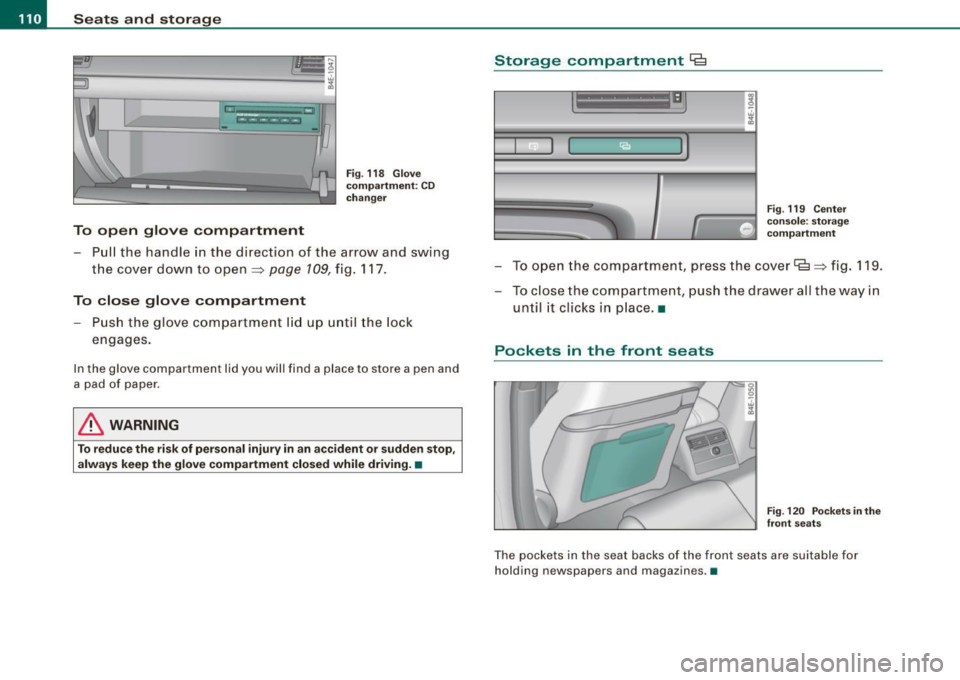
Fig. 118 Glove
compartment: CD
changer
- Pull the handle in the direction of the arrow and swing
the cover down to open~
page 109, fig. 117.
To close glove compartment
Push the glove compartment lid up until the lock
engages.
In the glove compartment lid you will find a place to store a pen and
a pad of paper.
& WARNING
To reduce the risk of personal injury in an accident or sudden stop,
always keep the glove compartment closed while driving. •
Storage compartment Cg
. w :;
Fig. 119 Center
console: storage
compartment
- To open the compartment, press the cover~~ fig. 119.
- To close the compartment, push the drawer all the way in
until it clicks in place. •
Pockets in the front seats
Fig. 120 Pockets in the
front seats
The pockets in the seat backs of the front seats are suitable for
holding newspapers and magazines .•
Page 113 of 408
Seats and storage 1111
-----------------=-----'
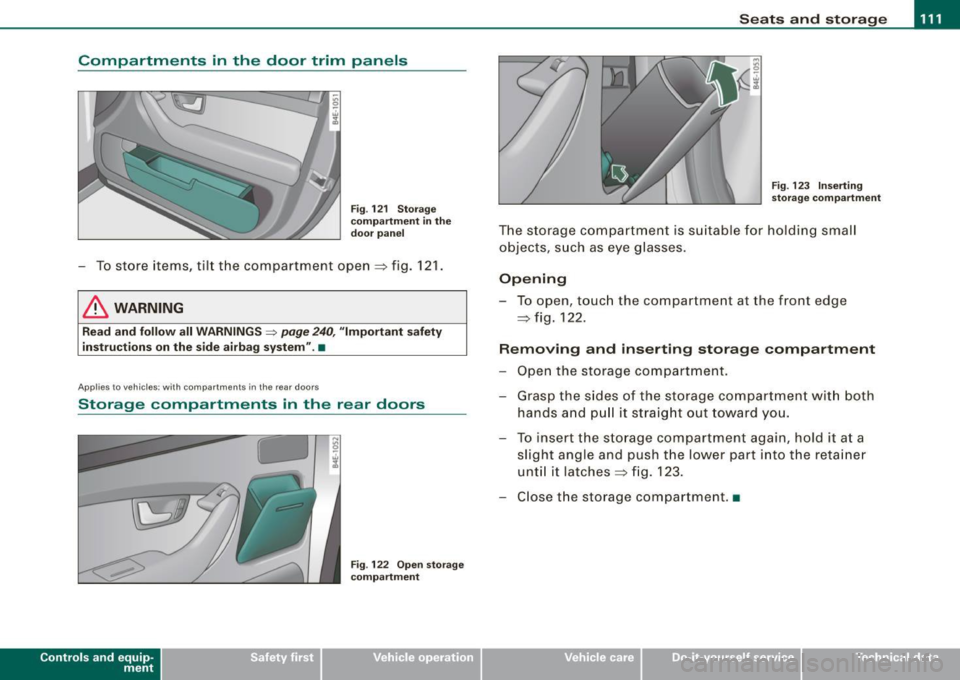
Compartments in the door trim panels
Fig. 121 Storage
compartment in the
door panel
- To store items, tilt the compartment open=:> fig. 121.
& WARNING
Read and follow all WARNINGS ~ page 240, "Important safety
instructions on the side airbag system" .•
Ap plies to ve hicl es: with compartments in the rea r doo rs
Storage compartments in the rear doors
Con tro ls and eq uip
ment
Fig . 122 Open storage
compartment Fig.
123 Inserting
storage compartment
The storage compartment is suitable for holding small
objects, such as eye glasses.
Opening
-To open, touch the compartment at the front edge
=> fig. 122.
Removing and inserting storage compartment
- Open the storage compartment.
- Grasp the sides of the storage compartment with both
hands and pull it straight out toward you.
- To insert the storage compartment again, hold it at a
slight angle and push the lower part into the retainer
until it latches =:> fig. 123.
- Close the storage compartment .•
Vehicle care I I irechnical data