seats AUDI S8 2009 Owner's Manual
[x] Cancel search | Manufacturer: AUDI, Model Year: 2009, Model line: S8, Model: AUDI S8 2009Pages: 408, PDF Size: 91.63 MB
Page 114 of 408

-Seats and storage "-------=---------------
Coat hooks
Fig
. 124 Coat hook
above left rear seat
There are fold-out coat hooks over each rear door.
- To open, touch the top of the coat hook=> fig. 124.
& WARNING
• Hang clothes in such a way that they do not impair the driver's
v1s1on.
• The coat hooks must only be used for lightweight clothing . Do
not leave any heavy or sharp edged objects in the pockets which
may interfere with the side curtain airbag deployment and can
cause personal injury in a crash.
• Do not use coat hangers for hanging clothing on the coat hooks
as this can interfere with proper deployment of the side curtain
airbags in an accident.
• Do not hang heavy objects on the coat hooks, as they could
cause personal injury in a sudden stop .•
Left-side compartment
Fig . 125 Luggage
compartment , left side
Fig . 126 Luggage
compartment, left side
The DVD player for the navigation system is in the left-side
storage compartment.
To open the side storage compartment, turn the two pins
© to the vertical position.•
Page 115 of 408
Seats and storage -
-----------------=-----'
Right-side compartment
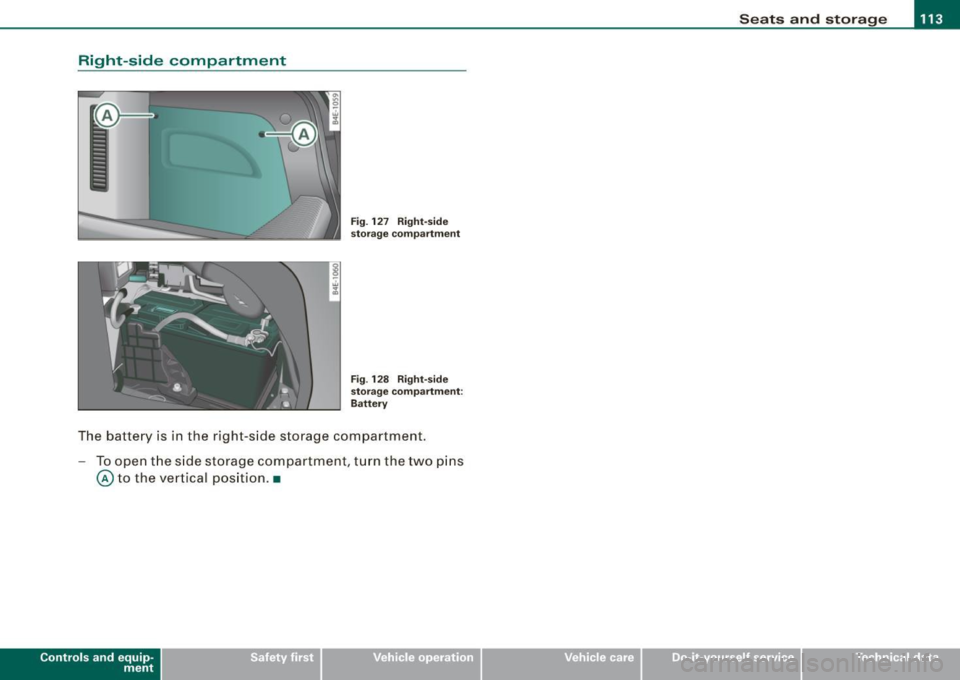
Fig. 127 Right-side
storage compartment
Fig . 128 Right-side
storage compartment:
Battery
The battery is in the right -side storage compartment.
- To open the side storage compartment , turn the two pins
@ to the vertical position. •
Contro ls and eq uip
ment Vehicle care I I irechnical data
Page 118 of 408
• ..__w_ a_ r_m _ a_ n_d_ c_ o_ ld __________________________________________________ _
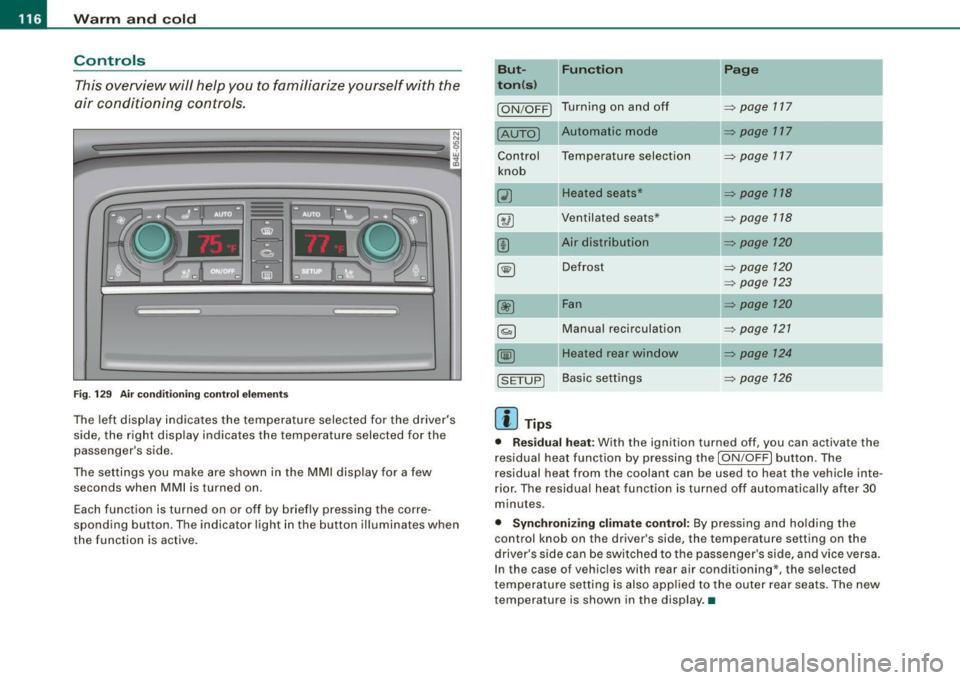
Controls
This overview will help you to familiarize yourself with the
air conditioning controls.
F ig. 1 29 Air condit ionin g c ontrol el em ent s
The left dis play indicates the temperature selected for the d river's
side , the right display indicates the temperature selected for the
passenger 's side.
The settings you make are shown in the MMI disp lay for a few
seconds when MMI is turned on.
Each function is turned on or off by briefly pressing the corre
spond ing button . The indicator l ight in the button illumina tes when
the function is active . But- Fun
ction
II Page
t o n(s )
ION/OFF) Tu rn ing on a nd off ~ page 117
[AUTO) Automatic mode ~ page 117
Contro l Temperatu re selection
~ page 717
knob
(i) Heated seats* ~ p age 118
8 @ Ven tilated sea ts* ~ page 118
(!) Ai r distribution ~ page 120
~ Defrost ~ page 120
~ page 123
00 Fan ~ page 120
§) Manua l recirculation ~ page 721
~ Heated rear window ~ page 124
[S ET UP) Basi c sett ings ~ page 126
[ i ] Tips
• Res idual heat : With the ignit ion turned off , you can activate the
r esidual heat function by pressing the
I ON /OFF ) button. The
residual heat from the coo lant can be us ed to heat the vehicle inte
r ior. The residua l heat function is turned off automatically after 30
minutes .
• Synchronizing clim ate control: By press ing and ho ld ing the
control knob on the driver's side, the temperature setting on the
driver's side can be switched to the passenge r's side , and vice versa .
I n the case of vehicles wi th rear air conditioning*, the select ed
t emperature se tting is also app lied to the o uter rear seats . The new
temperature is shown in the display. •
Page 120 of 408
• ..__w_ a_ r_m _ a_ n_d_ c_ o_ ld __________________________________________________ _
driver's side can be switched to the passenger's side, and vice versa.
In the case of vehic les wi th rear air conditioning* , the selected
temperature setting is also applied to the outer rear sea ts. The new
temperature is shown in the display .•
Ap plie s to veh ic les: wi th ele ct ric a lly heat ed seat s
Heated seats GD
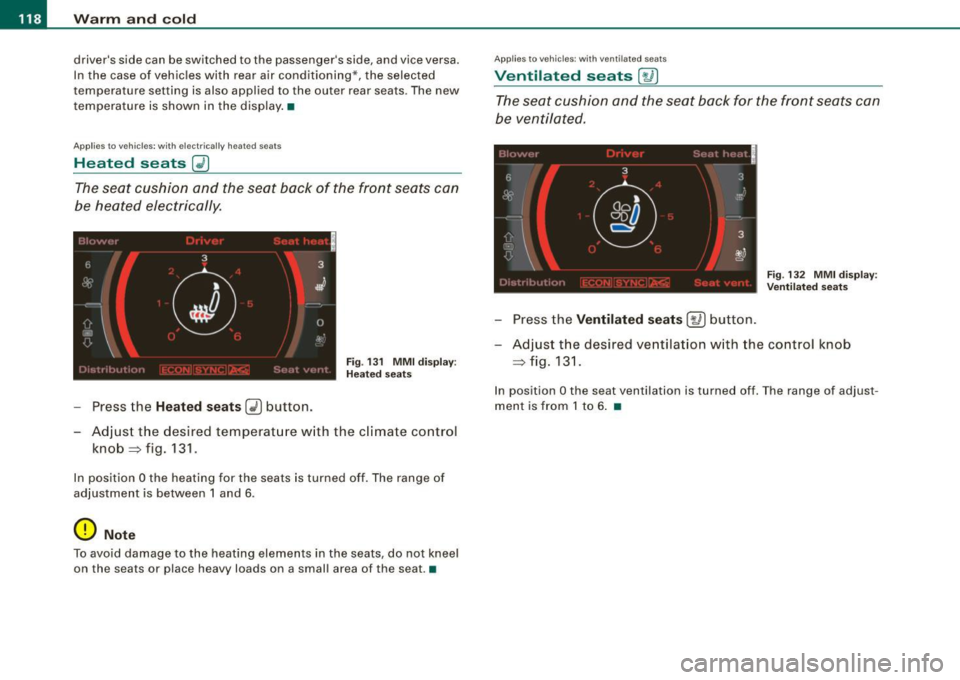
The seat cushion and the seat back of the fron t seats can
be heated electrically.
F ig . 13 1 MM I d is pla y:
H eated s eats
- Press the Heated seats (i) button.
- Adjust the desired temperat ure w ith the c limate contro l
knob => fig. 131 .
In position O the heating for the seats is turned off . The range of
ad justment is between 1 and 6 .
0 Note
To avoid damage to the heat ing elements in the seats , do not kneel
on the seats or place heavy loads on a small area of the seat. •
Applies 10 vehi cles : w ith v enti late d seats
Ventilated seats [,J j
The seat cushion and the seat back for the front seats can
b e ven tila ted.
Fi g. 132 MMI di spl ay:
V entila ted sea ts
- Press the Ventilated seat s [ay] button.
- Adjust t he desi red ve ntilat ion w ith the co ntrol knob
=> fig.131.
In position O the seat ventilation is turned off . T he range of adjust
ment is from 1 to 6 . •
Page 121 of 408
_________________________________________________ W_ a_ r_ m __ a_n_ d_ c_ o_ld _ __. 1111111
Ap plies to vehicles: with heated rear se ats
Heated rear seats
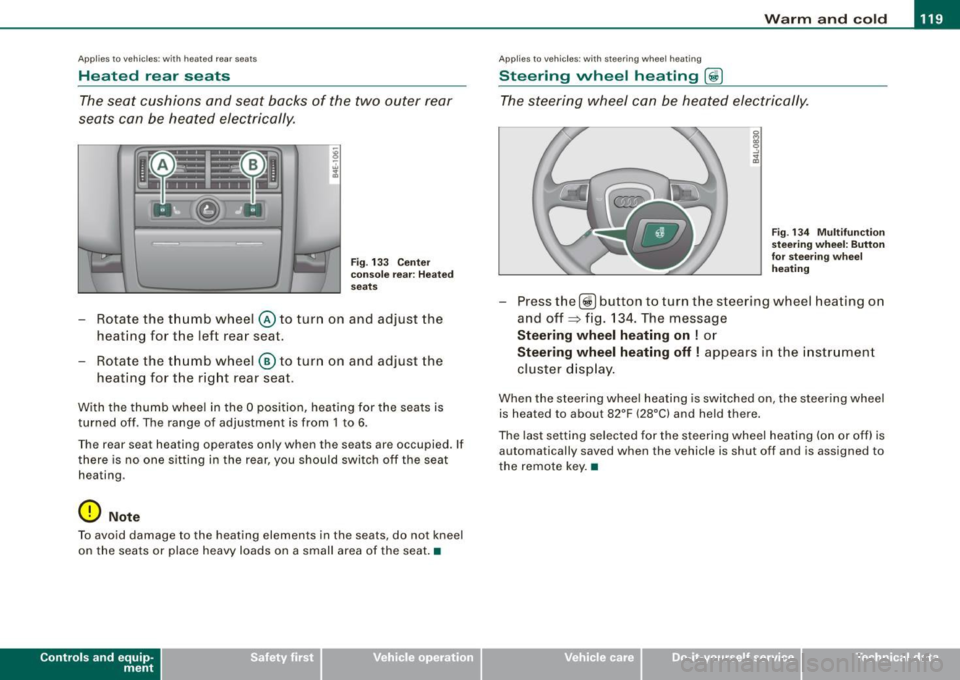
The seat cushions and seat backs of the two outer rear
seats can be heated electrically.
' ' ' 1 · ' ' --
------ ------~ ~
I I I I I I
Fig . 133 Center
console rear : Heated
seats
- Rotate the thumb wheel @ to turn on and adjust the
heating for the left rear seat.
- Rotate the thumb wheel
® to turn on and adjust the
heating for the right rear seat.
With the thumb wheel in the O position, heating for the seats is
turned off . The range of adjustment is from 1 to 6.
The rear seat heating operates only when the seats are occupied. If
there is no one sitting in the rear, you should switch off the seat
heating .
0 Note
To avoid damage to the heating elements in the seats , do not kneel
on the seats or place heavy loads on a small area of the seat. •
Contro ls and eq uip
ment
Ap plies to vehicle s: with ste erin g w heel heatin g
Steering wheel heating @
The steering wheel can be heated electrically.
Fig . 134 Multifunction
steering wheel: Button
for steering wheel
heating
Press the[@!] button to turn the steer ing wheel heating on
and off~ fig. 134. The message
Steering wheel heating on ! or
Steering wheel heating off! appears in the instrument
cluster display.
When the steering wheel heating is switched on , the steering wheel
is heated to about 82°F (28°C) and held there.
The last setting selected for the steering wheel heating (on or off) is
automatically saved when the vehicle is shut off and is assigned to
the remote key. •
Vehicle care I I irechnical data
Page 127 of 408
Warm and cold -
-------------------'
Rear climate controls
Applies to vehic les: with rear a ir condition ing
Controls
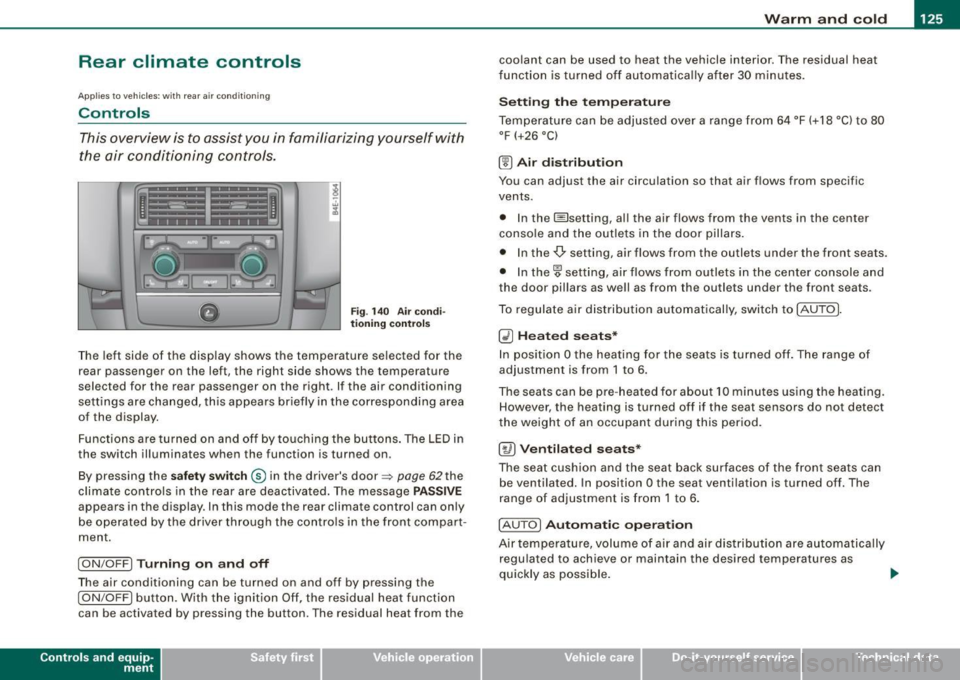
This overview is to assist you in familiarizing yourself with
the air conditioning controls .
Fig. 140 Air condi
tioning control s
The left side of the display shows the temperature selected for the
rear passenger on the left, the right side shows the temperature
selected for the rear passenger on the right. If the air conditioning
settings are changed, this appears briefly in the corresponding area
of the display.
Functions are turned on and off by touching the buttons . The LED in
the switch illuminates when the function is turned on .
By pressing the
safety switch ® in the driver's door=> page 62the
climate controls in the rear are deactivated. The message
PASSIVE
appears in the display. In this mode the rear climate control can on ly
be operated by the driver through the contro ls in the front compar t
ment.
I ON/OFF] Turning on and off
The air conditioning can be turned on and off by pressing the
I ON/OFF] button. With the ignition Off, the residual heat function
can be activated by pressing the button. The residual heat from the
Con tro ls and eq uip
ment
coolant can be used to heat the vehicle interior. The residual heat
fun ction is turned off automatica lly after 30 minu tes.
Setting the temperature
Temperature can be adjusted over a range from 64 °F (+18 °C) to 80
°F
(+26 °C)
® Air distribution
You can adjust the air circulation so that air flows from specific
vents.
• In the I isetting, al l the air flows from the vents in the center
conso le and the outle ts in the door pillars.
• In the-,!) setting, air flows from the outlets under the front seats.
• In the~ setting, air flows from outlets in the center console and
the door pil lars as we ll as from the outlets under the front seats.
To regulate air distribution automatically, switch to !AU TO].
~ Heated seats*
In position O the heating for the seats is turned off. The range of
adjustment is from 1 to 6.
The seats can be pre-heat ed for about 10 minutes using the heating.
However, the heating is turned off if the seat sensors do not detect
the weight of an occupant during this period.
[~ ) Ventilated seats*
The seat cushion and the seat back surfaces of the front seats can
be ventila ted. In position
O the seat ventilation is turned off. The
range of adjustment is from 1 to 6.
! AUTO]
Automatic operation
Air tempe rature, volume of air and air distribution are automatically
regulated to achieve or maintain the desired temperatures as
quickly as possible.
~
Vehicle care I I irechnical data
Page 128 of 408
• .___w_ a_ rm __ a_ n_ d_ c_o _l_d ________________________________________________ _
0 Note
To avoid damage to the heating elements in the seats, do not kneel
on the seats or place heavy loads on a small area of the seat. •
Basic settings [SETUP ]
General
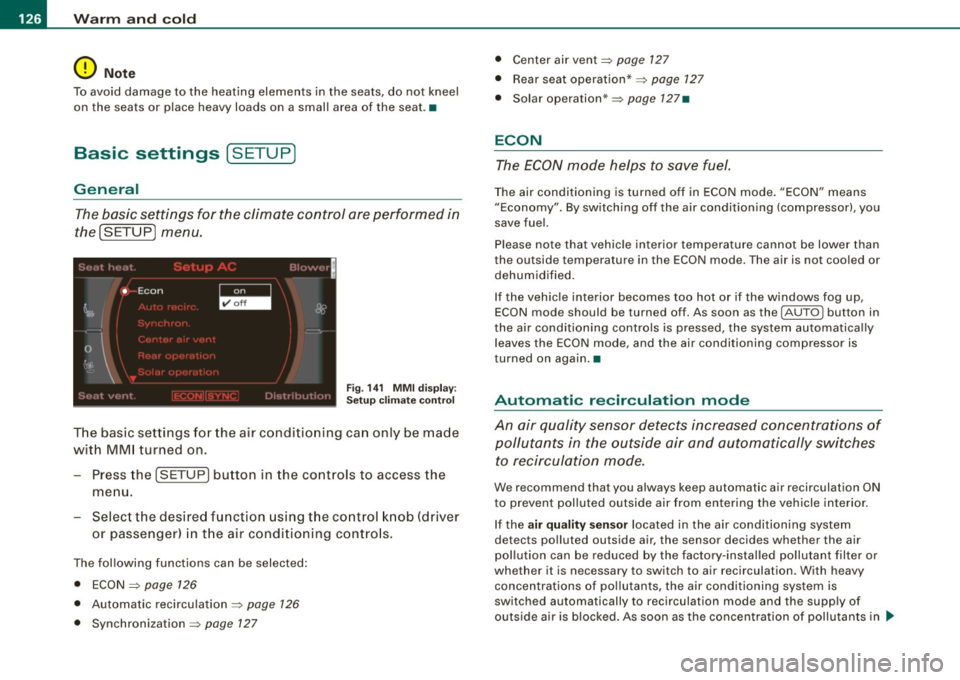
The basic settings for the climate control are performed in
the(SETUP] menu.
Fig. 141 MMI display:
Setup climate control
The basic settings for the air conditioning can only be made
with MMI turned on.
- Press the !SETUP] button in the controls to access the
menu.
- Select the desired function using the control knob (driver
or passenger) in the air conditioning controls.
The following functions can be selected:
• ECON
~ page 126
• Automatic recirculation ~ page 126
• Synchronization ~ page 127
• Center air vent~ page 127
• Rear seat operation* ~ page 127
• Solar operation* ~ page 127•
ECON
The ECON mode helps to save fuel.
The air conditioning is turned off in ECON mode. "ECON" means
"Economy". By switching off the air conditioning (compressor), you
save fuel.
Please note that vehicle interior temperature cannot be lower than
the outside temperature in the ECON mode. The air is not cooled or
dehumidified.
If the vehicle interior becomes too hot or if the windows fog up,
ECON mode should be turned off. As soon as the
( AUTO ] button in
the air conditioning controls is pressed, the system automatically leaves the ECON mode, and the air conditioning compressor is
turned on again .•
Automatic recirculation mode
An air quality sensor detects increased concentrations of
pollutants in the outside air and automatically switches
to recirculation mode.
We recommend that you always keep automatic air recirculation ON
to prevent polluted outside air from entering the vehicle interior.
If the
air quality sensor located in the air conditioning system
detects polluted outside air, the sensor decides whether the air
pollution can be reduced by the factory-installed pollutant filter or
whether it is necessary to switch to air recirculation . With heavy
concentrations of pollutants, the air conditioning system is
switched automatically to recirculation mode and the supply of
outside air is blocked. As soon as the concentration of pollutants in ..
Page 129 of 408
_________________________________________________ w_ a_ r_ m __ a_n_ d_ c_ o_ld __ !II
the outside air drops, fresh air is supp lied to the veh icle interior
again .
In the event that the windows fog up during automatic air recircula
tion, you must press the@ button immediately.
Under certa in operating cond itions, automatic air recirculation is
switched off automatically. With outside temperatures below about
-8 °C and in the ECON mode, automatic air recirculation is limited to
15 seconds. •
Synchronization
One climate control setting for all seats .
With synchronization active, the driver's or the passenger's settings
are adopted for the other seats . All the other settings that were
made are transferred to the other seats. This includes all the climate
control settings right down to the heated seats .
If a different setting is selected at a "synchron ized seat", synchroni
zation is cancelled. •
Center air vent
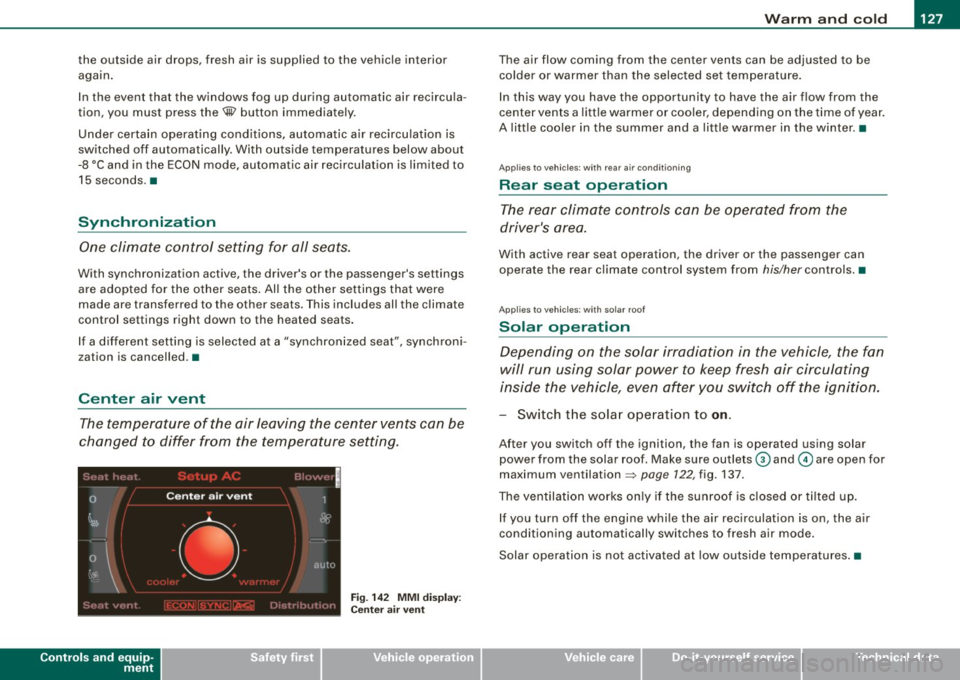
The temperature of the air leaving the center vents can be
changed to differ from the temperature setting .
Controls and equip
ment
Fig . 14 2 MMI di spl ay :
Ce nte r air ve nt
The air flow coming from the center vents can be adjusted to be
colder or warmer than the selected set temperatu re.
In this way you have the opportunity to have the a ir flow from the
center vents a little warmer or coo ler, depending on the time of year .
A litt le cooler in the summer and a little warmer in the winter. •
Applies to vehic les : with rear air condition in g
Rear seat operation
The rear climate con trols can be op erated from the
driver's area.
With active rear seat operation, the driver or the passenger can
operate the rear climate control system from
his/her controls. •
Applies to vehicles : w ith so lar roof
Solar operation
Depending on the solar irradiation in the vehicle, the fan
will run using solar power to keep fresh air circulating
inside the vehicle, even af ter you switch off the ignition.
- Switch the solar operation to on.
After you switch off the ignition, the fan is operated using solar
power from the solar roof. Make sure outlets
G) and © are open for
maximum ventilation =>
page 122, fig. 137.
The ventilation works on ly if the sunroof is closed or t ilted u p.
If you turn off the engine whi le the air recirculation is on, the air
conditioning automatically switches to fresh air mode.
Solar ope ration is not activated a t low outside tempe ratures .•
I • •
Page 202 of 408
........ _o_ r_iv _i_ n""' g::;._ S_ a_f _e _ly =---------------------------------------------------
Driving Safely
General notes
Safe driving habits
Please remember -safety first!
This chapter contains important information , tips, instructions and
warnings that you need to read and observe for your own safety, the
safety of your passengers and others. We have summarized here
what you need to know about safety belts, airbags, child restraints as well as child safety. Your safety is for us
priority number 1. Always
observe the information and warnings in this section -for your own
safety as well as that of your passengers.
The information in this section applies to all model versions of your
vehicle. Some of the features described in this sections may be
standard equipment on some models, or may be optional equip
ment on others. If you are not sure, ask your authorized Audi dealer.
& WARNING
• Always make sure that you follow the instructions and heed
the WARNINGS in this Manual. It is in your interest and in the interest of your passengers.
• Always keep the complete Owner's Literature in your Audi
when you lend or sell your vehicle so that this important informa
tion will always be available to the driver and passengers.
• Always keep the Owner's literature handy so that you can find
it easily if you have questions. •
Safety equipment
The safety features are part of the occupant restraint
system and work together to help reduce the risk of injury
in a wide variety of accident situations.
Your safety and the safety of your passengers should not be left to
chance. Advances in technology have made a variety of features
available to help reduce the risk of injury in an accident. The
following is a list of just a few of the safety features in your Audi:
• sophisticated safety belts for driver and all passenger seating
positions,
• safety belt pretensioners,
• safety belt force limiters for the front seats,
• safety belt height adjustment systems for the front seats,
• front airbags,
• knee airbags for the front seats
• side airbags in the front seats and outer rear seats,
• side curtain airbags,
• special LATCH anchorages for child restraints,
• head restraints for each seating position,
• adjustable steering column.
These individual safety features, can work together as a system to
help protect you and your passengers in a wide range of accidents.
These features cannot work as a system if they are not always correctly adjusted and correctly used.
Safety is everybody's responsibility! •
Page 205 of 408
________________________________________________ D_r_iv _ i _n_ g~ S_ a_ fe_ ly __ l!III
& WARNING (continued)
• Always adjust the driver's seat and the steering wheel so that
there are at least 4 inches (10 cm) between the knees and the
lower part of the instrument panel.
• Always hold the steering wheel on the outside of the steering
wheel rim with your hands at the 9 o'clock and 3 o'clock positions
to help reduce the risk of personal injury if the driver's airbag inflates .
• Never hold the steering wheel at the 12 o'clock position or with
your hands at other positions inside the steering wheel rim or on
the steering wheel hub. Holding the steering wheel the wrong way
can cause serious injuries to the hands, arms and head if the
driver's airbag inflates
• Pointing the steering wheel toward your face decreases the
ability of the supplemental driver's airbag to protect you in a colli
sion .
• Always sit in an upright position and never lean against or
place any part of your body too close to the area where the airbags
are located.
• Before driving, always adjust the front seats and head
restraints properly and make sure that all passengers are properly
restrained .
• Never adjust the seats while the vehicle is moving. Your seat
may move unexpectedly and you could lose control of the vehicle.
• Never drive with the backrest reclined or tilted far back! The
farther the backrests are tilted back, the greater the risk of injury due to incorrect positioning of the safety belt and improper
seating position.
• Children must always ride in child seats
=> page 245. Special
precautions apply when installing a child seat on the front
passenger seat
=> page 220. •
Controls and equip
ment Safety first
Vehicle operation
Proper seating position for the front
passenger
The proper front passenger seating position is important
for safe, relaxed driving.
For your own safety and to reduce the ris k of injury in the
event of an accident, we recommend that you adjust the
seat for the front passenger to the following pos ition:
- Move the front passenger seat back as far as possible.
There must be a minimum of 10 inches (25 cm) between
the breastbone and the instrument panel =>
&.
- Adjust the angle of the seatback so that it is in an upright
position and your back comes in full contact with it
whenever the vehicle is moving.
- Adjust the head restraint so that the upper edge is as
even with the top of your head as possible but not lower
than eye level and so that it is as close to the back of your
head as possible =>
page 205.
-Keep both feet flat on the floor in front of the front
passenger seat.
- Fasten and wear safety belts correctly=:>
page 215.
For detailed information on how to adjust the front passenger's
seat, see => page 86.
& WARNING
Front seat passengers who are unbelted, out of position or too
close to the airbag can be seriously injured or killed by the airbag
as it unfolds. To help reduce the risk of serious personal injury : .,
Vehicle care Do-it-yourself service Technical data