steering AUDI S8 2009 User Guide
[x] Cancel search | Manufacturer: AUDI, Model Year: 2009, Model line: S8, Model: AUDI S8 2009Pages: 408, PDF Size: 91.63 MB
Page 121 of 408
_________________________________________________ W_ a_ r_ m __ a_n_ d_ c_ o_ld _ __. 1111111
Ap plies to vehicles: with heated rear se ats
Heated rear seats
The seat cushions and seat backs of the two outer rear
seats can be heated electrically.
' ' ' 1 · ' ' --
------ ------~ ~
I I I I I I
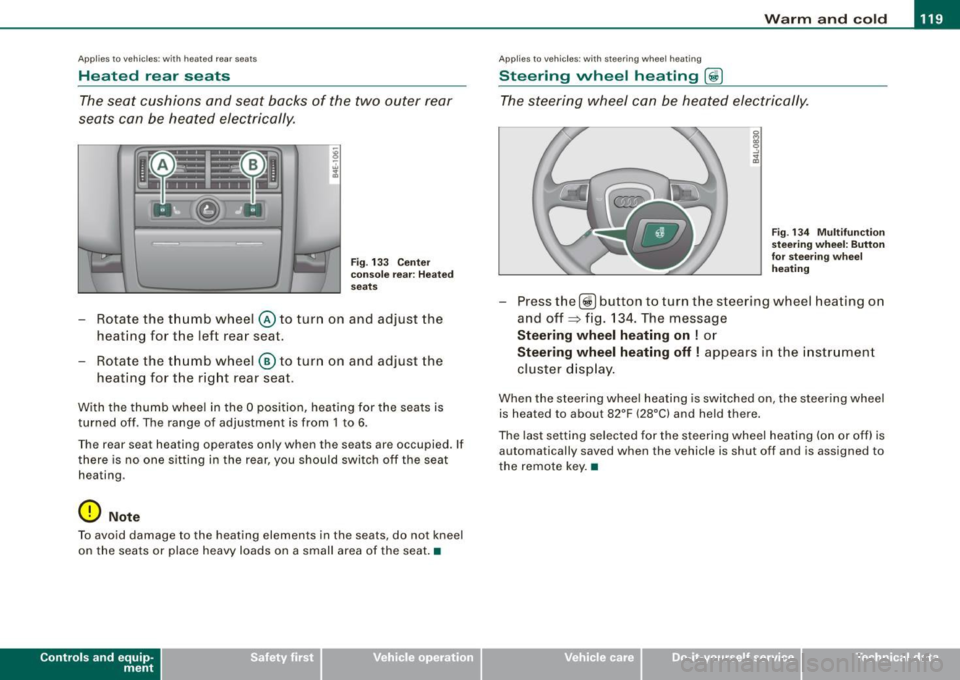
Fig . 133 Center
console rear : Heated
seats
- Rotate the thumb wheel @ to turn on and adjust the
heating for the left rear seat.
- Rotate the thumb wheel
® to turn on and adjust the
heating for the right rear seat.
With the thumb wheel in the O position, heating for the seats is
turned off . The range of adjustment is from 1 to 6.
The rear seat heating operates only when the seats are occupied. If
there is no one sitting in the rear, you should switch off the seat
heating .
0 Note
To avoid damage to the heating elements in the seats , do not kneel
on the seats or place heavy loads on a small area of the seat. •
Contro ls and eq uip
ment
Ap plies to vehicle s: with ste erin g w heel heatin g
Steering wheel heating @
The steering wheel can be heated electrically.
Fig . 134 Multifunction
steering wheel: Button
for steering wheel
heating
Press the[@!] button to turn the steer ing wheel heating on
and off~ fig. 134. The message
Steering wheel heating on ! or
Steering wheel heating off! appears in the instrument
cluster display.
When the steering wheel heating is switched on , the steering wheel
is heated to about 82°F (28°C) and held there.
The last setting selected for the steering wheel heating (on or off) is
automatically saved when the vehicle is shut off and is assigned to
the remote key. •
Vehicle care I I irechnical data
Page 130 of 408
• ..__O_ n_ t_ h _e _ ro_ a_d __________________________________________________ _
On the road
Steering
Adjusting steering wheel position
The steering wheel position can be adjus ted for height
and reach .
First, adjust t he driver's seat correctly .
Height adjustment
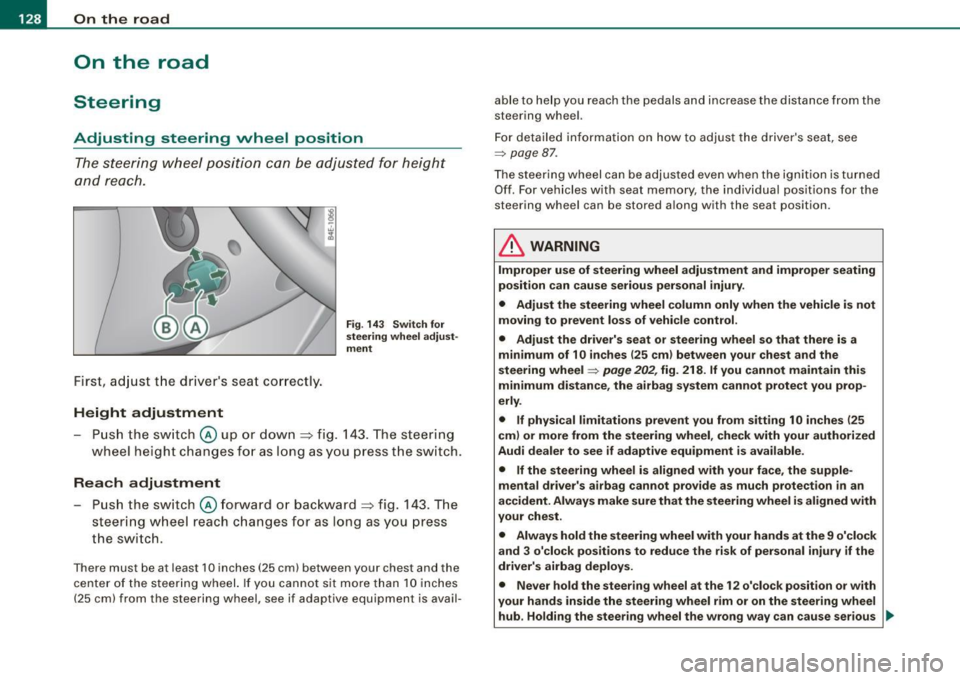
Fig. 14 3 Sw itch for
s te erin g whe el adj ust
m en t
- Pu sh the sw itch @ up or down ~ fig. 143 . The steering
wheel height changes for as l ong as y ou p ress t he sw itch.
Rea ch adjustment
Push the switch @forward o r bac kward ~ fig. 143 . The
steering wheel reach changes for as long as you press
the switch.
There must be at least 10 inches (25 cm) between your chest and the
center of the steer ing wheel. If you cannot sit more than 10 inches
(25 cm) from the steering wheel, see if adaptive equipment is avail- able to help you reach the pedals and increase the distance from the
steering wheel.
For detailed
in formation on how to adjust the driver's seat , see
::::;, page 87 .
The steering wheel can be adjusted even when the ignition is turned
Of f. For vehicles w ith seat memory, the individual positions for the
steering wheel can be stored a long with the seat position.
& WARNING
Improper u se of steering wheel adju stment and improper seating
po sition can cau se se rious per sonal inju ry .
• Adjust the steering wheel column only when the vehicle is not
mo ving to prevent los s of vehi cle control.
• Adjust the driver' s seat or steering wheel so that there is a
mi nimum of 10 in ch es (25 cm ) bet ween your chest and the
s teering wheel
=:> page 202 , fig. 218 . If you cannot maintain this
minimum di sta nce , the airbag sy stem can not prote ct you prop
erly .
• If physical limitations prevent you from s itting 10 inche s (25
cm ) or more from the st eering wheel , check with your authori zed
Audi dealer to see if adapti ve equipment i s available .
• If the steering wheel i s aligned with your face, the sup ple
mental drive r's airbag cannot pr ovide a s mu ch pr otection
in an
ac cident. Alway s make sure that the steerin g wheel i s aligned with
your che st .
• Alway s hold the steering wheel with your hand s at the 9 o'clock
a nd 3 o'clock positions to redu ce the ri sk of person al injury if the
driv er's airbag deploys.
• Never hold the steer ing wheel at the 1 2 o' clock po sition or with
your hand s insid e the steering wheel rim or on the steering wheel
hub . Holding the steering wheel the wrong wa y can cau se ser ious ..,,
Page 131 of 408
___________________________________________________ O_ n_ t_h _e_ r_o _a_ d _ ___.9I
& WARNING !continued)
injuries to the hands, arms and head if the driver's airbag
deploys. •
Easy entry feature
The easy entry feature makes it easier to enter and exit the
vehicle by automatically adjusting the steering wheel.
Press the button @ :::> page 128, fig. 143 to turn the easy
entry feature on or off.
When the easy entry feature is turned on (button depressed), the
steering wheel moves up to the parked position when the ignition is
turned off. After you enter the vehicle, the steering wheel moves to
the stored position as soon as you turn on the ignition. •
Ignition lock and ignition switch
Ignition key positions
The engine can be started or turned off with the ignition
key.
Con tro ls and eq uip
ment
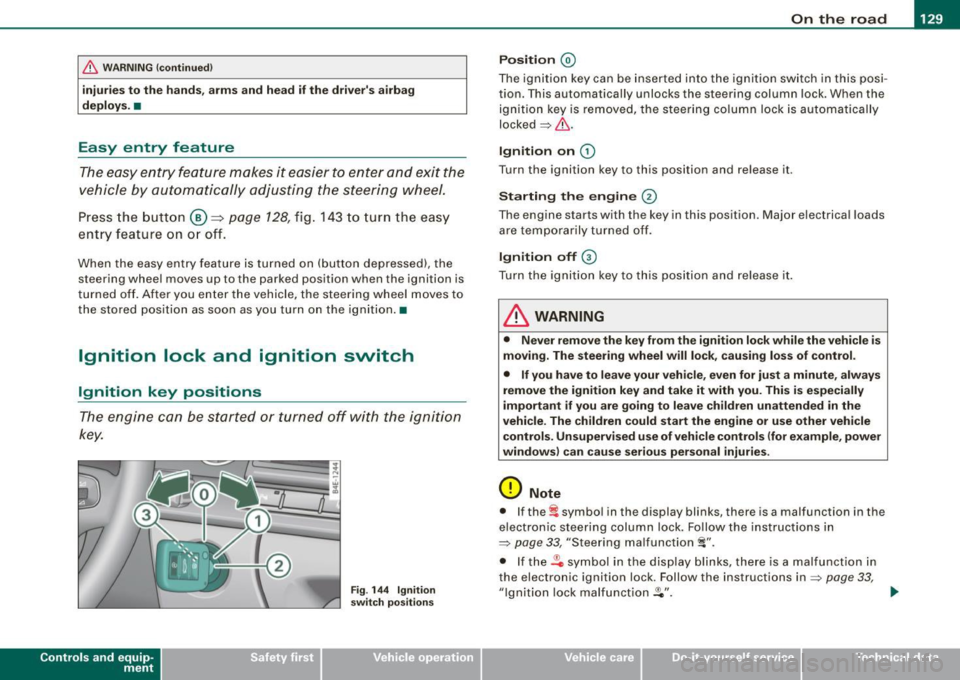
Fig . 144 Ignition
switch positions
Position @
The ignition key can be inserted into the ignition switch in this posi
tion. This automatically unlocks the steering column lock. When the
ignition key is removed, the steering column lock is automatically
locked=> &.
Ignition on G)
Turn the ignition key to this position and release it.
Starting the engine @
The engine starts with the key in this position. Major electrical loads
are temporarily turned off.
Ignition off G)
Turn the ignition key to this position and release it.
& WARNING
• Never remove the key from the ignition lock while the vehicle is
moving. The steering wheel will lock, causing loss of control.
• If you have to leave your vehicle, even for just a minute, always
remove the ignition key and take it with you. This is especially
important if you are going to leave children unattended in the
vehicle. The children could start the engine or use other vehicle
controls. Unsupervised use of vehicle controls (for example, power
windows) can cause serious personal injuries.
0 Note
• If the ~ symbol in the display blinks, there is a malfunction in the
electronic steering column lock. Follow the instructions in
=>
page 33, "Steering malfunction i".
• If the .Pc, symbol in the display blinks, there is a malfunction in
the electronic ignition lock. Follow the instructions in
=> page 33,
"Ignition lock malfunction .Pe". ..,.
Vehicle care I I irechnical data
Page 133 of 408

On the road -
-------------------'
Stopping the engin e
-Turn the ignition key to position ©~ page 130, fig. 145.
& WARNING
• Never turn off the engine until the vehicle has come to a
complete stop.
• The brake booster and servotronic only work when the engine
is running. With the ignition turned off, you have to apply more
force when steering or braking. Since you cannot steer and stop
normally, this can lead to accidents and serious injuries .
• The radiator fan can continue to run for up to 10 minutes even
after you have turned off the engine and removed the ignition key.
The radiator fan can also turn on again if the engine coolant heats
up because of intense sunlight or heat build-up in the engine
compartment.
0 Note
Do not stop the engine immediately after hard or extended driving.
Keep the engine running for approximately two minutes to prevent
excessive heat build-up.•
Con tro ls and eq uip
ment
Starting and stopping the engine
using the Convenience key
A pp lies to veh ic les: w ith Convenie nce key
Starting th e engin e using th e [ START ] button
Using this button, you can switch on the ignition and start
the engine .
0
0
Fig. 146 Convenience
key: START button
The [ START] button has a two position feature. ~ fig. 146.
Switching on the ignition
- Press the [
START] button to the first position. Only the
ignition switches on .
Starting the engine
- Depress the foot brake.
- Move the selector lever into the P or N position
~ & .
- Press the I START] button to the second position. The
engine starts.
Vehicle care I I irechnical data
Page 134 of 408

-On th
e roa d --------------------
When s tarting a cold engine, the engine may be a bit noisy for a
s h or t while. This is because the hydraulic valves are working to
bring up the oil pressure. This is norma l and no cause for concern .
If the engine does not start immediately, stop cranking the engine
af ter 10 seconds . Wa it 30 seconds, then try to restart the eng ine .
& WARNING
Ne ver sta rt the en gine in an en clos ed area su ch a s in your gar age
with th e garage door clo sed . The exhau st fum es are poisonous!
0 Note
• Avoid high engine speeds, full gas or heavy engine loads if the
eng ine has not warmed up to its operating temperature. You cou ld
damage the engine.
• Do not try to start the engine by pulling or pushing .
<£> For the sake of the environment
Do not let your veh ic le stand and warm up . Be ready to drive off
right away. This way, you prevent unnecessary exhaust emissions .
[ i J Tip s
If you open th e driver 's door when the ignition is switched on , a
buzzer sounds and the message
Ignition i s on appears in the instru
ment clust er display. Pl eas e switch the ign ition off .•
Ap plies to vehicles: w it h C onve nience key
Stopping the engine using the [STOP] button
0
0
- Bring t he vehicle to a complete stop.
Fi g. 14 7 Co nve nie nce
key: S TOP butt on
Move t he s elect or in to the P or N posi tion .
Press the [STO P) button ~ fig. 147 .
Pressing the [ STOP) but ton once sw itches off the engine and the
ignition . If you press the [
STOP] button again for approximately 2
seco nds, the steering wi ll be locked, provided that the selector lever
is in the P position
=> & .
Emergen cy OFF fun cti on
I f necessary , th e engine can be switched off with the selector lever
in the R, Dor S pos it ions . To do so, step on the foot brake and press
and hold the [
ST OP] button (vehicle speed must be be low 6 mph/
10 km/h) .
& WARNING
• Never stop the engine until the vehi cle h as c ome to a c omplete
stop .
• The bra ke booster and the se rv otronic only work when the
engine i s running .
If you turn off the engine , more force will be
Page 135 of 408

On the road -
----------------
& WARN IN G ( continu ed )
required to steer or bra ke the vehicle . If you are not prepa red , th is
c ould re sult in a collision and serious per sonal in jur y.
• For your safet y, move the sele ctor lever t o the P po sition , then
turn off the engine . Otherwise the veh icle could inadvertently roll
away .
• After t urning off th e engine , the r adi ator f an c an come on and
run for up to 10 mi nute s -even if the i gnition i s switc hed off . Like
wise , the fan could come on if the temperature in the engin e
c omp artment r ais e s due to heat build up or if you le ave the vehi cle
s tandin g in direct sunlight .
0 Note
After driving at high engine load, heat can build up in the engine
compartment after you have turned off the engine. This can damage
t he engine . Let the veh icle stand and run in idle for about 2 minutes
before turning off the engine .•
Ap plies to ve hicles : w ith Conve nie nce key
Driver's messages in the instrument cluster
Messages appear in the instrument cluster to let the
driver know if something is missing or if some thing must
be done.
No ke y identified
This message appears when you press the [ START ] button, but
there is no remote control key insi de the vehicle or if the system
does not recogni ze the key . For example, if your key is
shielded by
an object or
encased, i.e . inside an a lum inum briefcase, the signal
from the key cannot be detected. Electronic devices such as cell
phones can also interfere with the radio signal.
Controls and equip
ment P
re ss br ake pedal to start engine
This message appears when you press the I S TART] button when
starting the engine but you have not depressed the brake pedal.
En gage N or P to start e ngine
This message appears when you start the engine but the selector
lever is not in the P or N position. The e ngine can be sta rted o nly if
the selector lever is in one of these two positions.
.!., Key not in vehicle
This message appears together with the ..Z. symbol when the
remote control key is removed from t he vehicle whi le the eng ine is
running . This is to remind you that you should not continue your trip
without you r key .
If the key is no longer inside the veh ic le when you turn off the
engine, you will not be able to switch on the ignition or restart the
engine. Also, you will not be ab le to lock the vehicle from the
outside.
S hift to P, othe rwis e vehi cle ca n roll a way. Door s do not lo ck i f lev er
is not in P.
This message appears for your safety together wit h an aud ib le
warning signa l when you press the [S TO P] button but the selector
lever is not in the P position and you open the driver 's door . Move
the selector lever into P, otherwise the vehic le could roll away. In
addition, you w ill not be able to lock the vehicle with either the lock
button located on the door handle or the remote control.
T o engage steering lo ck, press a nd hold STOP button
This message appears for your personal safety if you switch off the
eng ine and the ignition by pressing the
I S TOP ] button and then
open the driver's door . In this case, the steering will still not be
locked . The stee ring wheel wi ll lock :
• I f you press the
I STOP ] button for longer than 1 second.
• I f you lock the vehicle from the outside .•
I • •
Page 141 of 408
__________________________________________ ...;A~d~a~p~t~iv~e~C~ru~is~e~C:_:o~n~t!..ro~I _J __
Adaptive Cruise Control
Speed and distance control system
Applies to vehic les : with Adaptive C ruise Cont rol
Description
The Adaptive Cruise Control driver assistance program is
a combined speed and distance control system.
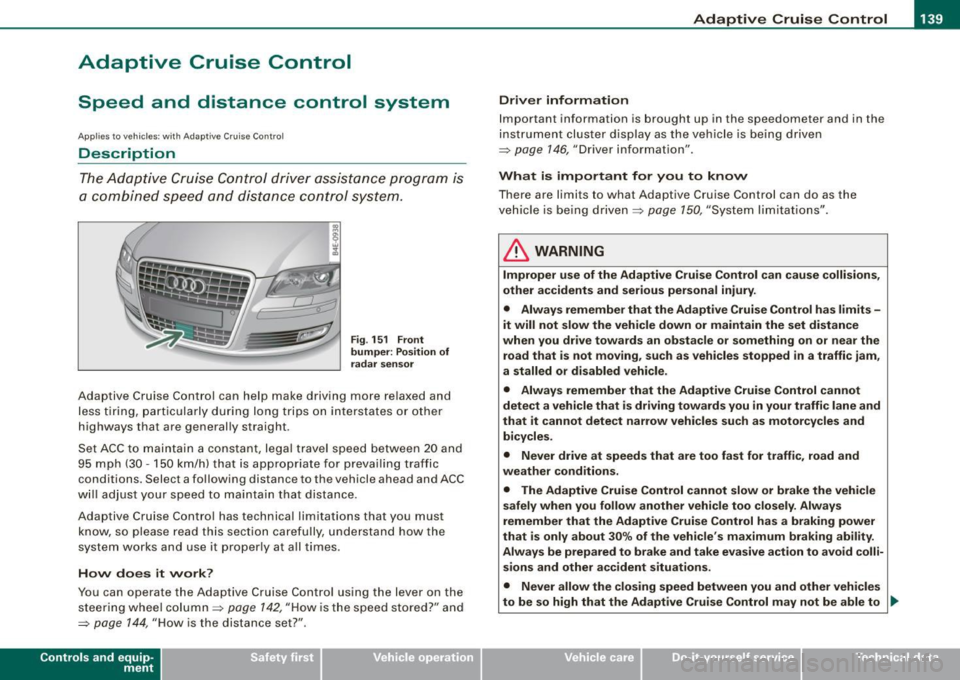
Fig. 151 Front
bumper: Position of
radar sensor
Adaptive Cruise Control can help make driving more relaxed and
less tiring, particularly during long trips on interstates or other
highways that are generally straight .
Set ACC to maintain a constant, legal travel speed between 20 and
95 mph (30 -150 km/h) that is appropriate for prevailing traffic
conditions. Select a following distance to the vehicle ahead and ACC
will adjust your speed to maintain that distance .
Adaptive Cruise Contro l has technical limitations that you must
know, so please read this section carefully, understand how the
system works and use it proper ly at all times .
How does it work?
You can operate the Adaptive Cruise Control using the lever on the
steering wheel column =>
page 142, "How is the speed stored?" and
=>
page 144, "How is the distance set?" .
Contro ls and eq uip
ment
Driver information
Important information is brought up in the speedometer and in the
instrument cluster display as the vehicle is being driven
=> page 146, "Driver information" .
What is important for you to know
There are limits to what Adaptive Cruise Control can do as the
vehicle is being driven =>
page 150, "System limitations" .
& WARNING
Improper use of the Adaptive Cruise Control can cause collisions,
other accidents and serious personal injury.
• Always remember that the Adaptive Cruise Control has limits -
it will not slow the vehicle down or maintain the set distance
when you drive towards an obstacle or something on or near the
road that is not moving, such as vehicles stopped in a traffic jam,
a stalled or disabled vehicle.
• Always remember that the Adaptive Cruise Control cannot
detect a vehicle that is driving towards you in your traffic lane and
that it cannot detect narrow vehicles such as motorcycles and
bicycles .
• Never drive at speeds that are too fast for traffic, road and
weather conditions .
• The Adaptive Cruise Control cannot slow or brake the vehicle
safely when you follow another vehicle too closely. Always
remember that the Adaptive Cruise Control has a braking power
that is only about 30% of the vehicle 's maximum braking ability.
Always be prepared to brake and take evasive action to avoid colli
sions and other accident situations.
• Never allow the closing speed between you and other vehicles
to be so high that the Adaptive Cruise Control may not be able to _,,,
Vehicle care I I irechnical data
Page 155 of 408
Audi lane ass is t -
-------------------------
Audi lane assist
Lane assist
Applies to veh icles : with lane assist
Description
Lane a ssist helps you keep y our vehicle in your lane .
Lane assist uses a camera to detect lane boundary lines. If the
system detects that your vehicle is about to leave a lane boundary
line, the steering wheel
vibrates to alert the driver. If lane assist
detects boundary lines on both sides of the vehicle's lane, the
system enters active standby mode, which is indicated by the green
indica tor light /: on the instrument cluster .
I f the system is in active standby mode and the turn signal is acti
vated before driving ov er the boundary line, the warning does not
occur since the sys tem allows for intenti onal lane changes.
The system is designed for driving on freeways and expanded high
ways and t hus works on ly at speeds of 40 mph (65 km/h) or mo re .
& WARNING
• Lane ass ist will not k eep your vehicle in your lane. The sy stem
only warns the d riv er w hen t he vehicle i s le av ing the lan e. The
driv er is alway s re spon sible for keeping the vehicle in the lane.
• The camera is not able to d ete ct all lane boundary lines and in
s o me cases might al so dete ct lane str ucture s or objects as
boundary lines . This c an le ad to in corre ct wa rning s or warnings
that fa il to go off at all .
• The camer a's visibili ty ca n be i mpaired by vehi cle s ahe ad of
you , for instan ce, or by rain , snow , h eavy spray or li ght shining into
th e cam era lens . Thi s can ca use lane as sis t to f ail to d ete ct
boundary line s. •
Con tro ls and eq uip
ment
Ap plies to vehi cles : wi th la ne assi st
Activating and deactivating
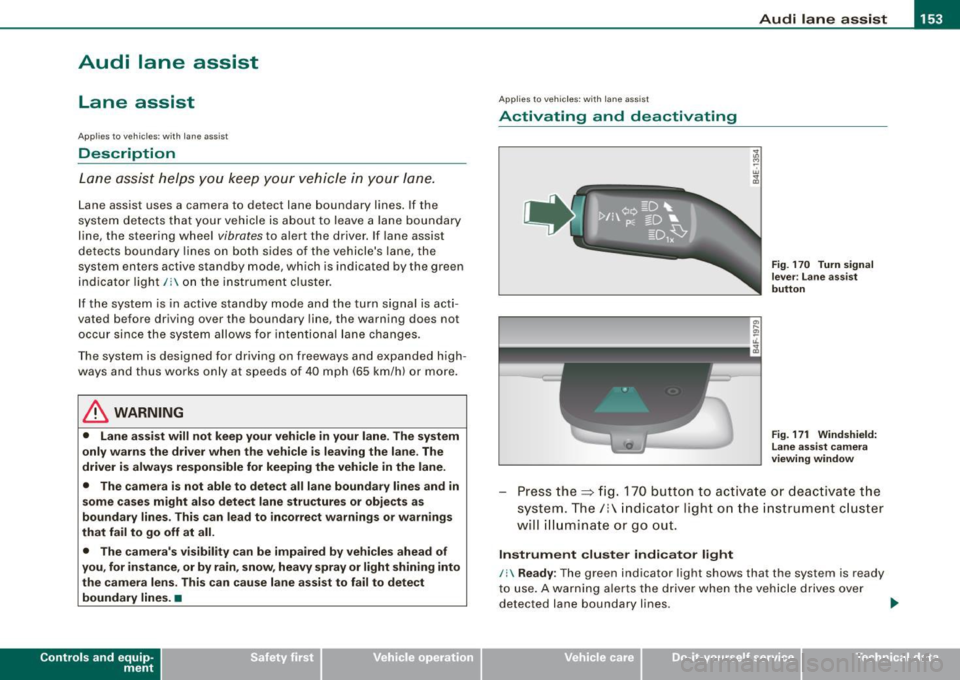
Fig . 1 70 Turn signal
l ev er: La ne assis t
butt on
F ig . 1 7 1 Win dshie ld:
L ane assist ca mera
v iewing win dow
Press the :::> fig. 170 button to activa te or deactivate the
syst em . T he/ : in dica tor ligh t on t he i nstrument c luster
will illuminate or go out.
Instrument c lu ster indi ca tor light
/: Ready:
The green indicator light shows that the system is ready
to use . A warning a lerts the drive r when the veh icle drives over
dete cted lane boundary l ines. .,.
Vehicle care I I irechnical data
Page 156 of 408
• .___A_ u_ d _ i_l_a _n _ e_ a_ s_s _is _ t _________________________________________________ _
I Not ready: The yellow indicator light shows that the system is
turned on but unable to send a warn ing. This can be due to the
following:
• There are no boundary lines, or there is on ly one boundary line
present .
• The boundary lines are not detected (e.g. due to snow, dirt, wet
conditions or light shining into the camera lens).
• More than two boundary lines (such as at construction sites) are
located in the vehicle's lane.
• The vehicle's speed is below the speed needed to activate it,
which is about 40 mph (65 km/h).
• The lane is narrower than about 8 ft . (2.5 ml, or wider than about
16 ft. (5 ml.
• The curve is too sharp.
Notes on the instrument cluster display
When the lane assist turns off automatically, the instrument cluster
indicator goes out and one of the following messages appears on
the display:
Audi lane assist not available: Currently no sensor vision
This message appears when the camera can no longer function
because it cannot detect the boundary lines. This may be due to the
following :
• The exterior s ide of the camera viewing window=>
page 153,
fig. 171 is covered with dirt or ice. Clean this part of the windshield.
• The camera v iewing window is fogged up on the inside. In this
case, wait until the fog disappears before turning lane assist on
again.
• The system was unable to detect boundary lines over an
extended period of time due to road conditions (such as snow
covered lanes). Do not turn lane assist on again until the lines can
be more easily detected.
Audi lane assist not available
A temporary malfunction is preventing lane assist from operating .
Try turning on lane assist again a t a later time.
Audi lane assist: system fault
The system should be checked by an authorized Audi dealer or other
qualified workshop .
[ i ] Tips
• Make sure that the camera viewing window:::> page 153, fig. 171
is not covered by stickers or similar objects .
• Always keep the camera viewing window clean. This can usually
be done by operating the windshield wipers. •
Applies to vehicles: with lane assist
MMI settings
You can use the MM/ to adjust the warning time and
steering wheel vibration.
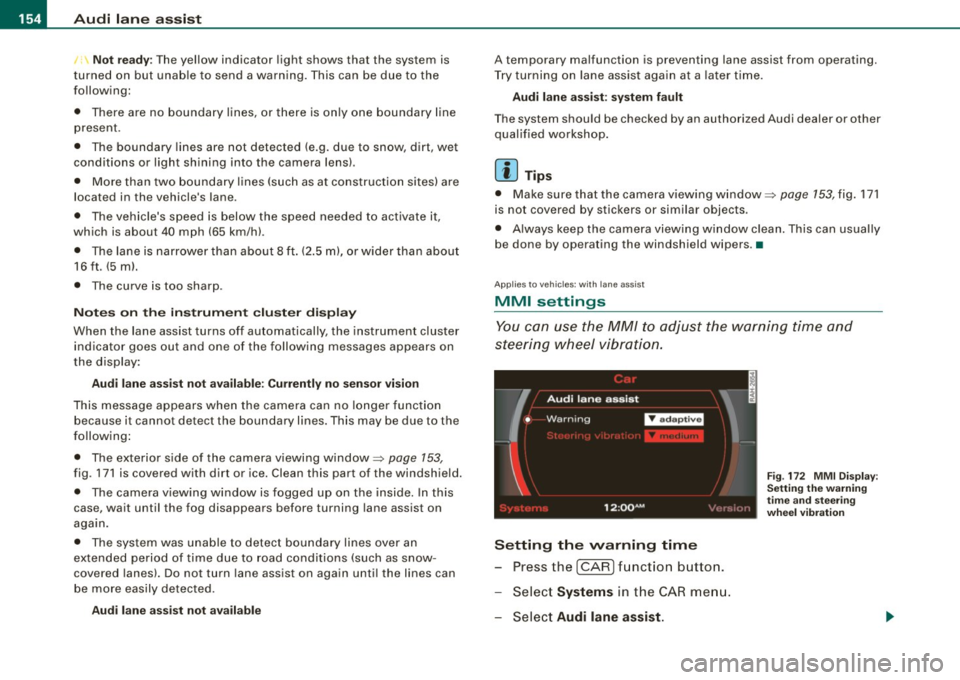
Setting the warning time
Press the I CAR] function button.
- Select
Systems in the CAR menu.
- Select
Audi lane assist.
Fig. 172 MMI Display :
Setting the warning
time and stee ring
wheel vibration
Page 157 of 408
Audi lane a ssist -
----------------
-Select Warning early , adaptive or late ~ page 154,
fig. 172.
Setting th e st eering wheel vibration
- Press the
I CAR I function button.
- Selec t
Systems in the CAR menu.
- Selec t
Audi lane a ssis t.
- Selec t Steering vibrat ion weak , medium or strong.
Sett ing th e war ning tim e
Earl y:
This setting warns the driver before a wheel touches the
detected lane boundary line. The warning depends on the vehicle's
angle as it approaches the boundary line . If you approach a
boundary l ine gradua lly, the warning will occur ear lier. If you
approach the boundary line at a very sharp angle, the warning wi ll
occur just before a whee l touches the line.
Adapti ve : In this setting, the warning time adjusts to the character
istics of the road and the vehicle speed. The warning occurs later for
curves and occurs earlier for straight stretches of road . The warning
occurs later on narrow roads than on wide roads.
Late: This setting warns the driver when a whee l drives over the
detected lane boundary line.
Se ttin g th e steering wheel vibration
When adjusting the steering wheel vibration, the steering wheel
vibrates so that you can check the intensity you have set.
[ i ] Tips
• When making the adjustment, lane assist is not activated . The
steering whee l vibrates briefly only to assist you in changing the
setting .
• Your settings are automatically stored and assigned to the
remote contro l key being used. •
Controls and equip
ment I • •