warning AUDI S8 2009 Service Manual
[x] Cancel search | Manufacturer: AUDI, Model Year: 2009, Model line: S8, Model: AUDI S8 2009Pages: 408, PDF Size: 91.63 MB
Page 57 of 408
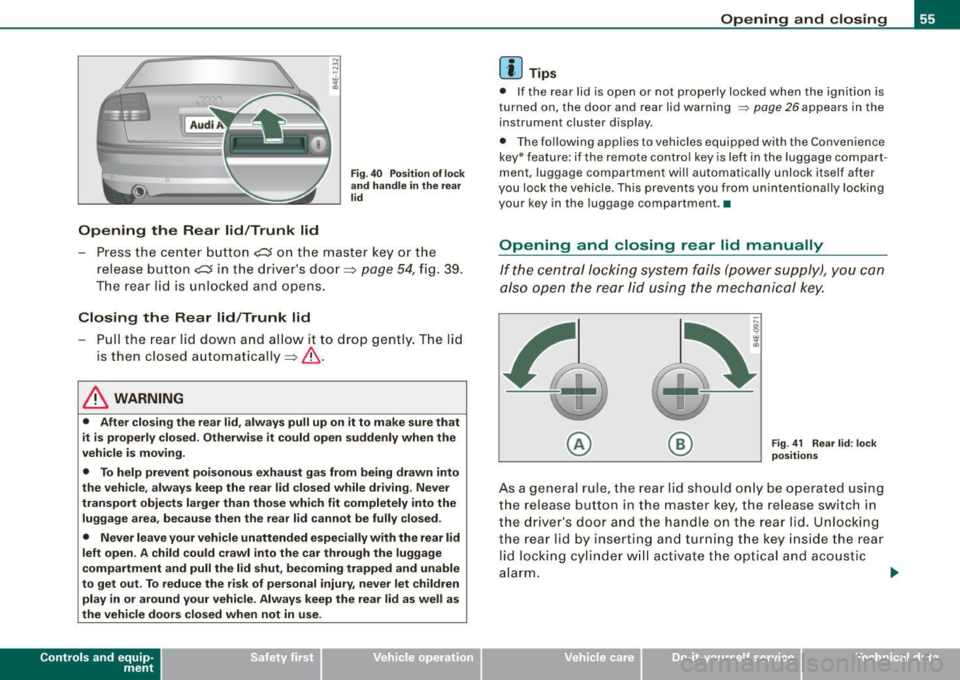
Opening the Rear lid/Trunk lid
Fig. 40 Position of lock
and handle in the rear
lid
- Press the center button c::s on the master key or the
release button
C::5 in the driver's door=> page 54, fig. 39.
The rear lid is unlocked and opens.
Closing the Rear lid/Trunk lid
-Pull the rear lid down and allow it to drop gently. The lid
is then closed automatically =>& .
& WARNING
• After closing the rear lid, always pull up on it to make sure that
it is properly closed. Otherwise it could open suddenly when the
vehicle is moving.
• To help prevent poisonous exhaust gas from being drawn into
the vehicle, always keep the rear lid closed while driving. Never
transport objects larger than those which fit completely into the
luggage area, because then the rear lid cannot be fully closed.
• Never leave your vehicle unattended especially with the rear lid
left open. A child could crawl into the car through the luggage
compartment and pull the lid shut, becoming trapped and unable
to get out. To reduce the risk of personal injury, never let children
play in or around your vehicle. Always keep the rear lid as well as
the vehicle doors closed when not in use.
Con tro ls and eq uip
ment
Opening and closing
[ i ] Tips
• If the rear lid is open or not properly locked when the ignition is
turned on, the door and rear lid warning
~ page 26 appears in the
instrument cluster display.
• The following applies to vehicles equipped with the Convenience
key* feature: if the remote control key is lef t in the luggage compart
ment, luggage compartment will automatically unlock itself after
you lock the vehicle. This prevents you from unintentionally locking
your key in the luggage compartment. •
Opening and closing rear lid manually
If the central locking system fails (power supply), you can
also open the rear lid using the mechanical key.
© ®
Fig
. 41 Rear lid: lock
positions
As a general rule, the rear lid should only be operated using
the release button in the master key, the release switch in
the driver's door and the handle on the rear lid. Unlocking
the rear lid by inserting and turning the key inside the rear
lid locking cylinder will activate the optical and acoustic
alarm.
~
Vehicle care I I irechnical data
Page 58 of 408
Opening and closing
To unlock the rear lid
- Turn the key to the left to the opening position
©
~ page 55, fig. 41. The rear lid opens.
To lock the rear lid
- Pull the rear lid down and slam it closed gently~,&.
Turning the key counter-clockwise to position @ will release the
rear lid and cause it to rise slightly. In this position the key cannot
be pulled out of the lock cylinder.
Turning the key
clockwise to the horizontal position @ and pulling
it out will cause the
lid to remain locked when the power locking
system is actuated.
In this state the rear lid can only be unlocked with the unlock button
,c:::j on the remote control. On vehicles equipped with the Conve
nience key* feature, press the handle on the rear lid to unlock the
luggage compartment =>
page 55, fig. 40.
After you turn the key
counter-clockwise back to the vertical posi
tion, the rear lid will again respond to the power locking system.
& WARNING
Read and follow all WARNINGS=> & in "Opening and closing rear
lid" on page 54. •
Applies 10 vehic les: w ith automatic rear lid/trun k lid ope rat ion
Automatic rear lid /trunk lid operation
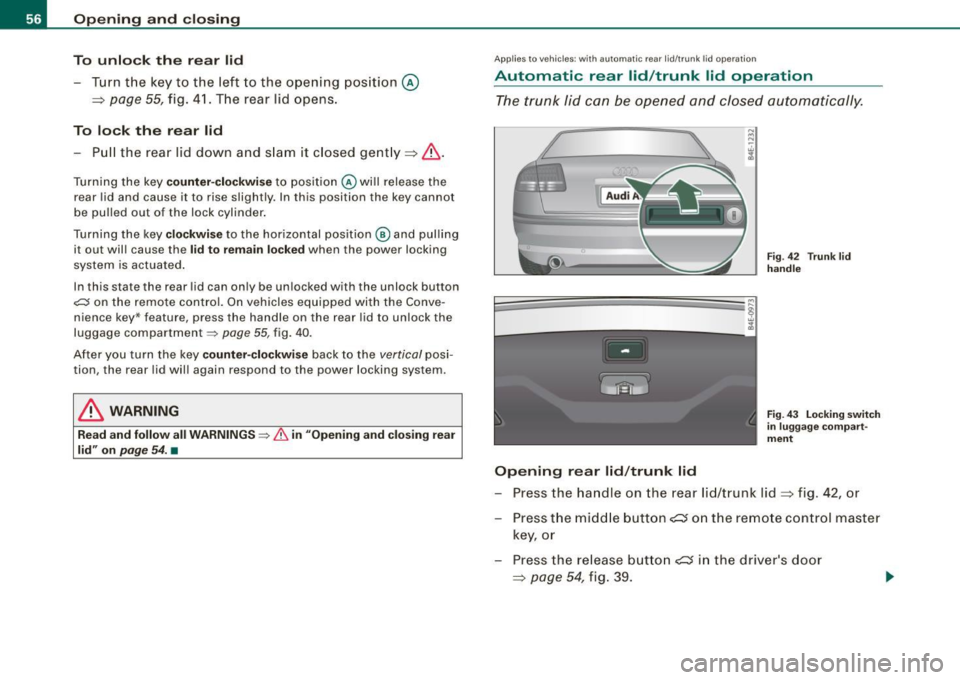
The trunk lid can be opened and closed automatically.
Opening rear lid/trunk lid
Fig. 42 Trun k lid
handle
Fig . 43 Locking switch
in luggage compart
ment
- Press the handle on the rear lid/trunk lid~ fig. 42, or
- Press the middle button
- Press the release button
Page 59 of 408
Closing rear lid/trunk lid
- Press the lock s witch i n the lug gag e com pa rtm ent
~ page 56, fi g. 43 . T he trunk lid m oves to the close d posi
ti on b y itse lf and soft close loc ks i t auto ma tica lly ~& .
- Closin g is stopped immediately if yo u a gain p ress the
r elea se sw itch
c:::; in the d riv er's d oor, the mi ddle butt on
c:::; in the rem ote co ntr ol m aster ke y, the handl e on the
t r unk lid or th e l oc k s wit ch in th e lu ggage com pa rtmen t.
& WARNING
• After closing the rear lid , always pull up on it to make sure that
it is properly closed. Otherwise it could open suddenly when the
vehicle is moving .
• To help prevent poisonous exhaust gas from being drawn into
the vehicle , always keep the rear lid closed while dr iving . Never
transport objects larger than those which fit completely into the luggage area , because then the rear lid cannot be fully closed .
• Never leave your vehicle unattended especially with the rear lid
left open. A child could crawl into the car through the luggage
compartment and pull the lid shut , becoming trapped and unable
to get out . To reduce the r isk of personal injury , never let ch ildren
play in or around your vehicle. Always keep the rear lid as well as
the vehicle doors closed when not in use.
• Never close the rear lid inattentively or without checking first .
Although the closing force of the rear lid is limited , you can still
seriously injure yourself or others .
• Always ensure that no one is within range of the rear lid when
it is moving , in particular close to the hinges and the upper and
lower edges -fingers or hands can be pinched .
• Never try to interfere with the rear lid or help it when it is being
opened or closed automatically.
Con tro ls and eq uip
ment
Opening and closing
[ i ] Tips
• I f the re is a mechan ica l pro blem w ith auto mat ic clos in g f or the
rea r lid or there is an obstruction , it opens again immediate ly . Chec k
to se e wh y th e rear lid c ould not b e closed be fore a ttempt ing to
c lose it again .
• The fo llo w in g ap plies to ve hic les equ ip p ed wi th t he Conven ie nce
key * feature : if the remote control key is left in the luggage com part
m ent. luggage compartme nt w ill auto matically unlock itse lf af te r
you lock the vehicle . This prevents you from un intentiona lly locking
yo ur key in the lugga ge co mpartm ent. •
Child safety lock
Mechanical child safety lock in the rear doors
t
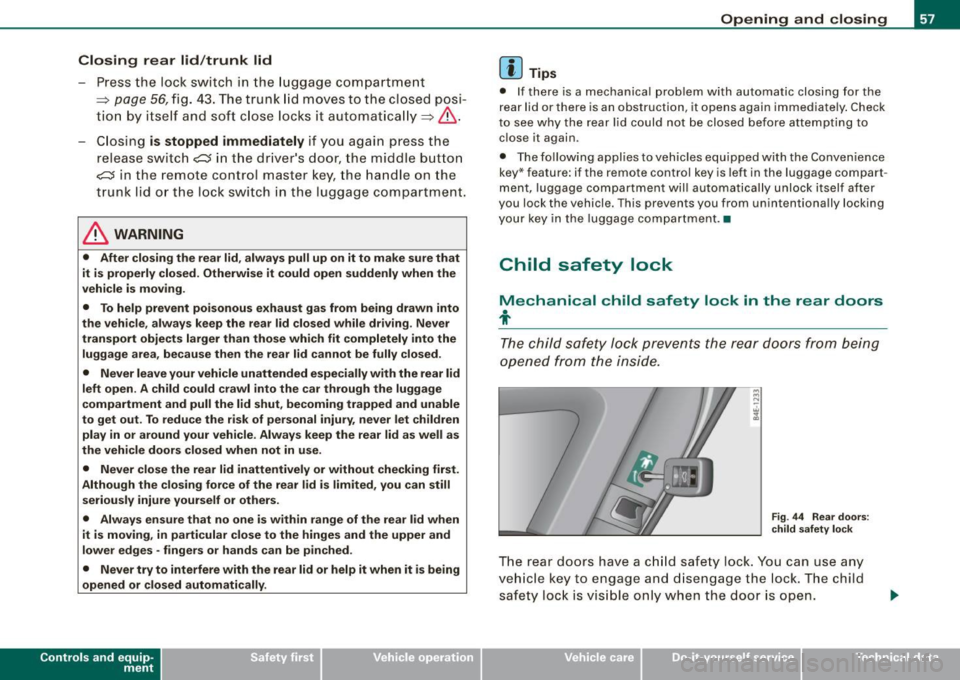
Th e chil d sa fety lock p reve nts the re ar doors f rom be ing
op en ed f ro m the i nsid e.
Fig . 44 Rea r doors :
c hild safety lock
T h e re ar doo rs have a c hild saf ety lock . You can u se any
v ehi cle ke y to engage a nd disen gag e the lock. The child
s afet y lo ck is vi sible o nly wh en the door is op en.
Vehicle care I I irechnical data
Page 61 of 408
vehicle, the system senses that your are approaching, it makes a
quick check to see if you are "authori zed" and then i t does the
following :
• unlocks the vehicle ~
page 59 .
• locks the vehicle~ page 60.
• switches on the ignition and starts the engine when y ou press
the [ START] button . You do not have to insert your key into the igni
t ion lock ~
page 131.
& WARNING
• When you lock your vehi cle from out side , nobody -especially
c hildr en -sh ould rem ain in side the vehi cle . Rem emb er, w hen you
lock the vehicle fr om the outside the window s cannot be opened
from the in side .
• When you leave the vehicle , alwa ys remove the ignition key and
t a ke it wi th yo u. Thi s w ill prevent pa ss engers (children , for
example ) fro m acciden tally bein g locked in the vehicle should they
ac cid entally pr ess the p ower lock ing switch in the doo rs.
• Do not leave children in side the vehicl e un sup ervised. In an
eme rg ency it would be i mpo ssible to ope n th e door s from th e
o ut side wi thout the ke y.
[ i ) Tips
• For the Convenience key to properly work, you must always have
your vehic le key with you .
• The vehicle will lock or unlock the doors only if an authorized key
comes within 5 ft 11.5 meters) from one of the vehicle doors or the
rear lid.
• You can still lock or unlock your vehic le using the remote control
key buttons, however the se lector lever must in the P position .
• For Declaration of Compliance to United States FCC and Industry
Canada regulations ~
page 385. •
Controls and equip
ment
Opening and clo sing
Ap plies to veh ic les : wi th C onve nie nce ke y
Unlocking the vehicle
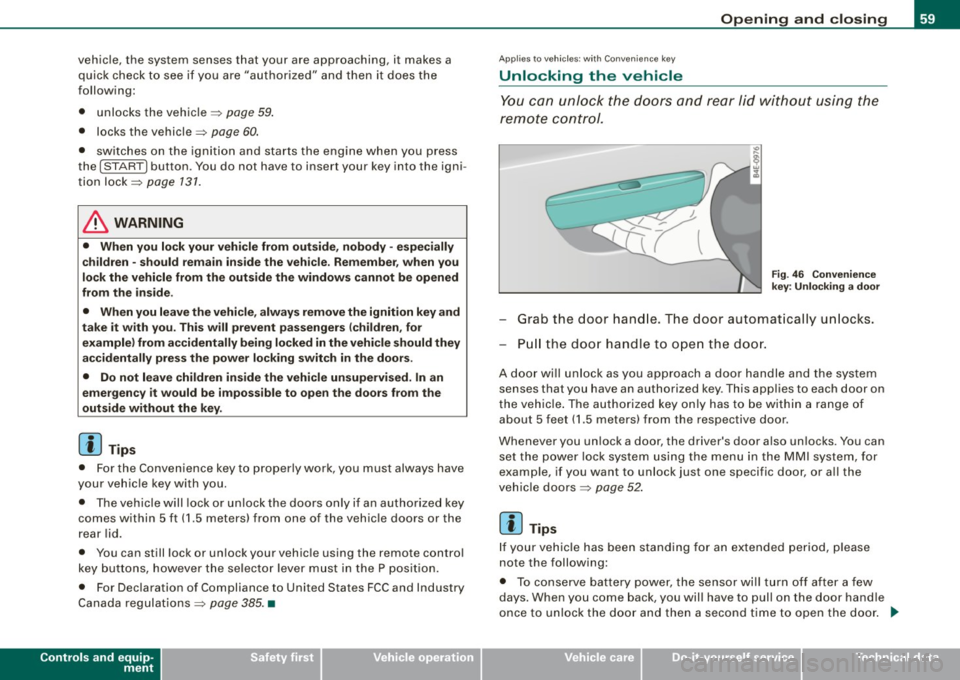
Y ou can unlock the doors and rear lid without using the
remote control .
Fig . 4 6 Convenien ce
k ey: U nlo ck in g a door
- Grab the door hand le . The door automat ica lly un locks.
P ull the doo r handle to o pen the doo r.
A door will unlock as you approach a door handle and the system
senses that you have an authorized key . This applies to each door on
t he vehicle . The authorized key on ly has to be within a range of
about 5 feet 11 .5 meters) from the respective door .
Whenever you un lock a door, the driver's door a lso un locks . Yo u can
set the power lock system using the me nu in the
MMI system, for
examp le, if you want to unlock just one specific door , or all the
veh ic le doors
~ page 52 .
[ i ) Tips
If you r vehic le has been standing f or an extended pe riod, p lease
note the following:
• To conserve battery power, the sensor will turn off after a few
days. When you come back, you will have to pull on the door hand le
once to un lock the door and then a second time to open the door .
~
I • •
Page 62 of 408
Opening and closing
• Again, to conserve battery power so that you can start the
vehicle after it has been standing for a long period, the vehicle's
energy management system will switch off any convenience
features not necessary. You will not be able to unlock your vehicle
using the keyless system. •
Applies to vehicles: wi th Conven ience key
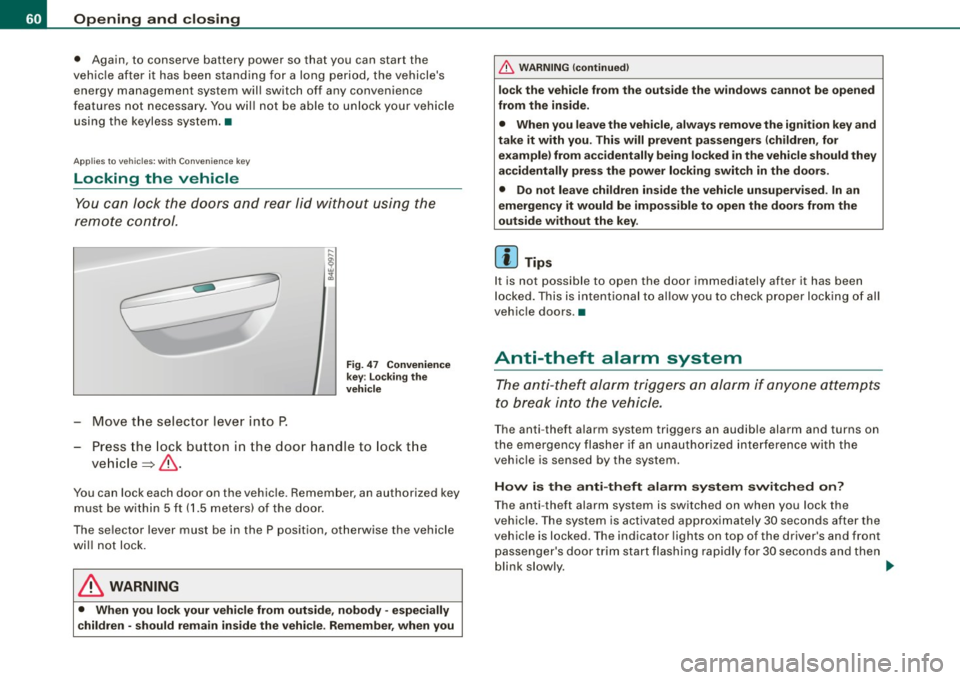
Locking the vehicle
You can lock the doors and rear lid without using the
remote control.
Move the selector lever into P.
Fig. 47 Convenience
key: locking the
vehicle
- Press the lock button in the door handle to lock the
vehicle ~& .
You can lock each door on the vehicle. Remember, an authorized key
must be within 5 ft (1.5 meters) of the door.
The selector lever must be in the P position, otherwise the vehicle
will not lock.
& WARNING
• When you lock your vehicle from outside, nobody -especially
children -should remain inside the vehicle. Remember, when you
& WARNING (continued)
lock the vehicle from the outside the windows cannot be opened
from the inside.
• When you leave the vehicle, always remove the ignition key and
take it with you. This will prevent passengers (children, for example) from accidentally being locked in the vehicle should they
accidentally press the power locking switch in the doors.
• Do not leave children inside the vehicle unsupervised. In an
emergency it would be impossible to open the doors from the
outside without the key.
[ i] Tips
It is not possible to open the door immediately after it has been
locked. This is intentional to allow you to check proper locking of all
vehicle doors .•
Anti-theft alarm system
The anti-theft alarm triggers an alarm if anyone attempts
to break into the vehicle.
The anti-theft alarm system triggers an audible alarm and turns on
the emergency flasher if an unauthorized interference with the
vehicle is sensed by the system .
How is the anti-theft alarm system switched on?
The anti-theft alarm system is switched on when you lock the
vehicle. The system is activated approximately 30 seconds after the
vehicle is locked . The indicator lights on top of the driver's and front
passenger's door trim start flashing rapidly for 30 seconds and then
blink slowly. ._
Page 64 of 408
Opening and closing
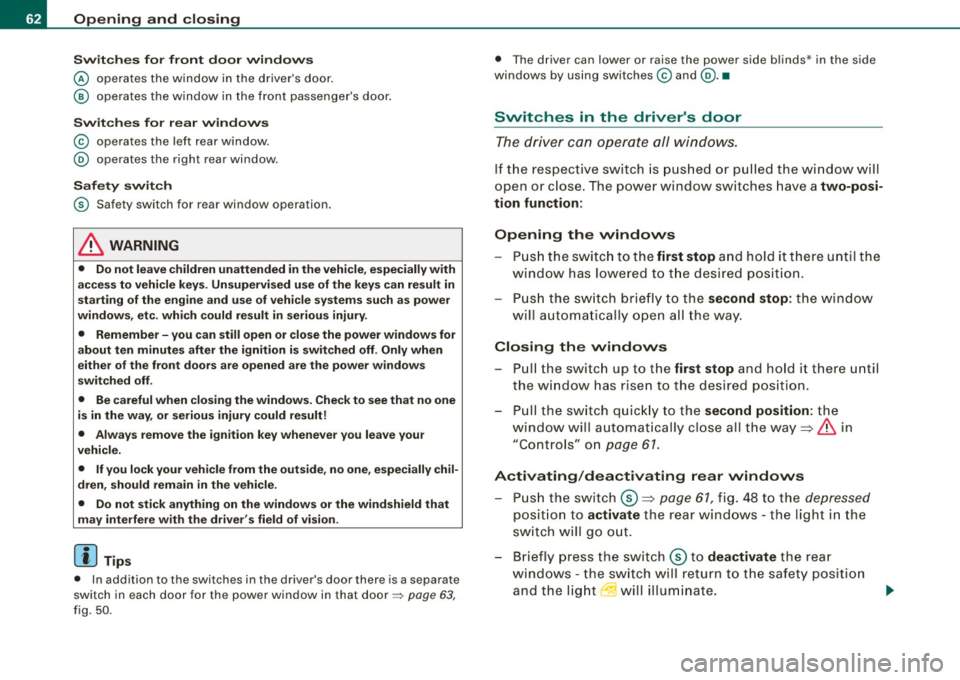
Switches for front door windows
@ operates the window in the driver's door.
@ operates the window in the front passenger's door.
Switches for rear windows
© operates the left rear window.
@ operates the right rear window .
Safety switch
© Safety switch for rear window operation.
& WARNING
• Do not leave children unattended in the vehicle, especially with
access to vehicle keys. Unsupervised use of the keys can result in
starting of the engine and use of vehicle systems such as power
windows, etc. which could result in serious injury.
• Remember -you can still open or close the power windows for
about ten minutes after the ignition is switched off. Only when
either of the front doors are opened are the power windows
switched off.
• Be careful when closing the windows. Check to see that no one
is in the way, or serious injury could result!
• Always remove the ignition key whenever you leave your
vehicle.
• If you lock your vehicle from the outside, no one, especially chil
dren, should remain in the vehicle.
• Do not stick anything on the windows or the windshield that
may interfere with the driver's field of vision.
[ i] Tips
• In addition to the switches in the driver's door there is a separate
switch in each door for the power window in that door=>
page 63,
fig.
50 .
• The driver can lower or raise the power side blinds * in the side
windows by using switches © and
@. •
Switches in the driver's door
The driver can operate all windows.
If the respective switch is pushed or pulled the window will
open or close. The power window switches have a
two-posi
tion function:
Opening the windows
- Push the switch to the first stop and hold it there until the
window has lowered to the desired position.
- Push the switch briefly to the
second stop: the window
will automatically open all the way.
Closing the windows
-Pull the switch up to the first stop and hold it there until
the window has risen to the desired position.
- Pull the switch quickly to the
second position: the
window will automatically close all the way=>
& in
"Controls" on
page 61.
Activating/deactivating rear windows
- Push the switch ®=> page 61, fig. 48 to the depressed
position to activate the rear windows - the light in the
switch will go out.
- Briefly press the switch ® to
deactivate the rear
windows - the switch will return to the safety position
and the light
I will illuminate.
Page 68 of 408
Opening and closing
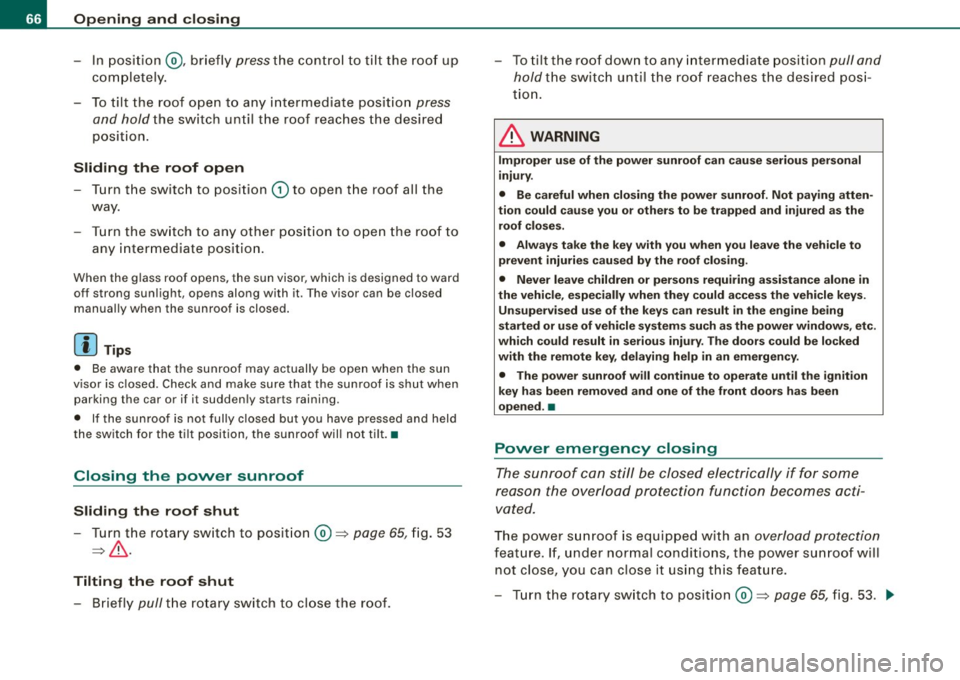
-In position @, briefly press the control to tilt the roof up
completely.
- To tilt the roof open to any intermediate position press
and hold the switch until the roof reaches the desired
position.
Sliding the roof open
- Turn the switch to position (D to open the roof all the
way.
- Turn the switch to any other position to open the roof to
any intermediate position.
When the glass roof opens, the sun visor, which is designed to ward
off strong sunlight, opens along with it. The visor can be closed
manually when the sunroof is closed.
[ i J Tips
• Be aware that the sunroof may actually be open when the sun
visor is closed. Check and make sure that the sunroof is shut when
parking the car or if it suddenly starts raining.
• If the sunroof is not fully closed but you have pressed and held
the switch for the tilt position, the sunroof will not tilt. •
Closing the power sunroof
Sliding the roof shut
- Turn the rotary switch to position®=> page 65, fig. 53
=> & .
Tilting the roof shut
-Briefly pull the rotary switch to close the roof. -
To tilt the roof down to any intermediate position pull and
hold the switch until the roof reaches the desired posi
tion.
& WARNING
Improper use of the power sunroof can cause serious personal
injury.
• Be careful when closing the power sunroof. Not paying atten
tion could cause you or others to be trapped and injured as the
roof closes.
• Always take the key with you when you leave the vehicle to
prevent injuries caused by the roof closing.
• Never leave children or persons requiring assistance alone in
the vehicle, especially when they could access the vehicle keys. Unsupervised use of the keys can result in the engine being
started or use of vehicle systems such as the power windows, etc.
which could result in serious injury. The doors could be locked
with the remote key, delaying help in an emergency.
• The power sunroof will continue to operate until the ignition
key has been removed and one of the front doors has been
opened. •
Power emergency closing
The sunroof can still be closed electrically if for some
reason the overload protection function becomes acti
vated.
The power sunroof is equipped with an overload protection
feature. If, under normal conditions, the power sunroof will
not close, you can close it using this feature.
- Turn the rotary switch to position ®=>page 65, fig. 53 . .,_
Page 69 of 408
- Now pull the switch and hold it in this position until the
power sunroof closes completely.
& WARNING
Improper use of the power sunroof can cause serious personal
injury.
• Be careful when closing the power sunroof. Not paying atten
tion could cause you or others to be trapped and injured as the
roof closes.
• Always take the key with you when you leave the vehicle to
prevent injuries caused by the roof closing
• Never leave children or persons requiring assistance alone in
the vehicle, especially when they could access the vehicle keys. Unsupervised use of the keys can result in the engine being
started or use of vehicle systems such as the power windows, etc.
which could result in serious injury. The doors could be locked
with the remote key, delaying help in an emergency.
• The power sunroof will continue to operate until the ignition
key has been removed and one of the front doors has been
opened. •
Con tro ls and eq uip
ment
Opening and closing
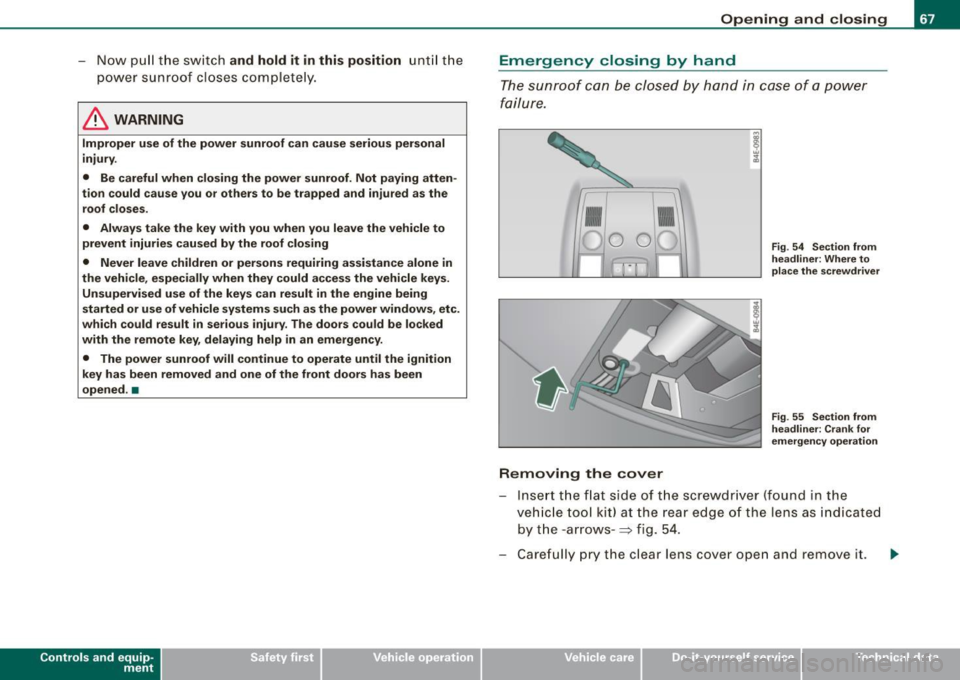
Emergency closing by hand
The sunroof can be closed by hand in case of a power
failure.
Removing the cover
Fig . 54 Section from
headliner: Where to
place the screwdriver
Fig . 55 Section from
headliner: Crank for
emergency operation
Insert the flat side of the screwdriver (found in the
vehicle tool kit) at the rear edge of the lens as indicated
by the -arrows- :::;, fig. 54.
Carefully pry the clear lens cover open and remove it. .,...
Vehicle care I I irechnical data
Page 71 of 408
Clear vision
Lights
Switching the headlights on and off ·'t!-·
In the "AUTO " position, a light sensor automatically
s w itches t he head- and tailligh ts on and off in response to
l ight con ditio ns.
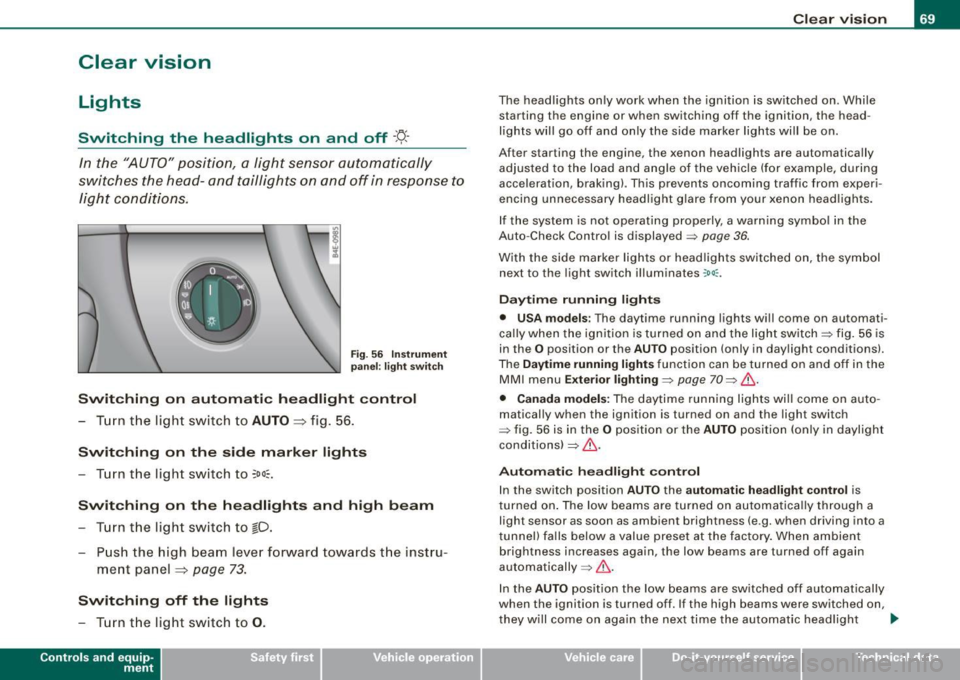
Fig . 56 Instrument
p an el: light switch
Switching on automatic headlight control
- T urn th e lig ht switch to AUTO => fig. 56 .
Switching on the side marker lights
- T urn the light switch to ~oo~.
Switching on the headlights and high beam
- T urn th e li ght swit ch to fD.
- Pu sh the high beam leve r forw ard towa rds t he instru -
m ent panel
=> page 73 .
Switching off the lights
- T urn t he light switch to 0 .
Con tro ls and eq uip
ment
Clear vision
The headlights only work when the ignition is switched on . While
starting the engine or when switching off the ignition, the head
lights will go off and only the side marker lights will be on.
After starting the engine, the xenon headlights are automa tically
adjus ted to the load and a ngle of the vehic le (for example, during
acceleration , braking) . This prevents oncoming traffic from exper i
encing unnecessary headl ig ht g la re from your xenon head ligh ts .
If the system is not operating properly, a warning symbol in the
Auto -Check Contro l is displayed => page
36.
With the side marke r lights or head ligh ts switched on, the sym bol
next to the light switch illuminates
:oo:.
Daytime running lights
• USA models : The daytime running lights wi ll come on automati
ca lly when the ig nition is turned on and the ligh t swi tch => fig. 56 is
in the
O position or the AUTO position (only in daylight conditions).
The
Daytime running lights func tio n can be tur ned on and off in the
MMI menu
E xterior lighting => page 70 => & .
• Canada models: The dayti me ru nn ing lights wi ll come on au to
matically when the ignition is turned on and the light switch
=> fig. 56 is i n the
O po sitio n or the AUTO po siti on (only in dayligh t
condi tions) => & .
Automatic headligh t control
In the switch posi tion AUTO the automatic headlight cont ro l is
t urned on . The low beams are turned on automa tica lly through a
light sensor as soon as ambient brightness (e .g . when driving into a
t unnel) fa lls below a value preset at the factory . When ambient
brightness increases again, the low beams are turned off again
aut omatically =>& .
I n the
AUTO posit io n the low beams are switched off automatically
when the ignition is turned off. If the high beams were switched on,
they w ill come o n again the ne xt time the a utomatic head ligh t
~
Vehicle care I I irechnical data
Page 72 of 408
Clear vision
control is activated. The high beam function must first be switched
on in the MMI
=> page 70 .
Light Se nsor M alfu nction
In the event of a ligh t sensor mal funct ion, the driver is notified in the
instrument cluster display:
~ Autom atic headlights /aut om atic wipers defe ctive
For safety reasons the low beams are turned on permanently wit h
the switch in
AUTO . However, you can continue to turn the lights on
and off using the light switch . Have the light sensor checked as soon
as possible at a dealership.
& WARNING
• Never use d aytime running lights to see where you are going .
The y are not bright enough and will not let you see f ar enoug h
ahead for s afet y, espe cially at du sk or when it is dark. Alw ays
switch on the low beams at du sk or when i t is dark .
• Autom ati c he adli ght s are onl y intended to as sist the dr iver .
The y do not relie ve the d riv er of his re spon sib ility to che ck the
he adlights and to turn them on manuall y according to t he current
ligh t and vi sibility conditions . For example , fog and ra in cannot be
dete cted by the light sen sor s. S o alw ays switch on the he adlights
under these weather con dition s and when dr iving in the dark
gD .
• Cras hes ca n happen when you c annot s ee the ro ad ahe ad and
when you cannot be seen by other motor ists .
- Alw ays turn on the headlight s so that you can see ahe ad and
s o that others can se e your c ar from th e ba ck.
[ i J Tips
• With the switch in AUTO front fog lights and rear fog lights
cannot be turned on in addition. • I
f you remove the ignition from the ignition lock while the head
l ights are s till on, a bu zzer w ill sound as long as the driver's door is
open to remind you to turn off the l ights .
• Always observe the specific local regulations for your area as to
when to use your lights. •
Adjusting exterior lighting
The functions are set in the MM/.
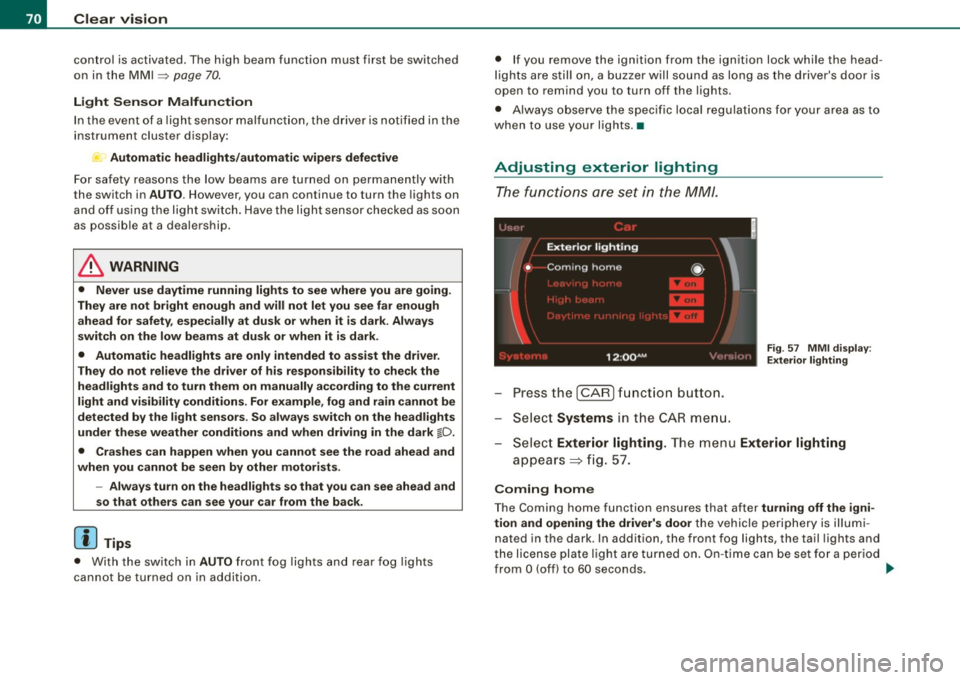
Press the I CAR] function button.
- Select
Systems in the CA R menu.
Fig. 57 MM I dis pla y:
E xt eri or ligh ting
- Sele ct Exterior lighting. The menu Exterior lighting
appears => fig . 57.
C oming h ome
The Coming home function ensures that after tu rni ng off the igni
tion and open ing the driv er's d oor
the vehicle periphery is illum i
nated in the dark . In addition, the front fog lights, the tail lights and
the license plate light are turned on . On -ti me can be set fo r a per iod
from
O (off) to 60 seconds. ~