key AUDI TT 2013 Owner´s Manual
[x] Cancel search | Manufacturer: AUDI, Model Year: 2013, Model line: TT, Model: AUDI TT 2013Pages: 262, PDF Size: 65.91 MB
Page 41 of 262
The anti-theft alarm system triggers an audi
b le alarm and turns on the emergency flasher
if an unauthor ized interference with the vehi
cle is sensed by the system.
How is the anti-theft alarm system
switched on?
T he anti -theft a larm system is switched on
when you lock the driver's door manually us
ing the fold-out key, or when you use the re
mote control. The system is activated approxi
mately 30 seconds after the veh icle is locked .
The indicator light ~
fig. 36 starts flashing
rapidly for 30 seconds and then blinks slowly.
How is the anti-theft alarm system
switched off?
The anti-theft a larm system is switched off
on ly when you use the remote contro l to un
lock your veh icle. If you do not open a door
within 30 seconds after you have un locked
with the remote cont ro l, the vehicle will lock
itself again automatically.
If you lock just the dr iver's doo r using your
key, the front passenger's door and the rear
lid remain locked.
When will the anti theft alarm system be
triggered?
When the vehicle is locked , the alarm system
monitors and protects the following pa rts of
the vehicle:
- engine compa rtment
- luggage compartment
- doors
- ignition
When the system is activated, the alarm will be triggered if one of the doors, the engine
hood or the rear lid are opened, or if the igni
tion is turned on.
The anti-theft a larm system will also go off
when the battery is disconnected.
You can also trigge r the alarm by pressing the
PANIC button on your remote-control key.
This will a lert other peop le in case of emer-
Opening and closing 39
gency. Press the PANIC button again to turn
off the alarm .
How is the anti-theft alarm switched off
when trigge red?
The alarm system is switched off when you
unlock the vehicle using the remote -control
key or when the ignition is switched on . T he
alarm will also switch itself off when it comes
to the end of its cycle .
Emergency flasher
The emergency flasher will blink briefly when
the doors, engine hood and rear lid a re prop
erly closed.
If the emergency flashers do not blink, check
the doors, engine hood and rear lid to make
sure they are properly closed. If you close a
door, the hood or the rear lid with the anti
theft alarm sw itched on, the emergency flash
ers will blink only after you have closed the
door or lid .
(!) Tips
For the anti-theft alarm system to func
tion properly, make sure all veh icle doors
and windows are closed before leaving the
vehicle.
Power windows
Controls
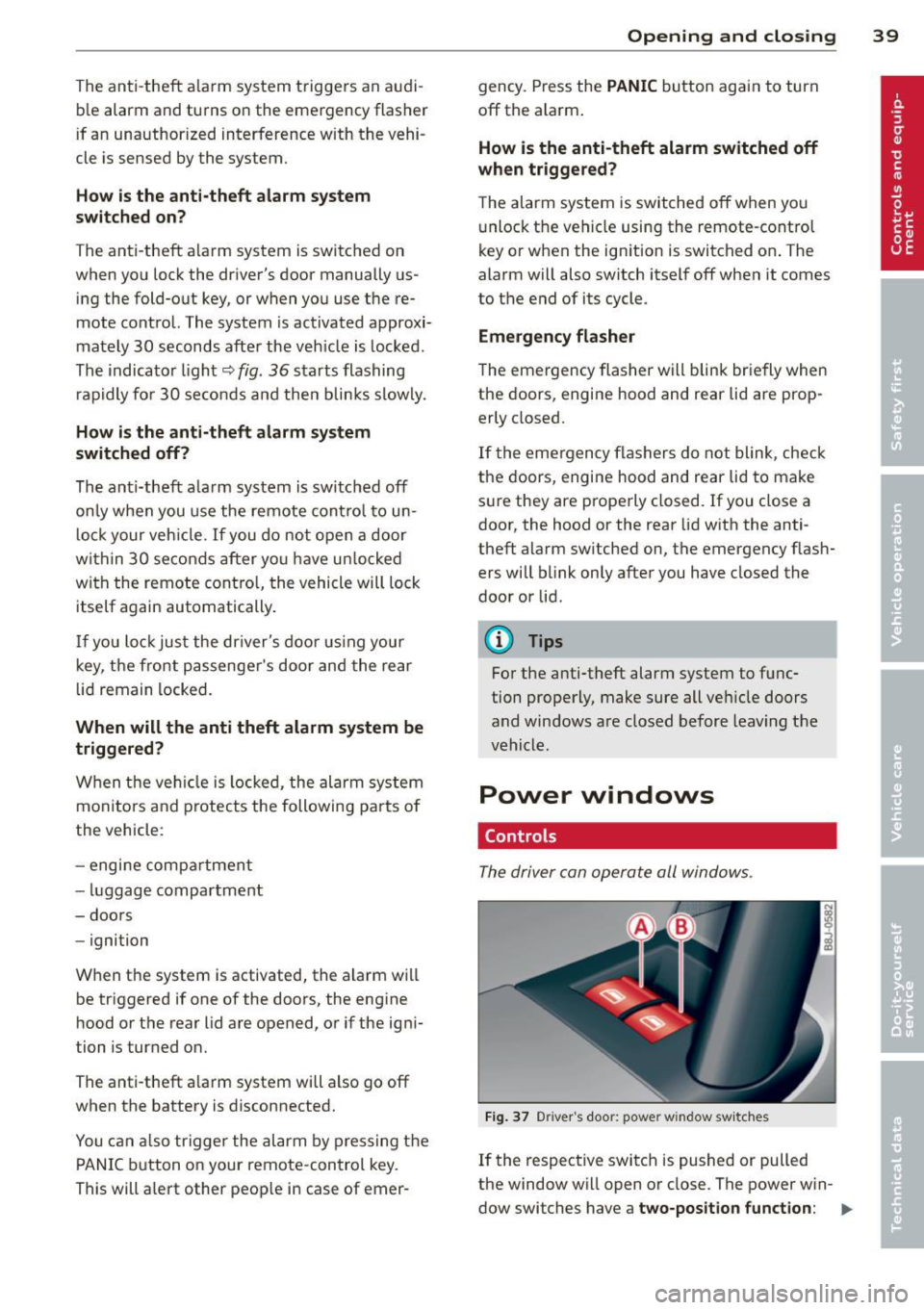
The driver can operate all windows .
Fig. 37 Driver 's doo r: power w indow sw itches
If the respective switch is pushed or pulled
the window w ill open or close . The power w in-
dow swi tches have a
two-position function: ..,.
Page 42 of 262
40 Openin g and clo sing
Op ening th e window s
.. Press the switch and ho ld i t down until the
window has reached the des ired position.
.. Press the switch
brie fly to open the window
automatically. By briefly pressing the switch
again, the downward travel of the window
can be stopped in any posit ion
¢ ,& .
Clos ing th e windows
.. Pu ll the switch and hold it until the window
has reached the desired position .
.. Pull the switch
brie fly to close the window
automatica lly. By briefly pressing the switch
again, the upward travel of the window can
be stopped in any position
c:> ,A .
Sw itch @ c:> fig. 37 operates the window in
the dr iver's door.
Switch @operates the window in the front
passenger's door .
A WARNING
- Do not leave children unattended in the
vehicle, especially with access to vehicle
keys. Unsupervised use of the keys can
result in starting of the engine and use
of vehicle systems such as power win
dows, etc. which could resu lt in serious
injury.
- Remember -you can still open or close
the power w indows for about ten mi
nutes after the ignition is sw itched off.
Only when e ithe r of the front doors a re
opened are the power windows switched
off.
- Be careful when closing the windows .
Check to see that no one is in the way, or
serious injury could result!
- Always remove the ignition key whenever you leave your vehicle .
- If you lock your vehicle from the ou tside,
no one, especia lly children, sho uld re
main in the vehicle.
- Do not stick anything on the windows o r
the windshield that may interfere with
the driver's fie ld of vision.
(D Tips
- When the doors are opened, the win
dows are automatically lowered 10 mm .
- The windows can still be opened and
closed for about ten minutes after the
ignition has been turned off. The power
w indows are not shut off unt il one of the
front doors is opened.
Convenience close/open feature
You can close or open the windows from out
side when you lock or unlock your car with the
key.
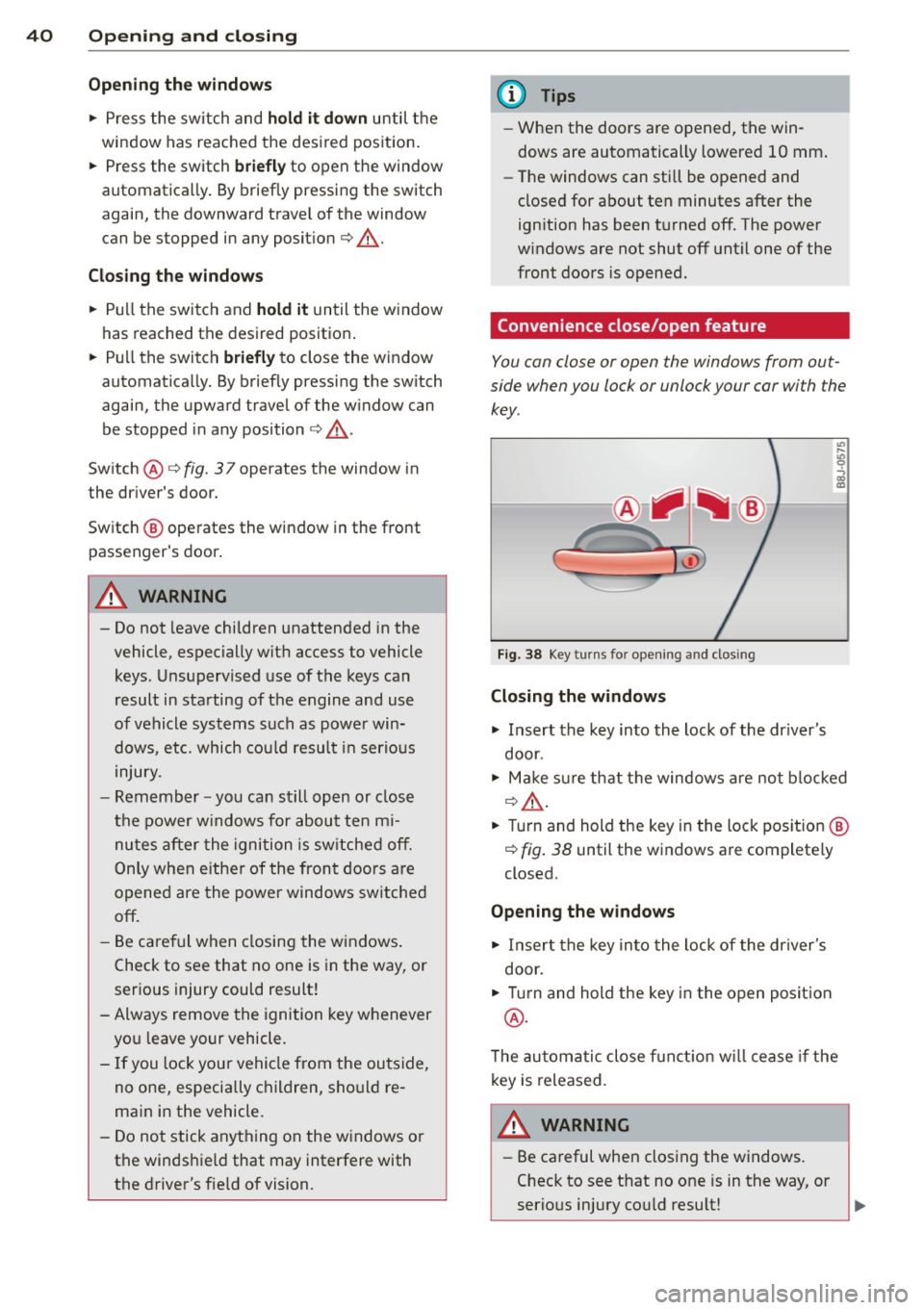
F ig. 38 Key turns for opening and dos ing
Closing the windows
.. Insert the key into the lock of the dr iver's
door.
.. Make sure that the windows a re not blocked
¢ ,& .
.. Turn and hold the key in the lock pos ition @
¢ fig. 38 until the windows are completely
closed.
Openin g the window s
.. Insert the key into the lock of the dr iver's
door .
.. Turn and hold the key in the open position
@ .
The automatic close f unct ion w ill cease if the
key is released .
A WARNING
= -
-Be careful when closing the windows.
Check to see that no one is in the way, or
serio us injury co uld resu lt!
Page 47 of 262
instrument cluster illuminates when the
high beams are on.
- The
headlight flasher works only as long as
yo u hold the lever -even if there are no
l ights turned on . The indicator light
El in
the instrument cluster illuminates when you
use the headlight flasher.
A WARNING
Do not use the hig h beam or headlight
flasher if you know that these could blind
oncoming traffic.
Emergency flasher
The emergency flasher makes other motorists
aware that you or your vehicle are in an emer
gency situation.
Fi g. 44 Cente r co nso le: emerge ncy flasher switch
.,.. Press the switch ~ ~fig. 44, to sw itch the
eme rgency flasher on or off.
When the emergency flashe r is on, all four
turn signals blink a t the same time. The tu rn
signa l indicator lights
BB in the ins trument
cluster, as we ll as the light in the emergency
f lasher switch ~ blink likewise. The emergen
cy flashers also work when the ignition is
turned off.
The emergency flasher will automatica lly
switch on if you are in an acc ident where the
airbag has deployed.
@ Tips
You shou ld switch on the emergency flash
er when: Clear vi
sion 45
- you are the last vehicle standing in a tra f
fic jam so that any other vehicles coming
can see you, or when
- your vehicle has broken down or you are
in an emergency s ituation, or when
- your vehicle is be ing towed by a tow
truck or if you are towing another vehicle
behind you.
Interior Lights
Interior lights
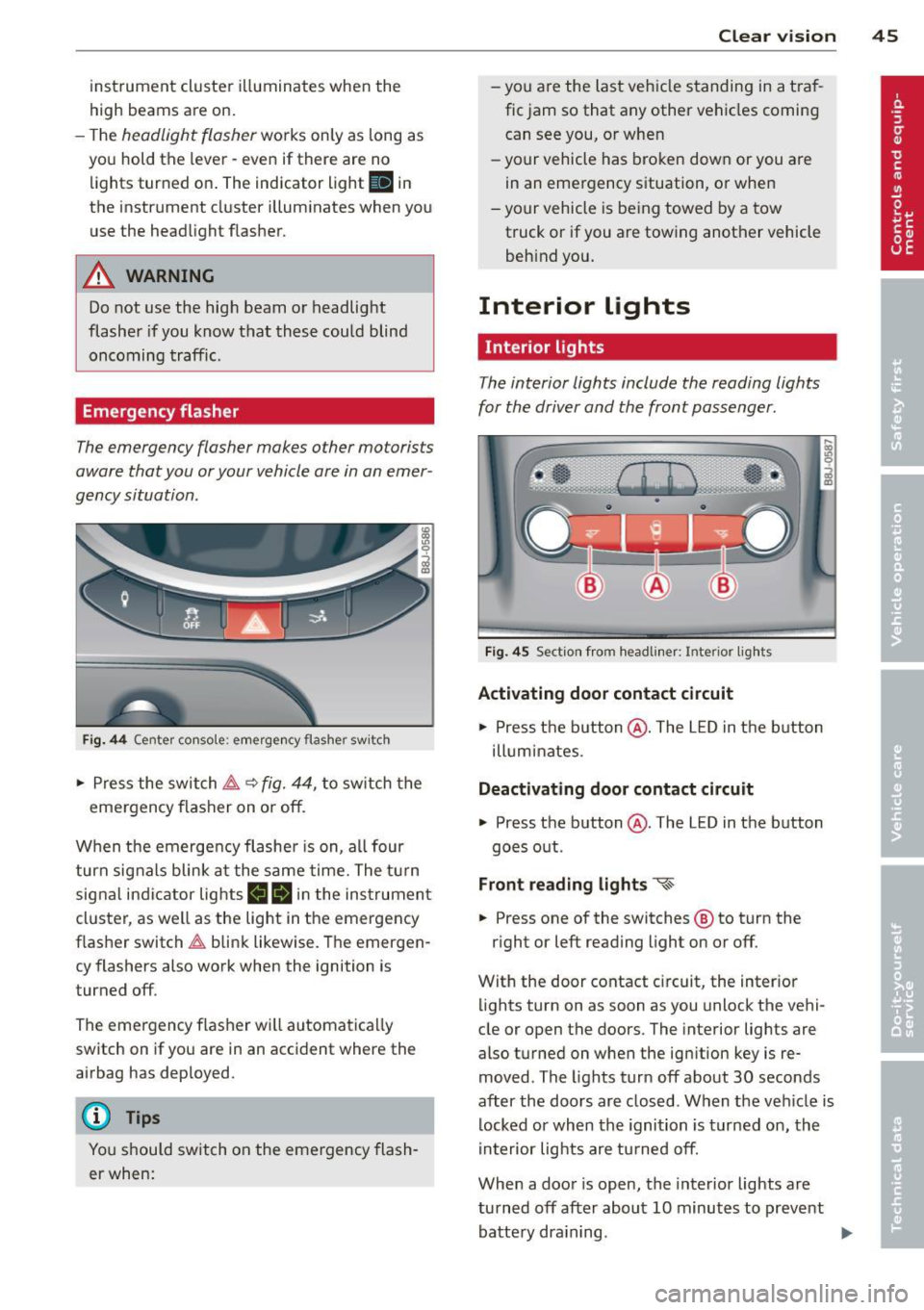
The interior lights include the reading lights
for the driver and the front passenger.
Fi g. 45 Sect ion from hea dlin er: Interior lights
Activating door contact circuit
.,.. Press the button @. The LED in the b utton
illuminates .
Deactivating door contact circuit
.,.. Press the button @. The LED in the button
goes out.
Front reading lights "<~
.,.. Press one of the switches ® to turn the
r ight or left reading light on or off.
With the door contact circuit, the inter ior
lights turn on as soon as you unlock the vehi
cle or open the doors. The interior lights are
also t urned on when the ignition key is re
moved. The lights turn off about 30 seconds
after the doors are closed. When the veh icle is
locked or when the ignition is turned on, the
interior lights are turned off.
When a door is open, the interior lights are
turned off after about 10 minutes to prevent battery dra ining.
Page 59 of 262
A WARNING
-Never adjust the driver's or front passen
ger seat while the vehicle is moving. If
you do this while the vehicle is moving,
you will be out of posit ion. Always adjust
the driver's or front passenger seat when
the vehicle is not moving.
- Be careful when adjusting the seat
height. Check to see that no one is in the
way, or serious injury could result!
- Beca use the seats can be electrically ad
justed wi th the ign it ion key removed,
never leave children unattended in the
vehicle. Unsupervised use of the e lectric
seat adj ustments may cause serious in
jury.
- To reduce the r isk of injury in the case of
sudden braking or accident, front pas
sengers must never ride in a moving ve hicle with the seatback recl ined. Safety
belts and the airbag system offer maxi
mum p rotection only when the seatback
is upright and the safety be lts a re prop
erly posit ioned on the body. The more
the seatback is recl ined, the greate r the
risk of personal injury from an inco rrec t
seating position and improperly posi
t ioned safety be lts!
- Always make sure the front seatbac ks are
in the upright position and securely
locked in place when driving.
S ea ts a nd s to rage 57
Head restraints
Adjusting head restraints, front seats
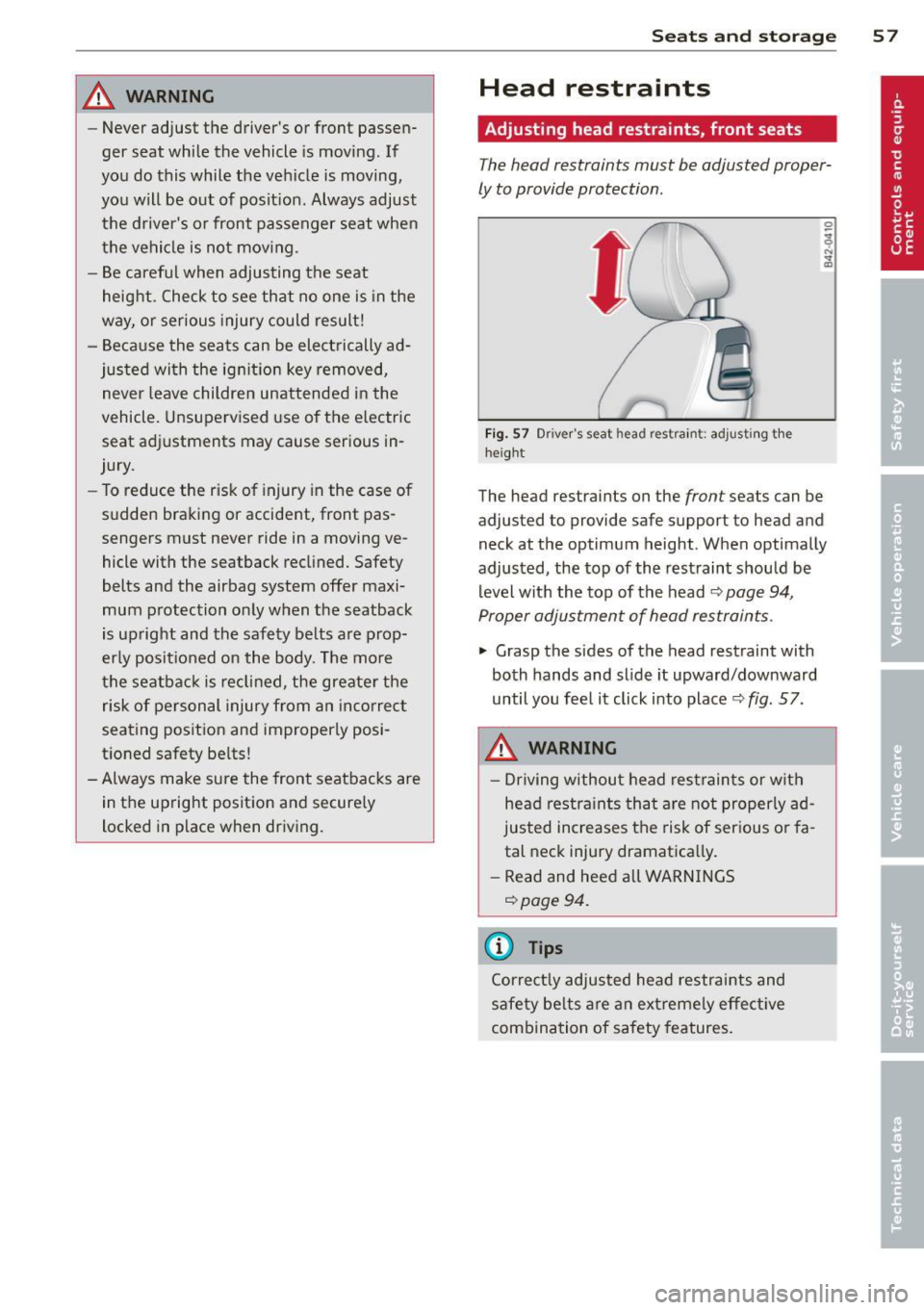
The head restraints must be adjusted proper
ly to provide protection.
Fi g. 57 Driver's seat head restra int: adjust ing the
he ig ht
The head restraints on the front seats can be
adjusted to provide safe support to head and
neck at the optimum height . When optimally
adjusted , the top of the rest raint should be
level with the top of the head
~ page 94,
Proper adjustment of head restraints .
.. Grasp the sides of the head restraint with
both hands and slide it upward/downward
until you fee l it click into place<>
fig. 57.
A WARNING
- Driving withou t head restraint s or wit h
head restra ints tha t are not properly ad
justed increases the risk of serious o r fa
tal neck injury dramatica lly .
- Read and heed all WARNINGS
<> page 94 .
{i) Tips
Correctly adjusted head restraints and
safety be lts are an ext reme ly effect ive
combination of safety features.
-
Page 66 of 262
64 Seats and storage
Before you purchase any accessories, a lways
read and fo llow the information in
c::> page 245, Additional accessories and parts
replacement.
A WARNING
The outlet p lus any appliances plugged in
to it rema in functional even if the ignition
is switched off or the ignition key is re
moved. N ever leave children inside the ve
hicle withou t supe rv ision.
Q) Note
To avo id damag ing the socket, only use
plugs that fit properly .
(D Tips
When the engine is off and accessor ies are
still plugged in and are on, the vehicle bat
tery ca n still be dra ined .
Storage
General
A WARNING
-Always remove objec ts from the instru
ment panel. Any items not put away
cou ld slide around inside the vehicle
wh ile driving or when acce lerating or
when applying the brakes or when driv
ing around a corner.
- When you are drivi ng make sure tha t
anything you may have placed in the cen
ter console or other storage lo cations
cannot fa ll out into the footwells . In case
of sudden braking you would not be able
to brake, depress th e clutch or acceler
ate.
-Any articles of cloth ing that you have
hung up must not interfere with the driv
er's v iew. The coat hooks are desig ned
only for lightweight clothing. Never hang
any clothing with ha rd, po inted or heavy
objects in the pocke ts on the coat hooks.
Dur ing sudden braking or in an acciden t -
especially if the airbag is deployed -
-
these objects co uld injure any passen
gers inside the vehicle.
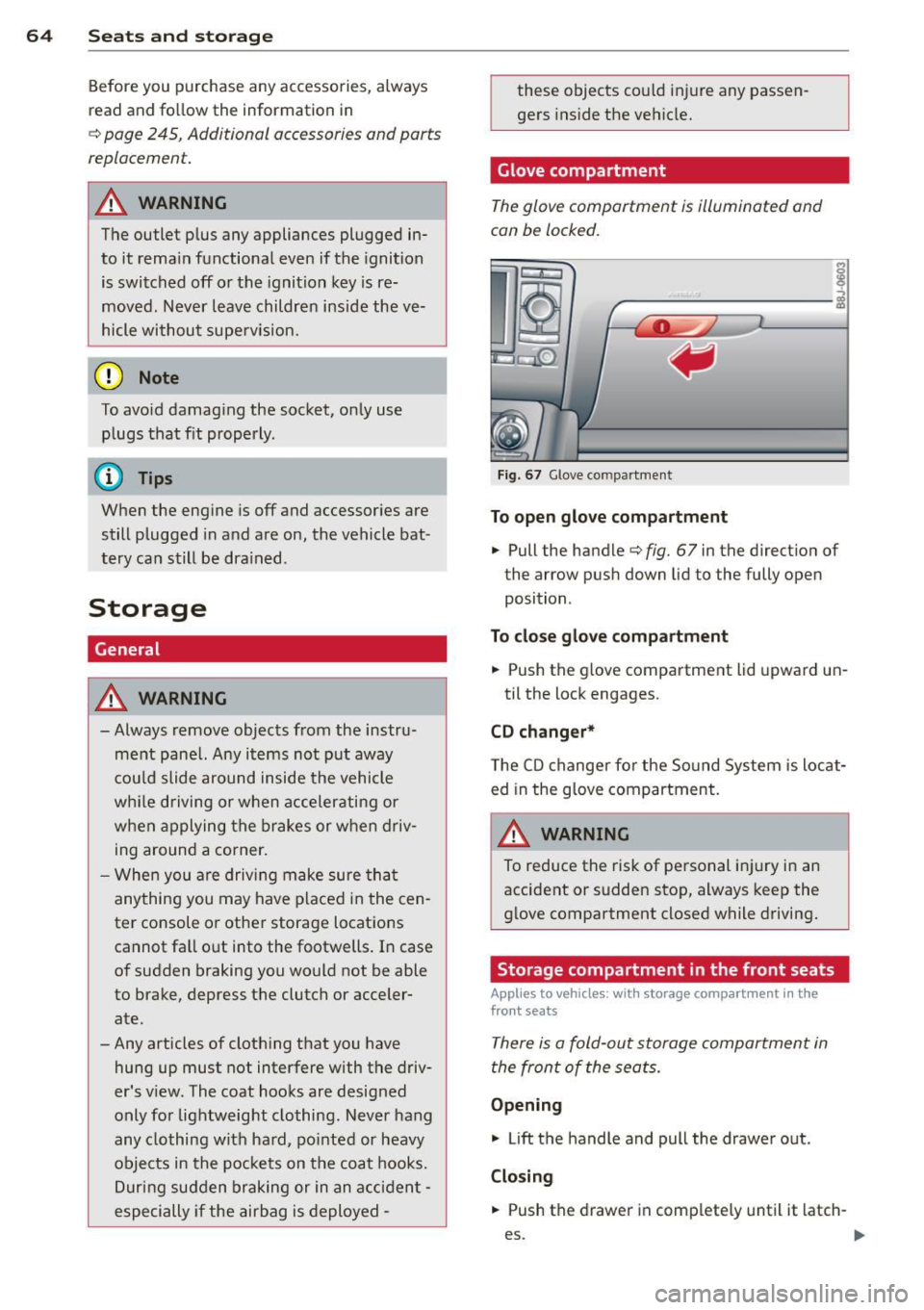
Glove compartment
The glove compartment is illuminated and
can be locked.
I i I
I
ij
----------- i
Fig. 67 Glove compa rt me nt
To open glo ve com partment
.. Pull the handle c::>fig. 67 in the direction of
the arrow push down lid to the fully open
position .
To close gl ove c ompa rtment
.. Push the glove compartment lid upward un-
til the lock engages.
CD changer *
The CD changer fo r the Sound System is locat
ed in the g love compartment.
A WARNING
To reduce the risk of pe rsonal injury in an
accident or sudden stop, always keep the
glove compartment closed while driving.
Storage compartment in the front seats
App lies to veh icles : w it h storage compart men t in the
fro nt seats
There is a fold-out storage compartment in
the front of the seats.
Opening
.. Lift the handle and pull the drawer out.
Closing
-
.. Push the drawer in complete ly until it latch -
es. .,.
Page 73 of 262
On the road
Steering
Adjusting the steering wheel column
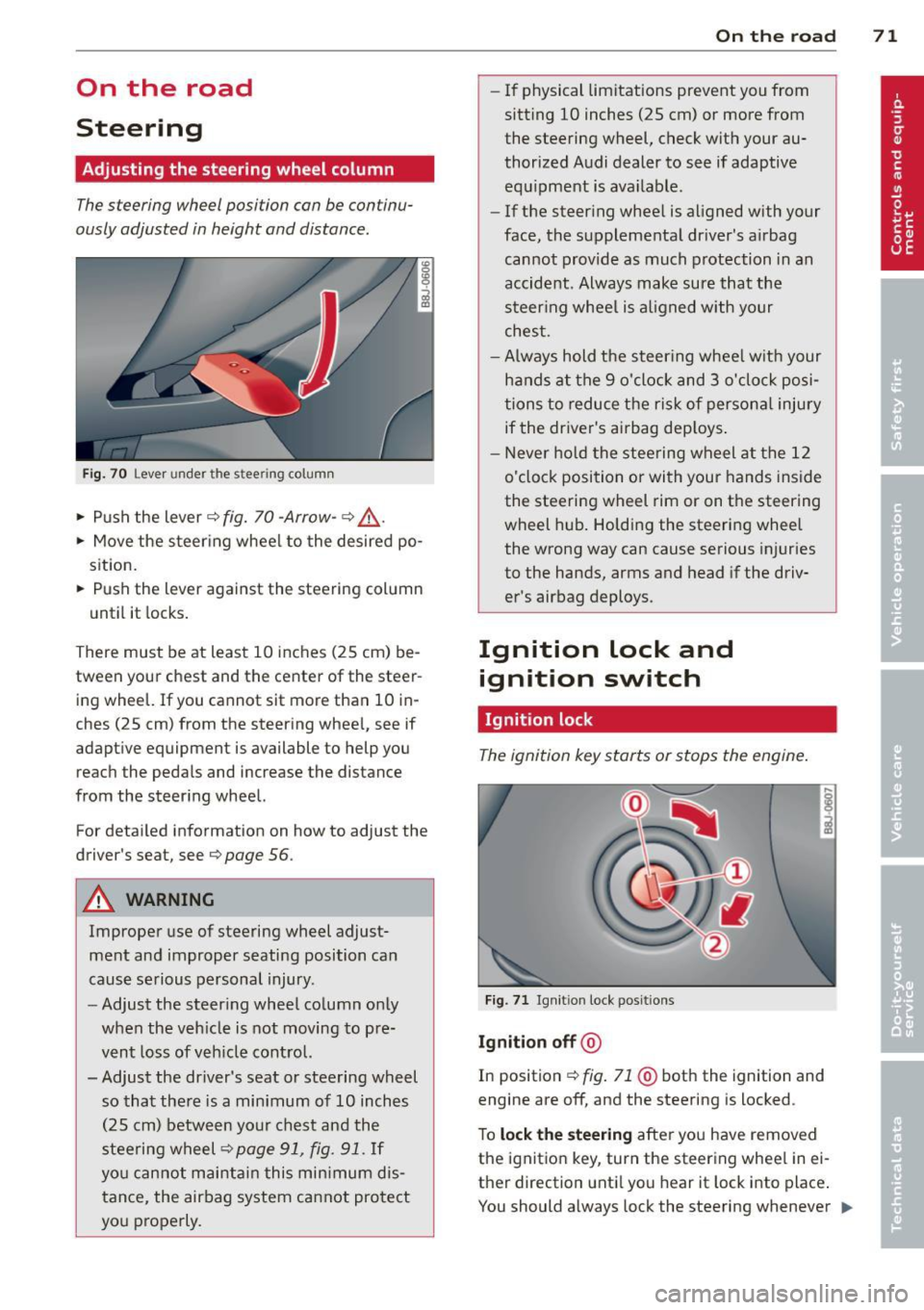
The steering wheel position can be continu
ously adjusted in height and distance.
Fig. 70 Lever under the stee ring column
• Push the lever~ fig. 70 -Arrow-~ .&,..
• Move the steering wheel to the desired po
sition.
• Push the lever against the steering column
until it locks.
There must be at least 10 inches (25 cm) be tween your chest and the center of the steer
ing wheel. If you cannot sit more than 10 in
ches (25 cm) from the steering wheel, see if
adaptive equipment is available to help you
reach the pedals and increase the distance
from the steering wheel.
For detailed information on how to adjust the
driver's sea t, see
Q page 56 .
A WARNING
Improper use of steering wheel adjust
ment and improper seating position can
cause serious personal injury.
- Adjust the steering wheel column only
when the vehicle is not moving to pre
vent loss of vehicle control.
- Adjust the driver's seat or steering wheel so that there is a minimum of 10 inches
(25 cm) between your chest and the
steering wheel
~page 91, fig. 91. If
you cannot maintain this minimum dis
tance, the airbag system cannot protect
you properly.
On the road 71
-If physical limitations prevent you from
sitt ing 10 inches (25 cm) or more from
the steering wheel, check with your au
thorized Audi dealer to see if adaptive equipment is ava ilable .
- If the steering wheel is aligned with your
face, the supplemental dr iver 's airbag
cannot provide as much protection in an
accident. Always make sure that the
steering wheel is al igned with your
chest .
-Always hold the steer ing wheel w ith your
hands at the 9 o'clock and 3 o'clock posi
tions to reduce the risk of persona l injury
if the driver's airbag deploys .
- Never hold the steering wheel at the 12
o'clock position or with your hands inside
the steering wheel rim or on the steering
wheel hub. Holding the steering wheel
the wrong way can cause serious injuries
to the hands, arms and head if the driv
er's airbag deploys.
Ignition lock and ignition switch
Ignition lock
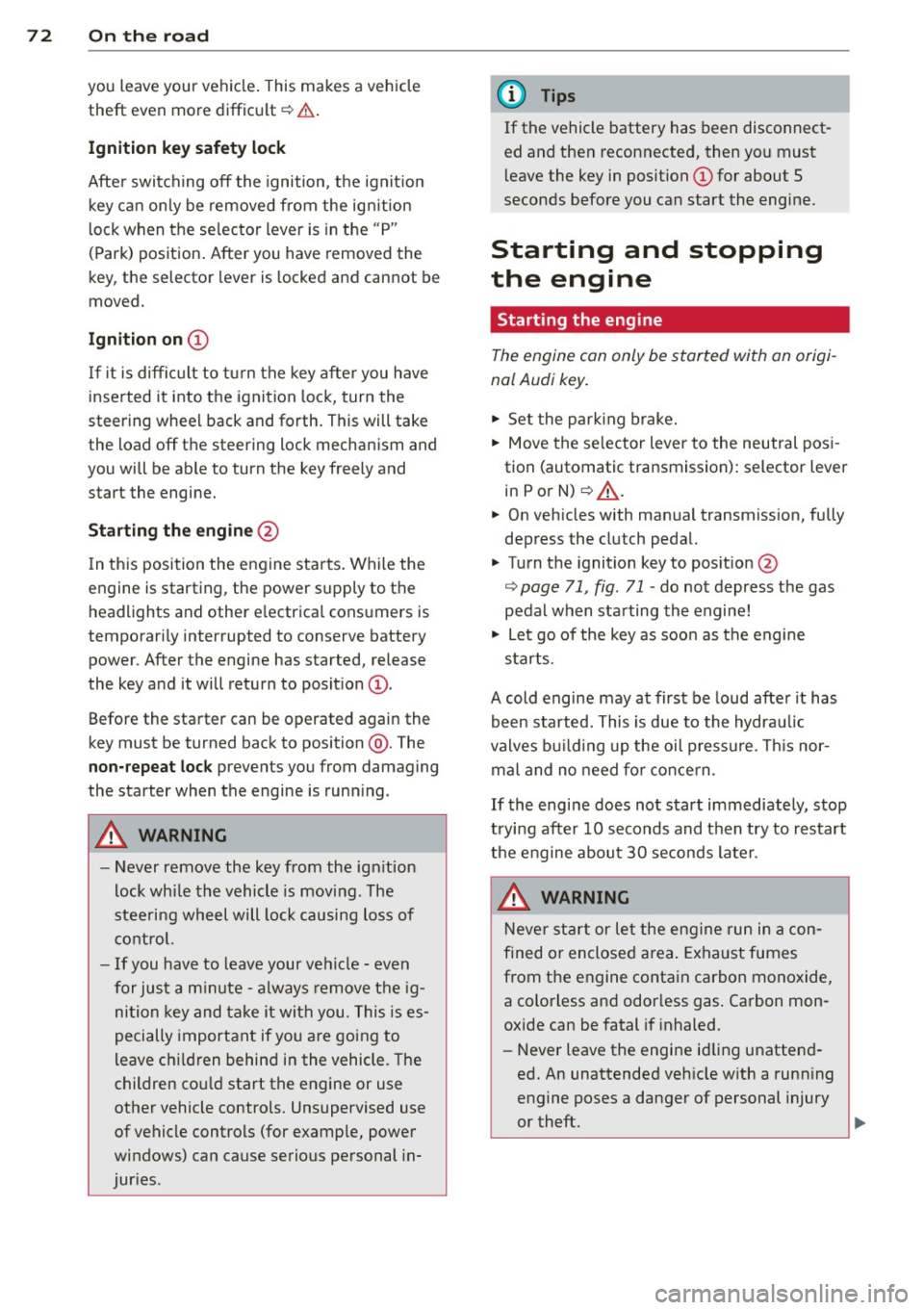
The ignition key starts or stops the engine.
Fig. 71 Ignit ion lock posit ions
Ignition off @
In position ~ fig. 71 @both the ignition and
engine are off, and the steering is locked .
To
lock the steering after you have removed
the ignition key , turn the steering wheel in ei
ther direction until you hear it lock into place .
You should always lock the steering whenever ..,.
Page 74 of 262
72 On the road
you leave your veh icle . This makes a vehicle
theft even more difficult ¢ .&. .
Ignition ke y saf ety lock
After swi tching off the ignition, the ig nit ion
key can on ly be removed from the ign it ion
lock when the se lector lever is in the "P"
(Park) position . After you have removed the
key, the selector lever is locked and cannot be
moved.
Ignition on @
If it is diffic ult to turn the key after you have
inserted it into the ignition lock, turn the
steering wheel back and forth. This will take
the load
off the steering lock mechanism and
you will be able to turn the key freely and
start the engine.
Starting the engine @
In this position the engine starts . While the
engine is starting, the power supply to the headlights and other e lectrica l consumers is
temporari ly interrupted to conserve battery
power. After the engine has started, release
the key and it will return to posit ion
(D .
Before the starter can be operated again the
key must be turned back to position @. The
non -repeat loc k prevents you from damaging
the starter when the engine is runn ing .
A WARNING
-Never remove the key from the ign ition
lock whi le the vehicle is moving. The
steeri ng wheel will lock causing loss of
c ontrol.
- If you have to leave your vehicle -even
for just a m inute -always remove t he ig
nition key and take it with you. This is es
pecially important if you a re going to
leave ch ildren behind in the vehicle. The
children co uld start the engine or use
other vehicle controls. Unsupervised use
of vehicle controls (for examp le, power
windows) can cause serious personal in
jur ies .
(!) Tips
If the vehicle battery has been disconnect
ed and then reconnected, then you must
l eave the key in position
(D for about 5
seconds before you can start the engine.
Starting and stopping
the engine
Starting the engine
The engine can only be started with an origi
nal Audi key.
.,. Set the park ing brake.
.,. Move the se lector lever to the neutral posi
tion (automatic transmission): selector lever
in
P or N) ¢ .&_ .
.,. On vehicles with manua l transmission, fully
depress the clutch pedal.
.,. Turn the ignition key to pos it ion @
¢ page 71, fig . 71 -do not depress the gas
pedal when starting the engine!
.,. Let go of the key as soon as the engine
starts.
A cold engine may at first be loud after it has
been sta rted. This is due to the hydrau lic
valves bu ild ing up the oil pressure. This nor
mal and no need for co nce rn .
If the engine does not start immediately, stop
trying after 10 seconds and then try to restart
the engine abou t 30 seconds late r.
A WARNING
Neve r star t or let the eng ine run in a con
f ined or enclosed area . Exhaust fumes
from the engine contain carbon monoxide,
a colorless and odor less gas . Ca rbon mon
oxide can be fatal if inhaled.
- Never leave the engine id ling unattend
ed. An unattended veh icle w ith a runn ing
engine poses a danger of personal injury
or theft.
Page 75 of 262
CD Note
-Avoid high engine speeds, fast accelera
tion or heavy engine loads whi le the en
gine is still cold. This could damage the
engine.
- The engine cannot be started by pushing or towing the veh icle.
@) For the sake of the environment
To avoid unnecessary engine wear and to
reduce exhaust emissions, do not let your
veh icle stand and warm up. Be ready to
drive off immediately after starting your
veh icle. Maintain moderate speed until the
eng ine is completely warm . Remember,
the engine performs best at operating
temperature .
Stopping the engine
~ Turn the ign ition key to position @
~page 71, fig. 71.
_& WARNING
-Never turn off the engine before the ve
hicle has come to a complete stop. The
full function of the brake booster and the
power steering is not guaranteed . You
must use more force to turn or brake if
necessary. Because you cannot steer and
brake as you usually would, this could
lead to crashes and serious injur ies.
- The radiator fan can continue to run for
up to 10 minutes even after you have
turned
off the engine and removed the
ignition key . The radiator fan can also
turn on again if the engine coolant heats
up because of intense sunlight or heat
build-up in the engine compartment.
CD Note
Do not stop the engine immed iate ly after
hard or extended driving. Keep the engine
running for approximately two minutes to
prevent excessive heat build-up.
On the road 73
Parking brake
Parking brake
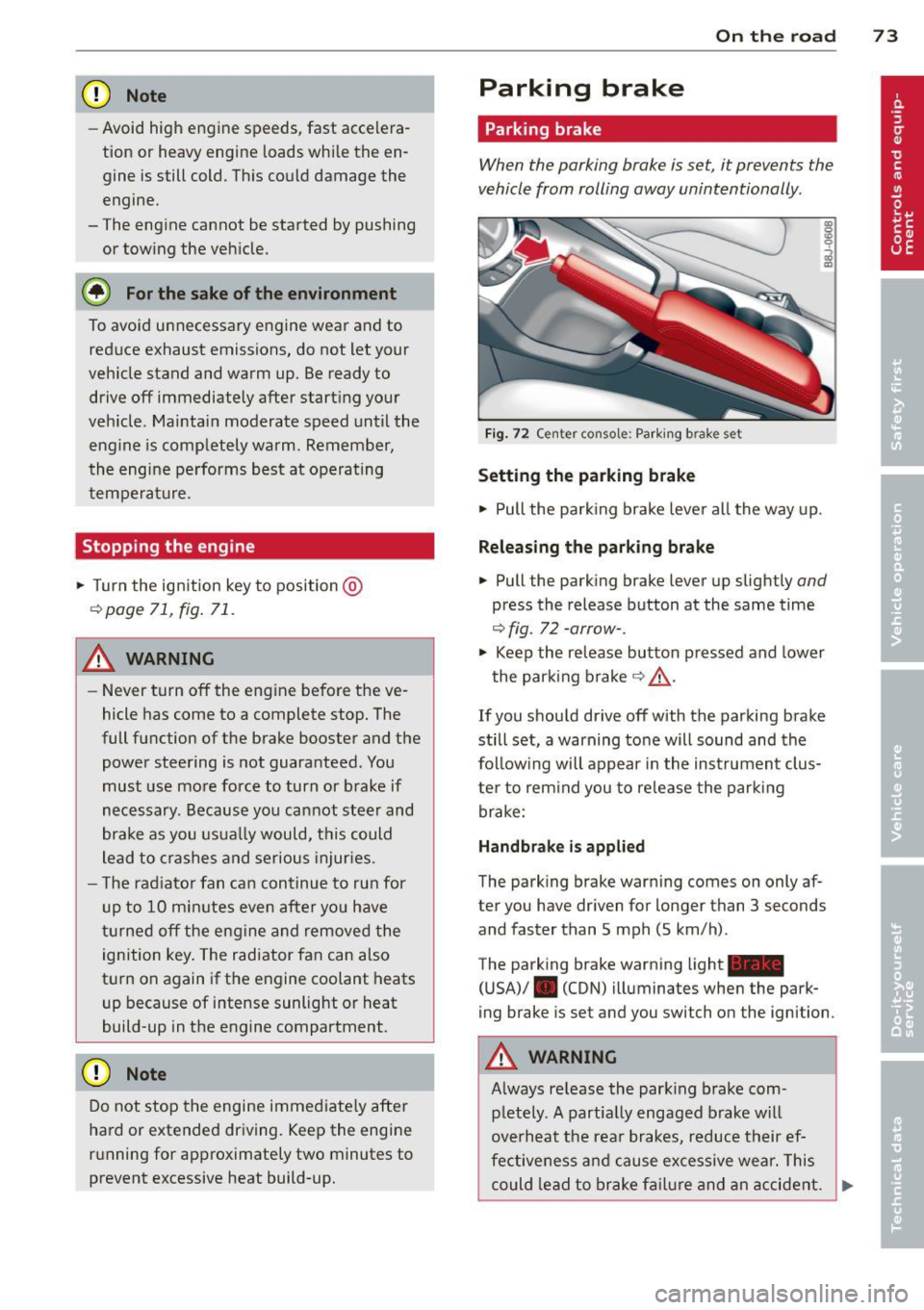
When the parking brake is set, it prevents the
vehicle from rolling away unintentionally .
Fig. 72 Center console: Parki ng b rake set
Setting the parking brake
~ Pull the park ing brake lever all the way up.
Releasing the parking brake
~ Pull the parking brake lever up slightly and
press the release button at the same time
~ fig. 72 -arrow-.
~ Keep the release button pressed and lower
the parking brake~&_ .
If you should drive
off with the parking brake
still set, a warning tone will sound and the
follow ing will appear in the instrument clus
ter to rem ind you to release the parking
brake:
Handbrake is applied
The parking brake warning comes on only af
ter you have driven for longer than 3 seconds
and faster than 5 mph (5 km/h) .
The parking brake warning light_
(USA)/ . (CON) illuminates when the park
ing brake is set and you switch on the ignition .
A WARNING
Always re lease the park ing brake com -
pletely. A partially engaged brake will
overheat the rear brakes, reduce their ef
fectiveness and cause excessive wear. This
could lead to brake failure and an accident. .,.
Page 76 of 262
74 On the road
Only afte r the vehic le has come to com
p lete stop, should you f irm ly set the park
ing brake and either move the gearshift
lever into 1st. gear (manual transm iss ion)
or move the selector lever into "P" (Auto
mat ic transm ission).
Parking
Parking
.,. Stop the veh icle using the brake pedal.
.,. Set the parking brake firmly .
.,. Switc h off the eng ine.
.,. Move t he selecto r lever in to the P position
(autom atic tr an smi ssio n) or move the gear
shift lever into 1st . gear
(manual t ransmi s
sion ).
.,. Remove the ign ition key from the ignit ion
lock.
In addition on incline s and grad es
.,. Turn the steering whee l so that your vehicle
wi ll ro ll against the curb in case it should
start to move.
A WARNING
This is how you can reduce the risk of in
jury when leaving your veh icle.
- Never park the vehicle where it can come in contact with dry grass, sp illed fuel or
any other flammable mater ials .
- Never allow anyone - especially small
children -to remain in the vehicle when
it is locked. Locked doors make it more
difficult for rescuers to access the pas
senger compartment in the event of an
emergency. Danger to life!
- Never leave children unsupervised in the
vehicle. Children could re lease the park
ing brake o r move the gea rshift lever out
of gear. The vehicle could start to roll
away and cause an accident .
- No matter what the season is, the tem
perature in a parked vehicle can reach
dangerous levels .
Starting on hills
Applies to vehicles: wi th hill hold assist
Hill ho ld assist makes it easier to start on
hills.
T he system is activated when the bra ke peda l
is depressed
for a few sec ond s.
After releasing the brake pedal, the brake
power is held for a
brief moment to p reven t
the vehi cle from rolling back when s tarti ng. At
th is time, you can easi ly beg in to move your
vehicle .
A WARNING
- If you did not begin moving immediate ly
after releasing the brake pedal, under
certain circumstances, the vehicle would
begin to roll backward. Depress the
brake peda l immediately or engage the
hand brake.
- Should the engine stall, depress the
brake peda l immediately or engage the
hand brake .
- In order to prevent the vehicle from roll ing back unintentionally when starting in
stop-and-go traffic, keep the brake pedal
depressed for a few seconds before driv
i n g off.
@ Tips
You can find o ut if yo ur vehicle is equ ipped
with "Hill hold ass ist" at an authorized
Audi dealersh ip.
Speed warning system
Overview
The speed warning system helps you to keep
your driving speed below a set speed limit.
The speed warning system warns the driver if
he exceeds a previous ly stored maximum
speed. A warning tone will so und as soon as
the vehicle speed exceeds the set speed by
about 3 mph (3 km/h). At the same time, a
warning symbol appears in the display. .,,.
Page 84 of 262
82 Transmi ssion
The selector lever lock is released as fo llows:
,. Switch the ignition on.
,. Step on the brake peda l
and simultaneously
hold down the re lease button .
Automatic selector lever lock
The selector lever is locked in the P and N po
sitions when the ignition is on . To move the
l eve r from these positions the d river must de
press the brake pedal. As a reminde r to the
d river, the fol low ing wa rning appears in the
instr ument cluster d isplay when the s electo r
is in P and N :
To start en g in e or sel ect gear ap ply fo ot
br ake when sta tionary
The selector lever lock is effective only when
the vehicle is stationary and at speeds be low
5 km/h. A t higher speeds, the lock in the N
position is automatically switched off.
The selector lever is not locked when rapid
shifts a re made th rough t he N pos it ion (e.g .
from R to D). This allows you to " rock" the ve
hicle if it becomes stuc k. If the lever is in the
N position for more than 1 second with the
brake peda l not depressed, the se lector lock
engages automatica lly.
Rele ase button
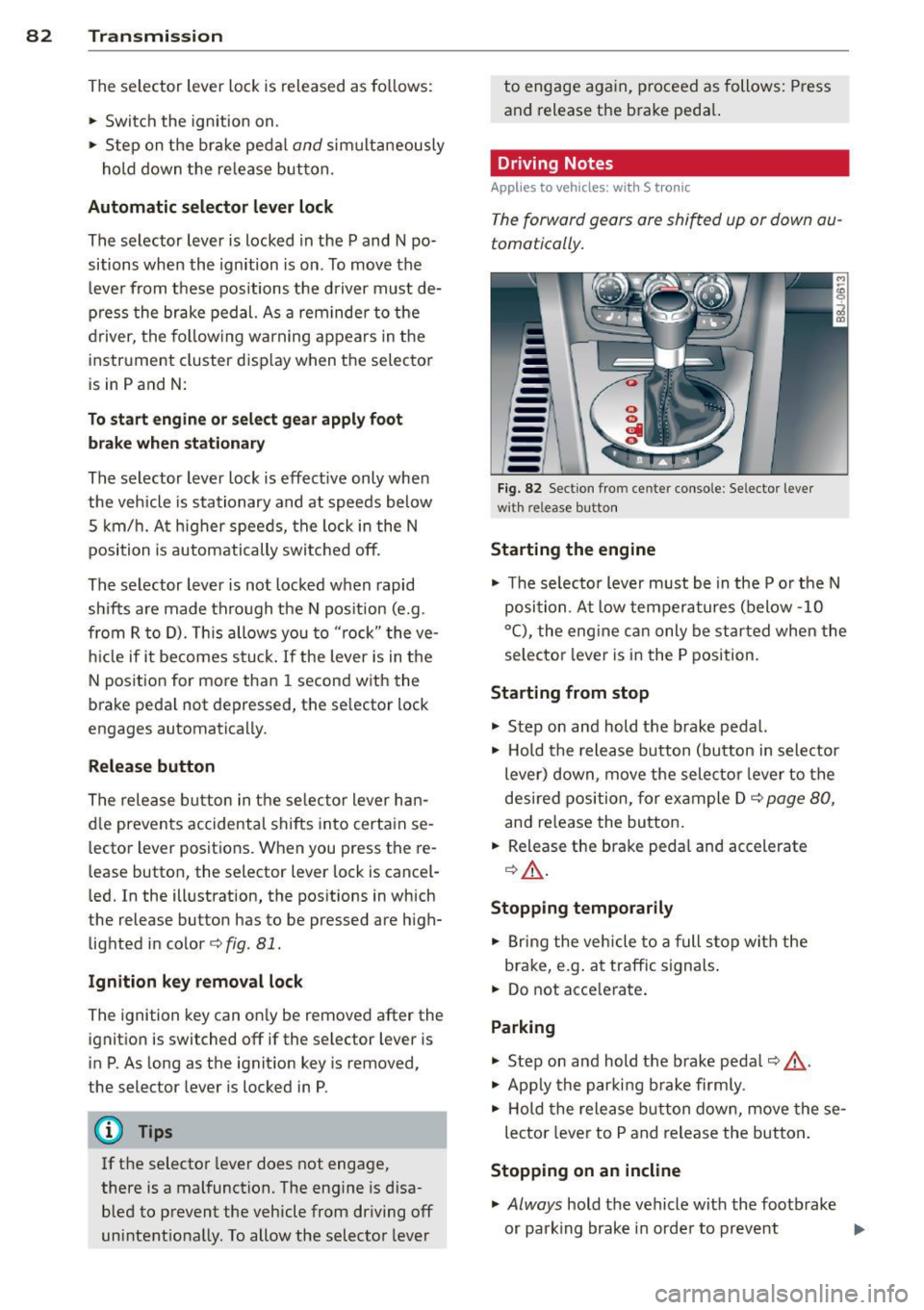
The release b utton in t he se lector lever ha n
d le prevents accidental shifts into certa in se
lecto r lever positions. When you press the re
lease button, the selector lever lock is cancel
l ed. In the illustration, the pos it ions in which
the release but ton has to be pressed are high
lighted in color
c> fig. 81.
Ignition key remo val lock
The ign it ion key can on ly be removed after the
ignition is switched off if the selector lever is
in P. As long as the ignit ion key is removed,
the selector lever is locked in P .
@ Tips
If the selector lever does not engage ,
there is a malfunction. The eng ine is disa
bled to p revent the vehicle from driving off
unintent iona lly. To allow the selector lever to engage again, proceed as follows:
Press
and release the brake peda l.
Driving Notes
Applies to vehicles: w ith S tronic
The forward gears are shifted up or down au
tomatically.
-
------F ig . 82 Section fro m cente r co nso le : Se lecto r leve r
w it h re lea se but ton
Starting the engine
,. The se lecto r lever must be in the P or the N
po sit ion. At low temperatures (below -10
° C), the eng ine can only be started when the
selector lever is in the P position.
Starting from stop
,. Step on and hold the b rake pedal.
,. Hold the release button (bu tton in sele ctor
lever) down , move the selecto r lever to the
desired position, for example D
c> page 80,
and re lease the button .
,. Release the brake peda l and accelerate
Q _A .
Stopping t emporarily
,. Bring the veh icle to a full s top wi th the
brake, e.g . at traffic signals .
,. Do not acce lerate .
Parking
,. Step on and hold the b rake peda l¢ & .
,. App ly the parki ng b rake firmly .
,. Ho ld the release button down, move these
lector lever to P and release the button .
Stopping on an incline
,. Always hold the vehicle with the footb rake
or park ing brake in orde r to prevent
IIIJJ,