cooling AUDI TT 2013 Owner´s Manual
[x] Cancel search | Manufacturer: AUDI, Model Year: 2013, Model line: TT, Model: AUDI TT 2013Pages: 262, PDF Size: 65.91 MB
Page 5 of 262
Monitoring the Advanced Airbag
System . . . . . . . . . . . . . . . . . . . . . . . . . 119
Knee airbags . . . . . . . . . . . . . . . . . . . . . 123
Side airbags . . . . . . . . . . . . . . . . . . . . . 126
Child Safety . . . . . . . . . . . . . . . . . . . 130
Important things to know .. .. .. .. . .
C hi ld safety seats ......... .... .. . .
Instal ling a child safety seat .. .. .. . .
LA TC H Lower anchorages and tethers
for ch ild ren . ................ .. .. .
Addit io n al Information
V ehicle operat ion ........ .. .. .
Intelligent technology .. .. .. . .
N ot ice about da ta recorded by vehi cle
con trol mod ules .......... .. .. .. . .
E lect ronic S tabilization Control (ESC) .
Rear spoiler . .... ..... ... .. .. .. . .
Braking .... .. .... .. .... ... .. .. . .
Electro-mechanical power assist . .. . .
Driving w ith your quattro ® ... .. .. . .
Energy management ...... .. .. .. . .
Dr iving and environment ... ..
The first 1,000 miles (1,500 km) and
afterwards ........... ...... .... .
Avoid damaging the vehicle ........ .
Driving through water on roads . .. . .
Cata lytic conve rter ........ .... .. . .
Opera te you r vehicle econom ic all y and
minim ize po llution ..... ... .. .. .. . .
Trailer towing .. .. ..... ... .. .. .. . .
Vehicle care .. ...... ... .. .. ... .
Cleaning and protection .. .. . .
Gene ral i nformation ... ... .. .. .. . . 130
135
140
1 4 3
1 4 9
150
150
1 50
1 5 0
153
153
155
155
156
159
159
160
160
160
16 1
163
164
164 164
Ca re of exterior . . . . . . . . . . . . . . . . . . 164
Care of interior . . . . . . . . . . . . . . . . . . . 170
Fuel suppl y and filling your
fuel tank . . . . . . . . . . . . . . . . . . . . . . .
176
Gasoline . . . . . . . . . . . . . . . . . . . . . . . . 176
Fue l tank . . . . . . . . . . . . . . . . . . . . . . . . 177
Checking and filling . . . . . . . . . . . 180
Eng ine hood . . . . . . . . . . . . . . . . . . . . . 180
Eng ine o il . . . . . . . . . . . . . . . . . . . . . . . 182
Table of contents 3
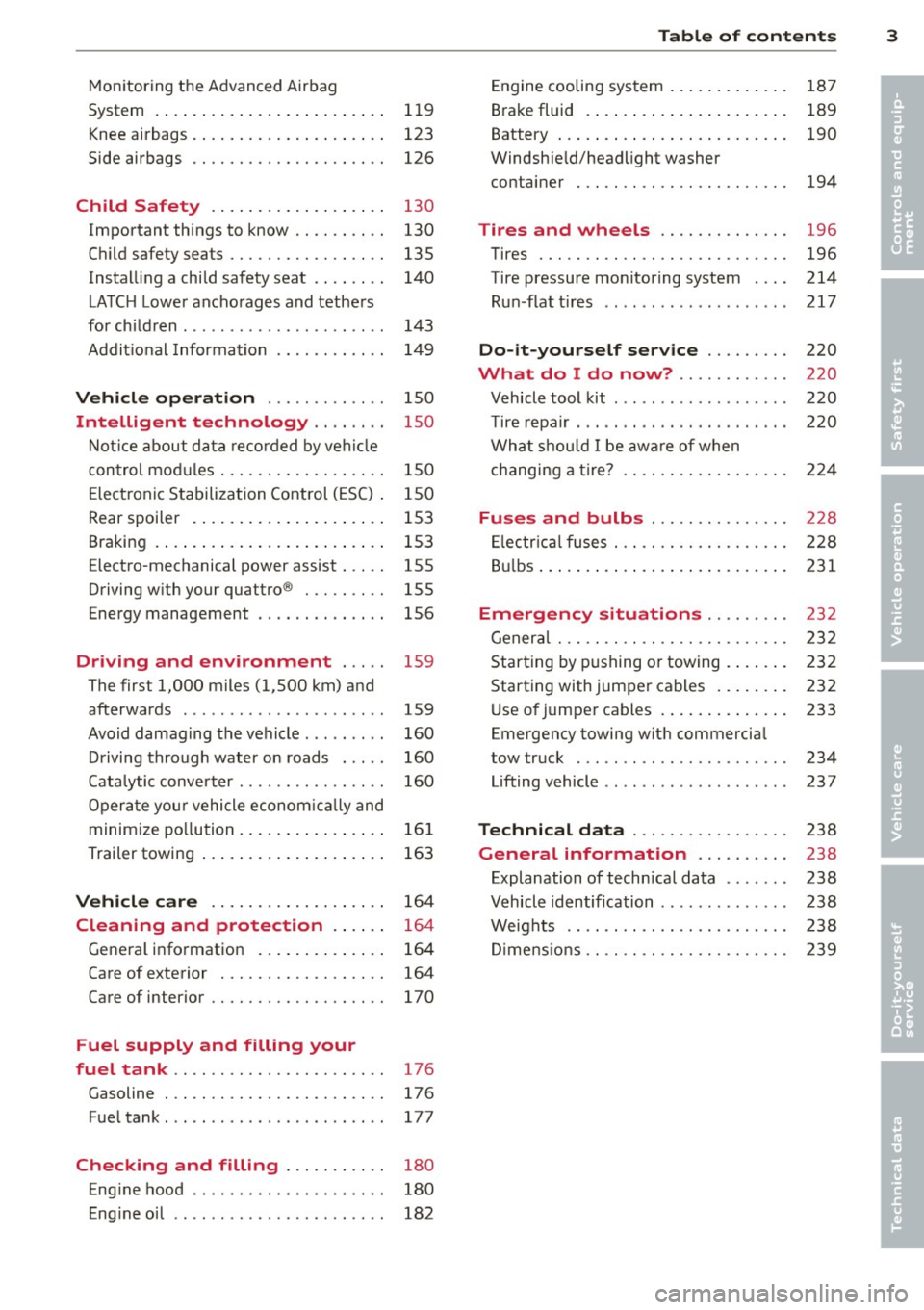
Engine cooling system .. ..... ... .. . 187
B rake fluid . ... .. .. . ... ...... ... . 189
•
Battery ... .. .. .. .. . .. ... .... ... . 190 •
Windsh ie ld/headlight washer
container . .. .. .. .... ........... . 194
Tires and wheels ............. . 196
Tires ..... .. .. .. .. . ............ .
196
Tire pressure mo nitoring system . .. . 214
R un -flat t ires .. .. .. . .. .... .... .. . 217
Do -it-yourself service ........ . 220
What do I do now? .. ...... ... . 220
Vehicle tool kit .... .............. . 220
T ire repa ir . .. .. .. ... .. .. ... ..... . 220
Wha t shou ld I be awa re of when
h . t
· ? c angmg a ire ... .. . ............ . 22 4
Fuses and bulbs ... ........... . 228
El ectr ica l fuses . .. ............... . 228
B ul bs ... .. .. .. .. .. .. .. .. .... ... . 231
Emergency situations ........ . 232
Gener al ..... .. ...... ........... . 232
Starting by pushing or towing . ... .. . 232
Starting with jumper cables .. ... .. . 232
Use o f ju mpe r cables . ....... ... .. . 233
Emergency towing with commercia l
tow tr uck . .. .. .. ... ............ . 234
Lifting vehicle .. ... .............. . 237
Technical data ................ . 238
General information .... ... .. . 238
Explanation of technical data ... ... . 238
Vehicle identification ............. . 238
We ights .. .... .. .. . ............ . 238
Dimens ions .. .. .. .... ........... . 239
Page 13 of 262
Instrument s and warning /indicator lights 11
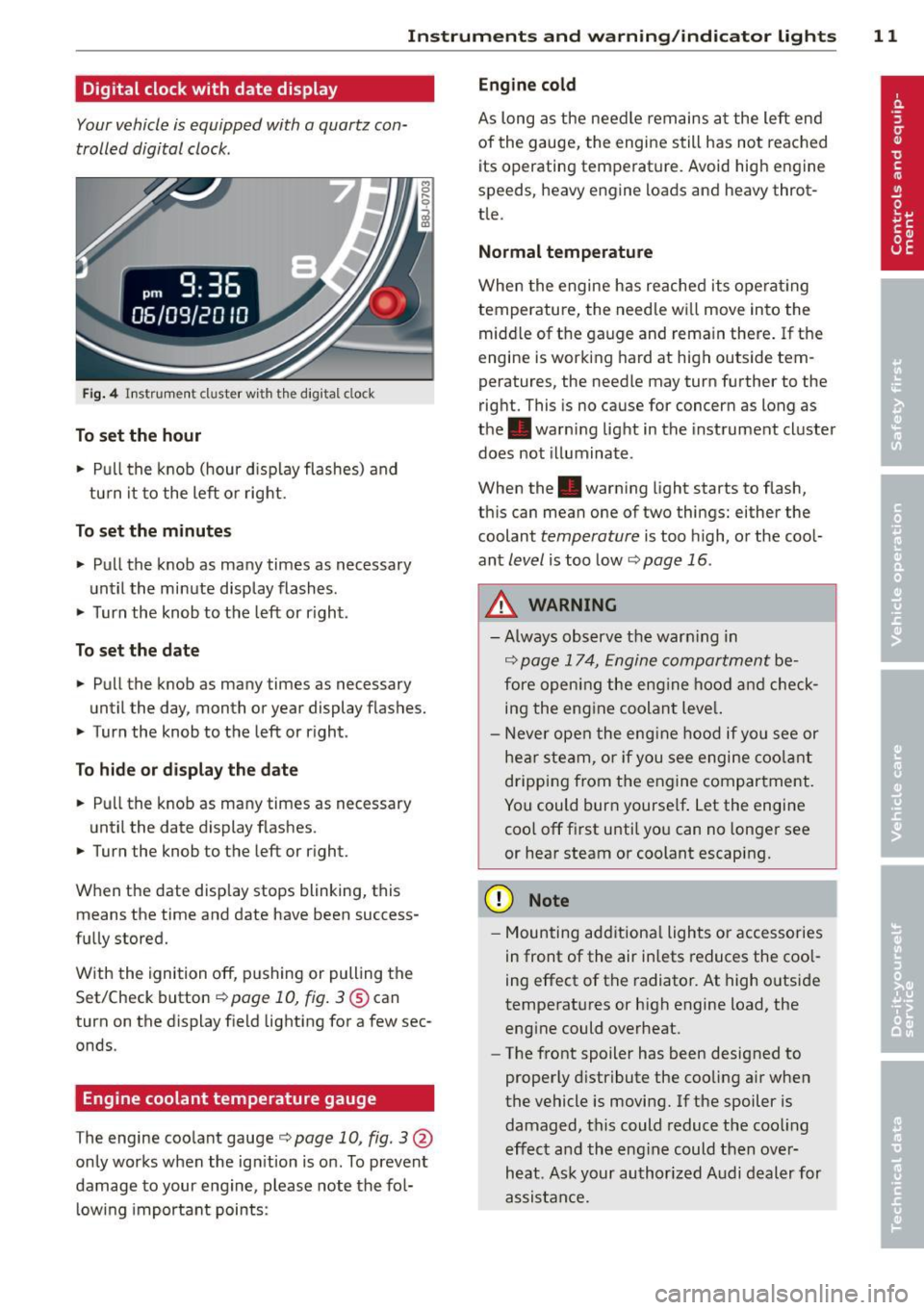
Digital clock with date display
Your vehicle is equipped with a quartz con
trolled digital clock .
Fig. 4 In str um en t cl uste r w it h t he dig ita l cloc k
To set the hour
.. Pu ll t he knob (hour d isp lay flashes) and
tu rn it t o the left or rig ht.
To set the minutes
.. Pull the knob as ma ny times as necessary
un til the mi nute display flash es.
.. Turn the knob to the left or r ight .
To set the date
.. Pull the knob as many times as necessary
until the day, month or year display flashes.
.. Turn the knob to the left or right .
To hide or d isplay the d ate
.. Pull the knob as many times as necessary
unti l the date display flashes.
.. Turn the knob to t he left or r ight.
When the date disp lay stops blinking, this
means the time and date have been success
fu lly stored.
W ith the ignition off, pushing or pulling the
Set/Check button¢
page 10, fig . 3@ can
turn on the dis play f ie ld lighting for a few sec
onds .
Engine coolant temperature gauge
The engine coo la nt gauge ¢ page 10 , fig. 3@
only works when the ign ition is on. To prevent
damage to your e ngine, please note the fo l
l owing important points:
Engine cold
As long as the nee dle rem ains a t the left end
of the gauge, the engine s till h as not reac hed
its operating temperat ure. Avoid high engine
speeds, heavy engine loads and heavy throt
tle.
Normal temperature
W hen the engine has re ache d its ope rat ing
temperature, the need le w ill move into the
mid dle of t he gauge and rema in there .
If the
engine is working hard at high outside tem
peratures, the needle may turn fu rther to the
right. This is no cause for concern as long as
the . warni ng lig ht in the inst rument cl uster
does not illuminate .
When the. war ning light starts to flash,
th is can mean one of two thi ngs: either the
coolant
temperature is too high, o r the coo l
ant
level is too low ¢ page 16 .
A WARNING
--Always obs erv e th e warn ing in
¢ page 1 7 4, Engine compar tment be
fore opening the eng ine ho od and check
in g the eng ine coolan t leve l.
- N ever open t he eng ine hood if you see or
he ar ste am, or if you see engi ne coo lant
drippi ng from t he en gine compar tment .
You could bur n yourse lf . Let the en gin e
coo l off fi rst u ntil yo u can n o longe r see
or hear steam or coolant escap ing.
(D Note
- M ounting ad ditiona l lights or accessories
i n fr ont of the air inlets reduces the coo l
ing effect of t he radiato r. At high o utsi de
tempe rat ures or h igh engine load, the
eng ine could overheat.
- The front spoiler has been designed to
properly d istribute the cooling a ir when
the vehicl e is movi ng. If the spoiler is
damaged, this c ould reduce the coo ling
e ff ect a nd th e eng ine could then ove r
h eat . As k yo ur au thori zed A udi deal er for
a ssis tan ce.
Page 18 of 262
16 Instrum ent s and w arn ing /indic ato r light s
_& WARNING
If you have a malfunction in the safety sys
tems, contact your authorized Audi dealer
immediate ly. Otherw ise the safety sys
tems may not work properly in an acci
dent.
~ Safety belt warning light
App lies to vehicles: with safety belt warning light
The warning light is a reminder to fasten
safety belts.
The warning light . comes on for a few sec
onds after the ignition is switched on as a re
minder to fasten your safety be lt.
Addit ional info rmation on safety be lts
¢ page 100.
0 Generator
This warning/indicator light detects a mal
function in the generator or in the vehicle's
electrical system .
The. warning/ind icator light illuminates
when yo u switch on the ignit ion and must go
out after the engine has started .
I f the . warning/indicator light illum inates
while you are driving, yo u should contact you r
author ized Audi dealer. Since the veh icle bat
tery is discha rging, you should switch
off any
unnecessary electrical consumers (for exam
p le, the air conditioner).
~ Engine oil pressure
The red engine oil pressure warning symbol
requires immediate service or repair.
I f the . symbol appears in the display and
flashes, the oil pressure is too low . In addition
to the symbo l, the following message a lso ap
pears in the d isp lay:
S wi tch off en gin e! Oil pr essure is t oo low
• Pull off the road and stop the vehicle .
• Shut the engine down.
• Check the eng ine oil level¢
page 185.
• Contact your authorized Audi dealer for as-
sistance if necessary .
Engine oil level too low
If the engine oil level is too low , top off oil to
t h e proper level
¢ page 185.
Engine oil leve l OK
If the . symbol starts flashing again even
though the eng ine oil level checks OK on the
dipstick,
do not start dri ving again and d o
not l et th e engine run at idl e.
Instead, con
tact yo ur auth o rized Aud i dea ler fo r ass is
tance .
(D Tips
- The engin e oil pr essure symbol. is
n ot an indi cato r for a l ow eng in e oil lev
e l. Do not rel y on i t. In ste ad, che ck th e
o il le vel in yo ur engine at regul ar inter
vals, p referably ea ch time you refuel ,
a nd a lw ay s befo re going on a long t rip.
- The yellow oil le vel warning indication
Ill r equires oil refill or wor kshop s erv
ic e w ithout delay. Do not wait until the
red oil pressure warni ng sy mbol.
s tarts to flash before you re spo nd to
th e lo w oil level warning
111-By then,
y our engin e may already ha ve suffer ed
s er iou s damag e.
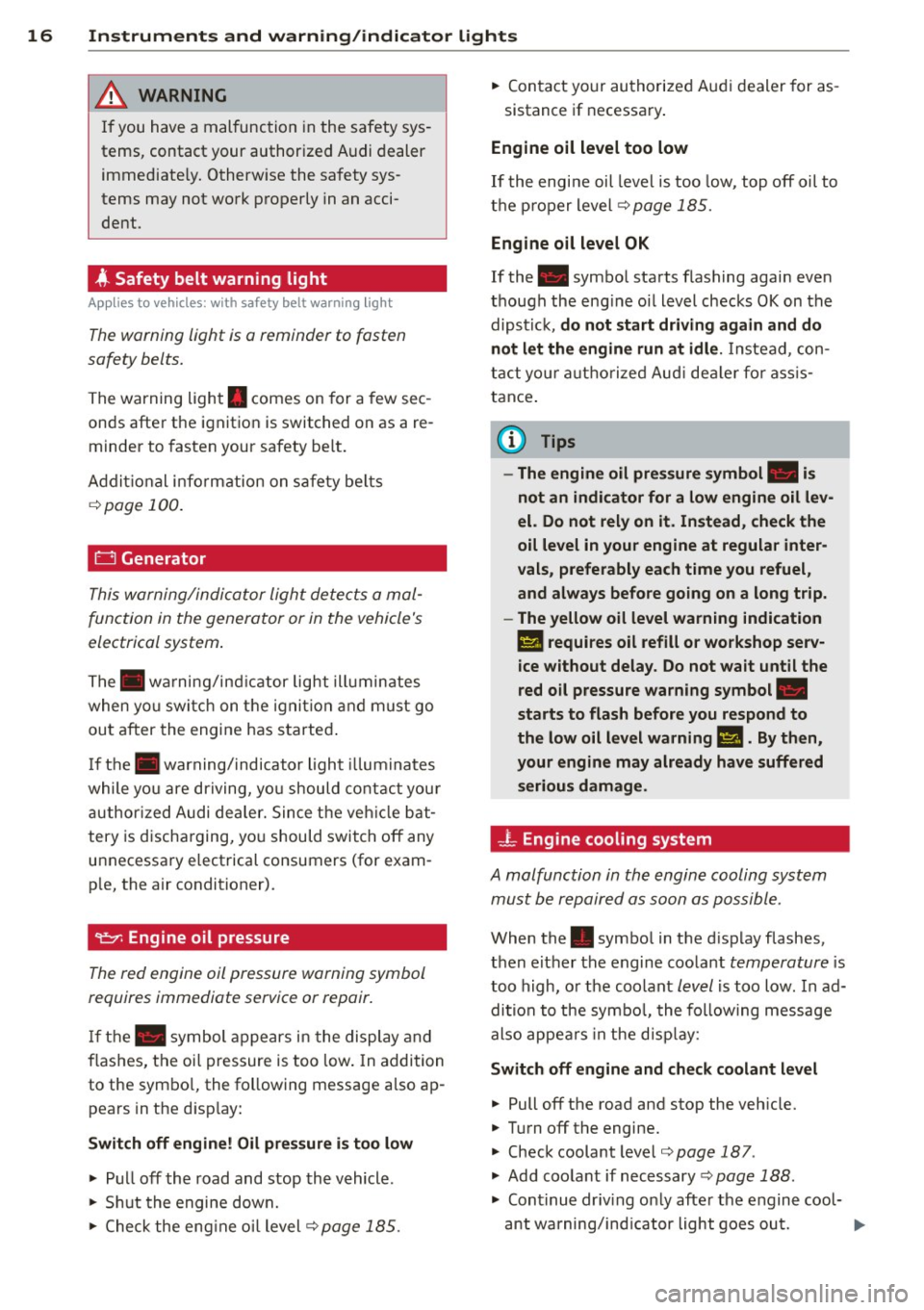
-L Engine cooling system
A malfunction in the engine cooling system
must be repaired as soon as possible .
When the. symbol in the d isplay flashes,
then either the engine coolant
temperature i s
too high, or the coolant
level is too low . In ad
dition to the symbo l, the following message
also appears in the d isp lay:
Swit ch off en gin e and chec k coolant level
• Pull off the road and stop the veh icle.
• Turn
off the engine.
• Check coolant level
¢page 187.
• Add coolant if necessary¢ page 188.
• Continue driv ing on ly after the engine cool-
ant wa rning/ind icator light goes out. ..,.
Page 19 of 262
Instrument s and warnin g/indic ator ligh ts 17
~ Contact your authorized Audi dea ler for as -
sistance if necessary.
If the engine coolant level is co rrect, then the
radiator fan may be the cause of the malfunc
tion.
If the generator wa rning/ind icator light
should also illuminate
r:!:> page 16, then the
fan belt may be damaged.
A WARNING
- If your vehicle should break down for
mechanical or other reasons, park at a
safe distance from moving traffic, turn
off the engine and turn on the hazard
warning lights
c> page 45, Emergency
flasher &.
-
-Never open the hood if you see or hear
steam or coolant escap ing from the en
gine compartment - you risk being scald
ed . Wait until you can no longe r see or
hear steam or coo lant escaping.
- The engine compartment of any ve hicle
is a da ngerous a rea. Before you perfo rm
any wor k in the engine compartment,
turn off the engi ne and a llow i t to cool.
F ollow the wa rning stickers
¢ page 180.
(D Note
Do not co nti nu e d riving if the. symbol
illum inates. There is a ma lf u nct ion in the
eng ine cooling system -you co ul d damage
your eng ine.
@ Electro-mechanical power assist
If the indicator lig ht illuminates w hile you are
driving, there is a malfunction in the electro
mechanical steering. If the ind icator light is
show ing ,£"~ . there may be a reduction in pow
er steering assist. If the ind icator light is
show ing . , there may be a total loss of pow
e r steering assist. The stee ring m ust be in
spected immediately by a qua lified wor kshop
¢ ,&. .With the engine no t running (e.g. when
the car is being towed), there is a lso no power
assist avai lab le .
A WARNING
-
If there is a ma lf u nction, the indicator
light for the electro-mechanical power as
sist illuminates. Seek professional assis
tance.
~ Clutch pedal
App lies to vehicles: wit h manual transmiss ion
T he ind icator light [~l ill uminates if you do
not press the clu tch pedal when s ta rting the
engine. For safety reasons, the eng ine will on
ly start when the clutch peda l is pressed.
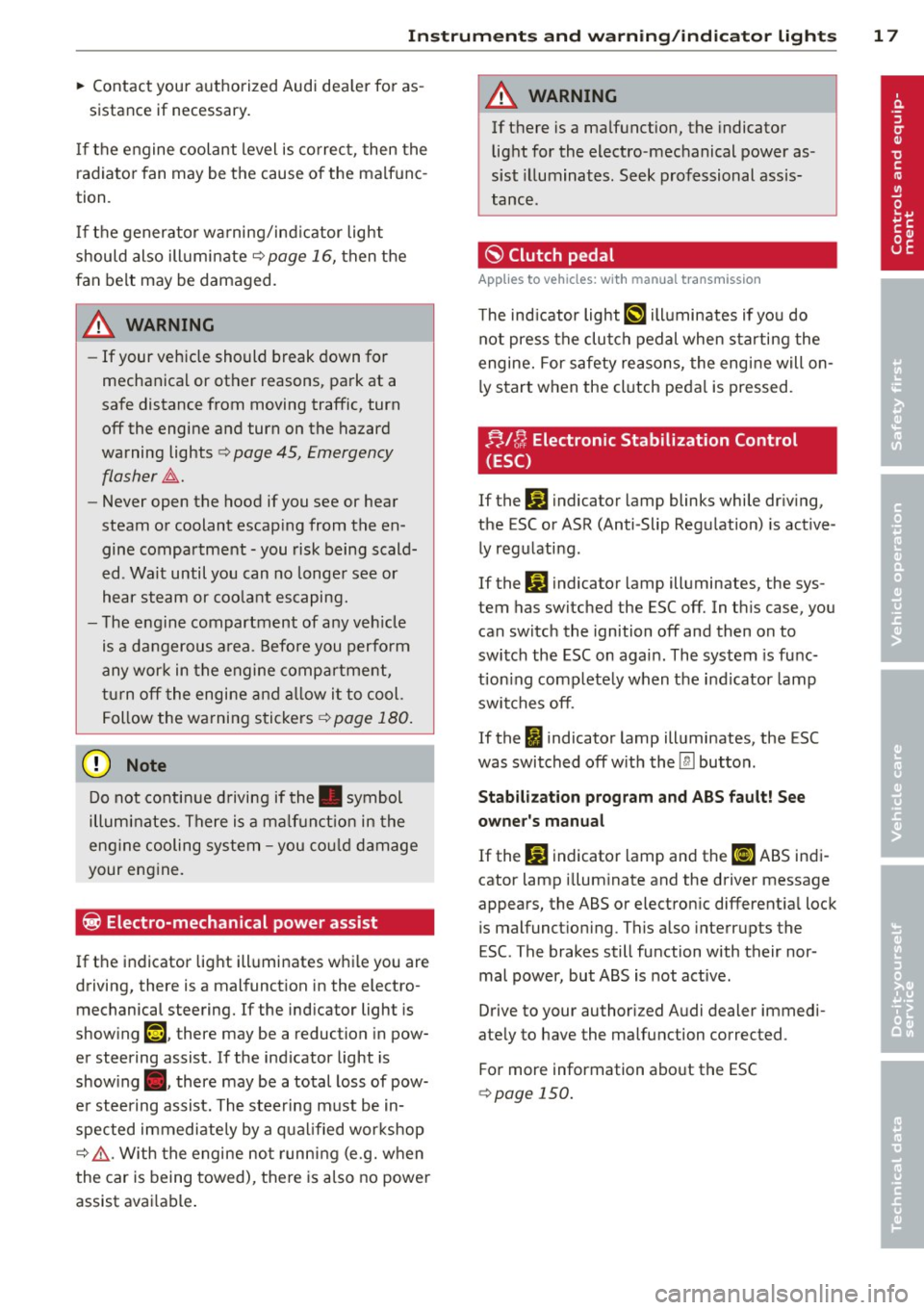
;;,I C; Electronic Stabilization Control
(ESC)
If the hJ indicator lamp blinks while dr iv ing,
the ESC or ASR (Anti-Slip Regu lation) is active
ly regulating .
If the
G! indicator lamp illuminates, the sys
tem has switched the ESC off. In th is case, you
can switch the ignition off and then on to
switch the ESC on again. The system is func
t ion ing complete ly when the ind icator lamp
swi tches off.
If the
I) indicator lamp illuminates, the ESC
was switched off w ith the
[ru button .
Stabilization program and AB S fault! See
owner 's manual
If the G! indicator lamp and the [I] ABS indi
cator lamp illum inate and the driver message
appears, the ABS or electron ic different ia l lock
is malfunct io ning . This also interrupts the
ESC. The brakes still function with their nor
mal power, but ABS is not active.
Drive to your authori zed A udi dealer immedi
ate ly to have the malfunction corrected .
For more information abo ut the ESC
¢ page 150.
Page 68 of 262
66 Warm and cold
Warm and cold
Climate controls
Controls
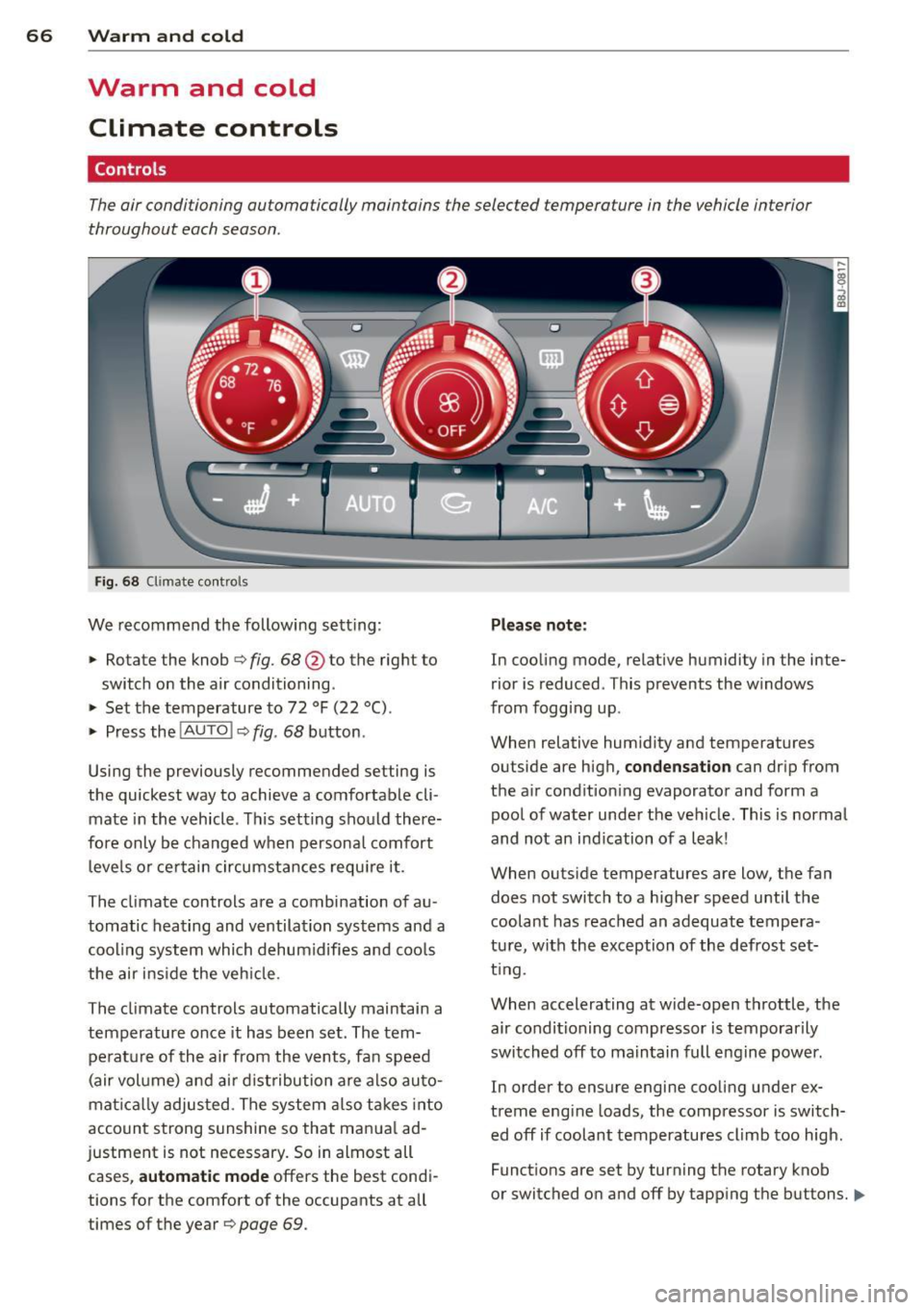
The air conditioning automatically maintains the selected temperature in the vehicle interior
throughout each season .
Fig. 68 Climate contro ls
We recommend the following sett ing :
> Rotate the knob ¢ fig. 68 @to the right to
switch on the air conditioning .
> Set the temperature to 72 °F (22 °() .
> Press the !AUTO I ¢ fig . 68 button .
Using the previously recommended setting is
the quickest way to achieve a comfortable cli
mate in the vehicle . This setting should there
fore only be changed when persona l comfort
l eve ls or ce rtain circumstances requi re it .
The climate controls are a combination of au
tomatic heating and ventilation systems and a
coo ling system which dehumidifies and coo ls
the air ins ide the veh icle.
The climate controls automatically maintain a temperature once it has been set . The tem
perat ure of the air from the vents, fan speed
(air vol ume) and ai r d ist ribution are also auto
mat ical ly adjusted . The system also takes into
account strong s unshine so that manua l ad
justment is not necessary. So in almost all cases,
a ut om at ic mode offers the best cond i
tions for the comfort of the occupants at all
times of the year ¢
page 69.
Please not e:
In cooling mode , relative humidity in the inte
rior is reduced . This prevents the w indows
from fogg ing up.
When relative hum idity and temperatures
outside are high ,
conden sati on can drip from
the a ir condition ing evaporator and form a
pool of water under the vehicle. This is normal
and not an ind ication of a leak!
When outs ide temperatures are low, the fan
does not switch to a higher speed until the
coolant has reached an adequate tempera
tu re, with the exception of the defrost set
t ing.
When accelerating at wide-open throttle, the air conditioning compressor is temporarily
switched off to ma intain full engine power .
In order to ensure engine cooling under ex
treme engine loads, the compressor is switch ed off if coolant temperatures climb too high.
Funct ions are set by turning the rotary knob
or switched on and off by tapp ing the buttons.
II>
Page 69 of 262
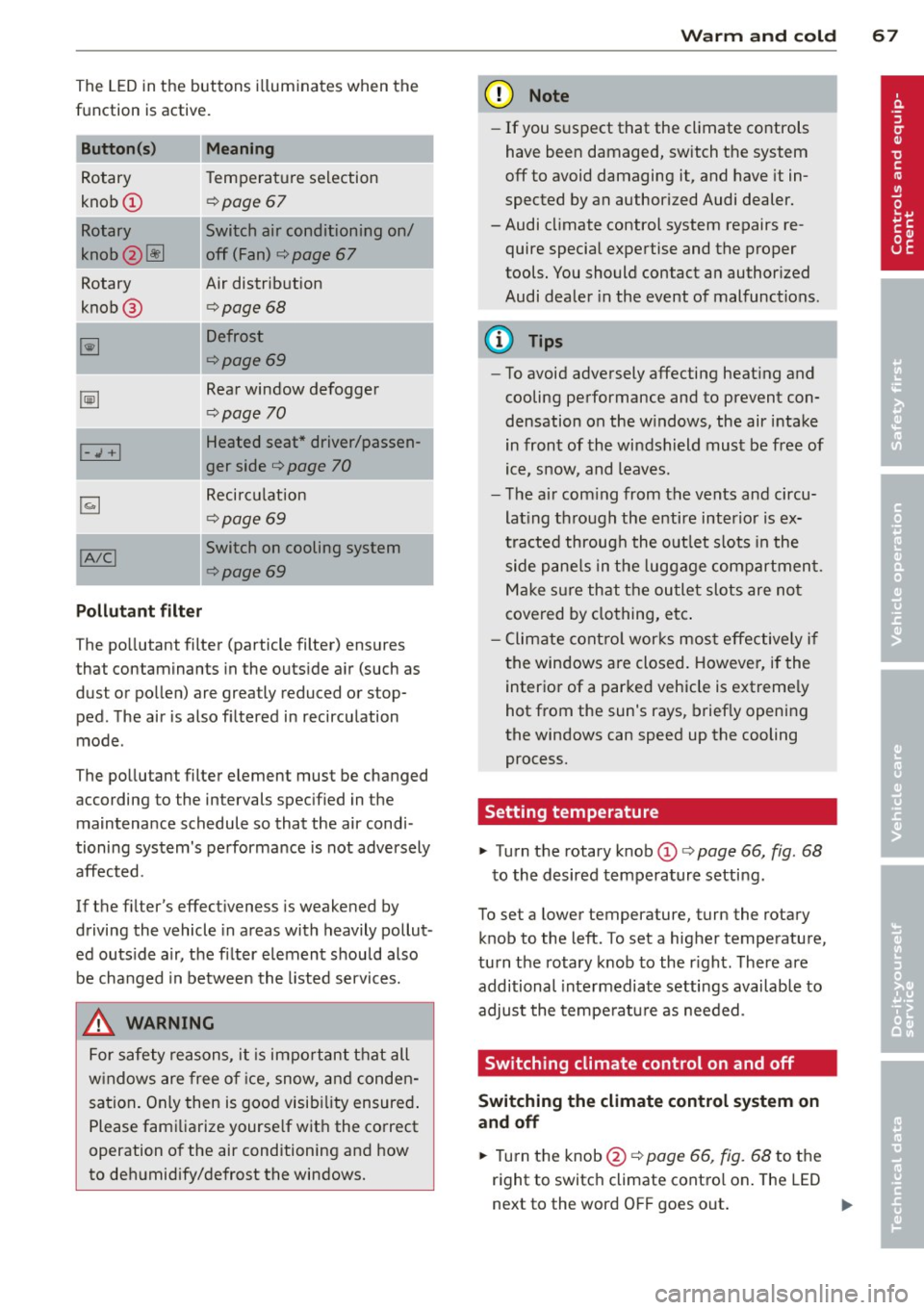
The LED in the buttons illum inates when the
function is active.
Button (s) Meaning
Rotary Tem
perature selection
knob
CD r=;, poge 67
Rotary Switch air cond itioning on/
knob
2 ~ off (Fan) ¢ page 67
Rotary Air distribution
knob @
¢page 68
~
Defrost
r=;,page69
~
Rear window defogger
¢page 70
Heated seat * driver/passen-I-.,; +I
ger side ¢ page 70
~
Recirculation
¢page 69
!AIC! Switch on cooling system
r=;, page69
Pollutant filter
The po llutant filter (particle filter) ensures
that contaminants in the outs ide a ir (such as
dust or pollen) are greatly reduced or stop ped. The air is also f iltered in recirculation
mode .
The pollutant filter element must be changed according to the intervals spec ified in the
maintenance schedule so that the air cond i
tioning system's pe rformance is not adversely
affected.
If the filter's effect iveness is weakened by
driving the vehicle in areas with heavily pollut
ed outs ide a ir, the fi lter element should also
be changed in between the listed services.
,&. WARNING
For safety reasons, it is impo rtant that all
w indows are free o f ice, snow, a nd conden
sation . Only then is good visib ility ensured .
Please fami liarize yourse lf wit h the correct
operation of the air conditioning and how
to deh umidify/defrost the windows.
Warm and c old 67
@ Note
-If you s uspect that the climate controls
have been damaged, switch the system
off to avoid damaging it, and have it in
spected by an authorized Audi dealer.
-Audi cl imate control system repairs re
quire special expertise and the proper
tools. You should contact an author ized
Audi dealer in the event of malfunctions.
(D Tips
- To avoid adversely affecting heat ing and
cooling performance and to prevent con
densation on the w indows, the air i ntake
in front of the windshield must be free of
ice, snow, and leaves.
- T he a ir com ing from the vents and circu
lat ing th rough the e ntire interior is ex
tracted throug h the o utlet s lots in the
side p ane ls in the luggage compartmen t.
Ma ke s ure th at the outlet slots are no t
cove red by clo thing, e tc.
- C limate cont ro l wor ks mos t effectively i f
t he windows are closed. Howeve r, if the
interior of a par ked vehicle is extreme ly
hot from the sun's rays, brief ly opening
the windows can speed up the cooling
process.
Setting temperature
"' Turn the rotary knob CD ¢ page 66, fig. 68
to the desired temperature setting.
To set a lower temperature, turn the rotary
knob to the left . To set a higher temperatu re,
turn the rotary knob to the r ight . There are
additional inte rmediate settings available to
adjust the tempe ratu re as needed .
Switching climate control on and off
Switching the climate control system on
and off
"' Turn the knob@ r=;, page 66, fig. 68 to the
right to switc h climate contro l on . The LED
next to the word OFF goes o ut. ..,.
Page 71 of 262
Defrost~
The windshield and side windows ore defrost
ed or cleared of condensation as quickly as
possible .
.,. To turn on the defogger/defroster, press the
~button <=>
page 66, fig. 68 .
.,. To turn the defogger/defroster off, press
the ~ button aga in, or the
! AUTO ! button.
T emperature is controlled automatically . T he
maximum amount of a ir flows mainly from
vents 1
¢ page 68 .
A small amoun t of air flows from vents 2 -if
they are open <=>
page 68.
Pressing the~ button switches off recircula
tion mode.
Automatic operation ~
Standard operating mode at all times of the
year.
Turnin g on autom atic operation
.,. Set the temperature you want .
.,. Press the
!AUTO I button <=> page 66, fig. 68 .
Automatic operation ensu res constant tem
perat ures in the inter ior and dehum idifies the
air inside the vehicle . Air temperature, vol
ume , and distribution are controlled automat
ically to reach or maintain the desired interior
temperature as quickly as possib le. Fluctua
tions in exterior temperature and the effects
of temperature from the posi tion o f the sun
are compensated for automat ically.
Manual air recirculation mode~
The recirculation mode prevent s polluted out
side air from entering the vehicle interior .
Swit c hi ng on air r ecircu lat ion
.,. Press the button~<=> page 66, fig. 68
¢ _&. .
Sw itching off air r ecir culation
.,. Press the but ton ~ again, or
.,. Press the
!AUTO I button, or
Warm and c old 69
.,. Press the~ button .
In recircu lation mode, air is drawn from the
vehicle interior, filtered, and recirculated . We
recommend that yo u se lect reci rculation
mode
briefly <=>.& under the fo llowing condi
tions:
When dr iv ing thro ugh a tunnel or in a traffic
jam so that exhaust fumes and odors cannot enter the vehicle interior .
_&. WARNING ~
You should not use the recirculation mode
for an extended period s ince no fresh air is
drawn in, and with the air condit ioning
switched off the windows can fog up -th is
increases the r isk of an accident!
A/C operation ~
Switching on A /C
.,. Press the !A/Cl button <=> page 66, fig. 68 .
Switching A/C off
.,. Press the IA/C l butto n again .
T he air is not coo led and humidity is not re
moved when cooling mode is switched off.
This can cause fog on the windows. Cooling mode switches off automatically when the
outside temperature is be low zero .
(D Tips
If the LED in the switch stays on after A/C
ope ration has been switched off(= switch
i ng the A/C off), there is a fault in an air
cond itioning component. Please consult
an authorized Audi dealer when there is an
operat ing problem.
Using the climate controls economically
Economical use of the clima te controls helps
to save fuel .
When climate control is working in cooling
mode, engine performance is reduced and
fuel consumpt ion is affected . To keep the time.,.
Page 186 of 262
184 Checking and filling
Detergent additives in the o il will make fresh
oil look dark after the engine has been run
n ing for a short time . This is norma l and is not
a reason to change the oil more often than recommended.
D am ag e o r m alfun ction s due to lack of
m ainten ance
It is essent ial that yo u change your oil at the
recommended intervals using only engine oil
that complies with Audi oi l standard
VW 502 00 . Your Lim ited New Vehicle War
ranty does not cover damage or malfunctions
due to failure to follow recommended mainte
nance and use requ irements as set forth in
the Audi Owner's Manual and Warranty
&
M aintenance book let . Your dea ler will have to
deny warranty coverage un less you p resen t to
the dea ler proof in the form of Servi ce or Re
pa ir Orde rs that all schedu led maintenance
was performed in a timely manner.
Engine oil consumption
The engine in your vehicle depends on an ade
quate amount of oil to lubricate and cool all
of its moving ports.
I n o rder to prov ide effective lubr ication and
cooling of internal engine components, a ll in
ternal comb ustion engines consume a certain
amount of oil. Oi l consumption varies from
engine to engine and may change significantly
over the life of the eng ine . Typically, eng ines
with a specif ied break-in per iod (see
c::;, page 159) consume more oil during the
break-in per iod than they consume after oil
consumption has stabilized .
Under normal conditions, the rate of oil con
sumpt io n depends on the quality and viscosity
of the oil, the RPM (revolutions per m inute) at
which the engine is operated, the ambient
temperature and road cond it io ns. Furthe r fac
tors are the amo unt of o il d ilution from wate r
condensation or fuel residue and the ox ida
tion level of the oi l. As any engine is subject to
wear as mileage bui lds up, the oil consump
tion may increase over t ime until replacement
of worn components may become necessary. Wi
th a ll these variab les coming into p lay, no
standard rate of oil consumption can be es
tab lished or spec ified. There is no alte rnative
to regular and frequent check ing of the o il lev
el, see
Note .
If the yellow engine oil leve l warning symbo l
in the instr ument cluster
II lights up, you
sho uld check the oil leve l as soon as possib le
with the oil dipstick c::;, page 185. Top off the
o il at your earliest conven ience
c::;, page 185 .
A WARNING
-Before you chec k anything in the eng ine
compartment, a lways read and heed a ll
WAR NINGS
c::;, .& in Working in the engine
comportment on page 180.
CI) Note
D riving with an insufficient o il level is like
l y to cause sever e damage to the engine.
(D Tips
- The oil pressure warn ing display. is
not an indicator of the oil level. Do not
re ly on it . Instead, check the oil level in
your engine at regular intervals, pr ef
erably ea ch time you refu el, and alway s
before going on a long trip.
- If you have the impression yo ur engine
cons umes excessive amoun ts of oil, we
recommend that you consult your Aud i
dealer to have the cause of your concern
properly diagnosed. Keep in mind that
the accurate meas urement of o il con
sumption requ ires great care and may
take some t ime . Your Audi dea ler has in
struct ions about how to measure oil con
sumption acc urately.
Page 189 of 262
@ For the sake of the environment
- Before changing your oil, first make sure
you know where you can properly dispose of the used oil.
- Always dispose of used engine oil proper
l y. Do not dump it on garden soi l, wood
ed areas, into open streams or down
sewage drains.
- Recycle used engine oil by taking it to a
used engine oil collection facility in your
area, or contact a service station.
Engine cooling system
Coolant
The engine coolant performs two functions: it
keeps the engine from overheating and it pro
tects the engine from freezing in the winter.
The cooling system is sea led and generally re
qu ires little at tention.
The cooling system has been filled at the fac
tory with a permanent coolant which does not n eed to be changed. The coolant consists of a
mixture of wa ter and the man ufacturer's g ly
col-based coolan t addi tive Gl3 ant ifree ze
with ant icorrosion add itives (50% for USA
models; 60% for Canadian models) . This mix
ture both assures the necessary frost protec
tion and protects metal components in the
engine's cooling system from corrosion and
scaling. It also raises the boiling po int of the
coolant.
Do not reduce the concentration of the coo l
ant in the summer by adding plain water.
The
proportion of coolant add itive must be at
lea st 50°/4 but not more than 60°/4
to ma in
tain antifreeze protection and cooling efficien cy. If the coolant frost pro tect io n is too low,
the coolant cou ld freeze and dam age the veh i
cle heating and eng ine cooling system.
For year-round driving, antifreeze is added at
the facto ry for temperatures down to:
- -31°F( -35°C)USA
- -40 °F ( -40 °C) Canada.
Checkin g and fillin g 187
A WARNING
Before you c heck anything in the engine
compartment, always read and heed all
W ARNI NGS~ &.
in Working in the engine
comportment on page 180.
(D Note
- Before winter sets in, have the coolant
checked to see if the coolant additive in
your v ehicle is sufficient to meet the cli
mate conditions. This is especia lly impo r
t an t if you live in a region where t he win
t er is ex treme ly cold. If ne cessary, in
cr ease t he p ro portion of coo lant add itive
to 60%.
- Whe n adding cool ant additive to yo ur
c ooling sys tem, remember:
- We recommend us ing on ly coolant ad
d itive Gl2++ or Gl3 (check the labe l)
for your veh icle. This coolant additive is
ava ilable at autho rized Aud i dea le rs.
Othe r types of antifree ze can sig nifi
cantly reduce cor ros io n protec tion. The
res ulting co rrosion can cause a loss of
coolant an d serio us en gine damage.
- Do not add any type of rad iator le ak seal
ant to yo ur vehicle 's eng ine coolant .
Adding radiator repair flu id may adverse
ly affect the function and performance of
your cooling system and co uld resu lt in
damage not covered by you r New Ve hicle
Limited War ranty.
Checking the engine coolant level
The engine coolant level con be checked with
a quick glance.
Fig. 138 Eng ine compa rtment : cove r on t he coola nt
expansio n tank
Page 190 of 262
188 Checking and filling
Before you check anything in the engine com
partment,
alwa ys r ea d and heed all WARN
INGS ¢ A in Working in the engine compart
ment on page 180.
• Park your vehicle on a level surface.
• Switch the ignition off.
• Read the coolant level at the coolant expan
s ion tank ¢
page 182, fig . 134. With a cold
engine, it must be above the "min" mark .
With a hot engine, it ca n be a little above
the indicated range .
The location of the coolant expans ion tank
can be seen in the engine compartment illus
tration
¢ page 182.
To obtain an accurate read ing, the engine
must be switched off.
The expansion tank in yo ur vehicle is equipped
with an e lectric coolant level sensor .
When the coo lant level is too low, the warning
light in the A uto- Check System ¢
page 16 will
illuminate until yo u add coo lant and the level
has been restored to normal. Even though
there is an electric coo lant level sensor, we
still recommend you check the coolant leve l
from time to time .
Coolant loss
Coolant loss may indicate a leak in the cooling
system . In the event of coolant loss, the cool
ing system should be inspected immediately
by your author ized Audi dealer. It is not
enough merely to add coolant .
In a
sealed system, losses can occur only if
the boiling point of the coolant is exceeded as
a result of overheat ing.
(D Note
Do not add any type of radiator lea k seal
ant to your vehicle's eng ine coolant. Add
ing radiator repair f luid may adversely af
fect the function and performance of your
cooling system and could res ult in damage
not covered by your New Vehicle Limited
Warranty.
Adding coolant
Be very careful when adding engine coolant.
Before you check anyth ing in the engine com
partment,
always read and heed all WARN
INGS ¢ A in Working in the engine compart
ment on page 180 .
• Turn off the engine.
• Let the engine cool down.
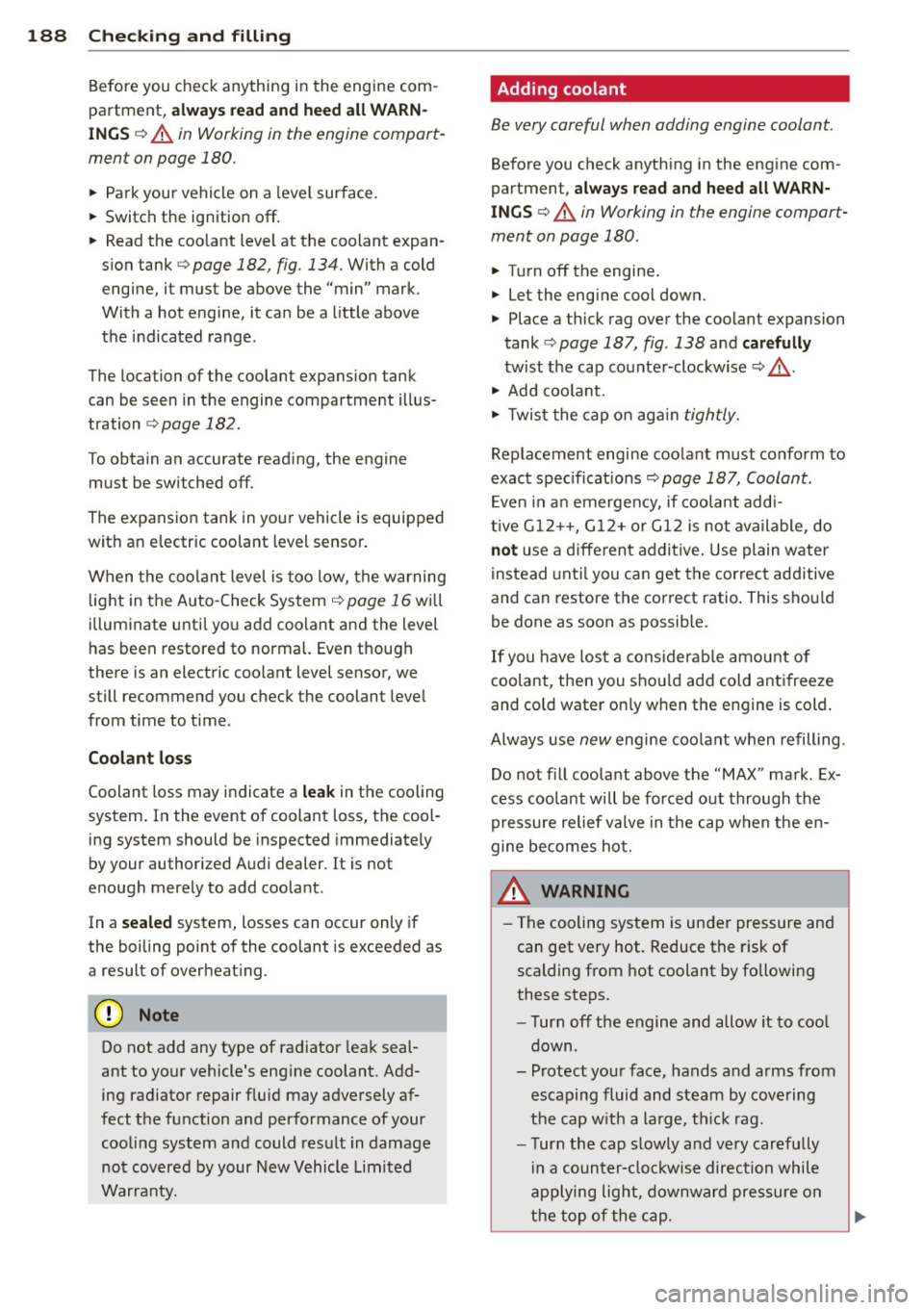
• Place a thick rag over t he coo lant expansion
tank
¢ page 187, fig . 138 a nd carefully
tw ist the cap counter-clockwise ¢&_ .
• Add coo la nt.
• Twis t the cap on aga in
t ightly.
Replacement engine coolant must conform to
exact spec ificat ions ¢
page 18 7, Coolant.
Even in a n emerge ncy, if coolant add i-
t ive G1 2++, G12+ or G12 is not ava ilable , do
not use a d iffe ren t addit ive. Use plain water
instead unti l you can get the cor rect additive
and can restore the correct ratio . This sho uld
be done as soon as possible .
If you have los t a considerab le amount o f
coolant , then you sho uld add cold ant ifreeze
and co ld wate r on ly w hen the engine is cold.
Alw ays use
new engine coo la nt whe n refilling .
Do not fill coola nt above the "MAX" mark. Ex
cess coola nt wi ll be fo rced o ut through the
pressure relief valve in t he cap w hen the en
gine becomes hot.
,&. WARNING ~ -
- T he cooling system is under pressure and
can get very hot. Reduce the risk of
scalding from hot coolant by followi ng
these steps.
- T urn off the engine and allow it to coo l
down.
- Protect yo ur face, hands and arms from
escaping fluid and steam by covering
the cap w ith a large, t hick rag.
- T urn the cap s lowly a nd ve ry carefully
in a counter-clo ckwise direction while
applying light, downward pres sure on
the top of the cap.