Starting AUDI TT 2021 Owner´s Manual
[x] Cancel search | Manufacturer: AUDI, Model Year: 2021, Model line: TT, Model: AUDI TT 2021Pages: 280, PDF Size: 99.18 MB
Page 251 of 280

8S1012721BE
Emergency assistance
battery that is giving power must not be less
than the capacity of the drained vehicle battery.
Jump start cable
Only use a jump start cable with a large enough
diameter. Note the manufacturer's specifica-
tions.
Only use a jump start cable with insulated termi-
nal clamps.
Positive cable - usually red.
Negative cable - usually black.
ZA WARNING
— A drained battery can freeze at tempera-
tures around 32 °F (0 °C). If the vehicle bat-
tery is frozen, it must be thawed before con-
necting the jump start cables. If it is not, the
risk of an explosion and chemical burns in-
creases. After jump starting the vehicle,
drive to an authorized Audi dealer or author-
ized Audi Service Facility immediately to
have the vehicle battery checked.
— Read the warnings when working in the en-
gine compartment > page 200.
— Handling the jump start cables incorrectly
may cause the vehicle battery to explode
and lead to serious injuries.
@) Note
Jump start cables can cause considerable
damage to the vehicle electrical system if
they are connected incorrectly.
G) Tips
— There must be no contact between the
vehicles, or else voltage could flow when
connecting the positive terminal and drain
the vehicle battery of the vehicle providing
the jump start.
— The drained vehicle battery must be con-
nected correctly to the electrical system.
— Switch off electrical equipment that is not
needed.
arte la alate)
Both jump start cables must be connected in the
correct order.
Fig. 192 Engine compartment: connectors for jump start
cables or a charger
Fig. 193 Connecting the jump start cables
The jump start cable connections are located in
the engine compartment.
Follow the information about the vehicle battery
=> page 210.
Connecting the positive cable (red) to the
positive terminal
> Open the red cover on the positive terminal
> fig. 192.
1. Attach one end of the positive cable (red) to
the jump start connection @ > fig. 193 on
your vehicle.
2. Attach the other end of the positive cable
(red) to the positive terminal @) on the pow-
er source.
Connecting the negative cable (black) to the
negative terminal
3. Attach one end of the negative cable (black)
to the negative terminal @) on the power
source. >
249
Page 252 of 280
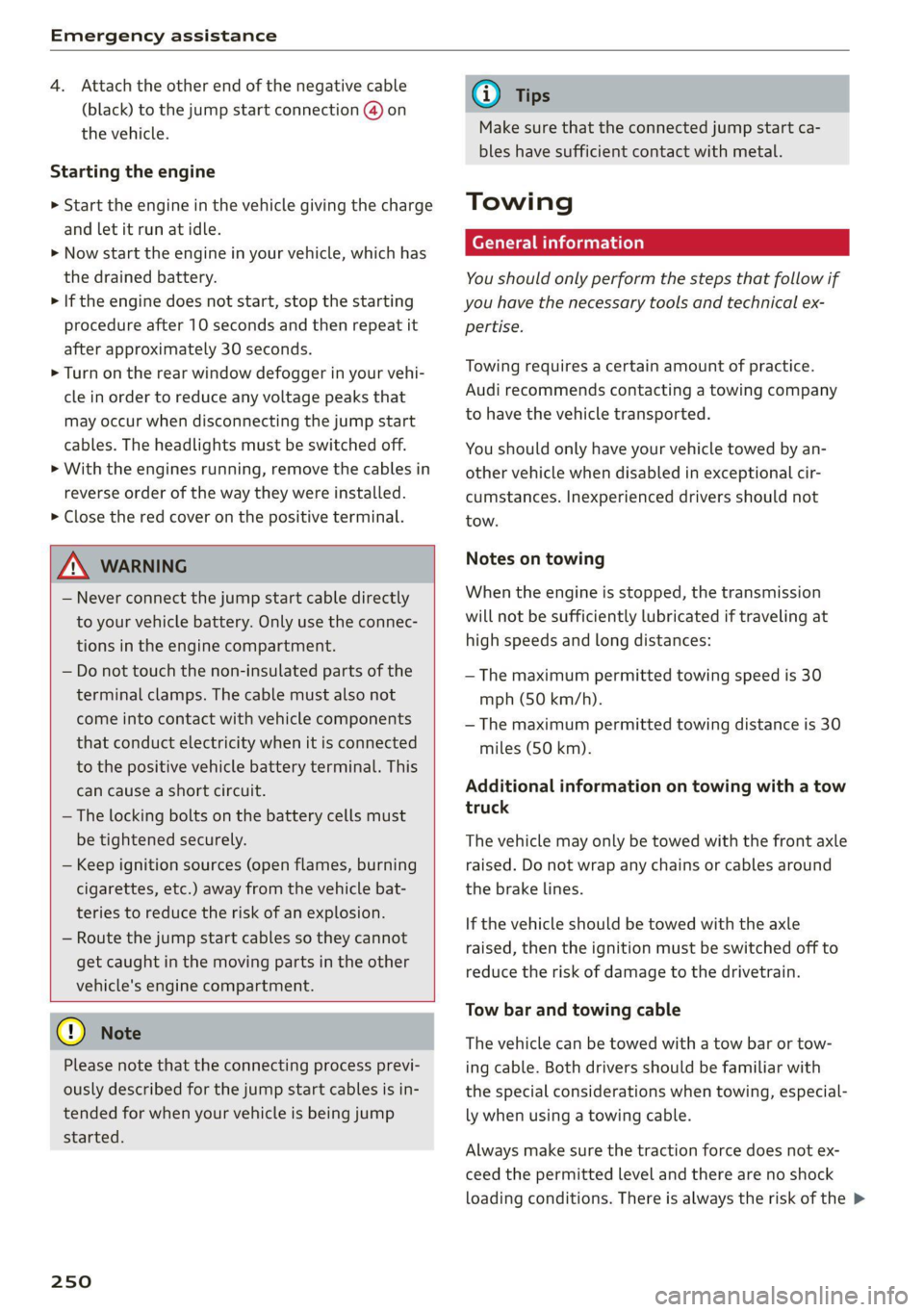
Emergency assistance
4. Attach the other end of the negative cable
(black) to the jump start connection @ on
the vehicle.
Starting the engine
> Start the engine in the vehicle giving the charge
and let it run at idle.
> Now start the engine in your vehicle, which has
the
drained battery.
> If the engine does not start, stop the starting
procedure after 10 seconds and then repeat it
after approximately 30 seconds.
> Turn on the rear window defogger in your vehi-
cle in order to reduce any voltage peaks that
may occur when disconnecting the jump start
cables. The headlights must be switched off.
> With the engines running, remove the cables in
reverse order of the way they were installed.
> Close the red cover on the positive terminal.
ZA\ WARNING
— Never connect the jump start cable directly
to your vehicle battery. Only use the connec-
tions in the engine compartment.
— Do not touch the non-insulated parts of the
terminal clamps. The cable must also not
come into contact with vehicle components
that conduct electricity when it is connected
to the positive vehicle battery terminal. This
can cause a short circuit.
— The locking bolts on the battery cells must
be tightened securely.
— Keep ignition sources (open flames, burning
cigarettes, etc.) away from the vehicle bat-
teries to reduce the risk of an explosion.
— Route the jump start cables so they cannot
get caught in the moving parts in the other
vehicle's engine compartment.
C) Note
Please note that the connecting process previ-
ously described for the jump start cables is in-
tended for when your vehicle is being jump
started.
250
G) Tips
Make sure that the connected jump start ca-
bles have sufficient contact with metal.
Towing
General information
You should only perform the steps that follow if
you have the necessary tools and technical ex-
pertise.
Towing requires a certain amount of practice.
Audi recommends contacting a towing company
to have the vehicle transported.
You should only have your vehicle towed by an-
other vehicle when disabled in exceptional cir-
cumstances. Inexperienced drivers should not
tow.
Notes on towing
When the engine is stopped, the transmission
will not be sufficiently lubricated if traveling at
high speeds and long distances:
— The maximum permitted towing speed is 30
mph (50 km/h).
— The maximum permitted towing distance is 30
miles (SO km).
Additional information on towing with a tow
truck
The vehicle may only be towed with the front axle
raised. Do not wrap any chains or cables around
the brake lines.
If the vehicle should be towed with the axle
raised, then the ignition must be switched off to
reduce the risk of damage to the drivetrain.
Tow bar and towing cable
The vehicle can be towed with a tow bar or tow-
ing cable. Both drivers should be familiar with
the special considerations when towing, especial-
ly when using a towing cable.
Always make sure the traction force does not ex-
ceed the permitted level and there are no shock
loading conditions. There is always the risk of the >
Page 270 of 280
Index
Economical, route « swiss 0 a sess x x aeamese ¥ savas 155
EDL
refer to Electronic Differential Lock...... 104
EDR
refer to Event Data Recorder (EDR)...... 256
Electrical system. ...........0.00200002 209
Electromechanical parking brake.......... 79
Electronic Differential Lock.............. 104
Electronic:immobilizeticiv oo scsi wo avers « wave 19
Electronic Stabilization Control (ESC)...... 104
INGIGATOR IGM Ecce » sxcnem ox saeeet oo suomi «© on 17
Sport mode............... cee eee eee 105
Emergency
refer to Making an emergency call....... 134
Emergency assistance.................. 242
Emergency braking function.............. 79
Emergency flashers.............--00000- 38
Emergency fueling.............-...2005 199
Emergency operation
DOOrs 1... eee eee 24
Luggage compartment lid............... 26
POWCrEOPins <2 meme 2 cme © meses ao Oe @ 8 33
Emergency release
Selector lever. .... 2... eee cece cece 88
Emissions control system.............. 200
Energy’COMSUMENS!. « «ere «2 came vs nares © os 15
Energy management................... 109
Engine
BrGakinggitt. 0 sseros « oxarennc + wacaene ¥ suena» nie 74
Coolant................0000. eee eee 207
JUMP SEARING « cose s ¢ way s o aeene s 5 eee 248
Start/Stop systeM.......... 0 eee e ee eee TT
Starting... 0... cece eee eee eee 75, 76
Starting and stopping................0- 76
Engine compartment
Safety precautions.................... 200
Engine control (indicator light)............ 17
Engine data
refer to Sport displays.............-.00 15
Engine oil
Adding ..... 0... c cece cece ee eee ee 203
Changing':< ; ese <= eeu ss meee ss eee ee 206
Checking oil level... 0.0... cece eee eee 203
Consumption...................02005 203
IngiGator.lightize: = sass a 2 seem sx Rea ee 204
268
Replacement interval................. 212
Temperature display...............0005 15
Engine Start/Stop mode
refer to Start/Stop system.............. 79
Enhanced view..........0eeeeeeeeeeeees 13
Entering characters/numbers (speller) ..... 117
Entering letters (speller)................ 117
Environment
Unleaded gasoline................200. 196
ESC
refer to Electronic Stabilization
Gomtroli(ES@)ii 2 x asus © area @ 2 anecsan eo mom 104
ESP
refer to Electronic Stabilization
Control (ESC)... 2... cece eee eee 104
Event Data Recorder (EDR).............. 256
Exterior lighting.................00-000 36
Exterior mirrors
Adjusting ..... 0.6... c cece eee 39
DINUMUNGs + scxce ¢ s wares os Haney & ¥ eG eg ee 40
Foldingisettings: nso « svasais ie « sauers + stevens i » 23
Heating ........ 0.0.00 c cece eee ee eee 39
External voice operation................ 127
FF
Factory default settings
Multi Media Interface................. 190
Fader (sound) ............00 eee eee eres 193
Fast forwarding and rewinding (audio/video
Tile) sce: s 2 ewes 2 o ews 5 » Rees se es eS 177
Fast forwarding (audio/video file)......... 77
Fast route....... 0... eee cece eee 155
Favorites
Me@did zz < + sees ¢ v sees ¢ ores © = eee & s eee 180
Navigationvsics «0 cess + 6 wesw +o mae + rem 150
Telephone............ 0. eee eee eee eee 134
Federal Communications Commission (FCC) . 261
File formats (media drives).............. 183
Fog lights/rear fog light(s)............... 36
Folding the rear seats...............00-5 66
FOOEWELLUGHEING cvs « x seus « « neume & & eaves a 39
For the sake of the environment
Disposing of engine oil................ 206
Fueling... 0.0... cece cece eee ees 197
LBAKS. ccoss & = acne & & Rois & E Baeee +E Bete Eee 202
Page 272 of 280
Index
Instrumenticlusten «secon + & avcnsie x 0 sucuses © a swe 10
Cleaning..... 2.0... cee eee eee eee 239
FailibGios » 2 smo $ 2 ama ge meew 4 e eM a A om 10
Me@SSageS sxasis wo onesies vv oenens « 8 coewer wx mewn 16
Operating ........ 0... cee cece eee 12
Service interval display................ 212
Switching tabs. « « ssi a «asa ss eww oo we 12
Instruments
Adjusting the lighting.................. 39
Interior LIQHtiNG secs. esses ee areunce a 6 arenes a a 39
Interior monitoring.................0 eee 24
Intermittent (windshield wipers).......... 41
Internet
referto connects « = secs ve views vo seme ¥ oe 141
IntermetiradiOnes: « «seine s x oxime + ¥ soanese % © awas 174
iPod
refer to Audi music interface....... 175,176
HTUMESAQGING & woes so aeseie + cess o + ecswoR os 164
J
Joystick function (MMI) ..............005 115
JOKED OX: s cams « yam a + earn 8 x Rem ae oe 171
JUMP Starting ces + = news < eases s aaem 3 3 Ra 248
K
KG": wcme s = mame 2 2 eeNNs ¢ 2 STS xo eee 8 2 19
Convenience opening and closing......... 27
Key not recognized.................00. 77
Key replacement <« < s sees s sees eeeeaee 19
Mechanical key.............---0005 19, 20
MESSAGES cress «sonnei o ovens 4 0) onenene 9 oem 76
Replacing the battery.................. 20
Unlocking and locking............... 21,22
WehiGle GOde « scenic 6 4 accace vo aunsaon nn enazece #0 19
Kick-down
Automatic transmission................ 86
L
Laptimer..... 2... eee eee eee 91
LATCH (securing child safety seats)......... 60
LaumeleComtrolins « sims + + ssmmn « + memo © eens 86
Leather care and cleaning............... 239
LEAVING HOMCiesn: «2 aes 6 c aewn so ee oe Ee 38
License plate bracket................--- 260
Licensing agreements (MMI)............- 194
270
Lifting points (vehicle jack).............. 246
Light/rain sensor
Headlights...............0 00. cece eee 36
Intermittent (windshield wipers) ......... 41
Lighting
EXterlor’: : wean ¢ s were « » gems so come oo eee 36
PEC OP sci « + consowe = a enesion = suomes ws eee wo He 39
Lights 2 cases ou nese 2 2 meas 2s mame 2 ewe 8 6 36
Coming/Leaving home...............4 38
Daytime running lights................. 36
Entry/exit lighting « « sii ¢ «were oo weve + oe 38
Fog lights/rear fog light(s).............. 36
Headlight flashers: s scsas + een gs anes s s 37
Headlight range control system.......... 36
HEALIGHES xerieie « scaem @ » stiesnes ovate wines 37
Interior/reading lights.................. 39
Low beam headlights.................. 36
Parking light...............00 000000 ee 36
Switching daytime running lights on and off .38
Listening to music
refer to Mediaiecs ss ecw se seves ve ee 169; 177
EOad + same 2 = suum ¢ 2 mene © E eae FY eae a 264
Locking and unlocking
By remote control... : seca .: eeea ss eves ee 21
With the convenience key............... 22
Low beam headlights.................00, 36
Luggage compartment
Bag... cee cece eet eee 66
Cover... eee eee eee 65
Increasing the'size.. 2. nsec sccsee se veee ees 66
POWEPSOURGES ecessics 1 = ssseews wo 2 eerie oo seers 63
Tie-downs ... 2... 0... cece eee 67
also refer to Luggage compartment...... 64
Luggage compartment lid................ 27
Mechanically unlocking...............-. 26
Opening and closing................00- 25
Opening from the inside in an emergency.. 27
Luggage compartment net............... 67
Lumbar support.............-.00 eee eae 46
M
Maintenance........... 0. cece eee eee 258
Maintenance intervals..............005. 212
Making an emergency call............... 134
Malfunction Indicator Lamp (MIL)......... 200
Page 276 of 280
Index
Settings
Directory... ... cece eee eee eee eee 139
Mapaeos x 2 aeee x & seem o 2 eH oe ee 2 Eee 159
Medias. «= seman ss wave ox amanus ¥ ancaaneos « saners 180
Navigation...........0..0..0200 eee ee 155
RadiGuess: x x game x = seme os wee fs eee a oe 167
System (MM]) « « asiws + wom 6 wan we mewn 189
Telephone........... 00 eee eee eee 139
Voice recognition system.............. 190
Wi-Fi hotspot coicvs <5 esorn es ows oe ween oe 146
Setting the language.................0. 189
Shift light indicator’: sess ss vows se wae sy we 15
Shift paddles (automatic transmission) .... . 85
Shuffle... 2... eee eee eee 180
Side assist... 2... eee eee eee 93
Adjusting the brightness................ 95
Cleaning the sensors...........0000005 237
Sensor range... ..- 22... cece ee eee 94
Switching on and off...............0-0- 95
also refer to Side assist... .......0000006 93
SIM card Teader’s « « wera 2 » enw 2 2 ges 2 ges 142
Ski DaGiics + ais & © nets & ¥ MOE oo SOUS FE 66
Smartphone
referto Telephone...............00005 128
Snowboard bag ; ¢ «sess ¢ seas cones a ewes 66
SNOW. Chains: « = scan & o wee eee & Hae & 229
Socket
refer to Power sourceS..........--.200-5 63
Software update
refer to System update (MMI).......... 192
Software (MMI)
Licensing agreements................. 194
Updates 2 aces ¢ seu & y reen ¢ come x oes 192
MersiOMies ¢ 2 ccmers @ v serses © v sone 2 6 seme 2 Y 192
SParetiress « s mse se seas x e wows x e ees «es 248
Speed dependent volume control......... 193
Speedometer’: sexs sz ween sy ses x eee gee 10
Speed warning system.............2--00. 89
Speller... 20... 2. eee eee eee eee ee 117
Sport displays....... 0.0.0... cee eee eee ee 15
Sport mode...... 2... eee eee eee eee ee 105
SPOT MWh & viene «+ srenoire w e embewie a w ease a wa 13
Sporty CrivVing wien «+ wows = 0 wow © © eee oo ws 81
Stabilization program
refer to Electronic Stabilization
Control (ESC)... 2... eee 104
274
Start/Stop SYSte Mier «2 ssa = 2 ance ev eae 77
Engine does not switch off.............. 78
Engine starts automatically............. 78
Indicator lights: . . cise oe cme «sane ee oe 77.
MessageS.... 0.2... cece eee ee eee eee 79
Stopping and starting the engine......... 77
Switching off and/oni. « «swe sa wei «2 ames 79
START ENGINE STOP button........... 75,76
SUAEIMG EO ArIVEle: = = coun + x coups oe Rue ye om 80
Starting (Cngine)ixe « «wees x » ween ss mee 2 oe 75
Steering............ 00.0. cece eee eee 107
Indicator lighticcs ss scape seems so ewes ve 16
also refer to Steering...............4. 107
Steering
wheel
Adjusting ...... 0.6... cece eee eee 48
Shift paddles (automatic transmission) .... 85
also refer to Multifunction
steering wheel..............-.0000- 12,14
Steps for determining correct load limit... 228
Stopover (navigation) .............0000- 153
Storage:areasiia: « 6 wns e+ were « ¥ ewes © 9 swear 64
Streaming
refer to Online media................. 174
S tronic (automatic transmission).......... 81
Subtithes(DVD) « + seovse x 6 swine a 6 seaians 6 @ ones 180
SUIWISOFS.« wesu = 5 wane 6 s wang x % geRE & & BEER 41
SUSPENSION CONtOlws « < nem: « pea se ews 96
Swappinigiealls): « « seme 2s amex zs mee s oe 133
Switching daytime running lights on and off. 38
Switching the ignitionon................- 75
Symbols... 0.00... 0 cece eee eee eee 119
NaViGBtiOnece = y sews ¢ 2 deaik 2 eee § Bas 157
TRAFIC scoxe os esata oe ore 6 2 aor ae aeRO 161
also refer to Indicator lights.............. 7
System settings (MMI) w.cesx « cncu ee wane a « 189
System update (MMI)...............0088 192
System VOLUME « ace s case es nae ev eee os 193
T
Tachometer iiss « + wus ¢ ¢ were a eeoee 4 2 10,11
Technical datas: «sews < pase se nee ss ve 263
Technical modifications................. 258
Telephone.......... 0. cece cece eee eee 128
Audi phone box... .:c..sseecesneeees 130
Connecting a mobile phone............ 128
Dialinganumber..............-.0000- 132