instrument cluster AUDI TT COUPE 2009 User Guide
[x] Cancel search | Manufacturer: AUDI, Model Year: 2009, Model line: TT COUPE, Model: AUDI TT COUPE 2009Pages: 316, PDF Size: 71.16 MB
Page 38 of 316
Driver information system
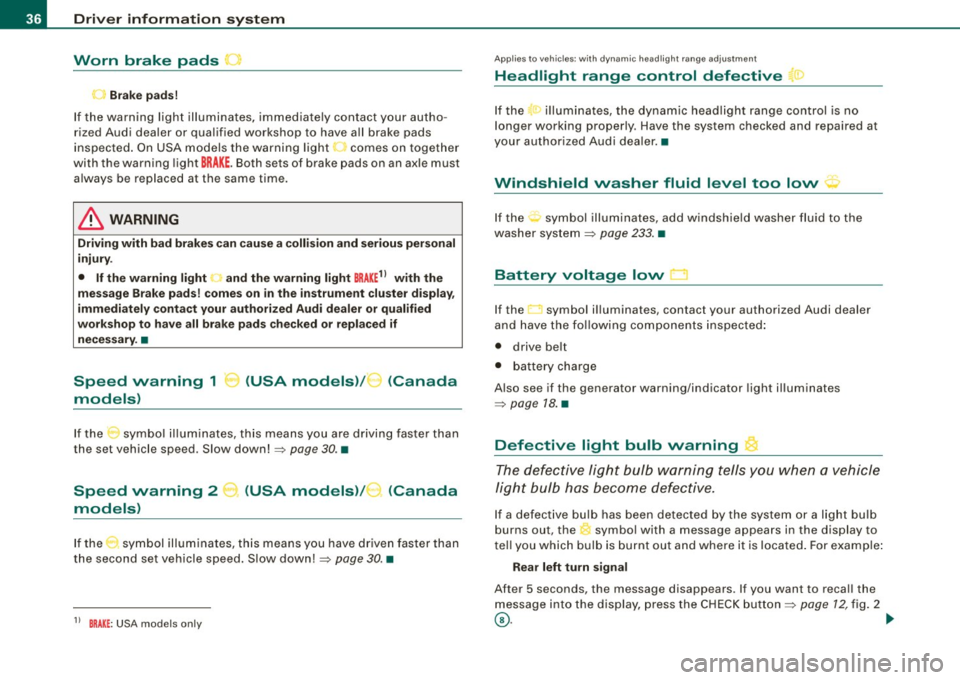
Worn brake pads
~
..) Brake pads!
If the warning light illuminates, immediately contact your autho
rized Audi dealer or qualified workshop to have all brake pads
inspected. On USA models the warning light~ comes on together
with the warning light
BRAKE. Both sets of brake pads on an axle must
always be replaced at the same time.
& WARNING
Driving with bad brakes can cause a collision and serious personal
injury.
• If the warning light
~ and the warning light BRAKE11 with the
message Brake pads! comes on in the instrument cluster display,
immediately contact your authorized Audi dealer or qualified
workshop to have all brake pads checked or replaced if
necessary. •
Speed warning 1 -.. (USA models)/ K_ (Canada
models)
If the symbol illuminates, this means you are driving faster than
the set vehicle speed . Slow down! =>
page 30. •
Speed warning 2
models) (USA models)
/ (Canada
If the symbol illuminates, this means you have driven faster than
the second set vehicle speed. Slow down!=>
page 30. •
1 1 BRAKE : USA models only
Applie s to vehi cles : with dynami c hea dlight r ang e a dju st ment
Headlight range control defective
If the ,." illuminates, the dynamic headlight range control is no
longer working properly . Have the system checked and repaired at
your authorized Audi dealer. •
Windshield washer fluid level too low :;-
If the : symbol illuminates, add windshield washer fluid to the
washer system
=> page 233. •
Battery voltage low
If the LI symbol illuminates, contact your authorized Audi dealer
and have the following components inspected:
• drive belt
• battery charge
Also see if the generator warning/indicator light illuminates
=>
page 18. •
Defective light bulb warning
The defective light bulb warning tells you when a vehicle
light bulb has become defective.
If a defective bulb has been detected by the system or a light bulb
burns out, the symbol with a message appears in the display to
tell you which bulb is burnt out and where it is located. For example:
Rear left turn signal
After 5 seconds, the message disappears. If you want to recall the
message into the display, press the CHECK button=>
page 12, fig. 2
©-~
Page 59 of 316

Ignition ON , light swit ch at @ .
With the ignition switched ON, the g low of instrument needles can
be adjusted to appear brighter or dimmer.
Ignition ON , ligh t switch at :oo ; or io.
With the lights switched on , the brightness of instrument cluster
(i .e. needles, gauges and displays) and center conso le i llu m in ation
can be adjusted .
0 Note
The instrument c luster and center console illumination (gauges and
needles) comes on when you switch on the igni tion and the
vehicle
headlights are off .
Be aware of the followin g difference be tween
models built to US o r Canadian specifications :
• USA models : illumination of the in strument cluster (gauges and
needles), dash and center console around the gearshift lever is
controlled by a light sensor located in the instrument panel. The
instrument panel illum ination will automatically become dimmer
as the daylight fades away and eventually will go out completely
when outside light is very low . This is to remind you , the d river , to
s witch on the headlight s before it gets too dark.
• Canada models : instrument panel illum ination will stay br ight
regardle ss of the inten sity of ambient light . Always be aware of
c hanges in outside light conditions while you are driving . Respond
in time to fading dayli ght by turning the light switch to position
iD
(or "AUTO" if your car is equipped with this feature) to turn on your
headlights. •
Bi-Xenon headlights*
Afte r starting the engi ne, the b i- xeno n headlights are au tomatical ly
adjusted to the load and angle of the vehic le (for example, during
acce lera tion and braking). This prevents oncoming traffi c from
experiencing unnecessary headlight g lare from your bi -xenon head
lig hts .
Con tro ls and eq uip
ment
Clear vision
I f the system is not operating properly, a warning symbo l in the
Au to-Check C ontr ol is displayed
=> page 36 . •
Emergency flasher tfft,,.
T he e mergency flasher m akes other motor ists aware that
y o u or yo ur vehicle are i n an e merge ncy si tuation.
Fig . 46 Center
co nsole : emergency
fla sher sw itch
Press the sw itch ~=:,fig. 46, to s witch t he emergency
flasher on or off.
When the emergency flasher is on, all four turn signal blink at the
same time . The tu rn signal indi cato r lights
¢i Q in the instrument
c luster, as well as the light in the emergency flasher switch
J:&. b link
likewise.
The eme rgency flashe r will automat ically switch on i f you are in an
accident where the airbag has deployed .
[ i ] Tips
You should switch on the emergency flasher when:
• you are the last vehicle standing in a traffic jam so that any other
vehicles coming can see you, or when
• your vehicle has broken down or you are in an emergency s itua -
tion, o r when _,,,
Vehicle care I I irechnical data
Page 60 of 316
Clea r vis io n
• your vehicle is being towed by a tow truck or if you are towing
another vehicle behind you. •
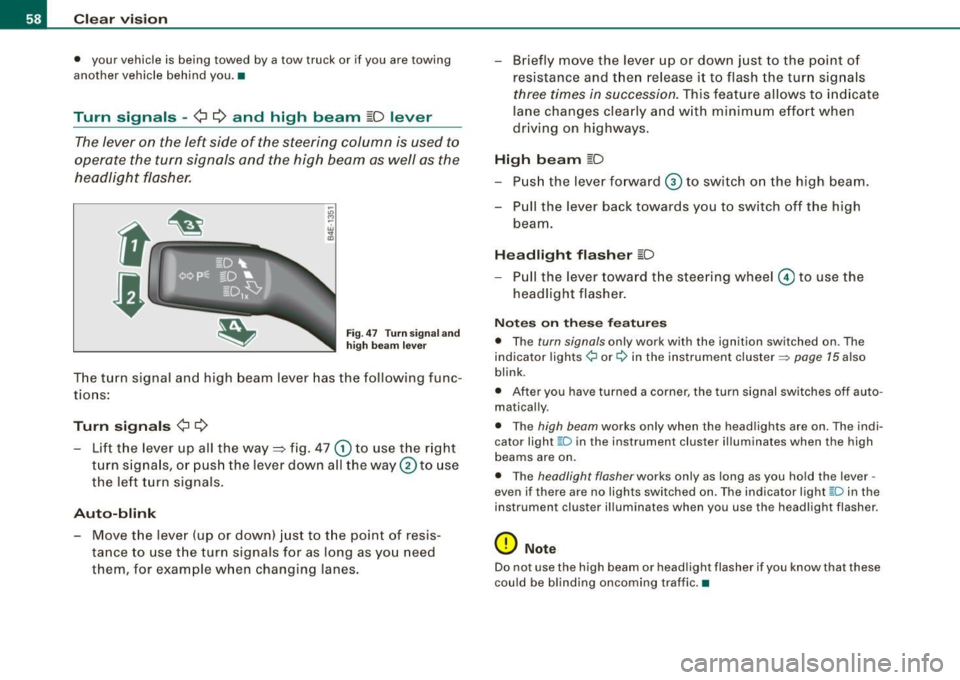
Turn signals -¢ ¢ and high beam ~D lever
The lever on the left side of the steering column is used to
operate the turn signals and the high beam as well as the
headlight flasher.
F ig. 47 Tu rn signa l a nd
h igh beam lever
The turn signal and high beam lever has the following func
tions:
Tu rn s ig na ls ¢ Q
- Lift the lever up all the way ::::, fig . 47 G) to use the right
turn s igna ls, or push the lever down all the way
0 to use
the le ft turn signals .
Auto-blink
- Move the lever (up or down) just to the point of resis
tance to use t he turn signals for as long as you need
them, for example when changing lanes. - Briefly move the
lever up or down just to the point o f
resistance and then release it to flash the turn signals
three times in succession. This feature allows to indicate
lane changes clearly and w ith minimum effort when
driving on highways.
Hi gh b eam [D
- Push the lever forward © to switch on the high beam.
- Pull the lever back towards you to switch off the high beam.
Headlight fl ash er [D
- P ull the lever toward the steering wheel© to use the
headlight flasher .
Notes o n these fea tures
• The turn signals only work with the ignition switched on . The
indicator lights ¢ or¢ in the instrument cluster => page 15 also
blink.
• After you have turned a corner, the turn signal switches off auto
matically.
• The high beam works only when the head lights are on. The indi
cator light ~D in the instrument cluster ill uminates when the high
beams are on.
• The headlight flasher works only as long as you hold the lever -
even if there are no lights switched on. The ind icator light ~D in the
instrument cluster illuminates when you use the headlight flasher.
0 Note
Do not use the high beam or head light flasher if you know that these
could be blinding oncoming traffic. •
Page 96 of 316
On the road
0 Note
Do not stop the engine immediately after hard or extended driving.
Keep the engine running for approximately two minutes to prevent
excessive heat build-up. •
Parking brake
Parking brake
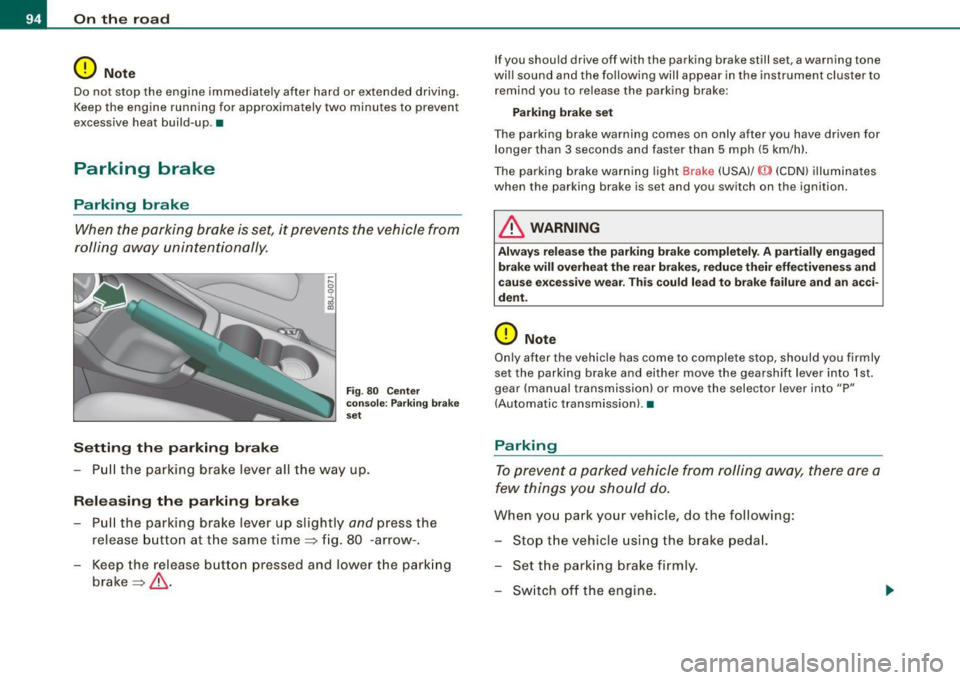
When the parking brake is set, it prevents the vehicle from
rolling away unintentionally.
Setting the parking brake
~ ,-.. 0 0
i
Fig . 80 Center
console: Parking brake
set
- Pull the parking brake lever all the way up.
Releasing the parking brake Pull the parking brake lever up slightly
and press the
release button at the same time=> fig. 80 -arrow-.
Keep the release button pressed and lower the parking
brake=>
& -
If you should drive off with the parking brake still set, a warning tone
will sound and the following will appear in the instrument cluster to remind you to release the parking brake:
Parking brake set
The parking brake warning comes on only after you have driven for longer than 3 seconds and faster than 5 mph (5 km/h).
The parking brake warning light Brake (USA)/
{CD) (CON) illuminates
when the parking brake is set and you switch on the ignition.
& WARNING
Always release the parking brake completely . A partially engaged
brake will overheat the rear brakes, reduce their effectiveness and
cause excessive wear. This could lead to brake failure and an acci
dent.
0 Note
Only after the vehicle has come to complete stop, should you firmly
set the parking brake and either move the gearshift lever into 1st .
gear (manual transmission) or move the selector lever into "P"
(Automatic transmission). •
Parking
To prevent a parked vehicle from rolling away, there are a
few things you should do.
When you park your vehicle, do the following:
- Stop the vehicle using the brake pedal.
- Set the parking brake firmly.
- Switch off the engine.
Page 99 of 316
CRUISE (US mod ell/ f-f (Canadian mod ell will also light up in the
instrument cluster .
& WARNING
• Always pay att enti on to traffic ev en whe n the c rui se control is
swi tched o n. Yo u are alway s resp onsi ble for your spe ed and the
di stanc e betw een your veh icle and other ve hic le s.
• Fo r sa fet y re as on s, th e c ruise control shou ld not be u sed in the
c it y, in stop -and -go traffic , on twi sting road s and when road condi
t ion s a re poor (such as ice, fog, gra vel, hea vy ra in and hydro
planing ) - risk of accid ent.
• Turn off the cr uis e control t empor arily when e nte ring turn
lane s, highwa y ex it lane s or in con stru ctio n z one s.
• Please note that inad vertentl y "re sting " your foot on the a ccel
er ato r ped al ca use s t he crui se control not to br ake . Thi s is because
the cru ise control i s overridden b y the dri ve r's acc eleration .
[ i] Tip s
• Vehicles w ith manua l transmission : You can at tain the set speed
only if the currently engaged gear allows it and the engine is not
stressed. Shifting to a higher or lower gear promptly will allow the
engine to run smooth ly .
• The cruise control cannot maintain a constant speed when
driving downhi ll. The vehicle will acce lerate under its own weight .
Downshift to a lower gear or use the brakes to s low down. •
Changing speed
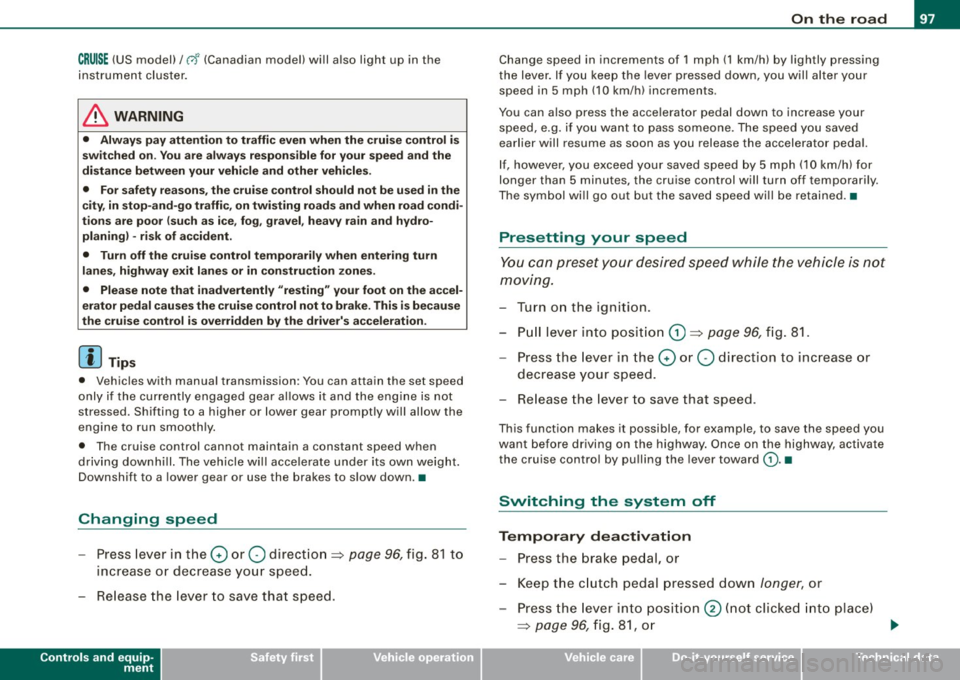
-Press lever in the 0 or O direction => page 96, fig. 81 to
increase or decrease your speed.
- Release the lever to save that speed .
Controls and equip
ment
On th e road
Change speed in increments of 1 mph (1 km/h) by lightly pressing
the lever . If you keep the lever pressed down, you will a lter your
speed in 5 mph (10 km /h) increments .
You can a lso press the acce lerator pedal down to increase your
speed, e.g. if you want to pass someone. The speed you saved
earlier will resume as soon as you release the accelerator pedal.
I f , however, you exceed your saved speed by 5 mph (10 km/h) for
longer than 5 minutes, the cruise control will turn off temporarily .
The symbol will go ou t but the saved speed will be retained. •
Presetting your speed
You can preset your desired speed while the vehicle is not
moving.
Turn on the ignition.
P ull lever into posit ion
G) => page 96 , fig . 81.
Press the lever in the
0 or O direction to increase or
decrease your speed.
- Release the lever to save that speed .
This function makes it possible, for example, to save the speed you
want before driving on the highway . Once on the highway, activate
the cruise contro l by pulling the lever toward
(D . •
Switching the system off
Tempor ary d ea ctiv ati o n
Press the brake pedal, or
- Keep the c lutch pedal pressed down
longer, or
- Press th e l ever into position @ (n ot c licked into place)
=>
page 96 , fig. 8 1, or ~
I • •
Page 102 of 316
_L_T ..:..:r.::a :.: n~ s:.:.m .:.:.:. i.:::s :.::S :.:i.::O :.:n..:.... _____________________________________________________ _
converter of conventional automatic transmissions and allow the
vehicle to accelerate without a noticeable break in the power flow.
With the aid of
tiptronic, the gears can optionally be shifted manu
ally => page 103. •
Applies to vehicles: wit h S tronic®
Selector lever positions
All the selector lever positions are explained in this
section.
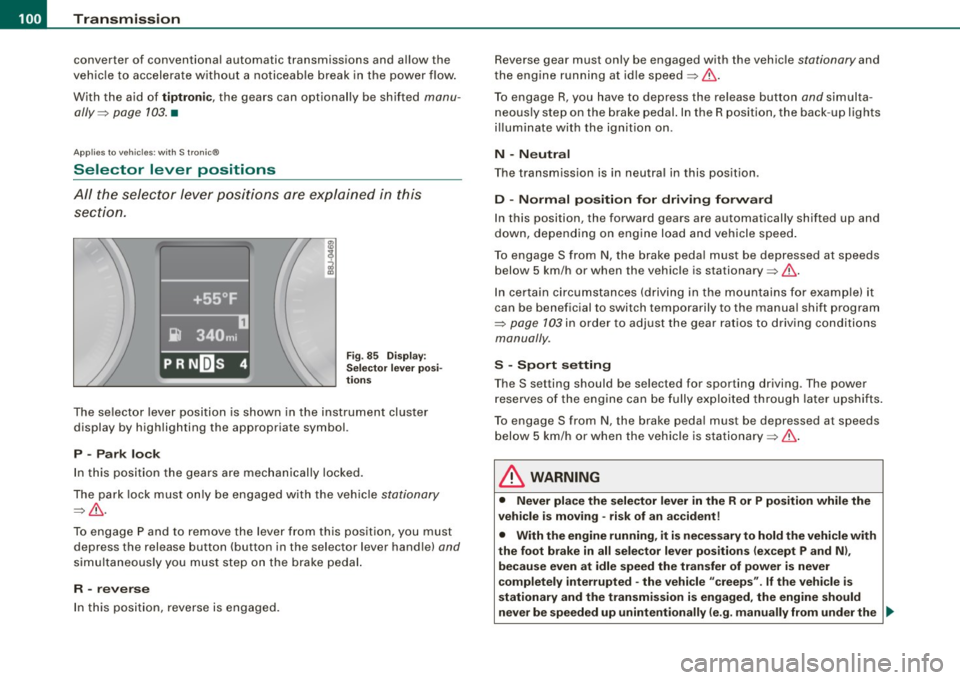
Fig. 85 Display:
Selector lever posi
tions
The selector lever position is shown in the instrument cluster
display by highlighting the appropriate symbol.
P -Park lock
In this position the gears are mechanically locked.
The park lock must only be engaged with the vehicle
stationary
=>& .
To engage P and to remove the lever from this position, you must
depress the release button (button in the selector lever handle)
and
simultaneously you must step on the brake pedal.
R -reverse
In this position, reverse is engaged. Reverse gear must only be engaged with the vehicle
stationary and
the engine running at idle speed=>& .
To engage R, you have to depress the release button
and simulta
neously step on the brake pedal. In the R position, the back -up lights
illuminate with the ignition on.
N -Neutral
The transmission is in neutral in this position .
D -Normal position for driving forward
In this position, the forward gears are automatically shifted up and
down, depending on engine load and vehicle speed.
To engage S from N, the brake pedal must be depressed at speeds
below 5 km/h or when the vehicle is stationary=>& .
In certain circumstances (driving in the mountains for example) it
can be beneficial to switch temporarily to the manual shift program
=>
page 103 in order to adjust the gear ratios to driving conditions
manually .
S -Sport setting
Th e S setting should be selected for sporting driving . The power
reserves of the engine can be fully exploited through later upshifts.
To engage S from N, the brake pedal must be depressed at speeds
below 5 km/h or when the vehicle is stationary =>& .
& WARNING
• Never place the selector lever in the R or P position while the
vehicle is moving -risk of an accident!
• With the engine running, it is necessary to hold the vehicle with
the foot brake in all selector lever positions (except P and Nl,
because even at idle speed the transfer of power is never
completely interrupted -the vehicle "creeps".
If the vehicle is
stationary and the transmission is engaged, the engine should
never be speeded up unintentionally (e.g. manually from under the _.,
Page 107 of 316
____________________________________________________ T_ r_a _n _ s_ m __ is_s_ i _o _ n __ llll
Ap plies to vehicles : wit h S tro ni c®
Kick -dovvn feature
The kick-down feature allows maximum acceleration.
If you depress the accelerator pedal fully beyond the full-throttle
position, the transmission automatically downshifts one gear,
depending on vehicle speed and engine rpm. The upshift into the
next higher gear takes place as soon as the maximum specified
engine speed is reached.
& WARNING
Please note that the drive wheels can spin if the kick-down is used
on a smooth slippery road -risk of skidding! •
Applies to vehicles : withs t ro ni c®
Launch Control Program
The Launch Control Program permits maximum accelera
tion .
In order to use Launch Control, the ASR (Anti-Slip Regula
tion) must be disabled. When ASR is disabled, the ESP
warning/indicator light 9 in the instrument cluster illumi
nates . So that Launch Control can be used, the engine must
be at operating temperature and the steering wheel must
not be turned .
- With the engine running, briefly press the ESP button.
The message "ASR off" appears in the instrument cluster
d isplay.
- Shift the gear lever to "S" or the tiptronic® position.
- Step on the brake pedal with your left foot and keep the
brake pedal fully depressed for at least one second.
Controls and equip
ment
- With your right foot, step on the accelerator to the wide
open throttle position or Kickdown. The engine speed
settles at about 3,200 rpm.
- Take your left foot off the brake.
The S tronic® in your vehicle is electronically controlled. A special
Launch Control Program provides the best acceleration from a
standing start .
& WARNING
• Always adapt your driving to the traffic flow.
• Only use Launch Control when road and traffic conditions allow
it and other drivers will not be endangered or annoyed by your
driving and the acceleration of the vehicle.
• Make sure that ESP remains enabled. With the ESP disabled,
the vehicle could brake away, particularly on a slick and slippery road -risk of skidding!
• Once acceleration is finished, switch ASR on again by briefly
pushing the ESP button. •
Applies to vehicles: with S tronic®
Back-up program
In the event of a system malfunction, there is an back-up
program.
In the event of system malfunctions, the automatic transmission
switches to the fail- safe mode. This is signalled by one segment or
all the segments in the display illuminating or going out .
Th e effect of a system malfunction can be one of the following:
• The program shifts only into certain gears.
• Reverse gear can no longer be engaged.
I • •
Page 128 of 316
___ S_a_ f_ e_ t-= y_ b_e_ l_ t _s _______________________________________________ _
Safety belt warning light 4
Your vehicle has a warn ing system for the driver and front
seat passenger to remind you about the importance of buckling-up.
Before driving off , alw ays:
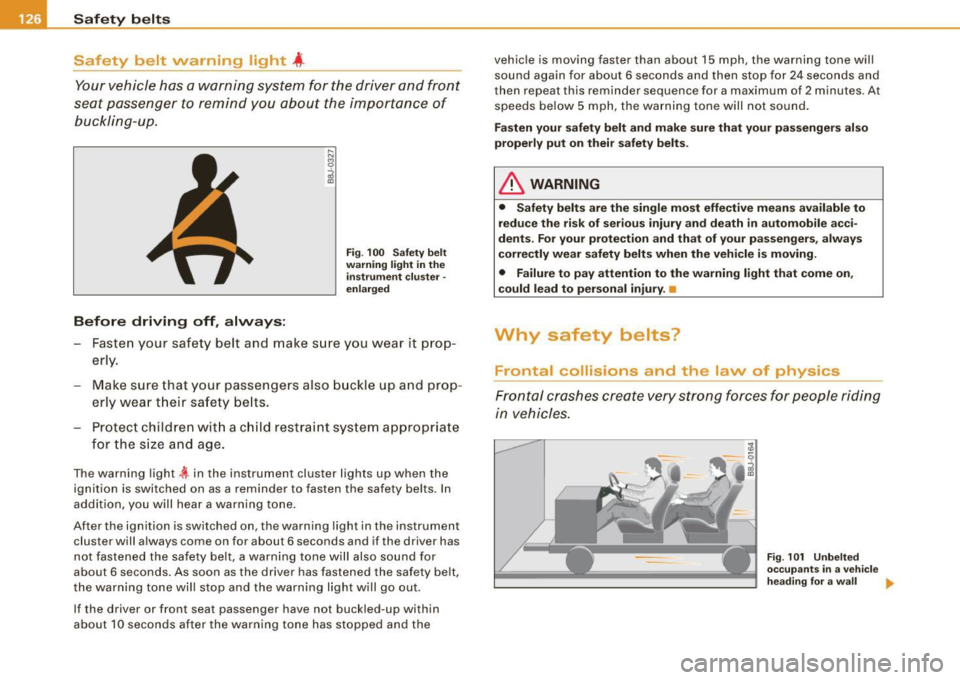
Fig . 100 Saf ety belt
w arn ing li ght in t he
in strum ent cluster -
e n la rge d
- Fasten your safety belt and make sure you wear it prop
erly.
Make sure that your passengers also buckle up and prop
erly wea r th eir safety be lts.
- Protect children wit h a c hild restraint sys tem appropria te
for the s ize and age.
The warning light tin the instrument cluster lights up when the
ignition is swi tched on as a reminder to fasten the safety belts. In
addition, you will hear a warning tone .
After the ignition is switched on , the warning light in the ins trumen t
cluster will a lways come on for about 6 seconds and if the driver has
not fastened the safety belt, a warning tone will also sound for
about 6 seconds. As soon as the driver has fastened the safety b elt,
the warning tone wil l stop and the warning light will go out.
If the driver or front seat passenger have not buckled-up within
about 10 seconds after the warning tone has stopped and the vehi
cle is moving faster than about 15 mph , the warning tone will
sound again for about 6 seconds and then stop for 24 seconds and
then repea t this reminder sequence for a maximum of 2 minu tes . At
speeds below 5 mph, the warning ton e will not sound .
Fas ten your safety belt and m ake sur e that your p as senger s al so
properly p ut o n the ir safety belt s.
& WARNING
• Saf ety belt s a re the single mo st effe ctive m ean s available to
r e d uc e the ri sk of ser iou s inj ury a nd death i n aut omobi le a cci
den ts. For your protection and that of your p assengers, always
corre ctly we ar sa fe ty belt s when the veh icle i s m oving.
• Failure to pay att ent ion t o th e w arning light that come on,
c ould l ead t o per sona l in jur y. •
Why safety be lts?
Frontal collisions and the law of physics
Frontal crashes create very strong forces for people riding
in vehicles.
--
Fig. 101 Unbe lt ed
o cc up ant s in a vehi cle
h ead ing fo r a w all
~
Page 139 of 316

__________________________________________________ A_ i_ r _b _a...; g::- s_ y=--- s_t _e _m __ !II
Child restraints on the front seat -some
important things to know
- Be sure to read the important information and head the
WARNINGS for important details about children and
Advanced Airbags :=>
page 157.
Even though your vehicle is equipped with an Advanced Airbag
System, make certain that all children, especially those 12 years and
younger, always ride in the back seat properly restrained for their age and size . The airbag on the passenger side makes the front seat
a potentially dangerous place for a child to ride . The front seat is not
the safest place for a child in a forward -facing child safety seat. It
can be a very dangerous place for an infant or a child in a rearward
facing seat.
The Advanced Airbag System in your vehicle has been certified to
comply with the Requirements of United States Federal Motor
Vehicle Safety Standard 208 as applicable at the time your vehicle
was manufactured.
The Standard requires the front airbag on the passenger side to be
turned off ("suppressed") if a child up to about one year of age
restrained in one of the rear-facing or forward-facing infant
restraints listed in Federal Motor Vehicle Safety Standard 208 with
which the Advanced Airbag System in your vehicle was certified has been installed on the front passenger seat. For a listing of the child
restraints that were used to certify compliance with the US Safety
Standard =>
page 159.
The PASSENGER AIR BAG OFF light in the instrument panel tells you
when the front Advanced Airbag on the passenger side has been
turned off by the electronic control unit.
Each time you turn on the ignition, the
PASSENGER AIR BAG OFF
light will come on for a few seconds and:
• will stay on if the front passenger seat is not occupied,
Controls and equip
ment Safety first
Vehicle operation
• will stay on if there is a small child or child restraint on the front
passenger seat,
• will go off if the front passenger seat is occupied by an adult as
registered by the weight-sensing mat=>
page 146, "Monitoring the
Advanced Airbag System" .
The
PASSENGER AIR BAG OFF light comes on when the control unit
detects a total weight on the front passenger seat that requires the
front airbag to be turned off.
If the total weight on the front passenger seat is more than that of
a typical 1 year-old child but less than the weight of a small adult,
the front airbag on the passenger side can deploy (the
PASSENGER
AIR BAG OFF
light does not come on). If the PASSENGER AIR BAG
OFF
light does not come on, the front airbag on the passenger side
has not been turned off by the electronic control unit and can
deploy if the control unit senses an impact that meets the condi
tions stored in its memory.
For example, the airbag may deploy if:
• a small child that is heavier than a typical 1 year -old child is on
the front passenger seat (regardless of whether the child is in one
of the child safety seats listed=>
page 159), or
• a child who has outgrown child restraints is on the front
passenger seat.
If the front passenger airbag is turned off, the
PASSENGER AIR BAG
OFF
light comes on in the instrument cluster and stays on.
The front airbag on the passenger side may
not deploy (the
PASSENGER AIR BAG OFF light does not illuminate and stay lit) even
if a small adult or teenager, or a passenger who is not sitting upright
with their back against a non-reclined backrest with their feet on the
vehicle floor in front of the seat is on the front passenger seat
=>
page 116, "Proper seating position for the driver".
If the front passenger airbag deploys, the Federal Standard requires
the airbag to meet the "low risk" deployment criteria to reduce the risk of injury through interaction with the airbag . "Low risk" deploy
ment occurs in those crashes that take place at lower decelerations
I),
Vehicle care Do-it-yourself service Technical data
Page 144 of 316

___ A_ ir_ b_ a-g _ s_y _s_ t_ e_ m _________________________________________________ _
& WARNING (continued)
• If you must install a rearward facing child safety seat on the
front passenger seat because of exceptional circumstances and
the PASSENGER AIR BAG OFF light does not come on and stay on,
immediately install the rear-facing child safety seat in a rear
seating position and have the airbag system inspected by your
Audi dealer.
& WARNING
If, in exceptional circumstances, you must install a forward-facing
child restraint on the front passenger's seat:
• Always make sure the forward -facing seat has been designed
and certified by its manufacturer for use on a front seat with a
passenger front and side airbag.
• Never put the forward-facing child restraint up against or very
near the instrument panel.
• Always move the passenger seat into its rearmost position in
the seat's fore and aft adjustment range, as far away from the
airbag as possible, before installing the forward-facing child
restraint . The backrest must be adjusted to an upright position.
• Make sure that the PASSENGER AIR BAG OFF light comes on
and stays on all the time whenever the ignition is switched on. •
Advanced Airbag System components
The front passenger seat in your vehicle has a lot of very important
parts of the Advanced Airbag System in it. These parts include the
weight-sensing mat, sensors, wiring, brackets, and more. The func
tion of the system in the front passenger seat is checked by the elec
tronic control unit when the ignition is on. The control unit monitors
the Advanced Airbag System and turns the airbag indicator light on
when a malfunction in the system components is detected. The
function of the airbag indicator light is described in greater detail below
. Because the front passenger seat contains important parts
of the Advanced Airbag System, you must take care to prevent it
from being damaged. Damage to the seat may prevent the
Advanced Airbag for the front passenger seat from doing its job in
a crash .
The front Advanced Airbag System consists of the
following:
• Crash sensors in the front of the vehicle that measure vehicle
acceleration/deceleration to provide information to the Advanced
Airbag System about the severity of the crash.
• An electronic control unit, with integrated crash sensors for front
and side impacts. The control unit "decides" whether to fire the
front airbags based on the information received from the crash
sensors. The control unit also "decides" whether the safety belt
pretensioners should be activated.
• An Advanced Airbag with gas generator for the driver inside the
steering wheel hub .
• An Advanced Airbag with gas generator inside the instrument
panel for the front passenger.
• A weight-sensing mat under the upholstery padding of the front
passenger seat cushion that measures the total weight on the seat.
The information registered is sent continuously to the electronic
control unit to regulate deployment of the front Advanced Airbag on
the passenger side.
• An airbag monitoring system and indicator light in the instru
ment cluster ~
page 146.
• The PASSENGER AIR BAG OFF light comes on and stays on in the
center of the instrument panel~
page 147, fig. 113 and tells you
when the front Advanced Airbag on the passenger side has been
turned off.
• A sensor below the safety belt latch for the front seat passenger
to measure the tension on the safety belt. The tension on the safety
belt and the weight registered by the weight -sensing mat help the
control unit "decide" whether the front airbag for the front ..