service AUDI TT COUPE 2009 User Guide
[x] Cancel search | Manufacturer: AUDI, Model Year: 2009, Model line: TT COUPE, Model: AUDI TT COUPE 2009Pages: 316, PDF Size: 71.16 MB
Page 37 of 316
Engine oil pressure malfunction 9=;r;
The red engine oil pressure warning symbol requires
immediate service or repair.
If the ~ symbol appears in the display and flashes, the oil
pressure is too low. In addition to the symbol, the following
message also appears in the display:
Switch off engine and check oil level
- Pull off the road and stop the vehicle .
- Shut the engine down.
- Check the engine oil level~
page 221.
-Contact your authorized Audi dealer for assistance if
necessary .
Engine oil level too low
If the engine oil level is too low, top off oil to the proper level
=>
page 222.
Engine oil level OK
If the ~ symbol starts flashing again ev en though the engine oil
level checks OK on the dipstick,
do not start driving again and do not
let the engine run at idle .
Instead, contact your authorized Audi
dealer for assistance .
[ i J Tips
• The engine oil pressure symbol ~ is not an indicator for a low
engine oil level. Do not rely on it. Instead, check the oil level in your
engine at regular intervals, preferably each time you refuel, and
always before going on a long trip.
• The yellow oil level warning indication _ requires oil refill or
workshop service without delay. Do not wait until the red oil pres sure warning symbol
~ starts to flash before you respond to the
Controls and equip
ment
Driver information system
low oil level warning = . By then, your engine may already have
suffered serious damage. •
Fuel supply too low Jl
When the L symbol illuminates, this means there are about 2.6
gallons
(10 liters) of fuel left in the fuel tank . Time to refuel!
=>
page 212.
If the symbol lights up , even when there is ample fuel in the tank,
and the text
Tank system malfunction! Please contact workshop
appears in the display, there is a fault in the system. Contact a qual
ified workshop to have the fault rectified. •
Checking the engine oil level .d'" ..
Please add max. 1 qt of engine oil!
If the symbol comes on, add 1 quart (1 liter) of oil at the next
opportunity=>
page 222. •
Checking the engine oil level -1.
When the _ symbol illuminates, check the engine oil level as soon
as possible =>
page 221. Top off the oil at your earliest opportunity
=>
page 222. •
Engine oil sensor defective • ...
If the symbol illuminates, contact your authorized Audi dealer
and have the oil sensor inspected. •
I • •
Page 39 of 316
There are three reasons why the defective bulb message would
appear in the display:
• The light bulb has burnt out=>
page 278.
• The fuse is "blown"=> page 274, "Replacing a fuse".
• The wire connection to the light bulb is defective.
Have the bulb replaced or the connection repaired by your autho
rized Audi Service department.
& WARNING
• Light bulbs are pressurized and could explode while they are
being changed causing serious personal injury.
• Work with due care when handling the high-voltage section of
gas discharge (xenon) lamps. Failing to do so could result in death
or serious injury! •
Brake light defective i( r (USA
models)/ (Canada models)
In case of a malfunction or component failure, the symbol
(USA models)/ (Canada models) can appear . The following elec
trical components should be checked, repaired or replaced, as
necessary:
• Brake light bulbs
• All wiring connections
• Brake light switch
Contact your authorized Audi dealer for assistance if necessary.
[ i] Tips
The brake light switch is only inspected as part of the functional
check after the engine is started .•
Controls and equip
ment
Driver information system
Ap plies to veh ic les : w it h auto matic headli ghts
Light/rain sensor defective U
The indicator light indicates a defect in the automatic
headlights/automatic wiper system.
If the symbol illuminates, the light sensor has failed. For safety
reasons , the low beams are turned on permanently with the switch
in
AUTO. However, you can continue to turn the lights on and off
using the light switch . In the case of a defect in the rain sensor, the
windshield wiper lever functions are still available. Have the
light/rain sensor checked as soon as possible at an authorized Audi
dealer. •
Applies to v ehi cle s : with Ad aptive Light
Adaptive Light defective " )
Adaptive light defective
When this symbol l-illuminates, it means that Adaptive Light is
defective. Go to a qualified workshop to have the headlights or the
control unit for the Adaptive Light repaired. •
Applies to veh ic les : wi th tir e pr essu re m on it o ring sys tem
Tire pressure monitoring system
Tire pressure that is too low must be corrected as soon as
possible.
If the O symbol flashes for about one minute after the igni
tion is switched on and then remains on, there is a malfunc
tion in the system. Consult the nearest authorized Audi
dealer as soon as possible.
Additional information about the tire pressure monitoring system
can be found:=> page 253. •
I • •
Page 64 of 316
Clear vision
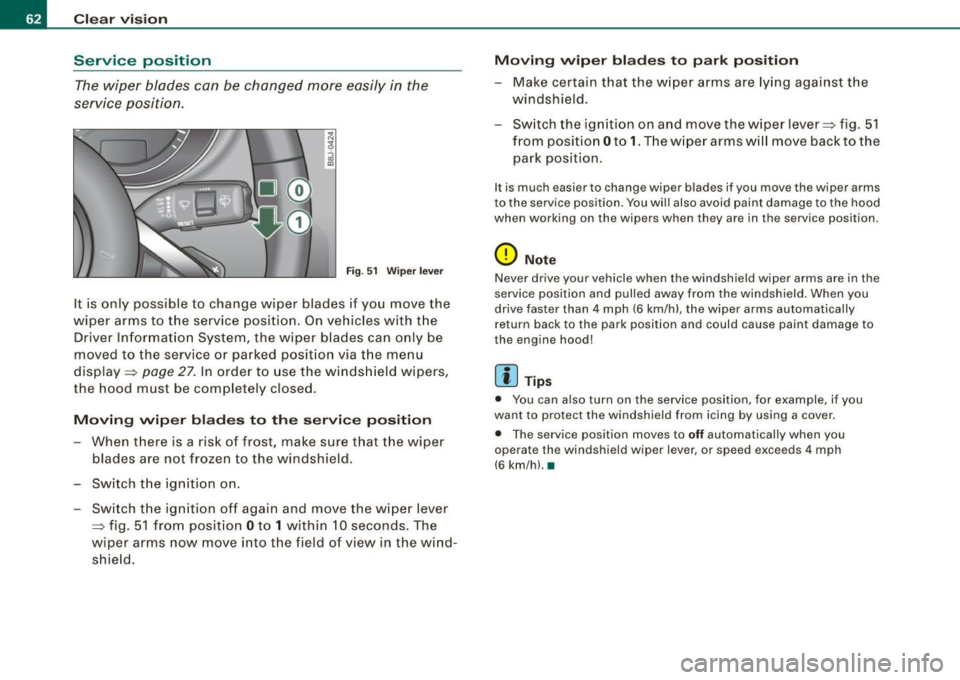
Service position The wiper blades can be changed more easily in the
service position .
Fig . 51 Wiper lever
It is only possible to change wiper blades if you move the
w iper arms to the service position. On vehicles with the
Driver Information System , the wiper blades can only be
moved to the service or parked position via t he menu
display =>
page 27. In order to use the windshield wipers,
the hood must be completely closed.
Moving wiper blades to the service position
-When there is a risk of frost, make sure that the wiper
blades are not frozen to the windshield .
- Switch the ignition on .
- Switch the ignition off again and move the wiper lever
~ fig. 51 from position Oto 1 within 10 seconds . The
wiper arms now move into the field of view in the wind
shie ld.
Moving wiper blades to park position
-Make certain that the wiper arms are lying against the
windshield .
- Switch the ignition on and move the wiper lever~ fig . 51
from position Oto
1. The w iper arms w ill move back to the
park position.
I t is much easier to chang e wiper blad es if you mov e th e wiper arms
to the service position. You wil l also avoid paint damage to the hood
when working on the wip ers when they are in the service position .
0 Note
Never drive your vehicle when the windshield wiper arms are in the
service position and pulled away from the windshield . When you
drive faster than 4 mph (6 km/h) , the wiper arms automatica lly
return back to the park position and could cause paint damage to
the engine hood!
[ i ] Tips
• You can also turn on the service position, for example, if you
want to protect the windshield from icing by using a cover.
• The service position moves to
off automatically when you
operate the windshield wiper lever, or speed exceeds
4 mph
(6 km/hl. •
Page 65 of 316

Replacing front wiper blades
Wiper blades in good condition help keep the windshield
clear.
Removing the wiper blade
Fig . 52 Unlatching
wiper blades
Fig . 53 Removing
wiper blades
- Move the wipers to the service position ~ page 62
~ page 62, fig. 51.
- Fold the windshield wiper arm away from the glass.
- On the upper end of the wiper arm at the corrugation,
squeeze the plastic retainer together on both sides in the
direction of the arrow~ fig. 52.
Contro ls and eq uip
ment
Clear vision
- Rotate the wiper blade in the direction of the arrow@
~ fig. 53 away from the wiper arm.
- Lift the wiper blade off in the d irection of the arrow @.
Attaching the wiper blade
- Place the rounded end of the wiper onto the end of the
wiper arm in the
opposite direction to the arrow @
~ fig. 53.
- Swing the wiper in the
opposite direction to the arrow @
onto the wiper arm.
- Squeeze t he cor rugation on the wiper until you hear it
click in the wiper arm.
- Fold the wiper arm back onto the windshield.
Switch the ignit ion on and move the wiper lever down
briefly ~
page 62, fig. 51. The wiper will move back to the
park position .
The front wiper blades measure left side 23.20 in. (590 mm ) and
right side 18 .50 in . (470 mm) in length,
Clean your wiper b lades regularly with a windshield washer solution
to prevent streaking. If the blades are
very dirty, for example with
insects, carefully clean the b lades w ith a sponge or a soft brush.
If the wiper blades begin to streak the windshield , this could be
caused by residue left on the windshield by automatic car washes .
Fill the windshield washe r container with a special solution avail
able at your authorized Audi dealer to
remove the residue.
Be sure to inspect the condition of your wiper blades regular ly . For
safety reasons, rep lace your wiper blades once or twice a year if
necessary. See your authorized Audi dealer for replacement blades . .,
Vehicle care I I Technical data
Page 66 of 316
Clear vision
& WARNING
• Clea n your wiper blade s regu larly w ith a w indshi eld w asher
s oluti on t o prev ent stre aking . If the wiper blade s are very dirt y, for
exa mpl e wit h inse cts, c arefull y cle an th e wi per blades w ith a
sponge or a soft bru sh .
• For yo ur safety , you should rep lac e th e w iper b lade s on ce or
twi ce a ye ar. S ee y our auth orized Audi de aler f or replacement
b lad es.
0 Note
• The wiper blades may on ly be changed=> page 62 in service
posit ion! Otherwise, you risk damaging the paint on the hood or the
windshield wiper motor .
• To prevent damage to the wiper system:
-Always loosen blades which are fro zen to the windshield
before operating wipers.
- Do not use gasoline , kerosene , paint th inner , or other solvents
on or near the wiper blades .
- Do not attempt to move the wipers by hand.
[ i ] Tip s
Commercial hot waxes applied by automatic car washes affect the
cleanab ility of the g lass surface .
• The front wiper blades are different lengths; the blade on th e
driver's side is longer. •
Mirrors
Manual glare dimming
Standard setting
- Move the small leve r !located on the bottom edge of t he
m irror) to the front.
Anti -glare setting
Move the small lever (located on the bottom edge of t he
m irror) to the rear. •
Applies to vehic les: wit h autom atically dimm in g inside rearview mirro r
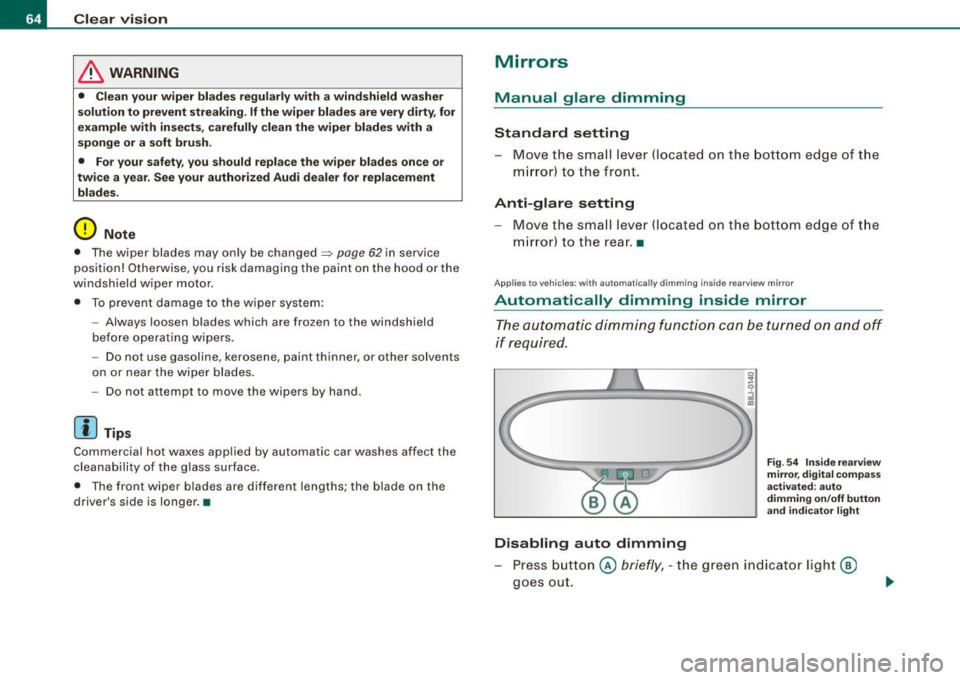
Automatically dimming inside mirror
The automatic dimming function can be turned on and off
if required.
Disabling auto dimming
F ig . 5 4 In sid e rea rview
mir ror, d ig ital co m pa ss
activate d: au to
d imm in g on /off butt on
an d in dicator light
Press button @ briefly, -the green indicator light@
goes out.
Page 88 of 316
Warm and cold
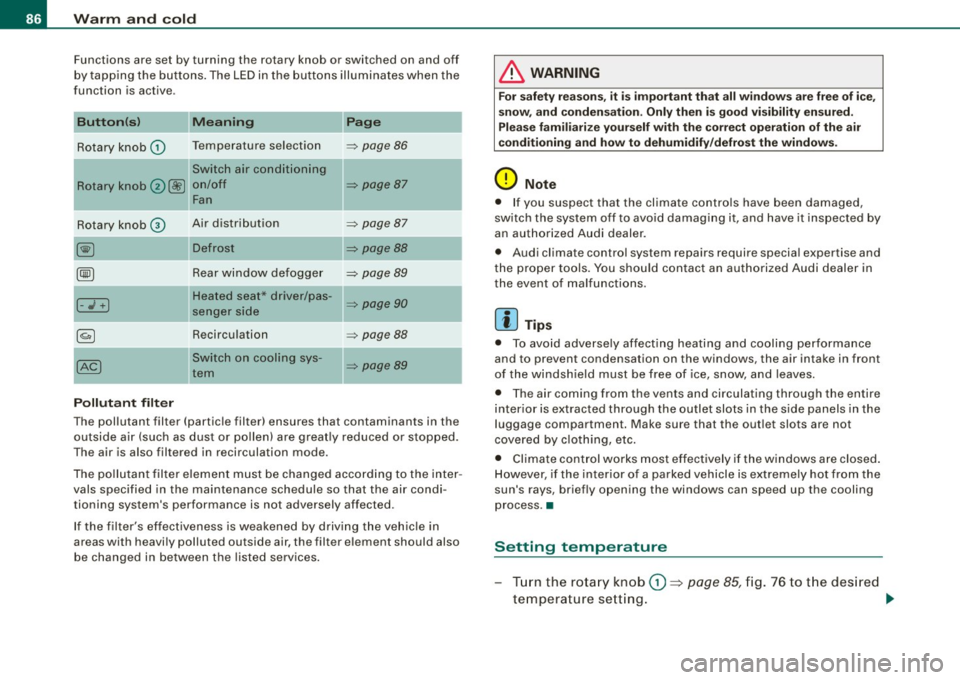
Functions are set by turning the rotary knob or switched on and off
b y tap ping the buttons . The LED in the bu ttons illuminates when the
function is active .
Button(sl
Rotary knob G)
Rotary knob 0@
Rotary knob©
I- .;+ I
Pollutant filter Meaning
Temperature selection
Switch air conditioning
on/off Fan
Air distribution
Rear window de fogger
Heated seat* driver/pas
senger side
Recirculation
-Switch on coo ling sys -
tem Page
=> page 86
=> page 87
=> page 87
=> page 88
=> page 89
=> page 90
=> page 88
=> page89
The pollutant filter (particle filter) ensures that contaminants in the
outside air (such as dus t or p ollen) are greatly reduced or stopped.
The air is also filtered in recirculation mode.
T he pollutan t fil te r element must be changed accord ing to the inter
vals specified in the maintenance schedule so that the air condi
tioning system's performance is not adversely affected.
If the filter's effectiveness is weakened by driv ing t he vehic le in
areas with heavi ly polluted outside air, the filter element should also
be changed in between the listed services .
& WARNING
For safety re ason s, it is impo rtant that all window s are free of i ce ,
snow, and condensat ion . Onl y then is good visibility ensured .
Plea se familiari ze your self with the correct operation of the air
conditioning and how to dehumidify /defrost the windows .
0 Note
• If you suspect that the climate controls have been damaged,
switch the system off to avoid damag ing it, and have it inspected by
an author ized Audi dealer.
• Audi climate control system repairs require special expertise and
t he proper tools. You shou ld contact an authorized Audi dealer in
the event o f malfunctions.
[ i ] Tips
• To avo id adverse ly affecting heating and cooling performance
and to prevent condensation on the windows, the air intake in front
of the windsh ield must be free of ice, snow, and leaves.
• The air coming from the vents and circulating through the entire
inter ior is extracted through the outlet slots in the side panels in the
luggage compartment. Make sure that the outlet slots are not
covered by clo th ing, etc.
• Climate control works most effectively if the windows are closed .
H owever, if the interior of a parked vehicle is extremely hot from the
sun's rays, briefly opening the windows can speed up the cooling
process. •
Setting temperature
Tur n th e rota ry kno b G) ~ page 85, fig. 7 6 to t he des ired
t e mperature sett ing .
~
Page 117 of 316

Driving Safely 1111
----------------
-Make sure that all lights and signals are operating
correctly.
- Make sure that the tire pressure is correct.
- Make sure that all windows are clean and afford good
visibility to the outside.
- Secure all luggage and other items carefully =>
page 83.
-Make sure that nothing can interfere with the pedals.
- Adjust front seat, head restraint and mirrors correctly for
your height.
- Instruct passengers to adjust the head restraints
according to their height.
- Make sure to use the right child restraint correctly to
protect children =>
page 157, "Child Safety".
- Sit properly in your seat and make sure that your passen
gers do the same=>
page 69, "General recommenda
tions".
- Fasten your safety belt and wear it properly. Also instruct
your passengers to fasten their safety belts properly
=>
page 125. •
What impairs driving safety?
Safe driving is directly related to the condition of the
vehicle, the driver as well as the driver's ability to concen
trate on the road without being distracted.
The driver is responsible for the safety of the vehicle and all
of its occupants. If your ability to drive is impaired, safety risks for everybody in the vehicle increase and you also
Controls and equip ment Safety first Vehicle operation
become a
hazard to everyone else on the road =>&, .There
fore:
- Do not let yourself be distracted by passengers or by
using a cellular telephone.
- NEVER drive when your driving ability is impaired (by
medications, alcohol, drugs, etc .).
- Observe all traffic laws, rules of the road and speed limits
and plain common sense.
- ALWAYS adjust your speed to road, traffic and weather
conditions.
- Take frequent breaks on long trips. Do not drive for more
than two hours at a stretch.
- Do NOT drive when you are tired, under pressure or when
you are stressed.
in. WARNING
Impaired driving safety increases the risk of serious personal
injury and death whenever a vehicle is being used. •
Vehicle care Do-it-yourself service Technical data
Page 119 of 316

________________________________________________ D_r_iv _ i _n_ g~ S_ a_ fe_ ly __ !II
& WARNING (continued)
• Always adjust the driver's seat and the steering wheel so that
there are at least 4 inches (10 cm) between the knees and the
lower part of the instrument panel.
• Always hold the steering wheel on the outside of the steering
wheel rim with your hands at the
9 o'clock and 3 o'clock positions
to help reduce the risk of personal injury if the driver's airbag inflates .
• Never hold the steering wheel at the
12 o'clock position or with
your hands at other positions inside the steering wheel rim or on
the steering wheel hub. Holding the steering wheel the wrong way
can cause serious injuries to the hands, arms and head if the
driver's airbag inflates
• Pointing the steering wheel toward your face decreases the
ability of the supplemental driver's airbag to protect you in a colli
sion .
• Always sit in an upright position and never lean against or
place any part of your body too close to the area where the airbags
are located.
• Before driving, always adjust the front seats and head
restraints properly and make sure that all passengers are properly
restrained .
• Never adjust the seats while the vehicle is moving. Your seat
may move unexpectedly and you could lose control of the vehicle.
• Never drive with the backrest reclined or tilted far back! The
farther the backrests are tilted back, the greater the risk of injury due to incorrect positioning of the safety belt and improper
seating position.
• Children must always ride in child seats=>
page 157. Special
precautions apply when installing a child seat on the front
passenger seat =>
page 135. •
Controls and equip
ment Safety first
Vehicle operation
Proper seating position for the front
passenger
The proper front passenger seating position is important
for safe, relaxed driving.
For your own safety and to reduce the ris k of injury in the
event of an accident, we recommend that you adjust the
seat for the front passenger to the following pos ition:
- Move the front passenger seat back as far as possible.
There must be a minimum of 10 inches (25 cm) between
the breastbone and the instrument panel =>
&.
- Adjust the angle of the seatback so that it is in an upright
position and your back comes in full contact with it
whenever the vehicle is moving.
- Adjust the head restraint so that the upper edge is as
even with the top of your head as possible but not lower
than eye level and so that it is as close to the back of your
head as possible =>
page 119.
-Keep both feet flat on the floor in front of the front
passenger seat.
- Fasten and wear safety belts correctly=>
page 129.
For detailed information on how to adjust the front passenger's
seat, see => page 69.
& WARNING
Front seat passengers who are unbelted, out of position or too
close to the airbag can be seriously injured or killed by the airbag
as it unfolds. To help reduce the risk of serious personal injury : .,
Vehicle care Do-it-yourself service Technical data
Page 121 of 316

Driving Safely 111111 ______________________________________________________ __,::::;..._ _______ _
Proper adjustment of head restraints
Correctly adjusted head restraints are an important part
of your vehicle's occupant restraint system and can help to reduce the risk of injuries in accident situations.
Fig. 98 Correctly
adjusted head restraint
viewed from the side
The head restraints must be correctly adjusted to achieve
the best protection.
- Adjust the head restraint so that the upper edge of the
restraint is level with the top of your head, but no lower
than eye level and so it is as close to the back of your
head as possible ~ fig. 98.
Adjusting head restraints=> page 74.
& WARNING
Driving without head restraints or with improperly adjusted head
restraints increases the risk of serious injuries in a collision. To
help reduce the risk of injury :
• Always drive with the head restraints in place and properly
adjusted.
• Every person in the vehicle must have a properly adjusted head
restraint.
Controls and equip ment Safety first Vehicle operation
& WARNING (continued)
•
Always make sure each person in the vehicle properly adjusts
their head restraint. Each head restraint must be adjusted
according to occupants' size so that the upper edge is as even
with the top of the person's head, but no lower than eye level and
so it is as close to the back of to the head as possible .
• Never attempt to adjust head restraint while driving. If you
have driven off and must adjust the driver headrest for any reason,
first stop the vehicle safely before attempting to adjust the head
restraint.
• Children must always be properly restrained in a child restraint
that is appropriate for their age and size=>
page 157. •
Examples of improper seating positions
The occupant restraint system can only reduce the risk of
injury if vehicle occupants ore properly seated.
Improper seating positions can cause serious injury or
death . Safety belts can only work when they are properly
positioned on the body. Improper seating positions reduce
the effectiveness of safety belts and will even increase the
risk of injury and death by moving the safety belt to critical
areas of the body. Improper seating positions also increase
the risk of serious injury and death when an airbag deploys
and strikes an occupant who is not in the proper seating
position. A driver is responsible for the safety of all vehicle
occupants and especially for children. Therefore:
- Never allow anyone to assume an incorrect seating posi
tion when the vehicle is being used~& .
The following bullets list only some sample positions that will
increase the risk of serious injury and death. Our hope is that these .,_
Vehicle care Do-it-yourself service Technical data
Page 123 of 316
---------------------------------------------------=D..:.r..:..iv .:....:..: in..:. 9 ::!-- S .=..::a:..:f...:e :..: l~y ---
& WARNING
Pedals that cannot move freely can cause loss of vehicle control
and increase the risk of serious injury.
• Never place any objects in the driver's footwell . An object could
get into the pedal area and interfere with pedal function. In case
of sudden braking or an accident, you would not be able to brake
or accelerate!
• Always make sure that nothing can fall or move into the
driver's footwell. •
Floor mats on the driver side
Always use floor mats that can be securely attached to
the floor mat fasteners and do not interfere with the free
movement of the pedals.
- Make sure that the floor mats are properly secured and
cannot move and interfere with the pedals =>& .
Use only floor mats that leave the pedal area unobstructed and that
are firmly secured so that they cannot slip out of position . You can
obtain suitable floor mats from your authorized Audi Dealer.
Floor mat fasteners are installed in your Audi.
Floor mats used in your vehicle must be attached to these fasteners .
Properly securing the floor mats will prevent them from sliding into
positions that could interfere with the pedals or impair safe opera
tion of your vehicle in other ways.
& WARNING
Pedals that cannot move freely can result in a loss of vehicle
control and increase the risk of serious personal injury.
• Always make sure that floor mats are properly secured.
Controls and equip ment Safety first
Vehicle operation
& WARNING (continued)
• Never place or install floor mats or other floor coverings in the
vehicle that cannot be properly secured in place to prevent them
from slipping and interfering with the pedals or the ability to
control the vehicle.
• Never place or install floor mats or other floor coverings on top
of already installed floor mats. Additional floor mats and other
coverings will reduce the size of the pedal area and interfere with
the pedals.
• Always properly reinstall and secure floor mats that have been
taken out for cleaning.
• Always make sure that objects cannot fall into the driver foot
well while the vehicle is moving. Objects can become trapped
under the brake pedal and accelerator pedal causing a loss of
vehicle control. •
Stowing luggage
Loading the luggage compartment
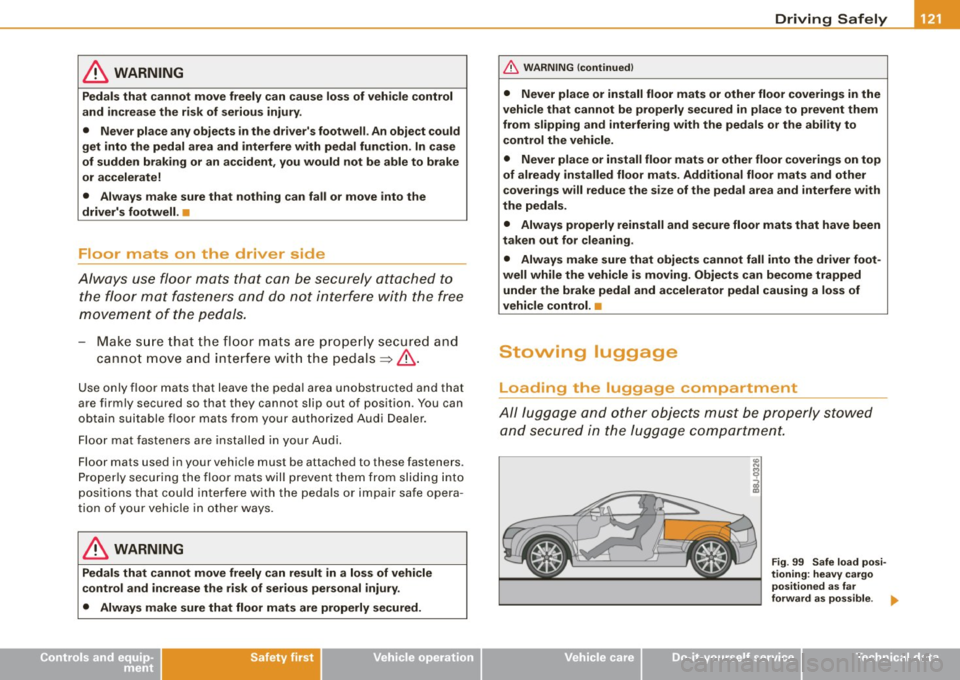
All luggage and other objects must be properly stowed
and secured in the luggage compartment.
Vehicle care
co N
9
g!
Fig. 99 Safe load posi
tioning: heavy cargo
positioned as far
forward as possible. ..
Do-it-yourself service Technical data