door lock AUDI TT COUPE 2014 User Guide
[x] Cancel search | Manufacturer: AUDI, Model Year: 2014, Model line: TT COUPE, Model: AUDI TT COUPE 2014Pages: 284, PDF Size: 34.42 MB
Page 35 of 284

Downloaded from www.Manualslib.com manuals search engine 0
N
co
....
\D Lfl
N
Lfl
.... Releasing
the boot lid manually
The boot lid can be released manually from the
inside.
Fig. 29 Accessing manual release lever on left of luggage
compartment below rear window
Fig. 30 Manual release lever in luggage compartment
(from inside)
• Fold down the left backrest.
• Prise off the cover c::> Fig. 29 using the emergen
cy key c::> page 2 7.
• Pull the plastic cord in the direction indicated
by the arrow c::> Fig. 30.
Electric windows
Controls
The driver can operate all the electric windows.
Fig. 31 Detail of the driver's door: Controls Doors
and windows
All electric windows have two-stage switches:
Opening a window
• Press the switch as far as the first stop and
hold it until the window has moved to the de
sired position.
• Press
the switch briefly to the second stop: the
window will automatically open all the way.
Closing a window
... Pull the switch as far as the first stop and hold
it until the window has moved to the desired
position.
• Pull the switch briefly to the second stop: the
window will automatically close all the way.
Switches for electric windows
@ Driver's window
@ Front passenger's window
A WARNING
- Always take the key with you when leaving
the vehicle -even if you only intend to be
gone for a short time. This is especially im
portant if children are left in the car. They
might otherwise be able to start the engine
or use power-operated equipment such as
the electric windows -this could Lead to in
juries. The window switches are only deacti
vated when the driver's door or the front
passenger's door is opened.
- Always be careful when closing the win
dows. Careless use of the electric windows
can cause severe injuries.
- When Locking the vehicle from the outside,
make sure that nobody is inside the vehicle,
as the windows cannot be opened from the
inside in an emergency.
@ Note
- The windows can be operated for about ten
minutes after the ignition has been switch
ed off. The window switches are only deacti
vated when the driver's door or the front
passenger's door is opened.
- When the doors are opened the windows
will automatically come down approximate
ly 10 mm.
33
Page 36 of 284

Downloaded from www.Manualslib.com manuals search engine Doors
and windows
Convenience open/close function
The windows can be opened or closed simultane
ously when the vehicle is unlocked or Locked.
Convenience open function
... Press and hold the� button on the remote
control key until all the windows have reached
the desired position, or
... First unlock the vehicle using the� button on
the remote control key, then insert the key in
the driver's door lock, turn it to the "unlock" po
sition and hold it there until all the windows
have reached the desired position.
Convenience close function
... Press and hold the locking button l'.D on the re
mote control key until all windows are closed
¢.&, ,or
... Lock the driver's door with the key and hold the
key in the "lock" position until all the windows
are closed
Convenience close function with convenience
key*
... Touch and keep your hand in contact with the
sensor* on the door handle until all the win
dows are closed. Do not rest your hand on the
door handle while this is happening.
Adjusting settings for convenience open
function via infotainment system
... Select the following on the infotainment sys
tem: l MEN u
I button > Car > left control button
> Vehicle settings.
If you wish to use the convenience open function
for the windows, select on for Front windows.
A WARNING
- Take care when closing the windows. Care
less use of the windows can cause injuries.
- For safety reasons, you should only use the
remote control open and close functions
within about 2 metres of the vehicle. To
avoid injuries, always keep an eye on the
windows when pressing the !filJ button to
close them. The windows and soft top stop
moving as soon as the !filJ button is released.
34 What
to do after a malfunction
The one-touch open and close function must be
reactivated if the battery has been disconnected.
... Pull and hold the electric window switch until
the window is fully closed .
... Release the switch and then pull it again for at
least one second.
Garage door opener
(Homelink)
Description
Applies to vehicles: with garage door opener (Homelink)
Fig. 32 Garage door opener: Examples of various devices
which can be activated
Th e garage door opener (Homelink) allows you
to activate garage doors, security systems, home
or office lighting and other electric devices by
means of control buttons inside your car. It com
prises three buttons integrated in the headliner
which perform the functions of up to three hand
held transmitters.
To operate the desired systems with the garage
door opener, you first need to program the but
tons in the headliner.
A WARNING
When you are operating or programming the
garage door opener, make sure that no per
sons or objects are close to the devices receiv
ing the transmitter signals. Otherwise, per
sons might be injured or other damage
caused by moving parts.
�
Page 42 of 284
Downloaded from www.Manualslib.com manuals search engine Lights
and vision
Main beam assist* -You can switch the main
beam assist* on and off.
Audi adaptive light* -You can switch the adap
tive light on and off.
Headlight dip settings for driving at home
and abroad
If you drive a right-hand drive vehicle in a left
hand drive country, or vice versa, it is not neces
sary to adjust the headlights, as they are de
signed for use when driving on the left or right.
Coming home/ leaving home
The coming home function lights up the area
round the vehicle after dark when the ignition
has been switched off and the driver's door
opened. To activate this function, select Entry/
exit lights.
The leaving home function lights up the area
round the vehicle after dark when the vehicle is
unlocked. To activate this function, select Entry/
exit lights.
The coming home and leaving home functions
are operational after dark when the light switch
is set to AUTO.
Hazard warning lights
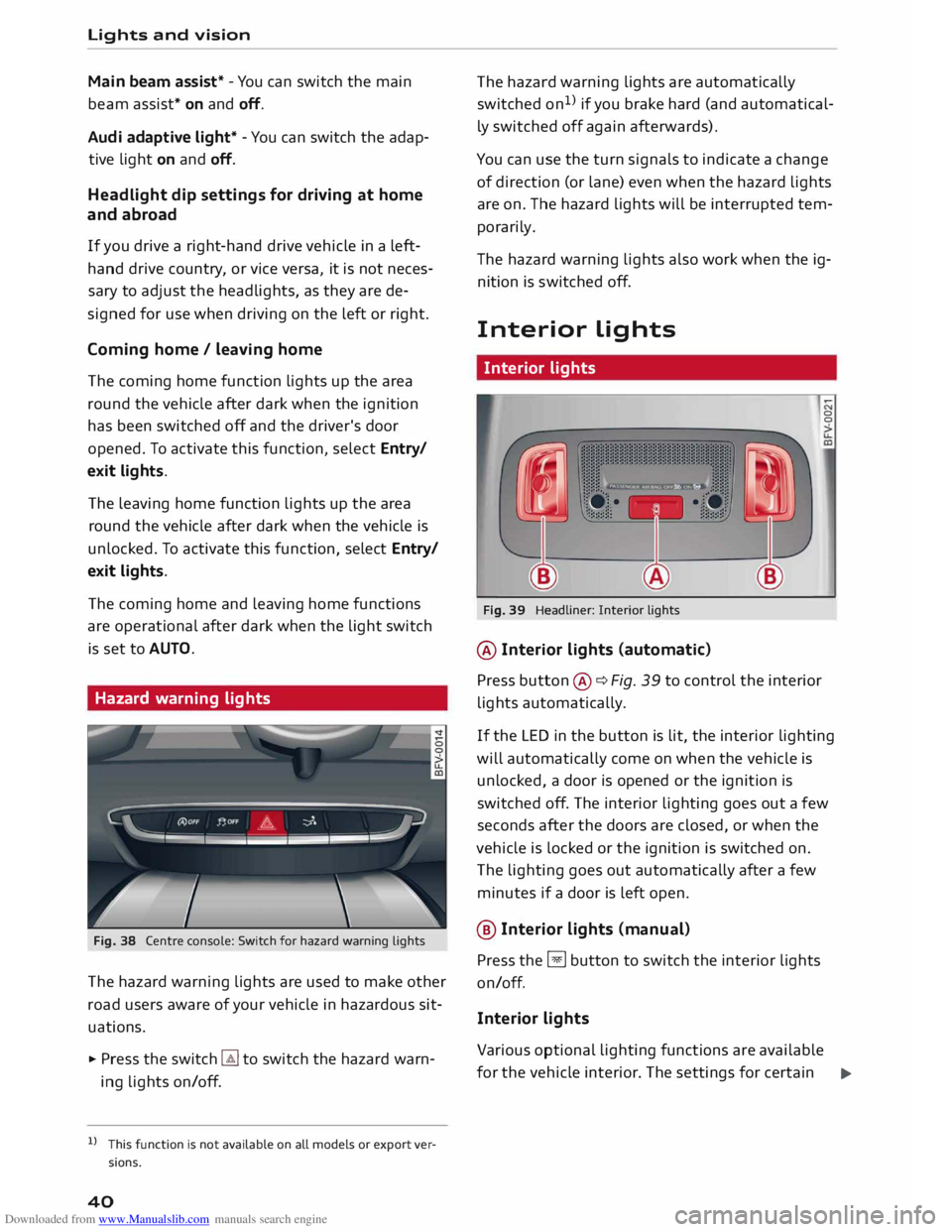
Fig. 38 Centre console: Switch for hazard warning lights
The hazard warning lights are used to make other
road users aware of your vehicle in hazardous sit
uations.
.,. Press the switch � to switch the hazard warn
ing lights on/off.
l l
This function is not available on all models or export ver
sions.
40 The
hazard warning lights are automatically
switched on1
>
if you brake hard (and automatical
ly switched off again afterwards).
You can use the turn signals to indicate a change
of direction (or lane) even when the hazard lights
are on. The hazard lights will be interrupted tem
porarily.
Th e hazard warning lights also work when the ig
nition is sw itched off.
Interior Lights
Interior lights
Fig. 39 Headliner: Interior lights
@ Interior lights (automatic)
Press button ®¢ Fig. 39 to control the interior
lights automatically. 0
0
If the LED in the button is lit, the interior lighting
will automatically come on when the vehicle is
unlocked, a door is opened or the ignition is
switched off. The interior lighting goes out a few
seconds after the doors are closed, or when the
vehicle is locked or the ignition is switched on.
The lighting goes out automatically after a few
minutes if a door is left open.
@ Interior Lights (manu al)
Press the §J button to switch the interior lights
on/off.
Interior lights
Various optional lighting functions are available
for the vehicle interior. The settings for certain .,.
Page 43 of 284
Downloaded from www.Manualslib.com manuals search engine 0
N
co
,-j
\D L/'l
N
L/'l
,-j functions
can be adjusted on the infotainment
system. Select the following on the infotainment
system: I MENU! button> Car > Left control button
> Vehicle settings > Background lighting.
Instrument lighting
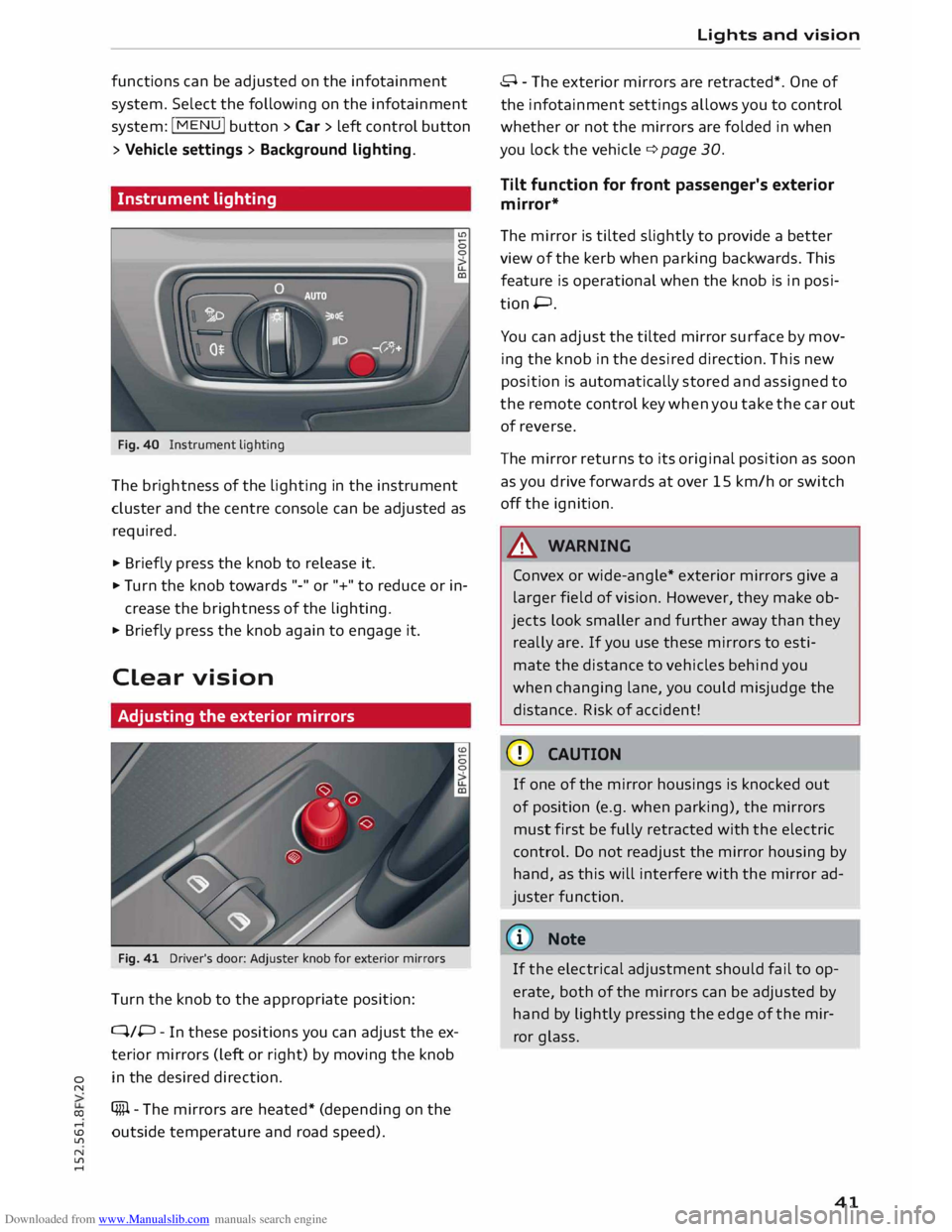
Fig. 40 Instrument lighting
The brightness of the Lighting in the instrument
cluster and the centre console can be adjusted as
required.
.,. Briefly press the knob to release it.
.,. Tu rn the knob towards "-" or"+" to reduce or in
crease the brightness of the lighting.
.,. Briefly press the knob again to engage it.
Clear vision
Adjusting the exterior mirrors
Fig. 41 Driver's door: Adjuster knob for exterior mirrors
Turn the knob to the appropriate position:
Q/P -In these positions you can adjust the ex
terior mirrors (Left or right) by moving the knob
in the desired direction.
(fill - The mirrors are heated* (depending on the
outside temperature and road speed). Lights
and vision
8 - The exterior mirrors are retracted*. One of
the infotainment settings allows you to control
whether or not the mirrors are folded in when
you Lock the vehicle q page 30.
Tilt function for front passenger's exterior
mirror*
The mirror is tilted slightly to provide a better
view of the kerb when parking backwards. This
feature is operational when the knob is in posi
tion P.
You can adjust the tilted mirror surface by mov
ing the knob in the desired direction. This new
position is automatically stored and assigned to
the remote control key when you take the car out
of reverse.
The mirror returns to its original position as soon
as you drive forwards at over 15 km/h or switch
off the ignition.
A WARNING
Convex or wide-angle* exterior mirrors give a
Larger field of vision. However, they make ob
jects Look smaller and further away than they
really are. If you use these mirrors to esti
mate the distance to vehicles behind you
when changing Lane, you could misjudge the
distance. Risk of accident!
CD CAUTION
If one of the mirror housings is knocked out
of position (e.g. when parking), the mirrors
must first be fully retracted with the electric
control. Do not readjust the mirror housing by
hand, as this will interfere with the mirror ad
juster function.
{CD) Note
If the electrical adjustment should fail to op
erate, both of the mirrors can be adjusted by
hand by Lightly pressing the edge of the mir
ror glass.
41
Page 49 of 284
Downloaded from www.Manualslib.com manuals search engine 0
N
co
....
\D Lfl
N
Lfl
.... -
Do not drive with the backrests of the front
seats reclined too far as otherwise the seat
belt and airbag could fail to restrain the
wearer properly in an accident, possibly
leading to injury.
Multi-function button
Applies to vehicles: with multi-function button
The multi-function button can be used to adjust
the side cushions .
.,. If
you turn the multi-function button@
¢ page 46, Fig. 49 to the left or right, the later
al support on the seat will be increased/re
duced by adjusting the side cushions on the
backrest.
@ Note
The air in the side cushions* is released when
you open the driver's door. This makes it eas
ier to get in and out of the vehicle. The side
cushions are re-inflated as soon as you drive
the vehicle.
Easy entry function
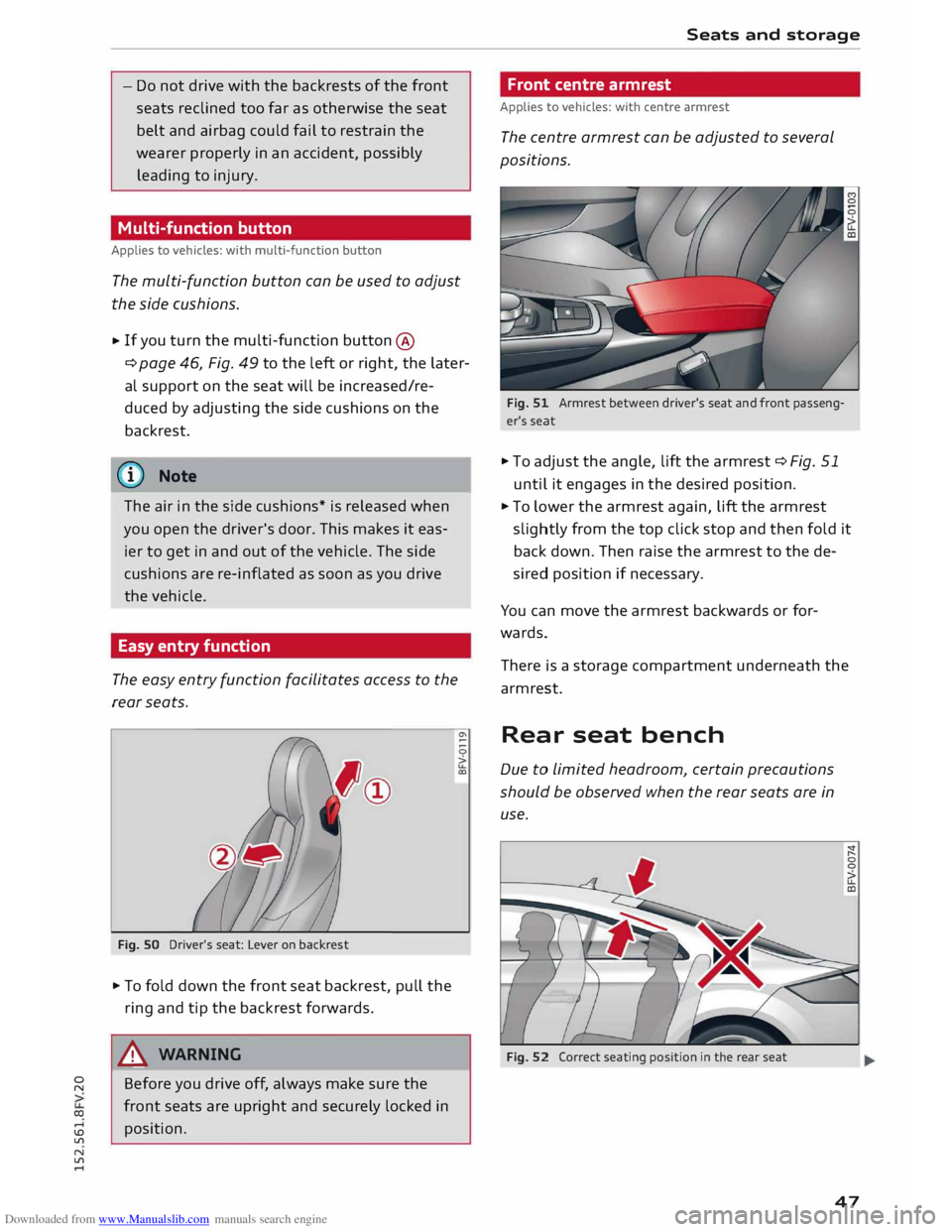
The easy entry function facilitates access to the
rear seats.
Fig. SO Driver's seat: Lever on backrest
.,. To fold down the front seat backrest, pull the
ring and tip the backrest forwards.
A WARNING
Before you drive off, always make sure the
front seats are upright and securely locked in
position. Seats
and storage
Front centre armrest
Applies to vehicles: with centre armrest
The centre armrest can be adjusted to several
positions.
Fig. 51 Armrest between driver's seat and front passeng
er's seat
.,. To adjust the angle, lift the armrest ¢ Fig. 51
until it engages in the desired position .
.,. To lower the armrest again, lift the armrest
slightly from the top click stop and then fold it
back down. Then raise the armrest to the de
sired position if necessary.
You can move the armrest backwards or for
wards.
There is a storage compartment underneath the
armrest.
Rear seat bench
Due to limited headroom, certain precautions
should be observed when the rear seats are in
use.
Fig. 52 Correct seating position in the rear seat
47
Page 63 of 284
Downloaded from www.Manualslib.com manuals search engine 0
N
co
....
\D L/'l A
WARNING
- Never run the engine in confined spaces.
The exhaust gases are toxic -risk of poison
ing!
- Never switch off the engine until the vehicle
is stationary.
- The brake servo and the power steering sys
tem work only when the engine is running.
You need more strength to steer and brake
the vehicle when the engine is switched off.
This would mean a greater risk of accidents
and serious injury, because you cannot steer
and brake in the normal manner.
Avoid high engine speeds, full throttle and ex
treme load conditions until the engine has
reached its normal operating temperature;
otherwise this can damage the engine.
{:!)) Note
- When starting from cold the engine may be
a little noisy for the first few seconds until
oil pressure has built up in the hydraulic
tappets. This is quite normal and no cause
for concern.
- If you leave the vehicle with the ignition
switched on, it will be switched off auto
matically after a while. Please note that
electrical equipment such as the exterior
lighting will also be switched off.
Switching off the engine
Applies to vehicles: with convenience key
• Stop the vehicle .
• Press the rel
s=
Tc-c
A -,c
R=
T,,..
E=
N�G =
I c-c
N -=
E ,....,
S=
T=
o=-c
P�I button
¢ page 60, Fig. 69.
Steering lockl
)
The steering will be locked if you switch off the
engine with the !STA
R
T E NGI N
E STOP!
button ,
move the selector lever to position P (on vehicles
with automatic gearbox*) and open the driv er's
door.
N
� l
l
This function is not available on all export versions. Driving
The steering will be locked if you switch off the
engine with the !S
T
A RT
ENGINE ST
O P
!
button
and open the driver's door. The steering lock acts
as a theft deterrent.
Emergency Off function
If necessary in an emergency, the engine can be
switched off while the vehicle is still moving.
Press the !STA
RT
ENGI
NE
STOP!
button twice in
quick succession or hold it in for longer than two
seconds.
A WARNING
- Never switch off the engine until the vehicle
is stationary . Otherwise you may not have
the full benefit of the brake servo and power
steering. You may need more strength to
steer and brake the vehicle than you nor
mally would. This would mean a greater risk
of accidents and serious injury, because you
cannot steer and brake in the normal man
ner.
-Always take the key with you when you leave
the vehicle. Otherwise the engine can be
started or power-operated equipment such
as the electric windows can be used. This
could result in serious injury.
CD CAUTION
If the engine has been working hard for a long
time, there is a risk of heat building up in the
engine compartment after the engine has
been switched off; this could cause engine
damage. For this reason, you should leave the
engine idling for about 2 minutes before
switching it off.
(1'> Note
After the engine is stopped the radiator fan
may run on for up to 10 minutes, even if the
ignition is switched off. The fan may also start
running again after some time if the coolant
temperature rises due to a build-up of heat,
llll-
61
Page 64 of 284
Downloaded from www.Manualslib.com manuals search engine Driving
or if the engine is hot and the engine com
par tment is heated up further by direct
sunlight.
Driver messages
Switch off ignition before leaving car. Battery is
being discharged
This message appears and the buzzer sounds if
you open the driver's door while the ignition is
switched on. Switch off the ignition to prevent
the battery from being discharged.
Pressing start/stop button again will switch off
engine.
This message appears if you press the
!START ENGINE STOP!
button while the vehicle is
moving.
Engine start system: fault. Please contact work
shop
A fault has occurred when starting the engine au
tomatically (automatic start function). Drive to a
qualified workshop soon and have the fault recti
fied. Press
and hold
the !S
TA RT
ENGINE STOP I
button to start the engine.
II Remote control key: hold back of key
against marked area. See owner's manual
This message appears if there is no convenience
key inside the vehicle or if the system cannot de
tect or identify the key. This can happen, for ex
ample, if the radio signal from the key is obstruc
ted by a metal briefcase or similar, or if the key
battery is weak. Electronic equipment, such as
mobile phones, can also interfere with the radio
signal from the key.
If you encounter any problems starting or stop
ping the engine, please refer to "What to do if
the "START ENGINE STOP" button is inoperation
al" ¢page 63.
Ill Remote control key: key not recognis ed. Is
key still in vehicle?
If the indicator lamp Ill Lights up and the mes
sage appears, the convenience key was removed
from the vehicle while the engine was running. If
the convenience key is not in the vehicle you will
62 not
be able to switch on the ignition or restart
the engine after it has been switched off. You will
also not be able to lock the vehicle from the out
side.
Please press brake pedal
This message appears on vehicles with an auto
matic gearbox if you try to start the engine with
out first pressing the brake pedal.
Please press clutch pedal
This message appears on vehicles with a manual
gearbox if you try to start the engine without
first pressing the clutch pedal. The engine will
only start if you press the clutch pedal.
Please engage N or P
This message will appear if you try to start or
switch off the engine when the selector lever is
not in Nor P. The engine can then not be started
or switched off.
Shift to P, otherwise vehicle can roll away.
Doors do not lock if lever is not in P
For safety reasons, this message will appear and
a warning buzzer will sound if the selector lever
of the automatic gearbox is not in position P
when you switch off the ignition with the
!START ENGINE STOP!
button. Put the selector
lever in position P; otherwise the vehicle can roll
away. If the lever is not in position P you will not
be able to Lock the vehicle using the locking sen
sor on the door handle or the convenience key.
Page 67 of 284
Downloaded from www.Manualslib.com manuals search engine 0
N
co
....
\D L/'l
N
L/'l
.... -
The engine has not yet reached the minimum
temperature required for start/stop mode.
- The interior temperature selected on the air
conditioner has not yet been reached.
- The exterior temperature is very high/Low.
- The windscreen is being defrosted ®.
- The parking aid* or park assist* is switched on.
- The battery charge is too Low.
- The steering wheel is close to full Lock or the
vehicle is being steered.
- Reverse gear has just been selected.
- The vehicle is on a steep gradient.
rj,J will
appear in the infotainment display to in
dicate this status.
Engine cuts in again automatically
The stop phase is interrupted in the following sit
uations, for example. The engine cuts in auto
matically without intervention from the driver.
-The vehicle starts to roll (e.g. on a hill).
- The interior temperature deviates from the air
conditioner setting.
- The windscreen is being defrosted ®.
- The brake pedal is pressed several times in suc-
cession.
- The battery charge drops to an insufficient Lev-
el.
- The power consumption is high.
Ignition is switched off automatically
To prevent the battery from being discharged,
the ignition will be switched off automatically if
certain conditions are met. For instance:
- The vehicle has already been driven.
- The start/stop system has switched off the en-
gine.
- The driver's door is opened.
- The driver's seat belt is unbuckled.
- The brake pedal is not pressed.
- The vehicle is stationary.
If the dipped beam headlights are on when this
happens, the side Lights will be turned on instead
and the message Side lights will be automatical
ly switched off in 30 minutes. See owner's man
ual will appear on the infotainment display. After Driving
approx. 30 minutes, or when you Lock the vehicle,
the side Lights will be switched off.
If the start/stop system has not stopped the en
gine or if you have switched off the start/stop
system manually, the engine will continue run
ning and the ignition will not be switched off au
tomatically¢,&..
A WARNING
Never run the engine in confined spaces. The
exhaust gases are toxic -risk of poisoning!
(Q) Note
If you select D, N or S (on vehicles with auto
matic gearbox) after selecting reverse gear,
the car must have been moving at over
10 km/h before the system can switch off the
engine again.
Switching the start/stop system off and on
manually
Applies to vehicles: with start/stop system
You can switch the system off manually if you
don't want to use it.
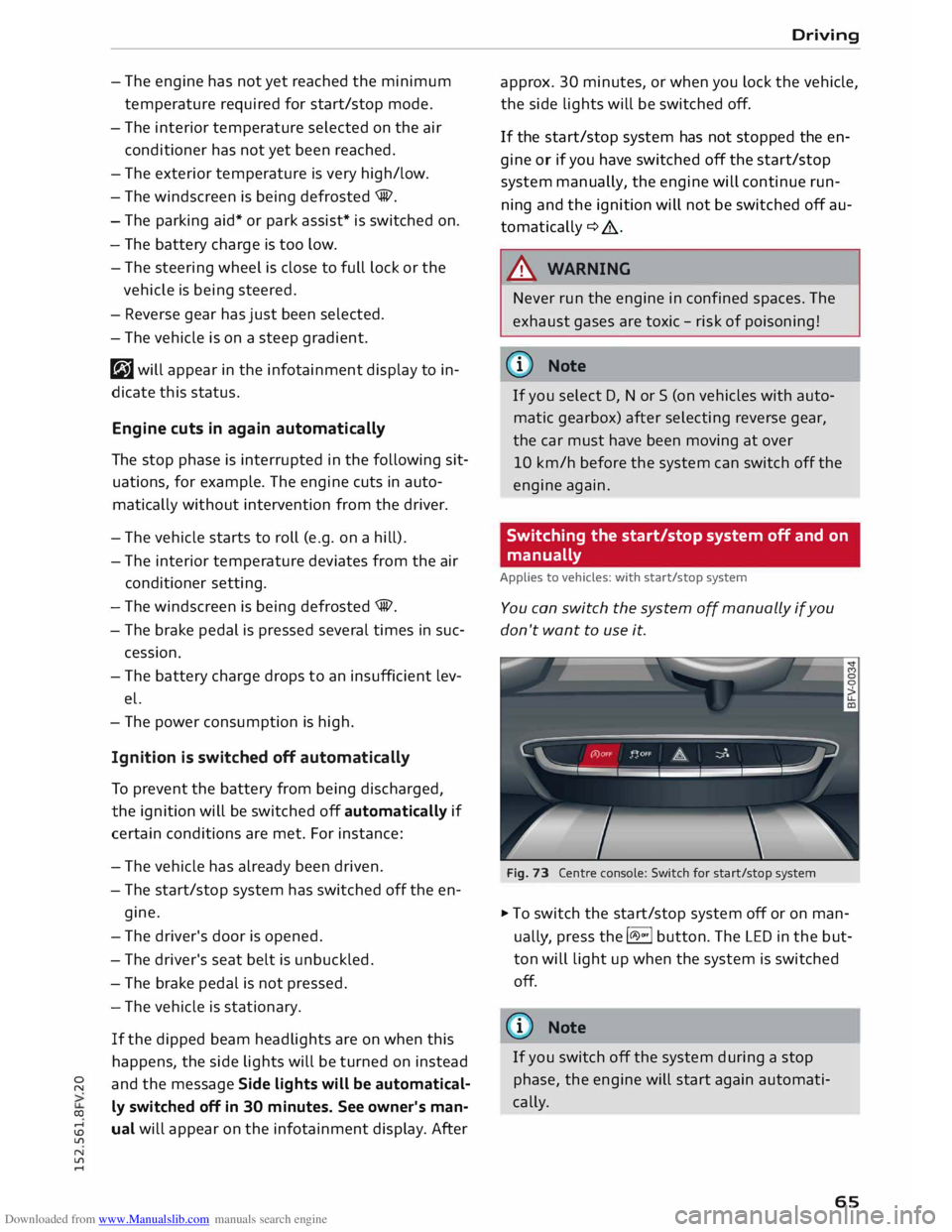
Fig. 73 Centre console: Switch for start/stop system
� To switch the start/stop system off or on man
ually, press the l(il.)"'
I button. The LED in the but
ton will Light up when the system is switched
off.
(1)) Note
If you switch off the system during a stop
phase, the engine will start again automati
cally.
65
Page 69 of 284
Downloaded from www.Manualslib.com manuals search engine 0
N
co
....
\D L/'l
N
L/'l
.... �
Note
- The parking brake can be applied at any
time -even when the ignition is switched
off. However, the ignition must be switched
on and the brake pedal pressed before the
parking brake can be released.
- The parking brake is applied automatically if
the driver's door is opened while the igni
tion is on. This is to prevent the vehicle from
accidentally rolling away.
-Any slight noise which may be heard when
the parking brake is applied or released is
quite normal and no cause for concern.
- The parking brake runs an automatic test cy
cle at regular intervals when the vehicle is
parked. This may cause a slight noise, which
is normal.
- If the warning lamp. appears, there may
be a parking brake malfunction ¢ page 11.
- If the electrical power supply fails, it is not
possible to release the parking brake (if it
was applied) or to apply the parking brake
(if it was released) ¢ .&.. Obtain professional
assistance.
Parking the car
.,. Press the brake pedal to bring the vehicle to a
stop.
.,. To apply the parking brake, pull the switch
¢ page 66, Fig. 74.
.,. Vehicles with automatic gearbox: Move these-
lector lever to position P.
.,. Switch off the engine ¢_&. .
.,. Manual gearbox: Engage first gear.
.,. When parking on a hill or gradient, turn the
steering wheel so that the vehicle would roll in
to the kerb if it did start to move accidentally.
A WARNING
- Always take the key with you when leaving
your vehicle -even if you only intend to be
gone for a short time. This is especially im
portant if children are left in the car. They
might otherwise be able to start the engine,
release the parking brake or use power-op- Driving
erated equipment such as the electric win
dows -this could lead to injuries.
- Do not leave anyone (especially children) in
the vehicle when it is locked. Locked doors
could delay assistance in an emergency, po
tentially putting lives at risk.
Driving away from a standstill
The parking brake auto release function releases
the parking brake automatically when you wish
to start moving.
Applying the parking brake when stopping
.,. To apply the parking brake, pull the switch
¢page 66, Fig. 74.
Releasing the parking brake when driving
away
Important: The driver's door must be closed and
the driver's seat belt must be buckled.
.,. Press the accelerator in the normal way: the
parking brake will be released automatically
and the vehicle will start moving.
You can apply the parking brake when stopping at
traffic lights, etc. You do not then have to hold
the car with the brake pedal, as the parking brake
will stop it creeping forward while a gear is en
gaged in the automatic transmission. When you
drive off in the normal way, the parking brake will
be released automatically and the vehicle will
start moving.
Driving away on a slope
When driving away on a gradient, the parking
brake auto release function prevents the vehicle
from rolling back unintentionally. The braking
force of the parking brake is only released when
there is enough power at the wheels to make the
vehicle move in the desired direction.
@ Note
For safety reasons the parking brake will only
release automatically if the driver's seat belt
is engaged in its buckle and the driver's door
is closed .
67
Page 74 of 284
Downloaded from www.Manualslib.com manuals search engine Automatic
gearbox
The selector lever lock only works if the vehicle is
stationary or driving at speeds up to 2 km/h. At
higher speeds the selector lever lock in the N po
sition is disengaged automatically.
The selector lever lock is not engaged if the selec
tor lever is moved quickly through position N
(e.g. when shifting from R to D). This makes it
possible, for instance, to "rock" the vehicle back
wards and forwards if it is stuck in snow or mud.
The selector lever lock engages automatically if
the brake pedal is not depressed and the lever is
in position N for more than about two seconds.
Interlock button
The interlock button on the selector lever handle
prevents the driver from inadvertently engaging
particular gears. The illustration shows the selec
tor lever positions in which the button has to be
pressed, highlighted in colour¢ Fig. 77.
@ Note
- If the selector lever does not lock automati
cally, a malfunction has occurred. In this
case, the power transmission is interrupted
to prevent the vehicle from moving uninten
tionally. Proceed as follows to engage the
selector lever lock again:
- Press the brake pedal briefly.
- If the vehicle does not move forwards or
backwards even though a gear is selected,
proceed as follows:
- If the vehicle does not move in the desired
direction, the system may have failed to en
gage the gear correctly. In this case, press
the brake pedal and select the gear again.
- If the vehicle still does not move in the de
sired direction, a system malfunction has
occurred. Seek professional assistance and
have the system checked.
72 General
notes on driving an automatic
Applies to vehicles: with S tronic gearbox
The gearbox changes the forward gears up and
down automatically.
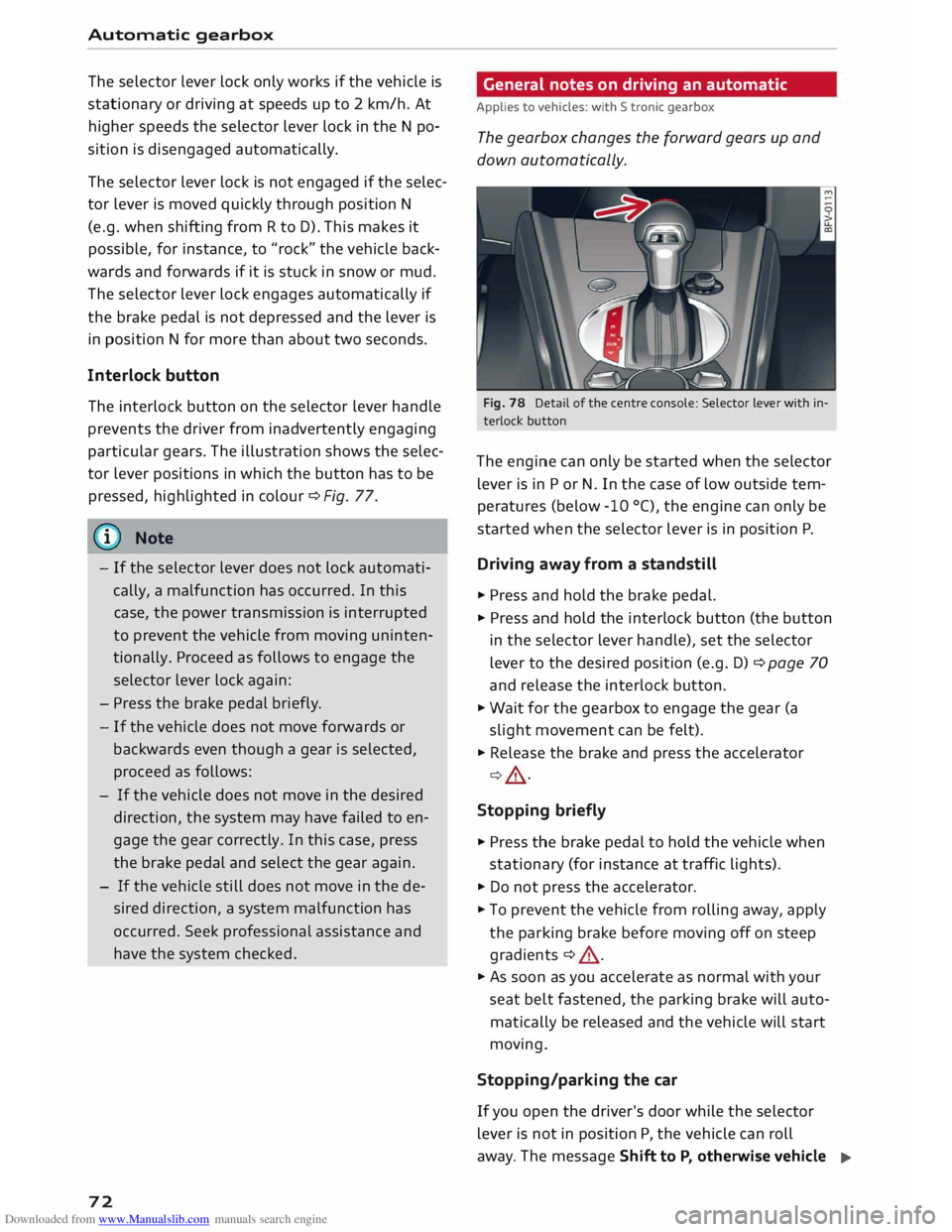
Fig. 78 Detail of the centre console: Selector Lever with in
terlock button
The engine can only be started when the selector
lever is in P or N. In the case of low outside tem
peratures (below -10 °(), the engine can only be
started when the selector lever is in position P.
Driving away from a standstill
� Press and hold the brake pedal.
� Press and hold the interlock button (the button
in the selector lever handle), set the selector
lever to the desired position (e.g. D) ¢ page 70
and release the interlock button.
� Wait for the gearbox to engage the gear (a
slight movement can be felt).
� Release the brake and press the accelerator
¢ A .
Stopping briefly
� Press the brake pedal to hold the vehicle when
stationary (for instance at traffic lights).
� Do not press the accelerator.
� To prevent the vehicle from rolling away, apply
the parking brake before moving off on steep
gradients ¢ A.
� As soon as you accelerate as normal with your
seat belt fastened, the parking brake will auto
matically be released and the vehicle will start
moving.
Stopping/parking the car
If you open the driver's door while the selector
lever is not in position P, the vehicle can roll
away. The message Shift to P, otherwise vehicle
�