wheel AUDI TT COUPE 2014 Owner's Guide
[x] Cancel search | Manufacturer: AUDI, Model Year: 2014, Model line: TT COUPE, Model: AUDI TT COUPE 2014Pages: 284, PDF Size: 34.42 MB
Page 103 of 284
Downloaded from www.Manualslib.com manuals search engine Intelligent
technology
Electro-mechanical
power steering
Electro-mechanical power steering assists the
driver when steering.
The degree of power assistance is adapted elec
tronically, depending on the speed.
If the power steering should fail at any time or
the engine is switched off (for instance when be
ing towed), the car can still be steered. However,
substantially more effort than normal will be re
quired to turn the steering wheel.
Warning/indicator lamps and driver
messages
• Steering: fault. Please stop vehicle
If the warning lamp lights up permanently and
the message appears, there may be a power
steering failure.
Do NOT drive on. Obtain professional assistance.
• Steering: fault. Please stop vehicle
There is a malfunction in the electronic steering
lock. The ignition can no longer be switched on.
Do not have the vehicle towed away, because you
won't be able to steer it. Obtain professional as
sistance.
G'!b Steering:
fault. You can continue driving
If the indicator lamp lights up, the steering re
sponse may be heavier or lighter than usual. In
addition, it is possible that the steering wheel
will be off centre when driving in a straight line.
Drive slowly to a qualified workshop and have the
fault rectified.
Ive Steering
lock: fault. Please contact work
shop
There is a malfunction in the electronic steering
lock.
� Drive
to a qualified workshop soon and have the
a: fault rectified.
....
\D Lfl
N
Lfl
.... Intelligent
technology
A WARNING
Have the system malfunction repaired by a
qualified workshop as soon as possible -risk
of accident!
«]} Note
You can drive on if the warning/indicator lamp
• or mJ lights up only briefly.
Brakes
New brake pads
New brake pads do not give full braking effect for
the first 400 km, they must first be "bedded in".
However, you can compensate for the slightly re
duced braking effect by applying more pressure
on the brake pedal. Avoid placing a heavy load on
the brakes during the running-in period.
Wear The rate of wear on the brake pads depends a
great deal on how you drive and the conditions in
which the vehicle is operated. Negative factors
are, for instance, city traffic, frequent short trips
or hard driving with abrupt starts and stops.
Noises Brake noise may develop in certain situations, de
pending on the speed, braking force and ambient
conditions (such as temperature and relative hu
midity).
Effect of moisture and salt
In certain conditions, such as in heavy rain, or af
ter washing the car or driving through water, the
full braking effect can be delayed by moisture (or
in winter by ice) on the discs and brake pads. The
brakes should be "dried" by pressing the pedal to
restore full braking effect.
When you are driving at higher speeds with the
windscreen wipers on, the brake pads are very
briefly brought into contact with the brake discs.
This automatic process which goes unnoticed by
the driver is carried out at regular intervals and is
intended to improve braking response in wet con-
ditions. ..,..
101
Page 104 of 284
Downloaded from www.Manualslib.com manuals search engine Intelligent
technology
The effectiveness of the brakes can also be tem
porarily reduced if the car is driven for some dis
tance without using the brakes when there is a
lot of salt on the road in winter. The layer of salt
that accumulates on the discs and pads can be re
moved with a few cautious brake applications.
Corrosion
There may be a tendency for dirt to build up on
the brake pads and corrosion to form on the discs
if the car is used infrequently, or if you only drive
low mileages without using the brakes very
much.
If the brakes are not used frequently, or if corro
sion has formed on the discs, it is advisable to
clean off the pads and discs by braking firmly a
few times from a moderately high speed ¢.&,..
Faults in the brake system
If the brake pedal travel should ever increase
suddenly, this may mean that one of the two
brake circuits has failed. Drive immediately to the
nearest qualified workshop and have the fault
rectified. On the way to the dealer, be prepared
to use more pressure on the brake pedal and al
low for longer stopping distances.
Low brake fluid level
Malfunctions can occur in the brake system if the
brake fluid level is too low. The brake fluid level is
monitored electronically.
Brake servo
The brake servo amplifies the pressure you apply
to the brake pedal. It only works when the engine
is running.
& WARNING
- When applying the brakes to clean off de
posits on the pads and discs, select a clear,
dry road. Be sure not to inconvenience or en
danger other road users; do not risk an acci
dent.
- Never let the car coast with the engine
switched off (this can cause accidents).
102 CD
CAUTION
- Never let the brakes "drag" by leaving your
foot on the pedal when you do not really in
tend to brake. This overheats the brakes, re
sulting in longer stopping distances and
greater wear.
- Before driving down a long, steep gradient,
it is advisable to reduce speed and move the
selector lever to a lower gear. In this way
you will make use of the engine braking ef
fect and relieve the load on the brakes. If
you still have to use the brakes, it is better
to brake firmly at intervals than to apply the
brakes continuously.
Note
- If the brake servo is out of action, you must
apply considerably more pressure to the
brake pedal than you normally would.
- If you wish to equip the car with accessories
such as a front spoiler or wheel covers, it is
important that the flow of air to the front
wheels is not obstructed, otherwise the
brakes can overheat.
Electronic stabilisation
control (ESC)
Description
The electronic stabilisation control (ES() increa
ses the car's stability. It reduces the tendency to
skid and improves the stability and road holding
of the vehicle. The ESC detects critical handling
situations, such as understeer, oversteer and
wheelspin on the driven wheels. It stabilises the
vehicle by braking individual wheels or by reduc
ing the engine torque. The indicator lamp Ii] in
the instrument cluster starts flashing as soon as
the ESC intervenes.
The following systems are integrated in the ESC:
Anti-lock brake system (ABS)
ABS prevents the wheels from locking up under
braking until the vehicle has reached a virtual
standstill. You can continue to steer the vehicle
even when the brakes are on full. Keep your foot
•
Page 105 of 284
Downloaded from www.Manualslib.com manuals search engine on
the brake pedal and do not pump the brakes.
You will feel the brake pedal pulsate while the
anti-lock brake system is working.
Brake assist system
The brake assist system can shorten the braking
distance. The braking force is automatically boos
ted if you press the brake pedal quickly in an
emergency. You must keep pressing the brake
pedal until the danger has passed.
Traction control system (ASR)
In the event of wheelspin, the traction control
system reduces the engine torque to match the
amount of grip available. This helps the car to
start moving, accelerate or climb a gradient.
Electronic differential lock (EDL)
When the EDL detects wheelspin, it brakes the
spinning wheel and directs the power to the oth
er driven wheel (or wheels on quattro* versions).
This function is not available at high speeds.
To prevent the disc brake of the braked wheel
from overheating, the EDL cuts out automatically
if subjected to excessive loads. The vehicle can
still be driven. The EDL will switch on again auto
matically when the brake has cooled down.
Steering recommendation
The ESC helps to stabilise the vehicle by changing
the steering wheel torque.
Selective wheel torque control
Selective wheel torque control intervenes when
cornering by braking the wheel(s) on the inside of
the bend individually as required. This enables
precision cornering. The relevant system may not
intervene in the wet or snow.
Multicollision brake assist system
The "multicollision brake assist system" can help
to reduce the risk of skidding and further colli
sions during an accident. If the airbag control
unit detects that a collision has taken place up-
� wards
of a certain speed, the vehicle is braked by
a'.: the ESC.
co
....
\D U'l
N
U'l
.... Intelligent
technology
The vehicle will not be braked automatically if:
- the driver presses the accelerator,
- the brake pressure applied by pressing the
brake pedal is higher than the brake pressure
initiated by the system,
- or the ESC, the brake system or the vehicle's
electrical system are not fully functional.
A WARNING
- The grip provided by the ESC and the inte
grated systems is still subject to the physi
cal limits of adhesion. Always bear this in
mind, especially on wet or slippery roads. If
you notice the systems cutting in, you
should reduce your speed immediately to
suit the road and traffic conditions. Do not
let the extra safety provided tempt you into
taking any risks when driving -this can
cause accidents.
- Remember that the accident risk always in
creases if you drive fast, especially in cor
ners or on a wet or slippery road, or if you
follow too close behind the vehicle in front
of you. Please bear in mind that even the
ESC and the integrated systems cannot
compe nsate for the increased accident risk.
- When accelerating on a uniformly slippery
surface (for instance all four wheels on ice
or snow), press the accelerator gradually
and carefully. The driven wheels may other
wise start to spin (in spite of the integrated
control systems), which would impair the
car's stability and could lead to an accident.
{D Note
- To ensure that the ABS and ASR systems
work properly, all four wheels must be fit
ted with identical tyres. Any differences in
the rolling radius of the tyres can cause the
system to reduce engine power when this is
not desired.
- The systems can make noises when they in
tervene.
- If the indicator lamp DJ orr§J appears,
there may be a malfunction ¢ page 14. -
103
Page 106 of 284
Downloaded from www.Manualslib.com manuals search engine Intelligent
technology
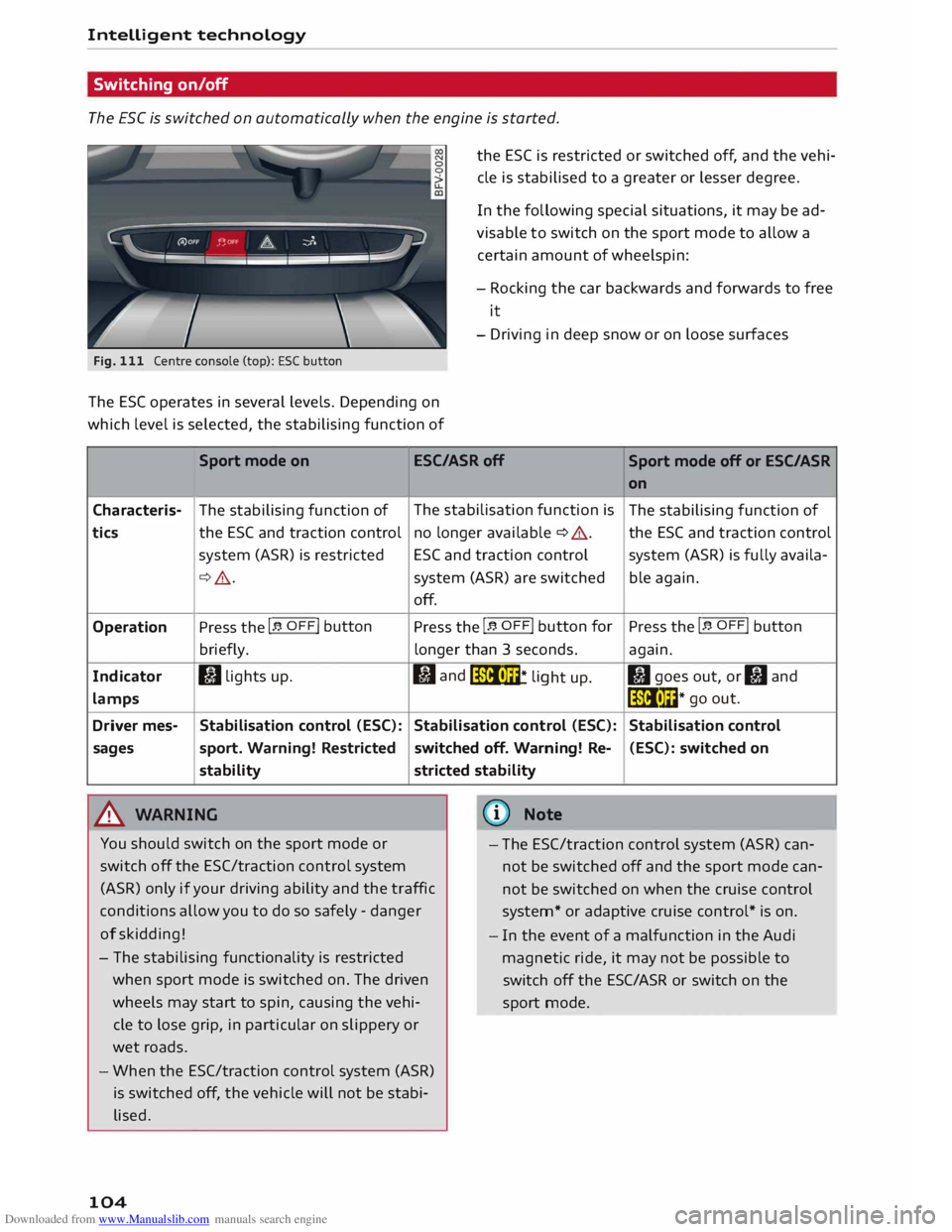
Switching on/off
The ESC is switched on automatically when the engine is started.
Fig. 111 Centre console (top): ESC button
The ES( operates in several levels. Depending on
which level is selected, the stabilising function of the
ESC is restricted or switched off, and the vehi
cle is stabilised to a greater or lesser degree.
In the following special situations, it may be ad
visable to switch on the sport mode to allow a
certain amount of wheelspin:
- Rocking the car backwards and forwards to free
it
- Driving in deep snow or on loose surfaces
Sport mode on ESC/ASRoff
Sport mode off or ESC/ASR
Characteris-
tics
Operation
Indicator
lamps
Driver mes-
sages The
stabilising function of
the ESC and traction control
system (ASR) is restricted
¢ .&_.
Press the I� OFF! button
briefly.
I) lights up.
Stabilisation control (ESC):
sport. Warning! Restricted
stability
.&_ WARNING The
stabilisation function is
no longer available ¢ A.
ESC and traction control
system (ASR) are switched
off.
Press the I� OFF! button
for
longer than 3 seconds.
fl and
liiii• m
* li
ght up.
Stabilisation control (ESC):
switched off. Warning! Re-
stricted stability
@ Note on
The stabilising function of
the ESC and traction control
system (ASR) is fully availa-
ble again.
Press the I� OFF! button
again.
II goes out, or II and
liiii• l��* go
out.
Stabilisation control (ESC): switched on
You should switch on the sport mode or
switch off the ESC/traction control system
(ASR) only if your driving ability and the traffic
conditions allow you to do so safely -danger
of skidding! -
The ESC/traction control system (ASR) can
not be switched off and the sport mode can
not be switched on when the cruise control
system* or adaptive cruise control* is on.
- The stabilising functionality is restricted
when sport mode is switched on. The driven
wheels may start to spin, causing the vehi
cle to lose grip, in particular on slippery or
wet roads.
- When the ESC/traction control system (ASR)
is switched off, the vehicle will not be stabi
lised.
104 -
In the event of a malfunction in the Audi
magnetic ride, it may not be possible to
switch off the ESC/ASR or switch on the
sport mode.
Page 107 of 284
Downloaded from www.Manualslib.com manuals search engine 0
N
co
....
\D L/'l
N
L/'l
.... Four-wheel
drive
(quattro)
Applies to vehicles: with four-wheel drive
On quattro models the engine power is distrib
uted to all four wheels.
General notes
On four-wheel drive vehicles, the engine power is
distributed to all four wheels. The distribution of
power is controlled automatically according to
your driving style and the road conditions. Also
refer to ¢ page 102, Electronic stabilisation con
trol (£SC).
The four-wheel drive is specially designed to
complement the superior engine power of your
Audi. This combination gives the car exceptional
handling and performance capabilities -both on
normal roads and in more difficult conditions,
such as snow and ice. Even so (or perhaps espe
cially for this reason), it is important to observe
certain safety points¢.&,..
Winter tyres
Thanks to its four-wheel drive, your car will have
plenty of traction in winter conditions, even with
the standard tyres. Nevertheless, we still recom
mend that winter tyres or all-season tyres should
be fitted on all four wheels when winter road
conditions are expected, mainly because this will
give a better braking response.
Snow chains
On roads where snow chains are mandatory, this
also applies to cars with four-wheel drive
¢ page 234, Snow chains.
Replacing tyres On vehicles with four-wheel drive, all four tyres
must have the same rolling circumference. Also
avoid using tyres with varying tread depths
¢ page 231, New wheels or tyres.
Off-road er?
Your Audi does not have enough ground clear
ance to be used as an off-road vehicle. It is there
fore best to avoid rough tracks and uneven ter
rain as much as possible. Intelligent
technology
_&. WARNING
- Even with four-wheel drive, you should al
ways adjust your speed to suit the condi
tions. Do not let the extra safety provided
tempt you into taking any risks when driving
- this can cause accidents.
- The braking ability of your car is limited by
the grip of the tyres. In this respect, your
car is no different from a car without four
wheel drive. So do not be tempted to drive
too fast on icy or slippery roads just because
the car still has good acceleration in these
conditions -risk of accident!
- On wet roads bear in mind that the front
wheels may start to "aquaplane" and lose
contact with the road if the car is driven too
fast. If this should happen, there will be no
sudden increase in engine speed to warn the
driver, as with a front-wheel drive car. So do
not drive too fast in the wet: adjust your
speed to suit the conditions (accident risk).
Rear spoiler
Applies to vehicles: with automatic rear spoiler
The automatic rear spoiler increases the car's
stability.
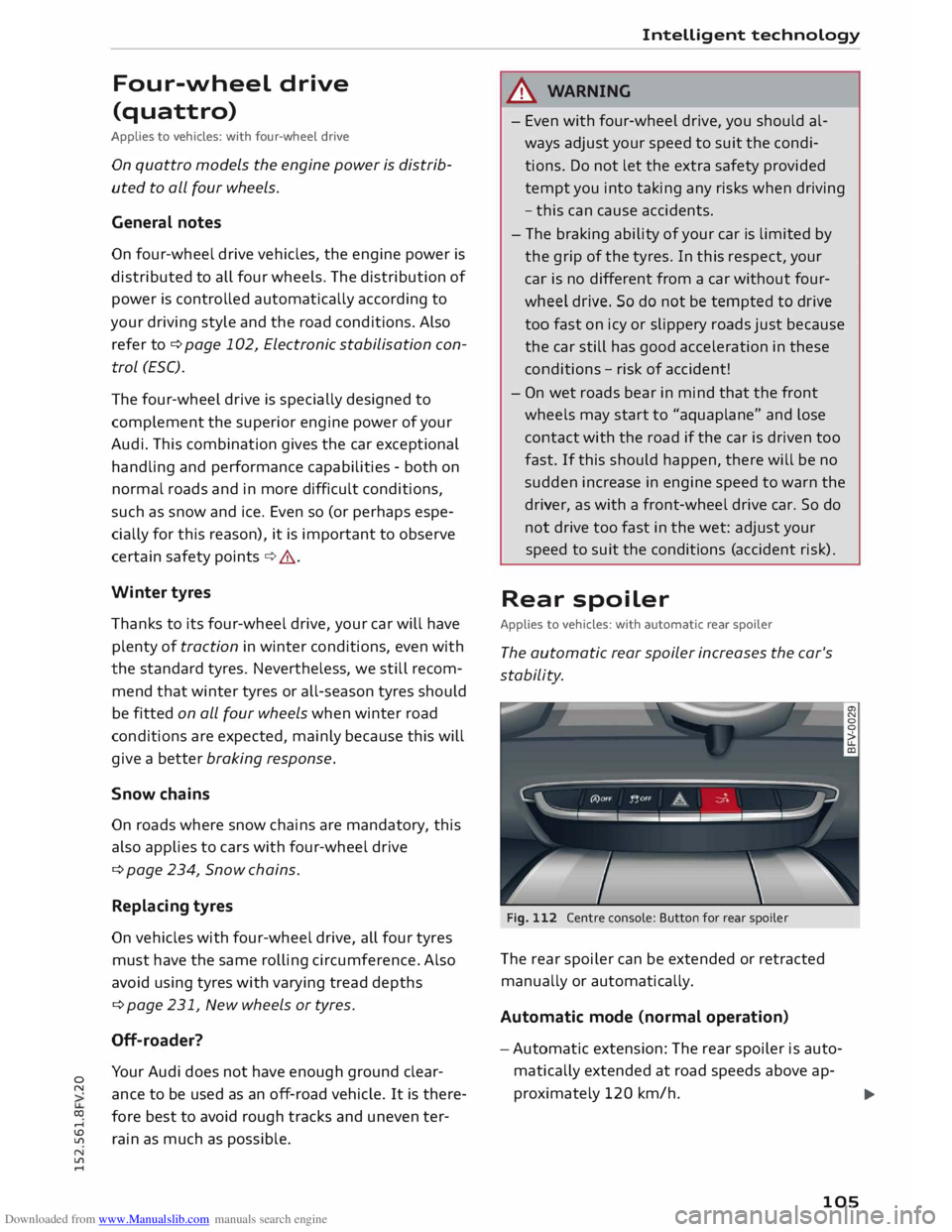
Fig. 112 Centre console: Button for rear spoiler
The rear spoiler can be extended or retracted
manually or automatically.
Automatic mode (normal operation)
- Automatic extension: The rear spoiler is auto
matically extended at road speeds above ap-
proximately 120 km/h.
..,.
105
Page 111 of 284
Downloaded from www.Manualslib.com manuals search engine 0
N
co
....
\D L/'l
N
L/'l
.... Multi
Media Interface
Introduction The Multi Media Interface (MMI) combines dif
ferent communication, navigation* and enter
tainment systems in your Audi.
Fig. 113 Control console with ON/OFF button
You can operate your MMI system via the MMI
control console¢ Fig. 113, the multi-function
steering wheel or the speech dialogue system*.
Switching the MMI on/
off
The MMI can be switched on/off manually.
- To switch on manually: Briefly press the ON/
OFF button @¢page 109, Fig. 113. Or: Press
the I
MENU! button@or one of the buttons for
calling up menus directly (!).
When the system is switched on, the last selec
ted menu will be displayed, and the last selected
audio source will be played.
- To switch off manually: Press and hold the ON/
OFF button @ until the MMI switches off. The
MMI system will not be switched on automati
cally when the ignition is switched on if it was
turned off manually the last time it was operat
ed.
CD) Note
If the engine is switched off and the battery
charge level is low, the MMI system will be
switched off automatically. Multi
Media Interface
How to use the system
Calling up the menu
Fig. 114 Main menu
Calling up the main menu
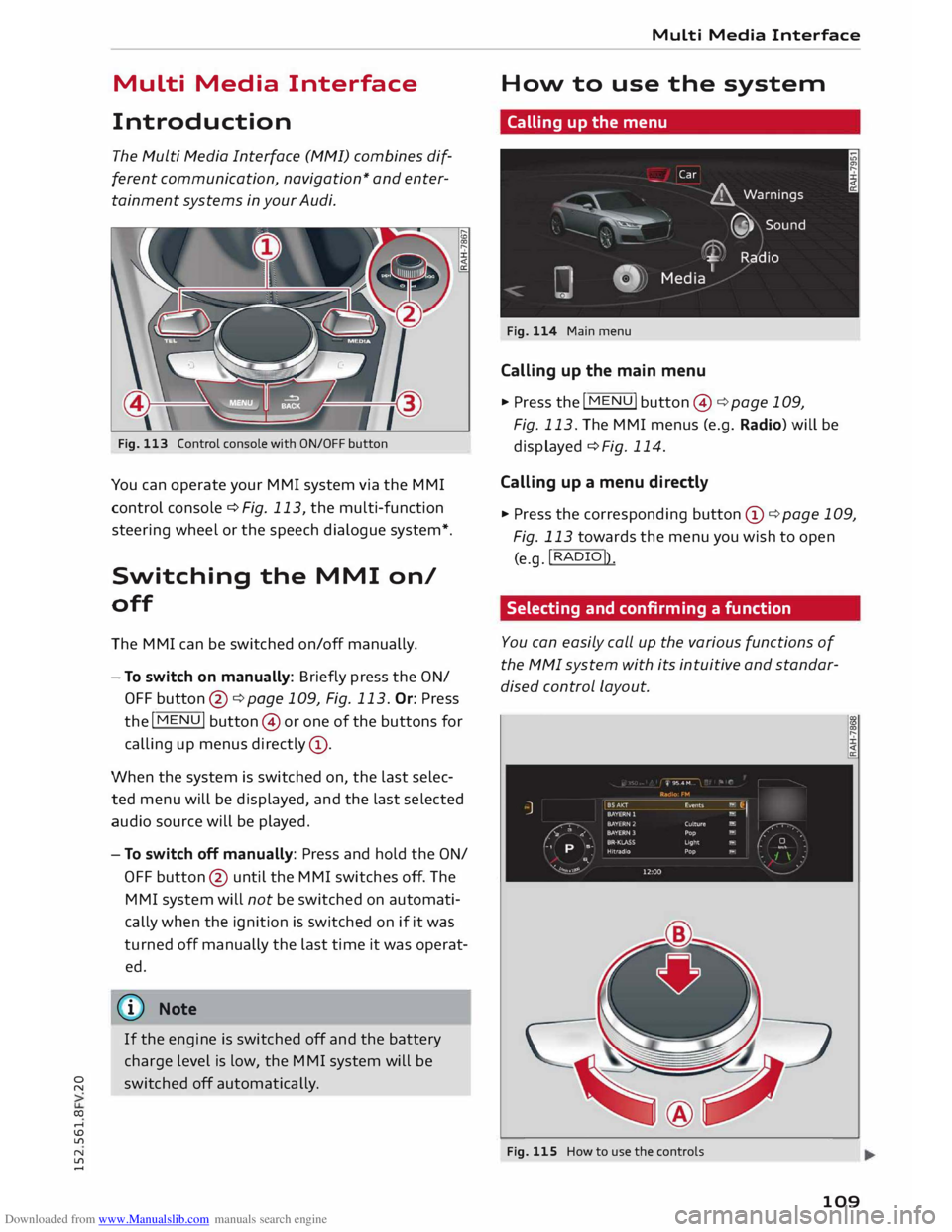
.,. Press the I MENU! button@¢ page 109,
Fig. 113. The MMI menus (e.g. Radio) will be
displayed ¢ Fig. 114.
Calling up a menu directly
.,. Press the corresponding button CD¢ page 109,
Fig. 113 towards the menu you wish to open
(e.g. !RADIO!)
.
Selecting and confirming a function
You can easily call up the various functions of
the MMI system with its intuitive and standar
dised control Layout.
Fig. 115 How to use the controls
109
Page 118 of 284
Downloaded from www.Manualslib.com manuals search engine Speech
dialogue system
Speech dialogue system
How to use the system
Applies to vehicles: with speech dialogue system
You can operate many infotainment functions
conveniently by voice.
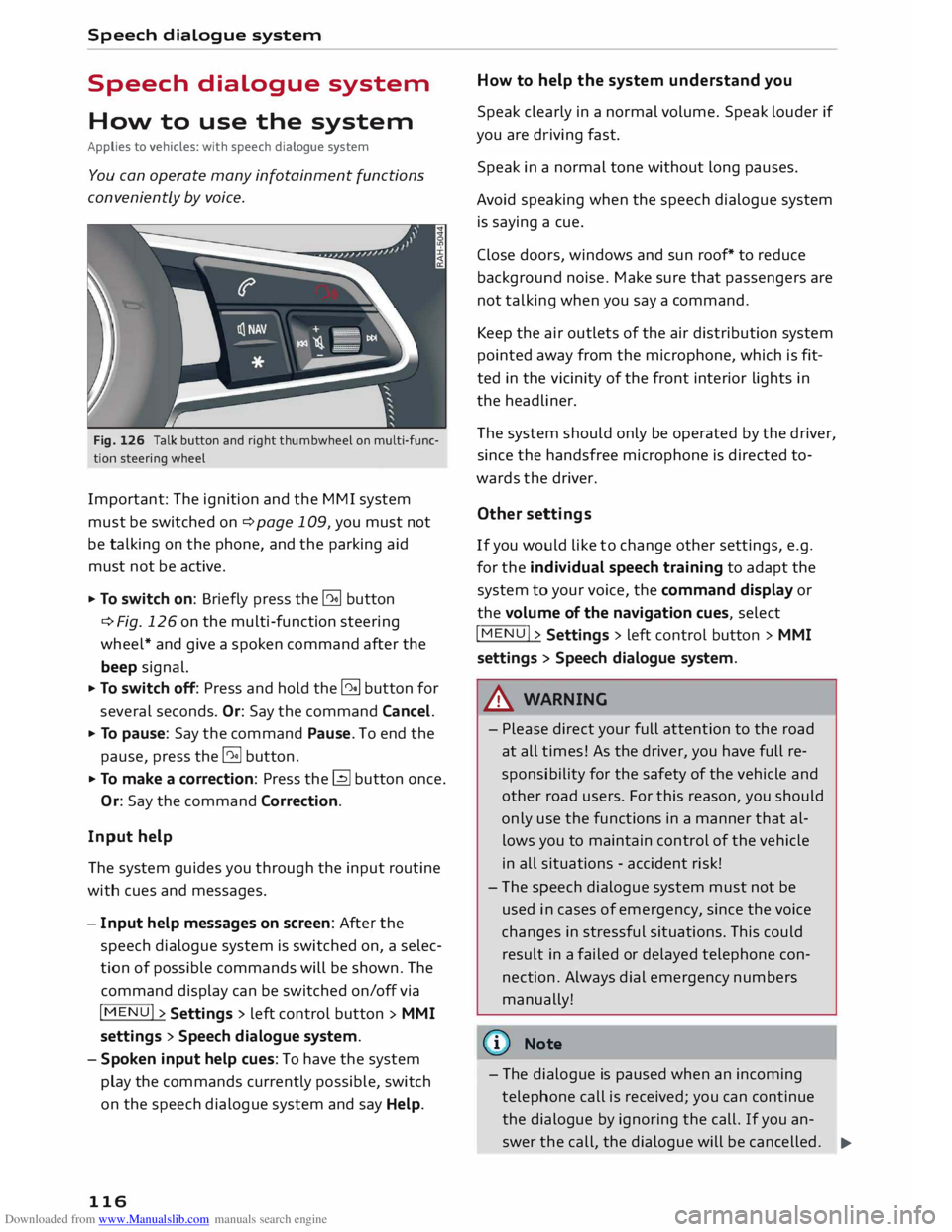
Fig. 126 Talk button and right thumbwheel on multi-func
tion steering wheel
Important: The ignition and the MMI system
must be switched on ¢page 109, you must not
be talking on the phone, and the parking aid
must not be active.
... To switch on: Briefly press the [2!] button
c:::> Fig. 126 on the multi-function steering
wheel* and give a spoken command after the
beep signal.
... To switch off: Press and hold the [2!] button for
several seconds. Or: Say the command Cancel.
... To pause: Say the command Pause. To end the
pause, press the l2!l button.
... To make a correction: Press the� button once.
Or: Say the command Correction.
Input help
The system guides you through the input routine
with cues and messages.
- Input help messages on screen: After the
speech dialogue system is switched on, a selec
tion of possible commands will be shown. The
command display can be switched on/off via
I MENU I>
Settings > left control button >
MMI
settings > Speech dialogue system.
- Spoken input help cues: To have the system
play the commands currently possible, switch
on the speech dialogue system and say Help.
116 How
to help the system understand you
Speak clearly in a normal volume. Speak louder if
you are driving fast.
Speak in a normal tone without long pauses.
Avoid speaking when the speech dialogue system
is saying a cue.
Close doors, windows and sun roof* to reduce
background noise. Make sure that passengers are
not talking when you say a command.
Keep the air outlets of the air distribution system
pointed away from the microphone, which is fit
ted in the vicinity of the front interior lights in
the headliner.
The system should only be operated by the driver,
since the handsfree microphone is directed to
wards the driver.
Other settings
If you would like to change other settings, e.g.
for the individual speech training to adapt the
system to your voice, the command display or
the volume of the navigation cues, select
I MENU I>
Settings > left control button >
MMI
settings > Speech dialogue system.
A WARNING
- Please direct your full attention to the road
at all times! As the driver, you have full re
sponsibility for the safety of the vehicle and
other road users. For this reason, you should
only use the functions in a manner that al
lows you to maintain control of the vehicle
in all situations -accident risk!
- The speech dialogue system must not be
used in cases of emergency, since the voice
changes in stressful situations. This could
result in a failed or delayed telephone con
nection. Always dial emergency numbers
manually!
{tI)) Note
- The dialogue is paused when an incoming
telephone call is received; you can continue
the dialogue by ignoring the call. If you an-
swer the call, the dialogue will be cancelled.
..,.
Page 195 of 284
Downloaded from www.Manualslib.com manuals search engine Before
every trip
The driver is responsible for the safety of the
passengers and the safe operation of the vehicle
at all times.
For your own safety and the safety of your pas
sengers, always note the following points before
every trip:
.,. Make sure that all lights and turn signals are
working properly.
.,. Check the tyre pressures.
.,. Make sure that all windows are clean and give
good visibility to the outside.
.,. Secure all luggage and other items carefully
¢page 201.
.,. Make sure that no objects can interfere with the
pedals.
.,. Adjust
the mirrors and the front seat according
to your body height.
.,. Make sure that children are protected with suit
able safety seats and properly worn seat belts
¢page 195.
.,. Sit in the correct position in your seat. Make
sure that your passengers are sitting in the cor
rect positions ¢ page 46 .
.,. Fasten your seat belt correctly. Make sure that
your passengers do the same ¢page 204.
What factors can impair your safety?
Safety on the road is directly related to how you
drive, and can also be affected by the passengers
in the vehicle.
The driver is responsible for the safety of the ve
hicle and all its occupants. If your ability to drive
is impaired in any way, you endanger yourself and
other road users ¢& . Therefore:
.,. Do not let yourself be distracted by passengers
or by using a mobile phone, etc.
.,. Never drive when your driving ability is im
paired (by medication, alcohol, drugs, etc.).
.,. Obey all traffic regulations and speed limits
and always maintain a safe distance to the vehi-
� de
in front.
� .,.
Always adjust your speed to suit the road, traf-
� fie
and weather conditions.
U'l
N
U'l
.-1 Safe
driving
.,. Take frequent breaks on long trips. Do not drive
for more than two hours without a stop.
.,. If possible, avoid driving when you are tired or
stressed.
A WARNING
- Distractions while driving or any kind of im
pairment to your driving ability increase the
risk of accident and injury .
- Do not place loose objects on the dash pan
el. These objects could fly around the interi
or when the vehicle is moving (under accel
eration or whilst cornering) and distract the
driver -risk of accident!
Correct sitting positions
Correct driving position
The correct driving position is important for safe
driving.
Fig. 172 Adjust seat and sit in correct position LO
0
0
For your own safety, and to reduce the risk of in
jury in the event of an accident, we recommend
the following driving position.
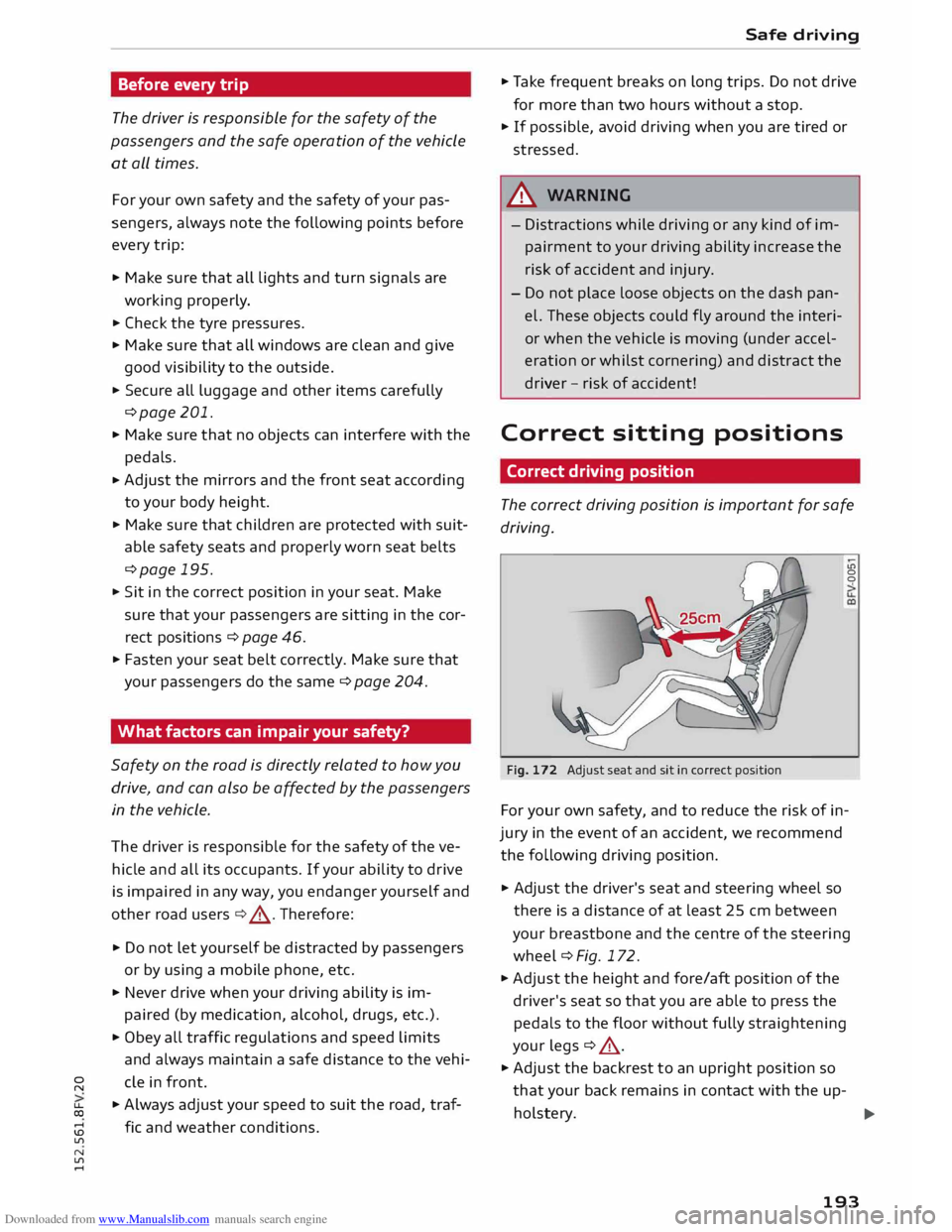
.,. Adjust the driver's seat and steering wheel so
there is a distance of at least 25 cm between
your breastbone and the centre of the steering
wheel¢ Fig. 172.
.,. Adjust the height and fore/aft position of the
driver's seat so that you are able to press the
pedals to the floor without fully straightening
your legs ¢ .&_ .
.,. Adjust the backrest to an upright position so
that your back remains in contact with the up-
holstery. ...,
193
Page 196 of 284
Downloaded from www.Manualslib.com manuals search engine Safe
driving
.. Adjust the longitudinal position of the steering
wheel so that your arms are slightly bent and
you can read the dials and instruments easily.
.. Make sure that you can comfortably reach the
top of the steering wheel.
.. Fasten
your seat belt correctly ¢ page 204 .
.. Keep both feet in the footwell so that you are in
full control of the vehicle at all times.
For detailed information on how to adjust the
driver's seat, see¢ page 46, Seats and storage.
A WARNING
A driver who is not sitting in the correct posi
tion or who is not wearing a seat belt can be
fatally injured if the airbag is triggered.
- Adjust the driver's seat and steering wheel
so there is a distance of at least 25 cm be
tween your breastbone and the centre of the
steering wheel¢ Fig. 172.
- While driving, always hold the steering
wheel with both hands on the outside of the
rim at about the 9 o'clock and 3 o'clock posi
tion. This reduces the risk of injury if the
driver's airbag inflates.
- Never hold the steering wheel at the 12
o'clock position, or with your hands inside
the rim or on the steering wheel hub. This
could result in serious injuries to the arms,
hands and head if the driver's airbag in
flates.
- To reduce any risk of injury to the driver dur
ing a sudden brake application or in an acci
dent, never drive with the backrest tilted
too far back. The airbag system and seat
belts can only provide proper protection
when the backrest is in an upright position
and the driver is wearing the seat belt in the
correct position. The further the backrest is
tilted back, the greater the risk of injury due
to incorrect positioning of the belt webbing
or an incorrect sitting position.
194 Correct
position for the front passenger
The front seat passenger must sit at least 25 cm
away from the dash panel so that the airbag has
enough room to inflate and give maximum pro
tection in an accident.
For your own safety and to reduce the risk of in
jury in the event of an accident, we recommend
adjusting the front passenger's seat as follows:
.. Adjust the backrest to an upright position so
that your back remains in contact with the up
holstery .
.. Keep both feet in the footwell in front of the
seat.
.. Fasten your seat belt correctly ¢ page 206.
In exceptional cases you can disable the front
passenger's airbag via the key-operated switch*
¢page 211.
For detailed information on how to adjust the
front passenger's seat, see ¢ page 46, Seats and
storage.
A WARNING
A passenger who is not sitting in the correct
position or who is not wearing a seat belt can
be fatally injured if the airbag is triggered.
- Adjust the front passenger's seat so there is
a distance of at least 25 cm between your
breastbone and the dash panel.
- Always keep your feet on the floor when the
vehicle is moving; never rest them on the in
strument panel, out of the window or on the
seat. If you sit in an incorrect position, you
increase your risk of injury in the event of
sudden braking or an accident. If the airbag
is triggered, you could sustain potentially
fatal injuries by sitting out of position.
- To reduce the risk of injury to the front pas
senger in the case of sudden braking or an
accident, the passenger should never travel
in a moving vehicle with the backrest re
clined. The airbag system and seat belt can
only provide proper protection when the
backrest is in an upright position and the
passenger is wearing the seat belt in the
correct position. The further the backrest is
�
Page 208 of 284
Downloaded from www.Manualslib.com manuals search engine Seat
belts
Even at urban speeds of 30 km/h to 50 km/h, the
forces acting on the occupants in a collision can
reach the equivalent of 1 ton (1000 kg) or more.
At greater speed these forces are even higher.
Again: if the speed doubles, the forces increase
by a factor of four.
Passengers who do not wear seat belts are not
"attached" to the vehicle. In a frontal collision
they will continue to move forward at the speed
their car was travelling just before the impact.
What happens to passengers not wearing
seat belts?
Passengers not wearing seat belts risk fatal inju
ries in the event of an accident.
Fig. 186 A driver not wearing a seat belt can be thrown
forwards
Fig. 187 A rear passenger not wearing a seat belt can be
thrown forwards
In a frontal collision, unbelted passengers will be
thrown forwards and make violent contact with
the steering wheel, dashboard, windscreen, etc
¢ Fig
. 186.
Passengers not wearing their belts
risk being thrown out of the car. This could result
in potentially fatal injuries.
The common belief that occupants can brace
their weight with their hands in a minor collision
206 is
false. Even at low speeds the forces acting on
the body in a collision are so great that it is not
possible to hold yourself in the seat.
It is also important for the rear passengers to
wear seat belts, as they could otherwise be
thrown forwards violently in an accident. Rear
passengers who do not use seat belts endanger
not only themselves but also the other occupants
¢Fig. 187.
How to wear seat belts
properly
Putting on the seat belts
Alwa ys
fasten
your
seat belts before driving o
ff .
Fig. 188 Driver's seat: Seat belt
Fig. 189 Driver's seat: Belt buckle and latch plate
.,. Adjust the front seat correctly before putting
on the seat belt¢ page 46, Seats and storage.
.,. To fasten the belt, take hold of the belt above
the latch plate and pull it evenly across your
chest and lap¢ A.
.,. Insert the latch plate into the buckle for the ap
propriate seat and push it down until it is se
curely locked with an audible click¢ Fig. 189 .
.,. Pull the belt to check that it is now securely fas-
tened. liJI,,