service AUDI TT COUPE 2014 Service Manual
[x] Cancel search | Manufacturer: AUDI, Model Year: 2014, Model line: TT COUPE, Model: AUDI TT COUPE 2014Pages: 284, PDF Size: 34.42 MB
Page 204 of 284
Downloaded from www.Manualslib.com manuals search engine Safe
driving
Fastening rings
Unsecured loads are a hazard to all vehicle occu
pants.
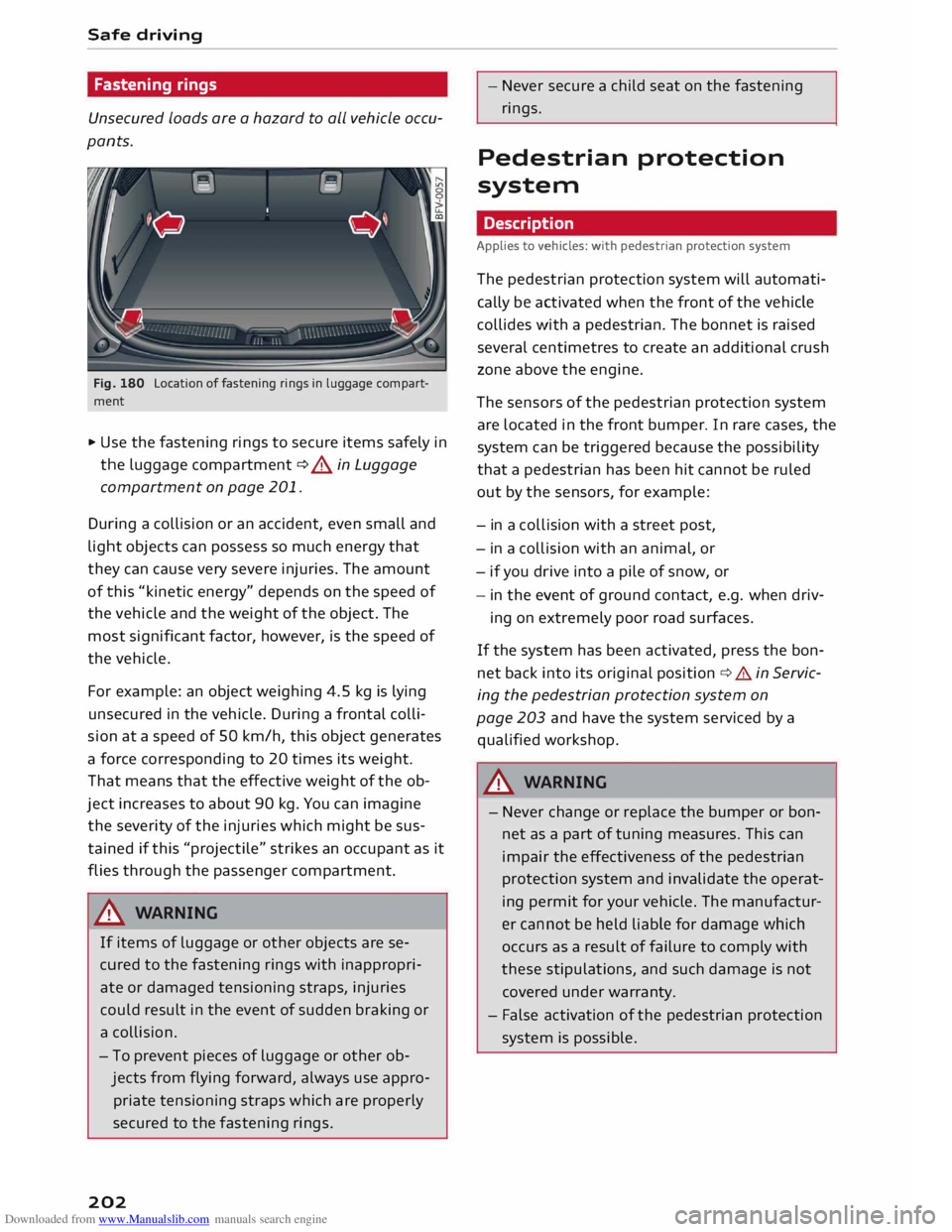
Fig. 180 Location of fastening rings in luggage compart
ment
.,. Use the fastening rings to secure items safely in
the luggage compartment ¢ A in Luggage
compartment on page 201.
During a collision or an accident, even small and
light objects can possess so much energy that
they can cause very severe injuries. The amount
of this "kinetic energy" depends on the speed of
the vehicle and the weight of the object. The
most significant factor, however, is the speed of
the vehicle.
For example: an object weighing 4.5 kg is lying
unsecured in the vehicle. During a frontal colli
sion at a speed of SO km/h, this object generates
a force corresponding to 20 times its weight.
That means that the effective weight of the ob
ject increases to about 90 kg. You can imagine
the severity of the injuries which might be sus
tained if this "projectile" strikes an occupant as it
flies through the passenger compartment.
A WARNING
If items of luggage or other objects are se
cured to the fastening rings with inappropri
ate or damaged tensioning straps, injuries
could result in the event of sudden braking or
a collision.
- To prevent pieces of luggage or other ob
jects from flying forward, always use appro
priate tensioning straps which are properly
secured to the fastening rings.
202 -
Never secure a child seat on the fastening
rings.
Pedestrian protection
system
Description
Applies to vehicles: with pedestrian protection system
The pedestrian protection system will automati
cally be activated when the front of the vehicle
collides with a pedestrian. The bonnet is raised
several centimetres to create an additional crush
zone above the engine.
The sensors of the pedestrian protection system
are located in the front bumper. In rare cases, the
system can be triggered because the possibility
that a pedestrian has been hit cannot be ruled
out by the sensors, for example:
- in a coll ision with a street post,
- in a collision with an animal, or
- if you drive into a pile of snow, or
- in the event of ground contact, e.g. when driv-
ing on extremely poor road surfaces.
If the system has been activated, press the bon
net back into its original position¢&. in Servic
ing the pedestrian protection system on
page 203 and have the system serviced by a
qualified workshop.
.&_ WARNING
- Never change or replace the bumper or bon
net as a part of tuning measures. This can
impair the effectiveness of the pedestrian
protection system and invalidate the operat
ing permit for your vehicle. The manufactur
er cannot be held liable for damage which
occurs as a result of failure to comply with
these stipulations, and such damage is not
covered under warranty.
- False activation of the pedestrian protection
system is possible.
Page 205 of 284
Downloaded from www.Manualslib.com manuals search engine 0
N
co
....
\D L/'l
N
L/'l
.... Servicing
the pedestrian protection system
Applies to vehicles: with pedestrian protection system
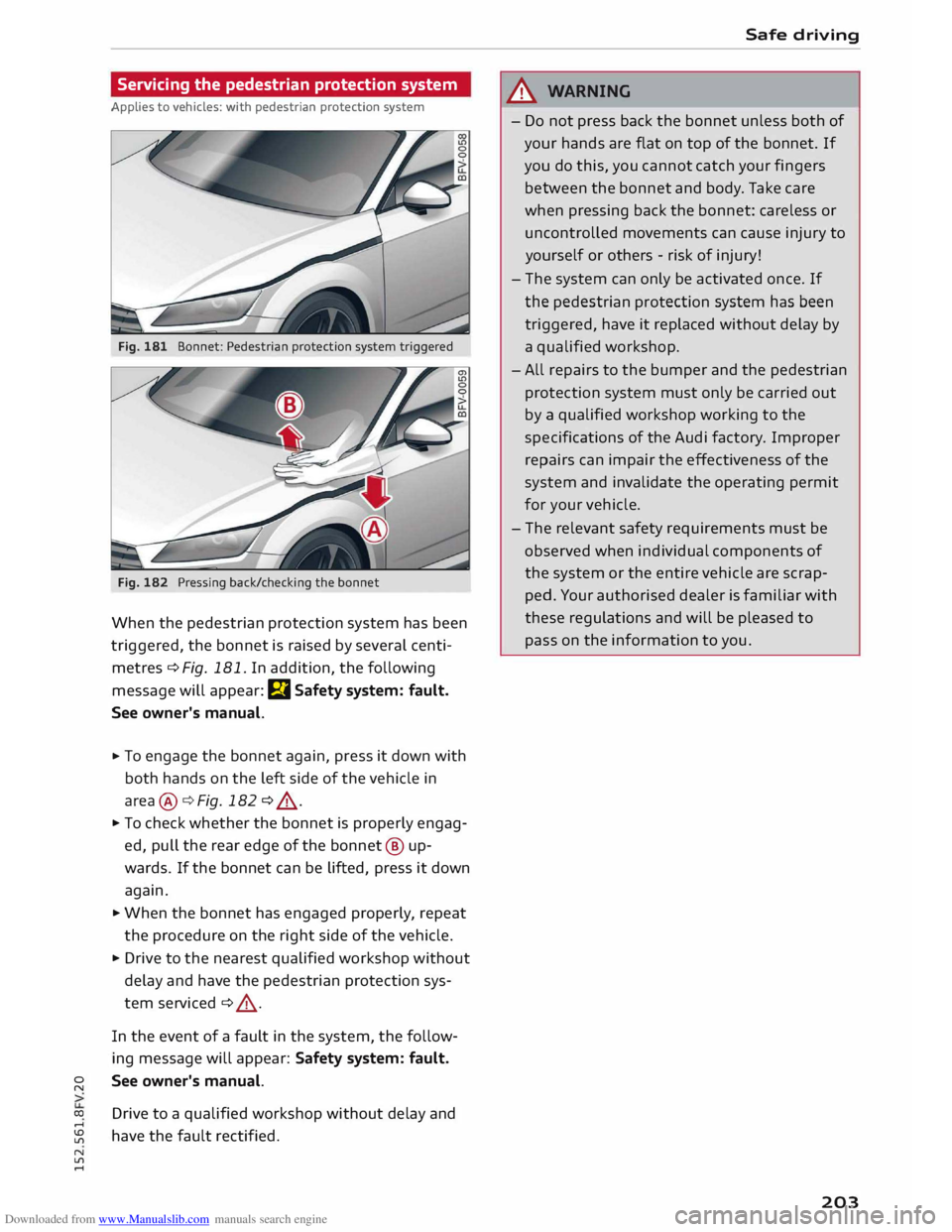
Fig. 181 Bonnet: Pedestrian protection system triggered
Fig. 182 Pressing back/checking the bonnet
When the pedestrian protection system has been
triggered, the bonnet is raised by several centi
metres ¢ Fig. 181. In addition, the following
message will appear: E,I Safety system: fault.
See owner's manual.
.,. To
engage the bonnet again, press it down with
both hands on the left side of the vehicle in
area @¢ Fig. 182 ¢ ,A .
.,. To check whether the bonnet is properly engag
ed, pull the rear edge of the bonnet @ up
wards. If the bonnet can be lifted, press it down
again .
.,. When the bonnet has engaged properly, repeat
the procedure on the right side of the vehicle .
.,. Drive to the nearest qualified workshop without
delay and have the pedestrian protection sys
tem serviced ¢ ,A .
In the event of a fault in the system, the follow
ing message will appear: Safety system: fault.
See owner's manual.
Drive to a qualified workshop without delay and
have the fault rectified. Safe
driving
_&. WARNING
- Do not press back the bonnet unless both of
your hands are flat on top of the bonnet. If
you do this, you cannot catch your fingers
between the bonnet and body. Take care
when pressing back the bonnet: careless or
uncontrolled movements can cause injury to
yourself or others -risk of injury!
- The system can only be activated once. If
the pedestrian protection system has been
triggered, have it replaced without delay by
a qualified workshop.
- All repairs to the bumper and the pedestrian
protection system must only be carried out
by a qualified workshop working to the
spe cifications of the Audi factory. Improper
repairs can impair the effectiveness of the
system and invalidate the operating permit
for your vehicle.
- The relevant safety requirements must be
observed when individual components of
the system or the entire vehicle are scrap
ped. Your authorised dealer is familiar with
these regulations and will be pleased to
pass on the information to you.
203
Page 211 of 284
Downloaded from www.Manualslib.com manuals search engine 0
N
co
....
\D L/'l
N
L/'l
.... Airbag
system
Description of airbag
system
General notes on airbag system
The airbag is an integral part of the car's passive
safety system.
In conjunction with the seat belts, the airbag sys
tem gives the front occupants additional protec
tion for the head and chest in the event of a se
vere frontal collision.
In a side collision the side airbags reduce the risk
of injury to the areas of the body facing the im
pact ¢_&.
In addition to their normal function of protecting
the occupants in a collision, the seat belts also
hold them in a position where the airbags can in
flate properly and provide maximum protection.
The airbag system will only work with the igni
tion on. The airbag system is monitored electron
ically; the airbag warning lamp indicates whether
the system is functioning properly.
The main parts of the airbag system are:
- The electronic monitoring system (control unit
and sensors)
- The two front airbags
- The two side airbags
- The warning lamp El in the instrument cluster
There is a fault in the airbag system if the
warning lamp
- does not come on when the ignition is switched
on.
- does not go out about 4 seconds after the igni
tion is switched on.
- goes out and then comes on again after the ig
nition is switched on.
- comes on or flickers while the car is moving.
A WARNING
- The airbags are not a substitute for the seat
belts; they are an integral part of the car's
overall passive safety system. The airbags
can only offer effective protection if the oc- Airbag system
cupants are wearing their seat belts. For
this reason it is very important to wear the
seat belts at all times ¢ page 204, Why is it
so important to use seat belts?.
- The seat belts and airbags can only provide
maximum protection if the occupants are
seated correctly ¢ page 46, Seats and stor
age.
- If you do not wear a seat belt, if you lean
for ward, or are not seated correctly while
the vehicle is in motion, you are at greater
risk of injury should the airbag system be
triggered in an accident.
- Components of the airbag system are loca
ted in various parts of the vehicle. If repairs
to other vehicle components make it neces
sary to perform work on the airbag system
or to remove or install parts of the airbag
system, this may cause damage to the air
bag system. As a result, the airbags may not
inflate correctly or may not be triggered at
all in an accident situation. For this reason,
you should always have the work carried out
by a qualified workshop.
- If a fault should occur in the airbag system,
have the system checked immediately by a
qualified workshop. Otherwise the system
may fail to trigger in an accident.
- Do not attempt to modify components of
the airbag system in any way.
- Never make any alterations to the front
bumper or the body.
- Do not remove the front seats.
- The airbag system can only be activated
once; if the airbag has been triggered, the
system must be replaced. Should the airbag
system or airbag modules have to be re
placed, the qualified workshop carrying out
the replacement will document all details.
- If you sell the vehicle, remember to pass on
the complete Service Wallet to the new
owner. If any of the airbags have been deac
tivated, it is important that the new owner
is also given the relevant documents.
- The relevant safety requirements must be
observed when the vehicle or components
of the airbag or belt tensioner systems are
scrapped.
209
Page 225 of 284
Downloaded from www.Manualslib.com manuals search engine 0
N The
positions of the engine oil dipstick and en
gine oil filler cap ¢Fig. 211 (items @and @)
may be different on some engine versions.
Engine oil
Choosing the correct engine oil grade
The service interval display in the instrument
cluster of your vehicle will inform you when it is
time for an oil change. We recommend having
the oil changed by a qualified workshop.
If you have to top up the oil between oil changes,
use the grades of oil specified in the table in ac
cordance with VW standards. You will need to
know whether
- the vehicle is being serviced based on the flexi
ble or fixed oil change service (see Last service
record in Service Schedule).
- the vehicle has a petrol or diesel engine (see
sticker on inside of fuel tank flap).
- a diesel particulate filter is fitted on the vehicle
(see Delivery Inspection section of Service
Schedule).
Oil Change Serv-
Oil Change Serv-
ice (flexible)
ice (fixed)
Petrol VW50400 vw
502 00
engine Alternatively:
vw 504 ooa)
Diesel VW50700 With
diesel par-
engine ticulate
filter:
VW 507 00
Without diesel
particulate filter:
vw 505 01
Alternatively: vw 507 oob
>
al When using fuel complying with EN 228 or DIN 51626-1
b) When using fuel complying with EN 590 or DIN 51628
CD} Note
If the oil grades specified in the table are not
available, you can use one of the following
....
� grades
as a substitute. To prevent damage to
� the
engine, this should not be done more
.... Checking
and topping up fluids
than once between oil changes and no more
than 0.5 Litres should be used.
- Petrol engines: ACEA A3 or API SN (API SM)
standard
- Diesel engines: ACEA C3 or API CJ-4 stand
ard
(©) Note
- For China: Only oil complying with VW
standard 502 00 with viscosity SAE 5W-40
may be used on vehicles with a petrol en-
gine.
- The flexible oil change service is not availa
ble in all countries.
Checking the engine oil level
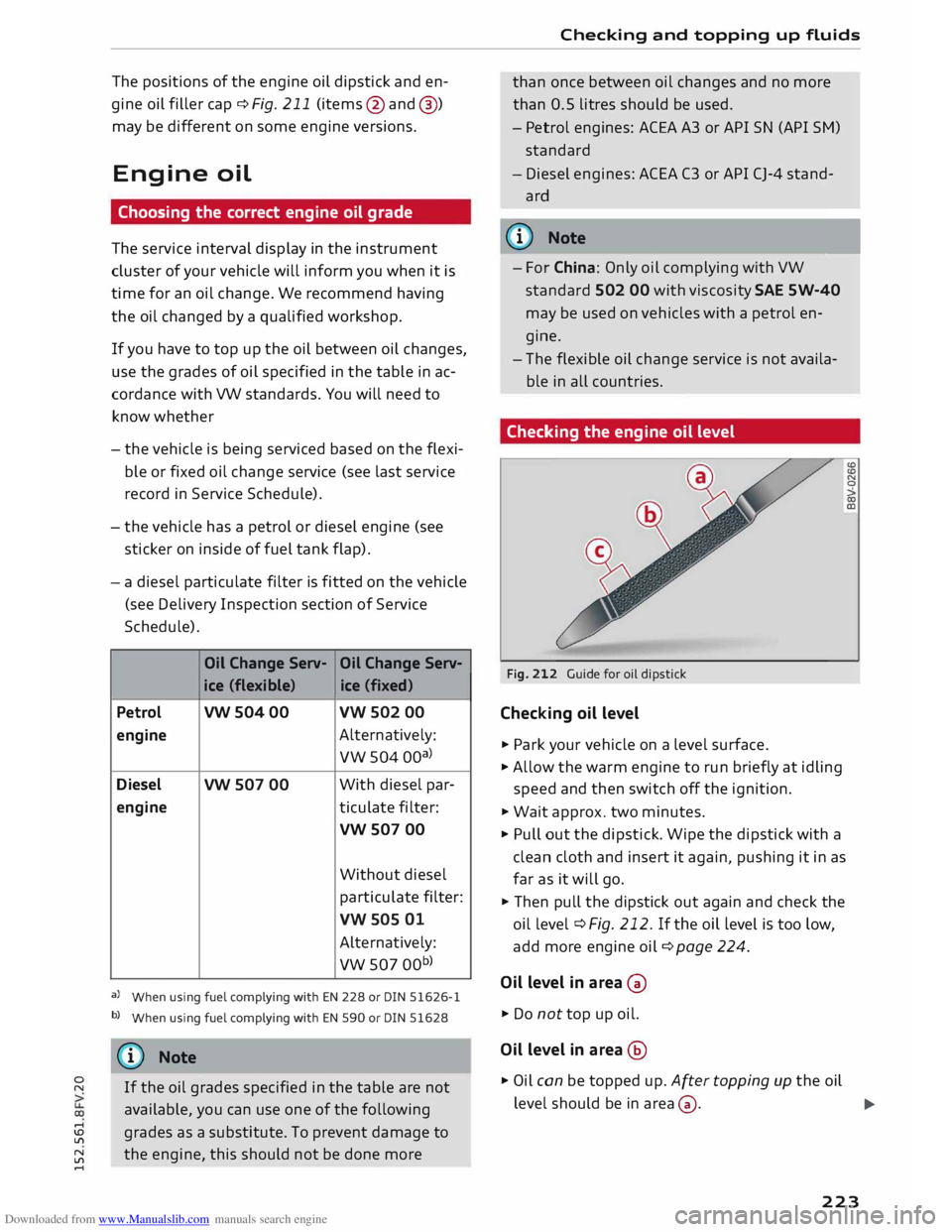
Fig. 212 Guide for oil dipstick
Checking oil level
.,. Park your vehicle on a Level surface.
.,. Allow the warm engine to run briefly at idling
speed and then switch off the ignition.
.,. Wait approx. two minutes.
.,. Pull out the dipstick. Wipe the dipstick with a
clean cloth and insert it again, pushing it in as
far as it will go.
.,. Then pull the dipstick out again and check the
oil level ¢ Fig. 212. If the oi L Level is too Low,
add more engine oil¢ page 224.
Oil level in area 0
.,. Do not top up oil.
Oil level in area @
.,. Oil can be topped up. After topping up the oil (£)
(£)
N
0
co
(Il
Level should be in area 0·
..,
223
Page 228 of 284
Downloaded from www.Manualslib.com manuals search engine Checking
and topping up fluids
Brake fluid
&
8cm DOT 4 0
0
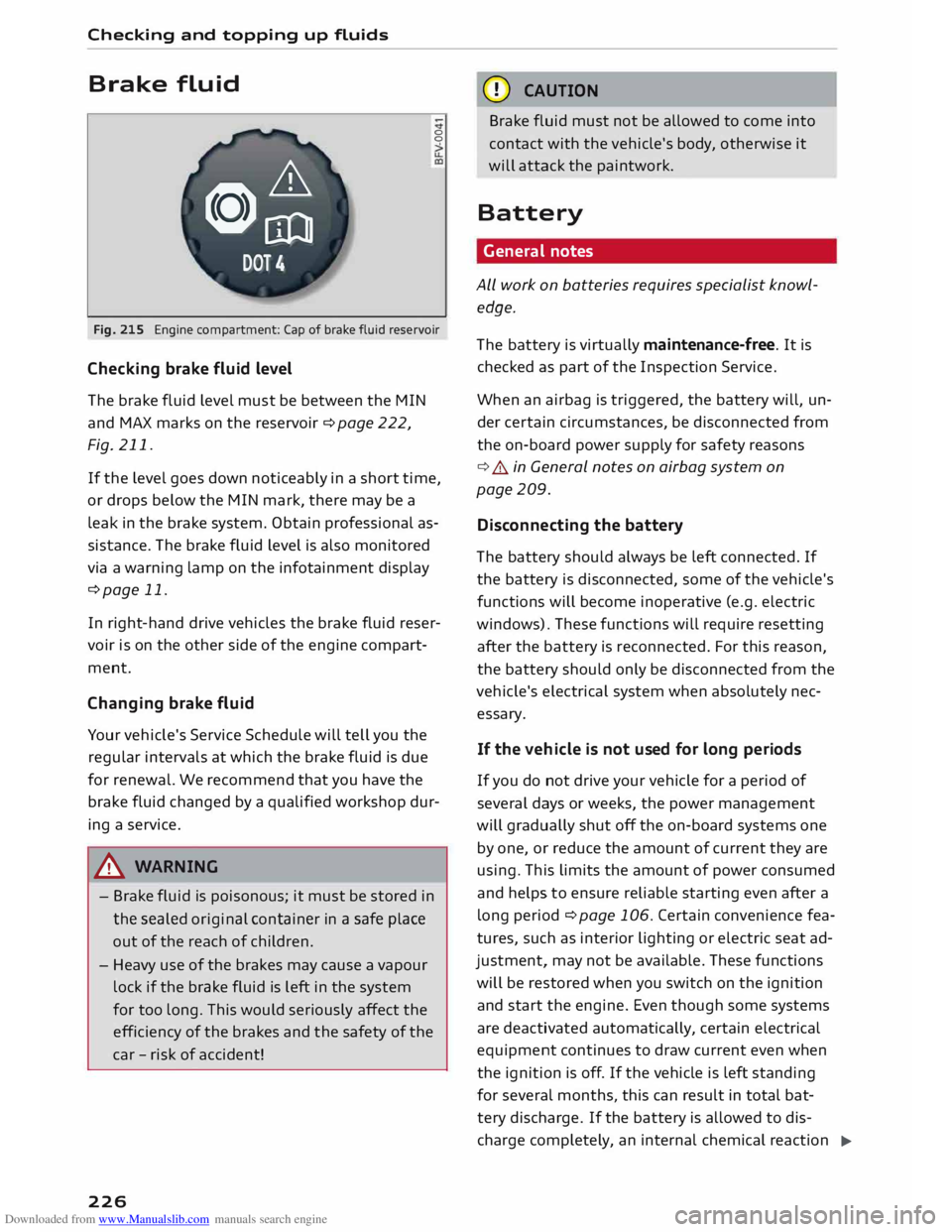
Fig. 215 Engine compartment: Cap of brake fluid reservoir
Checking brake fluid level
The brake fluid Level must be between the MIN
and MAX marks on the reservoir ¢ page 222,
Fig. 211.
If the Level goes down noticeably in a short time,
or drops below the MIN mark, there may be a
Leak in the brake system. Obtain professional as
sistance. The brake fluid Level is also monitored
via a warning Lamp on the infotainment display
¢page 11.
In right-hand drive vehicles the brake fluid reser
voir is on the other side of the engine compart
ment.
Changing brake fluid
Your vehicle's Service Schedule will tell you the
regular intervals at which the brake fluid is due
for renewal. We recommend that you have the
brake fluid changed by a qualified workshop dur
ing a service.
A WARNING
- Brake fluid is poisonous; it must be stored in
the sealed original container in a safe place
out of the reach of children.
- Heavy use of the brakes may cause a vapour
Lock if the brake fluid is left in the system
for too Long. This would seriously affect the
efficiency of the brakes and the safety of the
car -risk of accident!
226 CD
CAUTION
Brake fluid must not be allowed to come into
contact with the vehicle's body, otherwise it
will attack the paintwork.
Battery General notes
ALL work on batteries requires specialist knowl
edge.
The battery is virtually maintenance-free. It is
checked as part of the Inspection Service.
When an airbag is triggered, the battery will, un
der certain circumstances, be disconnected from
the on-board power supply for safety reasons
¢ .&.. in General notes on airbag system on
page 209.
Disconnecting the battery
The battery should always be Left connected. If
the battery is disconnected, some of the vehicle's
functions will become inoperative (e.g. electric
windows). These functions will require resetting
after the battery is reconnected. For this reason,
the battery should only be disconnected from the
vehicle's electrical system when absolutely nec
essary.
If the vehi cle is not used for long periods
If you do not drive your vehicle for a period of
several days or weeks, the power management
will gradually shut off the on-board systems one
by one, or reduce the amount of current they are
using. This Limits the amount of power consumed
and helps to ensure reliable starting even after a
Long period ¢ page 106. Certain convenience fea
tures, such as interior Lighting or electric seat ad
justment, may not be available. These functions
will be restored when you switch on the ignition
and start the engine. Even though some systems
are deactivated automatically, certain electrical
equipment continues to draw current even when
the ignition is off. If the vehicle is Left standing
for several months, this can result in total bat-
tery discharge. If the battery is allowed to dis
charge completely, an internal chemical reaction
..,_
Page 231 of 284
Downloaded from www.Manualslib.com manuals search engine 0
N
co
....
\D L/'l
N
L/'l
.... the
battery, we recommend that the replacement
battery used is of the same make and type as the
original-equipment battery. After changing the
battery, the power management system must be
initialised by a qualified workshop to ensure that
the replacement battery is charged to an opti
mum level.
A replacement battery must have the same ca
pacity, voltage (12 V) and current rating. It must
also have the same dimensions as the original,
factory-fitted battery and have sealed caps. The
battery must comply with the standards
TL 825 06 (dated April 2008 or later) and
VW 7 50 73 (April 2010 or later).
Since the battery is difficult to access, we recom
mend having it replaced by an Audi dealer or
qualified workshop.
CD CAUTION
- Your vehicle is equipped with a special deep
cycle battery (e.g. AGM type). The on-board
electronic systems may develop problems if
you fit a different type of battery. For this
reason, if you need to replace the vehicle
battery, make sure that the specifications of
the new battery match the original exactly.
- Make sure that the vent hose is always at
tached to the original opening on the side of
the battery. Gases or battery acid can other
wise escape and possibly cause damage.
- The battery holder and clamps must always
be correctly secured.
- Before starting any work on the battery, al
ways observe the warnings listed under
¢ page 227, Important safety warnings for
handling a car battery.
@ For the sake of the environment
"S Batteries contain toxic substances including
sulphuric acid and lead. They must be dis
posed of appropriately and must not be put
together with ordinary household waste.
Make sure the battery removed from the vehi
cle cannot tip over. Otherwise, sulphuric acid
could escape. Checking
and topping up fluids
Windscreen washer
N
N
co
al
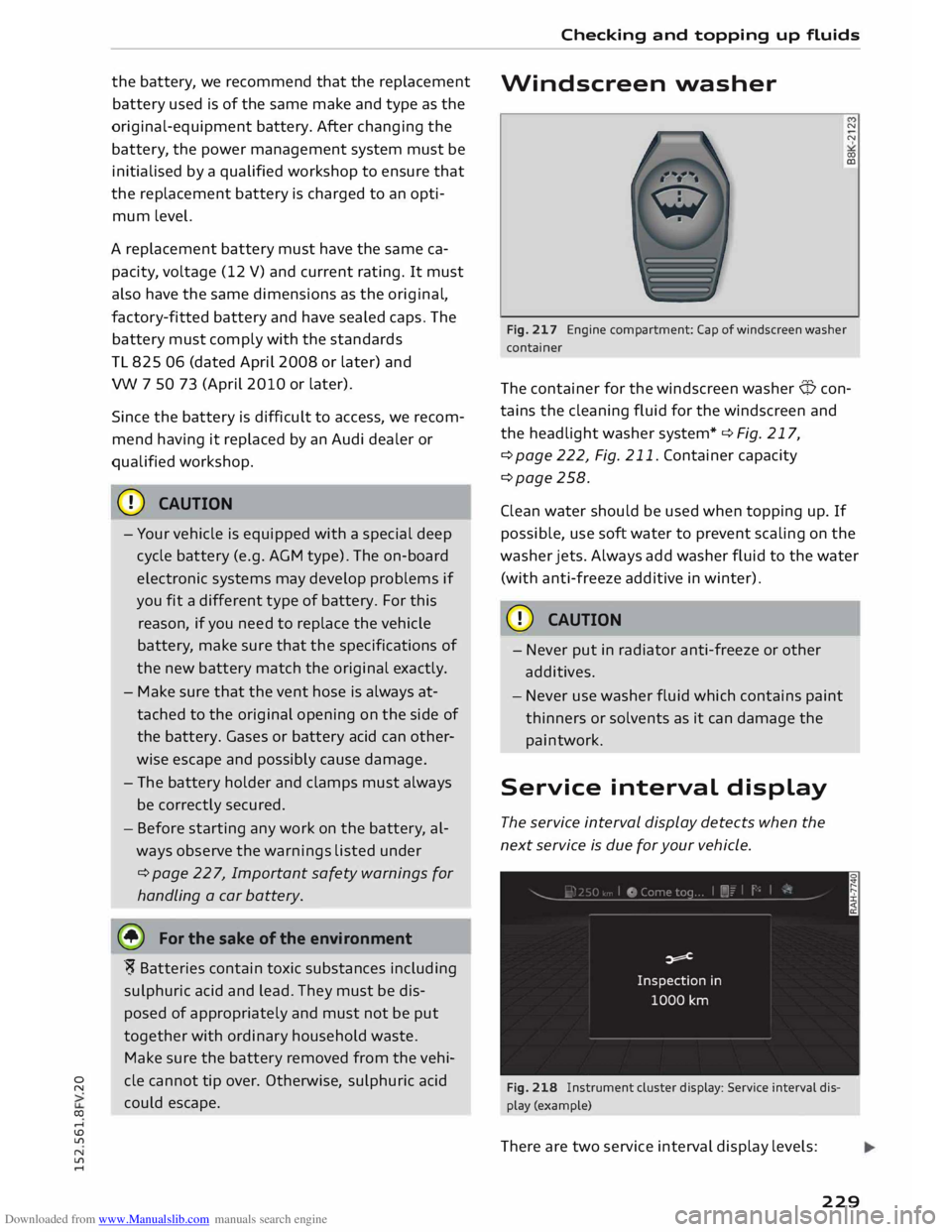
Fig. 217 Engine compartment: Cap of windscreen washer
container
The container for the windscreen washer Q con
tains the cleaning fluid for the windscreen and
the headlight washer system* ¢ Fig. 217,
¢page 222, Fig. 211. Container capacity
¢page 258.
Clean water should be used when topping up. If
possible, use soft water to prevent scaling on the
washer jets. Always add washer fluid to the water
(with anti-freeze additive in winter).
CD CAUTION
- Never put in radiator anti-freeze or other
additives.
- Never use washer fluid which contains paint
thinners or solvents as it can damage the
paintwork.
Service interval display
The service interval display detects when the
next service is due for your vehicle.
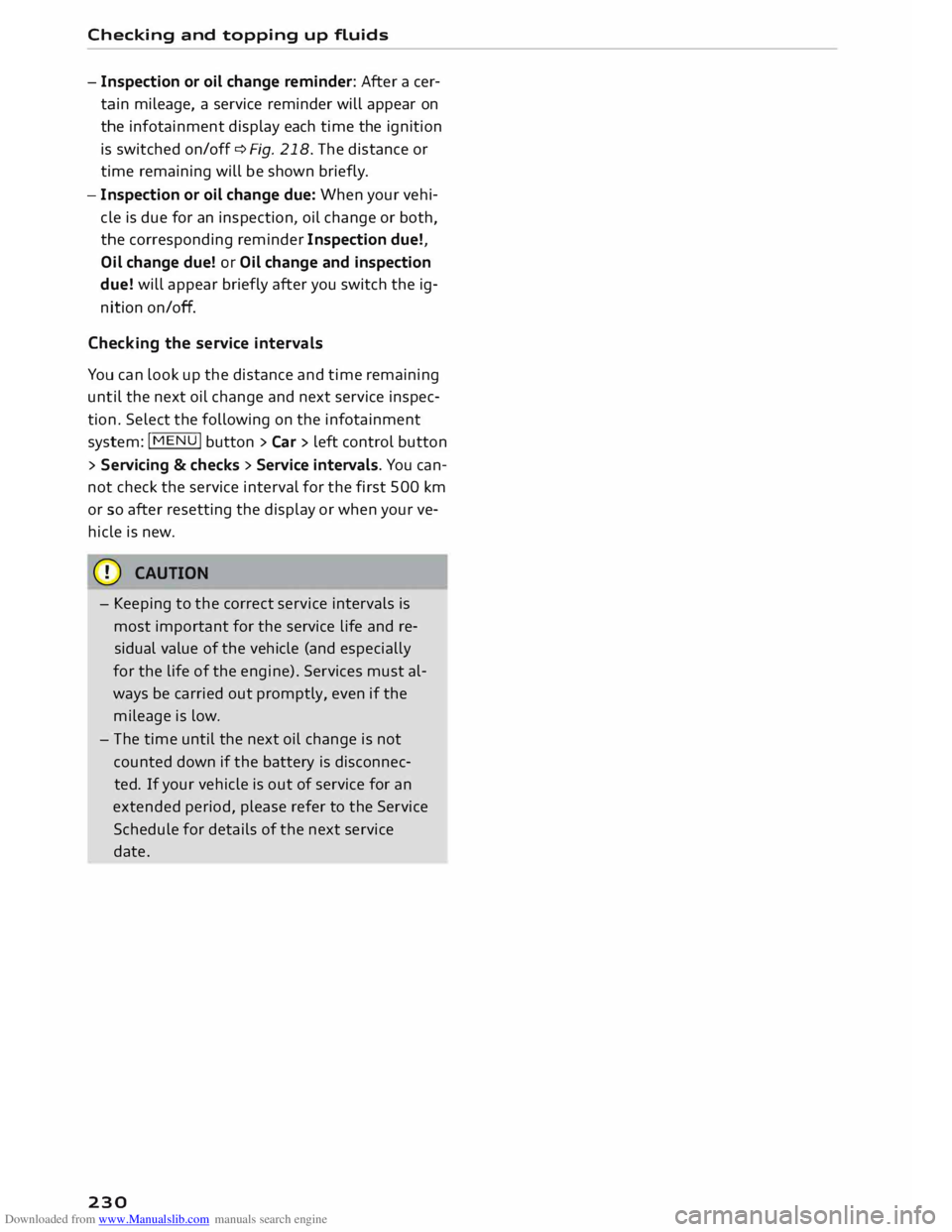
Fig. 218 Instrument cluster display: Service interval dis
play (example)
There are two service interval display levels:
229
Page 232 of 284
Downloaded from www.Manualslib.com manuals search engine Checking
and topping up fluids
- Inspection or oil change reminder: After acer
tain mileage, a service reminder will appear on
the infotainment display each time the ignition
is switched on/off¢ Fig. 218. The distance or
time remaining will be shown briefly.
- Inspection or oil change due: When your vehi
cle is due for an inspection, oil change or both,
the corresponding reminder Inspection due!,
Oil change due! or Oil change and inspection
due! will appear briefly after you switch the ig
nition on/off.
Checking the service intervals
You can look up the distance and time remaining
until the next oil change and next service inspec
tion. Select the following on the infotainment
system: I MENU I button > Car > left control button
> Se rvicing & checks > Service intervals. You can
not check the service interval for the first 500 km
or so after resetting the display or when your ve
hicle is new.
CD CAUTION
- Keeping to the correct service intervals is
most important for the service life and re
sidual value of the vehicle (and especially
for the life of the engine). Services must al
ways be carried out promptly, even if the
mileage is low.
- The time until the next oil change is not
counted down if the battery is disconnec
ted. If your vehicle is out of service for an
extended period, please refer to the Service
Schedule for details of the next service
date.
230
Page 242 of 284
Downloaded from www.Manualslib.com manuals search engine Care
of vehicle and cleaning
- The vehicle must be free of dirt and dust
before applying polish/wax -otherwise
the paintwork may be damaged.
- Do not polish/wax the vehicle in direct
sunlight -this can damage the paint!
- Do not attempt to polish out surface rust
deposits -this can damage the paint!
- Remove cosmetics and sun lotion immedi
ately -otherwise the paintwork may be
damaged.
- Instrument cluster
- Before cleaning, ensure that the instru-
ment cluster is switched off and cool.
- The instrument cluster and the surround
ing trim must not be cleaned with a dry
cloth -this can scratch the surfaces!
- Do not let any liquid get between the in
strument cluster and the trim -risk of
damage!
- Control consoles
- Do not let any liquid get inside the control
consoles -risk of damage!
- Seat belts
- Do not remove the seat belts to clean
them.
- Do not use chemical cleaning agents, cor
rosive liquids, solvents or sharp instru
ments to clean the seat belts or their com
ponents -this can damage the belt web
bing!
- If you find any damage to the belt web
bing, the belt fittings, the belt retractor or
the buckle, have the belt in question re
placed by a qualified workshop.
- Fabrics/leatherette/Alcantara
- Do not use leather care products, solvents,
wax polish, shoe cream, stain removers, or
any similar products on leatherette/Alcan
tara fabrics.
- To avoid damage, stubborn stains should
be removed by a qualified workshop.
- Never use steam cleaners, brushes, hard
sponges or similar utensils.
- Do not use the seat heating* to dry the
seats.
240 -
Sharp-edged objects on clothing, such as
zip fasteners, rivets or belts, can also
damage the surface of the fabric.
- Please make sure you close any velcro fas
teners, e.g. on your clothing, as these
could otherwise damage the upholstery.
- Natural leather
- Do not use solvents, wax polish, shoe
cream, stain removers, or any similar
products on leather fabrics.
- Sharp-edged objects on clothing, such as
zip fasteners, rivets or belts, can also
damage the surface of the fabric.
- Never use steam cleaners, brushes, hard
sponges or similar utensils.
- Do not use the seat heating* to dry the
seats.
- Avoid exposing leather to direct sunlight
for long periods, otherwise it may tend to
lose some of its colour. If the car is left for
a prolonged period in the bright sun, it is
best to cover the leather.
@ Note
- It is much easier to remove dead insects if
the car has been waxed recently.
- Regular waxing can help protect against
surface rust.
Taking the vehicle out of
service
If you wish to take your vehicle out of service for
a long period of time, contact an Audi dealer or
other qualified workshop. Here you will receive
advice on necessary measures, for example re
garding corrosion protection, maintenance and
storage. In addition, please observe the general
notes on the battery � page 226.
Page 263 of 284
Downloaded from www.Manualslib.com manuals search engine Accessories
and modifications to the vehicle
A WARNING
Incorrectly performed modifications or other
work on your vehicle can lead to malfunctions
and cause accidents.
{D Note
Modifications to the front of the vehicle and/
or to the engine compartment (resulting from
tuning measures, for instance) can impair the
vehicle's pedestrian protection and void the
vehicle's certification for use on public roads.
Radio transmitters and
business equipment
Radio transmitters (fixed installation)
Retrofit installations of radio transmitters in the
vehicle are subject to official approval. Audi gen
erally authorises in-vehicle installations of ap
proved types of radio transmitters provided that:
- The aerial is installed correctly.
- The aerial is not installed in the interior of the
vehicle (and screened cables are used together
with non-reflective aerial trimming).
- The effective transmitting power does not ex-
ceed 10 Watts at the aerial base.
Qualified workshops will be able to inform you
about options for installing and operating radio
transmitters with a higher transmitting power.
Mobile radio transmitters
When using commercial mobile telephones or ra
dio equipment it is possible that they might in
terfere with the electronics of your vehicle and
cause malfunctions. The reasons could be:
- no external aerial
- external aerial incorrectly installed
- transmitting power more than 10 W
Therefore you must not operate portable mobile
telephones or radio equipment inside the vehicle
without a correctly installed external aerial c:> ,&. .
"' Please note also that the maximum range of the
� equipment can only be achieved with an external
,-j
� aerial.
N
ll'l
,-j Business equipment
Retrofit installation of business or other equip
ment in the vehicle is permitted, provided the
equipment cannot interfere with the driver's im
mediate control of the vehicle. Any such equip
ment must carry the ( (mark. Any retrofit equip
ment that could influence the driver's control of
the vehicle must have a type approval for your ve
hicle and must carry thee mark.
A WARNING
Mobile telephones or radio equipment which
are operated inside the vehicle without a cor
rectly installed external aerial can create ex
cessive magnetic fields that could cause a
health hazard.
@ Note
- Any retrofit installation of electrical or elec
tronic equipment in the vehicle will affect
its type approval. In extreme cases this
could mean that you might lose the type ap
proval for your vehicle.
- Please refer to the mobile telephone/radio
operating instructions.
Component protection
Some electronic control units and components,
such as the sound system or navigation system,
are equipped with component protection at the
factory.
The purpose of the component protection is as
follows:
- To prevent factory-fitted equipment from being
re-installed and used freely in other vehicles
(e.g. if they have been stolen)
- To prevent components from being used out
side the vehicle
- To enable the legitimate installation and/or re
placement of components and control units by
a qualified service workshop
Possible text message and remedy:
.,.
261
Page 266 of 284
Downloaded from www.Manualslib.com manuals search engine Index
Google Earth
Google Street View
................. .
Import ing myAudi contacts .......... .
Logging into myAudi ................ . 159
159
133
140
myAudi destination . . . . . . . . . . . . . . . . . . 151
Navigation . . . . . . . . . . . . . . . . . . . . . 140, 151
Notes . . . . . . . . . . . . . . . . . . . . . . . . . . . . . 145
Online traffic information . . . . . . . . . . . . . 161
Options menu . . . . . . . . . . . . . . . . . . . . . . .
143
Personal hotspot . . . . . . . . . . . . . . . . . . . .
139
Preview . . . . . . . . . . . . . . . . . . . . . . . . . . . . 140
Requirements . . . . . . . . . . . . . . . . . . . . . . .
137
Search area . . . . . . . . . . . . . . . . . . . . . . . . .
140
Settings . . . . . . . . . . . . . . . . . . . . . . . . . . .
143
SIM card reader . . . . . . . . . . . . . . . . . . . . .
138
Troubleshooting . . . . . . . . . . . . . . . . . . . . .
146
Audi connect services
Media . . . . . . . . . . . . . . . . . . . . . . . . . . . . . 143
Navigation . . . . . . . . . . . . . . . . . . . . . . . . . 142
Options . . . . . . . . . . . . . . . . . . . . . . . . . . . .
143
Telephone . . . . . . . . . . . . . . . . . . . . . . . . . .
143
Audi connect services, using
MMI control console . . . . . . . . . . . . . . . . . 137
Speech dialogue system 118
Audi magnetic ride
see Suspension control . . . . . . . . . . . . . . . . 90
Audi music interface . . . . . . . . . . . . . . . . . . .
174
Cables . . . . . . . . . . . . . . . . . . . . . . . . . . . . .
174
USB adapters . . . . . . . . . . . . . . . . . . . . . . .
174
Audi music stream
see Wi-Fi audio player . . . . . . . . . . . . . . . .
172
Audio files . . . . . . . . . . . . . . . . . . . . . . . . . . .
179
Audio input
see AUX input ................... 175,
176
Audio player
Bluetooth audio player . . . . . . . . . . . . . . . 171
Wi-Fi audio player . . . . . . . . . . . . . . . . . . . 172
Audio track . . . . . . . . . . . . . . . . . . . . . . . . . . 181
Audi phone box . . . . . . . . . . . . . . . . . . . . . . . 125
Audi side assist
see Side assist . . . . . . . . . . . . . . . . . . . . . . .
87
AUTO Automatic air conditioner . . . . . . . . . . . . . . 55
Automatic headlights . . . . . . . . . . . . . . . . . 37
Auto Lock (central locking system) . . . . . . . .
25
Automatic air conditioner
see Air conditioner (automatic) . . . . . . . . . .
55
264 Automatic
gearbox . . . . . . . . . . . . . . . . . . . . . 70
Back-up programme . . . . . . . . . . . . . . . . . . 77
Downhill speed control . . . . . . . . . . . . . . . . 74
Driving tips . . . . . . . . . . . . . . . . . . . . . . . . . . 72
Kick-down . . . . . . . . . . . . . . . . . . . . . . . . . . . 75
Launch control programme . . . . . . . . . . . . . 76
Malfunction . . . . . . . . . . . . . . . . . . . . . . . . . 71
Manual gear selection . . . . . . . . . . . . . . . . . 75
Manual release of selector lever (left-hand
drive) . . . . . . . . . . . . . . . . . . . . . . . . . . . . . .
78
Manual release of selector lever (right-hand
drive) . . . . . . . . . . . . . . . . . . . . . . . . . . . . . .
79
Selector lever lock . . . . . . . . . . . . . . . . . . . . 71
Selector lever positions . . . . . . . . . . . . . . . . 70
Steering wheel with paddle levers . . . . . . . 75
tiptronic . . . . . . . . . . . . . . . . . . . . . . . . . . . .
75
Automatic zoom . . . . . . . . . . . . . . . . . . . . . . 158
AUX input ....................... 175,176
Average fuel consumption . . . . . . . . . . . . . . . 22
Average speed . . . . . . . . . . . . . . . . . . . . . . . . . 22
B
Background lighting . . . . . . . . . . . . . . . . . . . . 40
Balance (sound) . . . . . . . . . . . . . . . . . . . . . . 190
Bandages see First-aid kit . . . . . . . . . . . . . . . . . . . . . . 241
Bass (sound) . . . . . . . . . . . . . . . . . . . . . . . . . 190
Battery . . . . . . . . . . . . . . . . . . . . . . . . . . . . . 226
Charge . . . . . . . . . . . . . . . . . . . . . . . . . 13, 106
Charging . . . . . . . . . . . . . . . . . . . . . . . . . . . 228
Connecting/disconnecting . . . . . . . . . . . . . 226
Indicator lamp . . . . . . . . . . . . . . . . . . . . . . . 13
Long periods of non-use . . . . . . . . . . . . . .
226
Power management . . . . . . . . . . . . . . . . . .
106
Replacing . . . . . . . . . . . . . . . . . . . . . . . . . .
228
Winter conditions . . . . . . . . . . . . . . . . . . .
226
Battery, charging . . . . . . . . . . . . . . . . . . . . .
125
Belts see Seat belts . . . . . . . . . . . . . . . . . . . . . . .
204
Better route . . . . . . . . . . . . . . . . . . . . . . . . .
160
Biodiesel . . . . . . . . . . . . . . . . . . . . . . . . . . . . 217
Bioethanol (fuel) . . . . . . . . . . . . . . . . . . . . . 217
Blower Automatic air conditioner . . . . . . . . . . . . . .
55
Manual air conditioner. . . . . . . . . . . . . . . . .
53