park assist AUDI TT COUPE 2016 User Guide
[x] Cancel search | Manufacturer: AUDI, Model Year: 2016, Model line: TT COUPE, Model: AUDI TT COUPE 2016Pages: 322, PDF Size: 52.86 MB
Page 70 of 322
Downloaded from www.Manualslib.com manuals search engine Automatic transmission
-The transmission can overheat and be dam
aged under certain driving and traffic condi
tions such as frequent starts, creeping for a
l
ong time, or stop-and-go traffic. When the
@]or. indicator light turns on, stop the
vehicle at the next opportunity and let the
transmission cool r::!;> page 70.
- Allowing the veh icle to roll when the engine
is stopped will damage the S troni c trans
mission because it is not lubricated
r::!;> page 290, Towing with a tow truck.
@ Tips
For
safety reasons, the parking brake is re
leased automatically only when the driver's
safety belt is engaged i n the buckle.
Hill descent control
The hill descent control system assists the driv
ing when driving down declines .
Hill descent control is activated when the selec
tor lever is in the Dor S position and you press
the brake pedal. The transmission automatically
selects a gear that is suitable for the incline. Hill
descent control tries to maintain the speed ach
ieved at the time of braking, within physical and
technical
limitations. If may still be necessary to
adj ust the speed with the brakes. Because hill de
scent control cannot shift down farther than 3rd
gear, it may be necessary to shift into tiptronic
mode in very steep areas. In this case, shift into
1st or 2nd gear in tiptronic mode to use the en
g ine 's braki ng force to relieve the brakes.
Hill
descent control switches off once the decline
levels
out or you press the accelerator pedal.
On vehicles with a cruise control system*
r::!;> page 72, hill descent control is also activated
when the speed is set.
A WARNING
Hill descent control cannot overcome physical
limitations,
so it may not be able to maintain
a
constant speed under all conditions. Always
be ready to apply the brakes.
68
Shifting manually (tiptronic mode)
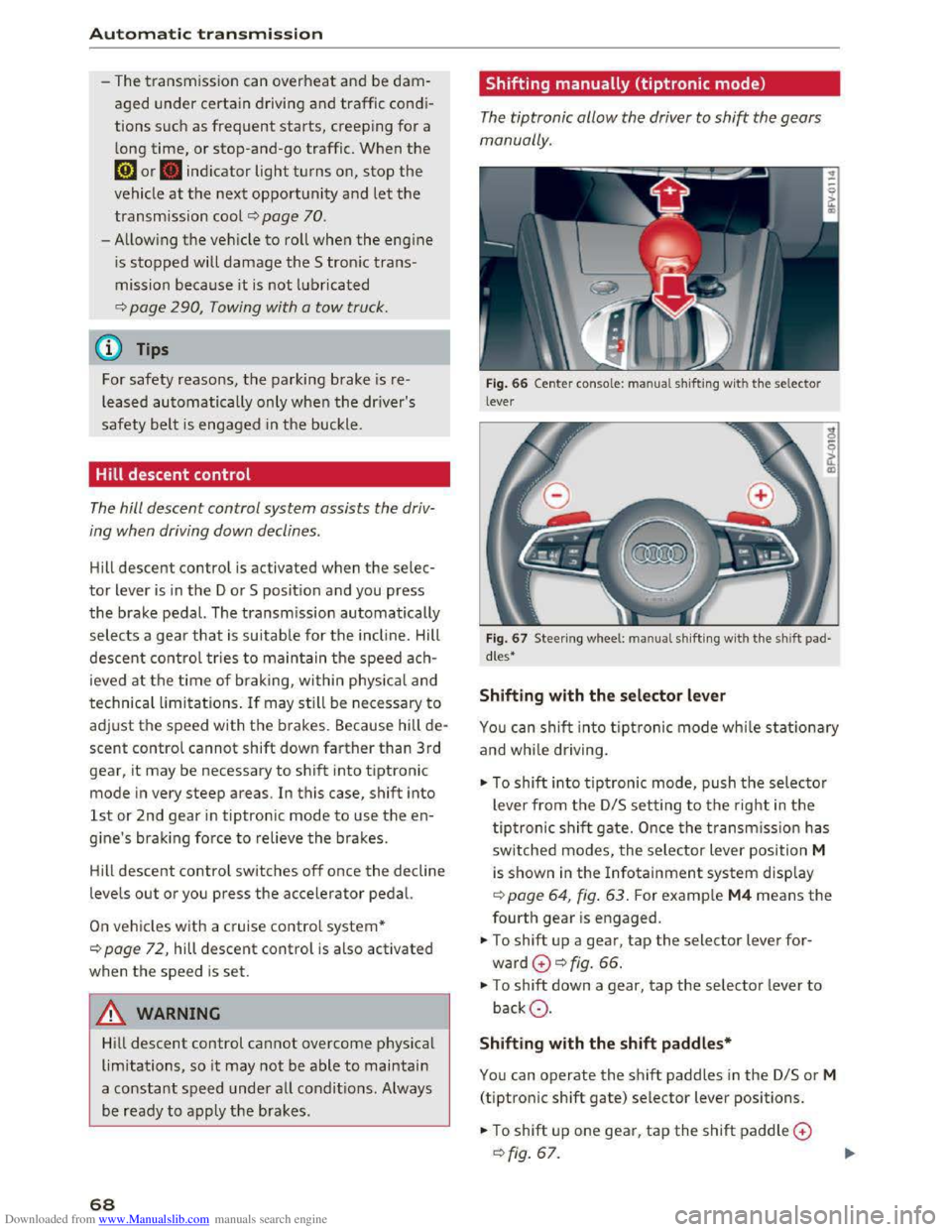
The tiptronic allow the driver to shi~ the gears
manually.
Fig. 66 Center conso le : ma nua l shifting with the selector
lever
Fig.
67 Steer ing whee l: ma nual shifting with the shift pad
dles•
Shifting with the selector lever
You can shift into tiptronic mode while stationary
and while dri ving.
""To shift into tiptronic mode, push the selector
lever from
the D/S setting to the right in the
tiptronic shift gate. Once the transmission has
switched modes, the selector lever position M
is shown in the Infotainment system display
r::!;>poge 64, fig. 63. For example M4 means the
fourth gear is engaged.
""To shift up a gear, tap the selector lever for
ward G ¢fig. 66.
""To shift down a gear, tap the selector lever to
backQ.
Shifting with the shift paddles*
You can operate the shift paddles in the D/S or M
(tiptronic shift gate) selector lever positions.
""To shift up one gear, tap the shift paddle G
r::!;> fig. 67.
Page 72 of 322
Downloaded from www.Manualslib.com manuals search engine Automatic transmission
-When accelerating using the launch control
program, all vehicle
parts are subject to
heavy loads . This can lead to increased
wear.
Emergency mode
In the event of a system malfunction, there is on
emergency program.
If all of the selecto r lever positions are highlight
ed wit h a light background
in the Infotainment
display, there is a system malfunction and the S
tronic transmiss ion is running in the emergency
program . The vehicle can still be driven
in emer
gency mode,
but only with reduced speed and
not in a
ll gears. In some cases, the vehicle can
n ot dri
ve in rever se .
@Note
If the transmission runs in emergency mode,
drive
to an author ized Audi dealer or author
ized
Audi Service Facility immediately to have
the malfunction corrected.
Transmission malfunction
• Transmission : malfunction! Please stop ve
hicle and s
hift to P
There is a malfunction in the t ra nsmission. Park
the vehicle securely and do not continue driving.
See an authorized
Audi dealer or authorized Audi
Service Facility for assistance .
• Transmis sio n : too hot. Please stop vehicle
The transmission is too hot and can become dam
aged .
Stop and let the transmission cool with the
engine running (at idle) in the P selector lever po
sition. Then
the indicato r light and the message
turn off, drive to an authorized Audi dea le r or a u
thorized Audi Se rvice Facility immediately to have
the ma lfunction cor rected . If the indicator light
and
the driver message do not turn off, do not
continue driving. See an authorized
Audi dealer
or authorized Audi Service Facility for assistance .
[o] Tran smission : malfunction! You can contin
ue dri
ving. See owner's manual
70
Drive to an au thorized Audi dealer or authori zed
Audi Service Facility immediate ly to have the
malfunction corrected.
[o] Transmiss ion : malfunction! You may contin
ue driving. No rever se gear
Drive to an authorized Audi dealer or authorized
Audi Service Facility immed iately to have the
malfunction corrected .
ml Transmi ss ion: malfunction! You may contin
ue driving in D
until engin e off
Drive the vehicle away from moving traffic and
park . See an
authorized Audi dealer or authorized
Audi Service Facility for assistance.
ml Tran smiss ion: too hot. Please adapt driving
style
Continue driving moderately. When the indicator
light turns off, you can continue driving normal
l
y.
ml Tran smission: please press brake pedal a nd
s elect gear again
If the transmiss ion mal f u nct ions because the
temperatu re is too high, a message appears
when
the transmission is cooled .
Page 73 of 322
Downloaded from www.Manualslib.com manuals search engine ..... N
G: CX)
.....
"' U"I
.....
"' .....
Selector lever emergency release
If the vehicle's power supply fails, the selector
lever can
be released in an emergency.
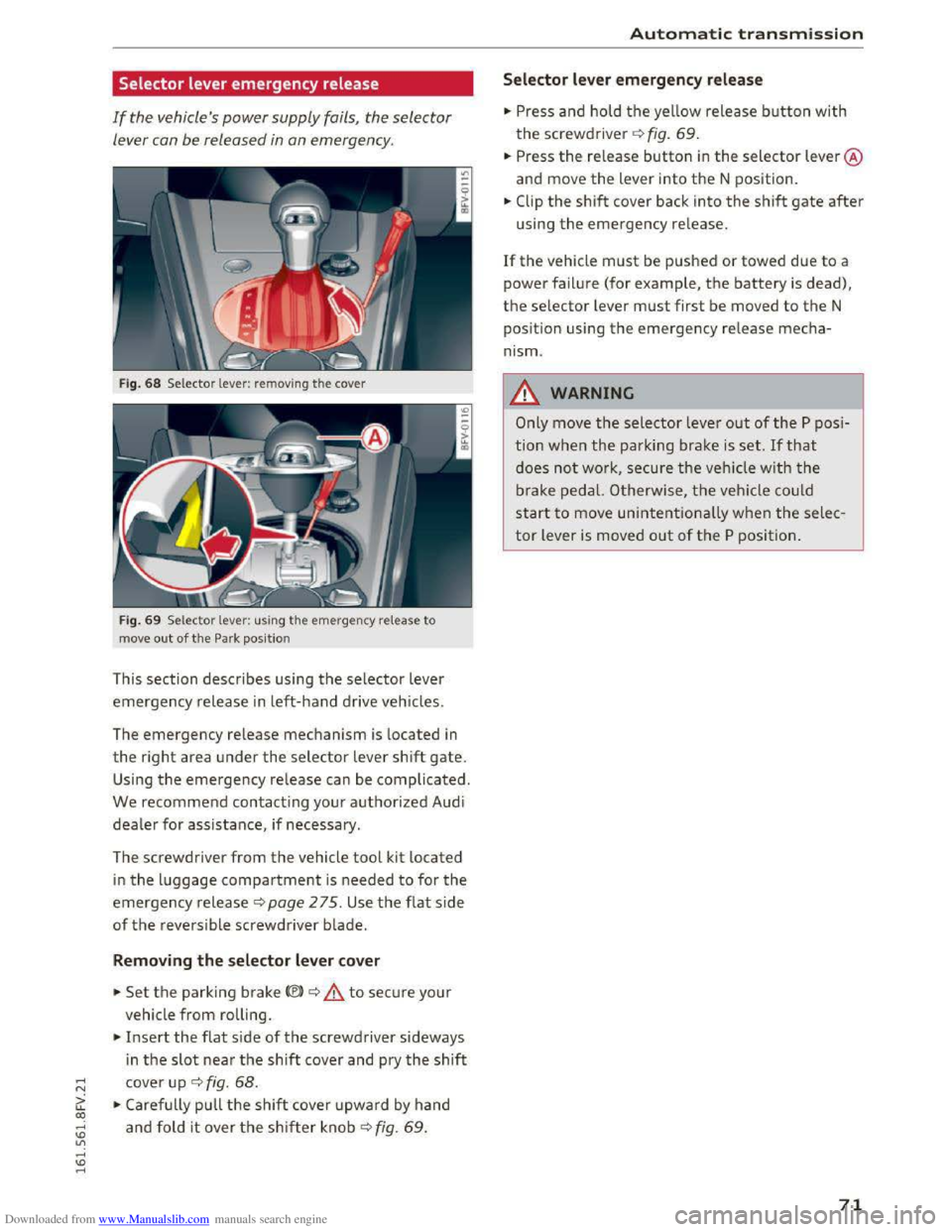
Fig. 68 Selector lever: removing the cover
Fig. 69 Selector lever: us ing the emergency release to
move
out of the Park position
This section describes using the selector lever
emergency release in left-hand drive vehicles.
The
emergency release mechanism is located in
the right area under the selector lever shift gate.
Using the emergency release can be complicated.
We recommend contacting your authorized Audi
dealer for assistance, if necessary.
The screwdriver
from the vehicle tool kit located
in the luggage compartment is needed to for the
emergency release c:> page 2 75. Use the flat side
of the reversible screwdriver blade.
Removing the selector lever cover
.. Set the parking brake<®> c:> A to secure your
vehicle
from rolling .
.. Insert the flat side of the screwdriver sideways
i n
the slot near the shift cover and pry the shift
cover up c:> fig. 68 .
.. Carefully pull the shift cover upward by hand
and fold it over the shifter knob c:> fig. 69 .
Automatic transmission
Selector lever emergency release
.. Press and hold the yellow release button with
the screwdriver c:> fig. 69.
.. Press the re lease button in the selector lever @
and move
the lever into the N position .
.. Clip the shift cover back into the shift gate after
using the emergency release.
If the vehicle must be pushed or towed due to a
power failure (for example, the battery is dead),
the selector lever must first be moved to the N
pos ition using
the emergency release mecha
nism.
_&WARNING
Only move the selector lever out of the P posi
tion
when the parking brake is set. If that
does not work, secure the veh icle w ith the
brake pedal. Otherwise,
the vehicle could
start to move unintentionally when the selec
tor lever is moved out of the P position.
71
Page 84 of 322
Downloaded from www.Manualslib.com manuals search engine Parking systems
Parking systems
General information
Applies to: vehicles with rear parking system/parking system
plus
Depending on your vehicle's equipment, various
parking aids will
help you when parking and ma
neuvering.
The r
ear pa rk ing syst em is an audible parking aid
that warns you of obstacles behind the vehicle
9page82.
The parking syste m plus assists you when park
ing by audibly and visually indicating
objects de
tected in front of and behind the vehicle
9page 83.
The rearv iew cam era shows the area behind the
vehicle in the Infotainment d isplay. The lines in
the rearview camera image help you to park or
maneuver~ page 84. The parking system plus
functions are also available~ page 83.
A WARNING
r-= ---'
-Always look for traffic and check the area
around your vehicle by looking at it directly
as well. The parking system cannot replace
the driver's attention. The driver is always
responsible when entering or leaving a park
ing
space and during similar maneuvers.
-
Please note that some surfaces, such as
clothing,
are not detected by the system.
-Sensors and cameras have blind spots in
which people and objects cannot be detect
ed. Be especia lly cautious of small children
and animals.
- The
sensors can be displaced by impacts or
damage to the radiator grille, bumper,
wheel housing and the underbody. The park
ing
system may become impaired as a re
sult. Have an authorized Audi dealer or au
thorized Audi Service Facility check their
function.
- Make
sure the sensors are not obstructed by
stickers,
deposits or other materials. If they
are, the sensor function could be impaired.
For
additional information on cleaning, re
fer to ~page 2 70.
82
-Some objects are not detected or displayed
by
the system under certain circumstances:
- Objects
such as barrier chains, trailer draw
bars, vertical poles or fences
- Objects above
the sensors such as wall ex
tensions
-Objects with specific surfaces or struc
tures such as chain link fences or powder
snow
-If you continue driving closer to a low-lying
object, it may
disappear from the sensor
range. Note that you will no longer be
warned about this obstacle.
- Keep enough distance from the curb to
avoid damage to the rims.
(D Tips
-The system may provide a warning even
though there are no obstacles in the cover
age area in some situations, such as:
-
certain road surfaces or for long grass.
-external ultrasonic sources e.g. from
cleaning vehicles.
- heavy rain, snow,
or thick vehicle exhaust.
-We recommend that you practice parking in
a traffic-free location or parking lot to be
come familiar with the system. When doing
this,
there should be good light and weath
er conditions.
-
You can change the volume of the signals.
-
What appears in the display is slightly de-
layed.
- The
sensors must be kept clean and free of
snow and ice for the park assist to operate.
Rear parking system
Description
Applies to: vehicles with rear parking assist
The rear parking system is an audible parking
aid.
Description
There is a sensor in the rear bumper cover. If
these detect an obstacle, audible signals warn
you.
Page 85 of 322
Downloaded from www.Manualslib.com manuals search engine Make sure the sensors are not covered by stick
ers, deposits or any other obstructions
as it may
impair
the sensor function. For information on
cleaning , refer
to c:::> page 2 70.
The range at which the sensors begin to measure
is approximately:
side 3
ft (0
.90 m)
rear center 5.2
ft (1.60
m)
The closer you
get to the obstacle, the shorter
the interval between the audible signals. A con
tinuous tone sounds when
the obstacle is less
than approximately 1
foot (0.30 meters) away.
Do not continue backing up c:::> .&. in General infor
mation on page 82, c:::>(D in General information
on page 82!
If the distance to an obstacle remains constant,
the volume of the distance warning gradually
drops
after about four seconds (this is not apply
i n
the continuous tone range).
Activating
The rear parking assist activates automatically
when
the reverse gear is engaged. You will hear a
brief confirmation tone.
Parking system plus
Description
Applies to: vehicles with parking system plus
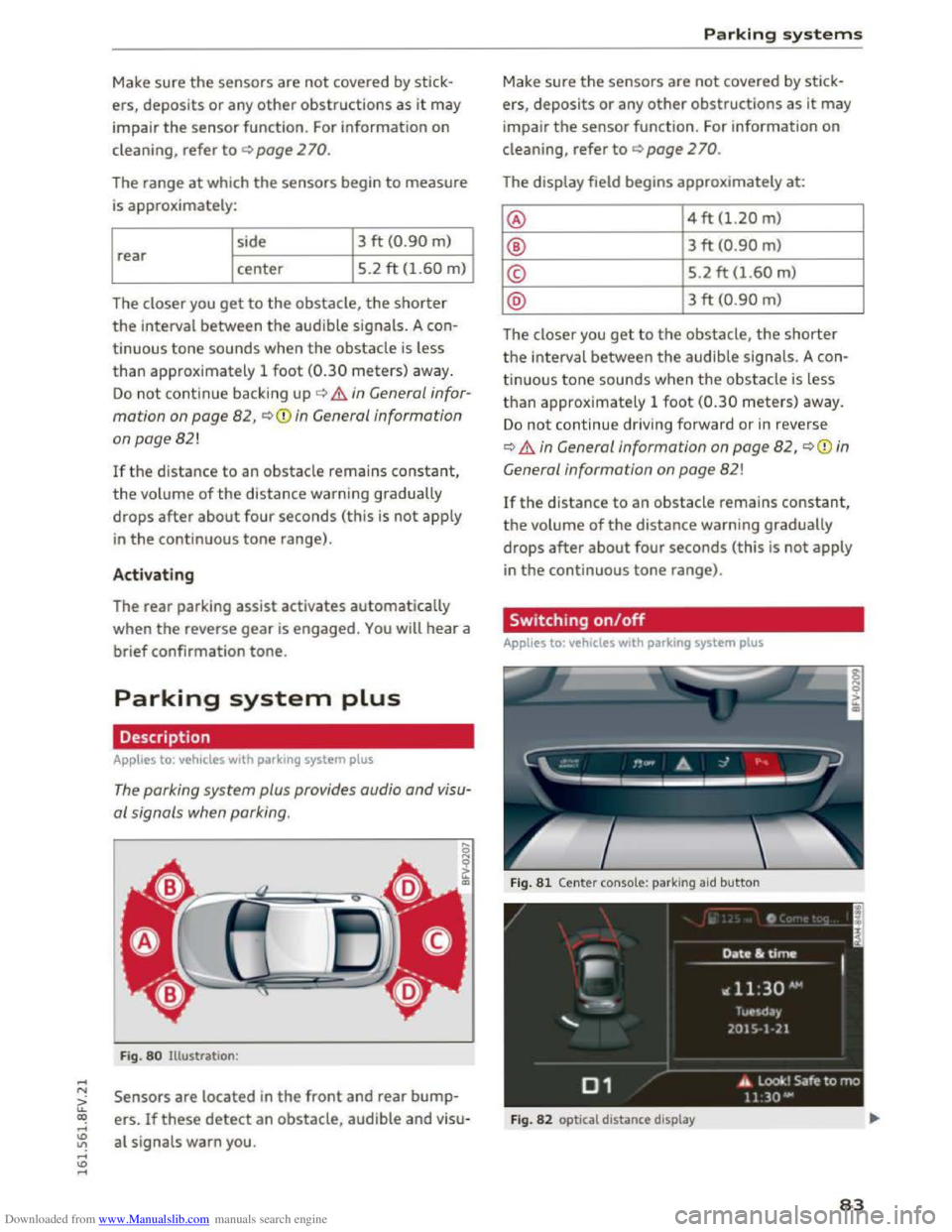
The parking system plus provides audio and visu
al signals when parking.
Fig . 80 Illustration :
Sensors are located in the front and rear bump
ers.
If these detect an obstacle, audible and visu
al signals warn you.
Parking systems
Make sure the sensors are not covered by stic k
ers, deposits
or any other obstruc tions as it may
impair
the sensor function. For information on
cleaning, refer
to c:::> page 2 70.
The display field begins approximately at:
@ 4 ft (1.20 m)
® 3 ft (0 .90 m)
© 5.2 ft (1.60 m)
@ 3 ft (0.90 m)
The closer you
get to the obstacle, the shorter
the interval between the audible signals. A con
tinuous tone sounds when the obstacle is less
t h a n approx imately 1
foot (0.30 meters) away.
Do not continue driv ing forward or in reverse
c:::> .&. in General information on page 82, c:::> (i) in
G eneral
information on page 82!
If the distance to an obstacle remains constant,
the volume
of the distance warning gradually
drops
after about four seconds (this is not apply
in the continuous tone range) .
Switching on/off
Applies to: vehicles with parking system plus
F i
g. 81 Center console: parking aid button
Fig. 82 optical distance display
83
Page 87 of 322
Downloaded from www.Manualslib.com manuals search engine ..... N
G: CX)
.....
"' U"I
.....
"' .....
use the system for safety reasons. Have it
checked by an authorized Audi dealer or au
thorized Audi Serv ice Facility.
-
Only use the rearview camera to assist you if
it shows a good, clear picture. For example,
the image may be affected by the sun shin
ing into
the lens, dirt on the lens or ifthere
is a defect.
-Use the rearview camera only ifthe luggage
compartment lid is completely closed. Make
sure any objects you may have mounted on
the luggage compartment lid do not block
the rearview camer a.
- T
he camera lens enlarges and distorts the
field of vi sion. The object appears both al
tered and inaccurate on the screen.
-In certain situations, people or objects in
the display appear close r or further away :
- For objects
that do not touch the ground,
such as the bumper of a parked vehicle, a
trailer hitch or the rear of a truck. Do not
use the help lines in this case.
-
If driven from a level surface onto an in
cline, or a downward slope.
-
If driven toward protrudi ng objects.
-If the vehicle is carrying too much load in
the rear.
CD Note
- Always re ad and follow the applicable warn
ings¢(!) in General information on
page82.
-The orange colo red orientation lines in the
Infotainment display show the vehicle path
depending on the steering wheel angle. The
front of the vehicle front swings out more
than the rear of the vehicle. Maintain plenty
of distance so that your outside mirror or a
corner of your vehicle does not collide with
any
obstacles.
Switching on/off
App lies to: vehi cles with rearv iew camera
Switching on
•Shift into reverse , or
Parking systems
•Press the P'#! button in the cen ter conso le
~page 83, fig . 81 . A short confirmation tone
sounds and the LE D in the button turns on.
Switching off
•Drive faster than 6 mph (10 km/h), o r
• Press the P'#! button, or
• switch the ign it ion off.
(!} Tips
- The visua l display in the left part of the dis
play
shoul d he lp you detect the critical vehi
cle areas.
-You can change the volume and display for
the signals ¢ page 86.
Cross parking
Applies to: veh icles wit h rearv iew camera
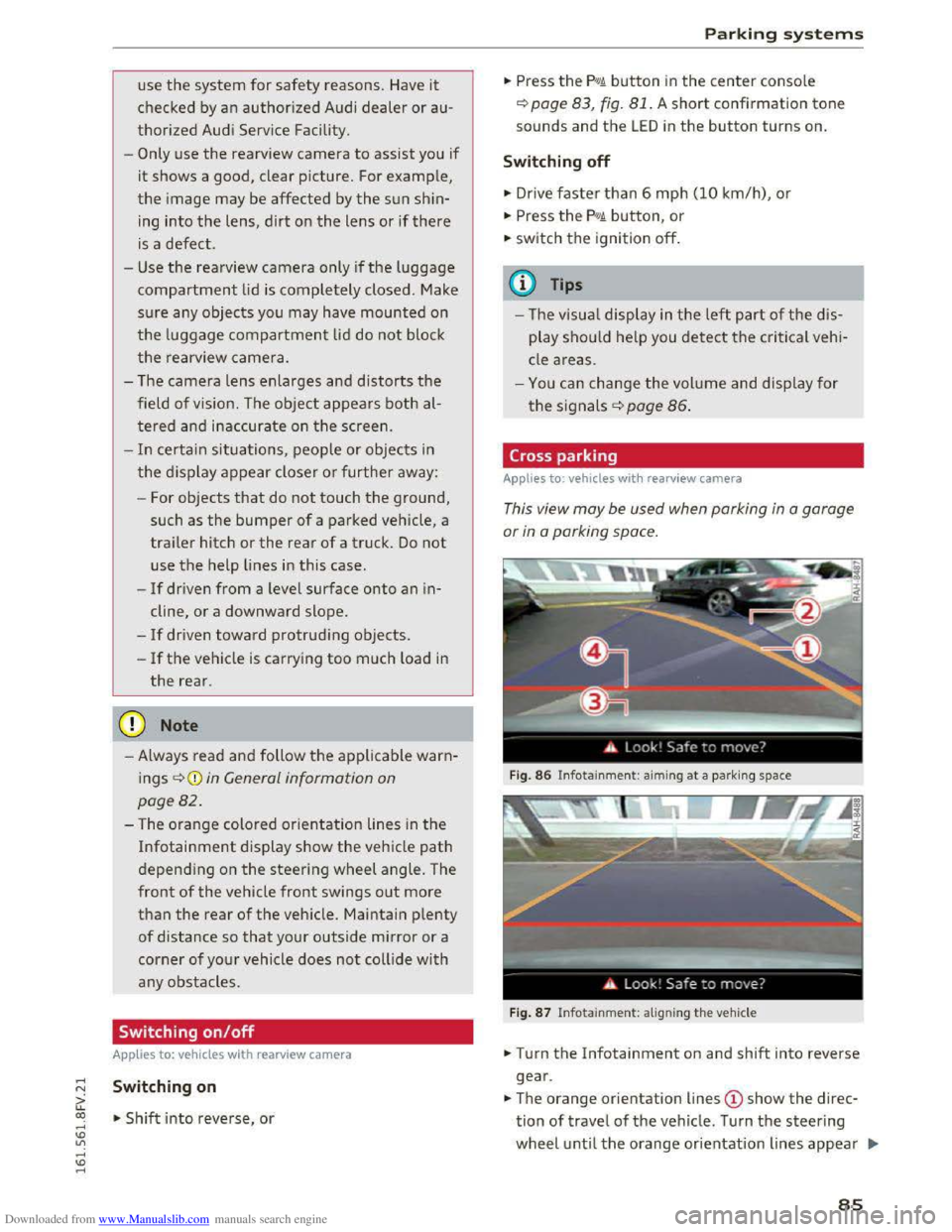
This view may be used when parking in a garage
or
in a parking space.
Fig. 86 Infotainme nt: aiming at a par king space
Fig. 87 Infotainme nt: al igning the vehicle
• Turn the Infotainment on and shift into reverse
gear .
•The orange orientation lines @show the direc
tion of travel of the vehicle. Turn the steering
wheel until the orange or ientation lines appear .,..
85
Page 88 of 322
Downloaded from www.Manualslib.com manuals search engine Parking systems
in the parking space c) fig. 86. Use the mark
ings @
to help you estimate th e distance from
an obstacle. Each marking represents approxi
mately 3 ft (1 m) . The blue area represents an
extension of the vehicle's outline by approxi
mately 16 ft (5 meters) to the rear.
.,.. While driving in reverse gear, adjust the steer
ing wheel angle to fit the parking space using
the orange orientation lines for assistance
c) .&. in General information on page 84, c)(i)
in General information on page 85.@ displays
the rear bumper. Stop the vehicle, at the latest,
when
the red orientation line @ borders an ob
j ect.
Adjusting the display
and the warning tones
A pp lies to: vehicles with park ing system plus
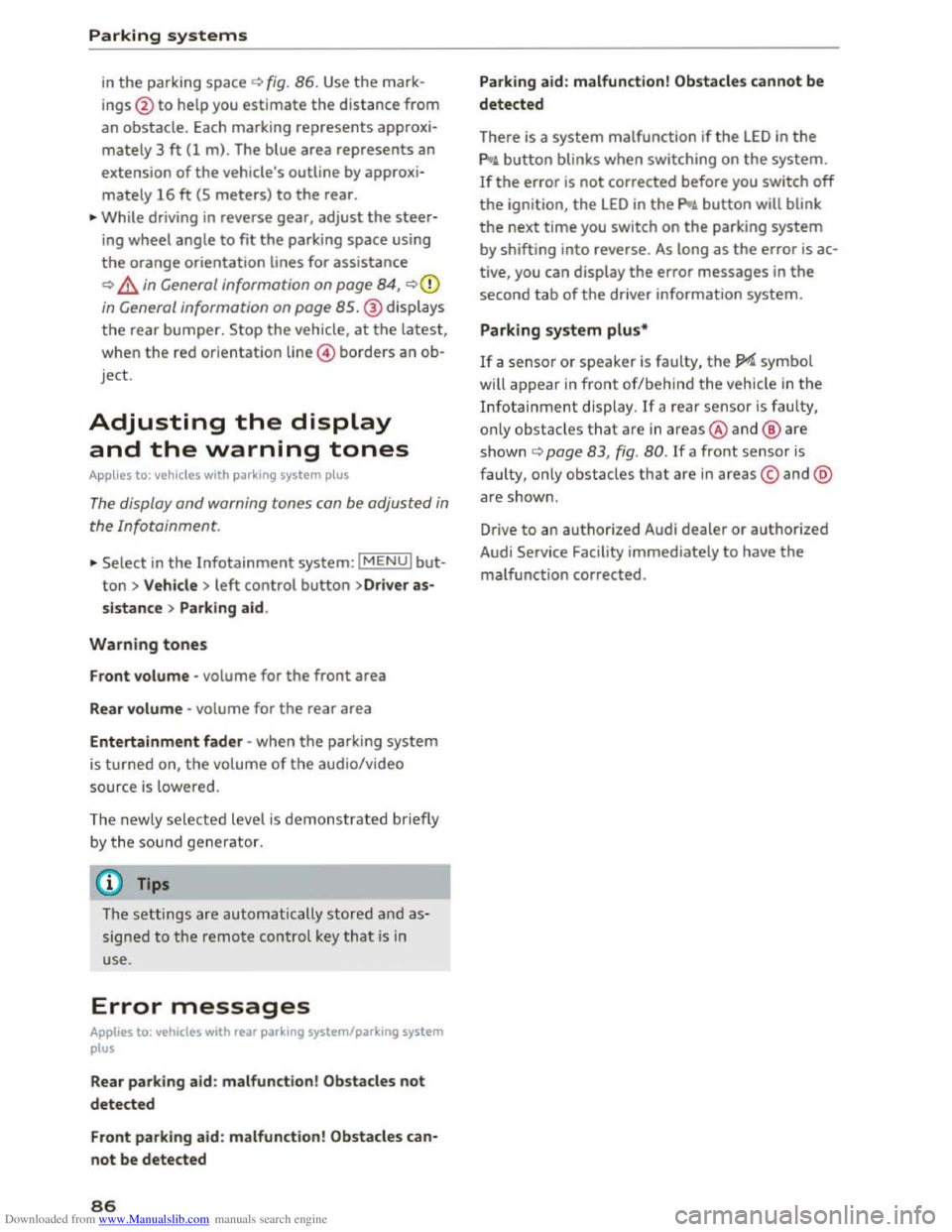
The display and warning tones can be adjusted in
the Infotainment.
.,.. Select in the Infotainment system: IMENUI but
ton > Vehicle > left control button >Dr iver as
sistance > Parking aid.
Warning tones
Front volume -volume for the front area
Rear volume -volume for the rear area
Entertainment fader -when the parking system
is turned on, the volume of the aud io/video
source
is l owered.
The newly selected level is demonstrated briefly
b y the sou nd
generator.
(}) Tips
The settings are automatically stored a nd as
signed to the remote control key that is in
use.
Error messages
Applies to: vehicles with rear parking system/parking system
plus
Rear parking aid : malfunction! Obstacles not
detected
Front parking aid : malfunction! Obstacles can
not be detected
86
Parking aid: malfunction! Obstacles cannot be
detected
There is a system malfunction if the LED in the
pg~ button blinks when switching on the system.
If the error is not corrected before you switch off
the ignition, the LED in the pg~ button will blink
the next time you switch on the parking system
by shifting into reverse . As long as the error is ac
tive, you can display
the error messages in the
second tab of the driver information system.
Parking system plus*
If a sensor or speaker is faulty, the JM symbol
will
appear in front of/behind the vehicle in the
Infotainment display. If a rear sensor is faulty,
o nl y o
bstacles that a re in areas@and@ are
s h own c) page 83, fig. 80. If a front sensor is
faulty, only obstacles that are in areas© and @
ar e show n.
Drive
to an authorized Audi dealer or authorized
Audi Service Facility immediately
to have the
malfunction corrected.
Page 106 of 322
Downloaded from www.Manualslib.com manuals search engine Voice recognition system
Voice recognition system
Operating
Applies to: vehicles with voice recogn ition system
You con operate many Infotainment functions
conveniently by speaking .
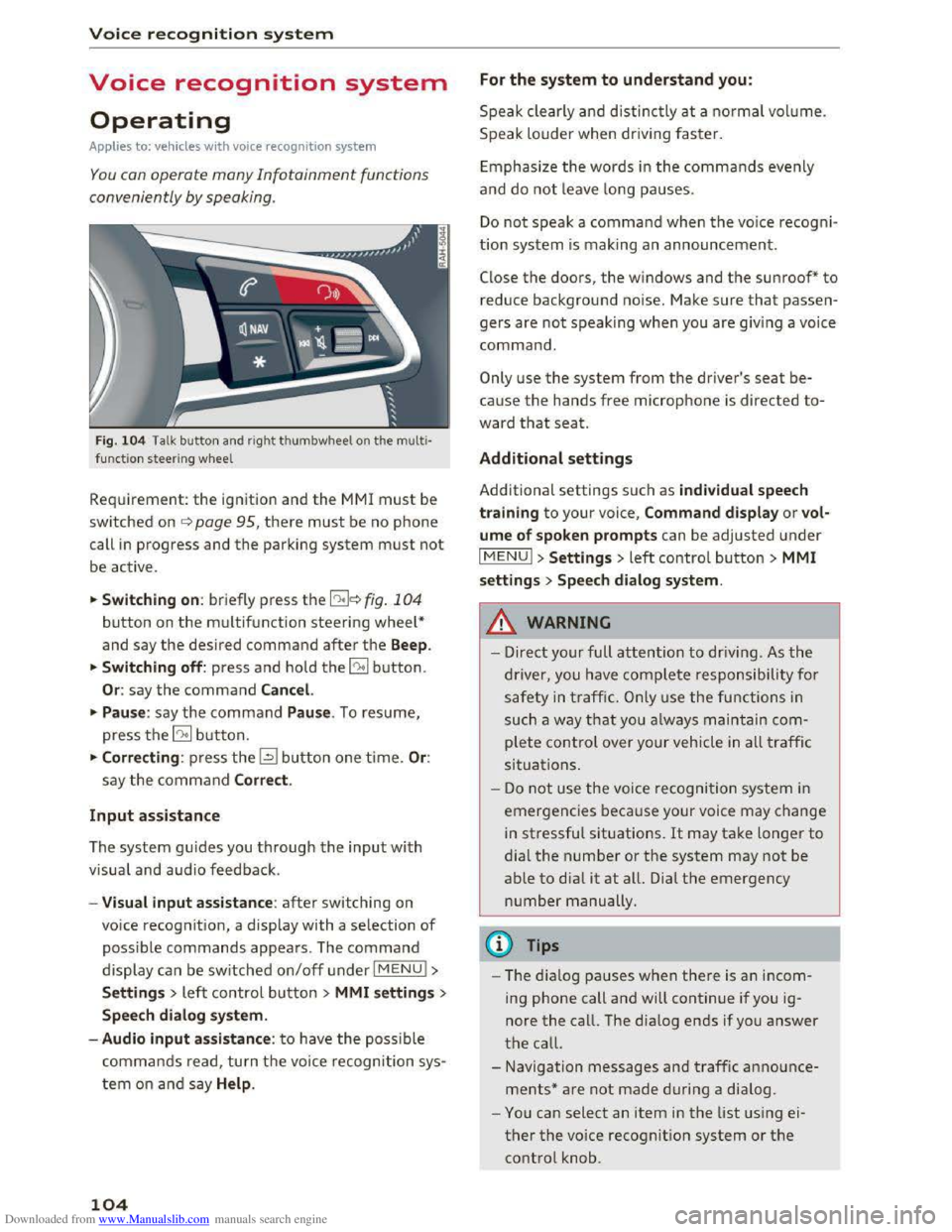
Fig. 10 4 Talk button and right thumbwheel on th e multi·
functi o n steer ing whee l
Requirement: the ignition and the MM! must be
switched on i::> page 95, there must be no phone
call in progress and the parking system must not
be active .
.. S
witching on: briefly press the 12!]c:> fig . 104
button on the multifunction steering wheel*
and say the desired command after the Beep.
..
Switching off: press and hold the 5:1 b utton.
Or : say the command Cancel.
.. Pause: say the command Pause . To resume,
press the 10°1 b utton.
.. Corre cting: press the~ button one time. Or:
say the command Correct.
Input assistance
The system gu ides you through the input with
visual
and audio feedback.
- Visual
input assistance: after switching on
voice
recognition, a display with a selection of
possible commands appears. The command
display can be switched on/off under I MENU!>
S ettings> left control bu tton > MMI settings>
Speech dialog system.
- Audio
input assistance: to have the possible
commands read, turn t h e voice recognition sys
tem on a nd say Help .
104
For the system to understand you:
Speak clearly and distinc tly at a normal vol ume.
Speak louder when driving faster.
E
mphasiz e the words in the commands evenly
and do not leave long pauses.
Do not speak a command when the voice recogni ·
tion system is making an announcement.
Close the doors, the windows and the sunroof* to
reduce background noise. Make sure that passen
gers are not speaking when you are giving a voice
command.
Only use the system from the driver's seat be
cause the hands free microphone is directed to·
ward that seat.
Additional settings
Additional settings such as individual speech
tra ining to your voice, Command display or v ol
ume of spoken prompts can be adjusted under
IMENUI >Settings> left control button> MMI
settings > Speech dialog system .
.&. WARNING
- Direct your full attention to driv ing . As the
driver, you have complete responsibility for
safety in traffic. O nly use the functions in
such a way th
at yo u always maintain com
plete control over your vehicle in all traffic
situations.
-
Do not use the voice recognition system in
emergencies beca use your voice may change
in stressful situations. It may take longer to
dial the number or the system may not be
able to dia l it at all. Dial th e emergency
number manually.
@Tips
- The dia log pauses when ther e is an incom
ing phone call and will continue if you ig
nore the call. The dialog ends if you answer
the call.
- Navigation messages and traffic announce·
ments* are not made during a dialog.
-
You can select an item in the list using ei
ther the voice recognition system or the
control knob.
Page 277 of 322
Downloaded from www.Manualslib.com manuals search engine ..... N
a: CX)
.....
"' U"I
.....
"' .....
Emergency assistance
General information
"'Park th e vehicle as far as possible from moving
traffic in the event of a flat tire. In the event of
a flat tire, park the vehicle on a level surface. It
you are on a steep incline, be especially careful.
"'Set the parking brake.
"'Place the selector lever in the P position.
"'Switch the emergency flashers on.
"'Have the passengers exit the vehicle. They
should move to a safe place, for example be
hind a
guard rail.
A WARNING
Follow the steps given above. This is for your
protection and the for the safety of other driv
ers.
Equipment
Vehicle tool kit/tire mobility kit/
compressor
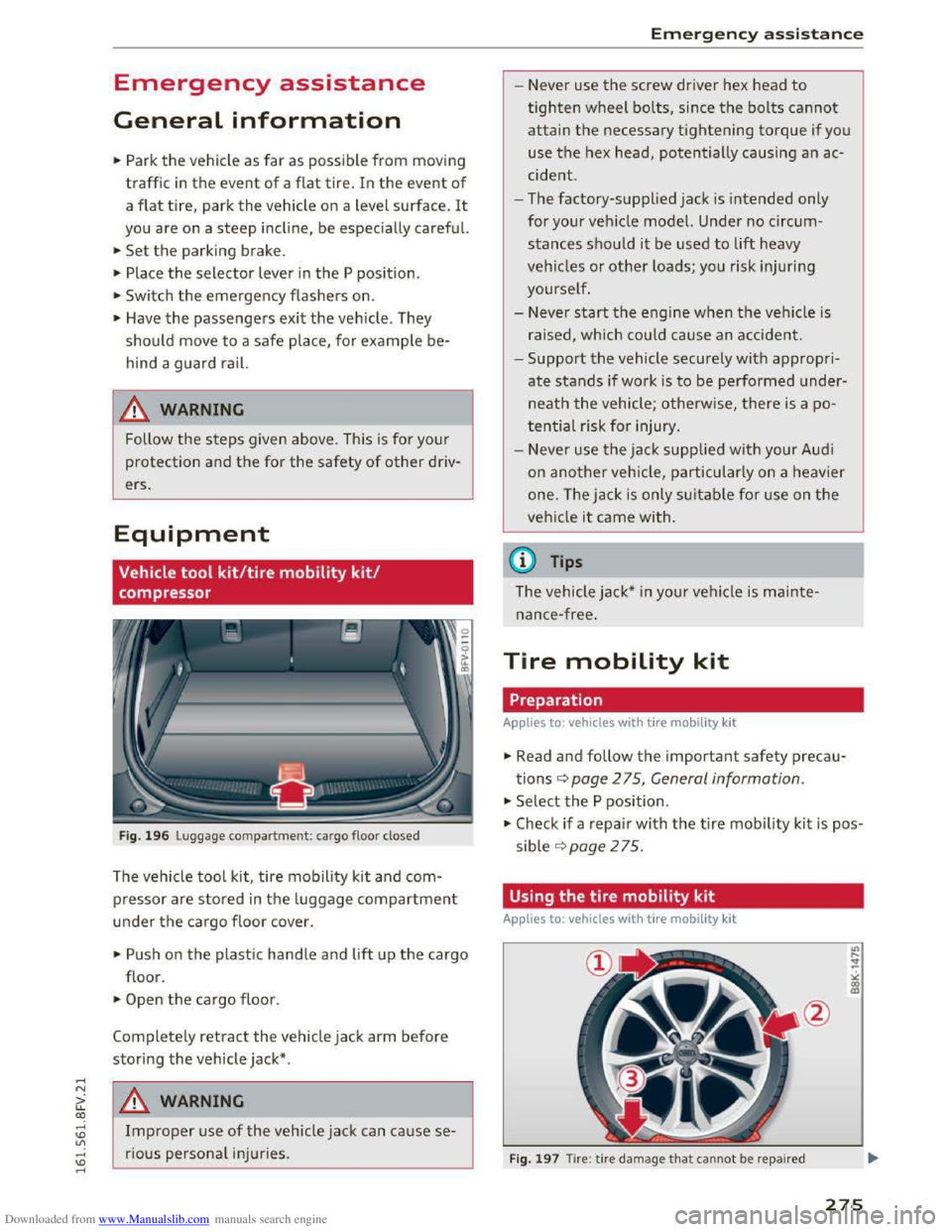
Fig. 196 Luggage compartment: cargo floo r closed
The vehicle tool kit, tire mobility kit and com
pressor are stored in the luggage compartment
u nder the ca rgo floor cover.
"'Push on the plastic handle and lift up the cargo
floor.
"'Open the cargo floor.
Completely retract the vehicle jack arm before
storing the vehicle jack* .
A WARNING
Improper use of the vehicle jack can ca use se
rious personal inju ries .
Emergency assistance
- Never use the screw driver hex head to
tighten wheel bolts, since the bolts cannot
attain the necessary tightening torque if you
use the hex head, potentially causing an ac
cide nt.
- The
factory-supplied jack is intended only
for your vehicle model. Under no circum
stances should it be used to lift heavy
vehicles or other loads; you risk injuring
yourself.
- Never
start the engine when the vehicle is
raised, which could cause an accident.
-Support the vehicle securely with a ppropri
ate stands if wo rk is to be performed under
neat h the vehicle; otherwise, there is a po
tential risk for injury.
- Never
use the jack supplied with your Audi
on another veh icle, particularly on a heavier
one. The jack is only suitable for use on the
vehicle it came with.
(D Tips
The vehicle jack* in your vehicle is mainte
nance-free.
Tire mobility kit
Preparation
Applies to: vehicles with tire mobili ty kit
"' Read and follow the important safety precau
tions<=> page 2 75, General information.
"' Select the P position .
"' Check if a repair with the tire mobility kit is pos
sible ¢page 275.
Using the tire mobility kit
Applies to: vehicles with tire mobility k it
F
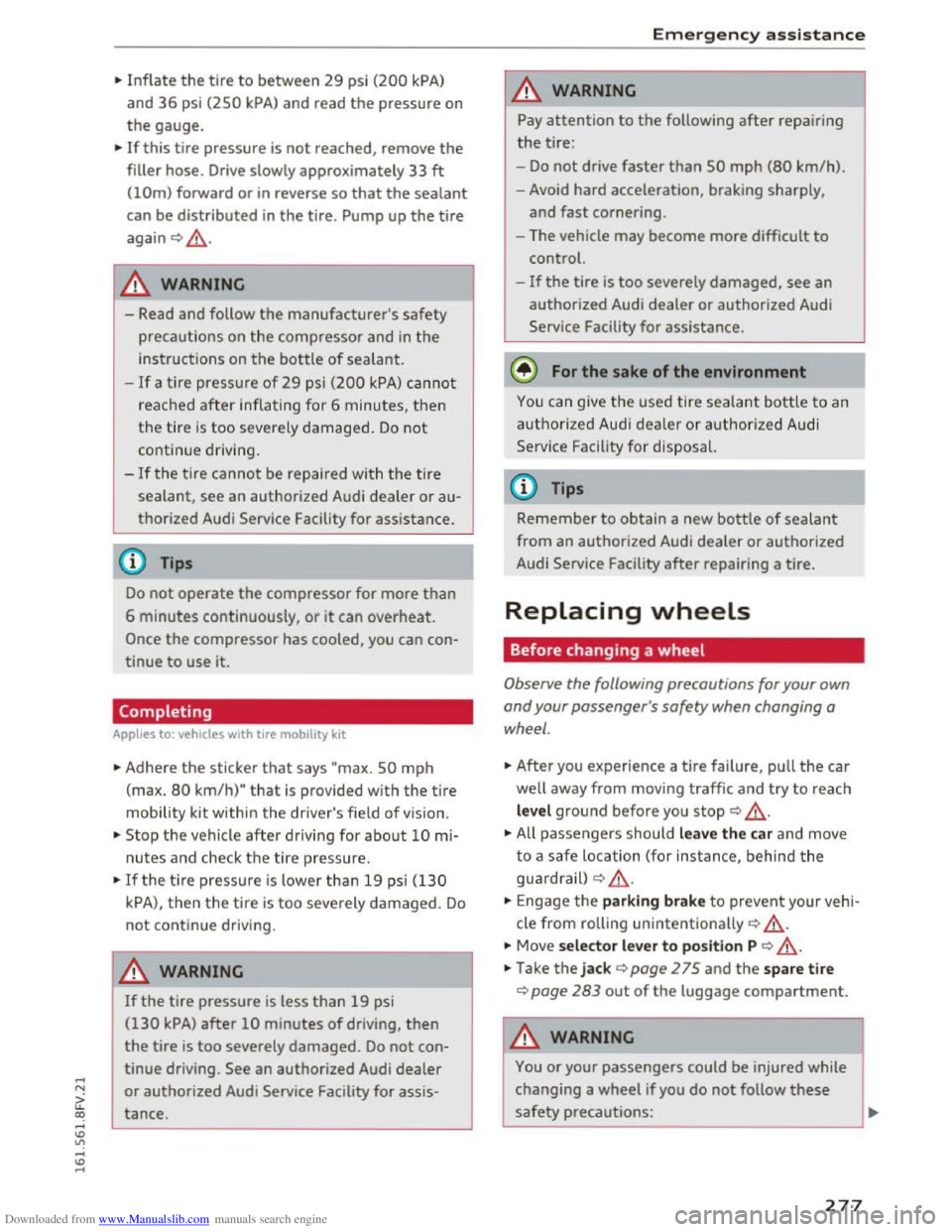
ig. 1 97 Tire : tire damage that cannot be repaired
275
Page 279 of 322
Downloaded from www.Manualslib.com manuals search engine ...... N
G'. CX)
..... ID IJ' ..... ID .....
.,. Inflate the tire to between 29 psi (200 kPA)
and 36 psi (2SO kPA) and read the pressure on
the gauge.
... If this tire pressure is not reached, remove the
filler hose. Drive slowly approximately 33 ft
(!Om) forward or in reverse so that the sealant
can be distributed in the tire. Pump up the tire
again Q ,&..
A WARNING
-Read and follow the manufacturer's safety
precautions on the compressor and in
the
instructions on the bottle of sealant.
-If a tire pressure of 29 psi (200 kPA) cannot
reached
after inflating for 6 minutes, then
the
tire i s too severely damaged . Do not
continue driving.
-If the tire cannot be repaired with the tire
sealant, see an authorized Audi dealer or au
thorized Audi Service Facility
for assistance .
(D Tips
Do not operate the compressor for more than
6 minutes continuously, or it can overheat.
Once the compressor has cooled, you can con
tinue
to use it.
Completing
Applies to: vehicles with tire mobility kit
.,. Adhere the sticker that says "max. SO mph
(max. 80 km/h)" that is provided with the tire
mobility kit within the driver's field of vision .
.,. Stop the vehicle after driving for about 10 mi
nutes and check th e tire pressure.
.,. If the ti re pressure is lower than 19 psi (130
kPA), then the tire is too severely damaged. Do
not continue driving.
A WARNING
If the tire pressure is less than 19 psi
(130 kPA) after 10 minutes of driving, then
the tire is too severely damaged. Do not con
tinue driving.
See an authorized Audi dealer
or authorized Audi Service Facility for assis
tance.
Emergency assistance
A WARNING
"" Pay attention to the following after repairing
the tire:
-Do not drive faster than SO mph (80 km/h).
- Avoid hard acceleration, braking sharply,
and
fast cornering.
- The vehicle may become more
difficult to
control.
-
If the tire is too severely damaged, see an
authorized Audi dealer or authorized Audi
Service Facility
for assistance.
@ For the sake of the environment
You can give the used tire sealant bottle to an
authorized Audi deale r or authorized Audi
Service
Facility for disposal.
(D Tips
Remember to obtain a new bottle of sealant
from an authorized Audi dealer or authorized
Audi Service Facility
after repairing a tire.
Replacing wheels
Before changing a wheel
Observe the following precautions for your own
and
your passenger 's safety when changing a
wheel.
.,. After you experience a tire failure, pull the car
well away from moving traffic and try to reach
level ground before you stop Q .&_.
.,. All passengers should leave the car and move
to a safe location (for instance, behind the
guardra il)
Q & .
... Engag e the parking brake to prevent your vehi
cle
from rolling unintentionally Q ,&..
... Move selector lever to position P Q ,&..
.,. Take the jack Q page 2 75 and the spare tire
Q page 283 out of the luggage compartment.
A WARNING
You or your passengers could be injured while
changing a wheel
if you do not follow these
safety precautions:
-
277