check engine AUDI TT ROADSTER 2008 User Guide
[x] Cancel search | Manufacturer: AUDI, Model Year: 2008, Model line: TT ROADSTER, Model: AUDI TT ROADSTER 2008Pages: 316, PDF Size: 70.1 MB
Page 33 of 316
Applies to vehi cles : wi th m anua l tra nsmi ssion
Function test: manual transmission
When the ignition is switched on, the Auto-Check Control automati
cally performs an operational check . If the functions tested are O .K .,
no message is shown in the display.
If one or more faul ts exist, the driver information disappears
approximately 15 seconds after the engine has been started and the
appropriate fault symbol appears in the display.
If malfunctions exist , this is indicat ed by r ed (prio rity
1) or yellow
(priority
2) symbols. A warning signal sounds at the same time. •
Applies to vehicle s: with autom ati c tra nsm iss io n
Function test: automatic transmission
Th e Auto-Check Con trol will automatically p erform a test each tim e
you switch on the ignition. When the selector lever in
P or N, the
following message appears in the display :
WHEN STATIONARY APPLY FOOTBRAKE WHILE SELECTING GEAR.
When you a select a different gear (for example: R, D, etc.), the
messag e will disappear and th e Auto-Check function is display ed .
If the functions tested are O.K., no message is shown in the display .
If there is a malfunction, then the malfunction message will appear
about 15 seconds after the you start the vehicle. At the same time
you will hear a warning tone.
[ i] Tips
On vehicles with automatic transmission*, the driver message
WHEN STATIONARY APPLY FOOTBRAKE WHILE SELECTING GEAR
cannot be shown again. This driver message appears in the display
only un til a gear is engaged. •
Controls and equip
ment
Driver information system
Red symbols
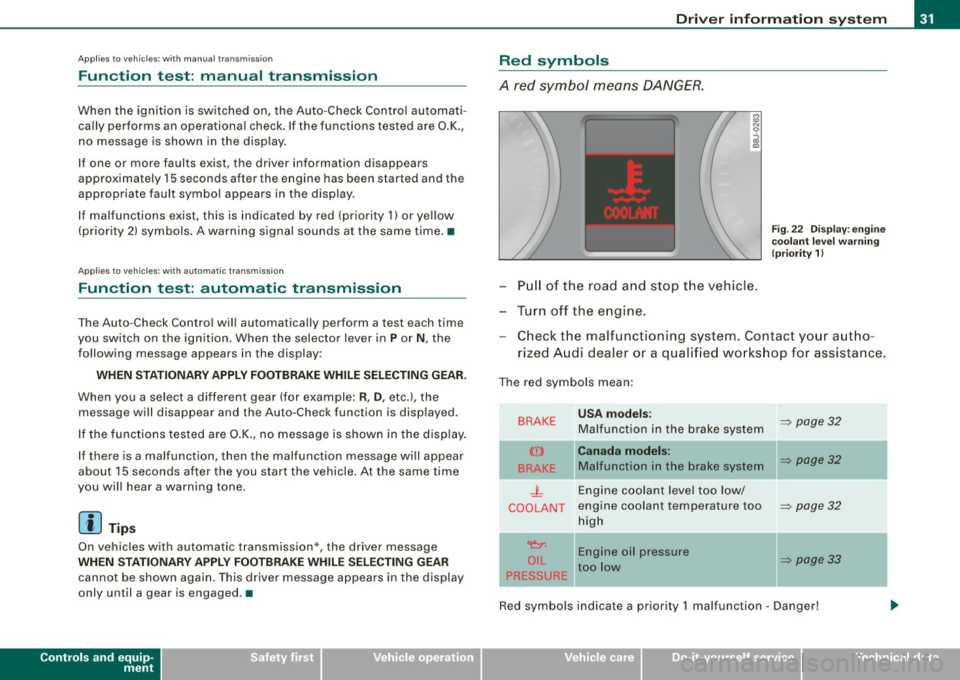
A red symbol means DANGER.
Pull of the road and stop the vehicle.
Turn off the engine.
Fig . 22 Display : engine
coolant level warning
(priority 1)
Check the malfunctioning system . Contact your autho
rized Audi dealer or a qualified workshop for assistance.
The red symbols mean :
BRAKE
(Ci)
BRAKE
.J_
COOLANT
'e:1:
O IL
PRESSURE
-
USA models:
Malfunction in the brake system
Canada models:
Malfunction in the brake system
Engine coolant level too low/
engine coolant tempera ture too
high
Engine oil pressure
too low
-
~ page 32
~ page32
~ page32
~ page33
Red symbols indicate a priority 1 malfunc tion - Danger!
I • •
Page 34 of 316
Driver information system
When a red symbol appears, a warning tone will sound consecu
tively
three times. The symbol continues to flash until the malfunc
tion has been repaired. If there are
more than one priority 1 malfunc
tions, the symbols appear one after the other for about two
seconds.
[ i] Tips
• The message for a malfunction can be shown by pressing on the
left knob.
• During route guidance on vehicles with a navigation system, the
warning symbol is shown in the field above. •
Brake system malfunction
BRAKE (USA models) /
(CD) (Canada models)
A malfunction in the brake system must be repaired as
soon as possible.
When BRAKE/ (CD) (Canada models) appears in the display
and flashes, this means there is a malfunction in the brake
system. In addition to the symbol, one of the following two
messages also appears in the display:
STOP VEHICLE AND CHECK BRAKE FLUID
ABS FAULT! SEE OWNER'S MANUAL
- Pull of the road and stop the vehicle.
- Check the brake fluid level=>
page 230.
USA models: if there is a malfunction in the ABS system, the i:i
warning/indicator light illuminates along with the BRAKE system
malfunction warning/indicator light=>&.
Canada models: if there is a malfunction in the ABS system, the
warning/indicator light illuminates together with the ID brake
system malfunction warning/indicator light=>& .
& WARNING
• Always observe the warnings in=> page 212, "Engine compart
ment", before opening the engine hood and checking the brake
fluid.
• Driving with low brake fluid is a safety hazard! Stop the car and
get professional assistance .
• If the brake system warning/indicator light illuminates
together with the ABS warning/indicator light, then the ABS
system is malfunctioning. The rear wheels could quickly lock up
when you apply the brakes. This could lead to loss of control _and
your vehicle could slide! Drive carefully to the nearest authorized
Audi dealer and have the malfunction corrected. •
Engine cooling system malfunction _t_
A malfunction in the engine cooling system must be
repaired as soon as possible.
When the _t symbol in the display flashes, then either the
engine coolant
temperature is too high, or the coolant level
is too low. In addition to the symbol, the following message
also appears in the display:
SWITCH OFF ENGINE AND CHECK COOLANT LEVEL
-Pull off the road and stop the vehicle .
Turn off the engine.
Check coolant level =>
page 228.
Add coolant if necessary => page 228.
-Continue driving only after the engine coolant
warning/indicator light goes out.
Page 35 of 316
-Contact your authorized Audi dealer for assistance if
necessary.
If the engine coolant level is correct, then the radiator fan may be
the cause of the malfunction.
If the generator warning/indicator light should also illuminate
=> page 19 , then the fan belt may be damaged.
& WARNING
• If your vehicle should break down for mechanical or other
reasons, park at a safe distance from moving traffic, turn off the
engine and turn on the hazard warning lights
=> page 75, "Emer
gency flasher A".
• Never open the hood if you see or hear steam or coolant
escaping from the engine compartment -you risk being scalded.
Wait until you can no longer see or hear steam or coolant
escaping.
• The engine compartment of any vehicle is a dangerous area.
Before you perform any work in the engine compartment, turn of
the engine and allow it to cool. Follow the warning stickers
=> page 212, "Engine compartment".
0 Note
Do not continue driving if the _F_ symbol illuminates. There is a
malfunction in the engine cooling system -you could damage your
engine. •
Controls and equip
ment
Driver information system
Engine oil pressure malfunction 'l=;:f.
The red engine oil pressure warning symbol requires
immediate service or repair. Driving with a low-oil-pres
sure indication is likely to result in serious damage to the
engine.
If the ~ symbol appears in the display and flashes, the oil
pressure is too low. In addition to the symbol, the following
message also appears in the display:
SWITCH OFF ENGINE AND CHECK OIL LEVEL
Immediate actions
- Pull off the road and stop the vehicle.
- Shut the engine down.
- Check the engine oil level with the dipstick=> page 224.
Dipstick reading checks too low
- Top off oil to the proper level
=> page 225.
- Make sure that the oil pressure warning symbol ~
appears no longer in the display before you start driving
again.
Dipstick reading checks OK
- If the ~ symbol starts flashing again even though the
engine oil level checks OK on the dipstick ,
do not start
driving again and do not let the engine run at idle .
Instead, contact your authorized Audi dealer for assis
tance.
I • •
Page 36 of 316
![AUDI TT ROADSTER 2008 User Guide Driver information system
[ i] Tips
• The engine oil pressure symbol 9:::r. is not an indicator for a low
engine oil level. Do not rely on it. Instead, check the oil level](/img/6/57671/w960_57671-35.png "AUDI TT ROADSTER 2008 User Guide Driver information system
[ i] Tips
• The engine oil pressure symbol 9:::r. is not an indicator for a low
engine oil level. Do not rely on it. Instead, check the oil level")
Driver information system
[ i] Tips
• The engine oil pressure symbol 9:::r. is not an indicator for a low
engine oil level. Do not rely on it. Instead, check the oil level in your
engine at regular intervals, preferably each time you refuel, and
always before going on a long trip.
• The yellow oil level warning indication · requires oil refill or
workshop service without delay. Do not wait until the red oil pres
sure warning symbol
9:::r. starts to flash before you respond to the
low oil level warning . By then, your engine may already have
suffered serious damage. •
Yellow symbols
A yellow symbol means WARNING.
Yellow symbols mean:
Low fuel level
Check engine oil level Engine oil sensor malfunction
-
Worn brake pads
USA models:
Speed warning 1
Canada models:
Speed warning 1
-
USA models:
Speed warning 2
-Canada models:
Speed warning 2 =>
pag
e35
=> page35
=> page35
-
=> page35
=> page35
=> page35
=> page35
-
=> page35
Dynamic headlight range con
trol* defective => page35
Windshield washer fluid level low
=> page 35
Battery voltage too high or too
low
Defective light bulb
USA models:
Defective brake light
Canada models:
Defective brake light =>
page35
=> page36
=> page36
=> page36
Light/rain
sensor defective (auto-=> page 36
matic headlights) * defective
Adaptive Light* defective =>
page 36
Tire pressure monitoring system * => page 37
Yellow symbols indicate a priority 2 malfunction -Warning!
When a yellow symbol appears, a warning tone will sound
once .
Check the displayed function as soon as possible . If more than one
priority 2 malfunction is detected, all symbols will appear one after
the other for about two seconds.
To display driver information
As an example, the[} symbol appears in the display . If you now
press the button =>
page 12, fig. 2 ©, the following driver message
appears in the display:
PLEASE REFUEL
The driver message in the display goes out after about 5 seconds.
You can display the driver message again by briefly p ressing the
button. •
Page 37 of 316
Fuel supply too low [J
When the J symbol illuminates, this means there is about 1.8
gal lons
(7 l iters) o f fue l left in the fuel ta nk. T ime to re fuel!
=>
page 275.
I f the symbo l lights up, even when there is ample fuel in the tank,
and the text
TANK SYSTEM MA LFUN CTION! CON TACT WORKSHOP
appears in the display, there is a fau lt in the system. Contact a qual
ified workshop to have the fau lt rectified. •
Checking the engine oil level _,;.
When the -= symbol illuminates, check the engine oil leve l as soon
as possib le =>
page 224. Top off the oil at your ear liest opportun ity
=>
page 225. •
Engine oil sensor defective
-
If the _ symbol illuminates, contact your authorized Audi dealer
and have the oil sensor inspected . Unti l you have this done, check
the oi l leve l each time you re fue l jus t to be on the sa fe s ide
=>
page 224 . •
Worn brake pads .)
If the symbo l illuminates, contact your authorized Audi dea ler to
have the front bra ke pads inspected (on that occasion have the rear
brakes inspected as wel l to be safe). •
Controls and equip
ment
Driver inform ation system
Speed warning 1
~ (USA models) / ~ (Canada
models)
I f the ~ symbo l illuminates, this means you are d riving faste r than
the set vehicle speed . Slow down!=>
page 37. •
Speed warning 2
-.... (USA models) /
l.,... (Canada models)
If the C) symbol il luminates, this means you have driven faster than
the sec ond set vehic le s peed. Slow d own! =>
page 37. •
Applies to veh icles : wi th dynami c he ad light r ange ad just ment
Headlight range control defective
If the il luminates, the dynamic head light range control is no
longer working pr ope rly. Have the syste m checked and repa ired at
your authorized Audi dea ler .•
Windshield washer fluid level too low .-_j
If the ~ symbol illuminates, add windshie ld washer fluid to the
washer sys tem =>
page 236 . •
Battery voltage low ~
If the C sy mb ol illu min ates, co ntact your au thori ze d Audi dealer
and have the following components inspected:
• drive belt
• generator
• b att e ry charge
I • •
Page 38 of 316
Driver information system
Also see if the generator warning/indicator light illuminates
=> page 19. •
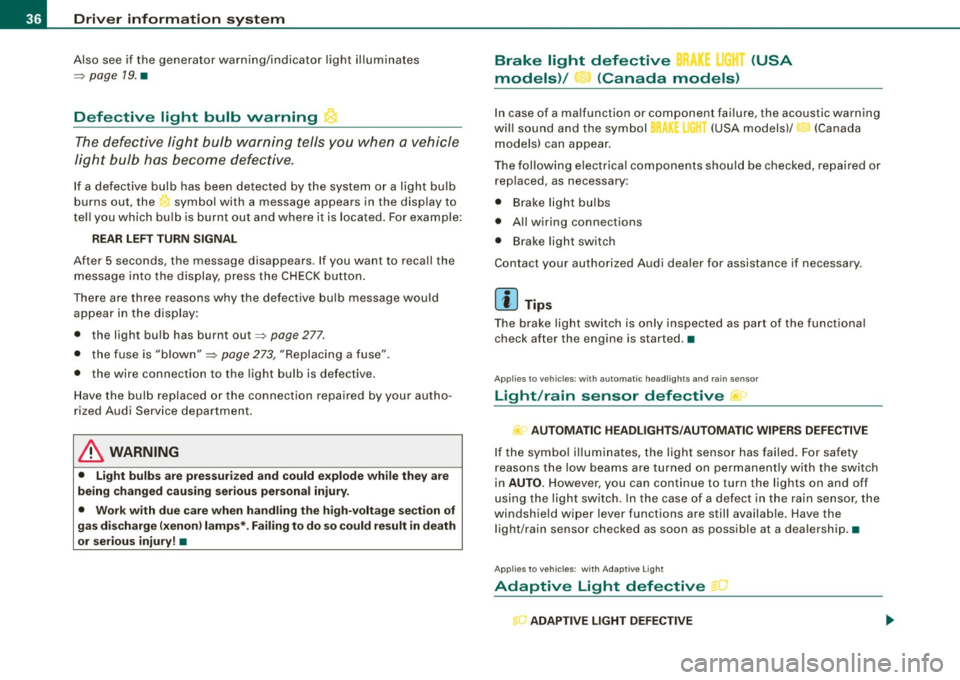
Defective light bulb warning
The defective light bulb warning tells you when a vehicle
light bulb has become defective.
If a defective bulb has been detected by the system or a light bulb
burns out, the symbol with a message appears in the display to
tell you which bulb is burnt out and where it is located. For example:
REAR LEFT TURN SIGNAL
After 5 seconds, the message disappears. If you want to recall the
message into the display, press the CHECK button.
There are three reasons why the defective bulb message would appear in the display:
• the light bulb has burnt out=> page 277.
• the fuse is "blown" => page 273, "Replacing a fuse".
• the wire connection to the light bulb is defective.
Have the bulb replaced or the connection repaired by your autho
rized Audi Service department.
& WARNING
• Light bulbs are pressurized and could explode while they are
being changed causing serious personal injury.
• Work with due care when handling the high-voltage section of
gas discharge (xenon) lamps*. Failing to do so could result in death
or serious injury! •
Brake light defective K: U (USA
models) / (Canada models)
In case of a malfunction or component failure, the acoustic warning
will sound and the symbol&;
l[ (USA models)/ (Canada
models) can appear.
The following electrical components should be checked, repaired or
replaced, as necessary :
• Brake light bulbs
• All wiring connections
• Brake light switch
Contact your authorized Audi dealer for assistance if necessary.
[ i] Tips
The brake light switch is only inspected as part of the functional
check after the engine is started. •
Applies to vehicles: with automat ic headlights and rain sensor
Light /rain sensor defective >
AUTOMATIC HEADLIGHTS/AUTOMATIC WIPERS DEFECTIVE
If the symbol illuminates, the light sensor has failed. For safety
reasons the low beams are turned on permanently with the switch
in
AUTO. However , you can continue to turn the lights on and off
using the light switch. In the case of a defect in the rain sensor, the
windshield wiper lever functions are still available. Have the
light /rain sensor checked as soon as possible at a dealership. •
Applies to veh ic le s: w ith Adaptive Light
Adaptive Light defective
ADAPTIVE LIGHT DEFECTIVE
•
'
Page 59 of 316
When w ill the anti th eft ala rm sys te m be trigge re d ?
When the vehicle is locked, the alarm system mon itors and protects
the following parts of the vehicle :
• engine compartment
• luggage compartment
• doors
• ignition
When the system is activated, the alarm will be triggered if one of the doors , the engine hood or the rear lid are opened, or if the igni
tion is turned on .
The anti -theft alarm sys tem will also go off when the battery is
disconnected .
You can also trigger the alarm by pressing the PANIC button on your remo te -control key . This will alert other people in case of emer
gency. Press the
PANIC button again to turn off the a larm.
H ow is the ant i-th eft al arm s witche d o ff wh en
t riggered ?
The alarm system is switched off when you unlock the vehic le using
t he remote -con tro l key or when the ignition is swi tched on . The
alarm will also switch itse lf off when it comes to the end of its cycle .
Emerg en cy fla sher
The emergency flasher wil l b link brief ly when the doors, engine
hood and rear lid are properly closed .
If the emergency flashers do not blink, check the doors, engine hood
and rear lid to make sure they are properly closed. If you close a
door, the hood or the rear lid with the anti-theft alarm switched on,
the emergency flashers will blink only after you have closed the
door or lid.
[ i ] Tips
• For the ant i-theft a larm system to function properly, make sure
all vehicle doors and windows are closed before leaving the vehicle.
Con tro ls and eq uip
ment
Op ening and clo sing
• When you open the vehicle from the driver's door using the key,
the central locking swi tch wi ll work only after you have swi tched on
the ignition .•
Power windows
Controls
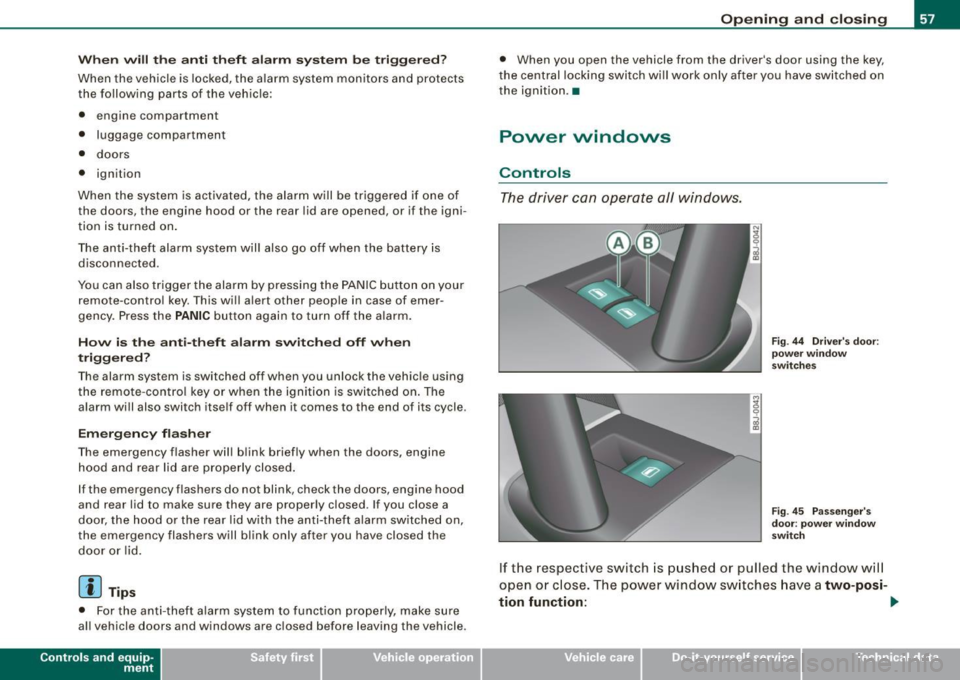
The driver can operate all windows.
M ;g 0
i
F ig . 44 Dri ver's door:
p ow er w in dow
swi tc hes
Fi g. 4 5 Passe nger's
d oor : p ow er window
swi tch
If the respective switch is pushed or pulled the window wil l
open or close. The power window sw itches have a
two-posi -
tion fun ction :
1)1,
Vehicle care I I Technical data
Page 60 of 316
Opening and closing
Opening the windows
- Press the switch and hold it down until the window has
reached the desired position.
- Press the switch
briefly to open the window automati
cally. By briefly pressing the switch again, the downward
travel of the window can be stopped in any position
=> & .
Closing the windows
- Pull the switch and hold it until the window has reached
the desired position.
- Pull the switch
briefly to close the window automatically.
By briefly pressing the switch again, the upward travel of
the window can be stopped in any position => & .
Switch @:::::, page 57, fig. 44 operates the window in the driver's
door.
Switch @ operates the window in the front passenger's door.
& WARNING
• Do not leave children unattended in the vehicle, especially with
access to vehicle keys. Unsupervised use of the keys can result in
starting of the engine and use of vehicle systems such as power
windows, etc. which could result in serious injury.
• Remember -you can still open or close the power windows for
about ten minutes after the ignition is switched off. Only when
either of the front doors are opened are the power windows
switched off.
• Be careful when closing the windows. Check to see that no one
is in the way, or serious injury could result!
• Always remove the ignition key whenever you leave your
vehicle.
& WARNING (continued)
• If you lock your vehicle from the outside, no one, especially chil
dren, should remain in the vehicle.
• Do not stick anything on the windows or the windshield that
may interfere with the driver's field of vision.
[ i] Tips
• When the doors are opened, the windows are automatically
lowered 10 mm.
• The windows can still be opened and closed for about ten
minutes after the ignition has been turned off. The power windows
are not shut off until one of the front doors is opened .•
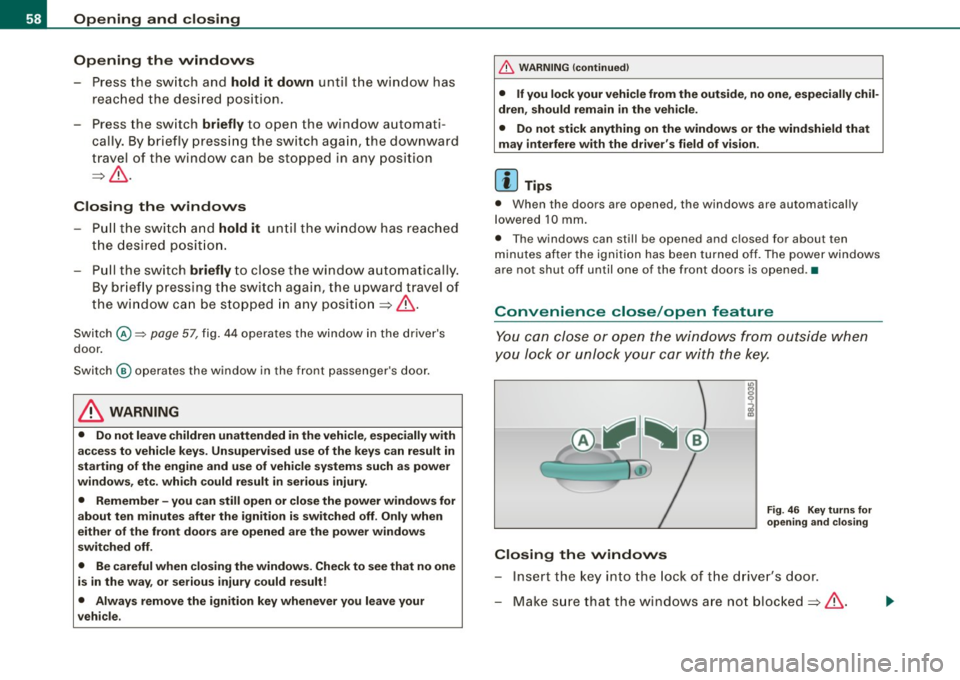
Convenience close /open feature
You can close or open the windows from outside when
you lock or unlock your car with the key.
Closing the windows
Fig. 46 Key turns for
opening and closing
- Insert the key into the lock of the driver's door.
- Make sure that the windows are not blocked=>& .
Page 81 of 316
& WARN IN G ( continu ed)
• The light /ra in sens or* is only de signed to assist and support
the dri ver. It rem ain s e ntirely th e dr iver's re spon sibilit y to m onitor
out side weather cond it ions and to m anu ally activ ate the wipers a s
s oo n as rain or drizz le reduce s visibility t hroug h th e w indsh ield .
• The windshield mu st not be tr eated with w ater-r ep ellent mate
rial s. They c an in creas e glare u nder poor visibilit y cond ition s suc h
a s wetn ess, darkne ss, or when t he sun is low on the hori zon . In
a dditi on, they can cause the wi nd shield wipers to chatter.
0 Note
In freezing or near freezing conditions:
• Always check that the wiper blades are not frozen to the glass
before you turn the wipers on. Loosen a wiper blade which is frozen
in place before operating the wipers to prevent damage to the wiper
blade or the wiper motor.
• Do not use the wipers to clear a frosted window. Using the
wipers as a convenient ice scraper wil l destroy the wiper blades.
• Before you take your vehicle to an automatic car wash, make sure
you have the windshield wiper system switched off (lever in position
0), otherwise the windshield wiper system could get damaged in the
car wash if it should sudden ly come on .
[ i] Tips
• The rain sensor is pa rt of the interva l wiping system. Turning off
the ignition will also deactivate the rain sensor . To reactivate the
sensor, switch off the interva l wiping function, then switch it back
on again.
• Worn or dirty windshield wiper b lades cause smearing, which
can affect the operation of the light/rain sensor *. Check the condi
tion of your windshield wiper b lades regular ly .
• Applies to vehicles with light/rain sensor : When the wipers are
switched on manually and in rain conditions, the automatic head -
Controls and equip
ment
Cl ea r vision
lights * turn on~ page 70, "Sensor activated head and tail light
control" or off during the day when the wipers are n o longer oper
ating . The automatic headlights * function is available in this case
only when the light switch is in the "AUTO" position~
page 70,
fig. 62.
• Make sure the washer fluid reservoir in the engine compartment
is topped off before going on a long trip. Look up~
page 236 for
checking and filling the washer container.
• The wipers only operate with the hood completely closed .•
App lies to vehicles: with headlight washer system
Headlight washer system
The headlight washer system cleans the headlights.
Operate the winds hield wiper/washer system=> page 78,
fig. 72
© wit h the head lights turned on by holding the
lever for longer than one seco nd.
The washer jets extend forward out of the front bumper driven by
water pressure to spray the front head ligh ts with water.
You should inspect the head lights regular ly {for examp le when refu
e ling) and clean off any solid dirt or insects from the lenses .
To ensure the sys tem works proper ly in winter, keep the washer jets
free of snow and remove any ice using a de-icing spray.•
I • •
Page 189 of 316
Activating
The ESP is automatically activated when the engine is started and it
performs a self-test. You can activate a deactivated ASR if required
by pressing the=>
page 184, fig. 142 button. When it is activated,
the message
ESP/ASR on appears briefly in the display. Vehicles
with front -wheel drive a deactivated ASR automatically re -activates
itself at a speed of 40 mph (70 km/h).
Deactivating
You can deactivate the ASR if required by pressing the button (for
less than 3 seconds)=>
page 184, fig. 142. With the ASR deactivated,
the ESP check light comes on, see=>
page 18. The message ASR off
appears in the display as well. On vehicles with front -wheel drive:
deactivation is possible only up to 30 mph (50 km/h) for safety
reasons. Vehicles with all -wheel drive : the ASR can be deactivated
at any speed.
The ASR should normally be activated all the time. Only in certain exceptional situations when some slip is desirable does it make
sense to deactivate the ASR. Examples:
• when driving with tire chains
• when driving in deep snow or on loose ground and
• when rocking the vehicle loose after it has become stuck.
When the abnormal situation is over, you should activate the ASR
again.
& WARNING
The increased safety afforded by ASR does not mean that you can
take safety risks. Always adapt your driving style to the road
conditions and traffic situation.
[ i J Tips
To ensure that the ASR works properly, all four wheels must be fitted
with identical tires. Any differences in rolling radius of the tires can
Intelligent technology
cause the system to reduce engine power when this is not desired.
See also ::::>
page 249, "New tires and replacing tires and wheels".
Rear spoiler
The rear spoiler improves vehicle handling and enhances
driver control.
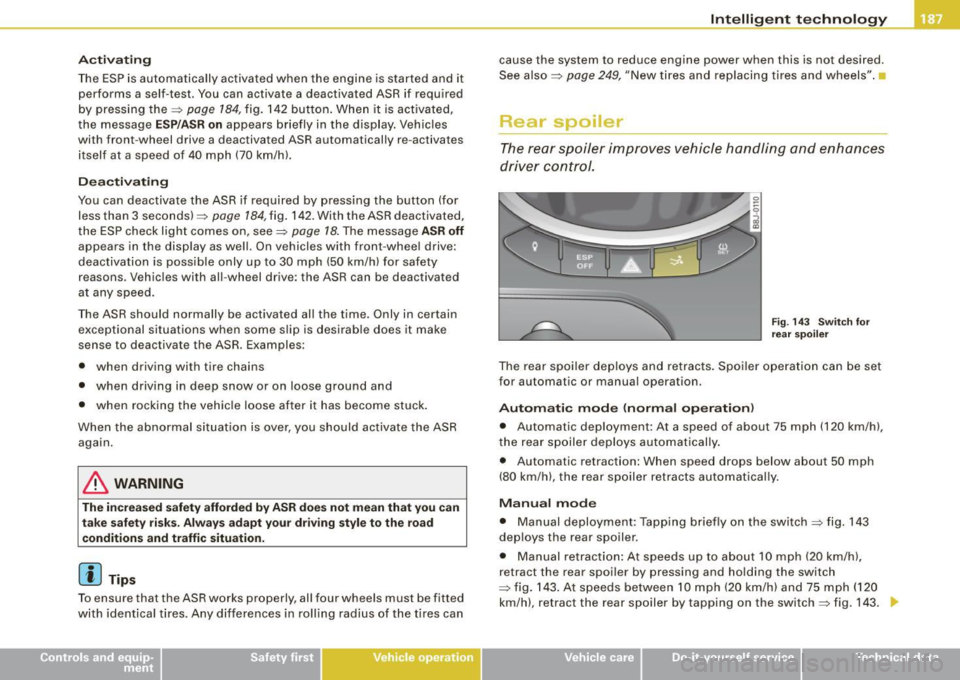
Fig. 143 Switch for
rear spoiler
The rear spoiler deploys and retracts. Spoiler operation can be set
for automatic or manual operation .
Automatic mode (normal operation)
• Automatic deployment : At a speed of about 75 mph (120 km/h),
the rear spoiler deploys automatically.
• Automatic retraction: When speed drops below about 50 mph
(80 km/h), the rear spoiler retracts automatically.
Manual mode
• Manual deployment: Tapping briefly on the switch ::::> fig. 143
deploys the rear spoiler .
• Manual retraction: At speeds up to about 10 mph (20 km/h),
retract the rear spoiler by pressing and holding the switch
::::> fig. 143. At speeds between 10 mph (20 km/h) and 75 mph (120
km/h), retract the rear spoiler by tapping on the switch=> fig. 143 .
Vehicle care I I irechnical data