instrument cluster AUDI TT ROADSTER 2008 User Guide
[x] Cancel search | Manufacturer: AUDI, Model Year: 2008, Model line: TT ROADSTER, Model: AUDI TT ROADSTER 2008Pages: 316, PDF Size: 70.1 MB
Page 44 of 316
Driver inf orm atio n syst em
telltale. When the system detects a malfunction, the telltale will
flash for approximately one minute and then remain continuously
illuminated. This sequence will continue upon subsequent vehicle
starts up as long as the malfunction exists .
When the ma lfunction indicator is illuminated, the system may not
be able to detect or signal low tire pressure as intended.
TPMS malfunctions may occur for a variety of reasons, including the installation of replacement or alternate tires or wheels on the
vehicle that prevent the TPMS from functioning properly. A lways
check the TPMS malfunction tellta le after replacing one or more
tires or whee ls on your vehicle to ensure that the replacement or
a lternate tires and wheels al low the TPMS to continue to function
proper ly .•
Introduction
The tire pressure monitoring system monitors air pressure
in all four road wheels while the vehicle is moving.
As soon as the t ire pressure monitoring system senses a s ignificant
loss of air pressure in one or several tires, text messages and yel low
symbo ls appear in the instrument cluster display to a lert the driver.
The warning light in the instrument c luster comes on when the
tire is significantly underinflated
=> page 17.
The warning light
malfunction . also
illuminates in the case of a system
Be aware that tire pressure is also dependent on the temperature of
the tire . For every 18 °F (10 °C) increase in tire temperature, tire pres
sure increases by about 1 .5 psi (0. 1 bar) . The tire warms up while the
vehic le is moving and tire pressure rises. So you should adjust tire
pressure on ly when they are
cold , when the temperature of the tires
is roughly the same as the ambient air temperature.
In order to keep the tire pressure monitoring system properly ca li
brated, tire pressure on all four tires should be checked at regular intervals, adjusted if necessary and saved in the proper setting
(recommended
pressure)=>
page 44.
The tire pressure is shown on the label located on the driver 's side
B -pillar (visible when the door is open) .
& WARNING
• When the tire pre ssure monitor ing system warn ing light i s lit ,
one or more of your t ir es is s ignificantl y unde r-inflated . You should
s top and check your tire s as s oon as po ssible , and inflate them to
the p rope r pre ss ure as indi cated on th e vehicl e's tire pr essure
label
=> pag e 242. Driv ing on a s ignific antl y un der-inflated t ire
c a use s the tire to overhe at and can le ad to tire fa ilure. Unde r-inf la
ti on also i s lik el y to impair the vehicle' s handling and stopping
ability .
• Do not adju st t ir e pressur e wh en t ire t emp erature is exce ssiv e.
Thi s could le ad to seriou s tire dam age and even cau se the tire t o
bur st, w ith the addition al dan ger of an accident.
W For the sake of the environment
Driving with under -inflated tires reduces fuel efficiency and tire
tread life.
[ i ] Tips
• Each tire should be checked month ly when the temperature of
the tires is abou t the same as ambient air temperature and s et to the
recommended inflation pressure as specified on the tire pressure
label =>
page 242.
• The factory supplied spare whee l is equipped with a se nsor for
the tire pressure monitoring sys tem. As long as the spare wheel is
n ot mounted, the tire pressure of this tire wil l not be monitored.
• T he tire pressure monitoring system he lps the driver to keep an
eye on tire pressures . But the driver still has the responsibility f or
maintaining the correct tire pressure . .,_
Page 45 of 316
• Tire pressure must only be adjusted when the temperature of the
tires is about the same as ambien t air temperature.
• When tires are replaced, the sensors and valves should not be
exchanged. The valve core, nut, valve sea ling and sea l washer
(replacement kit) needs to be replaced. If necessary, the valve and
the wheel electronics have to be rep laced .
• If you should put different wheels and tires on your vehicle (e.g.
winter wheels and tires), you must be certain that the wheels and
tires are compatible with the tire pressure monitoring system.
Otherwise the system will register a malfunction and a fault
message will be displayed. For more information, contact your Audi
dea ler.
• Adjust the tire pressure and store the pressure in the tire pres
sure monitoring system to the load you are carrying .•
Significant loss of air pressure \-,1
The yellow symbol appears in the event of a significant
loss of air pressure.
Fig. 28 Display: yellow
symbol with message
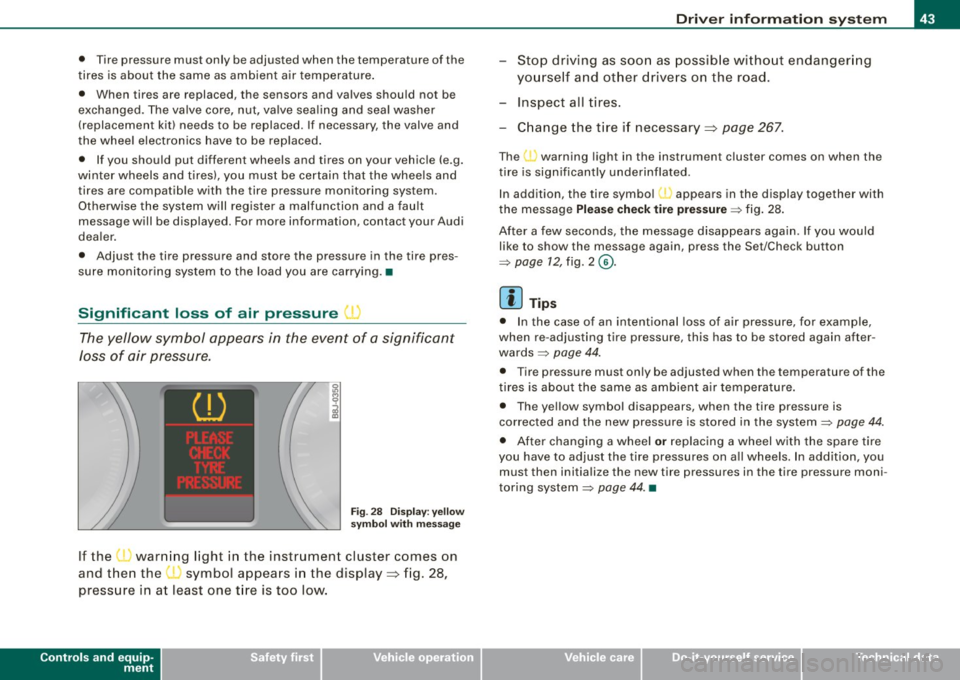
If the • warning light in the instrument cluster comes on
and then the ( symbol appears in the display~ fig. 28,
pressure in at least one t ire is too low.
Controls and equip
ment
Driver inform ation system
Stop driving as soon as possible without endangering
yourself and other drivers on the road .
- Inspect all tires.
Change the tire if necessary ~ page
267.
The ._ warning light in the instrument cluster comes on when the
tire is significantly underinflated .
In addition, the tire symbol(_, appears in the display together with
the message
Please check tire pressure => fig. 28.
After a few seconds, the message disappears again. If you would
like to show the message again, press the Set/Check button
=>
page 12, fig. 2 ©-
[ i ] Tips
• In the case of an intentional loss of air pressure, for example,
when re -adjusting tire pressure, this has to be stored again after
wards=> page 44.
• Tire pressure must only be adjusted when the temperature of the
t ires is about the same as ambient air temperature.
• The yellow symbol disappears, when the tire pressure is
corrected and the new pressure is stored in the system=>
page 44.
• After changing a wheel or replacing a wheel with the spare tire
you have to adjust the tire pressures on a ll wheels. In add ition , you
must then initia lize the new tire pressures in the tire pressure moni
toring system =>
page 44. •
I • •
Page 46 of 316
Driver inf ormation sy ste m
Storing tire pressures
Correct storage of specified pressure is the basic require
ment for reliable tire pressure monitoring.
F ig . 29 S ET -butt on:
T ire pressure mon i
t or ing syste m
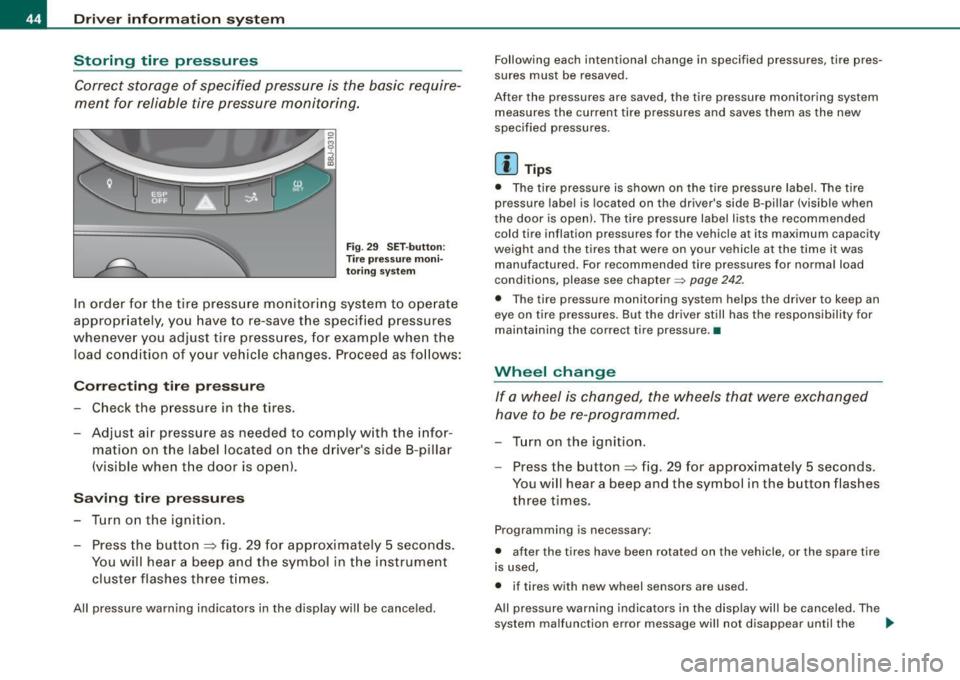
In order for the tire pressure monitori ng system to operate
appropr iately, you have to re-save the specified p ressures
whenever you adjust tire pressures, for example when the load co nd ition of your vehicle changes. Proceed as fo llows:
Corr ecting tir e pr es sure
Check the pressure in the t ires.
- Adjust air pressure as needed to comply w ith the infor
mat ion on the label located on the driver's side B -pillar
(visible when the door is open) .
Saving tire pressures
-Turn on the igniti on.
- Press the button :::> fig. 29 for app rox imately 5 seconds.
You will hear a beep and the symbol in the instrument
cluster flashes three t imes .
All pressure warning indicators in the d isplay will be canceled. Following each intentional change in specified pressures, ti
re pres
sures must be resaved.
After the pressures are saved, the tire pressure monito ring system
measures the current tire pressures and saves them as the new
spec ified pressures .
[ i ] Tip s
• The tire pressure is shown on the tire pressure labe l. The tire
pressur e lab el is located on the driv er's sid e B-pillar (visible when
the door is open). The tire pressure label l ists the recommended
cold tir e inflation pr essur es for the vehic le at its maximum capacity
weigh t and the tires that were on your vehicle at the time it was
manufactured . For recommended tire pressures for norma l load
conditions, please see chapter~
page 242.
• The tire pressure monitoring syst em he lps the driver to keep an
eye on tire pressures. But the driver still has the responsibility for
maintaining the cor rect tire pressure .•
Wheel change
If a wh eel is ch anged , the wheels tha t were exchan ged
have to be re -programmed.
- Tu rn on the ignition.
- Press the button :::> fig. 29 for approximately 5 seconds .
You will hear a beep and the symbol in the button flashes
three times.
Programming is necessary :
• after the t ires have been rotated on the vehicle, or the spare tire
is used,
• if tires with new wheel sensors are used .
All pressure warning indicators in the disp lay wil l be canceled . The
system malfunction error message will not disapp ear until the .,_
Page 47 of 316
vehicle is underway. With pressing the button=> fig . 29, the re
programming of the new sensors and storing of actual pressures
starts . This learn ing phase can take up to 10 minutes driving time.
During the learning process the tire pressure monitoring system is
not avai lable. •
Malfunctions T =»'\,AC.:
A malfunction can have various causes.
Fig. 30 Display:
System malfunction
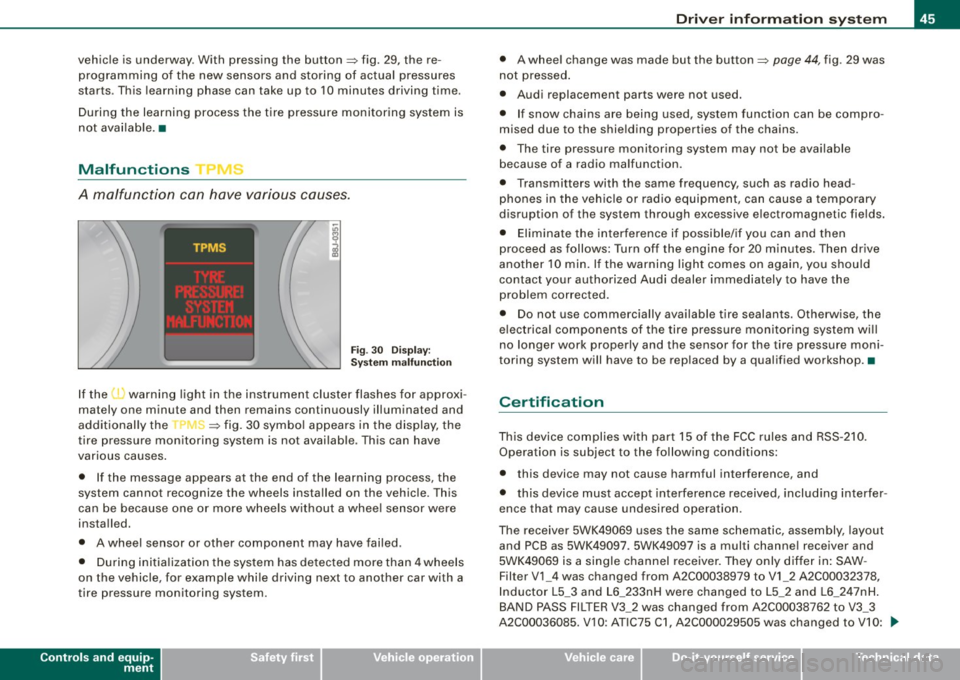
If the t warning light in the instrument cluster flashes for approxi
mately one minute and then remains continuously illuminated and
additionally the
r fin'-=> fig. 30 symbo l appears in the display, the
tire pressure monitoring system is not available. This can have
various causes .
• If the message appears at the end of the learning process, the
system cannot recognize the wheels installed on the vehicle. This
can be because one or more wheels without a whee l sensor were
installed.
• A wheel sensor or other component may have failed .
• During initia lization the system has detected more than 4 wheels
on the vehicle, for example whi le driving next to another car with a
tire pressure monitoring system.
Controls and equip
ment
Driver inform ation system
• A wheel change was made but the button => page 44, fig. 29 was
not pressed .
• Audi replacement parts were not used.
• If snow chains are being used, system function can be compro
mised due to the shielding properties of the chains.
• The tire pressure monitoring system may not be available
because of a radio malfunction.
• Transmitters with the same frequency, such as radio head
phones in the vehic le or radio equipment, can cause a temporary
disruption of the system through excessive e lectromagnetic fields.
• Eliminate the interference if possible/if you can and then
proceed as follows: Turn off the engine for 20 minutes . Then drive
another 10 min. If the warning light comes on again, you should
contact your authorized Audi dealer immediately to have the
problem corrected.
• Do not use commercially available tire sealants. Otherwise, the
e lectrica l components of the tire pressure monitoring system will
no longer work properly and the sensor for the tire pressure moni
toring system will have to be replaced by a qualified workshop. •
Certification
This device complies with part 15 of the FCC rules and RSS-210.
Operation is subject to the following conditions:
• this device may not cause harmful interference, and
• this device must accept interference received, includ ing interfer
ence that may cause undesired operation.
The receiver 5WK49069 uses the same schematic, assembly, layout
and PCB as 5WK49097 . 5WK49097 is a multi channe l receiver and
5WK49069 is a single channel receiver. They only differ in: SAW -
Filter V1_4 was changed from A2C00038979 to V1_2 A2C00032378,
Inductor L5_3 and L6_233nH were changed to L5_2 and L6_2 47nH.
BAND PASS FILTER V3_2 was changed from A2C00038762 to V3_3
A2C00036085. V 10: ATIC75 C1, A2C000029505 was changed to V10: .,,,
I • •
Page 57 of 316
Rear lid/trunk lid
Opening and closing rear lid
You can open the rear lid from inside the vehicle using a
switch in the driver's door.
Opening the rear lid
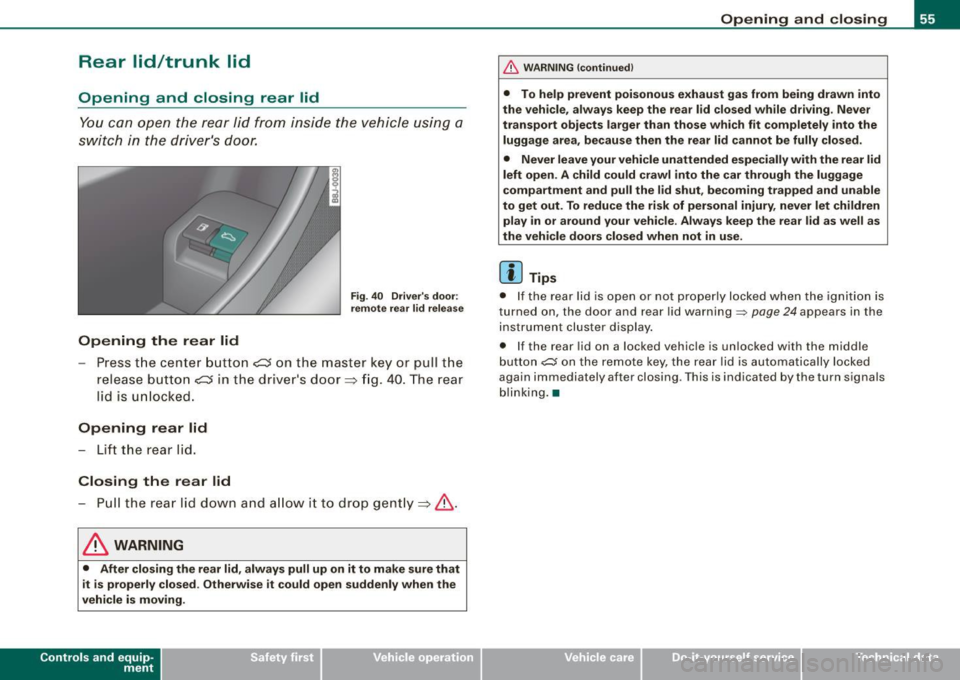
Fig . 40 Driver's door:
remote rear lid release
-Press the center button e::5 on the master key or pull the
release button
C::5 in the dr iver's door=> fig. 40. The rear
lid is unlocked.
Opening rear lid
- Lift the rear lid.
Closing the rear lid
- Pull the rear lid down and allow it to drop gently=>& .
& WARNING
• After closing the rear lid, always pull up on it to make sure that
it is properly closed. Otherwise it could open suddenly when the
vehicle is moving.
Con tro ls and eq uip
ment
Opening and closing
& WARNING !continued)
• To help prevent poisonous exhaust gas from being drawn into
the vehicle, always keep the rear lid closed while driving. Never
transport objects larger than those which fit completely into the
luggage area, because then the rear lid cannot be fully closed.
• Never leave your vehicle unattended especially with the rear lid
left open. A child could crawl into the car through the luggage
compartment and pull the lid shut, becoming trapped and unable
to get out. To reduce the risk of personal injury, never let children
play in or around your vehicle . Always keep the rear lid as well as
the vehicle doors closed when not in use.
[ i] Tips
• If the rear lid is open or not properly locked when the ignition is
turned on, the door and rear lid warning~
page 24 appears in the
instrument cluster display.
• If the rear lid on a locked vehicle is unlocked with the m iddle
button
~ on the remote key, the rear lid is automatically locked
again immediately after closing . This is indicated by the turn signals
blinking. •
Vehicle care
I I irechnical data
Page 65 of 316
-Press and hold the switch down throughout the closing
procedure.
The folding top is completely open or closed when the indicator
light <:-in the instrument cluster goes out. The door windows are
automatically lowered about 20 mm while the top is opening .
& WARNING
Never drive the vehicle with the top not properly latched! Other
wise there is a risk that the top will be opened by the wind. This
can result in injuries and damage to the vehicle.
[ i] Tips
• Opening and closing the automatic convertible top is possible
below posted speed limits in city driving . At speeds above 4 mph (6
km/h), you can use the "convenience opening" function. The folding
top is completely opened by briefly pulling on the switch.
• The indicator light for the folding top goes out as soon as it is
correctly latched .
• In order not to discharge the battery unnecessarily, the top
should not be lowered or raised several times in succession with the
engine not running.
• I f the indicator light for the folding top flashes when the switch
is actuated, there is a malfunction. •
Controls and equip
ment
Folding top
Ap plies to vehic les: with power fo lding top
Convenience opening and closing of power
top
The power top can alternatively be opened and closed by
turning the key in the driver's door Jock.
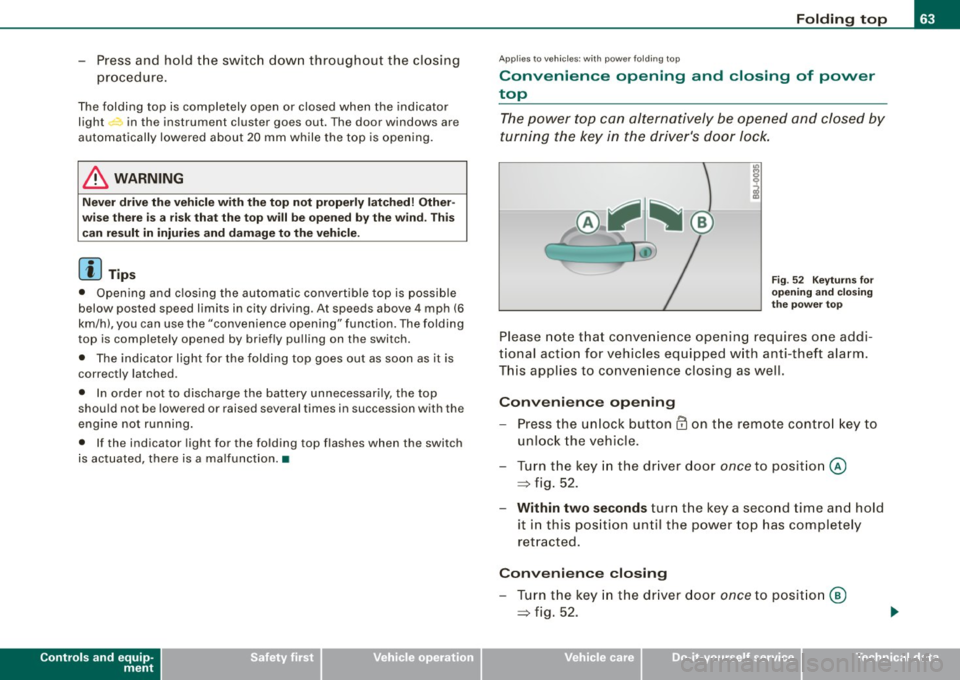
Fig. 52 Keyturns for
opening and closing
the power top
Please note that convenience opening requires one addi
tional action for vehicles equipped with anti-theft alarm.
This applies to convenience closing as well.
Convenience opening
-Press the unlock button CD on the remote control key to
unlock the vehicle.
- Turn the key in the driver door
once to position @
=> fig. 52.
- Within two seconds turn the key a second time and hold
it in this position until the power top has completely
retracted.
Convenience closing
- Turn the key in the driver door once to position @
=> fig. 52.
I • •
Page 70 of 316
Folding top
-Turn the crank counter-clockwise until the top is fully
locked in place and the indicator light on the instrument
cluster goes out.
- Pull the crank out.
- Unscrew the square shaft from the crank.
- Insert the square shaft into the opening until you hear it
click into place.
- Use the protective cap to close off the insertion opening.
The folding top is now completely closed. Have the malfunction
repaired as soon as possible.
[ i) Tips
Turn the emergency operation screw in the luggage compartment
to the right to close the folding top hydraulic system.•
Page 77 of 316
Ignition ON , light swit ch at @ .
With the ignition switched ON, the g low of instrument needles can
be adjusted to appear brighter or dimmer.
Ignition ON , ligh t switch at :oo ; or io.
With the lights switched on , the brightness of instrument cluster
(i .e. needles, gauges and displays) and center conso le i llu m in ation
can be adjusted .
0 Note
The instrument c luster and center console illumination (gauges and
needles) comes on when you switch on the igni tion and the
vehicle
headlights are off .
Be aware of the followin g difference be tween
models built to US o r Canadian specifications :
• USA models : illumination of the in strument cluster (gauges and
needles), dash and center console around the gearshift lever is
controlled by a light sensor located in the instrument panel. The
instrument panel illum ination will automatically become dimmer
as the daylight fades away and eventually will go out completely
when outside light is very low . This is to remind you , the d river , to
s witch on the headlight s before it gets too dark.
• Canada models : instrument panel illum ination will stay br ight
regardle ss of the inten sity of ambient light . Always be aware of
c hanges in outside light conditions while you are driving . Respond
in time to fading dayli ght by turning the light switch to position
iD
(or "AUTO" if your car is equipped with this feature) to turn on your
headlights. •
Bi-Xenon headlights*
Afte r starting the engi ne, the b i- xeno n headlights are au tomatical ly
adjusted to the load and angle of the vehic le (for example, during
acce lera tion and braking). This prevents oncoming traffi c from
experiencing unnecessary headlight g lare from your bi -xenon head
lig hts .
Con tro ls and eq uip
ment
Clear vision
I f the system is not operating properly, a warning symbo l in the
Au to-Check C ontr ol is displayed
=> page 35 . •
Emergency flasher tfft,,.
T he e mergency flasher m akes other motor ists aware that
y o u or yo ur vehicle are i n an e merge ncy si tuation.
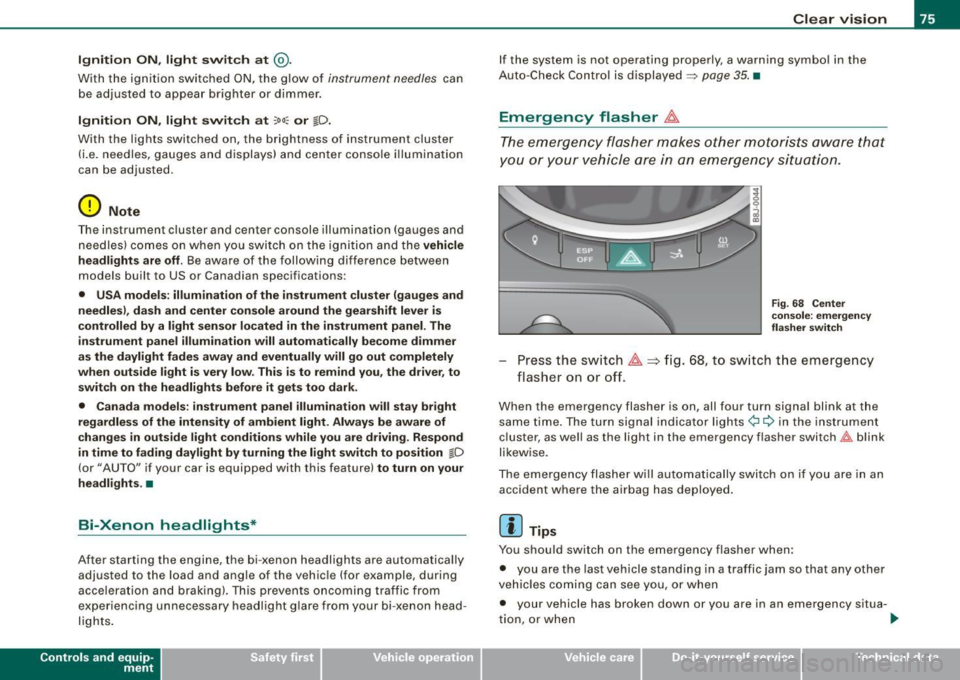
Fig . 68 Center
co nsole : emergency
fla sher sw itch
Press the sw itch ~=:,fig. 68, to s witch t he emergency
flasher on or off.
When the emergency flasher is on, all four turn signal blink at the
same time . The tu rn signal indi cato r lights
¢i Q in the instrument
c luster, as well as the light in the emergency flasher switch
J:&. b link
likewise.
The eme rgency flashe r will automat ically switch on i f you are in an
accident where the airbag has deployed .
[ i ] Tips
You should switch on the emergency flasher when:
• you are the last vehicle standing in a traffic jam so that any other
vehicles coming can see you, or when
• your vehicle has broken down or you are in an emergency s itua -
tion, o r when _,,,
Vehicle care I I irechnical data
Page 78 of 316
Clear vision
• your vehicle is being towed by a tow truck or if you are towing
another vehicle behind you. •
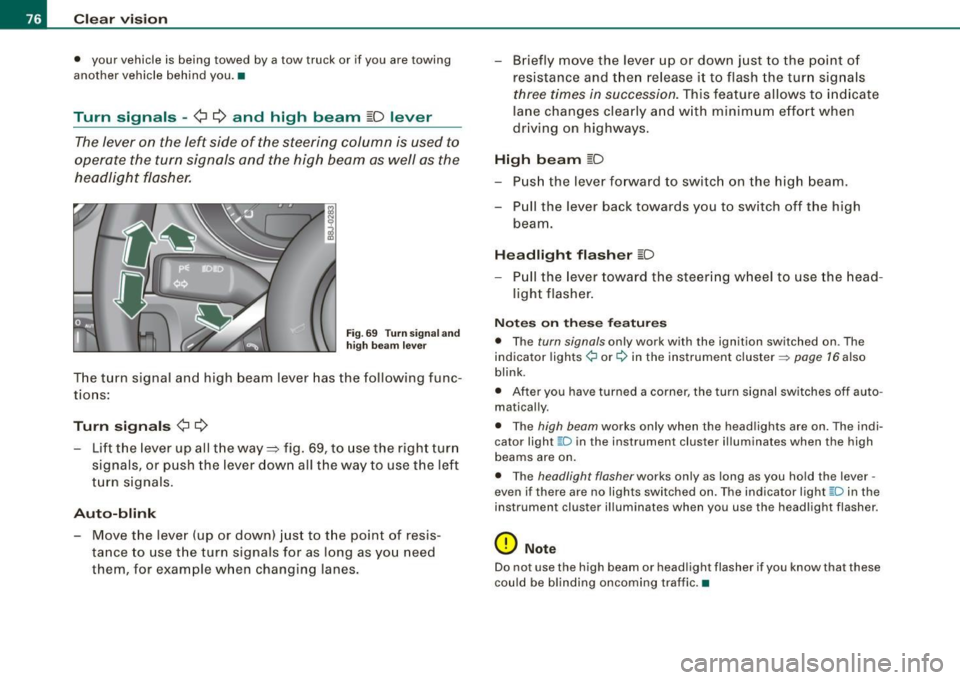
Turn signals -¢ ¢ and high beam ~D lever
The lever on the left side of the steering column is used to
operate the turn signals and the high beam as well as the
headlight flasher.
Fig. 69 Turn signa l and
high beam leve r
The turn signal and high beam lever has the following func
tions:
Turn signals ¢ Q
- Lift the lever up all the way ~ fig. 69, to use the right turn
signals, or push the lever down all the way to use the left
turn signals .
Auto-blink
-Move the lever (up or down) just to the point of resis
tance to use the turn signals for as long as you need
them, for example when changing lanes. - Briefly
move the lever up or down just to the point of
resistance and then release it to flash the turn signals
three times in succession. This feature allows to indicate
lane changes clearly and with minimum effort when
driving on highways.
High beam [D
- Push the lever forward to switch on the high beam.
- Pull the lever back towards you to switch off the high
beam.
Headlight flasher [D
- Pull the lever toward the steering wheel to use the head
light flasher.
Notes on these features
• The turn signals only work with the ignition switched on . The
indicator lights ¢ or¢ in the instrument cluster => page 16 also
blink .
• After you have turned a corner, the turn signal switches off auto
matically.
• The high beam works only when the head lights are on . The indi
cator light ~D in the instrument cluster i lluminates when the high
beams are on.
• The headlight flasher works only as long as you hold the lever -
even if there are no lights switched on. The ind icator light ~D in the
instrument cluster illuminates when you use the headlight flasher .
0 Note
Do not use the high beam or headlight flasher if you know that these
could be blinding oncoming traffic. •
Page 110 of 316
• ..__O_ n_ t_h _ e_ r_ o_ a_ d ____________________________________________________ _
0 Note
Do not stop the engine immediately after hard or extended driving.
Keep the engine running for approximately two minutes to prevent
excessive heat build-up. •
Parking brake
Parking brake
When the parking brake is set, it prevents the vehicle from
rolling away unintentionally.
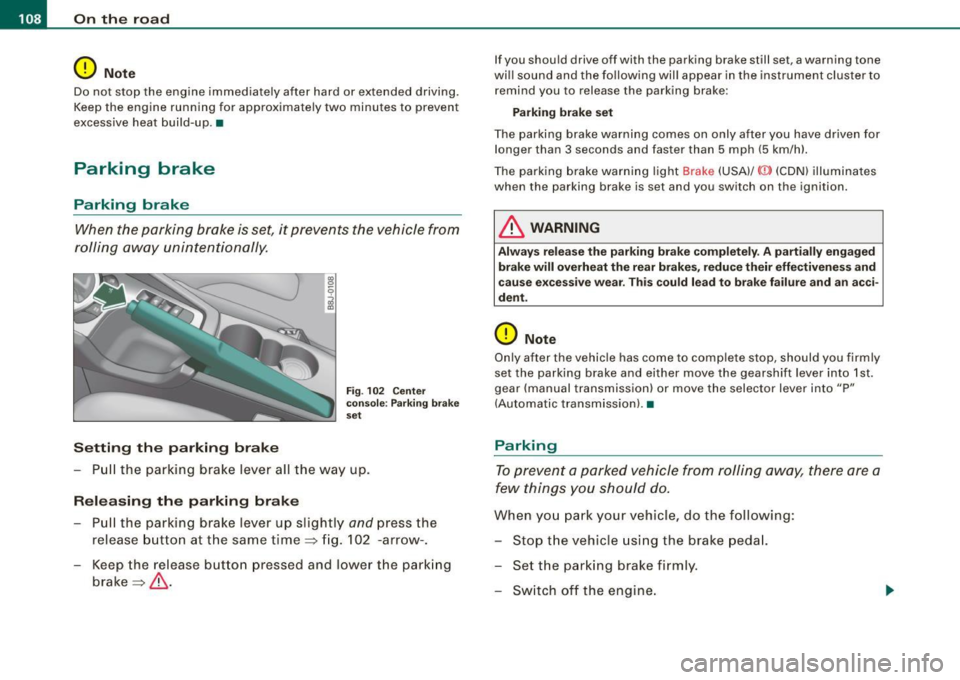
Setting the parking brake
Fig . 102 Center
console: Parking brake
set
- Pull the parking brake lever all the way up.
Releasing the parking brake Pull the parking brake lever up slightly
and press the
release button at the same time=> fig. 102 -arrow-.
Keep the release button pressed and lower the parking
brake=>
& -
If you should drive off with the parking brake still set, a warning tone
will sound and the following will appear in the instrument cluster to remind you to release the parking brake:
Parking brake set
The parking brake warning comes on only after you have driven for longer than 3 seconds and faster than 5 mph (5 km/h).
The parking brake warning light Brake (USA)/
{CD) (CON) illuminates
when the parking brake is set and you switch on the ignition.
& WARNING
Always release the parking brake completely . A partially engaged
brake will overheat the rear brakes, reduce their effectiveness and
cause excessive wear. This could lead to brake failure and an acci
dent.
0 Note
Only after the vehicle has come to complete stop, should you firmly
set the parking brake and either move the gearshift lever into 1st .
gear (manual transmission) or move the selector lever into "P"
(Automatic transmission). •
Parking
To prevent a parked vehicle from rolling away, there are a
few things you should do.
When you park your vehicle, do the following:
- Stop the vehicle using the brake pedal.
- Set the parking brake firmly.
- Switch off the engine.