stop start AUDI TT ROADSTER 2008 User Guide
[x] Cancel search | Manufacturer: AUDI, Model Year: 2008, Model line: TT ROADSTER, Model: AUDI TT ROADSTER 2008Pages: 316, PDF Size: 70.1 MB
Page 60 of 316
Opening and closing
Opening the windows
- Press the switch and hold it down until the window has
reached the desired position.
- Press the switch
briefly to open the window automati
cally. By briefly pressing the switch again, the downward
travel of the window can be stopped in any position
=> & .
Closing the windows
- Pull the switch and hold it until the window has reached
the desired position.
- Pull the switch
briefly to close the window automatically.
By briefly pressing the switch again, the upward travel of
the window can be stopped in any position => & .
Switch @:::::, page 57, fig. 44 operates the window in the driver's
door.
Switch @ operates the window in the front passenger's door.
& WARNING
• Do not leave children unattended in the vehicle, especially with
access to vehicle keys. Unsupervised use of the keys can result in
starting of the engine and use of vehicle systems such as power
windows, etc. which could result in serious injury.
• Remember -you can still open or close the power windows for
about ten minutes after the ignition is switched off. Only when
either of the front doors are opened are the power windows
switched off.
• Be careful when closing the windows. Check to see that no one
is in the way, or serious injury could result!
• Always remove the ignition key whenever you leave your
vehicle.
& WARNING (continued)
• If you lock your vehicle from the outside, no one, especially chil
dren, should remain in the vehicle.
• Do not stick anything on the windows or the windshield that
may interfere with the driver's field of vision.
[ i] Tips
• When the doors are opened, the windows are automatically
lowered 10 mm.
• The windows can still be opened and closed for about ten
minutes after the ignition has been turned off. The power windows
are not shut off until one of the front doors is opened .•
Convenience close /open feature
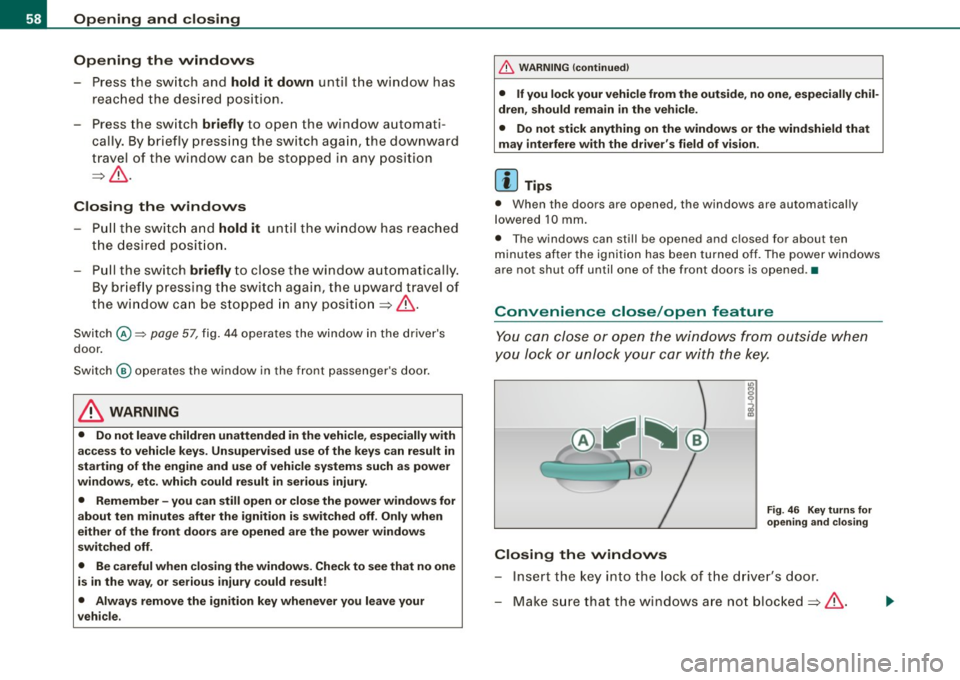
You can close or open the windows from outside when
you lock or unlock your car with the key.
Closing the windows
Fig. 46 Key turns for
opening and closing
- Insert the key into the lock of the driver's door.
- Make sure that the windows are not blocked=>& .
Page 71 of 316
Clear vision
Lights
Switching the headlights on and off ·'t!-·
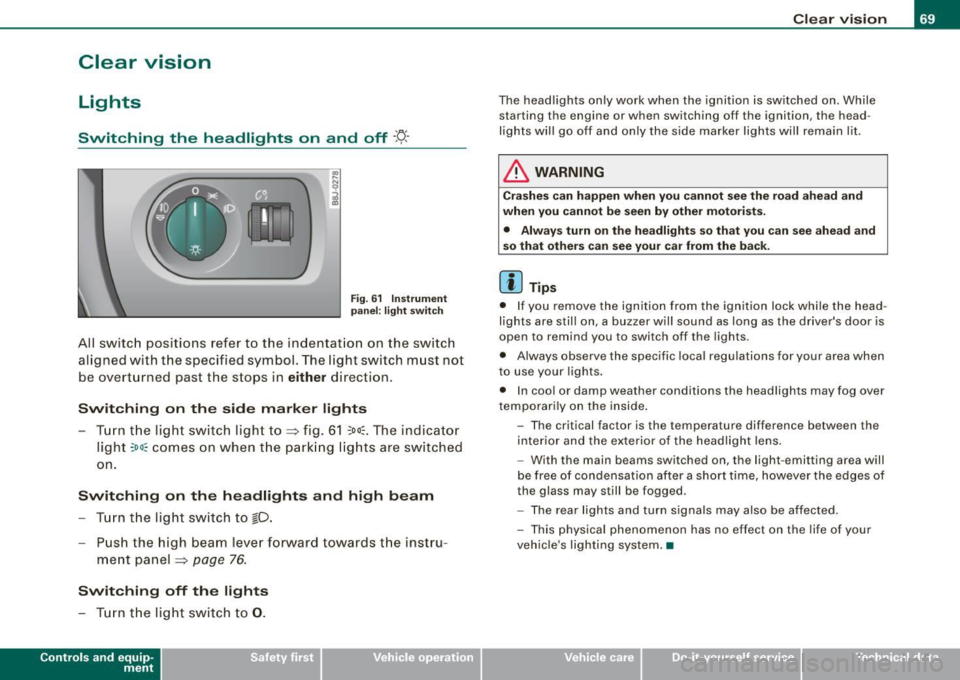
Fig. 6 1 Ins trum ent
p ane l: lig ht sw itch
All sw itc h positions refer to the indentat ion on the switch
aligned with the specified symbol. The light switch must not
be overturned past the stops in
either direction .
Switching on the side marker lights
-Tur n t he light switch ligh t to ==> fig. 61 ;oo; . The indi ca tor
light
; oo ~ comes o n when t he park ing lig hts are sw itched
on .
Switching on the headlights and high beam
- Turn t he light switch to lD.
- Push the high beam leve r fo rward towards t he instru -
ment panel ==> page
76.
Switching off the lights
-Tur n t he lig ht switch to 0 .
Con tro ls and eq uip
ment
Clear vision
The headlights only work when the ignition is switched on . While
starting the engine or when switching off the ignition, the head
lights will go off and only the side marker lights will remain lit .
& WARNING
Crashe s can happen when you cannot see the road ahead and
when you c annot be seen by other motori sts.
• Always tu rn on the headlight s so th at you can see ahead and
so that others can see your ca r from the ba ck.
[ i ] Tips
• I f you remove the ignition from the ignition lock wh ile the head
lights are still on, a buzzer will sound as long as the driver's doo r is
open to remind you to switch off the lights .
• Always observe the spec ific local regulations for your area when
to use your lights .
• I n coo l or damp weather conditions the headlights may fog over
tempo ra rily on the inside .
- The critical factor is the t emperature diff erence between the
interior and the ex te rior of the headlight lens .
- With the main beams switched on, the light -emitting area will
be free o f condensation after a short time, however the edges of
the glass may still be fogged .
- The rear lights and turn signa ls may also be affected.
- This physical phenomenon has no effect on the life of your
vehicle 's lighting system. •
Vehicle care I I irechnical data
Page 80 of 316
Clear vision
Wiper and washer system
Windshield wiper ~
The windshield wiper lever controls both the windshield
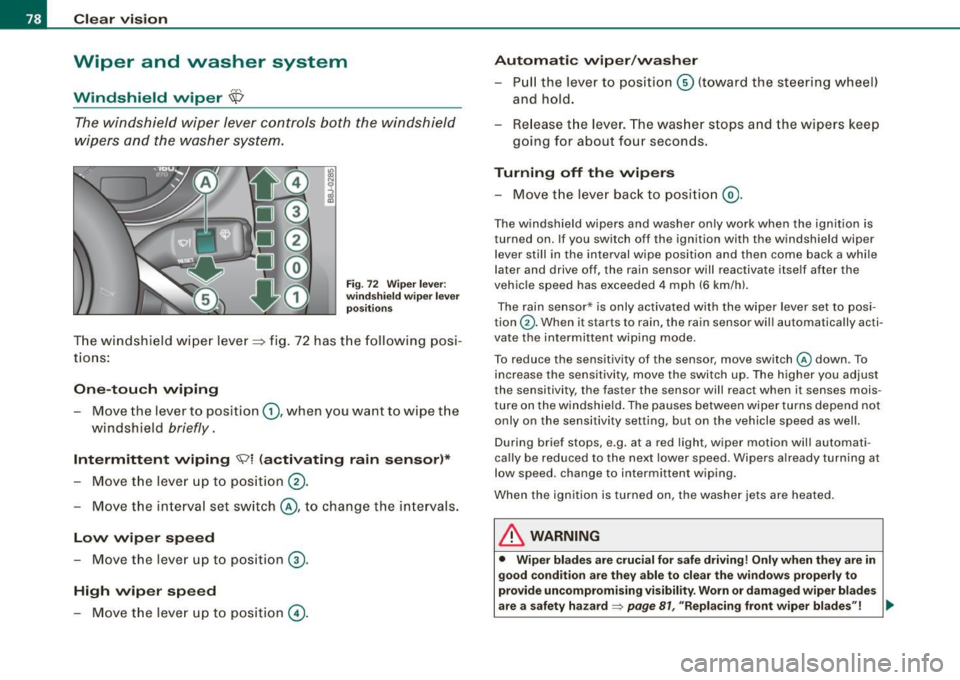
wipers and the washer system.
Fig. 72 Wiper lever:
windshield wiper lever
positions
T he windshield wiper lever :::::> fig. 72 has the following posi
tions:
One -touch wiping
Move the lever to position G), when you want to wipe the
windshield
briefly.
Intermittent wiping ~ l (activating rain sensor)*
Move the lever up to position 0-
- Move the interval set switch@, to change the inter vals .
Low wiper speed
-Move the lever up to position ©-
High wiper speed
- Move the lever up to position @.
Automatic wiper/washer
- Pull the lever to position© (toward the steering wheel)
and hold.
- Re lease the lever . The washer stops and the wipers keep
going for about four seconds .
Turning off the wipers
-Move the lever back to position @.
The windshield wipers and washer only work when the ignition is
turned on. If you switch off the ignition with th e windshield wiper
lever still in the interval wipe position and then come back a while
later and drive off, the rain sensor will reactivate itse lf after the
vehic le speed has exceeded 4 mph (6 km/h).
The rain sensor* is only activated with the wiper lever set to posi
tion
G) . When it starts to rain, the rain sensor will automatically acti
vate the intermittent wiping mode.
To reduce the sensitivity of the sensor , move switch
@ down . To
increase the sensitivity , move the switch up. The higher you adjust
the sensi tivity, the faster the sensor will react when it senses mois
ture on the windshield. The pauses between wiper turns depend not
only on the sensitivity setting , but on the vehicle speed as well.
During brief stops , e.g. at a r ed light, wiper mot ion wil l automati
cally be reduced to the next lower speed. Wipers a lready turning at
low speed . change to intermittent wip ing.
When the igni tion is turned on, the washer jets are heated.
& WARNING
• Wiper blades are crucial for safe driving! Only when they are in
good condition are they able to clear the windows properly to
provide uncompromising visibility. Worn or damaged wiper blades
are a safety hazard~
page 81 , "Replacing front wiper blades"! ..,_
Page 109 of 316
___________________________________________________ O _n_ t_h _ e_ r_ o _ a_ d __ ,n
Starting and stopping the engine
Starting the engine
The engine can only be started with on original Audi key
and the clutch pedal* depressed.
- Set the parking brake.
Move the selector lever to the neutral position (automatic
transmission: selector lever in P or N)
~ & .
- On vehicles with manual transmission, fully depress the
clutch pedal.
- Turn the ignition key to position
G) ~ page 106, fig. 101
- do not depress the gas pedal when starting the engine!
- Let go of the key as soon as the engine starts.
A cold engine may at first be loud after it has been started. This is
due to the hydraulic valves building up the oil pressure . This normal
and no need for concern.
If the engine does not star t immediately, stop trying after 10
seconds and then try to restart the engine about 30 seconds later.
& WARNING
Never start or let the engine run in a confined or enclosed area.
Exhaust fumes from the engine contain carbon monoxide, a color
less and odorless gas. Carbon monoxide can be fatal if inhaled .
• Never leave the engine idling unattended. An unattended
vehicle with a running engine poses a danger of personal injury or
theft.
Controls and equip
ment
0 Note
• Avoid high engine speeds, fast acceleration or heavy engine
loads while the engine is still cold. This could damage the engine.
• The engine cannot be started by pushing o r towing the vehicle.
~ For the sake of the environment
To avoid unnecessary engine wear and to reduce exhaust emis
sions, do not let your vehicle stand and warm up. Be ready to drive
off immediately after starting your vehicle. Maintain moderate
speed until the engine is completely warm. Remember, the engine
performs best at operating temperature. •
Stopping the engine
-Turn the ignition key to position G) ~ page 106 , fig. 101.
& WARNING
• Never turn off the engine until the vehicle has come to a
complete stop.
• The brake booster and servotronic only work when the engine
is running . With the ignition turned off, you have to apply more
force when steering or braking. Since you cannot steer and stop
normally, this can lead to accidents and serious injuries.
• The radiator fan can continue to run for up to 10 minutes even
after you have turned off the engine and removed the ignition key.
The radiator fan can also turn on again if the engine coolant heats
up because of intense sunlight or heat build-up in the engine
compartment. .,
I • •
Page 111 of 316
_________________________________________________ O .=.:.n.:....: t~h :.::e ::....:.. r.::o :.::a :.:d::...__lfflll
- Wit h a manual transm issi on, engage 1st gea r, or with a n
a utomatic transmission place the se lector lever in P
=> & .
- Remove the ignition key from the ignit io n lock.
Wha t el se you should do wh en parking yo ur v ehi cle on
a n incli ne or d ecline
Turn the steering whee l so that if the vehicle shou ld start to rol l, it
wi ll roll into the curb.
I f you are park ing on a
decline (the front of you r ve hicle facing
downhill) , turn the front wheels to the right so that they poin t
toward the curb .
If you are park ing on an in cline (the font of your vehicle facing
uphill!, turn the front whe els to the left so that they point
away from
the curb .
& WARNING
This is how you can reduce the ri sk of injury when le avi ng your
vehicle .
• Never p ark the vehi cle w here it can come
in cont act w ith dry
gra ss, s pilled fuel or any other flammable mater ial s.
• Never allow anyone -espe cially small ch ildren -to remain
in the
vehicle when it is locked . Locked doors make it more difficult for
re scu ers to ac ce ss the pa ssenger compartment in the e vent of an
emergency . Danger to life!
• Never lea ve childr en un super vis ed in the vehicle . Children
c ould release the parking brake or move the gearsh ift l ever out of
gear . The vehicle could start to r oll away a nd cau se an a ccident .
• No matter what the season i s, the temperature
in a parked
v ehi cle can reach dangerou s level s. •
Controls and equip
ment
Acoustic parking system
A pplies to veh ic les : wit h 4 -ch anne l a cou stic park ass is t
Rear acoustic park assist
Acoustic park assist gives a warning a bout o bstacles
behind the vehicle.
Description
The rear acoustic park assist (4 -channel acoustic park assist) deter
mines the d istance of the vehic le from an obstac le using u ltrasonic
sensors. The sensors are in the rear bumper. The volume and the
pitch of the chimes can be adjusted through the menu display
=> page 27.
The range at which the sensors start to m easure is about :
To the side
Center rear
Acti v atio n
2 feet (0 .60 m)
5 feet (1.60 ml
The pa rking assist is activated when rever se ge ar is engaged . A brief
tone confirms that the system is activated .
Backing up
Distance warning when backing up starts when an obstacle is
detec ted in the range of the park ass ist system . As the distance
decreases, the time interval between the aud ible tones becomes
shorter .
When the distance is less than 1 foot (0.30 m) , the tone becomes
continuous . At this point you should stop backing up.
Please note that low objects a lready signalled by a warning can
disappear from the sys tem's detection range and wil l not continue
t o be signa lled . ..,
I • •
Page 115 of 316
Transmi ssion -_______________ ___.
Transmission
Manual transmission
Applies to vehicles: with manual transmission
Gearshift lever
The clutch pedal must be depressed all the way before
you can start the engine .
The manual transmission in your Audi is equipped with a n
interlock-feature.
-Depress the clutch pedal all the way.
- Start the eng ine with t he gearshift
lever i n Neutra l and
the clutch pedal depressed .
0 Note
Always depress the clutch pedal fully when changing gears. Do not
hold the vehicle on a hi ll with the c lutch pedal partially depressed .
This may cause premature clutch wear or damage .
[ i J Tip s
• Resting your hand on the gearshift lever knob while driving will
cause premature wear in the transmission .
• T he back -up lights go on when you shift into Reverse with the
ignition on .•
Con tro ls and eq uip
ment
App lies to vehicles: with manual transm ission
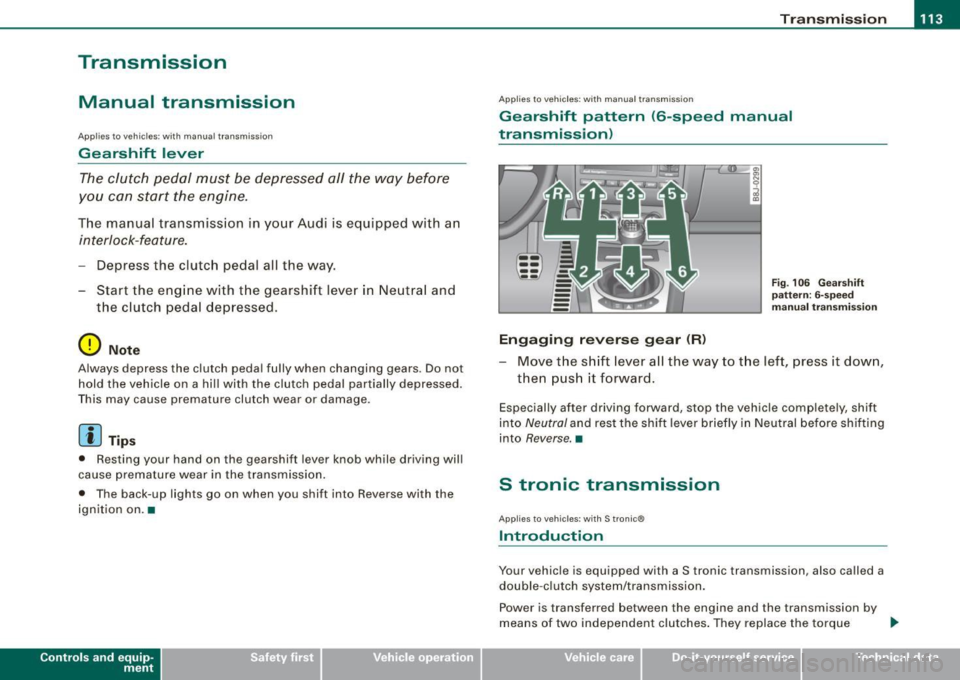
Gearshift pattern (6-speed manual
transmission )
Engaging reverse gear (R)
Fi g. 106 G ear sh ift
patt ern : 6-s peed
manual tr an sm iss ion
Move the shift lever all the way to t he left, press it dow n,
then pus h it forward .
Especially after driving forward, stop the vehic le completely, shift
into
Neutral and rest the shift lever briefly in Neutral before shifting
into
Reverse. •
S tronic transmission
Applies to vehic les: w ith S tronic®
Introduction
Your vehicle is equipped with a S tronic transmission, also called a
double -c lu tch system/transmission .
Power is transferred between the engine and the transmission by
means of two independent clutches. They replace the torque
tJ,,,
Vehicle care I I irechnical data
Page 116 of 316
_L--_T.:...:.. ra:::.:.. n;.:s:..: m:.:....:..: i;.: s ;.:s:..: i;.: o :....:n...:.... __________________________________________________ _
converter of conventional automatic transmissions and allow the
vehic le to accelerate without a noticeable break in the power flow.
With the aid of
tiptronic , the gears can optionally be shifted manu
ally~ page 118 . •
Ap plies to ve hic les: w ith S troni c®
Driving Notes
The forward gears are shifted up or down automatically.
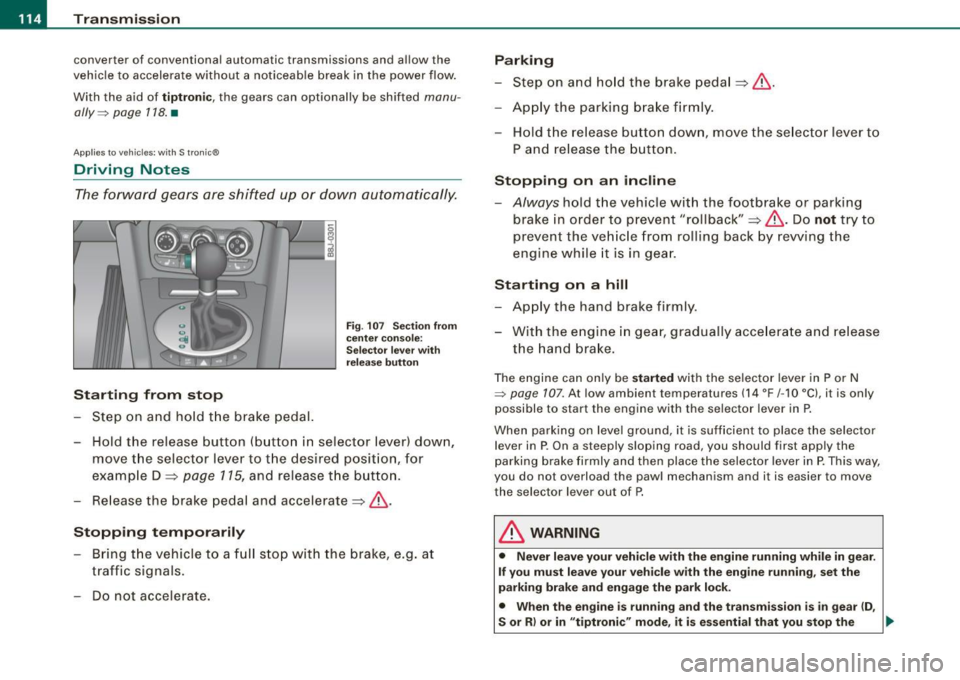
Starting from stop
Step on and hold t he brake pedal.
Fig. 107 Section from
ce nter console:
Selector lever with
release button
-Hold the release button (button in selector lever) down,
move the selector lever to t he desired position, for
example D :::>
page 115, and release the button.
- Release the brake pedal and accelerate:::>& .
Stopping temporarily
-Bring th e vehicle to a full stop with the brake, e.g. at
traffic signals.
- Do not accelerate.
Parking
-Step on and hold the brake pedal :::> & .
- Apply the parking brake firmly .
- Hold the release button down, move the selector lever to
P and release the button.
Stopping on an incline
-Always hold the vehic le with the footbrake or parking
brake in orde r to prevent "rollback":::> &. Do
not try to
prevent the vehicle from rolling back by rewing the
engine while it is in gear.
Starting on a hill
- Apply the hand brake firmly .
- With the engine in gear, gradually accelerate and release
the hand brake.
The engine can on ly be started with the selector lever in P or N
~ page 107. At low ambient temperatures (14 °F /-1 O °C), it is only
possible to start the engine with the se lector lever in P.
When park ing on leve l ground, it is sufficient to place the selector
lever in P. On a steeply sloping road , you should first apply the
parking brake firmly and then place the selector lever in
P. This way,
you do not overload the paw l mechanism and it is easier to move
the selector lever out of P.
& WARNING
• Never leave your vehicle with the engine running while in gear.
If you must leave your vehicle with the engine running, set the
parking brake and engage the park lock .
• When the engine is running and the transmission is in gear (D ,
S or R ) or in "tiptronic " mode , it is essential that you stop the
~
Page 117 of 316
Transmission -
----------------
& WARNIN G (continu ed )
vehi cle w it h the footbrake . When idl ing , the tr ansmission of power
does not stop completely -the vehicle "creeps ".
• Do not ac celerate when you change the selector lever position
with the vehicle stationary and the engine running -risk of an acci
dent!
• Never place the selector lever
in the R or N position while the
vehicle is mov ing -risk of an accident !
• If you have to bring your vehicle to a stop while on an incline ,
keep the foot brake depressed all the way down so that the vehicle
does not start to roll backward. You should never hold the vehicle
using the clutch pedal if you are going to be stopped on an incline .
If you do , the clutch will start to slip when it overhe ats cau sed by
the constant overload . This is dangero us because if the vehicle
starts to roll backward , you could cause an accident. If the clutch
should start to slip , you will feel the vehicle "jerk" and the sele ctor
lever display will start blinking.
• Before driving down a steep slope , reduce your speed and shift
into a lower gear with "tiptronic ".
• Do not ride the brakes or apply the brake pedal too often or too
long. Constant braking causes the brakes to overheat and
substantially reduces braking performance , increases braking
di stance or cau ses complete failure of the brake system. •
Controls and equip
ment
Ap plies to vehic les: w ith S tronic®
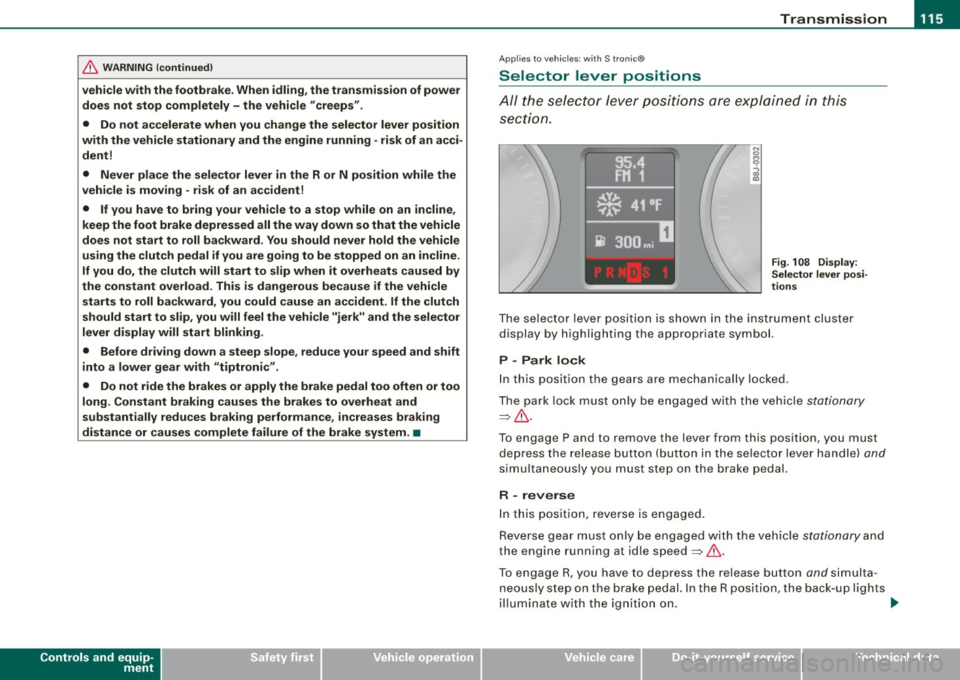
Selector lever positions
All the selec tor le ver posi tions are e xplai ned in this
se cti on.
Fig . 108 D ispl ay:
Selector lever po si
tion s
The se lector l ever po siti on i s sho wn in t he instr ument cluste r
display by highlighting the appropriate symbol.
P -Park lock
In this position the gears are mechanically locked .
T he pa rk lock must only be e ngage d with th e ve hicle
stationa ry
=> & .
T o engage P and to remove the lever from this position, you must
de press the re lease button (but to n i n the se lec to r l ever ha ndle)
and
simu ltaneously you must step on the brake pedal.
R -reverse
In this positio n, reve rse is engaged.
Reverse gear mus t o nl y be engaged with the vehic le
stationary and
the engine running at id le speed =>& .
To e ngage R, you ha ve to depres s the re lease button
and s im ult a
neous ly st ep on the brake p edal. In the R position, the back -up l ights
il lu mina te with the ig niti on on. ...
I • •
Page 123 of 316
HomeLink® -_______________ ___.
Homelink®
Universal remote control
Applies to veh icles: wit h Home link® unive rsa l rem ote cont rol
General information
The Homelink® feature can learn up to three radio
frequency codes for most current transmitters used for
operating garage doors, estate gates, home or outdoor
lighting systems, and other devices.
You must first program the Homelink® transmitter before you can
use the system~
page 121, "Programming the Homelink® trans
mitter" .
In order to program the Homelink® transmitte r for devices utili zing
rolling cod e, a second person on a ladder who can safely reach the
garage door opener motor is recommended. It is also necessary to
locate the "learn" button on your garage door opener motor . Refer
to the operating instructions for the opener, as the location and
color of this button may vary by manufacturer .
You can still use the original remote control for the device at any
time .
& WARNING
• Never use the Homelink"" transmitter with any garage door
opener that does have not the safety stop and reverse feature as
required by federal safety standards. This includes any garage
door opener model manufactured before April 1, 1982.
• A garage door opener which cannot detect an object, signaling
the door to stop and reverse does not meet current federal safety standards. Using a garage door opener without these features
increases risk of serious injury or death .
Con tro ls and eq uip
ment
& WARNING (continued)
• For safety reasons never release the parking brake or start the
engine while anyone is standing in front of the vehicle.
• A garage door or an estate gate may sometimes be set in
motion when the Homelink® remote control is being
programmed .
If the device is repeatedly activated, this can over
strain motor and damage its electrical components -an over
heated motor is a fire hazard!
• To avoid possible injuries or property damage, please always
make absolutely certain that no persons or objects are located in
the range of motion of any equipment being operated. •
Applies to vehi cles : wit h Home link ® un iv ers al re mote co ntrol
Programming the Homelink ® transmitter
The transmitter is programmed in two phases. For rolling
code transmitters, a third phase is also necessary.
0
Vehicle care I I
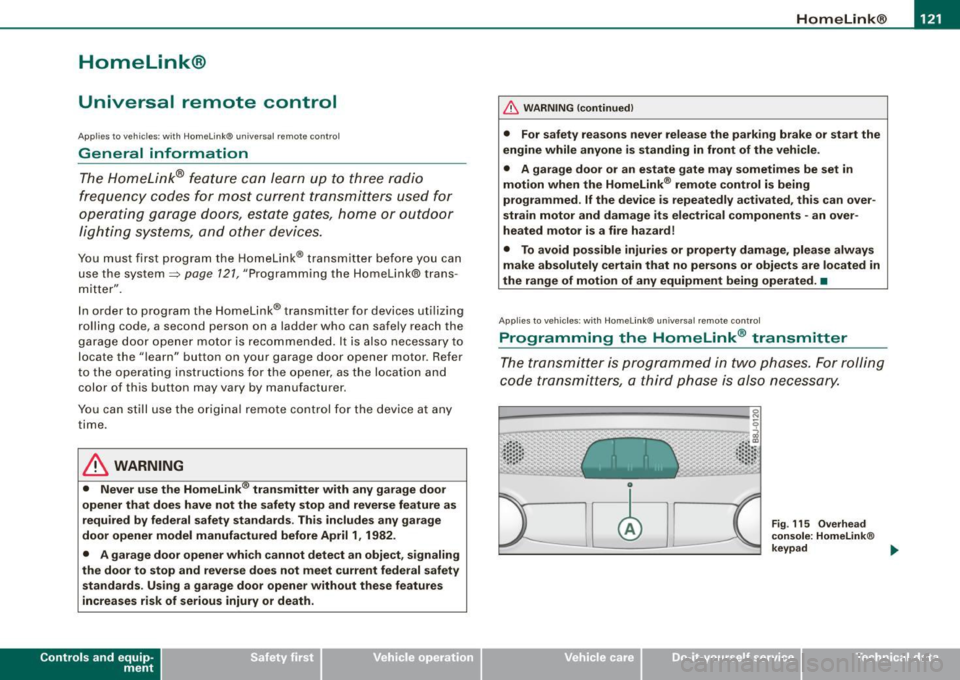
Fig. 115 Overhead
console: Homelink®
keypad ...
irechnical data
Page 191 of 316
Faults in the brake syst em
If you shou ld notice a sudden i ncrease in brake pedal travel, then
one of the two brake circuits may have failed=>
& -
Low brake fluid level
Ma lfunctions can occur in the brake system if the brake fluid leve l is
t oo low. The brake fluid level is moni tored e lect ronica lly .
Brake pow er assist unit
The brake p ow er assist un it increas es th e pressure that you
generate with the brake peda l. It works only when the engine is
running.
& WARNING
• You should perform braking maneuver s for the purpose of
c leaning the brake system only if road conditions permit . Other
road users must not be put at ri sk -you may cause an accident!
• Before des cending a steep grade , redu ce speed and sh ift trans
mi ssion into a lower gear or lower driving position . Do not ride the
br akes or hold the pedal down too long or too often . This could
cause the brakes to get hot and diminish braking efficiency .
• Do not "ride the brakes " by resting your foot on the pedal when
you do not intend to brake . Thi s may cause the brakes to overheat,
premature we ar and increased stopping distan ce .
• Under certain cl imatic and operating condit ions such as
pas sing through water , driv ing in heavy rain or after washing the
vehicle, the effectiveness of the brake s can be reduced . In winter ,
ice can ac cumulate on the brake pads , linings , discs and drums .
Cautiously apply brakes for a te st. Brakes will dry and ice coatings
will be cleaned off after a few cautious brake appli cations .
• Driving for an extended period of time on salt -covered road s
without using your brakes can also affect brak ing effic iency . Clean
off accumulated salt coating from brake discs and pads with a few
c autiou s brake applications .
Controls and equip ment Safety first Vehicle operation
Intelligent technology
& W
ARNING (continued )
• If you damage the front spo iler , or if you install a different
s poiler , be sure the air flow to the front brakes is not obstructed.
Otherwise the brake system could overheat redu cing the effective
ness of the entire br ake system.
• Failure of one brake circuit will impair the braking capability
resulting in an increa sed stopping distance. Avoid driving the
vehicle and have it towed to the nearest Audi dealer or qualified
workshop.
• Never let the veh icle roll to a stop with the engine shut off .
• If the b rake booster is not working , for e xample when towing
your vehicle, or because the brake booster has somehow been
damaged , the brake pedal must be pre ssed considerably harder to
make up for the lack of booster assistance . •
Anti- lock brake system (ABS)
ABS p revents the wheel s from loc king unde r br ak ing.
The anti -lock brake sys te m (ABS) makes a major contri but ion to
i ncreasing act ive d riv in g sa fety . You should not expect that brakin g
distances wi ll be
shortened unde r all c ircums tances wi th ABS.
B rak in g distance may even become somewhat
longer , for e xa m ple ,
on gravel or in new snow on s lippery ground, even if you are driving
carefully and slowly.
ABS operation
W hen a veh icle speed o f about 10 mph (20 km/ h) is reac hed , an au to
matic test sequence is run. Some noise from the pum p may be
audible.
I f the speed of a wheel s lows down too much re lative to vehicle
speed and i t starts to lock, br ake pressu re to th is whee l is reduce d.
T his adjustment process can be felt as a
pulsing motion of the b rake
pedal ,
accompanied by some noises. Yo u as the d rive r are in tent io n
a lly being g iven the in fo rmation that the wh eels a re tendin g to lock
Vehicle care Do-it-yourself service Technical data