radio AUDI TT ROADSTER 2008 Owners Manual
[x] Cancel search | Manufacturer: AUDI, Model Year: 2008, Model line: TT ROADSTER, Model: AUDI TT ROADSTER 2008Pages: 316, PDF Size: 70.1 MB
Page 13 of 316
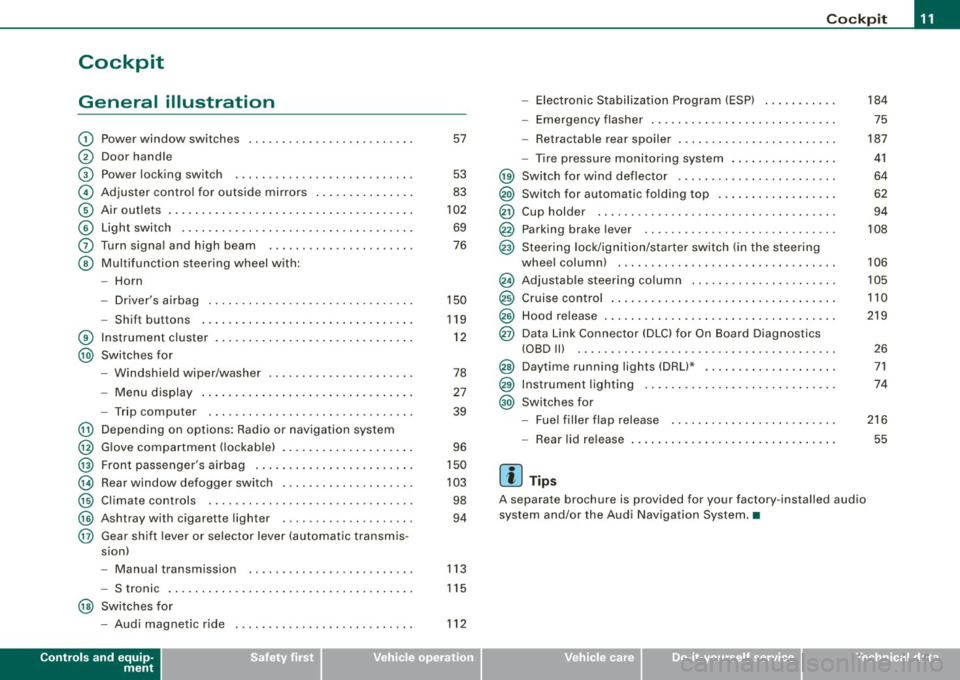
Cockpit
General illustration
G)
0
©
©
©
©
0
©
®
@
@
@
@
@
@
@
@
Power window switches
Door handle
Pow er lo cking switc h
Adjus te r contro l fo r ou tsid e mirro rs ...... .... ... . .
Air outlets ..... .. . ..... .... .... .. . .... .. . ..... .
Light switch .. ...... .... ... .... .... .... .... ... .
Turn signa l and high beam
Multifunc tion steering wheel with:
- Horn
- Driver's a irbag .... .... ... .... .... .... .... ... .
- Shift b uttons ... .. .... ... .... .... .... .... ... .
Instr um en t cluster . ...... ... .... .. ...... .. .. ... .
Switches for
- Windshield wipe r/wash er ... .... .. ....... .. ... .
- Menu d isplay ...... ... .. .. .... .... .... ... ... .
- Trip computer ..... .. .... .... ...... ....... .. .
Depending on options : Radio or navigation sys tem
G love compa rtmen t (loc kab le) ... .. .. .. ... .... ... .
Front passenger 's airbag .. ...... .. . .... .. .. .... .
Rear window defogger switch .... ..... .. .... .... .
Climate controls ..... .. .... .... ..... .. ... ... .. .
Ashtray wi th cigare tte lighter ....... ............ .
Gear sh ift l ever or s elector lever (automatic transmis -
sion) 57
53
83
102
69
76
150
119
1 2
78
27
39
96
150
10 3
98
94
- Manual transm ission . . . . . . . . . . . . . . . . . . . . . . . . . 113
- S tronic . . . . . . . . . . . . . . . . . . . . . . . . . . . . . . . . . . . . . 115
@ Switches for
- Aud i magnetic r ide
Controls and equip
ment
112
Co ckpit
- Electronic Stabilization Program (ESP) . .... .. ... .
- Emerge ncy flasher ... .. .. .. .... .... .... .. . ... .
- Retractab le r ear spoiler .... ...... .... .... .... . .
- Tire pressure mon itor ing system ..... .... .. . ... .
@ Sw itc h f or wind deflector .... .. ..... .. .... ... ... .
@) Switch for automatic folding top ..... .. .... ... ... .
@ Cup hold er ....... .. .. .. .... .... ....... ....... .
@ Parking brak e le ver ... .... ..... .. .... .... ..... . .
@ S teeri ng lock/igniti on/sta rter sw itch (in t he s teer ing
whee l column) ... .... ... ... ... .. .... .... ...... .
@ Adjus tab le steering co lu m n .. ...... ..... ... ... .. .
@ Cruise contro l .... ... .... .... .... .... .... ... ... .
@ Hood release ... .. .. .. ..... .. .... .... .... ...... .
@ Data Link Connect or (DLC) for On Boa rd Diag nostics
(OBD Ill .... ... .. ...... .... ... .... ... .. ... .... .
@ Daytim e running l ights (DRU* .... .... .... .... ... .
@ Instrumen t lighting ...... .... .... .... ... .... ... .
@ Switc hes f or
- Fue l filler flap release .... .. .... .... .... ... ... .
- Rea r lid r elease
[ i ] Tip s
A separate brochure is provided for your factory -insta lled audio
system and/or the Aud i Nav igation System .•
I • •
184
75
187
41
64
62
94
108
106
105
110
219
2 6
71
74
216
55
Page 25 of 316
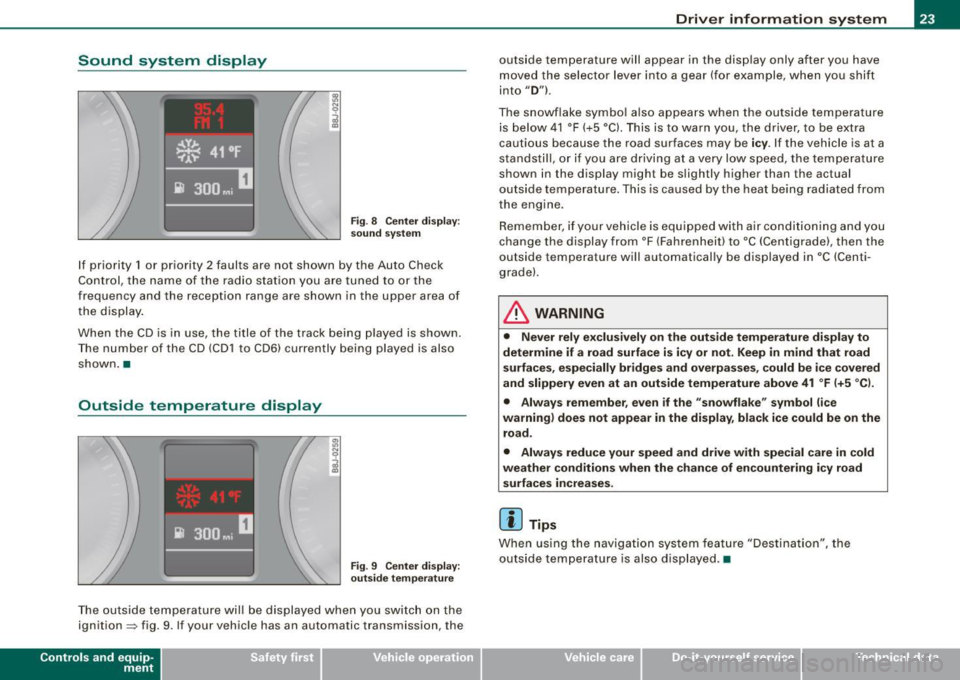
Sound system display
Fig. 8 Ce nte r di spl ay:
sou nd s ystem
If priority 1 or priority 2 faults ar e not shown by th e Au to Check
Control, the name of the radio station you are tuned to or the
frequency and the reception range are shown in the upper area of
t h e display .
When the CD is in use , the title of the track being p layed is shown .
T h e number of th e CD (CD 1 to CD6) curr ently being played is also
shown. •
Outside temperature display
Fig . 9 Ce nter di spl ay:
o utside tem pe ratur e
The outside tempe ra ture wil l be displayed when you switch on the
ignition~ fig. 9. If your vehic le has an automa tic transmiss ion , the
Con tro ls and eq uip
ment
Dri ver in form ati on syst em
outside temperature will appear in the display only after you have
moved the selector lever into a gear (for example, when yo u shift
into
" D ") .
The snowflake symbo l a lso appears when the outs ide temperature
is below 41 °F ( +5 °C). This is to warn you, the driver, to be extra
cautious becaus e the road surfaces may be
icy . If the vehicle is at a
standstil l, or i f you are driving at a very low speed, the temperature
shown in the display might be sligh tly high er than the ac tual
outside temperature . This is caused by the heat being radiated from
the engine .
Remember , if your vehicle is equipped with air conditioning and you
change the display from °F (Fahrenhei t) to °C (Centigrade) , then the
outside temperature will automatical ly be displayed in °C (Centi
grade) .
& WARNING
• Never r ely e xclusive ly o n th e out side t emperature di sp la y to
determin e if a ro ad surf ace is icy or not. K eep in mind that road
s urface s, esp ecially bridge s and overpa sses, co uld be ice c overed
and slippery even at an out side temper ature above 41 °F
1+5 ° C I.
• Alwa ys re m embe r, even if th e "s nowflak e" sy mbol lic e
wa rning ) does not app ear i n the display , b lack ice cou ld be on the
road .
• Alway s re duce your speed and driv e with sp eci al c are in cold
wea ther condition s when the ch an ce of en count ering i cy road
s urf ace s in creas es.
[ i ] Tip s
When using the navigation system feature "Destination", the
outside temperature is also displayed .•
Vehicle care I I irechnical data
Page 47 of 316
vehicle is underway. With pressing the button=> fig . 29, the re
programming of the new sensors and storing of actual pressures
starts . This learn ing phase can take up to 10 minutes driving time.
During the learning process the tire pressure monitoring system is
not avai lable. •
Malfunctions T =»'\,AC.:
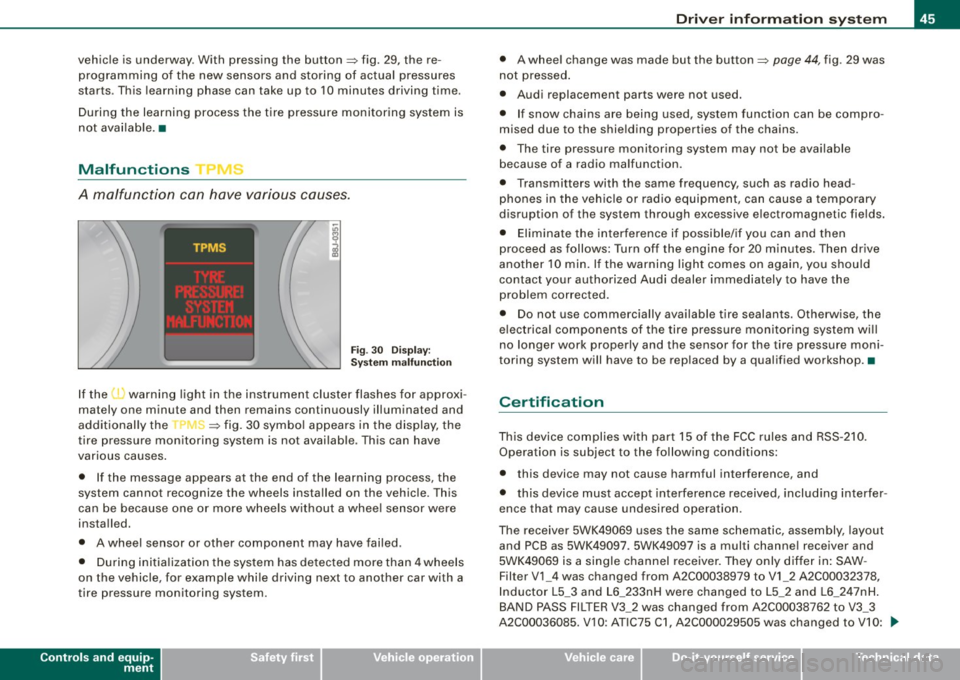
A malfunction can have various causes.
Fig. 30 Display:
System malfunction
If the t warning light in the instrument cluster flashes for approxi
mately one minute and then remains continuously illuminated and
additionally the
r fin'-=> fig. 30 symbo l appears in the display, the
tire pressure monitoring system is not available. This can have
various causes .
• If the message appears at the end of the learning process, the
system cannot recognize the wheels installed on the vehicle. This
can be because one or more wheels without a whee l sensor were
installed.
• A wheel sensor or other component may have failed .
• During initia lization the system has detected more than 4 wheels
on the vehicle, for example whi le driving next to another car with a
tire pressure monitoring system.
Controls and equip
ment
Driver inform ation system
• A wheel change was made but the button => page 44, fig. 29 was
not pressed .
• Audi replacement parts were not used.
• If snow chains are being used, system function can be compro
mised due to the shielding properties of the chains.
• The tire pressure monitoring system may not be available
because of a radio malfunction.
• Transmitters with the same frequency, such as radio head
phones in the vehic le or radio equipment, can cause a temporary
disruption of the system through excessive e lectromagnetic fields.
• Eliminate the interference if possible/if you can and then
proceed as follows: Turn off the engine for 20 minutes . Then drive
another 10 min. If the warning light comes on again, you should
contact your authorized Audi dealer immediately to have the
problem corrected.
• Do not use commercially available tire sealants. Otherwise, the
e lectrica l components of the tire pressure monitoring system will
no longer work properly and the sensor for the tire pressure moni
toring system will have to be replaced by a qualified workshop. •
Certification
This device complies with part 15 of the FCC rules and RSS-210.
Operation is subject to the following conditions:
• this device may not cause harmful interference, and
• this device must accept interference received, includ ing interfer
ence that may cause undesired operation.
The receiver 5WK49069 uses the same schematic, assembly, layout
and PCB as 5WK49097 . 5WK49097 is a multi channe l receiver and
5WK49069 is a single channel receiver. They only differ in: SAW -
Filter V1_4 was changed from A2C00038979 to V1_2 A2C00032378,
Inductor L5_3 and L6_233nH were changed to L5_2 and L6_2 47nH.
BAND PASS FILTER V3_2 was changed from A2C00038762 to V3_3
A2C00036085. V 10: ATIC75 C1, A2C000029505 was changed to V10: .,,,
I • •
Page 52 of 316
Openin g a nd clo sin g
• Cana da mo dels: RSS-210 of Industry Canada .
Operation is subject to the following conditions:
• this device may not cause harmful interference, and
• this device must accept any interference received, including
interference that may cause undesired operation.
0 Note
The manufacturer is not responsible for ANY RADIO OR TV interfer ence caused by unauthorized modifications to this equipment.
Changes or modifications to this unit not express ly approved by the
party responsib le for comp liance could void the user's authority to
operate the equipment .•
Power locking system
General description
The power locking system Jocks or unlocks all doors
simultaneously.
The power locking system in your vehicle incorpora tes the following
functions:
• Central locking function
• Remote contro l feature
=> page 48 .
• Anti -Theft Alarm System
=> page 56.
You can lock and un lock the veh icle from outside either with the
k ey s or the remot e control transmitter inside the master key.
Act ivatin g the po wer loc king sy ste m lo ck s or unlo cks all doo rs
s im ult ane ously.
You can also open or close the windows when you lock or unlock the
driver's door using the key . For safety reasons, you cannot use the
remote contro l to open/close the windows . T
he selective unlock feature makes it possible to open just the
driver's door.
If the power locking system should malfunction, you can lock and
unlock each lock individually using the vehicle key.
A ut om atic lock ing*
The automatic locking feature locks all the vehicle doors and the rear lid when you drive faster than 9 mph (15 km/h) .
You can unlock the vehicle from the inside by:
• removing the key from the ignition switch (the vehicle wi ll auto
matically un lock itself) or
• pressing the unlock part of the power lock switch
oc:'i:l or
pulling the door handle (to open the door).
If you wish, you can have an authorized Audi dealer convert your
power door lock system to automatic loc king .
Unlo cking /locking t he vehi cle
When you unlo ck your vehicle:
• T he anti -theft alarm system is deactivated briefly .
• The vehicle interior lights illuminate for approximate ly 30
seconds.
When you
lo ck the vehicle:
• All doors are locked .
• The anti-theft alarm system is activated.
• The vehicle interior lights turn off.
• The anti-theft alarm system is activated . The horn of the anti
theft a larm system wi ll sound and the anti -theft alarm system readi
ness light, located in the center of the instrument panel below the
windshie ld on the right side of the air vent, will start to blink. .,_
Page 54 of 316
Openin g a nd clo sin g
PANIC B utton
- Push the red button@to activate the panic function. The
horn sounds and the turn signals flash.
- Push the button ® again to deactivate the panic func-
tion.
The remote controls allows you to:
• lock or unlock the vehicle
• selectively unlock the rear lid.
The turn signals wi ll flash briefly whenever you lock or unlock the
vehic le. Also, the interior light will come on or go off whenever you
open or close the driver's door.
The transmitter and battery are located in the head of the remote control. The receiver is located inside the vehicle. The maximum
effective range depends on several things. Remember, if the battery
is weak, the effective range decreases.
The remote -contro l key contains a fo ld -out key that you can use to
manually lock or unlock the vehicle and to start the engine.
If you need to replace the remote contro l, or if you need to have it
repaired, you must see your authorized Audi dealer . On ly then can
you use the key again.
& WARNING
Re ad and follo w all WARNINGS ~ & in "General de scr iption " on
page 50 .
[ i J Tips
• The remote control key is automatically deactivated when the
ignition is switched on.
• The operation of the remote control key can be temporarily
disrupted by interference from transmitters in the vicinity of the vehic
le working in the same frequency range (e.g . a cell phone,
radio equipment).
• In order to make sure the locking function is working, you should
a lways keep your eye on the vehic le to make sure it is properly
locked .
• Do not use the remote control if you are inside the ca r, otherwise
you may unintentionally lock the vehicle, and then you would set off
the an ti-theft alarm when you try to start the engine or open a door.
I n case this happens anyhow, push the unlock button@.
• Use the panic func tion only if you are in an emergency
situation. •
Resetting the remote control
The remote con tr o l must be reset if the vehicle does not
unlock.
- Press the unlock
III button on the remote control.
- Unlock or lock the vehicle once at t he door lock using the
stem of the remote control key.
T he synchronization process must not take longer than 30
seco nds. •
Page 123 of 316
HomeLink® -_______________ ___.
Homelink®
Universal remote control
Applies to veh icles: wit h Home link® unive rsa l rem ote cont rol
General information
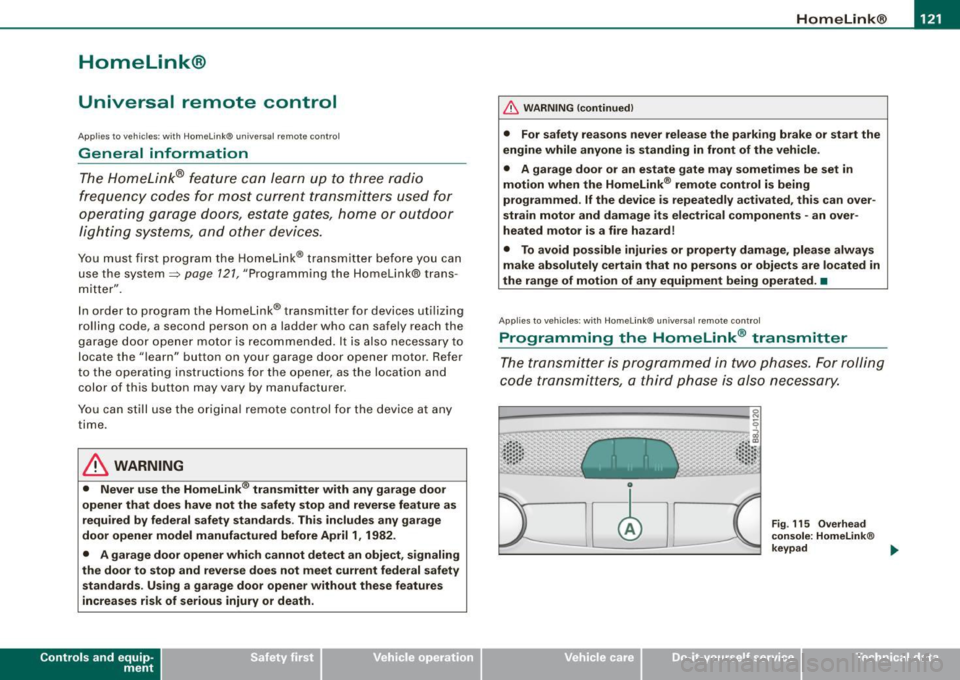
The Homelink® feature can learn up to three radio
frequency codes for most current transmitters used for
operating garage doors, estate gates, home or outdoor
lighting systems, and other devices.
You must first program the Homelink® transmitter before you can
use the system~
page 121, "Programming the Homelink® trans
mitter" .
In order to program the Homelink® transmitte r for devices utili zing
rolling cod e, a second person on a ladder who can safely reach the
garage door opener motor is recommended. It is also necessary to
locate the "learn" button on your garage door opener motor . Refer
to the operating instructions for the opener, as the location and
color of this button may vary by manufacturer .
You can still use the original remote control for the device at any
time .
& WARNING
• Never use the Homelink"" transmitter with any garage door
opener that does have not the safety stop and reverse feature as
required by federal safety standards. This includes any garage
door opener model manufactured before April 1, 1982.
• A garage door opener which cannot detect an object, signaling
the door to stop and reverse does not meet current federal safety standards. Using a garage door opener without these features
increases risk of serious injury or death .
Con tro ls and eq uip
ment
& WARNING (continued)
• For safety reasons never release the parking brake or start the
engine while anyone is standing in front of the vehicle.
• A garage door or an estate gate may sometimes be set in
motion when the Homelink® remote control is being
programmed .
If the device is repeatedly activated, this can over
strain motor and damage its electrical components -an over
heated motor is a fire hazard!
• To avoid possible injuries or property damage, please always
make absolutely certain that no persons or objects are located in
the range of motion of any equipment being operated. •
Applies to vehi cles : wit h Home link ® un iv ers al re mote co ntrol
Programming the Homelink ® transmitter
The transmitter is programmed in two phases. For rolling
code transmitters, a third phase is also necessary.
0
Vehicle care I I
Fig. 115 Overhead
console: Homelink®
keypad ...
irechnical data
Page 125 of 316
Home Link® -_______________ ___.
11. Locate the "learn" button on the garage door opener
motor (refer to the operating instructions for the opener,
as the locat ion of this button may vary by manufacturer) .
12 . Press and release the learn button on the garage door
opener motor .
- Note : once the button is pressed, there are 30 se cond s in
wh ich to initiate the next step.
13. On the Homelink ® keypad inside the vehicle, firmly
press and hold the Homelink ® button prev iously
programmed in phases 1 and 2 for two seconds and
release . Repeat th is seque nce twi ce.
- Some vehicles may require the press/hold/re lease
sequence up to three times to complete the training
p rocess.
HomeLink ® should now activate your rolling code
equipped device.
If the 5 minut e tim e lim it is exceeded, the e mer gency flasher s will
flash o ne tim e to indicate that the process has been terminated. In
th is case , re p eat st eps 4 through 9.
If the emergency flashers do not flash
three times (after about 15-
60 se conds) , programming was not successful. In thi s case , repeat
steps 4 through 9.
Remo te con trol uni ts for garage door openers in Canada are set to
stop transm itting radio frequency signals aft er two seconds . Th is
time may not be sufficient for the Homelink® system to learn the
rad io frequency signal. P erform a ll oth er steps as described
above. •
Contro ls and eq uip
ment
A pp lies to veh ic les: wi th Homelin k® un iversa l rem ote contr ol
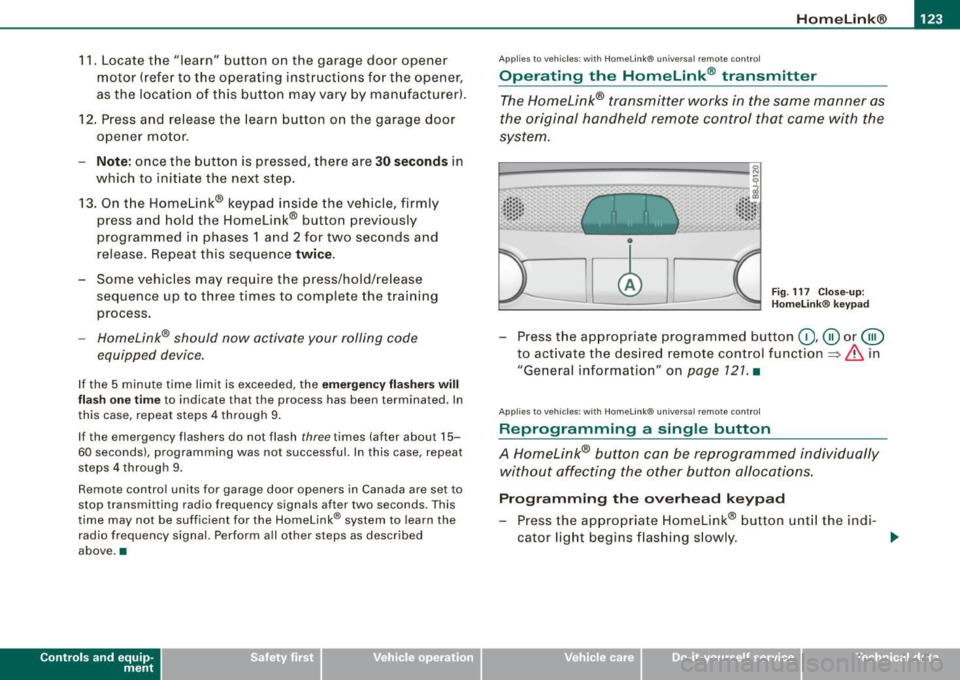
Operating the Homelink ® transmitter
The Homelink® transmitter works in the same manner as
the original handheld remote control that came with the
system.
~ ---- -------- ..... --- --Jlil 9
al ..... .. Cl) .: :: : :: •• •• • .• 1 , .. .• .. .. .. .. ~
Fig . 117 C lose- up:
H ome link® key pad
- Press the appropr iate programmed button G) ,@ or @
to act ivate the des ired remote control function
~ & in
"General information " on
page 121 . •
A pplies to vehi cle s: w it h Homeli nk® univ ersa l re mote c ontro l
Reprogramming a single button
A Homelink® but ton can be reprogrammed individually
without affecting the other button allocations.
Progr amming th e ov erh ea d k eyp ad
- Press the appropriate Homelink® button unt il the ind i-
cator light begins flashing s lowly. _,.
Vehicle care I I irechnical data
Page 162 of 316
___ A_ ir_ b_ a-g _ s_y _s_ t_ e_ m _________________________________________________ _
Repair, care and disposal of the airbags
Parts of the airbag system are installed at many different places on
your Audi. Ins tal li n g, r em ovin g, s erv ic ing o r re pairi ng a part in an
area of the veh icle can damage a part of an a irbag system and
prev ent th at system from working pr oper ly in a c ollisio n.
There are some important things you have to know to make sure
that the effect ive ness of the system will not be impai red and that
discarded co mpone nts do not cause inju ry or po llute t he env iro n
ment .
& WARNING
Improper care , servicing and repair procedures can increase the
r isk of personal injury and death by preventing an airbag from
deploying when needed or deploying an airbag unexpectedly:
• Never cover , obstruct , or change the steering wheel horn pad
or airbag cover or the instrument panel or modify them in any way.
• Never attach any objects such as cup holders or telephone
mountings to the surfaces covering the airbag units.
• For cle aning the horn pad or instrument panel , use only a soft ,
dry cloth or one moi stened with plain water. Solvents or cleaners
could damage the airbag cover or change the stiffness or strength
of the material so that the airbag cannot deploy and protect prop
erly .
• Never repair , adjust , or change any parts of the airbag system.
• All work on the steering wheel , instrument panel, front seats or
electrical system (including the installation of audio equipment ,
cellular telephones and CB radios, etc .} must be performed by a
qualified technician who has the training and spec ial equipment
ne cessary .
• For any work on the airbag system , we strongly recommend
that you see your authorized Audi dealer or qualified workshop .
• Never modify the front bumper or parts of the vehicle body.
& WARNING (continued)
• Always make sure that the side airbag can inflate without inter
ference :
- Never install seat covers or replacement upholstery over the
front seatbacks that have not been specifically approved by
Audi .
- Never use addit ional seat cushions that cover the areas
where the side airbags inflate.
- Damage to the original seat covers or to the seam in the area
of the side airbag module must always be repaired immedi
ately by an authorized Audi dealer .
• The airbag system can be activated only once . After an airbag
has inflated, it must be replaced by an authorized Audi dealer or
qualified technician who has the technical information , training
and special equipment necessary.
• The airbag sy stem can be deployed only once . After an airbag
has been deployed , it must be replaced with new replacement
parts designed and approved especially for your Audi model
version. Replacement of complete airbag systems or airbag
components must be performed by qualified workshops only .
Make sure th at any airbag service action is entered in your Audi
Maintenance
& Warranty booklet under AIRBAG REPLACEMENT
RECORD .•
Other things that can affect Advanced Airbag
performance
Changing the vehic le 's suspension system can change the way that
th e A dva nced Ai rbag Sys te m p erform s in a c ras h. F or example,
using tire -rim combinations not approved by Audi, lowering the
ve hicle, c hanging the stiff ness of th e sus pensi on, in clud ing the
springs, suspens ion struts, shock absorbers etc . can chang e the
forces that a re measured by the airbag sensor s and sent to the e lec -
tronic control unit. Some suspension changes ca n, for example, .,_
Page 238 of 316
___ C_h_ e_ c_k _in --== g'-- a_n _d_ f_il _li _n ..:::g:::..- ___________________________________________ _
& WARNING (continued)
• To reduce the danger of explosion, never connect or disconnect
charger cables while the charger is operating.
• Fast charging a battery is dangerous and should only be
attempted by a competent technician with the proper equipment.
• Battery acid that may spill during charging should be washed
off with a solution of warm water and baking soda to neutralize
the acid.
0 Note
Never use a fast charger as a booster to start the engine. This will
seriously damage sensitive electronic components , such as control
units, relays, radio, etc., as well as the battery charger.
[ i ] Tips
The vehicle battery must not be charged with a standard small
charger that plugs into the cigarette lighter or outlet .•
Windshield /headlight washer
container
Using plain water is not adequate for filling the wind
shield washer system and the headlight washer system*.
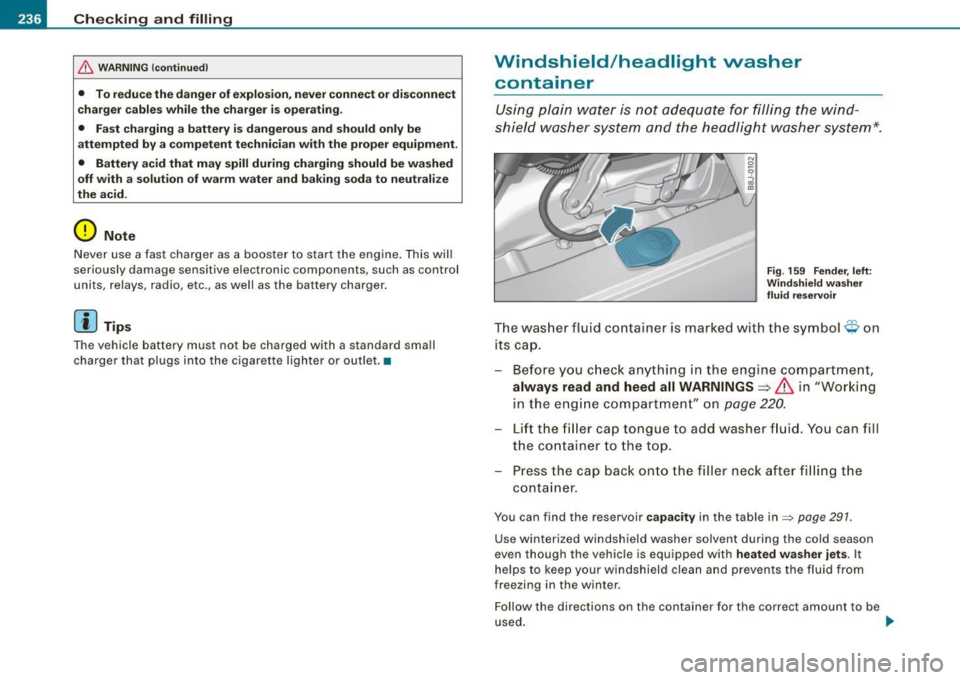
Fig . 159 Fender, left:
Windshield washer
fluid reservoir
The washer fluid container is marked with the symbol e.;. on
its cap.
- Before you check anything in the engine compartment,
always read and heed all WARNINGS=> & in "Working
in the engine compartment" on
page 220.
-Lift the filler cap tongue to add washer fluid. You can fill
the container to the top.
- Press the cap back onto the filler neck after filling the
container .
You can find the reservoir capacity in the table in~ page 291.
Use winterized windshield washer solvent during the cold season
even though the vehicle is equipped with heated washer jets. It
helps to keep your windshield clean and prevents the fluid from
freezing in the winter.
Follow the directions on the container for the correct amount to be
used.
~
Page 277 of 316
Fuses and bulbs -
----------------
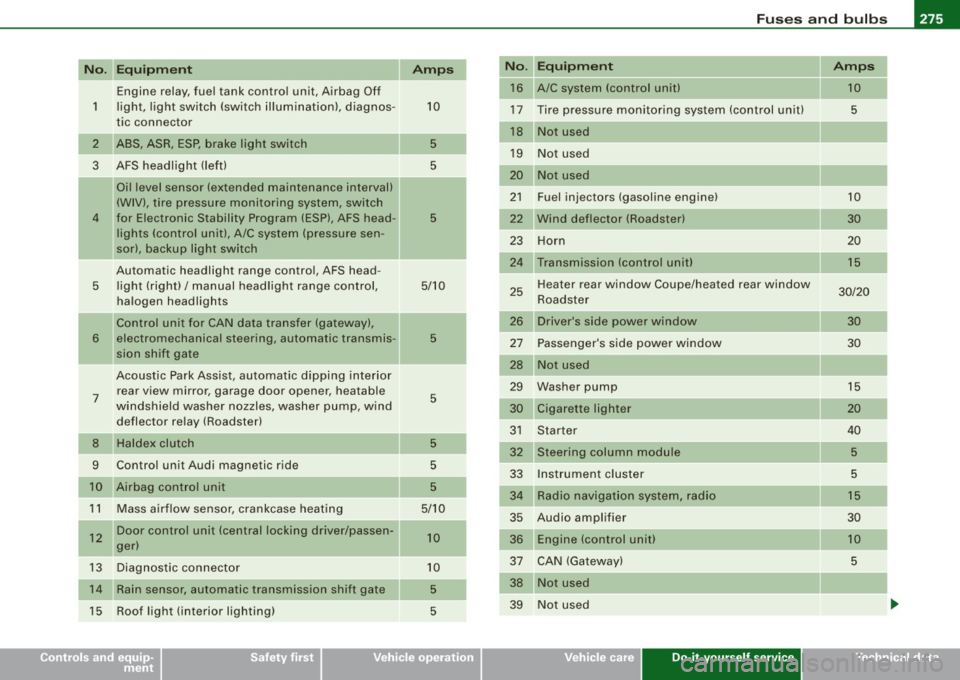
Equipment No. Equipment
Amps
Engine relay, fuel tank control unit, Airbag Off
16 A/C system (control unit) 10
1
light, light switch (switch illumination), diagnos-10
tic connector
17 Tire pressure monitoring system (control unit) 5
18
Not used
ABS, ASR, ESP, brake light switch
5 19
Not used
3 AFS headlight (left) 5
Not used
Oil level sensor (extended maintenance interval)
(WIV), tire pressure monitoring system, switch
21 Fuel injectors (gasoline engine) 10
4 for Electronic Stability Program (ESP), AFS head-5 Wind deflector (Roadster) 30
lights (control unit), A/C system (pressure sen -23 Horn 20 sorl, backup light switch
Automatic headlight range control, AFS head-
24 Transmission (control unit) 15
5
light (right)/ manual headlight range control, 5/10
25 Heater rear window Coupe/heated rear window 30/20
halogen headlights Roadster
Control unit for CAN data transfer (gateway),
26 Driver's side power window 30
6 electromechanical steering, automatic transmis-5
27 Passenger's side power window 30
sion shift gate
28 Not used
Acoustic Park Assist, automatic dipping interior
rear view mirror, garage door opener, heatable
29 Washer pump 15
7
windshield washer nozzles, washer pump, wind 5
30 Cigarette lighter 20
deflector relay (Roadster)
31 Starter 40
8
Haldex clutch 5 32 Steering column module 5
9
Control unit Audi magnetic ride 5 33
Instrument cluster 5
Airbag control unit 5 34 Radio navigation system, radio 15
1 1 Mass airflow sensor, crankcase heating 5/10
35
Audio amplifier 30
12 Door control unit (central locking driver/passen-10
36 Engine (control unit) 10 ger)
13 Diagnostic connector 10 37 CAN (Gateway) 5
Rain sensor, automatic transmission shift gate 5 38 Not used
15 Roof
light (interior lighting) 5 39 Not used
• Do-it
-yourself service