fuel AUDI TT ROADSTER 2011 Owners Manual
[x] Cancel search | Manufacturer: AUDI, Model Year: 2011, Model line: TT ROADSTER, Model: AUDI TT ROADSTER 2011Pages: 260, PDF Size: 64.11 MB
Page 5 of 260
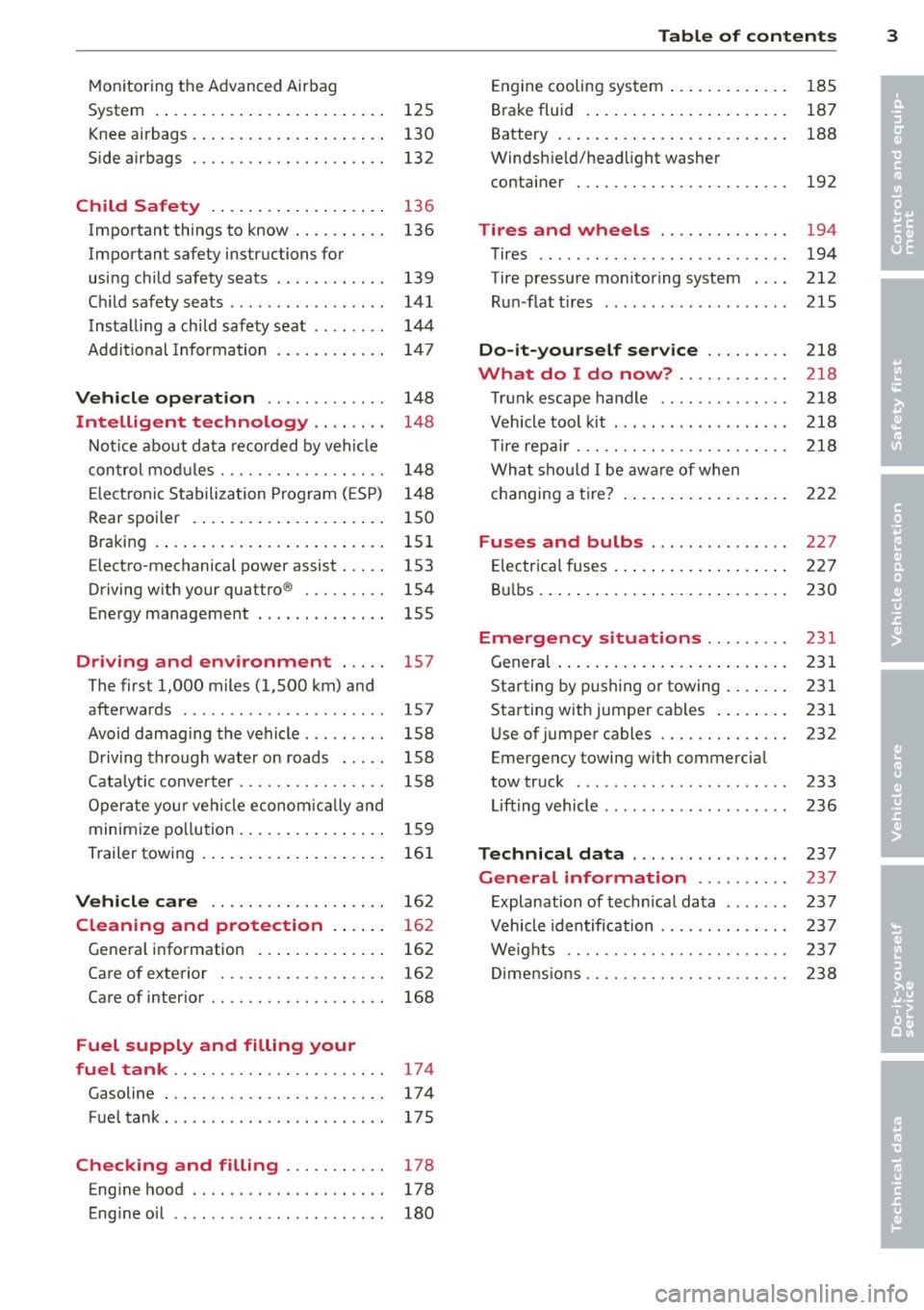
Monitoring the Advanced Airbag
System . . . . . . . . . . . . . . . . . . . . . . . . . 125
Knee airbags . . . . . . . . . . . . . . . . . . . . . 130
Side airbags . . . . . . . . . . . . . . . . . . . . . 132
Child Safety . . . . . . . . . . . . . . . . . . . 136
Important things to know . . . . . . . . . . 136
Important safety instructions for
using child safety seats . . . . . . . . . . . . 139
Ch ild safety seats . . . . . . . . . . . . . . . . . 141
Install ing a child safety seat . . . . . . . . 144
Addit io n al Information 14 7
Vehicle operat ion . . . . . . . . . . . . . 148
Intelligent technology . . . . . . . . 148
N ot ice about data recorded by vehi cle
con trol mod ules . . . . . . . . . . . . . . . . . . 148
E lect ronic S tabilization Program ( ESP) 1 48
Rear spoiler . . . . . . . . . . . . . . . . . . . . . 150
Braking . . . . . . . . . . . . . . . . . . . . . . . . . 151
Electro-mechanical power assist . . . . . 153
Driving w ith your quattro ® . . . . . . . . . 154
Energy management . . . . . . . . . . . . . . 155
Driving and environment . . . . . 157
The first 1,000 miles (1,500 km) and
afterwards . . . . . . . . . . . . . . . . . . . . . . 157
Avoid damaging the vehicle . . . . . . . . . 158
Driving through water on roads . . . . . 158
Cata lytic conve rter . . . . . . . . . . . . . . . . 158
Opera te you r vehi cle econom ic all y and
minim ize po llution . . . . . . . . . . . . . . . . 15 9
Trailer towing . . . . . . . . . . . . . . . . . . . . 161
Vehicle care . . . . . . . . . . . . . . . . . . . 162
Cleaning and protection . . . . . . 162
Gene ral information . . . . . . . . . . . . . . 162
Care of exterior . . . . . . . . . . . . . . . . . . 162
Care of inter ior . . . . . . . . . . . . . . . . . . . 168
Fuel supply and filling your
fuel tank .. ................. .. ..
174
Gasoline . . . . . . . . . . . . . . . . . . . . . . . . 17 4
Fue ltank ..... ................ ... 175
Checking and filling . . . . . . . . . . . 178
Eng ine hood . . . . . . . . . . . . . . . . . . . . . 178
Eng ine oil . . . . . . . . . . . . . . . . . . . . . . . 180
Table of contents 3
Engine cooling system .. ..... ... .. . 185
B rake fluid . ... .... . ... ...... ... . 187
•
Battery ... .. .. .. .. . .. ... .... ... . 188 •
Windsh ie ld/headlight washer
container . .. .. .. .... ........... .
192
Tires and wheels ........... .. . 194
Tires ..... .. .. .. .. . ............ . 194
Tire pressure mo nitoring system . .. .
212
R un -flat t ires .. .. .. . .. .... .... .. . 215
Do -it-yourself service ........ . 218
What do I do now? .. ...... ... . 218
T ru nk escape handle ............. . 218
V ehicle tool kit . .. ... .. .. ... ..... . 218
T ire repa ir ... .. ...... ........... . 218
What shou ld I be awa re of when
h . t
' 7 c anging a ire ... .. . .. .. ..... ... . 222
Fuses and bulbs .............. . 227
E lectr ica l fuses ... .. .. .. .. .... ... . 227
B ul bs ... .. .. .... .. . .. .. ..... ... .
230
Emergency situations ........ . 231
Genera l ... .. .... .. . .. .. ..... ... .
231
Starting by pushing or towing . ... .. . 231
Starting with jumper cables .. ... .. . 231
U se of jumper cables ............. .
232
Emergency towing wit h commercia l
tow truck ....... .. ............. . 233
Li fting vehicle .. .. .. .. .. ...... ... . 236
Technical data ..... .... ... .... . 237
General information ... ... ... . 237
E xplanation of techn ica l data ...... . 237
Vehicle identification ........... .. . 237
We ights .. .. .. .. .. .. ........... . 237
Di mens ions .. .. .. .. ............. . 238
Page 11 of 260
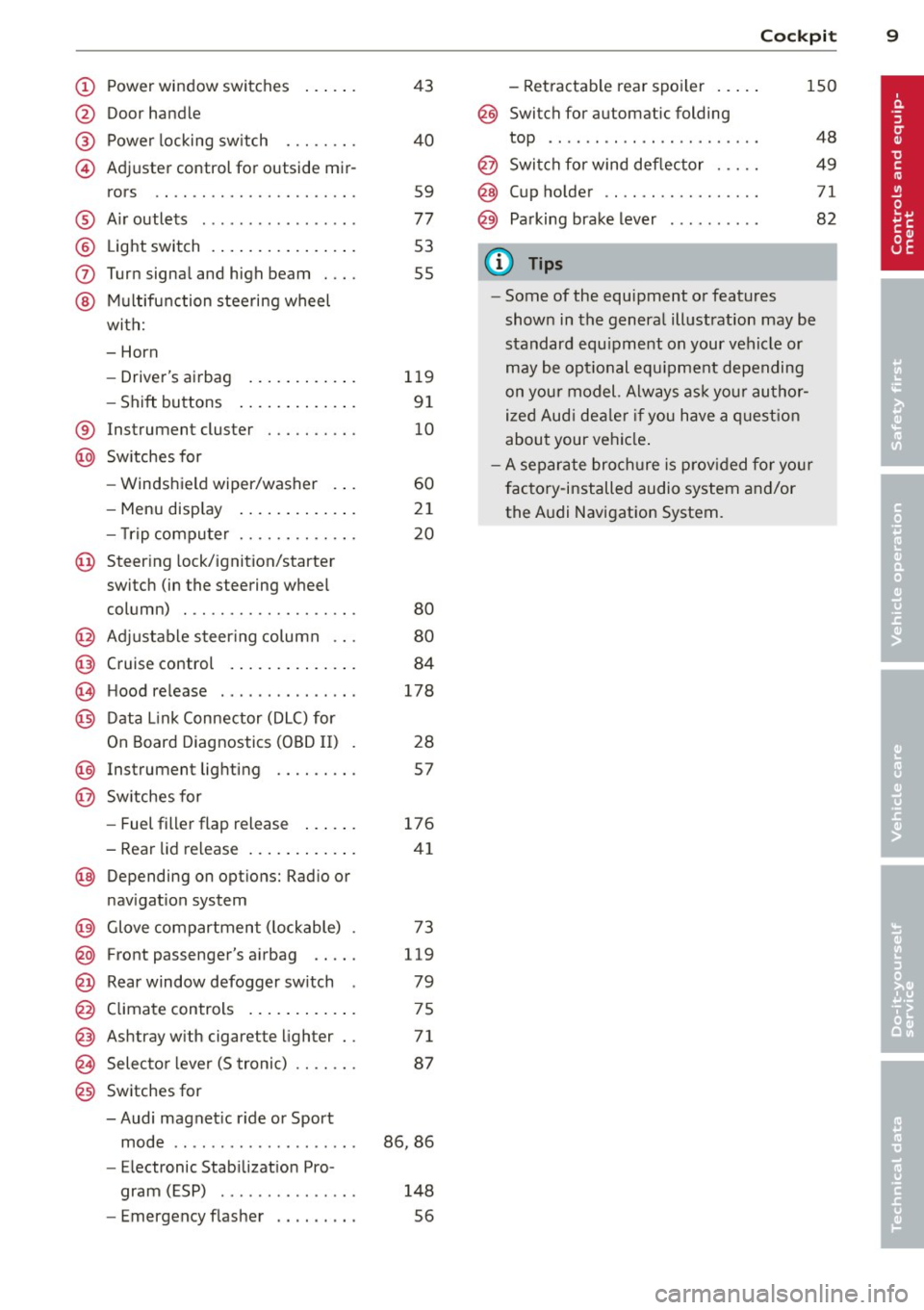
(!) Power wi ndow switches
@
@
©
Door hand le
Powe r locking sw itch
Adjuster control for outside mir- rors ... . ............. .... .
® Air outlets ............... . .
@ Light switch . ... .... ... .. .. .
(J) Turn signa l and high beam . .. .
@ Mu ltifunction stee ring wheel
with:
- Horn
- Drive r's ai rbag .... ... .. .. .
- Shift buttons ..... ... .. .. .
® Instrument cluster
@ Sw itches for
- Windshield wiper/washer
- Menu disp lay ..... ... .. .. .
43
40
59
77
53
55
1 19
9 1
10
60
21
- T rip comp uter . . . . . . . . . . . . . 20
© Steering lock/ignition/starter
switch (in the steering wheel
column) . . . . . . . . . . . . . . . . . . . 80
@ Adjustab le s teer ing column . . . 80
@ Cruise control . . . . . . . . . . . . . . 84
€3J H ood re lease . . . . . . . . . . . . . . . 178
@ Data L ink Connector (DLC) for
On Board Diagnostics ( OBD II) 28
@ Instrument lighti ng . . . . . . . . . 57
@ Switches for
- Fuel filler flap release 176
- Rea r lid re lease . . . . . . . . . . . . 41
@ Depending on opt ions: Rad io or
nav igat ion system
@ Glove compar tment ( lockable) 73
@ Front passenger's a irbag . . . . . 119
@ Rear window defogger sw itch 79
@ C limate controls . . . . . . . . . . . . 75
@ Ashtray w ith cigarette lighter . . 71
@ Selecto r l ever (S troni c) . . . . . . . 87
@) Switches for
- Audi magnet ic r ide or Sport
mode . . . . . . . . . . . . . . . . . . . . 86, 86
- Electronic Stab ilizat ion Pro-
gram ( ESP) . . . . . . . . . . . . . . . 148
- Emergency flasher . . . . . . . . . 56
Cockpi t 9
- Retractable rear spo iler .. ...
@ Switch for automatic folding
150
top . ... .. .. .. .. . .. .... ... .
@ Swi tch for wind deflector .... .
@ C up ho lder .. .. .. .......... .
@ Pa rking brake lever
(D Tips
- Some of the equipment or features
show n in the genera l illustration may be
standard equ ipme nt on your vehicle or
may be opt ional equ ipment depending
on you r model. Always as k yo ur au tho r
ized Aud i de aler if you have a quest ion
abou t your vehi cle.
- A separate bro ch ure is p rov ided for yo ur
factory-installed audio system a nd/or
the A udi Navigation System. 48
49
71
82
Page 12 of 260
10 Instruments and warning /indicator lights
Instruments and warning/indicator Lights
Instruments
Instrument cluster and controls
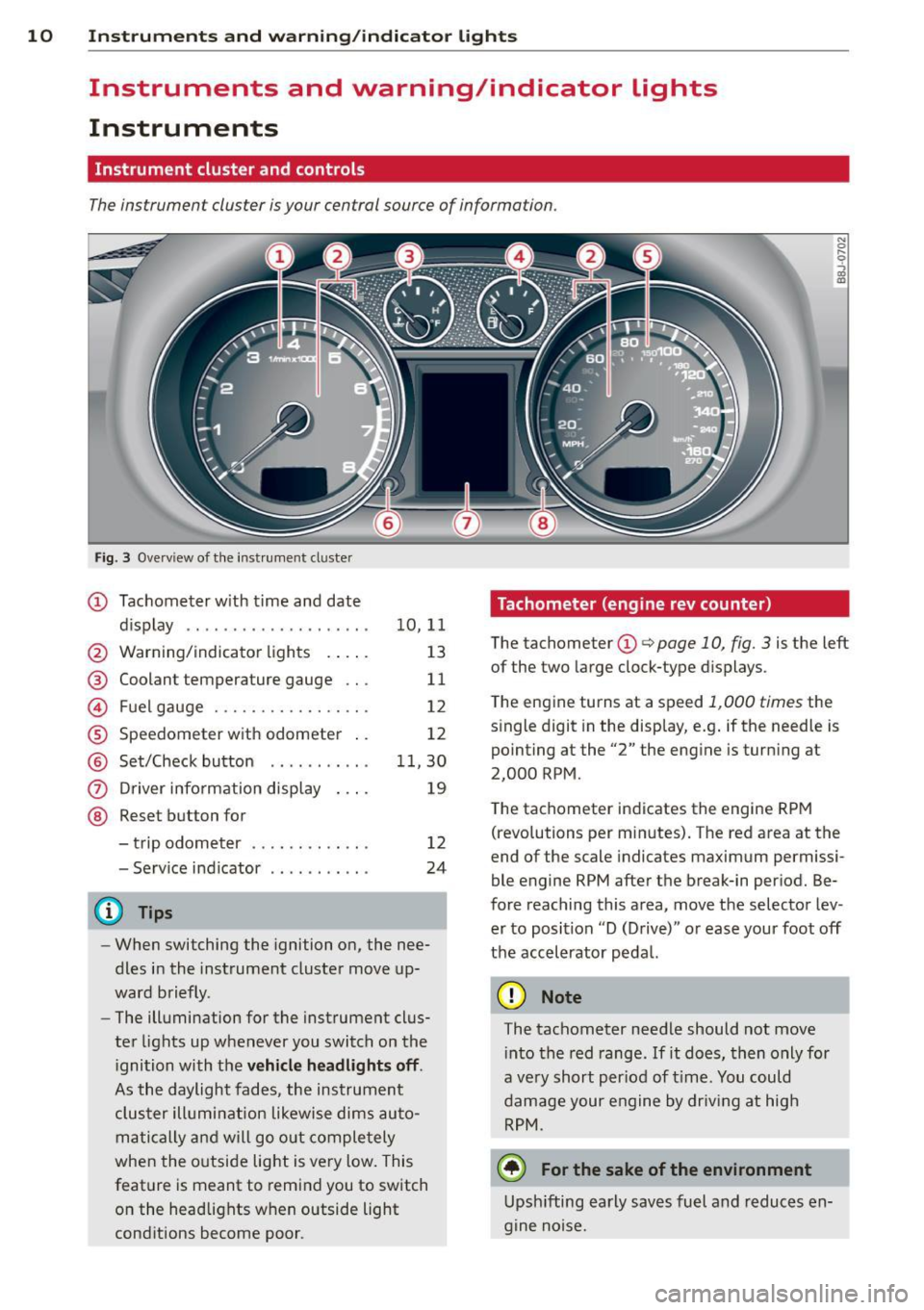
The instrument cluster is your central source of information.
Fig. 3 Ove rvi ew of the instrument cluster
CD Tachometer with time and date
dis play .. .......... ....... .
@ Warning/indicator lights . ... .
@ Coolant temperature gauge .. .
© Fuel gauge ............ .. .. .
® Speedometer with odometer ..
@ Set/Check button ....... ... .
(i) Driver information display
@ Reset button for
- trip odometer ...... ..... . .
- Serv ice indicator
(D Tips
10,11
13
11
12
12
11,30
19
12
24
-When switching the ignition on, the nee
dles in the instrument cluster move up
ward briefly.
- The illumination for the instrument clus
ter lights up whenever you switch on the
i gnition with the
vehicle headlights off.
As the daylight fades, the instrument
cluster illumination likewise dims auto
matically and will go out completely
when the outside light is very low. This
feature is meant to remind you to switch
on the headlights w hen outside light
conditions become poor .
Tachometer (engine rev counter)
The tachometer CD q page 10, fig. 3 is the left
of the two large clock-type dis plays.
The engine turns at a speed
1,000 times the
single digit in the display, e.g . if the needle is
pointing at the "2" the engine is turning at
2,000 RPM.
The tachometer indicates the engine RPM
(revolutions per minutes). The red area at the
end of the scale indicates maximum permissi
ble engine RPM after the break-in period. Be
fore reaching this area, move the selector lev
er to position "D (Drive)" or ease your foot off
the accelerator pedal.
(D Note
The tachometer needle should not move into the red range . If it does, then only for
a ve ry short per iod of time. You could
damage your engine by driving at high
RPM.
@) For the sake of the environment
Upshifting early saves fuel and reduces en
gine noise.
Page 14 of 260
12 Instruments and warning /indicator lights
Fuel gauge
The fuel gauge works only when the ignition is
on.
When the needle reaches the red area, the
warning light in the instrument cluster will il
luminate
9 page 32 li)J. This means you
have approximately 1.9 gallons (7 litres) of
fuel left in the tank.
Time to refuel!
The total tank capacity of your vehicle is listed in
9 page 239.
(D Note
Never run the tank completely dry! An ir
regu lar supply of fue l can cause eng ine
misfiring and fuel could enter into the ex
haust system. The catalyt ic converter
co uld then overheat and be damaged.
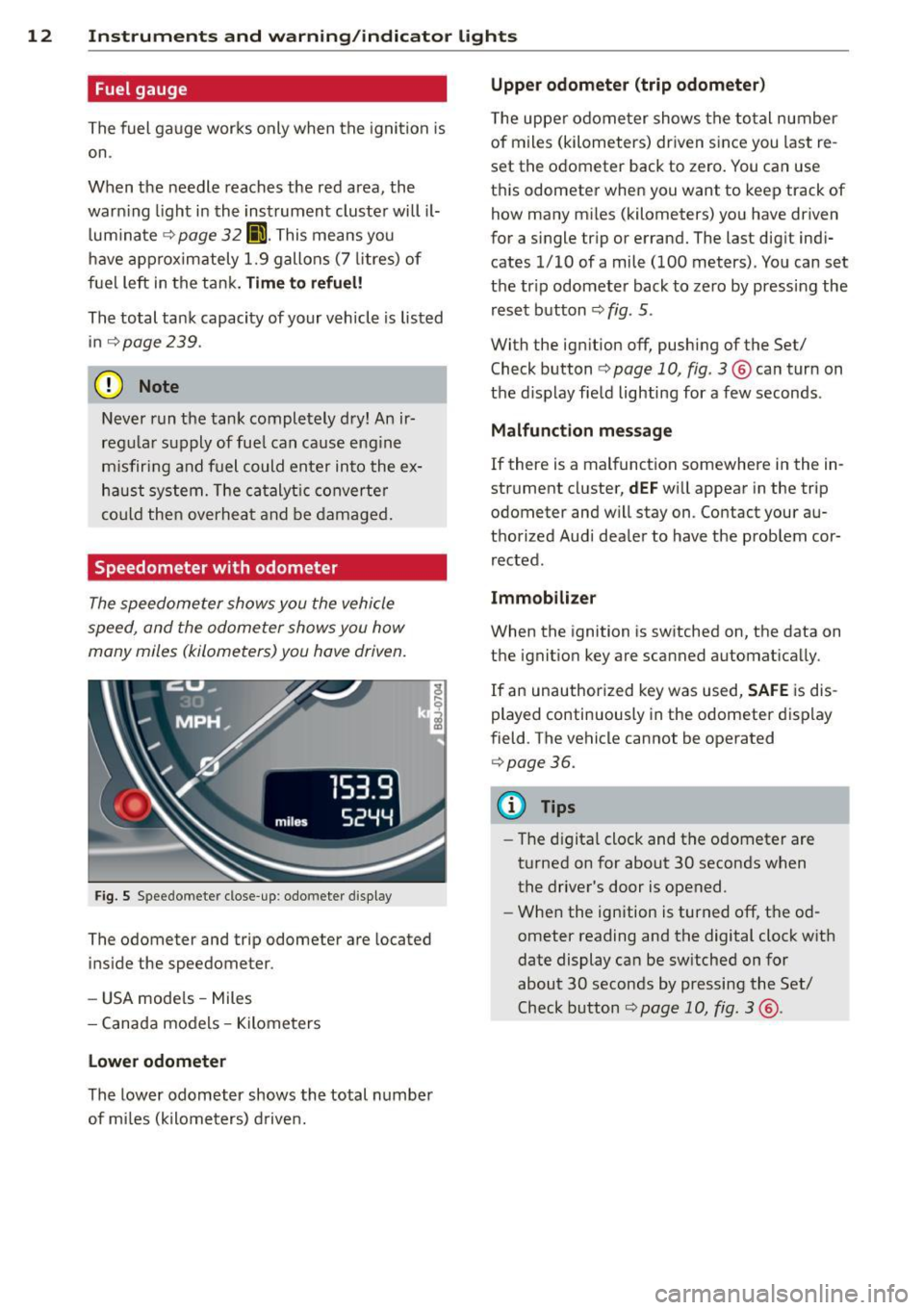
Speedometer with odometer
The speedometer shows you the vehicle
speed, and the odometer shows you how
many miles (kilometers) you have driven.
Fig. 5 Speedomete r close -up: odometer display
The odometer and trip odometer are located
inside the speedometer .
- USA mode ls - Miles
- Canada models -Kilometers
Lower odometer
The lower odometer shows the total number
of miles (kilometers) driven.
Upper odometer (trip odometer)
The upper odometer shows the total number
of miles (kilometers) driven s ince you last re
set the odometer back to zero. You can use
th is odometer when you want to keep track of
how many miles (kilometers) you have driven
for a single trip or errand. The last digit indi
cates
1/10 of a mile (100 meters) . You can set
the tr ip odometer back to zero by pressing the
reset button
<:;> fig . 5.
With the ig nition off, pushing of the Set/
Check button
9 page 10, fig. 3 ® can turn on
the d isplay field lighting for a few seconds .
Malfunction message
If there is a malfunction somewhere in the in
strument cluster,
dEF will appear in the trip
odometer and w ill stay on. Contact your au
thorized Aud i dealer to have the problem cor
rected.
Immobilizer
When the ignition is switched on, the data on
the ignition key are scanned automatically.
If an unauthorized key was used, SAFE is dis
played continuously in the odometer display
field . The vehicle cannot be operated
9page 36.
(D Tips
-The digital clock and the odometer are
turned on for about 30 seconds when
the driver's door is opened .
- When the ignition is turned off, the od
ometer reading and the digital clock with
date display can be switched on for
about 30 seconds by pressing the Set/
Check button
<:;> page 10, fig. 3 @ .
Page 17 of 260
Instruments and warning/indicator lights 15
-The light illuminates when the folding top
opens or closes .
- It flashes if one of the conditions for auto
matically lowering or raising the convertib le
top is not met and the switch to actuate the convertible top is pressed.
- The light i lluminates when the convertib le
top is opened or closed
incompletely.
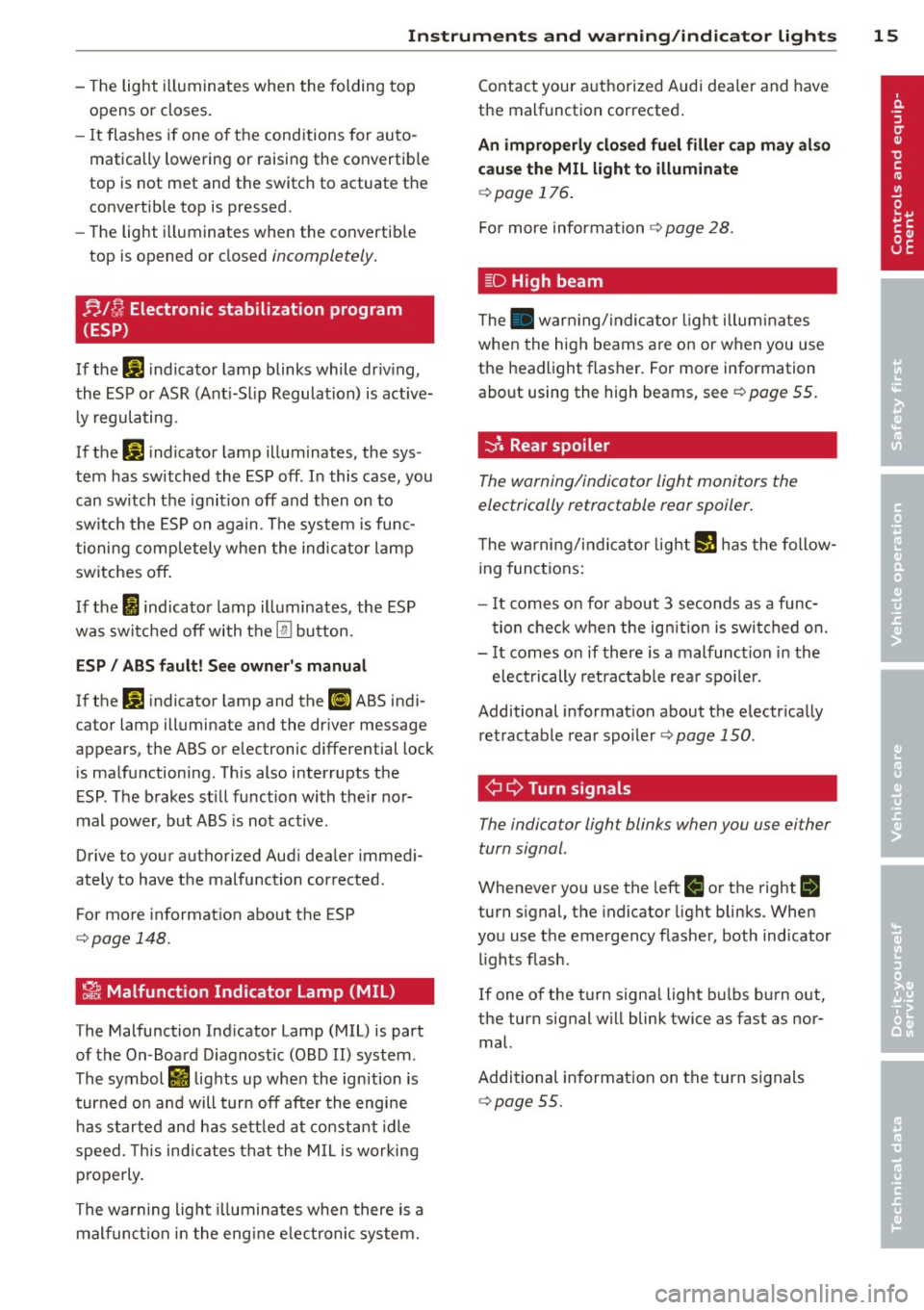
nl /J Electronic stabilization program
(ESP)
If the G1 i ndicator lamp blinks while dr iv ing,
the ESP or ASR (Ant i-S lip Regulation) is active
l y regulating.
If the G1 indicator lamp illuminates, the sys
tem has sw itched the ESP off. In this case, you
can switch the ignition off and then on to
switch the ESP on again. The system is func
tioning completely whe n the indicator lamp
switches off .
I f the
I indicato r lamp illuminates, the ESP
was switched off with the
[ru bu tton.
ESP/ ABS fault! See owner's manual
If the G1 indicator lamp and the ll] ABS indi
cator lamp illuminate and the dr iver message
appears, the ABS or e lectronic differential lock
is malfunctioning. This also interrupts the
E SP . The brakes st ill function with the ir nor
mal power, but ABS is not active.
Drive to your authorized Aud i dea ler immedi
ately to have the malfunction corrected .
For more information about the ESP
¢page 148.
~ Malfunction Indicator Lamp (MIL)
The Malfunction Ind icator Lamp (MIL) is part
of the On-Board Diagnostic (OBD II) system .
The symbol
rfl lights up when the ignition is
turned o n and will turn off after the engine
has started and ha s settled at constant idle
speed. This ind icates that the MIL is working
p roperly.
The warning light illuminates when there is a
malfunction in the engine e lectronic system. Contact
your authorized Audi dea ler and have
the malfunction corrected .
An improperly closed fuel filler cap may also
cause the MIL light to illuminate
¢page 176.
For more information ¢ page 28.
[D High beam
The . warn ing/ indicato r light illum inates
when the high beams are on or when you use
the headlight flasher. For more information
about using the high beams, see¢
page 55.
-::}. Rear spoiler
The warning/indicator light monitors the
electrically retractable rear spoiler .
The warning/indicator light I! has the follow
ing functions:
- It comes on for about 3 seconds as a func
tion check when the ignition is switched on.
- It comes on if there is a malfunction in the
electrically ret ra ctab le rea r spo ile r.
Additional informat ion about the e lectr ically
retractable rear spoiler ¢
page 150.
¢¢Turn signals
The indicator light blinks when you use either
turn signal.
Whenever you use the left II or the right II
turn s ignal, the indicator light blinks. When
you use the emergency flasher, both indicator
lights flash.
If one of the turn signa l light bulbs burn out,
the turn signal will blink twice as fast as nor
mal.
Additional information on the turn signals
¢page 55.
Page 22 of 260
20 Driv e r in formation sy stem
Trip computer
Introduction
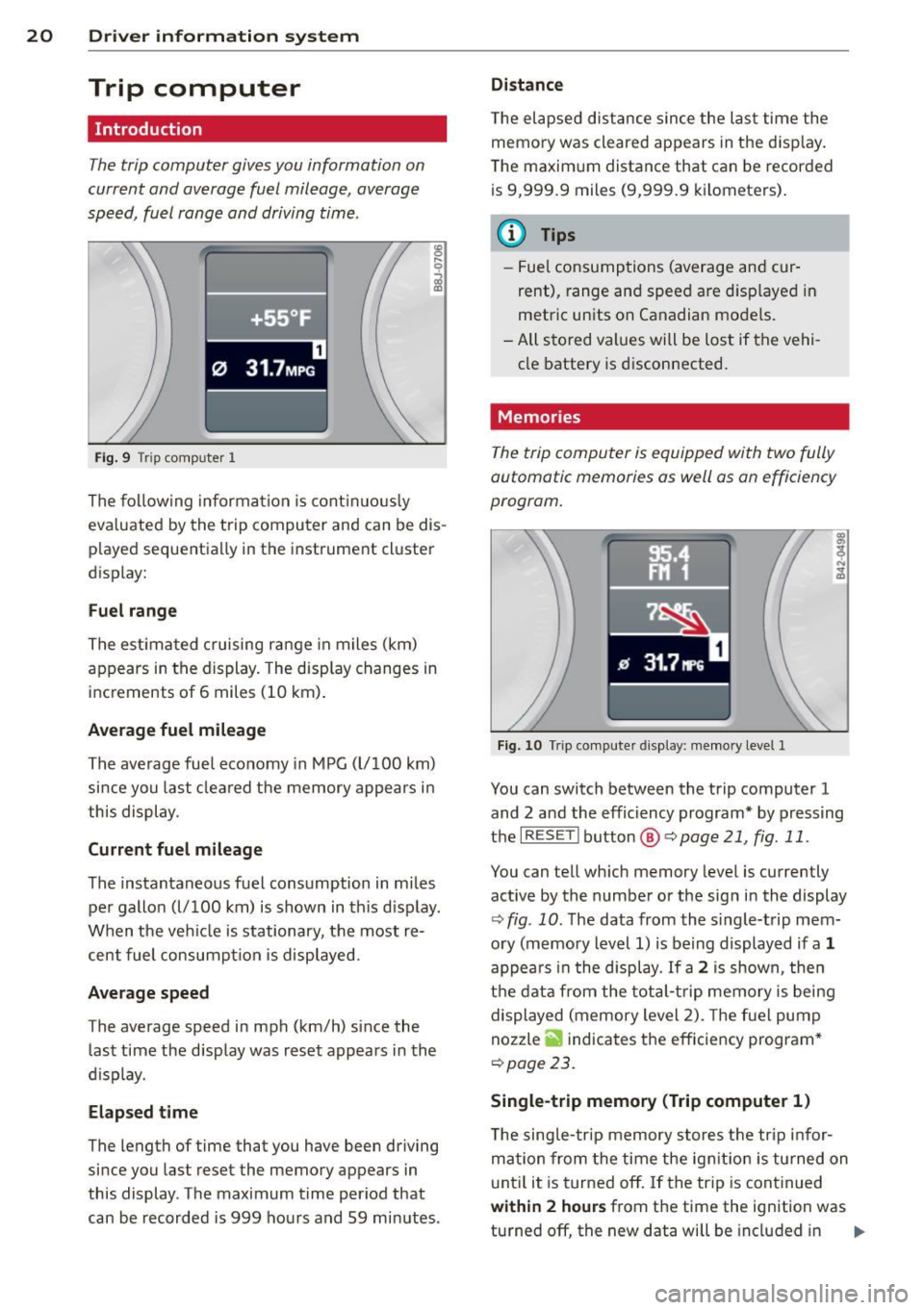
The trip computer gives you information on
current and average fuel mileage, average
speed, fuel range and driving time .
f ·+ss ~F .
0 31.7MP G
Fig. 9 Tri p comp uter 1
The follow ing information is cont in uo usly
eva luated by the trip computer and can be dis
p layed sequentially in the instrument cluster
display:
F u el range
The estimated c ruising range in miles (km)
appears in the display. The disp lay changes in
increments of 6 miles (10 km) .
Average fuel mileage
The average fuel economy in MPG (l/100 km)
since you last cleared the memory appears in
this display .
Current fuel mileage
The instantaneous fuel consumption in miles
pe r gallon (l/100 km) is shown in this d isp lay.
When the veh icle is stationary, the most re
cent fuel consumpt ion is displayed .
Average speed
The average speed in mph (km/h) since the
last time the display was reset appears in the
d isplay.
Elapsed time
The length of time that you have been driving
since you last rese t the memory appears in
this display . The maximum time period that
can be recorded is 999 hou rs and 59 minutes .
Distance
T he elapsed dis tance s ince the last time the
memo ry was cleared appears in the d isp lay .
The maxim um distance that can be recorded
is 9,999 .9 miles (9,999.9 kilometers) .
a) Tips
-Fuel consumptions (average and cur
rent), range and speed are d isp layed in
metric units on Canadian mode ls.
- All stored values will be lost if the vehi
cle battery is d isconnected.
Memories
The trip computer is equipped with two fully
automatic memories as well as an efficiency
program.
Fig . 10 Tr ip compute r d isplay: me mory level 1
You can switch between the trip computer 1
and 2 and the effic iency program* by pressing
the
IRES ET I button @ Qpage 21, fig . 11 .
You can tell wh ich memory level is currently
active by the number o r the sig n in the display
¢ fig . 10 . The data from the s ingle-t rip mem
ory (memory level 1) is being displayed if a
1
appea rs i n the display . If a 2 is shown, then
t h e dat a from the tota l-t rip memory is being
displayed (memory level 2). The f ue l pump
nozzle
ii indicates the efficiency program *
¢page 23.
Single-trip memory (Trip computer 1 )
The sing le- trip memory stores the tr ip infor
mation from the time the ign it ion is tu rned on
u nt il it is turned off.
If t he trip is cont inued
with in 2 hour s from the time the ignition was
turned off, the new data will be included in ..,.
Page 23 of 260
the calculation of the current tr ip in fo rma
tion . If the trip is i nterrupted for
more than 2
hours
the memory is reset automatica lly .
Total -trip m emory (Trip computer 2)
Unlike the sing le- trip memory , the tota l- t rip
memory is not reset automatically. This per
mits you to evaluate your dr iv ing data for the
entire period between manual resets.
Efficiency program*
The eff ic iency p rogram can help you to use
l ess fuel
r=> page 23.
Operation
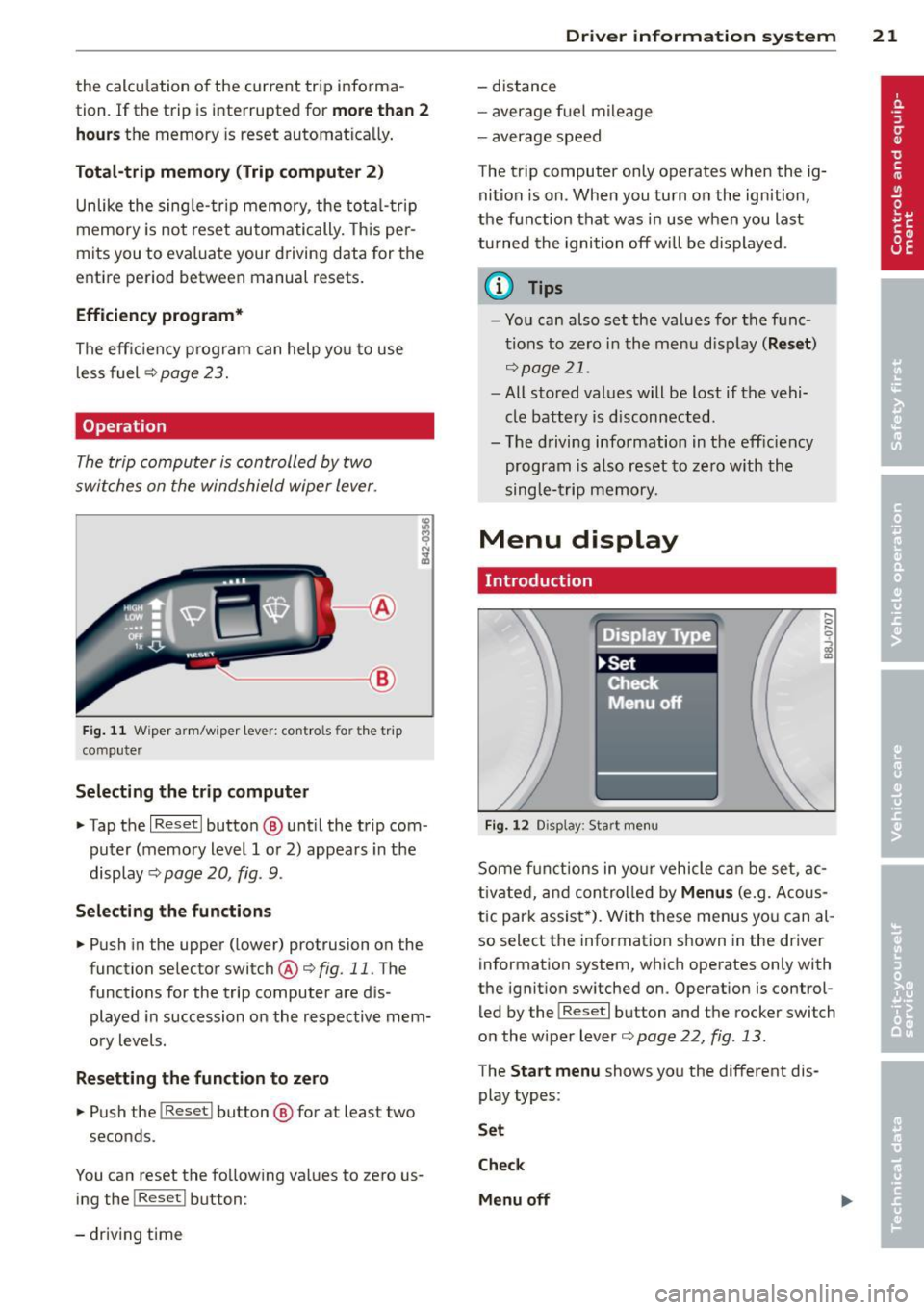
The trip computer is controlled by two
switches on the windshield wiper lever .
~--®
Fig . 11 W ip er arm /wip er lev er: con tro ls for t he t rip
co mpu te r
Selecting the tr ip computer
" Tap the I Reset I butto n@ unt il the trip com
puter (memory level 1 or 2) appears in the
display <=>
page 20, fig. 9.
Selecting the functions
" Push in the upper (lower) protrusion on the
function selector switch@<=>
fig. 11. The
function s for the trip computer are d is
played in succession on the respective mem
o ry levels.
Resetting the function to zero
" Pu sh the I Reset I button ® for at leas t two
s econds .
You can reset the fo llow ing values to zero us
ing the !Reset l button :
- driv ing time
Dr iver in formation system 21
- distance
- average f uel mi leage
- average speed
The trip computer only operates when the ig nit ion is on. Whe n you turn on the ign ition,
the function that was in use when you last
turned the ignition off will be displayed .
(D Tips
- You can also set the va lues for the f unc
t ions to zero in the menu disp lay
( Re set )
<=>page 21 .
-All stored values will be lost if the vehi
cle battery is d isconnected.
- The d riving information in the eff iciency
program is also reset to zero w ith the
single- trip memory.
Menu display
Introduction
Fi g. 1 2 Dis play: Star t me nu
Some f unctions in yo ur vehicle can be set , a c
tivated, and con tro lled by
Menus (e.g. Acous
tic par k assis t*). With these menus yo u can al
so select the information shown in the driver
information system, which operates only w ith
the ignit ion sw itched on . Operation is control
led by the
I Re set I b utton and the rocker switch
on the wiper lever
<=> page 22 , fig . 13.
The Start menu shows yo u the different dis
play types :
Set
Check
Menu off
Page 24 of 260
22 Driv e r in formation sy stem
Each display type in the Start menu contains a
submenu with additional options.
Set Clock
c;:,page23
Computer
c;:,page23
Acoust ic par k assist*
¢page83
Speed alarm (speed warning)
c;:,page27
Language (6 languages)
c:;>page23
Units (distance, fuel consump-
tion, temperature)
c;:,page23
Tire pressure monitoring
c;:,page 212
Lap timer *
c;:,page 25
Lighting*
c;:,page53
Wiper (service position)
c;:,page62
Window
¢page44
Doors (unlocking and locking
mode, for example Auto-lock)
c;:,page 37, c:;>page 37
Check Service
c;:,page24
Chassis number *
c;:, page 23 7
Engine oil temperature*
Registered keys
c:;>page35
Menu off All of the messages show n in ve-
hides without menu display a p-
pear on the display screen.
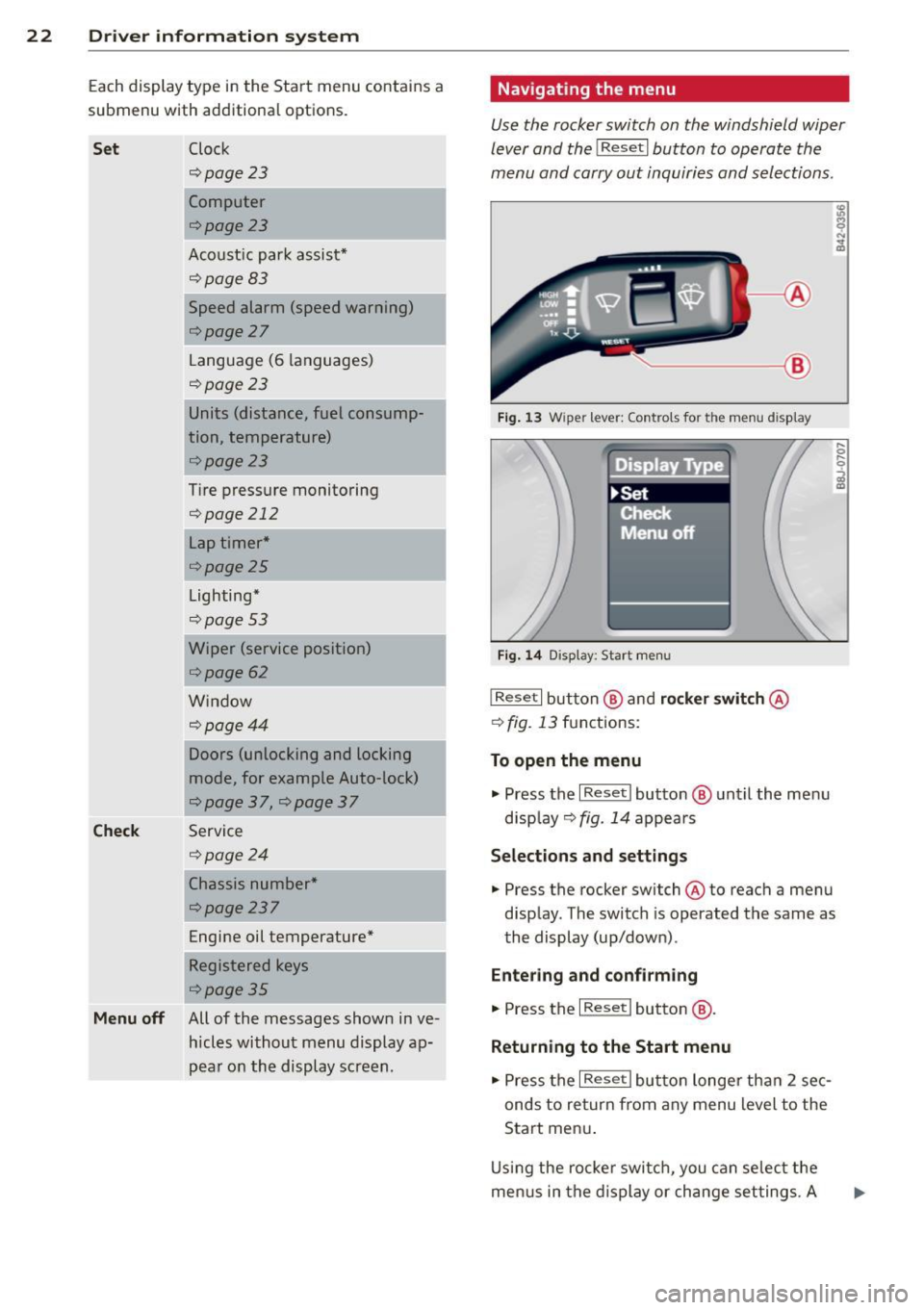
Navigating the menu
Use the rocker switch on the windshield wiper
lever and the
I Reset I button to operate the
menu and carry out inquiri es and selections.
~-- @
Fig. 1 3 Wiper lever: Controls for the men u display
Fi g. 14 Display: Start menu
I Reset I button @ and rocker switch @
c:;> fig. 13 functions:
To open the menu
.,. Press the I Reset I button @ until the me nu
d isp lay¢
fig. 14 appears
Selections and settings
.,. Press the rocker switch @to reach a menu
disp lay. The switch is operated the same as
the display (up/down) .
Entering and c onfirm ing
.,. Press the I Reset I button @.
Returning to the Start menu
.,. Press the I Reset I butto n longe r tha n 2 sec
onds to return from any menu level to the
Start men u.
U sing the rocke r swi tch , you can se lec t the
me nus in the display or change set tings. A
Page 25 of 260
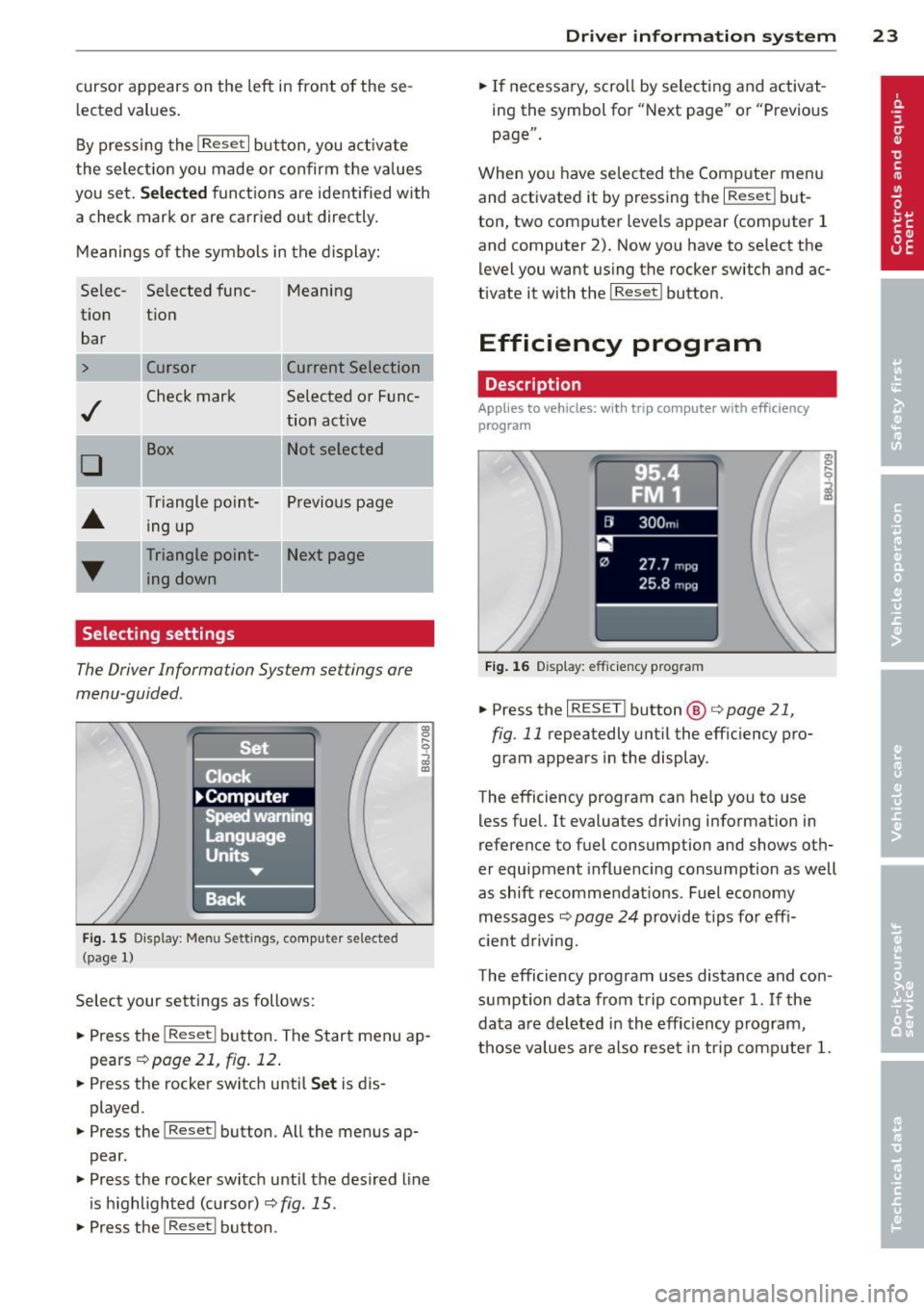
cursor appears on the left in front of these
lected values.
By pressing the
I Reset I button , you activate
the selection you made or confirm the values
you set.
Selected functions are identified with
a check mark or are carried out d irectly.
Meanings of the symbols in the display:
Se lee- Selected tune- Meaning
tion tion
bar
> Cursor Current Selection
..f
Check mark Selected or Fune-
tion active
D
Box Not selected
•
Triangle point- Previous page
ing up
T
Triangle point- Next page
ing down
Selecting settings
The Driver Information System settings are
menu -guided.
Fig. 15 Dis play: Men u Set tings , computer selected
(p age 1)
Select your settings as follows:
.,. Press the !R eset ! button. The Start menu ap
pears
!:!) page 21, fig. 12 .
.. Press the rocker switch until Set is dis
played .
.. Press the lReset ! button . All the menus ap
pear .
.. Press the rocker switch until the des ired line
is highlighted (cursor)
I:!) fig . 15 .
.,. Press the I Reset ! button .
Driver in format ion syste m 23
.. If necessary, scroll by selecting and activat
ing the symbol for "Next page" or "Previous
page".
When you have selected the Computer menu
and activated it by pressing the
I R eset! but
ton, two computer levels appear (computer 1
and computer 2). Now you have to select the level you want using the rocker switch and ac
tivate it with the
I Reset ! button .
Efficiency program
Description
Applies to veh icles: w ith tr ip computer with efficiency
program
--[II 300m,
27.7 mpg
25.8 mpg
Fig. 16 D isplay: efficie ncy prog ra m
.. Press the I RESET ! button @ c> page 21,
fig . 11
repeatedly until the efficiency pro
gram appears in the display .
The efficiency program can help you to use
less fuel.
It evaluates driving information in
reference to fuel consumption and shows oth
er equipment influencing consumption as well
as shift recommendations . Fuel economy
messages ¢
page 24 provide tips for effi
c ient driving.
The efficiency program uses distance and con
sumption data from trip computer
1. If the
data are deleted in the efficiency program,
those values are also reset in trip computer
1.
Page 26 of 260
24 Driver information system
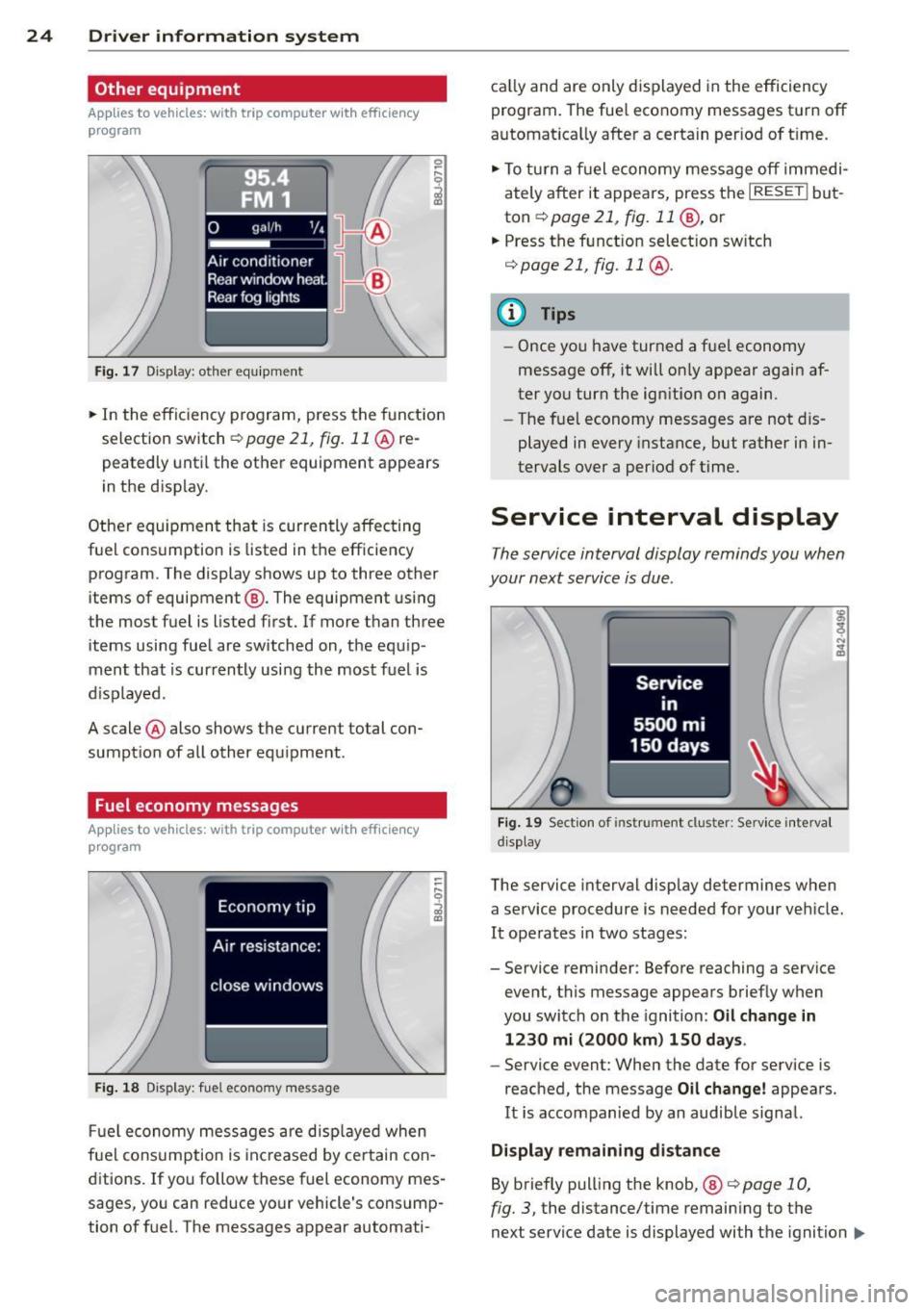
Other equipment
Applies to vehicles: with trip computer w ith eff iciency
program
Fig. 17 Dis pl ay : o th er equ ipm ent
• In the effic iency program, press the funct ion
selection switch
r::;, page 21, fig. 11 @ re
peatedly until the other equipment appears
in the disp lay.
Other equipment that is currently affecting
fuel consumption is listed in the efficiency program . The display shows up to three other
items of equipment ®· The equipment using
the most fuel is listed first. If more than three
items using fuel are switched on, the equip
ment that is currently using the most fuel is
d isplayed .
A scale @also shows the current total con
sumption of all other equipment .
Fuel economy messages
Applies to vehicles: with trip computer with efficiency
program
Fig. 18 Dis play: fuel eco nomy message
Fuel economy messages are displayed when
fuel consumption is inc reased by certain con
ditions. If you follow these fuel economy mes
sages, you can reduce your vehicle's consump
tion of fuel. The messages appear automati- cal
ly and are only d isplayed in the efficiency
program. The fuel economy messages turn off
automat ica lly after a certain per iod of t ime.
• To turn a fuel economy message off immedi
ately after it appears, press the
I RESET ! but
ton
r::;, page 21 , fig. 11 @, or
.. Press the funct ion select ion sw itch
r::;, page 21, fig. 11 @ .
@ Tips
- Once you have turned a fuel economy
message off, it will on ly appear again af
ter you turn the ignition on again.
- The fue l economy messages are not dis
played in every instance, but rather in in
tervals over a period of time.
Service interval display
The service interval display reminds you when
your next service is due .
Fig. 19 Section of instrument clus ter: Se rv ice interva l
d isplay
The service interval display determines when
a service procedure is needed for your veh icle .
It operates in two stages:
- Service reminder: Before reaching a service
event, this message appears briefly when
you switch on the ignition: Oil change in
1230 mi (2000 km) 150 days.
- Service event: When the date for service is
reached, the message Oil change! appears.
It is accompanied by an audible signal.
Display remaining distance
By briefly pulling the knob, ®
<=>page 10,
fig. 3, the distance/time remaining to the
next service date is displayed with the ignition
IIJ,-