instrument cluster AUDI TT ROADSTER 2011 User Guide
[x] Cancel search | Manufacturer: AUDI, Model Year: 2011, Model line: TT ROADSTER, Model: AUDI TT ROADSTER 2011Pages: 260, PDF Size: 64.11 MB
Page 35 of 260
![AUDI TT ROADSTER 2011 User Guide 0/0, Speed warning 2
If the ti] (USA models)l [i] (Canada models)
symbol illuminates, this means you have dr iv
en faster than the second set vehicle speed.
Slowdown!
¢page 26.
~[](/img/6/57666/w960_57666-34.png "AUDI TT ROADSTER 2011 User Guide 0/0, Speed warning 2
If the ti] (USA models)l [i] (Canada models)
symbol illuminates, this means you have dr iv
en faster than the second set vehicle speed.
Slowdown!
¢page 26.
~[")
0/0, Speed warning 2
If the ti] (USA models)l [i] (Canada models)
symbol illuminates, this means you have dr iv
en faster than the second set vehicle speed.
Slowdown!
¢page 26.
~[) Headlight range control defective
Appl ie s to veh icles: w ith dynamic hea dli ght range a djust
m ent
If the II ill uminates, the dynamic headlight
range control is no longer working properly.
Have the system checked and repaired at your
authorized Audi dealer.
! ?) Engine speed limitation
A pp lies to veh icles: with e ngine spee d limitat io n
(Pl Do not exceed max. engine speed of XXXX
rpm
The II! symbol illuminates when there is an
engine control malfunction. The indicator
light ~ in the instrument cluster also illumi
nates . The engine speed is limited to the
speed displayed in the driver information sys
tem . Keep in mind that the eng ine speed will
not exceed the va lue disp layed in the driver in
fo rmation system , fo r example when down
shifting.
Please go to an authorized Aud i dealer or oth
er qualified workshop to have the malfunction
r epaired.
O Windshield washer fluid level too low
If the (-J '>ymbol illuminates, add windshield
washer fluid to the washer system
¢page 192.
D Battery voltage low
If the (•i symbol illuminates, contact your au
thor iz ed Audi dealer and have the following
components inspected:
- drive be lt
- battery charge
Driver information system 33
Also see if the generator warning/indicator
light illuminates
¢page 16.
® Defective light bulb warning
The defective light bulb warning tells you
when o vehicle light bulb hos become defec
tive.
If a defective bulb has been detected by the
system or a light bulb burns out, the
II sym
bo l with a message appears in the display to
te ll you which bulb is burnt out and where it is
located. For example :
Rear left turn signal
After S seconds, the message disappears. If
you want to recall the message into the dis
play, p ress the CHECK button
¢page 10,
fig . 3 @ .
The re are three reasons why the defective
bulb message would appear in the disp lay:
- The light bulb has burnt out¢
page 230 .
-The fuse is "blown" ¢ page 22 7, Replacing
fuses .
-The wire connect ion to the light bulb is de-
fective.
Have the bulb replaced or the connection re
paired by your authorized Audi Service depart
ment .
.&, WARNING
-Light bulbs are pressurized and could ex
plode wh ile they are being changed caus
ing serious pe rsonal injury.
- Work with due care when handling the
high-voltage sect ion of gas discharge
(xenon) lamps. Failing to do so could re
sult in death or serious injury!
BRAKE LIGHT!< ®> Brake light defective
In case of a malfunction or component fail-
ur e, the symbo l (USA models)/
l1J (Canada models) can appear. The follow
ing electrical components should be checked,
repaired or replaced, as necessary:
Page 55 of 260

Clear vision Lights
Switching the headlights on and off
Fig . 57 Instrument pane l: light switch
F ig. 58 Instrument pane l: light switch w ith daytime
running lights (DRL)
The light switch must not be overturned past
the stops in
either dire ct ion.
Switching on automatic headlight
control*
.,. Turn the light switch to AUTO* ¢ fig. 57 .
Switching on the side ma rker lights
.,. Turn the light switch to ,oo:.
Switching on the headlights and high
beam
.,. Turn the light switch to gD .
.,. Push the high beam lever forward towards
the instrument panel¢
page 55.
Switching off the lights
.,. Turn the light switch to 0.
The headlights only work when the ignition is
switched on. While starting the engine or
when switching
off the ignition, the head-
Clear vision 53
lights will go off and only the side marker
lights will be on.
Daytime running lights (DRL) (USA
models)
The daytime r unning lights can be turned on
or
off using this function. If the function is ac
tive, the daytime running lights are turned on
automatica lly when the ignition is switched
on.
The daytime running lights are activated
only
when the light switch is at the AUTO* or DRL *
position.
Daytime running lights (Canada models
only)
The daytime running lights are activated only
when the light switch ¢ fig. 57 is either at the
0 or the ,oo: position.
The daytime r unning lights function cannot be
turned
off .
Automatic headlight control*
In the switch position AUTO the automatic
headlight control
is turned on. The low
beams are turned on automatically through a
light sensor as soon as ambient brightness
(e .g. when driving into a tunnel) falls below a
value preset at the factory. When ambient
brightness increases aga in, the low beams are
turned
off again automatica lly c:> & .
In the AUTO position the low beams are
switc hed
off automatically when the ignition
is tur ned
off.
Light Sensor Malfunction*
In the event of a light sensor malfunction, the
driver is notified in the instrument cluster dis
play:
ral Automatic headlights/automatic wipers
defective
For safety reasons the low beams are turned
on permanen tly with the switch in
AUTO* .
However, you can continue to turn the lights
on and
off using the light switch. Have the ..,.
Page 58 of 260
56 Clear vis ion
Notes on the se feature s
- The turn signals only work with the ignition
swit ched on . The indicator lights
(I or IN in
the instr ument cl uster ¢
page 13 also b link .
- After you have turned a corner, the turn sig-
nal switches off a utomat ica lly.
- T he
high beam works only when the head
lights are on. The indicator light . in the
instrument cluster illuminates when the
high beams a re on.
- The
headlight flasher wo rks on ly as long as
yo u hold the lever -even if there are no
lights switched on. The indicator light . in
the instrument cl uster illum inates when you
use the headlight f lasher.
(D Note
Do not use the high beam or headlight
flasher if you know that these cou ld be
blind ing oncoming traffic.
Emergency flasher
The emergency flasher makes other motorists
aware that you or your vehicle are in an emer
gency situation.
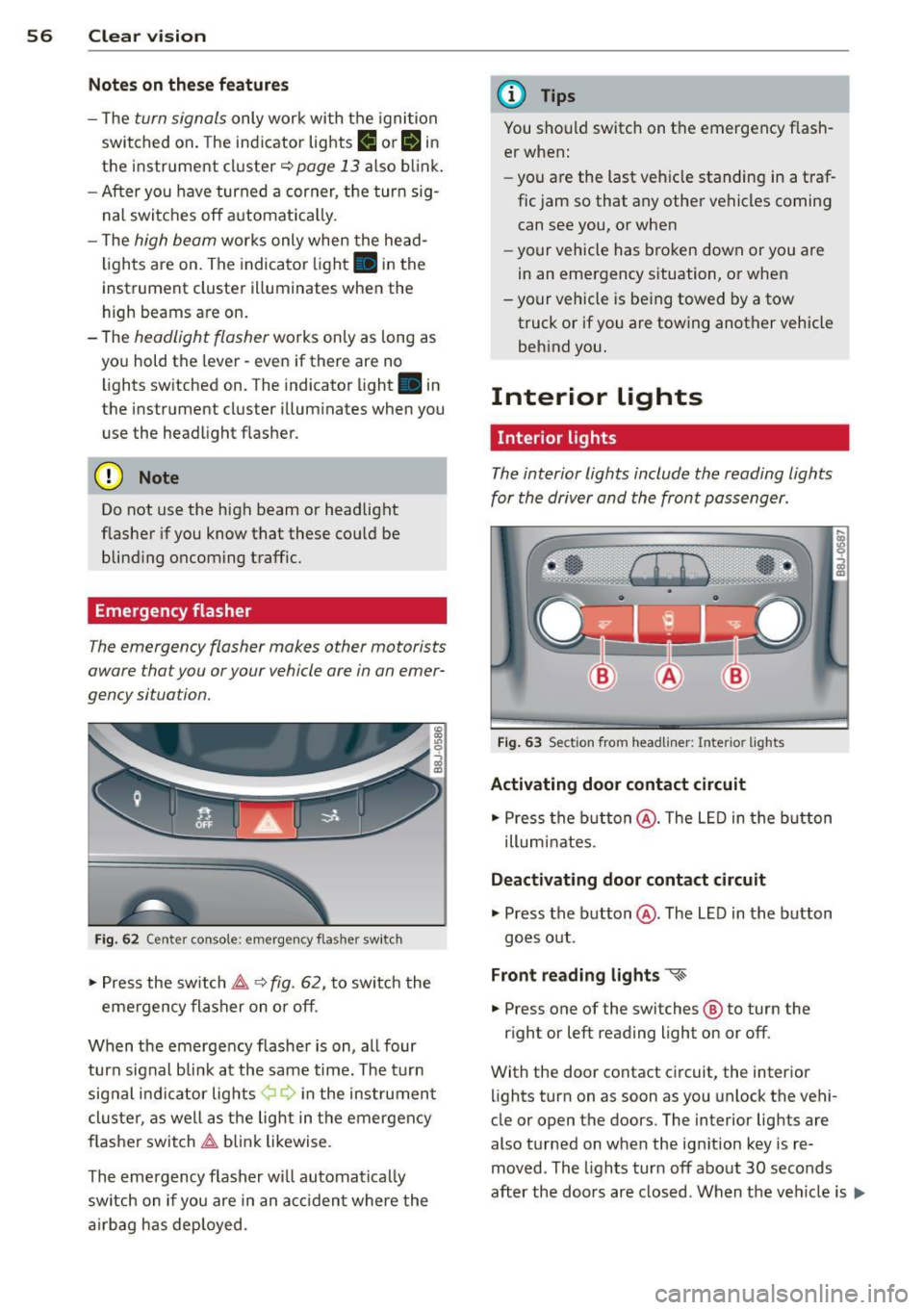
F ig . 6 2 Cente r console: emerge ncy flas her sw itch
,. Press the switch ~ ~ fig. 62, to switch the
eme rgency flasher on or off .
When the emergency f lashe r is on, a ll four
turn sig nal bli nk at the same time. The t urn
sig nal i ndi ca tor lights ¢ Q in the ins trument
cluster, as well as the lig ht in t he emergen cy
f lasher switch ~ blink likewise .
The emergency flasher w ill automat ica lly
switch on if you are in an a cciden t where the
a irbag has deployed.
(D Tips
You should switch on t he emergency f lash
er when:
- you are the last veh icle standing in a traf
fic jam so that any other vehicles coming can see you, or when
- your vehicle has broken down or you are
in an emergency s ituation, or when
- your vehicle is being towed by a tow
truck or if you are tow ing another vehicle
beh ind you.
Interior lights
' Interior lights
The interior lights include the reading lights
for the driver and the front pass enger.
F ig . 63 Sect ion from headliner: Interio r lights
Activating door contact circuit
,. Press the b utton @. The L ED in the b utton
illum inates.
Deactivating door contact circuit
,. Press the button @. The LED in the button
goes o ut.
Front reading lights "<~
.. Press one of the switches ® to turn the
r ight or left reading light on or off.
With the door contact circuit, the interior lights turn on as soon as you unlock the vehi-
cle or open the doors. The interior lig hts are
also t urned on when the ign ition key is re
moved . The lights turn off about 30 seconds
after the doo rs ar e closed. When the ve hicle is
lilJJ,
Page 59 of 260

locked or when the ignition is turned on, the
interior lights are turned off.
When a door is open, the interior l igh ts are
turned off afte r abo ut 10 m inu tes to p reven t
battery draining.
The brightness of the lights is controlled au
t om atically by a dimmer when they are
sw itched on and off.
Instrument panel illumination
The illumination of the instruments, displays
and the cen ter console can be adjusted .
Fig . 64 Instr ument pane l illu min at io n
i a:. .. a,
You regulate the brightness of the instru
ments with the left thumbwheel
Co/¢ fig. 64 .
Ign ition ON, light switch at @.
Wit h t he igni tion swi tched ON, the glow o f in
strument needles
can be adjusted to a ppear
b righter or dimmer.
Ignition ON , light switch at ~oQ: or ~D .
With the l igh ts sw itched on, the brightness of
i nstr ument cluster (i.e. needles, gauges and
d isp lays) and center console i llumination can
be ad justed .
(D Note
The instrument cluster and cente r console
illumination (ga uges and needles) comes
on when you switch on the ignition and the
vehicle headlights are off. Be aware of t he
following difference between mode ls built
to US or Ca nadian specifications:
- USA models: illumination of the instru
ment cluster (gauge s and needles),
dash and cente r console around the
Clear vi sion 5 7
gearshift lever is controlled by a light
sensor located in the in strument panel.
The in strument panel illumination will
automatically become dimmer as the
daylight fades away and eventuall y will
go out completely when outside light is
very low . This i s to remind you, the driv
er, to switch on the headlights before it
get s too dark.
- Canada models: in strument pan el illu
min ation w ill stay bright r egardless of
the intensit y of ambient light . Alwa ys
be aware of changes in out side light
conditions while you are dri ving. Re·
s pond in time to fading daylight by
turning the light switch to position
~D
(or "AUTO" if your car is equipped with
this feature)
to turn on you r headlights.
luggage compartment light
The light is located on the right side of the
luggage compartment.
These lights come on automatically when t he
rear lid is opened . The lights turn off automat
ical ly if the lid is left open for more then 10
minutes .
Vision
Sun visors
Using the sun visors make s driving safer .
Fig. 65 Sun visor
- ~ ---------.ttr -···---=-=---------~=--·-·----- -·-==:. - · =-~-----
The vanity mirrors in the sun visors are equip
ped with lids. Push lid in direct ion of arrow to
open.
Page 86 of 260
84 On the road
Potenti al malfunction s
If a warn ing buzzer sounds for a few seconds
when the ignition is switched on, there is a
system malf unction with the acoustic park as
sist. If the malfunction persists until the igni
tion is switched off, there will be no acoustic
warning at the next attempt to activate the
system. Have the problem corrected.
There is no confirmation tone when reverse
gear is engaged if there is a system malfunc
tion.
For the parking assist to operate, the sensors
must be kept clean and free of ice .
A WARNING
-Sensors have blind spots in which objects
cannot be detected. Pay special attention
to sma ll children and animals. They can
not always be detected by the sensors -
danger of an accident!
- The parking assist cannot replace the dr iver's attention. The d river alone is re
sponsible for parking and s imilar driving
maneuvers. A lways watc h where you a re
dr iv ing.
(D Note
Low obstacles al ready signalled by a warn
ing can disappear from the system's det ec
t ion range as they are approached and will
no t continue to be sign alled. Objects such
as barrier cha ins, trailer draw ba rs, thin
pa inted vertical poles, or fences may not
be detected by the system -risk of dam
age .
For the parking ass ist to operate, the sen
sors must be kept clea n and free of snow
and ice.
Cruise control
Switching the system on
The cruise control system makes it possible to
drive at a constant speed starting at 20 mph
(30kmlh).
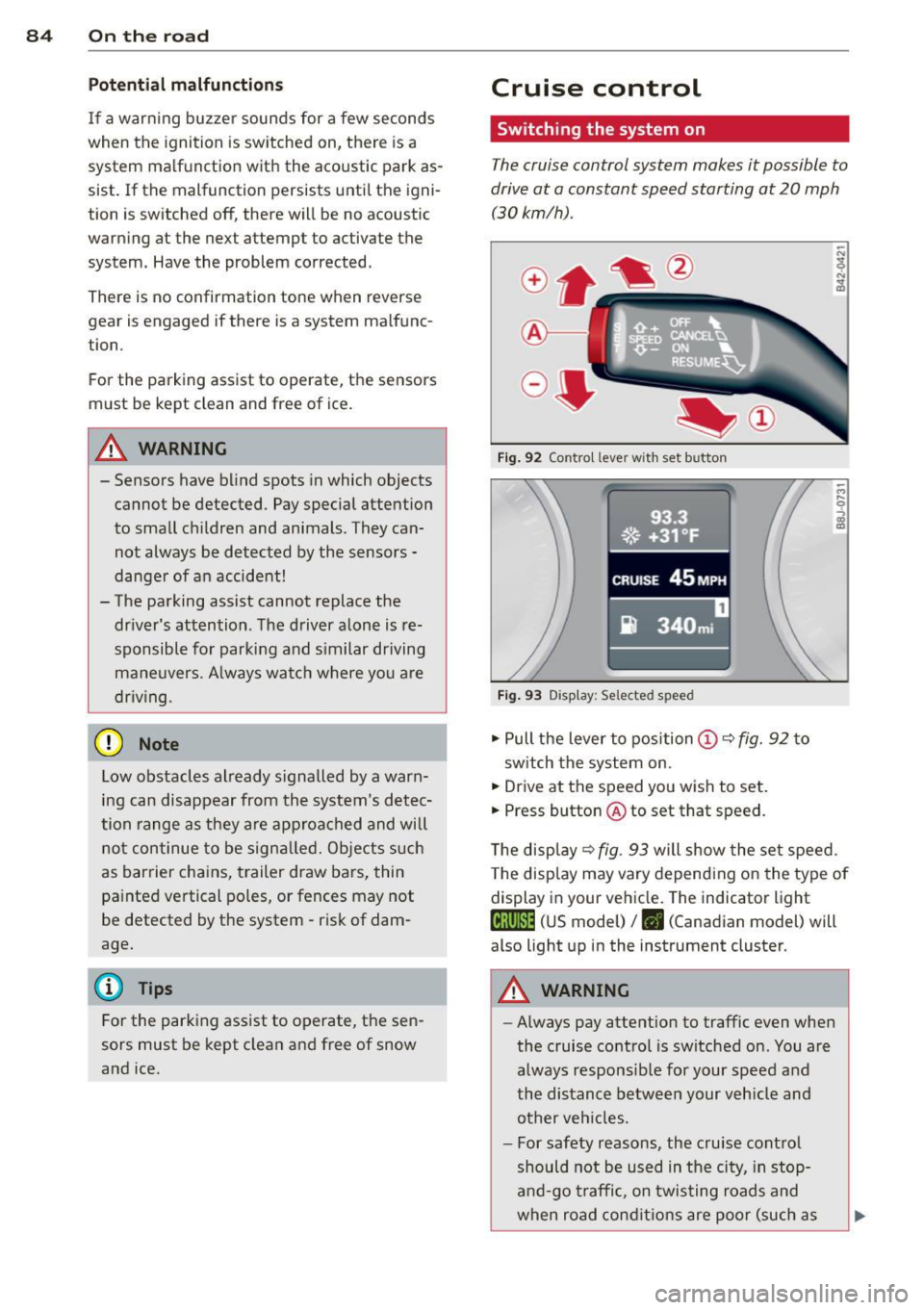
®-
Fig . 9 2 Contro l lever wit h set button
93.3
. ®' ~.+31, ~F; ,
II .~~ .. . • , -,.::.._-.--~.I-~-
CRUISE 45 MPH
iR 340m i
Fig. 9 3 Display: Selected speed
.,. Pull the lever to position (D c::> fig. 92 to
sw itch the system on.
.,. Drive at the speed you wish to set.
.,. Press button @ to set that speed.
T he disp lay
c::> fig . 93 will show the se t speed.
T he disp lay may vary depend ing on the type of
display in your ve hicle. The indicator light
te;(Q~i~ (US model) /. (Canadian model) will
also light up in the instrument cluster.
A WARNING
--Always pay attention to traffic even whe n
the cruise contro l is switched on. You are
always respons ib le for your speed and
the distance between your veh icle and
other ve hicles.
- For safety reasons, the cru ise cont ro l
should not be used in the city, in stop
an d-go t raffic, on twis ting road s and
when road cond itio ns are poor (such as
Page 89 of 260
Transmission S tronic transmission
Introduction
Your vehicle is equipped with a S tronic trans miss ion, also called a double-clutch system/
transmission.
Power is transferred between the engine and
the transm ission by means of two i ndepend
ent clutches. They replace the to rque convert
e r of conventional automat ic transm iss ions
and a llow the vehicle to acce lerate without a
noticeable break in the power flow .
W it h the aid
of tiptroni c, the gears can op
tionally be sh ifted
manually¢ page 90.
Selector lever positions
All the selector lever positions are explained
in this section.
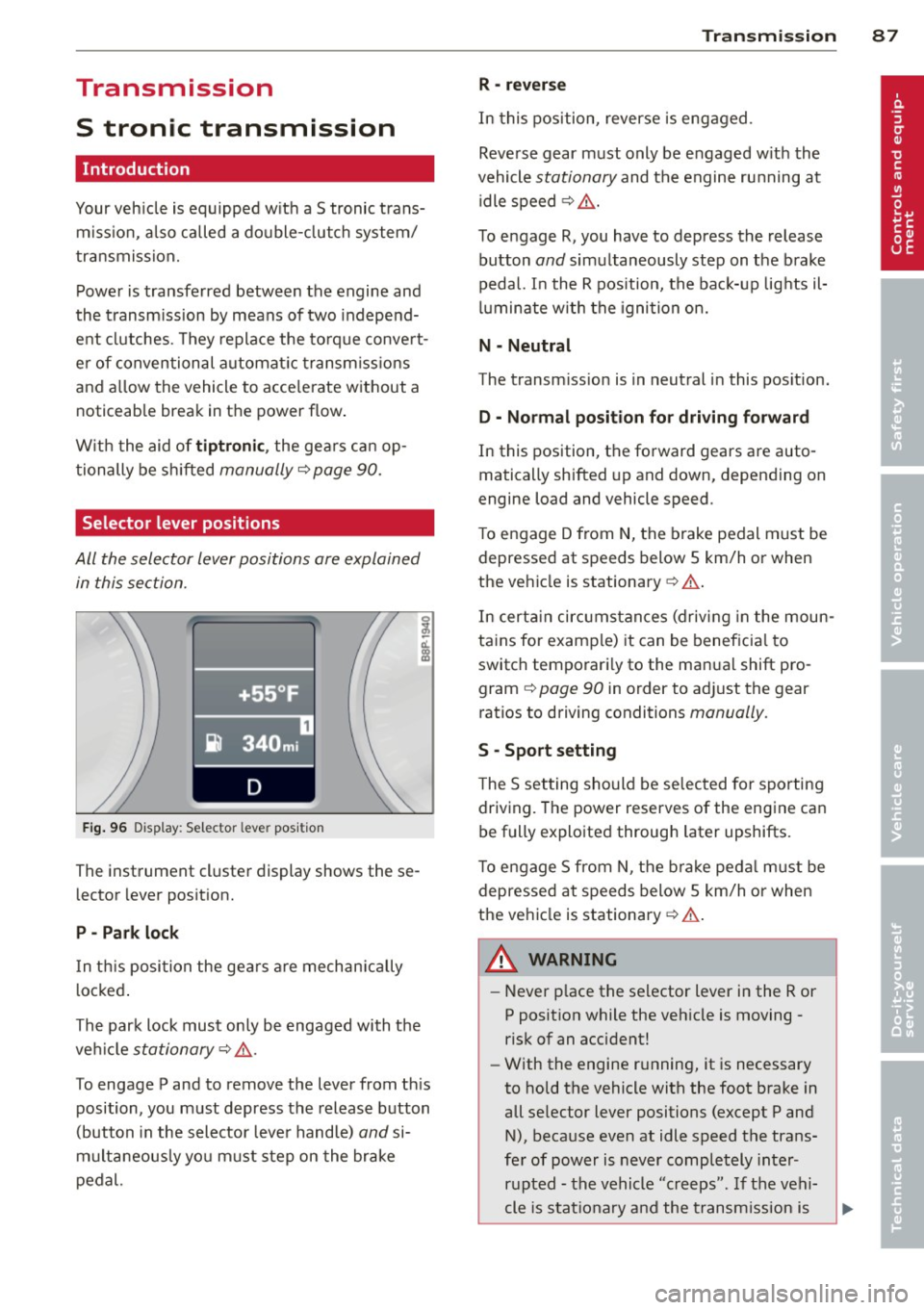
F ig . 96 Display: Selector lever position
The instrument cluster display shows these
l ector lever position.
P -Park lock
In th is posi tion the gea rs are mechan ically
l ocked .
The park lock must on ly be engaged with the
ve hicl e
stationary¢ /1..
To engage P and to remove the lever from th is
position, you must depress the release button
(button in the selector lever handle)
and si
multaneously yo u must step on the brake
pedal.
Tran sm iss ion 87
R -re ver se
In this position, reverse is eng aged.
Reverse gear must only be engaged w ith the
vehicle
stationary and the engine ru nning at
idle speed ¢
/1..
To engage R, you have to depress the release
button
and simultaneously step on the brake
pedal. I n the R pos ition, the bac k-up lights il
luminate w ith the ignition on.
N -Neutral
The transm iss ion is in neutral in this pos ition.
D -Normal po sition fo r dri ving forward
In this position, the forward gears are auto
matically shifted up and down, depending on
engine load and vehicle speed.
T o engage D from
N, the brake pedal must be
depressed at speeds below S km/h or when
the vehicle is stationary¢&. .
In certa in circ umstances (driving in the moun
tains for examp le) it can be beneficia l to
switch temporari ly to the man ual shift pro
gram ¢
page 90 in order to adjust the gear
ratios to driving conditions
manually .
S -Sport s etting
T he S set ting should be se lected for sporting
driving. The power reserves of the engine ca n
be fully explo ited through later upshifts.
T o e ngage S from N, the b ra ke peda l must be
depressed at speeds below 5 km/h or when
the ve hicle is stationary ¢&. .
A WARNING
-Never p lace the selector lever i n the R or
P posit ion while the veh icle is moving -
risk of an accident!
- With the engine r unning, it is necessary
to hold the vehicle with the foot brake in
all se lector lever positions (except P and
N), because even at idle speed the trans
fe r of power is never completely inter
r u pted -the vehicle "creeps". If t he vehi
cle is stat ionary and the t ransm ission is
Page 93 of 260
If you have selected a lower gear than the cur
rent one, the transmission w ill only shift down
when the engine cannot be overspeeded .
If kick-down is actuated, the transmission
shifts into a lower gear independent ly of
speed and engine rpm .
Steering wheel with Tiptronic ® controls
The selector paddl es allow the driver to keep
both hands on the steering wheel when shift
ing gears.
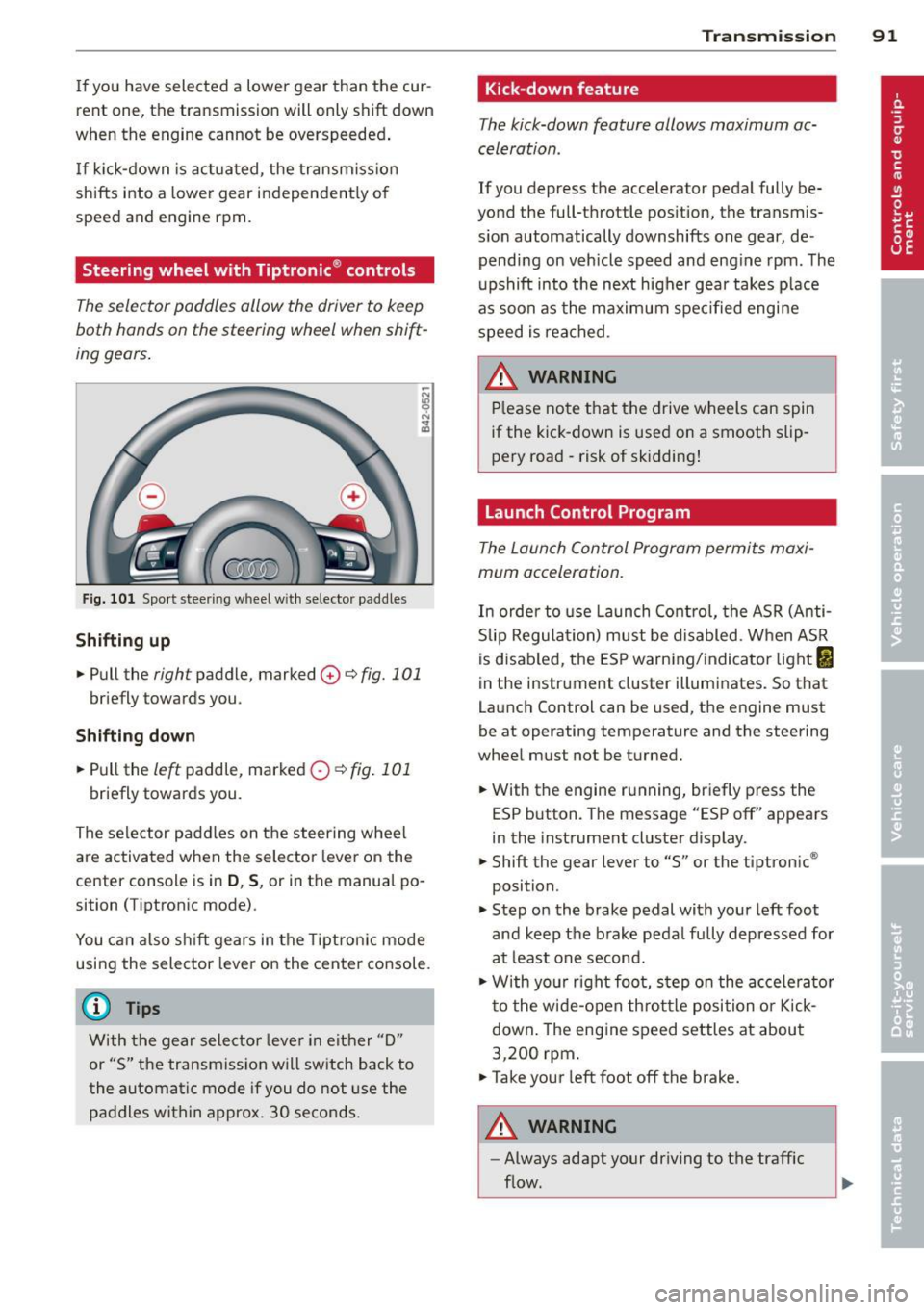
Fig. 101 Sport steer ing wheel w ith selector paddle s
Shifting up
.. Pull the right paddle, marked 0 ¢ fig. 101
briefly towards you .
Shifting down
.. Pull the left paddle, marked 0 ¢fig. 101
briefly towards you.
The selector paddles on the steering wheel
are activated when the selector lever on the
center console is in
D , S, or in the manual po
sition (Tiptronic mode) .
You can also shift gears in the Tiptronic mode
using the selector lever on the center console.
@ Tips
With the gear selector lever in either "D"
or "S" the transmission will switch back to
the automatic mode if you do not use the
paddles within approx. 30 seconds.
Transmission 91
Kick-down feature
The kick-down feature allows maximum ac
celeration .
If you depress the accelerator pedal fully be
yond the full-throttle position, the transmis
s ion automatically downshifts one gear, de
pending on vehicle speed and engine rpm. The
upshift into the next higher gear takes place
as soon as the maximum specified engine
speed is reached.
_&. WARNING
Please note that the drive wheels can spin
if the kick-down is used on a smooth slip
pery road -risk of sk idding!
Launch Control Program
The Launch Control Program permits maxi
mum acceleration.
In order to use Launch Control, the ASR (Anti
Slip Regulation) must be disabled. When ASR
is disabled, the ESP warning/indicator light
I
in the instrument cluster illuminates. So that
Launch Control can be used, the engine must
be at operating temperature and the steering
wheel must not be turned .
.. With the engine running, briefly press the
ESP button. The message "ESP off" appears
in the instrument cluster display.
.. Shift the gear lever to "S" or the tiptronic ®
position.
.. Step on the brake pedal with your left foot
and keep the brake pedal fully depressed for
at least one second.
.. W ith your right foot, step on the accelerator
to the wide-open throttle position or Kick
down. The engine speed settles at about
3,200 rpm.
.. Take your left foot off the brake.
&_ WARNING
-
-Always adapt your driving to the traffic
flow.
Page 109 of 260
Safety belts
General notes
Always wear safety belts!
Wearing safety belts correctly saves lives!
This chapte r exp lains why safety be lts a re nec
essary, how they work and how to adjust and
wear them correctly.
~ Read a ll the informat ion that fo llows and
heed all of the inst ruct ions and WARNINGS.
A WARNING
Not wearing safety belts or wearing them
imp roperly increases the risk of ser ious
personal in jury and death .
- Safety belts are the sing le most effective
means availab le to red uce the r isk of se
rious injury and death in a utomob ile acci
dents . For your prot ecti on and that of
yo ur passenge rs, always co rrec tly wear
sa fe ty bel ts when the ve hicle is mov ing.
- P re g nant women, injured, or physically
impa ired perso ns must also use safe ty
belts. L ike a ll vehicle occup ants, they are
more like ly to be ser ious ly injure d if they
do not wea r safety be lts . The best way to
protect a fet us is to protect the mother -
thro ughout the entire pregnancy.
Number of seats
Your Audi TT Roadster has two seating posi
tions. Each seat ing pos ition has a safety be lt.
A WARNING
Not wearing safety belts or wearing them
improper ly increases the risk of ser ious
personal in jury and death.
- Never st rap more than one person, in
clu ding small ch ild ren, into any belt. It is
especially dangerous to place a safety
belt over a child s itting on yo ur lap.
- Never let mo re people ride in the ve hicle
t h an t he re a re safety be lts ava ilable.
Sa fety belts 107
- Be s ure everyone riding in the vehicle is
properly restrained w ith a separate sa fe
ty belt or child restra int.
4 Safety belt warning light
Your vehicle has a warning system for the
driver and front seat passenger to remind you
about the importance of buckling-up.
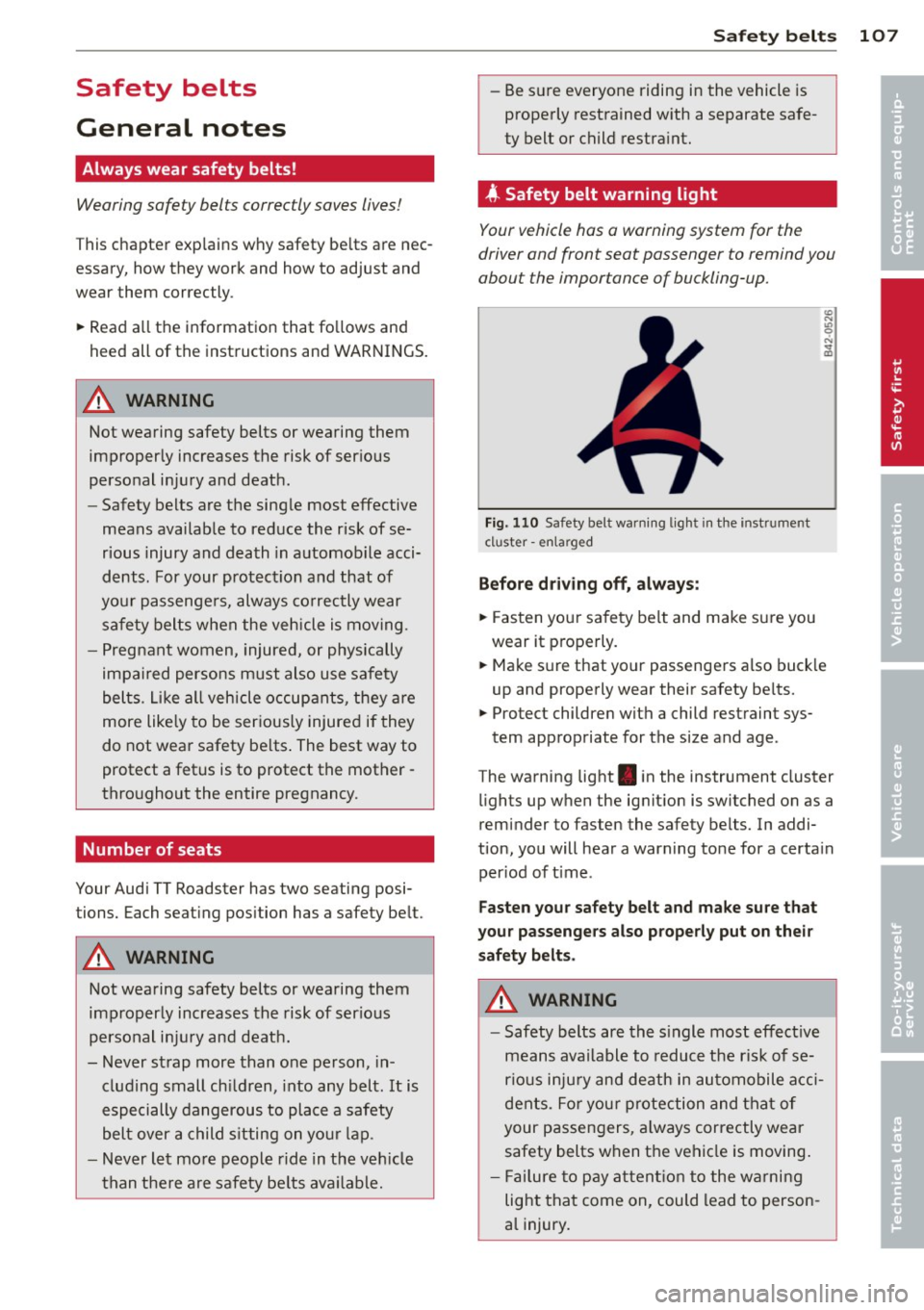
Fi g. 1 10 Safety be lt warn ing lig ht in the instr ume nt
cl uster -enla rged
Befor e driv ing off, always :
~ Fasten your sa fe ty belt and make su re you
wear it p roperly.
~ Make s ure that yo ur passenge rs a lso buck le
up and properly wear their safety be lts.
~ Protect childre n with a child rest raint sys-
tem appropriate for the size and age .
The wa rning light . in the instrument cluster
li ghts up w hen the ig nit ion is switched on as a
remi nder to fasten the safety belts. In addi
tion , you will hear a warning tone for a certa in
per iod of t ime .
Fasten your safety belt and make sure that
your passengers also properly put on their saf ety belts .
A WARNING
-Safety belts are the s ingle most effect ive
means ava ilable to reduce t he risk of se
rio us i nju ry and de ath in au tomobile a cci
dents . Fo r yo ur pro tection and tha t of
your passen gers, a lways correctly wear
safety belts when t he ve hicl e is moving .
- Fail ure to p ay att ent io n t o the wa rni ng
lig ht that come on , could lead to person
a l injury . •
•
Page 124 of 260
122 Airbag sys te m
the front passenger seat is checked by t he
e lectronic control unit when the i gnition is on .
The control unit mon itors the Advanced Air
bag System and turns the airbag indicator
light on when a malfunction in the system
components is detected. The function of the
a irbag ind icator light is described in greater
deta il be low. Because the front passenger
seat conta ins impo rtant parts of t he Ad
v a nce d Airb ag System, you m ust ta ke ca re to
prevent it from be ing damaged. Damage to
the seat may prevent the Advanced Airbag for
the front passenger seat from doing its job in
a crash.
The f ront Advanced Airbag System
consi sts o f th e following :
-Crash sensors in the front of the veh icle that
measure veh icle acceleration/dece leration
to provide information to the Advanced Air
bag System about the severity of the crash.
- An electronic contro l unit, with integrated
crash sensors for front and side impacts.
The contro l unit "decides" whether to fire
the front airbags based on the information received from the crash sensors. The contro l
unit a lso "dec ides" w hethe r th e safety be lt
pretensioners should be a ctivated.
- An Advanced Airbag with gas generator for
th e d river ins ide the steer ing whee l hub.
- An Advanced Airbag with gas generator in
s ide the instrument pane l for the front pas
senger.
- A weig ht-sens ing mat under the upholste ry
padd ing of the front passenger seat cush io n
t h at meas ure s the tot al we igh t on the seat.
T he information registered is sen t con tinu
o usly to the electron ic cont ro l u nit to regu
l ate dep loyment of the front A dvanced Air
bag on the passenger side.
- An airbag monito ring system and indicator
li ght in the instrument cluster
¢ page 125.
- The PASSENGER AIR BAG OFF light comes
on and stays on in the center of the instru
ment pane l¢
page 126, fig. 122 and tells
yo u when the front Advanced A irbag on the
passenger s ide has been turned off. -
A sensor below the safety be lt latch for the
front seat passenger to measure the tension on the safety belt . The tension on the safety
be lt and the weight registered by the
weight-sensing mat he lp the control unit
"decide" whether the front airbag for the
front passenge r seat should be turned off or
not
¢ page 116, Child restraints on the
front seat -some important things to
know.
- A senso r in the safety belt latch fo r th e d riv
er and fo r the fro nt sea t passenger tha t
senses whet her t hat safety bel t is latche d or
not and transmi ts this information to t he
electronic control unit.
A WARNING
Damage to the front passenger seat can
p revent the front airbag from work ing
properly.
- Improper repair or d isassembly of the
front passenge r and dr iver seat will pre
vent the Advanced Airbag System from
fu nctioning properly.
- Repairs to the front passenge r seat must
be pe rformed by qualified and p roperly
trained workshop personnel.
- Never rem ove t he front passenger or
driver seat from t he vehicle.
- Never
remove th e upho lstery from the
front passenge r seat.
- Never d isassemble or remove parts from
the seat or disconnect wires from it.
- Never carry sharp objects in yo ur poc kets
or place them on the seat. If the weight
sensing mat in the passenge r seat is
punctured it cannot work properly .
- Never carry things on you r lap or carry
objects on the passenger seat. Such items can increase the weight registered
by the weight-sensing mat and send the
wrong in formation to the airbag co ntrol
un it.
- Never store items under the front pas
senger sea t. Parts of the Advan ced Air
b ag Sys tem unde r the p assenger se at
-
could be damaged, p reven ting t hem and ~
Page 129 of 260
routed around the child restraint as descri
bed in the chi ld restraint manufacturer's
instruct ions;
- make sure that the convertible locking fea
ture on the safety belt for the front passen ger seat has been activated and that the
safety belt has been pulled tight. The belt must not be loose or have loops of slack so
that the sensor below the safety belt latch
on the seat can do its job
~ page 144 .
-make sure that th ings that may increase the
weight of the ch ild and child safety seat are
not being transpo rted on the front passen
ger seat;
- make sure that the safety belt tension sen
sor is not b locked. Shake the safety belt
latch on the front passenge r sea t back and
forth;
- If a st rap or tether is being used to tie the
child safety seat to the front passenger
seat, ma ke s ure that i t is not so tight tha t it
ca uses the weight -sensing mat to meas ure
more weight than is actually on the seat .
If the PASSENGER AIR BAG OFF light still
d oes not come o n
and does not stay on con
tinuously (when the ignition is switched on),
- ta ke the ch ild restraint off the front passen-
ger seat and insta ll it p roperly at one of the
rear seat pos itions. Have the a irb ag system
inspected by your A udi dealer immediately.
- move the chi ld to a rea r seat posi tion and
make su re that the ch ild is p roperly res train
ed in a child restraint that is appropriate for
its size and age .
The
PASSENGER AIR BAG OFF light shou ld
NO T come on when the ign ition is on and an
ad ult is sitting in a proper seating position on
the front passenger seat.
If the PASSENGER
AIR B AG O FF
light comes on and stays on or
flashes for about 5 seconds while dr iv ing, un
der these circumstances, make sure that:
- the ad ult on the front passenger seat is
properly seated on the center of the seat
c u shi on with h is or her back up against the
backrest and the backrest is not reclined
A irbag system 127
~ page 99, Proper occupant seating posi
tions,
- the adult is not tak ing we ight off the seat by
holding on to the passenger assist handle
above the front passenger door or support
ing their weight on the armrest,
- the safety be lt is being properly worn and
that there is not a lot of s lack in the safety
be lt webbing,
- accessory seat covers or cushions or other
things that may cause an incorrect reading
or impression on the weight-sensing mat
under the upho lstery of the seat have been
removed from the front passenger seat,
- a safety belt extender has not been left in
the safety belt latch for the front passenger
seat .
In add ition to the
PA SSEN GER AIR BAG O FF
light in the center of the instrument panel,
the message
PASS ENGE R AIR BAG O FF or
PASSENGER AIR BAG ON w ill briefly appear
i n the instrument cluster d isp lay . This is to in
form the dr iver of the current front passenge r
a irbag sta tus.
Important safety instructions on
monitoring the Advanced Airbag System
A WARNING
An ai rbag system that is not functioning
p roperly cannot provide supplemental pro
tection in a frontal crash.
- If the airbag ind icator light comes on, it
means that there may be something
wrong wi th the Advanced Airbag Sys tem.
It is poss ible that the ai rbag w ill inflate
when it is not supposed to, or will not in
f late when it sho uld .
- Have the airbag system inspected imme
diate ly by yo ur Audi dealer.
A WARNING
If the front airbag inflates, a child without
a child restraint, in a rearward -facing child
safety seat or in a forward-facing child re
straint that has not been proper ly installed
-
will be ser ious ly injured and can be killed. ~
•
•