warning AUDI TT ROADSTER 2011 Workshop Manual
[x] Cancel search | Manufacturer: AUDI, Model Year: 2011, Model line: TT ROADSTER, Model: AUDI TT ROADSTER 2011Pages: 260, PDF Size: 64.11 MB
Page 76 of 260
7 4 Seats and st o ra ge
@ Tips
The maximum carry ing capac ity 2.2 lbs
(1 kg).
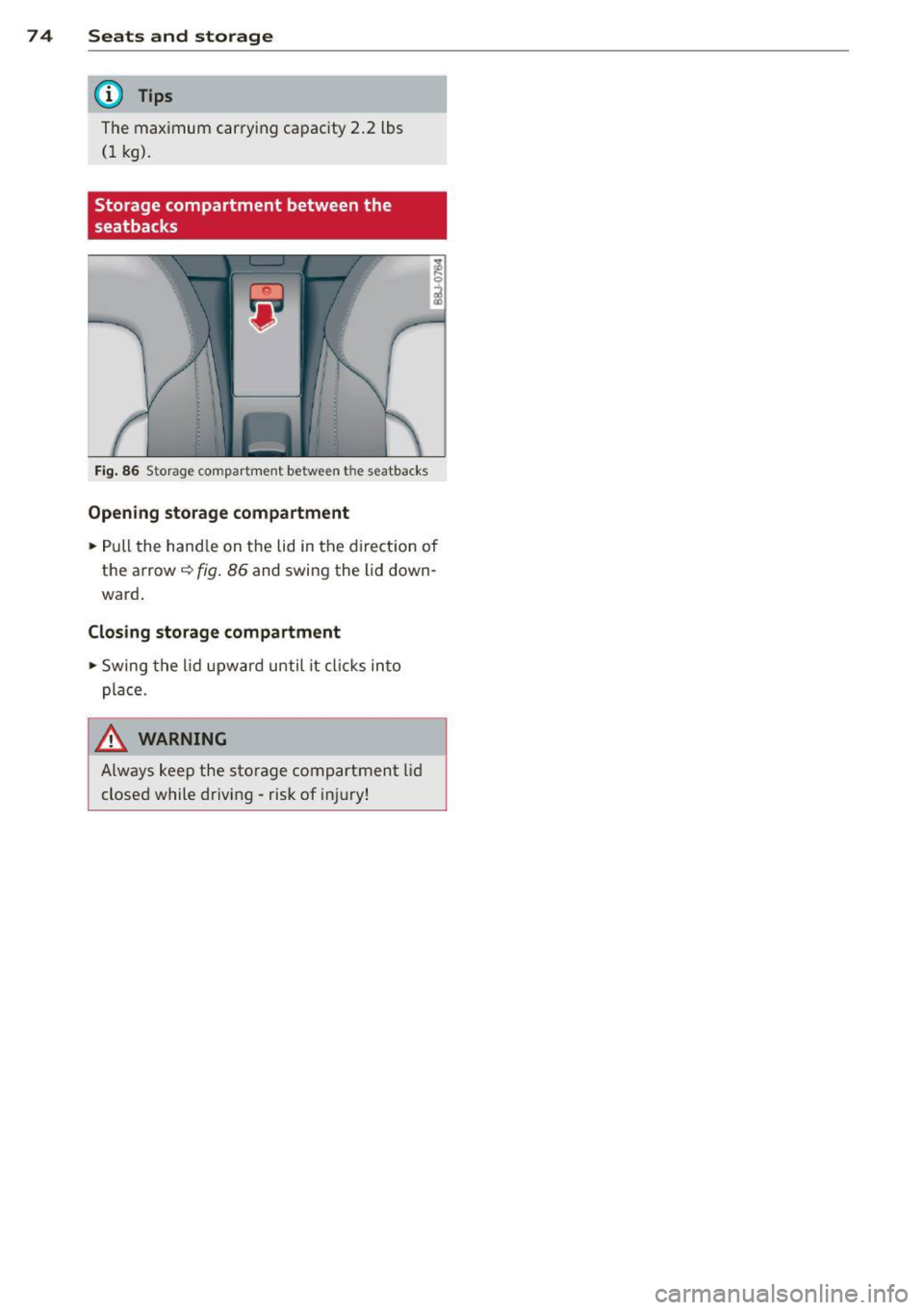
Storage compartment between the
seatbacks
Fi g. 86 Storage compartment between the seatbacks
Open ing storage compa rtm ent
.. Pull the hand le on the lid in the direct ion of
the arrow ¢
fig. 86 and swing the lid down
ward .
Closing storage compartment
,,. Swing the lid upward until it cl icks into
place .
.&, WARNING
Always keep the storage compartment lid
closed while driving -risk of injury!
Page 78 of 260
76 Warm and cold
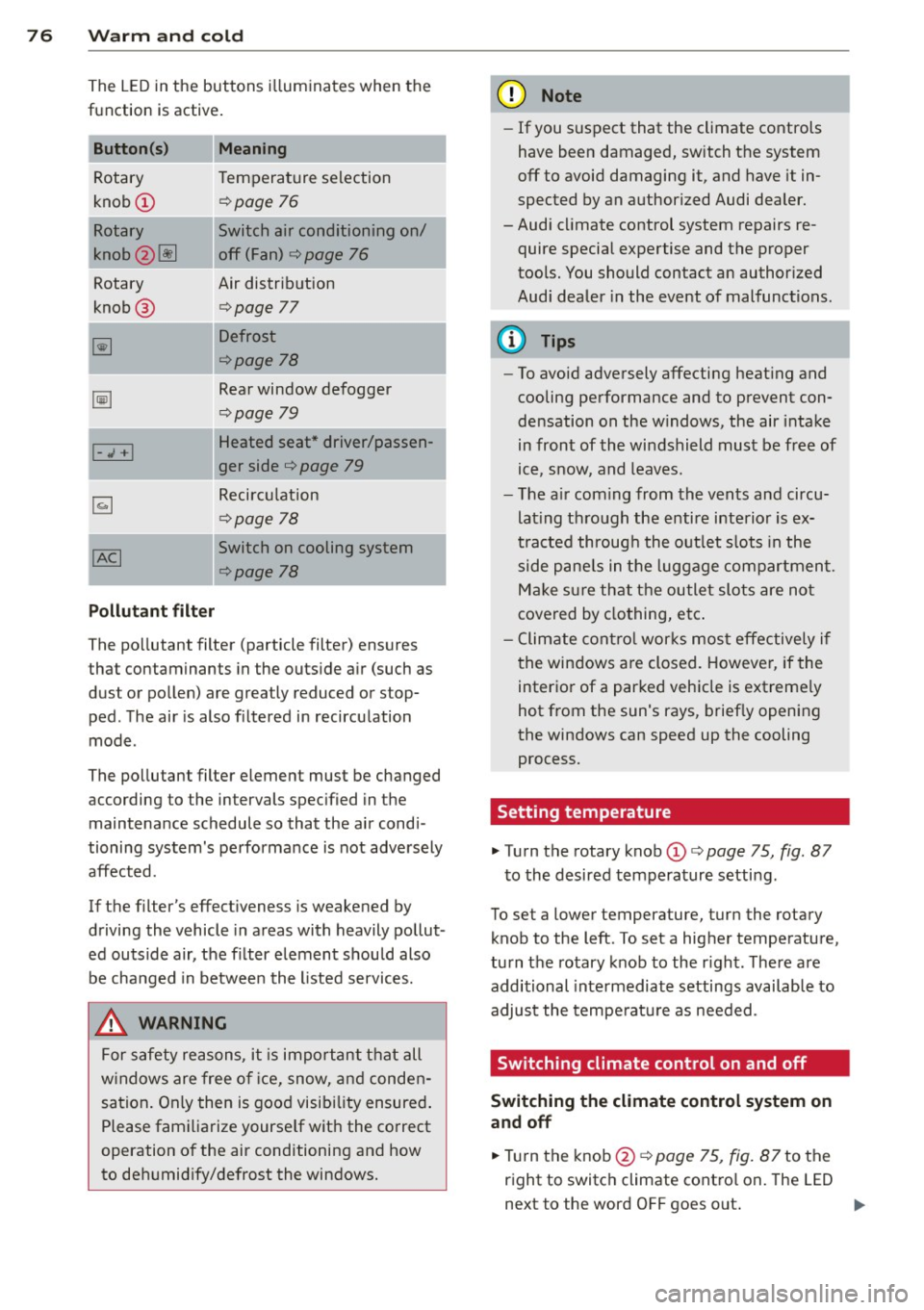
The L ED in the buttons i lluminates when the
function is active .
Button (s) Meaning
Rotary Temperature selection
knob (!)
¢page 76
Rotary Switch air conditioning on/
knob (2)~ off (Fan)
¢
page 76
Rotary Air distribution
knob @
¢page 77
~
Defrost
¢page 78
~
Rear window defogger
¢page 79
Heated seat * driver/passen-I-.; +I
ger side ¢ page 79
~
Recirculation
¢page 78
l[g] Switch on cooling system
¢page 78
Pollutant filter
The pollutant filter (particle filter) ensures
that contaminants in the outs ide a ir (such as
dust or pollen) are greatly reduced or stop ped . T he air is also f iltered in recircu lation
mode .
The pollutant filter element must be changed
according to the intervals specified in the
maintenance schedule so that the air condi
tioning system's performance is not adversely
affected.
If the filter's effect iveness is weakened by
d riving the vehicle in areas with heavily pollut
ed outside air, the filt er element should also
be cha nged in between the listed services.
.&, WARNING
For safety reasons, i t is impo rtant t hat all
w indows are free o f ice, snow, and conden
sa tion . Only then is good visib ility ensured .
Please familiarize yourse lf wit h the co rrect
operation of the air conditioning and how
to de humid ify/defrost the windows.
'
(D Note
- If you suspect that the climate controls
have been damaged, switch the system
off to avoid damaging it, and have it in
spected by an authorized Audi dealer.
-Audi cl imate control system repairs re
quire special expertise and the proper
tools. You should contact an author ized
Audi dea ler in the event of malfunct ions.
(D Tips
- To avoid adversely affecting heat ing and
cooling performance and to prevent c on
de nsation on the w indows, the air i ntake
in front of the wi ndshield must be free of
ice, s now, and leaves.
- T he a ir com ing from the ven ts and circu
lat ing t hrough the e ntire interio r is ex
tra cted throug h the o utlet s lots in the
side p ane ls in the lugg age comp artmen t.
Mak e sure th at the ou tlet slots are no t
covered by clothing, e tc.
- C limate cont ro l wor ks mos t effectively if
t he win dows a re closed. Howeve r, if the
interio r of a par ked veh icle is ext reme ly
hot from the sun's rays, briefly opening
the windows can speed up the cooling
process.
Setting temperature
.,. Turn the rotary knob(!)¢
page 75, fig. 87
to the desired temperature setting.
To set a lower temperature, turn the rotary
knob to the left . To set a hig her tempe rature,
tu rn the rotary knob to the r igh t. There are
additional intermediate settings availab le to
adjust the tempe rat ure as needed .
Switching climate control on and off
Switching the climate control system on
and off
.,. Turn the knob@¢
page 75, fig. 87 to the
right to switc h climate cont ro l on. The LED
next to the word OFF goes out . ..,.
Page 80 of 260
78 Warm and cold
Defrost ~
The windshield and side windows ore defrost
ed or cleared of condensation as quickly as
possible .
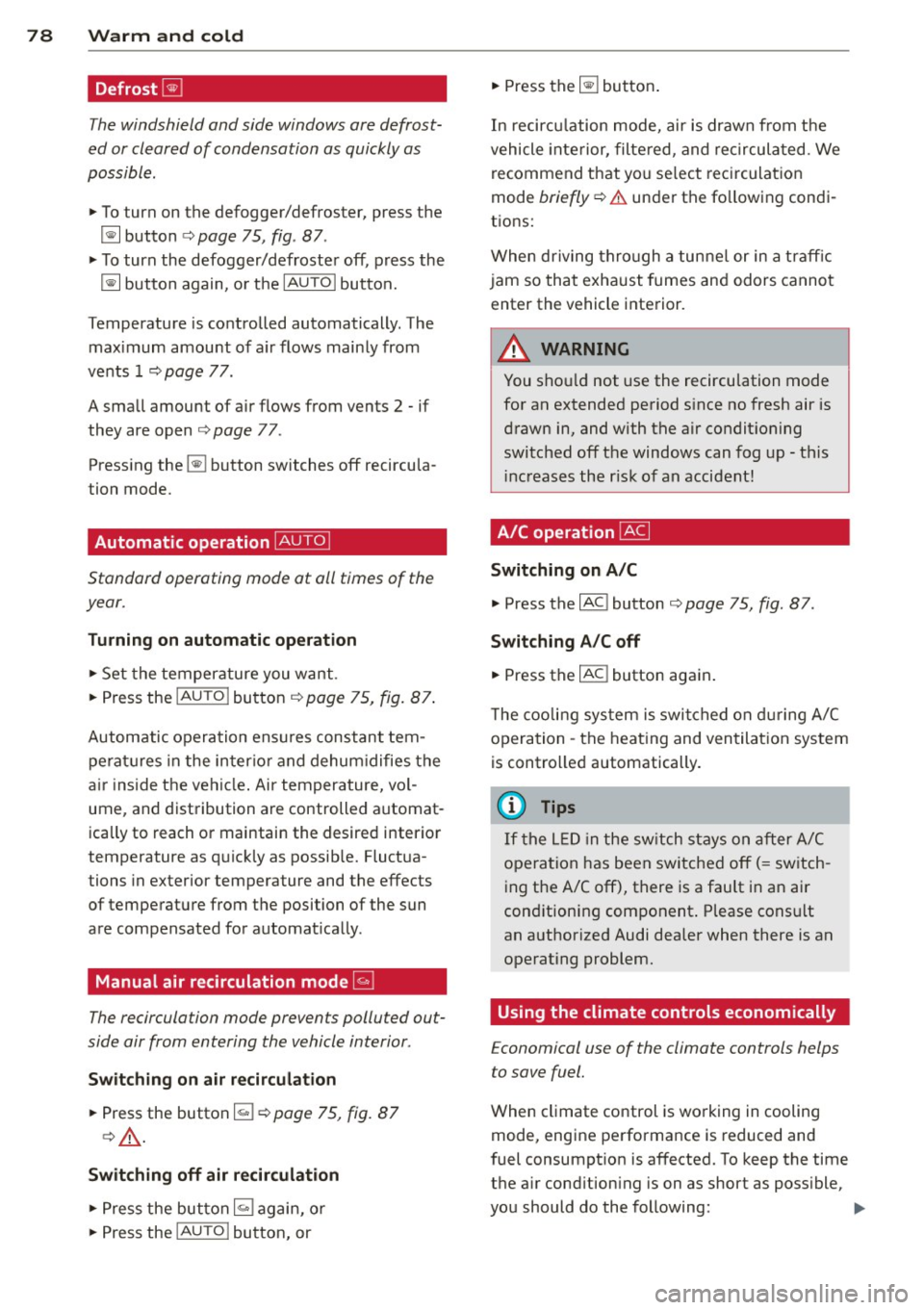
• To turn on the defogger/defroster, press the
~ button ¢page 75, fig . 87 .
• To turn the defogger/defroster off, press the
~ button again, o r the IAUTOI button.
Temperature is controlled automatically . The
maximum amount of a ir flows mainly from
vents 1 ¢
page 77.
A small amount of air flows from vents 2 - if
they are open ¢
page 77.
Pressing the~ button switches off recircu la
tion mode.
Automatic operation ~
Standard operating mode at all times of the
year.
Turning on automatic operation
• Set the temperature you want .
• Press the
!AUTO ! button ¢ page 75, fig. 87 .
Automatic opera tion ens ures constant tem
perat ures in the inter ior and dehum idifies the
a ir i nside the vehicle . Air temperature, vol
ume, and distribution are controlled automat
ica lly to reach or maintain the desired interio r
temperature as quickly as possib le. Fluct ua
tions in exterior temperature and the effects
of temperature from the position of the sun
are compensated for automatica lly.
Manual air recirculation mode~
The recirculation mode prevents polluted out
side air from entering the vehicle interior.
Sw itching on air recirculation
• Press the button~¢ page 75, fig. 87
¢,&. .
Switching off air recirculation
• Press the button ~ again, o r
• Press the
!AU TO ! bu tton, or •
Press the~ button .
In recirc ulation mode, air is drawn from t he
vehicle interior, filtered, and recircula ted . We
recommend that you se lect rec irculat ion
mode
briefly ¢.&. under the following condi
tions:
When driving thro ugh a tunnel or in a traff ic
jam so that exhaust fumes and odors canno t
enter the vehicle interior.
A WARNING
You sho uld not use the recirculation mode
for an extended period s ince no fresh air is
drawn in, and with the air co ndit ioning
switched off the windows can fog up - this
i nc reases the r isk of an accident!
A/C operation ~
Switching on A /C
• Press the IAC ! button ¢ page 75, fig. 87.
Switching A /C off
• Press the IAC ! button aga in .
T he cooli ng sys tem is swi tched on d uring A/C
opera tion -the heat ing and ven tilat ion sys tem
is contro lled automatically.
@ Tips
If the L ED in the sw itch stays on a fter A/C
operation has been switched off( = sw itch
ing the A/C off), there is a fault in an air
conditioning component. P lease cons ult
an authorized Audi dealer when there is an
operating problem.
Using the climate controls economically
E conomical use of the climate controls helps
to save fuel.
When climate control is wo rking in cooling
mode, engine performance is reduced and
fuel consumpt ion is affected. To keep the time
the air cond ition ing is on as short as poss ible,
you should do the following: .,,_
Page 82 of 260
80 On the road
On the road
Steering
Adjusting the steering wheel column
The steering wheel position can be continu
ously adjusted in height and distance .
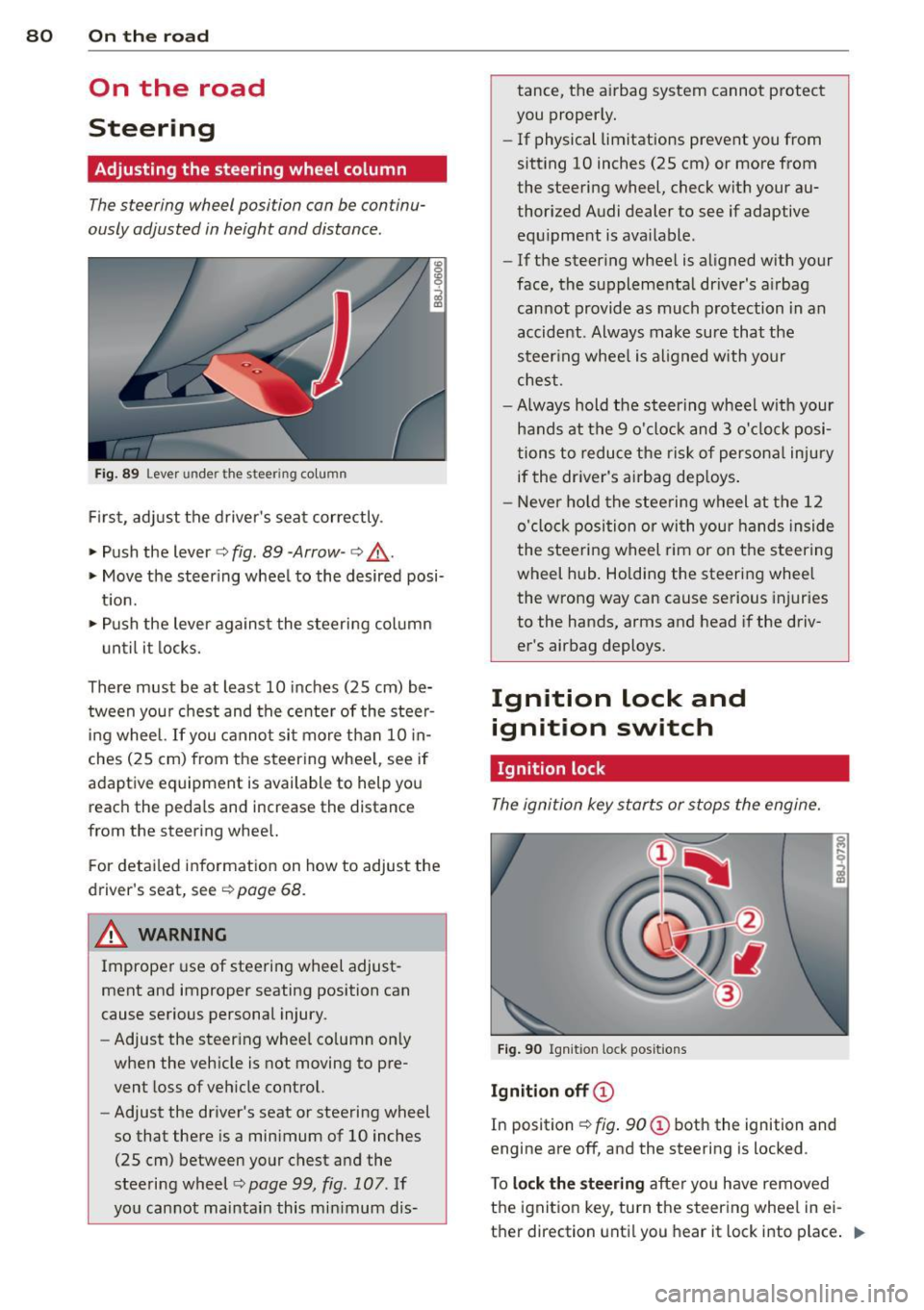
Fig. 89 Lever under the steer ing co lu m n
First, adjust the driver's seat correctly .
• Push the lever
c::> fig . 89 -Arrow -c::> ,&.
• Move the steer ing wheel to the desired posi
t ion.
• Push the lever against the steering column
until it locks.
There must be at least 10 inches (25 cm) be
tween your chest and the center of the steer
i ng wheel. If you cannot sit more than 10 in
ches (25 cm) from the steering whee l, see if
adaptive equipment is available to help you reach the pedals and increase the distance
from the steering whee l.
F or detai led information on how to adjust the
driver's seat, see
c::> page 68.
A WARNING
Improper use of steeri ng wheel adjust
ment and improper seating position can
cause serious personal injury.
- Adjust the steer ing whee l co lumn on ly
when the vehicle is not moving to pre
vent loss of veh icle control.
- Adjust the driver's seat or steering wheel
so that there is a minimum of 10 inches
(25 cm) between your chest and the
steering wheel
¢ page 99 , fig. 107. If
yo u cannot maintain this min imum dis- tance, the airbag system cannot protect
you proper ly.
- If physical limitations prevent you from
sitting 10 inches (25 cm) or more from
the steering wheel, check with your au
thorized Audi dealer to see if adaptive equ ipment is ava ilable .
- If the steer ing wheel is aligned with your
face, the supplementa l driver's a irbag
cannot provide as much protection in an
accident . Always make sure that the
steer ing wheel is aligned with your
chest.
- Always hold the steering wheel w ith your
hands at the 9 o'clock and 3 o'clock posi
tions to reduce the risk of persona l injury
if the driver's airbag dep loys .
- Never hold the stee ring wheel at the 12
o'clock position or with your hands inside
the steeri ng wheel rim or on the steering
wheel hub . Holding the steering wheel
the wrong way can cause serious injuries
to the hands, arms and head if the driv
er's airbag deploys.
Ignition lock and
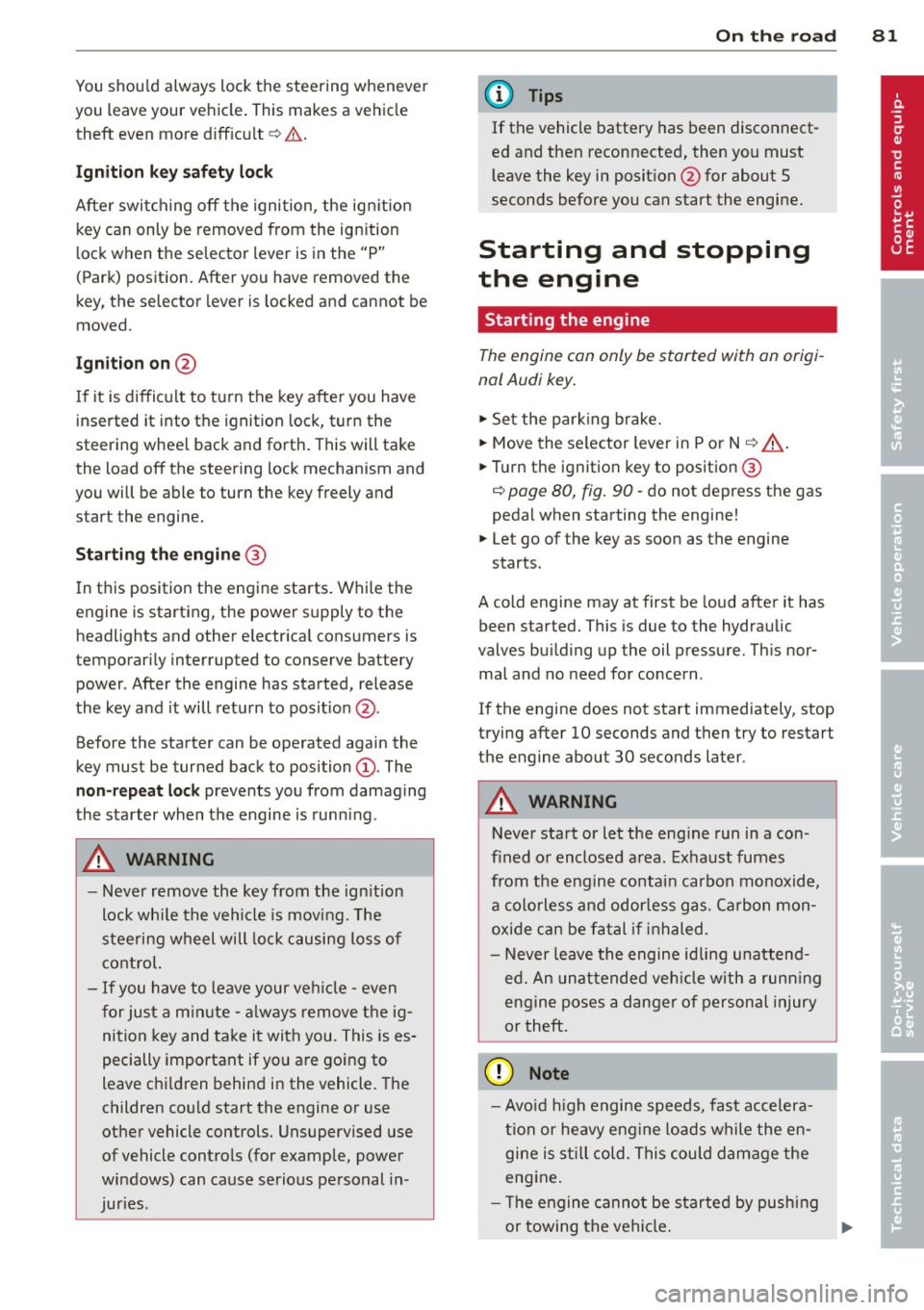
ignition switch
Ignition lock
The ignition key starts or stops the engine.
Fig . 90 Ign iti on lock pos it ions
Igniti on off ©
In pos ition c::> fig . 90 @ both the ignition and
engine are off , and the steering is locked .
T o
loc k th e steering after you have removed
the ignition key, turn the steering whee l in ei
ther direction until you hear it lock into place .
1)),-
Page 83 of 260
You should always lock the steering whenever
you leave your vehicle . This makes a vehicle
theft even more difficu lt ¢ & .
Ignition ke y safe ty lock
After switching off the ignition, the ig nit ion
key can only be removed from the ign ition
l ock when the selector lever is in the "P"
(Park) position . After you have removed the
key, the selector lever is locked and cannot be
moved.
Ignition on @
If it is difficult to turn the key after you have
inse rted it into the ignition lock, turn the
steering whee l back and forth. This will take
the load
off the steering lock mechan ism and
you will be able to turn the key freely and start the engine.
Starting the engin e@
In this position the engine starts . While the
engine is starting, the power supply to the headlights and other e lectr ica l consumers is
tempo rarily interrupted to conserve battery
power . After the engine has started, release
the key and it will return to posit io n @ .
Before the starter can be operated again the
key must be turned back to position@. The
non-r epeat lock prevents you from damag ing
the sta rter when the engine is runn ing .
A WARNING
-Never remove the key from the ign ition
lock whi le the vehicle is moving. The
steering wheel will lock causing loss of
control.
- If you have to leave your ve hicle -even
f or just a m in ute -always remove the ig
ni tion key and take it with you. This is es
pecially important if yo u a re going to
leave chi ldren behind in the vehicle. The
children cou ld start the engine or use
other vehicle controls. Unsupervised use
of vehicle controls (for example, power
windows) can cause serious personal in
jur ies .
-
On th e ro ad 81
(D Tips
If the vehicle battery has been disconnect
ed and then reconnected, then yo u must
l eave the key in posit ion @ for about 5
seconds before you can start the engine.
Starting and stopping
the engine
' Starting the engine
The engine can only be started with an origi
nal Audi key .
.,. Se t the par king brake.
.,. Move the selector lever in P or
N q ,& .
.,. Tu rn the ignition key to position ®
~ page 80, fig. 90 -do not depress the gas
peda l when starting the engine!
.,. Let go of the key as soon as the engine
starts.
A cold engine may at first be loud after it has
been started. This is due to the hydraulic
valves bu ild ing up the oil pressure. Th is nor
mal and no need for concern .
If the engine does not start immediately, stop
trying after 10 seconds and then try to restart
the engine about 30 seconds later.
A WARNING
-Never start or let the eng ine run in a con-
fined o r enclosed area . Exhaust fumes
from the engine contain carbon monoxide,
a colorless and odo rless gas. Ca rbon mon
oxide can be f atal if inhaled.
- Never leave the engine id ling unattend
ed. An una ttended veh icle with a runn ing
engine poses a danger o f personal injury
or theft .
(D Note
-Avo id high engine speeds, fast accelera
tion or heavy engine loads while the en
gine is still cold. This could damage the
engine.
- The engine cannot be started by pushing
or towing the vehicle . .,..
Page 84 of 260
82 On the road
@ For the sake of the environment
To avoid unnecessary e ngine wea r and to
reduce exhaust emissions, do not let your
veh icle stand and warm up. Be ready to
drive off immediately after start ing your
veh icle . Maintain moderate speed until the
engine is comp letely warm . Remember,
the engine performs best at operating
temperature .
Stopping the engine
• Turn the ig nition key to position ©
<=> page 80, fig. 90.
&_ WARNING
- Never turn off the eng ine unti l th e vehi
cle has come to a complete stop.
- The brake booster and servotronic on ly
work when the engine is running . With
the ignition turned off, yo u have to apply
more force when steering or braking.
S ince you cannot steer and stop norma l
ly, this can lead to accidents and ser ious
injuries .
-The radiator fan can continue to run for up to 10 min utes eve n after yo u have
turned off the eng ine and rem oved the
ign iti on key. The r ad iator fa n can also
t u rn on again if th e e ngine coola nt hea ts
up because of inte nse sunlight or hea t
build -up in t he engine compartment.
(D Note
Do not stop the engi ne immed iate ly afte r
hard or extended driving . K eep the eng ine
r u nning for app rox imately two minu tes to
prevent e xcessive heat build-up .
Parking brake
Parking brake
When the parking brake is set , it prevents the
vehicle from rolling away unintentionally .
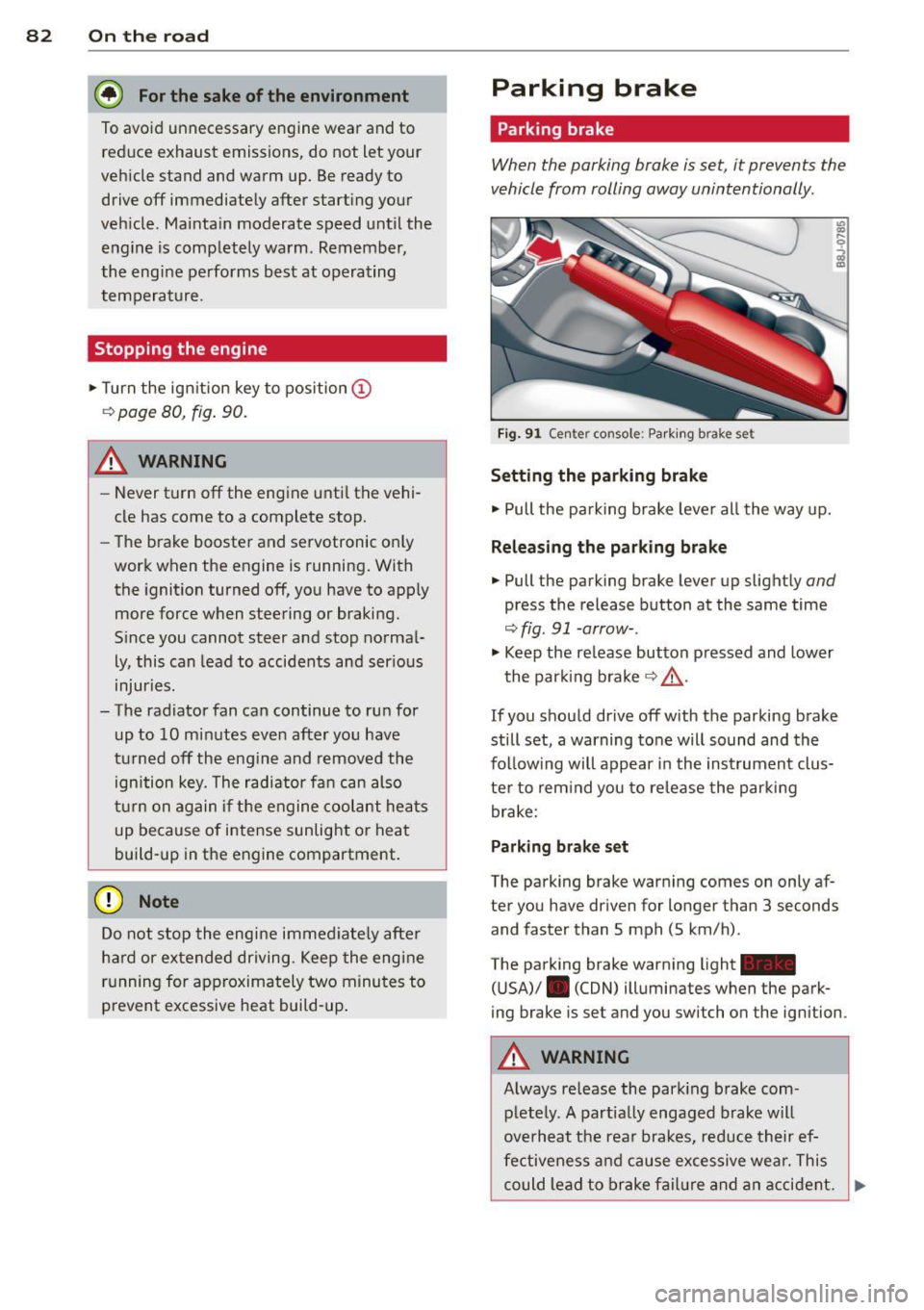
Fig. 9 1 Ce nte r co nso le: P ark ing b rak e s et
Setting the parking brake
• Pull the pa rking brake leve r all the way up.
Releasing the parking brake
• Pull the p arking brake lever up slight ly and
press the release button at the same time
<=> fig. 91 -arrow- .
• Keep the re lease button p ressed and lower
the par kin g brake <=>.&, .
If you should drive off with the parking brake
still set, a warning tone will sound and the
fol low ing will appear in the instrument clus
te r to rem ind you to re lease the par kin g
brake:
Parking brake set
The parking brake war ning comes on only af
ter you have dr iven for longer than 3 seconds
and faster than S mph (5 km/h) .
The parking brake warning light -
( U SA)/ . (CON) illuminates when the park
ing brake is set and you switch on the igni tion .
&_ WARNING
Always re lease the park ing b rake com -
plete ly. A part ially engaged brake w ill
overheat the rea r brakes, reduce their ef
fe ctive ne ss and cau se excessive wea r. This
could lead to brake f ailur e and an accident. .,..
Page 85 of 260
(D Note
Only after the vehi cle has come to com
plete stop, should you f irm ly set the park
ing brake and either move the selector lev
er into "P".
Parking
To prevent a parked vehicle from rolling
away, there are a few things you should do.
When you park your vehicle, do the following:
.,. Stop the vehicle using the brake pedal.
... Set the parking b ra ke firmly .
... Switch
off the engine.
... Move the selector lever into the P position
¢ A .
... Remove the ign it ion key from the ignit ion
lock.
What else you should do when pa rking
your vehicle on an incline or decline
Turn the steering wheel so that if the vehicle
should start to roll, it will roll into the curb.
If you are parking on a decl ine (the front of
your vehicle facing downhill), turn the front
wheels to the right so that they point
toward
the curb.
If you are parking on an incline (the font of
your vehicle facing uph ill), turn the front
wheels to the left so that they po int
away
from the curb.
A WARNING
Th is is how you can reduce the risk of in
jury when leaving your veh icle.
- Never park the vehicle where it can come
in contact with d ry grass, sp illed fuel or
any othe r flammable mater ials .
- Never allow anyone -especially small
children -to remain in the vehicle whe n
it is locked . Locked doors ma ke it more
difficult for rescuers to access the pas
senge r compartmen t in the event of an
eme rgency. Danger to life!
- Never leave c hildren unsupervised in the
vehicle. Children co uld re lease the par k-
-
On th e ro ad 83
ing brake or move the gearsh ift leve r out
of gear. The vehicle could start to ro ll
away and cause an acc ident.
- No matter what the season is, the tem
perature in a parked ve hicle can reach
dangerous leve ls.
Acoustic parking
system
' Rear acoustic park assist
Applies to vehicles: with 4-channel acoust ic park assist
Acoustic park assist gives a warning about
obstacles behind the vehicle .
Description
The rea r acoustic pa rk ass ist (4-channel
a coustic park ass ist) de termines the dista nce
of the vehicle from an obstacle using ult ra
son ic sensors. The sensors are in the rear
bumper. The volume and the pitch of the
c hi mes can be adjusted throug h the men u dis
play¢
page 21.
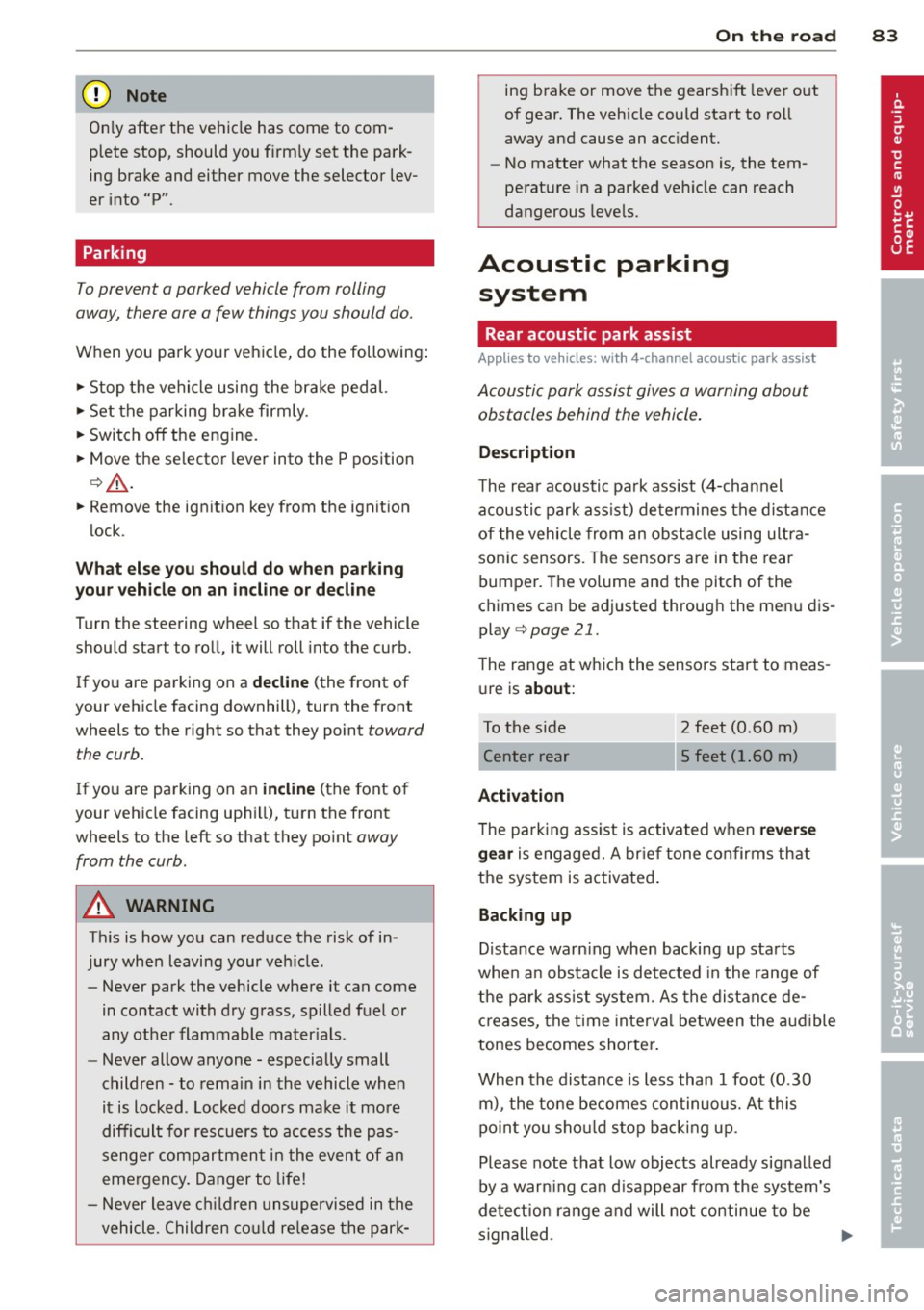
T he range at wh ich the sensors start to meas
u re is
about :
To the side
Activation
2 feet (0.60 m)
5 feet (1.60 m)
T he park ing ass ist is activated when
rever se
g ear
is engaged. A br ief tone confirms th at
the sys tem is activated .
Backing up
Distance warning whe n backing up sta rts
whe n an obstacle is detected in the range of
t he pa rk ass ist system. As the distance de
c reases, the t ime inte rva l between the audible
tones becomes shorte r.
When the distance is less than 1 foot (0.30
m), the tone becomes continuous. At this
po in t you sho uld s top bac king up .
Please note that low objects already signalled
by a war ning ca n disappear from the system's
de te ction range and will not continue to be
s ignalled . .,._
Page 86 of 260
84 On the road
Potenti al malfunction s
If a warn ing buzzer sounds for a few seconds
when the ignition is switched on, there is a
system malf unction with the acoustic park as
sist. If the malfunction persists until the igni
tion is switched off, there will be no acoustic
warning at the next attempt to activate the
system. Have the problem corrected.
There is no confirmation tone when reverse
gear is engaged if there is a system malfunc
tion.
For the parking assist to operate, the sensors
must be kept clean and free of ice .
A WARNING
-Sensors have blind spots in which objects
cannot be detected. Pay special attention
to sma ll children and animals. They can
not always be detected by the sensors -
danger of an accident!
- The parking assist cannot replace the dr iver's attention. The d river alone is re
sponsible for parking and s imilar driving
maneuvers. A lways watc h where you a re
dr iv ing.
(D Note
Low obstacles al ready signalled by a warn
ing can disappear from the system's det ec
t ion range as they are approached and will
no t continue to be sign alled. Objects such
as barrier cha ins, trailer draw ba rs, thin
pa inted vertical poles, or fences may not
be detected by the system -risk of dam
age .
For the parking ass ist to operate, the sen
sors must be kept clea n and free of snow
and ice.
Cruise control
Switching the system on
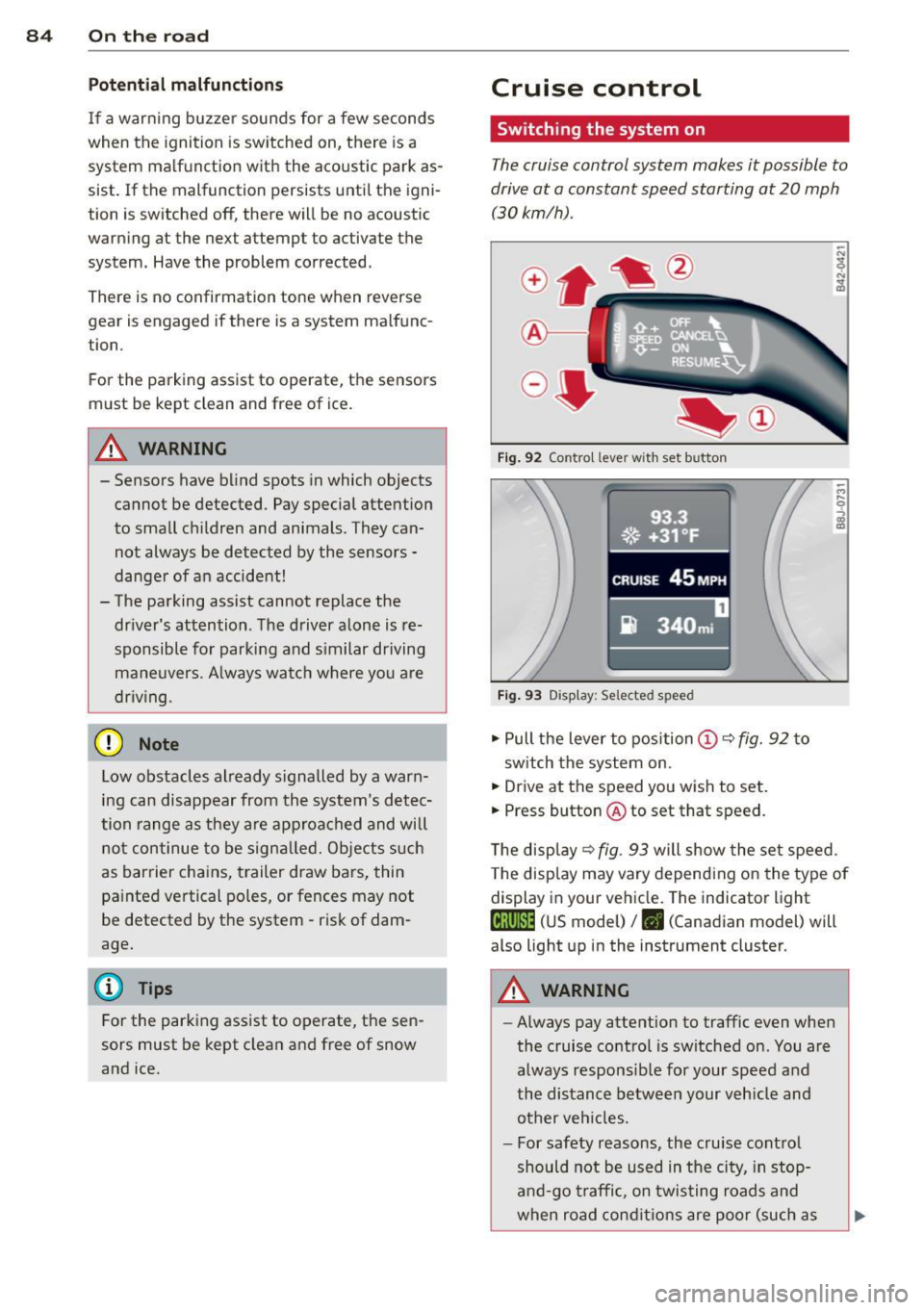
The cruise control system makes it possible to
drive at a constant speed starting at 20 mph
(30kmlh).
®-
Fig . 9 2 Contro l lever wit h set button
93.3
. ®' ~.+31, ~F; ,
II .~~ .. . • , -,.::.._-.--~.I-~-
CRUISE 45 MPH
iR 340m i
Fig. 9 3 Display: Selected speed
.,. Pull the lever to position (D c::> fig. 92 to
sw itch the system on.
.,. Drive at the speed you wish to set.
.,. Press button @ to set that speed.
T he disp lay
c::> fig . 93 will show the se t speed.
T he disp lay may vary depend ing on the type of
display in your ve hicle. The indicator light
te;(Q~i~ (US model) /. (Canadian model) will
also light up in the instrument cluster.
A WARNING
--Always pay attention to traffic even whe n
the cruise contro l is switched on. You are
always respons ib le for your speed and
the distance between your veh icle and
other ve hicles.
- For safety reasons, the cru ise cont ro l
should not be used in the city, in stop
an d-go t raffic, on twis ting road s and
when road cond itio ns are poor (such as
Page 87 of 260
ice, fog, gravel, heavy rain and hydro
planing) -risk of accident.
- Turn off the cruise control tempo rari ly
when entering turn lanes, highway exit
lanes or in construction zones.
- Please note that inadvertent ly "rest ing"
yo ur foot on the accelerator peda l causes
the cruise control not to brake. Th is is
because the cru ise control is overridden
by the d river's acce le rat ion .
(D Tips
The cruise control cannot mainta in a con
stant speed when driving downhill. The ve
hicle will acce lerate under its own weight.
Downshift to a lower gear or use the
brakes to slow down.
Changing speed
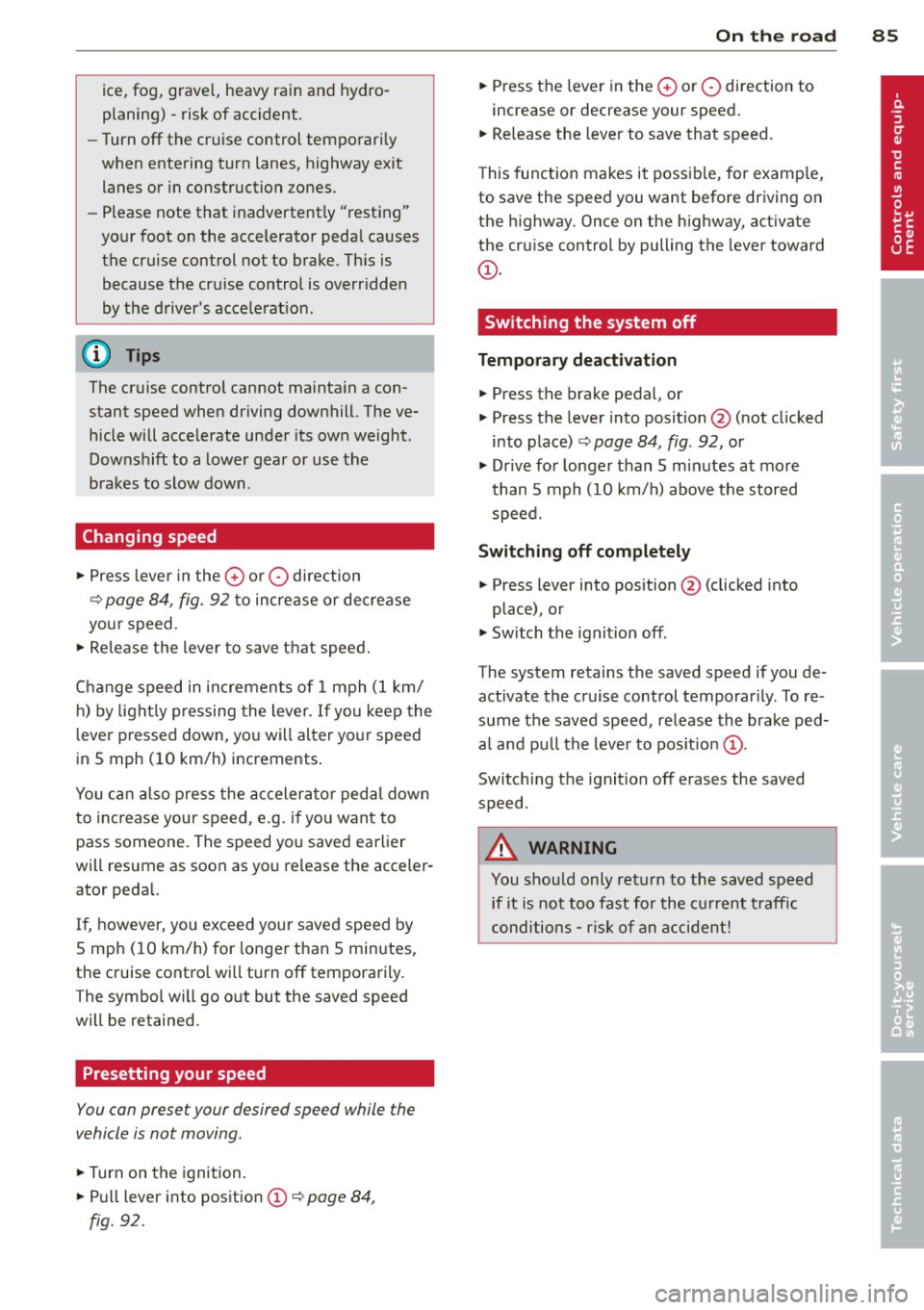
.,. Press leve r in the 0 or O direction
¢ page 84, fig. 92 to increase or decrease
your speed.
... Re lease the lever to save that speed .
Change speed in incremen ts of 1 mph (1 km/
h) by light ly pressing the lever.
If you keep the
l ever pressed down, yo u will alter yo ur speed
in 5 mph ( 10 km/h) increments .
You ca n also press the acceler ator peda l down
to inc rease your speed, e .g. if yo u want to
pass someone. The speed yo u saved earlier
will resume as soon as you release the acceler
ator peda l.
I f, however, yo u exceed your saved speed by
S mph ( 10 km/h) for longer than 5 mi nutes,
the cruise contro l will turn off tempora rily.
T he symbol will go o ut but the saved speed
will be retained.
Presetting your speed
You can preset your desired speed while the
vehicle is not moving .
... Turn on the ignition .
... Pull lever into position
(D ~ page 84,
fig. 92.
On th e ro ad 85
... Press the lever in the 0 or O direction to
increase or decrease your speed .
... Release the lever to save that speed.
T his function makes it possib le, for e xamp le,
to save the speed you want before driving on
the highway . Once on the highway, activate
the cr uise control by pulling the lever toward
(D .
Switching the system off
Temporary deacti vation
... Press the brake pedal, or
... Press the lever into position @(not clicked
into place)
¢ page 84, fig . 92, or
... Dr ive fo r longe r than 5 m inutes at mo re
than 5 mph (10 km/h) above the stored
speed.
Switching off completely
... Press lever into position @(clicked into
place), or
... Switch the ignit ion off .
The system retains the saved speed if you de activate the cruise control temporar ily. To re
sume the saved speed, re lease the brake ped
al and pu ll th e leve r to pos it ion
(D .
Switc hing the ignit ion off erases the saved
speed .
A WARNING
You shou ld only ret urn to the saved speed
i f it is not too fast for the cu rrent traffic
conditions -ris k of an accident!
Page 88 of 260
86 On the road
Audi magnetic ride
Applies to vehicles: wit h magnet ic ride
Damping can be adjusted to the driver's pref
erence and it adapts automatically to the cur
rent driving situation.
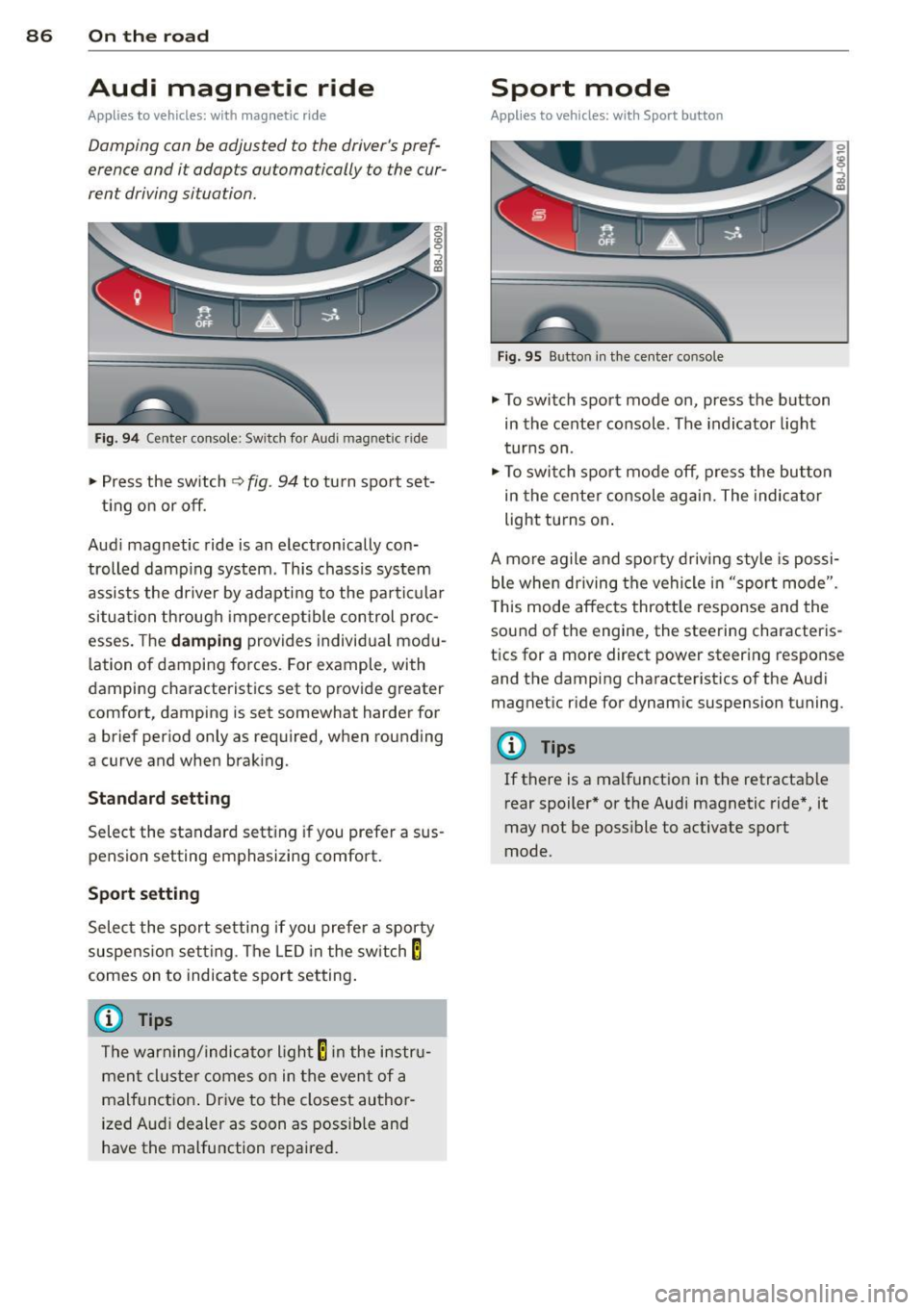
Fig. 94 Cente r console: Switch for Audi magnetic r ide
" Press the sw itch r=) fig. 94 to tu rn spo rt set-
t ing o n or off.
Aud i magnetic ride is an electron ically con
trolled damp ing system . Th is chassis system
assists the driver by adapti ng to the par ticular
situatio n th rough imper cep tible con trol p roc
esses. The
damping provides individual mod u
l ation of damping forces. For example, with
dampi ng characterist ics set to p rovide greater
comfort, damping is set somewhat harder for
a brief period only as required, when rounding
a curve and when braking.
Standard setting
Select the standard sett ing if you prefer a sus
pension setting emphasizing comfort.
Sport setting
Select the sport setti ng if you prefe r a sporty
suspe nsio n setting . The LED in the sw itch
E
comes on to indicate spo rt setting .
@ Tips
The warning/indicator light E in the instru
men t clus ter comes on in the even t of a
malf unction . Drive to the closest au thor
ized Audi dealer as soon as possible and
have the malfunction repaired.
Sport mode
Applies to veh icles: w ith Sport bu tton
Fig . 95 Button in t he ce nter console
.,. To switch sport mode on, press the button
in the center console. The indicator light
t ur ns on .
" To swit ch spor t mode off, press the but ton
in the center console again. The indicator
light turns on .
A mo re agile and spo rty d riv ing style is possi
ble when driving the vehicle in "sport mode".
T his mode affec ts thrott le response and the
sound of the engine, the steering characteris
t ics for a more direct power steering response
and the damping characteristics of the Audi
magnetic ride for dynam ic suspension tu ning.
(D Tips
If there is a malfunction in the retractable
rear spoiler* or the Aud i magnetic ride *, it
may not be poss ible to activate sport
mode.