service AUDI TT ROADSTER 2011 Owners Manual
[x] Cancel search | Manufacturer: AUDI, Model Year: 2011, Model line: TT ROADSTER, Model: AUDI TT ROADSTER 2011Pages: 260, PDF Size: 64.11 MB
Page 4 of 260
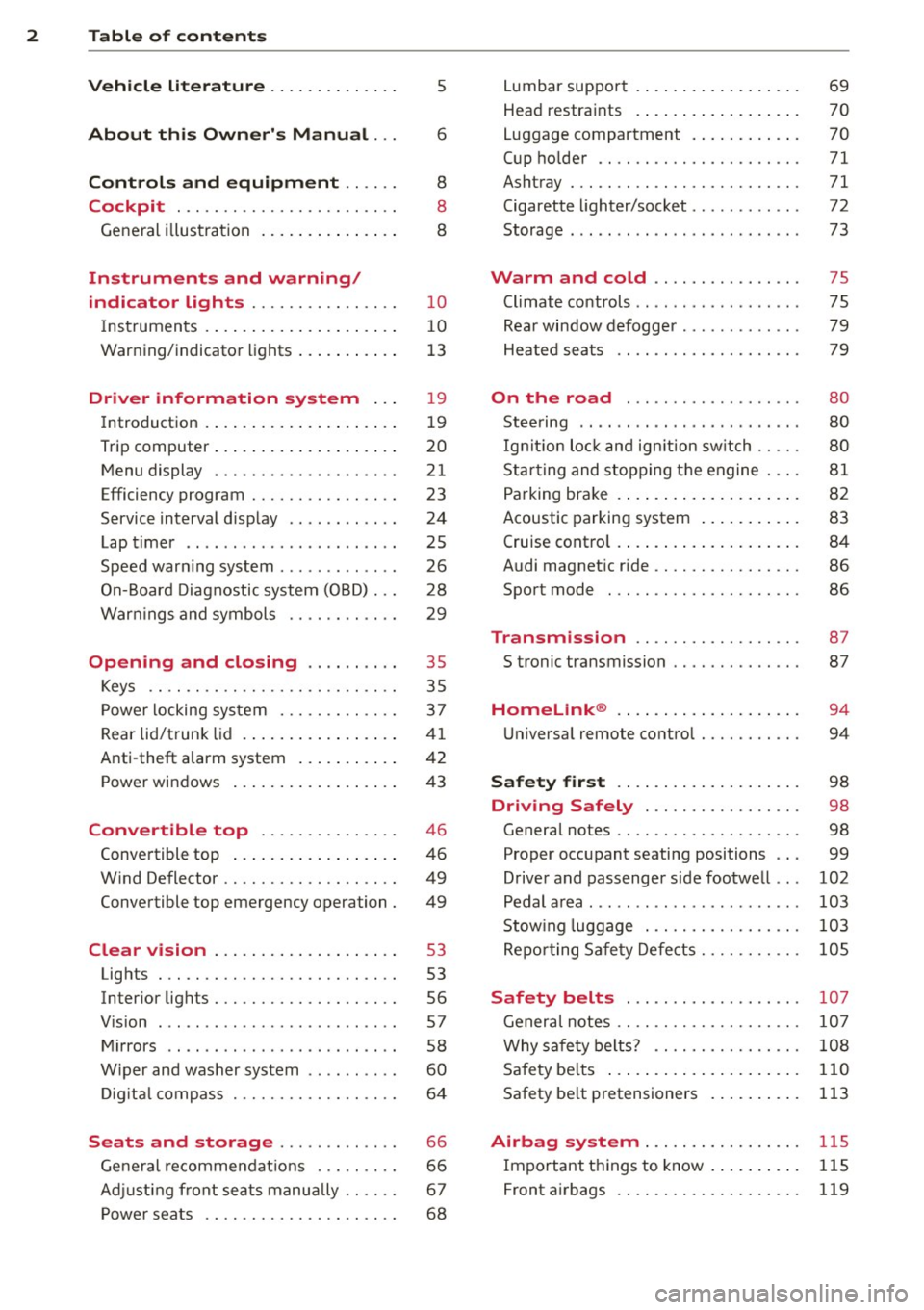
2 Table of contents
Vehicle liter ature .. .. .. .. .. ... .
About this Owner's Manual ...
Controls and equipment .. ... .
Cockpit ................ .... .. . .
General illus tra tion .... ... .. .. ... .
Instruments and warning/
indicator lights ........ .. .. .. . .
Instruments . .. .. ..... ... .. .. ... .
War ning/indicator lights ... .. ... .. .
Driver information system .. .
Introduction . .. .. ..... ... .. .. ... .
Trip computer .. .. ..... ... .. .. ... .
M enu display . ........... .... ... .
Efficiency program ........ .. .. .. . .
Service interval d isp lay .. .. .. .. .. . .
Lap timer .. .. ........ ...... ... . .
Speed war ning system ...... ..... . .
On- Board Diagnostic system (OBD) .. .
5
6
8
8
8
10
10
1 3
19
1 9
20
21
23
24
25
26
28
War nings and symbols . . . . . . . . . . . . 29
Opening and closing .. .. .. .. . . 35
Keys . . . . . . . . . . . . . . . . . . . . . . . . . . . 35
P ower locking sys tem ..... .. .. .. . .
Rear lid/trunk lid . ..... ... .. .. ... .
37
41
Anti-theft alarm system . . . . . . . . . . . 42
Power windows .. ..... ... .. .. ... .
Convertible top ....... .. .. ... .
Convertible top .. ..... ... .. .. ... .
W ind Deflector ........... .. .. ... .
Convertible top emergency operation .
Clear vision .. . .... ... .. .. .. ... .
Lights . .. ................. .. ... .
Inter ior lights ............ .. .. ... .
V 1s1on ..... .. ........ .... ... .. . .
Mirrors .. .. ................ ... . .
W iper and washer system . ... .. .. . .
Di gita l c ompass .......... .. .. .. . .
Seats and storage ..... .. .. .. . .
Ge ne ral recomme ndat ions . .. .. .. . .
Ad justing front sea ts manually .. ... .
P ower seats ............. .. .. ... .
43
46
46
49
49
53
53
56
57
58
60
64
66
66
67
68
L umbar suppo rt . .... .. ..... .... . .
Hea d restraints . ... ... ..... ... .. .
Luggage compartment . ..... ... .. .
C up ho lder ...... ............. .. .
Ashtray ... .... .. ............. .. .
Cigarette lighter/socket ........... .
Storage ..... .. .. .. ... .. ... ..... .
Warm and cold .... ...... ... .. .
Climate co ntrols .. ... .. .. ... ..... .
Rea r window defogger ............ .
Heated seats .... ............. .. .
On the road ... ............... .
Stee ring .. .. ... . .. ... .. ... ... .. .
Ig nitio n lock and ig nition sw itch .. .. .
St art ing and stopp ing t he engine . .. .
P a rking brake .... .. ... ..... ... .. .
Acoustic parking system ..... ... .. .
Cruise cont ro l .. .. ... .. ..... .... . .
Audi magnet ic r ide ... .......... .. .
Sport mode ... .. ............... . 69
70
70
71
71
72
73
75
75
79
79
80
80
80
81
8 2
83
84
86
86
Transmission . . . . . . . . . . . . . . . . . . 8 7
S tronic transmission ........... .. .
Homelink ® .... .. .... .... ... .. .
U niversa l remote control ........ .. .
Safety first .... ... .. ..... ... .. .
87
94
94
98
Driving Safely . . . . . . . . . . . . . . . . . 98
General notes . . . . . . . . . . . . . . . . . . . . 98
Proper occupant seating positions . . . 99
D river and passenger s ide footwe ll . . .
102
Pedal a rea . . . . . . . . . . . . . . . . . . . . . . . 103
Stow ing luggage . . . . . . . . . . . . . . . . . 103
Re po rting Sa fe ty Defe cts . . . . . . . . . . . lOS
Safety belts . . . . . . . . . . . . . . . . . . . 107
Genera l notes . . . . . . . . . . . . . . . . . . . . 10 7
Why sa fe ty belts? . . . . . . . . . . . . . . . . 108
S afety be lts . . . . . . . . . . . . . . . . . . . . . 110
Safety be lt pretensioners . . . . . . . . . . 113
Airbag system ... ... ..... ... .. . 115
Important things to know . . . . . . . . . . 115
Front airbags . . . . . . . . . . . . . . . . . . . . 119
Page 5 of 260
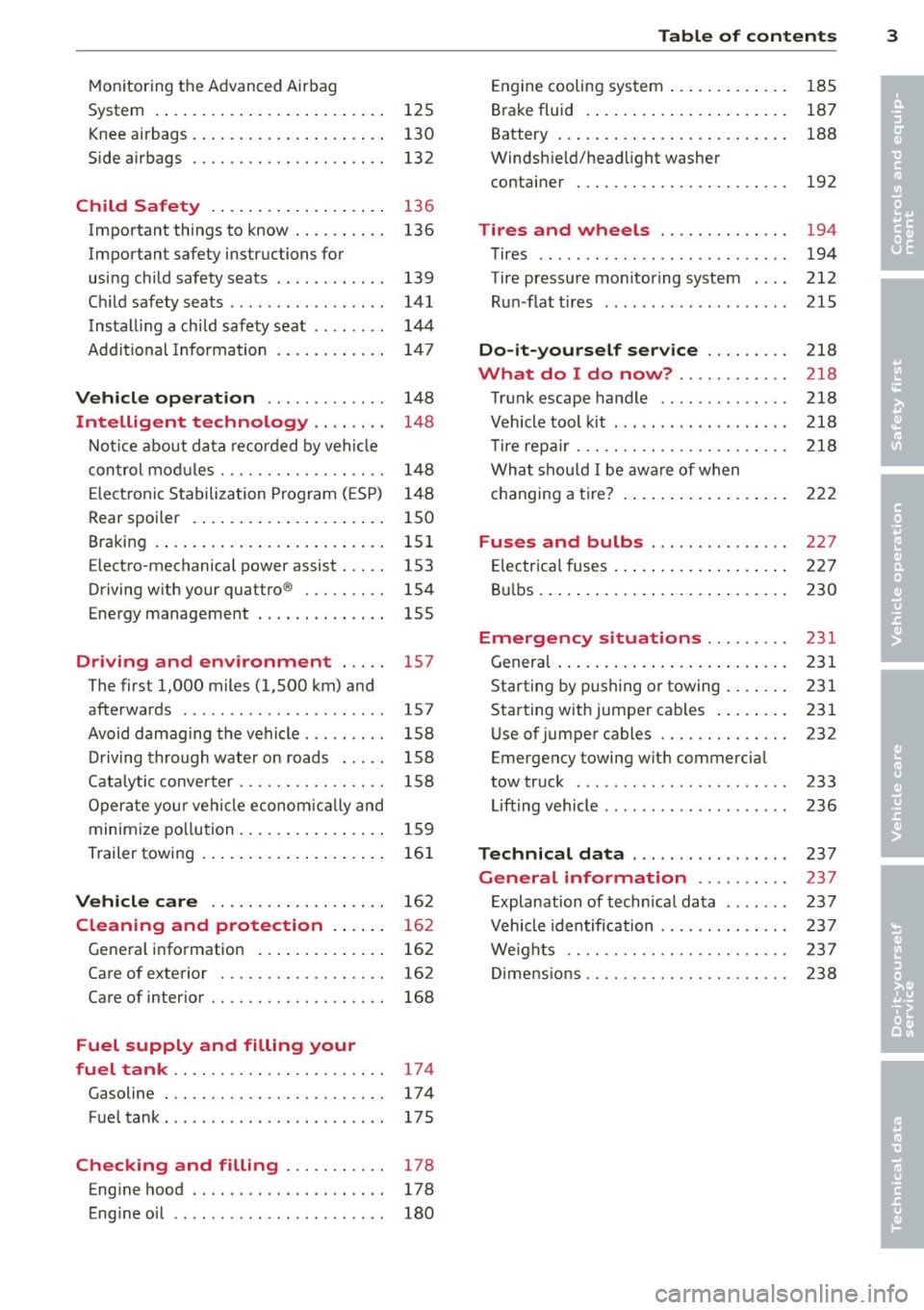
Monitoring the Advanced Airbag
System . . . . . . . . . . . . . . . . . . . . . . . . . 125
Knee airbags . . . . . . . . . . . . . . . . . . . . . 130
Side airbags . . . . . . . . . . . . . . . . . . . . . 132
Child Safety . . . . . . . . . . . . . . . . . . . 136
Important things to know . . . . . . . . . . 136
Important safety instructions for
using child safety seats . . . . . . . . . . . . 139
Ch ild safety seats . . . . . . . . . . . . . . . . . 141
Install ing a child safety seat . . . . . . . . 144
Addit io n al Information 14 7
Vehicle operat ion . . . . . . . . . . . . . 148
Intelligent technology . . . . . . . . 148
N ot ice about data recorded by vehi cle
con trol mod ules . . . . . . . . . . . . . . . . . . 148
E lect ronic S tabilization Program ( ESP) 1 48
Rear spoiler . . . . . . . . . . . . . . . . . . . . . 150
Braking . . . . . . . . . . . . . . . . . . . . . . . . . 151
Electro-mechanical power assist . . . . . 153
Driving w ith your quattro ® . . . . . . . . . 154
Energy management . . . . . . . . . . . . . . 155
Driving and environment . . . . . 157
The first 1,000 miles (1,500 km) and
afterwards . . . . . . . . . . . . . . . . . . . . . . 157
Avoid damaging the vehicle . . . . . . . . . 158
Driving through water on roads . . . . . 158
Cata lytic conve rter . . . . . . . . . . . . . . . . 158
Opera te you r vehi cle econom ic all y and
minim ize po llution . . . . . . . . . . . . . . . . 15 9
Trailer towing . . . . . . . . . . . . . . . . . . . . 161
Vehicle care . . . . . . . . . . . . . . . . . . . 162
Cleaning and protection . . . . . . 162
Gene ral information . . . . . . . . . . . . . . 162
Care of exterior . . . . . . . . . . . . . . . . . . 162
Care of inter ior . . . . . . . . . . . . . . . . . . . 168
Fuel supply and filling your
fuel tank .. ................. .. ..
174
Gasoline . . . . . . . . . . . . . . . . . . . . . . . . 17 4
Fue ltank ..... ................ ... 175
Checking and filling . . . . . . . . . . . 178
Eng ine hood . . . . . . . . . . . . . . . . . . . . . 178
Eng ine oil . . . . . . . . . . . . . . . . . . . . . . . 180
Table of contents 3
Engine cooling system .. ..... ... .. . 185
B rake fluid . ... .... . ... ...... ... . 187
•
Battery ... .. .. .. .. . .. ... .... ... . 188 •
Windsh ie ld/headlight washer
container . .. .. .. .... ........... .
192
Tires and wheels ........... .. . 194
Tires ..... .. .. .. .. . ............ . 194
Tire pressure mo nitoring system . .. .
212
R un -flat t ires .. .. .. . .. .... .... .. . 215
Do -it-yourself service ........ . 218
What do I do now? .. ...... ... . 218
T ru nk escape handle ............. . 218
V ehicle tool kit . .. ... .. .. ... ..... . 218
T ire repa ir ... .. ...... ........... . 218
What shou ld I be awa re of when
h . t
' 7 c anging a ire ... .. . .. .. ..... ... . 222
Fuses and bulbs .............. . 227
E lectr ica l fuses ... .. .. .. .. .... ... . 227
B ul bs ... .. .. .... .. . .. .. ..... ... .
230
Emergency situations ........ . 231
Genera l ... .. .... .. . .. .. ..... ... .
231
Starting by pushing or towing . ... .. . 231
Starting with jumper cables .. ... .. . 231
U se of jumper cables ............. .
232
Emergency towing wit h commercia l
tow truck ....... .. ............. . 233
Li fting vehicle .. .. .. .. .. ...... ... . 236
Technical data ..... .... ... .... . 237
General information ... ... ... . 237
E xplanation of techn ica l data ...... . 237
Vehicle identification ........... .. . 237
We ights .. .. .. .. .. .. ........... . 237
Di mens ions .. .. .. .. ............. . 238
Page 6 of 260
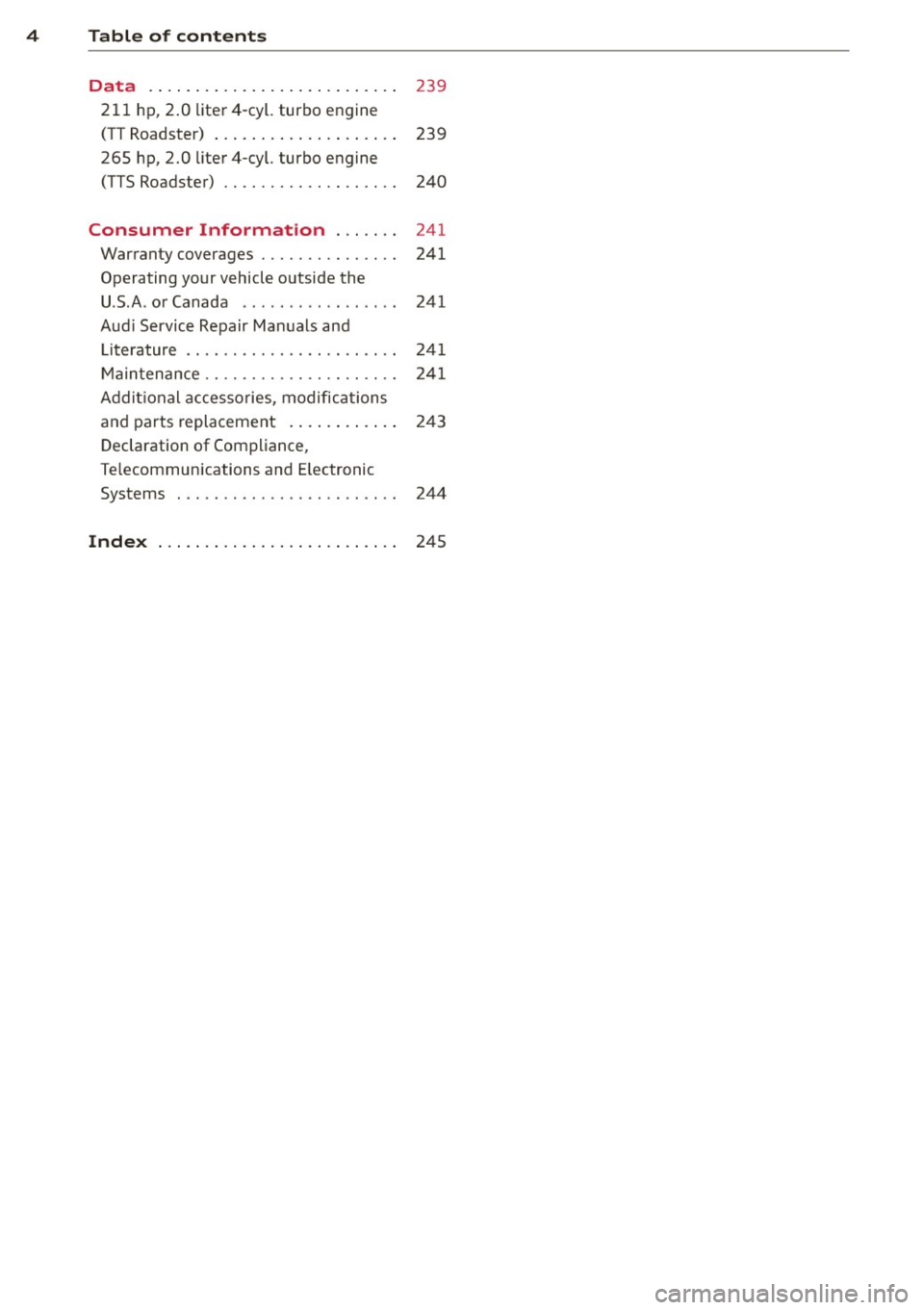
4 Table of contents Data . . . . . . . . . . . . . . . . . . . . . . . . . . .
239
211 hp, 2.0 liter4-cyl. turbo engine
(TT Roadster) . . . . . . . . . . . . . . . . . . . . 239
265 hp, 2.0 liter 4-cyl. turbo engine
(TTS Roadster) . . . . . . . . . . . . . . . . . . . 240
Consumer Information . . . . . . . 241
Warranty coverages . . . . . . . . . . . . . . . 241
Operating your vehicle outside the
U .S .A . or Canada . . . . . . . . . . . . . . . . . 241
Aud i Service Repair Manuals and
Literature . . . . . . . . . . . . . . . . . . . . . . . 241
Maintenance . . . . . . . . . . . . . . . . . . . . . 241
Addit ional accessories , modifications
and parts replacement . . . . . . . . . . . . 243
Declaration of Compliance,
Te lecommunications and E lectronic
Systems . . . . . . . . . . . . . . . . . . . . . . . . 244
Index . . . . . . . . . . . . . . . . . . . . . . . . . . 245
Page 7 of 260
In addition to t his Owner's Ma nual, your A udi
comes w ith a Warranty & Maintena nce book
l et.
Mor eover , d ep en ding on the mode l and t he
e quip ment, there may be additiona l ins truc
tion boo klets delivered w ith your vehicle (for
e x amp le, Ope rat ing Instr uctions fo r yo ur
Sound System, Navigation System etc .).
If yo u are m iss ing one of these p ublicat ions,
or if you believe that the inf ormation is not
comp lete, contact you r auth orized Audi dea le r
for assistance.
The Warranty & Maintenance booklet
explains how yo u ca n kee p your A udi in top
d riving condition by hav ing it serviced regular
l y and conta ins deta iled info rmat ion about
the wa rranties covering your Aud i. Always
h ave the book let with yo u when yo u take your
ve hicle to an auth orized Audi dealer for serv
i ce . Y our Aud i Service Adviser w ill reco rd each
sche duled servic e and can answer any ques
tions you may have r ega rding how to ma intain
your ve hicle.
In Canada,
the vehicle lite ratu re is also avai lab le in
Fr ench . T o obtai n a co py, c ontact your dea ler
or w rit e to :
Au Canada, on peut se procure r un e xempla ire
e n fran~ais de ce doc ument aupres du conces
sionna ire ou de :
Volkswagen Canada, Inc.
Client Assistance
Assistance a la Clientele
7 7 7 Bayly Str eet, West,
A jax, On tario LIS 7G 7
If you sell your Audi
all literature should be left in the veh icle to
make the Warranty terms as we ll as a ll oper
ating, safety and ma intenance information
ava ilab le to the ne xt ow ne r.
Vehicle literature 5
If you change your address or if you
bought this Audi used
b e s ure to send in a "Notice of Addr ess
Change"/ " Notice of Used Car Purchase" post
ca rd. T his card can be fo und in the War ranty&
M aint enance booklet or obtained from your
a utho rized Aud i dea le r.
It is in your own interest that we are able to
contact you should the need arise .
•
•
Page 21 of 260
Driver information
system
Introduction
The Driver information display inside the in
strument cluster provides you, the driver,
with important information .
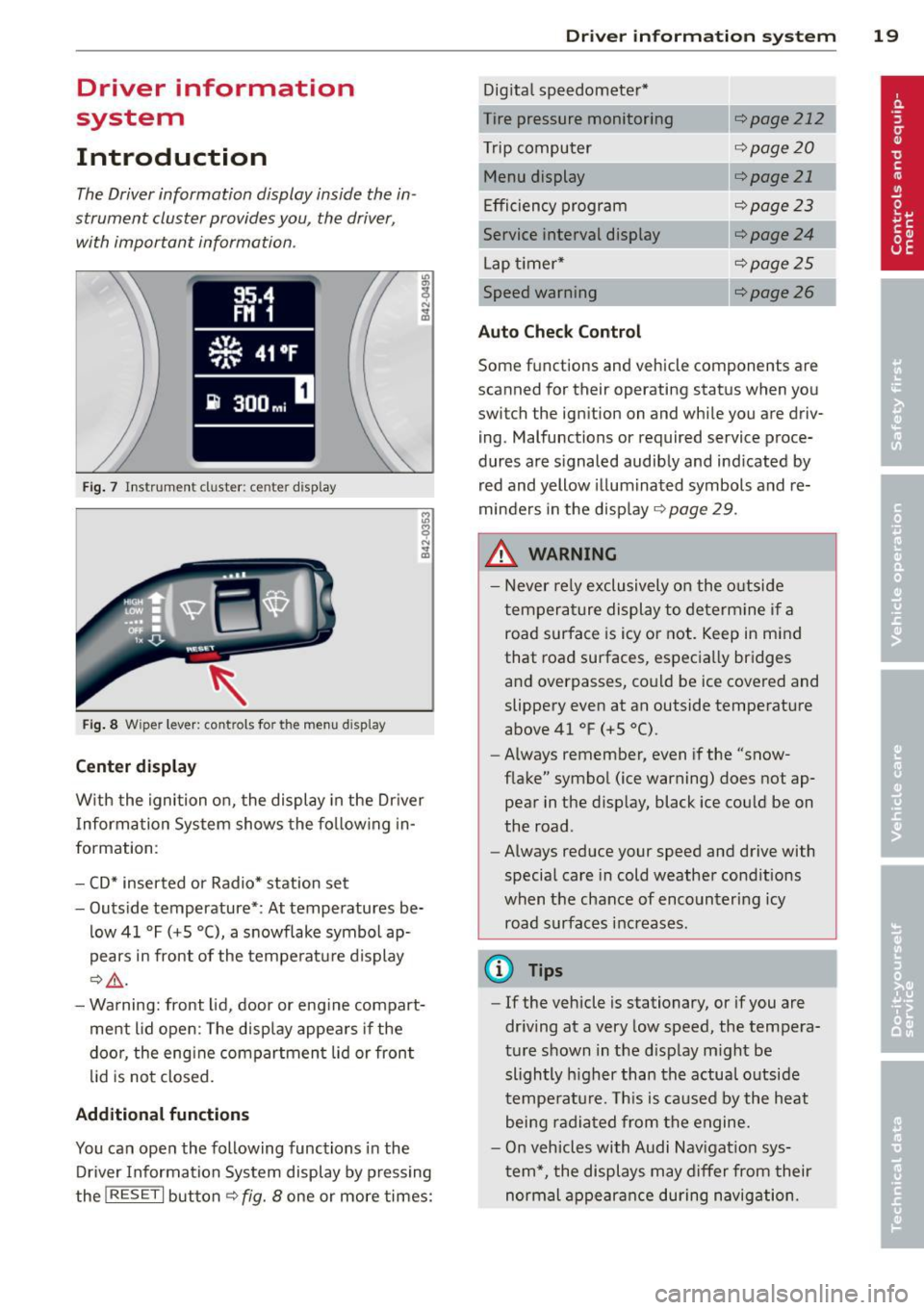
Fig. 7 Instrument cluster: center display
Fig. 8 Wiper lever: controls for the menu display
Center display
"' 0,
~ .. m
With the ignition on, the display in the Driver
I nformation System shows the fol lowing in
formation:
- CD* inserted or Radio* station set
- Outside temperature*: At temperatures be-
low 41 °F
(+5 °(), a snowflake symbol ap
pears in front of the temperature display
¢&_ .
-Warning: front lid, door or engine compart
ment lid open: The display appears if the
door, the engine compartment lid or front
lid is not closed.
Additional functions
You can open the following functions in the
Driver Information System display by pressing
the
I RESET I button ¢ fig. 8 one or more times:
Driver in format ion syste m 19
Digital speedometer*
Tire pressure monitoring
r:!;> page 212
Trip computer r:::;,page20
Menu display ¢page 21
Efficiency program ¢page23
Service interval display ¢page24
Lap timer* ¢page25
Speed warning r:::;,page 26
Auto Check Control
Some fun ction s and vehicle components are
scanned for their operating status when you
switch the ig nition on and while you are driv
ing . Malfunctions or required service proce
dures are signa led audibly and indicated by
red and yellow illuminated symbols and re
minders in the display
r:::;, page 29 .
.&_ WARNING
-
- Never rely exclusively on the outside
temperature display to determine if a road surface is icy or not. Keep in mind
that road surfaces, especially bridges
and overpasses, could be ice covered and
slippery even at an outside temperature
above 41 °F
(+S 0
().
-Always remember, even if the "snow
flake" symbol (ice warning) does not ap
pear in the display, black ice could be on
the road .
- Always reduce your speed and drive with
special care in cold weather conditions
when the chance of encountering icy
road surfaces increases.
@ Tips
- If the vehicle is stationary, or if you are
driving at a very low speed, the tempera
ture shown in the display might be
slightly higher than the actual outside
temperature. This is caused by the heat
being radiated from the engine.
- On vehicles with Audi Nav igation sys
tem*, the displays may differ from their
normal appearance during navigation.
Page 24 of 260
22 Driv e r in formation sy stem
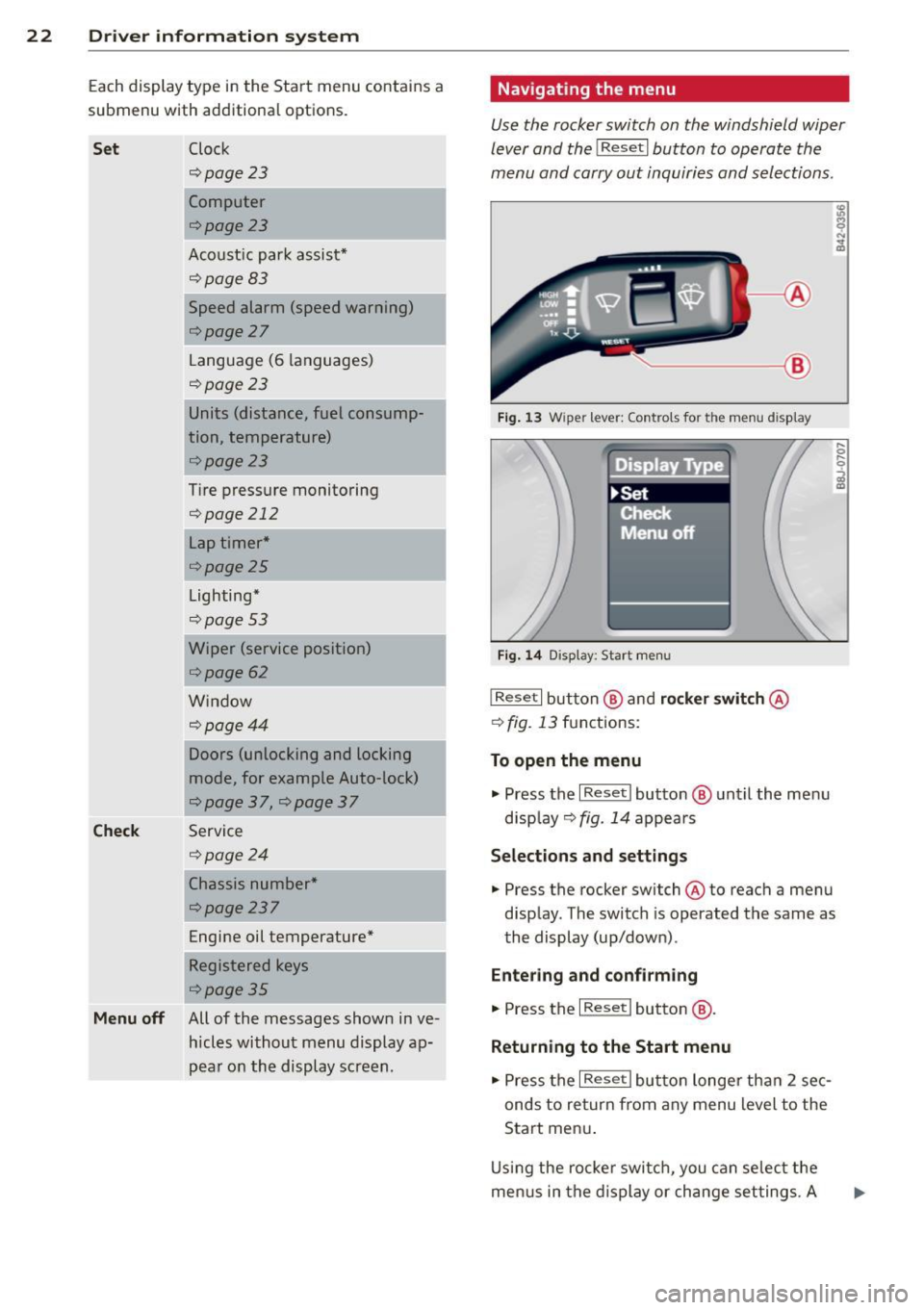
Each display type in the Start menu contains a
submenu with additional options.
Set Clock
c;:,page23
Computer
c;:,page23
Acoust ic par k assist*
¢page83
Speed alarm (speed warning)
c;:,page27
Language (6 languages)
c:;>page23
Units (distance, fuel consump-
tion, temperature)
c;:,page23
Tire pressure monitoring
c;:,page 212
Lap timer *
c;:,page 25
Lighting*
c;:,page53
Wiper (service position)
c;:,page62
Window
¢page44
Doors (unlocking and locking
mode, for example Auto-lock)
c;:,page 37, c:;>page 37
Check Service
c;:,page24
Chassis number *
c;:, page 23 7
Engine oil temperature*
Registered keys
c:;>page35
Menu off All of the messages show n in ve-
hides without menu display a p-
pear on the display screen.
Navigating the menu
Use the rocker switch on the windshield wiper
lever and the
I Reset I button to operate the
menu and carry out inquiri es and selections.
~-- @
Fig. 1 3 Wiper lever: Controls for the men u display
Fi g. 14 Display: Start menu
I Reset I button @ and rocker switch @
c:;> fig. 13 functions:
To open the menu
.,. Press the I Reset I button @ until the me nu
d isp lay¢
fig. 14 appears
Selections and settings
.,. Press the rocker switch @to reach a menu
disp lay. The switch is operated the same as
the display (up/down) .
Entering and c onfirm ing
.,. Press the I Reset I button @.
Returning to the Start menu
.,. Press the I Reset I butto n longe r tha n 2 sec
onds to return from any menu level to the
Start men u.
U sing the rocke r swi tch , you can se lec t the
me nus in the display or change set tings. A
Page 26 of 260
24 Driver information system
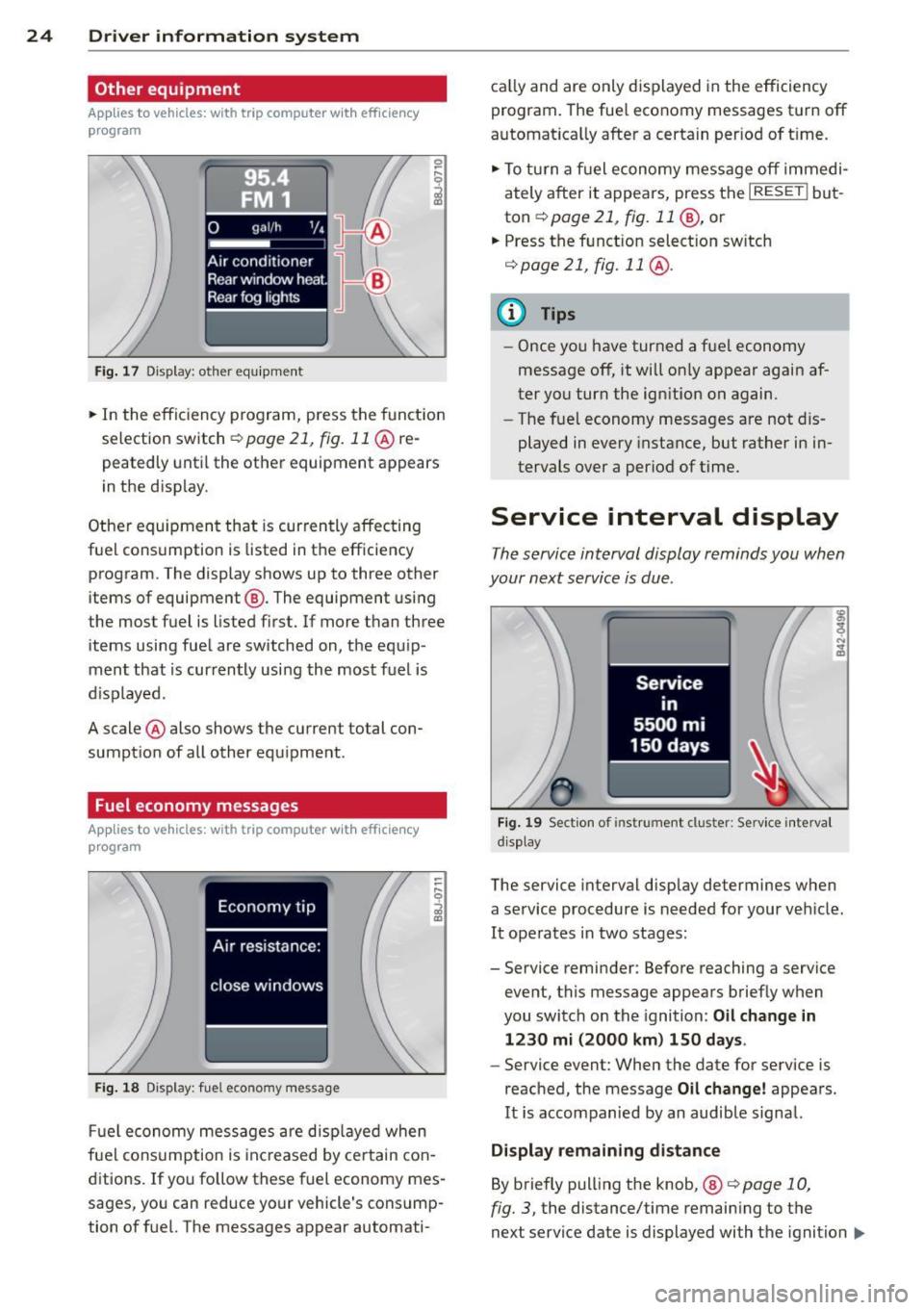
Other equipment
Applies to vehicles: with trip computer w ith eff iciency
program
Fig. 17 Dis pl ay : o th er equ ipm ent
• In the effic iency program, press the funct ion
selection switch
r::;, page 21, fig. 11 @ re
peatedly until the other equipment appears
in the disp lay.
Other equipment that is currently affecting
fuel consumption is listed in the efficiency program . The display shows up to three other
items of equipment ®· The equipment using
the most fuel is listed first. If more than three
items using fuel are switched on, the equip
ment that is currently using the most fuel is
d isplayed .
A scale @also shows the current total con
sumption of all other equipment .
Fuel economy messages
Applies to vehicles: with trip computer with efficiency
program
Fig. 18 Dis play: fuel eco nomy message
Fuel economy messages are displayed when
fuel consumption is inc reased by certain con
ditions. If you follow these fuel economy mes
sages, you can reduce your vehicle's consump
tion of fuel. The messages appear automati- cal
ly and are only d isplayed in the efficiency
program. The fuel economy messages turn off
automat ica lly after a certain per iod of t ime.
• To turn a fuel economy message off immedi
ately after it appears, press the
I RESET ! but
ton
r::;, page 21 , fig. 11 @, or
.. Press the funct ion select ion sw itch
r::;, page 21, fig. 11 @ .
@ Tips
- Once you have turned a fuel economy
message off, it will on ly appear again af
ter you turn the ignition on again.
- The fue l economy messages are not dis
played in every instance, but rather in in
tervals over a period of time.
Service interval display
The service interval display reminds you when
your next service is due .
Fig. 19 Section of instrument clus ter: Se rv ice interva l
d isplay
The service interval display determines when
a service procedure is needed for your veh icle .
It operates in two stages:
- Service reminder: Before reaching a service
event, this message appears briefly when
you switch on the ignition: Oil change in
1230 mi (2000 km) 150 days.
- Service event: When the date for service is
reached, the message Oil change! appears.
It is accompanied by an audible signal.
Display remaining distance
By briefly pulling the knob, ®
<=>page 10,
fig. 3, the distance/time remaining to the
next service date is displayed with the ignition
IIJ,-
Page 27 of 260
on. The distance/time remaining is updated
every 300 mi les (500 km).
I f the d istance/ time remaining is called up on
new vehicles or after service has been per
formed, the due date is always shown in the
disp lay with
Oil change in----- m i (km)- -
d ay s
within the first 300 miles (500 km).
To reset the display
The dealersh ip perfo rming the service resets
the disp lay whe n the service has been com
p leted . The display is resets as follows :
- Switch the ignition on.
- Pull the knob @
Q page 10, fig. 3, this mes-
sage appears:
Oil chang e!
- Pull the knob u ntil t he d isplay O il change in
--- --mi (km )··· day s
appears in the display.
If the reset button is not p ulled within
5
seconds, the display reset mode closes .
(D Tips
-If a malfunction is p resen t (red symbol),
the distance remaining cannot be ca lled
u p.
- Do not reset the display between service
intervals . Do ing so will res ult in an in co r
r ect displ ay.
- If the batte ry is d iscon nected, the Serv
i ce Interval Disp lay val ues are ret ained .
-If service was not performed at the co r
re ct time or the service interval display
w as not reset a fter service w as per
fo rmed, the add itiona l mi leage driven or
the elapsed days wi ll be shown as nega
tive numbers.
Lap timer
Introduction
App lies to vehicles: with lap timer
You ca n record and evaluate lap times with
the lap timer in the display
¢page 25,
fig . 21 . The time is measu red in minutes, sec
onds and 1/10 seconds. The hou rs a re also
shown when the lap time exceeds 60 minutes .
The maximum individual measurement is 99
hours.
Dr iver in formation system 25
A WARNING
Please devote your full attention to driv
i ng. As the driver, you have complete re
spons ib ility for safety in traffic. Only use
the functions in such a way that you a lways
maintai n comple te control over you r ve hi
cle in a ll traffic situations.
(D Tips
When the lap time r stopwatch is running ,
you can ca ll up the tr ip comp ute r informa
tion with the
I RESET I but to n.
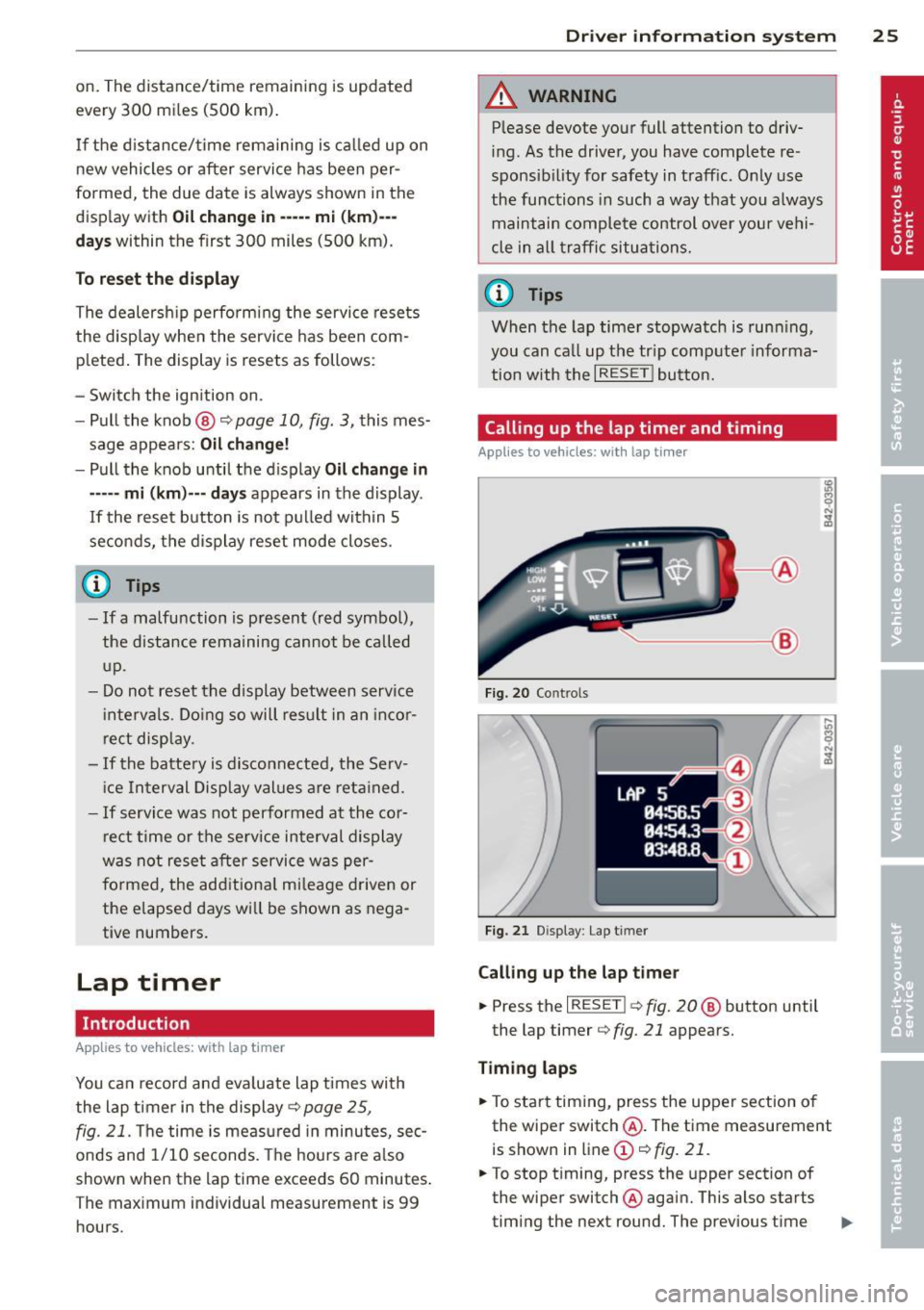
Calling up the lap timer and timing
Applies to vehicles: wi th lap timer
---- @
Fig. 20 Co ntrols
F ig. 21 Display : Lap t imer
Calling up the lap t imer
... Press the I RESET !¢ fig . 20 @ button until
the lap timer ¢
fig. 21 appears.
Timing laps
.,. To start timing, press the upper section o f
the wiper switch @. The time measurement
is shown in line
(D ¢ fig. 21.
.,. To stop timing, press the upper section of
the wiper switch @again. This also starts
timing the next round. The previous time ..,_
Page 30 of 260
28 Driv e r in formation sy stem
A few seconds after the adjustment is com
p leted, the illumination for the odometer and
the dig ital clock will go o ut.
@ Tips
This warning threshold can also be con
trolled through the trip computer
~page 22, Navigating the menu.
On-Board Diagnostic
system (OBD)
On-Board Diagnostics
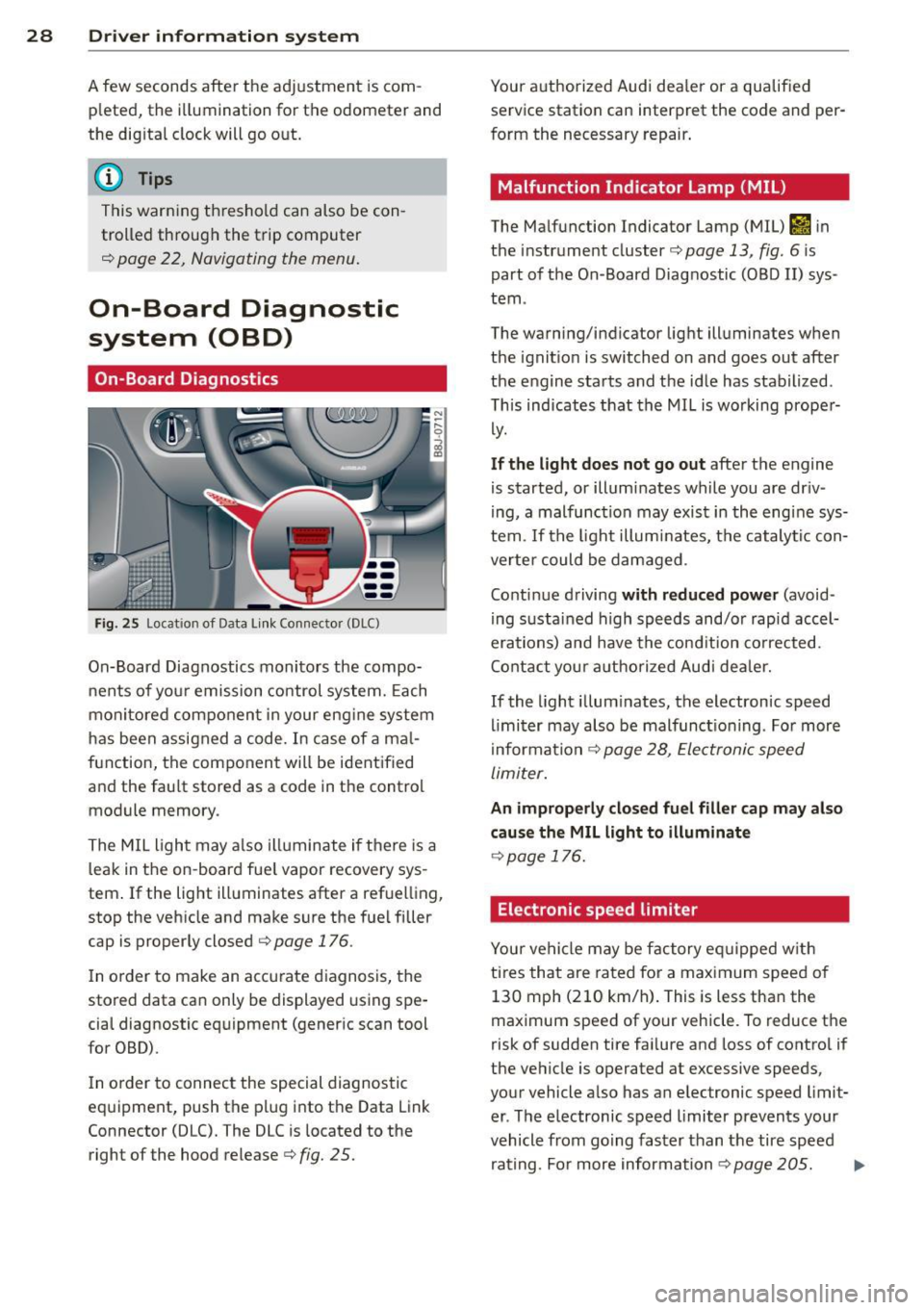
Fig. 25 Locat ion of Data Link Connecto r (DLC)
On-Board Diagnostics monitors the compo
nents of you r emission control system. Each
monitored compo nen t in your eng ine system
has been assigned a code . In case of a ma l
function, the component will be identified
and the fau lt stored as a code in the control
module memory.
The MIL light may a lso illuminate if there is a
leak in the on-board fue l vapor recovery sys
tem .
If the light illuminates after a refuelling,
stop the vehicle and make sure the fuel filler
cap is properly closed ¢
page 176.
In o rder to make an accurate diagnosis, the
stored data can only be displayed using spe
cia l diagnostic equipment (generic scan tool
for OBD).
I n o rder to connect the special diagnostic
equipment, push the plug into the Data Link
Connector (DLC). The DLC is located to the
right of the hood release¢
fig. 25.
Your authorized Audi dea ler or a qualified
service station can interpret the code and per
form the necessary repair .
Malfunction Indicator lamp (MIL)
The Malfunction Indicator Lamp (MIL) &'I in
the instrument cluster¢
page 13, fig. 6 is
part of the On-Board Diagnostic COBO II) sys
tem .
The warning/indicator light illuminates when
the ignit io n is switched on and goes out after
the e ngine starts and the idle has stabilized.
Th is indicates that the MIL is working prope r
ly.
If th e light d oes not go out after the engine
is started, or illum inates wh ile you are dr iv
ing, a malfunc tion may exist in the engine sys
tem.
If the light illum inates, the catalytic con
verte r could be damaged .
Continue driving
with reduced p ower (avoid
ing sustained high speeds and/or rapid accel
erations) and have the cond ition corrected.
Contact you r authorized Audi dea le r.
If the light illum inates, the electronic speed
limi ter may also be malfunct ioning . For more
i nformation ¢
page 28, Electronic speed
limiter.
An improperly clo sed fu el filler cap ma y also
cau se the MIL light to illuminate
¢ page 176.
Electronic speed limiter
Your vehicle may be factory eq uipped w ith
tires that are rated for a maximum speed of 130 mph (210 km/h) . This is less than the
maximum speed of your vehicle. To reduce the
risk of sudden tire fai lure and loss of control if
the vehicle is operated at excessive speeds,
your vehicle a lso has an electronic speed limit
er . The electronic speed limiter prevents your
vehicle from going faster than the tire speed
rating. Fo r more information
¢page 205. ...,
Page 33 of 260
than 3 seconds and faster than 3 mph (5 km/
h).
A WARNING
-Always observe the warnings in
9 page 172, Engine compartment, be
fore opening the engine hood and check ing the brake flu id .
- Driv ing with low brake fluid is a safety
hazard! Stop the car and get professional
assistance.
- If the brake system warn ing/ indicator
light illuminates together with the ABS
warning/ind icator light, t hen the ABS
system is malfunct ion ing . The rear
wheels co uld qu ickly lock up when yo u
apply the brakes. This could lead to loss
o f control and your vehi cle could slide!
Drive carefu lly to the nearest a uthorized
Audi dealer and have the ma lfunction
corrected.
_ L Engine cooling system
A malfunction in the engine cooling system
must be repaired as soon as possible .
When the . symbol in the d isp lay flashes,
then either the eng ine coolan t
temperature is
too high, or the coo lant
level is too low. In ad
dition to the symbol, the fo llowing message
also appears in the display:
Swit ch off engine and check coolant level
"'Pull off the road and stop the vehicle.
"'T urn off t he engine.
"' Check coolant leve l
9page 185.
"'Add coolant if ne cessary¢ page 186.
"' Contin ue driving only after the eng ine cool -
ant warn ing/indicato r light goes o ut.
"' Contact your authorized Audi dea ler for as-
s istance if necessary.
If the engine coolant level is correct, then the radiator fan may be the cause of the malf unc
tion .
If the generator wa rning/ind icator light
should also illuminate ¢
page 16, then the
fan belt may be damaged.
Dr iver in formati on sys tem 3 1
A WARNING
-If your vehicle should break down for
mechanical or other reasons, park at a
safe distance from moving traffic, tu rn
off the eng in e and tu rn on the haza rd
warn ing ligh ts ¢
page 56, Emergen cy
flasher ~-
-
-Never ope n the hood if you see o r hear
s team or coola nt es caping from the en
gi ne compartmen t -you ris k being sc ald
ed . Wait unt il yo u can no longer see o r
hea r steam o r coolant escap ing.
- T he engine compa rtment o f any vehicle
is a dangerous area. Be fore you perform
a ny work i n the engine compartment,
turn off the eng ine and allow it to cool.
Follow t he warn ing stickers
9 page 172,
Engine compartment .
(D Note
Do not continue driv ing if the . sym bol
ill uminates. There is a malfunction in the
engine cooling system -you could damage
your engine.
~ Engine oil pr essure
The red engine oil pressure warning symbol
requires immediate service or repair.
If the . symbo l appears in the disp lay and
flashes, the o il pressure is too low . In add ition
to the symbol, the following message a lso ap
pears in the display:
Switch off engine and check oil le vel
"' Pull off the road an d stop the ve hicle.
"' Shu t the eng ine down.
"' Check the engine oil level¢
page 183 .
"'Contact your authorized Audi dealer for as-
sistance if necessary.
Engine oil level too low
I f the engine oil leve l is too low , top off oil to
the p roper level
¢ page 183. .,.