oil AUDI TT ROADSTER 2014 User Guide
[x] Cancel search | Manufacturer: AUDI, Model Year: 2014, Model line: TT ROADSTER, Model: AUDI TT ROADSTER 2014Pages: 244, PDF Size: 60.87 MB
Page 29 of 244
Boost pressure indicator (boost )
A bar graph that begins on the left and fills in
towa rd the right indicates the engine's cu r
rent load (meaning the c urrent boost pres
sure) .
Engine oil t emperature indicator
If the engine oil temperat ure is be low 140 °F
(60 °C), the
't:::7-symbo l followed by th ree hy
phens" -- -'' and the °C unit is shown .
The engine has reached its opera ting temper
ature when the e ngine o il temperat ure is be
tween
176 °F (80 °() and 248 °F (1 20 °() un
der normal driving conditions. The engine oil
temperature may be higher if there is heavy
engine load and high temperatures outside.
This is not a cause for concern as long as the
• ¢ page 16 or 1\1 ¢ page 20 warning light
i n the display does not flash .
Efficiency program
Description
Applies to vehicles: with trip computer with efficiency
program
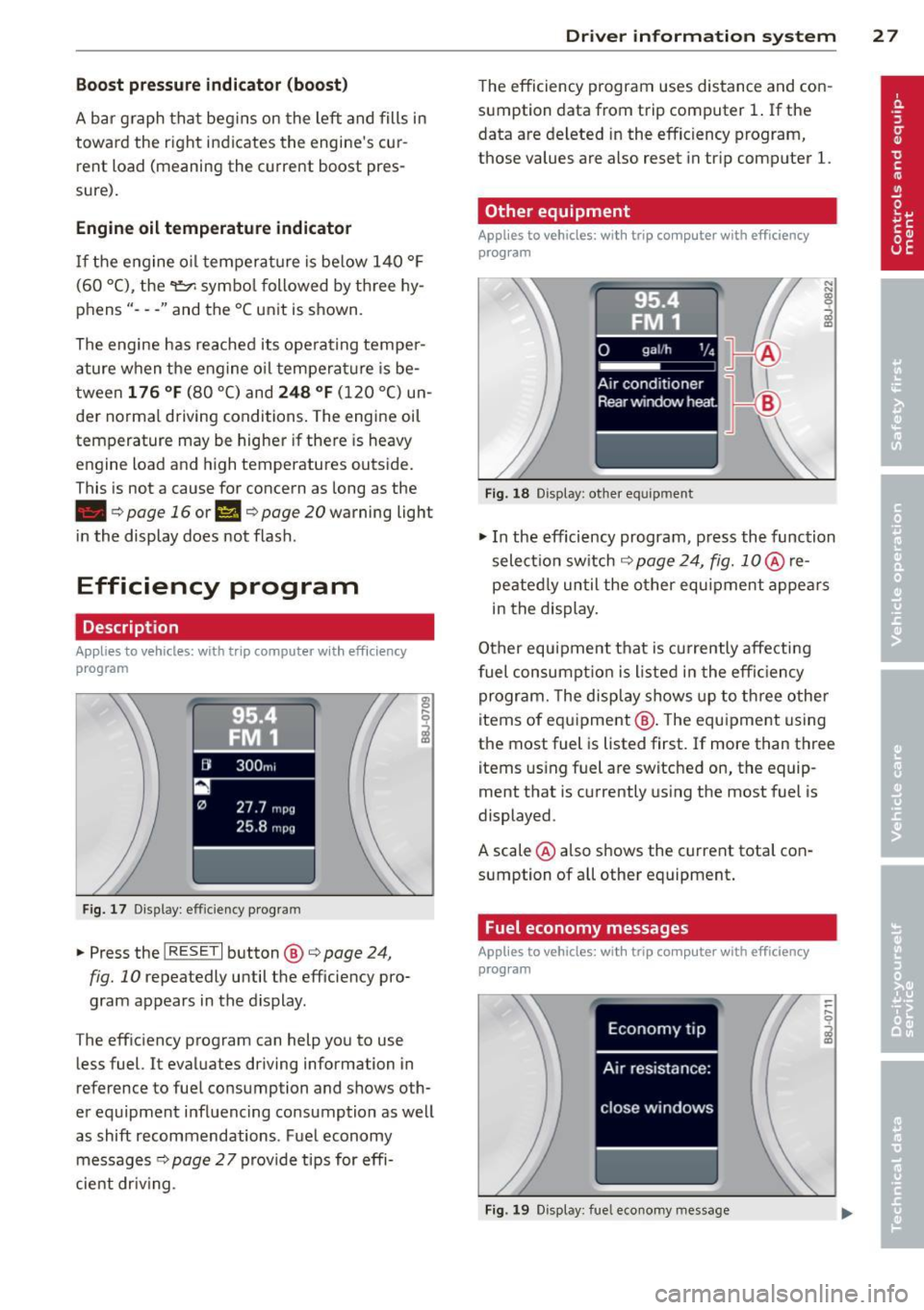
F ig. 17 Display : effic iency program
• Press the I RESE T I button @¢ page 24,
fig. 10 repeatedly until the efficiency pro
gram appears in the display.
The eff iciency program can help you to use
less fuel. It evaluates driving information in
reference to fuel consumption and shows oth
er equipment influenc ing co nsumption as well
as shift recommendations . Fuel economy
messages ¢
page 2 7 provide tips for effi
cient dr iv ing .
Dr iver in formation system 2 7
The efficiency program uses distance and con
sumption data from trip computer
1. If the
data are deleted in the efficiency program,
those values are also reset in tr ip computer
l.
Other equipment
Appl ies to vehicles: with trip computer with efficiency
prog ram
Fi g. 18 D isplay: other equ ipment
• In the efficiency program , press the function
selectio n switch
¢ page 24, fig. 1 0 @ re
peated ly until the other equipment appea rs
in the display.
Other equipment that is currently affecti ng
fuel consump tion is listed in the effi cien cy
program. The display shows up to th ree other
items of equ ipment @. The equ ipment using
the most fuel is listed first. If more than three items using fuel are switched on, the equip
ment that is currently us ing the most fuel is
displayed .
A scale @also shows the current tota l con
sumption of all other equipment .
Fuel economy messages
Applies to vehicles: with trip computer with efficiency
program
Fig . 1 9 D isplay: fue l economy message
Page 30 of 244
28 Driver information system
Fue l economy messages are displayed when
fuel consumption is increased by certain con
ditions. If you follow these fuel economy mes
sages, you can reduce your vehicle's consump
t ion of fuel. The messages appear automati
cally and are only displayed in the efficiency
program . The fuel economy messages turn off
automatically after a certain period of time .
.,. To turn a fuel economy message off immedi
ately after it appears, press the
! R ESET I but
ton
¢ page 24 , fig . 1 O @, or
.,. Press the function selection switch
¢page 24, fig.10 @.
(D Tips
-Once you have turned a fuel economy
message off, it will only appear again af
ter you turn the ignition on aga in.
- The fuel economy messages are not dis
played in every instance, but rather in in
tervals over a period of ti me.
Service interval display
The service interval display reminds you when
your next service is due.
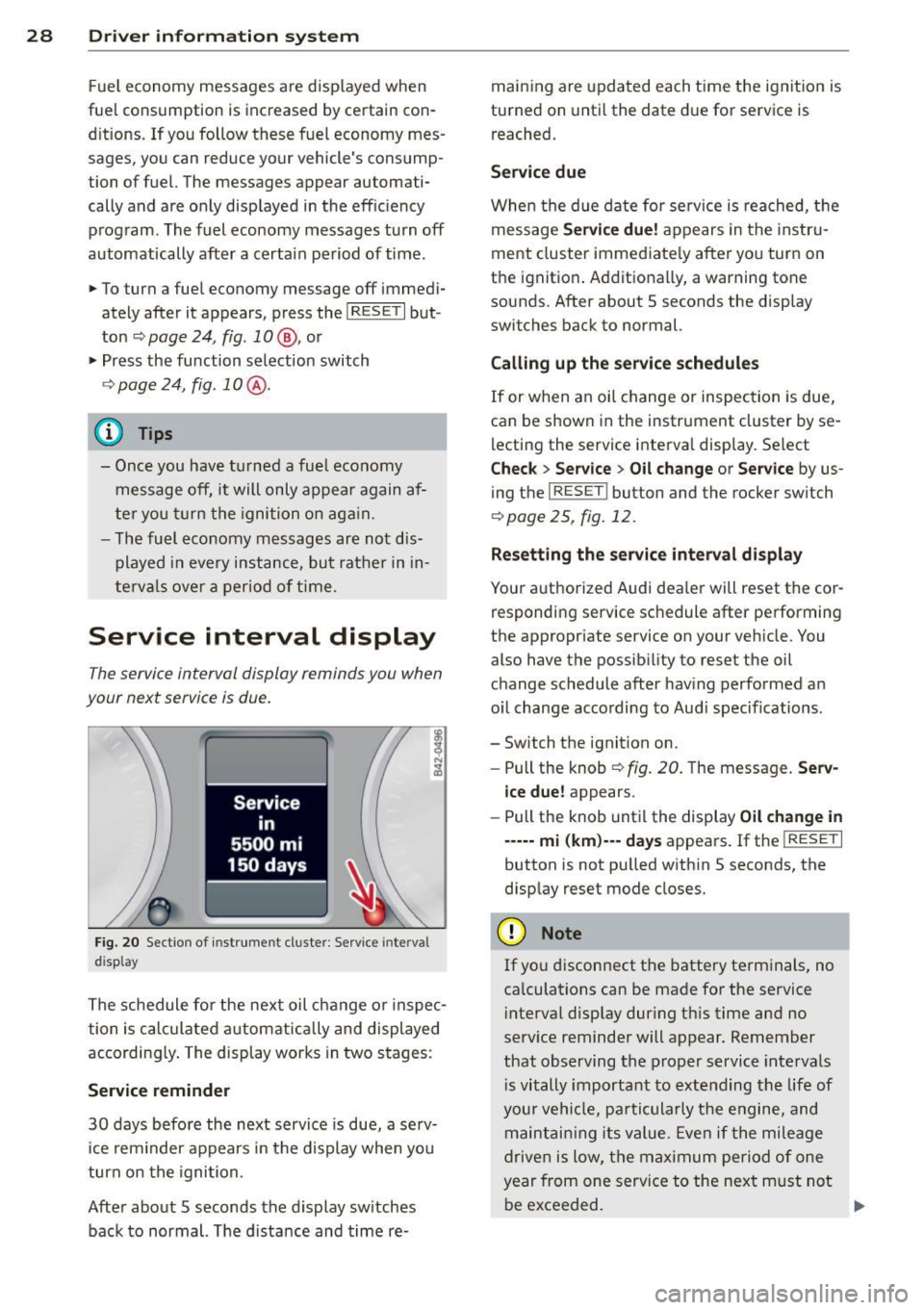
Fig. 20 Sectio n of inst rume nt cl uster : Serv ice interv al
d isplay
The schedule for the next oil change or inspec
tion is calculated automatically and displayed
according ly . The display works in two stages :
Service reminder
30 days before the next service is due, a serv
ice rem inder appears in the display when you
turn on the ignition.
After about 5 seconds the display sw itches
back to normal. The d istance and time re- maining are
updated each time the ignition is
turned on until the date due for service is
reached.
Service due
When the due date for service is reached, th e
message
Service due! appears in the instru
ment cluster immediately after you turn on
the ignition . Additionally, a warning tone
sounds. After about 5 seconds the disp lay
switches back to normal.
Calling up the service schedules
If or when an oil change or inspection is due,
can be shown in the instrument cluster by se
lecting the service interval display . Select
Chec k > Service > Oil change or Service by us
ing the
I RESET I button and the rocker switch
r:::> page 25, fig. 12 .
Resetting the service interval display
Your authorized Audi dealer will reset the cor
responding service schedule after performing
the appropriate service on you r vehicle. You
also have the possibility to reset the oil
change schedule after having performed an
o il change according to Audi specif ications.
- Switch the ignition on.
- Pull the knob
r:::> fig. 20. The message. Serv-
ice due!
appears.
- Pull the knob until the display
Oil change in
-----mi (km)--- days appears . If the I RESET I
button is not pulled within 5 seconds, the
display reset mode closes.
(D Note
If you disconnect the battery terminals, no
calculations can be made for the service
interval display dur ing this time and no
serv ice reminder will appear. Remember
that observing the proper service intervals
i s vitally important to extending the life of
your vehicle, pa rticularly the engine, and
maintaining its value. Even if the mileage
driven is low, the maximum period of one
year from one service to the next m ust not
be exceeded.
II>-
Page 31 of 244
@ Tips
-Do not reset the display between oil
changes, otherw ise the display will be in
correct.
- The information in the Service Reminder
remains stored even when the vehicle
battery is disconnected.
Lap timer
Introduction
Appl ies to vehicles : wit h lap timer
You ca n record and eva luate lap times wi th
the lap timer in the display
c::> page 29,
fig. 22. The time is measured in minutes, sec
onds and 1/10 seconds. The hours are a lso
shown when the lap time exceeds 60 minutes.
The maximum individual measurement is 99
h ours.
A WARNING
-
Please devote your full attent ion to driv
ing. As the driv er, you have comp lete re
sponsibility for safety in traffic. Only use
t he funct io ns in such a way that yo u always
ma in tain complete contro l over your veh i
cle in all traff ic si tuations.
@ Tips
W hen the lap t imer stopwatch is running,
you can c all up the t rip computer info rma
t ion wi th the
I RESET I b utton .
Calling up the lap timer and timing
Applies to vehicles: with lap timer
------- @
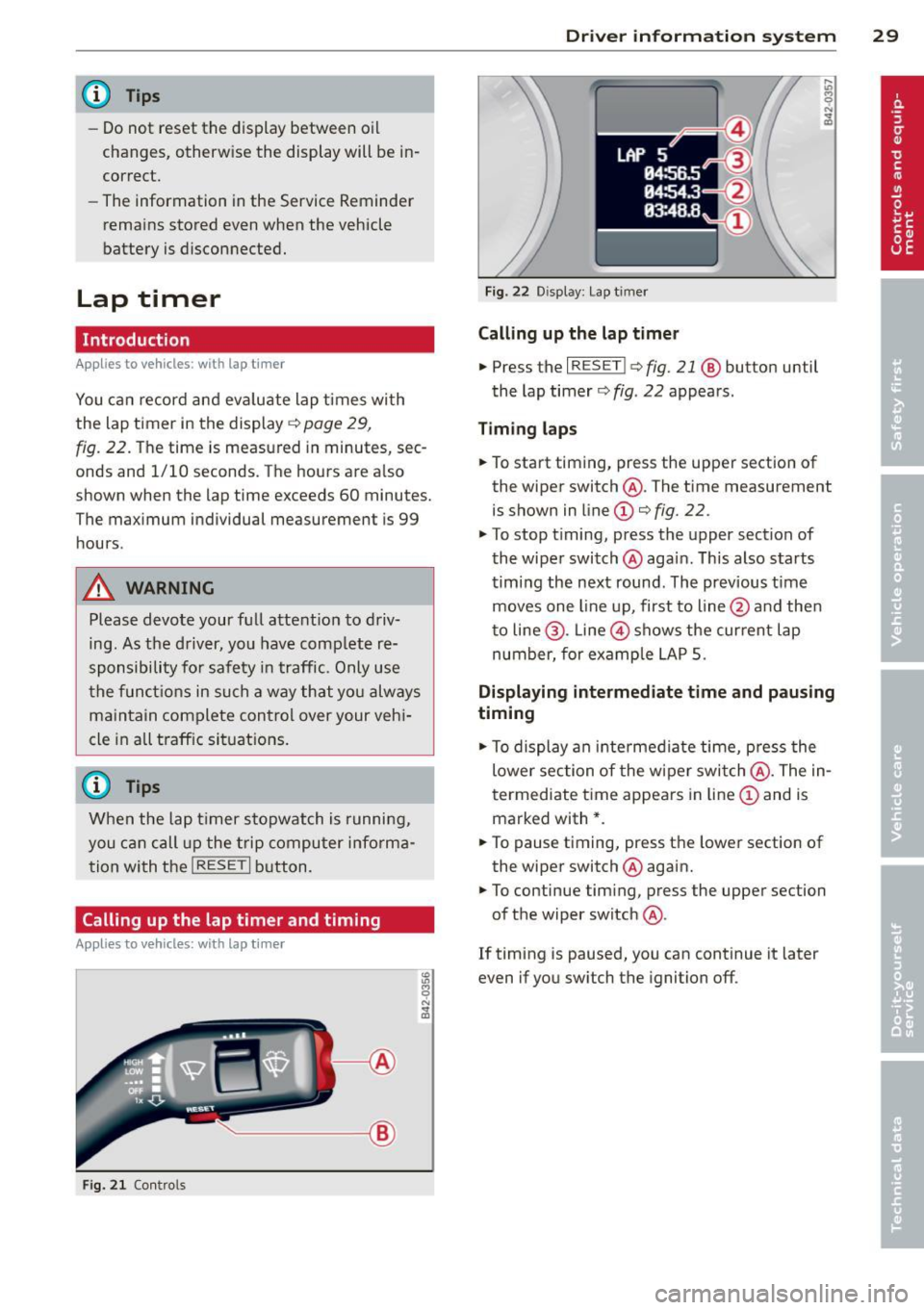
Fig. 2 1 Contro ls
Dr iver in formation system 29
Fig . 22 D isplay: Lap t imer
Calling up the lap t imer
.. Press the I RESET I c:> fig. 21 @ button until
the lap timer
c::> fig . 22 appears .
Timing laps
.. To start timing, press the upper section of
the wiper switch @. The time measurement
is shown in line
CD c::> fig. 22.
.. To stop timing, press the upper section of
the wiper switch @again. This also starts
timing the next round . The previous t ime
moves one line up, first to line @and the n
t o line @. Line @ shows the current lap
number, for ex ample LAP 5.
Displaying intermediate time and pausing
timing
.. To display an intermediate time, press the
lower section of the w iper swi tch @ . The in
t ermediate t ime appears in line
CD and is
marked with* .
.. To pause t iming, press the lower section of
the wiper switch @again .
.. To continue tim ing, press the upper section
of the wiper switch @.
If timing is paused, you can continue it later
even if you sw itch the ignition off.
Page 76 of 244
74 On the road
you leave your vehicle. This makes a vehicle
theft even more difficult ¢ .&. .
Ignition key saf ety lock
Afte r swi tching off the ignition, t he ig nit ion
key can on ly be removed from the ig nition
lock when the se lector lever is in the "P"
(Park) position . After you have removed the
key, the selector lever is locked and cannot be
moved.
Ignition on @
If it is diffic ult to tu rn the key after you have
inserted it into the ignition lock, turn the
steering wheel back and forth. This will take
the load
off the steering lock mechanism and
you will be able to turn the key freely and
start the engine.
Starting the engine @
In this position the engine starts . While the
engine is starting , the power supply to the
headlights and other e lectrica l consumers is
temporari ly interrupted to conserve battery
power. After the engine has started, release
the key and it will return to posit ion
(D .
Before the starter can be operated again the
key must be turned back to position @. The
non -repeat loc k prevents you from damaging
the starter when the engine is runn ing .
A WARNING
-Never remove the key from the ign it ion
lock whi le the vehicle is moving. The
steeri ng wheel will lock causing loss of
c ontrol.
- If you have to leave your vehicle - even
for just a m inute -always remove t he ig
nition key and take it with you. This is es
pecially important if you a re going to
leave chi ldren behind in the vehicle. The
children co uld start the engine or use
other vehicle controls. Unsupervised use
of vehicle controls (for examp le, power
windows) can cause serious personal in
jur ies .
(D Tips
If the vehicle battery has been disconnect
ed and then reconnected, then you must
l eave the key in position
(D for about 5
seconds before you can start the engine.
Starting and stopping
the engine
Starting the engine
The engine can only be started with an origi
nal Audi key.
.,. Set the park ing brake.
.,. Move the selector lever in P or
N ~ &_ .
.,. Turn the ignition key to position @
¢ page 73, fig. 82 -do not depress the gas
pedal when starting the engine!
.,. Let go of the key as soon as the engine
starts .
A cold engine may at first be loud after it has
been started. This is due to the hydraulic
valves bu ild ing up the oil pressure . Th is nor
mal and no need for concern .
If the engine does not start immediate ly, stop
trying after 10 seconds and then try to restart
the engine about 30 seconds later .
A WARNING
-Never start or let the engine run in a con-
f ined or enclosed area. Exhaust fumes
from the engine conta in carbon monoxide,
a colorless and odorless gas. Carbon mon
oxide can be fatal if inhaled .
- Never leave the engi ne idling unattend
ed. An unat tended veh icle w ith a runn ing
engine poses a danger of personal injury
or theft .
(D Note
-Avo id h igh engine speeds, fast accelera
tion or heavy engine loads while the en
gine is still cold. This could damage the
engine.
- T he engine cannot be started by pushing
or towing the vehicle . ..,.
Page 82 of 244
80 On the road
Audi magnetic ride
Applies to vehicles: with magnetic ride
Damping can be adjusted to the driver's pref
erence and it adapts automatically to the cur
rent driving situation.
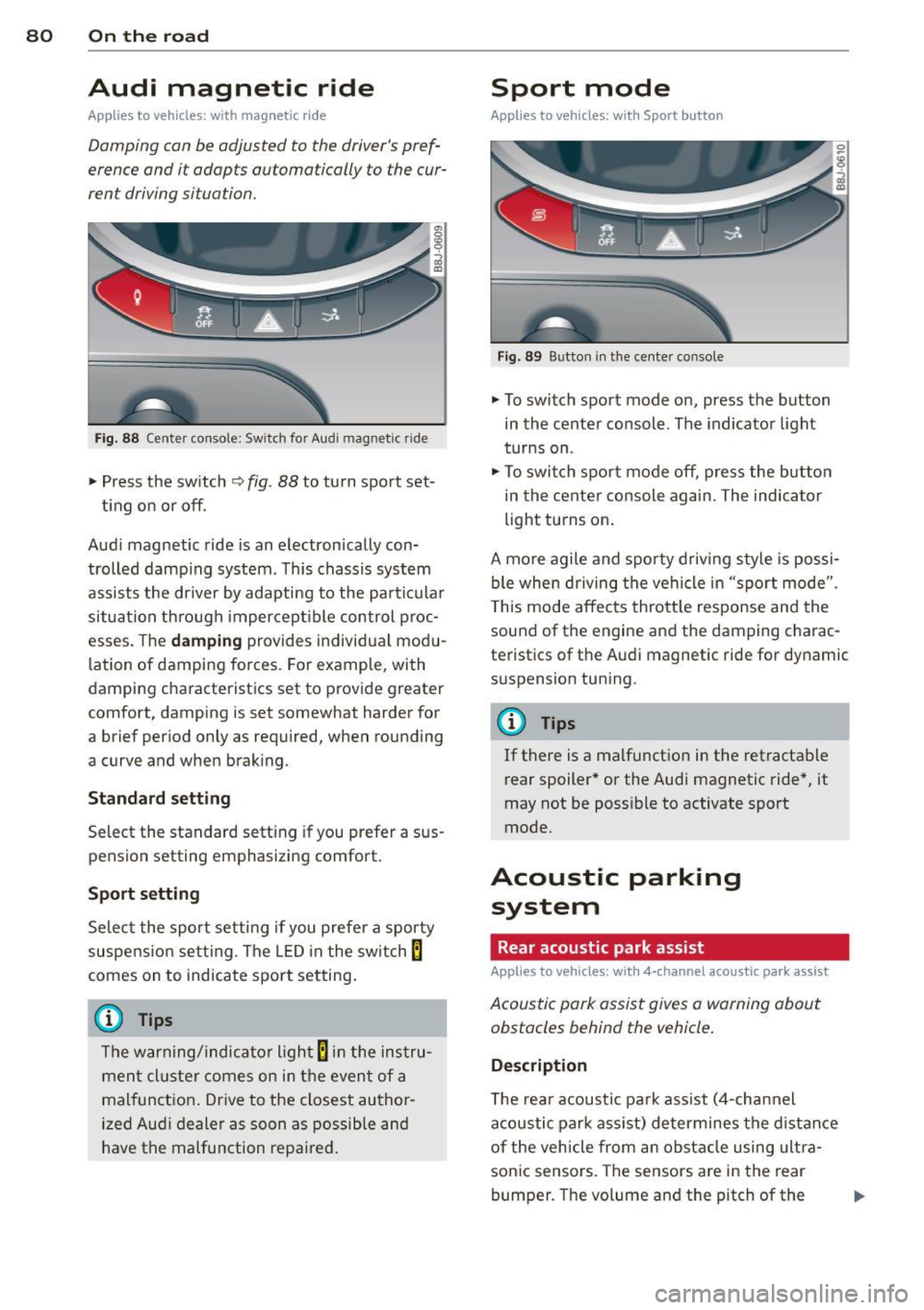
Fig. 88 Center console: Switch for Audi magnetic r ide
.,. Press the sw itch ~ fig. 88 to turn sport set-
ting on or off.
Aud i magnetic ride is an electronically con
trolled damping system. This chassis system
assists the driver by adapting to the particular
situation through imperceptible control proc
esses. The
damping provides individual modu
lation of damping forces. For example, with
damping characteristics set to provide greater
comfort, damping is set somewhat harder for
a brief period only as required, when rounding
a curve and when braking.
Standard setting
Select the standard setting if you prefer a sus
pension setting emphasizing comfort.
Sport setting
Select the sport setting if you prefer a sporty
suspe nsion setting . The LED in the switch
8
comes on to indicate sport setting.
@ Tips
The warning/indicator light 8 in the instru
ment cluster comes on in the event of a
malfunction .
Drive to the closest author
ized Audi dealer as soon as possible and
have the malfunction repaired.
Sport mode
Applies to vehicles: with Sport button
Fig. 89 Button in the center console
.,. To switch sport mode on, press the button
in the center console. The indicator light
turns on .
.,. To switch sport mode off, press the button
in the center console again. The indicator
light turns on .
A more agile and sporty driving style is possi
ble when driving the vehicle in "sport mode".
T his mode affects throttle response and the
sound of the engine and the damping charac
teristics of the Audi magnetic ride for dynamic
suspension tuning .
@ Tips
If there is a malfunction in the retractable
rear spoiler* or the Audi magnetic ride*, it
may not be poss ible to activate sport
mode.
Acoustic parking system
Rear acoustic park assist
Applies to vehicles: with 4-channel acoustic park assist
Acoustic park assist gives a warning about
obstacles behind the vehicle.
Description
T he rear acoustic park ass ist (4-channel
acoustic park assist) determines the distance
of the vehicle from an obstacle using ultra
son ic sensors. The sensors are in the rear
bumper. The volume and the pitch of the
Page 146 of 244
144 Intelligent technology
Switching ESC off (sport mode )
In certain situat ions, it m ight make sense to
allow some sl ip. For example :
- Rocking the vehicle to free it when it is stuck
- Driv ing in deep snow or on loose ground
- Driving with snow chains
Press the~ button . The ESC ind icator light
II
turns on and Stabilization prog ram off ap
pears in the d isplay. ASR deactivates com
p letely and the stabi lizat ion effects from the
ESC system are limited .
Switch ing on
Press the~ button again. The message Stabi
li zation p rogram on
appears briefly in the dis
p lay.
A WARNING
Only switch ESC sport mode on when your
driving abilities and the traffic s ituation
permit. Please note that the dr iv ing
wheels can spin and the vehicle can break a w ay in ESC sport mode, especia lly when
the road is slippe ry.
(D Tips
If the re are faults in the rea r spo ile r sys
tem or in Audi magnet ic r ide, it may not be
possible to a ct ivate ESC spor t mode or
normal m ode may a ct ivate aga in a utomat
ically.
Rear spoiler
A ppl ies to vehicles: with ret ractab le rear spoil er
The rear spoiler improves vehicle handling
and enhances driver control.
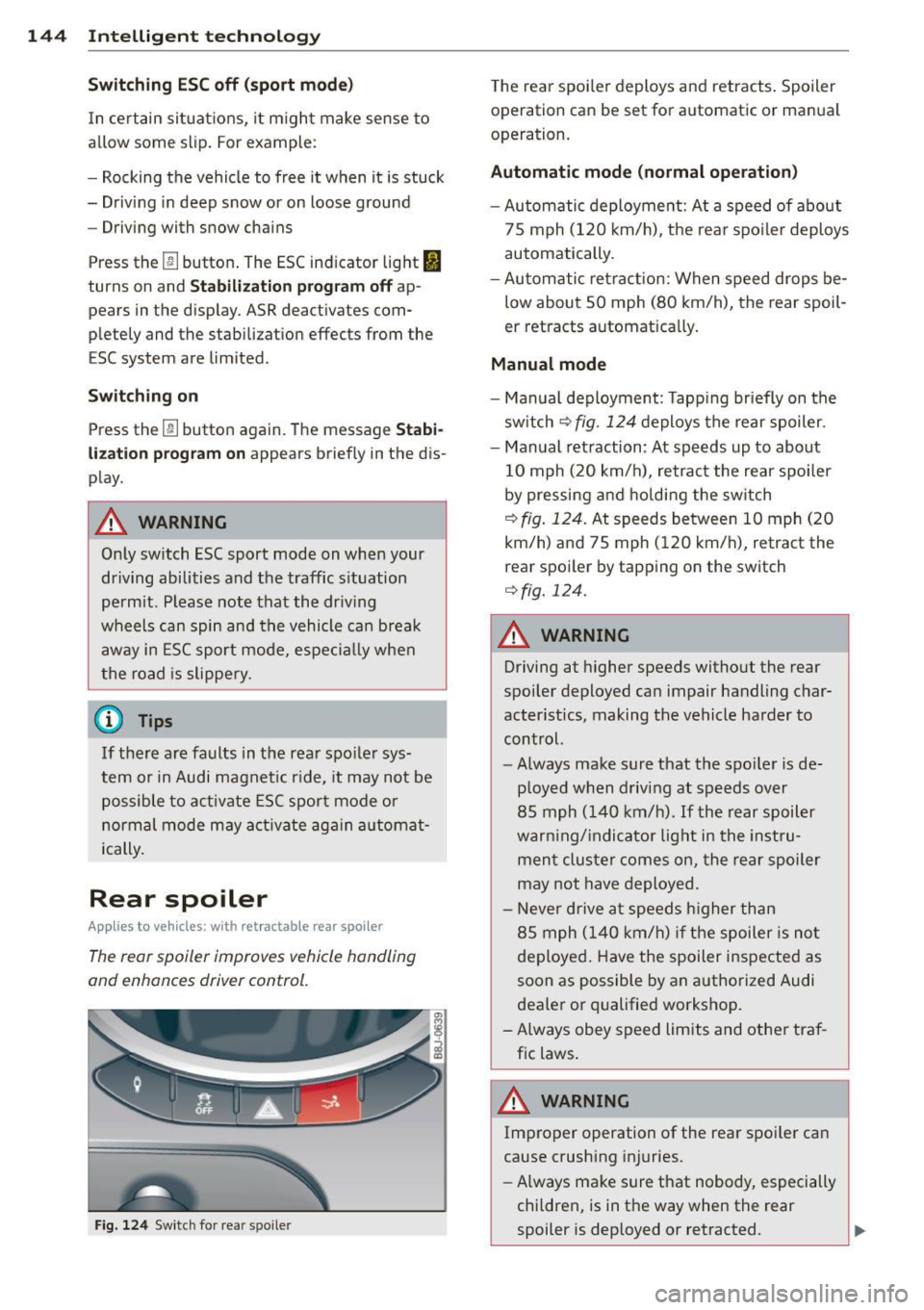
F ig. 124 Sw itch fo r rear spo ile r
The rear spoi le r deploys and retracts . Spoiler
operation can be set for a utomatic or man ua l
operation.
Automatic mode (normal operation )
-Automatic deployme nt: At a speed of about
75 mph (120 km/h), t he rear spo ile r deploys
automatically.
- Au tomatic retraction: When speed drops be
low about SO mph (80 km/h), the rear spoil
er retracts automat ica lly.
Manual mode
- Manual deployment: Tapp ing briefly on the
sw itch
¢fig. 124 deploys the rear spoiler.
- Manual retraction: At sp eeds up to about
10 mph ( 20 km/h), retract the rear spoiler
by pressing a nd ho ldi ng the sw itch
¢ fig . 124. At speeds be twee n 10 mph ( 20
km/h) a nd 75 mph ( 120 km/h), retract the
rear spoi ler by tapping on the switch
¢fig. 124.
A WARNING
-
Driving at higher speeds witho ut the rear
spoiler deployed ca n impair handling char
acter istics, making the vehicle harder to
control.
- Always ma ke sure that the spo ile r is de
p loyed when driving at speeds over
85 mph (140 km/h) .
If the rear spoiler
war ning/ indicato r light in the inst ru
men t clu ster comes on, the rear sp oiler
may not have deployed.
- N ever d rive a t speeds h igher than
85 mph (140 km/h) i f the spoiler is no t
deploye d. Have the spoiler inspected as
soon as possible by an a uthorized Audi
deale r or q ualified workshop.
- Always obey speed limits and othe r tra f
fic laws .
A WARNING
-Improper operation of the rear spoi ler can
cause crushing injuries.
- Always make sure that nobody, especially
chi ldren, is in t he way when the rear
spoiler is deployed or retracted.
Page 147 of 244
(D Note
Never push the vehicle or apply force to
the rear spoiler -it could be damaged.
@ Tips
Clean the spoiler compartment every 2 to
3 months . The spoiler compartment must
always be free of ice, snow, leaves or other
debris.
Braking
General information
What affects braking efficiency?
Oper ating condit ions and d riving hab it s
T he brakes on today's automobi les are st ill
s ubject to wear, depending largely on opera t
ing conditions and dr iv ing habi ts
c> & . On
vehicles that are e ither driven mostly in stop
and-go city traffic or are d riven hard , the
b rake pads should be checked by you r author
i zed Audi dealer more often than specified i n
the
Warr ant y & Maint enan ce booklet . Failure
to have your brake pads inspected can res ult
in red uced brake performance.
On steep slopes, you shou ld use the brak ing
effect of the eng ine. This way, you p revent un
necessa ry wear on the brake system . If you
must use yo ur brakes, do not hold the brakes
down continuously. Pump th e brakes at inter
vals.
Noises may occur when braking d epending on
the speed, braki ng force and outside condi
tions such as temperature and humidity.
Moistu re or road salt
Unde r certain conditions, for example, w hen
driving through water or ve ry heavy rain, or
even after washing your vehicle, the braking
effect can be reduced d ue to moisture (or in
fre ezing conditions ice) on the brake pads . A
few ca utious brake applicat ions should dry off
the b rake pads or remove any ice coatings.
The effectiveness of the brakes can be reduced
when th e vehicle is driven on a salt-covered
Int ellig ent technolog y 145
road and the b rakes are no t used. Likewise ,
you clean off accumulated salt coating from brake d iscs and pads with a few cautious ap
plications of the brake
c> & .
Cor ro sion
T here may be a tendency for dir t to build up
on the brake pads and corrosion to form on
the discs if the car is not driven regu larly or
on ly fo r short trips with litt le use of the
brakes.
If the brakes are not used frequently, or if cor
rosion has formed on the discs, it is advisable
to clean off the pads and discs by braking
firmly a few times from a moderately high
speed
c> & .
Faults in the brak e syst em
If you shou ld notice a sudden increase in
brake pedal trave l, then one of the two brake
c ircuits may have fai led
c> & .
Low brake fluid lev el
Malfunctions can occur in the brake system if
the b rake fluid level is too low. The brake fluid
level is monitored electronica lly.
Brake booster
T he brake booster inc reases the pressure that
you generate with the brake peda l. It works
o nl y when the engine is running
.c> &
Brake lining wear status
Brake lining wear may be checked by visual in
spection of the condition of the brake pads
through the open ings in the wheel. If neces
sary, the wheel may be removed for t his in
spection
c> page 209, What should I be
aware of when changing a tire? .
A WARNING
--=
-You should perform braking maneuvers
for the purpose of cleaning the brake
system only if road conditions permit.
Other road users must not be put at risk -
you may cause an accident!
- Before descend ing a steep grade, reduce
speed and sh ift transmission into a lower
~
•
•
Page 148 of 244
146 Intellig ent technolog y
gear or lower driving range. Do no t ride
t h e brakes or hold the pedal down too
long or too often. This cou ld cause the
bra kes to get hot and dimin ish braking
efficiency .
- Do no t "ride the brakes" by resting your
foot on the pedal when you do not intend
to brake . Th is may cause the brakes to
overheat, prematu re wear and inc reased
stopp ing distan ce.
- Under certain climat ic and operating
c ondit ions such as passing through wa
ter, driving i n heavy ra in or after wash ing
the vehicle, the effect iveness of the
brakes can be red uced . In winter, ice can
accumulate on the brake pads, linings,
discs and d rums . Carefully apply brakes
for a test . Brakes will dry and ice coat
ings will be cleaned off after a few care
ful brake applications.
- Driving for an extended period of time on
salt-covered roads w ithout us ing your
brakes can also affect braking efficiency .
Clean off accumulated salt coating from
brake d iscs and pads w it h a few cautious
brake appli cat ions.
- If you damage the fro nt spo iler, or if you
ins tall a different spoiler, be su re the air
flow to the fron t bra kes is not o bstr uct
ed. O therwise the brake system co uld
overheat reducing the effectiveness of
the entire brake system.
- F ailure o f one bra ke c ircuit will impair
the b raking capability resulting in an in
creased stopp ing distance . Avoid driv ing
the vehicle and have it towed to the near
est Aud i dea le r o r qualified workshop.
- Never let the vehicle ro ll to a stop w ith
the engine shut off.
- If the brake booster is not working, t he
brake pedal must be pressed considera
bly harder to make up for the lack of
booster assistance . Electro-mechanical
power assist
The electro-mechanical power assist helps
the driver when steering .
The degree of power assi st is electronically
matched to vehicle speed .
T he power steering system assists the driver
so that he can steer the vehicle with reduced
physical effor t.
Power steering will not work if t he engine is
off . As a result, the steering wheel will be hard
to turn.
A WARNING
If the system develops a problem , you
must seek qualified profess iona l assis
tance .
(D Note
-
If there is an e lectronic malfunction, ser
votronic
will still function like a conven
tiona l power steering system, providing a
constant steering support force that is no
l onge r proportionate to the vehicle speed .
This is most not icea ble whe n tu rni ng the
s tee ring w heel a t low speeds (fo r example
when pa rking), -more effort w ill be re
q uired than us ua l.
- Be aware o f the diffe rent than usual
steering response and adjust your steer
ing force acco rdingly.
- Have the problem checked and set right
by an autho rize d Aud i dealer as soon as
possible.
- If a s teer ing mal func tion occurs, this is
signa led wit h the
,'Zr~ or .• indicato r
lights and a warning tone, see.
(D Tips
- If the powe r stee ring system sho uld fai l,
or if the engine is not ru nning (fo r exam
ple, whi le being towed), you will still be
able to steer the vehicle. However, more
effort will be required to do so.
11-
Page 153 of 244
Avoid damaging the
vehicle
When you are driving on poor roads, or over
curbs, steep ramps, etc., make certain that
low-lying parts such as spoilers and exhaust
system parts do not bottom out and get dam
aged.
T his is especially true for vehicles with low
slung chassis (sports chassis) and fully loaded
vehicles .
Driving through water
on roads
Note the following to avoid vehicle damage
when driving through water, for example on
flooded roads:
- T he water must not be any higher than the
bottom of the veh icle body.
- Do not d rive faster than wa lking speed.
..&, WARNING
After driving through wate r, m ud, slush,
etc., the brakes may be slow to take effect
because of wet brake rotors and pads . Dry
the brakes first by braking carefully to re
store the full braking effect.
(D Note
Vehicle components such as the engine,
transmiss ion, suspension or electrical sys
tem can be severely damaged by driving
through water.
- Check the depth of the water before driv
ing through it.
- Do not s top the veh icle, drive in reverse
or switch the engine off when driving
through water.
- Keep in mind that oncoming vehicles may create waves that raise the water
level and make it too deep for your vehi
cle to drive through safely.
- Avoid driving thro ugh sa lt water because
it can cause corrosion.
-
Dri vin g and en vironm ent 151
Catalytic converter
It is very important that your emission con
trol system (catalytic converter) is function
ing properly to ensure that your vehicle is run
ning in an environmentally sound manner .
.,. Always use lead-free gasoline¢ page 161 ,
Fuel supply.
.,. Never run the tank down all the way to emp
ty.
.,. Never put too much motor o il in your engine
c:::> page 170, Adding engine oil 9::71 .
.,. Never try to push- or tow-sta rt you r vehicle.
The catalytic converter is an efficient "clean
up" dev ice built into the exhaust system of
the vehicle. The cata lytic conve rter bu rns
many of the pollutants in the exha ust gas be
f ore they are re leased into the atmosphere .
T he exclusive use of unleaded fuel is critically
important for the life of the catalyt ic convert
er and prope r fu nct ion ing of the engine .
A WARNING
-
- Do not park or operate the vehicle in
areas where the hot exha ust system may
come in contact with dry grass, brush,
fue l spill or other materia l wh ich can
cause a fire .
- Do not apply additional undercoating or
rustproof ing on or near the exhaust
manifold, exhaust pipes, catalytic con
verter or heat shields. Dur ing driving, the
substance used for undercoating could
overheat and cause a fire .
(I) Note
-Be aware that just one tank filling with
leaded fuel w ill already ser iously de
grade the performance of the catalytic
converte r.
- Do not exceed the correct eng ine oil level
c:::> page 170.
- Do not drive until the fue l tank becomes
completely empty . The engine could m is-
fire. Unburned fuel could also get into
IJ,,
•
•
Page 155 of 244
Avoid full throttle
Driving at moderate speeds saves fuel and
improves your mileage.
""Try and keep well below your car's maximum
speed.
Accelerating gently reduces fuel consump
tion, engine wear, and does not disturb the
environment.
Fu el consumption, exhaust emissions and en
g ine noise increase disproportionately at high
speeds. If you drive at approximately three
quarters of top speed, fuel consumption will
be reduced by one half. Never drive faster
than the posted speed limit and weather con
ditions permit .
Reducing unnecessary idling
Even when your car is just idling it burns up
fuel.
""Shut the engine off when you are not driving
the vehicle.
""Do not warm up the vehicle by letting the
engine run at idle .
It makes sense to shut
off the engine in traff ic
jams, when waiting for trains to pass at ra il
road crossings, or at traffic lights that have
l ong wa its on red. Turning the engine
off for
just
30-40 seconds saves more fue l than is
burned starting the engine again .
It takes a long time for the engine to warm up
fully when it is running at idle. However, wear
and noxious emissions are especially high
when the engine is warming up. So you should
drive away as soon as you start the engine and
avoid running at high RPMs whi le the engine
is sti ll warming up .
(D Note
Do not leave engine idling unattended af
ter starting . If warning lights should come
on to indicate improper operation, they
would go unheeded. Extended idling also
produces heat, which could result in over-
Driving and environment 153
'
heating or othe r damage to the vehicle or
other property.
Regular maintenance
A badly tuned engine unnecessarily wastes a
lot of fuel.
""H ave your veh icle serviced at regular inter-
vals.
By having your vehicle regu larly serviced by an
Audi dealer helps to ensu re that it runs prop
erly and economically. The condition of your
vehicle not only affects its safety and ability to
hold its value, it also affects
fuel consump
tion.
Check your oil each time you fill your tank.
The amount of o il used is related to engine
load and speed.
It is normal for the oil consumption of a new
engine to reach its lowest value after a certain
mileage has been driven.
You must drive your vehicle about 3,000 miles
(5,000 kilometres) before you can properly
assess oil consumpt ion.
This also app lies to fue l consumption and en
gine output.
(U) Note
- Have your vehicle maintained properly
and in accordance with the service rec
ommendations in your Warranty
& Main
tenance booklet. Lack of proper mainte
nance as well as improper use of the ve
hicle will impair the function of the
emission control system and could lead
to damage.
- Do not alter or remove any component of
the Emission Control System unless ap
proved by the manufacturer.
- Do not alter or remove any device, such
as heat shields, switches, ignition wires,
valves, which are designed to protect
your vehicle's Emission Control System
and other important vehicle compo
nents .
•
•