warning AUDI TT ROADSTER 2014 User Guide
[x] Cancel search | Manufacturer: AUDI, Model Year: 2014, Model line: TT ROADSTER, Model: AUDI TT ROADSTER 2014Pages: 244, PDF Size: 60.87 MB
Page 21 of 244
Instrument s and warnin g/indic ator ligh ts 19
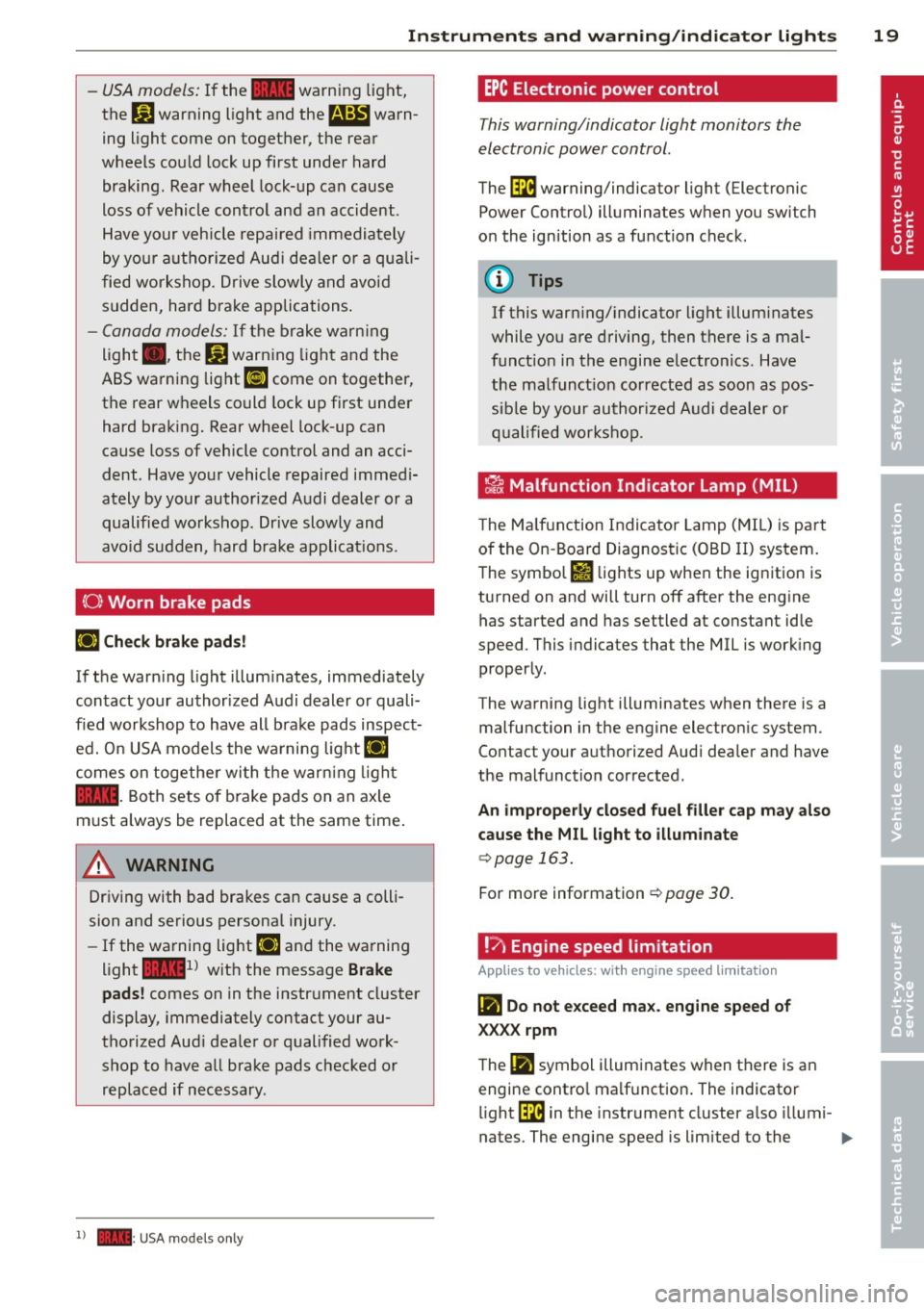
-USA models: If the la warning light,
the
G1 warning light and the m:IJ warn
ing light come on together, t he rear
wheels could lock up first under hard
braking. Rear wheel lock-up can cause
loss of vehicle control and an accident .
Have your vehicle repai red immediately
by you r autho rized Aud i dea ler or a qua li
fied workshop. Drive slowly and avoid
sudden, hard brake applications .
-Canada models: If the brake warn ing
light ., the
&J warn ing light and the
ABS warning light
[IJ come on together,
the rear wheels could lock up first under
hard braking. Rear wheel lock-up can
cause loss of vehicle control and an acci
dent . Have you r vehicle repaired immed i
ately by your authorized Audi dealer or a
qualified wo rkshop . Dr ive slowly and
avo id sudden, hard brake applicat ions.
( 0) Worn brake pads
riJ Che ck brake pad s!
If the warn ing light illum inates, immediately
contact your authorized A udi dealer or quali
f ied workshop to have all brake pads inspect
ed. O n USA models the wa rning lig ht
riJ
comes on togethe r wi th the warn ing light
la . Both sets of b ra ke pads on an axle
must always be replaced at the same time .
A WARNING
Driving with bad brakes can cause a colli
sion and serious personal injury.
- If the warning light riJ and the warning
light
lai1 ) w it h the message Brake
pads !
comes on in the instr ument cluster
display, immediately contact your au
tho rized Aud i dea le r or qualified work
shop to have a ll brake pads checked or
replaced if necessary .
1) - : USA mod els on ly
-
EPC Electronic pow er control
This warning/indicator light monitors the
electronic power control.
The ~ warning/indicator light (Electronic
Power Control) illuminates when you switch
on the ignition as a function check .
@ Tips
If this warning/ indicato r light illum inates
while you are driving, then there is a mal
funct ion in the engine electronics . Have
the malfunct ion corrected as soon as pos
sible by your authori zed A udi dealer or
q ualified works hop .
~ Malfunction Indicator lamp (MIL )
The Ma lfun ction Indicator Lamp ( MIL) is par t
of the On -Board Diagnostic (OBD II) system.
The symbo l
fl lights up when the ignition is
turned on and will turn off after the eng ine
has started and has settled at constant idle
speed . This indicates that the MIL is work ing
proper ly.
The warning light illuminates when there is a
malfu nction in the eng ine electron ic system .
Contact your a uthorized Audi dea ler and have
the malfunction corrected.
An improperly closed fuel filler cap may also
cause the MIL l ight to illum inate
c::> page 163.
For more information c::> page 30 .
!?) Engine speed limitation
App lies to vehicles : wi th engine speed limitatio n
(m Do not e xceed ma x. engine speed of
XXXX rpm
The (Ill symbol illuminates when there is an
engine contro l ma lf u nction . The indicator
li ght ~ in the instrument cl uster a lso illumi-
nates. The engine speed is limited to the .,.
Page 22 of 244
20 Instruments and warning /indicator lights
speed displayed in the driver information sys
tem . Keep in mind that the engine speed will
not exceed the va lue disp layed in the driver in
formation system, for example when down
shifting.
Please go to an authorized Audi dea ler or oth
er qualified workshop to have the ma lfunction
repaired.
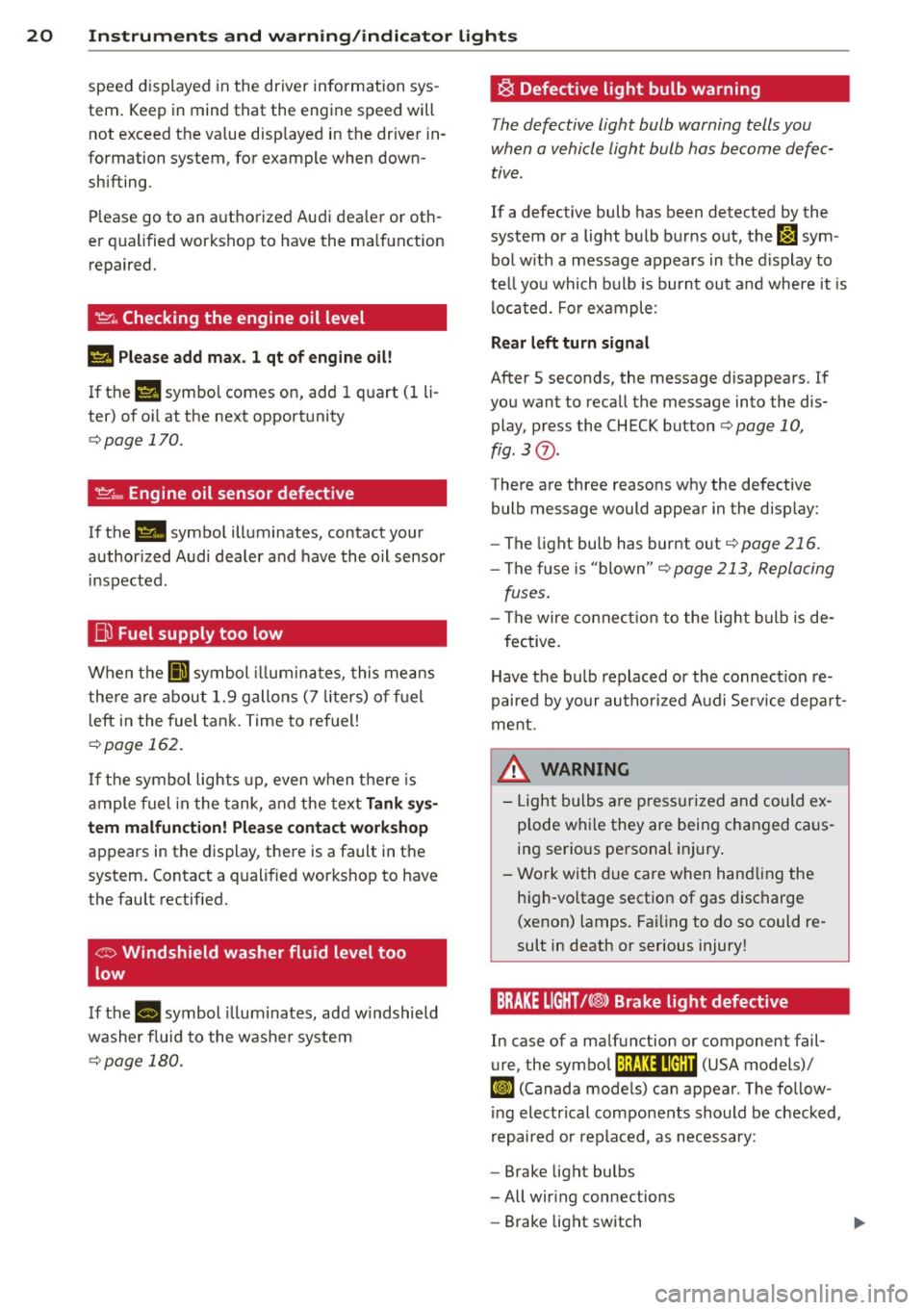
~ . Checking the engine oil level
II Please add max . 1 qt of engine oil!
If the II symbol comes on, add 1 quart (1 li
ter) of oil at the next opportunity
¢page 170.
~ ... Engine oil sensor defective
If the II symbol illuminates, contact your
author ized Audi dealer and have the oil sensor
inspected .
Bi) Fuel supply too low
When the 001 symbol illuminates, this means
there are about 1.9 gallons (7 liters) of fuel
left in the fuel tank. Time to refuel!
¢ page 162.
If the symbol lights up, even when there is
ample fuel in the tank, and the text
Tank sys
tem malfunction! Please contact workshop
appears in the display, there is a fault in the
system. Contact a qualified workshop to have
the fault rectified.
If the -symbol illum inates, add w indshield
washer f luid to the washer system
¢page 180.
~ Defective light bulb warning
The defective light bulb warning tells you
when a vehicle light bulb has become defec
tive.
If a defective bulb has been detected by the
system or a light bulb burns out,
the m sym
bol w ith a message appears in the display to
te ll you which bulb is burnt out and where it is
located. For example :
Rear left turn signal
After 5 seconds, the message disappears. If
you want to recall the message into the dis play, press the CHECK button
¢ page 10,
fig. 3
(J) .
There are three reasons why the defective
bulb message would appear in the display:
- The light bu lb has burnt out
¢page 216.
-The f use is "blown" ¢ page 213, Replacing
fuses .
-The wire connection to the light bulb is de-
fective.
Have the bulb replaced or the connect ion re
paired by your authorized Aud i Service depart
ment .
A WARNING
-
-Light bulbs are pressurized and could ex
p lode while they are being changed caus
ing serious personal injury.
- Work with due care when handling the
high-vo ltage section of gas discharge
(xenon) lamps. Failing to do so could re
sult in death or serious injury!
BRAKE LIGHT!<®> Brake light defective
In case of a malfunction or component fail-
ure, the symbol (USA models)/
It:$
repaired or replaced, as necessary:
- Brake light bulbs
- All wiring connections
- Brake light switch
Page 23 of 244
Instrument s and warnin g/indic ator ligh ts 21
Contact your authorized Audi dealer for assis
tance if necessary.
@ Tips
The brake light switch is only inspected as
pa rt of the functional check after the en
gine is started.
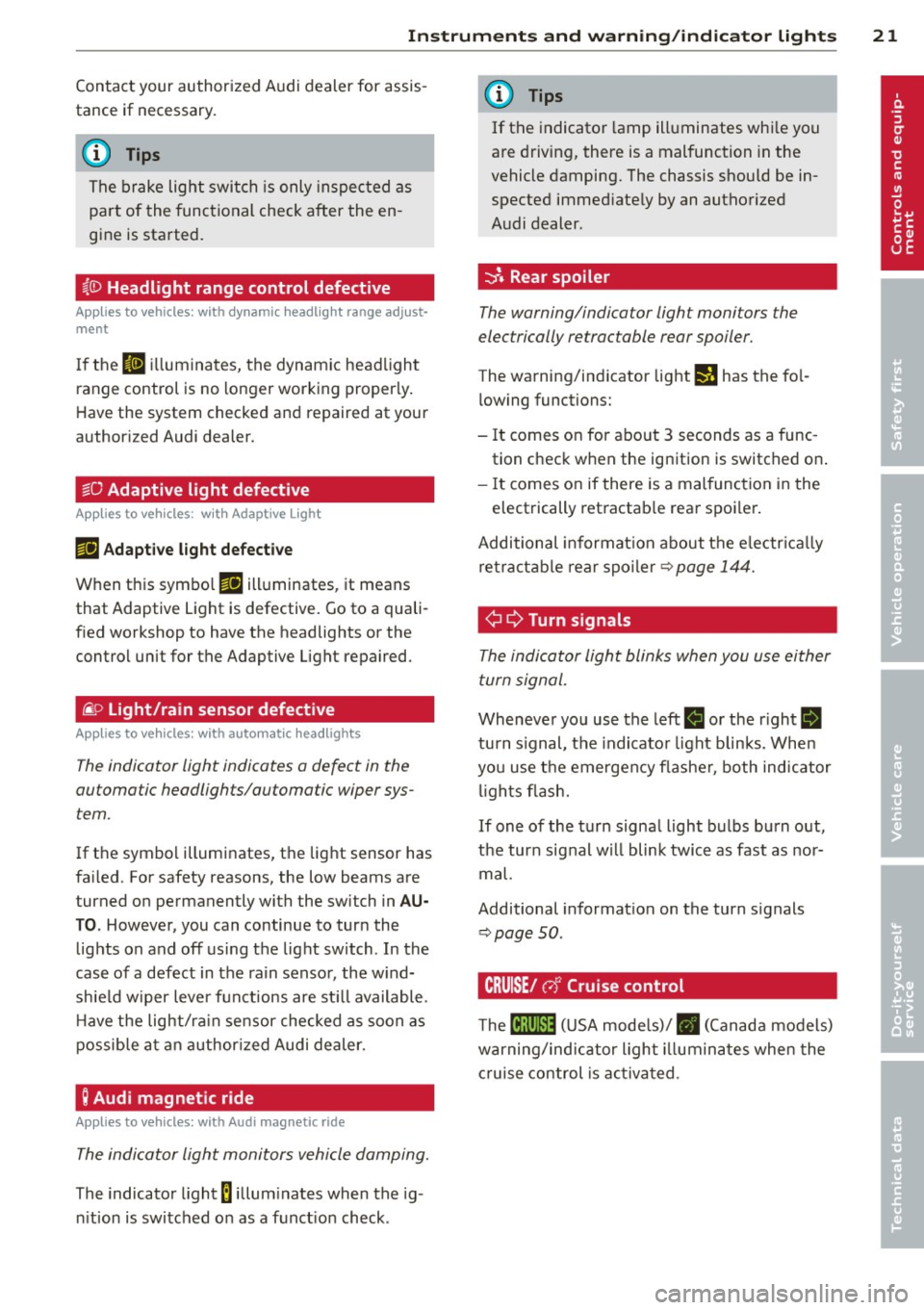
~(D Headlight range control defective
Applies to vehicles: with dynamic headlig ht range adjust·
ment
I f the II ill uminates, the dynamic headlight
range control is no longer working properly .
Have the system checked and repaired at your
authorized Audi dealer.
sD Adaptive light defective
App lies to vehicles: w it h Adaptive Light
rlJ Ad apt ive l ight de fe cti ve
When this symbo l rlJ illuminates, it means
that Adaptive Light is defective. Go to a quali
f ied workshop to have the headlights or the
control unit for the Adaptive Light repaired.
(j_ o Light/rain sensor defective
Applies to vehicles: with automat ic headlights
The indicator light indicates a defect in the
automatic headlights/automatic wiper sys
tem.
If the symbol illuminates, the light sensor has
failed. For safety reasons, the low beams are
turned on permanently with the switch in
AU
TO. However, you can continue to turn the
lights on and off using the light switch . In the
case of a defect in the ra in sensor, the w ind
sh ie ld wiper lever functions are st ill available .
H ave the light/ra in sensor checked as soon as
possib le at an author ized Audi dealer.
; Audi magnetic ride
Applies to vehicles: with Audi magnetic ride
The indicator light monitors vehicle damping.
The indicator light 8 illum inates when the ig
n ition is switched on as a funct ion check .
(D Tips
If the indicator la mp illuminates whi le you
are driving, there is a malfunction in the
vehicle damping. The chassis should be in
spected immed iate ly by an authorized
Audi dealer.
-::}. Rear spoiler
The warning/indicator light monitors the
electrically retractable rear spoiler.
The warning/indicator light I) has the fo l
l owing functions:
- It comes on for about 3 seconds as a func
tion check when the ignition is switched on .
- It comes on if there is a mal function in the
electrically retractab le rear spoi ler.
Additional informat ion about t he e lectr ica lly
retractab le rear spoi ler¢
page 144.
¢ ¢Turn signals
The indicator light blinks when you use either
turn signal.
Whenever you use the left II or the r ight II
turn s ignal, the indicator light blinks. When
you use the emergency flashe r, both indicator
li ghts fl ash.
If one of the turn signal light bulbs burn out,
the turn signal w ill blink twice as fast as nor
mal.
Additional informat ion on the turn s ignals
~ page SO.
CRUISE/ r,f Cruise control
The lB;\l )~i4 ( U SA mode ls)/ . (Canada models)
warning/indicator light illuminates when the
c ruise control is ac tiva ted.
Page 24 of 244
22 Driver in formation sy ste m
Driver information
system
Introduction
The Driver information display inside the in
strument cluster provides you, the driver ,
with important information.
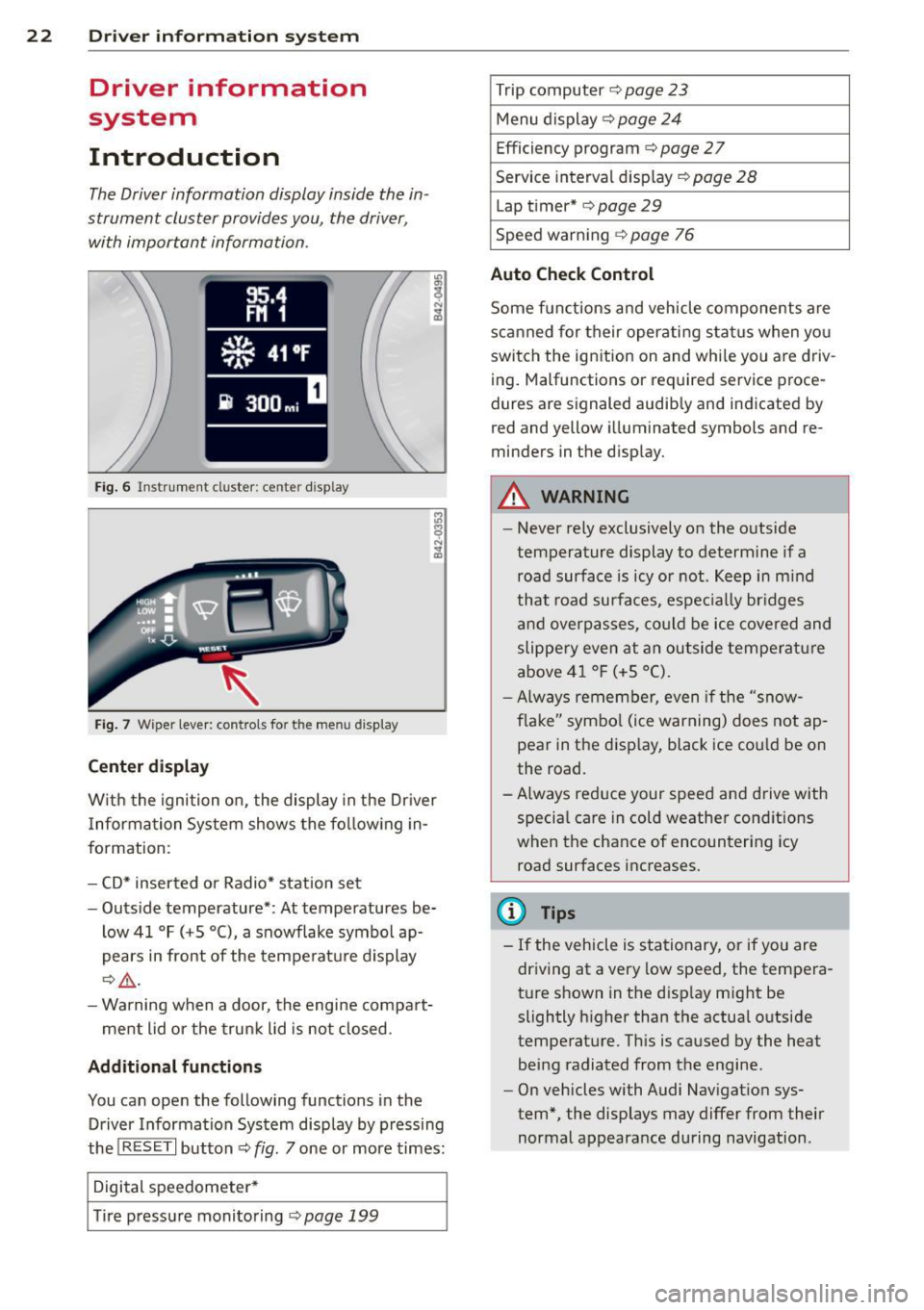
Fig . 6 In strum en t cl ust er: center display
Fig. 7 Wiper le ver: con trols fo r the menu disp lay
Cent er d ispla y
With the igni tion on, the display in the Dr iver
I nformation System shows the fol low ing in
formation :
- CD* inserted or Radio* station set
- Outs ide temperature* : At temperatures be-
low 41 °F ( +S °C), a snowflake symbol ap
pears in front of the temperatu re d isplay
c::> .&_ .
- Warning when a door, the engine compa rt-
ment lid or the trunk lid is not closed .
Additional functions
You can open the following functions in the
Driver Information Sys tem disp lay by p ressing
the
! R ESE T I button c::> fig. 7 one or more times:
Digital speedometer *
T ire pressure monitoring
c::> page 199
Trip computer c::> page 23
Menu d isplay c::> page 24
Efficiency program c::> page 27
Service interval disp lay
c::> page 28
Lap timer* c::> page 29
Speed warn ing
c::> page 76
Auto Check Control
Some f unct ions and vehicle components are
scanned for their operati ng sta tus when yo u
switch the ign ition on and whi le you a re driv
ing. Malfunctions or req uired service proce
dures ar e signaled audib ly and indicated by
red and yellow i lluminated symbols and re
m inders in the display.
A WARNING -
- Never rely exclusively on the outside
temperature display to determine if a
road surface is icy or not . K eep in m ind
that road surfaces, espec ially br idges
and overp asses, co uld be ice covered and
slippe ry even at an outside tempe ra tu re
above 4 1 °F (+5 °C).
- Always remembe r, even if the "snow
f lake" symbo l (ice warning) does not ap
pear in the disp lay, black ice could be on
the road .
- A lways reduce your speed and d rive with
specia l care in cold weather cond itions
when the chance of encountering icy
road surfaces increases.
(D Tips
- If the vehicle is stationary, or if you are
dr iving at a very low speed, the tempera
t u re s hown in the d isp lay m ight be
slightly h igher than the actual o utside
temperature. Th is is caused by the heat
being radiated from the engine .
- On vehicles with Audi Nav igat ion sys
tem *, the displays may differ from their
normal appearance during navigation .
Page 28 of 244
26 Driver information system
Selec- Selected func- Meaning
tion tion bar
0
Box Not selected
•
Triangle
point-Previous page
ing up
•
Triangle point- Next page
ing down
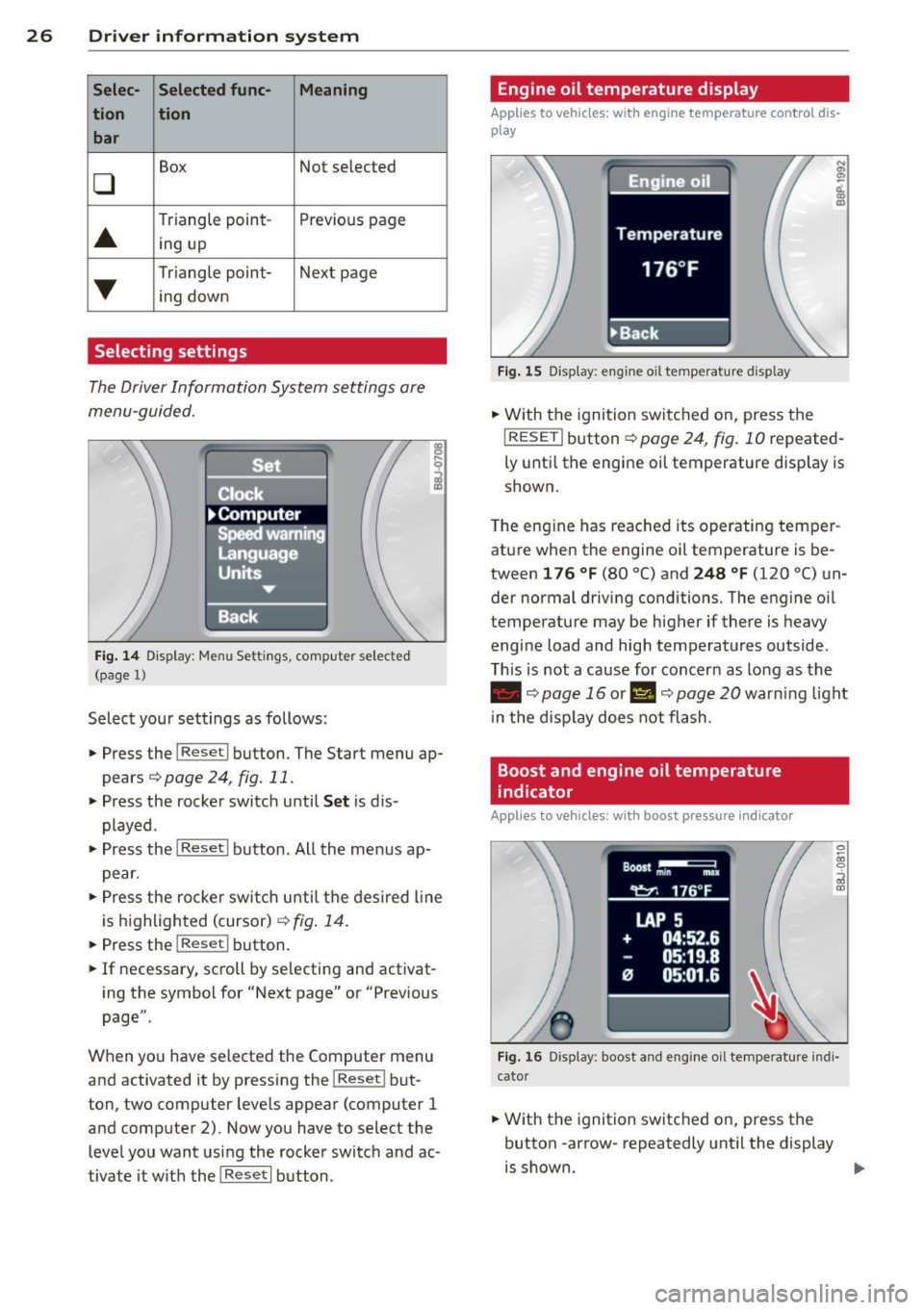
Selecting settings
The Driver Information System settings are
menu-guided .
Fig. 14 Display: Menu Set tings , computer selected
(page
l)
Select your settings as follows :
• Press the !Reset i button. The Start menu ap
pears¢
page 24, fig. 11.
• Press the rocker switch until Set is dis
played .
• Press the
I Reseti button. All the menus ap
pear.
• Press the rocke r switch u ntil the desired line
is highlighted (cursor)¢
fig. 14.
• Press the I Res et i button.
• If necessary, scro ll by se lecting and activat
ing the symbol for "Next page" or "Previous
page".
When you have selected the Computer menu
and activated it by pressing the!Reset i but
ton, two computer leve ls appear (computer 1
and computer 2). Now you have to select the
level you want using the rocker switch and ac
tivate it w ith the
I Reset I button .
Engine oil temperature display
Applies to vehicles: with engine temperature con tro l dis
play
Fig. 15 Display : eng ine oil temperature d isp lay
;
ci.. a, ID
• With the ignition switched on, press the
! RESETi button
¢page 24, fig. 10 repeated
ly until the engine oil temperature display is
shown.
The engine has reached its operating temper
ature when the engine oil temperature is be
tween
1 76 °f (80 °C) and 248 °f (120 °C) un
der normal driving conditions. The engine oil
temperature may be higher if there is heavy
engine load and high temperatures outside .
This is not a cause for concern as long as the
• ¢page 16 or II ¢page 20 warning light
in the display does not flash .
Boost and engine oil temperature
indicator
Applies to vehicles: with boost pressure indicato r
0 ~ 00 0
;;i a,
Fig. 16 Disp lay: boost and eng ine oi l temperature indi
cator
• With the ignition switched on, press the
button -arrow- repeatedly until the display
is shown . ..,.
Page 29 of 244
Boost pressure indicator (boost )
A bar graph that begins on the left and fills in
towa rd the right indicates the engine's cu r
rent load (meaning the c urrent boost pres
sure) .
Engine oil t emperature indicator
If the engine oil temperat ure is be low 140 °F
(60 °C), the
't:::7-symbo l followed by th ree hy
phens" -- -'' and the °C unit is shown .
The engine has reached its opera ting temper
ature when the e ngine o il temperat ure is be
tween
176 °F (80 °() and 248 °F (1 20 °() un
der normal driving conditions. The engine oil
temperature may be higher if there is heavy
engine load and high temperatures outside.
This is not a cause for concern as long as the
• ¢ page 16 or 1\1 ¢ page 20 warning light
i n the display does not flash .
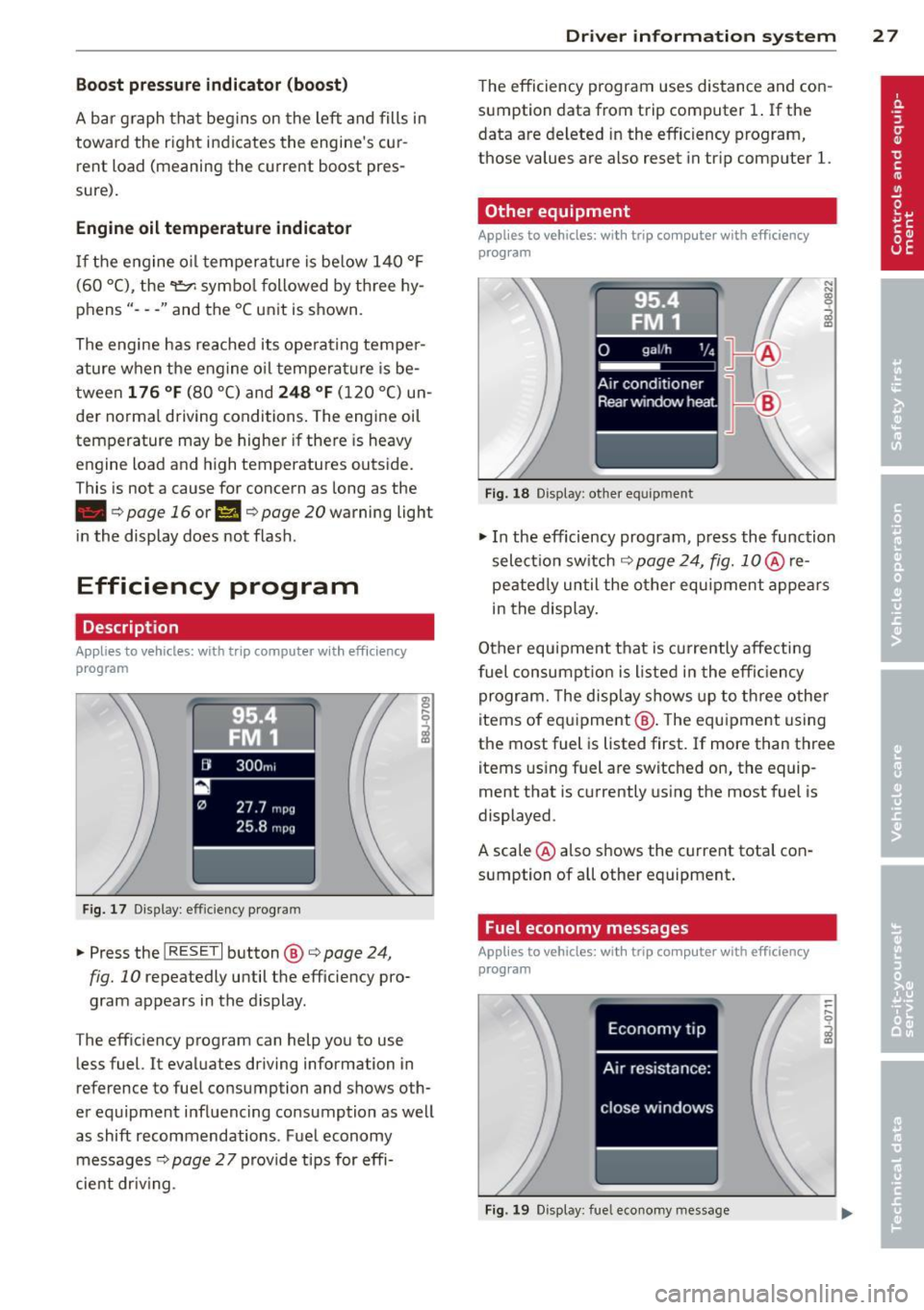
Efficiency program
Description
Applies to vehicles: with trip computer with efficiency
program
F ig. 17 Display : effic iency program
• Press the I RESE T I button @¢ page 24,
fig. 10 repeatedly until the efficiency pro
gram appears in the display.
The eff iciency program can help you to use
less fuel. It evaluates driving information in
reference to fuel consumption and shows oth
er equipment influenc ing co nsumption as well
as shift recommendations . Fuel economy
messages ¢
page 2 7 provide tips for effi
cient dr iv ing .
Dr iver in formation system 2 7
The efficiency program uses distance and con
sumption data from trip computer
1. If the
data are deleted in the efficiency program,
those values are also reset in tr ip computer
l.
Other equipment
Appl ies to vehicles: with trip computer with efficiency
prog ram
Fi g. 18 D isplay: other equ ipment
• In the efficiency program , press the function
selectio n switch
¢ page 24, fig. 1 0 @ re
peated ly until the other equipment appea rs
in the display.
Other equipment that is currently affecti ng
fuel consump tion is listed in the effi cien cy
program. The display shows up to th ree other
items of equ ipment @. The equ ipment using
the most fuel is listed first. If more than three items using fuel are switched on, the equip
ment that is currently us ing the most fuel is
displayed .
A scale @also shows the current tota l con
sumption of all other equipment .
Fuel economy messages
Applies to vehicles: with trip computer with efficiency
program
Fig . 1 9 D isplay: fue l economy message
Page 30 of 244
28 Driver information system
Fue l economy messages are displayed when
fuel consumption is increased by certain con
ditions. If you follow these fuel economy mes
sages, you can reduce your vehicle's consump
t ion of fuel. The messages appear automati
cally and are only displayed in the efficiency
program . The fuel economy messages turn off
automatically after a certain period of time .
.,. To turn a fuel economy message off immedi
ately after it appears, press the
! R ESET I but
ton
¢ page 24 , fig . 1 O @, or
.,. Press the function selection switch
¢page 24, fig.10 @.
(D Tips
-Once you have turned a fuel economy
message off, it will only appear again af
ter you turn the ignition on aga in.
- The fuel economy messages are not dis
played in every instance, but rather in in
tervals over a period of ti me.
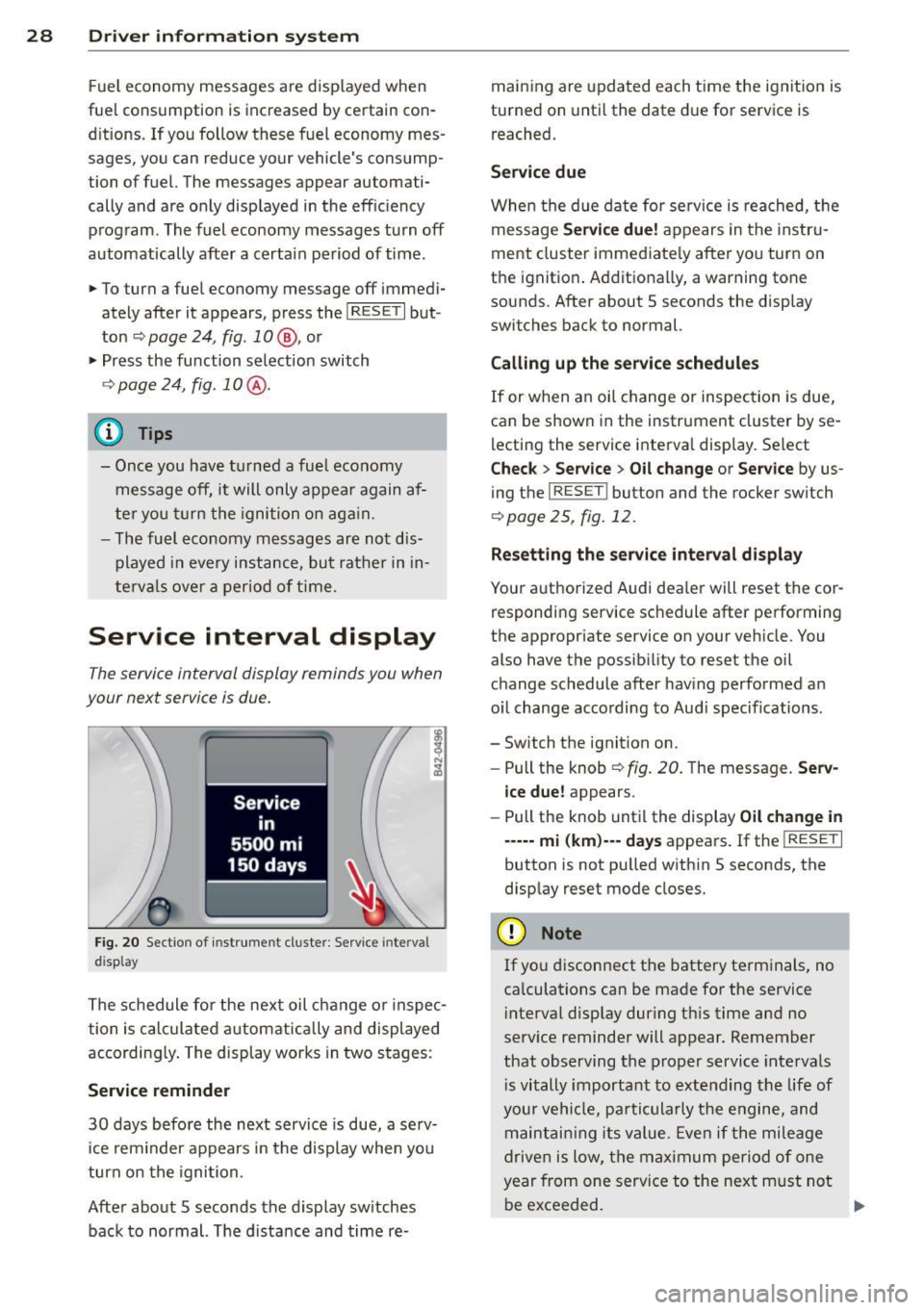
Service interval display
The service interval display reminds you when
your next service is due.
Fig. 20 Sectio n of inst rume nt cl uster : Serv ice interv al
d isplay
The schedule for the next oil change or inspec
tion is calculated automatically and displayed
according ly . The display works in two stages :
Service reminder
30 days before the next service is due, a serv
ice rem inder appears in the display when you
turn on the ignition.
After about 5 seconds the display sw itches
back to normal. The d istance and time re- maining are
updated each time the ignition is
turned on until the date due for service is
reached.
Service due
When the due date for service is reached, th e
message
Service due! appears in the instru
ment cluster immediately after you turn on
the ignition . Additionally, a warning tone
sounds. After about 5 seconds the disp lay
switches back to normal.
Calling up the service schedules
If or when an oil change or inspection is due,
can be shown in the instrument cluster by se
lecting the service interval display . Select
Chec k > Service > Oil change or Service by us
ing the
I RESET I button and the rocker switch
r:::> page 25, fig. 12 .
Resetting the service interval display
Your authorized Audi dealer will reset the cor
responding service schedule after performing
the appropriate service on you r vehicle. You
also have the possibility to reset the oil
change schedule after having performed an
o il change according to Audi specif ications.
- Switch the ignition on.
- Pull the knob
r:::> fig. 20. The message. Serv-
ice due!
appears.
- Pull the knob until the display
Oil change in
-----mi (km)--- days appears . If the I RESET I
button is not pulled within 5 seconds, the
display reset mode closes.
(D Note
If you disconnect the battery terminals, no
calculations can be made for the service
interval display dur ing this time and no
serv ice reminder will appear. Remember
that observing the proper service intervals
i s vitally important to extending the life of
your vehicle, pa rticularly the engine, and
maintaining its value. Even if the mileage
driven is low, the maximum period of one
year from one service to the next m ust not
be exceeded.
II>-
Page 31 of 244
@ Tips
-Do not reset the display between oil
changes, otherw ise the display will be in
correct.
- The information in the Service Reminder
remains stored even when the vehicle
battery is disconnected.
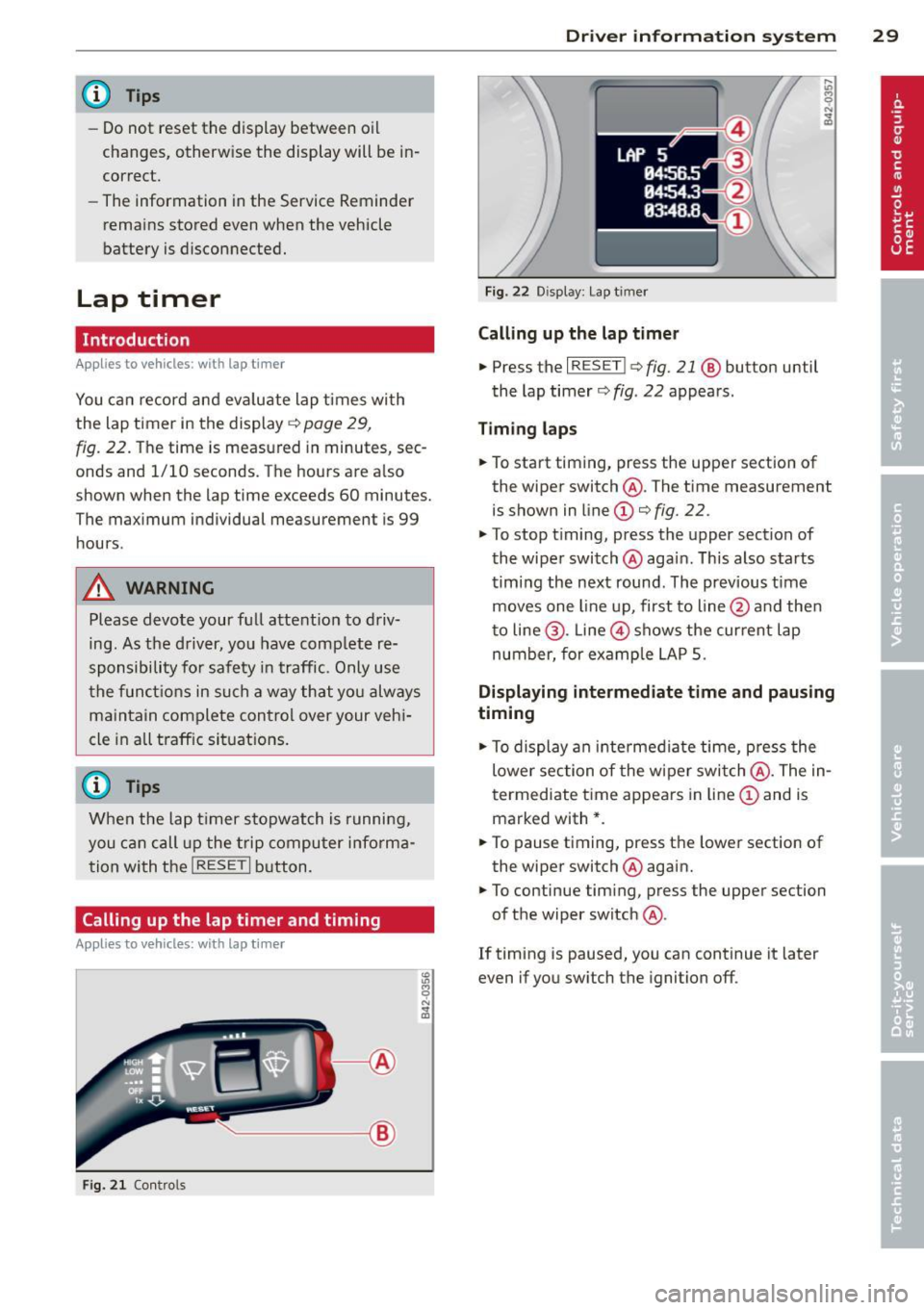
Lap timer
Introduction
Appl ies to vehicles : wit h lap timer
You ca n record and eva luate lap times wi th
the lap timer in the display
c::> page 29,
fig. 22. The time is measured in minutes, sec
onds and 1/10 seconds. The hours are a lso
shown when the lap time exceeds 60 minutes.
The maximum individual measurement is 99
h ours.
A WARNING
-
Please devote your full attent ion to driv
ing. As the driv er, you have comp lete re
sponsibility for safety in traffic. Only use
t he funct io ns in such a way that yo u always
ma in tain complete contro l over your veh i
cle in all traff ic si tuations.
@ Tips
W hen the lap t imer stopwatch is running,
you can c all up the t rip computer info rma
t ion wi th the
I RESET I b utton .
Calling up the lap timer and timing
Applies to vehicles: with lap timer
------- @
Fig. 2 1 Contro ls
Dr iver in formation system 29
Fig . 22 D isplay: Lap t imer
Calling up the lap t imer
.. Press the I RESET I c:> fig. 21 @ button until
the lap timer
c::> fig . 22 appears .
Timing laps
.. To start timing, press the upper section of
the wiper switch @. The time measurement
is shown in line
CD c::> fig. 22.
.. To stop timing, press the upper section of
the wiper switch @again. This also starts
timing the next round . The previous t ime
moves one line up, first to line @and the n
t o line @. Line @ shows the current lap
number, for ex ample LAP 5.
Displaying intermediate time and pausing
timing
.. To display an intermediate time, press the
lower section of the w iper swi tch @ . The in
t ermediate t ime appears in line
CD and is
marked with* .
.. To pause t iming, press the lower section of
the wiper switch @again .
.. To continue tim ing, press the upper section
of the wiper switch @.
If timing is paused, you can continue it later
even if you sw itch the ignition off.
Page 32 of 244
30 Driver information system
Evaluating times and continuing or
resetting timing
Applies to vehicles: with lap timer
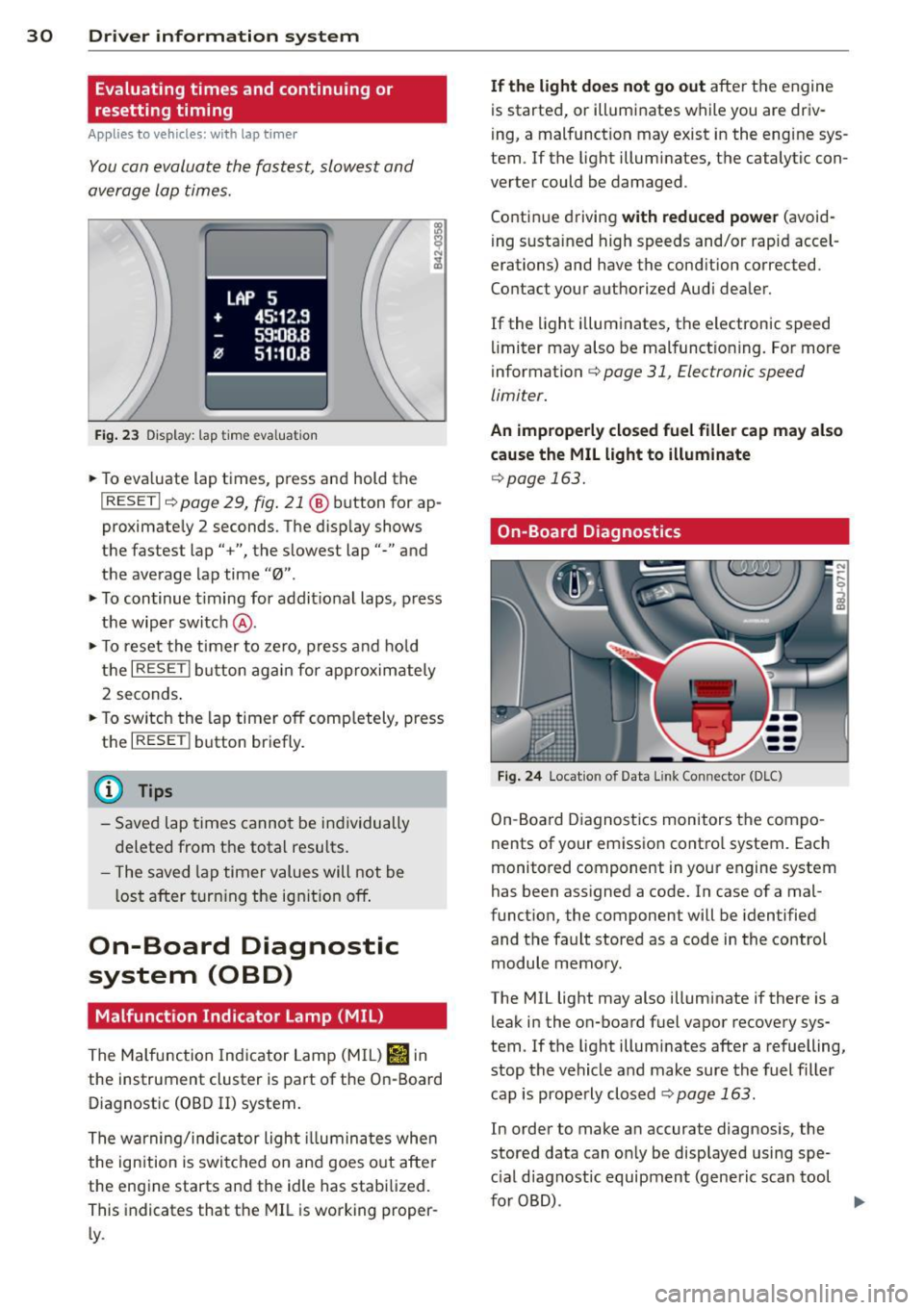
You can evaluate the fastest, slowest and
average lap times.
LAP 5
+ 45:12.9
59:08.8
0 51 :10.a
Fig. 23 Display: lap time eval uation
.. To eva luate lap times, press and hold the
I RESET Ir=) page 29, fig . 21 @ button for ap
proximate ly 2 seconds. The display shows
the fastest lap" +", the s lowest lap"-" and
the average lap time
"0" .
.. To continue t iming for addit ional laps, press
the wiper switch @ .
.. To reset the timer to zero , press and hold
the
I RESET I button again for approximately
2 seconds .
.. To switch the lap timer off comp letely, press
the
I RESET ! button briefly.
(D Tips
- Saved lap times cannot be individually
deleted from the tota l resu lts.
- The saved lap timer values will not be
l os t after turning the ignition off.
On-Board Diagnostic
system (OBD)
Malfunction Indicator Lamp (MIL)
The Malfunction Indicator Lamp (M IL) Iii in
the instrument cluster is part of the On-Board
Diagnostic (OBD
II) system.
The warning/indicator ligh t illuminates whe n
the ignition is switched on and goes out after
the eng ine starts and the idle has stabilized.
This indicates that the MIL is working proper
ly .
If the light does not go out after t he engine
is started, or illuminates while you are driv
i ng, a malfunction may exist in the eng ine sys
tem. If the light illuminates, the catalytic con
verter could be damaged .
Contin ue driving
with reduced power (avoid
i ng sustained high speeds and/or rapid accel
erations) and have the cond ition corrected.
Contact your a uthorized Audi dea ler.
If the light il luminates, the electronic speed
limiter may also be malfunct ioning. For more
information
c:> page 31, Electronic speed
limiter.
An improperly closed fuel filler cap may also
cause the MIL light to illuminate
c:> page 163.
On-Board Diagnostics
Fig. 24 Locat ion of Data Link Connector (DLC)
On-Board Diagnostics monitors the compo
nents of your emission contro l system . Each
monitored component in your engine system
has been assigned a code. In case of a mal
funct ion, the component will be identified
and the fault stored as a code in the control
module memory.
The MIL light may also illuminate if there is a
leak in the on-board fuel vapor recovery sys·
tem. If the light illuminates after a refuelling,
stop the vehicle and make sure the fuel filler
cap is properly closed
c:> page 163.
In order to make an accurate diagnosis, the
stored data can on ly be displayed using spe
c ial dia gnost ic equipment (generic scan tool
furOBD) .
~
Page 33 of 244
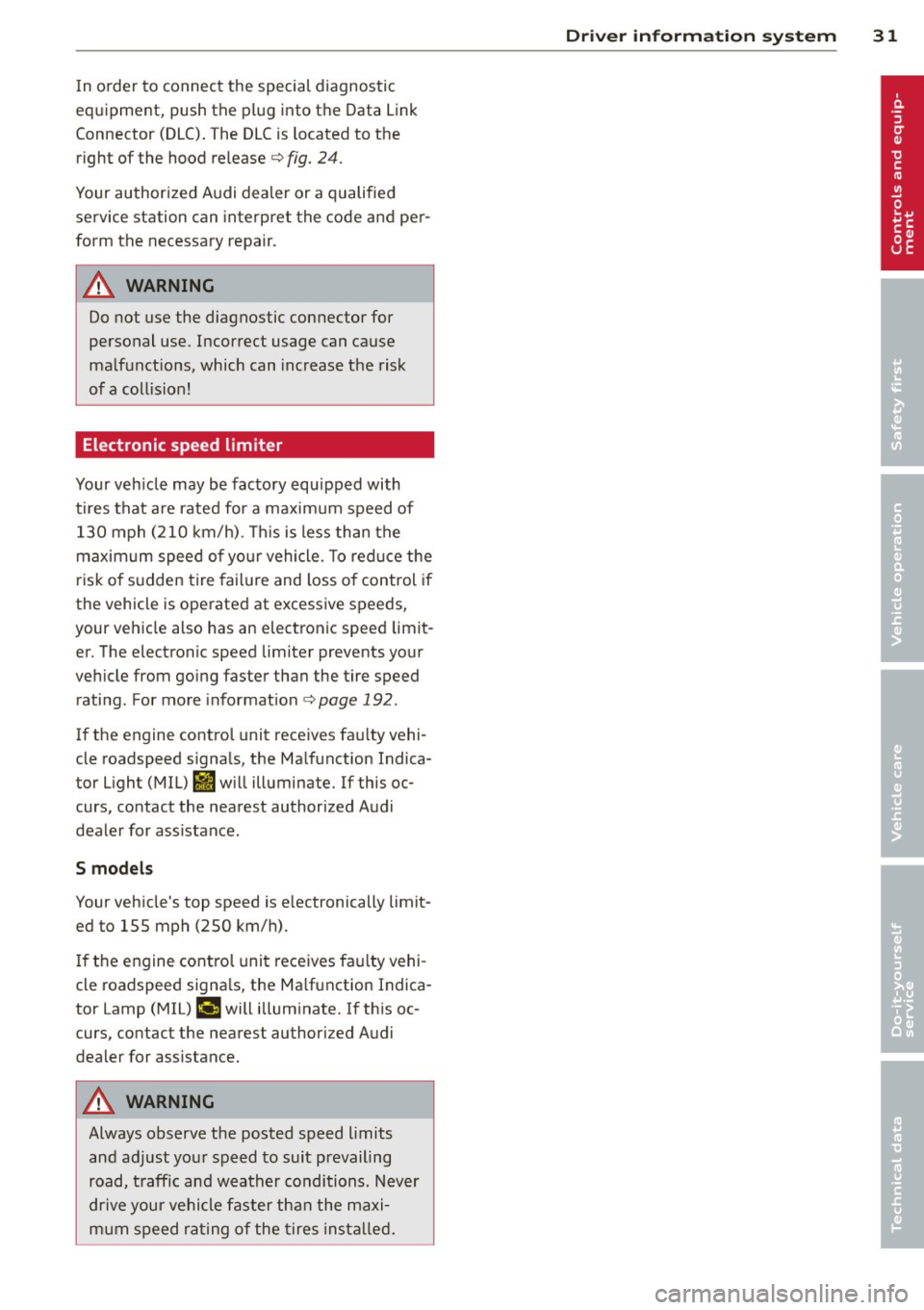
In o rder to connect the special diagnostic
equipment, push the plug into the Data Link
Connector (DLC) . The DLC is located to the
right of the hood re lease
c:> fig. 24.
Your authorized Audi dealer or a qualified
service station can interpret the code and per
form the necessary repair.
A WARNING
Do not use the diagnostic connector for
personal use. Incorrect usage can cause
malfunctions, which can increase the risk
of a coll is ion!
Electronic speed limiter
-
Your veh icle may be factory equipped with
tires that are rated for a maximum speed of 130 mph (210 km/h) . T his is less than the
maximum speed o f yo ur vehicle. To reduce the
risk of s udden tire failure and loss o f control if
the vehicle is operated at excessive speeds,
your vehicle also has an electronic speed limit
er. The electronic speed limiter prevents yo ur
ve hicle from going faster than the tire speed
rating. For more informat ion
c:> page 192 .
If the engine control unit receives fau lty vehi
cle roadspeed signa ls, the Ma lfunction Indica
tor Light (MIL)
ti w ill illuminate. If this oc
curs, contact the nearest author ized Audi
deale r for assistance .
S models
Your vehicle's top speed is e lectronically limit
ed to 155 mph (250 km/h) .
I f the engine control unit receives fa ulty vehi
cle roadspeed signa ls, the Ma lfunction Indica
tor Lamp (MIU
¢"4 will illuminate. If th is oc
curs, contact the nearest authori zed Audi
dealer for assistance.
A WARNING
-
Always observe the posted speed limits
and ad just you r speed to suit prevailing
road, t raff ic and weather conditions. Never
drive your vehicle faster than the maxi
mum speed rating of the tires insta lled.
Dr iver in formati on sys tem 3 1