stop start AUDI TT ROADSTER 2015 User Guide
[x] Cancel search | Manufacturer: AUDI, Model Year: 2015, Model line: TT ROADSTER, Model: AUDI TT ROADSTER 2015Pages: 244, PDF Size: 60.74 MB
Page 74 of 244
7 2 On the road
On the road
Steering
Adjusting the steering wheel column
The steering wheel position can be continu
ously adjusted in height and distance .
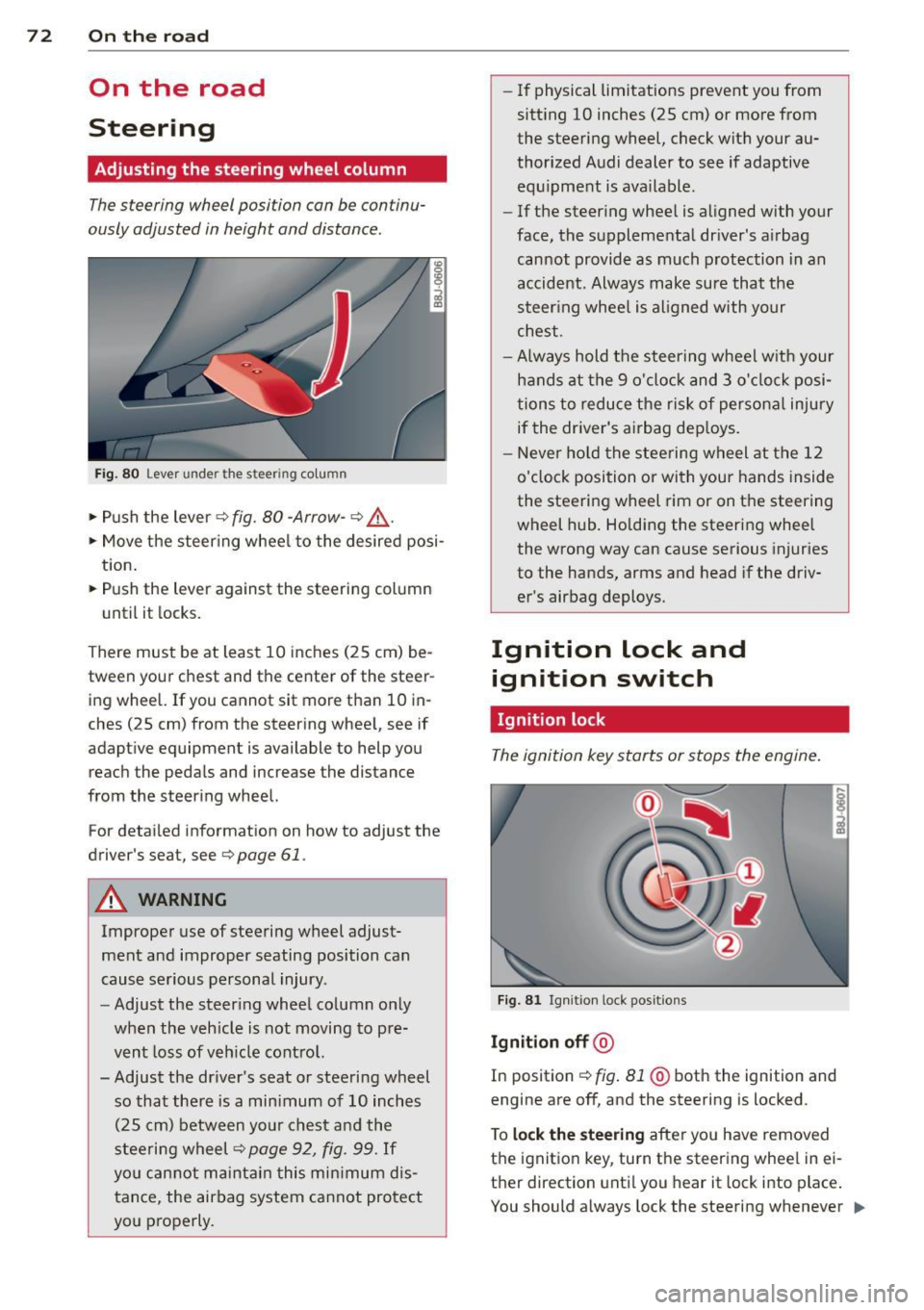
Fig. 80 Lever under the steer ing colu mn
~ Push the lever Q fig. 80 -Arrow- ¢&_ .
~ Move the steer ing whee l to the desired posi
tion.
~ Push the lever against the steering column
until it locks.
There must be at least 10 inches (25 cm) be
tween your chest and the center of the steer ing wheel. If you cannot sit more than 10 in
ches (25 cm) from the steering wheel, see if
adaptive equipment is available to help you
reach the pedals and increase the distance
from the steering wheel.
For detai led informat ion on how to adjust the
driver's seat, see
Q page 61.
A WARNING
Improper use of steering wheel adjust
ment and improper seating position can
cause serious personal injury .
- Adjust the steering wheel column only
when the veh icle is not moving to pre
vent loss of veh icle control.
-
- Adjust the driver's seat or steering wheel
so that there is a min imum of 10 inches
(25 cm) between your chest and the
steering wheel¢
page 92, fig . 99. If
you can not maintain this min imum dis
tance, the airbag system cannot protect
you properly.
- If physical limitations prevent you from
sitt ing 10 inches (25 cm) or more from
the steering wheel, check with your au
thorized Audi dealer to see if adaptive equ ipment is ava ilable .
- If the steer ing wheel is aligned with your
face, the supplemental dr iver's airbag
cannot provide as much protection in an
accident. Always make sure that the
steer ing whee l is aligned with your
chest.
- Always hold the steering wheel w ith your
hands at the 9 o'clock and 3 o' clock posi
tions to reduce the risk of persona l injury
if the driver's airbag dep loys .
- Never ho ld the steering wheel at the 12
o'clock position or with your hands inside
the steering wheel rim or on the steering
wheel hub . Holding the steering wheel
the wrong way can cause serious injuries
to the hands, arms and head if the driv
er's airbag deploys.
Ignition lock and ignition switch
Ignition lock
The ignition key starts or stops the engine.
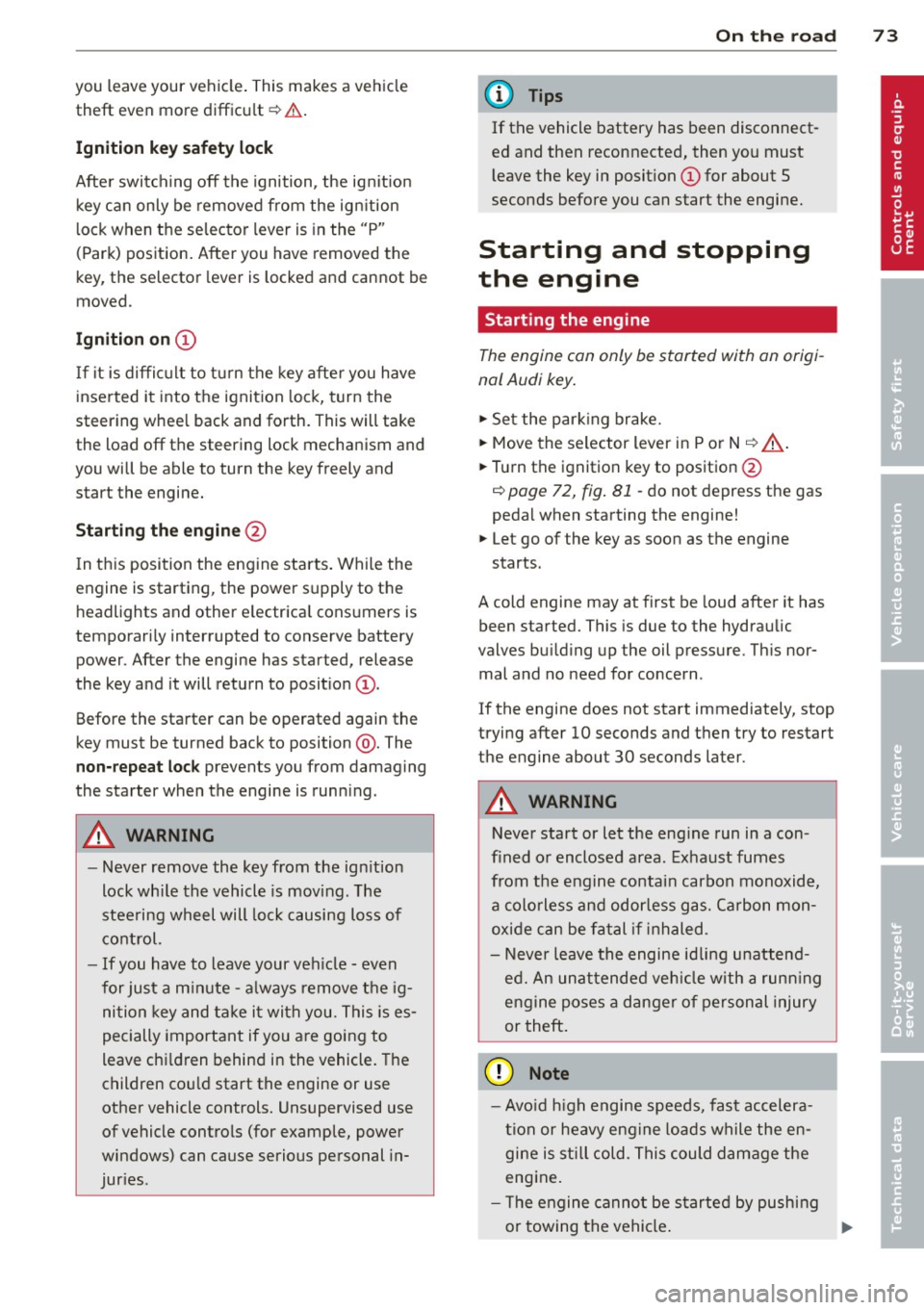
F ig . 81 Ign it ion lock pos it ions
Igniti on off @
In position Q fig. 81 @ both the ignition and
engine are off, and the steering is locked .
T o
lo ck th e steering after yo u have removed
the ignition key, turn the steering whee l in ei
ther direction unti l you hear it lock into place .
You should a lways lock the steering whenever
II>
Page 75 of 244
you leave your vehicle. This makes a vehicle
theft even more difficult ¢ .&. .
Ign ition key safety lock
Afte r switch ing off the ignition, the ig nit ion
key ca n only be removed from the ig nition
l ock when the se lector lever is in the "P"
(Park) position . After you have removed the
key, the selector lever is locked and cannot be
moved.
Ign ition on (D
If it is diffic ult to turn the key afte r you have
inse rted it into the ignition lock, turn the
steering whee l back and forth. This will take
the load
off the steering lock mechanism and
you will be able to turn the key freely and start the engine.
Starting th e engine @
In this position the engine starts . While the
engine is starting, the power supply to the headlights and other e lectrica l consumers is
temporari ly interrupted to conserve battery
power. After the engine has started, release
the key and it will return to posit io n
(D .
Before the starter can be operated again the
key must be turned back to position @. The
non-repeat lock prevents you from damaging
the starter when the engine is runn ing .
A WARNING
-Never remove the key from the ign ition
lock whi le the vehicle is mov ing . The
steering wheel will lock causing loss of
co ntrol.
- If you have to leave your veh icle - even
for just a m inute - a lways remove t he ig
ni tion key and take it with you. This is es
pecially important if you are going to
leave ch ildren behind in the vehicle. The
children co uld start the engine or use
other vehicle controls. Unsupervised use
of vehicle controls (for example, power
windows) can cause serious personal in
jur ies .
-
On th e ro ad 73
(D Tips
If the vehicle battery has been disconnect
ed and then reconnected, then yo u must
l eave the key in posit ion
(D for about 5
seconds before you can start the engine.
Starting and stopping
the engine
' Starting the engine
The engine can only be started with an origi
nal Audi key .
.,. Se t the par king brake.
.,. Move the selector lever in P or
N q .&_ .
.,. Turn the ignition key to position @
~ page 72, fig. Bl -do not depress the gas
peda l when starting the engine!
.,. Let go of the key as soon as the engine
starts .
A cold engine may at first be loud after it has
been started. This is due to the hydraulic
valves bu ild ing up the oil pressure. Th is nor
mal and no need for concern .
If the engine does not start immediately, stop
trying after 10 seconds and then try to restart
the engine about 30 seconds later.
A WARNING
-Never start or let the eng ine run in a con-
fined o r enclosed area . Exhaust fumes
from the engine co ntain carbon monoxide,
a colorless and odo rless gas. Ca rbon mon
oxide can be f atal if inhaled.
- Never leave the engine id ling unattend
ed. An una ttended veh icle w ith a runn ing
engine poses a danger o f personal injury
or theft .
(D Note
-Avo id high engine speeds, fast accelera
tion or heavy engine loads while the en
gine is still cold. This could damage the
engine.
- The e ngine cannot be started by pushing
or towing the vehicle . .,..
Page 76 of 244
7 4 On the road
@ For the sake of the environment
To avoid unnecessary engine wear and to reduce exhaust emissions, do not let your
veh icle stand and warm up. Be ready to
drive off immediately after start ing your
veh icle. Maintain moderate speed until the
engine is comp letely warm. Remember,
the engine performs best at operating
temperature.
Stopping the engine
• Turn the ign ition key to position@
~ page 72, fig. 81.
&_ WARNING
-Never turn off the engine before the ve
hicle has come to a complete stop. The
full function of the brake booster and the
power steering is not guaranteed. You
must use more force to turn or brake if
necessary. Because you cannot steer and
brake as you usually would, this could
lead to crashes and serious injuries.
- The radiator fan can continue to run for
up to 10 minutes even after you have
turned off the engine and removed the
ignition key . The radiator fan can also
turn on again if the engine coolant heats up because of intense sunlight or heat
build-up in the engine compartment.
(D Note
Do not stop the engine immediate ly after
hard or extended driving. Keep the engine
running for approximately two minutes to
prevent excessive heat build-up.
Parking brake
Parking brake
When the parking brake is set, it prevents the
vehicle from rolling away unintentionally.
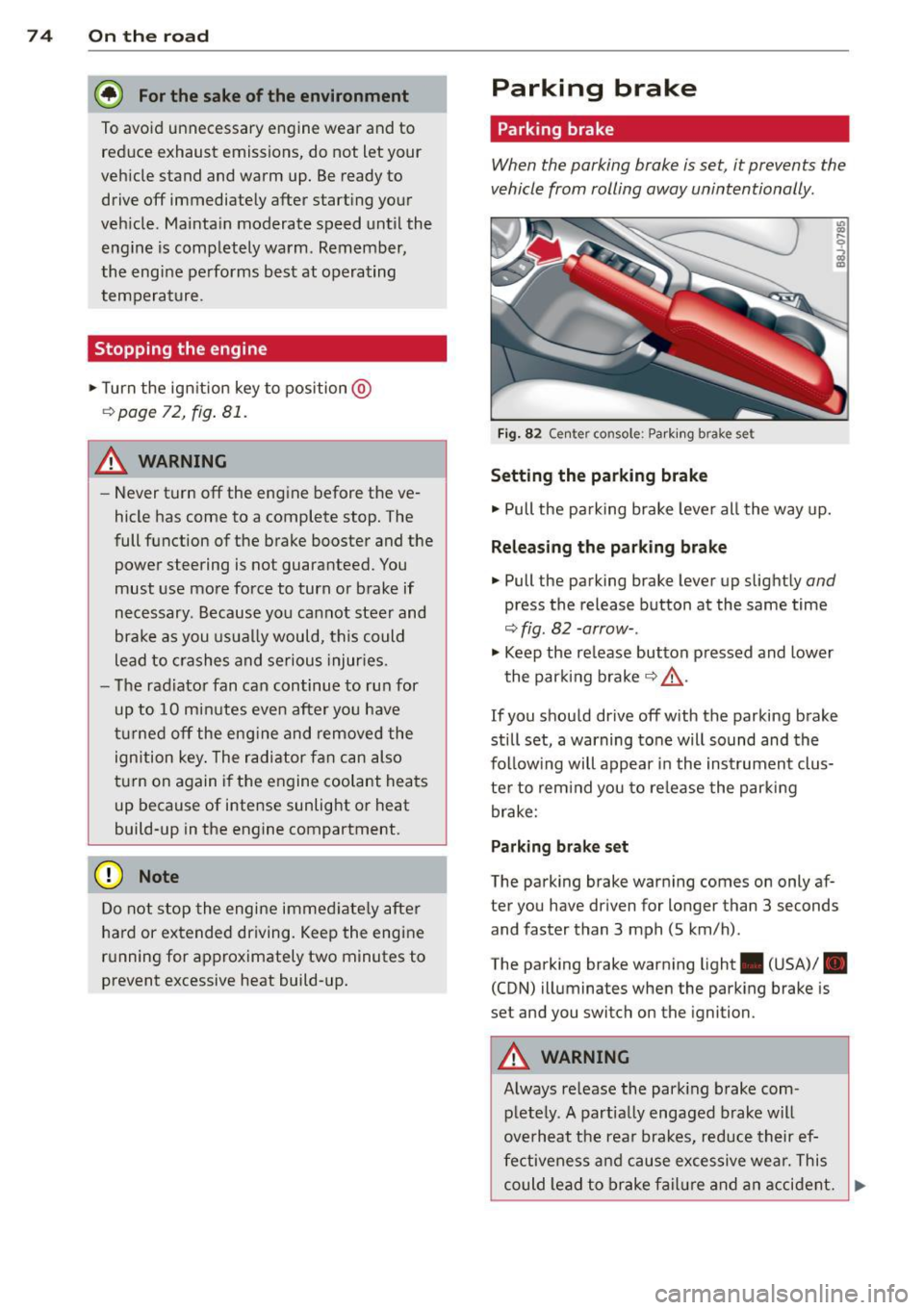
Fi g. 82 Center console: Park ing brake set
Setting the parking brake
• Pull the pa rking brake lever all the way up.
Releasing the parking brake
• Pull the parking brake lever up slightly and
press the release button at the same time
~fig. 82 -arrow-.
• Keep the release button pressed and lower
the parking brake~.&,.
If you should drive off with the parking brake
still set, a warning tone will sound and the
fol low ing will appear in the instrument clus
ter to remind you to release the parking
brake:
Parking brake set
The parking brake warning comes on only af
ter you have driven for longer than 3 seconds
and faster than 3 mph (5 km/h).
The parking brake warning light . (USA)/ .
(CON) illuminates when the parking brake is
set and you switch on the ignition.
&_ WARNING
Always release the park ing brake com-
pletely. A partially engaged brake will
overheat the rear brakes, reduce their ef
fectiveness and cause excessive wear. This
could lead to brake failure and an accident. .,..
Page 77 of 244
(D Note
On ly after the vehi cle has come to com
plete stop, should you f irm ly set the park
ing brake and either move the selector lev
er into "P".
Parking
P ar kin g
"' Stop the vehicle using the brake pedal.
"' Set the parking brake firmly .
"' Switch
off the eng ine .
"' Move the se lector lever into the P pos ition
i=> & .
"'When on incl ines or declines, turn the steer
ing wheel so that the vehicle w ill roll into
the curb if it begins to move .
A WARNING
This is how you can reduce the risk of in
jury when leaving your veh icle.
- Never park the vehicle where it can come
in contact with dry grass, spilled f uel or
any other flammable mater ials.
- Never allow anyone -especially small
children -to remain in the vehicle when
it is locked . Locked doors make it more
difficult for rescuers to access the pas
senger compartment in the event of an
eme rgency. Danger to life!
- Never leave ch ild ren unsupervised in the
vehicle . Children co uld re lease the park
ing brake. The vehicle co uld start to roll
away and cause an accident.
- No matter what the season is, the tem
perature in a par ked vehicle can reach
dange ro us levels.
Starting on hills
App lies to vehicles : wit h hill hold assist
Hill hold ass ist makes it easier to start on
hill s.
-
The system is act ivated when the brake pedal
i s depressed for a few second s.
On the ro ad 75
After releasing the brake pedal, the b rake
power is held for a
brief moment to p revent
the ve hicle from rolling back when starting . At
th is time, you can easi ly beg in to move your
vehicle.
A WARNING
- If you did not begin moving immed iate ly
after releasing the brake pedal, under
certain ci rc u mstances, the vehicle would
beg in to rol l backwa rd. Dep ress the
bra ke peda l immedi ate ly o r engage the
hand brake .
- Should the e ngine sta ll, dep ress the
brake peda l immedi ate ly or engage the
hand brake .
- I n order to prevent the vehicle from roll
i n g back unintentionally when s tarting in
stop -and -go traffic, keep the brake pedal
depressed for a few seconds before driv
ing off.
(D Tips
You can find o ut if yo ur vehicle is eq uipped
with "Hill hold assist" at an authorized
A udi dealership.
Speed warning system
Overv iew
The speed warning system helps you to keep
your driving speed below a set speed limit.
The speed warning system warns the driver if
he exceeds a previous ly stored max imum
speed . A warning tone will sound as soon as
the ve hicle speed exceeds the set speed by
about 3 mph (3 km/h). At the same time, a
warning symbo l appea rs in the disp lay.
The speed warning system has two warning
thre sholds that function independently of
each other and that have somewhat different
purposes:
Speed warning 1
You can use speed warning 1 to set the maxi mum speed while you are driving . This setting
will remai n in effect until yo u tur n
off the .,..
Page 82 of 244
80 On the road
chimes can be adjusted through the menu dis
p lay
~ page 24 .
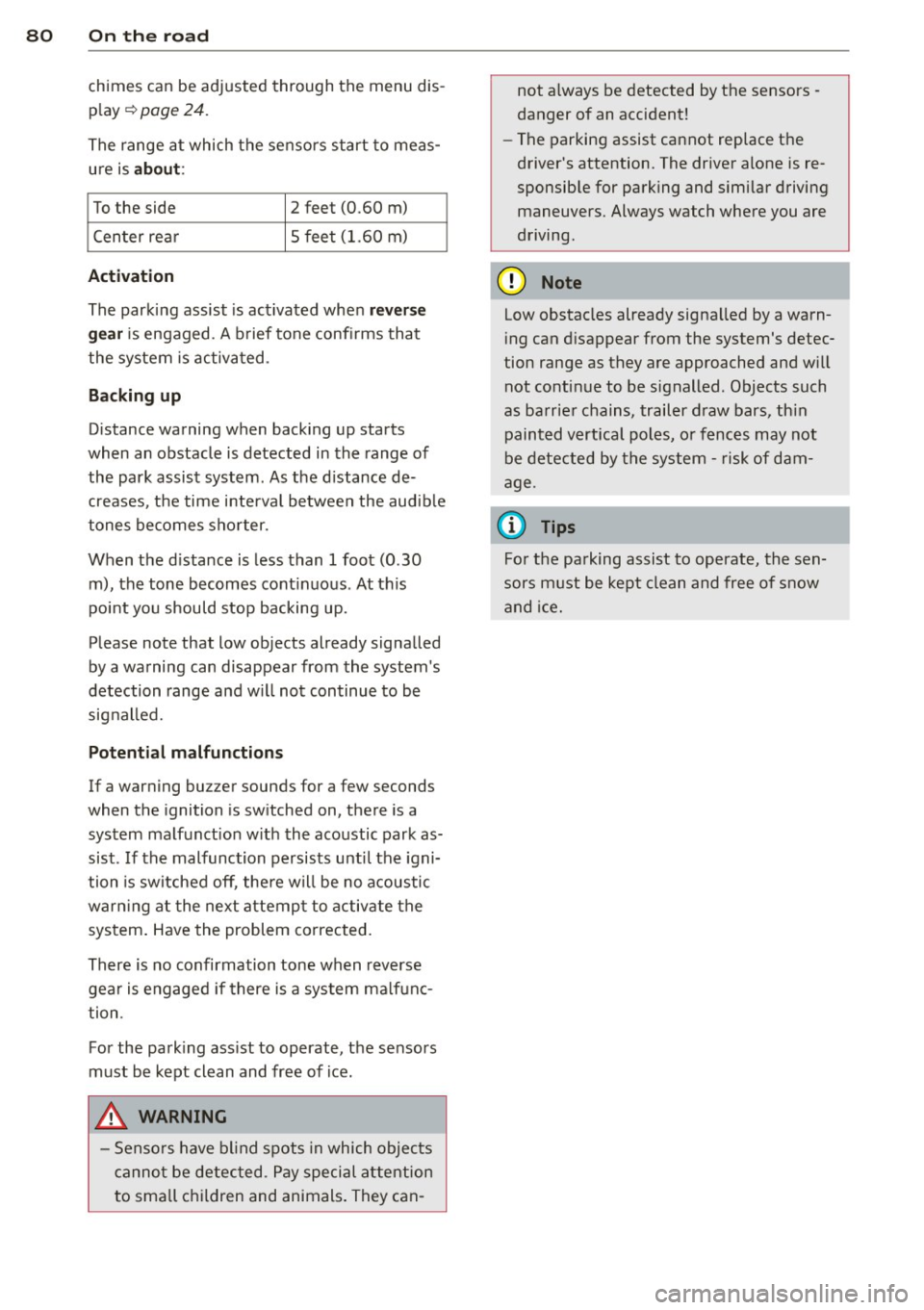
The range at which the sensors start to meas
ure is
a b ou t:
To the side 2 feet (0.60 m)
Center rea r 5 feet (1.60 m)
Activation
The parking assist
is activated when r ev erse
ge ar is engaged . A b rief tone confi rms that
the system is activated .
Backing up
Distance warning when back ing up starts
when an obstacle is detected in the range of
the park assist system . As the d istance de
creases, the time i nterva l between the audible
tones becomes shorter.
When the d istance is less than 1 foot (0.30
m), the tone becomes cont inuous . At this
poi nt you should stop backing up.
Please note that low objects already signalled
by a warning can disappear from the system 's
detection range and w ill not continue to be
signalled.
Potenti al malfunction s
If a warning buz zer sounds for a few seconds
when the ignition is sw itched on, there is a
system malfunction w ith the acoustic park as
sist . If the malfunction persists unti l the igni
tion is switched off , there will be no acoustic
warn ing at the next attempt to activate the
system . Have the problem corrected.
There is no confirmation tone when reverse
gear is engaged if there is a system ma lfunc
tion .
For the park ing ass ist to operate, the sensors
must be kept clean and free of ice.
_& WARNING
- Sensors have blind spots in which objects
cannot be detected . Pay special attention
to sma ll children and animals. They can- not a
lways be detected by the sensors -
danger of an accident!
- The parking assist cannot rep lace the
driver's attention. The driver alone is re
sponsible for parking and similar driving maneuvers. Always watch where you are
driving.
(D Note
Low obstacles already signa lled by a warn
i ng can d isappear from the system's detec
tion range as they are approached and w ill
not continue to be signalled. Objects such
as barrier chains, trailer draw bars, th in
painted vertical poles, o r fences may not
be detected by the system - risk of dam
age .
@ Tips
For the parking assist to operate, the sen
sors must be kept clean and free of snow
and ice.
Page 85 of 244
Driving Notes
The forward gears are shifted up or down au
tomatically.
--
-
-
-
-
-
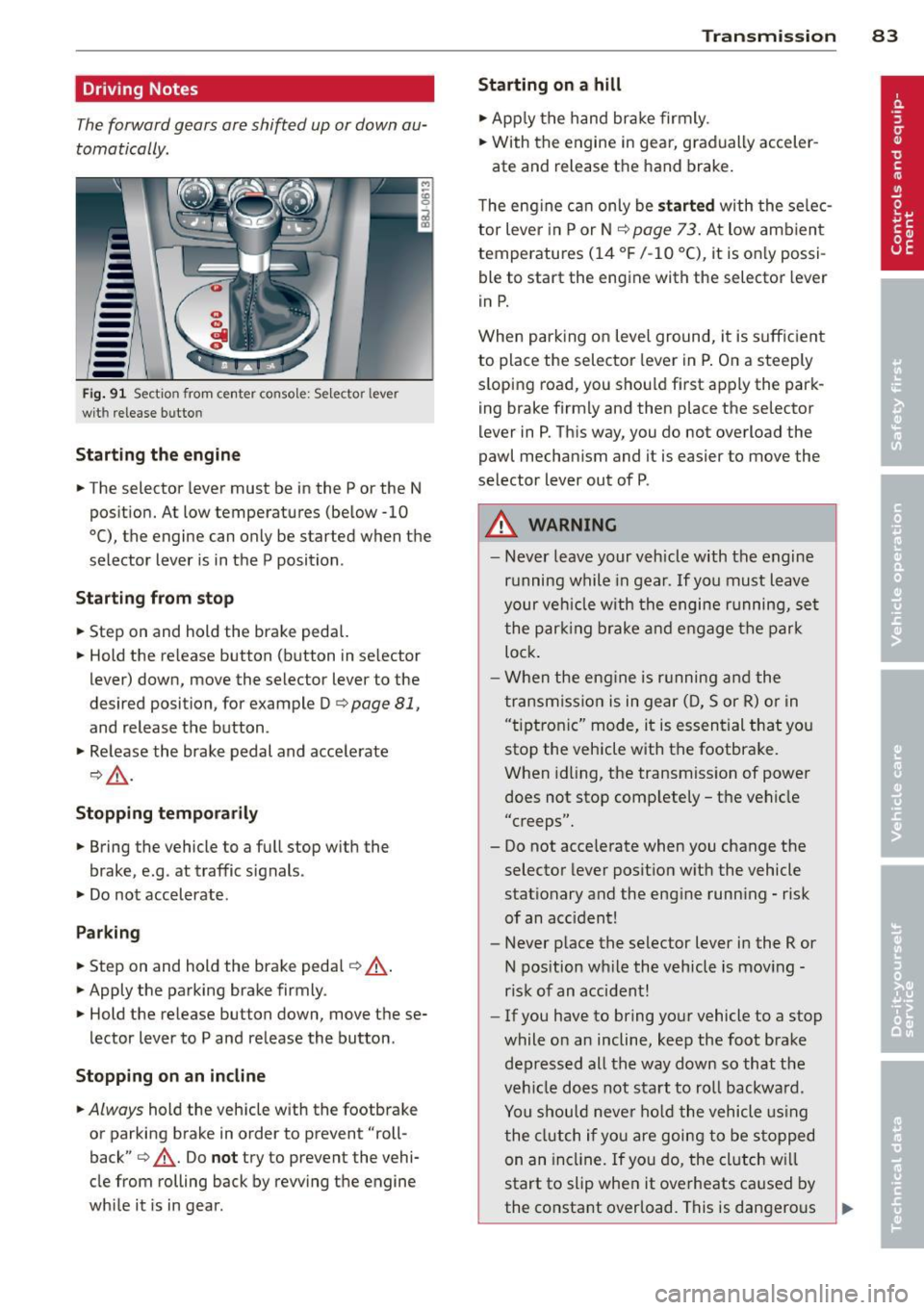
--Fig . 91 Sect io n from center co nsole: Sele ctor leve r
wit h release bu tto n
Starting the engine
.. The selector lever must be in the P or the N
position. At low temperatures (below -10
0 (), the engine can only be started when the
selector lever is in the P position .
Starting from stop
.. Step on and hold the brake pedal.
.. Hold the release button (button in se lector
lever) down, move the selector lever to the
desired position, for example D
c:> page 81,
and release the button .
.. Release the brake pedal and accelerate
¢,& .
Stopping temporarily
.. Bring the vehicle to a full stop with the
brake, e.g . at traffic signals .
.. Do not accelerate .
Parking
.. Step on and hold the brake pedal¢_& .
.. Apply the parking brake firmly.
.. Hold the release button down, move these
lector lever to P and release the button.
Stopping on an incline
.. Always hold the vehicle with the footbrake
or parking brake in order to prevent "roll
back"
¢ _& . Do not try to prevent the vehi
cle from rolling back by rewing the engine
while it is in gear.
Transmission 83
Starting on a hill
.. Apply the hand brake firmly.
.. With the engine in gear, gradually acceler-
ate and release the hand brake.
The engine can only be
started with the selec
tor lever in P or N
c:> page 7 3. At low amb ient
temperatures (14
°F /-10 °C), it is only possi
ble to start the engine with the selector lever
in P.
When parking on level ground, it is sufficient
to place the selector lever in P. On a steeply
sloping road, you should first apply the park
ing brake firmly and then place the selector
lever in P. This way, you do not overload the
pawl mechanism and it is easier to move the
selector lever out of P .
A WARNING
- Never leave your vehicle with the engine
running while in gear . If you must leave
your veh icle with the engine running, set
the parking brake and engage the park
lock .
- When the engine is running and the
transmission is in gear (D, Sor R) or in
"t iptroni c" mode, it is essential that you
stop the vehicle with the footbrake .
When idling, the transmission of power
does not stop completely - the vehicle
"creeps".
- Do not accelerate when you change the selector lever position with the vehicle
stationary and the engine running - risk
of an accident!
- Never place the selector lever in the R or
N position while the vehicle is moving -
risk of an accident!
- If you have to bring your vehicle to a stop
while on an incline, keep the foot brake depressed all the way down so that the
vehicle does not start to roll backward .
You should never hold the vehicle using
the clutch if you are going to be stopped
on an incline. If you do, the clutch w ill
start to slip when it overheats caused by
the constant overload. This is dangerous .,.
Page 90 of 244
88 Homelin k
Homelink
Universal remote
control
General information
The Homelink universal remote control can
be programmed with hand-held transmitters
from existing equipment .
You must first program the Homelink trans
mitter before you can use the system
~ page 88 , Programming the Homelink
transmitter.
In order to program the Homelink transmit
ter for devices utilizing rolling code, a second
person on a ladder who can safely reach the
garage door opener motor is recommended.
It is also necessary to locate the "learn" but
ton on your garag e door open er motor . Refer
to the ope rating instructions for the opener ,
as the location and color of this bu tton may
vary by manufacturer .
You can still use the original remote control
for the device at any time.
A WARNING
-
- Never use the Homelink transmitter
with any garage door opener that does
have not the safety stop and reverse fea
ture as required by federal safety stand
ards. This includes any garage door open
er model manufactured before April 1,
1982.
- A garage door opener which cannot de
tect an object, signaling the door to stop
and reverse does not meet current feder
al safety standards. Using a garage door
opener without these features increases
risk of serious injury or death.
- For safety reasons never release the
parking brake or start the engine while
anyone is standing in front of the vehicle.
- A garage door or an estate gate may
sometimes be set in motion when the
Homelink remote control is being pro
grammed. If the device is repeatedly ac- tivated, this can overstrain motor and
damage its electrical components - an
overheated motor
is a fire hazard!
- To avoid possible injuries or property
damage, please always make absolutely
certain that no persons or objects are lo
cated in the range of motion of any
equipment being operated.
(!) Tips
- If you would like more information on
Homelink, where to purchase the Home
Link compatible products, or would like
to purchase the Homelink Home Light
ing Package, please call toll-free :
1-800-355-3515.
- For Declaration of Compliance to United
States FCC and Industry Canada regula
tions ~
page 228.
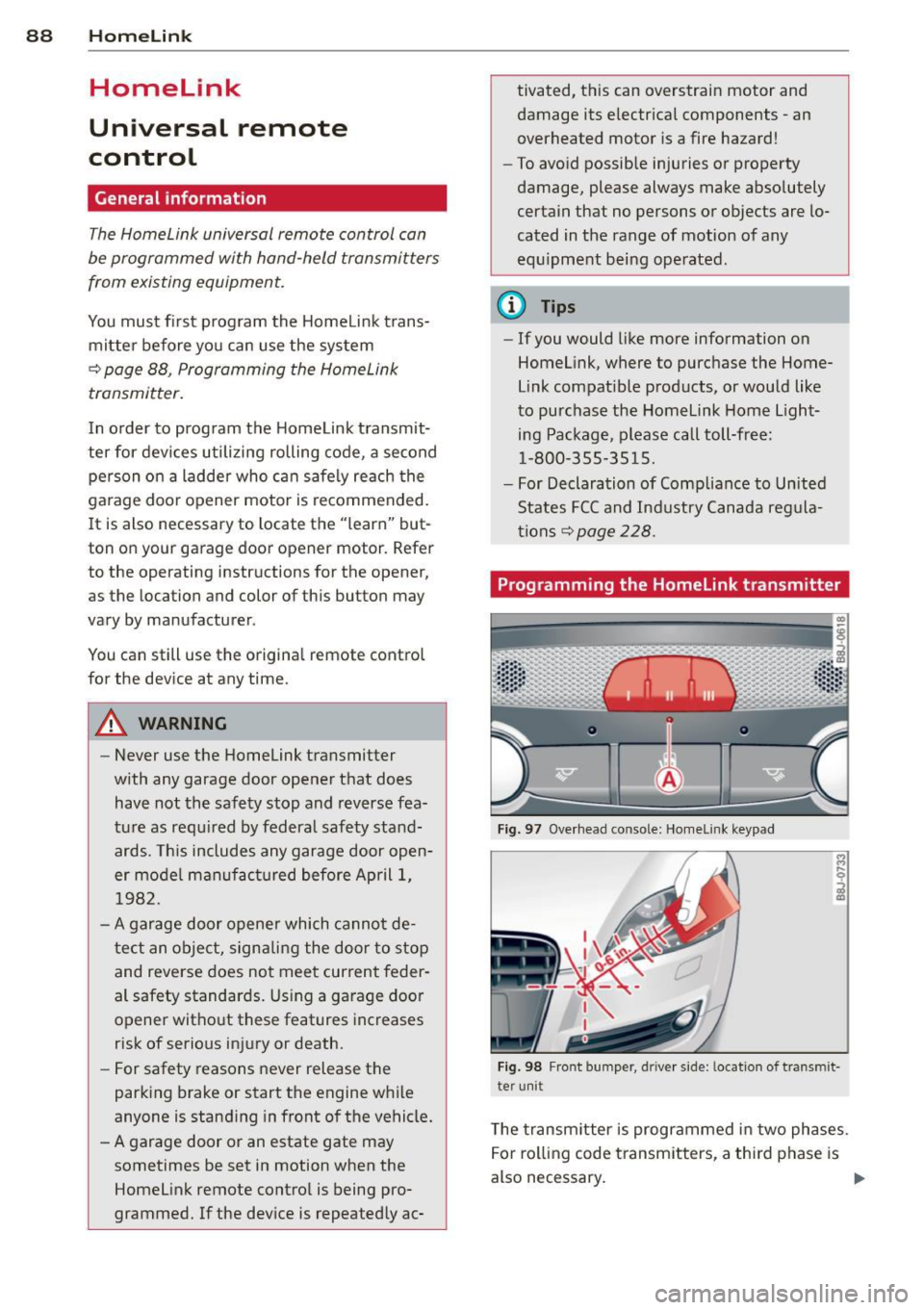
Programming the Homelink transmitter
Fig. 97 Overhead co nsole: Homelink keypad
Fig. 98 Front bumper , driver side: lo catio n of tra n smi t
te r unit
The transmitter is programmed in two phases.
For rolling code transmitters, a third phase is
also necessary.
ll-
Page 91 of 244
Phase 1:
p rogramming th e overh ead keypad
1. Make sure yo ur vehicle is wit hin ope rating
range of the remote contro lled garage
door opener .
2. Set the parking brake
q A in General in
formation on page 88 .
3. Tur n the ignition on . Do not sta rt the en
g ine!
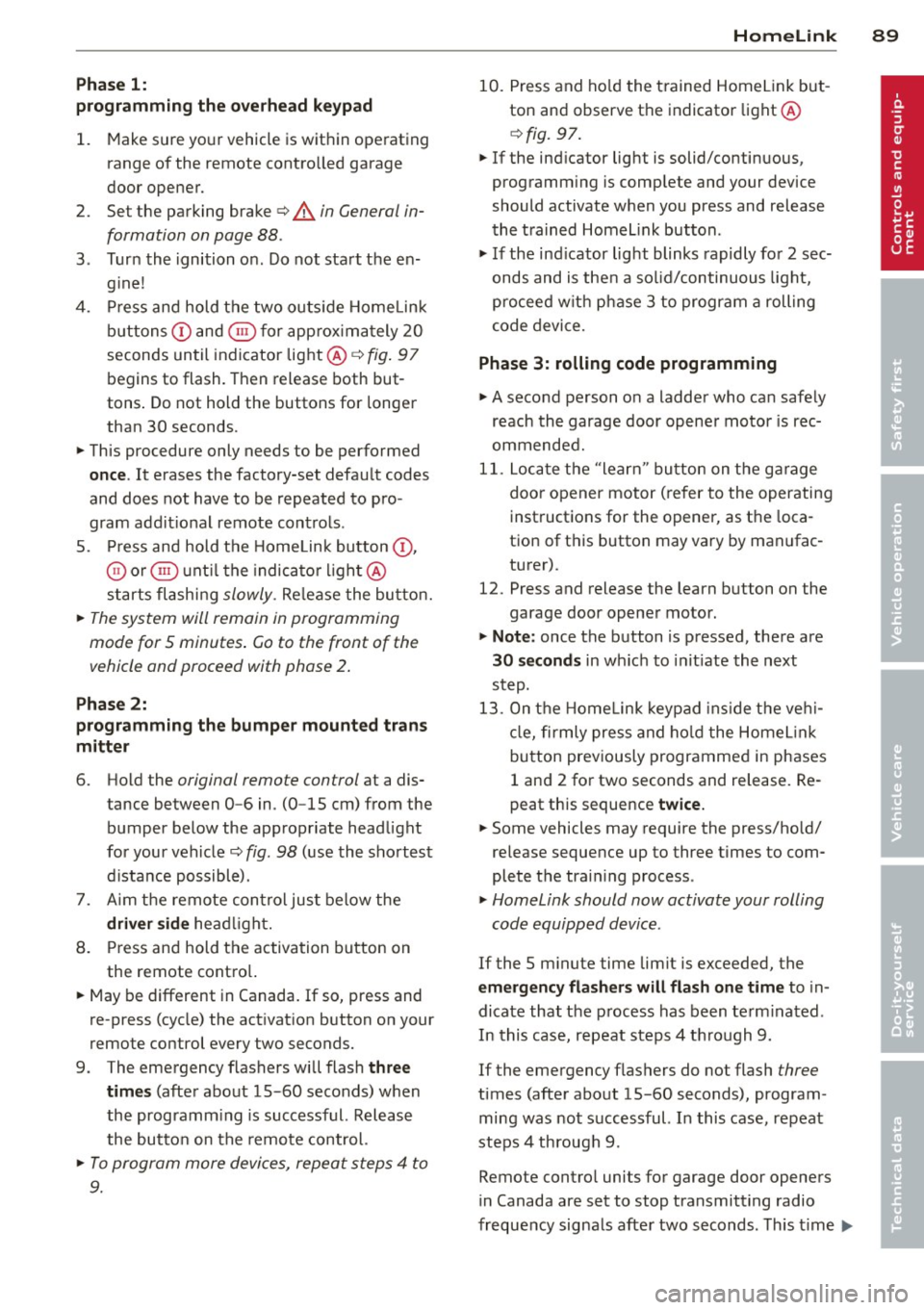
4. P ress and hold the two o utside Home Link
b uttons
(D and @for app rox ima tely 20
seconds until indicator light @
q fig . 97
begins to flash. Then release both but
tons . Do not hold the buttons for longer
than 30 seconds.
.,. This procedure only needs to be performed
once . It erases the factory-set defau lt codes
and does not have to be repeated to pro
gram add it ional remote controls .
S. Pr ess and hold t he Home link button (D ,
® or@ unt il the indicato r ligh t@
starts flashing
slowly . Release the bu tton.
.,. The system will remain in programming
mode for 5 minutes . Co to the front of the
vehicle and proceed with phase 2 .
Phase 2:
programming the bumper mounted trans
mitter
6. Hold the original remote control at a dis
tance between 0 -6 in . (0 -15 cm) from the
bumper below the appropriate head light
for your vehicle
q fig . 98 (use th e sho rtest
d istance possible) .
7. A im t he remote con trol jus t be low the
driver side head ligh t.
8 . Pr ess and hold the activa tion button on
the remote cont ro l.
.,. May be different in Canada.
If so, press and
re -press (cycle) the act ivat ion button on your
remote control every two seconds.
9 . The emergency flashers will flash
three
time s
(after about 15 -60 seconds) when
the prog ramm ing is successful. Release
the butto n on the re m ote control.
.,. To program more devi ces, repeat steps 4 to
9.
Homelink 89
10. Press and ho ld the t rained Home link b ut
ton and observe t he indicator light @
qfig. 97.
.,. If the ind icator light is solid/contin uous,
programm ing is comp lete and your device
should activate w hen you press and release
t he t ra ined Homel ink button .
.,. If the ind icator light blinks rapidly fo r 2 sec
onds and is t hen a so lid/continuous light,
p roceed w it h phase 3 to progr am a roll ing
code device.
Phase 3: rolling code programming
.,. A second pe rson o n a ladde r who can safely
reach th e garage door opene r motor is rec
ommended .
11. Loc ate t he "lea rn" bu tton on t he g arage
doo r opener motor ( re fer to the operating
inst ruct ions for the opener, as t he loca
t ion of t his button may va ry by man ufac
turer) .
12 . Press and release the learn b utton on the
garage door opener motor .
.,. Note : once the b utton is p ressed, there are
30 seconds in w hich to initiate the next
step.
13 . On t he Home link keypad ins ide t he ve hi
cl e, firmly press and hold t he Home link
bu tton prev iously progr ammed in phases
1 and 2 fo r two seconds and release . R e
peat this seque nce
twice.
.,. Some vehicles may require the press/ho ld/
re lease sequence up to three t imes to com
plete t he trai ning process .
.,. Homelink should now activate your rolling
code equipped device .
If the S minute time limit is exceeded , the
emergency flashers will flash one time to in
dicate that the p rocess has been te rm ina ted .
In this case, repeat steps 4 t hrough 9.
If the emergency flashers do not flash
three
times (afte r about lS -60 seconds) , program
ming was not successful. In this case, repeat
steps 4 through 9 .
Remote contro l units for garage door openers
in Canada are set to stop transmitting radio
fr eque ncy signa ls afte r two seconds . This t ime
Ill-
Page 121 of 244
- comes on while driving.
I f an airbag system malfunct io n is dete cted ,
the ind icator light will firs t start flashing to
catch the driver 's attention and then stay on
continuously to serve as a constant reminder
to have the system inspected immed iately.
If a malfunction occurs tha t tur ns the fron t
ai rbag on the passenger side off, the
PA SSEN
GER AIR BAG OFF
li ght wi ll come on and stay
on wheneve r the ignition is on.
A WARNING
An airbag system that is not funct ioning
properly cannot provide supplemental pro
tection in a frontal crash.
- If the airbag indicator light comes on, it
means that the re may be somet hing
wrong with the Adva nced Airbag System .
It is possible that the airbag will inflate
w hen it is not s upposed to, or w ill not in
flate when it should.
- Have the airbag system inspected imme
diately by your Aud i dealer .
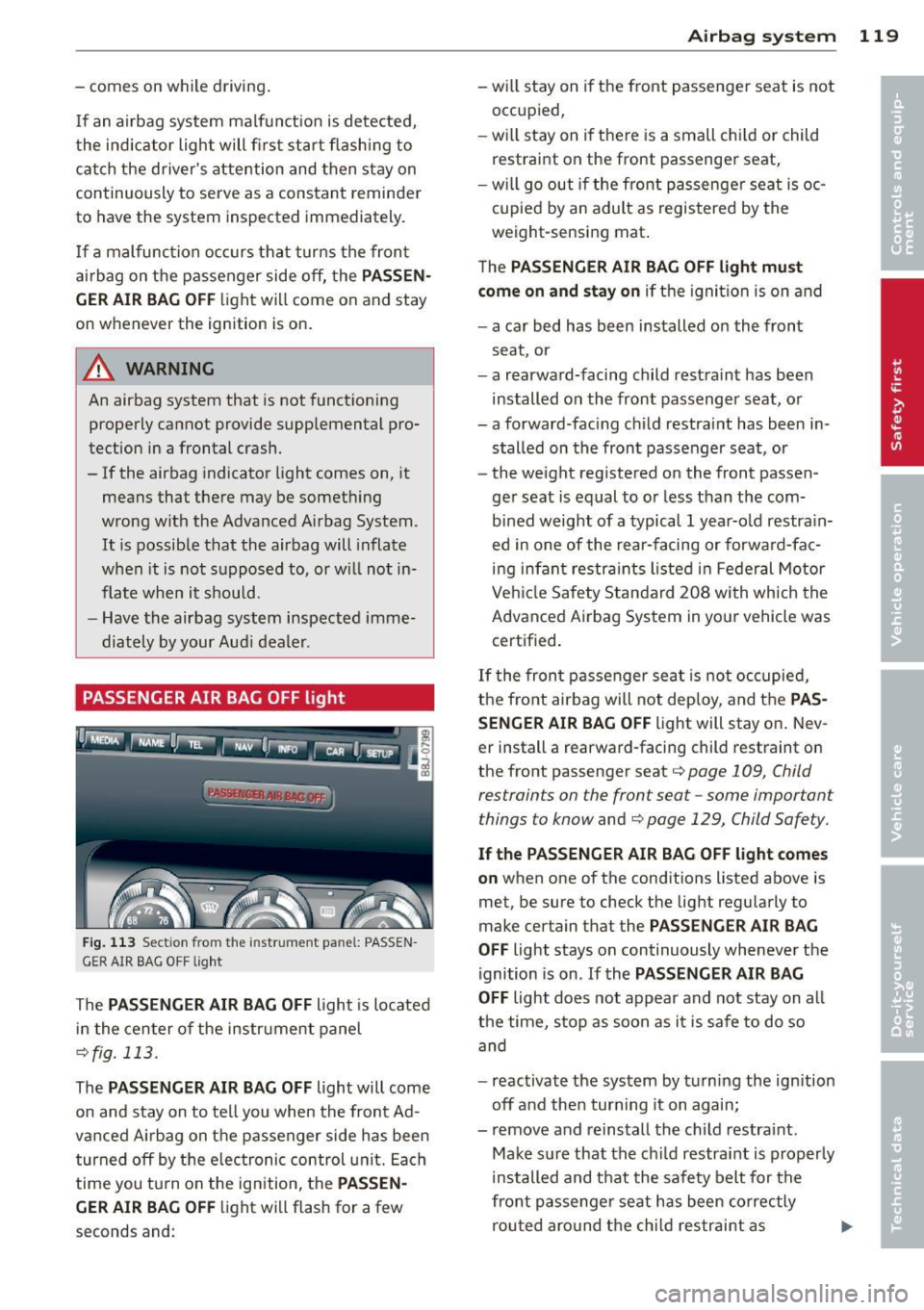
PASSENGER AIR BAG OFF light
Fig. 11 3 Section fr om the inst ru men t pa nel: PASS EN
G ER AIR BAG O FF light
The PASSENGER AIR BAG OFF light is located
i n the cen ter of the instrument panel
c:> fig. 113 .
The PASSENGER AIR BAG OFF light will come
on and stay on to tell you when the front Ad
vanced A irbag on the passenger side h as been
turned off by t he e lectronic control u nit. Each
time you tu rn on the ign ition, the
PASSEN
GER AIR BAG OF F
light will flash for a few
seconds and:
A irba g sy stem 119
- will stay on if the front passenger seat is not
occupied,
-w ill stay on i f there is a small ch ild or child
restraint on the front passenger seat,
- will go out if the fron t passenger seat is oc
cupied by an adult as registered by the
weight-sensing mat .
T he
PAS SENGER AIR BAG OFF light must
com e on and sta y on
if t he igni tion is on and
- a car bed has been installed on the front
seat , or
- a rearward-facing child restraint has been installed on the front passenger seat, or
- a forward -fac ing ch ild restra int has been in
stalled on the front passenger seat, or
- the weight reg istered on the front passen
ger seat is equal to or less than the com
bi ned weight of a typical 1 year-old restra in
ed in one of the rear-facing or forward-fac
ing infant restra ints listed in Federal Motor
Ve hicle Safety Standa rd 208 wi th which the
Advanced Airbag System in you r veh icle was
certified.
If t he fron t passenger seat is not occupied,
the fro nt airbag will not deploy, and the
PAS
SENGER AIR BAG O FF
light will stay on . Nev
er install a rearward-facing child restraint on
the front passenger seat
c:> page 109 , Child
res train ts on the front sea t-some important
things to know
and c:> page 129, Child Safe ty .
If the PASSENGER AIR BAG OFF light come s
o n
when one of the cond itions listed above is
met, be sure to check the light regularly to
make certain that the
PASSENGER AIR BAG
OFF
light stays on continuously wheneve r the
ignition is on .
If the PASSENGER A IR BAG
OFF
light does not appear and not stay on all
the time, stop as soon as it is safe to do so and
- reactivate the system by turn ing the ign ition
off and then turn ing it on again;
- remove and reinstall the ch ild restra int .
Make s ure that the ch ild restraint is proper ly
installed and that the safety belt for the
front passenge r seat has been correc tly
rou ted aro und t he chi ld restraint as
Page 156 of 244
154 Vehicle care and cleaning
Vehicle care and
cleaning
General information
Regular, proper care helps to maintain your
vehicle 's value. It can also be a requirement
when subm itting warranty claims for corro
sion damage and paint defects on the body .
The required cleaning and care products can be obtained from your authorized Audi dealer
or a qualified workshop. Read and follow the instructions for use on the packaging .
A WARNING
-Us ing cleaning and care products incor
rectly can be dangerous to your hea lth .
- Always store cleaning and care products
out of reach of children to reduce the ris k
of poisoning.
@ For the sake of the environment
-Preferably use environmentally-friendly
products when buying cleaning agents .
- Do not d ispose of leftover cleaning and
ca re products with household trash .
Car washes
-
The longer that deposits such as insects, bird
droppings , tree sap or road salt rema in on the
vehicle, the more the surface can be dam
aged. High temperatures such as those
caused by s unligh t increase the corrosive ef
fect.
Before washing, wet heavy deposits with plen
ty of water.
Also, wash the underside of your vehicle once
road salt stops be ing used for the season .
Pressure wa shers
When washing your vehicles with a pressure
washer, always follow the operating instruc
tions provided w ith the pressure washer. Th is
is especially important in regard to the pres
sure and spray ing distance . Do not aim the
spray directly at seals on side w indows, doors, the
hood, the rear lid or the convertible top or
at tires, rubber hoses, insulating material
orsensors* . Keep a distance of at least 16 in
ches (40 cm) .
Do not remove snow and ice with a pressure
washer.
Never use rotary nozzles or high pressure noz
zles.
The water temperature must not be above
140
°F (60 °() .
Automatic car washes
Spray off the vehicle before washing.
Make sure that the windows are closed and
the windshie ld wipers are off. Follow instruc
tions from the car wash operator, especially if
there are accessories attached to your vehicle .
If possible, use car washes that do not have
brushes .
Washing by hand
Clean the vehicle starting from the top and
working down using a soft sponge or cleaning
brush . Use solvent-free cleaning products.
Washing vehicles with matte finish paint
by hand
To avoid damaging the paint when washing,
first remove dust and large particles from
your vehicle. Insects, grease spots and finger
prints are best removed with a special cleaner
for matte finish paint .
Apply the product using a microfiber cloth. To
avoid damaging the paint surface, do not use
too much pressure.
Rinse the vehicle thoroughly with water. Then
clean using a neutra l shampoo and a soft mi
crofiber cloth.
Rinse the vehicl e thoroughly again and let it
air dry. Remove any water residue using a sham my.
Stubbo rn deposits such as bird droppings o r
tree sap are best removed with p lenty of wa-
ter and a microfiber cloth. .,.