light AUDI TT ROADSTER 2016 Workshop Manual
[x] Cancel search | Manufacturer: AUDI, Model Year: 2016, Model line: TT ROADSTER, Model: AUDI TT ROADSTER 2016Pages: 306, PDF Size: 31.82 MB
Page 84 of 306
Downloaded from www.Manualslib.com manuals search engine Driving
the next higher gear is delayed until the engine
reaches maximum rpm.
A WARNING
Please note that if the road surface is slippery
or wet, the kick-down feature could cause the
driving wheels to spin, which could result in
skidding.
Coast ing mode
Applies to: vehicles with automatic gearbox
In coasting mode, you can use the vehicle's kinet
ic energy to drive without using the accelerator
on certain stretches of road. This saves fuel by al
lowing you to take your foot off the accelerator
earlier and let the vehicle coast (for instance
when approaching a speed restriction in a built
up area).
Switching on coa sting mode
Important: Selector lever must be in D, gradient
must be less than 12 %.
� Select efficiency mode in drive select*
¢page 100 (you only have to do this once).
� Take your foot off the accelerator.
If you have selected the "on-board computer"
display, the message Coasting mode will then
appear. The gearbox automatically disengages
the clutch at speeds above 20 km/h and lets the
vehicle coast without the engine braking effect.
The engine ticks over at idling speed while the ve
hicle is coasting.
Stopping coasting mode
� Press the brake pedal or accelerator.
To use the engine braking effect and overrun fuel
cut-off again, all you need to do is tap the brake
pedal briefly.
You can improve your fuel economy and help to
reduce emissions by using a combination of the
coa sting mode (i.e. coasting with low fuel con-
l l
The ESC lamp lights up permanently and the message
Stabilisation control (ESC): sport. Warning! Restricted
stability appears temporarily in the infotainment display
to indicate the deactivation status.
82 sumption
on a longer stretch of road) and the
overrun fuel cut-off (i.e. using the engine brak
ing effect with no fuel consumption on a shorter
stretch of road).
A WARNING
- If you are approaching an obstruction when
coasting mode is switched on, please re
member that the vehicle will not slow down
as quickly as usual when you take your foot
off the accelerator -risk of accident!
- The vehicle can pick up speed if you are driv
ing down a slope in coasting mode -risk of
accident!
- If other people are using your car, you
should draw their attention to the coasting
mode.
ijJ) Note
- Coasting mode is only available in efficien
cy* mode (drive select*).
- The message Coasting mode only appears
when the current fuel consumption display
is selected. The gear is no longer displayed
when you are in coasting mode (e.g. E in
stead of E6).
- The coasting mode is deactivated tempora
rily on gradients of 15 % or greater.
Launch control programme
Applies to: vehicles with automatic gearbox
The launch control programme enables maxi
mum acceleration.
Important: The engine must be warm and the
steering wheel must be pointing straight ahead.
� Deactivate the start/stop system*¢ page 73.
The LED in the l(A)""
I button will light up.
� Deactivate the hold assist* ¢ page 76. The LED
in the button will go out.
� Press the IJ,OFF! button
once briefly while the
engine is running 1
). �
Page 88 of 306
Downloaded from www.Manualslib.com manuals search engine Driver
assist systems
Driver assist systems
Speed warning function
Applies to: vehicles with speed warning function
The speed warning function can help you keep
below a pre-set maximum speed. It can be set,
changed and deleted on the infotainment sys
tem.
The speed warning function will warn you if the
vehicle exceeds the pre-set maximum speed. The
system gives an audible warning signal if the set
speed is exceeded by a small amount. At the
same time, an indicator lamp� and a message
will appear on the instrument cluster display.
The indicator lamp [9] and the message will dis
appear when the road speed drops below the set
value.
You are recommended to store this speed limit
warning if you wish to be reminded of a particu
lar speed limit. This could be when driving in
countries with general speed limits, or if you
need to keep below a particular speed when win
ter tyres are fitted, etc.
Setting speed limit warning
... Select the following on the infotainment sys
tem: I MENU
I button > Car > left control button
> Driver assist> Speed warning > manual.
(i) Note
- Please bear in mind that, even with the
speed warning function, it is still important
to keep a check on the car's speed with the
speedometer and to observe the statutory
speed limits.
- On vehicles for some markets, the speed
warning function warns you when you reach
a speed of 120 km/h. This speed limit warn
ing is preset at the factory.
86 Cruise
control system
Switching on
Applies to: vehicles with cruise control system
The cruise control system allows you to drive at a
constant speed of 20 km/h or higher.
0
f
� 0
Fig. 88 Control lever for cruise control system
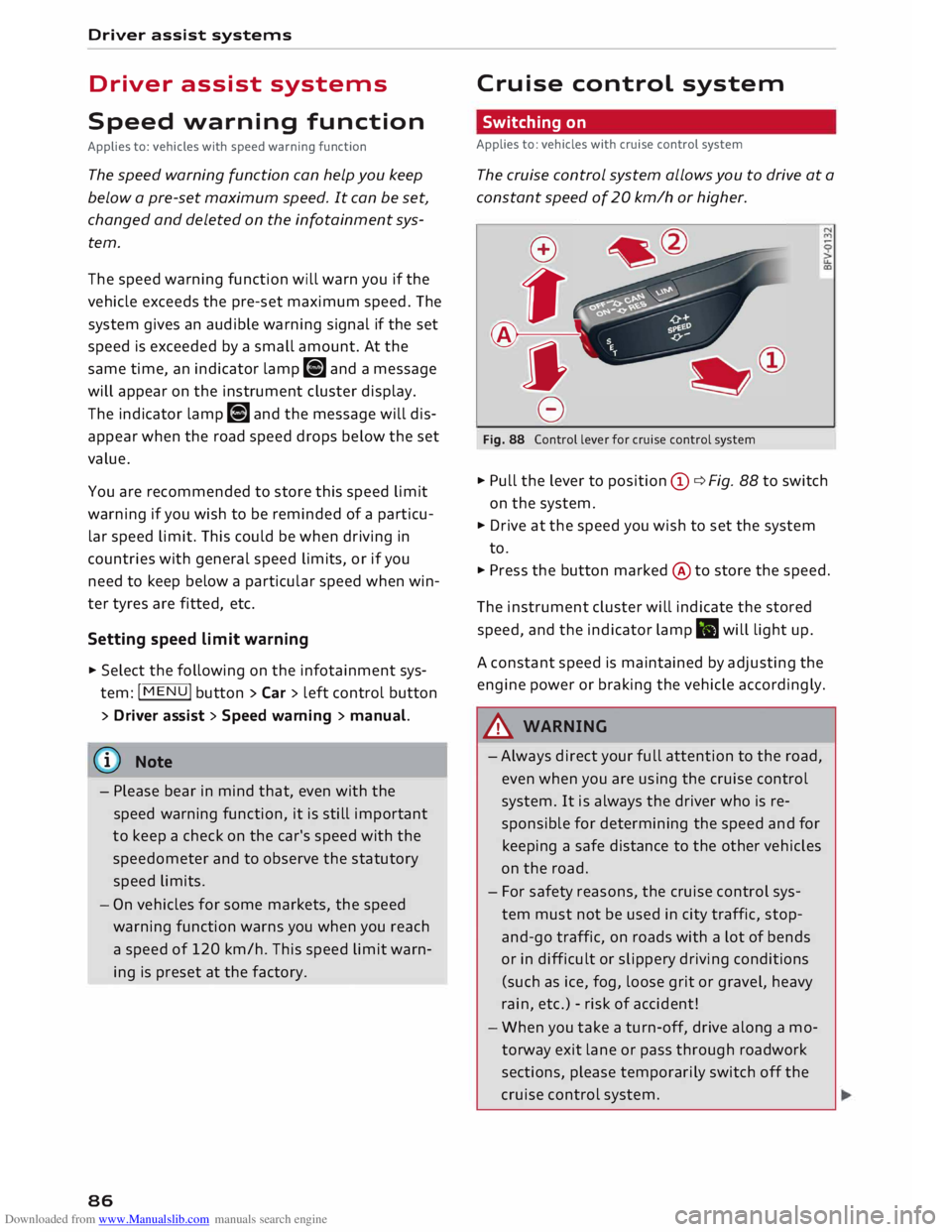
... Pull the lever to position (D ¢ Fig. 88 to switch
on the system.
... Drive at the speed you wish to set the system
to.
... Press the button marked @to store the speed.
The instrument cluster will indicate the stored
speed, and the indicator lamp .. will light up.
A constant speed is maintained by adjusting the
engine power or braking the vehicle accordingly.
A WARNING
- Always direct your full attention to the road,
even when you are using the cruise control
system. It is always the driver who is re
sponsible for determining the speed and for
keeping a safe distance to the other vehicles
on the road.
- For safety reasons, the cruise control sys
tem must not be used in city traffic, stop
and-go traffic, on roads with a lot of bends
or in difficult or slippery driving conditions
(such as ice, fog, loose grit or gravel, heavy
rain, etc.) -risk of accident!
- When you take a turn-off, drive along a mo
torway exit lane or pass through roadwork
sections, please temporarily switch off the
cruise control system.
Page 89 of 306
Downloaded from www.Manualslib.com manuals search engine -
Make sure you do not unintentionally rest
your foot on the accelerator -this will over
ride the cruise control system which, as a re
sult, will not brake the vehicle.
- The automatic braking function may be de
activated if a system fault occurs in the
brake system (e.g. if the brakes overheat)
while the cruise control system is activated.
All the other cruise control functions remain
activated as long as the indicator lamp.
is
lit.
@ Note
- Vehicles with manual gearbox: The set
speed cannot be reached if the currently se
lected gear is too high or too low or if the
engine would overrev or fail to run smoothly
at the target speed. Make sure to change up
or down a gear in good time.
- The brake lights come on when the system
brakes the vehicle.
Adjusting the speed
Applies to: vehicles with cruise control system
... To increase or reduce the cruising speed in
steps of 1 km/h, briefly push the lever one lev
el upwards or downwards towards
GY0
¢ page 86, Fig. 88 .
.., To increase or reduce the cruising speed in
steps of 10 km/h, briefly push the lever two
levels upwards or downwards towards
GY 0
¢ page 86, Fig. 88 .
.., To increase or reduce the speed gradually, hold
the Lever towards
GYO until
you reach the de
sired cruising speed.
Overriding the set speed
Applies to: vehicles with cruise control system
You can use the accelerator pedal to increase
speed in the normal way, for example to overtake
another vehicle. Once you release the accelera
tor, the system will revert to the speed you stor
ed initially.
� However,
if the vehicle exceeds the programmed
� speed
significantly for a long time, the cruise
::2 control
system will be deactivated temporarily.
Vl
CX) Driver
assist systems
The indicator lamp.
in the instrument cluster
will go out, but the programmed speed will re
main stored.
Pre-selecting a speed
Applies to: vehicles with cruise control system
You can pre-select a desired speed while the ve
hicle is stationary.
.., Switch on the ignition .
... Pull the Lever to position
(!)¢
page 86, Fig. 88.
... Press the Lever up towards 0 or down towards
0 in order to increase or reduce the cruising
speed setting.
This function allows you to enter the desired
cruise control setting speed ahead of time, for
example before joining a motorway. Once you are
on the motorway, you can activate the cruise con
trol system by pulling the Lever to position
(!).
Switching off
Applies to: vehicles with cruise control system
Switching off temporarily
... Press the brake pedal, or
.., Push the lever towards
@ (click
stop not en
gaged) ¢ page 86, Fig. 88.
Switching off completely
.., Push the Lever to position
@ (click
stop engag-
ed), or
.., Switch off the ignition.
The speed setting will remain stored after the
system is temporarily deactivated. To resume the
programmed cruising speed, release the clutch
or brake pedal and pull the lever to position
(!).
The stored speed will be deleted once the igni
tion is switched off.
.&, WARNING
Do not resume the programmed cruising
speed if this is too high for the traffic condi
tions -this can cause accidents.
87
Page 90 of 306

Downloaded from www.Manualslib.com manuals search engine Driver
assist systems
Speed Limiter
Description
Applies to: vehicles with speed Limiter
®
Fig. 89 Speed limiter: illustration
At speeds above approximately 30 km/h, the
speed limiter helps prevent the driver from ex
ceeding a set cut-off speed. The indicator lamp
Ill lights up as soon as you switch on the speed
limiter.
Speed limiter displays
@ -The speed limiter is in passive mode, but a
cut-off speed has not yet been set.
@- The speed limiter is in passive mode, and a
set cut-off speed has been stored.
@ -The speed limiter is activated. The indicator
lamp Ill flashes briefly when the speed limiter is
applied.
A WARNING
Always switch the speed limiter off after use
to prevent it from being activated uninten
tionally.
- Even when using the speed limiter, the driv
er maintains full responsibility for control
ling the vehicle's speed.
- Always direct your full attention to the road,
even when you are using the speed limiter.
It is always the driver who is responsible for
determining the speed and for keeping a
safe distance to the other vehicles on the
road.
- For safety reasons, the speed limiter must
not be used in adverse weather or difficult
driving conditions (such as ice, fog, loose
88 grit
or gravel, heavy rain, etc.) -risk of acci
dent!
- Only accelerate quickly or use the kick-down
feature when the visibility and weather con
ditions are suitable, and when the road and
traffic conditions allow you do do so safely.
CD CAUTION
Before driving down a long, steep gradient, it
is advisable to reduce speed and select a low
er gear. In this way you will make use of the
engine braking effect and relieve the load on
the brakes.
Switching on
Applies to: vehicles with speed limiter
0
f
� 0
Fig. 90 Control lever for cruise control system "'
N
u.
a,
.. Pull
the lever to position @¢ Fig. 90 to switch
on the system .
.. Press button @ to select the speed limiter. The
message Ill Speed limiter: selected will ap
pear on the instrument cluster.
.. Press button @to store the cut-off speed while
the car is moving.
The instrument cluster will indicate the stored
cut-off speed, and the indicator lamp Ill will
light up.
While the speed limiter is switched on, you can
switch to the cruise control system* ¢ page 86.
Press button
@.
The last cut-off speed set for the speed limiter
remains stored and can be applied again when
you switch back into speed limiter mode.
Page 91 of 306
Downloaded from www.Manualslib.com manuals search engine 0
N
,.....
N
....
0
,.....
Vl
CX) Changing
the cut-off speed
Applies to: vehicles with speed limiter
.,. To increase or reduce the cut-off speed in steps
of 1 km/h, briefly push the lever one level up
wards or downwards towards
G
Y 0
¢
page 88,
Fig. 90.
.,. To increase or reduce the cut-off speed in steps
of 10 km/h, briefly push the lever two levels
upwards or downwards towards
GJl
0 .
.,. To
increase or reduce the cut-off speed continu
ously, push the lever one or two levels upwards
or downwards towards G)/0 and hold the Lev
er until the desired speed is reached.
Overriding the cut-off speed
Applies to: vehicles with speed limiter
To override the speed limiter temporarily, press
the accelerator fully past the point of resistance
(kick-down feature).
Speed limiting is suspended temporarily. The in
dicator lamp Ill flashes while the system is deac
tivated; the cut-off speed setting will remain
stored. The system is reactivated automatically
as soon as your speed drops below the original
stored setting.
Switching off
Applies to: vehicles with speed limiter
Switching off temporarily
.,. Push
the lever towards @ (click stop not en
gaged) ¢ page 88, Fig. 90. The instrument
cluster will indicate the stored cut-off speed,
and the indicator Lamp mm will Light up.
Switching off completely
.,. Push the Lever to position @ (click stop engag-
ed), or
.,. Switch off the ignition.
The cut-off speed setting will remain stored after
the system is temporarily deactivated. To resume
the programmed cut-off speed, pull the lever to
position (!). The vehicle speed is limited to the
stored cut-off setting as soon as your current
driving speed drops below the stored cut-off
speed. Driver
assist systems
The stored cut-off speed will be deleted once the
ignition is switched off.
Automatic deactivation
mm Speed limiter: currently unavailable. See
owner's manual
The speed limiter has been automatically deacti
vated because the system has detected a fault
which could impair its function. Try switching on
the speed limiter again later .
& WARNING
The speed limiter may be deactivated if a
fault occurs in the brake system (e.g. if the
brakes overheat) while the speed limiter is ac
tivated.
{CD) Note
If a system fault requires the speed limiter to
switch off automatically, for safety reasons it
does not switch off completely until the driver
releases the accelerator pedal once or deacti
vates the system manually.
89
Page 92 of 306
Downloaded from www.Manualslib.com manuals search engine Driver
assist systems
Camera-based traffic
sign recognition
Description
Applies to: vehicles with camera-based traffic sign recogni
tion
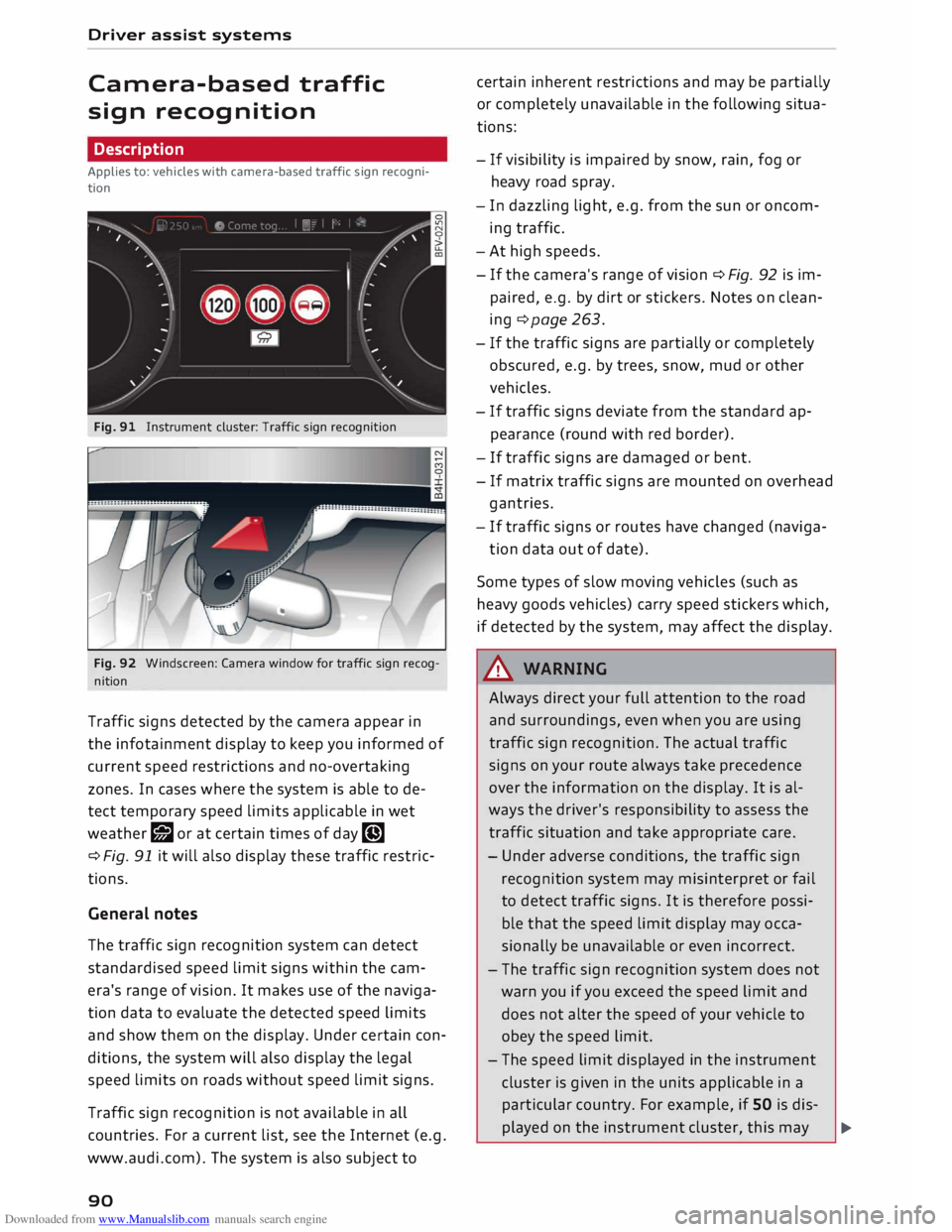
Fig. 91 Instrument cluster: Traffic sign recognition
Fig. 92 Windscreen: Camera window for traffic sign recog
nition
Traffic signs detected by the camera appear in
the infotainment display to keep you informed of
current speed restrictions and no-overtaking
zones. In cases where the system is able to de
tect temporary speed limits applicable in wet
weather r;J or at certain times of day �
¢ Fig. 91 it will also display these traffic restric
tions.
General notes
The traffic sign recognition system can detect
standardised speed limit signs within the cam
era's range of vision. It makes use of the naviga
tion data to evaluate the detected speed limits
and show them on the display. Under certain con
ditions, the system will also display the legal
speed limits on roads without speed limit signs.
Traffic sign recognition is not available in all
countries. For a current list, see the Internet (e.g.
www.audi.com). The system is also subject to
90 certain
inherent restrictions and may be partially
or completely unavailable in the following situa
tions:
- If visibility is impaired by snow, rain, fog or
heavy road spray.
- In dazzling light, e.g. from the sun or oncom
ing traffic.
- At high speeds.
- If the camera's range of vision ¢ Fig. 92 is im-
paired, e.g. by dirt or stickers. Notes on clean
ing ¢page 263.
- If the traffic signs are partially or completely
obscured, e.g. by trees, snow, mud or other
vehicles.
- If traffic signs deviate from the standard ap
pearance (round with red border).
- If traffic signs are damaged or bent.
- If matrix traffic signs are mounted on overhead
gantries.
- If traffic signs or routes have changed (naviga-
tion data out of date).
Some types of slow moving vehicles (such as
heavy goods vehicles) carry speed stickers which,
if detected by the system, may affect the display.
A WARNING
Always direct your full attention to the road
and surroundings, even when you are using
traffic sign recognition. The actual traffic
signs on your route always take precedence
over the information on the display. It is al
ways the driver's responsibility to assess the
traffic situation and take appropriate care.
- Under adverse conditions, the traffic sign
recognition system may misinterpret or fail
to detect traffic signs. It is therefore possi
ble that the speed limit display may occa
sionally be unavailable or even incorrect.
- The traffic sign recognition system does not
warn you if you exceed the speed limit and
does not alter the speed of your vehicle to
obey the speed limit.
- The speed limit displayed in the instrument
cluster is given in the units applicable in a
particular country. For example, if SO is dis-
played on the instrument cluster, this may �
Page 93 of 306
Downloaded from www.Manualslib.com manuals search engine 0
N
,.....
N
......
0
,.....
Vl
CX) signify
mph or km/h, depending on the
country.
Controls
Applies to: vehicles with camera-based traffic sign recogni
tion
�� ' 1(. � 1
-�� 0 8.9. :oo,m
--
1 ', ·11 l', ,'
;
...
'
/ �-
-
(@) �
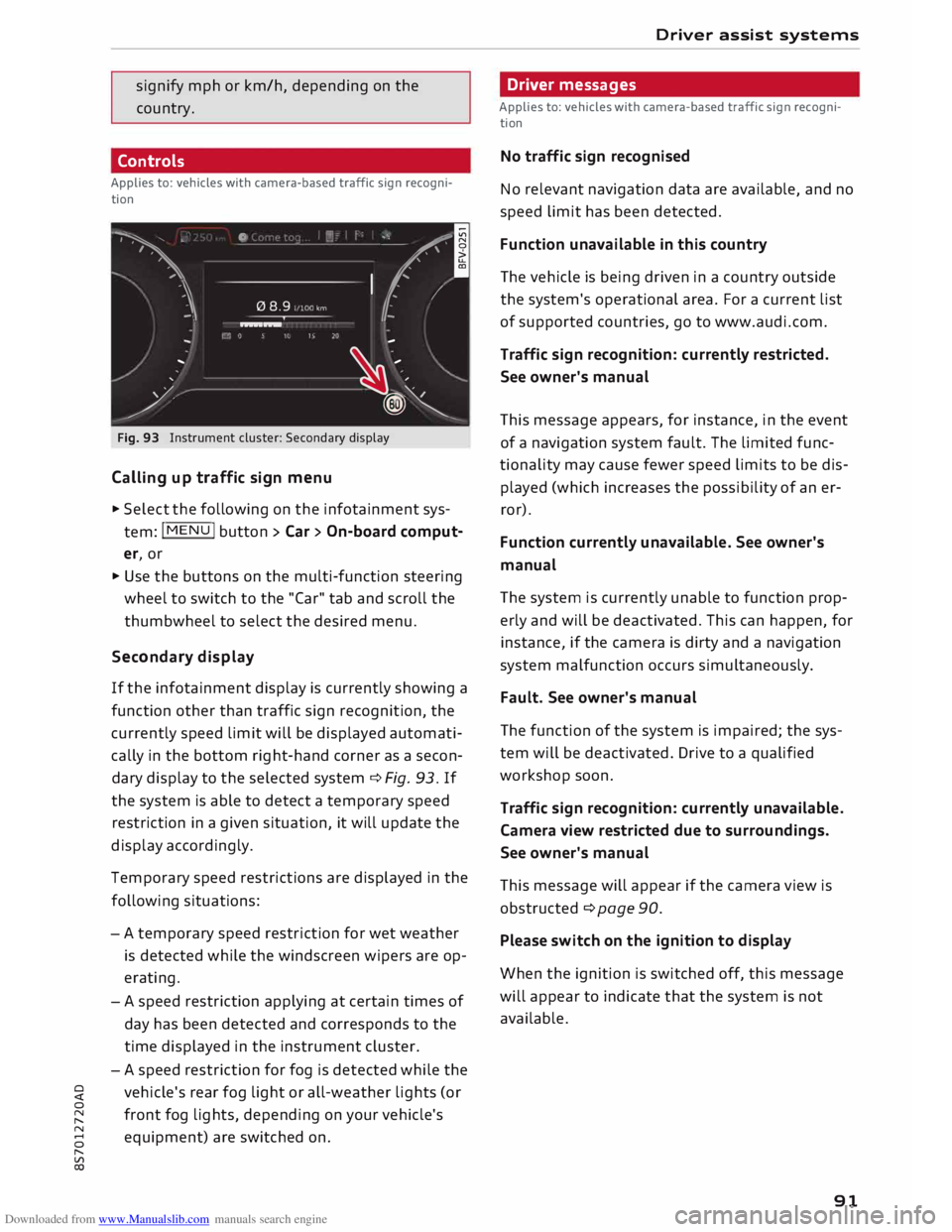
Fig. 93 Instrument cluster: Secondary display
Calling up traffic sign menu
.,. Select the following on the infotainment sys
tem: I MENU
I button > Car> On-board comput
er, or
.,. Use the buttons on the multi-function steering
wheel to switch to the "Car" tab and scroll the
thumbwheel to select the desired menu.
Secondary display
If the infotainment display is currently showing a
function other than traffic sign recognition, the
currently speed limit will be displayed automati
cally in the bottom right-hand corner as a secon
dary display to the selected system ¢ Fig. 93. If
the system is able to detect a temporary speed
restriction in a given situation, it will update the
display accordingly.
Temporary speed restrictions are displayed in the
following situations:
- A temporary speed restriction for wet weather
is detected while the windscreen wipers are op
erating.
- A speed restriction applying at certain times of
day has been detected and corresponds to the
time displayed in the instrument cluster.
- A speed restriction for fog is detected while the
vehicle's rear fog light or all-weather lights (or
front fog lights, depending on your vehicle's
equipment) are switched on . Driver
assist systems
Driver messages
Applies to: vehicles with camera-based traffic sign recogni
tion
No traffic sign recognised
No relevant navigation data are available, and no
speed limit has been detected.
Function unavailable in this country
The vehicle is being driven in a country outside
the system's operational area. For a current list
of supported countries, go to www.audi.com.
Traffic sign recognition: currently restricted.
See owner's manual
This message appears, for instance, in the event
of a navigation system fault. The limited func
tionality may cause fewer speed limits to be dis
played (which increases the possibility of an er
ror).
Function currently unavailable. See owner's
manual
The system is currently unable to function prop
erly and will be deactivated. This can happen, for
instance, if the camera is dirty and a navigation
system malfunction occurs simultaneously.
Fault. See owner's manual
The function of the system is impaired; the sys
tem will be deactivated. Drive to a qualified
workshop soon.
Traffic sign recognition: currently unavailable.
Camera view restricted due to surroundings.
See owner's manual
This message will appear if the camera view is
obstructed ¢ page 90.
Please switch on the ignition to display
When the ignition is switched off, this message
will appear to indicate that the system is not
available.
91
Page 94 of 306
Downloaded from www.Manualslib.com manuals search engine Driver
assist systems
Audi active Lane assist
(Lane departure warning
feature)
Description
Applies to: vehicles with Audi active lane assist
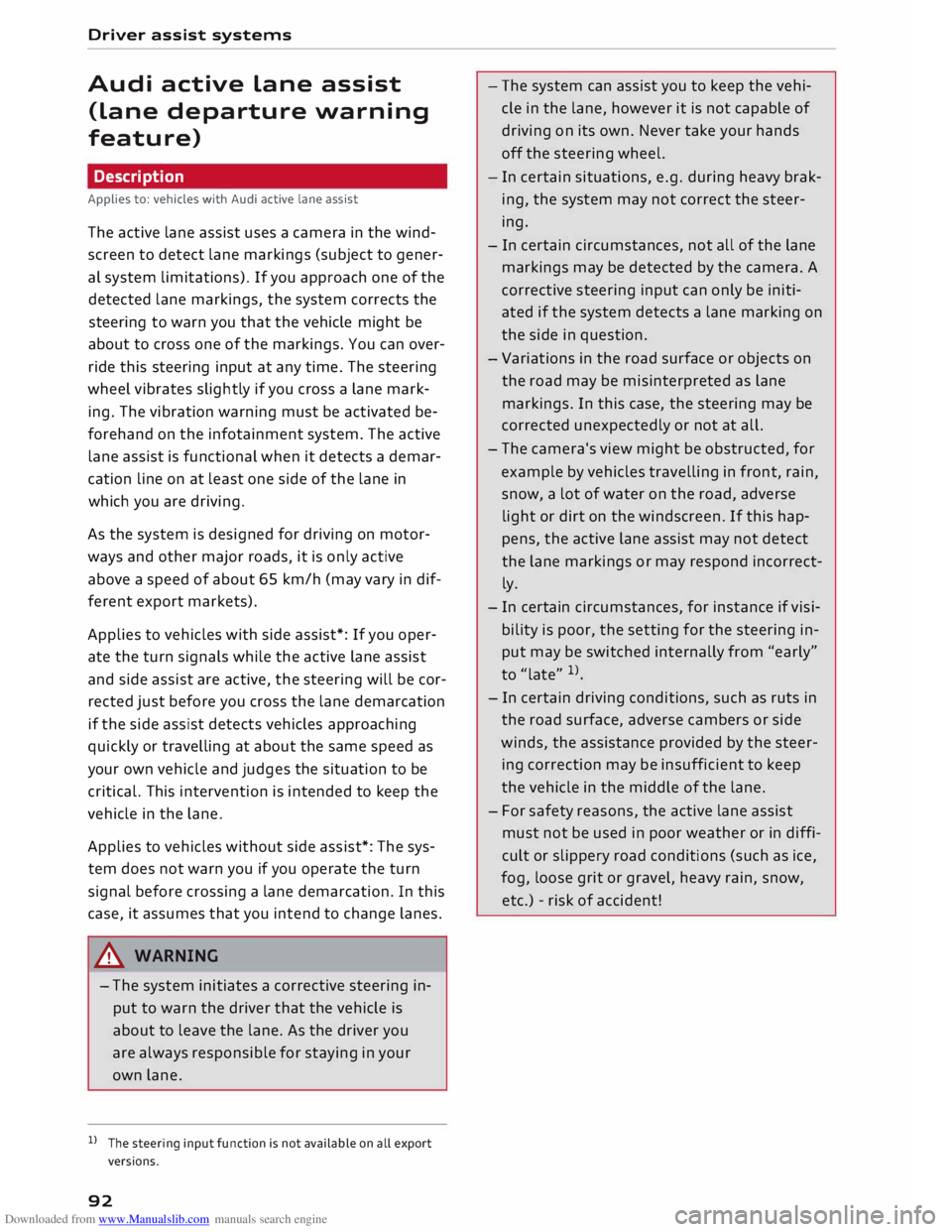
The active lane assist uses a camera in the wind
screen to detect lane markings (subject to gener
al system limitations). If you approach one of the
detected lane markings, the system corrects the
steering to warn you that the vehicle might be
about to cross one of the markings. You can over
ride this steering input at any time. The steering
wheel vibrates slightly if you cross a lane mark
ing. The vibration warning must be activated be
forehand on the infotainment system. The active
lane assist is functional when it detects a demar
cation line on at least one side of the lane in
which you are driving.
As the system is designed for driving on motor
ways and other major roads, it is only active
above a speed of about 65 km/h (may vary in dif
ferent export markets).
Applies to vehicles with side assist*: If you oper
ate the turn signals while the active lane assist
and side assist are active, the steering will be cor
rected just before you cross the lane demarcation
if the side assist detects vehicles approaching
quickly or travelling at about the same speed as
your own vehicle and judges the situation to be
critical. This intervention is intended to keep the
vehicle in the lane.
Applies to vehicles without side assist*: The sys
tem does not warn you if you operate the turn
signal before crossing a lane demarcation. In this
case, it assumes that you intend to change lanes.
A WARNING
- The system initiates a corrective steering in
put to warn the driver that the vehicle is
about to leave the lane. As the driver you
are always responsible for staying in your
own lane.
l l
The steering input function is not available on all export
versions.
92 -
The system can assist you to keep the vehi
cle in the lane, however it is not capable of
driving on its own. Never take your hands
off the steering wheel.
- In certain situations, e.g. during heavy brak
ing, the system may not correct the steer
ing.
- In certain circumstances, not all of the lane
markings may be detected by the camera. A
corrective steering input can only be initi
ated if the system detects a lane marking on
the side in question.
- Variations in the road surface or objects on
the road may be misinterpreted as lane
markings. In this case, the steering may be
corrected unexpectedly or not at all.
- The camera's view might be obstructed, for
example by vehicles travelling in front, rain,
snow, a lot of water on the road, adverse
light or dirt on the windscreen. If this hap
pens, the active lane assist may not detect
the lane markings or may respond incorrect
ly.
- In certain circumstances, for instance if visi
bility is poor, the setting for the steering in
put may be switched
internally
from "early"
to"late" l)_
- In certain driving conditions, such as ruts in
the road surface, adverse cambers or side
winds, the assistance provided by the steer
ing correction may be insufficient to keep
the vehicle in the middle of the lane.
- For safety reasons, the active lane assist
must not be used in poor weather or in diffi
cult or slippery road conditions (such as ice,
fog, loose grit or gravel, heavy rain, snow,
etc.) -risk of accident!
Page 95 of 306
Downloaded from www.Manualslib.com manuals search engine 0
N
,.....
N
....
0
,.....
Vl
CX) Switching
on/off
Applies to: vehicles with Audi active lane assist
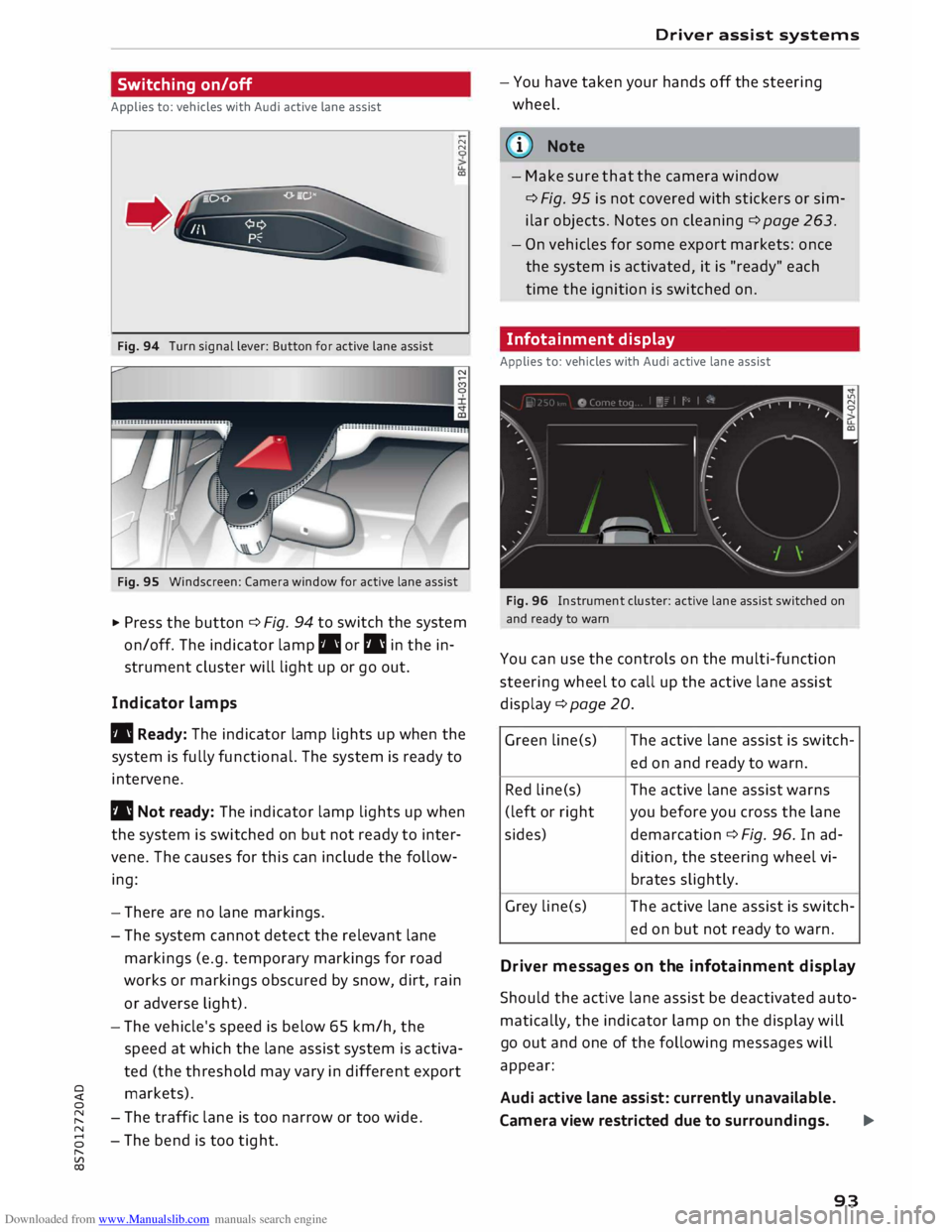
Fig. 94 Turn signal lever: Button for active lane assist N
N
u.
a,
Fig. 95 Windscreen: Camera window for active lane assist
� Press the button ¢ Fi
g.
94 to switch the system
on/off. The indicator lamp. or I'll in the in
strument cluster will light up or go out.
Indicator lamps
• Ready: The indicator lamp lights up when the
system is fully functional. The system is ready to
intervene.
I'll Not ready: The indicator lamp lights up when
the system is switched on but not ready to inter
vene. The causes for this can include the follow
ing:
- There are no lane markings.
- The system cannot detect the relevant lane
markings (e.g. temporary markings for road
works or markings obscured by snow, dirt, rain
or adverse light).
- The vehicle's speed is below 65 km/h, the
speed at which the lane assist system is activa
ted (the threshold may vary in different export
markets).
- The traffic lane is too narrow or too wide.
- The bend is too tight. Driver
assist systems
- You have taken your hands off the steering
wheel.
ij)) Note
- Make sure that the camera window
¢ Fi
g.
95 is not covered with stickers or sim
ilar objects. Notes on cleaning¢ page 263.
- On vehicles for some export markets: once
the system is activated, it is "ready" each
time the ignition is switched on.
Infotainment display
Applies to: vehicles with Audi active lane assist
Fig. 96 Instrument cluster: active lane assist switched on
and ready to warn
You can use the controls on the multi-function
steering wheel to call up the active lane assist
display ¢page 20 .
Green line(s) The
active lane assist is switch-
ed on and ready to warn.
Red line(s) The active lane assist warns
(left or rig ht you before you cross the lane
sides) demarcation ¢ Fi
g.
96. In ad-
dition, the steering wheel vi-
brates slightly.
Grey line(s) The active lane assist is switch-
ed on but not ready to warn.
Driv er messages on the infotainment display
Should the active lane assist be deactivated auto
matically, the indicator lamp on the display will
go out and one of the following messages will
appear:
Audi active lane assist: currently unavailable.
Camera view restricted due to surroundings. ...,
93
Page 99 of 306
Downloaded from www.Manualslib.com manuals search engine 0
N
,.....
N
......
0
,.....
Vl
CX) G
meter
The G meter shows the Lateral and Longitudinal
forces generated. The maximum values meas
ured are stored and displayed when the vehicle is
stationary.
� To reset the stored values, select the following
on the multi-function steering wheel: right con
trol button > Reset values.
Engine data
The engine data display shows the current power
and torque Levels.
Tyre pressure display
The tyre pressure display shows the current infla
tion pressures and temperature. Also refer to
¢ page 260, Tyre pressure monitoring system.
Audi side assist (Lane
change assist feature)
Description
Applies to: vehicles with Audi side assist
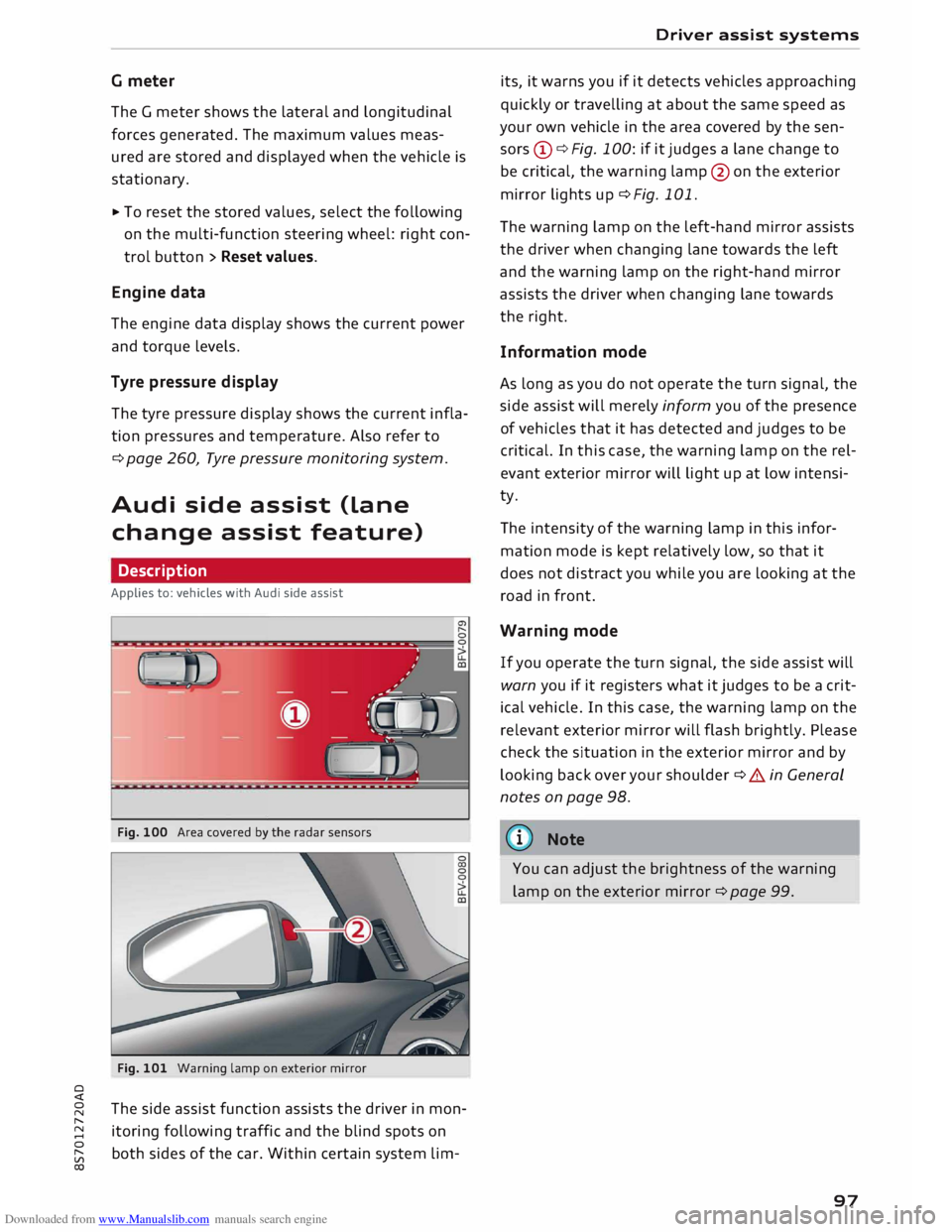
Fig. 100 Area covered by the radar sensors
Fig. 101 Warning lamp on exterior mirror
The side assist function assists the driver in mon
itoring following traffic and the blind spots on
both sides of the car. Within certain system Lim- Driver
assist systems
its, it warns you if it detects vehicles approaching
quickly or travelling at about the same speed as
your own vehicle in the area covered by the sen
sors (!)¢ Fig. 100: if it judges a Lane change to
be critical, the warning Lamp@on the exterior
mirror Lights up¢ Fig. 101.
The warning Lamp on the Left-hand mirror assists
the driver when changing Lane towards the Left
and the warning Lamp on the right-hand mirror
assists the driver when changing Lane towards
the right.
Information mode
As Long as you do not operate the turn signal, the
side assist will merely inform you of the presence
of vehicles that it has detected and judges to be
critical. In this case, the warning Lamp on the rel
evant exterior mirror will Light up at Low intensi
ty.
The intensity of the warning Lamp in this infor
mation mode is kept relatively Low, so that it
does not distract you while you are Looking at the
road in front.
Warning mode
If you operate the turn signal, the side assist will
warn you if it registers what it judges to be a crit
ical vehicle. In this case, the warning Lamp on the
relevant exterior mirror will flash brightly. Please
check the situation in the exterior mirror and by
Looking back over your shoulder¢ A in General
notes on page 98.
((1)) Note
You can adjust the brightness of the warning
Lamp on the exterior mirror¢ page 99.
97