battery AUDI TT ROADSTER 2016 Owners Manual
[x] Cancel search | Manufacturer: AUDI, Model Year: 2016, Model line: TT ROADSTER, Model: AUDI TT ROADSTER 2016Pages: 306, PDF Size: 31.82 MB
Page 6 of 306
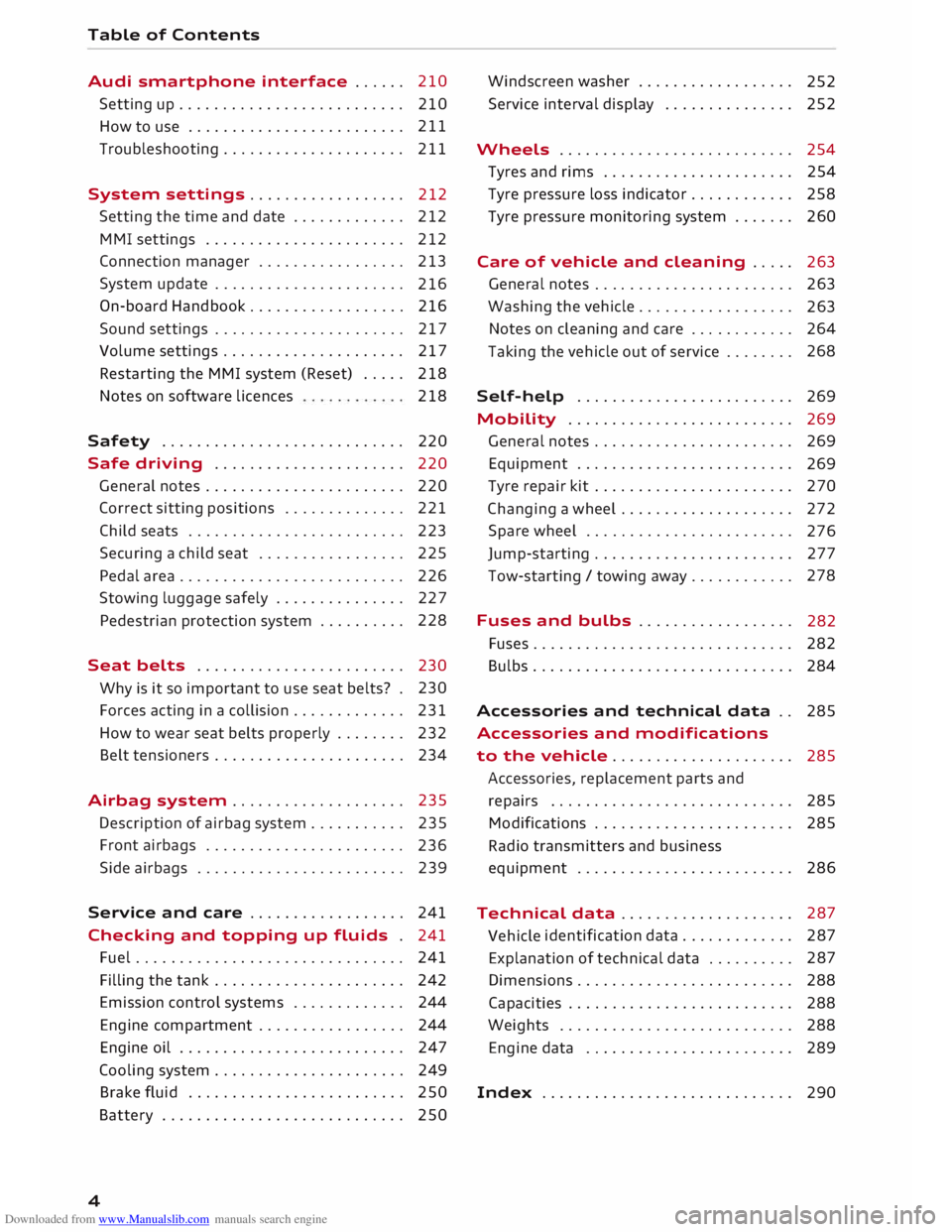
Downloaded from www.Manualslib.com manuals search engine Table
of Contents
Audi smartphone interface . . . . . . 210
Setting up.......................... 210
How to use . . . . . . . . . . . . . . . . . . . . . . . . . 211
Troubleshooting..................... 211
System settings .................. 212
Setting the time and date . . . . . . . . . . . . .
212
MMI settings . . . . . . . . . . . . . . . . . . . . . . .
212
Connection manager . . . . . . . . . . . . . . . . .
213
System update . . . . . . . . . . . . . . . . . . . . . .
216
On-board Handbook.................. 216
Sound settings . . . . . . . . . . . . . . . . . . . . . .
217
Volume settings ..................... 217
Restarting the MMI system (Reset) . . . . . 218
Notes on software licences 218
Safety ............................ 220
Safe driving . . . . . . . . . . . . . . . . . . . . . . 220
General notes . . . . . . . . . . . . . . . . . . . . . . .
220
Correct sitting positions . . . . . . . . . . . . . . 221
Child seats . . . . . . . . . . . . . . . . . . . . . . . . .
223
Securing a child seat . . . . . . . . . . . . . . . . .
225
Pedal area . . . . . . . . . . . . . . . . . . . . . . . . . . 226
Stowing luggage safely . . . . . . . . . . . . . . .
227
Pedestrian protection system . . . . . . . . . . 228
Seat belts . . . . . . . . . . . . . . . . . . . . . . . .
230
Why is it so important to use seat belts? . 230
Forces acting in a collision . . . . . . . . . . . . .
231
How to wear seat belts properly . . . . . . . .
232
Belt tensioners . . . . . . . . . . . . . . . . . . . . . .
234
Airbag system . . . . . . . . . . . . . . . . . . . . 235
Description of airbag system . . . . . . . . . . .
235
Front airbags . . . . . . . . . . . . . . . . . . . . . . .
236
Side airbags . . . . . . . . . . . . . . . . . . . . . . . .
239
Service and care . . . . . . . . . . . . . . . . . . 241
Checking and topping up fluids . 241
Fuel . . . . . . . . . . . . . . . . . . . . . . . . . . . . . . . 241
Filling the tank . . . . . . . . . . . . . . . . . . . . . . 242
Emission control systems . . . . . . . . . . . . . 244
Engine compartment . . . . . . . . . . . . . . . . . 244
Engine oil . . . . . . . . . . . . . . . . . . . . . . . . . .
247
Cooling system . . . . . . . . . . . . . . . . . . . . . .
249
Brake fluid . . . . . . . . . . . . . . . . . . . . . . . . .
250
Battery . . . . . . . . . . . . . . . . . . . . . . . . . . . .
250
4 Windscreen
washer . . . . . . . . . . . . . . . . . .
252
Service interval display . . . . . . . . . . . . . . .
252
Wheels ........................... 254
Tyres and rims . . . . . . . . . . . . . . . . . . . . . .
254
Tyre pressure loss indicator . . . . . . . . . . . . 258
Tyre pressure monitoring system . . . . . . .
260
Care of vehicle and cleaning . . . . .
263
General notes . . . . . . . . . . . . . . . . . . . . . . .
263
Washing the vehicle . . . . . . . . . . . . . . . . . .
263
Notes on cleaning and care . . . . . . . . . . . . 264
Taking the vehicle out of service . . . . . . . . 268
Self-help . . . . . . . . . . . . . . . . . . . . . . . . .
269
Mobility . . . . . . . . . . . . . . . . . . . . . . . . . . 269
General notes . . . . . . . . . . . . . . . . . . . . . . .
269
Equipment . . . . . . . . . . . . . . . . . . . . . . . . .
269
Tyre repair kit . . . . . . . . . . . . . . . . . . . . . . .
270
Changing a wheel . . . . . . . . . . . . . . . . . . . .
272
Spare wheel . . . . . . . . . . . . . . . . . . . . . . . .
276
Jump-starting . . . . . . . . . . . . . . . . . . . . . . .
277
Tow-starting / towing away. . . . . . . . . . . . 278
Fuses and bulbs . . . . . . . . . . . . . . . . . .
282
Fuses.............................. 282
Bulbs.............................. 284
Accessories and technical data . . 285
Accessories and modifications
to the vehicle . . . . . . . . . . . . . . . . . . . . . 285
Accessories, replacement parts and
repairs . . . . . . . . . . . . . . . . . . . . . . . . . . . . 285
Modifications . . . . . . . . . . . . . . . . . . . . . . . 285
Radio transmitters and business
equipment . . . . . . . . . . . . . . . . . . . . . . . . . 286
Technical data . . . . . . . . . . . . . . . . . . . . 287
Vehicle identification
data . . . . . . . . . . . . . 287
Explanation of technical data . . . . . . . . . . 287
Dimensions . . . . . . . . . . . . . . . . . . . . . . . . . 288
Capacities . . . . . . . . . . . . . . . . . . . . . . . . . . 288
Weights . . . . . . . . . . . . . . . . . . . . . . . . . . .
288
Engine data . . . . . . . . . . . . . . . . . . . . . . . .
289
Index ............................. 290
Page 8 of 306
Downloaded from www.Manualslib.com manuals search engine FAQs
FAQs
Before you set off
- How do I adjust the seats? ¢ page 54.
- How do I adjust the steering wheel?
¢page 68.
- How does the selector lever for the automatic
gearbox work? ¢ page 77.
- How does the electro-mechanical parking brake
work? ¢page 74.
- How do I adjust the exterior mirrors?
¢page 48.
- How do I refuel my vehicle? ¢ page 242.
- How do
I operate
the windscreen wipers on
vehicles with rain sensor? ¢ page 50.
- Where is the windscreen washer container?
¢page 246.
- How can I store the tyre pressures?
¢page 259 or ¢page 261.
Breakdowns and
emergencies
- How do I jump-start the vehicle? ¢page 277.
- Where can I find the warning triangle?
¢page 269.
- Where can I find the first-aid kit? ¢ page 269.
- Where can I find the recommended tyre pres-
sures? ¢ page 256.
- Which airbags are installed in my vehicle?
¢page 235.
- Where are the towline anchorages on the vehi
cle? ¢page 278.
- How can I release the tank flap manually?
¢page 244.
Useful functions
- How can I use the parking aid?¢ page 103.
- How do I operate the main beam assist for the
headlights? ¢ page 46.
- How can I drive off more easily? ¢ page 76,
Driving off with the hold assist.
- How can I stay in my lane more easily?
6 ¢
page 92, Audi active lane assist (lane de
parture warning feature). -
How can I check the blind spot more easily
when changing lanes? ¢page 97, Audi side
assist (lane change assist feature).
- How can I adjust the brightness of the instru
ment and display lighting? ¢ page 48.
- How can I change the vehicle set-up in different
driving situations depending on my personal
mood and driving style? ¢page 100, Audi
drive select (vehicle set-up functions).
Using the infotainment
system
- How do I switch on the infotainment system
and adjust the volume? ¢ page 121.
- How do
I navigate
through the infotainment
menus? ¢ page 122, How to use the MMI.
- How can I enter letters and numbers by hand
writing? ¢ page 124, MMI touch.
- How do I use the search function on the info
tainment system?¢ page 129, Search func
tion.
- How do I operate the infotainment system by
voice? ¢ page 133.
- Which functions can I control using the buttons
on the steering wheel?¢ page 21, Multi
function steering wheel plus.
- How do I set the date and time? ¢ page 212.
Communication
- How can I connect my mobile phone to the
handsfree telephone system? ¢ page 142.
- How can I charge my mobile phone battery
without a cable? ¢ page 146, Using the Audi
phone box.
- How can I control certain apps on my smart
phone via the infotainment system?
¢ page 210, Audi smartphone interface.
- How can I call up information online?
¢ page 159, Audi connect.
- How can I use the Wi-Fi hotspot?¢ page 165.
Navigation
- What ways are there to enter a navigation des-
tination? ¢ page 170.
�
Page 14 of 306
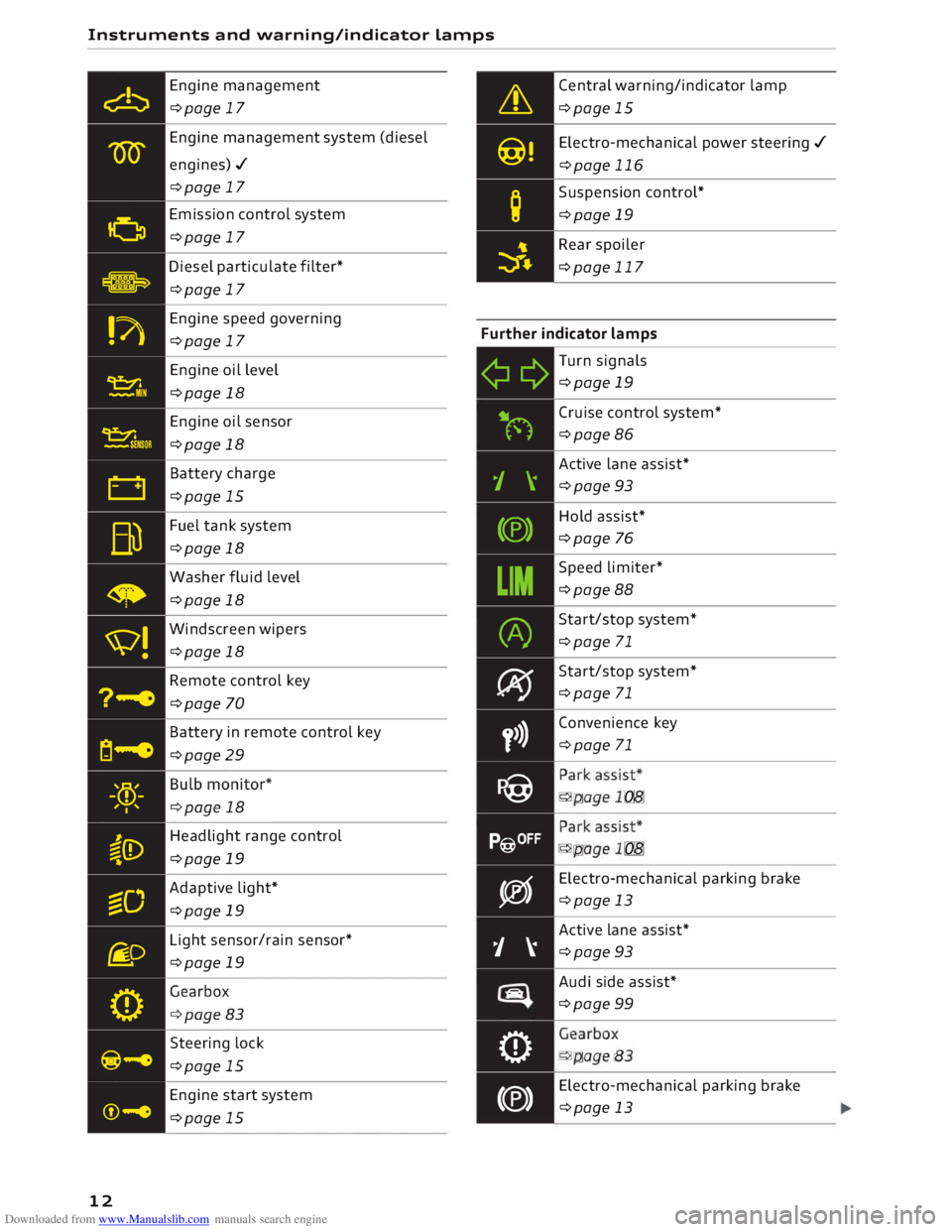
Downloaded from www.Manualslib.com manuals search engine Instruments
and warning/indicator Lamps
Engine management
¢page 17
Engine management system (diesel
engines)./ ¢page 17
Emission control system
¢page 17
Diesel particulate filter*
¢page 17 Central
warning/indicator lamp
¢page 15
Electro -mechanical power steering ./
¢page 116
Suspension control*
¢page 19
Rear spoiler
¢page 117
Engine speed governing
¢page 17 Further
indicator lamps
12 Engine
oil level
¢page 18
Engine oil sensor
¢page 18
Battery charge
¢page 15
Fuel tank system
¢page 18
Washer fluid level
¢page 18
Windscreen wipers
¢page 18
Remote control key
¢page 70
Battery in remote control key
¢page 29
Headlight range control
¢page 19
Adaptive light*
¢page 19
Light sensor/rain sensor*
¢page 19
Steering lock
¢page 15
Engine start system
¢page 15 ¢¢
iljN
1 \
(®)
LIM (A)
� y>)}
P@
P@OFF
�
j �
tiiiq
0
(®) Turn
signals
¢page 19
Cruise control system*
¢page 86
Active lane assist*
¢page 93
Hold assist*
¢page 76
Speed limiter*
¢page 88
Start/stop system*
¢page 71
Start/stop system*
¢page 71
Convenience key
¢page 71
•
... ,,,. ,:
•
... ,,,. ,:
Electro -mechanical parking brake
¢page 13
Active lane assist*
¢page 93
Audi side assist*
¢page 99
. . . .
.
- '... .
Electro -mechanical parking brake
¢page 13
Page 17 of 306
Downloaded from www.Manualslib.com manuals search engine 0
N
,.....
N
......
0
,.....
Vl
CX) Instruments
and warning/indicator lamps
(D) Note
The oil pressure warning lamp is not an indi
cator for the oil level. The oil level should
therefore be checked regularly.
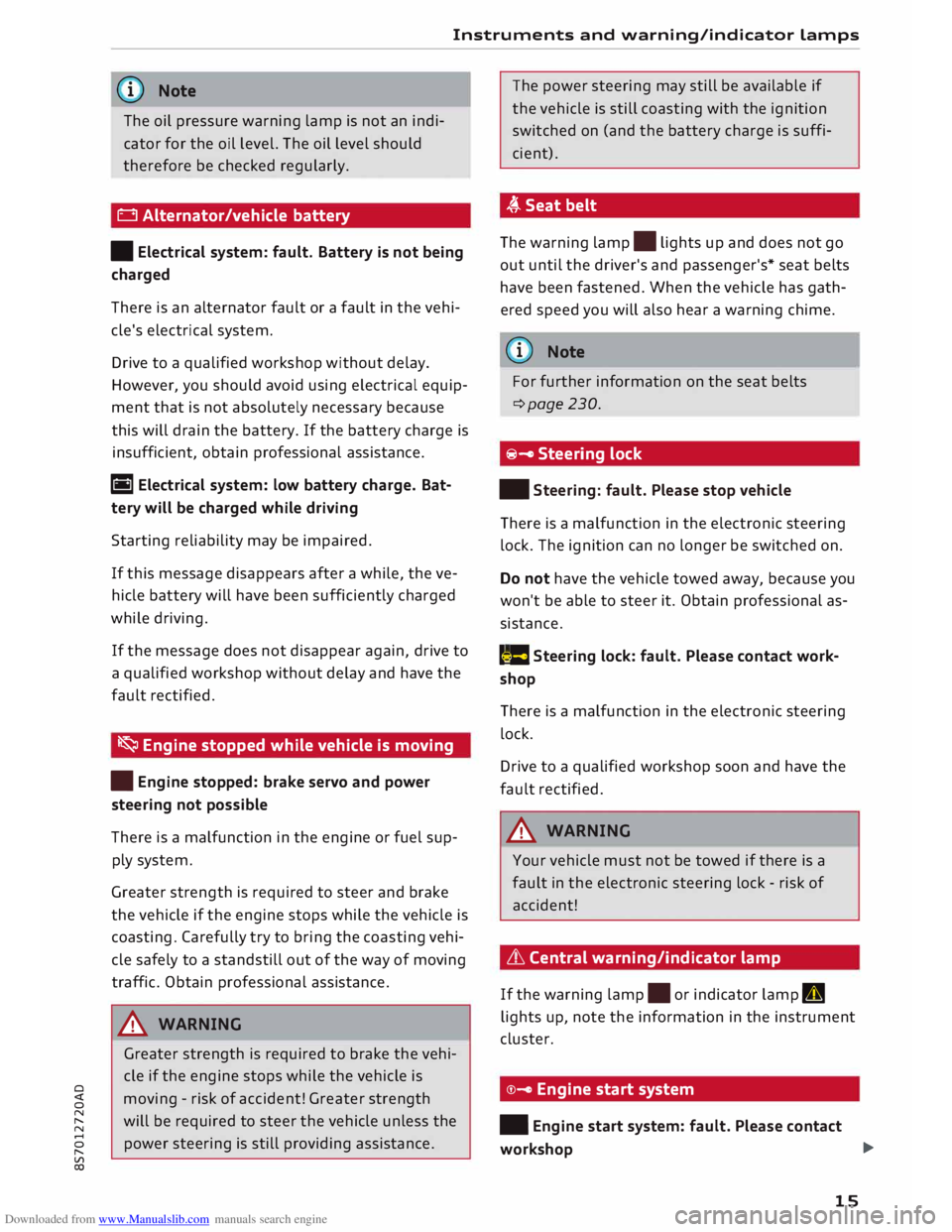
0 Alternator/vehicle battery
• Electrical system: fault. Battery is not being
charged
There is an alternator fault or a fault in the vehi
cle's electrical system.
Drive to a qualified workshop without delay.
However, you should avoid using electrical equip
ment that is not absolutely necessary because
this will drain the battery. If the battery charge is
insufficient, obtain professional assistance.
ri1 Electrical system: low battery charge. Bat
tery will be charged while driving
Starting reliability may be impaired.
If this message disappears after a while, the ve
hicle battery will have been sufficiently charged
while driving.
If the message does not disappear again, drive to
a qualified workshop without delay and have the
fault rectified.
� Engine stopped while vehicle is moving
• Engine stopped: brake servo and power
steering not possible
There is a malfunction in the engine or fuel sup
ply system.
Greater strength is required to steer and brake
the vehicle if the engine stops while the vehicle is
coasting. Carefully try to bring the coasting vehi
cle safely to a standstill out of the way of moving
traffic. Obtain professional assistance.
_& WARNING
Greater strength is required to brake the vehi
cle if the engine stops while the vehicle is
moving -risk of accident! Greater strength
will be required to steer the vehicle unless the
power steering is still providing assistance. The
power steering may still be available if
the vehicle is still coasting with the ignition
switched on (and the battery charge is suffi
cient).
,(,.Seatbelt
The warning lamp.
lights up and does not go
out until the driver's and passenger's* seat belts
have been fastened. When the vehicle has gath
ered speed you will also hear a warning chime.
(Q)) Note
For further information on the seat belts
¢page 230.
@- Steering lock
• Steering: fault. Please stop vehicle
There is a malfunction in the electronic steering
lock. The ignition can no longer be switched on.
Do not have the vehicle towed away, because you
won't be able to steer it. Obtain professional as
sistance.
(::$ Steering
lock: fault. Please contact work
shop
There is a malfunction in the electronic steering
lock.
Drive to a qualified workshop soon and have the
fault rectified.
_& WARNING
Your vehicle must not be towed if there is a
fault in the electronic steering lock -risk of
accident!
& Central warning/indicator lamp
If the warning lamp.
or indicator lamp II
lights up, note the information in the instrument
cluster.
©- Engine start system
• Engine start system: fault. Please contact
workshop ..,.
15
Page 27 of 306
Downloaded from www.Manualslib.com manuals search engine 0
N
,.....
N
....
0
,.....
Vl
CX) Trip
recorder/odometer
The trip recorder shows the distance that has
been travelled since it was last reset. It is used to
measure individual journeys.
The trip recorder can be reset to zero by pressing
the reset button lo.al ¢Fig. 12.
The odometer records the vehicle's total mileage.
Fault display
If there is a fault in the instruments, the letters
DEF appear in the trip recorder display. Have the
fault rectified as soon as possible.
On-board computer
You can call up the following information se
quentially on the on-board computer ¢ page 20,
Fig. 4@ :
-Time & date ¢page 212
-Average consumption
- Fuel range
- Single journey memory summary
- Total journey memory summary
The single journey memory processes the infor
mation on a journey from the time the ignition is
Sport view Driver
information system
switched on until it is switched off. If the journey
is resumed within two hours after the ignition is
switched off, the new figures are automatically
included in the calculation.
Unlike the single journey memory, the total jour
ney memory is not erased automatically. In this
way, you can determine the period for which you
wish the on-board computer to supply driving in
formation.
Fuel consumption
The current fuel consumption can be shown in a
bar display. The average fuel consumption from
the single journey memory can also be displayed.
If the bar turns green, your vehicle is saving fuel
using one of the following functions:
- Recuperation: Electrical energy can be stored in
the vehicle battery (recuperation) if the vehicle
is travelling downhill or coasting in gear (over
run). In this case, the bar will move towards the
t:::3 symbol.
- Coasting mode* ¢ page 82.
@ Note
The date, time and display format can be
changed via the infotainment system.
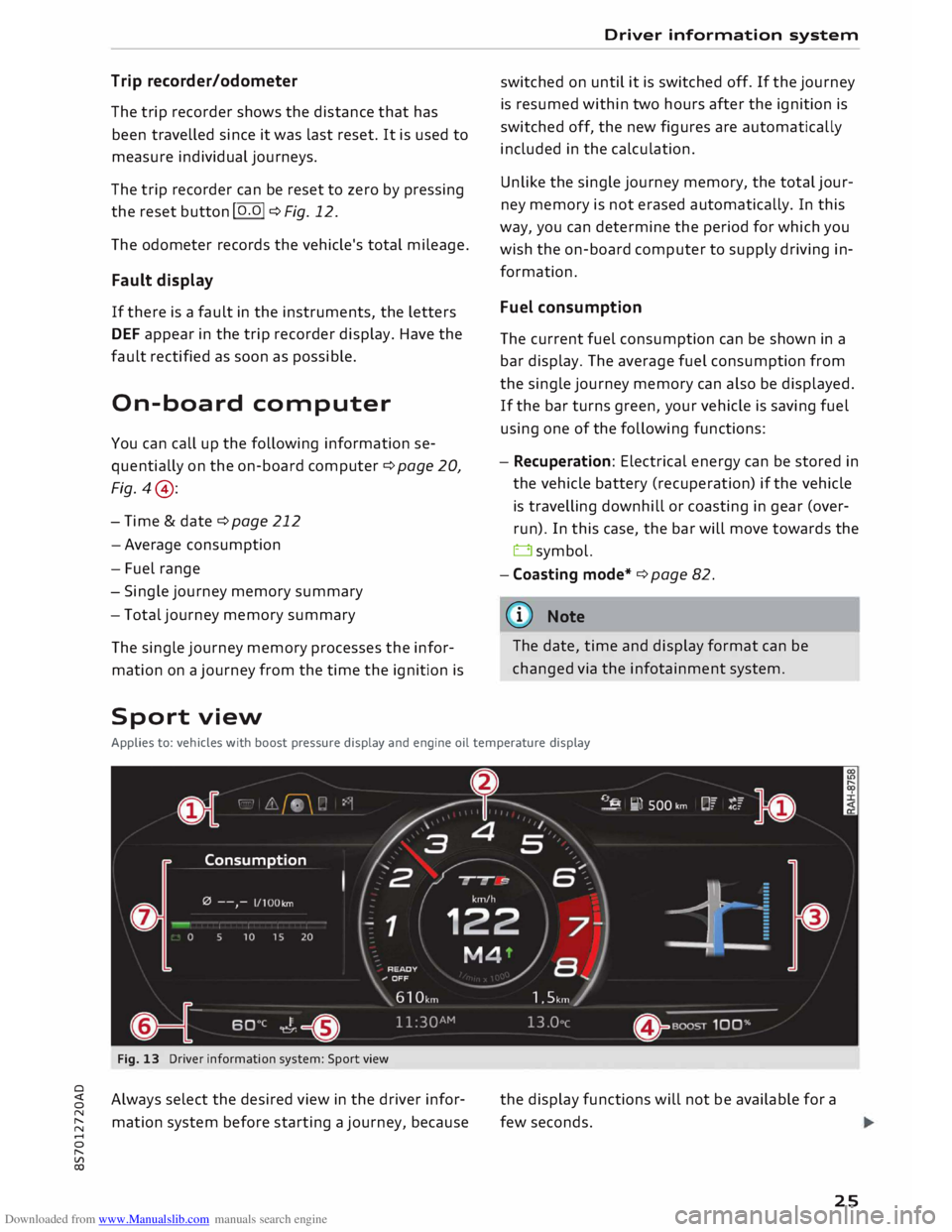
Applies to: vehicles with boost pressure display and engine oil temperature display
Fig. 13 Driver information system: Sport view
Always select the desired view in the driver infor
mation system before starting a journey, because the
display functions will not be available for a
few seconds.
25
Page 31 of 306
Downloaded from www.Manualslib.com manuals search engine LED
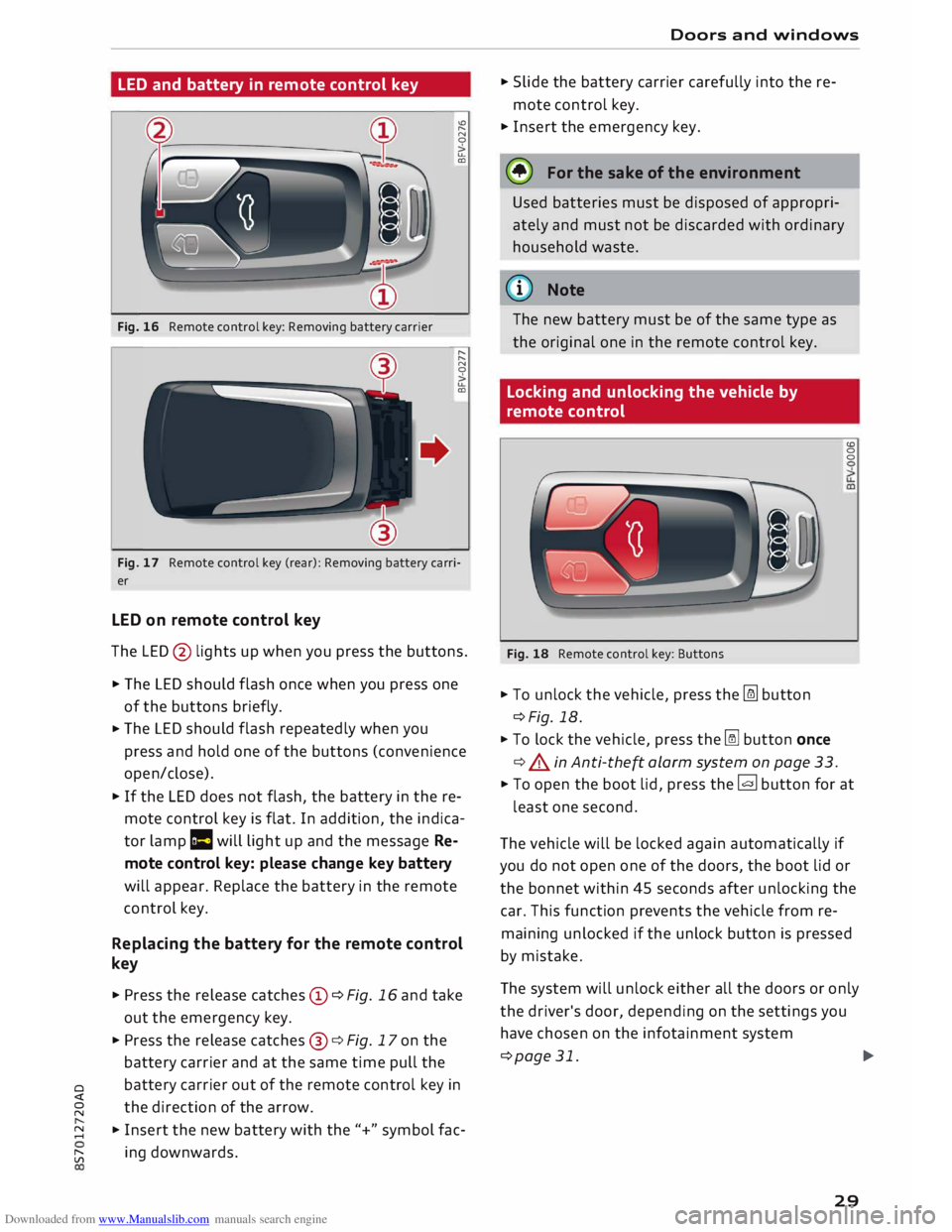
and battery in remote control key
Fig. 16 Remote control key: Removing battery carrier "'
"
N
0
>
u..
CD
"
"
N
0
>
u..
CD
Fig. 17 Remote control key (rear): Removing battery carri
er
LED on remote control key
The LED @ lights up when you press the buttons.
� The LED should flash once when you press one
of the buttons briefly.
� The
LED should flash repeatedly when you
press and hold one of the buttons (convenience
open/close).
� If
the LED does not flash, the battery in the re
mote control key is flat. In addition, the indica
tor lamp la will light up and the message Re
mote control key: please change key battery
will appear. Replace the battery in the remote
control key.
Replacing the battery for the remote control
key
� Press the release catches© ¢Fig. 16 and take
out the emergency key.
� Press the release catches@¢ Fig. 17 on the
battery carrier and at the same time pull the
o battery
carrier out of the remote control key in
direction of the arrow.
� �
Insert the new battery with the"+" symbol fac-
[;:j ing
downwards. Doors
and windows
� Slide the battery carrier carefully into the re
mote control key.
� Insert the emergency key.
@ For the sake of the environment
Used batteries must be disposed of appropri
ately and must not be discarded with ordinary
household waste.
@ Note
The new battery must be of the same type as
the original one in the remote control key.
Locking and unlocking the vehicle by
remote control
Fig. 18 Remote control key: Buttons
� To unlock the vehicle, press the [m button
¢Fig. 18.
� To lock the vehicle, press the� button once
¢ .&. in Anti-the� alarm system on page 33. (0
0
0
� To open the boot lid, press the� button for at
least one second.
The vehicle will be locked again automatically if
you do not open one of the doors, the boot lid or
the bonnet within 45 seconds after unlocking the
car. This function prevents the vehicle from re
maining unlocked if the unlock button is pressed
by mistake.
The system will unlock either all the doors or only
the driver's door, depending on the settings you
have chosen on the infotainment system
¢page 31.
.,..
29
Page 32 of 306
Downloaded from www.Manualslib.com manuals search engine Doors
and windows
_& WARNING
On vehicles with an anti-theft alarm system*,
do not leave anyone (especially children) in
the car if it is locked from the outside and the
safelock mechanism* is activated: the doors
and windows cannot then be opened from the
inside ¢ page 32. Locked doors could delay
assistance in an emergency, potentially put
ting lives at risk.
Note
- Do not use the remote control key when the
vehicle is out of sight.
- On vehicles with the convenience key* the
selector lever must be in P, otherwise it will
not be possible to lock the vehicle.
Locking and unlocking the vehicle with the
convenience key
Applies to: vehicles with convenience key
The doors and the boot lid can be locked and un
locked without handling the remote control key.
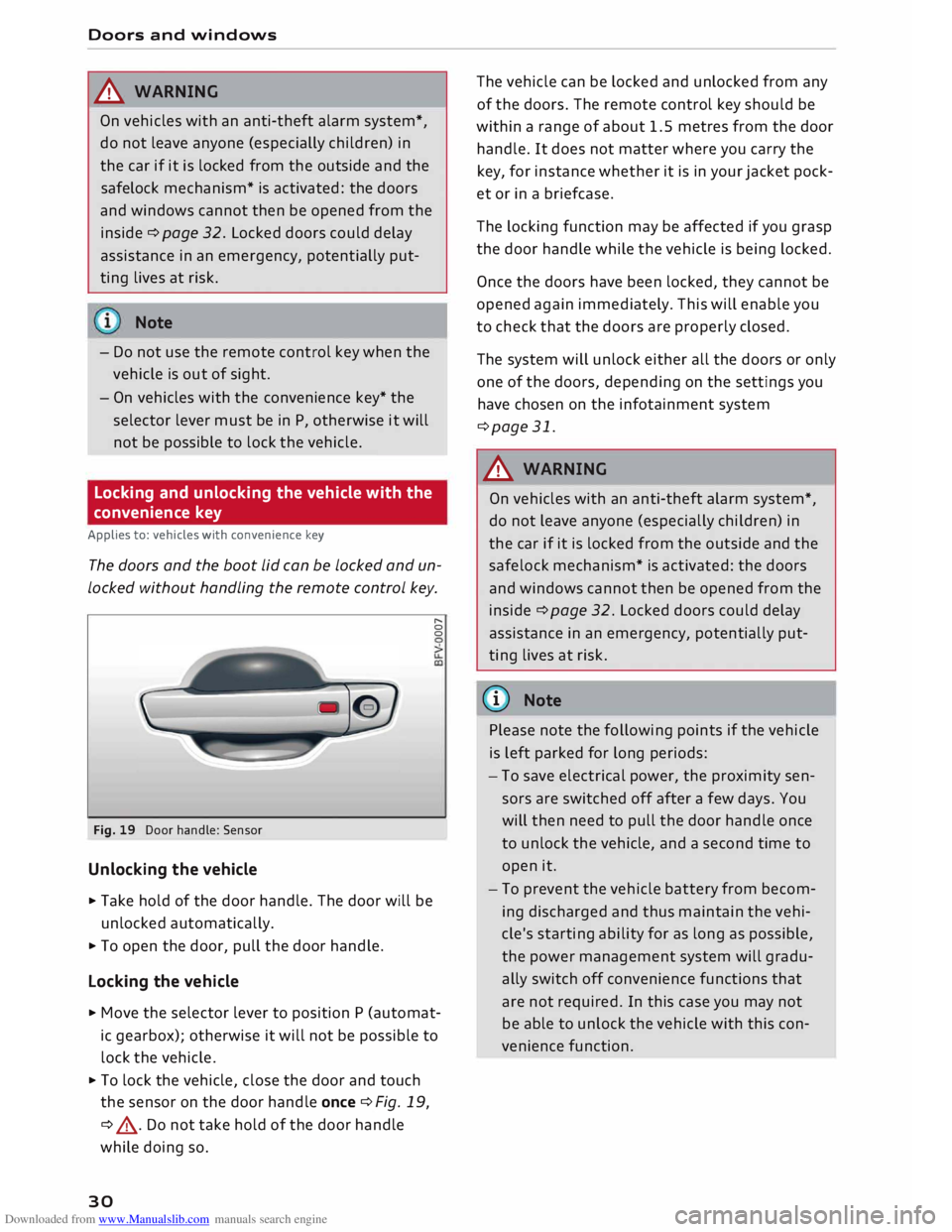
Fig. 19 Door handle: Sensor
Unlocking the vehicle
... Take hold of the door handle. The door will be
unlocked automatically.
... To open the door, pull the door handle.
Locking the vehicle r,.
0
0
... Move the selector lever to position P (automat
ic gearbox); otherwise it will not be possible to
lock the vehicle .
... To lock the vehicle, close the door and touch
the sensor on the door handle once ¢Fig. 19,
¢ .&, . Do not take hold of the door handle
while doing so.
30 The
vehicle can be locked and unlocked from any
of the doors. The remote control key should be
within a range of about 1.5 metres from the door
handle. It does not matter where you carry the
key, for instance whether it is in your jacket pock
et or in a briefcase.
The locking function may be affected if you grasp
the door handle while the vehicle is being locked.
Once the doors have been locked, they cannot be
opened again immediately. This will enable you
to check that the doors are properly closed.
The system will unlock either all the doors or only
one of the doors, depending on the settings you
have chosen on the infotainment system
¢page 31.
_& WARNING
On vehicles with an anti-theft alarm system*,
do not leave anyone (especially children) in
the car if it is locked from the outside and the
safelock mechanism* is activated: the doors
and windows cannot then be opened from the
inside ¢ page 32. Locked doors could delay
assistance in an emergency, potentially put
ting lives at risk.
{Q)) Note
Please note the following points if the vehicle
is left parked for long periods:
- To save electrical power, the proximity sen
sors are switched off after a few days. You
will then need to pull the door handle once
to unlock the vehicle, and a second time to
open it.
- To prevent the vehicle battery from becom
ing discharged and thus maintain the vehi
cle's starting ability for as long as possible,
the power management system will gradu
ally switch off convenience functions that
are not required. In this case you may not
be able to unlock the vehicle with this con
venience function.
Page 42 of 306
Downloaded from www.Manualslib.com manuals search engine Soft
top (folding roof)
� Note
- To avoid draining the vehicle battery, do not
operate the soft top repeatedly with the en
gine switched off.
-A message will be displayed in the instru
ment cluster if a soft top malfunction oc
curs ¢ page 40.
- The soft top can also be operated manually
in the event of a malfunction ¢page 41,
Manual operation of the soft top. The cause
of the fault should be traced and rectified
by a qualified workshop as soon as possible.
- If you park the car with the soft top open,
remember that this leaves the interior ex
posed to intruders and to potential damage
in sudden adverse weather. Lock any be
longings you leave behind in the luggage
compartment. Close the soft top before you
leave the vehicle unattended.
- The windows in the doors are automatically
lowered slightly while the soft top is open
ing/closing.
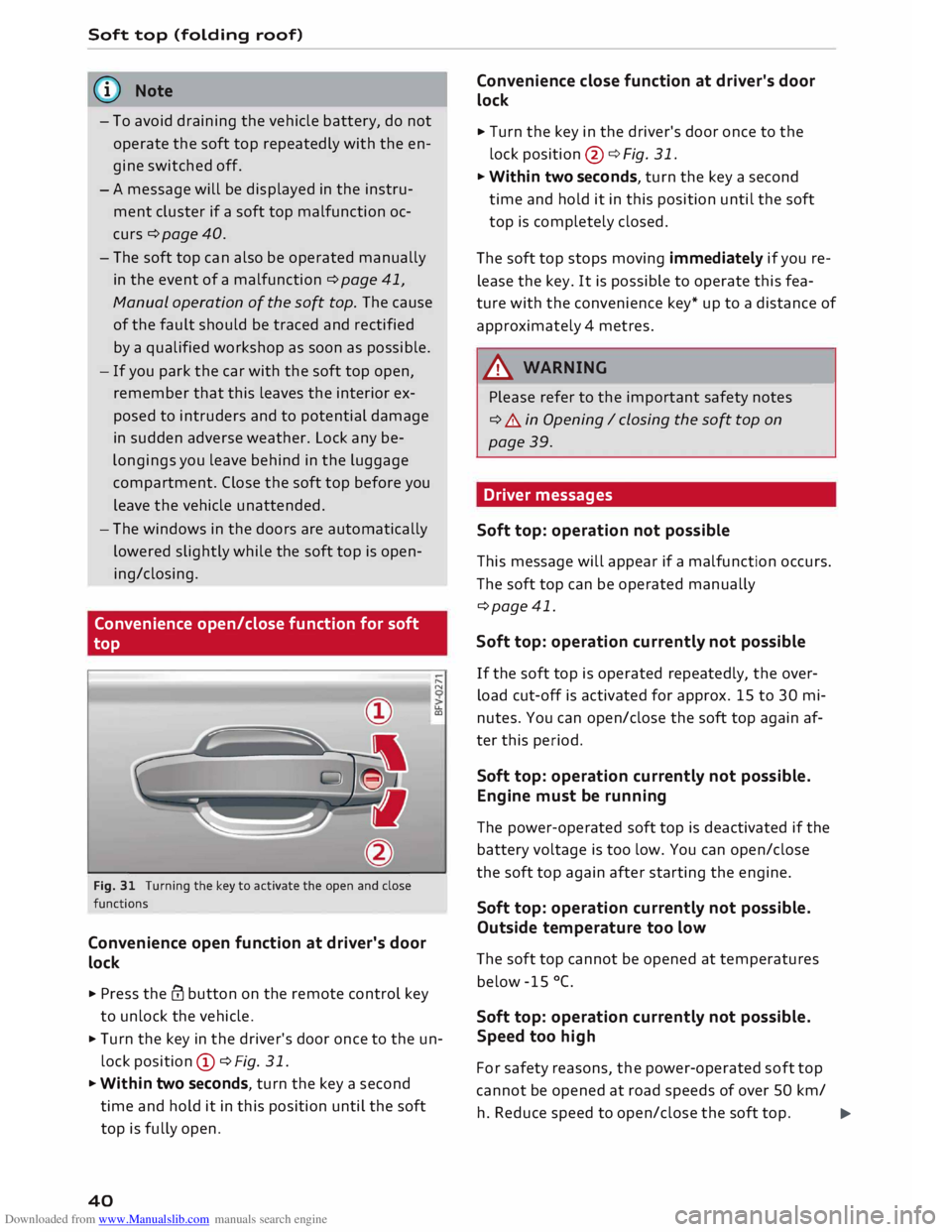
Convenience open/close function for soft
top
Fig. 31 Turning the key to activate the open and close
functions
Convenience open function at driver's door
lock
.. Press the@ button on the remote control key
to unlock the vehicle. .....
N
u..
a:,
.. Turn the key in the driver's door once to the un
lock position CD ¢Fig. 31.
.. Within two seconds, turn the key a second
time and hold it in this position until the soft
top is fully open.
40 Convenience
close function at driver's door
lock
.. Turn the key in the driver's door once to the
lock position @¢ Fig. 31.
.. Within two seconds, turn the key a second
time and hold it in this position until the soft
top is completely closed.
The soft top stops moving immediately if you re
lease the key. It is possible to operate this fea
ture with the convenience key* up to a distance of
approximately 4 metres.
A WARNING
Please refer to the important safety notes
¢ A in Opening I closing the soft top on
page 39.
Driver messages
Soft top: operation not possible -
This message will appear if a malfunction occurs.
The soft top can be operated manually
¢page 41.
Soft top: operation currently not possible
If the soft top is operated repeatedly, the over
load cut-off is activated for approx. 15 to 30 mi
nutes. You can open/close the soft top again af
ter this period.
Soft top: operation currently not possible.
Engine must be running
The power-operated soft top is deactivated if the
battery voltage is too low. You can open/close
the soft top again after starting the engine.
Soft top: operation currently not possible.
Outside temperature too low
The soft top cannot be opened at temperatures
below -15 °C.
Soft top: operation currently not possible.
Speed too high
For safety reasons, the power-operated soft top
cannot be opened at road speeds of over 50 km/
h. Reduce speed to open/close the soft top.
�
Page 47 of 306
Downloaded from www.Manualslib.com manuals search engine 0
N
,.....
N
....
0
,.....
Vl
CX) -
If the battery has been losing charge for a
while, the side lights or parking lights may
be switched off automatically. Always park
your car in a safe and suitably lit place ac
cording to the applicable regulations. Avoid
using the side lights for long periods (sever
al hours). If possible, switch the left or right
parking lights on.
- Observe all relevant statutory requirements
when using the lighting systems described
here.
(D} Note
- The light sensor for the automatic head
lights* is located in the mounting for the in
terior mirror. Do not affix any stickers on
this section of the windscreen.
- Some of the settings for the exterior light
ing can be adjusted ¢ page 47.
-A buzzer will sound if you switch off the ig
nition and open the door when the exterior
lighting is on.
- On vehicles for some markets, the rear
lights switch on together with the daytime
running lights.
- In cool or damp weather, the inside of the
headlights, turn signals or rear lights can
sometimes mist up, due to the temperature
difference between the interior and exterior
of the car. They should clear again partially
or completely soon after you switch on the
headlights. This phenomenon has no influ
ence on the life expectancy of the vehicle
lights. Lights
and vision
Turn signal and main beam lever
The turn signal Lever also operates the main
beam headlights, parking Lights and headlight
flasher.
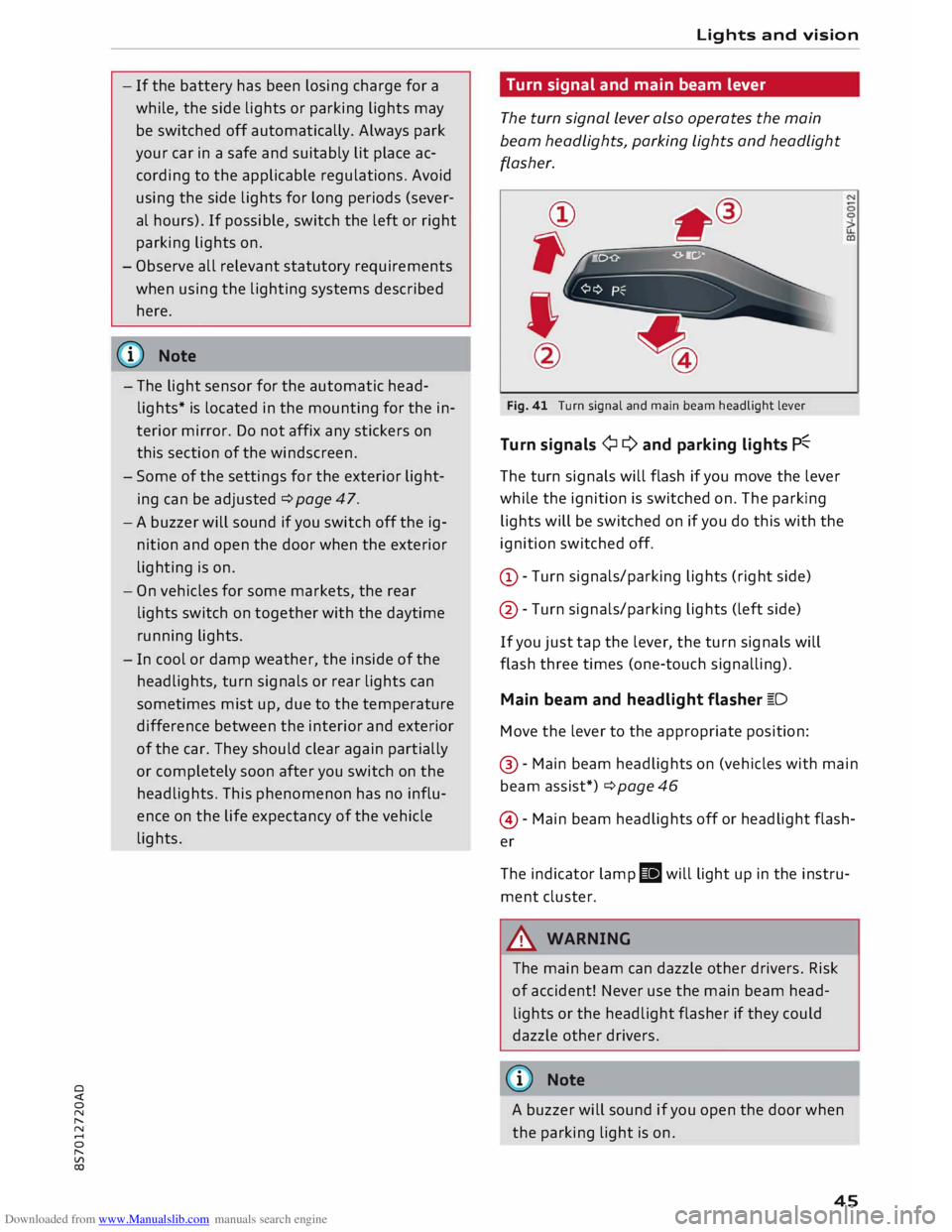
Fig. 41 Turn signal and main beam headlight lever
Turn signals ¢ Q and parking lights P�
The turn signals will flash if you move the lever
while the ignition is switched on. The parking
lights will be switched on if you do this with the
ignition switched off.
(D -Turn signals/parking lights (right side)
@ -Turn signals/parking lights (left side)
If you just tap the lever, the turn signals will
flash three times (one-touch signalling).
Main beam and headlight flasher �D
Move the lever to the appropriate position:
@ -Main beam headlights on (vehicles with main
beam assist*) ¢ page 46
@ -Main beam headlights off or headlight flash
er
The indicator lamp II will light up in the instru
ment cluster.
A WARNING
The main beam can dazzle other drivers. Risk
of accident! Never use the main beam head
lights or the headlight flasher if they could
dazzle other drivers.
(© Note
A buzzer will sound if you open the door when
the parking light is on .
45
Page 58 of 306
Downloaded from www.Manualslib.com manuals search engine Seats
and storage
Ashtray
Applies to: vehicles with ashtray
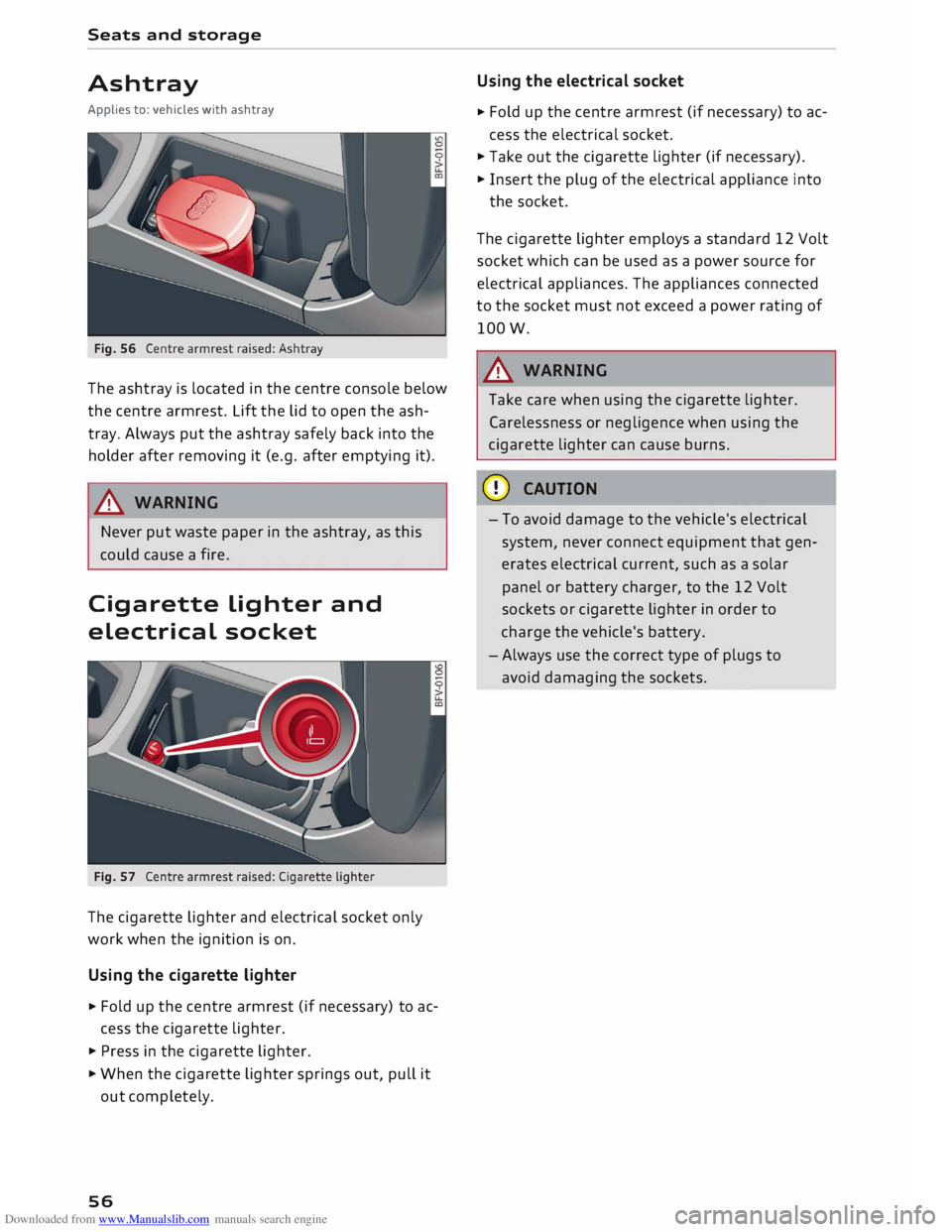
The ashtray is located in the centre console below
the centre armrest. Lift the lid to open the ash
tray. Always put the ashtray safely back into the
holder after removing it (e.g. after emptying it).
A WARNING
Never put waste paper in the ashtray, as this
could cause a fire.
Cigarette Lighter and
electrical socket
The cigarette lighter and electrical socket only
work when the ignition is on.
Using the cigarette lighter
� Fold
up the centre armrest (if necessary) to ac
cess the cigarette lighter.
� Press in the cigarette lighter.
� When the cigarette lighter springs out, pull it
out completely.
56 Using
the electrical socket
� Fold
up the centre armrest (if necessary) to ac
cess the electrical socket.
� Take out the cigarette lighter (if necessary).
� Insert the plug of the electrical appliance into
the socket.
The cigarette lighter employs a standard 12 Volt
socket which can be used as a power source for
electrical appliances. The appliances connected
to the socket must not exceed a power rating of
lOOW.
A WARNING
Take care when using the cigarette lighter.
Carelessness or negligence when using the
cigarette lighter can cause burns.
CD CAUTION
- To avoid damage to the vehicle's electrical
system, never connect equipment that gen
erates electrical current, such as a solar
panel or battery charger, to the 12 Volt
sockets or cigarette lighter in order to
charge the vehicle's battery.
- Always use the correct type of plugs to
avoid damaging the sockets.