key AUDI TT ROADSTER 2017 User Guide
[x] Cancel search | Manufacturer: AUDI, Model Year: 2017, Model line: TT ROADSTER, Model: AUDI TT ROADSTER 2017Pages: 314, PDF Size: 76.54 MB
Page 44 of 314
Lights and Vision
Instrument illumination
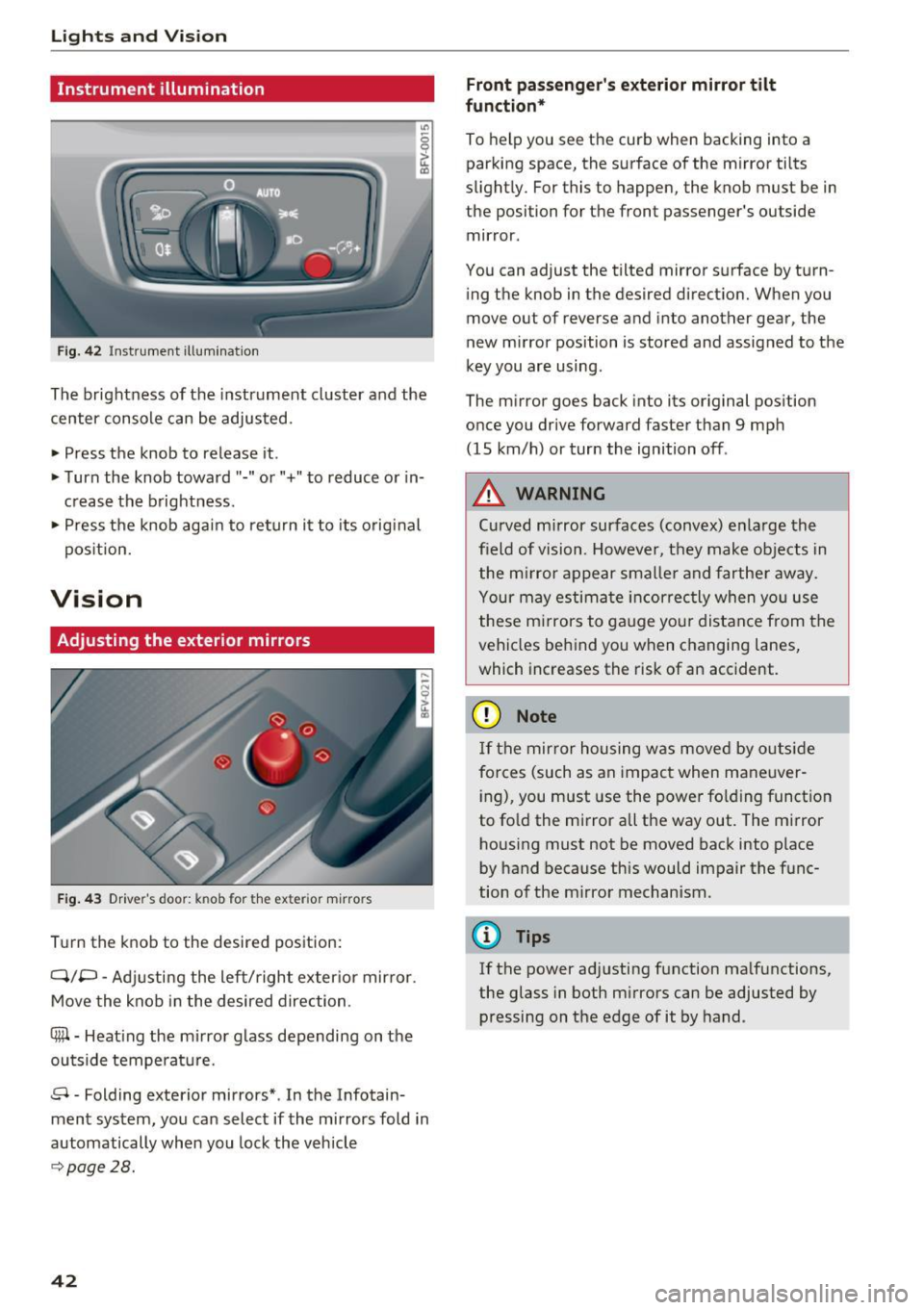
Fig . 42 Inst ru m ent illuminat io n
"' ~ 0 0
~ (0
The brightness of the instrument cluster and the
center console can be adjusted.
• Press the knob to release it .
• Turn the knob toward"-" or"+" to reduce or in
c rease the b rightness .
• Press the knob again to ret urn it to its original
pos ition.
Vision
Adjusting the exterior mirrors
F ig. 4 3 Driver's door: knob for the exter ior m irrors
T u rn the knob to the desired pos ition:
Q/P -Adjusti ng the left/right exter ior mir ror.
Move the knob in the desired direction.
®-Heat ing the mi rror g lass depending on the
outside temperat ure.
8 -Folding exterior mirrors *. In the Infotain
ment system, you can select if the mirrors fold in
automatically when you lock the vehicle
9 page28.
42
Front passenge r's exterior mirror tilt
function *
To help you see the cur b when backing into a
parking space, the surface of the m irror tilts
slight ly. For this to happen, the knob must be in
the position for the front passenger's outside
mir ror .
You can adjust the tilted mirror s urface by turn
i ng the knob in the desired direct ion. When you
move out of reverse and into another gear, the
new m irror position is stored and assigned to the
key you are using.
The m irror goes back into its or ig inal pos ition
once you drive forward faster than 9 mp h
(15 km/h) or turn the ignition off .
,&. WARNING
Curved mirror surfaces (convex) e nla rge the
field of vision. Howeve r, they make objec ts in
the m irror appear s maller and fart he r aw ay.
Your may estima te inc orrec tly when yo u use
these m irrors to ga uge you r distan ce from the
vehicles behind you w hen changing la nes ,
which increases the risk of an accident.
(D Note
If th e mir ror h ousing w as move d by o utsid e
forces (such as an imp act when ma neuver
i ng), you must use the power fo lding funct ion
to fo ld the m irror all the way out. The m irror
h ousing must not be moved back into place
by hand because this would impair the func
tion o f the m irro r mechan ism.
(D Tips
If the power ad justing function ma lfunctions ,
the glass in both m irrors can be adjusted by
pressing on t he edge of it by hand.
-
Page 51 of 314
CD
CD
.... N
" N .... 0 r--. V, co
CD Note
-To reduce the risk of damage to the vehicle
electrical system, never attempt to charge
the veh icle battery by connect ing accesso
ries that prov ide power, such as solar panels
or battery chargers, to the 12 Volt sockets
or the cigarette lighter.
- To reduce the risk of damage to the sockets,
on ly use plugs that fit correctly .
Storage
Beverage holders
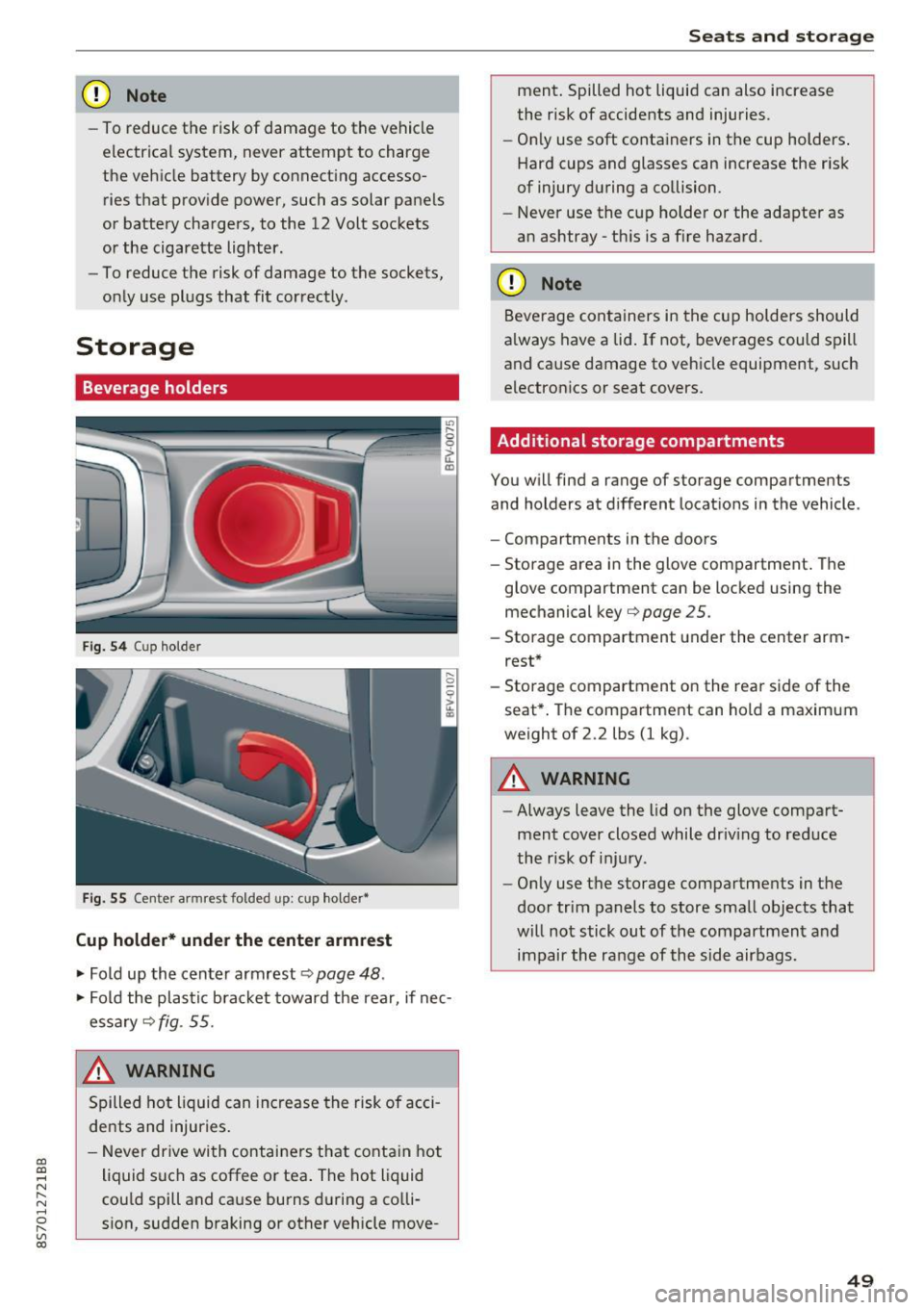
Fig. 5 4 Cup holder
Fig. 55 Cente r armrest folded up: cup holder•
Cup holder* under the center armrest
~ Fold up the center armrest q page 48 .
~ Fold the plas tic bracket toward the rear, if nec
essary
q fig . 55.
,&_ WARNING
Spilled hot liquid can increase the risk of acci
de nts and injuries .
- Never drive wi th containers that contain hot
liquid such as coffee or tea . The hot liquid
cou ld spill and cause burns during a colli·
sion, sudden braking or other vehicle move -
Seats and storage
ment. Spilled hot liquid can also increase
the risk of accidents and injuries.
- On ly use soft containers in the cup holders .
Hard cups and glasses can increase the risk
of injury during a collision.
- Never use the cup holder or the adapter as
an ashtray -th is is a f ire hazard.
CD Note
Beverage containers in the cup holders should
a lways have a lid. If not, beverages could spill
and cause damage to vehicle equipment, such
electronics or seat covers.
Additional storage compartments
You w ill find a range of storage compartments
and holders at different locat ions in the vehicle .
- Compartments in the doors
- Storage area in the glove compartment . The
glove compartment can be locked using the mechanical key
qpage 25 .
-Storage compartment under the center arm
rest*
- Storage compartment on the rea r side of the
seat*. The compartment can hold a maximum
weight of 2.2 lbs (1 kg) .
A WARNING
-
-Always leave the lid on the glove compart
ment cover closed while driv ing to reduce
the risk of injury.
- Only use the storage compartments in the
door trim panels to store small objects that
will not stick out of the compartment and
impair the range of the side airbags.
-
49
Page 54 of 314
Warm and cold
Warm and cold
Climate control system
Description
The climate control system warms, cools and re moves humidity from the air in the vehicle interi
or. It functions most effectively when the w in
dows are closed .
If there is a build-up of heat in
side the vehicle , ventilation can help to speed up
the cooling process.
Pollutant filter
The po llutant filter removes pollutants such as
dust and pollen from the a ir.
Key recognit ion
Certain settings are automatically stored and as
signed to the remote control key be ing used .
.&_ WARNING
Poor visibility can lead to accidents.
- For safer driving, keep all windows free of
ice, snow and fog.
- Become familiar as quickly as possible with
the correct use and function of the cl imate
contro l system, especially w ith the defrost
ing and defogging function.
- Whe n the temperature is below freez ing,
on ly use the windsh ield washer system after
the windsh ie ld has been warmed by the cli
mate contro l system . T he washer fluid cou ld
freeze o n the windshield and impair visibili
ty .
(D Note
-If yo u suspect that the climate control sys
tem is damaged, switch the sys tem off to
52
prevent further damage and have it checked
by an authorized Audi dea ler or authorized
Audi Service Facility .
- Repairs to the Audi climate control system
require special technical knowledge and
special tools. See an authori zed Aud i dea ler
or authori zed Aud i Service Facility.
@) For the sa ke of the environment
Reducing the amo unt of fuel used also re
duces the amount of pollutants that enter the
a ir .
(D Tips
- To prevent interference with the heating
and cooling output and to prevent the win
dows from fogging over, the a ir intake in
front of the windshie ld m ust be free of ice ,
snow or leaves .
- Condensation from the cooling system can
dr ip and form a pudd le of water under t he
vehicle . This is norma l and does not mean
there is a lea k.
- The energy management system may sw itch
the seat heating* or rear window defroster
off tempora rily . These systems a re available
aga in as soo n as the energy supp ly has been
restore d.
- Th e flows throug h the vents under the rea r
window. Make su re t he openings are no t
c overed when plac ing clothing on the lug
gage compa rtment cove r.
Page 57 of 314
CD
CD
.... N
" N ...... 0
" V, co
.. To switch the seat heat ing off, press the~ but -
ton repeatedly unti l the LED turns off.
The seat heating switches automatically from sett ing 3 to setting 2 after 10 minutes .
When seat heating sh ould not be switched
on
Do n ot tur n the seat heating on under the follow
i n g circumstances:
- The seat is unoccupied .
- The seat is covered w ith a seat cover.
- The seat is covered with a child seat.
- The seat is damp or wet.
A WARNING
Individua ls with reduced sensitiv ity to pain or
temperature could develop burns when using
the seat heating function. To reduce the risk
of injury, these individuals should not use
seat heat ing.
(D Note
To avoid damage to the heating elements in
the seats, do not kneel on the seats or place
heavy loads o n a sma ll area of the seat.
@ Tips
- The setting for the seat heating on the driv
er's side is ass igned to the key that is in use.
- If the front passenger's seat heating is
turned on, it w ill not turn on again automat
i cally if more than 10 m inutes have passed
between sw itching the ign ition off and
switching it on again.
Warm and cold
Neck heating
Applies to: vehicles with neck heating
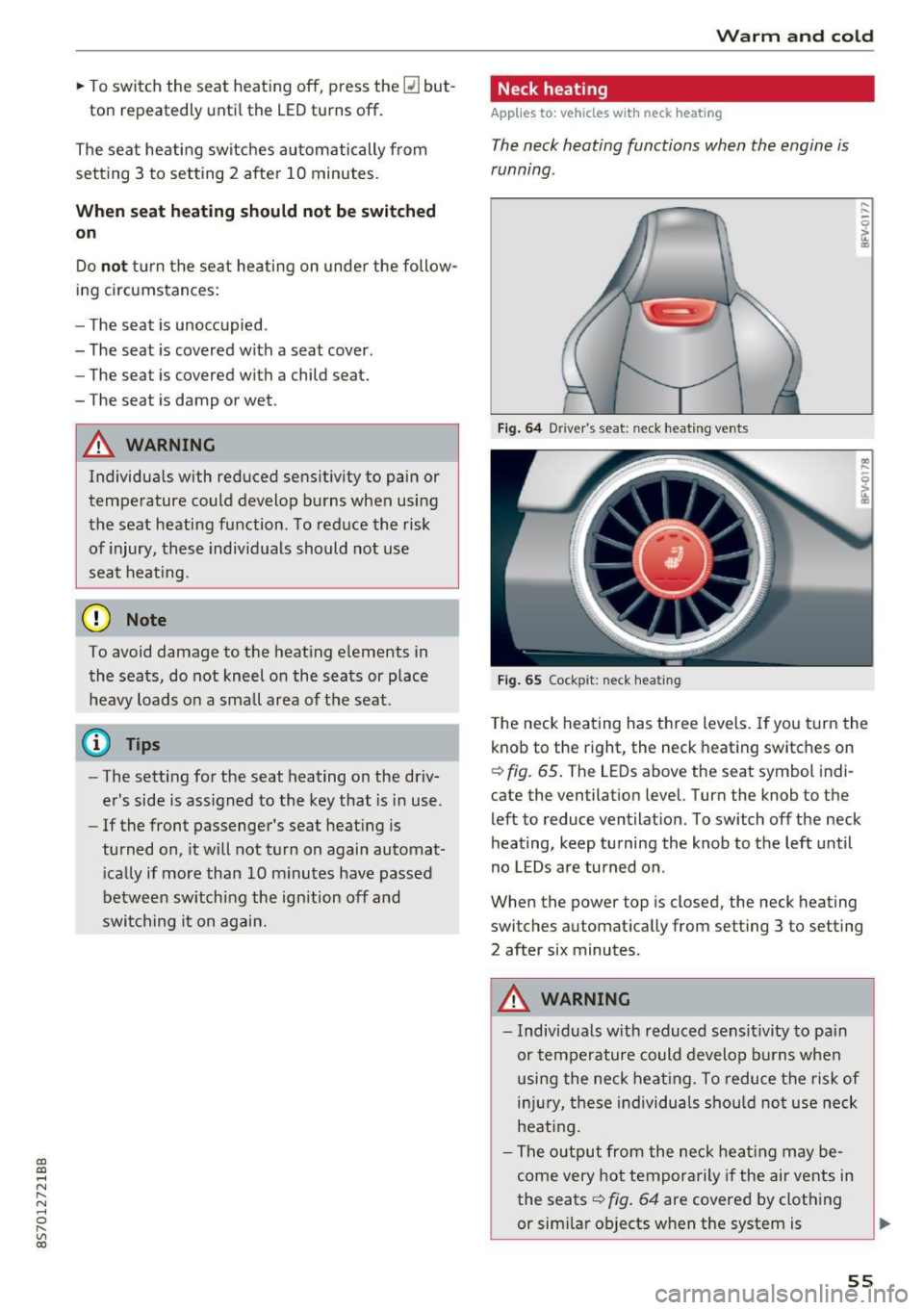
The neck heating functions when the engine is
running .
Fig . 64 Driver 's seat : neclc heating vents
Fi g. 65 Cockp it: neck hea ting
T he neck heating has three levels . If you turn the
knob to the right, the neck heating switches on
Q fig. 65. The LEDs above the seat symbol indi
cate the ventilation level. Turn the knob to the
left to reduce ventilat ion. To switch off the neck
heating, keep turning the knob to the left until
no LEDs are turned on.
When the power top is closed, the neck heating
switches automat ically from setting 3 to setting
2 after six minutes.
A WARNING
- Individuals w ith reduced sensit ivity to pa in
or temperature could develop burns when
using the neck heat ing. To reduce the risk of
i njur y, these individuals sho uld not use neck
heati ng.
- The output from the neck heating may be
come very hot temporarily if the air vents in
the seats
Q fig . 64 are covered by clothing
or sim ilar ob jects when the system is
~
55
Page 63 of 314
CD
CD
.... N
" N ...... 0 r--. V, co
have the malfunction corrected. To start the en
gine, press and hold the
! START ENGINE STOPI
button.
DJ R emot e control key : hold b ack of key
again st the d esignated are a. See owner's man
ual
This message appea rs if the re is no convenie nce
key inside the vehicle or if the system does not
recognize the key . The conven ience key may not
be recognized, for example, if it is cove red by an
object that
disrupts the signal (such as a brief
case), or if the key battery is weak. Electronic de
vices such as cell phones can also interfere with
the signal.
To still be able to start or stop the eng ine, see
c:::> page 61, Starting the engine when there is a
malfunction .
Ill Remote control key : key not recogn ized . Is
the ke y still in th e vehi cle?
The Ill ind icator light turns on and this message
appears if the conve nience key was removed from
the vehicle when the engine was running.
If the
conven ience key is no longer in the vehicle, you
cannot switch the ign ition on or start the engine
once you stop it. You a lso cannot lock the vehicle
from the outside .
Please press brake p edal
This message appears if you do not press the
brake pedal when starting the eng ine.
Please pr ess clut ch p edal
This message appea rs in vehicles w it h manual
transmissions if you do not press the clutch pedal
when sta rting the engine . The engine can on ly be
started when t he clu tch pedal is pressed.
Pl ease select N or P
This message appea rs when starting or stopping
the eng ine if the selector lever is not in the Nor P
position . The engine will not start/stop.
Shift to P , otherw ise vehi cle can roll awa y.
Doors can be lo cked i n P only
This message appears for safety reasons a long
with a warning tone. It appears if the selector
lever for the automatic transmission is not in the
D rivi ng
P position when switch ing the ignit ion off w ith
the
I START ENGINE STOPI b utton. P lace these
l ector lever in the P position. The veh icle cou ld
roll if the lever is not in P. You also cannot lock
the vehicle using the locking sensor on the door handle or using the conven ience key .
Starting the engine when there is a
malfunction
It may not be possible to start the engine under
certain circumstances, for example if th e battery
in the vehicle key is drained, if interference is af
fected the key or if there is a system malfunc
tion.
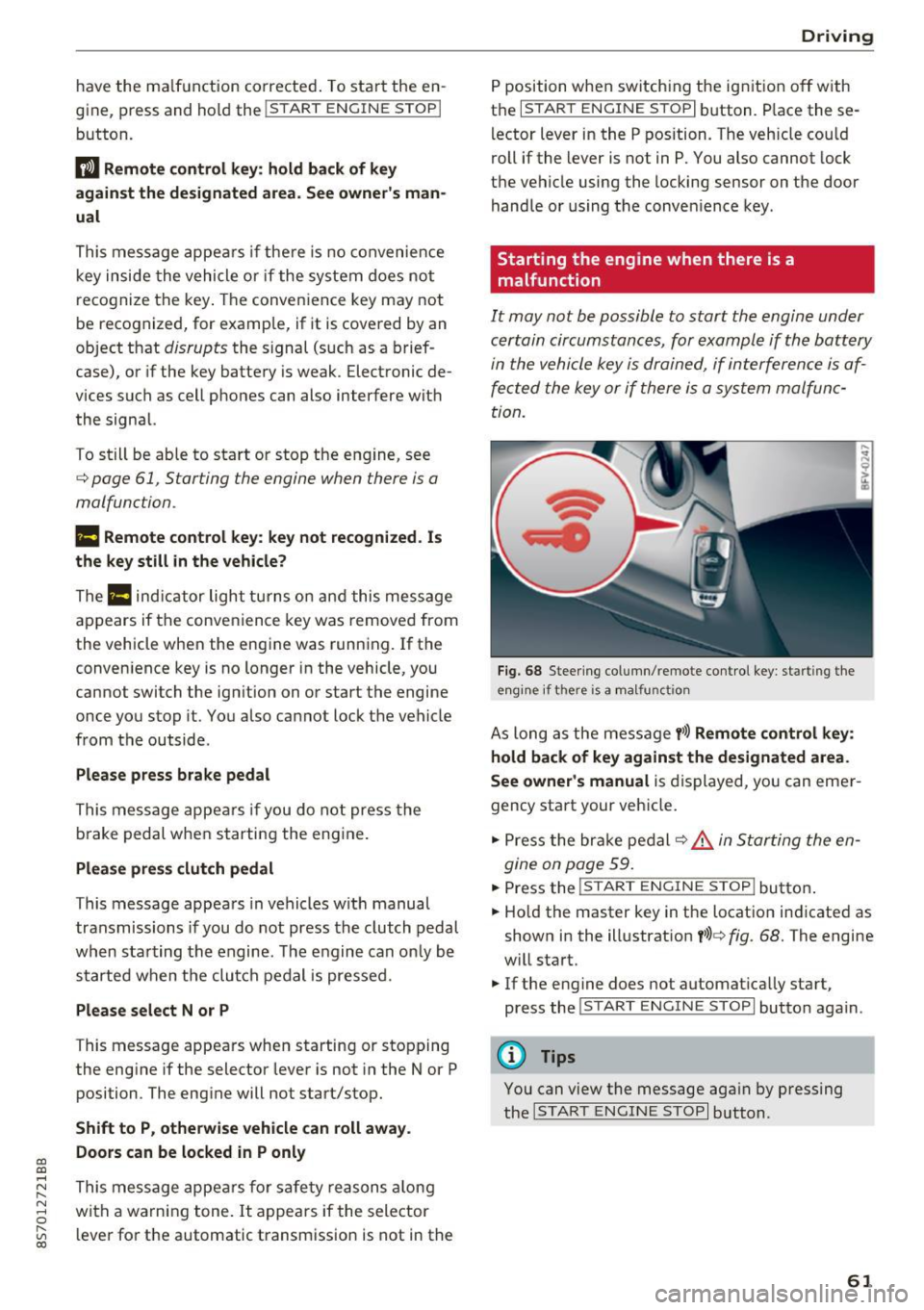
F ig. 68 Steering column/ remote control key: starting the
e n g in e if there is
a m alfunct ion
As long as the message y >l) Remote control key :
hold back of key against the designated are a.
See owner's manual
is displayed, you can emer
gency start your vehicle.
.. Press the brake pedal
c:::> .&. in Starting the en
gine on page 59.
... Press the ~I s=T ~A ~ R~ T~ E_N _G _I _N =E - S~ T= o- P~I button .
.,. Ho ld the master key in the location ind icated as
shown in the illustrat ion
y >l) c:::, fig. 68. The engine
w ill start.
.. If the engine does not automat ica lly start,
press the
! S TART ENGINE STOPI butto n again .
(D Tips
You can view the message aga in by pressing
the
I S TA RT ENGINE S TOP I button.
61
Page 65 of 314
co
co
.... N
" N .... 0
" "' c:o
-Always take the vehicle key with you when
leaving your vehicle, even for a short period
of time. This applies particularly when chil
dren remain in the vehicle. Otherwise chil
dren could start the engine, release the
parking brake or operate electrical equip
ment such as power windows, which in
creases the risk of an accident.
- No one should remain in the vehicle when it
is locked - especially children. Locked doors
make it more difficult for emergency work
ers to get into the vehicle, which puts lives
at risk.
(D Tips
When stopping at a traffic signal or stopping
in city traffic, you can set the parking brake
manually. The vehicle does not have to be
held with the brake pedal. The parking brake
eliminates the tendency to creep when a se
lector lever position is engaged. As soon as
you press the accelerator pedal, the parking brake releases automatically and your vehicle
starts to move ~page 63.
(D Tips
- Occasional noises when the parking brake is
set and released are normal and are not a
cause for concern.
- The parking brake goes through a self-test
cycle at regular intervals when the vehicle is
stopped. Any noises associated with this are
normal.
- If there is a power failure, the parking brake
will not set if it is released, and it will not
release if it is set
q Li::,.. See an authorized
Audi dealer or authorized Audi Service Fa
cility for assistance.
Starting from a stop
Various convenience and safety functions may be
available when the vehicle begins driving, de
pending on vehicle equipment.
Starting on hills with the parking brake set
Requirement: the driver's door must be closed.
Driving
.. To start driving comfortably when on a hill, set
the parking brake and begin driving as usual.
The braking force of the parking brake does not
release automatically until the wheels build up
enough driving force.
Starting on hills with hill hold assist
Hill hold assist makes it easier to start on hills.
Requirement: the driver's door must be closed
and the engine must be running.
.. To activate hill hold assist, press and hold the
brake pedal for several seconds. The vehicle
must be in an uphill direction of travel.
After releasing the brake pedal, the braking pow er is maintained for a brief moment
q & to pre
vent the vehicle from rolling back when starting .
During this time, you can easily begin to move
your vehicle.
& WARNING ~
App lies to: veh icles with hill hold assist
- If you do not begin driving immediately or
the engine stalls after releasing the brake
pedal, your vehicle may begin to roll back
ward. Press the brake pedal or set the park
ing brake immediately.
- The intelligent technology of hill hold assist
cannot overcome the limitations imposed by
natural physical laws. The increased comfort
offered by hill hold assist should not cause
you to take safety risks.
- Hill hold assist cannot hold the vehicle in
place on all hills (for example, if the ground
is slippery or icy).
- To reduce the risk of an accident, always
make sure the vehicle is situated safely
while stationary.
Automatic transmission
Introduction
Your vehicle is equipped with an electronically
controlled DSG transmission called S tronic. Two
independent clutches transfer the power be-
tween the engine and transmission. It allows the .,..
63
Page 68 of 314
Driving
Interlock button
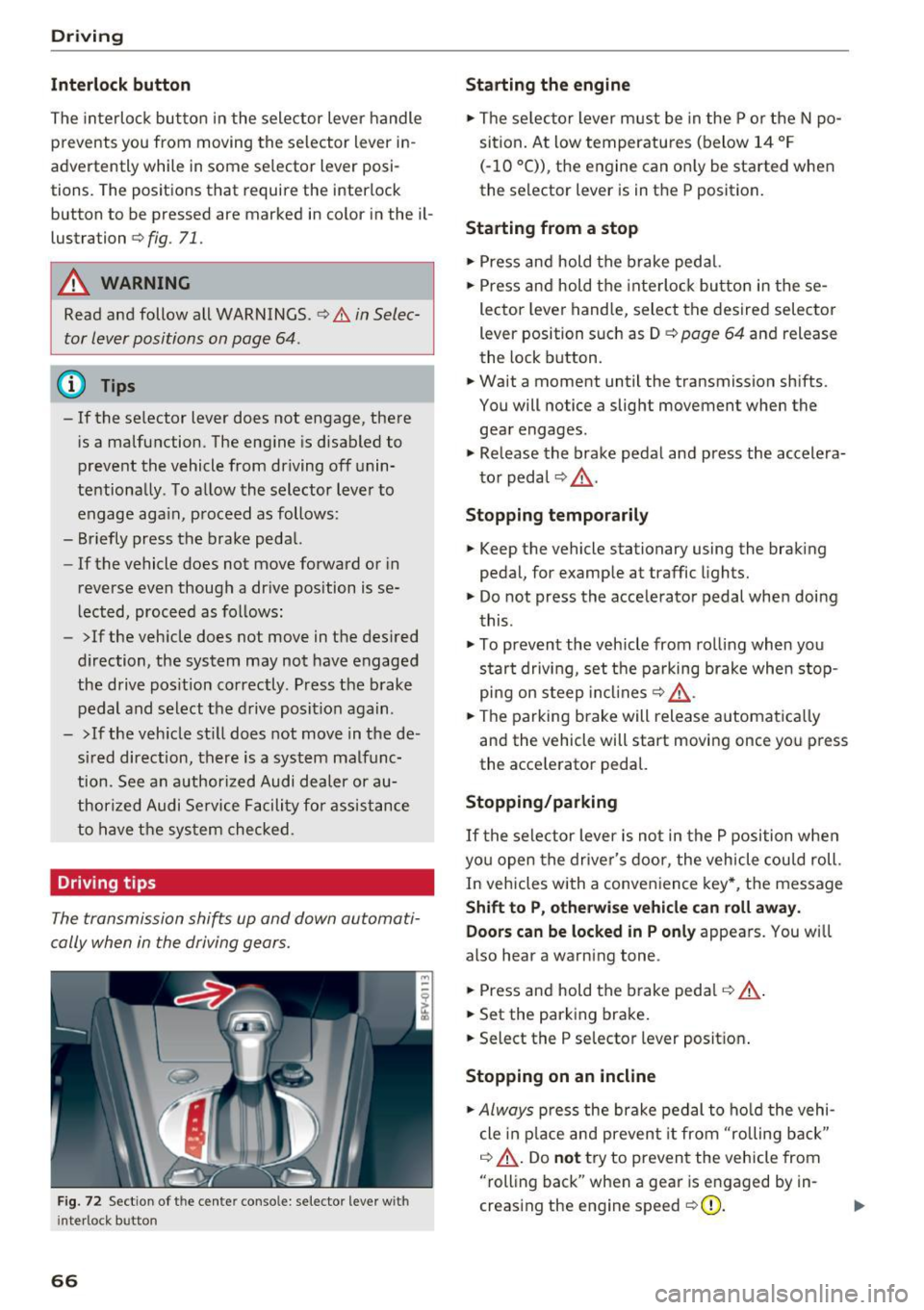
The interloc k but to n in the selector lever handle
prevents you from moving the selector lever i n
advertently while in some se lector lever posi
tions. The posit ions that require the interlock
button to be pressed a re marked in co lor in the il
lustration
c> fig. 71.
A WARNING
Read and follow all WARNINGS.¢.&. in Selec
tor lever positions on page 64 .
(D Tips
- If the selector lever does not engage, there
is a malfunction . The eng ine is disabled to
prevent the vehicle from driving off unin
te ntionally . To a llow the selector lever to
engage aga in , proceed as follows :
- Briefly press the b rake pedal.
- If the vehicle does not move forward or in
reverse even though a dr ive pos ition is se
l ected, procee d as follows :
- >If the veh icle does not move in the des ired
direction, the system may not have engaged
the drive pos ition correctly . P ress the b rake
pedal and sel ect t he d rive posit ion again .
- >If the veh icle st ill does not move in the de
s ir ed direction, there is a system malfunc
tion. See a n authori zed Audi dea ler or au
thori zed Audi Service Facili ty for assistance
to have t he sys te m c hecked.
Driving tips
The transmission shifts up and down automati
cally when in the driving gear s.
F ig . 7 2 Sect io n of the cente r conso le: se lecto r lever w it h
i nte rlock b utton
66
Starting the engine
.. The se lec to r lever m ust be in the P o r the N po
si tion. At low temperatu res (below 14 ° F
(- 10 °C)), the e ngine can o nly be sta rted when
the selector lever is in t he P position .
Starting from a stop
.. Press and hold the b rake peda l.
.. Press an d hold the inte rlo ck button in these
lector leve r handle, select the desired selector
lever position such as D
c> page 64 and release
th e lock button.
.. Wait a moment until the transmission sh ifts.
You will notice a slight movement when the gea r engages .
.. Re lease the brake pedal and press the accelera
t o r pedal
c> ,& .
Stopping temporarily
.. Keep the vehicle stationary using the braking
pedal, for examp le at traffic lights.
.. Do not press the acce lerator pedal whe n doi ng
t his .
.. To prevent the vehicle from ro lling when you
s tar t drivi ng, set t he pa rking brake when stop
pi ng on s teep in cli ne s
c:> ,& .
.. The pa rking brake will release a utomat ic all y
and the vehicle will start moving once yo u press
the acce le rator pedal.
Stopping /parking
If the sele ctor lever is not in the P position w he n
yo u open the drive r's door, the vehicle cou ld roll.
In vehicles with a conve nience key*, the message
Shift to P, otherwi se vehicle can roll away.
Doors can be locked in P only
appea rs. You wi ll
also hear a warning tone .
.. Press and hold the brake peda l
c:> .&, .
.. Set the parking brake .
.. Select the P selector lever posit io n.
Stopping on an incline
.. Always press the brake pedal to ho ld the vehi
cle in p lace and preven t it from "rolling back"
c:> .&, . Do not try to preven t the vehicle from
"rolling back" when a gea r is e ngaged by in
creas ing the eng ine speed
c> (D .
Page 78 of 314
Assist
-The camera field of view~ page 75, fig. 79 is
dirty or covered in ice. Clean this area on the
windshield.
- The camera field of view is fogged over. Wait
until the fog has cleared before switching the
active lane assist on again.
- The system has been unable to detect the lanes
for an extended period of time due to road con
ditions. Switch active lane assist back on when
the lines are more visible.
Audi active lane assist : currently unavailable.
See owner's manual
There is a temporary active lane assist malfunc
tion. Try switching the active lane assist on aga in
later .
Audi active lane assist : malfunction! See own
er's manual
Drive to an authorized Aud i dea ler or authorized
Audi Service Facility immediately to have the
malfunct io n corrected.
Audi active lane assist: Please take over steer
ing!
This message appears if you are not steering by
yourse lf. If th is is the case, active lane assist does
not switch off, but it is "not ready " to provide a
warn ing . The system can he lp you keep the veh i
cle in the lane. However, you are responsible for
driving the vehicle and must steer it yourself .
Adjusting the steering time and vibration
warning
Applies to: vehicles with Audi active lane assist
You can adjust individual active lane assis t set
tings in the Infotainment system.
Select in the Infotainment system: I MENU ! but
ton>
Vehicle > left control button >Driver assis
tance
> Audi active lane assist
1l The correct ive steer ing fu nctio n is not available in all mar
kets.
76
Steering time1>
Early: in this setting, the corrective steering hap
pens continuously to help keep the veh icle in the
center of the lane.
Late : in this setting, the system provides correc
tive steering just before a vehicle wheel touches a
detected lane marker line .
Vibration warning
You can switch the add itional vibrat ion warn ing
i n the steering wheel on or off.
(D Tips
In certain markets: your settings are stored
a ut omat ically and assigned to the remote
control key in use.
Audi side assist
Description
Applies to: vehicles with Audi side assist
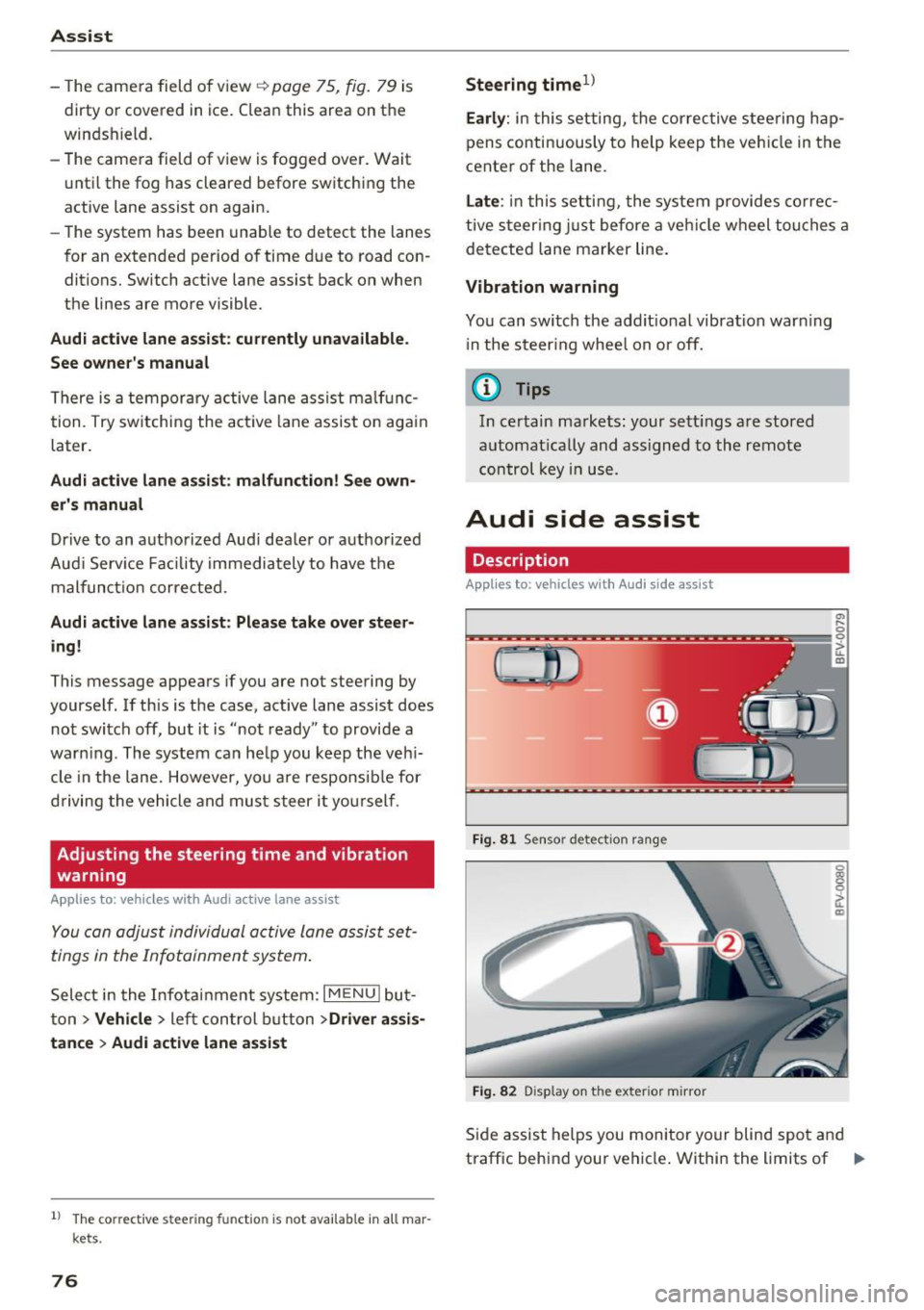
Fig. 81 Sensor detec tion rang e
Fig. 82 Display on the exterior mirror
Side assist helps you monitor your blind spot and
traffic behind your vehicle . Within the limits of .,.
Page 81 of 314
co
co
.... N
" N .... 0
" "' c:o
Switching on and off
Applies to: vehicles with Audi side assist
The system ca n be switched on/off in the Info
t a in men t system.
"' Select in the Info tainment sys tem:
iM ENUI but
ton
> Vehicle > left contro l butto n >Driver as
sistan ce > Audi side assist
If the system is activated, the displays in the ex
ter io r mir rors wi ll turn o n briefly when the ig ni
tion is sw itched on.
Adjusting the display brightness
Applies to: vehicles with Audi side assist
The display brightness can be adjusted in the In
fotainm ent system.
"' Se lect in the Infotainment system: i MENU I but
ton
> Vehicle > left contro l butto n >Driver as
sistance > Audi side assist
The display b rightness ad justs automat ica lly to
the br ightness of the s urrou ndings, both in the
in fo rmat ion and in the warning stage . In very
da rk or ve ry br igh t sur ro u ndings, the a utomat ic
ad ju st men t will se t th e d isp lay to the mini mum
or maxim um level. In s uch cases , you m ay no tice
no change w hen adjus ting t he br ightness, o r th e
change may on ly be no tic eable o nce the su r
ro undings change .
A dju st the br ightn ess to a level where the d isp lay
i n the inform ation stage wi ll no t di srupt your
v iew ahead. If you change the brightness, the dis
p lay in the exter ior mir ror will briefly show the
b rightness level i n the information stage . The
b rightness of the warning stage is linked to the
b rightness in t he info rmat ion stage and is ad just
ed along w ith the information stage .
- Side assist is not active wh ile you are ma k
i ng the ad justment.
- Your settings are automatically stored and ass igned to the remote cont rol key being
used.
Assist
Messages
Applies to: vehicles with Audi side assist
I f the s ide ass is t swi tches off automat ically, a
mess age app ear s in t he In fota in men t sys tem dis
play.
@j Audi side assist: currently unavailable.
Sensor vision restricted due to surroundings.
See owner 's manual
The radar sensors ' v is ion is affected. Do not cover
the a rea in front of the sensors with bike whee ls,
stickers, dirt or other objects. Clean the area in
front of the sensors, if necessary
q page 77,
fig. 84.
@j Audi side a ssist: currently unavailable.
See owner's manual
S ide assist cannot be switched on at this time be
ca use there is a ma lfu nction ( for example, the
battery c harge leve l may be too low) .
@j Audi side assist: malfunction! Please
contact Service
The system cannot guarantee that it will detect
vehicles cor rect ly and it has switc hed off. The
senso rs have been move d or are fa ulty. Have the
syste m chec ked by an au tho riz ed Au di deale r or
a uthor iz e d Au di S ervice Faci lity s oon.
Audi drive select (drive
settings)
Introduction
Applies to: vehicles with Audi drive select
Dr ive select ma kes it possib le to e xper ience dif
fere nt types of ve hicl e sett ings in one ve hicle.
T he driver can sele ct from th ree mo des,
Comfort ,
Auto
and Dynamic , using the r.~;\,1 bu tton in the
center console o r by using the Infotainment sys
tem. This allows you to switch between a sporty
and a comfo rtable driv ing mode, fo r example. In
t h e
Individual mode, the sett ings can be ad just
ed to yo ur persona l pre ferences . This makes it
poss ible to com bine settings such as a sporty en-
gine sett ing wi th light s teer ing. .,._
79
Page 83 of 314
co
co
.... N
" N .... 0
" "' c:o
Dynamic -gives the driver a sporty driving feel
and is suited to a sporty driving style .
Individual -¢ page 81.
Adjusting the Individual mode
Applies to: vehicles with Audi drive select
Assist
A WARNING
Pay attention to traffic when operating the
drive select to reduce the r isk of an accident.
-
You con adjust the vehicle settings to your personal preferences .
.,. Press the b utton ¢ page 80, fig. 85 > Indi vidu
al
> right contro l button, or
.,. Se lect in the Infotainment system:
! MENUI but
ton
>V ehicle > left contro l button> Audi drive
select > Indi vidual >
right contro l button
After you have closed the settings, you are auto
matica lly dr iving in the
Indi vidual * driving mode.
Systems comfort
Engine
and T ransm ission comfortable
St ee ring comfortable
Adapti ve dampers * comfortable
Engine sound * subtle
quattro balanced
{!) Tips
Your Individual* mode settings are automat i
cally stored and assigned to the remote con
trol key be ing used. T
he equipment in your vehicle will determine
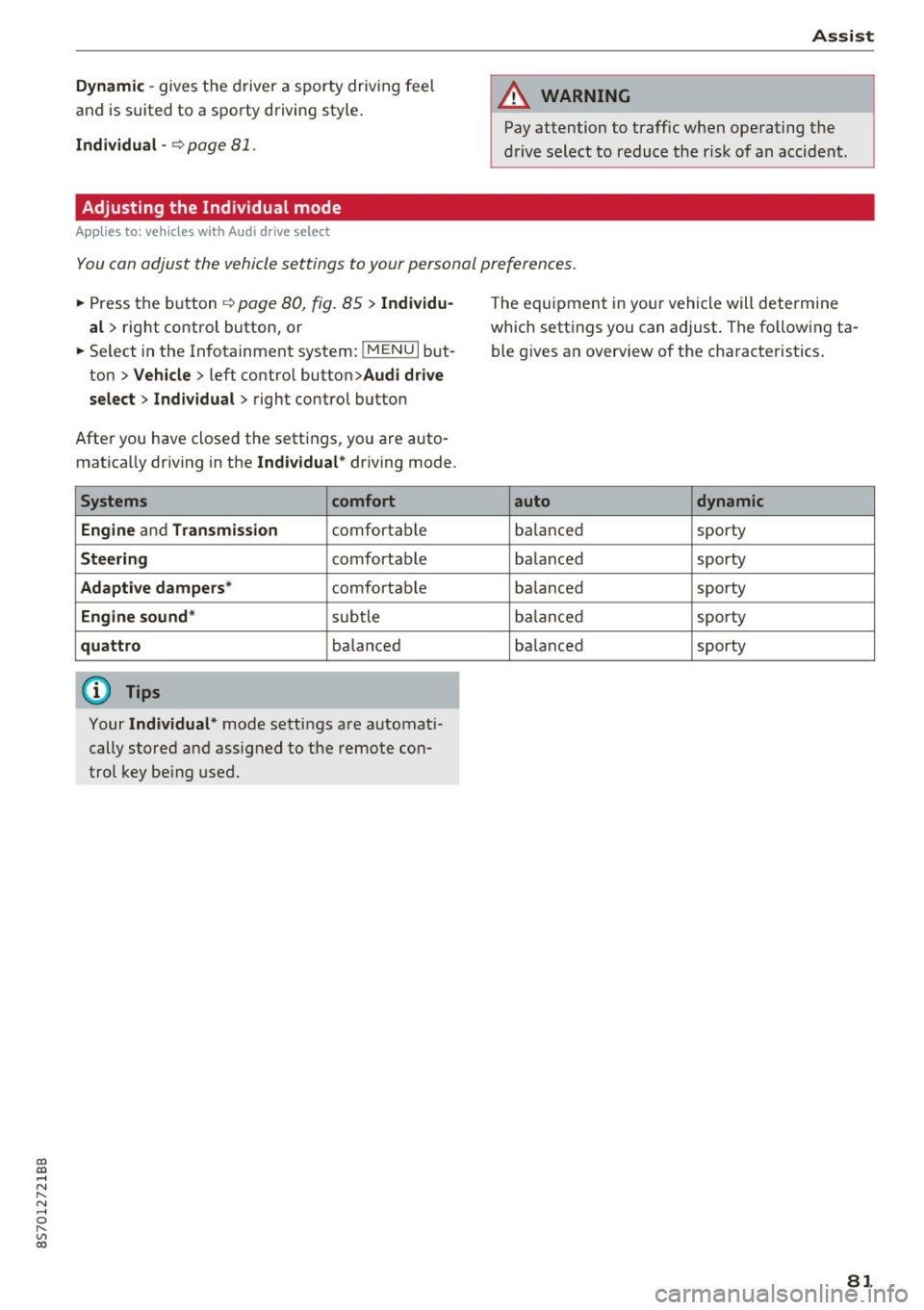
which settings you can adjust . The fo llowing ta
ble g ives an overview of the characteristics .
auto dynamic
balanced sporty
ba lanced sporty
ba lanced sporty
ba lanced sporty
ba lanced
sporty
81