start stop button AUDI TT ROADSTER 2018 User Guide
[x] Cancel search | Manufacturer: AUDI, Model Year: 2018, Model line: TT ROADSTER, Model: AUDI TT ROADSTER 2018Pages: 310, PDF Size: 46.95 MB
Page 138 of 310
Navigat ion
-Se lect: rig ht contro l button > Delete de stina
tion
> Delete thi s la st de stination or Delete all
last dest inations .
The selected des tination o r all last destinations
is/are de leted and no longer displayed in the
En
ter de stination
menu.
Entering an address
A pp lies to: ve hicles w ith navigation system
As an alternative to free text search, you can al
so enter an address in stages .
.,. Press the I NAV/MAPI button repeated ly until
the
Enter de stina tion menu is displayed
¢ page 134, fig. 122 .
.,. Select: left control button > Ente r addr ess .
-Se lect and confirm a line (s uch as Street , Hou se
numb er or Count ry/state )
and enter t he de
sired information.
- Se lect and confirm
Start route guidan ce .
Setting a destination from the map
A pp lies to: ve hicles w ith naviga tion system
A point on the map can be used as the destina
tion.
.,. P ress the I NAV/MAPI button repeatedly until
t h e map is d isp layed.
- Adju st ing th e sca le: turn the control knob to
the left o r right .
-Acti vating crosshair s: press the control knob.
The crosshairs are shown on the map .
-Mo ving the crosshair s: move the crosshairs to
the destination using the MMI touch control pad .
-Hiding the cro sshairs : press the I BACKI butto n.
- Setting as destinat ion : press the control knob
when the crosshairs are shown. If necessary,
select and confirm
Add as stopover and then
Start route guidance .
Additional in fo rmat ion about the location of
the crosshai rs :
if you select map content with
crosshairs, the available information is d isplayed
(such as the name of the c ity or points of inter
est) @¢ page 142, fig . 12 7 .
136
Setting a home address/favorite as the
destination
App lies to : vehicles wi th navigat ion sys te m
You can quickly and easily start route guidance
to your home address using the home address
function. Favorites allow easier access to fre
quently used destinations.
.,. Press the I NAV/MAPI button repeatedly u nti l
the
En ter d estination me nu i s displayed
¢page 134, fig . 122 .
Setting a home address as the d estination
Requirement: a home address must be stored
¢ page 140.
Your Home address is shown directly in the Ente r
d es tination
menu @¢page 134, fig. 122 .
-Select: Home address > St art route g uidance .
Setting a favorite a s the destination
Requireme nt: a dest inat io n m ust be stored as a
favorite ¢ page 140 .
-Enter one o r more lette rs into the free text
searc h in put fie ld. The favo rit es that are found
are shown in the Infota inment system display
and marked w ith the
symbol ©¢ page 134,
fig. 122 .
-Select and confirm the des ired favor ite.
- Sele ct and confirm
Start route guidance .
(D Tips
-Add itiona l setti ngs for the home add ress
can be fo und
u nder¢ page 140 .
-Add itional setti ngs for the favor ites can be
found
unde r¢ page 140 .
Page 139 of 310
Cl 00 .-< N r-N .-< 0 r-Vl 00
Transferring a destination from the
directory
Applies to: vehicles with navigation system
You can navigate directly to destinations in the
directory.
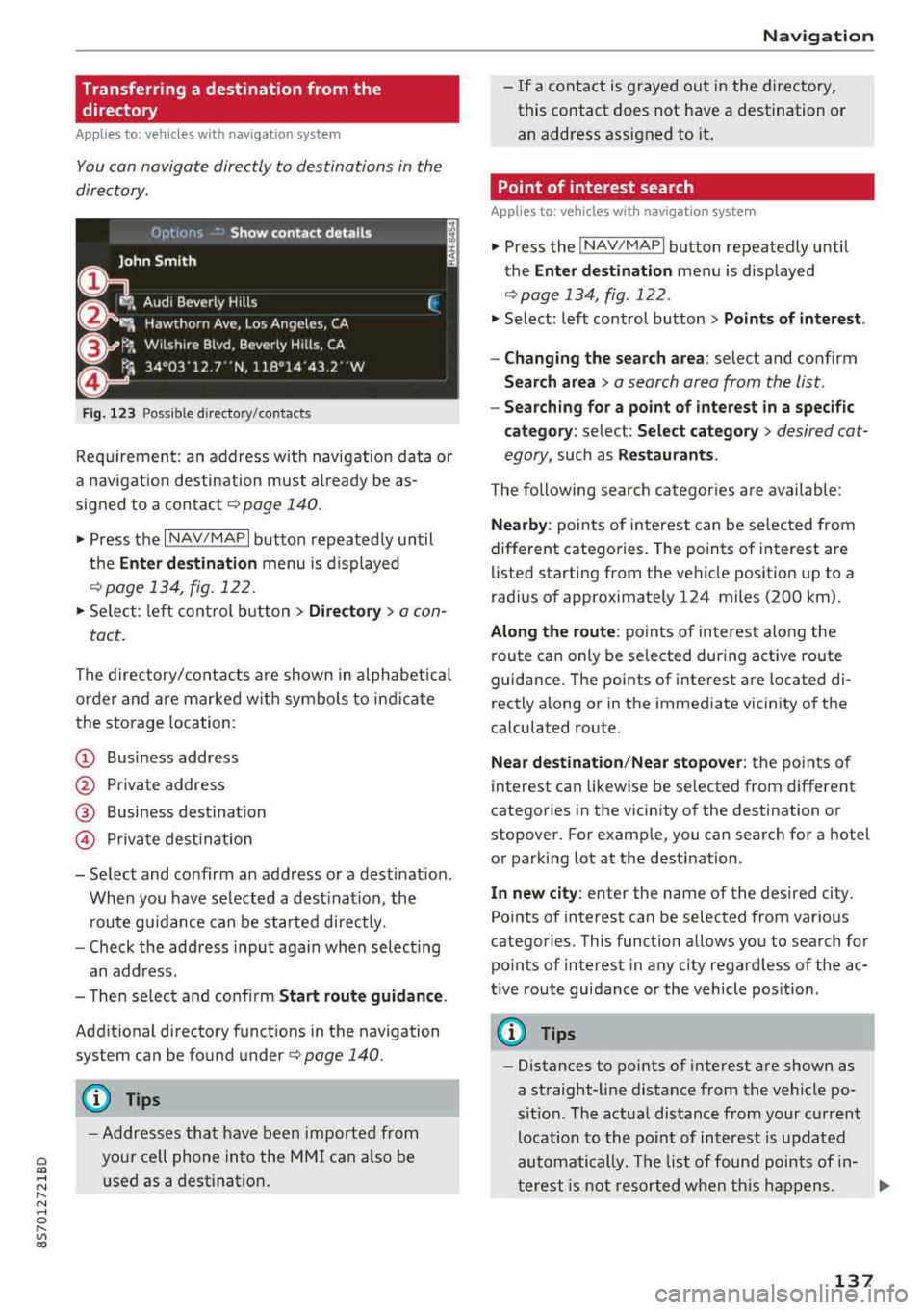
F ig . 123 Possible directory/ contacts
Req uirement: an address w ith navigat ion data o r
a nav igat io n desti nation must al ready be as
signed to a con ta ct
r=;, page 140 .
.,. Press the I NAV/MAPI button repeated ly until
t h e
Enter destination menu is displayed
¢ page 13 4, fig . 122.
.,. Se lect : le ft cont rol b utt o n > Directory > a con-
tact.
The directory/contacts a re shown i n alphabet ica l
order and are mar ke d wit h symbo ls to ind ic a te
the sto rage location :
(D Business address
@ Private address
@ Business dest ination
© Pr iva te dest inat ion
-Select and conf irm an address o r a destinat ion .
When you have se lected a dest inat ion , the
r oute g uidance can be started d irect ly.
-Check the address input aga in whe n select ing
an address.
-T he n select and conf irm Start route guidan ce .
Addit ion al directory f unct ions in the navigation
system can be found under
r=;, page 140.
(D Tips
-A ddresses th at h ave been importe d from
you r ce ll phone into the MM I can a lso be
u sed as a destination .
Na vigation
-If a contact is g rayed ou t in the directory,
this contact does not have a destination o r
an address assigned to it .
Point of interest search
Applies to : vehicles with navigation system
.,. P ress the ! NAV /MAP I button repeatedly until
the
Enter dest ination menu is disp layed
r=;, page 134, fig . 122 .
.,. Select: left control button > Points of intere st .
-Changing the search area : select and confirm
Search area > a search area from the list .
-Searching for a point of interest in a specific
category :
select : Select category > desired cat
egory,
such as Restaurants .
The following searc h categor ies are available:
Nearby : points of in terest can be se lected from
different catego ries. The points of interest are
li sted starting from the ve hicle position up to a
rad ius o f approximate ly 124 miles (200 km) .
Along the route : poin ts of in terest along the
route can only be se lected du ring active route
guidance . The points of interest a re located di
rectly a long or in the immediate v icin ity o f th e
ca lculated route.
Near destination /Near stopover : the points of
interest can likewise be se lected from differe nt
catego ries in the vicinity of the destination o r
stopover. For examp le, you can search for a hotel
o r par king lot at the desti nat ion.
In new city: enter the name of the desired city .
Po ints o f interest can be selected from various
categories . This function a llows you to sea rch for
po ints of interest in any city rega rd less of the ac
t ive route guidance or the vehicle pos it ion .
(D Tips
-Distances to po ints of inte rest a re shown as
a straight-line distance from the vehicle po
si tion. The actua l dis tance from your c urrent
location to the po in t of in terest is u pdated
automa tically . T h e list of foun d poi nts of in
t erest is n ot r esorted w hen th is h app ens.
137
Page 145 of 310
Cl 00 .-< N r-N .-< 0 r-Vl 00
turn the left thumbwhee l on the mu ltifunction
steering wheel*
r=> page 18.
Turning th e cross hair s on /off
-Switching the crosshairs on : press the control
knob in the map view .
-Switching th e crossh airs off : press the I BACKI
button .
When the cros s h air s are s witched on r:!> fig. 12 7:
(D Orientation : th e map is either displayed as a
2D north up m ap or a 2D heading up map.
@ Scale : turn the control knob to the left or
right to decrease or increase the scale .
@ Zoom: when the Automatic zo om function is
switc hed on, an
"A" for "Automatic" is dis
p layed in the magnifying g lass.
© Crosshairs: move the crossha irs in the de
sired direction us ing the MMI touch control
pad and set a po int on t he map as the desti
n at ion or have info rmation about the fo cal
po int disp layed.
® Map content (points of interest, favorites) : if
there are mult iple POis in the immed iate v i
cin ity, they will be shown stacked o n the
map .
@ Additional information on t he crosshai rs po
sition : if you move the crosshairs to a loca
tion on the map, avai lable information for
the current c rosshairs position is displayed.
Press the control knob to open destination
deta ils or to start route guidance . When the
crossha irs are turned off, the road being cur
rently d riven on is shown .
0 Disp lay o f an upcoming maneuver. If the re is
no upcoming maneuver, the distance and ca l
culat ed arrival tim e to the destination/stop
over is displayed in this location.
@ Di sp lay of a better route . Seer:!> page 147 .
When the c rosshairs a re s witched o ff r:!> fig. 128 :
® If a turn arrow is displayed, a bar graph turns
on. The fewer bars are shown, th e shorter th e
d istance is unt il the turn .
l) O nly applie s to vehicl es withou t ca mer a-b as ed speed li mit
d is play .
Navigation
@ Speed limit display l): disp lay of the max i
mum permitted speed on the expressways
and highways.
@ Road currently being driven on . When the ve
hicle is stat iona ry, "off road" is displayed
here.
@ Vehicle location (@)
@ Display of active traffic information
(ION LINEI* or lTMC !)
@ Altitude disp lay (.d\)
@ Route information: var ious informa tion will
be displayed dur ing active route guidance
(for example, t he upcom ing maneuver in
clud ing ca lculated distance and street
names). The d isplay a lso p rovides t raff ic in
format io n or points of inte rest on the cur rent
route.
Map functions
Applies to : vehicles with navigation system
.. Press the !NAV /MAP I button repeatedly unti l
the map is displayed
r=> page 142, fig. 128.
.. Select: left control button > desired function.
Switch to d estin ation input
T he Enter de stin ation menu is d isp layed
r:!> page 134, fig. 1 22 .
Traffic messages
Current traffic information is disp layed in the In
fota inme nt system display . See
r:!> page 145 .
Route list
The route list can o nly be disp layed when route
guidance is active and contains informat ion re
gard ing the route, the names of the streets and
the le ngth of the route sect ions. When traveling
o n highways, poss ible parking lots and rest areas
are show n, wh ich you can se lect as a stopove r.
POis along the route
Requirement: route guidance must be active .
Searching for points of interest a long your cur
rent route See
r:!> page 13 7 .
143
Page 159 of 310
Cl 00 .-< N r--N .-< 0 r--Vl 00
When importing, the audio files are automatical
l y sorted into the media center categories based
on the stored addit ional information
¢ page 163. The copied video files are stored in
the media center under the
Videos category.
Playing the Ju kebo x
Requirement: the Jukebox must contain audio/
video fi les
¢ page 156, Adding files to the Juke
box.
The Jukebox is accessed and operated t hrough
the M MI
(D ¢ page 162, fig . 141.
Di splaying Jukebox memory capacity
Select : right control button > Juk ebox m emor y
ca pa city .
Info rmation about the Ju kebox memory
capacity and the numbe r of sto red t racks is dis
p layed .
Deleting tracks from the Jukebox1
)
Requirement: the Jukebox must contain audio/
v ideo fi les.
- Dele ting an en tr y: selec t an entry from the
Jukebox media center . Select: right control but
ton
> D elete from ju kebo x> This entr y or En
tire list .
-The status of the deleting process is shown in
the MMI. Jukebox playback stops during the de let ing p rocess a nd starts again automatically
once the deletion is comp lete .
0 Note
Do not import aud io/video files when the en
g in e is t urned off because this will d rain the
ve hicl e battery.
0) Tips
-Tracks from aud io CDs cannot be impo rted
to the Jukebox for legal reasons.
- Files that have al ready been imported are
automat ica lly recogn ized and cannot be
cop ied to the J ukebox again.
- It is not possib le to play audio/v ideo* files
i n the CD/DVD* dr ive while import ing them.
ll Not in the Playback view .
Media
- T he Jukebox does not provide an expo rt
function due to legal reasons .
- Files or tracks w ithout additional stored in
formation are listed as
Unknown . Audi rec
ommends adding additional information
(such as 103 tags) to audio f iles.
- Reset the Jukebox to the factory default set
tings when selling your
vehicle ¢ page 174 .
Bluetooth audio player
Applies to: vehicles with Bluetooth audio player
With the Bluetooth audio player, you can play
music wirelessly from your Bluetooth-capable
device (such as a cell phone) through the
MMI.
Requirement: the vehicle must be stationary and
the ignit ion must be switched on. The B luetooth
settings w ill open on your mobile device during
the connection setup . The Bluetooth function
and visibility of the MMI
¢ page 175 and mob ile
device must be sw itched on . Th e
Bluetooth audio
playe r¢ page 175 must be sw itched on in the
MM I.
-Conn ect ing a Bluetooth de vice : press the
!M EDIAi button. Press the left control button
until t he sources overv iew is d isp layed. Select
and confirm
Blu etooth audio pla yer®
¢ page 162, fig . 142 .
- If ne cessa ry, select and co nfirm , Not c onn ected
> Conn ect Blu etooth audio pla yer. Th e Blue
tooth device search starts. Fo llow the inst ruc
tions in the MMI.
- Select and confirm the desired Bluetooth de
vice from the list . The MMI generates a PIN for
the connection .
- Select and confirm
Yes.
- Enter the PIN for connect ing on your Bl uetooth
device .
Or: if the PIN is already displayed on
your Bluetooth device, confirm it in the Blue
tooth device and in the MMI. The time a llowed
for entering the PIN is limited to approximately 30 seconds .
The media is started and operated through the mobile device or t he MMI, depending on the de -
vice being used .
.,.
157
Page 264 of 310
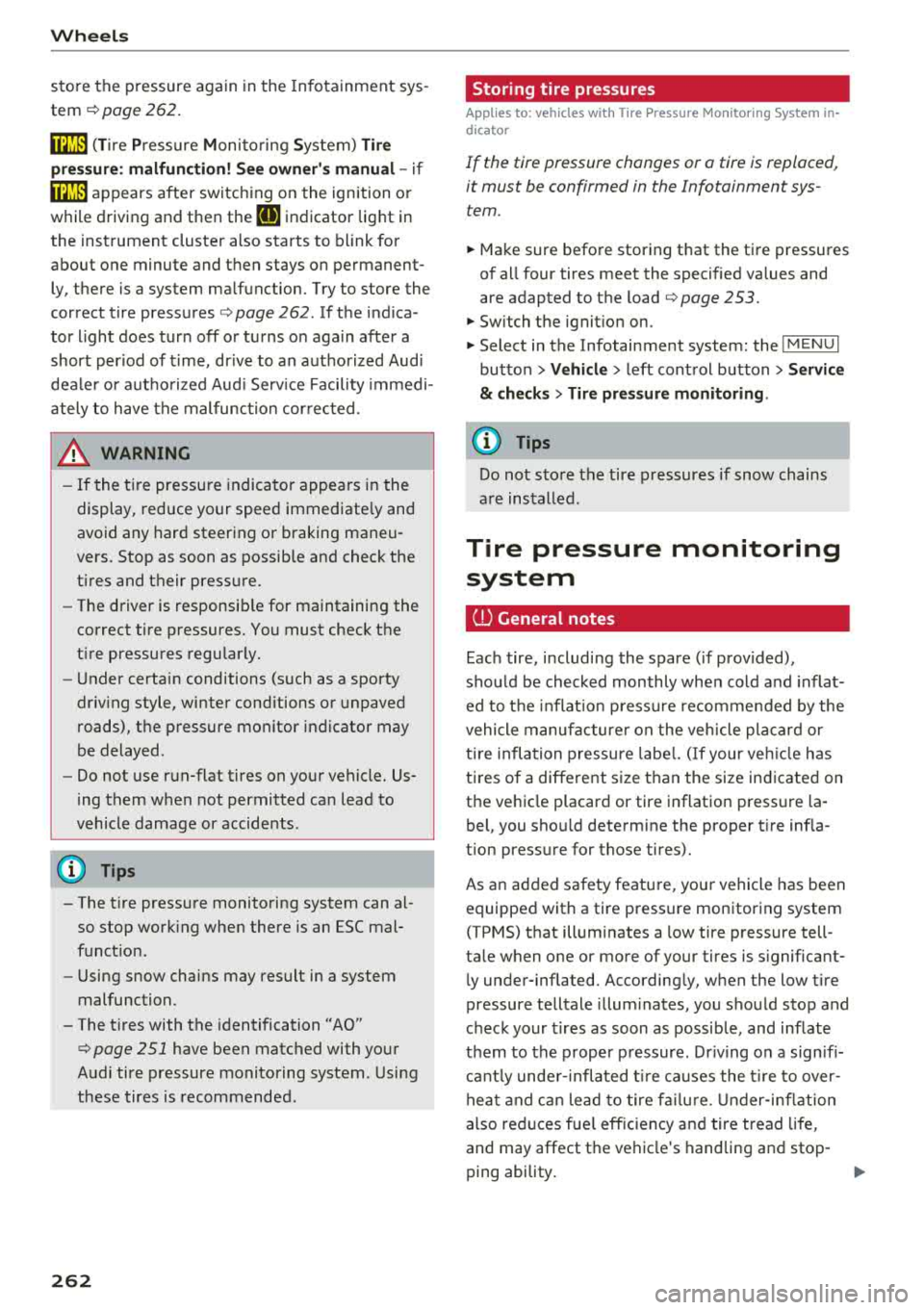
Wheels
store the pressure again in the Infotainment sys
tem
i::> page 262 .
mm (Tir e Pr essure Monitoring System) Tire
pressure: malfunction! See owner's manual -
if
mm appears after switching on the ignition or
while driving and then the
[DJ indicator light in
the instrument cluster also starts to blink for
about one minute and then stays on permanen t
ly, there is a system malfunction. Try to store the
correct tire pressures
<=:> page 262 . If the indica
tor light does turn off or turns on again after a
short period of time, drive to an authorized Audi
dealer or authorized Aud i Serv ice Facility immedi
ately to have the malfunction corrected .
_& WARNING
-If the tire pressure indicator appears in the
display, reduce your speed immediately and
avoid any hard steering or braking maneu
vers. Stop as soon as possible and check the
tires and their pressure.
- The driver is responsible for maintaining the
correct tire pressures. You must check the
tire pressures regularly.
-Under certain conditions (such as a sporty
driving style, winter conditions or unpaved
roads), the pressure monitor indicator may
be delayed .
- Do not use run-flat tires on your vehicle. Us
ing them when not permitted can lead to
vehicle damage or accidents .
(D Tips
- The tire pressure monitoring system can al
so stop working when there is an ESC mal
function.
- Using snow chains may result in a system
malfunction.
- The tires with the identification
"AO"
¢page 251 have been matched with your
Audi tire pressure monitoring system . Using
these tires is recommended.
262
Storing tire pressures
Applies to: vehicles with Tire P ressure Monitoring System in
dicator
If the t ire pr essure chang es or a tire is replaced ,
it must be confirmed in the Infotainment sys
tem.
.,. Make sure before storing that the tire pressures
of all four tires meet the specified values and
a re adapted to the load
<=:>page 253.
.,. Switch the ignition on.
.,. Select in the Infotainment system : the!M ENUI
button > Vehicle > left control button > Service
& checks> Tire pressure monitoring .
(D Tips
Do not store the tire pressures if snow chains
are installed .
Tire pressure monitoring
system
ill General notes
Each tire, including the spare (if provided),
should be checked monthly when cold and inflat
ed to the inflation pressure recommended by the
vehicle manufacturer on the vehicle placard or
tire inflation pressure label. (If your vehicle has
tires of a different size than the size indicated on
the vehicle placard or tir e inflation pr essure la
bel, you should determine the proper tire infla
tion pressure for those tires).
As an added safety feature, your vehicle has been
equipped with a tire pressure monitoring system
( T PMS) that illuminates a low tire pressure tell
tale when one or more of you r tires is significant
ly under-inflated. Accordingly, when the low tire
pressure telltale illuminates, you should stop and
check your tires as soon as possible, and inflate
them to the proper pressure . Driving on a signifi
cant ly under-inflated t ire causes the tire to over
heat and can lead to tire failur e. Under-inflation
also reduces fuel efficiency and tire tread life,
and may affect the vehicle's handling and stop-
ping ability.
..,.
Page 298 of 310
Index
Central locking switch . . . . . . . . . . . . . . . . . . 26
Ce rt ificat ion . . . . . . . . . . . . . . . . . . . . . . . . . 293
Changing eng ine o il . . . . . . . . . . . . . . . . . . . 238
Changing light bulbs . . . . . . . . . . . . . . . . . . 28 2
Chargi ng the battery (mob ile dev ices) . . . . 161
Chi ld restraint
Danger of using ch ild rest raints in the front
seat . . . . . . . . . . . . . . . . . . . . . . . . . . . . . . .
195
Ch ild rest raints
Where can I get additional in format ion
about child restraints and their use? . . . .
228
C hil d safety . . . . . . . . . . . . . . . . . . . . . . . . . . 2 16
Important safety ins truc tions fo r us ing ch ild
safety sea ts . . . . . . . . . . . . . . . . . . . . . . . .
2 19
Ch ild safety seats . . . . . . . . . . . . . . . . . . . . . 2 21
Booster seats . . . . . . . . . . . . . . . . . . . . . . . 223
Conve rt ible c hild seats . . . . . . . . . . . . . . . 22 2
How do I properly install a child safe ty seat
. h ' l 7 in myve 1c e .. .. ............. .... .. . 2 19
Infant seats . . . . . . . . . . . . . . . . . . . . . . . . 22 1
Safety instructions . . . . . . . . . . . . . . . . . . . 2 19
Securing . . . . . . . . . . . . . . . . . . . . . . . . . . . 225
C iga rette lighte r . . . . . . . . . . . . . . . . . . . . . . . 48
Clean ing . . . . . . . . . . . . . . . . . . . . . . . . . . . . 266
C leaning/removing ice from windows . . . . . 26 8
Clea ning Alcanta ra . . . . . . . . . . . . . . . . . . . . 269
Clean ing artificia l leather . . . . . . . . . . . . . . . 269
C le ani ng ca rbon p arts . . . . . . . . . . . . . 2 68, 269
Clea ning contro ls . . . . . . . . . . . . . . . . . . . . . 269
C leaning decorative parts and trim . . . . . . . 268
C lea ning displays . . . . . . . . . . . . . . . . . . . . . 269
Clea ning exhaust ta il pipes . . . . . . . . . . . . . 267
C lean ing plast ic parts . . . . . . . . . . . . . . . . . . 26 8
Clea ning rims . . . . . . . . . . . . . . . . . . . . . . . . 267
Clean ing seat covers . . . . . . . . . . . . . . . . . . . 269
C lea ning t ail lights . . . . . . . . . . . . . . . . . . . . 26 7
Clea ning text iles . . . . . . . . . . . . . . . . . . . . . . 269
Cleaning the Audi virt ual cockpit . . . . . . . . . 269
C lean ing t he instrument cluster . . . . . . . . . 269
Clean ing the wind deflector . . . . . . . . . . . . . 268
Clima te con trol system (automa tic)
Ad '
t' . JU S mg air vents . . . . . . . . . . . . . . . . . . . . 52
Ad justing the air vents . . . . . . . . . . . . . . . . . 53
Ad justing the temperature . . . . . . . . . . . . . 52
Air distribution, a ir vents . . . . . . . . . . . . . . . 52
AUTO (automatic mode) . . . . . . . . . . . . . . . 52
296
B lower
Contro ls . . . . . . . . . . . . . . . . . . . . . . . . . . . . . 52
52
Defrosting the windows . . . . . . . . . . . . . . . 53
Drive select . . . . . . . . . . . . . . . . . . . . . . . . . . 78
Rear w indow defogger. . . . . . . . . . . . . . . . . 53
Rec irculat ion mode . . . . . . . . . . . . . . . . . . . 53
Cli mate contro l system (manua l)
Adjusting th e air vents . . . . . . . . . . . . . . . . .
53
Clock . . . . . . . . . . . . . . . . . . . . . . . . . . . . . . . 173
Closi ng
Hood . . . . . . . . . . . . . . . . . . . . . . . . . . . . . .
235
Windows ....... .. .. ................ 29
Closing/ open ing
By remote control . . . . . . . . . . . . . . . . . . . .
24
U sing the door lock . . . . . . . . . . . . . . . . . . . 2 7
Coc kpit (overview) . . . . . . . . . . . . . . . . . . . . . .
6
Coming home . . . . . . . . . . . . . . . . . . . . . . . . . 40
Commands (voice recogn ition system) . . . . 105
Compa rtments . . . . . . . . . . . . . . . . . . . . . . . . 48
Compass in the m irror . . . . . . . . . . . . . . . . . . 44
Compliance . . . . . . . . . . . . . . . . . . . . . . . . . . 293
Conferen ce ca ll . . . . . . . . . . . . . . . . . . . . . . . 115
Connect ion manager 174
Connect ions
refer to M edia . . . . . . . . . . . . . . . . . . 154, 162
Connect io n sett ings . . . . . . . . . . . . . . . . . . . 17 4
Cons umer Information . . . . . . . . . . . . . 185, 290
Cons umption (fuel) . . . . . . . . . . . . . . . . . . . . 21
Contacting NHTSA . . . . . . . . . . . . . . . . . . . . 185
Contacts
Additional directory . . . . . . . . . . . . . . . . . .
175
Importing/export ing . . . . . . . . . . . . . . . . . 120
Memory capac ity . . . . . . . . . . . . . . . . . . . . 121
Searching . . . . . . . . . . . . . . . . . . . . . . . . . . 120
Showing details . . . . . . . . . . . . . . . . . . . . . 120
Stor ing as destination . . . . . . . . . . . . . . . . 140
Control buttons . . . . . . . . . . . . . . . . . . . . . . . 19
Cont ro l buttons (opera ting t he M MI) . . . . . . 94
Control knob with joystick funct ion . . . . . . . . 98
Convenience key
Ind icator light . . . . . . . . . . . . . . . . . . . . . . .
59
Stopping the eng ine (START ENGINE STOP
button) . . . . . . . . . . . . . . . . . . . . . . . . . . . . .
59
Un locking/locking . . . . . . . . . . . . . . . . . . . . 25
Convenience open ing/clos ing . . . . . . . . . . . . 29
Convertib le child safe ty se ats . . . . . . . . . . . 2 22
Page 306 of 310
Index
Selector lever (automatic transmission)
Emergency operation . . . . . . . . . . . . . . . . . . 69
Position . . . . . . . . . . . . . . . . . . . . . . . . . . . . 63
Serv ice a nd d isposa l
Safety bel t pre tensioner . . . . . . . . . . . . . . 193
Serv ice interval d isplay . . . . . . . . . . . . . . . . . 243
Settings Directory . . . . . . . . . . . . . . . . . . . . . . . . . . . 121
Map . .... .. .. .. ............. .... .. . 144
Media . . . . . . . . . . . . . . . . . . . . . . . . . . . . . 165
Navigation . . . . . . . . . . . . . . . . . . . . . . . . . 140
Radio . . . . . . . . . . . . . . . . . . . . . . . . . . . . . 152
System . . . . . . . . . . . . . . . . . . . . . . . . . . . . 173
Telephone .. .. .. ............. .. .. .. . 12 1
Sett ing the language . . . . . . . . . . . . . . . . . . 173
Shift padd les (automatic transmission) . . . . 67
Shuff le . . . . . . . . . . . . . . . . . . . . . . . . . . . . . 165
Side airbags Descr ipt ion . .. .. ............. .... .. . 212
H owtheywork ...................... 213
Side assist . . . . . . . . . . . . . . . . . . . . . . . . . . . . 7 5
Adjusting the brightness . . . . . . . . . . . . . . . 77
Clean ing the sensors . . . . . . . . . . . . . . . . . 267
Sensor range . . . . . . . . . . . . . . . . . . . . . . . . 76
Sw itchi ng on and off . . . . . . . . . . . . . . . . . . 77
SI M card reader . . . . . . . . . . . . . . . . . . . . . . 124
Ski bag .. .. .. .. .. ... .. ..... ... .. .. .. .. 49
Snowboard bag . . . . . . . . . . . . . . . . . . . . . . . . 49
Snow chains . . . . . . . . . . . . . . . . . . . . . . . . . 259
Socket . . . . . . . . . . . . . . . . . . . . . . . . . . . . . . . 48
Software update
refer to System update (MMI) . . . . . . . . . . 176
Software ( MMI)
License . . . . . . . . . . . . . . . . . . . . . . . . . . . . 178
Update . . . . . . . . . . . . . . . . . . . . . . . . . . . . 176
Version . . . . . . . . . . . . . . . . . . . . . . . . . . . . 176
Sources of info rmat ion about c hild rest raints
a nd the ir use . . . . . . . . . . . . . . . . . . . . . . . . . 228
Spare tire . . . . . . . . . . . . . . . . . . . . . . . . . . . 27 9
Speed dependent vo lume contro l . . . . . . . . 177
Speedometer . . . . . . . . . . . . . . . . . . . . . . . . . 17
Speed warn ing system . . . . . . . . . . . . . . . . . . 71
Speller . . . . . . . . . . . . . . . . . . . . . . . . . . . . . . . 99
Sport mode . . . . . . . . . . . . . . . . . . . . . . . . . . . 87
STAR T Engine S TOP button . . . . . . . . . . . . . . 58
S tarting to d rive . . . . . . . . . . . . . . . . . . . . . . . 6 2
304
Start ing (engine) . . . . . . . . . . . . . . . . . . . . . . 58
Steering El ectromechanical steering . . . . . . . . . . . . . 89
Ind icator lig ht . . . . . . . . . . . . . . . . . . . . 13 , 89
also refer to E lec tromechanical steering 89
Steering wheel Adjust ing . . . . . . . . . . . . . . . . . . . . . . . . . . . 58
S hi ft paddles (automatic t ransm iss ion) . . . 67
also refer to Mult ifunct io n
stee ring wheel . . . . . . . . . . . . . . . . . 18, 19 , 20
Steps for determin ing correct load l imit ... 257
Stopover (navigation) . . . . . . . . . . . . . . . . . . 139
Stoppi ng (e ngine) . . . . . . . . . . . . . . . . . . . . . . 59
Storage compartments . . . . . . . . . . . . . . . . . 48
Streaming
refer to On line media . . . . . . . . . . . . . . . . . 159
S t ronic (a utomat ic tr ansmiss ion) . . . . . . . . . 63
Subtitles (DVD) . . . . . . . . . . . . . . . . . . . . . . . 165
Sun visors . . . . . . . . . . . . . . . . . . . . . . . . . . . . 42
Suspension control . . . . . . . . . . . . . . . . . . . . . 78
Swapping ca lls . . . . . . . . . . . . . . . . . . . . . . . 115
Swi tc hi ng dayt ime r unning lights on an d off 39
Switc hing tabs
refer to Multifunction
stee ring wheel . . . . . . . . . . . . . . . . . 18, 19, 20
Switch ing the ignit ion on . . . . . . . . . . . . . . . . 58
Symbols . . . . . . . . . . . . . . . . . . . . . . . . . . . . 102
Nav iga tion . . . . . . . . . . . . . . . . . . . . . . . . . 142
T ra ffic . . . . . . . . . . . . . . . . . . . . . . . . . . . . . 147
also refer to Indicator lights . . . . . . . . . . . . . 9
System sett ings (MMI) . . . . . . . . . . . . . . . . . 173
System update (MMI) . . . . . . . . . . . . . . . . . . 176
System volume 177
T
Tachometer... .. .. .. .. ............. . 8, 21
Techn ica l data . . . . . . . . . . . . . . . . . . . . . . . . 288
Technica l modifications . . . . . . . . . . . . . . . . 293
Telephone . . . . . . . . . . . . . . . . . . . . . . . . . . . 111
Connect ing . . . . . . . . . . . . . . . . . . . . . . . . . 111
D ialing a numbe r . . . . . . . . . . . . . . . . . . . . 11 4
Options d uring a phone call . . . . . . . . . . . 115
Settings . . . . . . . . . . . . . . . . . . . . . . . . . . . 121
Temperature d isplay
Outs ide temperat ure . . . . . . . . . . . . . . . . . . 17