immobilizer AUDI TT ROADSTER 2018 Owners Manual
[x] Cancel search | Manufacturer: AUDI, Model Year: 2018, Model line: TT ROADSTER, Model: AUDI TT ROADSTER 2018Pages: 310, PDF Size: 46.95 MB
Page 25 of 310
Replacing a key
If a key is lost, see an authorized Audi dealer or
authorized Audi Service Facility. Have
this key de
activated.
It is important to bring all keys with
you. If a key is lost, you should report it to your
insurance company.
Number of keys
You can check the number of keys ass igned to
your vehicle in the Infotainment system . To do
this, select the
I MENU I button > Vehicle > left
control button
> Service & checks > Vehicle in ·
formation .
This way, you can make sure that you
have all the keys when purchasing a used vehicle .
Electronic immobilizer
The immobilizer prevents unautho rized use of
the vehicle .
Unde r certain circumstances, the vehicle may not
be able to start if there is a remote contro l key
from a different vehicle manufacturer on the key
chain .
Data in the master key
When driving , service and maintenance- relevant
data is continuously stored in your remote con
trol key . Your Audi service adviso r can read out
this data and te ll you about the work your vehicle
needs. This applies also to veh icles with a con
venience key *.
Personal convenience settings
If two people use one vehicle, it is recommended
that each person always uses "their own" master
key. When the ignition is turned
off or when the
ve hicle is locked, persona l convenience settings
for the following systems are stored and as
signed to the remote master key .
- Climate control system
- Parking aid*
- Active lane assist*
- Side ass ist*
- Drive select
a The stored settings are automatically recalled co
;:::: when you unlock the vehicle, open the doors or ,....
~ turn on the ignition. 0 ,....
Vl co
Opening and closing
A WARNING
If you leave the vehicle, switch the ignition off
and take the vehicle key w ith you. This applies
particularly when children remain in the vehi
cle . Otherwise the child ren cou ld start the en
g ine or operate electrical equ ipment such as
power windows.
(D Note
Protect the remote control key against high
temperatures and direct sunl ight.
(D Tips
- The operation of the remote control key can
be temporarily disrupted by interference
from transmitters near the vehicle working
in the same frequency range (such as a cell
phone or radio equipment). Always check if
yo ur vehicle is locked!
- For an explanat ion on conformity with the
FCC regulatio ns in the United States and the
Industry Canada regulations, see
¢page 293.
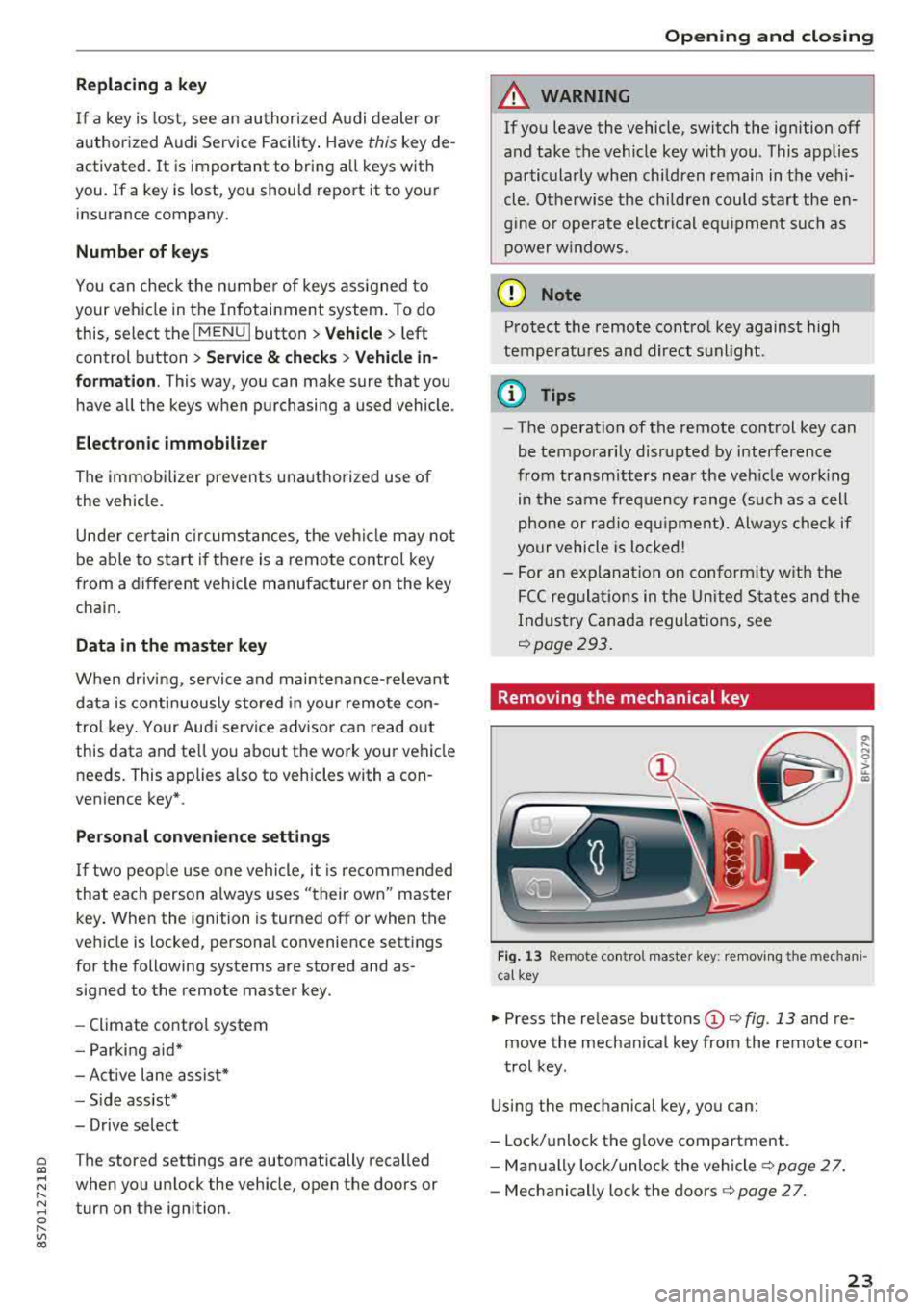
Removing the mechanical key
Fig. 13 Remote co ntro l master key : removing the mechan i
cal key
.,. Press the re lease buttons (D ¢ fig . 13 and re
move the mechanical key from the remote con
trol key.
Using the mechanical key, you can:
- Lock/unlock the glove compartment.
- Manually lock/unloc k the vehicle s>
page 2 7.
- Mechanically loc k the doors s>
page 2 7.
23