oil AUDI TT ROADSTER 2018 Owners Manual
[x] Cancel search | Manufacturer: AUDI, Model Year: 2018, Model line: TT ROADSTER, Model: AUDI TT ROADSTER 2018Pages: 310, PDF Size: 46.95 MB
Page 4 of 310
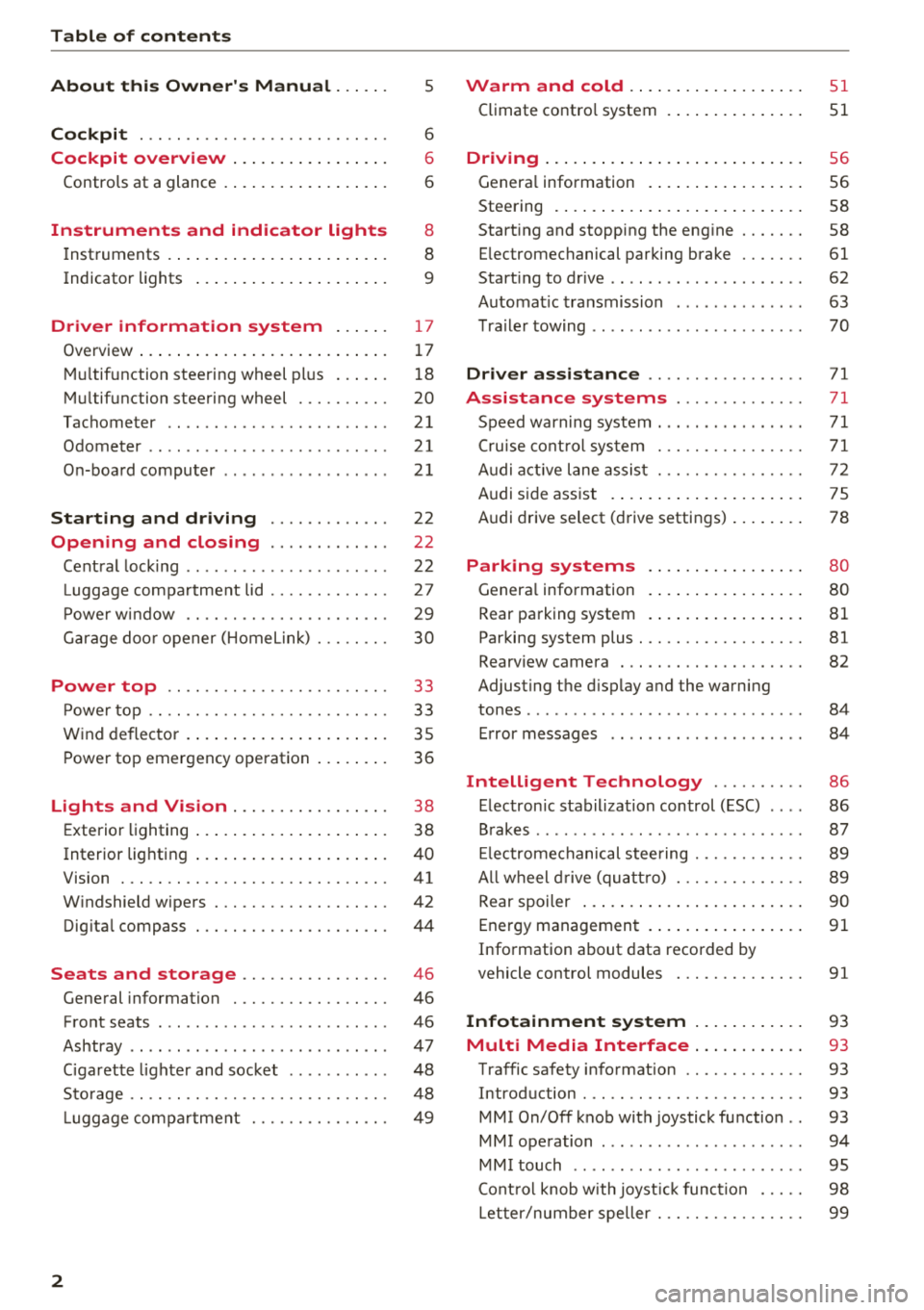
Table of contents
About this Owner's Manual. . . . . .
5
Cockpit . . . . . . . . . . . . . . . . . . . . . . . . . . . 6
Cockpit overview . . . . . . . . . . . . . . . . . 6
Controls at a glance . . . . . . . . . . . . . . . . . . 6
Instruments and indicator lights 8
Instruments . . . . . . . . . . . . . . . . . . . . . . . . 8
Indicato r lights . . . . . . . . . . . . . . . . . . . . . 9
Driver information system . . . . . . 17
Ove rview . . . . . . . . . . . . . . . . . . . . . . . . . . . 1 7
Mul tifunction stee ring wheel pl us . . . . . . 1 8
M ultifunction steering wheel . . . . . . . . . . 20
Tachometer . . . . . . . . . . . . . . . . . . . . . . . .
21
Odometer . . . . . . . . . . . . . . . . . . . . . . . . . . 21
On-boa rd computer . . . . . . . . . . . . . . . . . . 2 1
Starting and driving . . . . . . . . . . . . . 22
Opening and closing . . . . . . . . . . . . . 22
Cent ral lock ing . . . . . . . . . . . . . . . . . . . . . .
22
Luggage compa rtment lid . . . . . . . . . . . . . 27
P owe r w indow . . . . . . . . . . . . . . . . . . . . . . 29
G arage doo r opener (Home link) . . . . . . . . 30
Power top . . . . . . . . . . . . . . . . . . . . . . . . 3 3
P owe r top . . . . . . . . . . . . . . . . . . . . . . . . . . 33
W ind deflector . . . . . . . . . . . . . . . . . . . . . . 35
P ower top emergency ope ration . . . . . . . . 36
Lights and Vision . . . . . . . . . . . . . . . . . 3 8
E xte rior lighting . . . . . . . . . . . . . . . . . . . . . 38
Interior lighting . . . . . . . . . . . . . . . . . . . . . 40
V1s1on . . . . . . . . . . . . . . . . . . . . . . . . . . . . .
41
W indshield wipers . . . . . . . . . . . . . . . . . . . 42
Dig ita l compass . . . . . . . . . . . . . . . . . . . . . 44
Seats and storage . . . . . . . . . . . . . . . . 46
General information . . . . . . . . . . . . . . . . . 46
Front seats . . . . . . . . . . . . . . . . . . . . . . . . . 46
Ashtray . . . . . . . . . . . . . . . . . . . . . . . . . . . . 47
Ciga rette lighte r and socket . . . . . . . . . . . 48
Sto rage . . . . . . . . . . . . . . . . . . . . . . . . . . . . 48
L ugg age compa rtment . . . . . . . . . . . . . . . 49
2
Warm and cold .... ... .. ..... ... . .
Climate contro l system . .. .. ..... ... . .
Driving . .. .. .. .... .. ... .. ..... ... . .
Genera l information . .... .. ..... ... . .
Steering . ... .. .... .. ... .. ..... ... . .
Start ing and stopping the eng ine ..... . .
E lectromechanical par king brake ..... . .
Start ing to drive .. .. .. ... .. ..... ... . .
Automat ic transmission ............. .
T ra ile r towing .. .. .. .. .............. .
Driver assi stance .. .............. .
Assistance systems ............. .
Speed warning system .... .. ..... ... . .
Cru ise cont ro l sys tem
A udi active l ane assist . ............. . .
Audi s ide ass ist . ..... ... .. ..... ... . .
Audi drive select (drive settings) ... ... . .
Parking systems
Genera l information
Rear parking system
Par king system plus . .. ............. . .
Rearv iew camera . .. .. ............. . .
Adjusting the d isplay and the warning
51
51
56
56
58
58
61
62
63
70
71
71
71
71
72
75
78
80
80
81
81
82
tones ........ ... .. .. ............... 84
Error messages . . . . . . . . . . . . . . . . . . . . . 84
Intelligent Technology . . . . . . . . . . 86
E lectron ic stabilization control (ESC) . . . . 86
B rakes . . . . . . . . . . . . . . . . . . . . . . . . . . . . . 87
El ec tromechanical steering . . . . . . . . . . . . 89
A ll w heel drive (quatt ro) . . . . . . . . . . . . . . 89
Rear spoiler . . . . . . . . . . . . . . . . . . . . . . . . 90
Energy management . . . . . . . . . . . . . . . . .
91
Information about data recorded by
vehicle control modules . . . . . . . . . . . . . .
91
Infotainment system . . . . . . . . . . . . 93
Multi Media Interface . . . . . . . . . . . . 93
Traffic safety info rmation . . . . . . . . . . . . . 93
Introduction . . . . . . . . . . . . . . . . . . . . . . . . 93
MMI On/Off knob with joystick function . . 93
MMI operation . . . . . . . . . . . . . . . . . . . . . . 94
MM I touch . . . . . . . . . . . . . . . . . . . . . . . . . 95
Cont ro l knob w ith joyst ick function . . . . . 98
Letter/number speller . . . . . . . . . . . . . . . . 99
Page 6 of 310
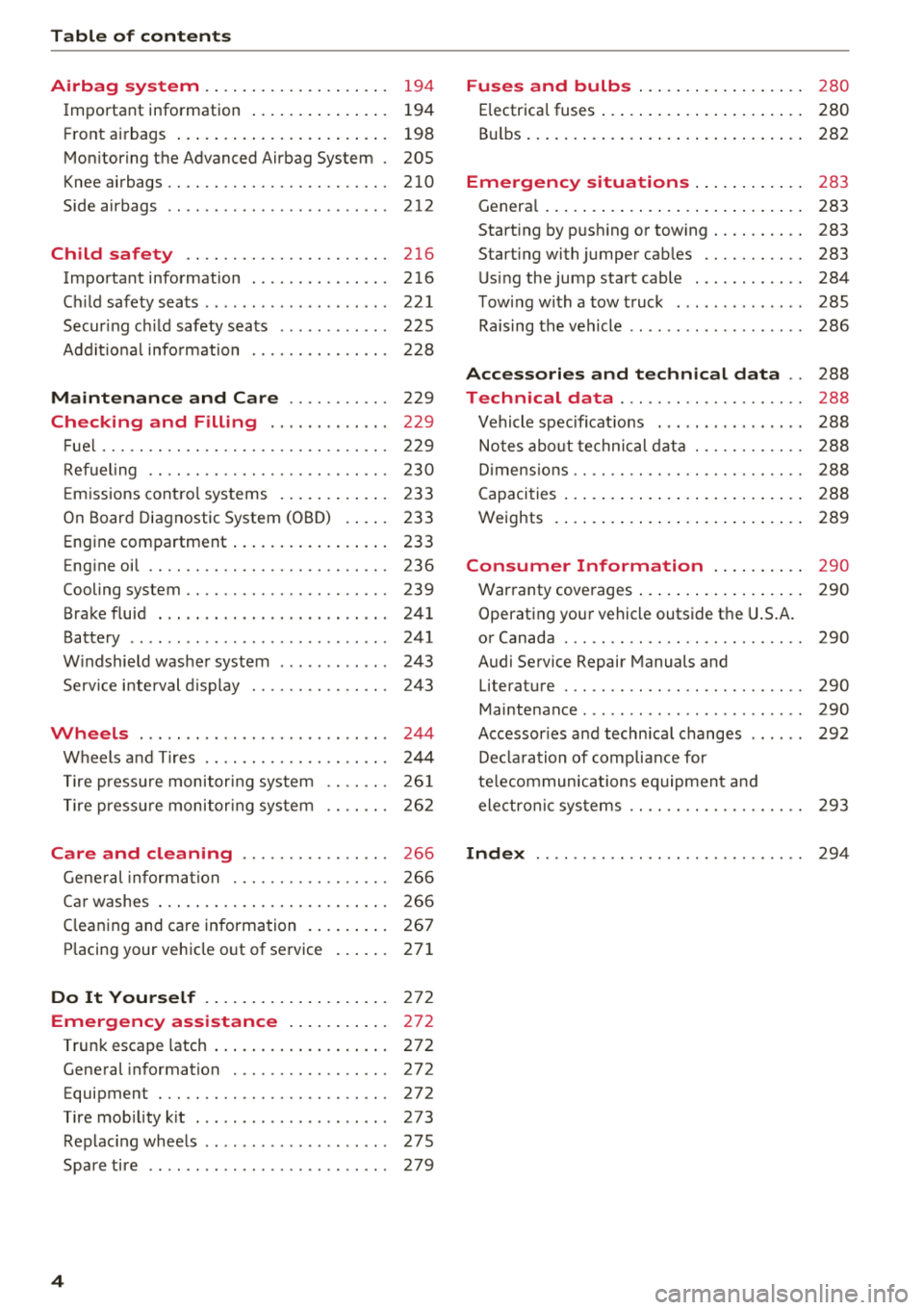
Table of contents
Airbag system . . . . . . . . . . . . . . . . . . . .
194
Important information . . . . . . . . . . . . . . . 194
Front a irbags . . . . . . . . . . . . . . . . . . . . . . . 198
Mon itoring the Advanced Airbag System . 205
Knee airbags .. .. ............. .... .. . 210
Side airbags . . . . . . . . . . . . . . . . . . . . . . . . 212
Child safety . . . . . . . . . . . . . . . . . . . . . . 216
Important information . ....... .. .. .. . 216
C hi ld safety seats . . . . . . . . . . . . . . . . . . . . 221
Secur ing ch ild safety seats . . . . . . . . . . . . 225
Add it io nal info rmation . . . . . . . . . . . . . . . 228
Maintenance and Care . . . . . . . . . . . 229
Checking and Filling . . . . . . . . . . . . . 229
F ue l..... .. .. .. ............. .... .. . 229
Ref ueling . . . . . . . . . . . . . . . . . . . . . . . . . . 230
E m issions cont ro l sys tems . . . . . . . . . . . . 233
On Board Diagnostic System (OB D) . . . . . 233
Engine compartment . . . . . . . . . . . . . . . . . 233
Eng ine oil . . . . . . . . . . . . . . . . . . . . . . . . . . 236
Cooling system . . . . . . . . . . . . . . . . . . . . . . 239
Brake fluid . . . . . . . . . . . . . . . . . . . . . . . . . 241
Battery . . . . . . . . . . . . . . . . . . . . . . . . . . . . 241
W indshield washe r system . . . . . . . . . . . . 243
Service i nterval d isplay 24 3
Wheels ... .. .. ................ ... . 244
Wheels and T ires . . . . . . . . . . . . . . . . . . . . 244
T ire press ure monitor ing system
T ire press ure monitor ing sys tem 26
1
26 2
Care and cleaning . . . . . . . . . . . . . . . . 266
Gene ral informa tion . . . . . . . . . . . . . . . . . 266
Ca r washes . . . . . . . . . . . . . . . . . . . . . . . . . 266
C leaning and care information . . . . . . . . . 267
P lacing your vehicle o ut of service . . . . . . 271
Do It Yourself . . . . . . . . . . . . . . . . . . . . 272
Emergency assistance . . . . . . . . . . . 272
Trun k escape latch . . . . . . . . . . . . . . . . . . . 272
Gene ral information . . . . . . . . . . . . . . . . . 272
Equipment . . . . . . . . . . . . . . . . . . . . . . . . . 272
T ire mob ility k it . . . . . . . . . . . . . . . . . . . . . 273
Replac ing whee ls . . . . . . . . . . . . . . . . . . . . 27S
Spare tire . . . . . . . . . . . . . . . . . . . . . . . . . . 279
4
Fuses and bulbs . . . . . . . . . . . . . . . . . . 280
E lectrica l fuses . . . . . . . . . . . . . . . . . . . . . . 280
B ul bs. . . . . . . . . . . . . . . . . . . . . . . . . . . . . . 282
Emergency situations . . . . . . . . . . . . 283
Genera l . . . . . . . . . . . . . . . . . . . . . . . . . . . . 283
Start ing by push ing or tow ing . . . . . . . . . . 283
Start ing with jumper cables . . . . . . . . . . . 283
U sing the jump start cable . . . . . . . . . . . . 284
T ow ing with a tow truck . . . . . . . . . . . . . . 285
Raising the vehicle . . . . . . . . . . . . . . . . . . . 286
Accessories and technical data . . 288
Technical data . . . . . . . . . . . . . . . . . . . . 288
Vehicle spec ificat ions . . . . . . . . . . . . . . . . 288
Notes abo ut te chnical data . . . . . . . . . . . . 288
D imens io ns . . . . . . . . . . . . . . . . . . . . . . . . . 288
Capacities . . . . . . . . . . . . . . . . . . . . . . . . . . 2 88
Weights . . . . . . . . . . . . . . . . . . . . . . . . . . . 289
Consumer Information . . . . . . . . . . 290
Warranty coverages . . . . . . . . . . . . . . . . . . 290
Operating your vehicle outside t he U.S.A.
or Canada . . . . . . . . . . . . . . . . . . . . . . . . . . 290
Audi Service Repair Manuals and Literature . . . . . . . . . . . . . . . . . . . . . . . . . . 290
Maintenance . . . . . . . . . . . . . . . . . . . . . . . . 290
Accessor ies a nd techn ica l changes . . . . . . 292
De clara tion of compliance for
te lecommunications eq uipment a nd
electron ic sys tems . . . . . . . . . . . . . . . . . . . 293
Index ...... .. .. .. .. ............. .. 294
Page 9 of 310
Cl 00 .-< N r-N .-< 0 r-Vl 00
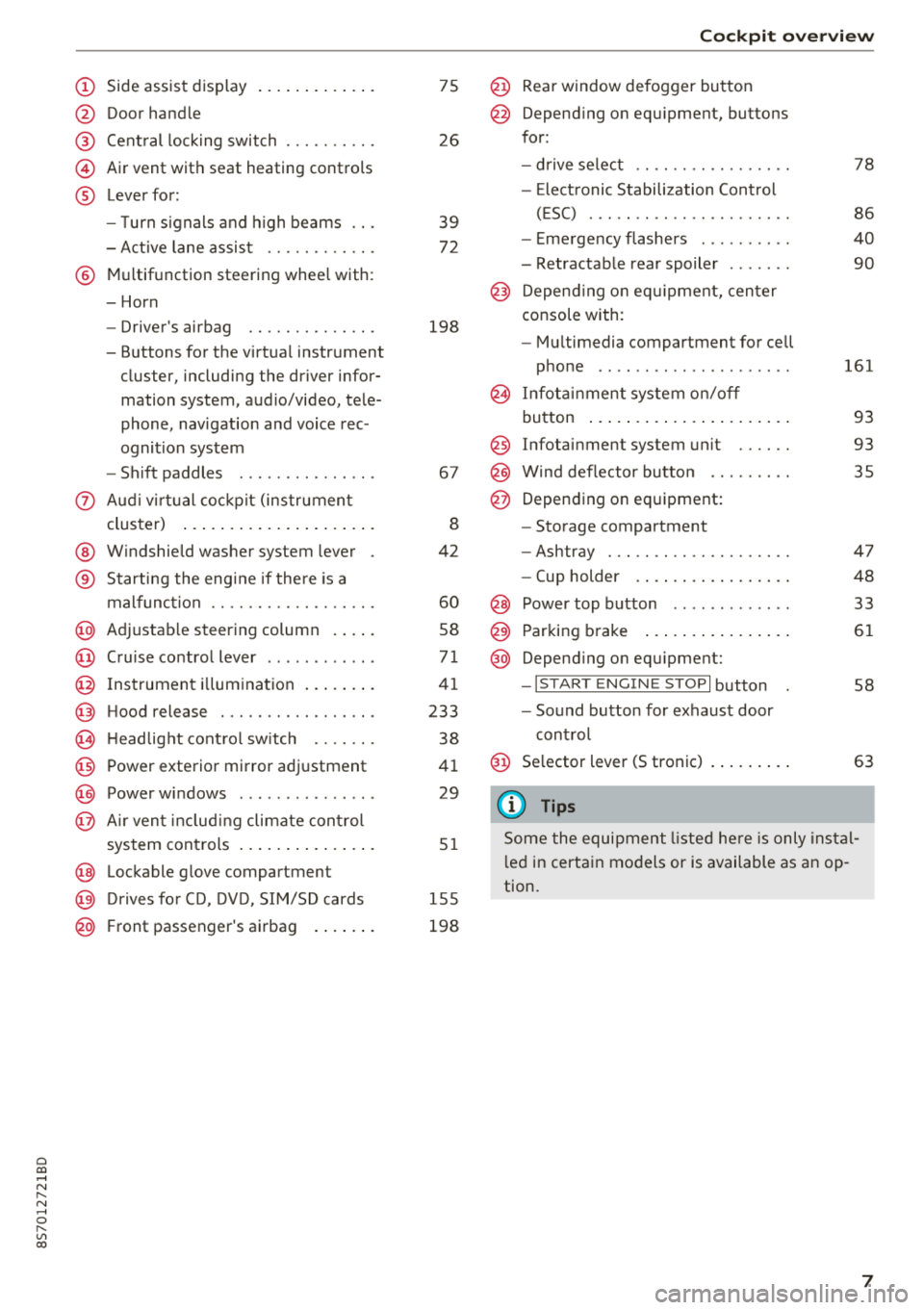
(D Side assist disp lay ..... ... .. .. .
@ Door handle
@ Cent ral locking swit ch ..... .. .. .
@ Air vent with seat heating controls
® Lever for:
- T urn s ignals and high beams
- Act ive lane assist ....... .. .. .
® M ultifunction steering whee l with :
- Horn
- Driver's airbag ........... .. .
- Buttons for the virtua l instr ument
cluster, including the dr iver infor
mation system, audio/video, tele
phone, navigation and voice rec
ognit ion system
- Shift paddles ............. . .
(J) A ud i v irtu al coc kp it (instrument
cluster) ... ... .. ..... ... .. .. .
@ W indshield washer system lever
® Starting the eng ine if the re is a
malfunc tion ............... .. .
@ Ad justable steer ing column . ... .
@ Cruise contro l lever .......... . .
@ Ins trumen t il lum ination ... .. .. .
@ Hood release .............. .. .
€3) H eadlight cont ro l sw itch .... .. .
@ Power exterio r mirror adj ustment
@) Power windows .............. .
@ A ir ven t incl uding climate con trol
system controls .. ..... ... .. .. .
@ Lockable g love compartment
@) D rives fo r CD, DV D, SIM/SD cards
@ Front passenger's ai rbag . ... .. .
75
26
39
7 2
198
67
8
42
60
58
71
41
233
38
4 1
29
5 1
1 55
198
Coc kpit o ver view
@ Rear window defogger button
@ Depend ing on equ ipment, buttons
for:
- drive select .. .............. .
- Elect ronic Stabili zation Cont rol
( E SC) . .. .. .. .............. .
- E me rge ncy flashers ......... .
- Retractable rear spoiler ...... .
@ Depending o n eq uipment, cen ter
console with:
- Mu ltimedia compartment for cell
p hone .. .. .. .. ............ .
@ In fota inment system o n/off
bu tton ... .... .. ... .. ..... .. .
@ Infotai nment system unit ..... .
@ Wind deflector butto n ........ .
@ Depending on eq uipment:
- Storage compartment
- Ashtray . .. .. .............. .
- Cup holder .... ... .. ..... .. .
@ Power top b utton ............ .
@ Parking b rake ... ... .. ..... .. .
@ Depend ing on eq uipment:
-I S TAR T ENGI NE STOP I button
- So und button for exhaust door
cont rol
@ Se lector lever (S tronic)
(D Tips
78
86
40
90
161
93
93 35
47
48
33
61
58
63
Some the equi pment listed he re is only ins tal
l e d in certa in models or is available as an op
tion.
7
Page 10 of 310
Instruments and indicator lights
Instruments and indicator lights
Instruments
Audi virtual cockpit (instrument cluster)
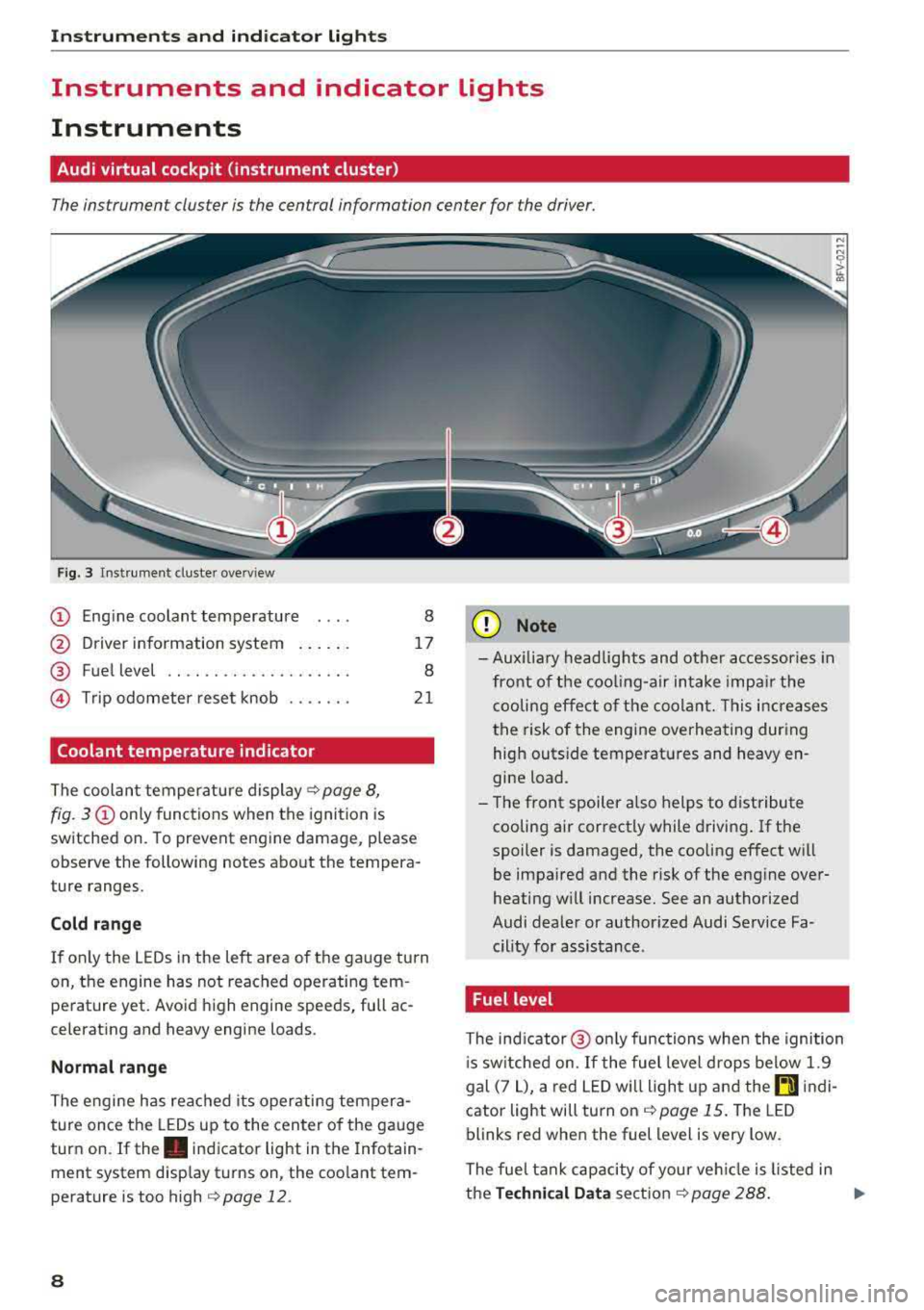
The instrument cluster is the central information center for the driver.
Fig. 3 Instrument cluster overview
CD Engine coolant temperature 8
@ Driver information system . . . . . . 17
® Fuel level . . . . . . . . . . . . . . . . . . . . 8
@ Trip odometer reset knob . . . . . . . 21
Coolant temperature indicator
The coolant temperature display c;, page 8,
fig. 3
CD only functions when the ignition is
sw itched on. To prevent engine damage, p lease
observe the following notes about the tempera
ture ranges.
Cold range
If on ly the LEDs in the left area of the gauge turn
on, the engine has not reached operating tem perature yet. Avoid high engine speeds, full ac
celerating and heavy engine loads .
Normal range
The engine has reached its operating tempera
ture once the LEDs up to the center of the gauge
turn on. If
the . indicator light in the Infotain
ment system display turns on, the coolant tem
perature is too high
c::;, page 12.
8
(I;} Note
-Aux iliary head lights and other accessories in
front of the cooling-air intake impair the
cooling effect of the coolant. This increases
the risk of the engine overheating during
high outside temperatures and heavy en
gine load.
- The front spoiler also helps to distribute
cooling air correctly while driving. If the
spoiler is damaged, the cooling effect will
be impaired and the risk of the engine over
heating w ill increase. See an authorized
Audi dealer or author ized Audi Service Fa
cility for assistance .
Fuel level
The indicator@ only func tions when the ignition
i s sw itched on. If the fuel level drops below 1.9
gal (7
L), a red LED will light up and the rD indi
cator light will turn on
c::;, page 15. The LED
blinks red when the fuel level is very low.
The fuel tank capacity of your veh icle is listed in
the
Technical Data section c;, page 288. ..,.
Page 11 of 310
Cl 00 .-< N r-N .-< 0 r-Vl 00
@ Note
Never drive until the tank is completely emp
ty. The irregular supply of fuel that results
from that can cause engine misfires. Uncom
busted fuel will then enter the exhaust sys
tem. Th is can cause overheating and damage
to the catalytic converter.
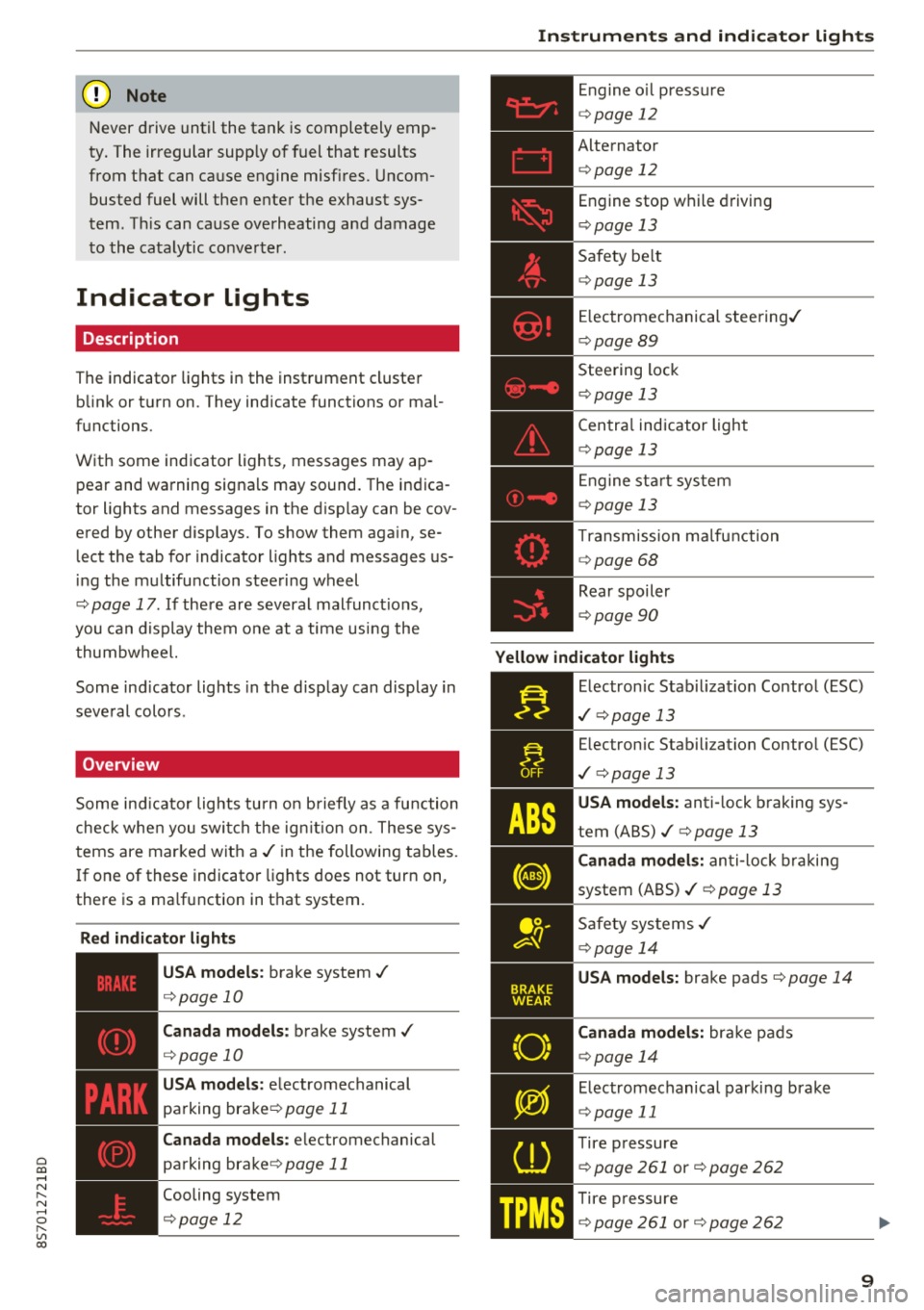
Indicator lights
Description
The indicator lights in the instrument cluster
blink or turn on. They indicate functions or mal
functions.
With some indicator lights, messages may ap
pear and warning signals may sound. The indica
tor lights and messages in the display can be cov
ered by other displays. To show them again, se
lect the tab for indicator lights and messages us
ing the multifunction steering wheel
¢ page 17. If there are several malfunct ions,
you can display them one at a time us ing the
thumbw heel.
Some ind icator lights in the d isplay can display in
several colors .
Overview
Some indicator lights turn on briefly as a function
check when you switch the ign ition on. These sys
tems are marked with a
./ in the following tables.
I f one of these indicator lights does not turn on,
there is a ma lfunction in that system.
Red indicator lights
---------------
US A models : brake system ./
¢page 10
Canada models: brake system ./
¢page 10
USA models: electromechanical
parking
brake¢ page 11
Canada models: electromechanical
parking
brake¢ page 11
Cooling system
¢ page 12
Instruments and indicator lights
Engine oil pressure
¢ page 12
Alternator
¢p age 12
Engine stop while driving
¢page 13
Safety be lt
¢ page 13
Electromechanical steering./
¢page 89
Steering lock
¢page 13
Central indicator light
¢page 13
En gine start system
¢page 13
Transmission ma lfunction
¢ page 68
Rear spoiler
¢page 90
Yellow indicator lights
Electronic Stabil iz ation Control (ESC)
./ ¢p age 13
Electronic Stabilization Contro l (ESC)
./ ¢pag e 13
USA models: anti-lock braking sys
tem
(ABS)./¢ page 13
Canada models: anti-lock braking
system
(ABS)./ ¢ page 13
Safety systems ./
¢page 14
USA models: brake pads ¢page 14
Canada models: bra ke pads
¢ page 14
Electromechanical parking brake
¢page 11
Tire pressure
¢ page 261 or¢ page 262
Tire pressure
¢ page 261 or¢ page 262
9
Page 12 of 310
Instruments and indicator lights
10
Eng ine con trol
¢ page 14
Em iss ions co ntrol system
¢ page233
Eng ine speed limitat io n
¢ page 15
Eng ine oil level ( MIN) *
¢page 15
Engi ne oil senso r
¢page 15
Batte ry charge
¢ page 12
Tank sys tem
¢page 15
W ash er fluid level
¢page 15
W indshield wipe rs
¢ page 16
Remote con trol key
¢ page 59
Batte ry in remote control key
¢ page 24
Bulb failure ind icator*
¢page 1 6
H eadlight range control system
¢ pag e 16
Adaptive lig ht*
¢ page 16
Light/ rain sensor *
¢page 16
Trans miss io n
¢page 68
S teer ing lock
¢ page 13
Eng ine start system
¢ page 13
Ce ntral indicator light
¢ page 13
Elect romecha nica l steer ing/
¢ page8 9
Suspension cont rol*
¢ page 16
Rear spoiler
¢page 90
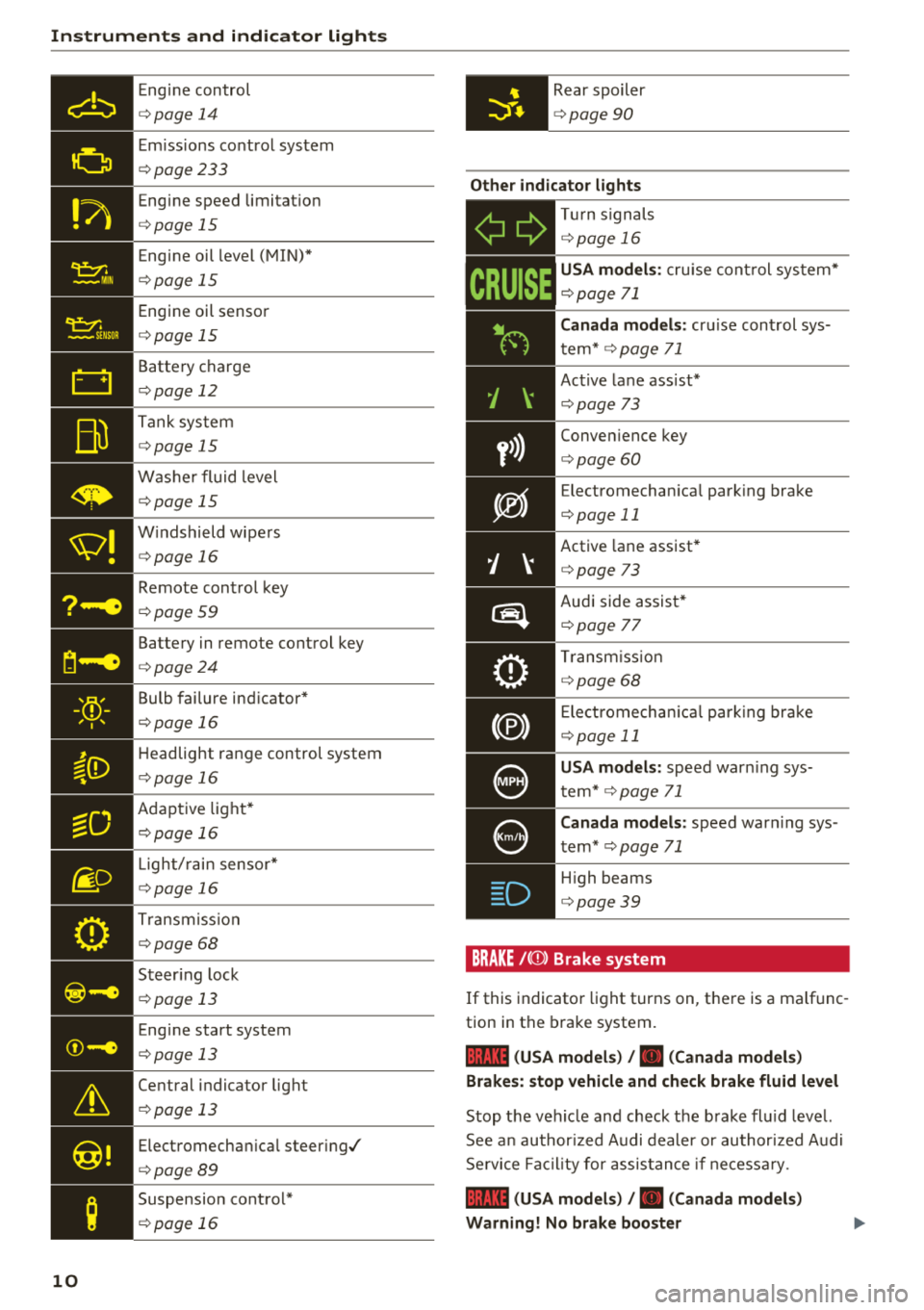
Other indicator lights
-Ii
ii T
ur n sign als
¢ page 16
CRUISE
USA models : cru ise co ntrol system*
¢ page 71
Canada models: cr uise con trol sys
t em*
¢ page 71
- Ac
tive lane ass ist*
¢ page 73
Conve nience key
¢ page 60
Electromechan ica l park ing bra ke
¢page 11
Active lane assist *
¢page 73
Audi side assist *
r=;, page 7 7
Tra nsm iss io n
c:::> page 68
Ele ct romecha nical par king brak e
¢page 11
USA models: speed war ning sys
t em *
¢page 71
Canada models: speed war ning sys
t em *
¢page 71
- H
igh beams
. ¢ page 39
BRAKE/{©) Brake system
If this indicato r light turns on, t here is a malf unc
tion in the brake system.
1111 (USA models) / . (Canada models)
Brakes : stop vehicle and check brake fluid level
Stop t he veh icle and check t he b rake fl uid leve l.
See a n au thor ized Audi de aler or au thor ized A udi
Se rvi ce Faci lity for assis tan ce if n ecess ary.
1111 (USA models) / . (Canada models)
Warning! No brake booster
Page 14 of 310
Instruments and indicator lights
If th e indicator lig ht blinks and t he message ap
pea rs, there is not eno ugh bra king power to se
cure the vehicle . The brakes have overheated. The
ve hicle co uld ro ll away eve n on a small incline .
llJ;l:l:);J;H~ (USA models) / Ii] (Canada models)
Parking brake: applied
If thi s m essage appears, p re ss the bra ke peda l
fir st and t hen release the p arking br ake if neces
sary .
(D Tips
For additional in format io n on t he parkin g
bra ke, see
q page 61.
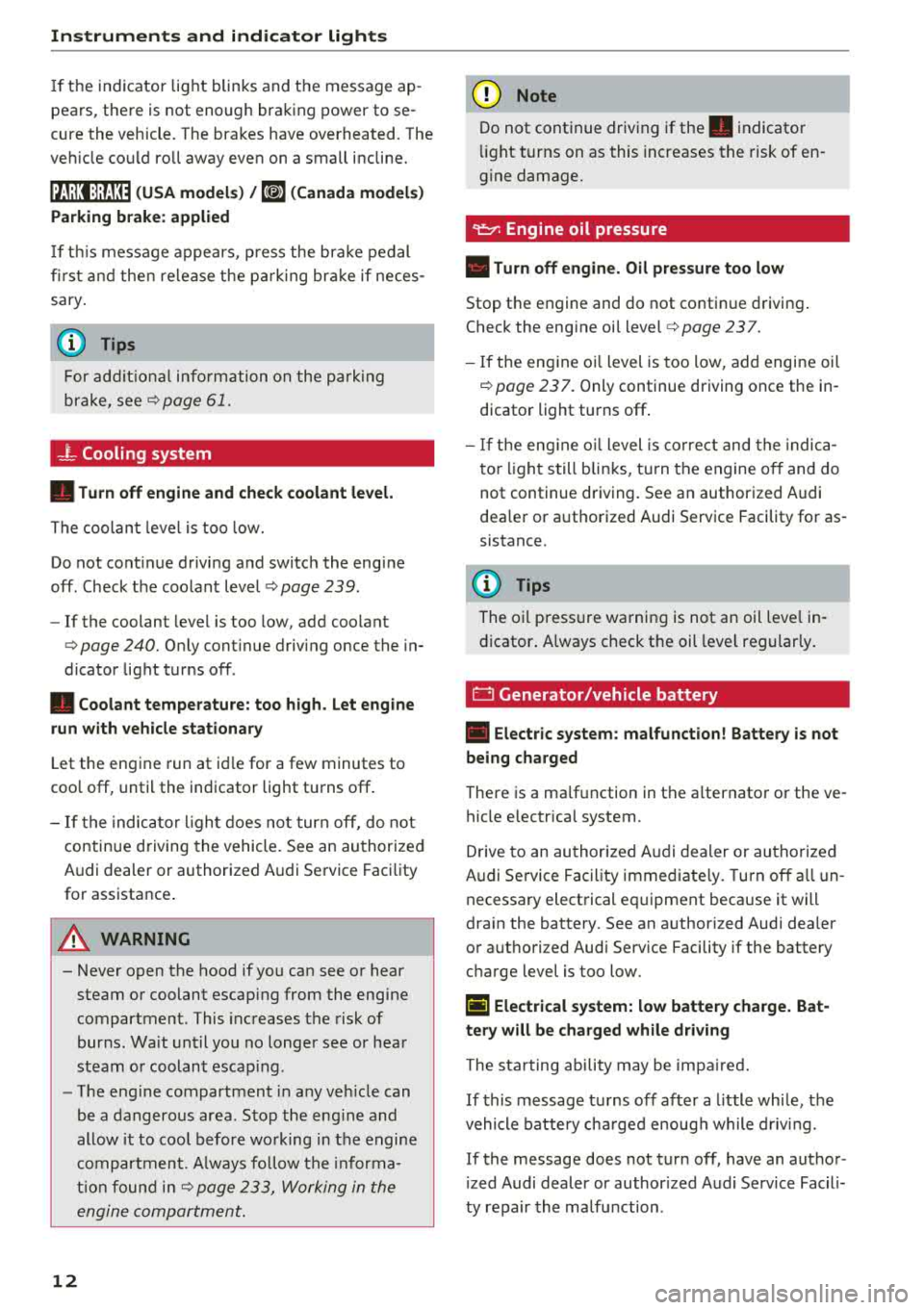
_}_ Cooling system
• Turn off engine and check coolant level.
Th e co olan t leve l is too low .
Do not cont inue drivi ng a nd switch the eng ine
off. Check the coolan t leve l
q page 239 .
-If the coolant leve l is too low, add coo lant
q poge 240 . Onl y cont inue driv ing once the in
dicator light t urns off .
• Coolant temperature: too high. Let engine
run with vehicle stationary
L et the eng ine run at id le for a few minutes to
coo l off, unt il the indicator light turns off .
- I f th e indic ator li ght d oes no t turn off, do no t
contin ue d riving the vehicle . See an au thori zed
Audi dealer or authorized A udi Se rvi ce Fac ility
fo r assistance .
A WARNING
-Never open t he hood if you can see o r hear
steam o r co olant esca ping from the eng ine
compartment. This inc reases t he risk of
bur ns. Wa it unti l you no long er see or h ea r
st eam o r coolan t esca ping .
- The eng ine compartmen t in any ve hicle can
b e a dangero us area. S to p the eng ine and
allow it to coo l before wo rking in the e ngine
compa rtm ent. A lw ays f ollow the in for ma
tion fo un d in
q page 233, Wo rking in the
engine comportment .
12
@ Note
Do not conti nue driv ing if the . indicato r
ligh t tu rn s on as this increases the risk of en
g ine damage.
9=7: Engine oil pressure
• Turn off engine. Oil pressure too low
Stop t he e ngine and do not co nti nu e d riving .
Check the eng ine oi l level
q page 237.
- If the en gine o il level is too low, add engi ne oil
q poge 237. Only continue driving once the in
dicator light turns off .
- If the eng ine o il level is co rre ct an d t he indic a
t o r lig ht still bli nks, t urn the engine o ff and do
not continue dr iving. See a n author ized A udi
dea le r or a uth orized Audi Serv ice Facility fo r as
sistance.
(D Tips
The o il press ure wa rning is not an oil leve l in
d icator . A lways check t he oil leve l regula rly.
E::3 Generator/vehicle battery
• Electric system : malfunction! Battery is not
being charged
There is a ma lf u nction in the a lternato r o r the ve
hicle e lectrica l system.
Dr ive to an au thor ized A udi d ealer or au tho rize d
Audi Se rvice Fac ility immed iate ly . T urn off a ll un
necessary e lect rical eq uipment because it will
dra in the battery. See an a uthorized Audi dea ler
or a uthori zed Aud i Serv ice Facility if the battery
c h arge level is too low.
(•) Electrical system: low battery charge. Bat
tery will be charged while driving
The s ta rting ability may be imp aired.
If this m essage turns off af ter a litt le whi le, t he
vehicle battery ch arge d enoug h while d riv in g.
If the message does not t urn off , have an autho r
i zed Audi dealer or author ized A udi Se rvice Facili
ty repair the ma lfu nction .
Page 17 of 310
Cl 00
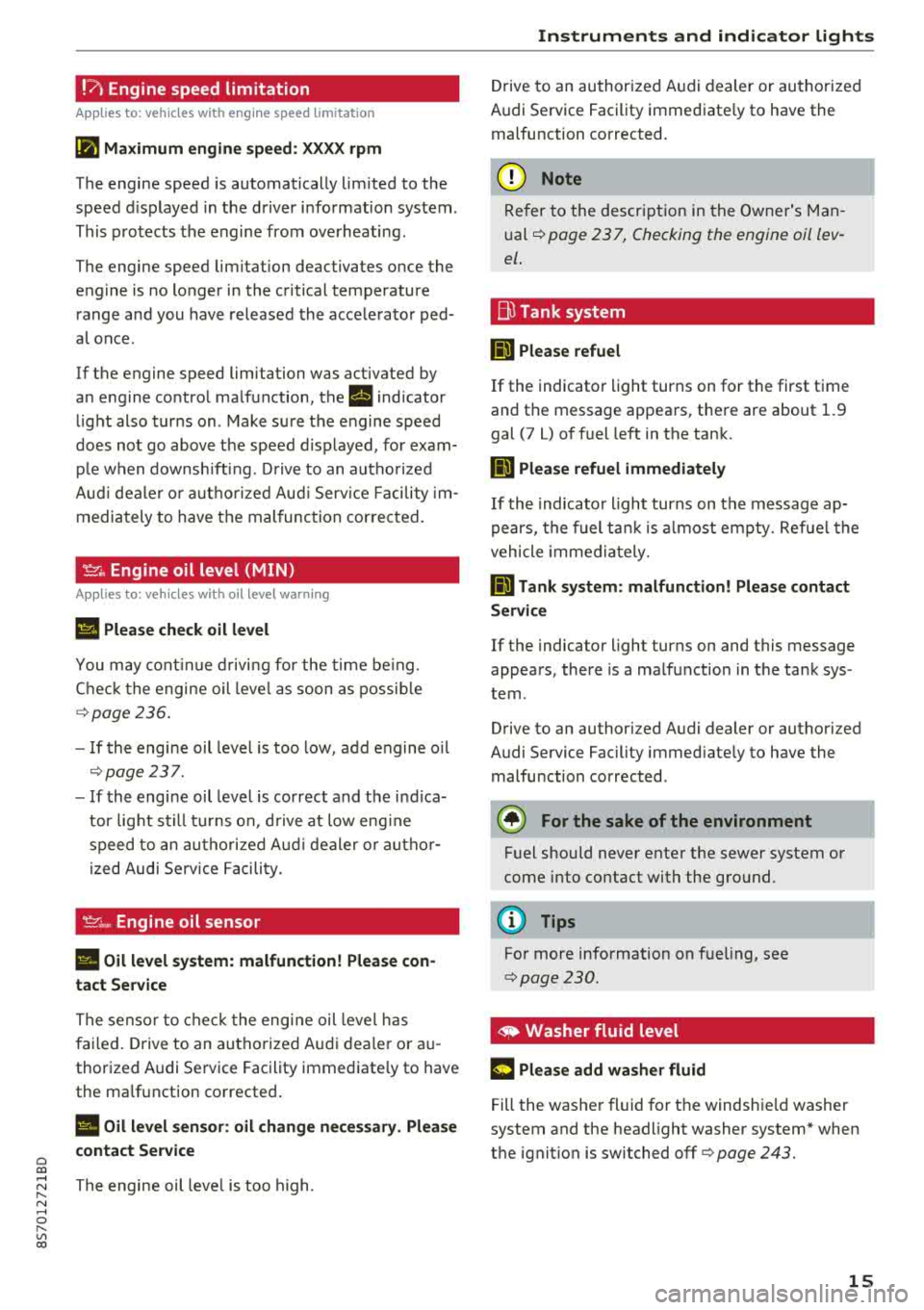
!?) Engine speed limitation
Applies to: vehicles with engine speed limitation
(II Maximum engine speed : XXXX rpm
The engine speed is automatically lim ited to the
speed d isplayed in the driver information system .
This protects the engine from overheating .
The engine speed limitation deactivates once the
engine is no longer in the critical temperature range and you have released the accelerator ped
a l once.
If the engine speed limitation was activated by
an engine control malfunction, the
rl indicator
light also turns on. Make sure the engine speed
does not go
above the speed d isplayed, for exam
ple when downsh ift ing. Drive to an autho rized
Aud i dealer o r authorized Aud i Service Facility im
mediately to have the malfunction corrected.
~. Engine oil level (MIN)
Applies to: vehicles with oil level warning
Ill Please check oil level
You may continue driving for the time being.
Check the engine oil leve l as soon as possible
r=> page236.
-If the engine oil level is too low, add engine oil
r=>page 237.
-If the engine oil level is correct and the ind ica
tor light still turns on, drive at low eng ine
speed to an authori zed A udi dealer or autho r
ized Audi Serv ice Facility.
'IY ;.., Engine oil sensor
II Oil level system: malfunction! Please con
tact Service
The sensor to check the engine oil level has
failed. Drive to an authorized Audi dealer or au
thorized Audi Service Facility immediate ly to have
the malfunction corrected .
II Oil level sensor: oil change necessary. Please
contact Service
~ The engine oil leve l is too high.
N ...... 0 r--Vl 00
Instruments and indicator lights
Drive to an authorized Audi dealer or authorized
Audi Service Facility immediate ly to have the
malfunction corrected.
@ Note
Refer to the description in the Owner's Man
ual
r=> page 2 3 7, Checking the engine oil lev
el .
Bu Tank system
ml Please refuel
If the indicator light turns on for the first time
and the message appears, there are about 1.9
gal (7 L) of fuel left in the tank.
ID Please refuel immediately
If the indicator light turns on the message ap
pears, the fuel tank is almost empty. Refue l the
vehicle immediately.
ml Tank system: malfunction! Please contact
Service
If the indicator light turns on and this message
appears, there is a malfunction in the tank sys
tem .
Drive to an authorized Audi dealer or authorized
Audi Service Facility immed iately to have the
malfunction corrected .
@) For the sake of the environment
Fuel should never enter the sewer system or
come into contact with the ground.
(D Tips
For more information on fueling, see
r=> page 230.
,. Washer fluid level
m Please add washer fluid
Fill the washer fluid for th e windshie ld washer
system and the headlight washer system* when
the ignition is switched off
r=> page 243.
15
Page 59 of 310
Cl 00 .-< N r-N .-< 0 r-Vl 00
Avoid full acceler ation
You sho uld rare ly t rave l a t t he maxim um vehicle
speed . High speeds cause a disproportionately
h igh increase in fuel consumption, emissions and
traffic noise . Slower driving saves fuel.
Reduce idling time
It pays off to stop the eng ine, for example when
at ra ilroad crossings or traffi c lights w ith longer
red lights . Stopping the engine for 30 -40 sec
onds already saves more fuel than the amount of
extra fuel needed to restart the engine.
I t takes a very long time in idle to wa rm the en
gine up to operating tempera ture . Wea r and
emissions are especially high in the warm -up
p hase . Therefore, you should begin driving im
mediately after starting the engine. Avoid high
RPMs while do ing th is.
Hav e ma intenanc e performed r egularly
By having maintenance performed regu lar ly on
your vehicle, you can he lp to reduce fuel con
sumption before yo u even start to drive. The
maintenance condition of your vehicle not only
affects traffic safety and long-term va lue but al
so impacts
fu el con sumpt ion .
A poorly maintained engine can lead to fuel con
sumpt ion that is 10% higher than norma l.
A lso check the
o il l evel when refueling . The oil
consumpt ion
depends large ly on the engine load
and speed. It is normal for the oil consumption
of a new eng ine to reach its lowest point only af
ter a certain amount of use. Therefore, the oil
consumption can only be properly judged after
approx imately 3,000 m i (S,000 km) have been
driven.
Avoid short trips
The engine and exhaust clean ing system must
reach their opt imal
op erating temp eratur e to ef
fective ly reduce consumpt ion and emiss ions.
A co ld engine uses a disproportionately h igh
amount of fuel. The eng ine reaches operating
temperature and consumpt ion normalizes only
afte r approx imately
2.5 miles (4 km) .
Driving
@ Note
Do not leave engine idling unattended after
start ing. If warning lights sho uld come on to
i ndicate improper operation, they would go
unheeded. Extended idling also produces
heat, which could resu lt in overheating or
other damage to the veh icle o r other proper
ty.
@ Note
- Have your ve hicle ma intained properly and
in accordance w ith the service recommenda
tions i n your Warranty
& Main tenance book
let. La ck of prope r mai nte nan ce as we ll as
imp rope r use of t he ve hicle will impa ir the
function of the em iss ion cont ro l system and
co uld lead to damage .
- Do not alte r or remove any compone nt o f
t he Emission Contro l System unless ap
proved by the man ufacturer .
- Do not alte r or remove any dev ice, s uch as
heat shields, switc hes, ignition wires,
valves, which are designed to protect your
vehicle's Emission Contro l System and other
impo rtant ve hicle components.
(D Tips
The cons umption estimates as published by
ENVIRONMENTAL PROTECTION AGENCY
(EPA) and T ransport Canada may not co rre
spond to your actual consumption on the r oad, wh ich w ill vary depending upon veh icle
l oad and speed, road and weather cond itions,
tr ip length, etc.
57
Page 89 of 310
Cl co .... N ,....
N .... 0 ,....
Vl co
Intelligent Technology
Switching on and off
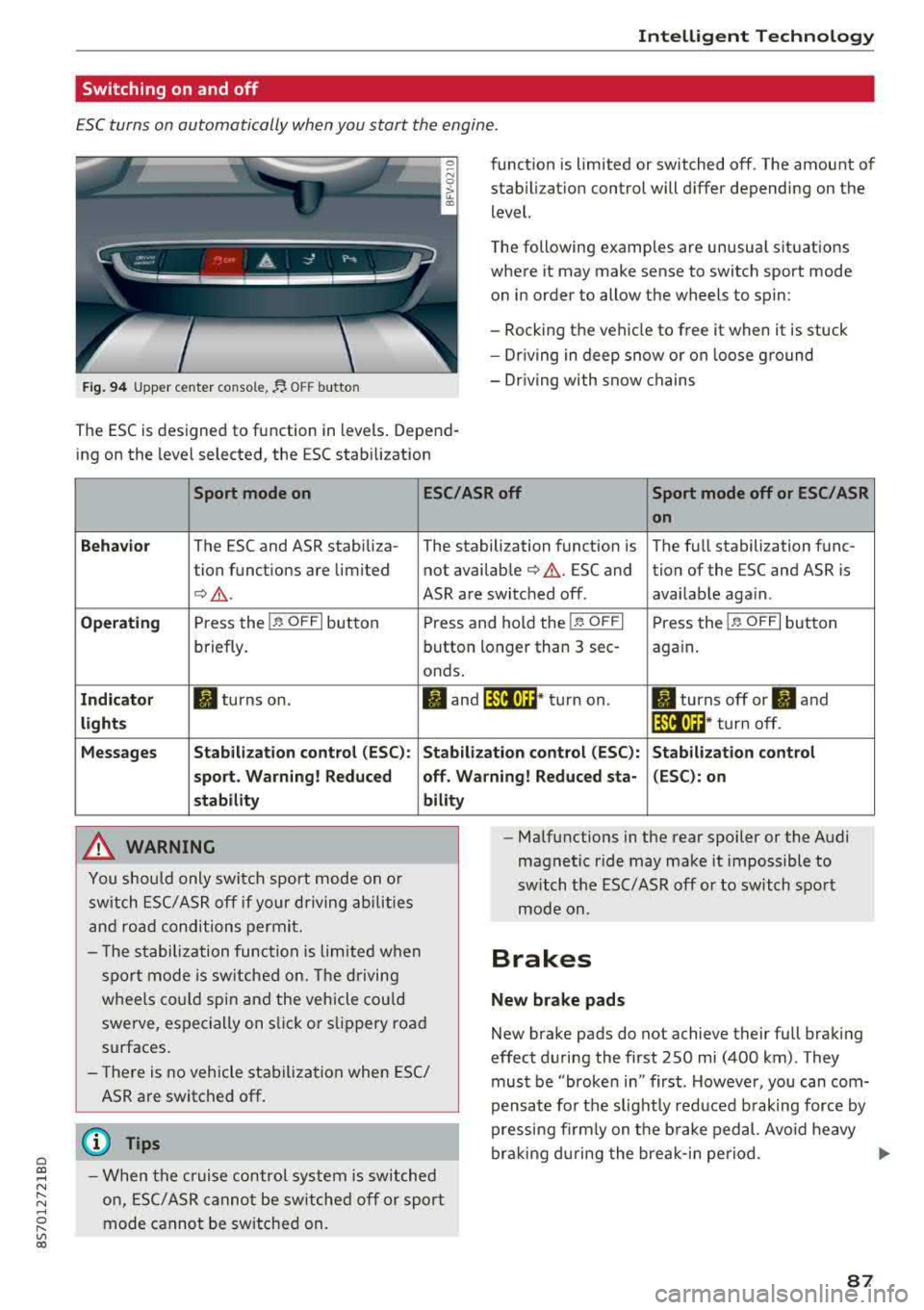
ESC turns on automatically when you start the engine.
Fig . 9 4 Upper center console, fJ. OFF b utton
The ESC is designed to function in levels . Depend
ing on the level selected, the ESC stabilization funct
ion is limited or switched off. The amount of
stab ilizat ion control will differ depending on the
level.
T he following examples are unusua l situations
where it may make sense to switch sport mode
o n in order to allow the wheels to spin:
- Rocking the vehicle to free it when it is stuck
- Dr iving in deep snow or on loose ground
- Dr iving with snow chains
Sport mode on ESC/ASR off Sport mode off or ESC/ASR
on
Behavio r
The ESC and ASR stabiliza- The stabilization funct ion is The full stabilization func-
tion funct ions are limited not availab le
¢ & . ESC and tion of the ESC and ASR is
¢ &. ASR are switched off. availab le aga in.
Operating Press the i.i, OFFI but ton Press and hold the 1-~ OFFI Press the j.i, OFFI but ton
briefly. button longer than 3 sec- aga in .
onds .
Indicator II turns on. Iii and 14-'ll•)H* tu rn on. II turns off or II and
light s 14-'ll•IH * tu rn off.
Messages Stab
ilization control (ESC ): Stab ilization con trol (ESC ): Stab ilization control
sport . Warning! Reduced off. Wa rning! Reduced sta -(ESC): on
stability
A WARNING
You shou ld only swit ch sport mode on or
switch ESC/ ASR off if your driving abilities
an d roa d conditions permi t.
bility
- T he stabilization func tion is limited w hen
sport mode is sw itched on. The driving
whee ls co uld spi n and the vehicle cou ld
swerve, espec ially on s lick or s lippery roa d
surfaces.
- There is no vehicle stabilization when ESC/
ASR are switched off.
(D Tips
- When t he cr uise control system is sw itched
on, ES C/ ASR cannot be sw itched off or sport
mode cannot be sw itche d on. -
Ma lfunctions in the rear spoiler or the A udi
magnetic ride may make it impossible to
switch t he ESC/ ASR off or to switch sport
mode on .
Brakes
New brake pads
New brake pads do not achieve their full braking
effect d uring the first 250 mi (400 km) . They
must be "broken in" first . Howeve r, you can com
pensate fo r th e slig htly reduced b raking force by
pressing fi rm ly on t he b rake ped al. Avo id heavy
bra king d uring the brea k-i n pe riod .
.,.
87