display AUDI TT ROADSTER 2019 Manual PDF
[x] Cancel search | Manufacturer: AUDI, Model Year: 2019, Model line: TT ROADSTER, Model: AUDI TT ROADSTER 2019Pages: 304, PDF Size: 80.77 MB
Page 147 of 304
8S8012721BA
Navigation
You can also display the online traffic informa-
tion in the satellite map*») > page 143 or the
standard map > page 140, fig. 123
G) Tips
— Online traffic information is not available in
Canada.
— Always read the chapter > page 125, Audi
connect.
— Having the Online traffic data function
switched on provides the most accurate re-
ports of traffic situations as well as traffic
forecasting. Your vehicle transmits and
processes its anonymous, encrypted posi-
tion information at regular intervals to the
traffic data provider. If you do not want to
use this, you can switch off the online traf-
fic information function at any time.
— The online traffic information network is
currently not available in all countries, and
the coverage is not nationwide. For addi-
tional information, visit www.audiusa.com.
Traffic information (TMC)
Applies to: vehicles with navigation system
> Press the LNAV/MAP| button repeatedly until
the map is displayed.
> Select: left control button > Traffic messages.
TMC traffic messages are switched on at the fac-
tory.
Multiple traffic messages are summarized in the
overview under the corresponding street names
or highway names.
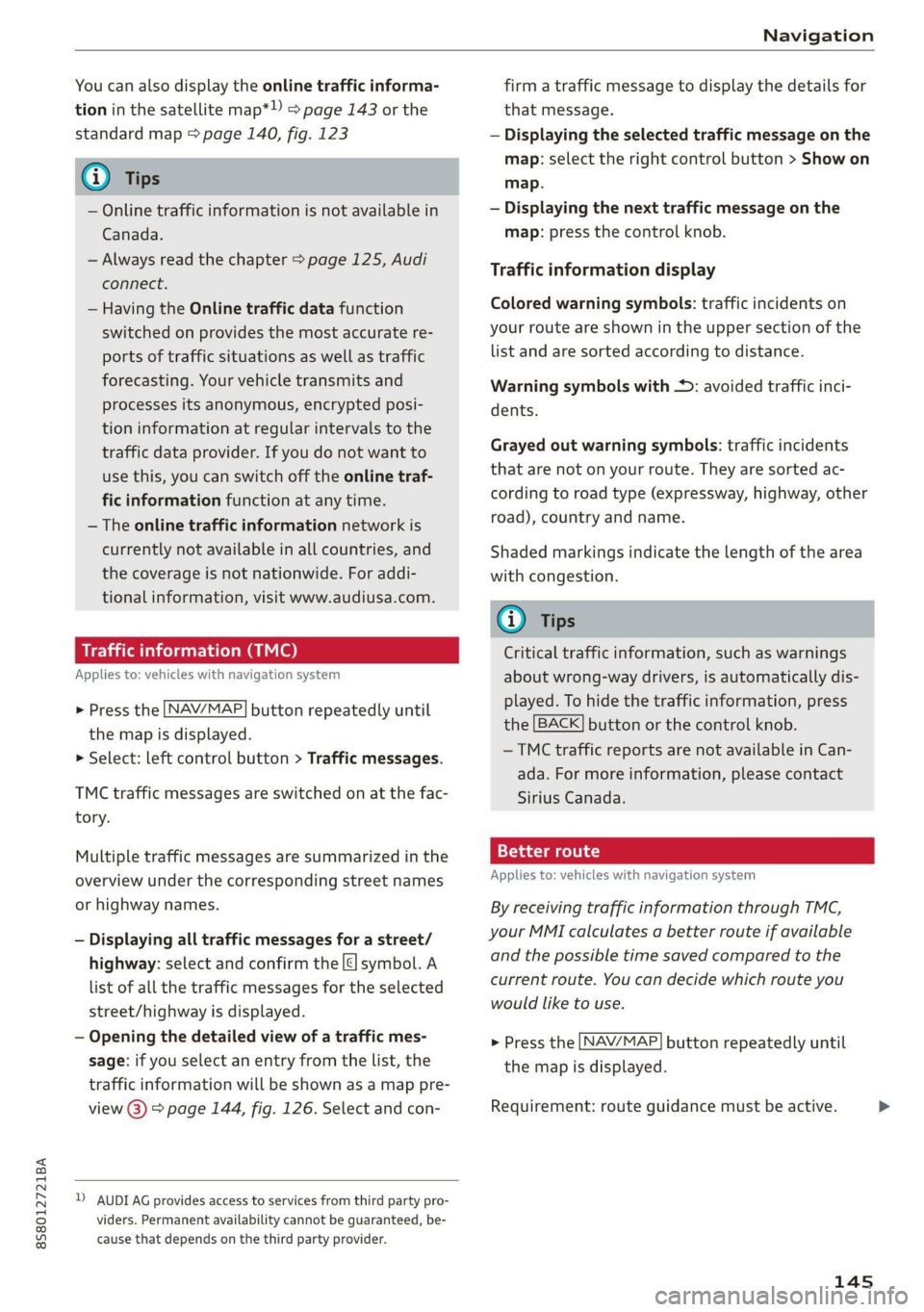
— Displaying all traffic messages for a street/
highway: select and confirm the |¢ symbol. A
list of all the traffic messages for the selected
street/highway is displayed.
— Opening the detailed view of a traffic mes-
sage: if you select an entry from the list, the
traffic information will be shown as a map pre-
view @) > page 144, fig. 126. Select and con-
2) AUDI AG provides access to services from third party pro-
viders. Permanent availability cannot be guaranteed, be-
cause that depends on the third party provider.
firm a traffic message to display the details for
that message.
— Displaying the selected traffic message on the
map: select the right control button > Show on
map.
— Displaying the next traffic message on the
map: press the control knob.
Traffic information display
Colored warning symbols: traffic incidents on
your route are shown in the upper section of the
list and are sorted according to distance.
Warning symbols with +: avoided traffic inci-
dents.
Grayed out warning symbols: traffic incidents
that are not on your route. They are sorted ac-
cording to road type (expressway, highway, other
road), country and name.
Shaded markings indicate the length of the area
with congestion.
G@) Tips
Critical traffic information, such as warnings
about wrong-way drivers, is automatically dis-
played. To hide the traffic information, press
the [BACK] button or the control knob.
— TMC traffic reports are not available in Can-
ada. For more information, please contact
Sirius Canada.
12{oh ea col th a)
Applies to: vehicles with navigation system
By receiving traffic information through TMC,
your MMI calculates a better route if available
and the possible time saved compared to the
current route. You can decide which route you
would like to use.
NAV/MAP > Press the
the
map is displayed.
button repeatedly until
Requirement: route guidance must be active.
145
>
Page 148 of 304
Navigation
If your MMI has calculated a better route than
the current route guidance, the message A better
route is available. appears on the map along
with the time that may be saved. A better route is
indicated in the map view by the symbol #
=> page 140, fig. 123.
Apply better route
— Press the right control button in the map view.
Or: select the left control button > Traffic mes-
sages. The better route with the calculated ar-
rival time is displayed.
Troubleshooting
Applies to: vehicles with navigation system
— Select and confirm the better route. Or: Select
and confirm Details to display details about the
better route. You can zoom in or out on the
map using the MMI touch control pad. Require-
ment: there must be more than one optimized
route calculated. Press the control knob to
switch to the next route in the detailed view.
Closing the detailed view: press the [BACK
button.
— After you have selected a better route, the
route will be recalculated.
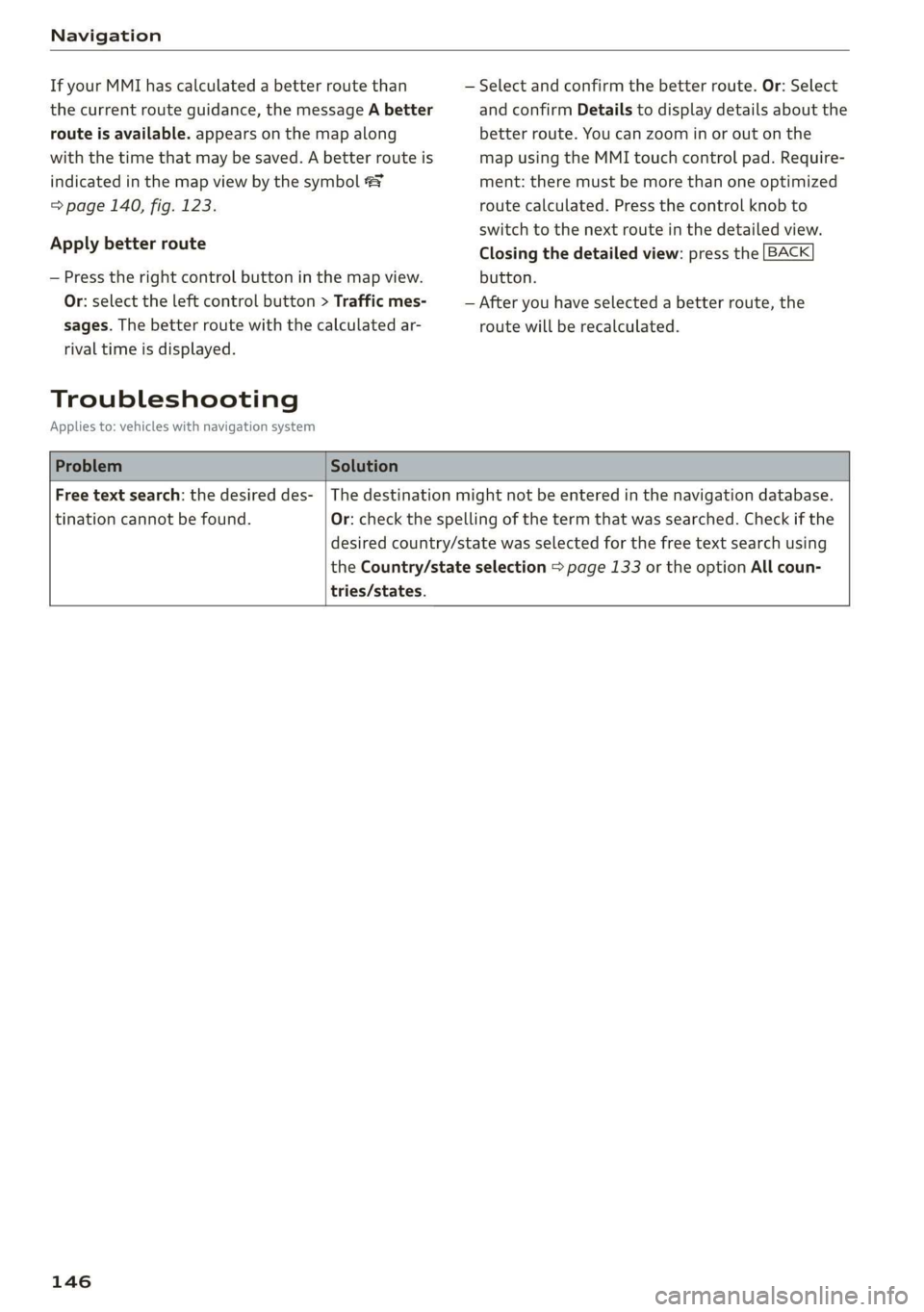
Problem Solution
Free text search: the desired des-
tination cannot be found.
tries/states.
The destination might not be entered in the navigation database.
Or: check the spelling of the term that was searched. Check if the
desired country/state was selected for the free text search using
the Country/state selection > page 133 or the option All coun-
146
Page 149 of 304
8S8012721BA
Radio
Radio
Opening the radio
The radio supports the FM, AM and SiriusXM*
(satellite radio) bands. Using the HD Radio re-
ceiver also allows you to receive radio stations on
the FM and AM bands in digital format.
eer
iCeleesto nc mts) VED
89.9 WIBI-FM HD4
89.9 WIBI-FM HD6
(2) 90.3
Fig. 127 FM station list (HD Radio technology FM)
RADIO v-Q)
kVA
lie
|
RAH-8468
NoSignal
20 on 20
40s on 4
NoSignal NoSignal
Fig. 128 SiriusXM station list
> Press the [RADIO] button.
After opening the radio, the last opened station
list is displayed.
Selecting a station: select and confirm a station
from the station list. FM/AM stations that can be
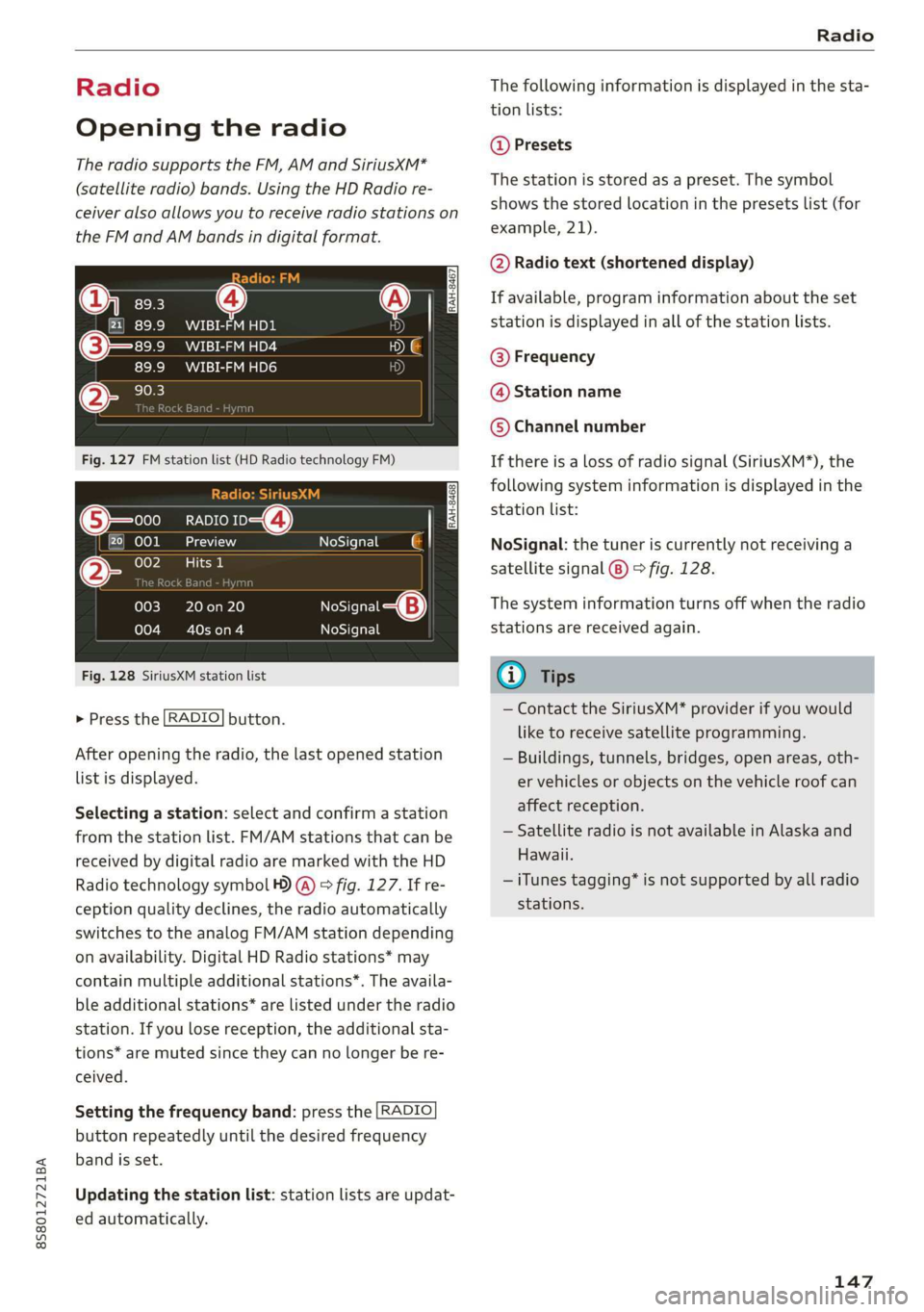
received by digital radio are marked with the HD
Radio
technology symbol ) @) > fig. 127. If re-
ception quality declines, the radio automatically
switches to the analog FM/AM station depending
on availability. Digital HD Radio stations* may
contain multiple additional stations*. The availa-
ble additional stations* are listed under the radio
station. If you lose reception, the additional sta-
tions* are muted since they can no longer be re-
ceived.
Setting the frequency band: press the [RADIO
button
repeatedly until the desired frequency
band is set.
Updating the station list: station lists are updat-
ed automatically.
The following information is displayed in the sta-
tion lists:
@ Presets
The station is stored as a preset. The symbol
shows the stored location in the presets list (for
example, 21).
@ Radio text (shortened display)
If available, program information about the set
station is displayed in all of the station lists.
@ Frequency
@ Station name
© Channel number
If there is a loss of radio signal (SiriusXM*), the
following system information is displayed in the
station list:
NoSignal: the tuner is currently not receiving a
satellite signal (®) > fig. 128.
The system information turns off when the radio
stations are received again.
@) Tips
— Contact the SiriusXM* provider if you would
like to receive satellite programming.
— Buildings, tunnels, bridges, open areas, oth-
er vehicles or objects on the vehicle roof can
affect reception.
— Satellite radio is not available in Alaska and
Hawaii.
— iTunes tagging” is not supported by all radio
stations.
147
Page 150 of 304
![AUDI TT ROADSTER 2019 Manual PDF Radio
Radio functions
ct-Me-y aati]
Using the free text search, you can select the or-
der that the search terms are entered in the in-
put field. Search in all frequency bands for a sta-
t](/img/6/57667/w960_57667-149.png "AUDI TT ROADSTER 2019 Manual PDF Radio
Radio functions
ct-Me-y aati]
Using the free text search, you can select the or-
der that the search terms are entered in the in-
put field. Search in all frequency bands for a sta-
t")
Radio
Radio functions
ct-Me-y aati]
Using the free text search, you can select the or-
der that the search terms are entered in the in-
put field. Search in all frequency bands for a sta-
tion name or program type (such as News).
MYA Dee
Mt)
WIBI-FM HD6
Fig. 129 Input field and results list for free text search
— Opening the free text search: when in a station
list, keep turning the control knob to the left
until the free text search input field is dis-
played.
— Using the free text search: see > page 100,
Free text search.
You can also search for frequencies.
Stations from the presets (3) are displayed in the
results list @ > fig. 129. The symbol @) indicates
which station list you switched to based on the
station selection.
Additional options
> Select: [RADIO] button > right control button.
The following options are available depending on
the frequency band:
— Sound settings: see > page 175.
— Store as preset: see > page 149, Presets.
— Delete all entries: all entries are deleted in the
Last stations view.
— Tag this song for iTunes*): connect your Apple
device to the Audi music interface* on your
MMI. Select and confirm Tag this song for
iTunes. The track that is currently playing is
stored on your Apple device. Synchronize your
) In preparation at the time of printing.
148
Apple device with iTunes. The tagged track will
display the next time you open your iTunes me-
dia center. If there is no Apple device connect-
ed, the tagged tracks are stored temporarily in
the MMI (maximum of 50 tracks). Once you
connect your Apple device to the Audi music in-
terface, the tags are stored on the device.
— Manual tuning: the frequency bars are dis-
played. Select and confirm the desired frequen-
vy.
— Seek: the radio tunes to the previous or next re-
ceivable station.
— Scan: all stations are played for several seconds
each.
— Radio settings: see > page 150.
Radio text
> Select: [RADIO] button > left control button >a
frequency band (such as FM) > a station.
> Select: right control button > Radio text.
Browsing through radio text entries: turn the
control knob to the left or right.
Requirement: a radio text entry must be dis-
played and the station must be broadcasting a
phone number, a navigation destination or a text
message number as RadioText Plus information.
If a location, a phone number or a text message
number is included with a radio text entry, the ra-
dio text will be shown with a colored border. You
have the following options:
Call*/Start route guidance*/Write text mes-
sage”*:
— Select a radio text entry with RadioText Plus in-
formation and press the control knob.
— Select and confirm Call*/Start route guid-
ance*/Write text message”. Or: press the
BACK] button to cancel.
(i) Tips
The availability of radio text and RadioText
Plus depends on the radio station.
Page 151 of 304
![AUDI TT ROADSTER 2019 Manual PDF 8S8012721BA
Radio
View: Show "Now Playing" screen > Select: [RADIO] button > left control button.
Setting the frequency band: select and confirm
the desired frequency band in the radio men](/img/6/57667/w960_57667-150.png "AUDI TT ROADSTER 2019 Manual PDF 8S8012721BA
Radio
View: Show \"Now Playing\" screen > Select: [RADIO] button > left control button.
Setting the frequency band: select and confirm
the desired frequency band in the radio men")
8S8012721BA
Radio
View: Show "Now Playing" screen > Select: [RADIO] button > left control button.
Setting the frequency band: select and confirm
the desired frequency band in the radio menu
> fig. 131. Or: press the [RADIO] button repeat-
edly until the desired frequency band is set. Dis-
plays the station list.
@ Switch to media
The Media menu is displayed. See > page 160,
Playing media. Fig. 130 Radio view: additional station information
Requirement: you must be tuned to a radio sta- @ Favorites
tion. The Show "Now Playing" screen option
| The favorites list is displayed. See > page 149,
must be switched on > page 150.
Presets.
Symbols in the Show "Now Playing" screen
> fig. 130:
@ Radio text availability
@® Last stations
The last stations listened to from all frequency
bands are shown in the list. Select and confirm a
Radio text is available for the selected station. station for immediate playback.
See > page 148.
@ SiriusxM*
iTunes taggin
@ gging The SiriusXM* station list is displayed.
The Tag this song for iTunes option is available
for the set station. See > page 148, Additional @©FM
options. The FM station list is displayed.
@ FM HD Radio technology Additional frequency
bands
The station is received through FM HD Radio Depending on the vehicle equipment, you can se-
technology. lect additional frequency bands in the selection
@ Screen view menu © fig. 131.
Display Cover art or Station logo. See Presets
=> page 150.
You can store your favorite stations from every
Displaying a station list: turn the control knob. frequency band in the presets list.
Or: press the [BACK] button.
> Select: the [RADIO] button > Presets.
Radio menu Requirement: the presets list must be displayed.
run : — Storing presets: select and confirm a free pre-
) | Change to media . .
set space. Follow the system instructions.
— Select and confirm a station from the list if
necessary.
Presets
©— Oso clear
pSTTa Tey
a i Requirement: a station list must be displayed.
— Storing presets: select: an entry from the list >
right control button > Store as preset. Or: press
and hold the control knob for several seconds. >
Fig. 131 Example: Radio menu
149
Page 152 of 304
![AUDI TT ROADSTER 2019 Manual PDF Radio
— Displaying the presets list: select: [RADIO] but-
ton > Presets.
Requirement: the favorites list must be dis-
played.
— Listening to presets: select and confirm a pre-](/img/6/57667/w960_57667-151.png "AUDI TT ROADSTER 2019 Manual PDF Radio
— Displaying the presets list: select: [RADIO] but-
ton > Presets.
Requirement: the favorites list must be dis-
played.
— Listening to presets: select and confirm a pre-")
Radio
— Displaying the presets list: select: [RADIO] but-
ton > Presets.
Requirement: the favorites list must be dis-
played.
— Listening to presets: select and confirm a pre-
set from the list.
— Move preset: select a preset from the list >
right control button > Move preset. Or: press
and hold the control knob for several seconds.
Select and confirm the location of the selected
preset.
— Deleting presets: select a preset from the list >
right control button > Delete preset > Delete
this preset or Delete all presets.
Additional settings
Radio settings
> Select: [RADIO] button > right control button >
Radio settings.
The following settings can be selected, depend-
ing on the band that is selected:
Station names (FM)
Variable: scrolling text transmitted by the FM
stations is shown in the Infotainment system dis-
play.
Fixed: scrolling text transmitted by the FM sta-
tions is not shown in the Infotainment system
display. Only the current section of the scrolling
text is displayed.
FM/AM HD Radio*
You can switch HD Radio reception on or off.
Channel sorting (SiriusXM*)
You can set the channel sorting for SiriusXM sta-
tion lists* by:
— Channel number: the channels are sorted in as-
cending order according to their channel num-
ber.
— Channel name: the channels are listed in alpha-
betical order.
— First category, then channel number: the chan-
nels are sorted by their category and then by
their channel numbers.
150
— First category, then channel name: the sta-
tions are sorted by their category and then by
their channel names.
Category filter (SiriusXM*)
The stations shown in the station list can be fil-
tered by your personal preferences and by pro-
gram type. The program categories that you can
select depend on what is offered by your provid-
er. Select the All categories option to deactivate
all filter options and display all available stations
in the satellite station list.
Show "Now Playing" screen
When the function is switched on ¥ and the sta-
tions or presets list is open, the display will
switch to the Show "Now Playing" screen view
after approximately five seconds > page 149. De-
pending on availability, information about the set
station (such as station name, artist and station
logo) may be displayed in this view.
Preferred picture view
You can set your preferred screen view for the
Show "Now Playing" screen > page 149.
— Station logo: the station logo is displayed, de-
pending on availability.
— Cover art: the album cover or genre cover is dis-
played, depending on availability.
Gracenote online database*
Requirement: the MMI must be connected to the
Internet. The Cover art option must be selected
= page 150, Preferred picture view.
When the function is switched on (¥, the album
cover or genre cover for the song that is playing is
loaded from the Gracenote online database, de-
pending on availability.
Subscription status (SiriusXM)*
This option is available when your subscription is
about to expire or has already expired. The expi-
ration date for your license is displayed.
Call to SiriusXM”*: the contact information for
your satellite radio provider is displayed. To call
your satellite radio provider using the MMI, press
Call to SiriusXM”*.
Page 153 of 304
8S58012721BA
Radio
Troubleshooting
A station with poor reception is no longer
displayed in the station list once you
switch to a different station.
Store the station as a favorite in advance. Access the fa-
vorite through the favorites list > page 149.
151
Page 154 of 304
Media
Media
Introduction
There are various media drives and connections
available in the MMI. You can play, for example,
audio/video files from the Jukebox* or connect
your mobile device to the Audi music interface*
and operate it through the MMI.
Notes
Media and format restrictions: the MMI (includ-
ing the SD card reader and the USB storage de-
vice connection*) was tested with a variety of
products and media available in the market.
However, there may be cases where individual de-
vices or media and audio/video” files may not be
recognized, may play only with restrictions or
may not play at all.
Digital Rights Management: please note that
the audio/video files are subject to copyright pro-
tection.
The media drives do not play files that are pro-
tected by DRM and that are identified with the
symbol fi.
Data security: never store important data on SD
cards, the Jukebox*, CDs/DVDs or mobile devices.
Audi AG is not responsible for damaged or lost
files and media.
Loading times: the more files/folders/playlists
that are on a storage medium, the longer it will
take to load the audio/video* files. Audi recom-
mends using storage media that only contain au-
dio/video files*. To decrease the time it takes to
load audio/video files*, create subfolders (for ex-
ample, for the artist or album). The loading time
will also increase when importing files.
Additional information: when playing, audio
files are automatically displayed with any addi-
tional information that is stored (such as the ar-
tist, track and album cover). If this information is
not available on the storage medium, the MMI
will check the Gracenote metadata database.
152
However, in some cases, the additional informa-
tion may not be displayed.
Restricted functionality: reset the Media set-
tings to the factory default settings if functional-
ity is restricted > page 172.
If functionality is restricted, reset the Jukebox* to
the factory default settings > page 172.
For information about the properties of support-
ed media and file formats, see > page 166.
@) Note
Always follow the information found in >@ in
General information on page 125.
CD/DVD operation
CD/DVD and format restrictions: the functionali-
ty of individual storage media may be limited due
to the variety of blank CDs/DVDs available and
the various capacities. Audio CDs or video DVDs
with copy protection, CDs/DVDs that do not con-
form to the standard, and multisession CDs may
have limited playback or may not play at all. Audi
recommends finalizing the recording process
when creating multisession CDs. Multisession
DVDs are not supported.
Using CDs/DVDs, the CD drive or the DVD drive:
to ensure correct, high-quality playback and to
prevent damage to the drive or disc reading er-
rors, always store CDs/DVDs in a protective
sleeve and do not expose them to direct sunlight.
Do not use:
— Damaged, dirty or scratched CDs/DVDs
— Single CDs/DVDs with 3 in (8 cm) diameter
— CD/DVDs that are not round
— CDs/DVDs with labels
— Protective rings
— Cleaning CDs
Thermal protection switch: CD/DVD playback
may be temporarily unavailable if outside tem-
peratures
are extremely hot or cold. A thermal
protection switch is installed to protect the
CD/DVD and the laser.
Laser devices: laser devices are divided into safe-
ty classes 1 to 4 in accordance with DIN IEC 76 >
Page 156 of 304
Media
Applies to: vehicles with a CD drive
re
RAH-8826|
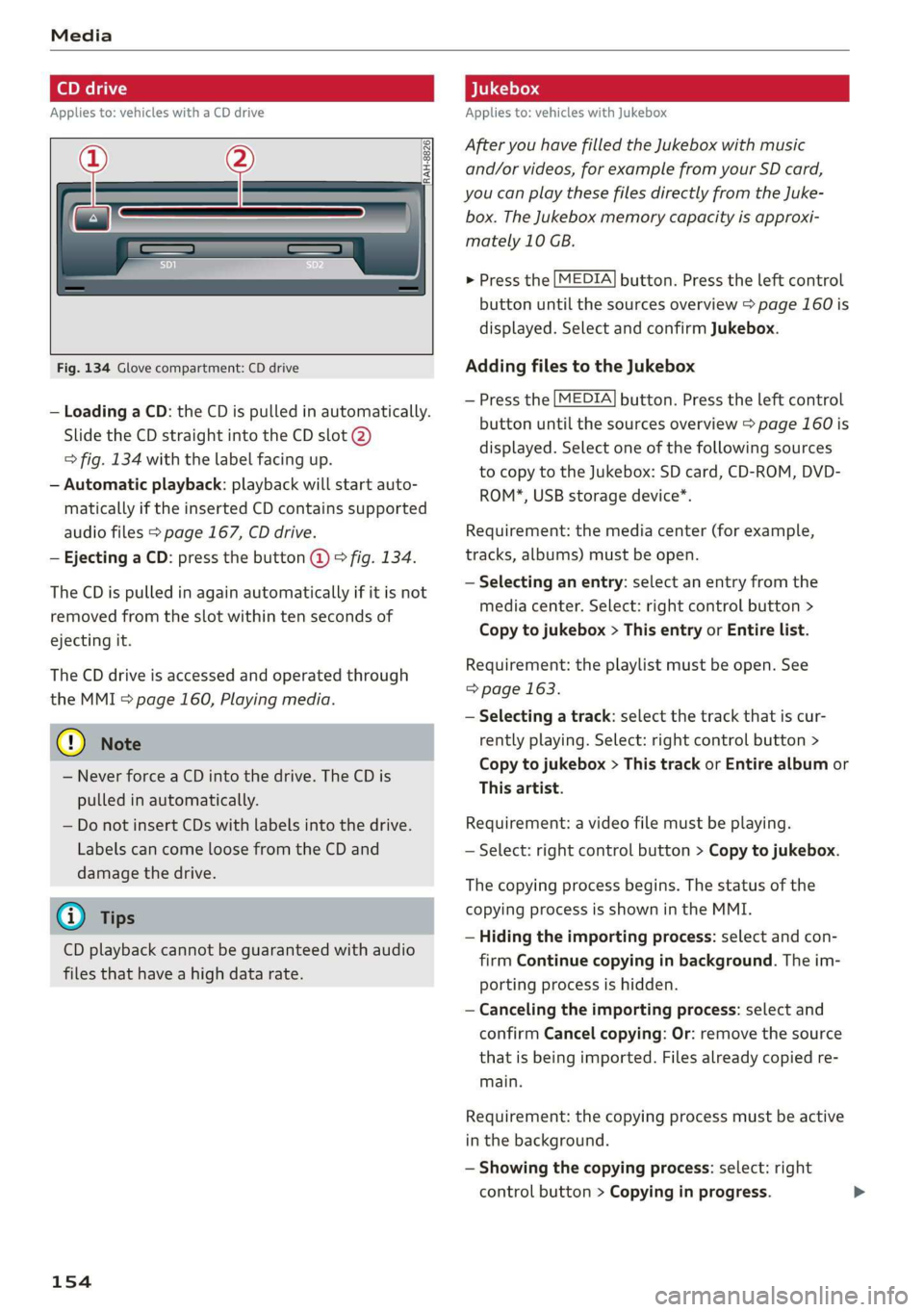
Fig. 134 Glove compartment: CD drive
— Loading a CD: the CD is pulled in automatically.
Slide the CD straight into the CD slot @)
=> fig. 134 with the label facing up.
— Automatic playback: playback will start auto-
matically if the inserted CD contains supported
audio files > page 167, CD drive.
— Ejecting a CD: press the button @ © fig. 134.
The CD is pulled in again automatically if it is not
removed from the slot within ten seconds of
ejecting it.
The CD drive is accessed and operated through
the MMI > page 160, Playing media.
@) Note
— Never force a CD into the drive. The CD is
pulled in automatically.
— Do not insert CDs with labels into the drive.
Labels can come loose from the CD and
damage the drive.
@) Tips
CD playback cannot be guaranteed with audio
files that have a high data rate.
154
Applies to: vehicles with Jukebox
After you have filled the Jukebox with music
and/or videos, for example from your SD card,
you can play these files directly from the Juke-
box. The Jukebox memory capacity is approxi-
mately 10 GB.
> Press the [MEDIA] button. Press the left control
button until the sources overview > page 160 is
displayed. Select and confirm Jukebox.
Adding files to the Jukebox
— Press the [MEDIA] button. Press the left control
button until the sources overview > page 160 is
displayed. Select one of the following sources
to copy to the Jukebox: SD card, CD-ROM, DVD-
ROM*, USB storage device*.
Requirement: the media center (for example,
tracks, albums) must be open.
— Selecting an entry: select an entry from the
media center. Select: right control button >
Copy to jukebox > This entry or Entire list.
Requirement: the playlist must be open. See
=> page 163.
— Selecting a track: select the track that is cur-
rently playing. Select: right control button >
Copy to jukebox > This track or Entire album or
This artist.
Requirement: a video file must be playing.
— Select: right control button > Copy to jukebox.
The copying process begins. The status of the
copying process is shown in the MMI.
— Hiding the importing process: select and con-
firm
Continue copying in background. The im-
porting process is hidden.
— Canceling the importing process: select and
confirm Cancel copying: Or: remove the source
that is being imported. Files already copied re-
main.
Requirement: the copying process must be active
in the background.
— Showing the copying process: select: right
control button > Copying in progress.
Page 157 of 304
8S8012721BA
Media
When importing, the audio files are automatical-
ly sorted into the media center categories based
on the stored additional information > page 161.
The copied video files are stored in the media
center under the Videos category.
Playing the Jukebox
Requirement: the Jukebox must contain audio/
video files > page 154, Adding files to the Juke-
box.
The Jukebox is accessed and operated through
the MMI @) & page 160, fig. 137.
Displaying Jukebox memory capacity
Select: right control button > Jukebox memory
capacity. Information about the Jukebox memory
capacity and the number of stored tracks is dis-
played.
Deleting tracks from the Jukebox!)
Requirement: the Jukebox must contain audio/
video files.
— Deleting an entry: select an entry from the
Jukebox media center. Select: right control but-
ton > Delete from jukebox > This entry or En-
tire list.
— The status of the deleting process is shown in
the MMI. Jukebox playback stops during the de-
leting process and starts again automatically
once the deletion is complete.
©) Note
Do not import audio/video files when the en-
gine is turned off because this will drain the
vehicle battery.
G) Tips
— Tracks from audio CDs cannot be imported
to the Jukebox for legal reasons.
— Files that have already been imported are
automatically recognized and cannot be
copied to the Jukebox again.
— It is not possible to play audio/video* files
in the CD/DVD* drive while importing them.
)) Not in the Playback view.
— The Jukebox does not provide an export
function due to legal reasons.
— Files or tracks without additional stored in-
formation are listed as Unknown. Audi rec-
ommends adding additional information
(such as ID3 tags) to audio files.
— Reset the Jukebox to the factory default set-
tings when selling your vehicle > page 172.
Bluetooth audio player
Applies to: vehicles with Bluetooth audio player
With the Bluetooth audio player, you can play
music wirelessly from your Bluetooth-capable
device (such as a cell phone) through the MMI.
Requirement: the vehicle must be stationary and
the ignition must be switched on. The Bluetooth
settings will open on your mobile device during
the connection setup. The Bluetooth function and
visibility of the MMI > page 174 and mobile de-
vice must be switched on. The Bluetooth audio
player > page 174 must be switched on in the
MMI.
— Connecting a Bluetooth device: press the
MEDIA] button. Press the left control button
until the sources overview is displayed. Select
and confirm Bluetooth audio player ©)
=> page 160, fig. 138.
—If necessary, select and confirm, Not connected
> Connect Bluetooth audio player. The Blue-
tooth device search starts. Follow the instruc-
tions in the MMI.
— Select and confirm the desired Bluetooth device
from the list. The MMI generates a PIN for the
connection.
— Select and confirm Yes.
— Enter the PIN for connecting on your Bluetooth
device. Or: if the PIN is already displayed on
your Bluetooth device, confirm it in the Blue-
tooth device and in the MMI. The time allowed
for entering the PIN is limited to approximately
30 seconds.
The media is started and operated through the
mobile device or the MMI, depending on the de-
vice being used.
155
>