display BMW 3 SERIES 2011 User Guide
[x] Cancel search | Manufacturer: BMW, Model Year: 2011, Model line: 3 SERIES, Model: BMW 3 SERIES 2011Pages: 325, PDF Size: 12.94 MB
Page 22 of 325
Deleting the button assignments
1.Press buttons 1 and 8 simultaneously for
approx. five seconds.
2."OK"
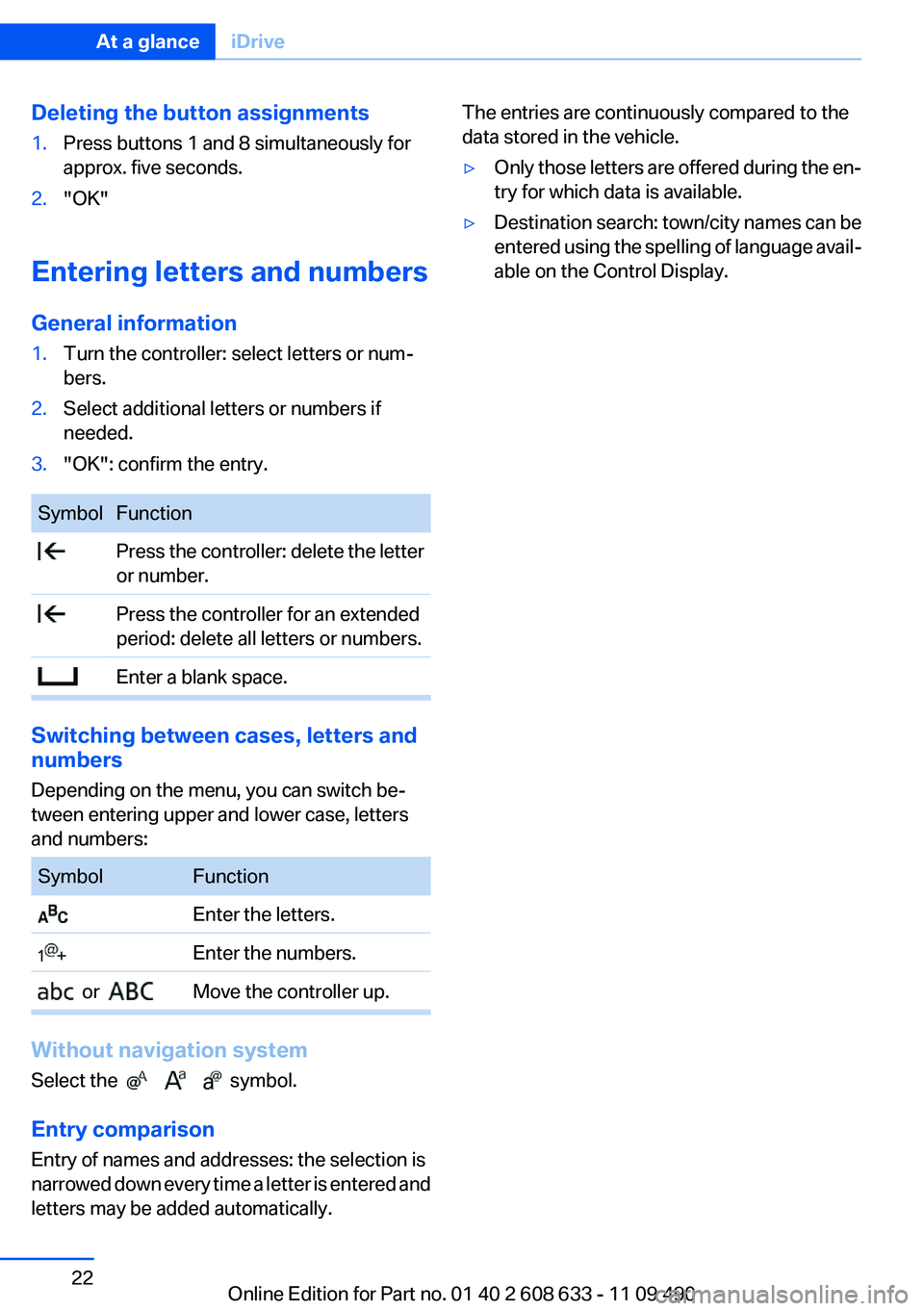
Entering letters and numbers
General information
1.Turn the controller: select letters or num‐
bers.
2.Select additional letters or numbers if
needed.
3."OK": confirm the entry.
Symbol Function
Press the controller: delete the letter
or number.
Press the controller for an extended
period: delete all letters or numbers.
Enter a blank space.
Switching between cases, letters and
numbers
Depending on the menu, you can switch be‐
tween entering upper and lower case, letters
and numbers:
Symbol Function
Enter the letters.
Enter the numbers.
or Move the controller up.
Without navigation system
Select the symbol.
Entry comparison
Entry of names and addresses: the selection is
narrowed down every time a letter is entered and
letters may be added automatically.
The entries are continuously compared to the
data stored in the vehicle.
▷Only those letters are offered during the en‐
try for which data is available.
▷Destination search: town/city names can be
entered using the spelling of language avail‐
able on the Control Display.
Seite 22
At a glanceiDrive
22Online Edition for Part no. 01 40 2 608 633 - 11 09 490
Page 23 of 325
Voice activation system
Vehicle equipment
All standard, country-specific and optional
equipment that is offered in the model series is
described in this chapter. Therefore, equipment
is also described that is not available in a vehicle,
e. g., because of the selected optional equip‐
ment or country variant. This also applies for
safety-related functions and systems.
The concept
▷Most functions that are displayed on the
Control Display can be operated by spoken
commands via the voice activation system.
The system prompts you to make your en‐
tries.
▷Functions that can only be used when the
vehicle is stationary cannot be operated us‐
ing the voice activation system.
▷The system uses a special microphone on
the driver's side.
▷›...‹ Verbal instructions in the Owner's
Manual to use with the voice activation sys‐
tem.
Requirements
Via the Control Display, set a language that is
also supported by the voice activation system
so that the spoken commands can be identified.
Set the language, refer to page 84.
Using voice activation
Activating the voice activation system
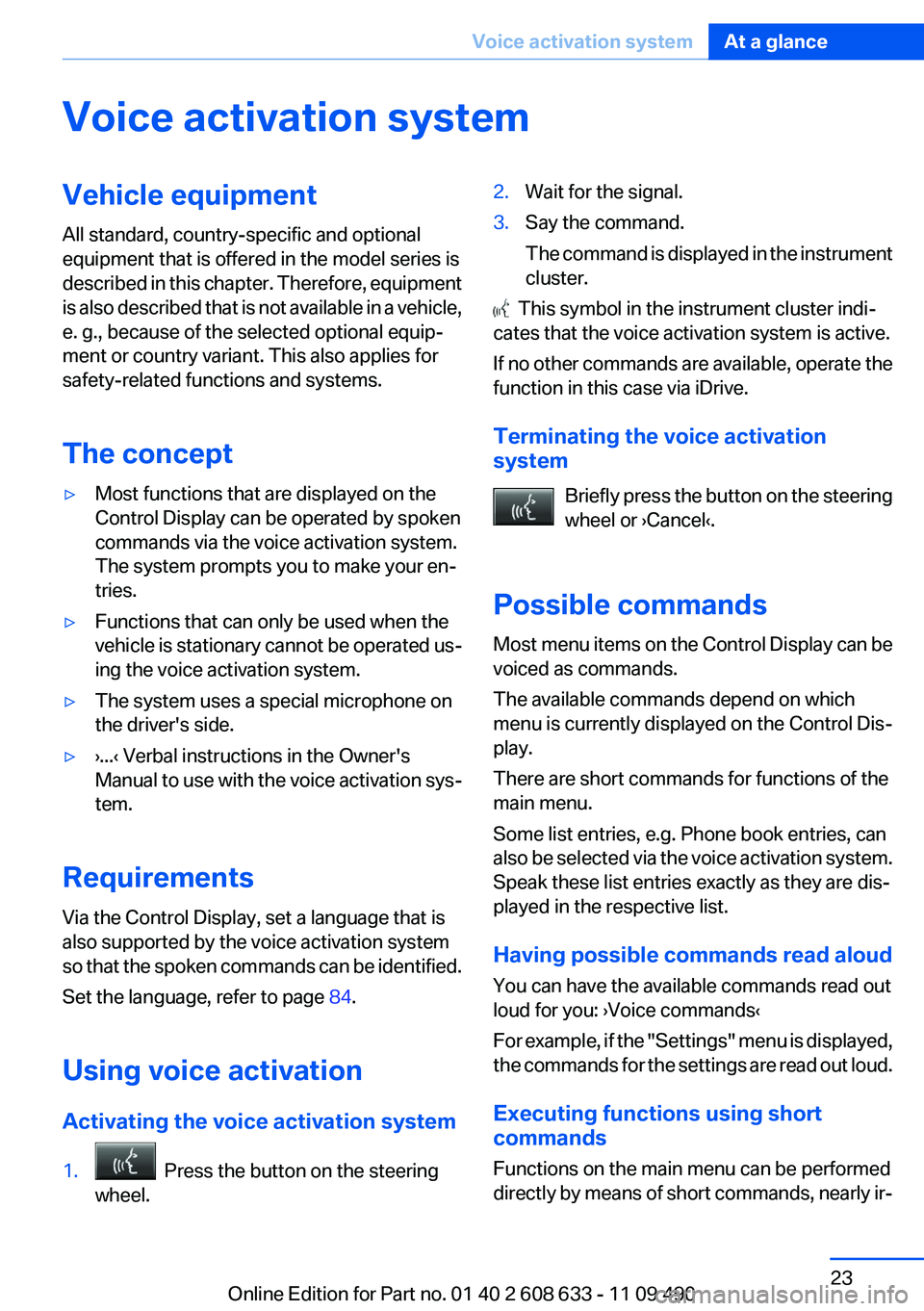
1. Press the button on the steering
wheel.
2.Wait for the signal.
3.Say the command.
The command is displayed in the instrument
cluster.
This symbol in the instrument cluster indi‐
cates that the voice activation system is active.
If no other commands are available, operate the
function in this case via iDrive.
Terminating the voice activation
system
Briefly press the button on the steering
wheel or ›Cancel‹.
Possible commands
Most menu items on the Control Display can be
voiced as commands.
The available commands depend on which
menu is currently displayed on the Control Dis‐
play.
There are short commands for functions of the
main menu.
Some list entries, e.g. Phone book entries, can
also be selected via the voice activation system.
Speak these list entries exactly as they are dis‐
played in the respective list.
Having possible commands read aloud
You can have the available commands read out
loud for you: ›Voice commands‹
For example, if the "Settings" menu is displayed,
the commands for the settings are read out loud.
Executing functions using short
commands
Functions on the main menu can be performed
directly by means of short commands, nearly ir‐
Seite 23
Voice activation systemAt a glance
23Online Edition for Part no. 01 40 2 608 633 - 11 09 490
Page 24 of 325
respective of which menu item is currently se‐
lected, e.g., ›Vehicle status‹.
List of short commands of the voice activation
system, refer to page 306.
Help dialog for the voice activation
system
Calling up help dialog: ›Help‹
Additional commands for the help dialog:
▷›Help with examples‹: information about the
current operating options and the most im‐
portant commands for them are announced.
▷›Help with voice activation‹: information
about the principle of operation for the voice
activation system is announced.
Example: playing back a CD
1.Switch on the Entertainment sound output
if necessary.
2. Press the button on the steering
wheel.
3.›C D and multimedia‹
The medium last played is played back.
4. Press the button on the steering
wheel.
5.›C D track ...‹ e.g., CD track 4.
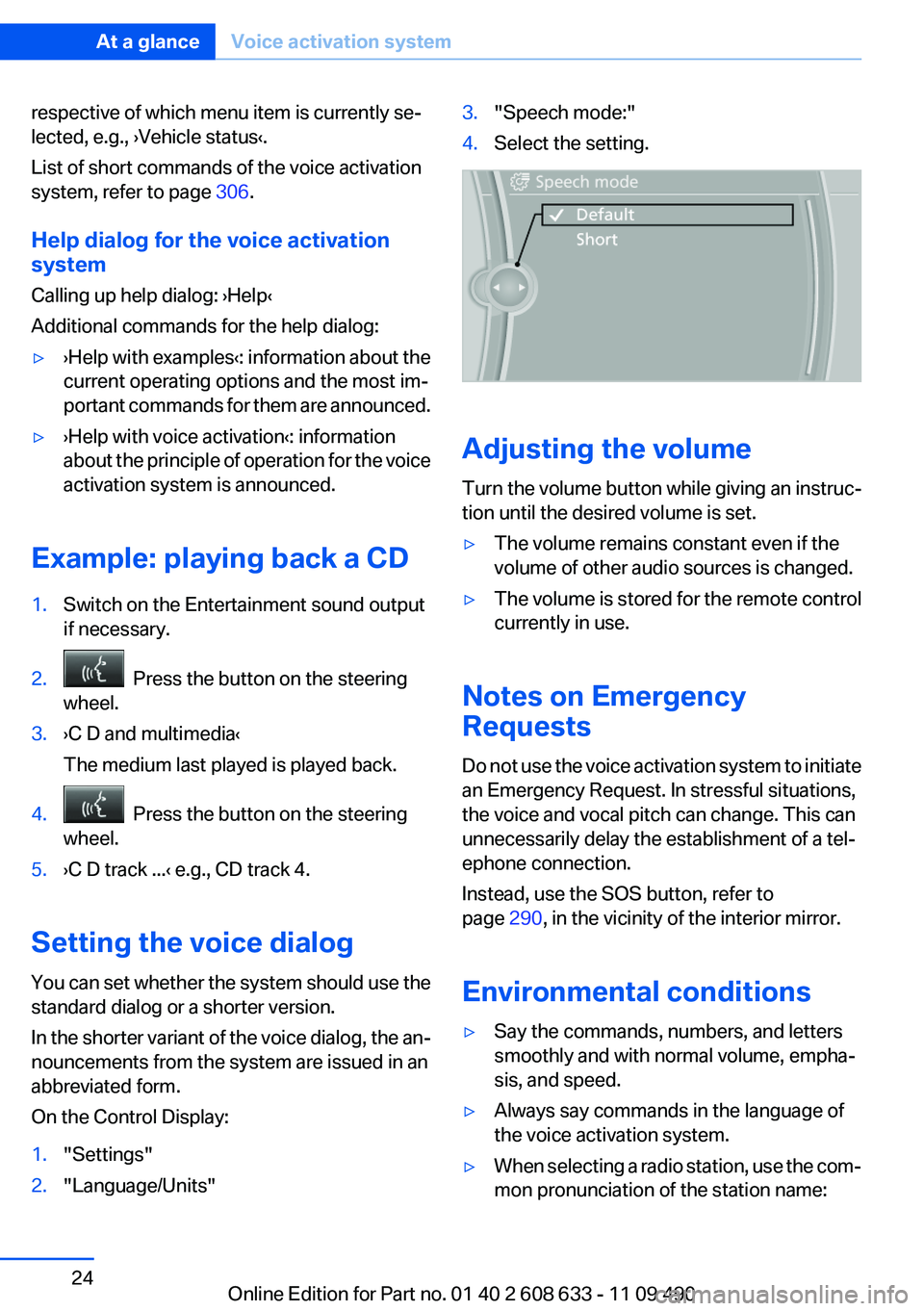
Setting the voice dialog
You can set whether the system should use the
standard dialog or a shorter version.
In the shorter variant of the voice dialog, the an‐
nouncements from the system are issued in an
abbreviated form.
On the Control Display:
1."Settings"
2."Language/Units"
3."Speech mode:"
4.Select the setting.
Adjusting the volume
Turn the volume button while giving an instruc‐
tion until the desired volume is set.
▷The volume remains constant even if the
volume of other audio sources is changed.
▷The volume is stored for the remote control
currently in use.
Notes on Emergency
Requests
Do not use the voice activation system to initiate
an Emergency Request. In stressful situations,
the voice and vocal pitch can change. This can
unnecessarily delay the establishment of a tel‐
ephone connection.
Instead, use the SOS button, refer to
page 290, in the vicinity of the interior mirror.
Environmental conditions
▷Say the commands, numbers, and letters
smoothly and with normal volume, empha‐
sis, and speed.
▷Always say commands in the language of
the voice activation system.
▷When selecting a radio station, use the com‐
mon pronunciation of the station name:
Seite 24
At a glanceVoice activation system
24Online Edition for Part no. 01 40 2 608 633 - 11 09 490
Page 26 of 325
Integrated Owner's Manual in the vehicle
Vehicle equipment
All standard, country-specific and optional
equipment that is offered in the model series is
described in this chapter. Therefore, equipment
is also described that is not available in a vehicle,
e. g., because of the selected optional equip‐
ment or country variant. This also applies for
safety-related functions and systems.
Integrated Owner's Manual in
the vehicle
The integrated Owner's Manual can be dis‐
played on the Control Display. The equipment
and functions that are in the vehicle are descri‐
bed therein.
Components of the integrated Owner's
Manual
The integrated Owner's Manual consists of
three parts, which offer various levels of infor‐
mation or access possibilities.
Quick Reference Guide
Located in the Quick Reference is important in‐
formation for the operation of the vehicle, the
operation of basic vehicle functions or for what
to do in the event of a flat tire. This information
can also be displayed during driving.
Search by pictures
Information and descriptions based on illustra‐
tions can be searched via search by pictures.
This is helpful, for example, if the description of
an outfitting package that cannot be named is
needed.
Owner's Manual
Information and descriptions can be searched
by direct entry of a search term via the index.
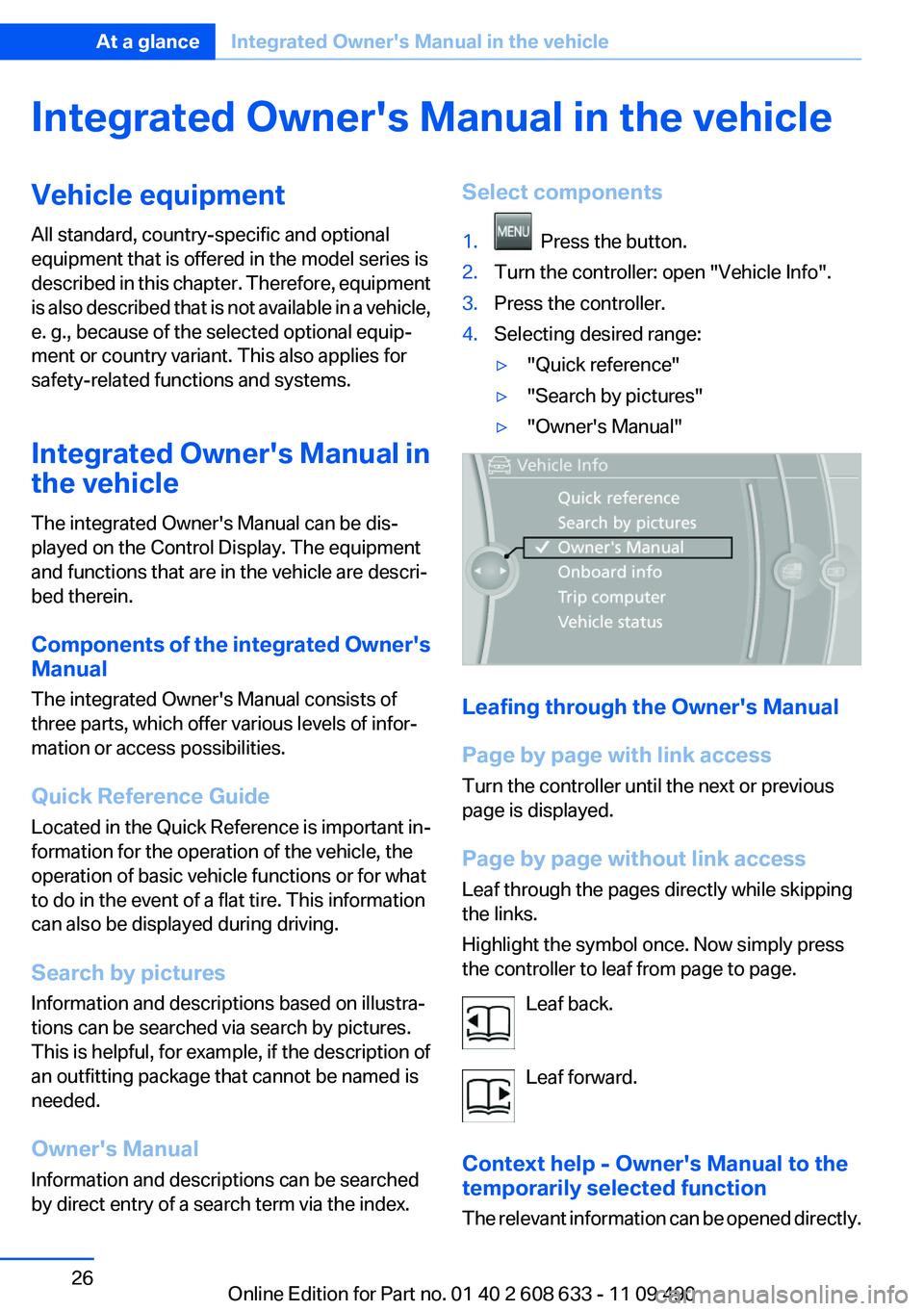
Select components
1. Press the button.
2.Turn the controller: open "Vehicle Info".
3.Press the controller.
4.Selecting desired range:
▷"Quick reference"
▷"Search by pictures"
▷"Owner's Manual"
Leafing through the Owner's Manual
Page by page with link access
Turn the controller until the next or previous
page is displayed.
Page by page without link access
Leaf through the pages directly while skipping
the links.
Highlight the symbol once. Now simply press
the controller to leaf from page to page.
Leaf back.
Leaf forward.
Context help - Owner's Manual to the
temporarily selected function
The relevant information can be opened directly.
Seite 26
At a glanceIntegrated Owner's Manual in the vehicle
26Online Edition for Part no. 01 40 2 608 633 - 11 09 490
Page 27 of 325
Opening during operation via iDrive
To move directly from the application on the
Control Display to the options menu:
1. Press the button or move the controller
to the right repeatedly until the "Options"
menu is displayed.
2."Display Owner's Manual"
Opening when a Check Control
message is displayed
Directly from the Check Control message on the
Control Display:
"Display Owner's Manual"
Changing between a function and the
Owner's Manual
To change from a function, e.g., radio, to the
Owner's Manual on the Control Display and to
switch between the two displays:
1. Press the button or move the controller
to the right repeatedly until the "Options"
menu is displayed.
2."Display Owner's Manual"
3.Select the desired page in the Owner's
Manual.
4. Press the button again to return to the
function displayed last.
5. Press the button to return to the page
of the Owner's Manual displayed last.
To switch back and forth repeatedly between
the function displayed last and the page of the
Owner's Manual displayed last, repeat steps 4
and 5. This opens a new panel every time.
Programmable memory buttons
General information
The Owner's Manual can be stored on the pro‐
grammable memory buttons and called up di‐
rectly.
Storing
1."Owner's Manual" Select via the iDrive.
2. Press the desired button for more
than 2 seconds.
Executing
Press the button.
The Owner's Manual is displayed im‐
mediately.
Seite 27
Integrated Owner's Manual in the vehicleAt a glance
27Online Edition for Part no. 01 40 2 608 633 - 11 09 490
Page 31 of 325
Take the used battery to a recycling cen‐
ter or to your service center.
New remote controls
You can obtain new remote controls from your
service center.
Loss of the remote controls
Lost remote controls can be blocked by your
service center.
Emergency detection of remote control
It is possible to switch on the ignition or start the
engine in situations such as the following:
▷Interference of radio transmission to remote
control by external sources.
▷Discharged battery in the remote control.
▷Interference of radio transmission by mobile
devices in close proximity to the remote
control.
▷Interference of radio transmission by
charger while charging items such as mobile
devices in the vehicle.
A Check Control message is displayed if an at‐
tempt is made to switch on the ignition or start
the engine.
Starting the engine in case of
emergency detection of remote control
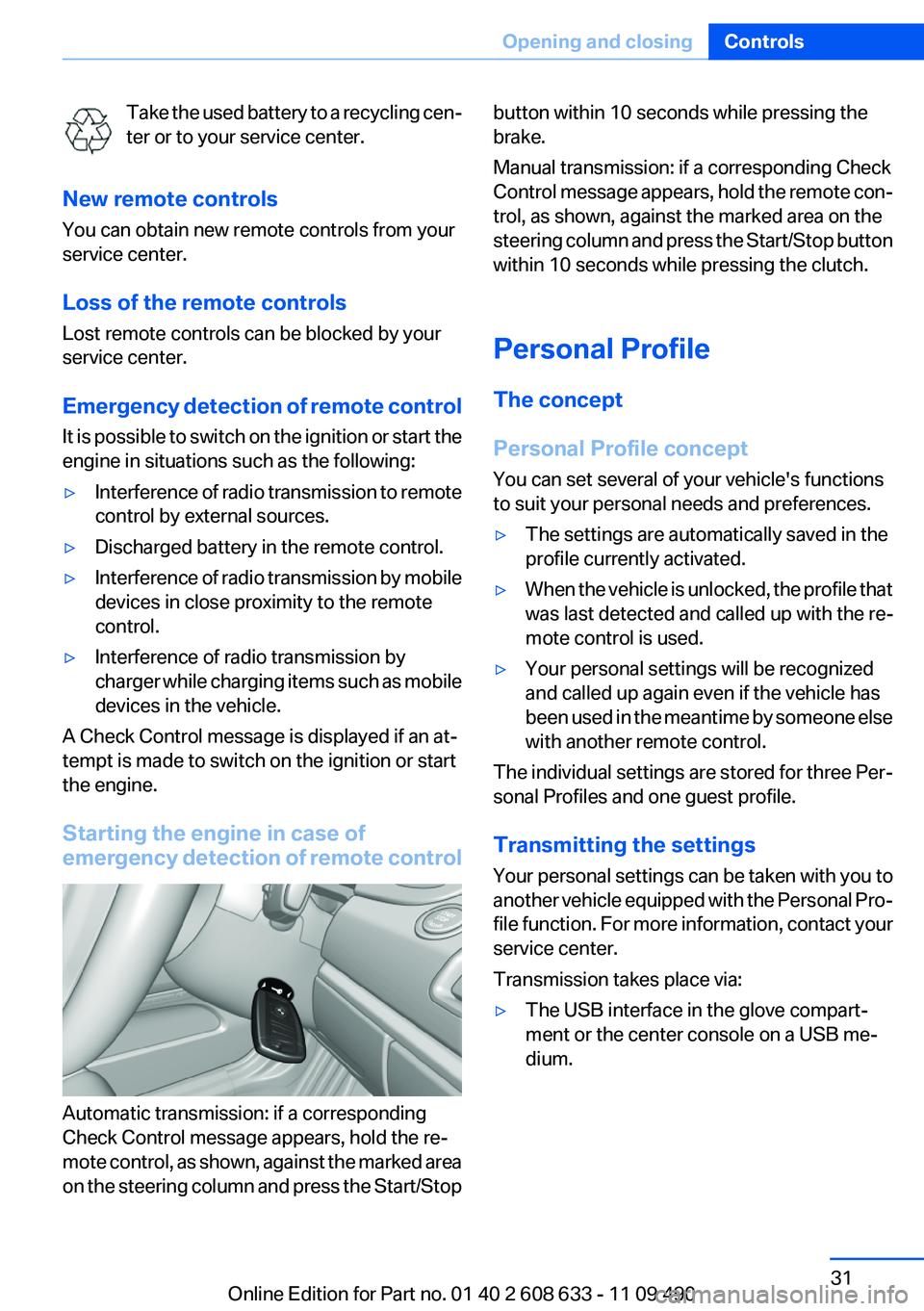
Automatic transmission: if a corresponding
Check Control message appears, hold the re‐
mote control, as shown, against the marked area
on the steering column and press the Start/Stop
button within 10 seconds while pressing the
brake.
Manual transmission: if a corresponding Check
Control message appears, hold the remote con‐
trol, as shown, against the marked area on the
steering column and press the Start/Stop button
within 10 seconds while pressing the clutch.
Personal Profile
The concept
Personal Profile concept
You can set several of your vehicle's functions
to suit your personal needs and preferences.
▷The settings are automatically saved in the
profile currently activated.
▷When the vehicle is unlocked, the profile that
was last detected and called up with the re‐
mote control is used.
▷Your personal settings will be recognized
and called up again even if the vehicle has
been used in the meantime by someone else
with another remote control.
The individual settings are stored for three Per‐
sonal Profiles and one guest profile.
Transmitting the settings
Your personal settings can be taken with you to
another vehicle equipped with the Personal Pro‐
file function. For more information, contact your
service center.
Transmission takes place via:
▷The USB interface in the glove compart‐
ment or the center console on a USB me‐
dium.
Seite 31
Opening and closingControls
31Online Edition for Part no. 01 40 2 608 633 - 11 09 490
Page 33 of 325
Using the guest profile
The guest profile can be used to make individual
settings without affecting the three Personal
Profiles.
This can be useful for drivers who are using the
vehicle temporarily and do not have their own
profile.
1."Settings"
2."Profiles"
3.The current profile is selected.
4.Open "Guest".
5.Create the settings.
Note: the guest profile cannot be renamed.
Display profile list during start
The profile list can be displayed during each
start for selecting the desired profile.
1."Settings"
2."Profiles"
3."Options" Open.
4."Display user list at startup"
Personal Profile settings
The following functions and settings can be
stored in a profile.
More information on the settings can be found
under:
▷Active Cruise Control: collision warning.
▷Exterior mirror position.
▷CD/Multimedia: audio source listened to
last.
▷Driving Experience Switch: sport program
▷Driver's seat position: automatically re‐
trieved after unlocking.
▷Programmable memory buttons: assign‐
ment.
▷Head-up Display: selection, brightness, po‐
sition and rotation of the display.
▷Headlamp courtesy delay feature: time set‐
ting.
▷Tone: tone settings.
▷Automatic climate control/Automatic cli‐
mate control with enhanced features: set‐
tings.
▷Navigation: map views, route criteria, voice
output on/off.
▷Park Distance Control PDC: adjusting the
signal tone volume.
▷Radio: stored stations, station listened to
last, special settings.
▷Backup camera: selection of functions and
type of display.
▷Side View: selection of the display type.
▷Language on the Control Display.
▷Lane departure warning: last setting, on/off.
▷Active Blind Spot Detection: last setting, on/
off.
▷Triple turn signal activation.
▷Daytime running lights: current setting.
▷Locking the vehicle: after a brief period or
after starting to drive.
Central locking system
The concept
The central locking system becomes active
when the driver's door is closed.
The system simultaneously engages and re‐
leases the locks on the following:
▷Doors.
▷Trunk lid.
▷Fuel filler flap.
Operating from the outside
▷Via the remote control.
▷Via the door handles of the driver's and front
passenger doors.
Seite 33
Opening and closingControls
33Online Edition for Part no. 01 40 2 608 633 - 11 09 490
Page 62 of 325
Display in the instrument cluster
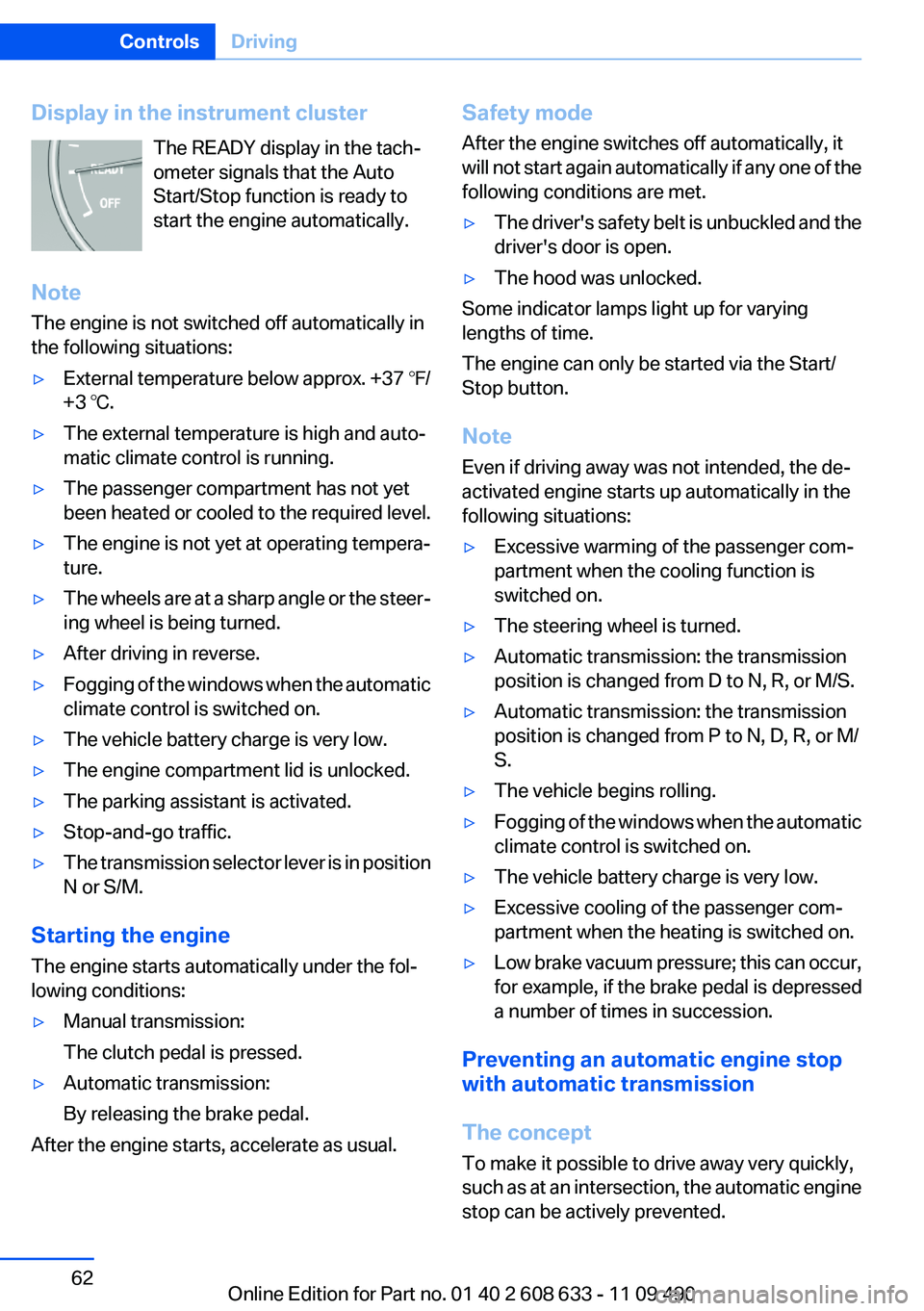
The READY display in the tach‐
ometer signals that the Auto
Start/Stop function is ready to
start the engine automatically.
Note
The engine is not switched off automatically in
the following situations:
▷External temperature below approx. +37 ℉/
+3 ℃.
▷The external temperature is high and auto‐
matic climate control is running.
▷The passenger compartment has not yet
been heated or cooled to the required level.
▷The engine is not yet at operating tempera‐
ture.
▷The wheels are at a sharp angle or the steer‐
ing wheel is being turned.
▷After driving in reverse.
▷Fogging of the windows when the automatic
climate control is switched on.
▷The vehicle battery charge is very low.
▷The engine compartment lid is unlocked.
▷The parking assistant is activated.
▷Stop-and-go traffic.
▷The transmission selector lever is in position
N or S/M.
Starting the engine
The engine starts automatically under the fol‐
lowing conditions:
▷Manual transmission:
The clutch pedal is pressed.
▷Automatic transmission:
By releasing the brake pedal.
After the engine starts, accelerate as usual.
Safety mode
After the engine switches off automatically, it
will not start again automatically if any one of the
following conditions are met.
▷The driver's safety belt is unbuckled and the
driver's door is open.
▷The hood was unlocked.
Some indicator lamps light up for varying
lengths of time.
The engine can only be started via the Start/
Stop button.
Note
Even if driving away was not intended, the de‐
activated engine starts up automatically in the
following situations:
▷Excessive warming of the passenger com‐
partment when the cooling function is
switched on.
▷The steering wheel is turned.
▷Automatic transmission: the transmission
position is changed from D to N, R, or M/S.
▷Automatic transmission: the transmission
position is changed from P to N, D, R, or M/
S.
▷The vehicle begins rolling.
▷Fogging of the windows when the automatic
climate control is switched on.
▷The vehicle battery charge is very low.
▷Excessive cooling of the passenger com‐
partment when the heating is switched on.
▷Low brake vacuum pressure; this can occur,
for example, if the brake pedal is depressed
a number of times in succession.
Preventing an automatic engine stop
with automatic transmission
The concept
To make it possible to drive away very quickly,
such as at an intersection, the automatic engine
stop can be actively prevented.
Seite 62
ControlsDriving
62Online Edition for Part no. 01 40 2 608 633 - 11 09 490
Page 63 of 325
Preventing an engine stop using the
brake pedal
The engine stop can be actively prevented
within one second after the vehicle comes to a
standstill.
▷Immediately after the vehicle comes to a
standstill, briefly press the brake pedal
forcefully.
▷Then press the brake pedal with normal
braking force.
Activating/deactivating the system
manually
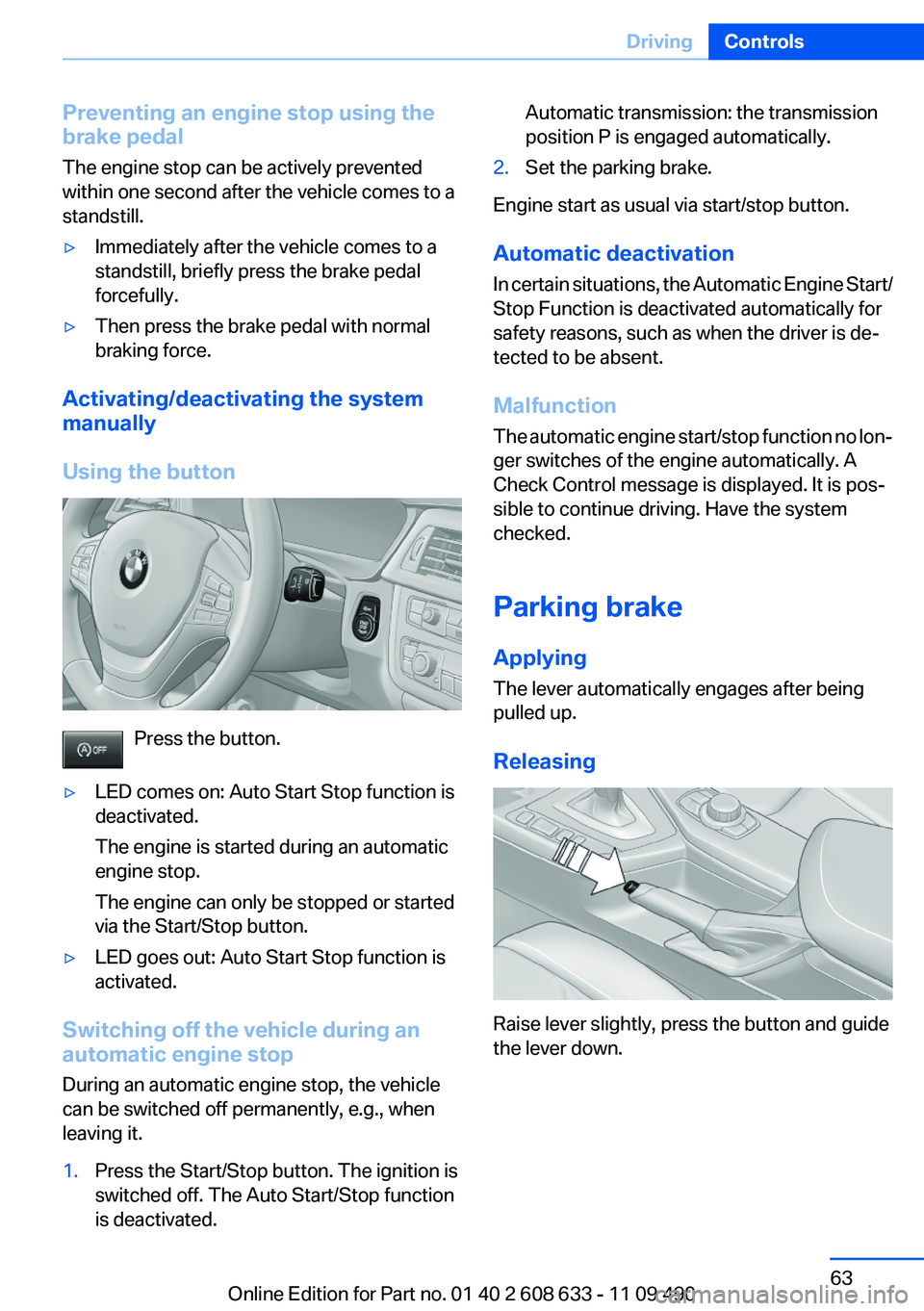
Using the button
Press the button.
▷LED comes on: Auto Start Stop function is
deactivated.
The engine is started during an automatic
engine stop.
The engine can only be stopped or started
via the Start/Stop button.
▷LED goes out: Auto Start Stop function is
activated.
Switching off the vehicle during an
automatic engine stop
During an automatic engine stop, the vehicle
can be switched off permanently, e.g., when
leaving it.
1.Press the Start/Stop button. The ignition is
switched off. The Auto Start/Stop function
is deactivated.
Automatic transmission: the transmission
position P is engaged automatically.
2.Set the parking brake.
Engine start as usual via start/stop button.
Automatic deactivation
In certain situations, the Automatic Engine Start/
Stop Function is deactivated automatically for
safety reasons, such as when the driver is de‐
tected to be absent.
Malfunction
The automatic engine start/stop function no lon‐
ger switches of the engine automatically. A
Check Control message is displayed. It is pos‐
sible to continue driving. Have the system
checked.
Parking brake
Applying
The lever automatically engages after being
pulled up.
Releasing
Raise lever slightly, press the button and guide
the lever down.
Seite 63
DrivingControls
63Online Edition for Part no. 01 40 2 608 633 - 11 09 490
Page 68 of 325
Depress the brake until you start driv‐
ing
To prevent the vehicle from creeping after
you select a driving position, maintain pres‐
sure on the brake pedal until you are ready
to start.◀
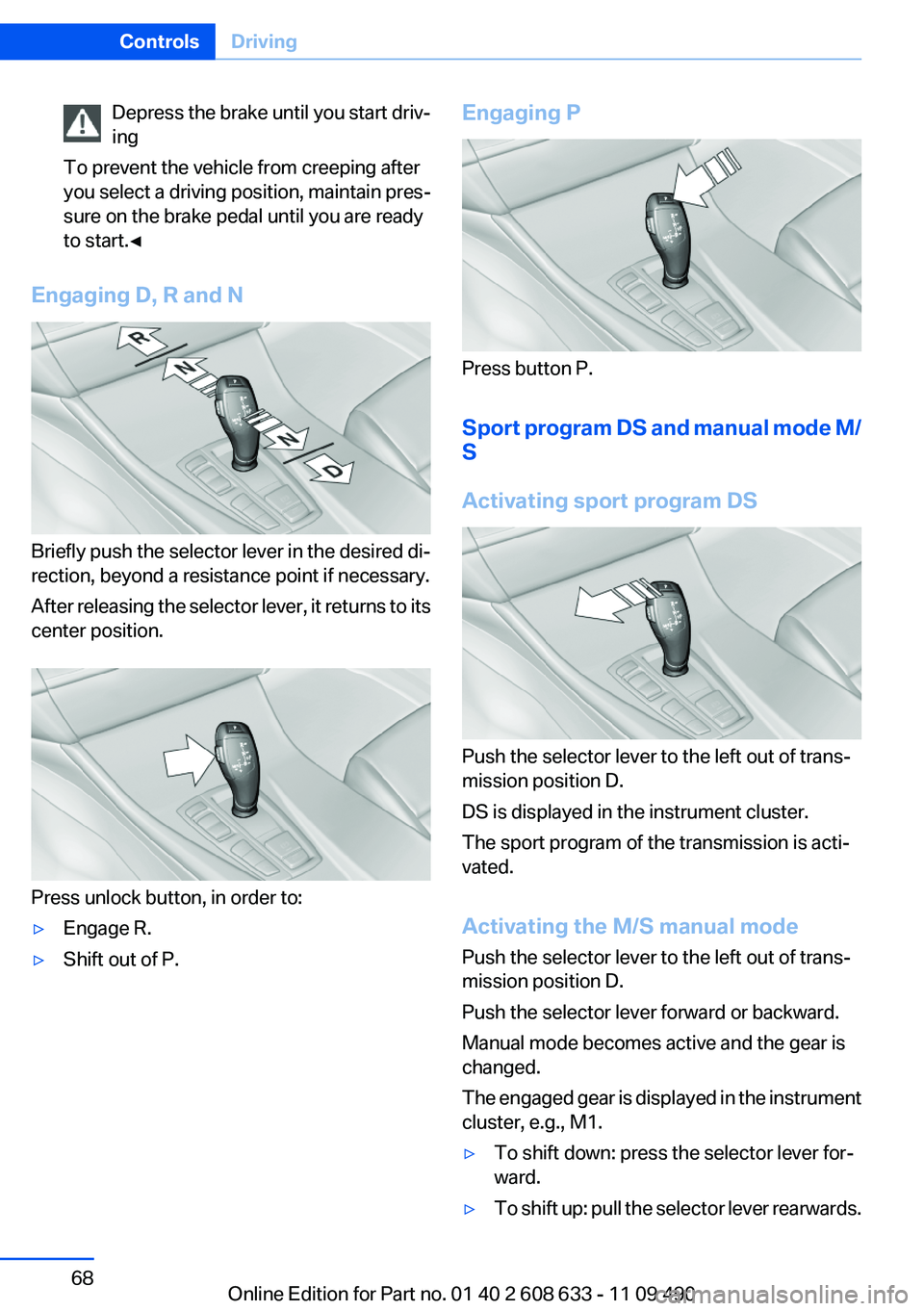
Engaging D, R and N
Briefly push the selector lever in the desired di‐
rection, beyond a resistance point if necessary.
After releasing the selector lever, it returns to its
center position.
Press unlock button, in order to:
▷Engage R.
▷Shift out of P.
Engaging P
Press button P.
Sport program DS and manual mode M/
S
Activating sport program DS
Push the selector lever to the left out of trans‐
mission position D.
DS is displayed in the instrument cluster.
The sport program of the transmission is acti‐
vated.
Activating the M/S manual mode
Push the selector lever to the left out of trans‐
mission position D.
Push the selector lever forward or backward.
Manual mode becomes active and the gear is
changed.
The engaged gear is displayed in the instrument
cluster, e.g., M1.
▷To shift down: press the selector lever for‐
ward.
▷To shift up: pull the selector lever rearwards.
Seite 68
ControlsDriving
68Online Edition for Part no. 01 40 2 608 633 - 11 09 490