key BMW 328Ci CONVERTIBLE 2000 E46 Owner's Guide
[x] Cancel search | Manufacturer: BMW, Model Year: 2000, Model line: 328Ci CONVERTIBLE, Model: BMW 328Ci CONVERTIBLE 2000 E46Pages: 199, PDF Size: 1.77 MB
Page 57 of 199
57n
IndexDataTechnologyRepairsCar careControlsOverview
Seat and mirror memory
*
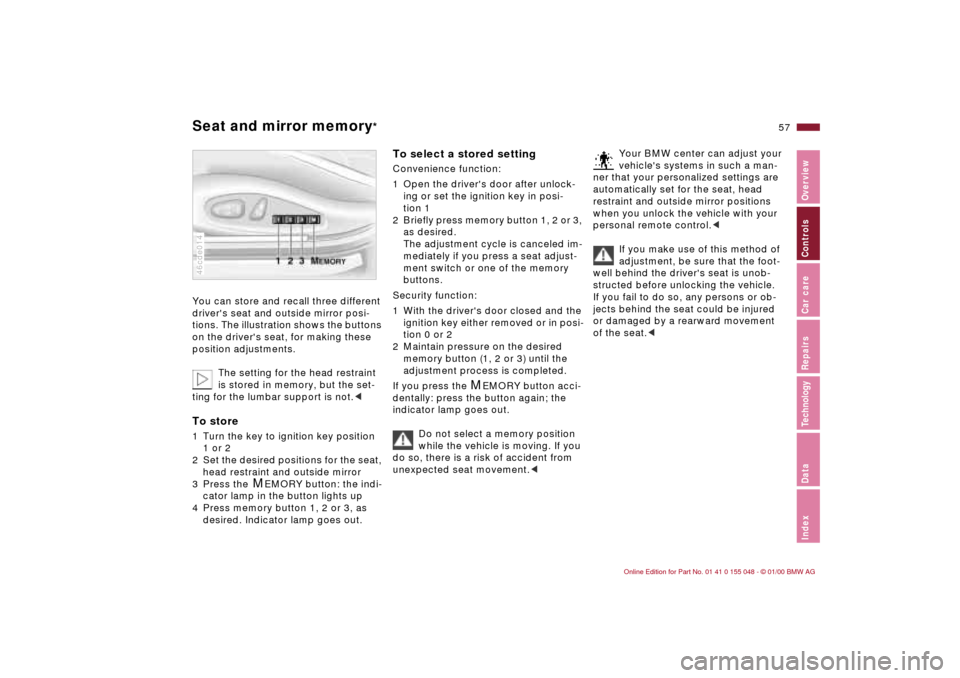
You can store and recall three different
driver's seat and outside mirror posi-
tions. The illustration shows the buttons
on the driver's seat, for making these
position adjustments.
The setting for the head restraint
is stored in memory, but the set-
ting for the lumbar support is not.
2 Set the desired positions for the seat,
head restraint and outside mirror
3 Press the
M
EMORY button: the indi-
cator lamp in the button lights up
4 Press memory button 1, 2 or 3, as
desired. Indicator lamp goes out.
46cde014
To select a stored setting Convenience function:
1 Open the driver's door after unlock-
ing or set the ignition key in posi-
tion 1
2 Briefly press memory button 1, 2 or 3,
as desired.
The adjustment cycle is canceled im-
mediately if you press a seat adjust-
ment switch or one of the memory
buttons.
Security function:
1 With the driver's door closed and the
ignition key either removed or in posi-
tion 0 or 2
2 Maintain pressure on the desired
memory button (1, 2 or 3) until the
adjustment process is completed.
If you press the
M
EMORY button acci-
dentally: press the button again; the
indicator lamp goes out.
Do not select a memory position
while the vehicle is moving. If you
do so, there is a risk of accident from
unexpected seat movement.<
Your BMW center can adjust your
vehicle's systems in such a man-
ner that your personalized settings are
automatically set for the seat, head
restraint and outside mirror positions
when you unlock the vehicle with your
personal remote control.<
If you make use of this method of
adjustment, be sure that the foot-
well behind the driver's seat is unob-
structed before unlocking the vehicle.
If you fail to do so, any persons or ob-
jects behind the seat could be injured
or damaged by a rearward movement
of the seat.<
Page 59 of 199
59n
IndexDataTechnologyRepairsCar careControlsOverview
MirrorsYou can also adjust the mirrors manu-
ally by pressing against the outer edges
of their lenses.
The mirror on the passenger's
side features a lens with a more
convex surface than the mirror installed
on the driver's side. When estimating
the distance between yourself and
other traffic, bear in mind that the ob-
jects reflected in the mirror are closer
than they appear. Estimating the dis-
tance between you and the traffic be-
hind you is therefore imprecise.
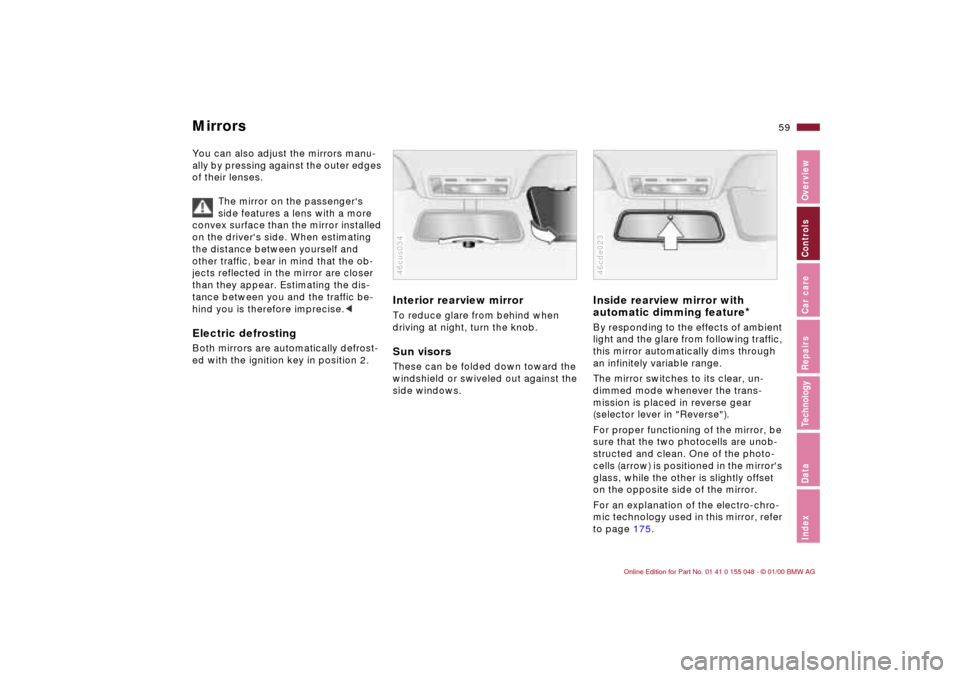
Interior rearview mirror To reduce glare from behind when
driving at night, turn the knob.Sun visorsThese can be folded down toward the
windshield or swiveled out against the
side windows.46cus034
Inside rearview mirror with
automatic dimming feature
*
By responding to the effects of ambient
light and the glare from following traffic,
this mirror automatically dims through
an infinitely variable range.
The mirror switches to its clear, un-
dimmed mode whenever the trans-
mission is placed in reverse gear
(selector lever in "Reverse").
For proper functioning of the mirror, be
sure that the two photocells are unob-
structed and clean. One of the photo-
cells (arrow) is positioned in the mirror's
glass, while the other is slightly offset
on the opposite side of the mirror.
For an explanation of the electro-chro-
mic technology used in this mirror, refer
to page 175.46cde023
Page 60 of 199
60n
Car Memory, Key Memory How the system functionsYou have probably frequently wished
that you could configure individual
functions of your vehicles to reflect
your own personal requirements. In
engineering your vehicle, BMW has in-
cluded several user-defined functions
in the vehicle's design. Your BMW cen-
ter can make these settings for you in
accordance with your wishes.
There are settings related to the vehicle
("Car Memory") and settings related to
individuals ("Key Memory"). You can
have up to four different basic settings
adjusted for four different persons. The
only requirement is that each person
uses his or her own remote control key. 463de029
When your vehicle is unlocked with the
remote control, the vehicle recognizes
the individual user by means of a data
exchange with the key, and makes ad-
justments accordingly.
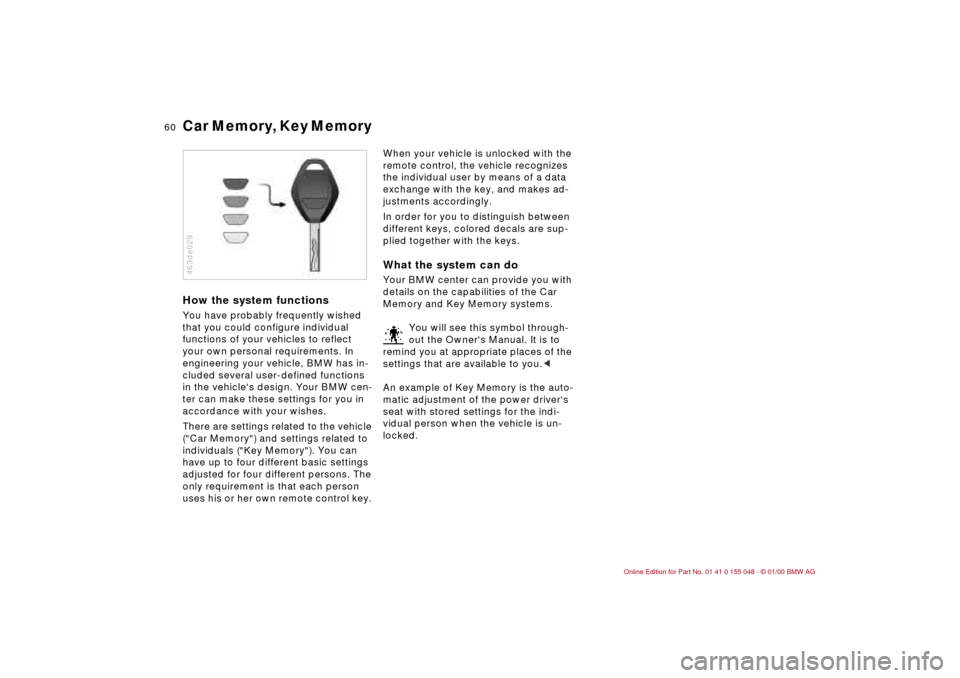
In order for you to distinguish between
different keys, colored decals are sup-
plied together with the keys.What the system can doYour BMW center can provide you with
details on the capabilities of the Car
Memory and Key Memory systems.
You will see this symbol through-
out the Owner's Manual. It is to
remind you at appropriate places of the
settings that are available to you.<
An example of Key Memory is the auto-
matic adjustment of the power driver's
seat with stored settings for the indi-
vidual person when the vehicle is un-
locked.
Page 63 of 199
63n
IndexDataTechnologyRepairsCar careControlsOverview
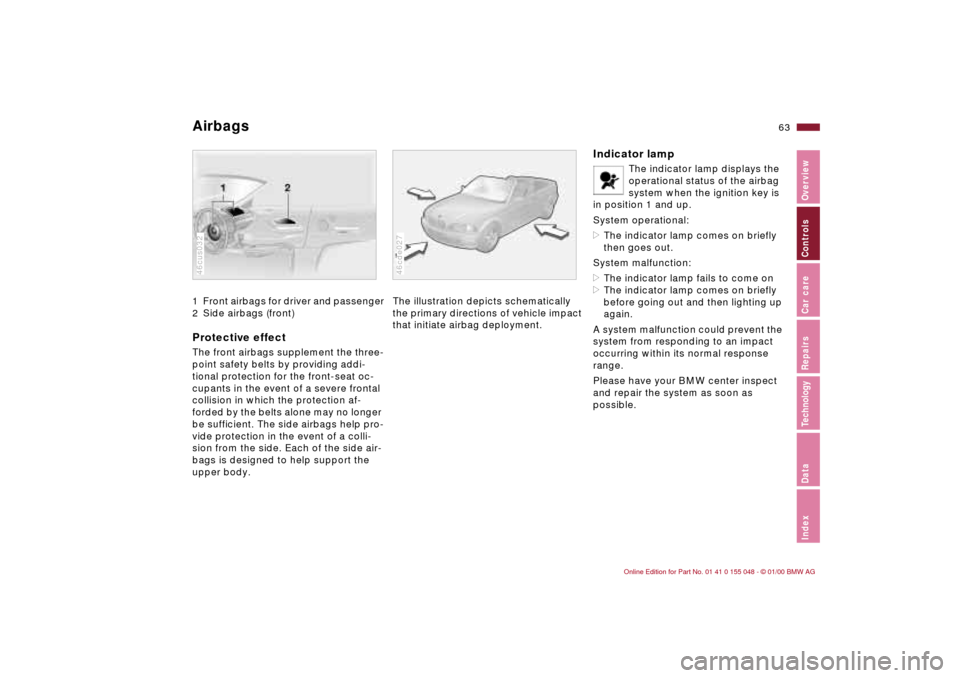
Airbags 1 Front airbags for driver and passenger
2 Side airbags (front)Protective effectThe front airbags supplement the three-
point safety belts by providing addi-
tional protection for the front-seat oc-
cupants in the event of a severe frontal
collision in which the protection af-
forded by the belts alone may no longer
be sufficient. The side airbags help pro-
vide protection in the event of a colli-
sion from the side. Each of the side air-
bags is designed to help support the
upper body.46cus032
The illustration depicts schematically
the primary directions of vehicle impact
that initiate airbag deployment.46cde027
Indicator lamp
The indicator lamp displays the
operational status of the airbag
system when the ignition key is
in position 1 and up.
System operational:
>The indicator lamp comes on briefly
then goes out.
System malfunction:
>The indicator lamp fails to come on
>The indicator lamp comes on briefly
before going out and then lighting up
again.
A system malfunction could prevent the
system from responding to an impact
occurring within its normal response
range.
Please have your BMW center inspect
and repair the system as soon as
possible.
Page 70 of 199
70n
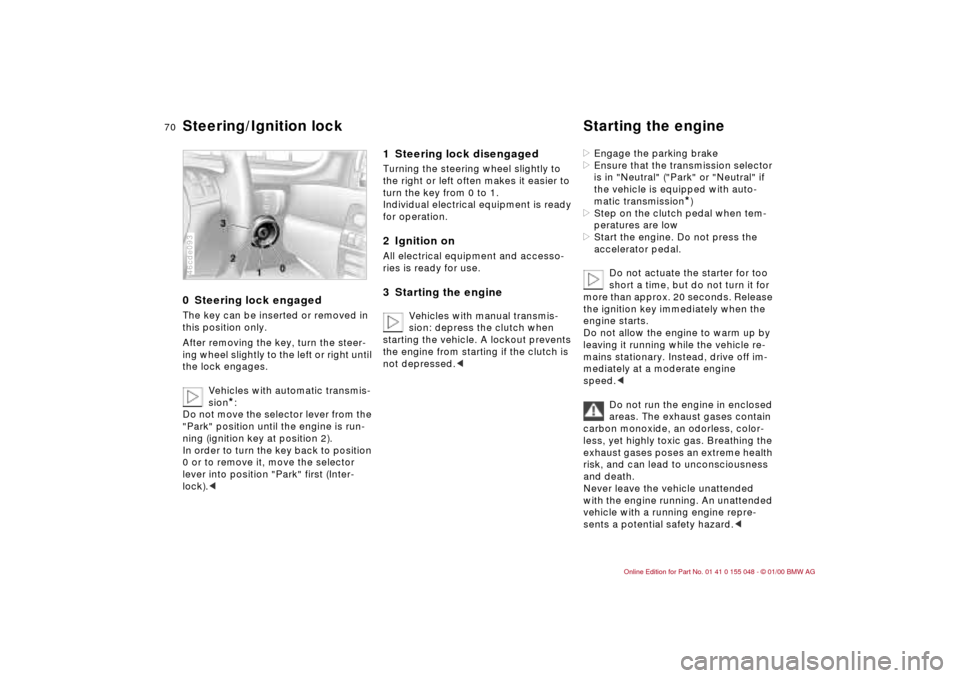
0 Steering lock engaged The key can be inserted or removed in
this position only.
After removing the key, turn the steer-
ing wheel slightly to the left or right until
the lock engages.
Vehicles with automatic transmis-
sion
*:
Do not move the selector lever from the
"Park" position until the engine is run-
ning (ignition key at position 2).
In order to turn the key back to position
0 or to remove it, move the selector
lever into position "Park" first (Inter-
lock).<
46cde093
1 Steering lock disengaged Turning the steering wheel slightly to
the right or left often makes it easier to
turn the key from 0 to 1.
Individual electrical equipment is ready
for operation.2 Ignition onAll electrical equipment and accesso-
ries is ready for use.3 Starting the engine
Vehicles with manual transmis-
sion: depress the clutch when
starting the vehicle. A lockout prevents
the engine from starting if the clutch is
not depressed.<
>Engage the parking brake
>Ensure that the transmission selector
is in "Neutral" ("Park" or "Neutral" if
the vehicle is equipped with auto-
matic transmission
*)
>Step on the clutch pedal when tem-
peratures are low
>Start the engine. Do not press the
accelerator pedal.
Do not actuate the starter for too
short a time, but do not turn it for
more than approx. 20 seconds. Release
the ignition key immediately when the
engine starts.
Do not allow the engine to warm up by
leaving it running while the vehicle re-
mains stationary. Instead, drive off im-
mediately at a moderate engine
speed.<
Do not run the engine in enclosed
areas. The exhaust gases contain
carbon monoxide, an odorless, color-
less, yet highly toxic gas. Breathing the
exhaust gases poses an extreme health
risk, and can lead to unconsciousness
and death.
Never leave the vehicle unattended
with the engine running. An unattended
vehicle with a running engine repre-
sents a potential safety hazard.<
Steering/Ignition lock Starting the engine
Page 71 of 199

71n
IndexDataTechnologyRepairsCar careControlsOverview
Starting the engine Switching off the engine If the engine does not start on the first
attempt (if it is very hot or cold, for in-
stance):
>Press the accelerator pedal halfway
down while engaging the starter.
Cold start at extremely low tempera-
tures, from approx. +5 7 (–15 6)
and at elevations above 3,300 feet
(1,000 meters):
>On the first start attempt, engage the
starter for a longer period (approx.
10 seconds)
>Press the accelerator pedal halfway
down while engaging the starter.Turn the ignition key to position 1 or 0.
Do not remove the ignition key
while the vehicle is still moving. If
you did, the steering lock would engage
when the steering wheel is turned.
When you leave the vehicle, always re-
move the ignition key and engage the
steering lock.
Vehicles with manual transmission:
Always engage the parking brake when
parking on slopes and inclined sur-
faces, since placing the lever in 1st
gear or reverse may not provide ade-
quate resistance to rolling.
Vehicles with automatic transmission
*:
Place the selector lever in "Park".<
Page 72 of 199
72n
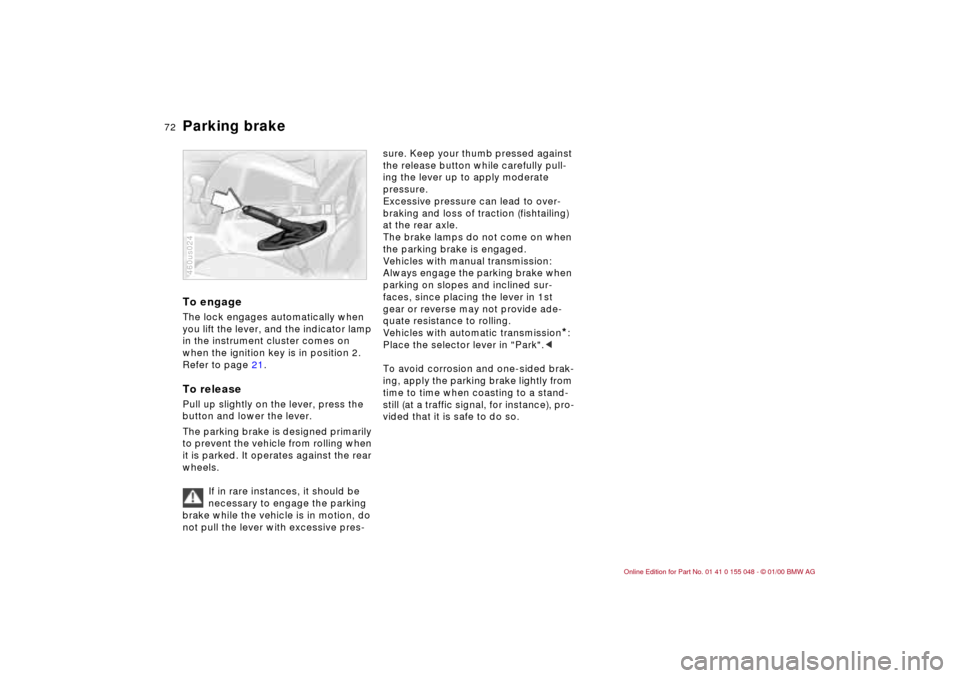
Parking brake To engageThe lock engages automatically when
you lift the lever, and the indicator lamp
in the instrument cluster comes on
when the ignition key is in position 2.
Refer to page 21.To releasePull up slightly on the lever, press the
button and lower the lever.
The parking brake is designed primarily
to prevent the vehicle from rolling when
it is parked. It operates against the rear
wheels.
If in rare instances, it should be
necessary to engage the parking
brake while the vehicle is in motion, do
not pull the lever with excessive pres-460us024
sure. Keep your thumb pressed against
the release button while carefully pull-
ing the lever up to apply moderate
pressure.
Excessive pressure can lead to over-
braking and loss of traction (fishtailing)
at the rear axle.
The brake lamps do not come on when
the parking brake is engaged.
Vehicles with manual transmission:
Always engage the parking brake when
parking on slopes and inclined sur-
faces, since placing the lever in 1st
gear or reverse may not provide ade-
quate resistance to rolling.
Vehicles with automatic transmission
*:
Place the selector lever in "Park".<
To avoid corrosion and one-sided brak-
ing, apply the parking brake lightly from
time to time when coasting to a stand-
still (at a traffic signal, for instance), pro-
vided that it is safe to do so.
Page 73 of 199
73n
IndexDataTechnologyRepairsCar careControlsOverview
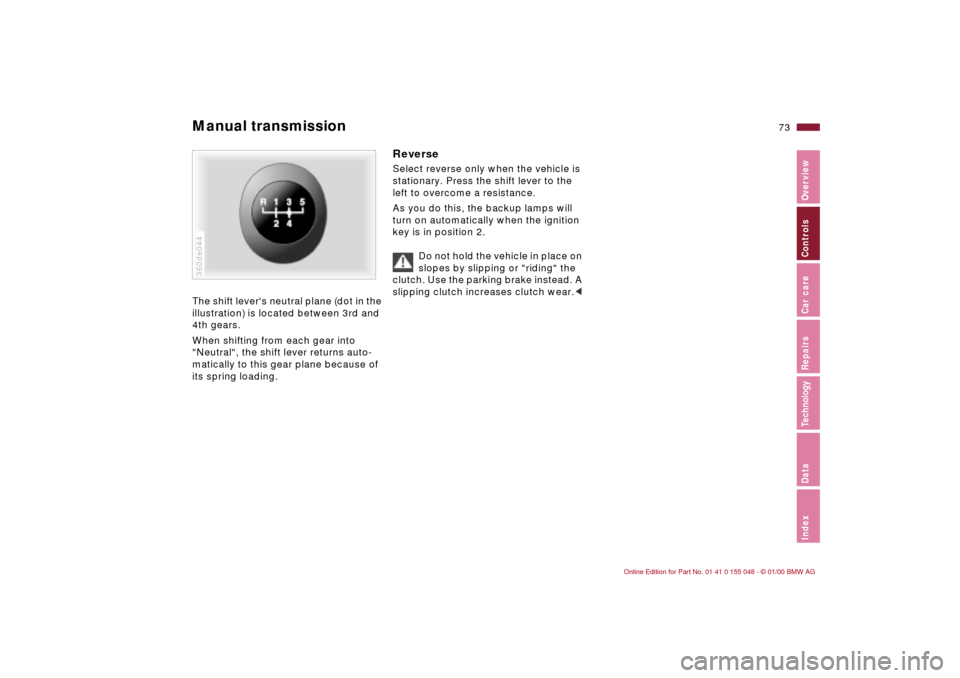
Manual transmission The shift lever's neutral plane (dot in the
illustration) is located between 3rd and
4th gears.
When shifting from each gear into
"Neutral", the shift lever returns auto-
matically to this gear plane because of
its spring loading.360de044
Reverse Select reverse only when the vehicle is
stationary. Press the shift lever to the
left to overcome a resistance.
As you do this, the backup lamps will
turn on automatically when the ignition
key is in position 2.
Do not hold the vehicle in place on
slopes by slipping or "riding" the
clutch. Use the parking brake instead. A
slipping clutch increases clutch wear.<
Page 76 of 199
76n
Automatic transmission with Steptronic
*
In the following situations, the Step-
tronic "thinks" for you in the manual
mode:
>In order to prevent the engine from
overrevving, the transmission shifts
automatically to the next higher gear
just before the RPM cutoff point
>If you do not do anything to inter-
vene, it will automatically downshift
at lower speeds
>In the "Kickdown" mode, the trans-
mission shifts down to the lowest
gear which is possible, depending on
the engine speed
>Depending on the situation – when
driving in adverse winter conditions,
for example – you may also start out
in 2nd or 3rd gear.
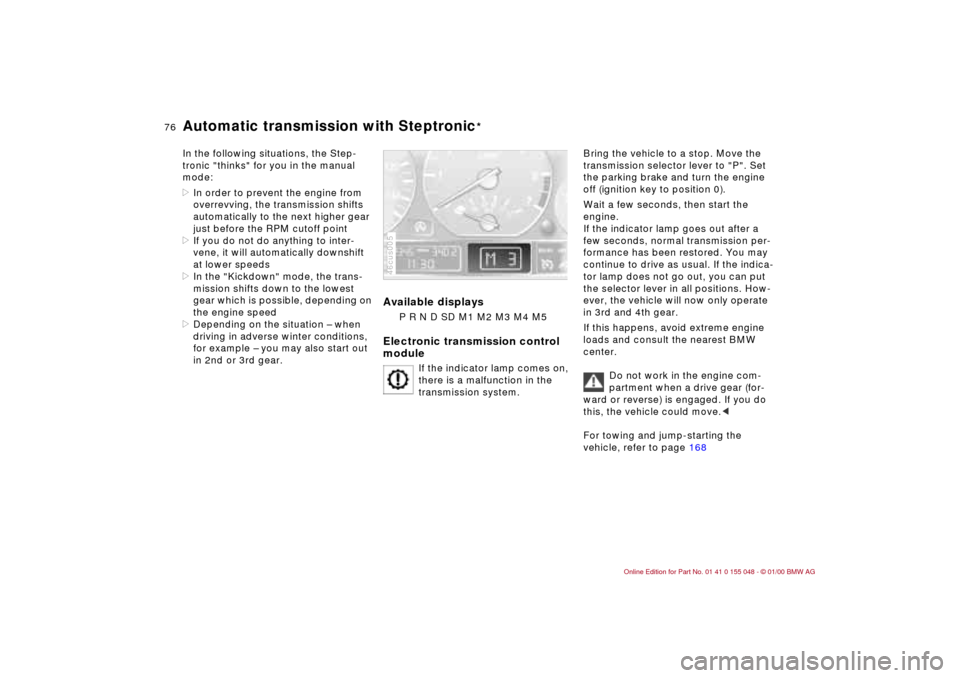
Available displays
P R N D SD M1 M2 M3 M4 M5
Electronic transmission control
module
If the indicator lamp comes on,
there is a malfunction in the
transmission system.
46cus005
Bring the vehicle to a stop. Move the
transmission selector lever to "P". Set
the parking brake and turn the engine
off (ignition key to position 0).
Wait a few seconds, then start the
engine.
If the indicator lamp goes out after a
few seconds, normal transmission per-
formance has been restored. You may
continue to drive as usual. If the indica-
tor lamp does not go out, you can put
the selector lever in all positions. How-
ever, the vehicle will now only operate
in 3rd and 4th gear.
If this happens, avoid extreme engine
loads and consult the nearest BMW
center.
Do not work in the engine com-
partment when a drive gear (for-
ward or reverse) is engaged. If you do
this, the vehicle could move.<
For towing and jump-starting the
vehicle, refer to page 168
Page 78 of 199
78n
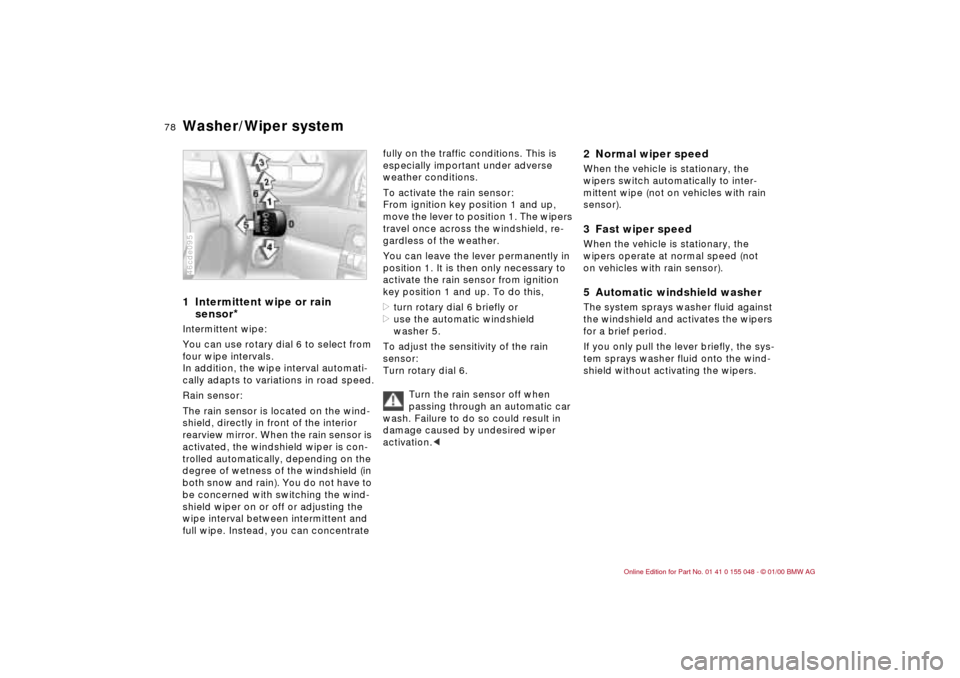
Washer/Wiper system1 Intermittent wipe or rain
sensor
*
Intermittent wipe:
You can use rotary dial 6 to select from
four wipe intervals.
In addition, the wipe interval automati-
cally adapts to variations in road speed.
Rain sensor:
The rain sensor is located on the wind-
shield, directly in front of the interior
rearview mirror. When the rain sensor is
activated, the windshield wiper is con-
trolled automatically, depending on the
degree of wetness of the windshield (in
both snow and rain). You do not have to
be concerned with switching the wind-
shield wiper on or off or adjusting the
wipe interval between intermittent and
full wipe. Instead, you can concentrate 46cde095
fully on the traffic conditions. This is
especially important under adverse
weather conditions.
To activate the rain sensor:
From ignition key position 1 and up,
move the lever to position 1. The wipers
travel once across the windshield, re-
gardless of the weather.
You can leave the lever permanently in
position 1. It is then only necessary to
activate the rain sensor from ignition
key position 1 and up. To do this,
>turn rotary dial 6 briefly or
>use the automatic windshield
washer 5.
To adjust the sensitivity of the rain
sensor:
Turn rotary dial 6.
Turn the rain sensor off when
passing through an automatic car
wash. Failure to do so could result in
damage caused by undesired wiper
activation.<
2 Normal wiper speedWhen the vehicle is stationary, the
wipers switch automatically to inter-
mittent wipe (not on vehicles with rain
sensor).3 Fast wiper speedWhen the vehicle is stationary, the
wipers operate at normal speed (not
on vehicles with rain sensor).5 Automatic windshield washer The system sprays washer fluid against
the windshield and activates the wipers
for a brief period.
If you only pull the lever briefly, the sys-
tem sprays washer fluid onto the wind-
shield without activating the wipers.