maintenance BMW 330Ci CONVERTIBLE 2002 E46 Owner's Guide
[x] Cancel search | Manufacturer: BMW, Model Year: 2002, Model line: 330Ci CONVERTIBLE, Model: BMW 330Ci CONVERTIBLE 2002 E46Pages: 159, PDF Size: 2.28 MB
Page 62 of 159
62n
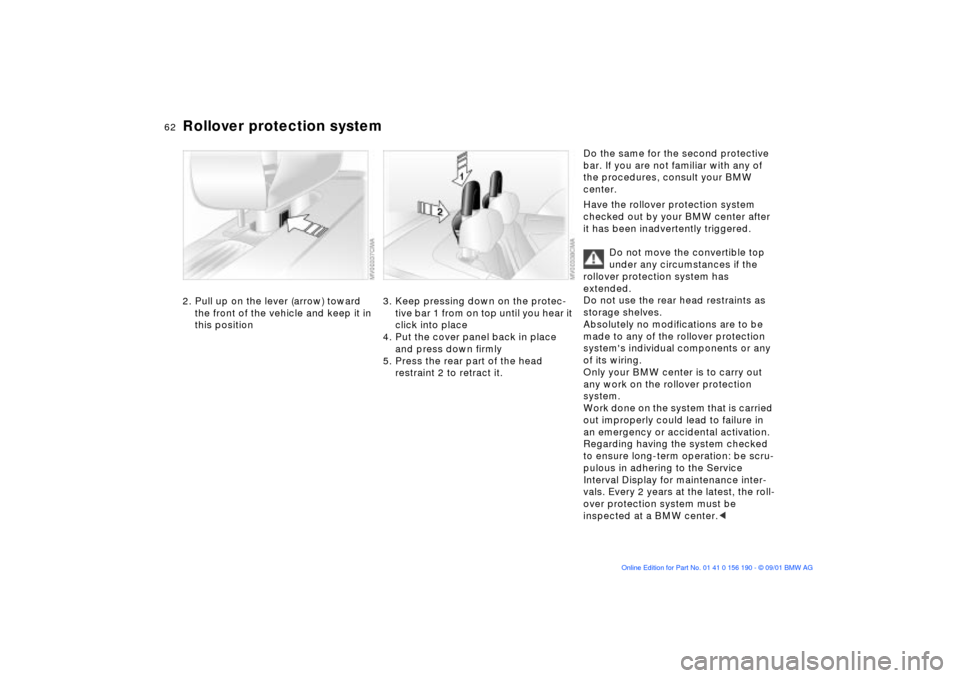
Rollover protection system2. Pull up on the lever (arrow) toward
the front of the vehicle and keep it in
this position
3. Keep pressing down on the protec-
tive bar 1 from on top until you hear it
click into place
4. Put the cover panel back in place
and press down firmly
5. Press the rear part of the head
restraint 2 to retract it.
Do the same for the second protective
bar. If you are not familiar with any of
the procedures, consult your BMW
center.
Have the rollover protection system
checked out by your BMW center after
it has been inadvertently triggered.
Do not move the convertible top
under any circumstances if the
rollover protection system has
extended.
Do not use the rear head restraints as
storage shelves.
Absolutely no modifications are to be
made to any of the rollover protection
system's individual components or any
of its wiring.
Only your BMW center is to carry out
any work on the rollover protection
system.
Work done on the system that is carried
out improperly could lead to failure in
an emergency or accidental activation.
Regarding having the system checked
to ensure long-term operation: be scru-
pulous in adhering to the Service
Interval Display for maintenance inter-
vals. Every 2 years at the latest, the roll-
over protection system must be
inspected at a BMW center.<
Page 63 of 159
63n
OverviewControlsMaintenanceRepairsDataIndex
Vehicle Memory, Key Memory How the system functionsNo doubt you have reflected at one
time or another on how great it would
be if you could permanently configure
your vehicle's various features and
adjustments to mirror your own indi-
vidual preferences. In engineering your
vehicle, BMW has incorporated a
number of options for personal adjust-
ment that can be programmed into your
vehicle at your BMW center.
The available configuration data fall into
two categories, according to whether
their primary orientation is the vehicle
(Vehicle Memory) or the individual (Key
Memory). Provided that each person
has a separate remote-control key, you
can have your BMW center enter
adjustment data for as many as four
different individuals into the system.
The system then relies on a bilateral
data exchange to identify the individual
user and dial in the selected settings
whenever the remote control unit is
used to disengage the door locks.
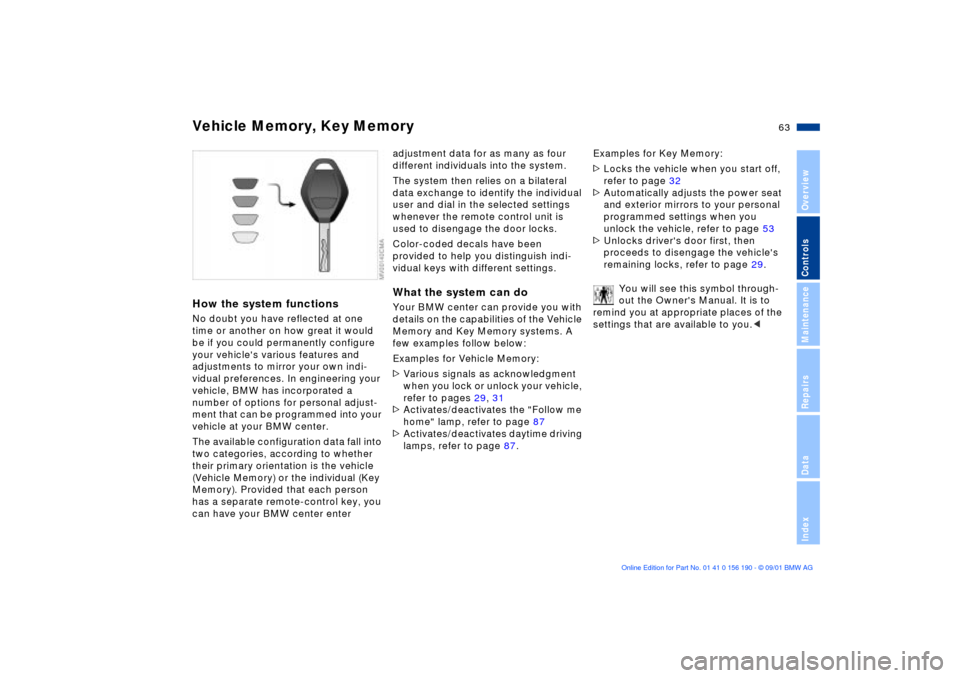
Color-coded decals have been
provided to help you distinguish indi-
vidual keys with different settings.What the system can doYour BMW center can provide you with
details on the capabilities of the Vehicle
Memory and Key Memory systems. A
few examples follow below:
Examples for Vehicle Memory:
>Various signals as acknowledgment
when you lock or unlock your vehicle,
refer to pages 29, 31
>Activates/deactivates the "Follow me
home" lamp, refer to page 87
>Activates/deactivates daytime driving
lamps, refer to page 87.Examples for Key Memory:
>Locks the vehicle when you start off,
refer to page 32
>Automatically adjusts the power seat
and exterior mirrors to your personal
programmed settings when you
unlock the vehicle, refer to page 53
>Unlocks driver's door first, then
proceeds to disengage the vehicle's
remaining locks, refer to page 29.
You will see this symbol through-
out the Owner's Manual. It is to
remind you at appropriate places of the
settings that are available to you.<
Page 65 of 159
65n
OverviewControlsMaintenanceRepairsDataIndex
Starting the engine Switching off the engine
Do not actuate the starter for too
short a time, but do not actuate it
for more than approx. 20 seconds.
Release the ignition key immediately
when the engine starts.
Do not allow the engine to warm up by
leaving it running while the vehicle
remains stationary. Instead, drive off
immediately at a moderate engine
speed.<
If the engine does not start on the first
attempt (if it is very hot or cold, for
instance):
>Press the accelerator pedal halfway
down while engaging the starter.
Cold starts at extremely low tempera-
tures of roughly +5 7 (Ð15 6) or below
and at altitudes of over 3,300 ft
(1,000 m):
>On the first start attempt, engage the
starter for a longer period (approx.
10 seconds)
>Press the accelerator pedal halfway
down while engaging the starter.
Engine idle speed is controlled by the
engine computer system. Increased
speeds at start-up are normal and
should decrease as the engine warms
up. If engine speed does not decrease,
service is required.
To prevent the battery from discharging,
always deactivate electrical devices
that are not in use. Switch the ignition
off when the vehicle is not being driven.
Extended starting attempts, char-
acterized by excessively frequent
or long periods with the starter
engaged, can lead to catalyst
damage.<
Turn the ignition key to position 1 or 0.
You should never remove the igni-
tion key when the vehicle is in
motion, as the steering lock could
engage.
When you leave the vehicle, always
remove the ignition key and engage the
steering lock.
Vehicles with manual transmission:
Always engage the parking brake when
parking on hills and slopes, as first gear
or reverse may not provide adequate
resistance to rolling.
Vehicles with automatic transmission:
Place the selector lever in "P."<
Page 67 of 159
67n
OverviewControlsMaintenanceRepairsDataIndex
Automatic transmission with Steptronic
*
You can drive as with a normal auto-
matic transmission. In addition, you can
also shift manually.
When you move the selector lever from
the "D" position to the left into the M/S
range, the performance-oriented shift
programs of the automatic transmission
are engaged. Steptronic enters the
manual selection mode and executes
the desired shift whenever you tap the
selector lever in the direction indicated
by "+" or "Ð." When you wish to use the
automatic transmission mode again,
move the selector lever to the right into
the "D" position.
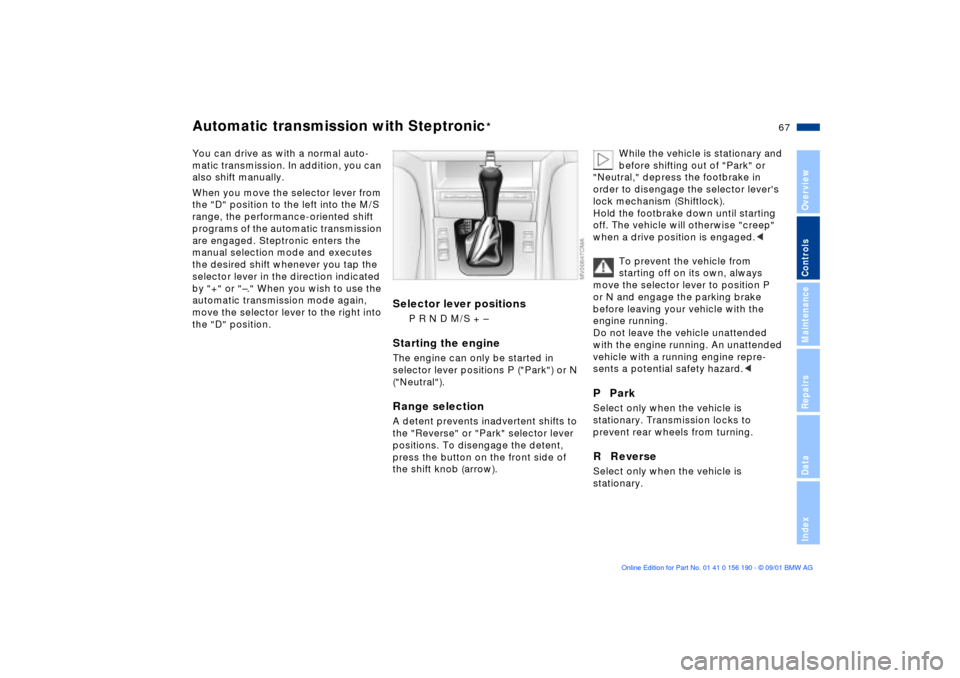
Selector lever positions
P R N D M/S + Ð
Starting the engineThe engine can only be started in
selector lever positions P ("Park") or N
("Neutral").Range selectionA detent prevents inadvertent shifts to
the "Reverse" or "Park" selector lever
positions. To disengage the detent,
press the button on the front side of
the shift knob (arrow).
While the vehicle is stationary and
before shifting out of "Park" or
"Neutral," depress the footbrake in
order to disengage the selector lever's
lock mechanism (Shiftlock).
Hold the footbrake down until starting
off. The vehicle will otherwise "creep"
when a drive position is engaged.<
To prevent the vehicle from
starting off on its own, always
move the selector lever to position P
or N and engage the parking brake
before leaving your vehicle with the
engine running.
Do not leave the vehicle unattended
with the engine running. An unattended
vehicle with a running engine repre-
sents a potential safety hazard.<
P ParkSelect only when the vehicle is
stationary. Transmission locks to
prevent rear wheels from turning.R ReverseSelect only when the vehicle is
stationary.
Page 69 of 159
69n
OverviewControlsMaintenanceRepairsDataIndex
Automatic transmission with Steptronic
*
Indicator/Headlamp ßasher
Available displays
P R N D SD M1 M2 M3 M4 M5
Electronic transmission control
module
If the indicator lamp comes on,
there is a malfunction in the
transmission system.
Bring the vehicle to a stop. Move the
transmission selector lever to "P."
Engage the parking brake and turn the
engine off (ignition key to position 0).
Wait a few seconds, then start the
engine.
If the indicator lamp goes out after a
few seconds, normal transmission
performance has been restored. You
may continue to drive as usual.
If the indicator lamp does not go out,
you can place the selector lever in all
positions. However, the vehicle will now
only operate in 3rd and 4th gear.
If this happens, avoid extreme engine
loads and consult the nearest BMW
center.
Do not work in the engine
compartment when a drive gear
(forward or reverse) is engaged. If you
do this, the vehicle could move.<
For towing or jump-starting, refer to the
information beginning on page 140.
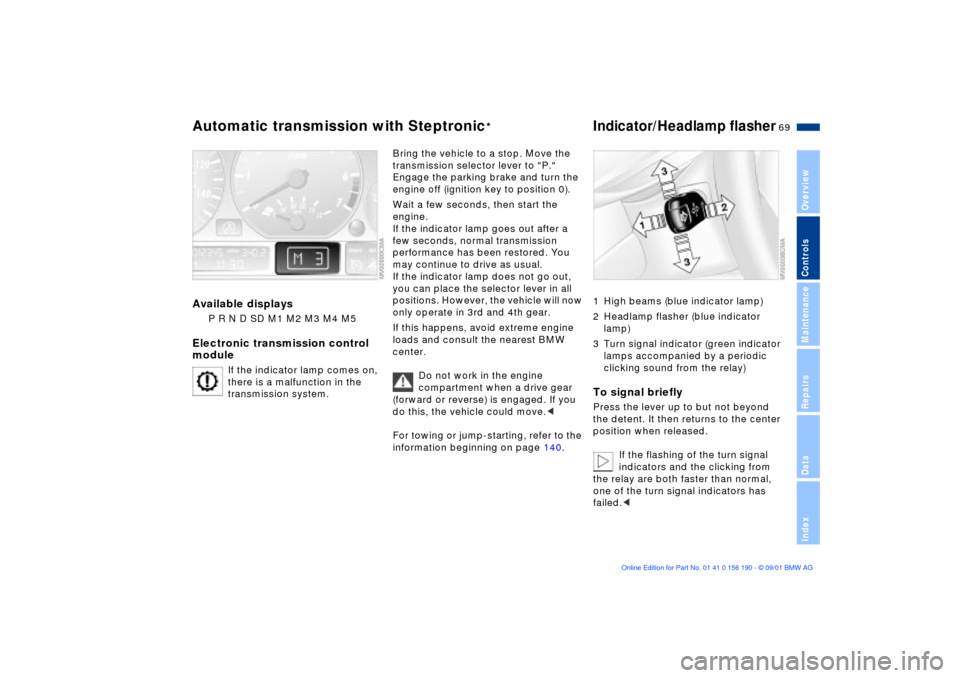
1 High beams (blue indicator lamp)
2 Headlamp flasher (blue indicator
lamp)
3 Turn signal indicator (green indicator
lamps accompanied by a periodic
clicking sound from the relay)To signal brieflyPress the lever up to but not beyond
the detent. It then returns to the center
position when released.
If the flashing of the turn signal
indicators and the clicking from
the relay are both faster than normal,
one of the turn signal indicators has
failed.<
Page 71 of 159
71n
OverviewControlsMaintenanceRepairsDataIndex
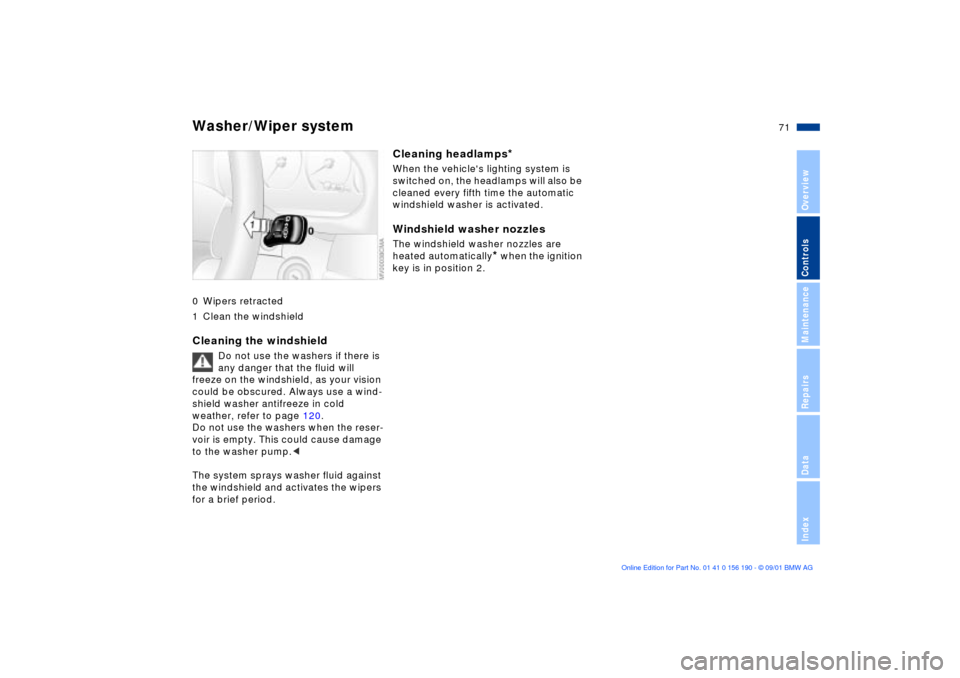
Washer/Wiper system0 Wipers retracted
1 Clean the windshieldCleaning the windshield
Do not use the washers if there is
any danger that the fluid will
freeze on the windshield, as your vision
could be obscured. Always use a wind-
shield washer antifreeze in cold
weather, refer to page 120.
Do not use the washers when the reser-
voir is empty. This could cause damage
to the washer pump.<
The system sprays washer fluid against
the windshield and activates the wipers
for a brief period.
Cleaning headlamps
*
When the vehicle's lighting system is
switched on, the headlamps will also be
cleaned every fifth time the automatic
windshield washer is activated.Windshield washer nozzlesThe windshield washer nozzles are
heated automatically
* when the ignition
key is in position 2.
Page 73 of 159
73n
OverviewControlsMaintenanceRepairsDataIndex
Cruise control
*
To deceleratePress button (Ð) briefly:
If you are already driving with active
cruise control, the speed is decreased
by approx. 0.6 mph (1 km/h) every time
you tap the button.
Press and hold button (Ð):
With the cruise control active, the
system automatically reduces the
throttle opening to slow the vehicle.
When you release the button, the
system maintains and stores the
current speed.
To interrupt the cruise controlWhen the system is activated, press the
button. The indicator lamp stays on.
You can use the cruise control again
whenever you want by calling up the
speed that was stored last.
In addition, cruise control is interrupted
automatically:
>When the brakes are applied
>When you apply pressure to the
clutch pedal, or when you move the
automatic transmission selector lever
from D to N
>If you exceed or fall below the
programmed speed for an extended
period (by depressing the acceler-
ator, for example).
To call up the stored speedPress the button:
The vehicle accelerates to and main-
tains the last speed stored.
Page 75 of 159
75n
OverviewControlsMaintenanceRepairsDataIndex
Fuel gauge Temperature gauge Service Interval DisplayOnce the indicator lamp stays on
continuously, there are still approx.
2 gallons (8 liters) of fuel in the fuel
tank.
For fuel tank capacity refer to page 147.
Certain operating conditions (such as
those encountered in mountainous
areas) may cause the needle to fluc-
tuate slightly.
Please refuel early, since driving
to the last drop of fuel can result in
damage to the engine and/or catalytic
converter.<
When you switch on the ignition, the
indicator lamp lights up briefly as an
operation check.
BlueThe engine is still cold. Drive at
moderate engine and vehicle speeds.RedWhen you switch on the ignition, the
warning lamp comes on briefly to
confirm that the system is operational.
If the lamp comes on during normal
vehicle operation: the engine has over-
heated. Shut off the engine immediately
and allow it to cool down.
Checking coolant level, refer to
page 123.Between the blue and red zonesNormal operating range. The needle
may rise as far as the edge of the red
sector in normal operation.
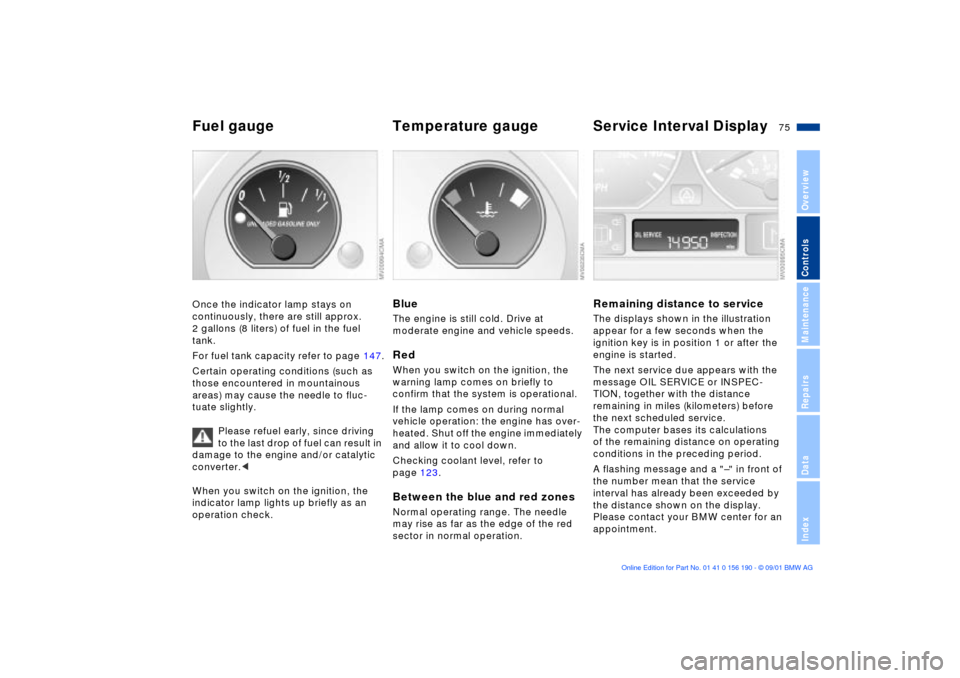
Remaining distance to serviceThe displays shown in the illustration
appear for a few seconds when the
ignition key is in position 1 or after the
engine is started.
The next service due appears with the
message OIL SERVICE or INSPEC-
TION, together with the distance
remaining in miles (kilometers) before
the next scheduled service.
The computer bases its calculations
of the remaining distance on operating
conditions in the preceding period.
A flashing message and a "Ð" in front of
the number mean that the service
interval has already been exceeded by
the distance shown on the display.
Please contact your BMW center for an
appointment.
Page 77 of 159
77n
OverviewControlsMaintenanceRepairsDataIndex
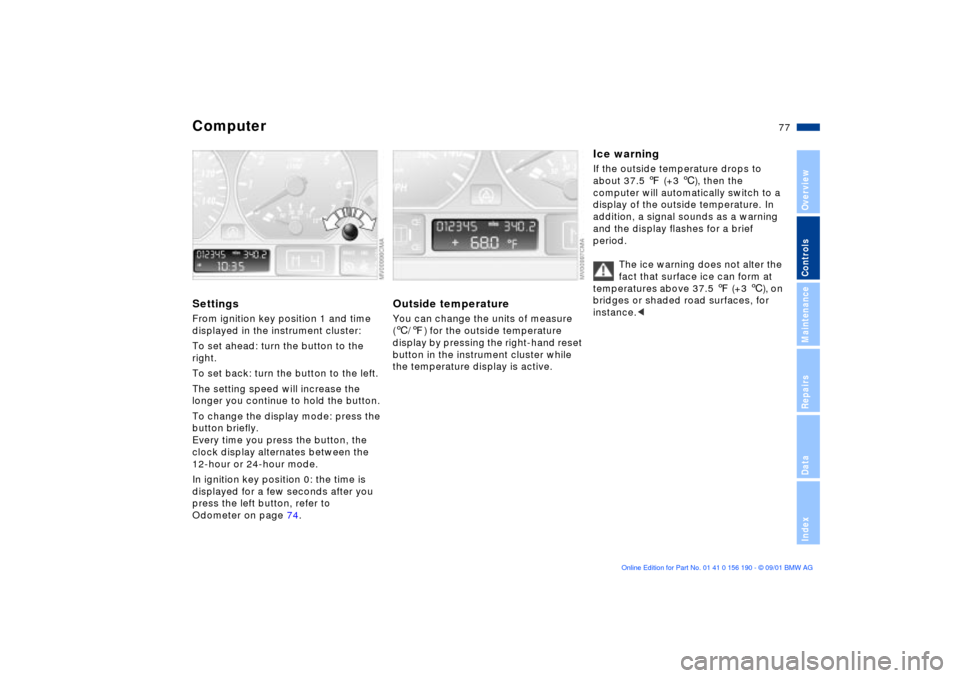
ComputerSettingsFrom ignition key position 1 and time
displayed in the instrument cluster:
To set ahead: turn the button to the
right.
To set back: turn the button to the left.
The setting speed will increase the
longer you continue to hold the button.
To change the display mode: press the
button briefly.
Every time you press the button, the
clock display alternates between the
12-hour or 24-hour mode.
In ignition key position 0: the time is
displayed for a few seconds after you
press the left button, refer to
Odometer on page 74.
Outside temperatureYou can change the units of measure
(6/7) for the outside temperature
display by pressing the right-hand reset
button in the instrument cluster while
the temperature display is active.
Ice warningIf the outside temperature drops to
about 37.5 7 (+3 6), then the
computer will automatically switch to a
display of the outside temperature. In
addition, a signal sounds as a warning
and the display flashes for a brief
period.
The ice warning does not alter the
fact that surface ice can form at
temperatures above 37.5 7 (+3 6), on
bridges or shaded road surfaces, for
instance.<
Page 79 of 159
79n
OverviewControlsMaintenanceRepairsDataIndex
Park Distance Control (PDC)
*
The conceptPDC provides extra safety and conve-
nience during parking and all backing
operations by providing an acoustic
signal to indicate the distance between
your rear bumper and the nearest
object. The system features four ultra-
sonic sensors mounted in your rear
bumper. The monitoring range for the
two corner sensors extends outward
roughly 2 ft (60 cm), while two centrally
located sensors detect objects at
distances of up to approx. 5 ft (1.50
meters).
The system starts to operate automati-
cally approx. one second after you
select reverse or move the selector
lever into the "R" position with the igni-
tion key in position 2. PDC is deacti-
vated when you shift back out of
reverse.
Acoustic signalsThe distance to the nearest object is
indicated by a tone sounding at various
intervals. As the distance between
vehicle and object decreases, the inter-
vals between the tones become
shorter. A continuous tone indicates the
presence of an object less than 1 ft
(30 cm) away.
The warning signal is canceled after
approx. three seconds if the distance to
the obstacle remains constant during
this time (if you are moving parallel to
a wall, for instance).
System malfunctions will be indicated
by a continuous high-pitched tone
when the system is activated the first
time. Please refer the problem to your
BMW center.The PDC does not remove the
driver's personal responsibility for
evaluating the distance between the
vehicle and any obstacles. Always
remember that the sensors can neither
detect nor provide warnings of obsta-
cles located within their blind angles.
This applies especially in those cases
where the system approaches the
physical limits of ultrasonic measure-
ment, as occurs with tow bars and
trailer couplings, and in the vicinity of
thin or wedge-shaped objects.
Certain sources of sound, such as a
loud radio, could drown the PDC signal
tone.<
Keep the sensors clean and free
of ice or snow in order to ensure
that they will continue to operate effec-
tively.
Do not apply high pressure spray to the
sensors for a prolonged period of time.
Always maintain a distance of more
than 4 in (10 cm).<