display BMW 330D 2009 Owners Manual
[x] Cancel search | Manufacturer: BMW, Model Year: 2009, Model line: 330D, Model: BMW 330D 2009Pages: 268, PDF Size: 11.52 MB
Page 183 of 268
181
Entertainment
Reference
At a glance
Controls
Driving tips
Communications
Navigation
Mobility
BMW Assist
Concierge service*
When you call the BMW Assist Concierge, you
can obtain information about, for example, res-
taurants, emergency pharmacy services, gas
stations or hotels, as well as receive the corre-
sponding telephone numbers and addresses.
You can then dial a phone number directly or
use an address for destination guidance.
Starting the concierge service
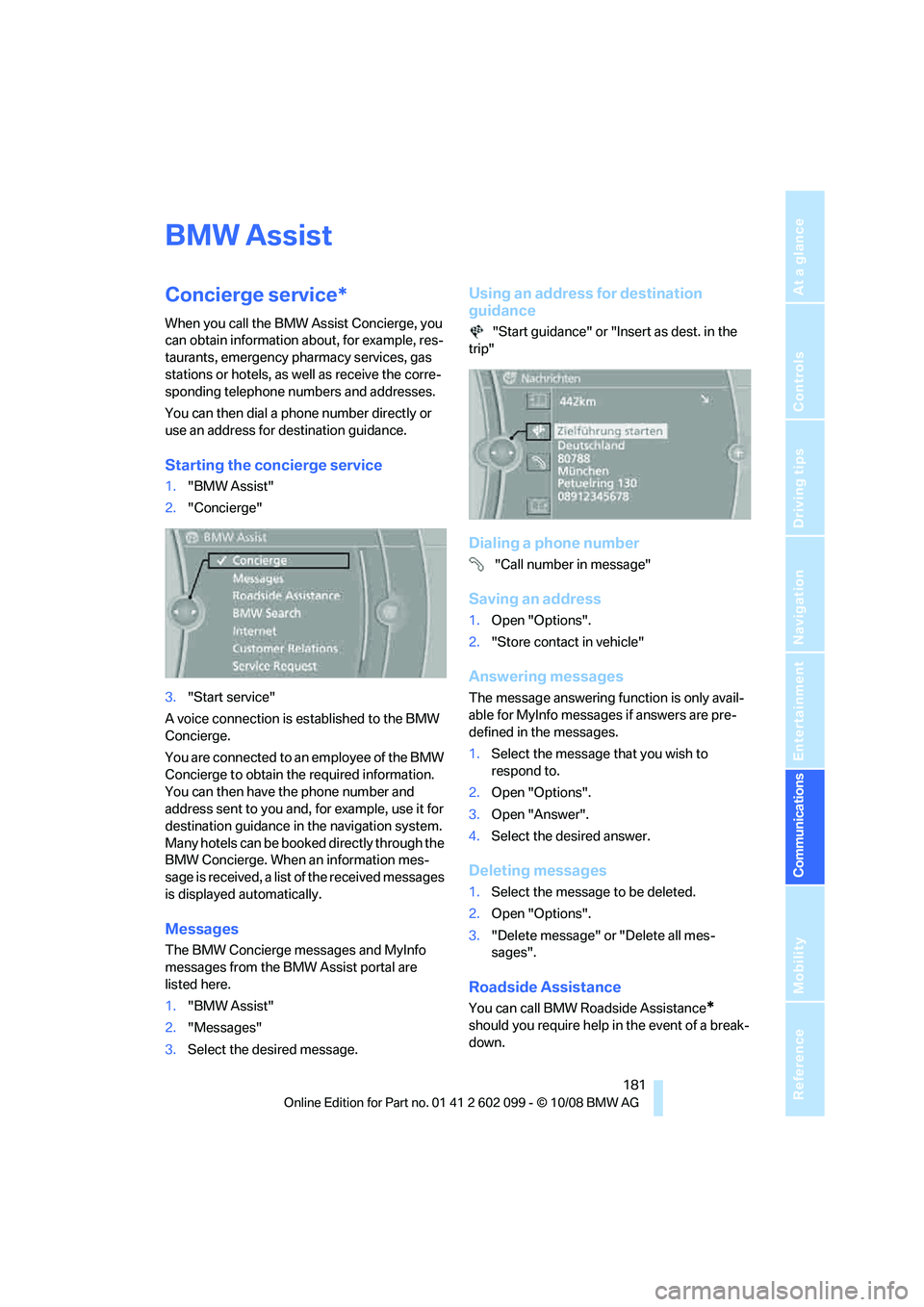
1. "BMW Assist"
2. "Concierge"
3. "Start service"
A voice connection is established to the BMW
Concierge.
You are connected to an employee of the BMW
Concierge to obtain the required information.
You can then have the phone number and
address sent to you and, for example, use it for
destination guidance in the navigation system.
Many hotels can be book ed directly through the
BMW Concierge. When an information mes-
sage is received, a list of the received messages
is displayed automatically.
Messages
The BMW Concierge messages and MyInfo
messages from the BMW Assist portal are
listed here.
1. "BMW Assist"
2. "Messages"
3. Select the desired message.
Using an address for destination
guidance
"Start guidance" or "Insert as dest. in the
trip"
Dialing a phone number
"Call number in message"
Saving an address
1. Open "Options".
2. "Store contact in vehicle"
Answering messages
The message answering function is only avail-
able for MyInfo messages if answers are pre-
defined in the messages.
1.Select the message that you wish to
respond to.
2. Open "Options".
3. Open "Answer".
4. Select the desired answer.
Deleting messages
1.Select the message to be deleted.
2. Open "Options".
3. "Delete message" or "Delete all mes-
sages".
Roadside Assistance
You can call BMW Roadside Assistance*
should you require help in the event of a break-
down.
ba8_E9091_cic.book Seite 181 Mittwoch, 29. Oktober 2008 2:59 14
Page 184 of 268
BMW Assist
182
Starting Roadside Assistance
Vehicle not equipped with BMW Assist
or BMW TeleService
1."BMW Assist"
2. "Roadside Assistance"
The Roadside Assistance number is displayed.
3. Dial the number. If a mobile phone
* is
paired, a connection is established to BMW
Roadside Assistance.
Vehicle equipped with BMW Assist or
BMW TeleService
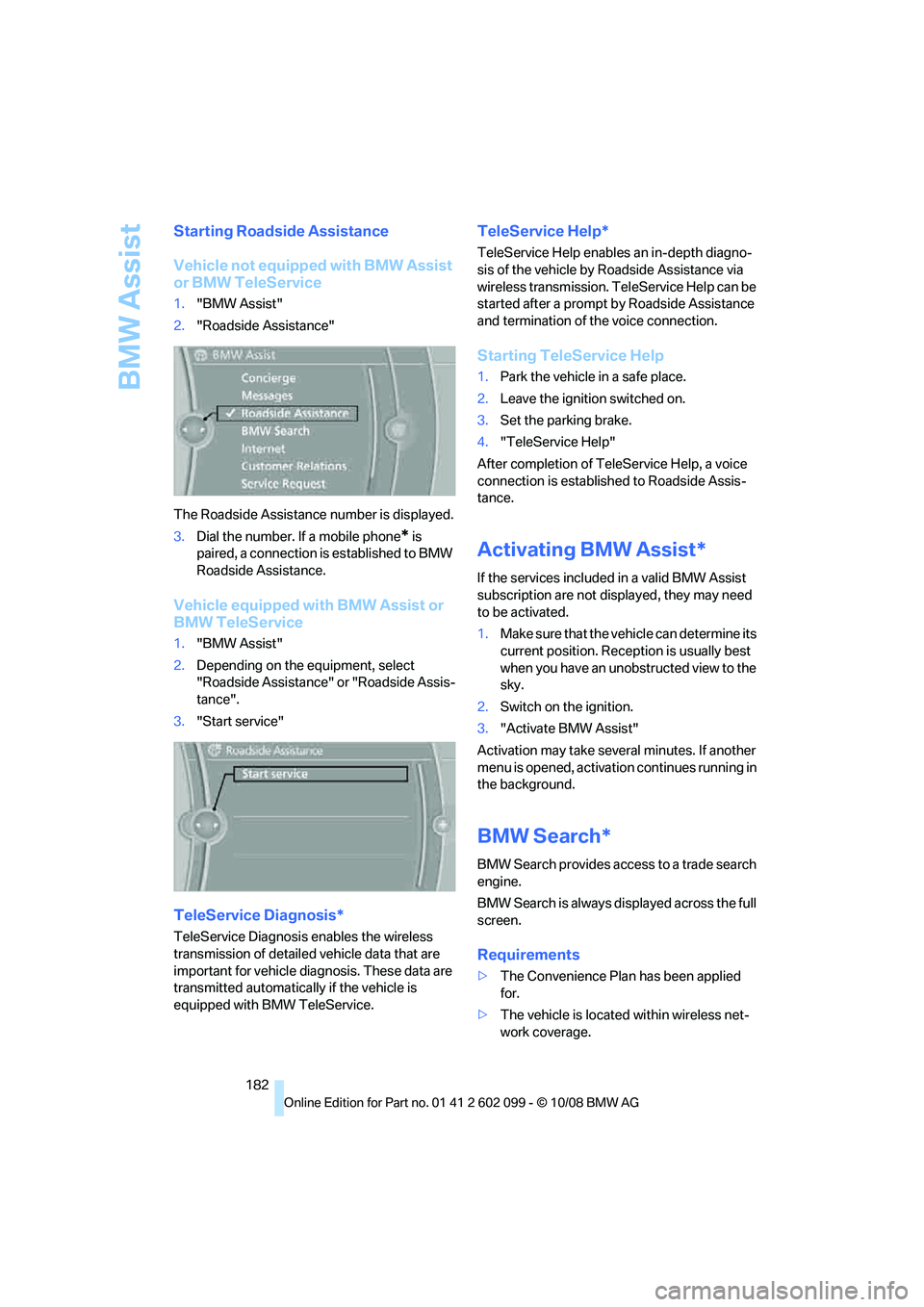
1. "BMW Assist"
2. Depending on the equipment, select
"Roadside Assistance" or "Roadside Assis-
tance".
3. "Start service"
TeleService Diagnosis*
TeleService Diagnosis enables the wireless
transmission of detailed vehicle data that are
important for vehicle diagnosis. These data are
transmitted automatically if the vehicle is
equipped with BMW TeleService.
TeleService Help*
TeleService Help enables an in-depth diagno-
sis of the vehicle by Roadside Assistance via
wireless transmission. Te leService Help can be
started after a prompt by Roadside Assistance
and termination of the voice connection.
Starting TeleService Help
1. Park the vehicle in a safe place.
2. Leave the ignition switched on.
3. Set the parking brake.
4. "TeleService Help"
After completion of Te leService Help, a voice
connection is establishe d to Roadside Assis-
tance.
Activating BMW Assist*
If the services included in a valid BMW Assist
subscription are not disp layed, they may need
to be activated.
1. Make sure that the vehicle can determine its
current position. Recept ion is usually best
when you have an unobstructed view to the
sky.
2. Switch on the ignition.
3. "Activate BMW Assist"
Activation may take seve ral minutes. If another
menu is opened, activation continues running in
the background.
BMW Search*
BMW Search provides access to a trade search
engine.
BMW Search is always displayed across the full
screen.
Requirements
> The Convenience Plan has been applied
for.
> The vehicle is locate d within wireless net-
work coverage.
ba8_E9091_cic.book Seite 182 Mittwoch, 29. Oktober 2008 2:59 14
Page 185 of 268
183
Entertainment
Reference
At a glance
Controls
Driving tips
Communications
Navigation
Mobility
> The date setting on th e Control Display is
current.
Starting BMW Search
1. "BMW Assist"
2. "BMW Search"
3. Select "OK", if necessary.
The BMW Search start page is displayed.
Using BMW Search
To select and display content:
> Turn the controller to highlight an element.
> Press the controller to display an element.
Opening the start page
1.Open "Options".
2. "Home"
Loading a new page
1.Open "Options".
2. "Update"
Canceling
1.Open "Options".
2. "Cancel loading"
Internet*
1."BMW Assist"
2. "Internet"
The start page is displayed. The Internet pages
may not be displayed in the same way as on a
PC screen. Flash and Java applications cannot
be displayed.
Using the Internet
Menu bar
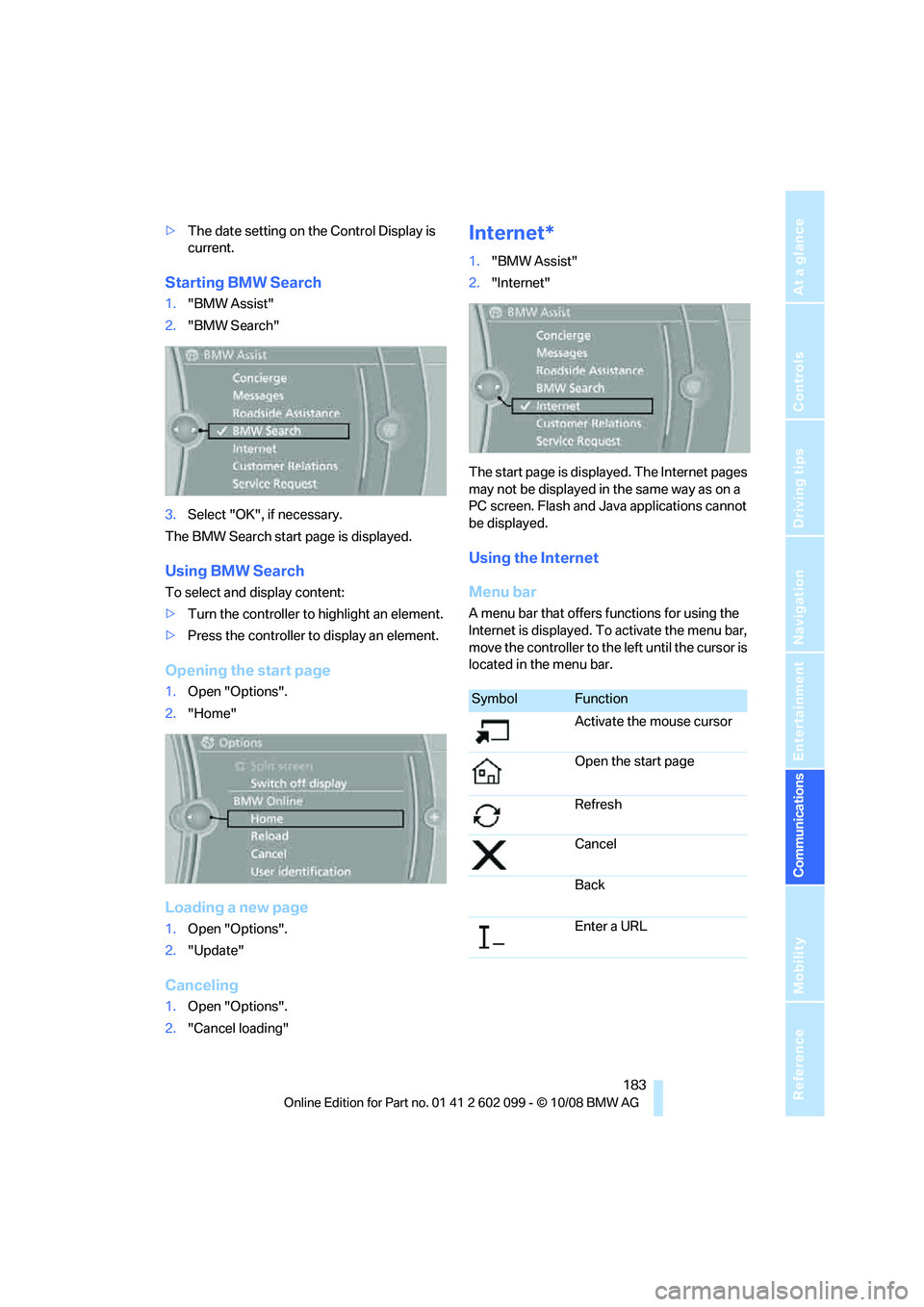
A menu bar that offers functions for using the
Internet is displayed. To activate the menu bar,
move the controller to the left until the cursor is
located in the menu bar.
SymbolFunction
Activate the mouse cursor
Open the start page
Refresh
Cancel
Back
Enter a URL
ba8_E9091_cic.book Seite 183 Mittwoch, 29. Oktober 2008 2:59 14
Page 186 of 268
BMW Assist
184
Navigating with the mouse pointer
1.Select the symbol.
2. Use the mouse pointer to navigate on the
page.
>To move the mouse pointer: move the
controller in the required direction
> To select an element: press the control-
ler
> To scroll: turn the controller
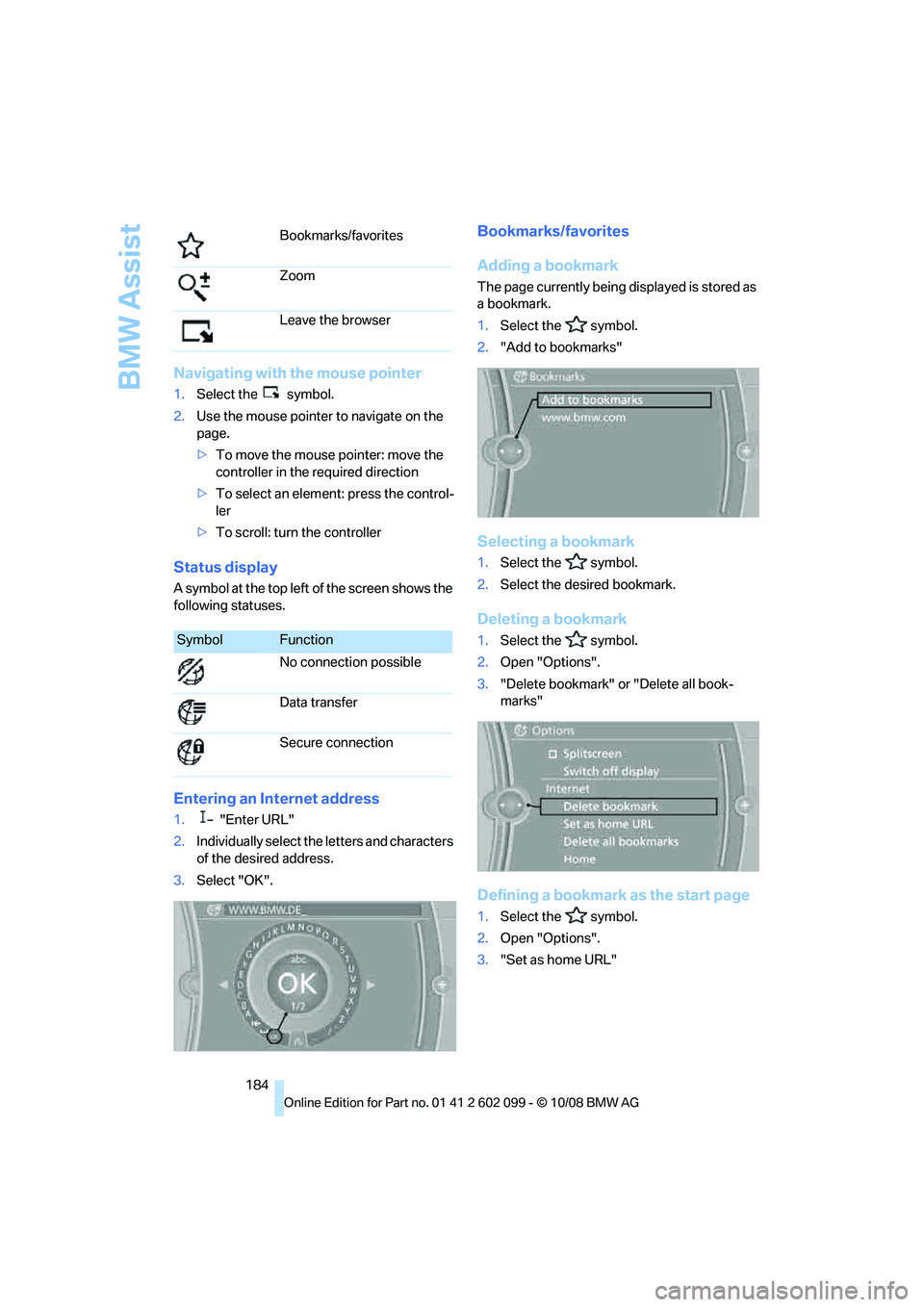
Status display
A symbol at the top left of the screen shows the
following statuses.
Entering an Internet address
1. "Enter URL"
2. Individually select the letters and characters
of the desired address.
3. Select "OK".
Bookmarks/favorites
Adding a bookmark
The page currently being displayed is stored as
a bookmark.
1. Select the symbol.
2. "Add to bookmarks"
Selecting a bookmark
1.Select the symbol.
2. Select the desired bookmark.
Deleting a bookmark
1.Select the symbol.
2. Open "Options".
3. "Delete bookmark" or "Delete all book-
marks"
Defining a bookmark as the start page
1.Select the symbol.
2. Open "Options".
3. "Set as home URL"
Bookmarks/favorites
Zoom
Leave the browser
SymbolFunction
No connection possible
Data transfer
Secure connection
ba8_E9091_cic.book Seite 184 Mittwoch, 29. Oktober 2008 2:59 14
Page 187 of 268
185
Entertainment
Reference
At a glance
Controls
Driving tips
Communications
Navigation
Mobility
Settings
Suppressing cookies
1. Open "Options".
2. "Suppress cookies"
Suppressing pop-ups
1.Open "Options".
2. "Suppress pop-ups"
Suppressing safety warnings
1.Open "Options".
2. "Block HTTPS pop-ups"
Activating TeleService*
If the services are not displayed, they may need
to be activated.
1."BMW Assist"
2. "Activate TeleService"
Customer Relations
Contact Customer Relations for information on
all aspects of your vehicle.
Vehicle equipped with BMW Assist or
TeleService
1."BMW Assist"
2. "Customer Relations"
3. "Start service"
A voice connection is established to Customer
Relations.
Vehicle not equipped with BMW Assist
or TeleService
1. "BMW Assist"
2. "Customer Relations"
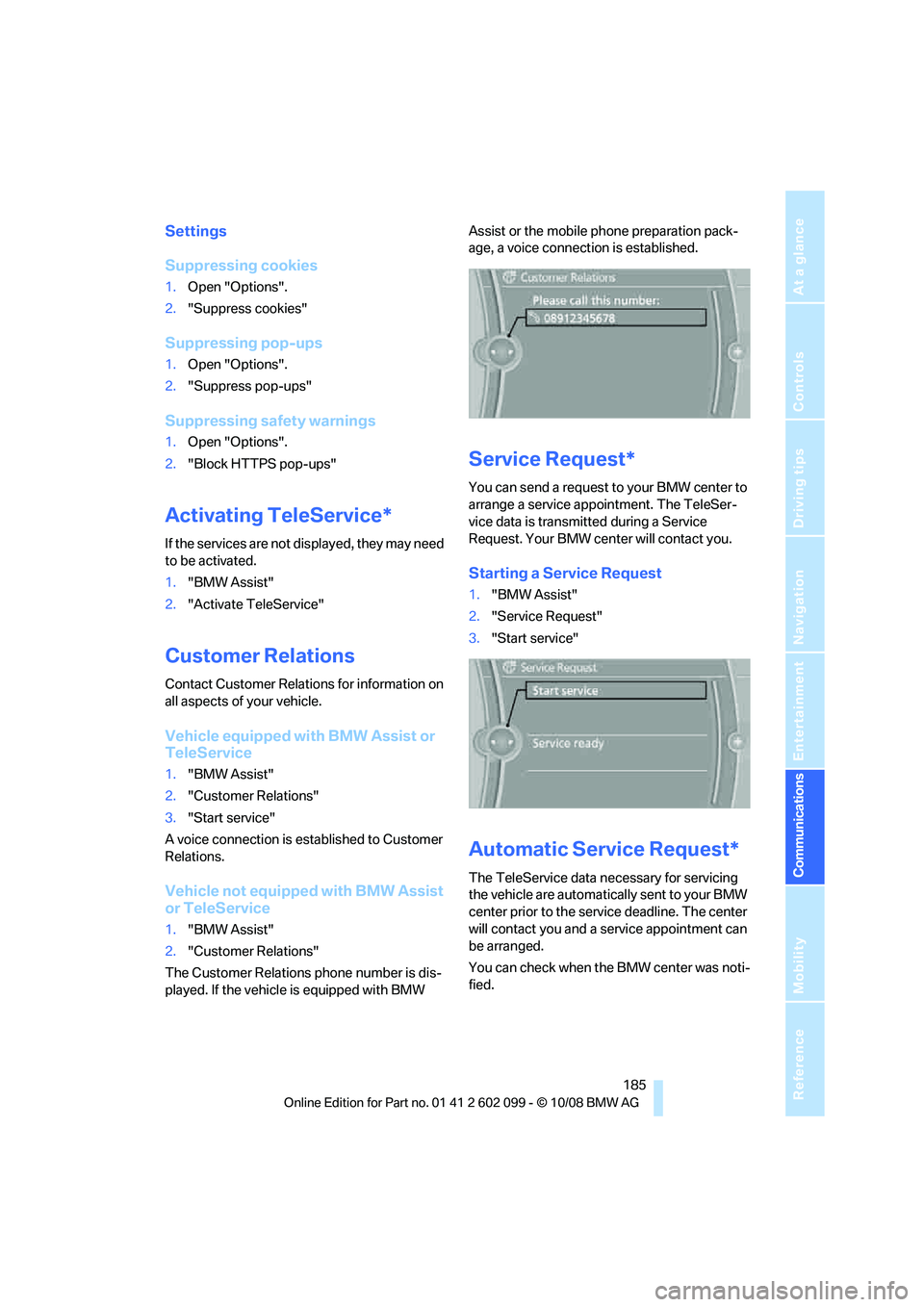
The Customer Relations phone number is dis-
played. If the vehicle is equipped with BMW Assist or the mobile phone preparation pack-
age, a voice connection is established.
Service Request*
You can send a request to your BMW center to
arrange a service appointment. The TeleSer-
vice data is transmitted during a Service
Request. Your BMW center will contact you.
Starting a Service Request
1.
"BMW Assist"
2. "Service Request"
3. "Start service"
Automatic Service Request*
The TeleService data ne cessary for servicing
the vehicle are automatically sent to your BMW
center prior to the service deadline. The center
will contact you and a service appointment can
be arranged.
You can check when the BMW center was noti-
fied.
ba8_E9091_cic.book Seite 185 Mittwoch, 29. Oktober 2008 2:59 14
Page 188 of 268
BMW Assist
186
1.
"Vehicle Info"
2. "Vehicle status"
3. Open "Options".
4. "Last Service Request"
BMW center*
Address and contact data of the BMW center.
1."BMW Assist"
2. "Your BMW center"
Data transfer
The status of the data transfer is displayed.
1."BMW Assist"
2. "Data transfer"
Services status
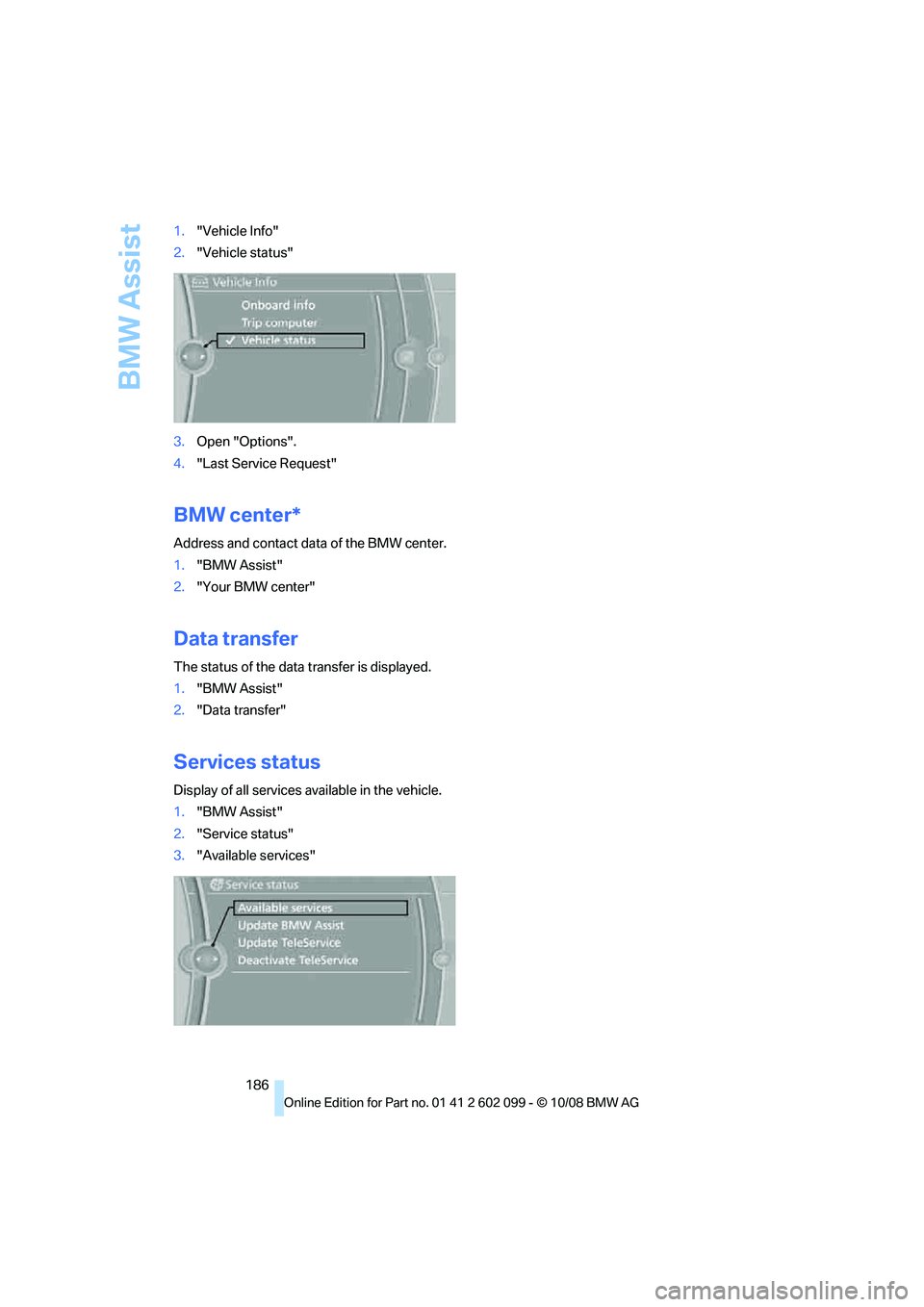
Display of all services available in the vehicle.
1. "BMW Assist"
2. "Service status"
3. "Available services"
ba8_E9091_cic.book Seite 186 Mittwoch, 29. Oktober 2008 2:59 14
Page 192 of 268
Refueling
190
Refueling
Always switch off the engine before refu-
eling, otherwise, fuel cannot be added to
the tank and a messag e will be displayed.<
Take all precautionary measures and ob-
serve all applicable regulations when han-
dling fuel. Do not carry any spare fuel containers
in your vehicle. They can develop a leak and
cause an explosion or cause a fire in the event of
an accident. <
Fuel filler door
Opening
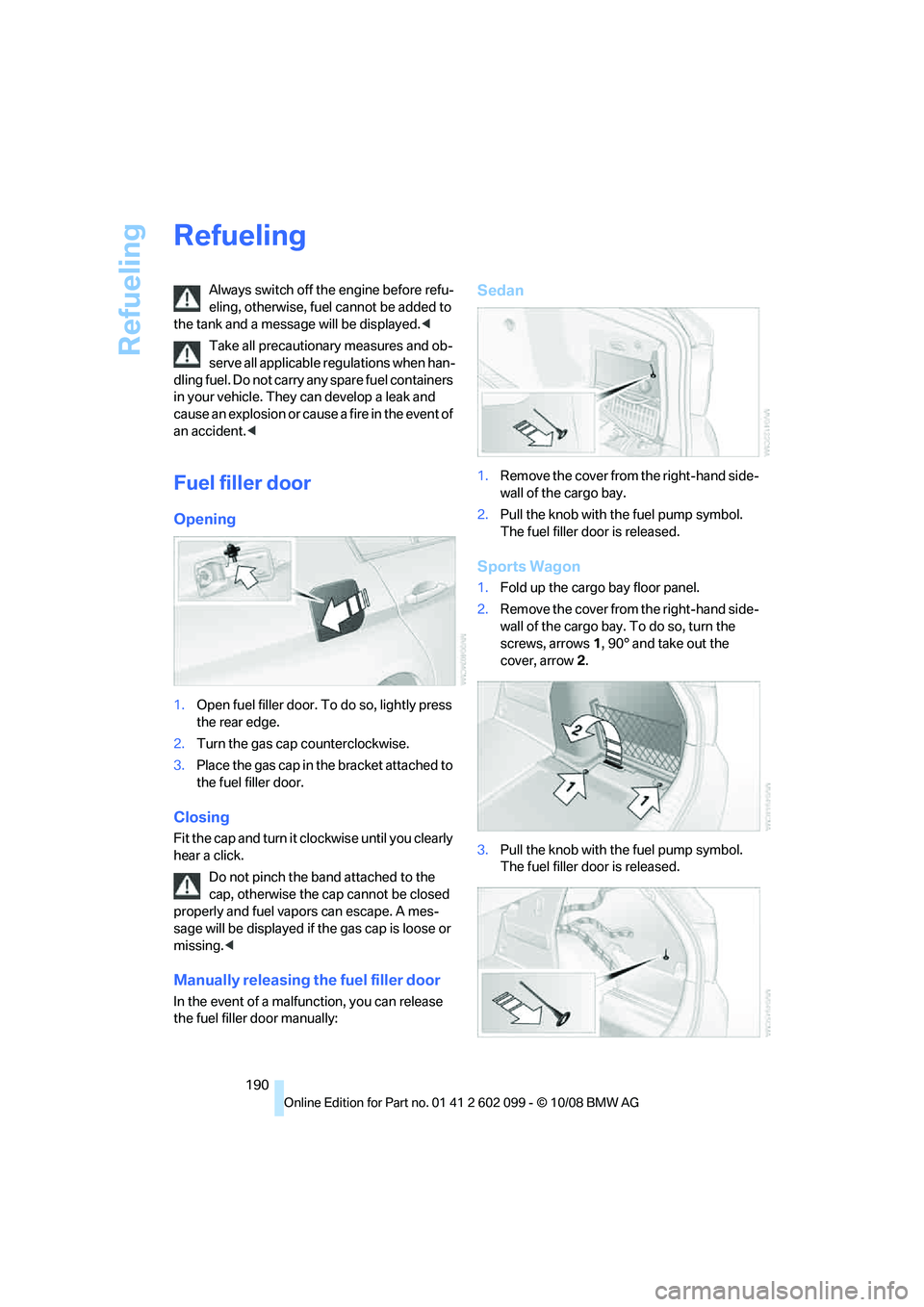
1.Open fuel filler door. To do so, lightly press
the rear edge.
2. Turn the gas cap counterclockwise.
3. Place the gas cap in th e bracket attached to
the fuel filler door.
Closing
Fit the cap and turn it cl ockwise until you clearly
hear a click.
Do not pinch the band attached to the
cap, otherwise the cap cannot be closed
properly and fuel vapors can escape. A mes-
sage will be displayed if the gas cap is loose or
missing. <
Manually releasing the fuel filler door
In the event of a malfunction, you can release
the fuel filler door manually:
Sedan
1.Remove the cover from the right-hand side-
wall of the cargo bay.
2. Pull the knob with the fuel pump symbol.
The fuel filler door is released.
Sports Wagon
1.Fold up the cargo bay floor panel.
2. Remove the cover from the right-hand side-
wall of the cargo bay. To do so, turn the
screws, arrows 1, 90° and take out the
cover, arrow 2.
3. Pull the knob with the fuel pump symbol.
The fuel filler door is released.
ba8_E9091_cic.book Seite 190 Mittwoch, 29. Oktober 2008 2:59 14
Page 194 of 268
Refueling
192
If you refueled with the wrong fuel, contact your
BMW center.
The filler neck is desi gned for refueling at
diesel fuel pumps.
If the filler nozzle cannot be inserted into your
BMW's filler pipe, please ensure that you are re-
fueling at a diesel fuel pump and that it is
equipped with a diesel filler nozzle. <
Winter diesel
To ensure that the diesel engine remains oper-
ational in the winter, please use winter diesel,
which is available at gas stations during winter
months. The fuel filter heating system, included
as a standard feature, prevents disruption of the
fuel supply while driving.
Do not add additives, including gasoline;
otherwise, engine damage may occur. <
BMW Advanced Diesel
The concept
BMW Advanced Diesel reduces nitrogen oxide
in the diesel emissions of your vehicle by means
of a mechanism that injects diesel exhaust fluid,
a reduction agent, into the exhaust tract. A
chemical reaction occurs in the catalytic con-
verter that minimizes the nitrogen oxide con-
tent.
To be able to start the engine as usual, a suffi-
cient amount of diesel exhaust fluid must be
present in a separate reservoir.
Warming the system
To warm the system to its operating tempera-
ture after starting with a cold engine, the auto-
matic transmission delays shifting to the next
higher gear, if necessary.
Reserve display
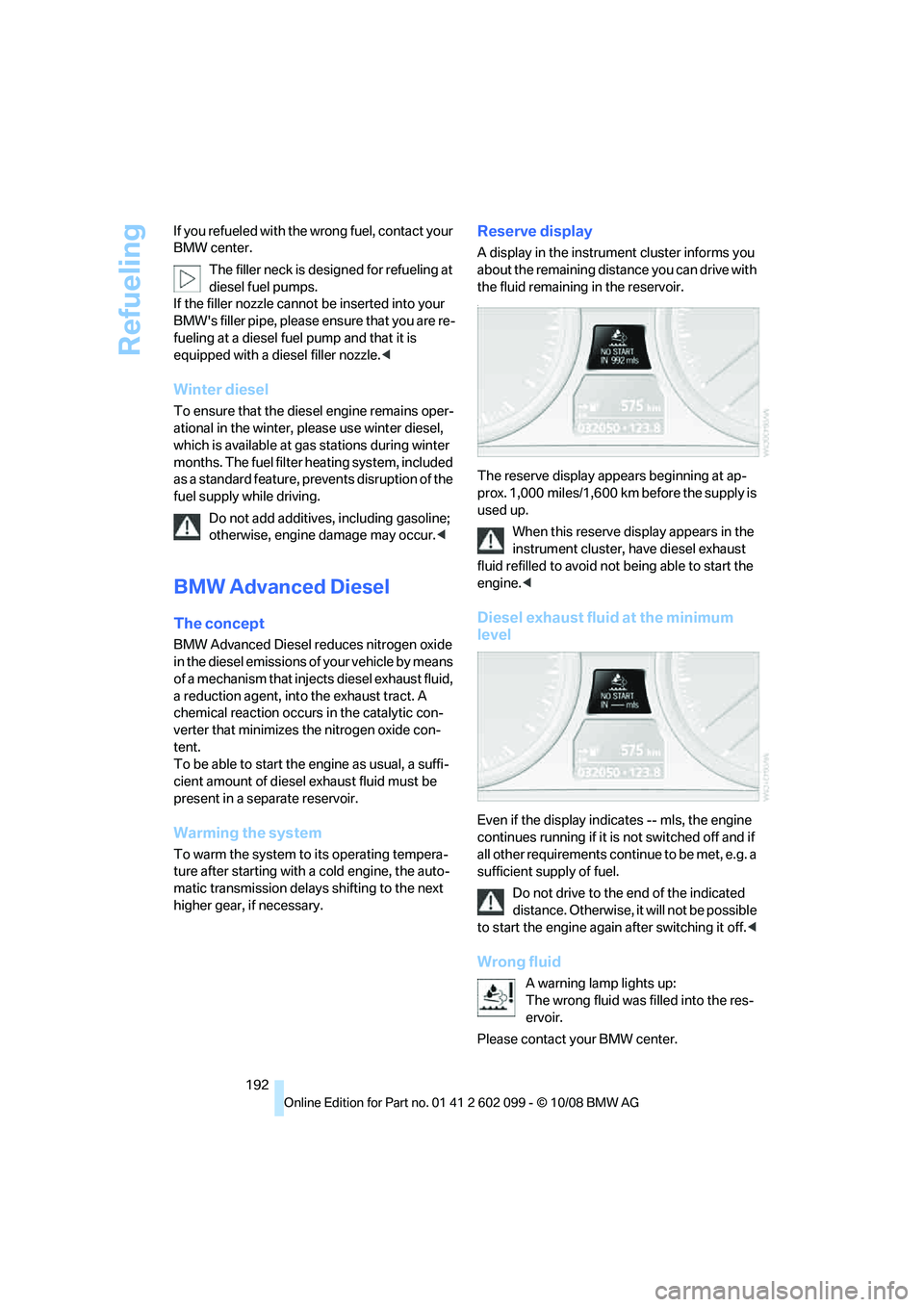
A display in the instrument cluster informs you
about the remaining distance you can drive with
the fluid remaining in the reservoir.
-
The reserve display appears beginning at ap-
prox. 1,000 miles/1,600 km before the supply is
used up.
When this reserve display appears in the
instrument cluster, have diesel exhaust
fluid refilled to avoid not being able to start the
engine. <
Diesel exhaust fluid at the minimum
level
Even if the display indicates -- mls, the engine
continues running if it is not switched off and if
all other requirements cont inue to be met, e.g. a
sufficient supply of fuel.
Do not drive to the end of the indicated
distance. Otherwise, it will not be possible
to start the engine again after switching it off. <
Wrong fluid
A warning lamp lights up:
The wrong fluid was filled into the res-
ervoir.
Please contact your BMW center.
ba8_E9091_cic.book Seite 192 Mittwoch, 29. Oktober 2008 2:59 14
Page 195 of 268
Mobility
193Reference
At a glance
Controls
Driving tips
Communications
Navigation
Entertainment
Having diesel exhaust fluid refilled
Diesel exhaust fluid is refilled by your BMW
center during regular service. If the service in-
tervals are adhered to, it generally does not
need to be refilled between service appoint-
ments.
Under certain conditions , e.g. especially fre-
quent accelerations or operation of the vehicle
at high altitudes, it may become necessary to
refill the fluid between service appointments.
When this reserve display appears in the instru-
ment cluster, have diesel exhaust fluid refilled to
avoid not being able to start the engine.
You can have the fluid refilled by a BMW center.
Diesel exhaust fluid at low
temperatures
Because of its physical properties, it may
be necessary to refill diesel exhaust fluid
between regular service appointments at tem-
peratures below +23 7/-5 6.
The need to add fluid is indicated by the reserve
display in the instrume nt cluster, refer to
page 192.<
Refilling diesel exhaust fluid in
exceptional cases
To be able to reach the next BMW center, you
can refill diesel exhaust fluid yourself while ad-
hering to the following warnings.
Do not come into cont act with diesel ex-
haust fluid as it can lead to skin or eye irri-
tations. Wear goggles an d gloves, if necessary.
Follow the safety instructions on the bottle.
Vapors with a sharp odor can escape from the
bottle or container when it is opened. Before re-
filling, completely close the windows and doors
of the vehicle to prevent the vapors from intrud-
ing into the interior. If handling diesel exhaust
fluid in an enclosed area, ensure that the room
is well ventilated.
After handling diesel exhaust fluid, wash your
hands thoroughly; othe rwise, inadvertently
touching your eyes, for example, may lead to
eye irritations.
If eye irritations occur, rinse the eyes thoroughly
with water and consult a physician if necessary. If diesel exhaust fluid comes into contact with
the surface of your vehicle, rinse the affected
areas with water to pr
event surface damage.
Keep diesel exhaust fluid away from children. <
Suitable diesel exhaust fluid
>Preferred: BMW Diesel Exhaust Fluid.
Diesel exhaust fluid can be refilled conve-
niently with this bottle and its special
adapter.
> Alternatively: NOx reduction agent AUS 32
You can obtain diesel exhaust fluid from your
BMW center.
Refilling quantity
Refilling quantity when th e reserve display first
appears:
Approx. 1 US gallon/3.7 liters
Opening the diesel exhaust fluid
reservoir
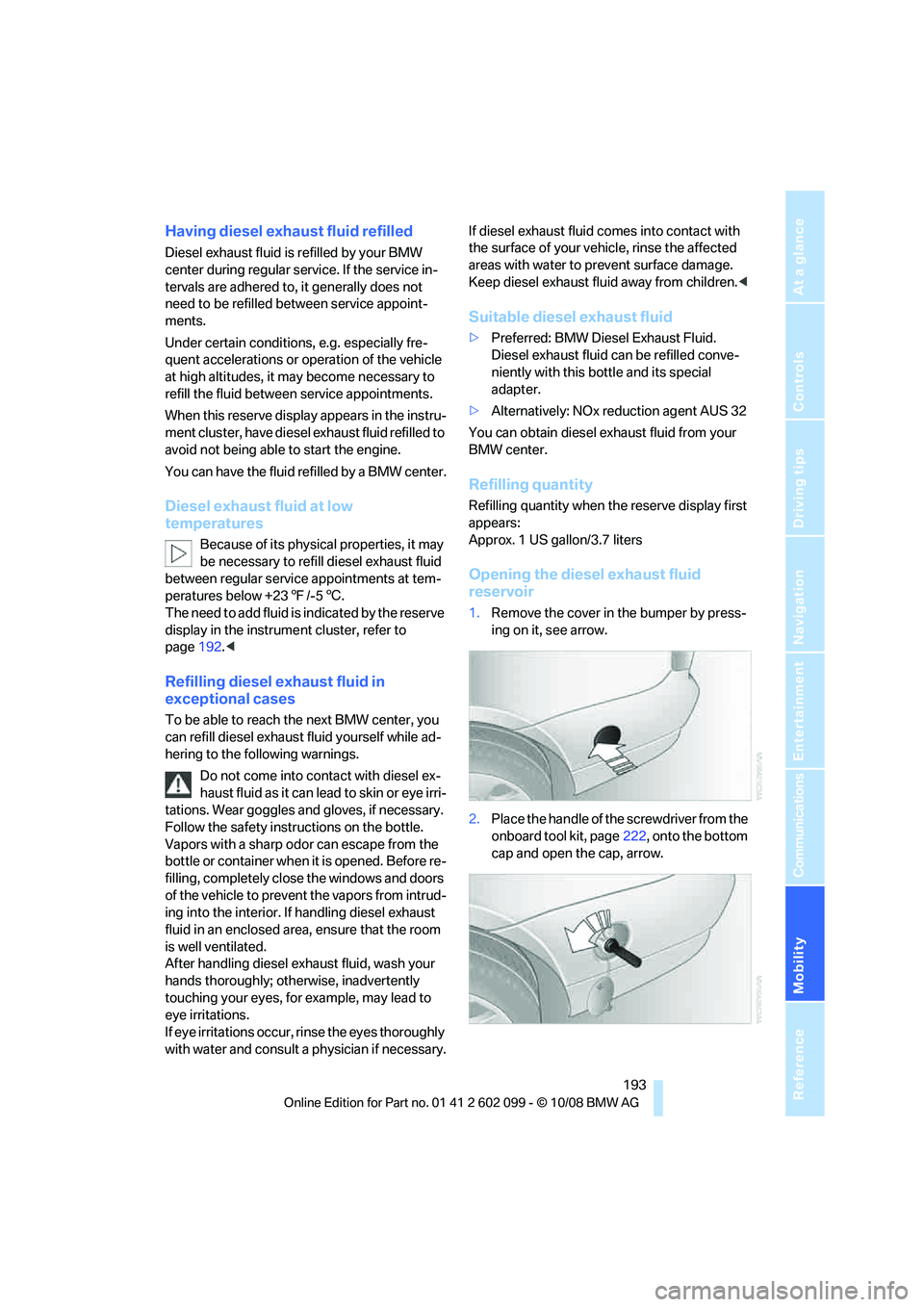
1. Remove the cover in the bumper by press-
ing on it, see arrow.
2. Place the handle of the screwdriver from the
onboard tool kit, page 222, onto the bottom
cap and open the cap, arrow.
ba8_E9091_cic.book Seite 193 Mittwoch, 29. Oktober 2008 2:59 14
Page 196 of 268
Refueling
194
Refilling BMW Diesel Exhaust Fluid
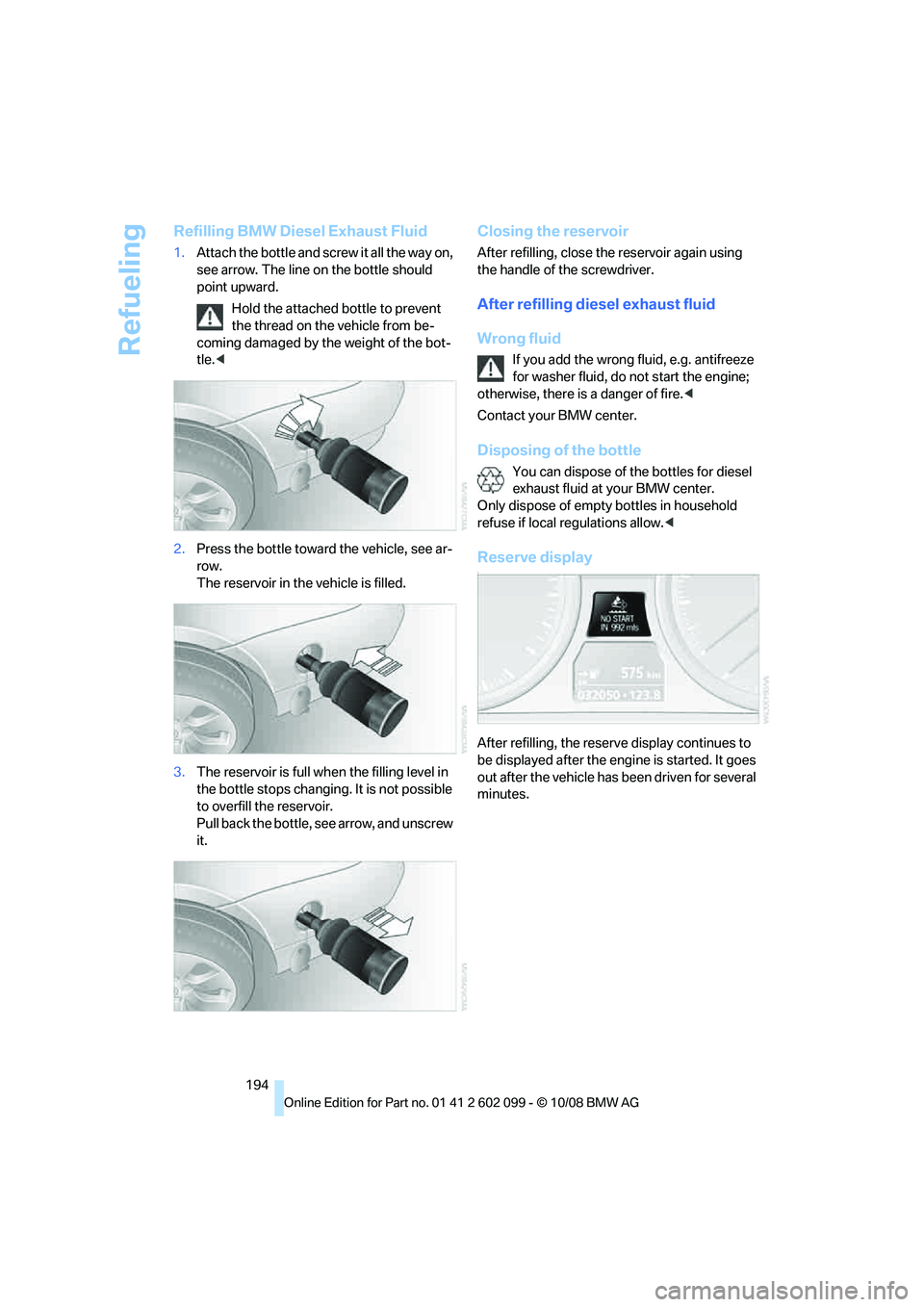
1.Attach the bottle and sc rew it all the way on,
see arrow. The line on the bottle should
point upward.
Hold the attached bottle to prevent
the thread on the vehicle from be-
coming damaged by the weight of the bot-
tle. <
2. Press the bottle toward the vehicle, see ar-
row.
The reservoir in the vehicle is filled.
3. The reservoir is full wh en the filling level in
the bottle stops changing. It is not possible
to overfill the reservoir.
Pull back the bottle, see arrow, and unscrew
it.
Closing the reservoir
After refilling, close the reservoir again using
the handle of the screwdriver.
After refilling diesel exhaust fluid
Wrong fluid
If you add the wrong fluid, e.g. antifreeze
for washer fluid, do not start the engine;
otherwise, there is a danger of fire. <
Contact your BMW center.
Disposing of the bottle
You can dispose of the bottles for diesel
exhaust fluid at your BMW center.
Only dispose of empty bottles in household
refuse if local regulations allow. <
Reserve display-
After refilling, the reserv e display continues to
be displayed after the engi ne is started. It goes
out after the vehicle has been driven for several
minutes.
ba8_E9091_cic.book Seite 194 Mittwoch, 29. Oktober 2008 2:59 14