display BMW 330D 2009 Workshop Manual
[x] Cancel search | Manufacturer: BMW, Model Year: 2009, Model line: 330D, Model: BMW 330D 2009Pages: 268, PDF Size: 11.52 MB
Page 100 of 268

Climate
98
The parked car ventilation system is operated
via iDrive.
Switching on/off directly
iDrive, for operating pr
inciple refer to page16.
1. "Settings"
2. "Climate"
3. "Activate parked-car vent."
The parked car ventilation is switched on.
The symbol on the au tomatic climate control
display flashes.
Preselecting switch-on times
iDrive, for operating pr inciple refer to page16.
1. "Settings"
2. "Climate"
3. "Activate Timer 1" or "Activate Timer 2"
4. "Timer 1:" or "Timer 2:"
5. Turn the controller: set the hours.
6. Press the controller: the setting is
accepted.
7. Turn the controller: set the minutes.
8. Press the controller: the setting is
accepted. The switch-on time is activated.
The symbol on the au tomatic climate control
display lights up.
The symbol on the au tomatic climate control
display flashes when the system has switched
on.
The respective system is switched on
within the next 24 ho urs only. After these
have elapsed, it must be reactivated. <
ba8_E9091_cic.book Seite 98 Mittwoch, 29. Oktober 2008 2:59 14
Page 103 of 268
Controls
101Reference
At a glance
Driving tips
Communications
Navigation
Entertainment
Mobility
Digital compass*
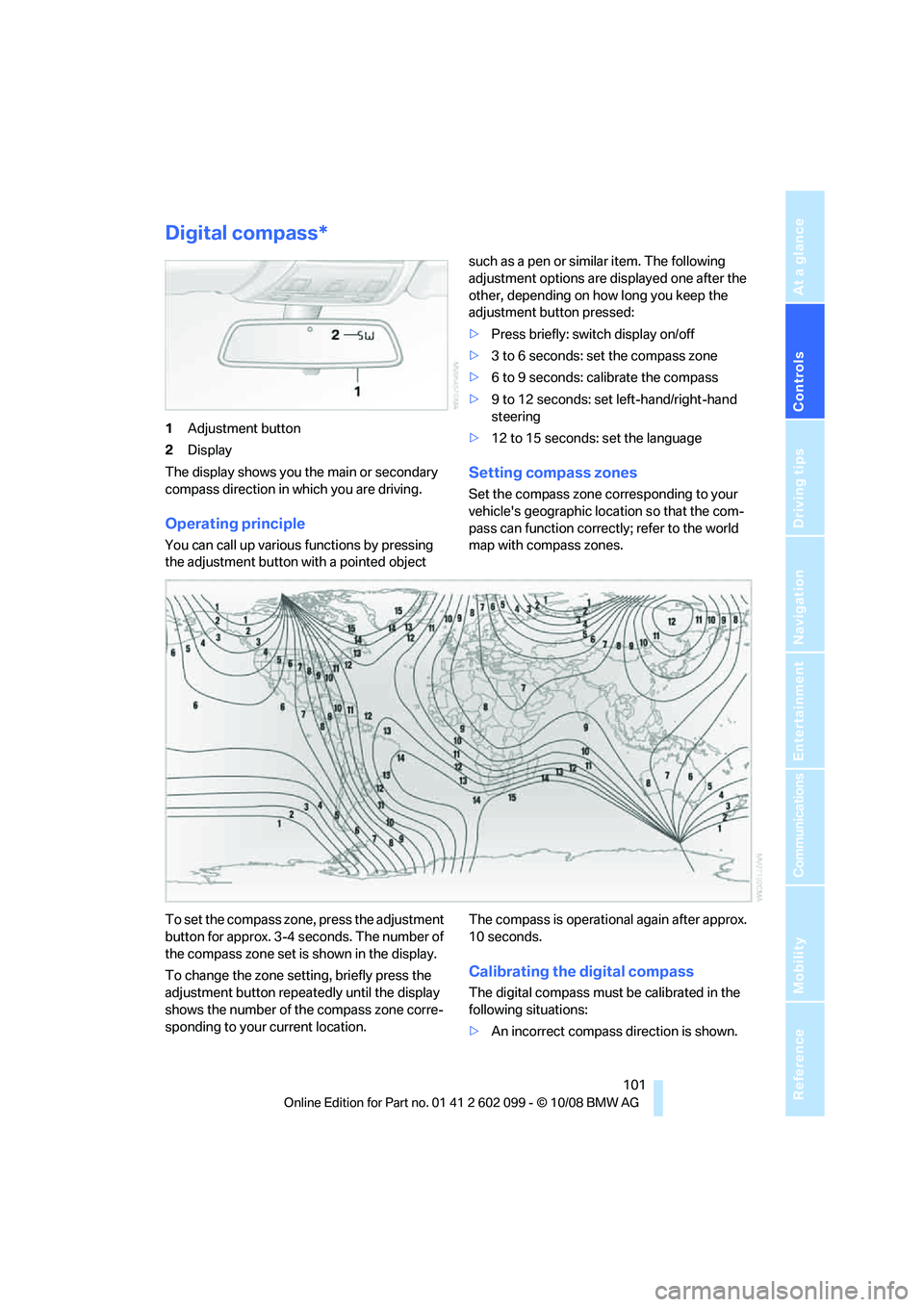
1Adjustment button
2 Display
The display shows you the main or secondary
compass direction in which you are driving.
Operating principle
You can call up various functions by pressing
the adjustment button wi th a pointed object such as a pen or similar item. The following
adjustment options are displayed one after the
other, depending on how long you keep the
adjustment button pressed:
>
Press briefly: switch display on/off
> 3 to 6 seconds: set the compass zone
> 6 to 9 seconds: calibrate the compass
> 9 to 12 seconds: set left-hand/right-hand
steering
> 12 to 15 seconds: set the language
Setting compass zones
Set the compass zone co rresponding to your
vehicle's geographic loca tion so that the com-
pass can function correctly; refer to the world
map with compass zones.
To set the compass zone , press the adjustment
button for approx. 3-4 seconds. The number of
the compass zone set is shown in the display.
To change the zone setting, briefly press the
adjustment button repeatedly until the display
shows the number of the compass zone corre-
sponding to your current location. The compass is operational again after approx.
10 seconds.
Calibrating the digital compass
The digital compass must
be calibrated in the
following situations:
> An incorrect compass direction is shown.
ba8_E9091_cic.book Seite 101 Mittwoch, 29. Oktober 2008 2:59 14
Page 104 of 268
Practical interior accessories
102
>
The compass direction shown does not
change although the direction of travel
does.
> Not all compass directions are shown.
Procedure
1.Make sure that no large metal objects or
overhead power lines are in the vicinity of
your vehicle and that you have enough
space to drive in a circle.
2. Set the currently valid compass zone.
3. Press the adjustment button for approx.
6-7 seconds to call up C. Then drive in at
least one full circle at a speed of no more
than 4mph or 7km/h.
If calibration is successful, the display
changes from C to a compass direction.
Setting right-hand/left-hand steering
Your digital compass is factory-set to right-
hand or left-hand steering, in accordance with
your vehicle.
Setting the language
You can set the langua ge of the display:
Press the adjustment button for approx.
12-13 seconds. Briefly press the adjustment
button again to switch between English, "E",
and German, "O".
The setting is automatically saved after approx.
10 seconds.
Roller sun blinds*
Rear window blind
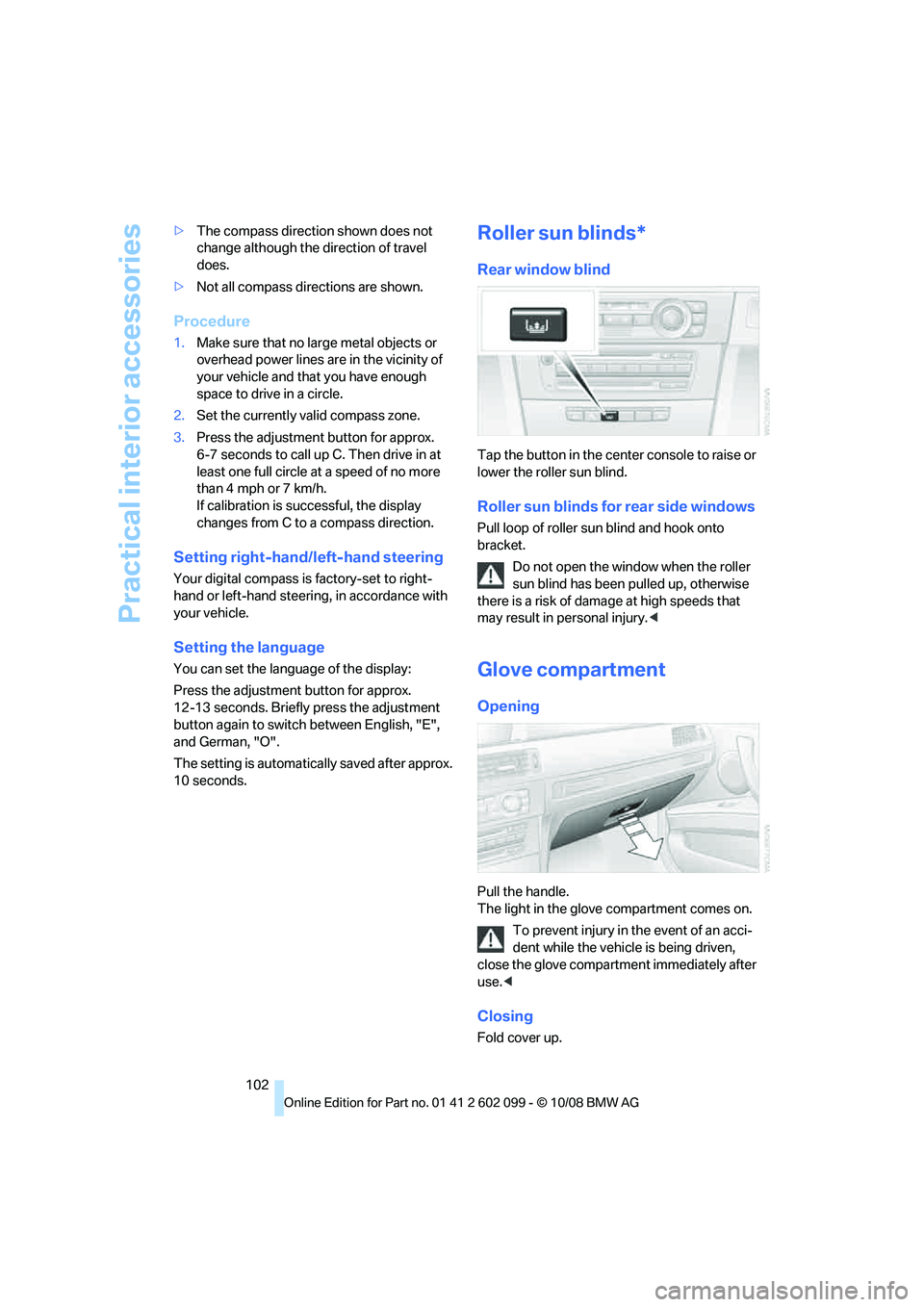
Tap the button in the cent er console to raise or
lower the roller sun blind.
Roller sun blinds for rear side windows
Pull loop of roller sun blind and hook onto
bracket.
Do not open the window when the roller
sun blind has been pulled up, otherwise
there is a risk of damage at high speeds that
may result in pe rsonal injury.<
Glove compartment
Opening
Pull the handle.
The light in the glove compartment comes on.
To prevent injury in the event of an acci-
dent while the vehicle is being driven,
close the glove compartment immediately after
use. <
Closing
Fold cover up.
ba8_E9091_cic.book Seite 102 Mittwoch, 29. Oktober 2008 2:59 14
Page 124 of 268
Navigation system
122
Navigation system
General information
With the help of satellites, the navigation sys-
tem is able to ascertain the precise position of
the vehicle and guide you reliably to any desti-
nation you enter.
The navigation data is st ored in the vehicle and
can be updated using navigation DVDs.
Make all entries while the vehicle is sta-
tionary
Enter data only when th e vehicle is stationary,
and always give priority to the applicable traffic
regulations in the event of any contradiction
between traffic and road conditions and the
instructions issued by the navigation system.
Failure to take to this precaution can place you
in violation of the law and put vehicle occupants
and other road users in danger. <
Updating the navigation data
The navigation data is stored in the vehicle and
can be updated using a na vigation DVD. Please
contact the BMW center if you have any ques-
tions.
Inserting navigation DVD
1. Insert the navigation DVD into the DVD
player with the labe led side facing up.
2. Follow the instructio ns on the display.
3. Enter the authorization code of the naviga-
tion DVD and change the DVD if needed.
Displaying information on the version
1. "Navigation"
2. Open "Options".
3. "Navigation system version". Information
on the data vers ion is displayed.
Removing navigation DVD
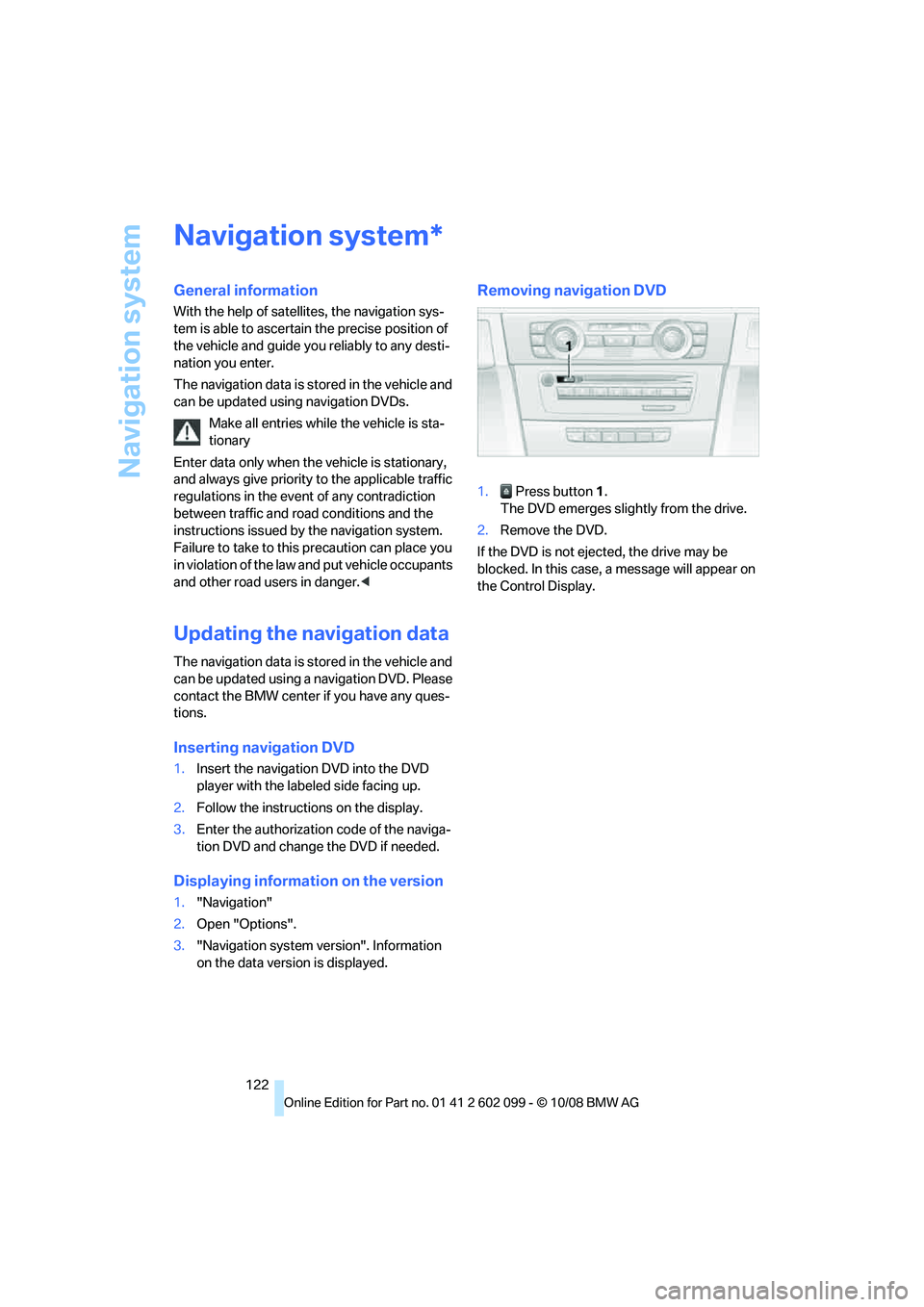
1. Press button 1.
The DVD emerges slightly from the drive.
2. Remove the DVD.
If the DVD is not ejected, the drive may be
blocked. In this case, a message will appear on
the Control Display.
*
ba8_E9091_cic.book Seite 122 Mittwoch, 29. Oktober 2008 2:59 14
Page 125 of 268
Navigation
Driving tips
123Reference
At a glance
Controls
Communications
Entertainment
Mobility
Destination entry
In entering your destination you can select from
the following options:
>Entering a destination manually, see below
> Selecting destination from the address
book, refer to page 125
> Last destinations, refer to Last destinations,
page 126
> Special destinations, refer to page 126
> Entering a destination on the map, refer to
page 128
> Selecting a home a ddress, refer to
page 126
> Entering a destination by voice com-
mands*, refer to page 129
You can also store a navigation destination on
the programmable memo ry keys, refer to
page 20.
Enter data only when the vehicle is sta-
tionary, and always give priority to the
applicable traffic regulations in the event of any
contradiction between traffic and road condi-
tions and the instructions issued by the naviga-
tion system. Otherwise, vehicle occupants and
other road users may be endangered. <
Entering a destination
manually
The system's word-matching principle makes it
easier for you to enter the names of towns or
streets. This allows you to enter different spell-
ings and completes your entry automatically so
that stored names can be called up quickly. 1.
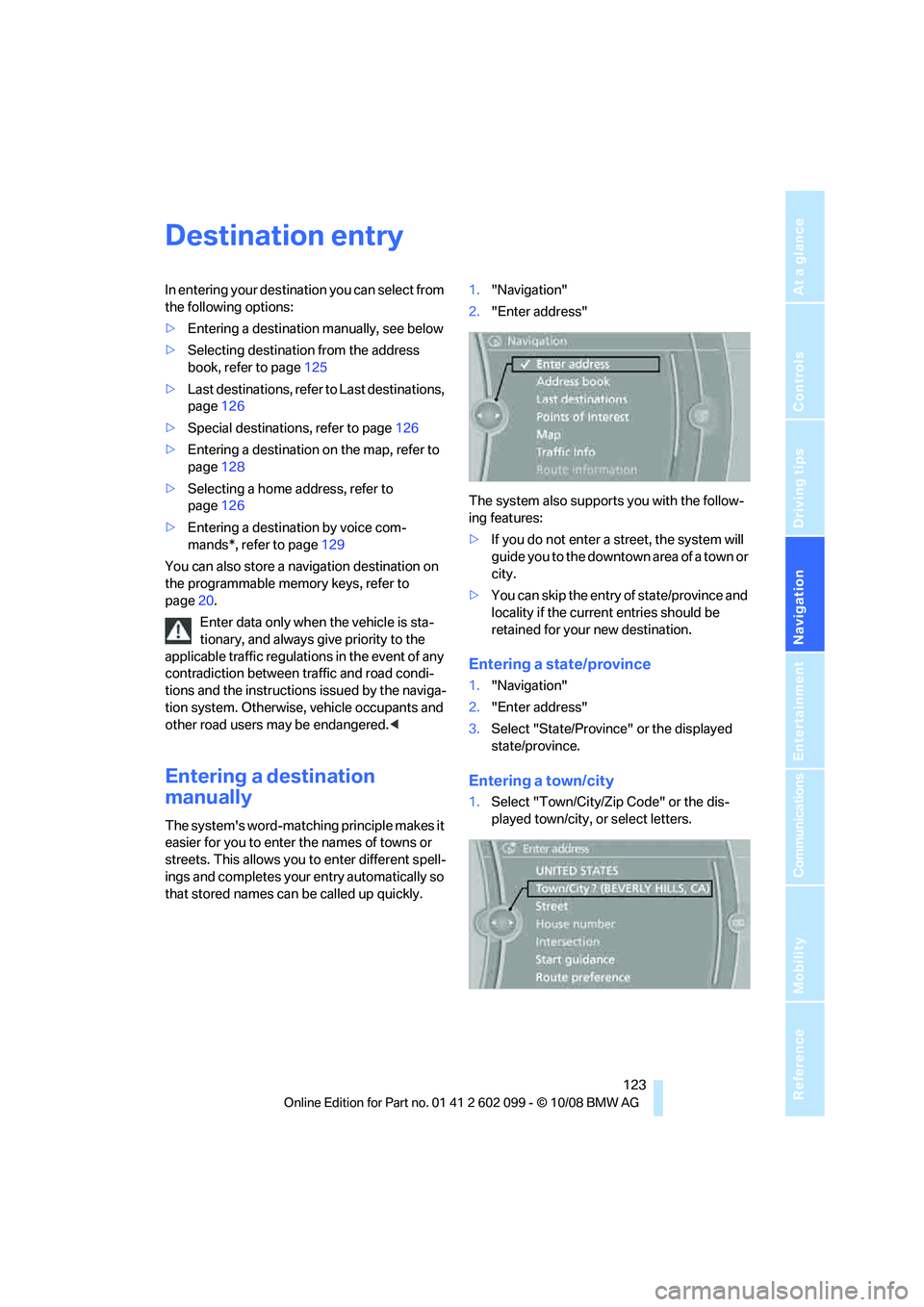
"Navigation"
2. "Enter address"
The system also supports you with the follow-
ing features:
> If you do not enter a street, the system will
guide you to the downtown a r e a o f a t o w n o r
city.
> You can skip the entry of state/province and
locality if the current entries should be
retained for your new destination.
Entering a state/province
1."Navigation"
2. "Enter address"
3. Select "State/Province" or the displayed
state/province.
Entering a town/city
1.Select "Town/City/Zip Code" or the dis-
played town/city, or select letters.
ba8_E9091_cic.book Seite 123 Mittwoch, 29. Oktober 2008 2:59 14
Page 126 of 268
Destination entry
124
Delete letters,
if necessary:
> To delete individual letters:
Turn the controller to select , and
then press the controller.
> To delete all letters:
Turn the controller to select , and
then press the controller for an extended
period.
> To enter spaces:
Select the symbol.
The list gradually grow s smaller each time
you enter a new letter.
2. Move the controller to the right.
3. Select the name of th e town/city from the
list. The three destinations stored last are
displayed.
If there are several towns/cities with the same
name:
1. Change to the list of town/city names.
2. Highlight the town/city: a preview map is
displayed.
3. Select the town/city.
Entering the postal code
1.Select "Town/City/Zip Code" or the dis-
played town/city.
2. Select the symbol.
3. Select the digits.
4. Change to the list of postal codes and
towns/cities.
5. Highlight the postal code. A preview map is
displayed in the assistance window.
6. Select the postal code.
Entering street and intersection
1.Select "Street" or the displayed street.
2. Enter a street and intersection as you would
the town/city.
After the street you can also enter the intersec-
tion or the house number.
If there are several streets with the same name: 1.
Change to the list of street names.
2. Highlight the street: a preview map is dis-
played.
3. Select the street.
Entering a street without a destination
town/city
You can also enter a street without specifying a
town/city. In this case, all streets of the same
name in the designated state/province are
offered. The correspond ing town/city is dis-
played after the street name.
If a town/city has already been entered, you can
negate this entry. This could be helpful in
instances where the desired street does not
exist in the entered town/city because it
belongs to another suburb, for example.
1. "Navigation"
2. "Enter address"
3. Select "Street" or the displayed street.
4. Change to the list of street names.
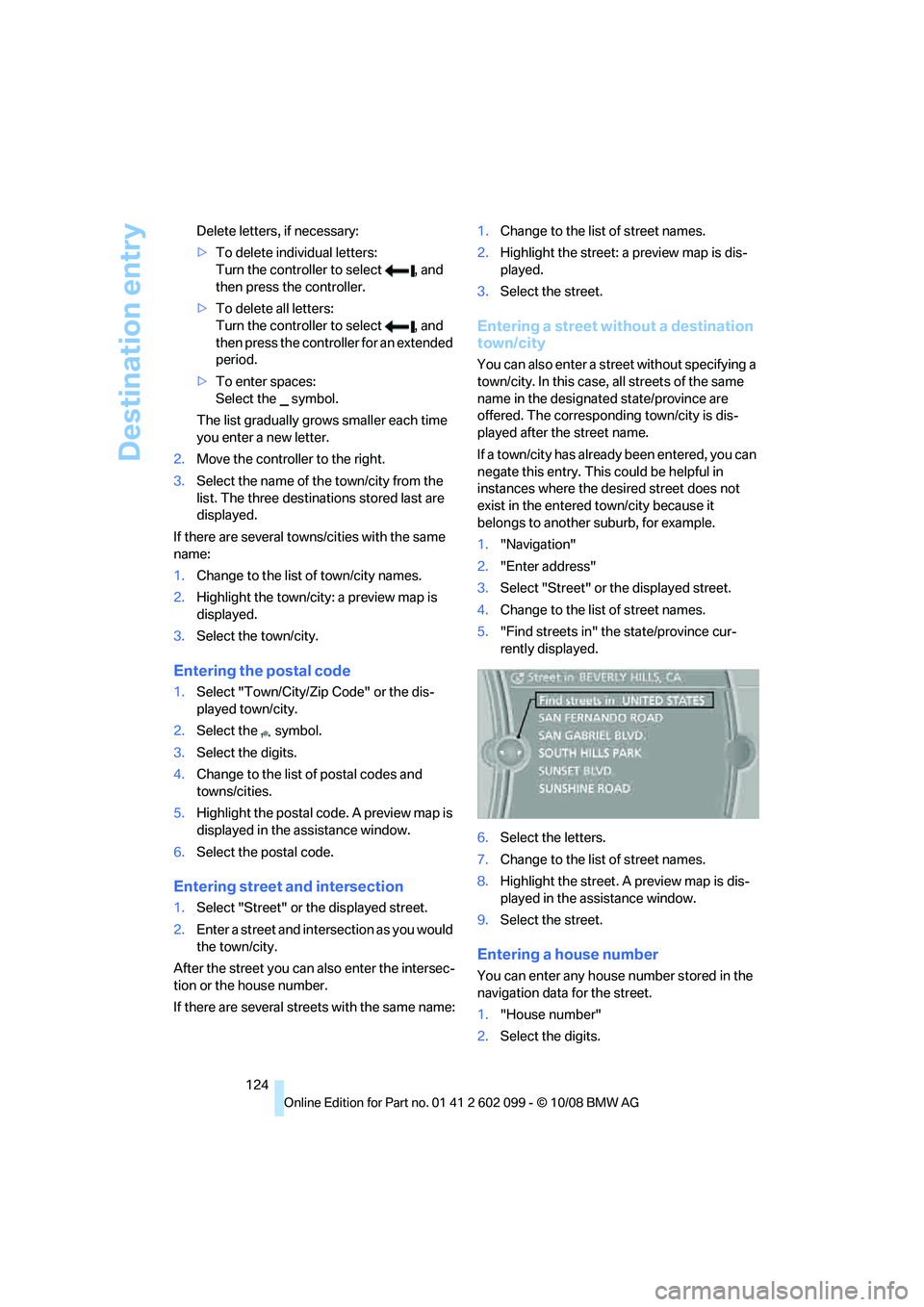
5. "Find streets in" the state/province cur-
rently displayed.
6. Select the letters.
7. Change to the list of street names.
8. Highlight the street. A preview map is dis-
played in the assistance window.
9. Select the street.
Entering a house number
You can enter any house number stored in the
navigation data for the street.
1."House number"
2. Select the digits.
ba8_E9091_cic.book Seite 124 Mittwoch, 29. Oktober 2008 2:59 14
Page 127 of 268
Navigation
Driving tips
125Reference
At a glance
Controls
Communications
Entertainment
Mobility
3.Change to the list of house numbers.
4. Select a house number or range of house
numbers.
Selection after destination entry
>"Start guidance".
Destination guidance is started immedi-
ately.
> "Route preference"
refer to page 133.
> "Points of Interest at dest."
refer to page 126.
If a new town/city is sele cted during destination
guidance, the current de stination guidance is
terminated.
Address book
To create contac ts, refer to page179.
Selecting a destination from the
address book
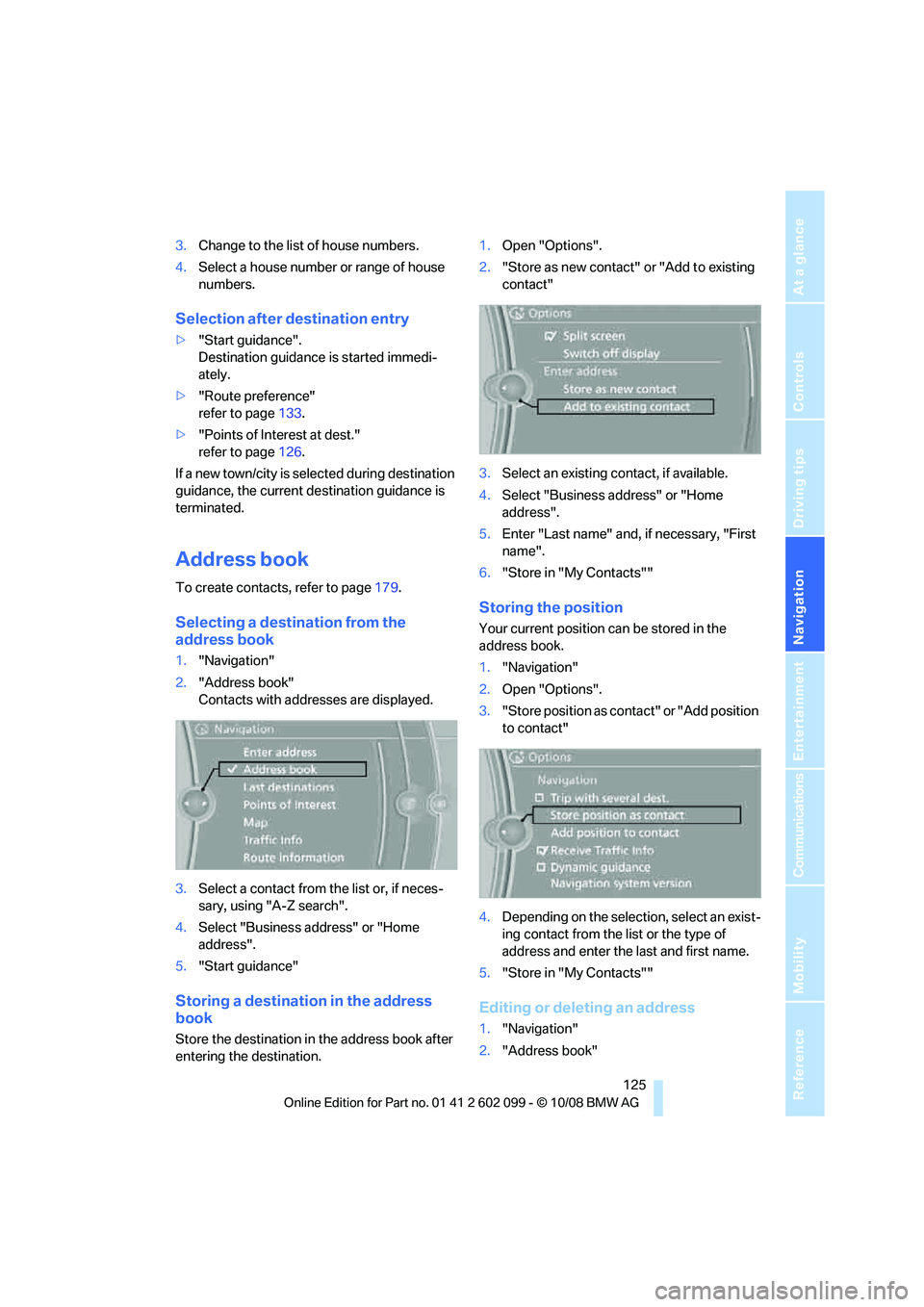
1."Navigation"
2. "Address book"
Contacts with addresses are displayed.
3. Select a contact from the list or, if neces-
sary, using "A-Z search".
4. Select "Business address" or "Home
address".
5. "Start guidance"
Storing a destination in the address
book
Store the destination in the address book after
entering the destination. 1.
Open "Options".
2. "Store as new contact" or "Add to existing
contact"
3. Select an existing contact, if available.
4. Select "Business address" or "Home
address".
5. Enter "Last name" and, if necessary, "First
name".
6. "Store in "My Contacts""
Storing the position
Your current position can be stored in the
address book.
1."Navigation"
2. Open "Options".
3. "Store position as cont act" or "Add position
to contact"
4. Depending on the select ion, select an exist-
ing contact from the list or the type of
address and enter the last and first name.
5. "Store in "My Contacts""
Editing or deleting an address
1."Navigation"
2. "Address book"
ba8_E9091_cic.book Seite 125 Mittwoch, 29. Oktober 2008 2:59 14
Page 129 of 268
Navigation
Driving tips
127Reference
At a glance
Controls
Communications
Entertainment
Mobility
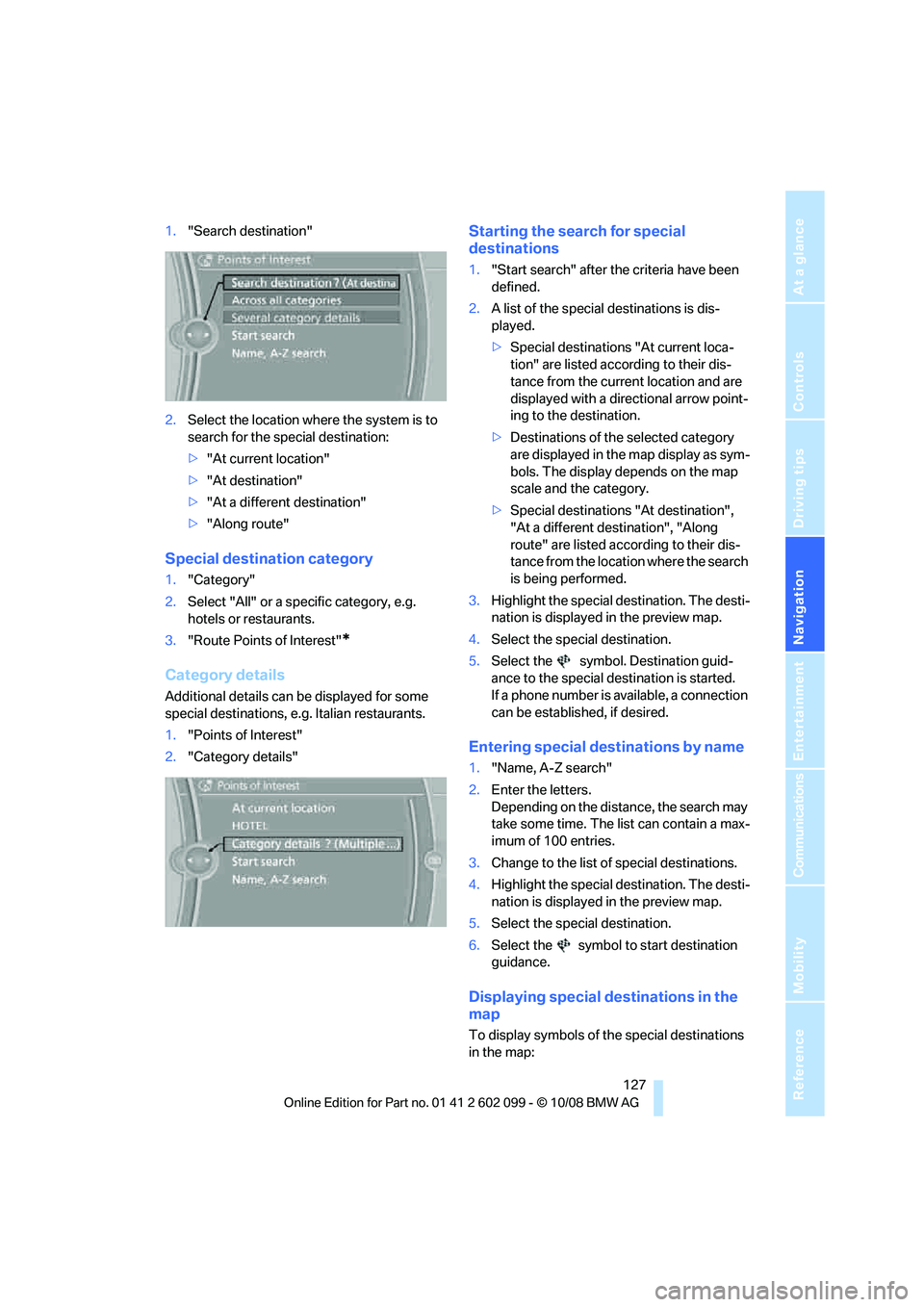
1."Search destination"
2. Select the location where the system is to
search for the special destination:
>"At current location"
> "At destination"
> "At a different destination"
> "Along route"
Special destination category
1. "Category"
2. Select "All" or a spec ific category, e.g.
hotels or restaurants.
3. "Route Points of Interest"
*
Category details
Additional details can be displayed for some
special destinations, e. g. Italian restaurants.
1. "Points of Interest"
2. "Category details"
Starting the search for special
destinations
1."Start search" after the criteria have been
defined.
2. A list of the special destinations is dis-
played.
>Special destinations "At current loca-
tion" are listed according to their dis-
tance from the current location and are
displayed with a directional arrow point-
ing to the destination.
> Destinations of the selected category
are displayed in the map display as sym-
bols. The display depends on the map
scale and the category.
> Special destinations "At destination",
"At a different destination", "Along
route" are listed acco rding to their dis-
tance from the locati on where the search
is being performed.
3. Highlight the special destination. The desti-
nation is displayed in the preview map.
4. Select the special destination.
5. Select the symbol. Destination guid-
ance to the special destination is started.
If a phone number is available, a connection
can be established, if desired.
Entering special destinations by name
1."Name, A-Z search"
2. Enter the letters.
Depending on the distance, the search may
take some time. The list can contain a max-
imum of 100 entries.
3. Change to the list of special destinations.
4. Highlight the special destination. The desti-
nation is displayed in the preview map.
5. Select the special destination.
6. Select the symbol to start destination
guidance.
Displaying special destinations in the
map
To display symbols of the special destinations
in the map:
ba8_E9091_cic.book Seite 127 Mittwoch, 29. Oktober 2008 2:59 14
Page 130 of 268

Destination entry
128
1.
"Navigation"
2. "Map"
3. Open "Options".
4. "Display Points of Interest"
5. Select the settings.
Entering the destination via
the map
If you only know the lo cation of the town or
street, you can enter th e destination using the
map.
Opening the map
1. "Navigation"
2. "Map"
A map section is displa yed on the Control Dis-
play. The map shows the cu rrent position of the
vehicle.
Selecting the destination
1. Select the symbol. The interactive map
is started.
2. Select the destination with the cross-hairs.
>Turn the controller: change the scale.
> Move the controller in one direction:
move the map.
> First move the controller and turn it at
the same time: move the map diagonally
to select a destination in one of the four
regions.
3. Press the controller to display additional
menu items:
>Select the symbol: start destination
guidance.
Specifying the street
If the system cannot recognize a street or town/
city, it displays a street name in the vicinity or
the coordinates of the destination.
Interactive map
In the interactive map, th e scale can be adjusted
and the visible map section can be shifted. In
ba8_E9091_cic.book Seite 128 Mittwoch, 29. Oktober 2008 2:59 14
Page 131 of 268
Navigation
Driving tips
129Reference
At a glance
Controls
Communications
Entertainment
Mobility
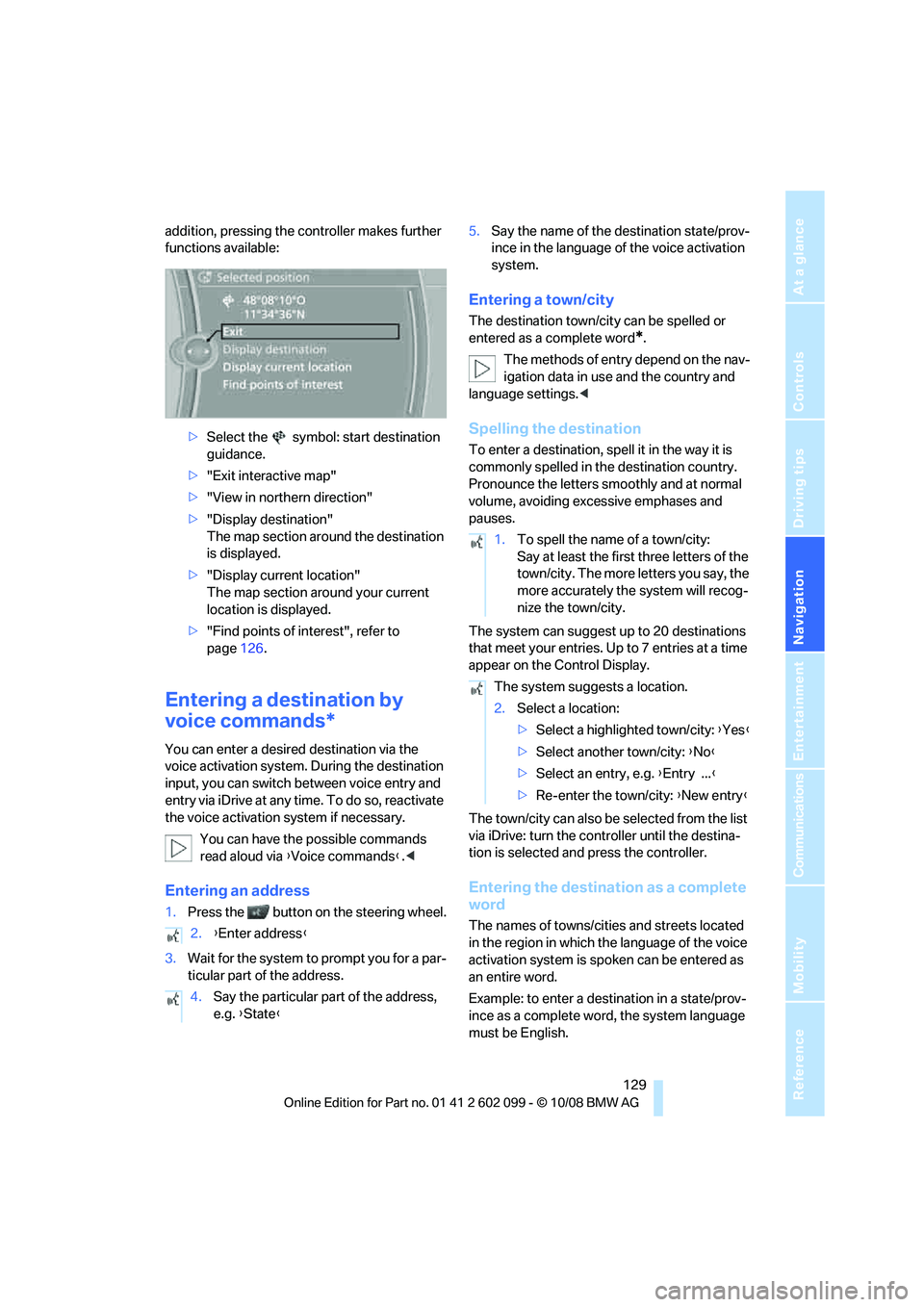
addition, pressing the controller makes further
functions available:>Select the symbol: start destination
guidance.
> "Exit interactive map"
> "View in northern direction"
> "Display destination"
The map section around the destination
is displayed.
> "Display current location"
The map section around your current
location is displayed.
> "Find points of interest", refer to
page 126.
Entering a destination by
voice commands*
You can enter a desired destination via the
voice activation system. During the destination
input, you can switch between voice entry and
entry via iDrive at any ti me. To do so, reactivate
the voice activation system if necessary.
You can have the possible commands
read aloud via {Voice commands }.<
Entering an address
1. Press the button on the steering wheel.
3. Wait for the system to prompt you for a par-
ticular part of the address. 5.
Say the name of the destination state/prov-
ince in the language of the voice activation
system.
Entering a town/city
The destination town/cit y can be spelled or
entered as a complete word
*.
The methods of entry depend on the nav-
igation data in use and the country and
language settings. <
Spelling the destination
To enter a destination, spell it in the way it is
commonly spelled in th e destination country.
Pronounce the letters smoothly and at normal
volume, avoiding excessive emphases and
pauses.
The system can suggest up to 20 destinations
that meet your entries. Up to 7 entries at a time
appear on the Control Display.
The town/city can also be selected from the list
via iDrive: turn the controller until the destina-
tion is selected and press the controller.
Entering the destination as a complete
word
The names of towns/cities and streets located
in the region in which th e language of the voice
activation system is spoken can be entered as
an entire word.
Example: to enter a destination in a state/prov-
ince as a complete word , the system language
must be English.
2.
{Enter address }
4. Say the particular part of the address,
e.g. {State }
1.To spell the name of a town/city:
Say at least the first three letters of the
town/city. The more letters you say, the
more accurately th e system will recog-
nize the town/city.
The system suggests a location.
2. Select a location:
>Select a highlighted town/city: {Yes }
> Select another town/city: {No }
> Select an entry, e.g. {Entry ... }
> Re-enter the town/city: {New entry }
ba8_E9091_cic.book Seite 129 Mittwoch, 29. Oktober 2008 2:59 14