display BMW 330D 2009 Repair Manual
[x] Cancel search | Manufacturer: BMW, Model Year: 2009, Model line: 330D, Model: BMW 330D 2009Pages: 268, PDF Size: 11.52 MB
Page 132 of 268
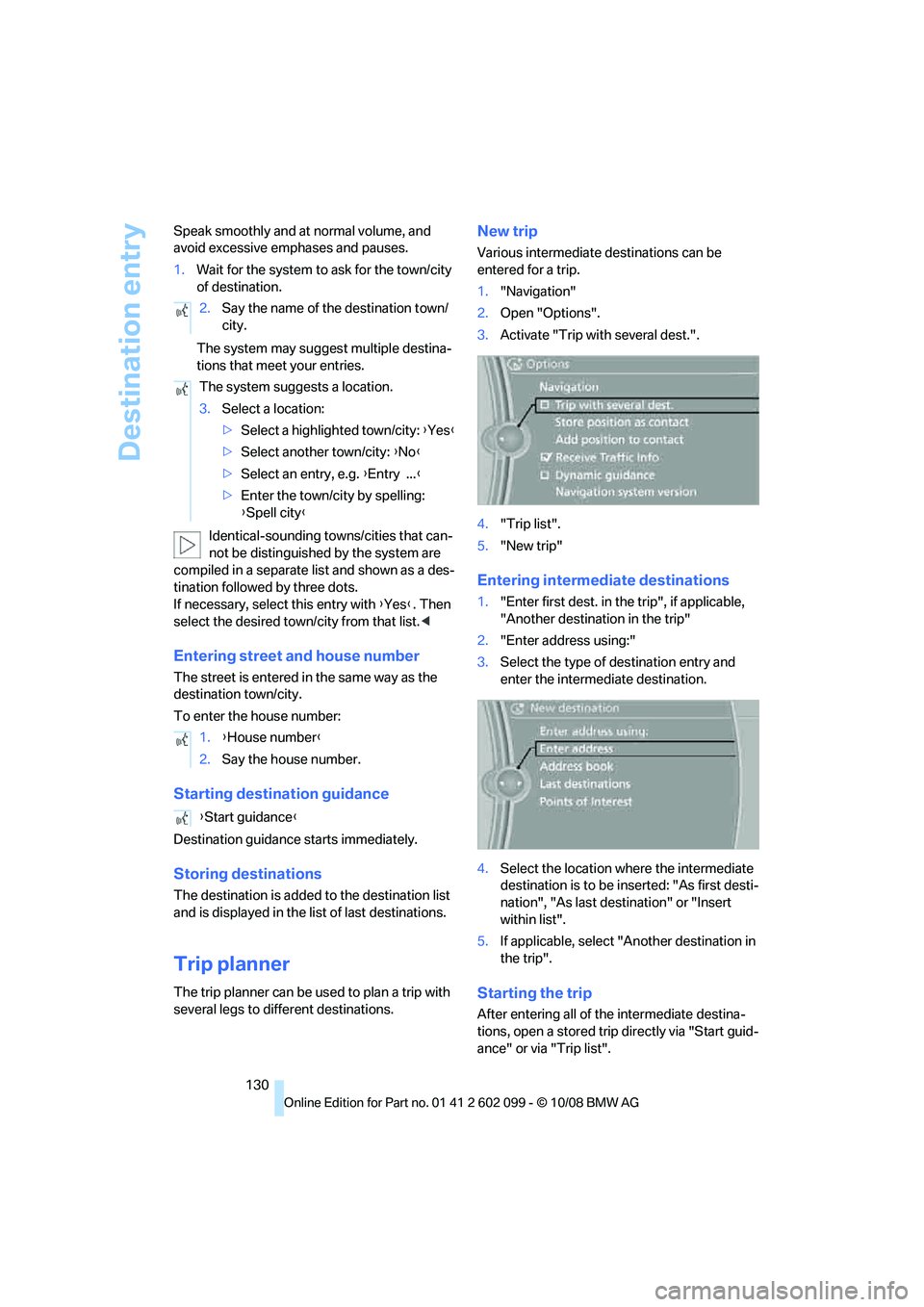
Destination entry
130
Speak smoothly and at normal volume, and
avoid excessive emphases and pauses.
1.
Wait for the system to ask for the town/city
of destination.
The system may suggest multiple destina-
tions that meet your entries.
Identical-sounding towns/cities that can-
not be distinguished by the system are
compiled in a separate list and shown as a des-
tination followed by three dots.
If necessary, select this entry with {Yes }. Then
select the desired town/city from that list. <
Entering street and house number
The street is entered in the same way as the
destination town/city.
To enter the house number:
Starting destination guidance
Destination guidance starts immediately.
Storing destinations
The destination is added to the destination list
and is displayed in the list of last destinations.
Trip planner
The trip planner can be us ed to plan a trip with
several legs to diffe rent destinations.
New trip
Various intermediate destinations can be
entered for a trip.
1. "Navigation"
2. Open "Options".
3. Activate "Trip with several dest.".
4. "Trip list".
5. "New trip"
Entering intermediate destinations
1."Enter first dest. in the trip", if applicable,
"Another destination in the trip"
2. "Enter address using:"
3. Select the type of destination entry and
enter the intermed iate destination.
4. Select the location where the intermediate
destination is to be inserted: "As first desti-
nation", "As last destination" or "Insert
within list".
5. If applicable, select "A nother destination in
the trip".
Starting the trip
After entering all of th e intermediate destina-
tions, open a stored trip directly via "Start guid-
ance" or via "Trip list".
2.
Say the name of the destination town/
city.
The system suggests a location.
3. Select a location:
>Select a highlighted town/city: {Yes }
> Select another town/city: {No }
> Select an entry, e.g. {Entry ... }
> Enter the town/city by spelling:
{Spell city }
1. {House number }
2. Say the house number.
{ Start guidance }
ba8_E9091_cic.book Seite 130 Mittwoch, 29. Oktober 2008 2:59 14
Page 133 of 268
Navigation
Driving tips
131Reference
At a glance
Controls
Communications
Entertainment
Mobility
Storing a trip
In the trip planner, created trips can be stored in
the trip list.
1. Open "Options".
2. "Store trip"
3. Enter the letters.
The trip is stored in the trip list under the
entered name.
Changing the trip direction
Intermediate destinatio ns are displayed in
reverse order in the list. This function is not
available for imported trips.
1. "Trip list"
2. Open "Options".
3. "Reverse order of trip dest."
Arranging the order of intermediate
destinations
This function is not available for imported trips.
1."Trip entry"
2. Select an intermediate destination.
3. "Reposition dest. in the trip"
4. Move the intermediate destination to
another position in the list.
Deleting an intermediate destination
This function is not available for imported trips.
1."Trip entry"
2. Select an intermediate destination.
3. Open "Options".
4. "Delete dest. in the trip"
Deleting a trip
1."Trip list"
2. Select the desired trip.
3. Open "Options".
4. "Delete all trips" or "Delete trip".
Opening the trip list
The stored trips are listed in alphabetical order
in the trip list. 1.
"Trip planner"
2. "Yes"
3. "Trip list"
4. Select a trip.
Importing trips
A maximum of 30 trips with at most
50 intermediate destinations per trip can be
stored.
Connect the USB device to the USB interface in
the glove compartment.
1."Navigation"
2. "Trip planner"
3. "Yes"
4. "Trip list"
5. Highlight the trip.
6. Open "Options".
7. Select "Import trip".
8. "USB device" or "BMW Search"
*
9."OK"
Terminating trip planning
To return to the direct entry of destinations:
1."Navigation"
2. Open "Options".
3. Deactivate "Trip with several dest.".
Word-matching principle
The system's word-matching principle makes it
easier for you to enter the names of towns or
streets. The system runs ongoing checks, com-
paring your destination entries with the data
stored in the vehicle as the basis for instant
response. The benefits for you include:
> Names of towns entered may differ from the
official versions if you are using a spelling
that is customary in another country.
Example:
Instead of the German spelling "München"
you can also enter the English spelling
"Munich" or the Italian spelling "Monaco".
ba8_E9091_cic.book Seite 131 Mittwoch, 29. Oktober 2008 2:59 14
Page 135 of 268
Navigation
Driving tips
133Reference
At a glance
Controls
Communications
Entertainment
Mobility
Destination guidance
Starting destination
guidance
1."Navigation"
2. "Enter address"
3. Select the destination.
4. "Start guidance"
After the route is calculated, the route is dis-
played in the map on the Control Display.
Terminating destination
guidance
1. "Navigation"
2. "Map"
3. Select the symbol
Continuing destination
guidance
If the destination was not reached at the end of
the last trip, the system asks whether it should
continue destination guidance.
Select "Resume guidance" or "Stop guidance".
Route criteria
General information
You can influence the calculated route by
choosing certain route criteria. You can change
the route criteria as often as you like during des-
tination entry or during destination guidance.
The route is planned acco rding to fixed rules.
The type of road is taken into account, e.g.
whether it is a highway or a winding road. As a
result, the routes recommended by the naviga-
tion system may not alwa ys be the same ones
that you would choose ba sed on personal expe-
rience. The settings are stored for the remote control
currently in use.
Changing route criteria
1.
"Navigation"
2. "Map"
3. "Route preference"
4. Selecting a criterion:
>"Fast route": time-optimized route,
which is a combination of the shortest
possible route and the fastest roads
> "Efficient route": optimized combination
of the fastest and shortest roads
> "Short route": short distance, irrespec-
tive of how fast or slow progress will be
> "Alternative routes ": other suggested
alternative routes
5. Select additional route criteria, if desired.
Where possible, the sele cted criteria will be
avoided on the route.
> "Avoid highways"
> "Avoid toll roads"
> "Avoid ferries"
> "Avoid area": define an area that the
route is to avoid
The setting applies to the current route and to
the planning of future routes.
Dynamic destination guidance
"Dynamic guidance" is switched on:
The route is automatically changed in the event
ba8_E9091_cic.book Seite 133 Mittwoch, 29. Oktober 2008 2:59 14
Page 136 of 268
Destination guidance
134
of traffic obstructions. The system does not
point out traffic obstructions along the original
route.
Depending on the type of
road and the nature
and length of the traffic obstruction, the route
can also be calculated so that you travel
through the traffic obstruction.
1. "Navigation"
2. Open "Options".
3. "Dynamic guidance"
If the "Avoid highways", "Avoid toll roads"
or "Avoid ferries" route criteria are
selected, route calculat ion may take consider-
ably longer.<
Route
General information
Depending on the equipment in your vehicle,
different views of the route are available during
destination guidance.
> Map display
> Arrow display
> Display of the streets and towns/cities on
the route.
Displaying a list of the streets or towns/
cities on the route
When destination guidance is started, a list of
the streets and towns/cities on the route is dis-
played. The driving distances and traffic bulle-
tins are displayed for each route section.
> Display a list of the streets and towns/cities
on the route.
> Display the traffic bulle tins and the driving
distance for each route section.
1. "Navigation"
2. "Route information"
3. Highlight a section.
The section is displayed in the preview map.
Bypassing a section of the route
During destination guidan ce, you can revise the
navigation system's route recommendations to
avoid particular stretches of road. Enter the
number of miles/kilomete rs that you want to
travel before returning to the original route.
A section of the route up to 32 miles/50 km in
length can be bypassed.
1. "Navigation"
2. "Route information"
3. "New route for:"
4. Turn the controller: enter the desired num-
ber.
If the route section should no longer be
bypassed: "Remove blocking"
Gas station recommendations
The vehicle calculates the range and recom-
mends several gas stations along the route.
1. "Navigation"
2. "Route information"
3. "Recommended refuel"
4. Select a gas station.
5. Select the symbol to start destination
guidance.
Destination guidance
through voice instructions
Switching voice instructions on/off
Voice instructions can be switched on or off
during destination guidance.
ba8_E9091_cic.book Seite 134 Mittwoch, 29. Oktober 2008 2:59 14
Page 137 of 268
Navigation
Driving tips
135Reference
At a glance
Controls
Communications
Entertainment
Mobility
1."Navigation"
2. "Map"
3. Select the symbol
The voice instructions are switched on.
For rapid access, the feature can be stored on a
programmable memory key, refer to page20.
Repeating a voice instruction
1."Navigation"
2. "Map"
3. Select the symbol twice.
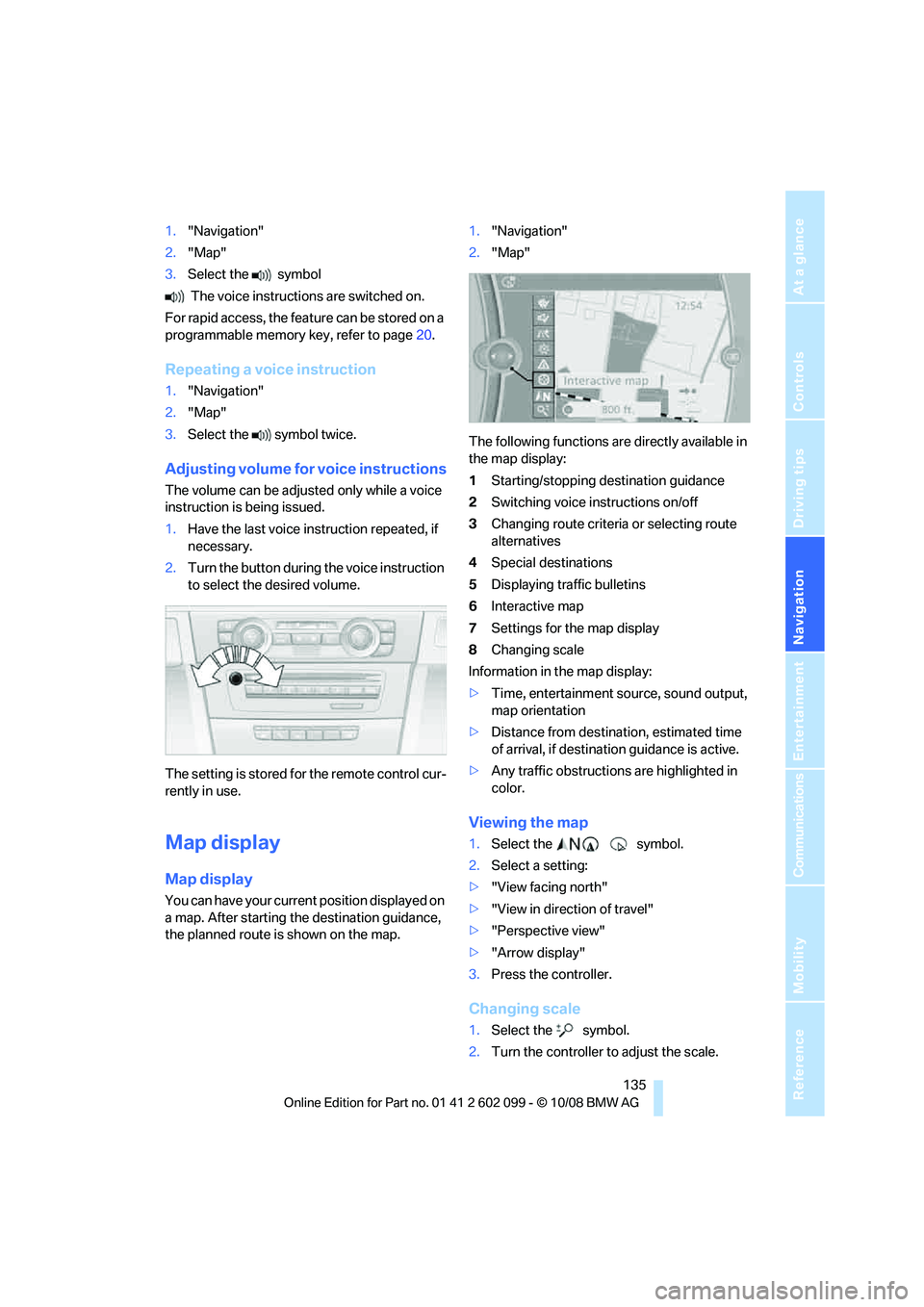
Adjusting volume fo r voice instructions
The volume can be adjust ed only while a voice
instruction is being issued.
1. Have the last voice in struction repeated, if
necessary.
2. Turn the button during the voice instruction
to select the desired volume.
The setting is stored for the remote control cur-
rently in use.
Map display
Map display
You can have your current position displayed on
a map. After starting th e destination guidance,
the planned route is shown on the map. 1.
"Navigation"
2. "Map"
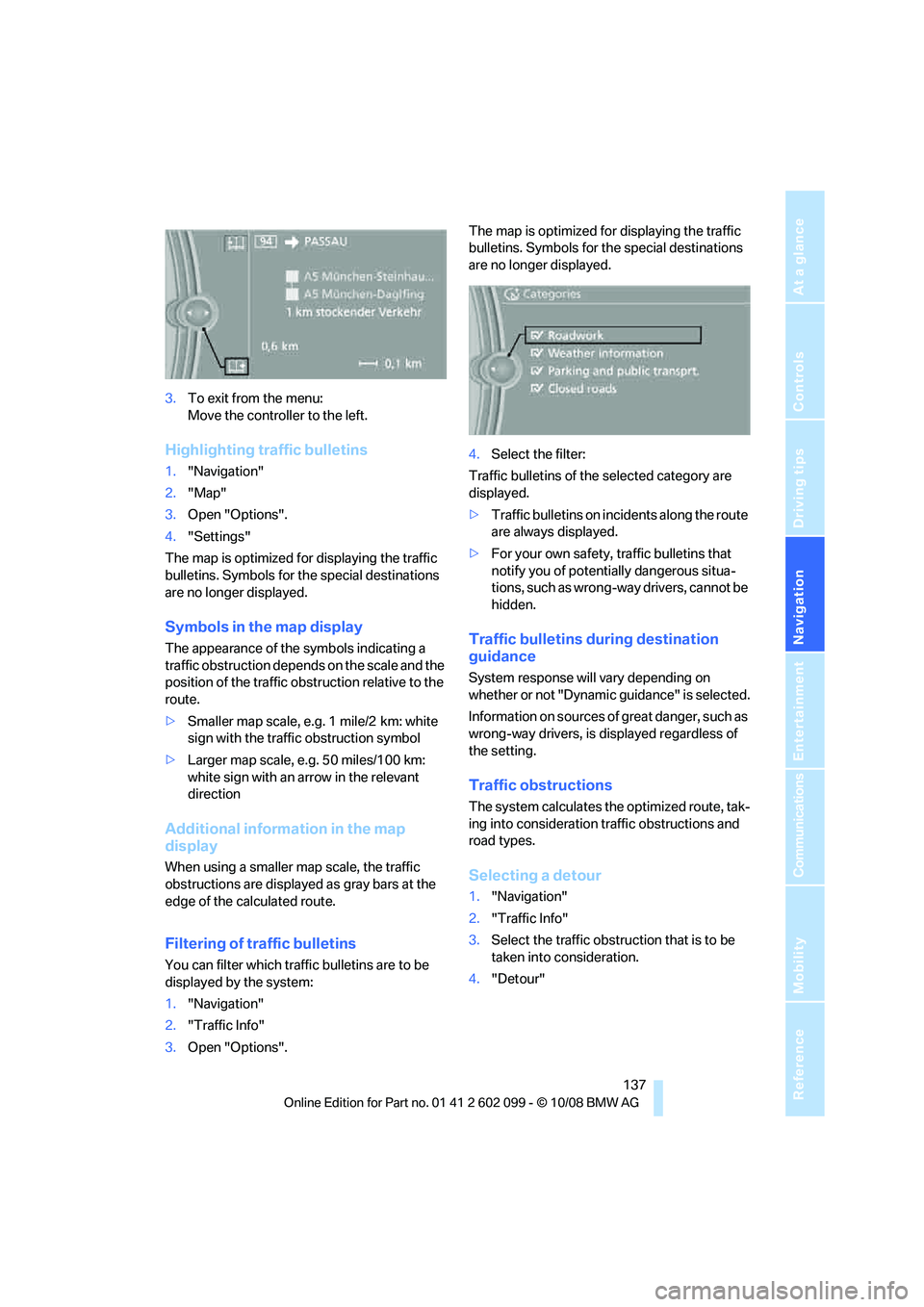
The following functions are directly available in
the map display:
1 Starting/stopping destination guidance
2 Switching voice instructions on/off
3 Changing route criteria or selecting route
alternatives
4 Special destinations
5 Displaying traffic bulletins
6 Interactive map
7 Settings for the map display
8 Changing scale
Information in the map display:
> Time, entertainment source, sound output,
map orientation
> Distance from destination, estimated time
of arrival, if destinat ion guidance is active.
> Any traffic obstructions are highlighted in
color.
Viewing the map
1.Select the symbol.
2. Select a setting:
> "View facing north"
> "View in direction of travel"
> "Perspective view"
> "Arrow display"
3. Press the controller.
Changing scale
1.Select the symbol.
2. Turn the controller to adjust the scale.
ba8_E9091_cic.book Seite 135 Mittwoch, 29. Oktober 2008 2:59 14
Page 138 of 268

Destination guidance
136
Automatic scaling of the map
In the map display facing north, turn the control-
ler in any direction until AUTO is displayed as
the map scale.
The map shows the entire range from your loca-
tion to the destination.
Settings for the map display
1. "Navigation"
2. "Map"
3. Open "Options".
4. "Settings"
>Optimized view "Night mode"
> Optimized view with spatial display:
"Perspective view in 3D" prominent
areas are shown in the map.
Split screen settings
The map settings for the split screen can be
created separately fr om the main screen.
1. Open "Options".
2. "Split screen"
3. Move the controller to the right until the
split screen is selected.
4. Press the controller.
5. Select the settings:
>"View facing north"
> "View in direction of travel"
> "Perspective view"
6. To change the scale:
>Move the controller: change the scale.
Traffic bulletins*
You can display the traffi c bulletins from radio
stations that broadcast the TMC (Traffic Mes-
sage Channel) of a traffic information service.
This information from the traffic information
service is continuously updated on the basis of
measurement data from traffic control centers
and information on traffic congestion.
During destination guid ance, traffic bulletins
that are relevant to areas along the route are automatically displayed
and taken into account
in the route planning. You can open all traffic
bulletins manually via iDrive.
The traffic bulletins are shown in the map dis-
play.
Activating/deactivating reception
1. "Navigation"
2. Open "Options".
3. "Receive Traffic Info"
In many metropolitan areas you can receive
traffic information broadcast by radio stations.
The traffic conditions ar e monitored by traffic
control centers and the traffic information is
updated periodically.
During destination guid ance, the traffic bulle-
tins relevant to your planned route are automat-
ically shown. Whether de stination guidance is
active or not, you can ha ve the traffic bulletins
displayed in the map view or in the traffic bulle-
tin list.
Traffic bulletins in a list
A list of the traffic bulle tins can be opened via
the menu or map display.
Opening the traffic bulletins
1. "Navigation"
2. "Traffic Info"
First, the traffic bulle tins on the planned
route are displayed. The traffic bulletins are
sorted in the order of their distance from the
current vehicle position.
3. Select a traffic bulletin.
Additional information can be displayed for
some traffic bulletins:
1. Select the symbol.
2. Additional information is displayed.
ba8_E9091_cic.book Seite 136 Mittwoch, 29. Oktober 2008 2:59 14
Page 139 of 268
Navigation
Driving tips
137Reference
At a glance
Controls
Communications
Entertainment
Mobility
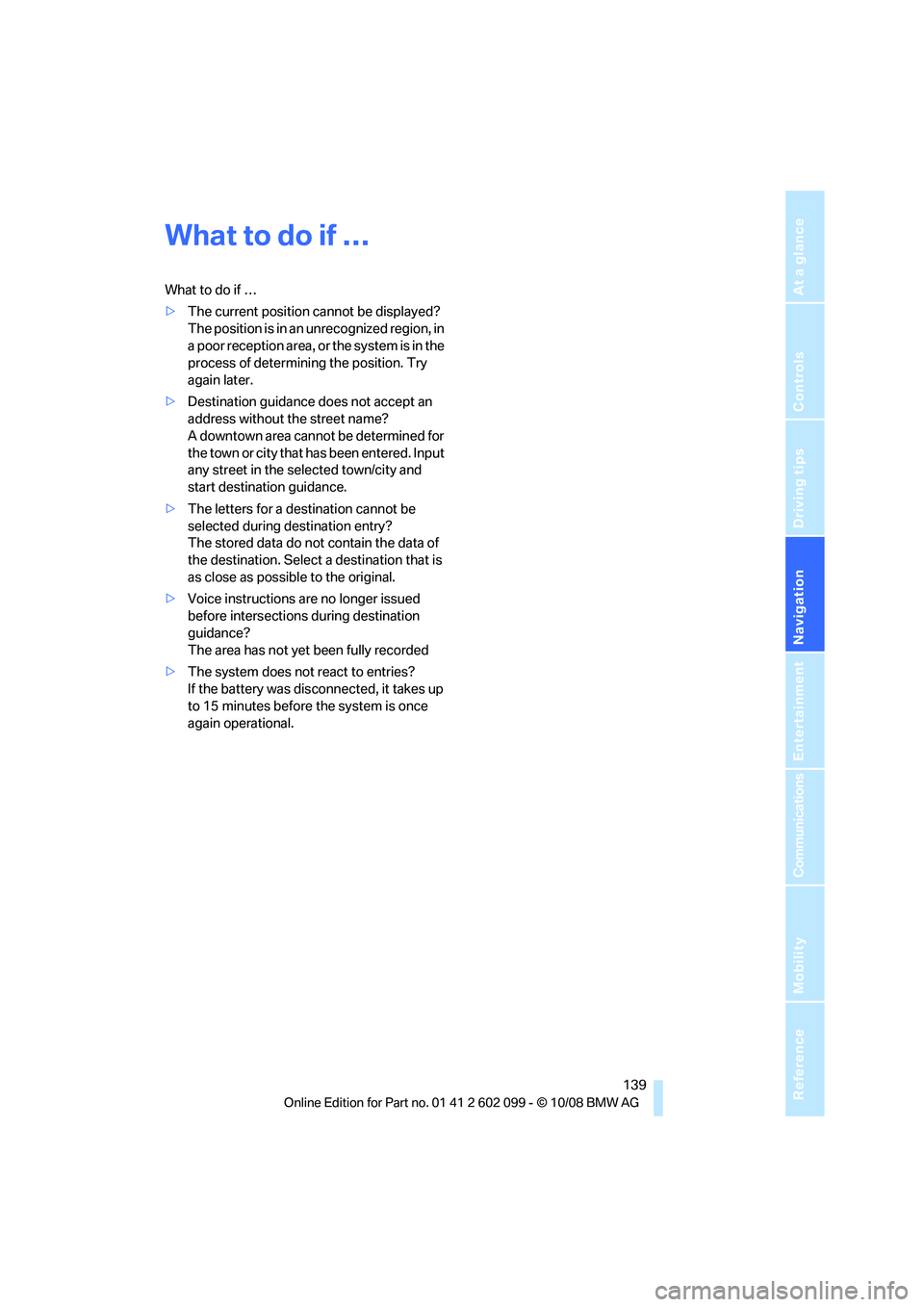
3.To exit from the menu:
Move the controlle r to the left.
Highlighting traffic bulletins
1."Navigation"
2. "Map"
3. Open "Options".
4. "Settings"
The map is optimized for displaying the traffic
bulletins. Symbols for th e special destinations
are no longer displayed.
Symbols in the map display
The appearance of the symbols indicating a
traffic obstruction depends on the scale and the
position of the traffic ob struction relative to the
route.
> Smaller map scale, e.g. 1 mile/2 km: white
sign with the traffic obstruction symbol
> Larger map scale, e.g. 50 miles/100 km:
white sign with an arrow in the relevant
direction
Additional information in the map
display
When using a smaller map scale, the traffic
obstructions are displayed as gray bars at the
edge of the calculated route.
Filtering of traffic bulletins
You can filter which traffic bulletins are to be
displayed by the system:
1."Navigation"
2. "Traffic Info"
3. Open "Options". The map is optimized for displaying the traffic
bulletins. Symbols for th
e special destinations
are no longer displayed.
4. Select the filter:
Traffic bulletins of the selected category are
displayed.
> Traffic bulletins on incidents along the route
are always displayed.
> For your own safety, traffic bulletins that
notify you of potentially dangerous situa-
tions, such as wrong- way drivers, cannot be
hidden.
Traffic bulletins during destination
guidance
System response will vary depending on
whether or not "Dynamic guidance" is selected.
Information on sources of great danger, such as
wrong-way drivers, is displayed regardless of
the setting.
Traffic obstructions
The system calculates the optimized route, tak-
ing into consideration traffic obstructions and
road types.
Selecting a detour
1. "Navigation"
2. "Traffic Info"
3. Select the traffic obstruction that is to be
taken into consideration.
4. "Detour"
ba8_E9091_cic.book Seite 137 Mittwoch, 29. Oktober 2008 2:59 14
Page 140 of 268

Destination guidance
138
Taking into consideration all traffic
obstructions
1."Navigation"
2. "Traffic Info"
First, the traffic bulle tins on the planned
route are displayed. The traffic bulletins are
sorted in the order of their distance from the
current vehicle position.
3. Select "Recommended detour".
This information is disp layed even if you have
called up another applic ation on the Control
Display.
ba8_E9091_cic.book Seite 138 Mittwoch, 29. Oktober 2008 2:59 14
Page 141 of 268
Navigation
Driving tips
139Reference
At a glance
Controls
Communications
Entertainment
Mobility
What to do if …
What to do if …
>The current position cannot be displayed?
The position is in an unrecognized region, in
a poor reception area, or the system is in the
process of determining the position. Try
again later.
> Destination guidance does not accept an
address without the street name?
A downtown area canno t be determined for
the town or city that has been entered. Input
any street in the selected town/city and
start destination guidance.
> The letters for a destination cannot be
selected during destination entry?
The stored data do no t contain the data of
the destination. Select a destination that is
as close as possible to the original.
> Voice instructions are no longer issued
before intersections during destination
guidance?
The area has not yet been fully recorded
> The system does not react to entries?
If the battery was disconnected, it takes up
to 15 minutes before the system is once
again operational.
ba8_E9091_cic.book Seite 139 Mittwoch, 29. Oktober 2008 2:59 14
Page 144 of 268
On/off and tone
142
On/off and tone
The following audio and video sources share
the same control elements and adjustments:
>Radio
> CD player
> CD changer
*
>Video
> External devices, e.g. MP3 player
Controls
The audio and video sources can be controlled
using the:
>Buttons near the CD player
> iDrive
> Buttons on the steeri ng wheel, refer to
page 11
> Programmable memory keys, refer to
page 20
> Voice activation system
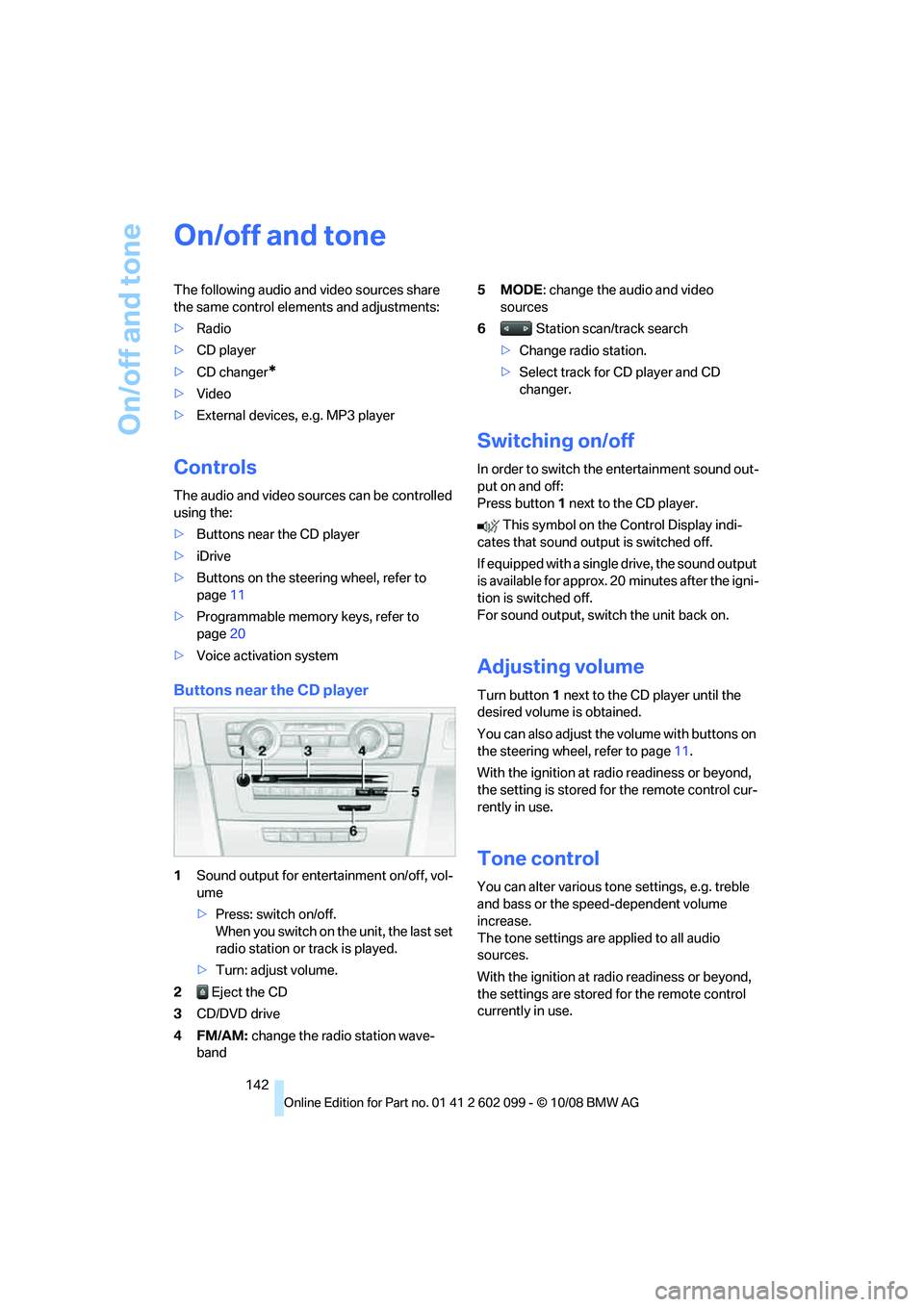
Buttons near the CD player
1Sound output for entertainment on/off, vol-
ume
>Press: switch on/off.
When you switch on the unit, the last set
radio station or track is played.
> Turn: adjust volume.
2 Eject the CD
3 CD/DVD drive
4FM/AM: change the radio station wave-
band 5MODE
: change the audio and video
sources
6 Station scan/track search
> Change radio station.
> Select track for CD player and CD
changer.
Switching on/off
In order to switch the entertainment sound out-
put on and off:
Press button 1 next to the CD player.
This symbol on the Control Display indi-
cates that sound output is switched off.
If equipped with a single drive, the sound output
is available for approx. 20 minutes after the igni-
tion is switched off.
For sound output, switch the unit back on.
Adjusting volume
Turn button 1 next to the CD player until the
desired volume is obtained.
You can also adjust the volume with buttons on
the steering wheel, refer to page 11.
With the ignition at ra dio readiness or beyond,
the setting is stored fo r the remote control cur-
rently in use.
Tone control
You can alter various tone settings, e.g. treble
and bass or the speed-dependent volume
increase.
The tone settings are applied to all audio
sources.
With the ignition at ra dio readiness or beyond,
the settings are stored for the remote control
currently in use.
ba8_E9091_cic.book Seite 142 Mittwoch, 29. Oktober 2008 2:59 14