ECO BMW 330XI IDRIVE SEDAN 2005 Repair Manual
[x] Cancel search | Manufacturer: BMW, Model Year: 2005, Model line: 330XI IDRIVE SEDAN, Model: BMW 330XI IDRIVE SEDAN 2005Pages: 223, PDF Size: 7.49 MB
Page 195 of 223
Giving and receiving assistance
194 you to have a first-aid kit and a warning triangle
in the car.<
Warning triangle*
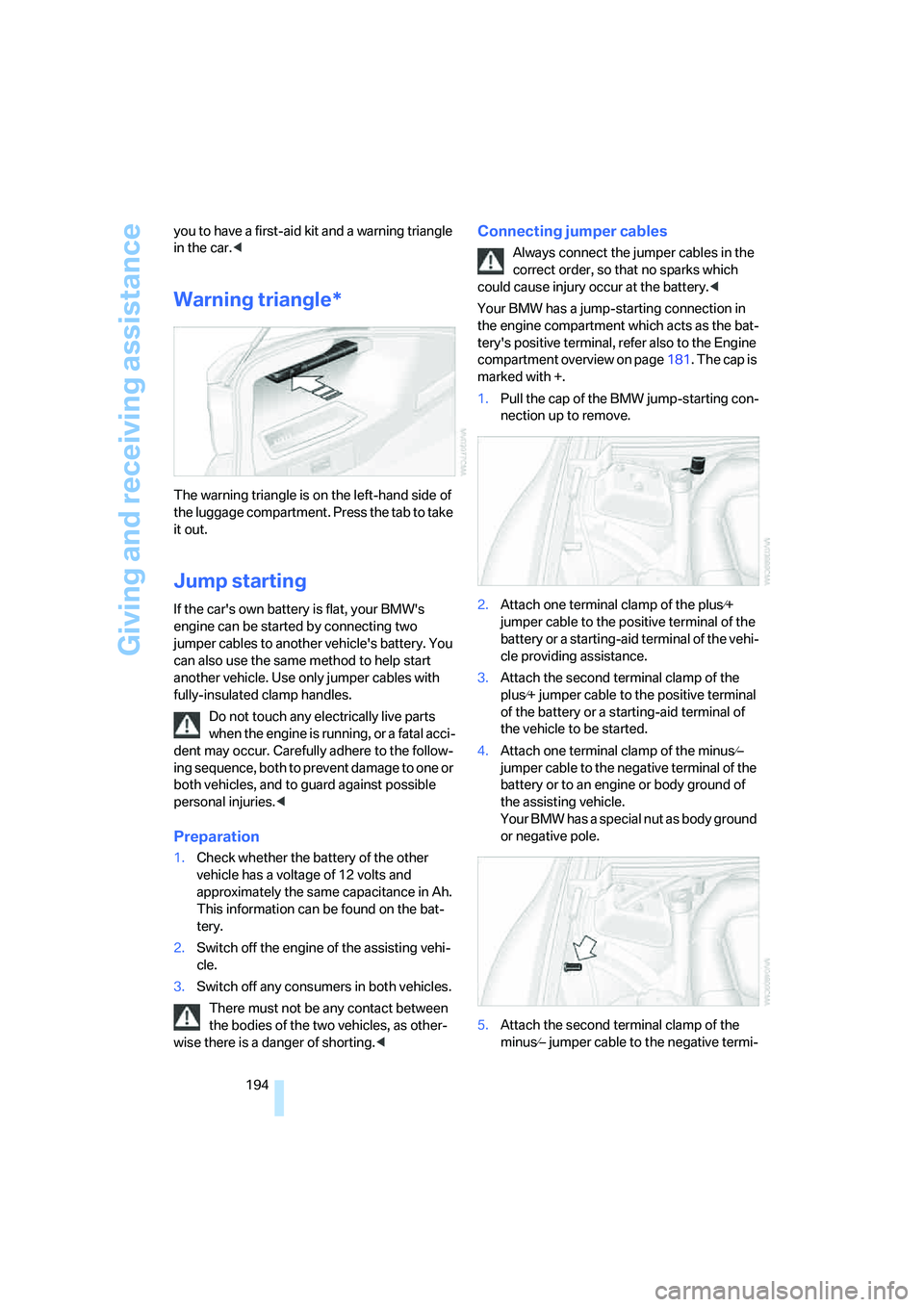
The warning triangle is on the left-hand side of
the luggage compartment. Press the tab to take
it out.
Jump starting
If the car's own battery is flat, your BMW's
engine can be started by connecting two
jumper cables to another vehicle's battery. You
can also use the same method to help start
another vehicle. Use only jumper cables with
fully-insulated clamp handles.
Do not touch any electrically live parts
when the engine is running, or a fatal acci-
dent may occur. Carefully adhere to the follow-
ing sequence, both to prevent damage to one or
both vehicles, and to guard against possible
personal injuries.<
Preparation
1.Check whether the battery of the other
vehicle has a voltage of 12 volts and
approximately the same capacitance in Ah.
This information can be found on the bat-
tery.
2.Switch off the engine of the assisting vehi-
cle.
3.Switch off any consumers in both vehicles.
There must not be any contact between
the bodies of the two vehicles, as other-
wise there is a danger of shorting.<
Connecting jumper cables
Always connect the jumper cables in the
correct order, so that no sparks which
could cause injury occur at the battery.<
Your BMW has a jump-starting connection in
the engine compartment which acts as the bat-
tery's positive terminal, refer also to the Engine
compartment overview on page181. The cap is
marked with +.
1.Pull the cap of the BMW jump-starting con-
nection up to remove.
2.Attach one terminal clamp of the plus⁄+
jumper cable to the positive terminal of the
battery or a starting-aid terminal of the vehi-
cle providing assistance.
3.Attach the second terminal clamp of the
plus⁄+ jumper cable to the positive terminal
of the battery or a starting-aid terminal of
the vehicle to be started.
4.Attach one terminal clamp of the minus⁄–
jumper cable to the negative terminal of the
battery or to an engine or body ground of
the assisting vehicle.
Your BMW has a special nut as body ground
or negative pole.
5.Attach the second terminal clamp of the
minus⁄– jumper cable to the negative termi-
Page 210 of 223
Reference 209
At a glance
Controls
Driving tips
Communications
Navigation
Entertainment
Mobility
"Concert hall" tone
settings136
Condensation, refer to When
the vehicle is parked108
Configuring settings, refer to
Personal Profile29
Confirmation signals for
locking/unlocking of the
vehicle31
Connecting vacuum cleaner,
refer to Connecting
electrical appliances99
Consumption display
– average consumption66
Consumption indicator
– Energy Control64
"Continue guidance to
destination?"126
Control Center, refer to
iDrive16
Control Display, refer to
iDrive16
Controller, refer to iDrive16
Controls and displays10
Convenience operation
– windows30
Convenience start, refer to
Starting the engine49
Coolant183
– adding183
– checking level183
Cooling, maximum90
Cooling fluid, refer to
Coolant183
Country of destination for
navigation116
Courtesy lamps87
Cruise control55
– active57
– malfunction57
Cruising range65
Cup holders98
Curb weight, refer to
Weights201
Current fuel consumption64
"Current position"129Current position
– displaying129
– entering121
– storing121
"Customer
Relations"162,164
D
Dashboard, refer to
Cockpit10
Dashboard lighting, refer to
Instrument lighting87
Data200
– capacities201
– dimensions200
– engine200
– weights201
"Date"73
Date
– setting72
– setting format73
"Date format"73
Daytime driving lamps86
DBC Dynamic Brake
Control78
Deactivating front passenger
airbags83
Deadlocking, refer to
Locking30
Decommissioning the vehicle
– refer to Caring for your
vehicle brochure
Defect
– fuel filler door168
– glass sunroof37
Defogging windows91
Defroster
– rear window92
Defrosting windows91
Defrosting windows and
removing condensation91
Defrost position, refer to
Defrosting windows91
"Delete address book" in
navigation122
"Delete all numbers" on the
portable phone156"Delete data" in
navigation122
"Delete" for portable
phone156
Destination address
– deleting122
– entering115
Destination for navigation
– entry115
– navigation list120
– selecting from address
book121
– selecting using
information119
– storing121
Destination guidance125
– canceling voice
instructions45
– changing specified
route123
– displaying routes126
– distance and arrival125
– interrupting125
– starting125
– terminating/continuing125
– voice instructions127
– volume of voice
instructions128
Destination list for navigation
system120
Destinations recently driven
to120
"Dial" for portable phone153
"Dial number"154
Digital clock64
Digital compass94
Dimensions200
Directional indicators, refer to
Turn signals53
Direction instructions, refer to
Voice instructions127
Directory, refer to Phone
book154
Directory for navigation, refer
to Address book121
Displacement, refer to Engine
data200
Display, refer to iDrive
controls16
Page 211 of 223
Everything from A - Z
210 Display lighting, refer to
Instrument lighting87
"Display off"21
Displays, refer to Instrument
cluster12
Displays and controls10
"Display settings"72
Disposal
– of coolant183
– vehicle battery191
Distance control, refer to
Active cruise control57
Distance remaining to service,
refer to Service
requirements69
"Distance to dest."66
Distance warning, refer to
PDC Park Distance
Control77
Door key, refer to Integrated
key/remote control28
Door lock31
Door locking, confirmation
signals31
"Door locks"30
Doors, emergency
operation31
DOT Quality Grades176
Draft-free ventilation92
Drinks holders, refer to Cup
holders98
Drive-off assistant80
Driving lamps, refer to Parking
lamps/low beams85
Driving notes106
Driving route, refer to
Displaying route126
Driving stability control
systems78
Driving through water107
Driving tips, refer to Driving
notes106
Dry air, refer to Cooling
function92
DSC Dynamic Stability
Control78
– indicator lamps79DTC Dynamic Traction
Control79
– indicator lamps79
DVD for navigation114
Dynamic Stability Control
DSC
– indicator lamps79
Dynamic Traction Control
DTC
– indicator lamps79
E
EBV Electronic brake-force
distribution78
Eject button, refer to Buttons
on the CD player134
Electrical malfunction
– door lock31
– fuel filler door168
– glass sunroof37
Electric seat adjustment39
Electronic brake-force
distribution78
Electronic oil level check181
Emergency call193
Emergency operation, refer to
Manual operation
– door lock31
– fuel filler door168
– glass sunroof37
– transmission lock, automatic
transmission53
Emergency release of luggage
compartment lid from
luggage compartment's
interior33
Emergency services, refer to
Roadside Assistance193
Emissions test, refer to
Service requirements69
"Enable services"161
"End call"154
Energy-conscious driving,
refer to Energy Control64
Energy Control64Engine
– breaking in106
– data200
– speed200
– starting49
– switching off50
Engine compartment181
Engine coolant, refer to
Coolant183
Engine oil
– adding183
– BMW Maintenance
System185
– checking level181
– intervals between changes,
refer to Service
requirements69
"Engine oil level"182
Engine output, refer to Engine
data200
Engine speed200
Engine starting, refer to
Starting the engine49
"Enter address"116
Entering destination116
Entering the address115
Entering the intersection117
"Entertainment"134
"Entertainment settings"135
Entry map for destination118
"Equalizer", refer to Tone
control136
Error messages, refer to
Check Control73
"ESN"142
ESP Electronic Stability
Program, refer to DSC
Dynamic Stability
Control78
Event data recorders186
Exhaust system, refer to Hot
exhaust system106
Exterior mirrors43
– adjusting43
– automatic dimming
feature107
– automatic heating44
External audio device97,149
Page 216 of 223
Reference 215
At a glance
Controls
Driving tips
Communications
Navigation
Entertainment
Mobility
Portable phone
– accepted calls155
– adjusting volume153
– calling153
– ending call154
– hands-free system152
– missed calls155
– operation via iDrive153
– phone book154
– redialing155
– Top 8155
– touch tone dialing156
Portable phone, installation
location, refer to Center
armrest96
Portable phone, refer to the
separate Owner's Manual
Portable phone in the
vehicle106
Portable phones, use inside
the car, refer to Portable
phone in the vehicle106
Position
– displaying129
– storing121
Power windows35
– safety switch36
Power windows, refer to
Windows35
"Presets", calling up on
radio138
"Presets" on the radio142
Pressure, tires170
Pressure monitoring, tires80
– Flat Tire Monitor80
Protection function, refer to
Anti-trapping mechanism
– glass sunroof, electric37
– windows35
Puncture
– Flat Tire Monitor80R
Radio
– autostore139
– controls134
– sampling stations139
– satellite radio141
– selecting the frequency
manually139
– selecting the
waveband134,138
– station search139
– station selection138
– station with the best
reception139
– storing stations140
– switching on/off134
– tone control135
– volume135
– Weather Band141
Radio key, refer to Integrated
key/Remote control28
Radio position, refer to Radio
readiness49
Radio readiness49
– switched off49
– switched on49
Rain sensor54
"Random", random play147
Reading lamps88
Rear lamps, refer to Tail
lamps189
– replacing bulbs190
Rear seats
– adjusting head restraints41
Rear turn signals
– replacing bulbs190
Rear ventilation92
Rearview mirror, refer to
Mirrors43
Rear window defroster92
Rear window roller blind, refer
to Roller sun blinds95
Rear window safety switch36
"Received calls"155
Receiving level of portable
phone, refer to Status
information20Reception
– radio stations141
Rechargeable flashlight96
Recirculated-air mode91
Recirculation of air, refer to
Recirculated-air mode91
Reclining seat, refer to
Backrest39
Recording times, refer to
Stopwatch75
"Redial" for portable
phone155
Refueling168
Releasing
– hood180
Remaining distance, refer to
Cruising range65
Remote control28
– garage door opener93
– luggage compartment lid30
– malfunctions31
– service data185
"Repeat" for audio mode146
Replacement remote
control28
Replacing bulbs, refer to
Lamps and bulbs187
Replacing tires, refer to New
wheels and tires178
Reporting an accident, refer to
Initiating an emergency
call193
Reporting safety defects7
Reserve warning, refer to Fuel
gauge65
Reservoir for washer
systems55
Reset, refer to Resetting tone
settings137
"Reset" for stopwatch76
"Reset" for tone settings137
Residual heat mode91
Restraint system
– for children46
Restraint systems
– refer to Safety belts43
Reverse, fast
– CD changer147
– CD player147
Page 222 of 223
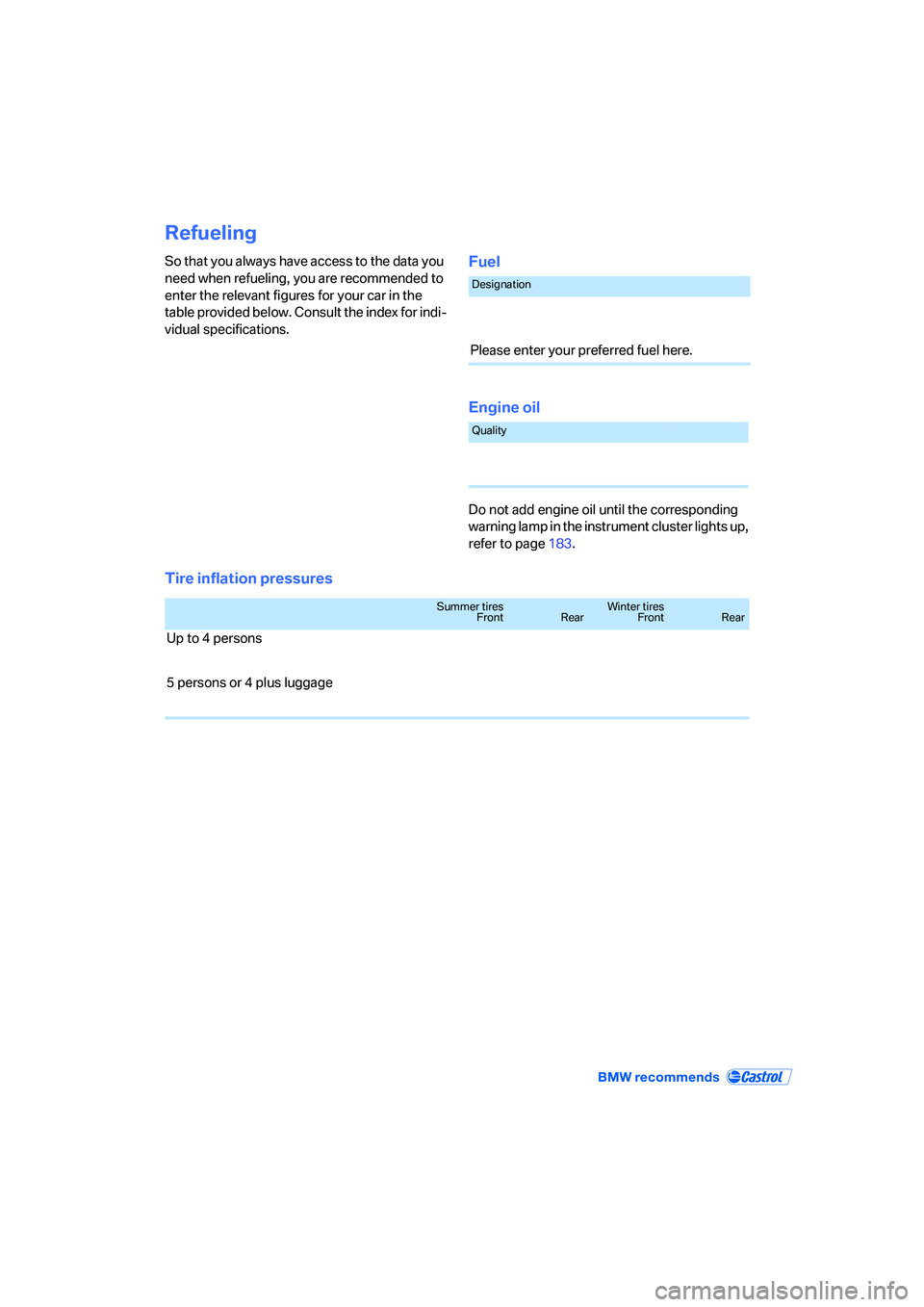
Refueling
So that you always have access to the data you
need when refueling, you are recommended to
enter the relevant figures for your car in the
table provided below. Consult the index for indi-
vidual specifications.Fuel
Engine oil
Do not add engine oil until the corresponding
warning lamp in the instrument cluster lights up,
refer to page183.
Tire inflation pressures
Designation
Please enter your preferred fuel here.
Quality
Summer tires
FrontRearWinter tires
FrontRear
Up to 4 persons
5 persons or 4 plus luggage