navigation system BMW 535I GRAN TURISMO 2013 User Guide
[x] Cancel search | Manufacturer: BMW, Model Year: 2013, Model line: 535I GRAN TURISMO, Model: BMW 535I GRAN TURISMO 2013Pages: 240, PDF Size: 5.49 MB
Page 139 of 240
At a glance
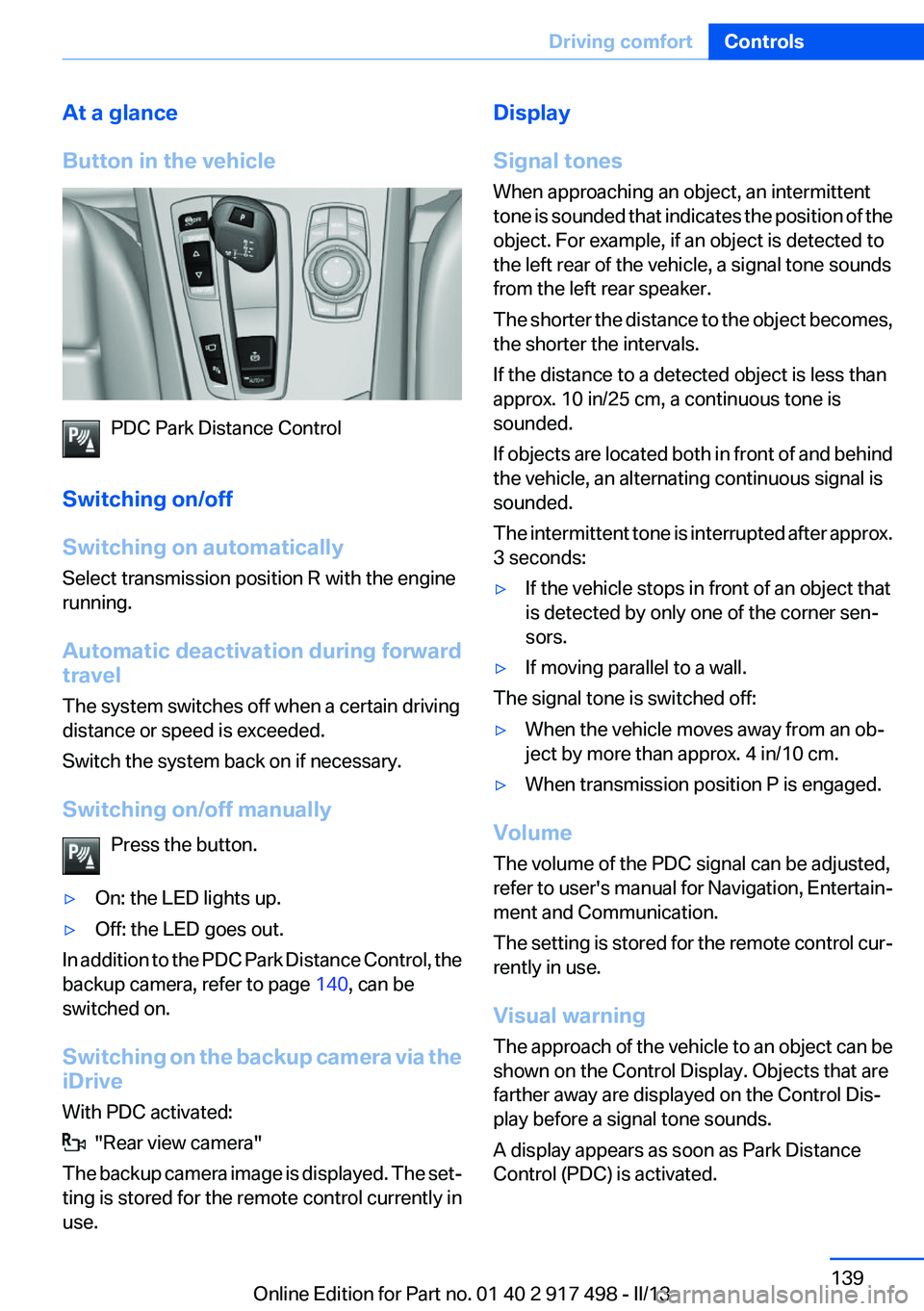
Button in the vehicle
PDC Park Distance Control
Switching on/off
Switching on automatically
Select transmission position R with the engine
running.
Automatic deactivation during forward
travel
The system switches off when a certain driving
distance or speed is exceeded.
Switch the system back on if necessary.
Switching on/off manually Press the button.
▷On: the LED lights up.▷Off: the LED goes out.
In addition to the PDC Park Distance Control, the
backup camera, refer to page 140, can be
switched on.
Switching on the backup camera via the
iDrive
With PDC activated:
"Rear view camera"
The backup camera image is displayed. The set‐
ting is stored for the remote control currently in
use.
Display
Signal tones
When approaching an object, an intermittent
tone is sounded that indicates the position of the
object. For example, if an object is detected to
the left rear of the vehicle, a signal tone sounds
from the left rear speaker.
The shorter the distance to the object becomes,
the shorter the intervals.
If the distance to a detected object is less than
approx. 10 in/25 cm, a continuous tone is
sounded.
If objects are located both in front of and behind
the vehicle, an alternating continuous signal is
sounded.
The intermittent tone is interrupted after approx.
3 seconds:▷If the vehicle stops in front of an object that
is detected by only one of the corner sen‐
sors.▷If moving parallel to a wall.
The signal tone is switched off:
▷When the vehicle moves away from an ob‐
ject by more than approx. 4 in/10 cm.▷When transmission position P is engaged.
Volume
The volume of the PDC signal can be adjusted,
refer to user's manual for Navigation, Entertain‐
ment and Communication.
The setting is stored for the remote control cur‐
rently in use.
Visual warning
The approach of the vehicle to an object can be
shown on the Control Display. Objects that are
farther away are displayed on the Control Dis‐
play before a signal tone sounds.
A display appears as soon as Park Distance
Control (PDC) is activated.
Seite 139Driving comfortControls139
Online Edition for Part no. 01 40 2 917 498 - II/13
Page 148 of 240
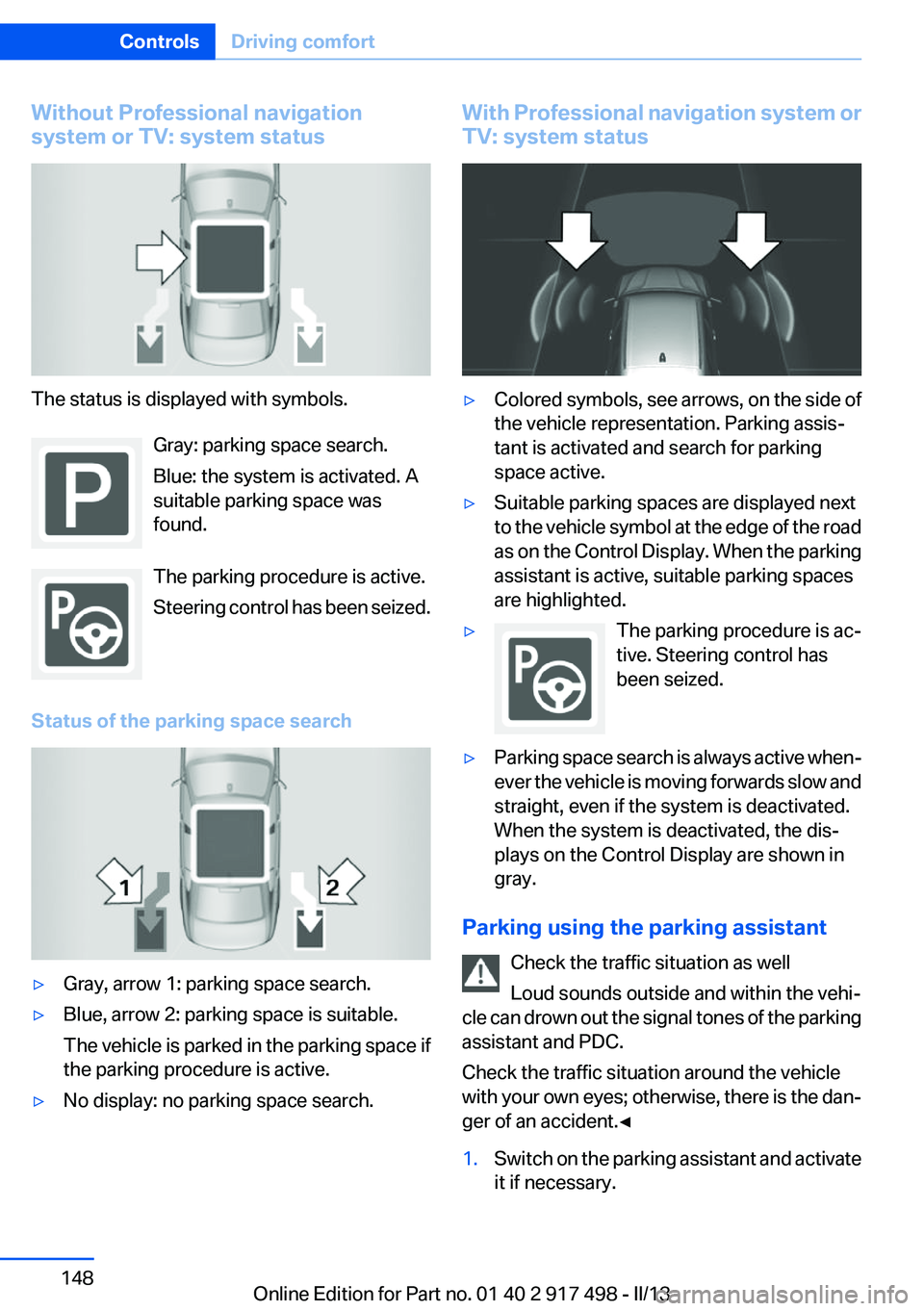
Without Professional navigation
system or TV: system status
The status is displayed with symbols.
Gray: parking space search.
Blue: the system is activated. A
suitable parking space was
found.
The parking procedure is active.
Steering control has been seized.
Status of the parking space search
▷Gray, arrow 1: parking space search.▷Blue, arrow 2: parking space is suitable.
The vehicle is parked in the parking space if
the parking procedure is active.▷No display: no parking space search.With Professional navigation system or
TV: system status▷Colored symbols, see arrows, on the side of
the vehicle representation. Parking assis‐
tant is activated and search for parking
space active.▷Suitable parking spaces are displayed next
to the vehicle symbol at the edge of the road
as on the Control Display. When the parking
assistant is active, suitable parking spaces
are highlighted.▷The parking procedure is ac‐
tive. Steering control has
been seized.▷Parking space search is always active when‐
ever the vehicle is moving forwards slow and
straight, even if the system is deactivated.
When the system is deactivated, the dis‐
plays on the Control Display are shown in
gray.
Parking using the parking assistant
Check the traffic situation as well
Loud sounds outside and within the vehi‐
cle can drown out the signal tones of the parking
assistant and PDC.
Check the traffic situation around the vehicle
with your own eyes; otherwise, there is the dan‐
ger of an accident.◀
1.Switch on the parking assistant and activate
it if necessary.Seite 148ControlsDriving comfort148
Online Edition for Part no. 01 40 2 917 498 - II/13
Page 150 of 240
The parking assistant failed. Have the system
checked.
Head-up Display
The concept
This system projects important information into
the driver's field of vision, e.g., the speed.
In this way, the driver can get information with‐
out averting his or her eyes from the road.
Display visibility
The visibility of the displays in the Head-up Dis‐
play is influenced by:
▷Certain sitting positions.▷Objects on the cover of the Head-up Dis‐
play.▷Sunglasses with certain polarization filters.▷Wet roads.▷Unfavorable light conditions.
If the image is distorted, check the basic set‐
tings.
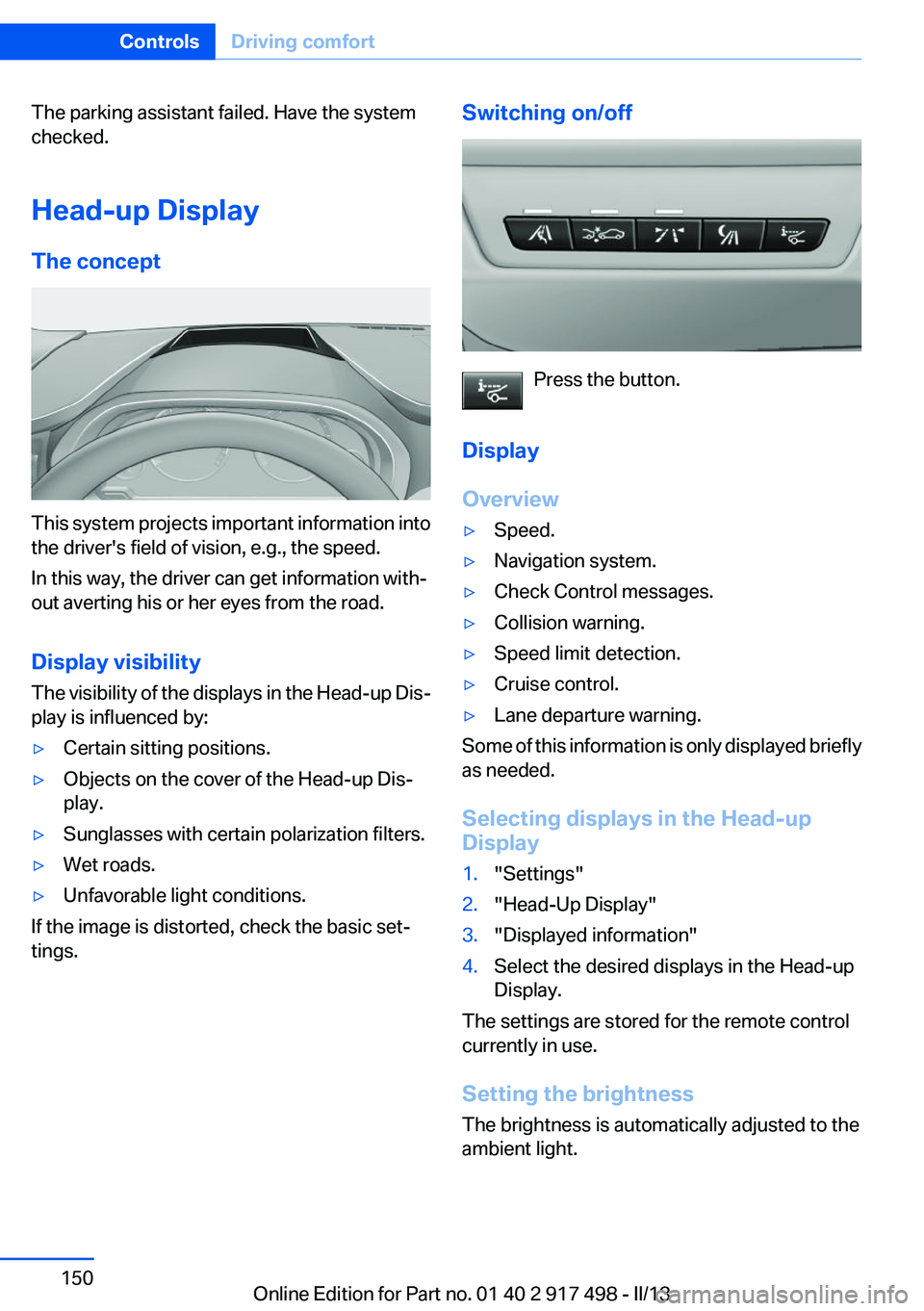
Switching on/off
Press the button.
Display
Overview
▷Speed.▷Navigation system.▷Check Control messages.▷Collision warning.▷Speed limit detection.▷Cruise control.▷Lane departure warning.
Some of this information is only displayed briefly
as needed.
Selecting displays in the Head-up
Display
1."Settings"2."Head-Up Display"3."Displayed information"4.Select the desired displays in the Head-up
Display.
The settings are stored for the remote control
currently in use.
Setting the brightness
The brightness is automatically adjusted to the
ambient light.
Seite 150ControlsDriving comfort150
Online Edition for Part no. 01 40 2 917 498 - II/13
Page 163 of 240
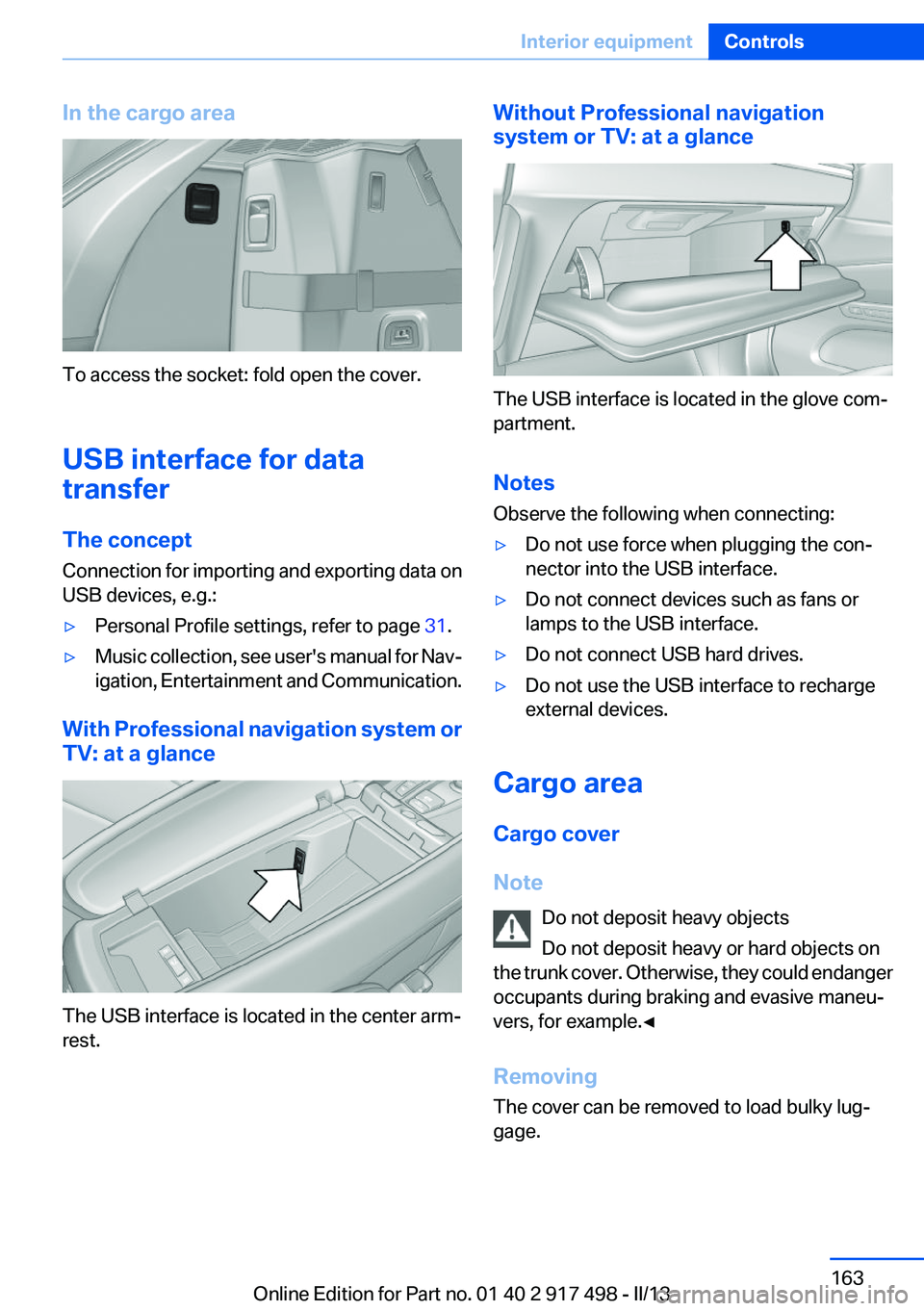
In the cargo area
To access the socket: fold open the cover.
USB interface for data
transfer
The concept
Connection for importing and exporting data on
USB devices, e.g.:
▷Personal Profile settings, refer to page 31.▷Music collection, see user's manual for Nav‐
igation, Entertainment and Communication.
With Professional navigation system or
TV: at a glance
The USB interface is located in the center arm‐
rest.
Without Professional navigation
system or TV: at a glance
The USB interface is located in the glove com‐
partment.
Notes
Observe the following when connecting:
▷Do not use force when plugging the con‐
nector into the USB interface.▷Do not connect devices such as fans or
lamps to the USB interface.▷Do not connect USB hard drives.▷Do not use the USB interface to recharge
external devices.
Cargo area
Cargo cover
Note Do not deposit heavy objects
Do not deposit heavy or hard objects on
the trunk cover. Otherwise, they could endanger
occupants during braking and evasive maneu‐
vers, for example.◀
Removing
The cover can be removed to load bulky lug‐
gage.
Seite 163Interior equipmentControls163
Online Edition for Part no. 01 40 2 917 498 - II/13
Page 213 of 240
to ensure that all comfort functions are fully
available and that any Check Control messages
are no longer displayed.
Charging the battery
Note Do not plug chargers into the socket
Do not connect battery chargers to the
factory-installed sockets in the vehicle as this
may damage the battery.◀
General information
Make sure that the battery is always sufficiently
charged to guarantee that the battery remains
usable for its full service life.
The battery may need to be charged in the fol‐
lowing cases:▷When making frequent short-distance
drives.▷If the vehicle is not used for prolonged peri‐
ods, longer than a month.
Starting aid terminals
In the vehicle, only charge the battery via the
starting aid terminals, refer to page 217, in the
engine compartment with the engine off.
Power failure
After a temporary power loss, some equipment
needs to be reinitialized.
Individual settings need to be reprogrammed:
▷Seat, mirror, and steering wheel memory:
store the positions again.▷Time: update.▷Date: update.▷Radio station: save again.▷Navigation system: wait for the operability of
the navigation.Disposing of old batteries
Have old batteries disposed of by your
service center or bring them to a recy‐
cling center.
Maintain the battery in an upright position for
transport and storage. Secure the battery so
that it does not tip over during transport.
Fuses
Notes Replacing fuses
Never attempt to repair a blown fuse and
do not replace a defective fuse with a substitute
of another color or amperage rating; this could
lead to a circuit overload, ultimately resulting in
a fire in the vehicle.◀
Plastic tweezers and information on the fuse
types and locations are stored in the fuse box in
the cargo area.
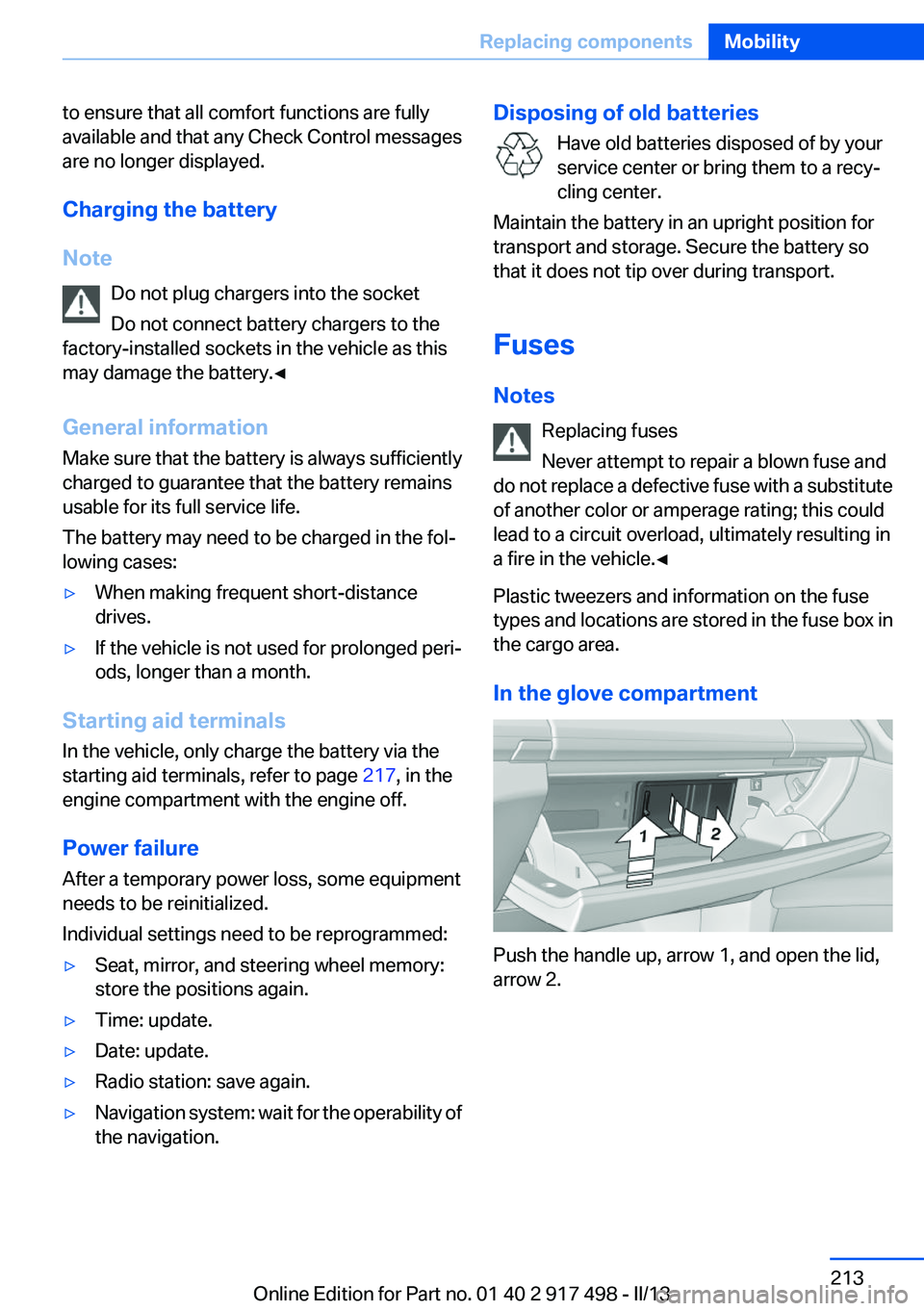
In the glove compartment
Push the handle up, arrow 1, and open the lid,
arrow 2.
Seite 213Replacing componentsMobility213
Online Edition for Part no. 01 40 2 917 498 - II/13
Page 217 of 240
Roadside Assistance
The Roadside Assistance phone number can be
viewed on the iDrive or a connection to Roadside
Assistance can be established directly. Phone,
see user's manual for Navigation, Entertainment
and Communication.
Jump-starting
Notes
If the battery is discharged, an engine can be
started using the battery of another vehicle and
two jumper cables. Only use jumper cables with
fully insulated clamp handles.
To prevent personal injury or damage to both
vehicles, adhere strictly to the following proce‐
dure.
Do not touch live parts
To avoid the risk of potentially fatal injury,
always avoid all contact with electrical compo‐
nents while the engine is running.◀
Preparation1.Check whether the battery of the other ve‐
hicle has a voltage of 12 volts. This informa‐
tion can be found on the battery.2.Switch off the engine of the assisting vehi‐
cle.3.Switch off any electronic systems/power
consumers in both vehicles.
Bodywork contact between vehicles
Make sure that there is no contact be‐
tween the bodywork of the two vehicles; other‐
wise, there is the danger of short circuits.◀
Starting aid terminals Connecting order
Connect the jumper cables in the correct
order; otherwise, there is the danger of injury
from sparking.◀
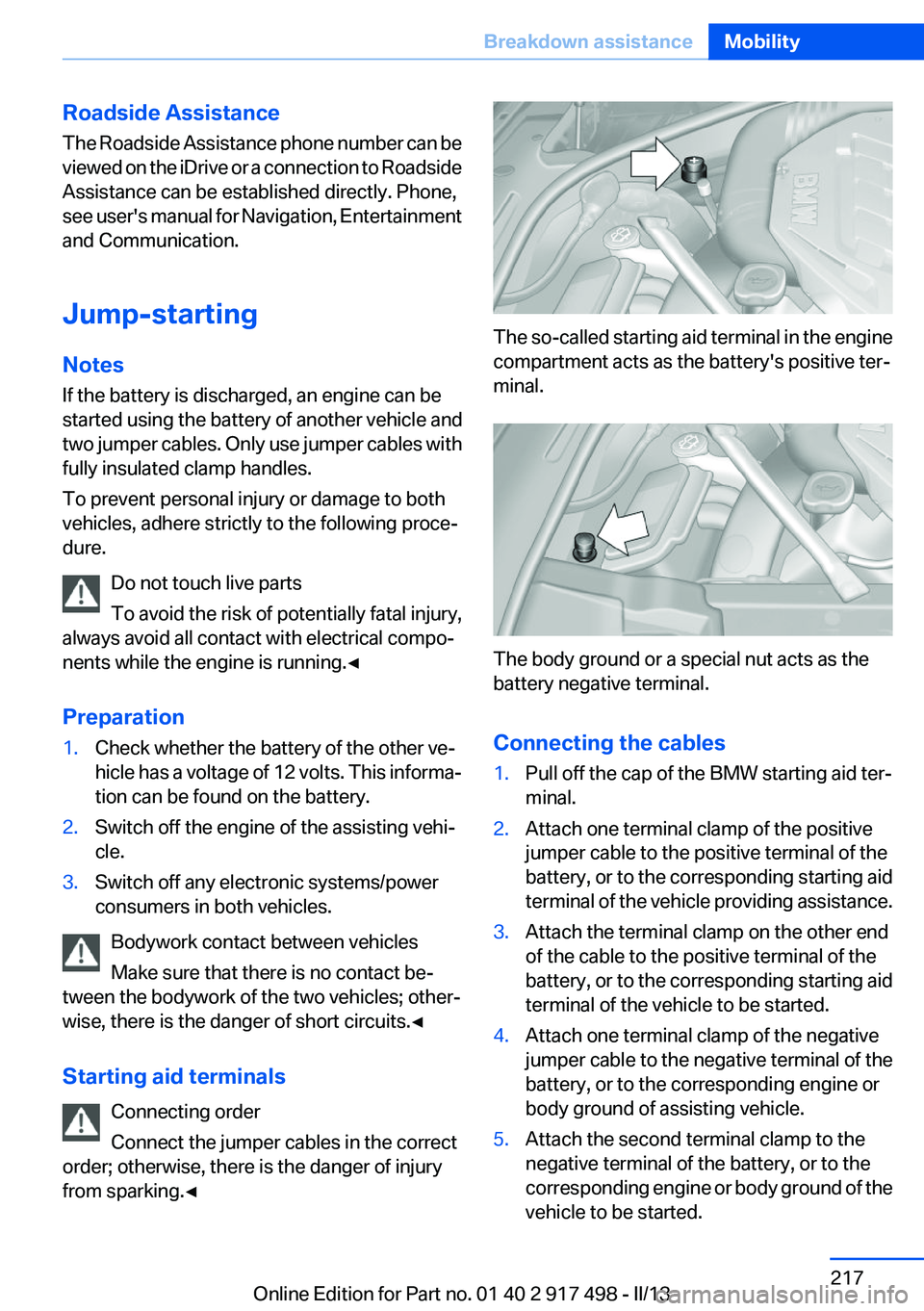
The so-called starting aid terminal in the engine
compartment acts as the battery's positive ter‐
minal.
The body ground or a special nut acts as the
battery negative terminal.
Connecting the cables
1.Pull off the cap of the BMW starting aid ter‐
minal.2.Attach one terminal clamp of the positive
jumper cable to the positive terminal of the
battery, or to the corresponding starting aid
terminal of the vehicle providing assistance.3.Attach the terminal clamp on the other end
of the cable to the positive terminal of the
battery, or to the corresponding starting aid
terminal of the vehicle to be started.4.Attach one terminal clamp of the negative
jumper cable to the negative terminal of the
battery, or to the corresponding engine or
body ground of assisting vehicle.5.Attach the second terminal clamp to the
negative terminal of the battery, or to the
corresponding engine or body ground of the
vehicle to be started.Seite 217Breakdown assistanceMobility217
Online Edition for Part no. 01 40 2 917 498 - II/13
Page 231 of 240
Beverage holder, cu‐pholder 169
Blinds, sun protection 46
BMW Assist, see user's manual for Navigation, Enter‐
tainment and Communica‐
tion
BMW Homepage 6
BMW Internet page 6
BMW maintenance sys‐ tem 206
Bonus range, ECO PRO 182
Bottle holder, refer to Cu‐ pholder 169
Brake assistant 122
Brake assistant, adaptive 122
Brake discs, breaking in 174
Brake force display 120
Brake lamps, brake force dis‐ play 120
Brake lamps, bulb replace‐ ment 211
Brake lights, adaptive 120
Brake pads, breaking in 174
Braking, notes 175
Breakdown assis‐ tance 215, 216
Breaking in 174
Brightness of Control Dis‐ play 96
Bulb replacement 208
Bulb replacement, rear 211
Bulbs and lamps 208
Button assignment for remote control 30
Button, RES 132
Button, Start/Stop 68
Bypassing, refer to Jump- starting 217
C
California Proposition 65 Warning 7
Camera, backup camera 141
Camera, care 223 Camera, Side View 143
Camera, Top View 144
Can holder, refer to Cu‐ pholder 169
Car battery 212
Car care products 221
Care, displays 223
Care, vehicle 221
Cargo 177
Cargo area 163
Cargo area, enlarging 164
Cargo area lid 38
Cargo area, storage compart‐ ments 170
Cargo cover 163
Cargo partition 165
Cargo straps, securing cargo 178
Car key, refer to Remote con‐ trol 30
Carpet, care 222
Car wash 220
Catalytic converter, refer to Hot exhaust system 174
CBS Condition Based Serv‐ ice 206
CD/Multimedia, see user's manual for Navigation, Enter‐
tainment and Communica‐
tion
Center armrest 168
Center console 14
Central locking system 34
Central screen, refer to Control Display 16
Changes, technical, refer to Safety 7
Changing parts 208
Changing wheels 212
Changing wheels/tires 197
Check Control 85
Children, seating position 63
Children, transporting safely 63
Child restraint fixing sys‐ tem 63 Child restraint fixing system
LATCH 64
Child restraint fixing systems, mounting 63
Child safety locks 67
Child seat, mounting 63
Child seats 63
Chrome parts, care 222
Cigarette lighter 161
Cleaning, displays 223
Climate control 152
Climate control wind‐ shield 175
Clock 88
Closing/opening from in‐ side 37
Closing/opening via door lock 36
Closing/opening with remote control 34
Clothes hooks 169
Collision warning 110, 112
Combination switch, refer to Turn signals 75
Combination switch, refer to Wiper system 76
COMFORT+ program, Driving Dynamics Control 128
Comfort Access 41
COMFORT program, Driving Dynamics Control 128
Computer 92
Condensation on win‐ dows 153
Condensation under the vehi‐ cle 176
Condition Based Service CBS 206
Configure driving mode 129
Confirmation signal 35
ConnectedDrive, see user's manual for Navigation, Enter‐
tainment and Communica‐
tion
Control Display 16
Control Display, settings 95 Seite 231Everything from A to ZReference231
Online Edition for Part no. 01 40 2 917 498 - II/13
Page 235 of 240
Manual operation, exterior mir‐rors 60
Manual operation, fuel filler flap 188
Manual operation, Park Dis‐ tance Control PDC 139
Manual operation, parking brake 72
Manual operation, Side View 143
Manual operation, Top View 145
Marking on approved tires 197
Marking, run-flat tires 198
Massage seat, front 52
Master key, refer to Remote control 30
Maximum cooling 153
Maximum speed, display 90
Maximum speed, winter tires 198
Measure, units of 96
Medical kit 216
Memory for seat, mirrors, steering wheel 59
Menu, EfficientDynamics 183
Menu in instrument cluster 92
Menus, operating, iDrive 16
Menus, refer to iDrive operat‐ ing concept 17
Messages, refer to Check Control 85
Microfilter 155
Minimum tread, tires 196
Mirror 60
Mirror memory 59
Mobile communication devi‐ ces in the vehicle 175
Modifications, technical, refer to Safety 7
Moisture in headlamp 209
Monitor, refer to Control Dis‐ play 16
Mounting of child restraint fix‐ ing systems 63 Multifunctional instrument
display 82
Multi-function hook 170
Multifunction steering wheel, buttons 12
N
Navigation, see user's manual for Navigation, Entertain‐
ment and Communication
Neck restraints, front, refer to Head restraints 57
Neck restraints, rear, refer to Head restraints 58
New wheels and tires 197
Night Vision with pedestrian detection 114
No Passing Information 90
Nylon rope for tow-starting/ towing 219
O
OBD Onboard Diagnos‐ tics 207
Obstacle marking, backup camera 142
Octane rating, refer to Gaso‐ line quality 190
Odometer 88
Office, see user's manual for Navigation, Entertainment
and Communication
Oil 203
Oil, adding 204
Oil additives 204
Oil change 204
Oil change interval, service re‐ quirements 89
Oil filler neck 204
Oil types, alternative 204
Oil types, approved 204
Old batteries, disposal 213
Onboard Diagnostics OBD 207 Onboard monitor, refer to
Control Display 16
Onboard vehicle tool kit 208
Opening/closing from in‐ side 37
Opening/closing via door lock 36
Opening/closing with remote control 34
Opening the tailgate with no- touch activation 42
Opening the trunk lid with no- touch activation 42
Operating concept, iDrive 16
Optional equipment, standard equipment 6
Outside air, refer to Automatic recirculated-air control 154
Overheating of engine, refer to Coolant temperature 88
Overtaking prohibitions 90
P
Paint, vehicle 221
Panoramic glass sunroof 47
Parallel parking assistant 146
Park Distance Control PDC 138
Parked-car ventilation 157
Parked vehicle, condensa‐ tion 176
Parking aid, refer to PDC 138
Parking assistant 146
Parking brake 72
Parking lamps 97
Parking with Auto Hold 74
Passenger side mirror, tilting downward 60
Pathway lines, backup cam‐ era 142
PDC Park Distance Con‐ trol 138
Pedestrian detection, refer to Night Vision 114 Seite 235Everything from A to ZReference235
Online Edition for Part no. 01 40 2 917 498 - II/13
Page 236 of 240
People detection, refer toNight Vision 114
Personal Profile 31
Pinch protection system, glass sunroof 47
Pinch protection system, win‐ dows 45
Plastic, care 222
Power failure 213
Power windows 45
Pressure, tire air pres‐ sure 191
Pressure warning FTM, tires 105
Profile, refer to Personal Pro‐ file 31
Programmable memory but‐ tons, iDrive 20
Protective function, glass sun‐ roof 47
Protective function, win‐ dows 45
Push-and-turn switch, refer to Controller 16
R
Radiator fluid 205
Radio-operated key, refer to Remote control 30
Radio ready state 69
Radio, see user's manual for Navigation, Entertainment
and Communication
Rain sensor 77
Rear automatic climate con‐ trol 156
Rear axle steering 125
Rear lamps 211
Rear seats, adjusting 53
Rear seats, basic position 55
Rear sockets 162
Rearview mirror 60
Rear window defroster 154
Recirculated-air mode 154 Recommended tire
brands 197
Refueling 188
Remaining range 89
Remote control/key 30
Remote control, button as‐ signment 30
Remote control, malfunc‐ tion 36
Remote control, universal 159
Replacement fuse 213
Replacing parts 208
Replacing wheels/tires 197
Reporting safety defects 9
RES button 132
Reserve warning, refer to Range 89
Reset, Tire Pressure Monitor TPM 108
Residual heat, automatic cli‐ mate control 154
Retaining straps, securing cargo 178
Retreaded tires 198
Reversing lamp, bulb replace‐ ment 211
Roadside parking lamps 98
Roller sunblinds 46
Roll stabilization, refer to Adaptive Drive 125
Roll stabilization, refer to Dy‐ namic Drive 125
RON gasoline quality 190
Roof load capacity 227
Roof-mounted luggage rack 178
Rope for tow-starting/tow‐ ing 219
RSC Run Flat System Compo‐ nent, refer to Run-flat
tires 198
Rubber components, care 222
Run-flat tires 198 S
Safe braking 175
Safety 7
Safety belt reminder for driv‐ er's seat and front passenger
seat 56
Safety belts 56
Safety belts, care 222
Safety Package, refer to Active Protection 120
Safety switch, windows 46
Safety systems, airbags 102
Saving fuel 180
Screen, refer to Control Dis‐ play 16
Screwdriver 208
Screw thread for tow fit‐ ting 219
Seat belts, refer to Safety belts 56
Seat heating, front 52
Seat heating, rear 55
Seating position for chil‐ dren 63
Seat, mirror, and steering wheel memory 59
Seats 49
Seats, rear, adjusting 53
Seat ventilation, front 52
Seat ventilation, rear 55
Selection list in instrument cluster 92
Selector lever, automatic transmission 79
Self-leveling suspension, air suspension 126
Self-leveling suspension, mal‐ function 126
Sensors, care 223
Service and warranty 7
Service requirements, Condi‐ tion Based Service CBS 206
Service requirements, dis‐ play 89 Seite 236ReferenceEverything from A to Z236
Online Edition for Part no. 01 40 2 917 498 - II/13
Page 237 of 240
Service, Roadside Assis‐tance 216
Settings on Control Dis‐ play 95
Settings, storing for seat, mir‐ rors, steering wheel 59
Shifting, automatic transmis‐ sion 78
Shift paddles on steering wheel 80
Shoulder support 51
Side airbags 102
Side View 143
Signaling, horn 12
Signals when unlocking 35
Sitting safely 49
Size 226
Ski and snowboard bag 166
Slide/tilt glass roof 47
Smallest turning circle 227
Smoker's package 161
Snow chains 199
Socket 162
Socket, OBD Onboard Diag‐ nostics 207
SOS button 215
Spare fuse 213
Speaker lighting 101
Specified engine oil types 204
Speed, average 93
Speed limit detection, on‐ board computer 93
Speed limiter, display 90
Speed Limit Information 90
Speed limit in the com‐ puter 93
Split screen 20
SPORT+ - program, Dynamic Driving Control 128
Sport automatic transmis‐ sion 80
SPORT program, Dynamic Driving Control 128
Sport program, transmis‐ sion 80 Stability control systems 122
Start/stop, automatic func‐ tion 70
Start/Stop button 68
Start function during malfunc‐ tion 31
Starting the engine 69
Status display, tires 107
Status information, iDrive 19
Status of Owner's Manual 6
Steering, Integral Active Steering 125
Steering wheel, adjusting 62
Steering wheel heating 62
Steering wheel memory 59
Steptronic, automatic trans‐ mission 78
Stopping the engine 69
Storage compartment in the center console 169
Storage compartments 167
Storage compartments, loca‐ tions 167
Storage, tires 198
Storing the vehicle 223
Summer tires, tread 196
Supplementary text mes‐ sage 87
Surround View 140
Suspension settings 127
Switch for Dynamic Driving Control 127
Switch-on times, parked-car ventilation 158
Switch, refer to Cockpit 12
Symbols 6
T
Tachometer 88
Tail and brake lamps 211
Tailgate 38
Tailgate, automatic 39
Tailgate, emergency unlock‐ ing 41
Tailgate, hotel function 41 Tailgate opening with no-
touch activation 42
Tailgate via remote control 35
Tail lamps 211
Tail lamps, bulb replace‐ ment 211
Technical changes, refer to Safety 7
Technical data 226
Telephone, see user's manual for Navigation, Entertain‐
ment and Communication
Temperature, automatic cli‐ mate control 153
Temperature display, external temperature 88
Temperature, engine oil 88
Tempomat, refer to Active Cruise Control 130
Terminal, jump-starting 217
Text message, supplemen‐ tary 87
Theft alarm system, refer to Alarm system 43
Theft protection, refer to Cen‐ tral locking system 34
Thermal camera, refer to Night Vision 114
Through-loading system 164
Tilt alarm sensor 44
Time of arrival 93
Tire damage 196
Tire identification marks 195
Tire inflation pressure 191
Tire inflation pressure monitor, refer to FTM 105
Tire Pressure Monitor TPM 107
Tires, changing 197
Tires, everything on wheels and tires 191
Tires, run-flat tires 198
Tire tread 196
Tone, see user's manual for Navigation, Entertainment
and Communication Seite 237Everything from A to ZReference237
Online Edition for Part no. 01 40 2 917 498 - II/13