engine BMW 540I SEDAN 2000 Owner's Manual
[x] Cancel search | Manufacturer: BMW, Model Year: 2000, Model line: 540I SEDAN, Model: BMW 540I SEDAN 2000Pages: 217, PDF Size: 1.69 MB
Page 75 of 217
75n
RepairsIndexOverview Controls Car care Technology Data
Automatic transmission with Steptronic
*
Before leaving the vehicle when
the engine is running, shift the se-
lector lever to the "Park" or "Neutral"
position and apply the parking brake.
The vehicle could move if this is not
done. Do not leave the car unattended
with the engine running. An unattended
vehicle with a running engine repre-
sents a potential safety hazard.
If you should inadvertently select "Neu-
tral" while traveling at high speed, re-
move your foot from the accelerator
pedal immediately. Allow the engine
speed to drop to idle before selecting
the desired drive position. Damage
could otherwise occur due to excessive
engine speed.<
P ParkSelect "Park" only when the vehicle is
stationary. The transmission locks to
prevent the rear wheels from turning.R ReverseSelect "Reverse" only when the vehicle
is stationary.N NeutralSelect "Neutral" only if your journey is
interrupted for a long period.
D Drive
(automatic shift program)This position is designed for driving un-
der all normal operating conditions. All
forward gears are available."Kickdown" In the "Kickdown" mode, you achieve
maximum performance.
To activate this mode, depress the ac-
celerator pedal beyond the full-throttle
position, at which a resistance point
must be overcome.
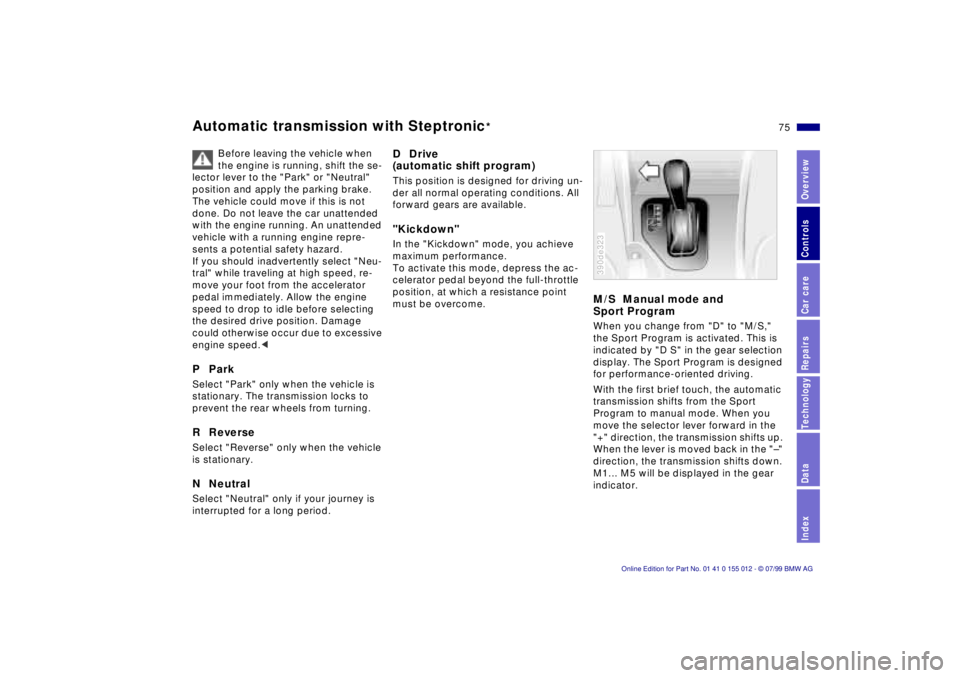
M/S Manual mode and
Sport ProgramWhen you change from "D" to "M/S,"
the Sport Program is activated. This is
indicated by "D S" in the gear selection
display. The Sport Program is designed
for performance-oriented driving.
With the first brief touch, the automatic
transmission shifts from the Sport
Program to manual mode. When you
move the selector lever forward in the
"+" direction, the transmission shifts up.
When the lever is moved back in the "Ð"
direction, the transmission shifts down.
M1... M5 will be displayed in the gear
indicator.390de323
Page 76 of 217
76n
Automatic transmission with Steptronic
*
Upshifts or downshifts will be carried
out by the ATC only at appropriate en-
gine speeds and road speeds. For in-
stance, if engine speed is too high, a
downshift will not be executed. The
gear selected will appear briefly in the
instrument cluster followed by the cur-
rent gear.
If you are driving in the manual
mode and wish to accelerate rap-
idly from low road speeds (when pass-
ing, for instance), you must shift down
manually or with the kickdown func-
tion.<
You can only change from "M/S" to se-
lector lever positions "P,""R," and "N"
via the "D" position.
In the following situations, the Step-
tronic "thinks" for you in the manual
mode:
>In order to prevent engine over-
speeding, the transmission shifts au-
tomatically to the next higher gear
shortly before the RPM cutoff point
>At low speeds, the transmission shifts
down automatically Ð you do not have
to act
>In the kickdown mode, the transmis-
sion shifts down to the lowest gear
which is possible, depending on the
engine speed
>According to the situation, for
instance in wintry conditions, the
vehicle can be started in 2nd or
3rd gear.Electronic transmission control
module
If the indicator lamp comes on
or the message "TRANS.FAIL-
SAFE PROG" appears in the
Check Control
*, there is a fault in the
transmission system.
Bring the vehicle to a stop. Move the
transmission selector lever to "P." Set
the parking brake and turn the engine
off (ignition key to position 0).
Wait a few seconds, then start the
engine.
If the indicator lamp goes out after a
few seconds, normal transmission per-
formance has been restored. You may
continue to drive as usual. If the indica-
tor lamp does not go out, you can place
the selector lever in all positions. How-
ever, the vehicle will now only drive for-
ward with limited gear selection.
If this happens, avoid extreme engine
loads and consult the nearest autho-
rized BMW center.
Do not work in the engine com-
partment when a drive gear (for-
ward or reverse) is engaged. If you do
this, the vehicle could move.<
For jump-starting, towing and tow-
starting, refer to pages 182 and 183.
Page 79 of 217
79n
RepairsIndexOverview Controls Car care Technology Data
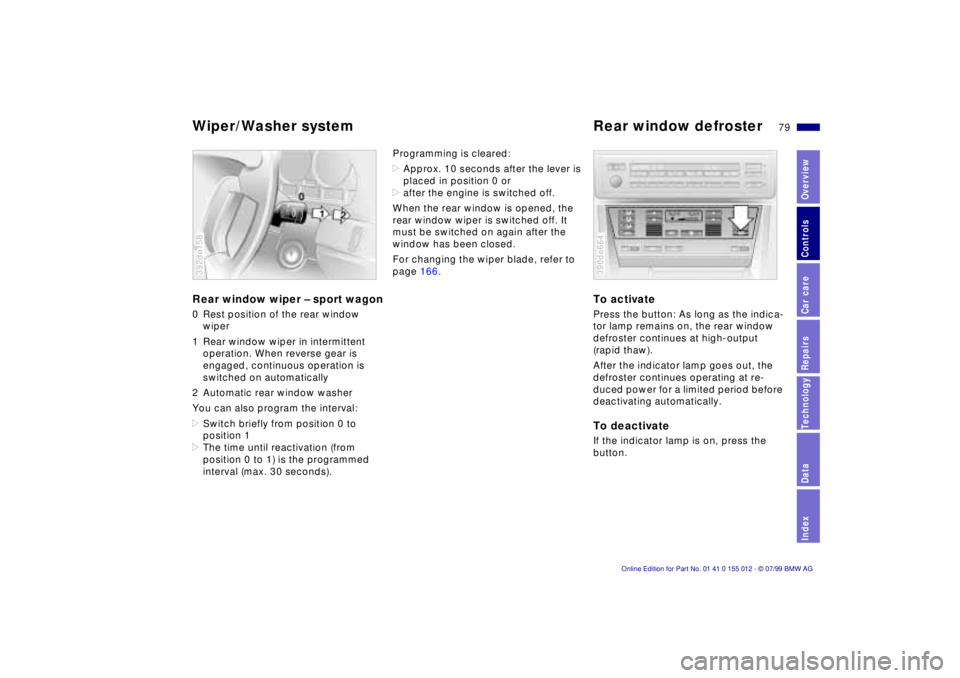
Wiper/Washer system Rear window defrosterRear window wiper Ð sport wagon0 Rest position of the rear window
wiper
1 Rear window wiper in intermittent
operation. When reverse gear is
engaged, continuous operation is
switched on automatically
2 Automatic rear window washer
You can also program the interval:
>Switch briefly from position 0 to
position 1
>The time until reactivation (from
position 0 to 1) is the programmed
interval (max. 30 seconds).392de158
Programming is cleared:
>Approx. 10 seconds after the lever is
placed in position 0 or
>after the engine is switched off.
When the rear window is opened, the
rear window wiper is switched off. It
must be switched on again after the
window has been closed.
For changing the wiper blade, refer to
page 166.
To activatePress the button: As long as the indica-
tor lamp remains on, the rear window
defroster continues at high-output
(rapid thaw).
After the indicator lamp goes out, the
defroster continues operating at re-
duced power for a limited period before
deactivating automatically. To deactivateIf the indicator lamp is on, press the
button.390de664
Page 80 of 217
80n
Cruise controlYou can store and automatically main-
tain any desired vehicle speed above
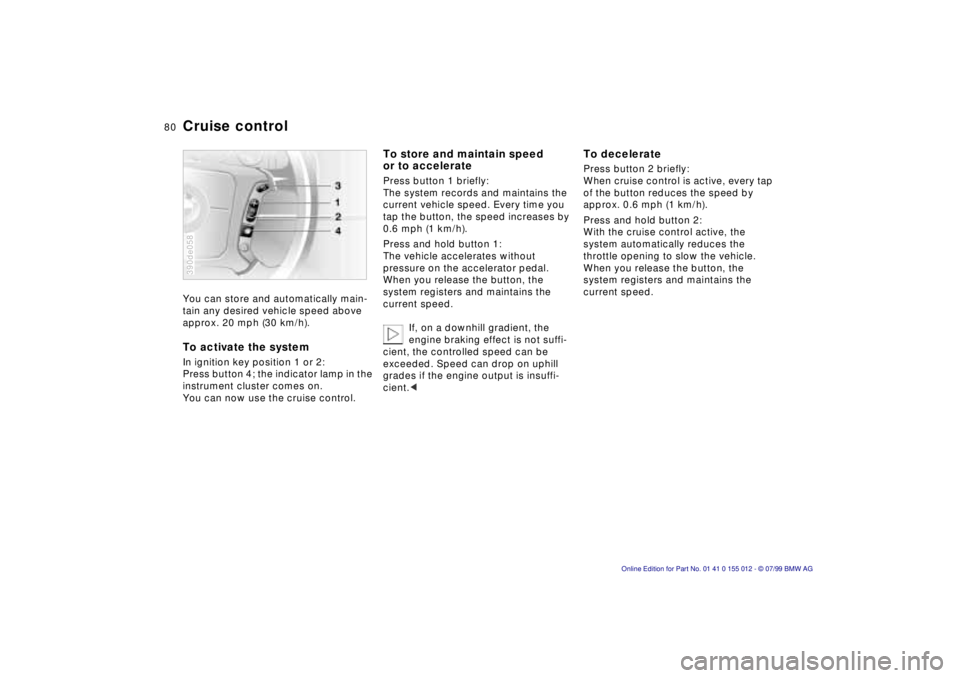
approx. 20 mph (30 km/h).To activate the systemIn ignition key position 1 or 2:
Press button 4; the indicator lamp in the
instrument cluster comes on.
You can now use the cruise control.390de058
To store and maintain speed
or to accelerate Press button 1 briefly:
The system records and maintains the
current vehicle speed. Every time you
tap the button, the speed increases by
0.6 mph (1 km/h).
Press and hold button 1:
The vehicle accelerates without
pressure on the accelerator pedal.
When you release the button, the
system registers and maintains the
current speed.
If, on a downhill gradient, the
engine braking effect is not suffi-
cient, the controlled speed can be
exceeded. Speed can drop on uphill
grades if the engine output is insuffi-
cient.<
To deceleratePress button 2 briefly:
When cruise control is active, every tap
of the button reduces the speed by
approx. 0.6 mph (1 km/h).
Press and hold button 2:
With the cruise control active, the
system automatically reduces the
throttle opening to slow the vehicle.
When you release the button, the
system registers and maintains the
current speed.
Page 83 of 217
83n
RepairsIndexOverview Controls Car care Technology Data
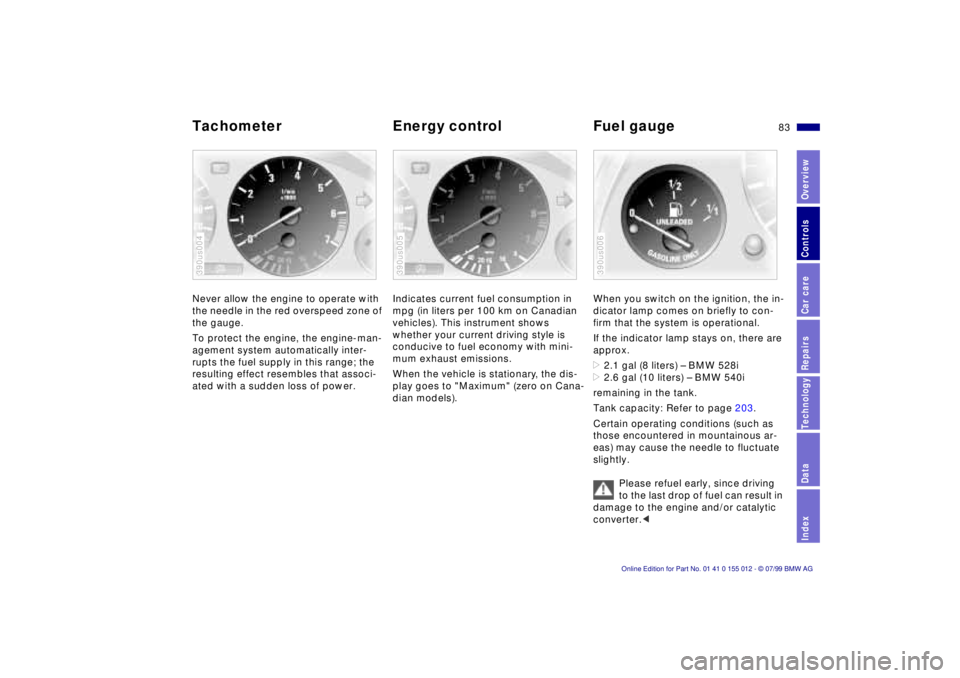
Tachometer Energy control Fuel gaugeNever allow the engine to operate with
the needle in the red overspeed zone of
the gauge.
To protect the engine, the engine-man-
agement system automatically inter-
rupts the fuel supply in this range; the
resulting effect resembles that associ-
ated with a sudden loss of power.390us004
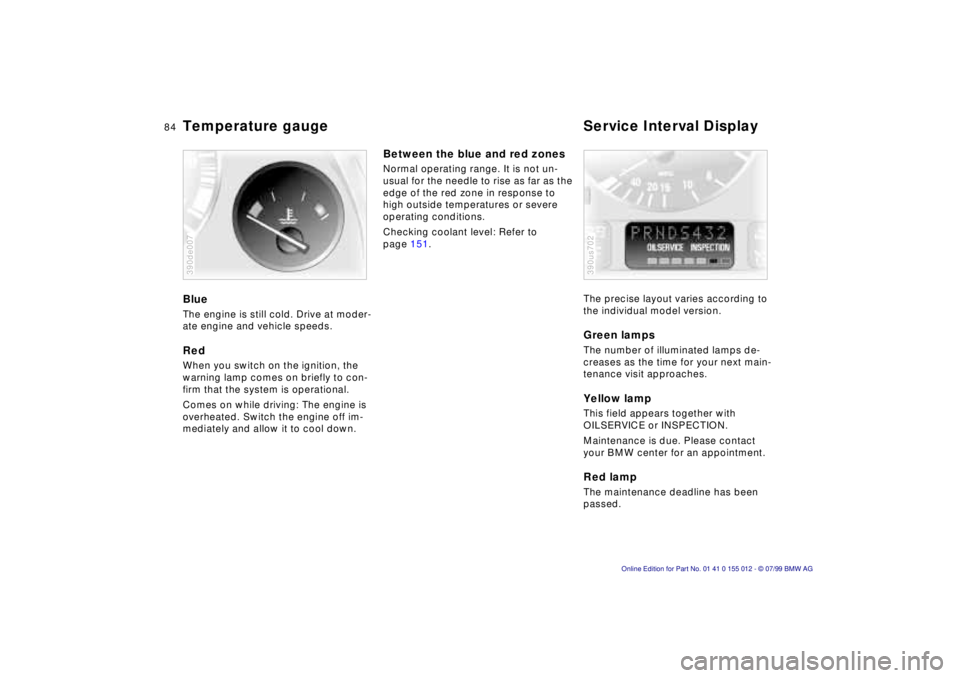
Indicates current fuel consumption in
mpg (in liters per 100 km on Canadian
vehicles). This instrument shows
whether your current driving style is
conducive to fuel economy with mini-
mum exhaust emissions.
When the vehicle is stationary, the dis-
play goes to "Maximum" (zero on Cana-
dian models).390us005
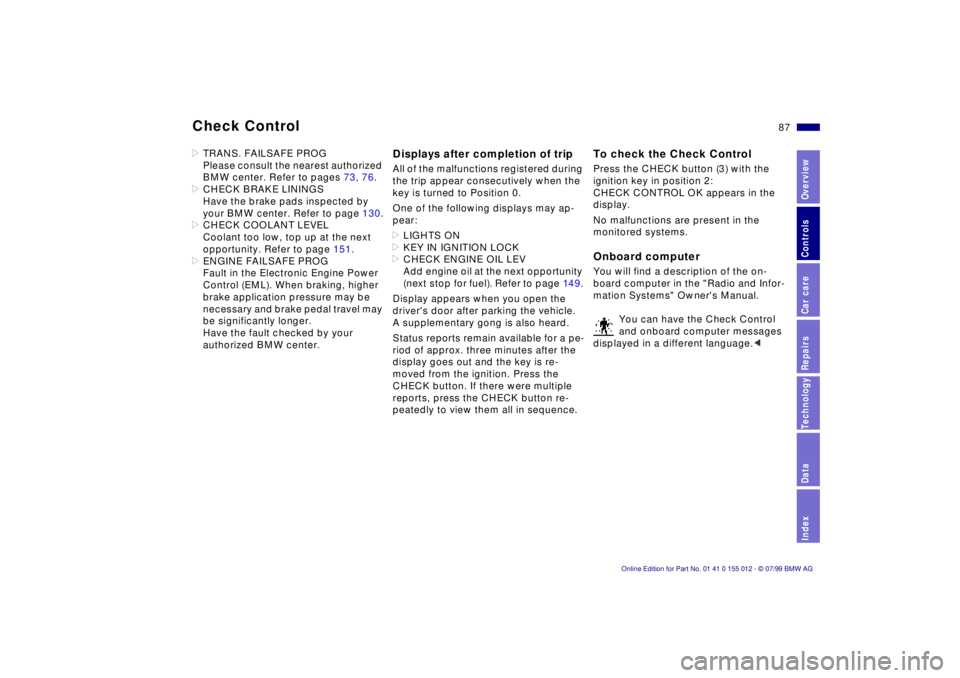
When you switch on the ignition, the in-
dicator lamp comes on briefly to con-
firm that the system is operational.
If the indicator lamp stays on, there are
approx.
>2.1 gal (8 liters) Ð BMW 528i
>2.6 gal (10 liters) Ð BMW 540i
remaining in the tank.
Tank capacity: Refer to page 203.
Certain operating conditions (such as
those encountered in mountainous ar-
eas) may cause the needle to fluctuate
slightly.
Please refuel early, since driving
to the last drop of fuel can result in
damage to the engine and/or catalytic
converter.< 390us006
Page 84 of 217
84n
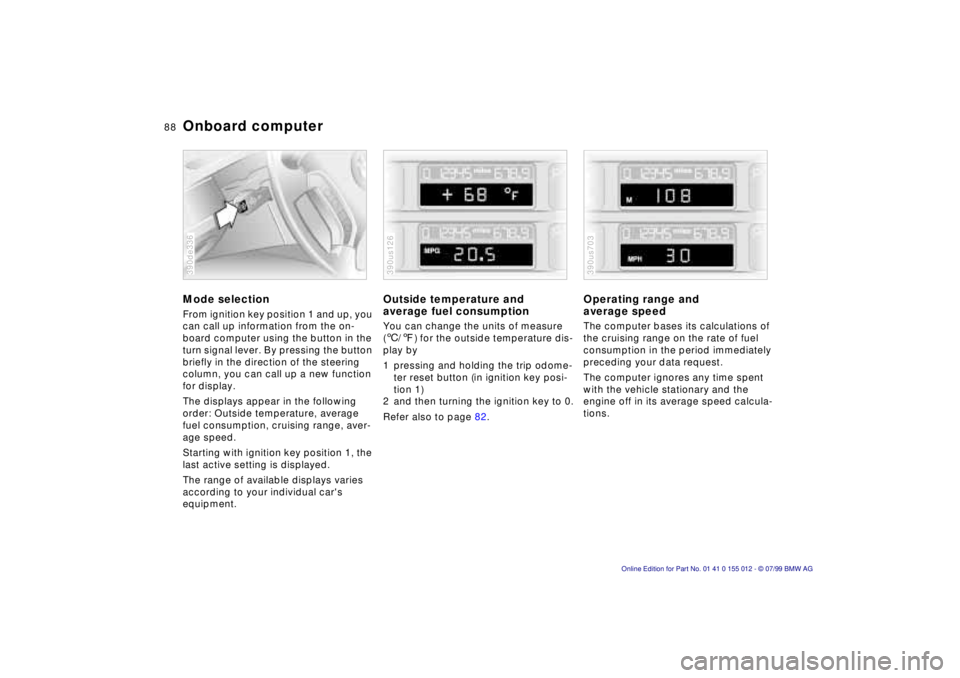
Temperature gauge Service Interval DisplayBlueThe engine is still cold. Drive at moder-
ate engine and vehicle speeds.RedWhen you switch on the ignition, the
warning lamp comes on briefly to con-
firm that the system is operational.
Comes on while driving: The engine is
overheated. Switch the engine off im-
mediately and allow it to cool down.390de007
Between the blue and red zonesNormal operating range. It is not un-
usual for the needle to rise as far as the
edge of the red zone in response to
high outside temperatures or severe
operating conditions.
Checking coolant level: Refer to
page 151.
The precise layout varies according to
the individual model version.
Green lampsThe number of illuminated lamps de-
creases as the time for your next main-
tenance visit approaches.Yellow lampThis field appears together with
OILSERVICE or INSPECTION.
Maintenance is due. Please contact
your BMW center for an appointment.Red lampThe maintenance deadline has been
passed.390us702
Page 86 of 217

86n
Check Control>RELEASE PARKINGBRAKE
>COOLANT TEMPERATURE
The coolant is overheated. Stop the
vehicle and switch off the engine im-
mediately. Refer to pages 84
and 15 1.
>STOP! ENGINE OILPRESS
The oil pressure is too low. Stop the
vehicle and switch off the engine im-
mediately. Refer to page 22.
>CHECK BRAKE FLUID
Indicates that brake fluid is down to
roughly minimum level. Top up the
brake fluid at the next opportunity.
Refer to page 152. Have the source
of the brake fluid loss diagnosed and
corrected by your BMW center.
>FLAT TIRE
*
Reduce vehicle speed immediately
and stop the vehicle. Avoid hard
brake applications. Do not oversteer.
Refer to page 93.
>LOAD LEVEL INACTIVE
Please consult the nearest authorized
BMW center. Refer to page 132.
>SPEED LIMIT
*
Display if the programmed speed
limit has been exceeded.Priority 2
These displays appear for 20 seconds
when the ignition key is turned to posi-
tion 2. The warning symbols remain
after the message disappears. You can
display the messages again by pressing
the CHECK button (3):
>TRUNKLID OPEN
Message appears only when the
vehicle is initially set in motion.
>DOOR OPEN
This message appears after a minimal
defined road speed has been ex-
ceeded.
>FASTEN SEAT BELTS
*
In addition to this message, a
warning lamp with the safety belt icon
appears and an acoustical signal
sounds.
>WASHER FLUID LOW
Too low; top up fluid at the next
opportunity. Refer to page 148.
>CHECK ENGINE OIL LEV
Add engine oil as soon as possible.
Refer to page 149.
>OUTSIDE TEMP. +207 (Ð56)
This display is only an example. The
current temperature is displayed at
outside temperatures of +37.57
(+36) and below. Refer also to
page 82.>TIRE PRESSURE SET
*
The RDC has imported the current in-
flation pressure in the tires as the tar-
get values which the system will
monitor.
Refer to page 92.
>CHECK TIRE PRESSURE
*
Check and correct the tire inflation
pressure to specifications at the earli-
est opportunity (next stop for fuel).
Refer to page 92.
>TIRE CHECK INACTIVE
*
A temporary interference of the RDC
or a system fault. Refer to page 93.
>CHECK BRAKE LAMPS
A lamp has failed or the electrical cir-
cuit has a fault. Refer to pages 169
and 170 or consult an authorized
BMW center.
>CHECK LOWBEAM LAMPS
CHECK SIDE LAMPS
CHECK REAR LAMPS
CHECK FRONT FOGLAMPS
CHECK LICPLATE LAMP
CHECK HIGHBEAM LAMP
CHECK BACK UP LAMPS
Defective bulb or circuit. Refer to
page 167 or consult an authorized
BMW center.
Page 87 of 217
87n
RepairsIndexOverview Controls Car care Technology Data
Check Control>TRANS. FAILSAFE PROG
Please consult the nearest authorized
BMW center. Refer to pages 73, 76.
>CHECK BRAKE LININGS
Have the brake pads inspected by
your BMW center. Refer to page 130.
>CHECK COOLANT LEVEL
Coolant too low, top up at the next
opportunity. Refer to page 151.
>ENGINE FAILSAFE PROG
Fault in the Electronic Engine Power
Control (EML). When braking, higher
brake application pressure may be
necessary and brake pedal travel may
be significantly longer.
Have the fault checked by your
authorized BMW center.
Displays after completion of tripAll of the malfunctions registered during
the trip appear consecutively when the
key is turned to Position 0.
One of the following displays may ap-
pear:
>LIGHTS ON
>KEY IN IGNITION LOCK
>CHECK ENGINE OIL LEV
Add engine oil at the next opportunity
(next stop for fuel). Refer to page 14 9.
Display appears when you open the
driver's door after parking the vehicle.
A supplementary gong is also heard.
Status reports remain available for a pe-
riod of approx. three minutes after the
display goes out and the key is re-
moved from the ignition. Press the
CHECK button. If there were multiple
reports, press the CHECK button re-
peatedly to view them all in sequence.
To check the Check ControlPress the CHECK button (3) with the
ignition key in position 2:
CHECK CONTROL OK appears in the
display.
No malfunctions are present in the
monitored systems.Onboard computerYou will find a description of the on-
board computer in the "Radio and Infor-
mation Systems" Owner's Manual.
You can have the Check Control
and onboard computer messages
displayed in a different language.<
Page 88 of 217
88n
Onboard computerMode selectionFrom ignition key position 1 and up, you
can call up information from the on-
board computer using the button in the
turn signal lever. By pressing the button
briefly in the direction of the steering
column, you can call up a new function
for display.
The displays appear in the following
order: Outside temperature, average
fuel consumption, cruising range, aver-
age speed.
Starting with ignition key position 1, the
last active setting is displayed.
The range of available displays varies
according to your individual car's
equipment.390de336
Outside temperature and
average fuel consumptionYou can change the units of measure
(6/7) for the outside temperature dis-
play by
1 pressing and holding the trip odome-
ter reset button (in ignition key posi-
tion 1)
2 and then turning the ignition key to 0.
Refer also to page 82.390us126
Operating range and
average speed The computer bases its calculations of
the cruising range on the rate of fuel
consumption in the period immediately
preceding your data request.
The computer ignores any time spent
with the vehicle stationary and the
engine off in its average speed calcula-
tions.390us703
Page 89 of 217

89n
RepairsIndexOverview Controls Car care Technology Data
Onboard computerCancel displayIf the button in the turn-signal lever is
pressed briefly while the average speed
is displayed, the onboard computer dis-
play can be masked out.To restart calculationsIf you continue to press the button in
the turn signal lever, the average values
which were just displayed for fuel con-
sumption and speed will be recalcu-
lated from that point (the engine must
be running for this).
Onboard computer with
alphanumeric display
*
If your vehicle has Check Control with
alphanumeric display, the system's on-
board computer is described in the
"Radio and information systems"
Owner's Manual.