buttons BMW 540I SEDAN 2003 User Guide
[x] Cancel search | Manufacturer: BMW, Model Year: 2003, Model line: 540I SEDAN, Model: BMW 540I SEDAN 2003Pages: 187, PDF Size: 2.3 MB
Page 94 of 187
94n
Computer in the MID
*
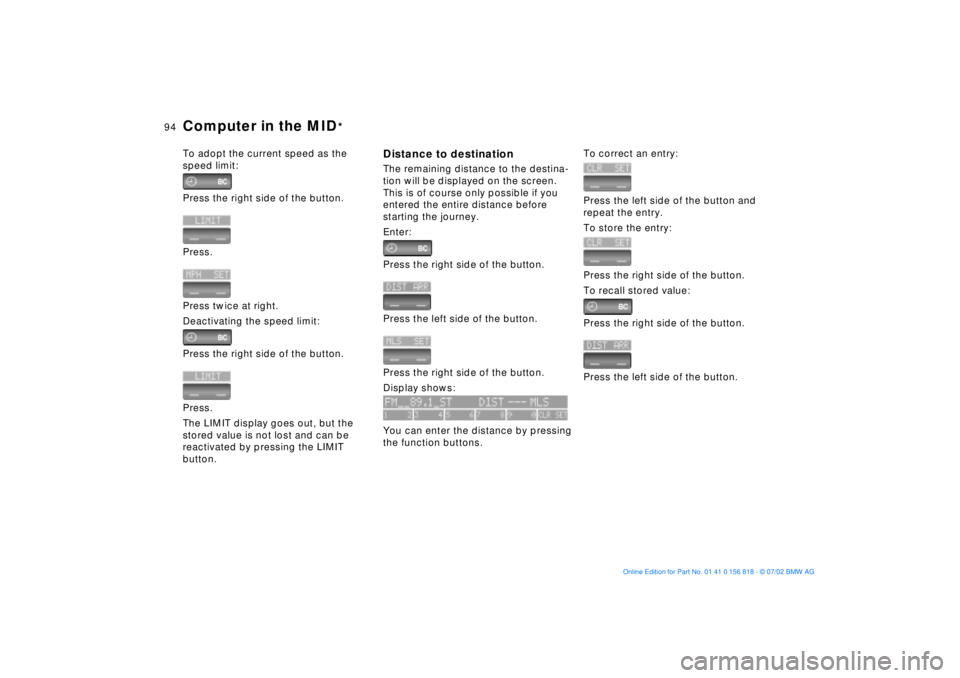
To adopt the current speed as the
speed limit:
Press the right side of the button.
Press.
Press twice at right.
Deactivating the speed limit:
Press the right side of the button.
Press.
The LIMIT display goes out, but the
stored value is not lost and can be
reactivated by pressing the LIMIT
button.
Distance to destinationThe remaining distance to the destina-
tion will be displayed on the screen.
This is of course only possible if you
entered the entire distance before
starting the journey.
Enter:
Press the right side of the button.
Press the left side of the button.
Press the right side of the button.
Display shows:
You can enter the distance by pressing
the function buttons.
To correct an entry:
Press the left side of the button and
repeat the entry.
To store the entry:
Press the right side of the button.
To recall stored value:
Press the right side of the button.
Press the left side of the button.
Page 96 of 187
96n
Computer in the MID
*
SpeedYou can call up a display of the
vehicle's average speed.
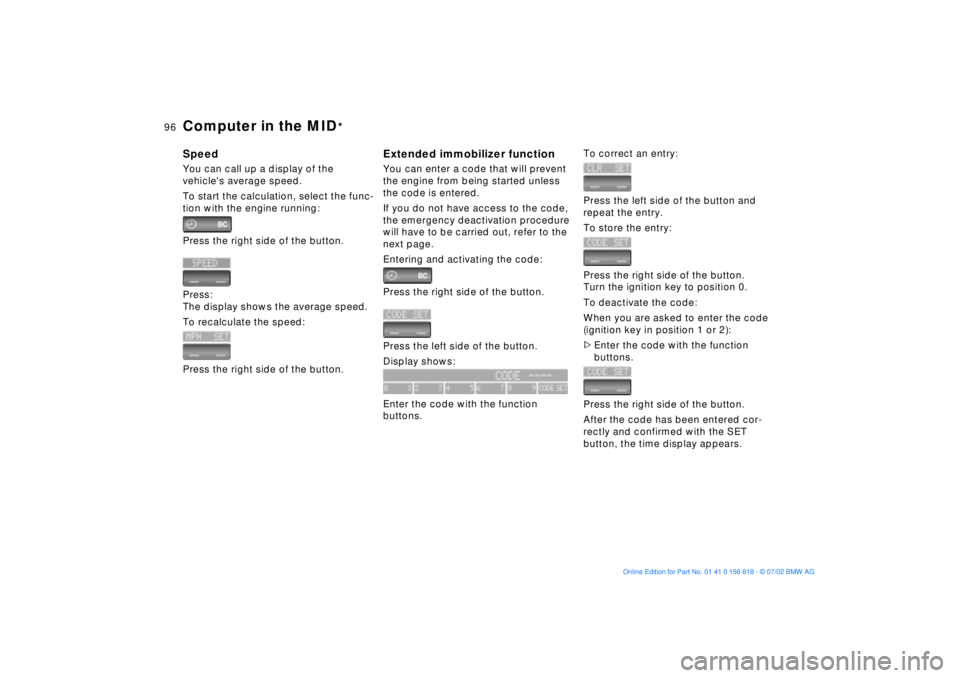
To start the calculation, select the func-
tion with the engine running:
Press the right side of the button.
Press:
The display shows the average speed.
To recalculate the speed:
Press the right side of the button.
Extended immobilizer functionYou can enter a code that will prevent
the engine from being started unless
the code is entered.
If you do not have access to the code,
the emergency deactivation procedure
will have to be carried out, refer to the
next page.
Entering and activating the code:
Press the right side of the button.
Press the left side of the button.
Display shows:
Enter the code with the function
buttons.
To correct an entry:
Press the left side of the button and
repeat the entry.
To store the entry:
Press the right side of the button.
Turn the ignition key to position 0.
To deactivate the code:
When you are asked to enter the code
(ignition key in position 1 or 2):
>Enter the code with the function
buttons.
Press the right side of the button.
After the code has been entered cor-
rectly and confirmed with the SET
button, the time display appears.
Page 97 of 187
97n
OverviewControlsMaintenanceRepairsDataIndex
Computer in the MID
*
After three incorrect code entries, or
three attempts to start the engine
without a code entry, the alarm will
sound for 30 seconds on vehicles
equipped with an alarm system.
Deactivating the alarm in an emer-
gency:
If you have forgotten the code, proceed
as follows:
1. Disconnect the battery, wait approx.
2 minutes, then reconnect it. Note
that on vehicles with an alarm
system, the alarm will sound
2. Turn the ignition key to position 1:
The time display will count down for
the next ten minutes
3. After ten minutes, start the engine.
If the code becomes available
again in the meantime, it can be
entered during the waiting period after
pressing the CODE button.<
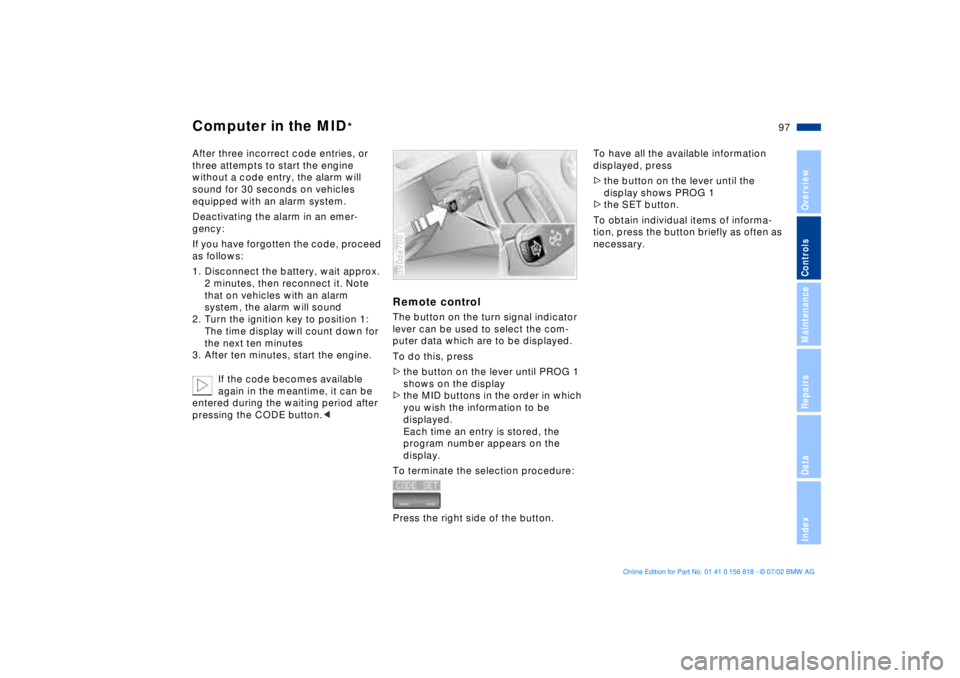
Remote controlThe button on the turn signal indicator
lever can be used to select the com-
puter data which are to be displayed.
To do this, press
>the button on the lever until PROG 1
shows on the display
>the MID buttons in the order in which
you wish the information to be
displayed.
Each time an entry is stored, the
program number appears on the
display.
To terminate the selection procedure:
Press the right side of the button.390de700
To have all the available information
displayed, press
>the button on the lever until the
display shows PROG 1
>the SET button.
To obtain individual items of informa-
tion, press the button briefly as often as
necessary.
Page 126 of 187
126n
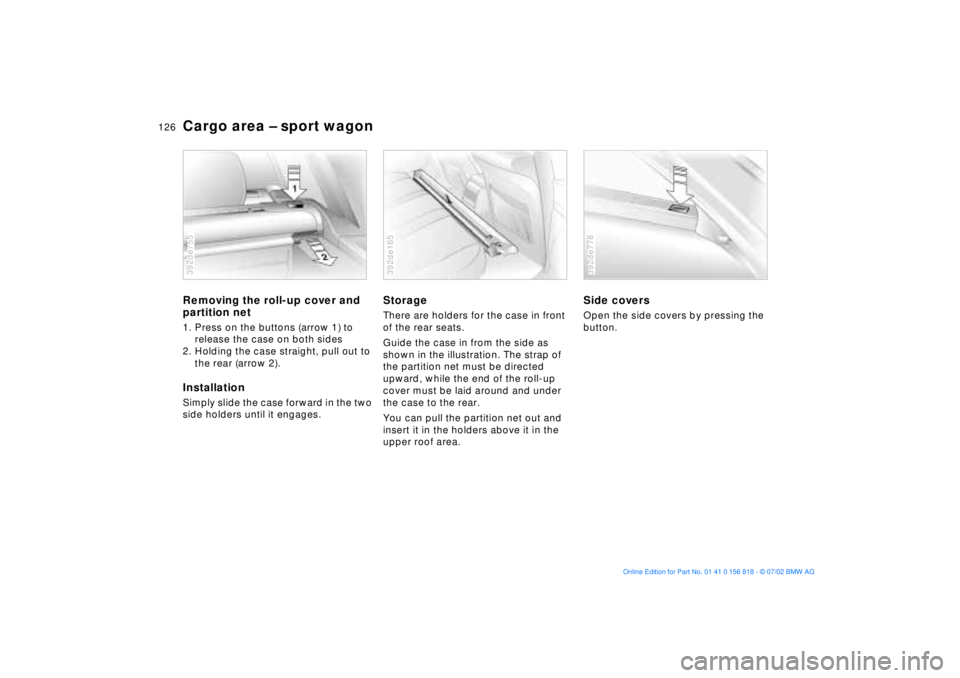
Cargo area Ð sport wagonRemoving the roll-up cover and
partition net1. Press on the buttons (arrow 1) to
release the case on both sides
2. Holding the case straight, pull out to
the rear (arrow 2).InstallationSimply slide the case forward in the two
side holders until it engages.392de755
StorageThere are holders for the case in front
of the rear seats.
Guide the case in from the side as
shown in the illustration. The strap of
the partition net must be directed
upward, while the end of the roll-up
cover must be laid around and under
the case to the rear.
You can pull the partition net out and
insert it in the holders above it in the
upper roof area.392de165
Side coversOpen the side covers by pressing the
button.392de778
Page 181 of 187
Everything from A to Z
181n
OverviewControlsMaintenanceRepairsDataIndex
Instrument displays15
Instrument lighting104
Instruments15
Intensive cleaning141
Interior lamps105
Interior mirrors58
Interior motion sensor42
avoiding unintentional
alarms44
deactivate35
Interior rearview mirror57
automatic dimmer58
Interlock68 J
Jack159
Jump-starting164t K
Key Memory67
Key with remote control32
Keys32
Kickdown73, 76 L
Lamp switch103
Lamps and bulbs153t
Lashing eyes to secure the
load128
Length of vehicle171 Level control
system21, 101
License plate lamps
bulb replacement158t
Lighter120
LIGHTS ON warning103
LIMIT93
Load-securing devices128
Louvers106, 109
Low beams103
bulb replacement153t
Low-fuel warning lamp83
Lug bolts160
Lug wrench159t
Luggage
compartment38, 42, 125
capacity173
manual operation38t
Luggage compartment
lid38
electrical malfunction38
emergency release from
luggage compartment's
interior41
opening from the
outside39
opening separately38
remote control35
secure separately38
Luggage compartment's
interior, emergency
release41 Luggage net42
Luggage straps42
Lumbar support50
M
M+S tires138
Maintenance84, 146t
Malfunction displays85t
Manual operation
doors33
fuel filler door24
luggage compartment
lid38
sliding/tilt sunroof47
tailgate39
Manual transmission71
Manually controlled
recirculated-air112
Manually-adjusted seat49
Master key32
Maximum cooling112
Memory settings
for seat, mirror and
steering wheel54
related to individuals ("Key
Memory")67
related to the vehicle
("Vehicle Memory")67
Microfilter108, 114
MID (Multi-Information
Display)89 Mirrors57
adjusting57
automatic dimming
feature58
defrosting57
memory setting54
Modifications,
technical9, 147
Monitoring inflation
pressure, tires101
Moonroof47
Multifunction buttons,
steering wheel22
Multi-Information Display
(MID)89
N
Non-smoker's
equipment120 O
OBD interface socket148
Odometer16, 82
Oil additives142
Oil change interval, refer to
the Service and Warranty
Information Booklet (US
models) or to the Warranty
and Service Guide Booklet
(Canadian models)
Oil consumption142
Page 182 of 187
Everything from A to ZOil dipstick142t
Oil level, indicator lamp20
Oil pressure, indicator
lamp19
Oil specifications143t
Oil viscosity143
Oils, disposal143t
OILSERVICE84
Old batteries162
Onboard computer, refer to
the "Owner's Manual for
Onboard Computer"
Onboard Diagnostic (OBD)
system148
Onboard Diagnostics
(OBD)148
Onboard tool kit152t
Opening and closing
from the inside37
from the outside33
using the key33
using the remote
control33
Opening the rear
window40
Operating range88
Outlets,
ventilation106, 109
Outside temperature
display82, 88
P
Park Distance Control
(PDC)98
Parked-car ventilation
system114
for additional information
refer to the "Owner's
Manual for Onboard
Computer"
Parking aid98
Parking brake20, 70
Parking lamps103
bulb replacement154t
Partition net125
Passenger-side mirror tilt
function55
PDC (Park Distance
Control)98
Pocket light118
Pollen filter108, 114
Power windows45
safety switch45
Power-slip control, refer to
ASC+T/DSC99 Q
Quality Grades, tires136
R
Rain sensor78
RDC (Tire Pressure
Monitor)101
Reading lamps105
Rear ashtray120
Rear window40
defroster107, 112
sun blinds114
wiper79
Rear window cleaning79
Rear-seat backrest
fold121
folding121
Rearview mirror57
Recirculated-air mode107
Reclining seat48
Refueling24
Releasing hood139
Reminder signal (Memo)91
Remote control34
computer97
Remove condensation from
windows108, 111
Replacing
fuses162t
lamps and bulbs153t
wiper blades152t
Reporting safety defects10 Reservoir, washer
system141t
Residual heat113
Rims137
Roller sun blind114
Roll-up cover125
Roof load capacity173
Roof-mounted luggage
rack129
S
Safety belts53
Safety defects, reporting10
Safety lock buttons37
Seat belts53
Seat heating55
Seats
electric power50
heating55
manually-adjusted49
memory setting54
Secure the load128
Securing cargo42, 128
Selector lever, automatic
transmission72, 75
Self-leveling
suspension101
inactive21
Service and Warranty10
Service and Warranty
Information Booklet (US
models)146
Page 183 of 187
Everything from A to Z
183n
OverviewControlsMaintenanceRepairsDataIndex
Service Interval
Display84, 146
Shiftlock72, 75
Shoulder support51
Side airbags59
Side Impact Head Protection
System59
Side lamps
bulb replacement154t
Side turn signal indicators
bulb replacement155t
Sitting safely48
with airbags48
with safety belt48
Ski bag122
Ski bag in the sport
wagon124
Sliding/tilt sunroof46
manual operation47
with glass moonroof47
Snow chains138
Socket for attaching
electrical appliances120
Spare tire159t
Speaker119
Special characteristics of
winter tires138
Special oil143t
Speed96
Speed limit93
Speed, average88, 96
Speedometer15, 16, 17 sport wagon
cargo area125
compartments in the cargo
area126
cover in the cargo
area126
folding down the rear
backrest125
lashing eyes128
load-securing
devices128
opening the rear
window40
partition net125
rear window wiper, blade
replacement152t
releasing the tailgate after
an electrical
malfunction39
roll-up cover125
securing a load128
ski bag124
tail lamp assembly, bulb
replacement156t
Standing lamps104
Starting assistance164t
Starting problems69t
Starting the engine69
Steering wheel
heating56
lock68
memory setting54 Steering wheel with
multifunction buttons22
Steptronic75
Stopwatch91
for additional information
refer to the "Owner's
Manual for Onboard
Computer"
Storage compartments118
in the cargo area126
Summer tires137
Sun blinds114
Sunroof46
Switching off the engine70
Switch-on times for parked-
car ventilation92
Symbols8
T
Tachometer83
Tail lamps156
bulb replacement156t
Tailgate
manual operation39
manual release39
opening from the
inside40
opening from the
outside39
Technical
modifications9, 147
Telephone preparation119 Temperature display82, 88
Temperature gauge84
Temperature
layering108, 113
Tether strap62
Third brake lamp157
Through-loading
system121
Tilt alarm sensor42, 43
avoiding unintentional
alarms44
deactivate35
Tilt function, passenger-side
mirror55
Time
calling up90
changing90
of arrival, estimated95
Timer90
for additional information
refer to the "Owner's
Manual for Onboard
Computer"
Tire
change158t
damage135t
inflation pressure26, 135
pressure
monitoring101, 135
replacement136
tread135
Tire inflation pressure26