USB BMW 640I GRAN COUPE 2013 User Guide
[x] Cancel search | Manufacturer: BMW, Model Year: 2013, Model line: 640I GRAN COUPE, Model: BMW 640I GRAN COUPE 2013Pages: 305, PDF Size: 11.87 MB
Page 206 of 305
Random playback
The current list of tracks is played back in ran‐
dom order.1."CD/Multimedia"2."External devices"3.Open "Options".4."Random"
Fast forward/reverse
Press and hold the button.
Video playback
At a glance
Video playback via snap-in adapter is possible.
Operation can be performed via iDrive. The
sound is output on the vehicle loudspeakers.
Playback
The video image is displayed on the front Con‐
trol Display up to a speed of approx.
2 mph/3 km/h; in some countries, it is only dis‐
played if the parking brake is set or if the auto‐
matic transmission is in position P.
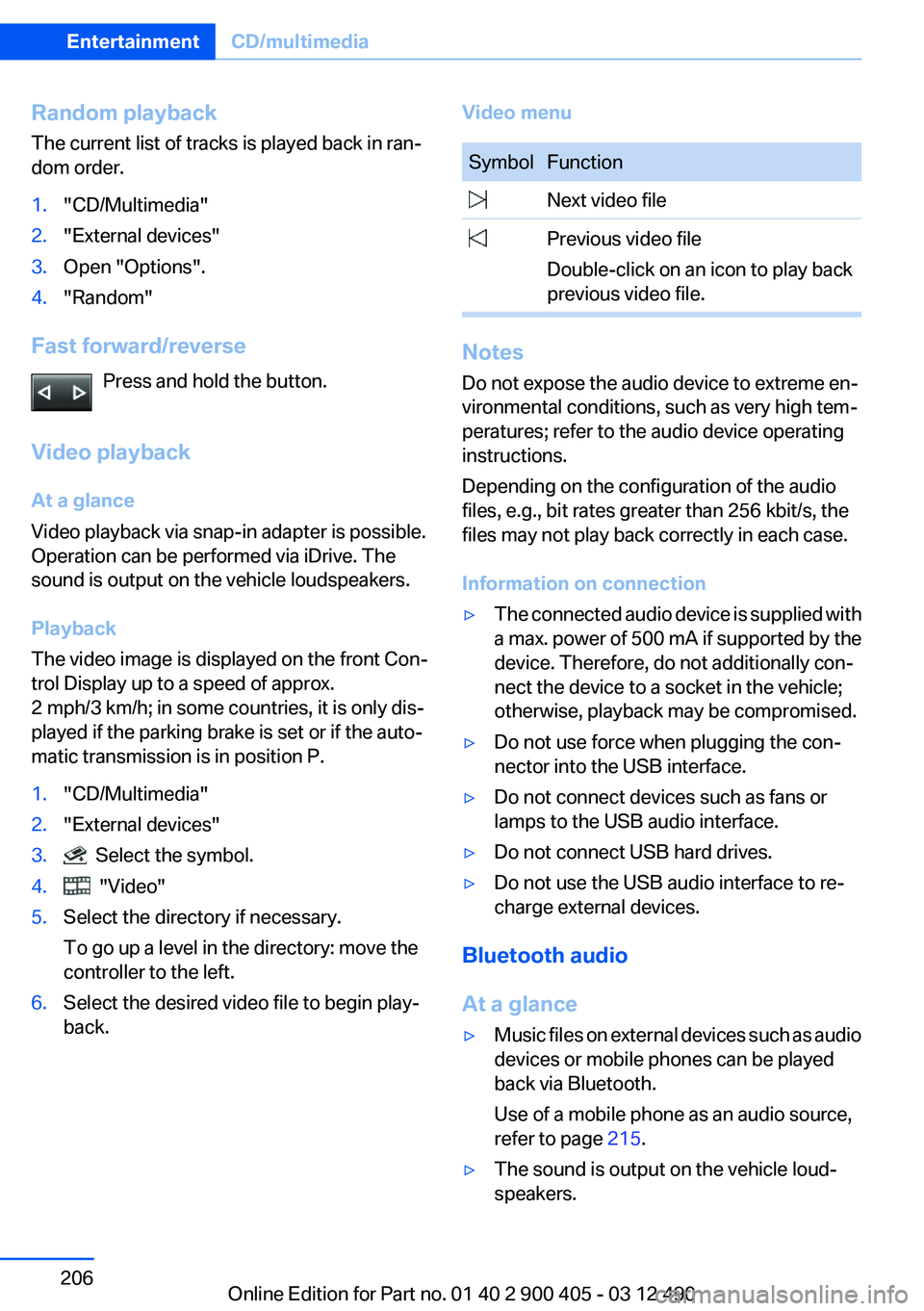
1."CD/Multimedia"2."External devices"3. Select the symbol.4. "Video"5.Select the directory if necessary.
To go up a level in the directory: move the
controller to the left.6.Select the desired video file to begin play‐
back.Video menuSymbolFunction Next video file Previous video file
Double-click on an icon to play back
previous video file.
Notes
Do not expose the audio device to extreme en‐
vironmental conditions, such as very high tem‐
peratures; refer to the audio device operating
instructions.
Depending on the configuration of the audio
files, e.g., bit rates greater than 256 kbit/s, the
files may not play back correctly in each case.
Information on connection
▷The connected audio device is supplied with
a max. power of 500 mA if supported by the
device. Therefore, do not additionally con‐
nect the device to a socket in the vehicle;
otherwise, playback may be compromised.▷Do not use force when plugging the con‐
nector into the USB interface.▷Do not connect devices such as fans or
lamps to the USB audio interface.▷Do not connect USB hard drives.▷Do not use the USB audio interface to re‐
charge external devices.
Bluetooth audio
At a glance
▷Music files on external devices such as audio
devices or mobile phones can be played
back via Bluetooth.
Use of a mobile phone as an audio source,
refer to page 215.▷The sound is output on the vehicle loud‐
speakers.Seite 206EntertainmentCD/multimedia206
Online Edition for Part no. 01 40 2 900 405 - 03 12 490
Page 210 of 305
▷Depending on the mobile phone, it is possi‐
ble that only one device can be connected
to the vehicle. Unpair the connected device
from the vehicle and pair and connect only
one device.▷The device no longer reacts? Switch the de‐
vice off and on again.▷Repeat the pairing procedure.
Music cannot be played back.
▷Start the program for playing back music
data on the device and select a track on the
device if necessary.▷Switch the radio off and on again.
Music files can only be played back softly.
▷Adjust the volume settings on the device.
Playback is disturbed when buttons are pressed
or by other messages on the device.
▷Switch off the button tones and other signal
tones on the device.
Playback is interrupted by a telephone call or
traffic bulletin and is not resumed automatically.
▷Switch the radio off and on again.
Playback is not possible if the mobile phone is
connected both via Bluetooth Audio and via the
extended connectivity of the music player in the
mobile phone.
▷Disconnect one of the two connections; for
example, disconnect the audio connection,
refer to page 209, and restart playback.
If all points in this list have been checked and the
required function is still not available, contact
the hotline or service center.
Software Update
The vehicle supports various external devices
depending on the current software version. With
a software update, the vehicle can support new
cell phones or new external device, for example.
The updating of the software is done via:
▷USB.Updates and related current information is
available at www.bmw.com/update.
Displaying the current version
The currently installed software is displayed.
1."Settings"2."Software update"3."Show current version"
SelectDesired version to displayAdditional in‐
formation.
Updating software via USB
The software may only be updated when the ve‐
hicle is stationary.
1.Store the file for the software-update in the
main director of a USB flash drive.2.Insert the USB flash drive into the USB in‐
terface of the USB audio interface in the
center armrest. An update via the USB in‐
terface in the glove compartment is not pos‐
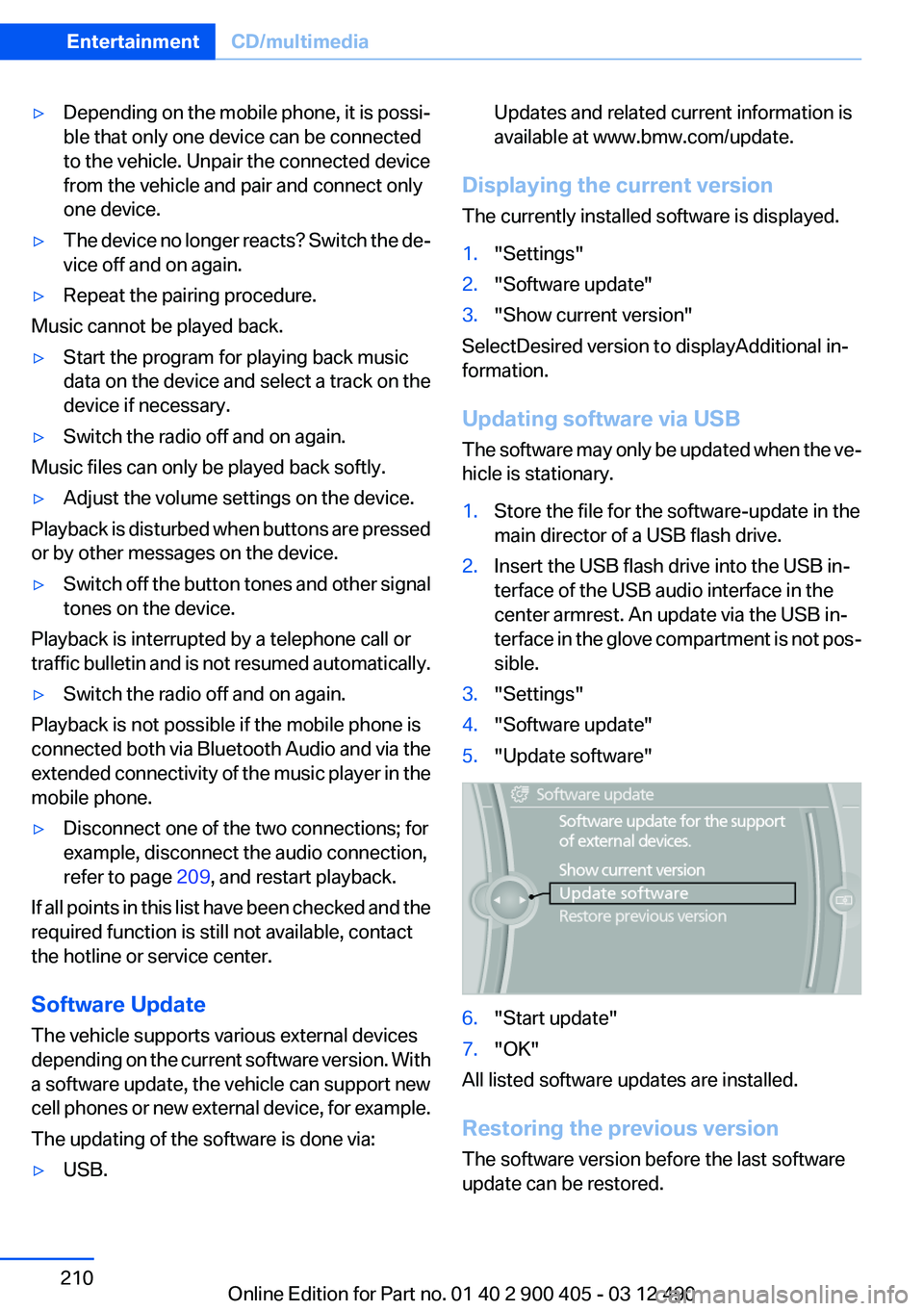
sible.3."Settings"4."Software update"5."Update software"6."Start update"7."OK"
All listed software updates are installed.
Restoring the previous version
The software version before the last software
update can be restored.
Seite 210EntertainmentCD/multimedia210
Online Edition for Part no. 01 40 2 900 405 - 03 12 490
Page 225 of 305
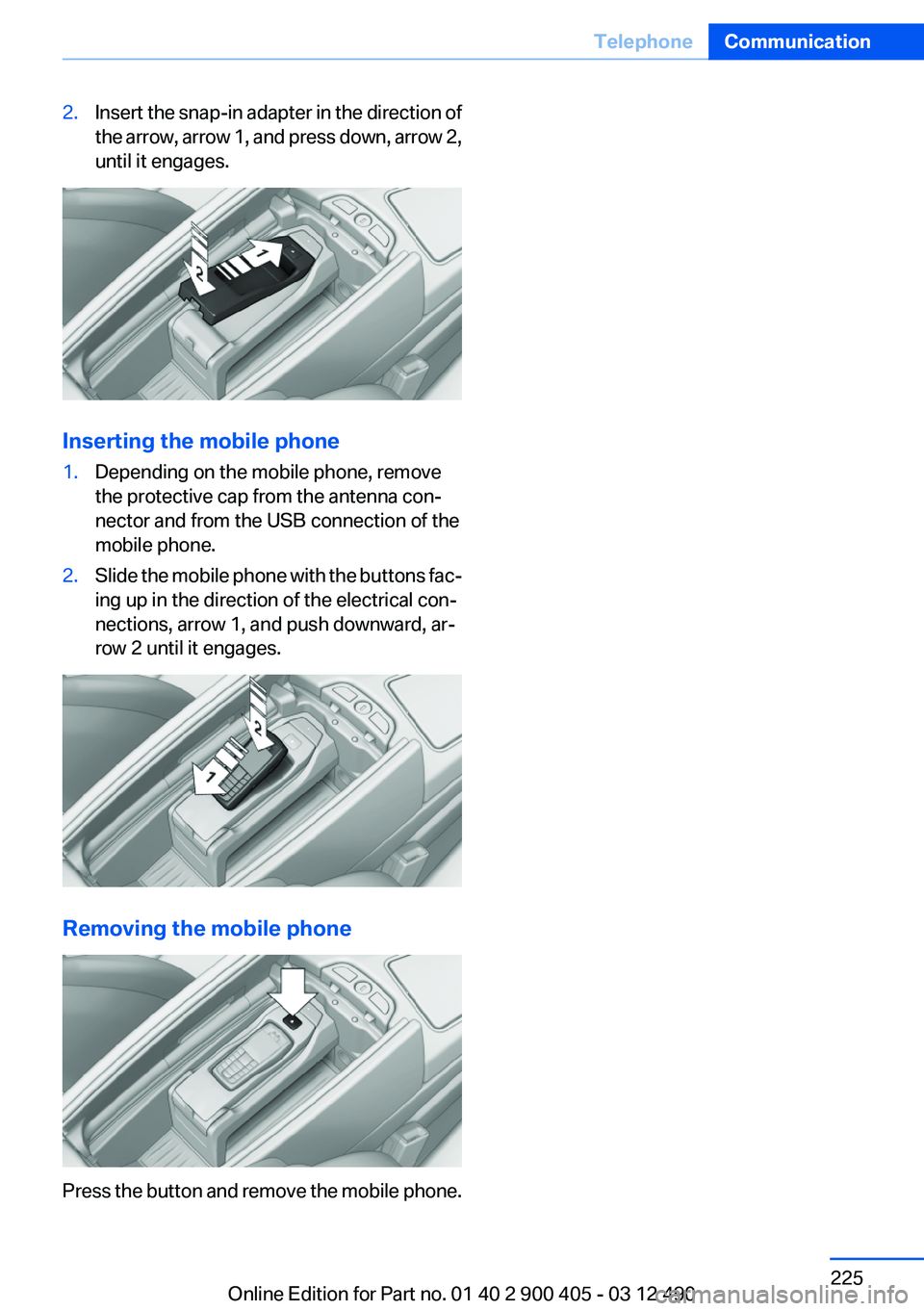
2.Insert the snap-in adapter in the direction of
the arrow, arrow 1, and press down, arrow 2,
until it engages.
Inserting the mobile phone
1.Depending on the mobile phone, remove
the protective cap from the antenna con‐
nector and from the USB connection of the
mobile phone.2.Slide the mobile phone with the buttons fac‐
ing up in the direction of the electrical con‐
nections, arrow 1, and push downward, ar‐
row 2 until it engages.
Removing the mobile phone
Press the button and remove the mobile phone.
Seite 225TelephoneCommunication225
Online Edition for Part no. 01 40 2 900 405 - 03 12 490
Page 242 of 305
software applications are displayed on the Con‐
trol Display.
Operation can be performed via iDrive.
Requirements▷The mobile phone is suitable.▷The cell phone operating system supports
the software applications of Apps.▷Software applications are installed on the
cell phone and ready to use.▷Corresponding mobile wireless contract.
Any additionally incurred costs are not a part
of Apps.▷Use only BMW approved software applica‐
tions; otherwise, it may result in malfunc‐
tions.
Information about suitable cell phones, available
software applications and their installation can
be found at www.bmw.com/connectivity or at
the service center.
Create the entries.
Make entries only when traffic and road
conditions allow. Otherwise, the vehicle occu‐
pants and other road users may be put in danger
because of the distraction from driving.
For reasons of safety, some software applica‐
tions are usable only while the vehicle is station‐
ary.◀
Use apps
1.Connect the cell phone via the snap-in
adapter or via the USB audio interface.2."ConnectedDrive"3.Select the desired software application.
Displaying status
Information about the currently available soft‐
ware applications can be displayed.
1."ConnectedDrive"2."BMW apps"PlugIn
Selected functions of the cell phone are dis‐
played on the Control Display. Operation can be
performed via iDrive.1.Connect cell phone via the snap-in adapter.2."ConnectedDrive"3."PlugIn"4."Activate PlugIn"5.Navigate to the displayed functions via the
controller and select, for example, a desired
category or track.
Press button to switch within the cell
phone functions to a higher level or back.
Press button twice to switch back to the
main menu.
Notes
▷The ranges of Apps that can be displayed on
the Control Display depend on the range of
installed software applications on the cell
phone.▷The data transmission of the software ap‐
plications from the cell phone to the vehicle
can last some time. Some software applica‐
tions depend on the speed of the available
Internet connection of the cell phone.▷Some cell phones cannot simultaneously
use Apps and the Bluetooth hands-free sys‐
tem.
If necessary, restart the software application
on the cell phone after a phone conversa‐
tion.Seite 242CommunicationConnectedDrive242
Online Edition for Part no. 01 40 2 900 405 - 03 12 490
Page 302 of 305
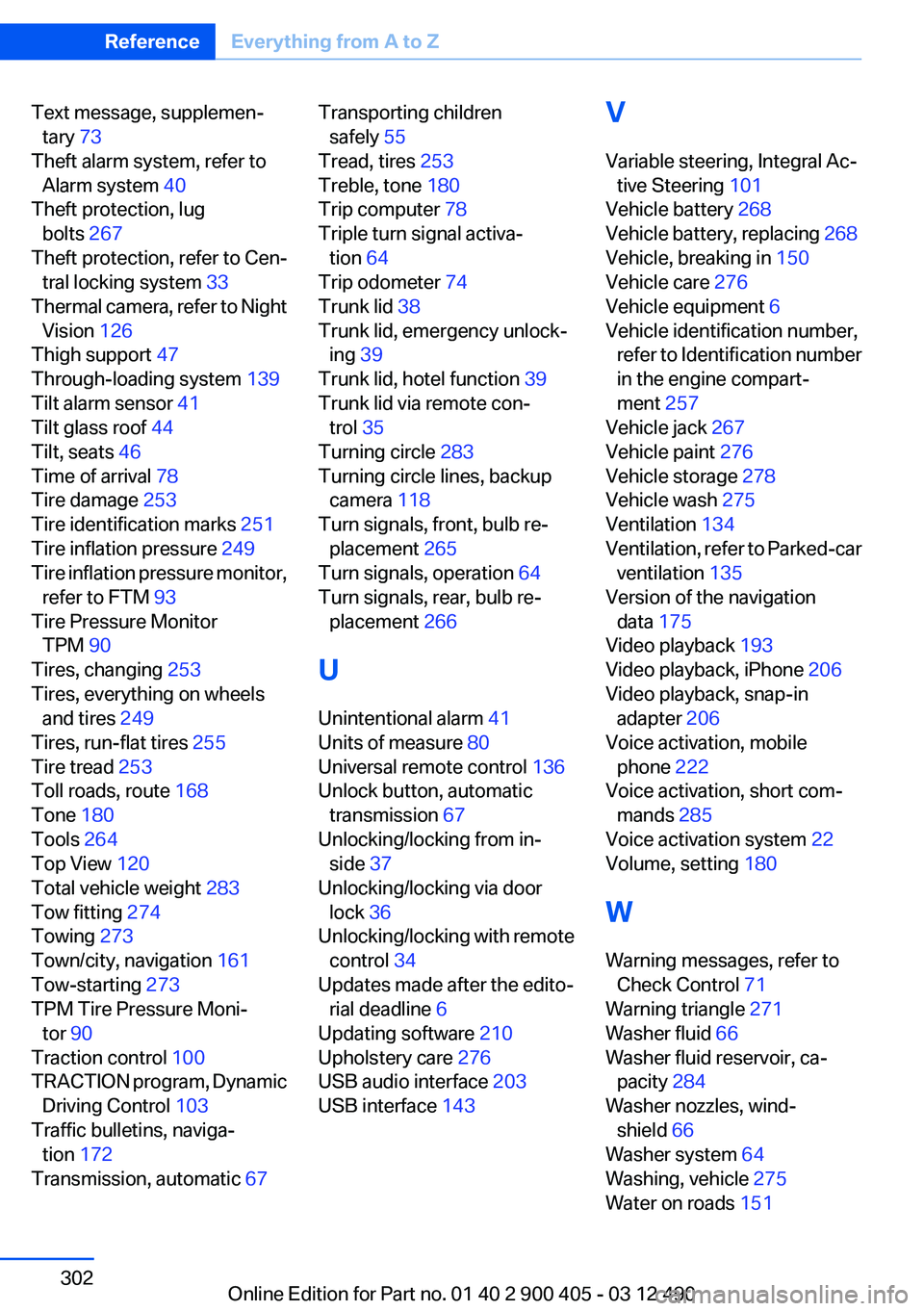
Text message, supplemen‐tary 73
Theft alarm system, refer to Alarm system 40
Theft protection, lug bolts 267
Theft protection, refer to Cen‐ tral locking system 33
Thermal camera, refer to Night Vision 126
Thigh support 47
Through-loading system 139
Tilt alarm sensor 41
Tilt glass roof 44
Tilt, seats 46
Time of arrival 78
Tire damage 253
Tire identification marks 251
Tire inflation pressure 249
Tire inflation pressure monitor, refer to FTM 93
Tire Pressure Monitor TPM 90
Tires, changing 253
Tires, everything on wheels and tires 249
Tires, run-flat tires 255
Tire tread 253
Toll roads, route 168
Tone 180
Tools 264
Top View 120
Total vehicle weight 283
Tow fitting 274
Towing 273
Town/city, navigation 161
Tow-starting 273
TPM Tire Pressure Moni‐ tor 90
Traction control 100
TRACTION program, Dynamic Driving Control 103
Traffic bulletins, naviga‐ tion 172
Transmission, automatic 67 Transporting children
safely 55
Tread, tires 253
Treble, tone 180
Trip computer 78
Triple turn signal activa‐ tion 64
Trip odometer 74
Trunk lid 38
Trunk lid, emergency unlock‐ ing 39
Trunk lid, hotel function 39
Trunk lid via remote con‐ trol 35
Turning circle 283
Turning circle lines, backup camera 118
Turn signals, front, bulb re‐ placement 265
Turn signals, operation 64
Turn signals, rear, bulb re‐ placement 266
U
Unintentional alarm 41
Units of measure 80
Universal remote control 136
Unlock button, automatic transmission 67
Unlocking/locking from in‐ side 37
Unlocking/locking via door lock 36
Unlocking/locking with remote control 34
Updates made after the edito‐ rial deadline 6
Updating software 210
Upholstery care 276
USB audio interface 203
USB interface 143 V
Variable steering, Integral Ac‐ tive Steering 101
Vehicle battery 268
Vehicle battery, replacing 268
Vehicle, breaking in 150
Vehicle care 276
Vehicle equipment 6
Vehicle identification number, refer to Identification number
in the engine compart‐
ment 257
Vehicle jack 267
Vehicle paint 276
Vehicle storage 278
Vehicle wash 275
Ventilation 134
Ventilation, refer to Parked-car ventilation 135
Version of the navigation data 175
Video playback 193
Video playback, iPhone 206
Video playback, snap-in adapter 206
Voice activation, mobile phone 222
Voice activation, short com‐ mands 285
Voice activation system 22
Volume, setting 180
W
Warning messages, refer to Check Control 71
Warning triangle 271
Washer fluid 66
Washer fluid reservoir, ca‐ pacity 284
Washer nozzles, wind‐ shield 66
Washer system 64
Washing, vehicle 275
Water on roads 151 Seite 302ReferenceEverything from A to Z302
Online Edition for Part no. 01 40 2 900 405 - 03 12 490